General apollon rules for configuration
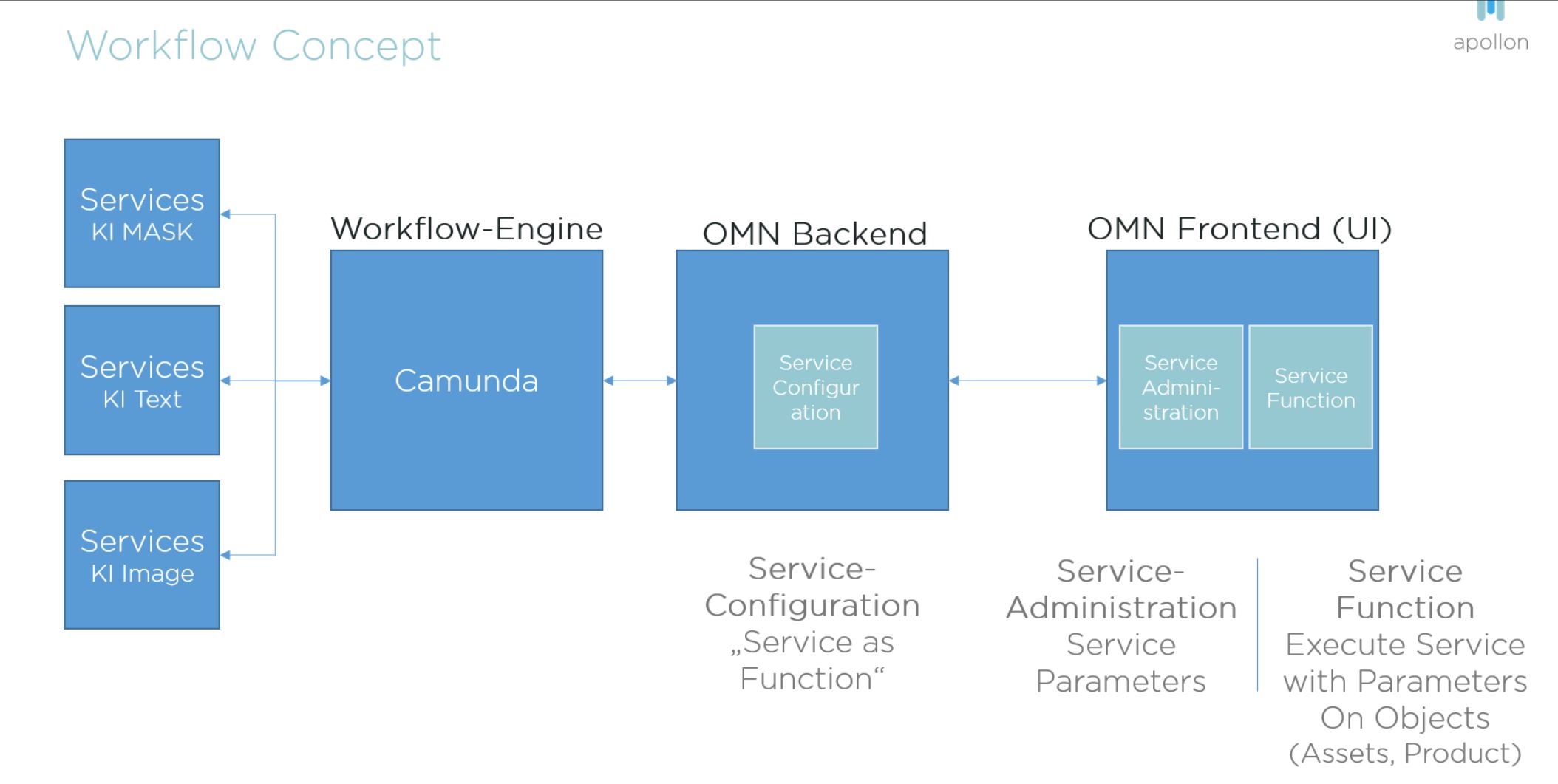
All AI-Services are implemented as Camunda Workflows and therefore configured as WorkflowConfig-FunctionPlugins.
Related to the appearance on the UI, AI-Services should be configured in a consistent way for all OMN installations.
This includes:
-
grouping of AI function with the configuration of secondary function groups
-
name of the function for DE / EN
-
availability of the function related to the view where it should be executable
For some services it is important not to name the underlying service, like "RemoveBG" or "AutoRetouch". Instead terms defined by apollon should be used (see below).
The following function groups and localizations are defined as standard:
Function Group: AI-Translate (de/en)
-
AI-Translate – Google
-
AI-Translate – Microsoft
-
AI-Translate – DeepL
-
AI-Translate – Systran
-
AI-Translate
-
(User can select one of supported Translation Services)
-
Function Group: KI - Bild / AI-Image (de / en)
-
AI-Image
-
(AutoRetouch Service (it is not allowed to use the service name))
-
-
AI-Mask
-
(RemoveBG Service (it is not allowed to use the service name))
-
Function Group: KI - Tagger/ AI-Tagger (de / en)
-
AI-Tagger - Google Vision
-
AI-Tagger - Clarifai
-
AI-Tagger - Pixyle
-
AI-Tagger - Microsoft Vision
-
AI-Tagger - Imagga
If the translation services are configured in an OMN installation, at least the following plugins must be configured
-
OMN Search
-
ClassificationView
-
ProductView (if available)
If a plugin like OMN Search is using different content plugins like Table, SingleObject etc. the functions should be configured in each view and for each view in the same way.