Web2Print Applications Module
There exists an application module “Web2Print” for each mandator where the servers are configured. It is recommended to leave most settings on the tabs on the default settings. Expand <Mandator name> → Application modules and select Web2Print. The Plug-in configuration consists of four tabs, the “General” tab displays by default on opening the page.
"General"
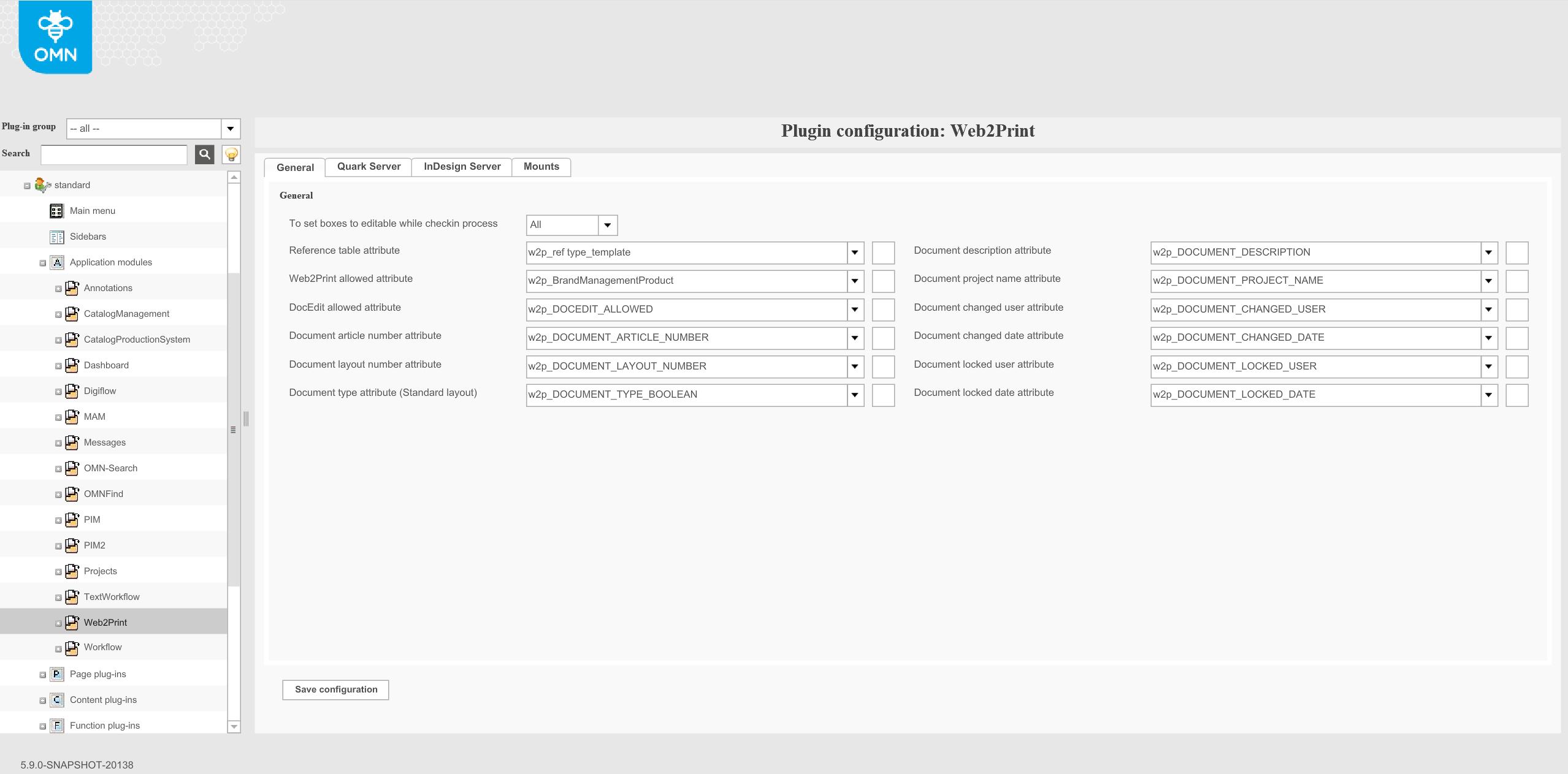
To set boxes to editable while checkin process: The selection list contains two entries. Choose “All” to set all text and image boxes to editable when documents are checked in. Otherwise they are unusable for DocEdit.
Reference table attribute: needs to be configured to find linked asset (InDesign document) with a product.
Web2Print allowed attribute: needs to be configured for displaying 'Allow DocEdit' function
DocEdit allowed attribute: needs to be configured for displaying 'Allow DocEdit' function
Document article number attribute: needs to be configured to use article field for a product
Document layout number attribute: needs to be configured for document version of layout
Document type attribute (Standard layout): needs to be configured to provide information to product that document is standard layout. Standard layout means document is not used in the external shop (DGVerlag specific) and depends on document settings in Preparing: metagroup, group and client. If these settings is empty then document is marked as a standard layout.
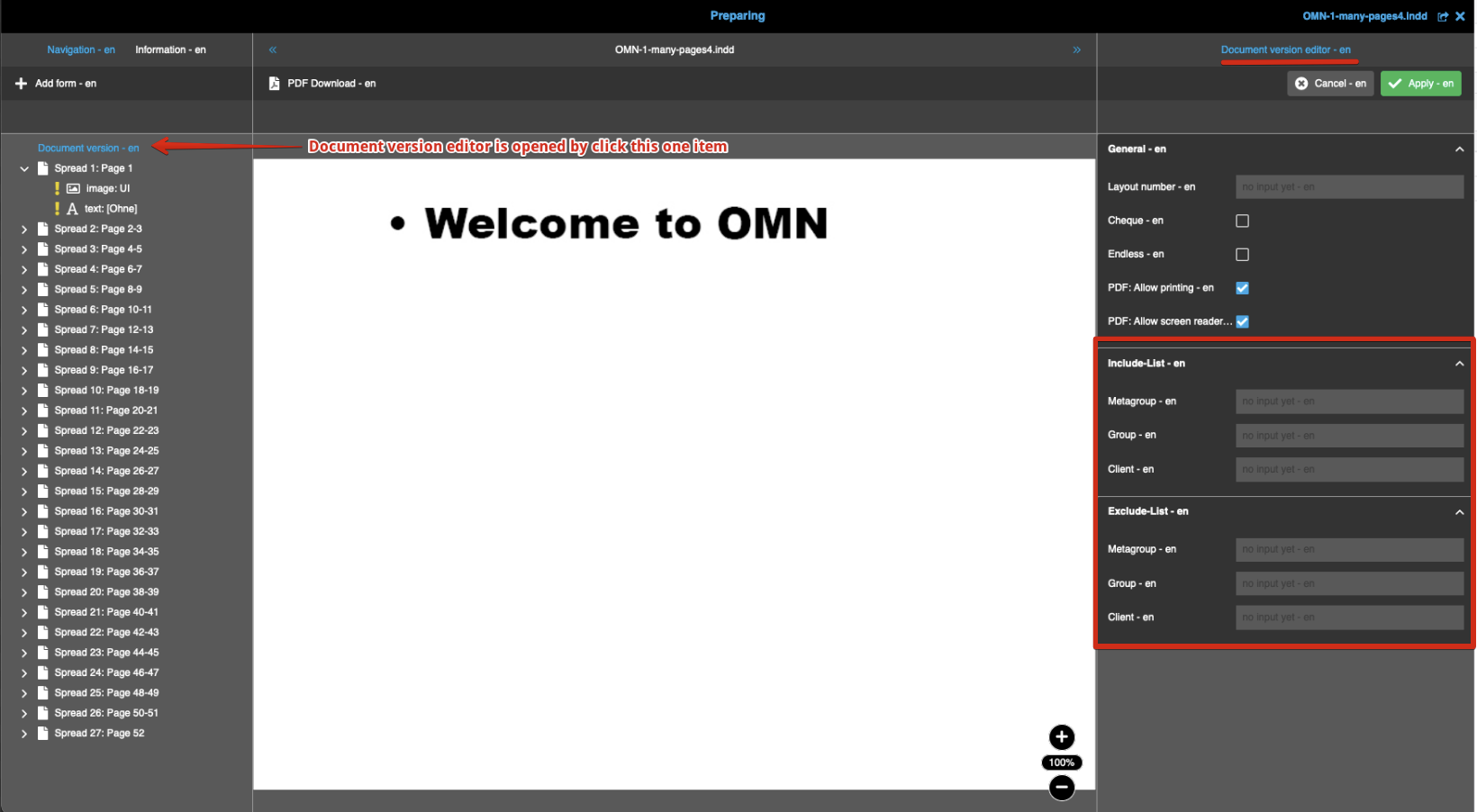
Document version editor is available for business card mode only.
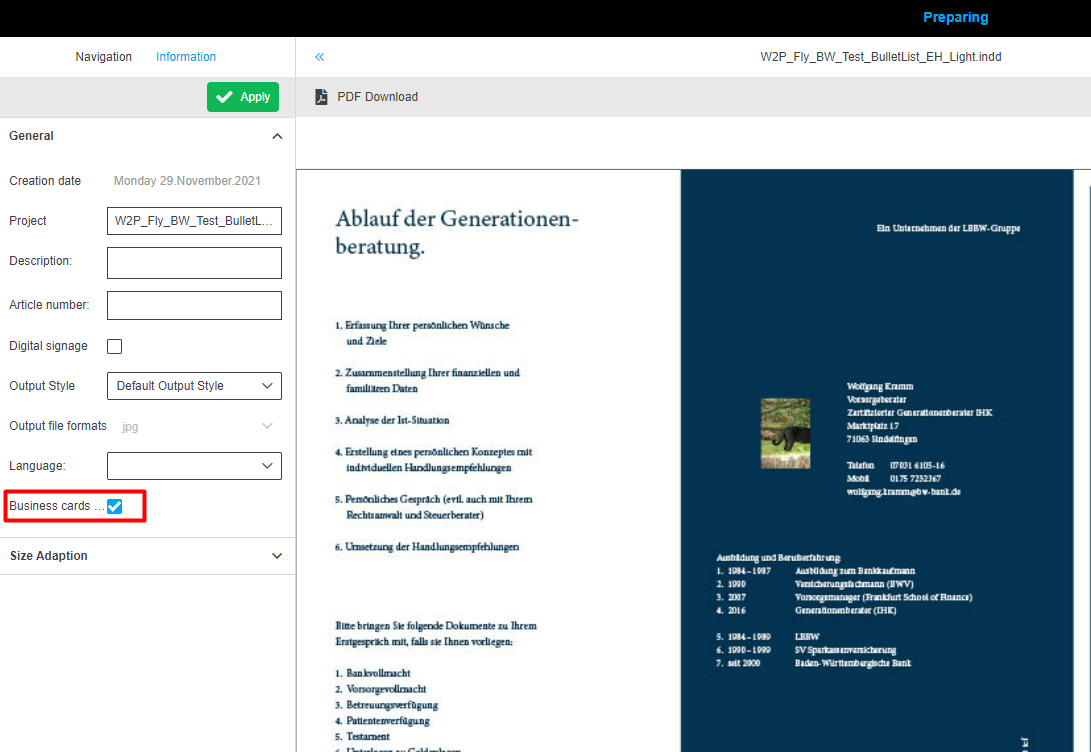
Document description attribute: needs to be configured to use description field in a document
Document project name attribute: needs to be configured to use Projectname field in a document (name of opened document)
Document changed user attribute: needs to be configured to see user who changes the document
Document changed date attribute: needs to be configured to see the date when the document was changed
Document locked user attribute: needs to be configured to see the last user who worked with the layout
Document locked date attribute: needs to be configured to see the last date where layout was opened
| Name | Type | Description (these are guesses) |
|---|---|---|
BrandManagementProduct |
BOOLEAN |
Defines that the layout is linked to the brandmanagement product
|
DOCEDIT_ALLOWED |
BOOLEAN |
Value of button Enable/Disable DocEdit
|
DOCUMENT_ARTICLE_NUMBER |
STRING |
Value of article number attribute (Preparing)
|
DOCUMENT_CHANGED_DATE |
DATE |
Last modification date of layout
|
DOCUMENT_CHANGED_USER |
STRING |
Last user who made modifications to the layout
|
DOCUMENT_DESCRIPTION |
STRING |
Value of Description attribute (Preparing)
|
DOCUMENT_LAYOUT_NUMBER |
STRING |
document version of layout
|
DOCUMENT_LOCKED_DATE |
DATE |
Last date where layout was opened
|
DOCUMENT_LOCKED_USER |
STRING |
Last user who worked with the layout
|
DOCUMENT_PROJECT_NAME |
STRING |
Value of Project Name attribute (Preparing)
|
DOCUMENT_TYPE |
BOOLEAN |
Defines that the layout is standard
|
Reference type |
REFERENCE_TABLE |
Used Layout for Product
|


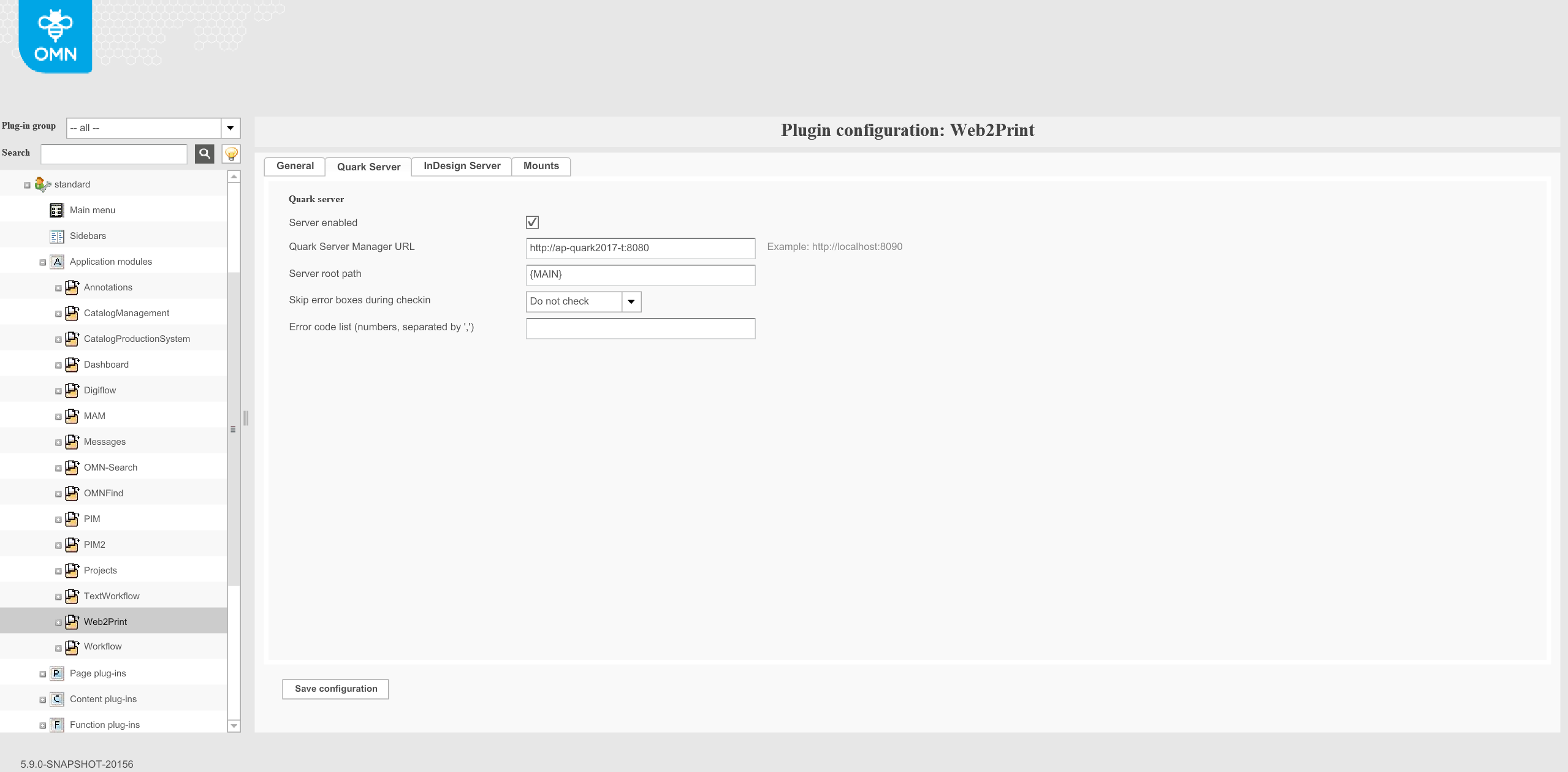
"Indesign Server"
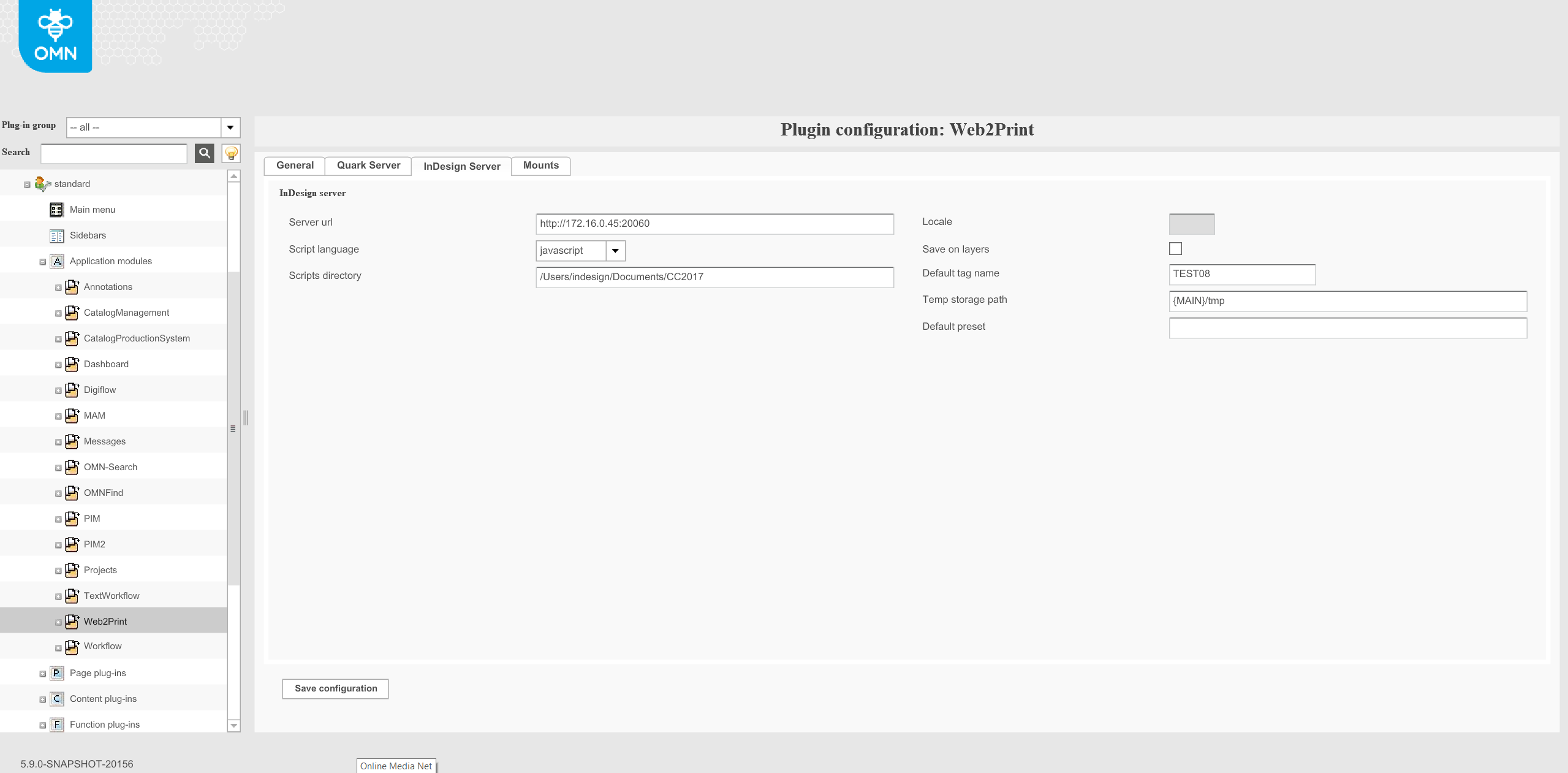
Server url: Enter the complete URL of your InDesign Server together with protocol, server name and port. The URL should have the following format: http:// <your server>:<port>
Script language: To create and modify InDesign documents the server needs some scripts. Per default the server uses scripts written in JavaScript. The default setting is highly recommended.
Scripts directory: Please enter here the location of the above mentioned scripts on your InDesign server. The entry should contain the local path.
Locale: Leave the setting on the default value. This option is not used for the Individualization (modifying on documents)
Save on layers: This option is not supported yet.
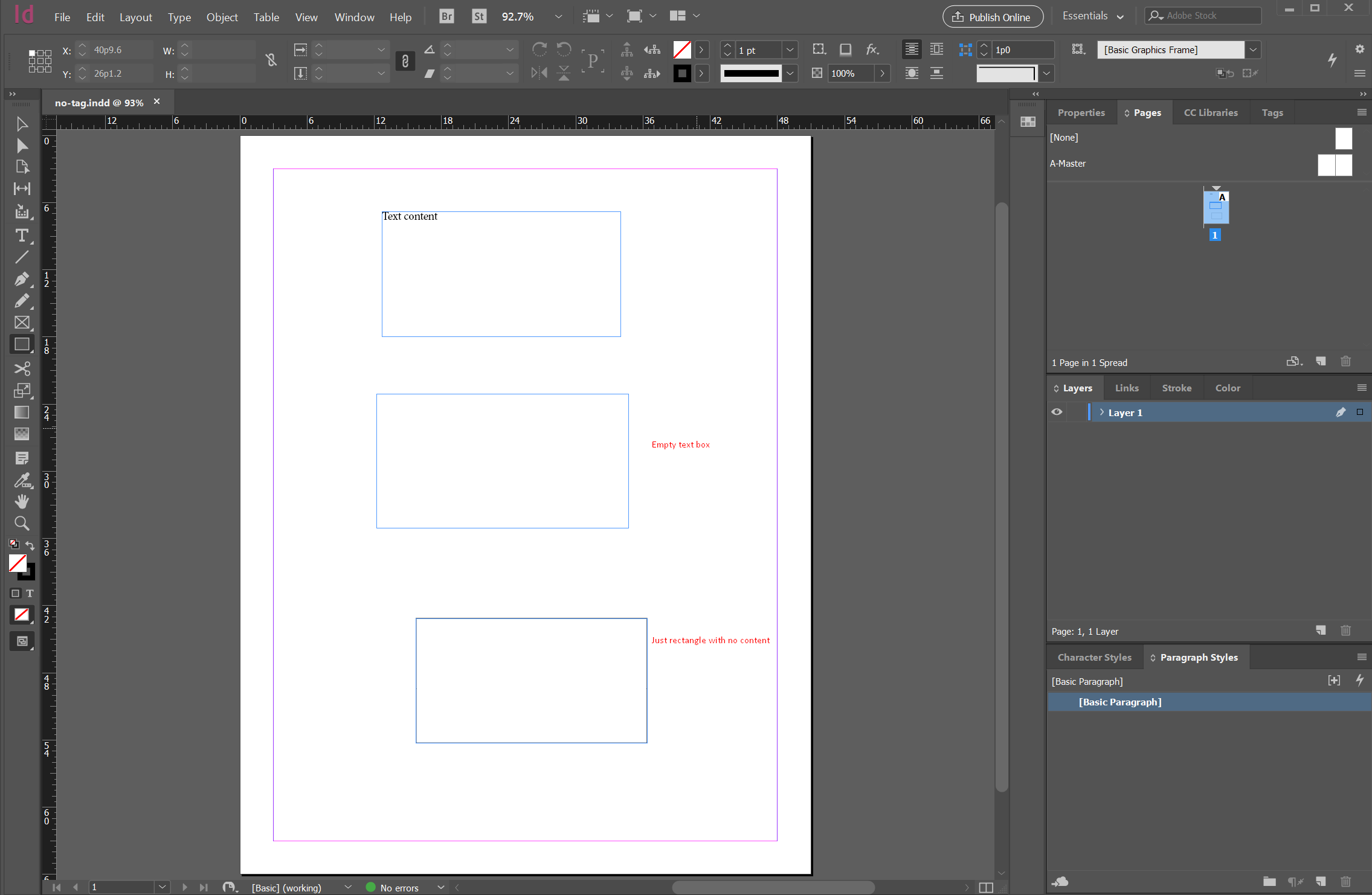
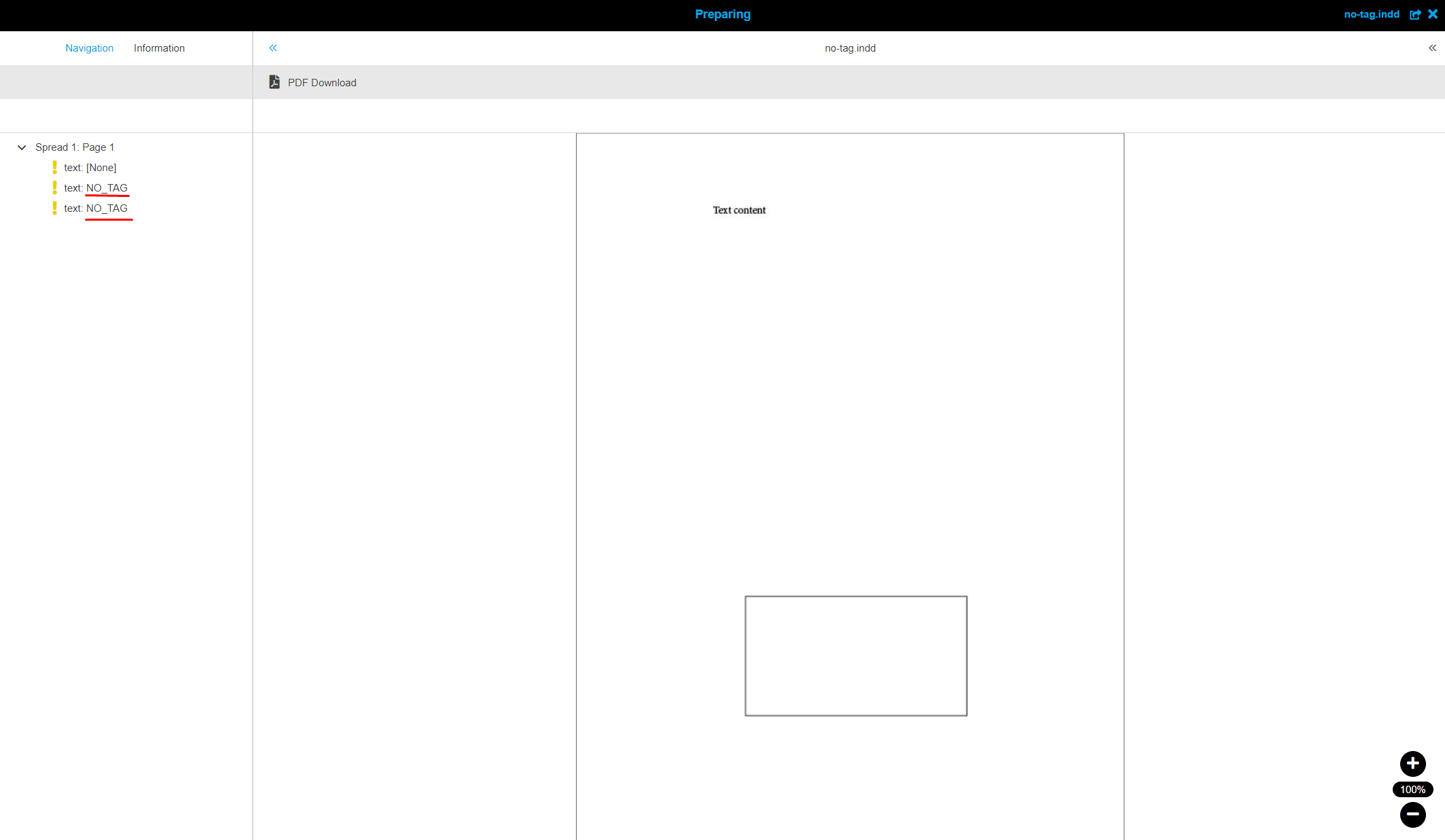
Default tag name: is used for the naming of boxes that have no assigned tag and content (empty box).

Temp storage path: While working on a document, the render process creates temporary files which will be stored in this path.
Default preset:
Goal
Configuration of the default preset that is used during PDF-generation.
Basic configuration and usage
During PDF-generation with different setting the presets are used. Currently the default preset is hardcoded and can not be changed via the interface. To make this option more flexible the configuration of a global default preset will be implemented.
To archieve this proposal Web2Print module will be extended by a special field “Default preset”:
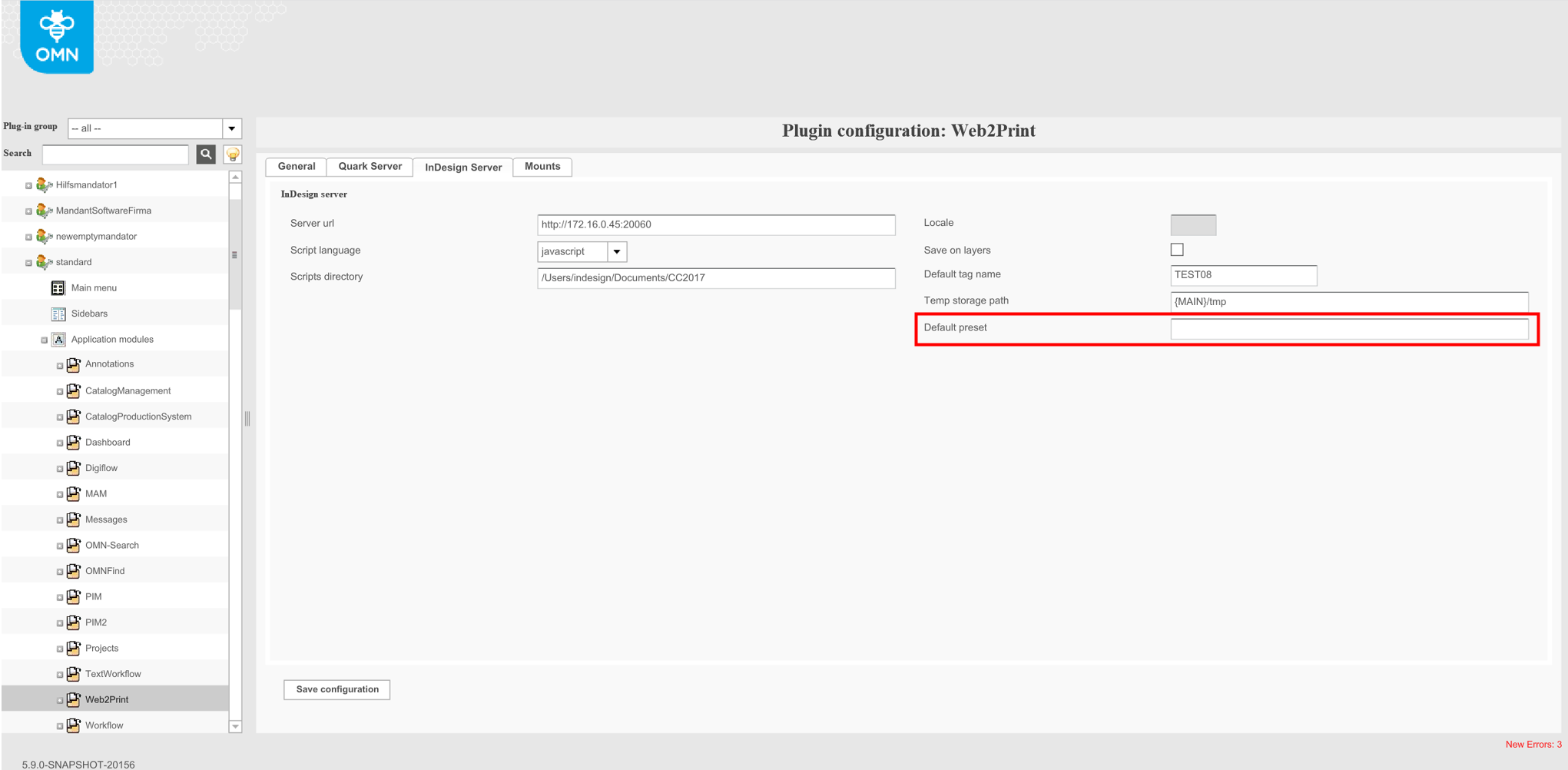
No any validation for this field.
The global default preset can be used during the generation of different PDF types: HiRes, MediumRes, LowRes, etc.:
-
during the generation of PDF from DocEdit
-
during the generation of PDF from workflow
-
during the generation of PDF from Preparing
-
during the generation of temp PDF for SWF preview
"Mounts"
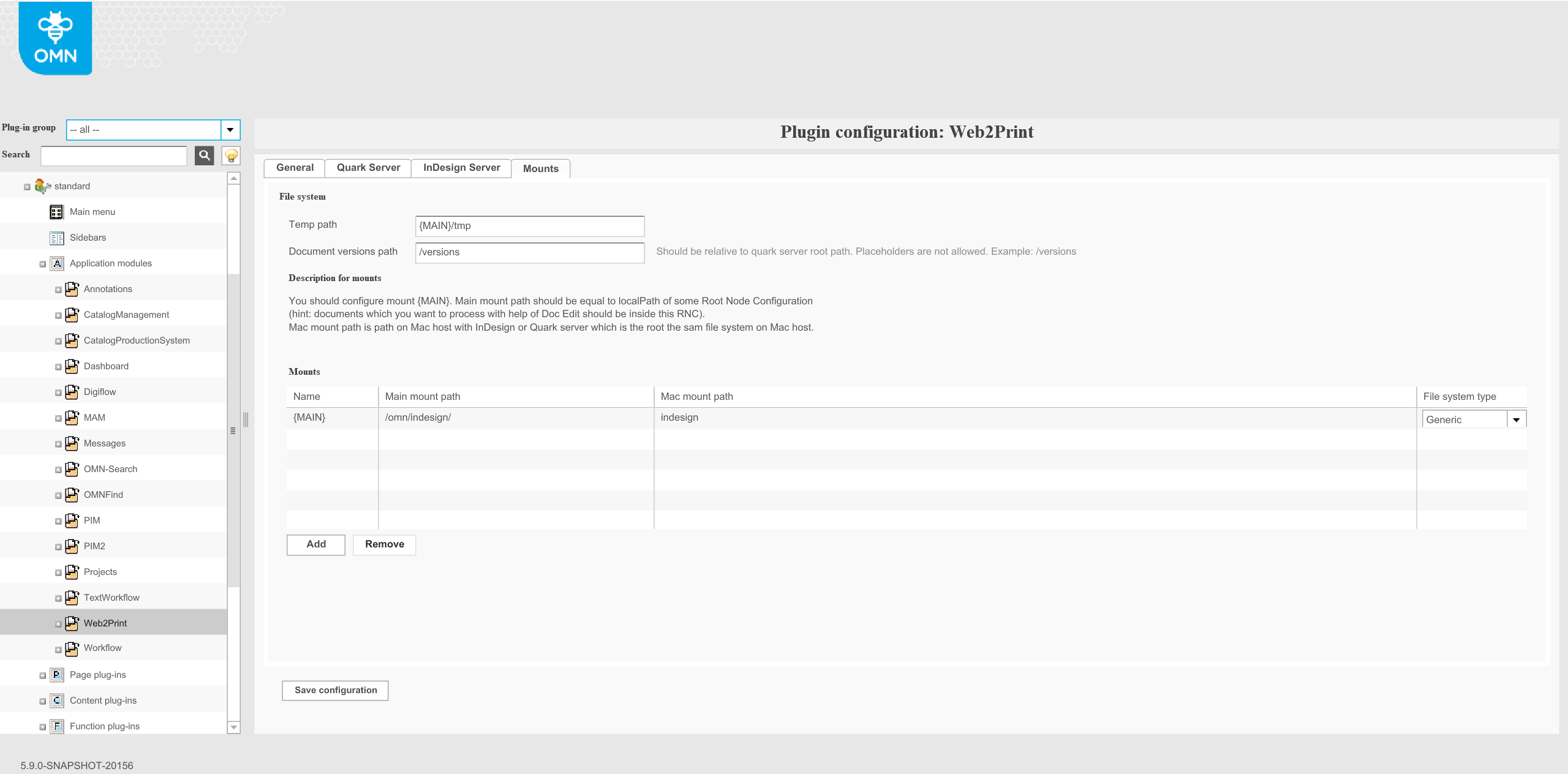
"Mounts" tab is used for configuration file system between OMN server and renderer server (InDesign or Quark).
Temp path: defines a path to the temporary folder in which temporary previews are placed.
Document versions path: defines the path to the folder in which temporary versions of quark documents are placed. It is quark specific option.
Mounts: "Mounts" table is used for conversion paths of resources from OMN server to Renderer server and vice versa.
-
Name: a unique name that is used as a definition and can be used in other path fields of Web2Print configuration. Recommendation: use special characters so that this name is not matched with the names of files or folders. It will be used as placeholder. Normally it is named as {MAIN} and used in Temp Path
-
Main mount path: absolute path on the OMN server to the shared resources with Render server and vice versa. The local path where the files & folders are located. Should be equal to RNC path
-
Mount path on the render server: absolute path on the Render server to the shared resources with OMN server and vice versa.
-
File system type: defines a type of file server that is used for sharing resources between OMN and Render servers.
-
"Generic" - for any common file server
-
"Helios" is used for Helios file server.
-