AnnotationRepository page plugin
This plugin allows the configuration of the AnnotationRepository page and functions that will be executable on the page in frontend.
It can be configured as a Sidebar item to call it in the frontend.
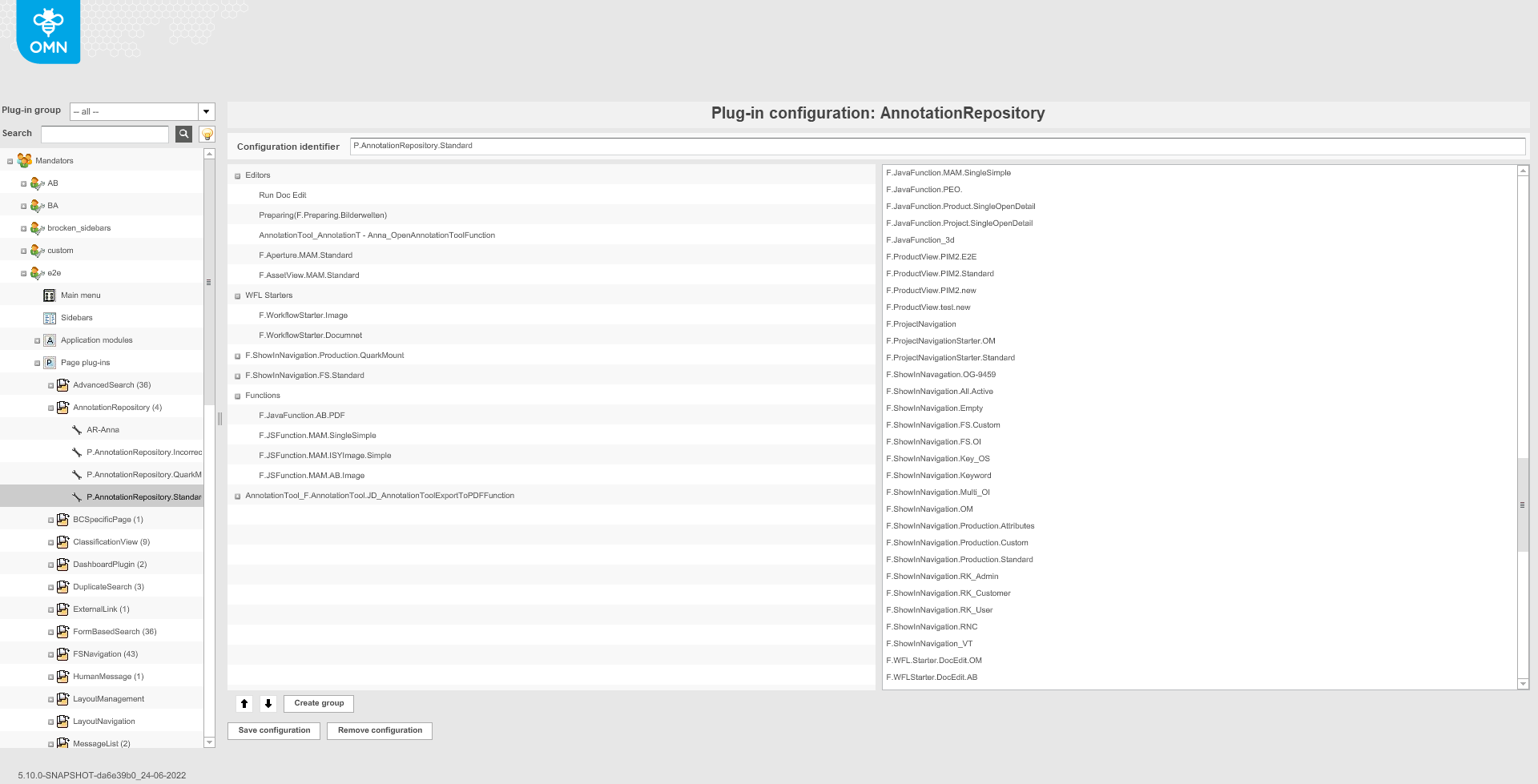
The following functions can be configured for the toolbar of AnnotationRepository page:
-
Aperture (will open Aperture editor for the selected asset)
-
AssetView (will open AssetView for the selected asset)
-
DocEdit (will open DocEdit editor for the selected indd file)
-
ExportToPDF Function (will create a PDF export with annotations for the selected file)
-
ExportForCSVFunction (will create a CSV export with annotations for the selected file)
-
JavaFunction (will execute configured JavaFunction)
-
JSFunction (will execute configured JSFunction)
-
Open AnnotationTool (will open AnnotationTool editor for the selected asset)
-
Preparing (will open Preparing editor for the selected indd file)
-
ProductView (will open ProductView where Asset is linked)
-
ProjectNavigationStarter (will open ProjectNavigation and select corresponding project)
-
ShowInNavigation (will open the location where the file with selected annotation is deposit)
-
WorkflowStarter (will start XWE process on selected asset)
-
WorkflowConfig (will start Camunda process on selected asset)
Toolbar functions can be organized into groups. Both the groups and toolbar functions can be localized. More details about configuration of the functions can be found on the following page.