Feature Details
1. General
1.1 UI Suite - General layout of left and right panel - Option to lock panels
References |
OG-12483 |
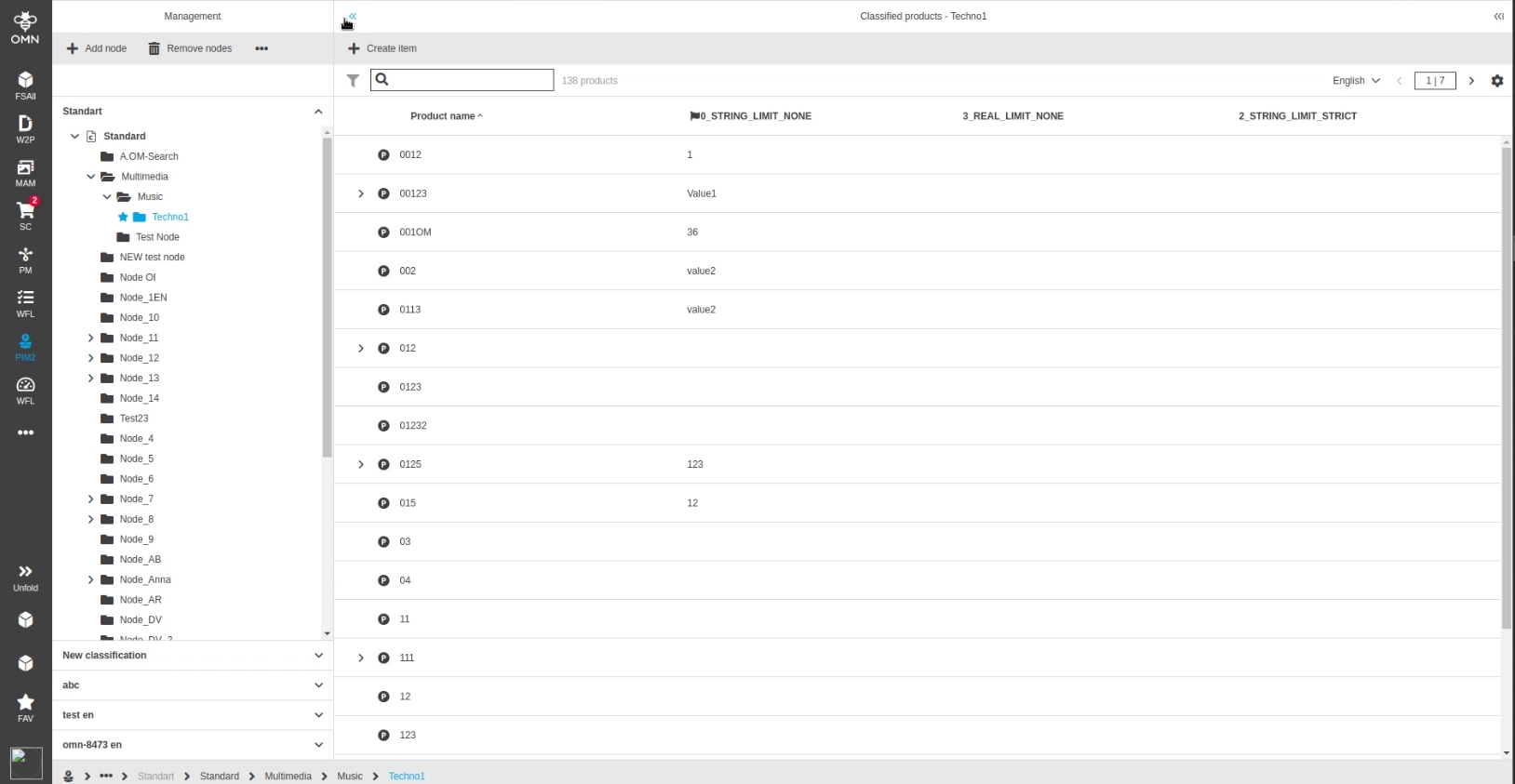
Possibility to set a lock state for the left and right panel that keeps the state whether panel is open or closed even if a new object is selected in the Center.
-
lock can be set by double-click on icon
1.2 FSNavigation Shortcuts - Introduce base shortcuts in left and right panels
References |
OG-12503 |
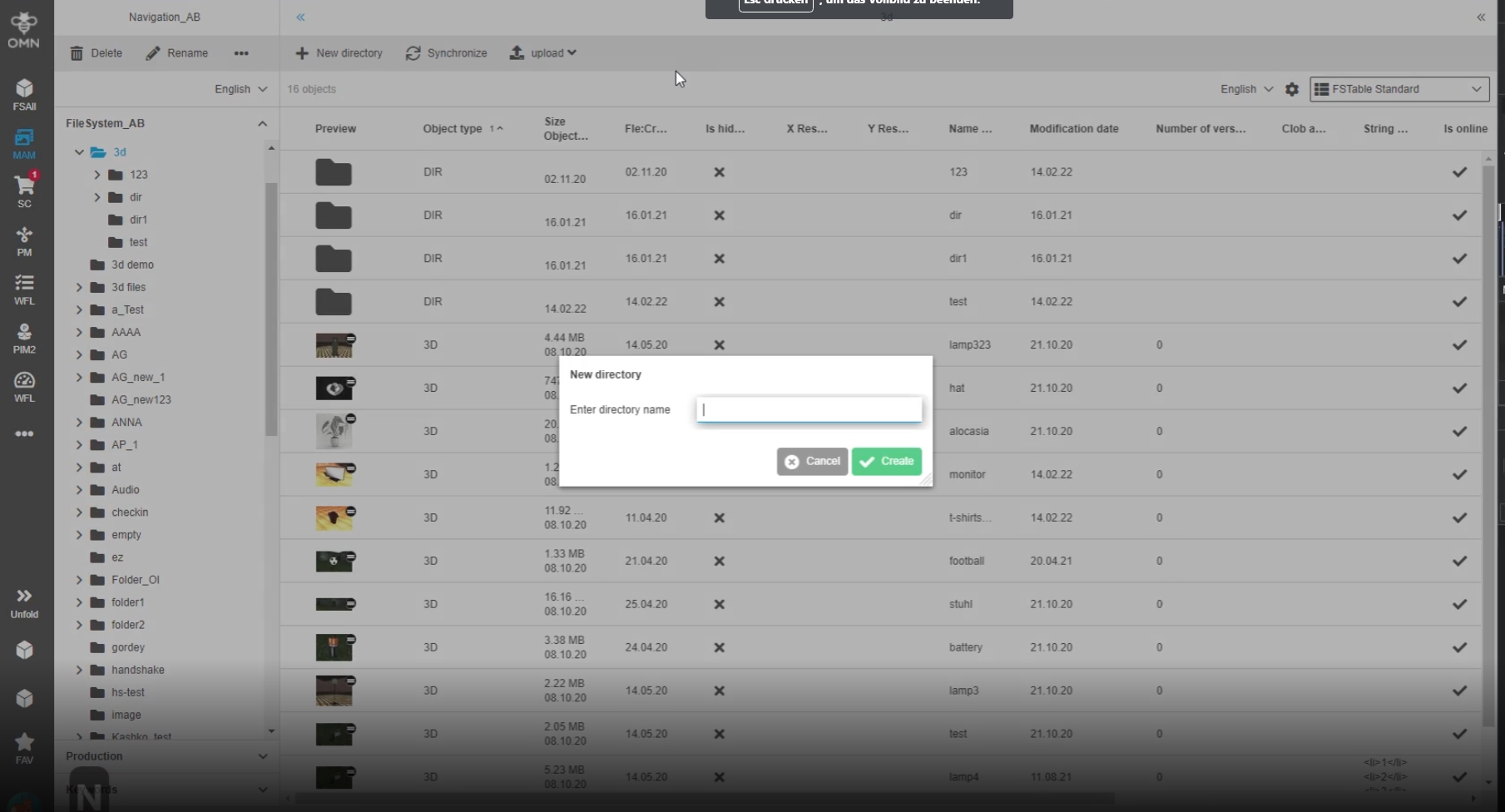
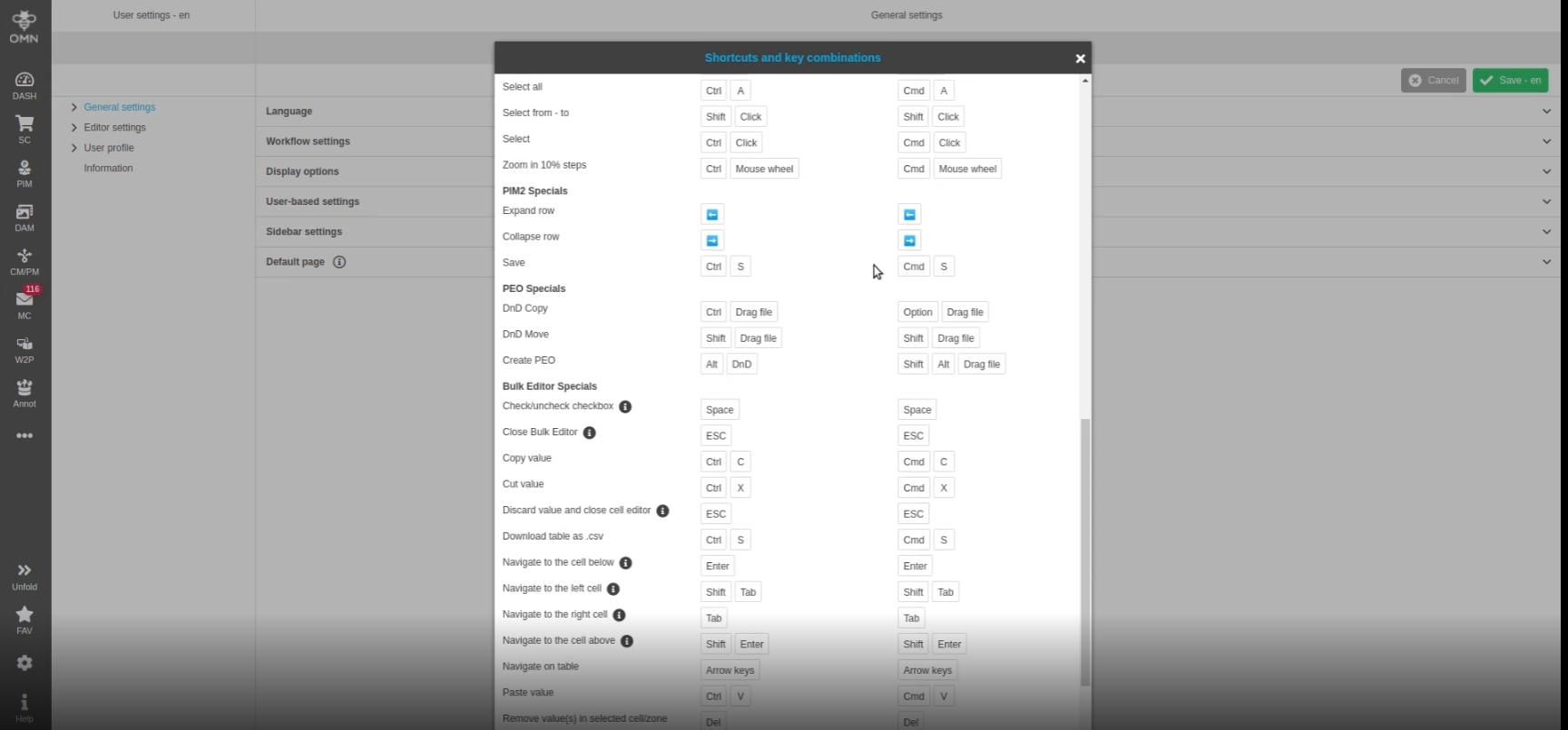
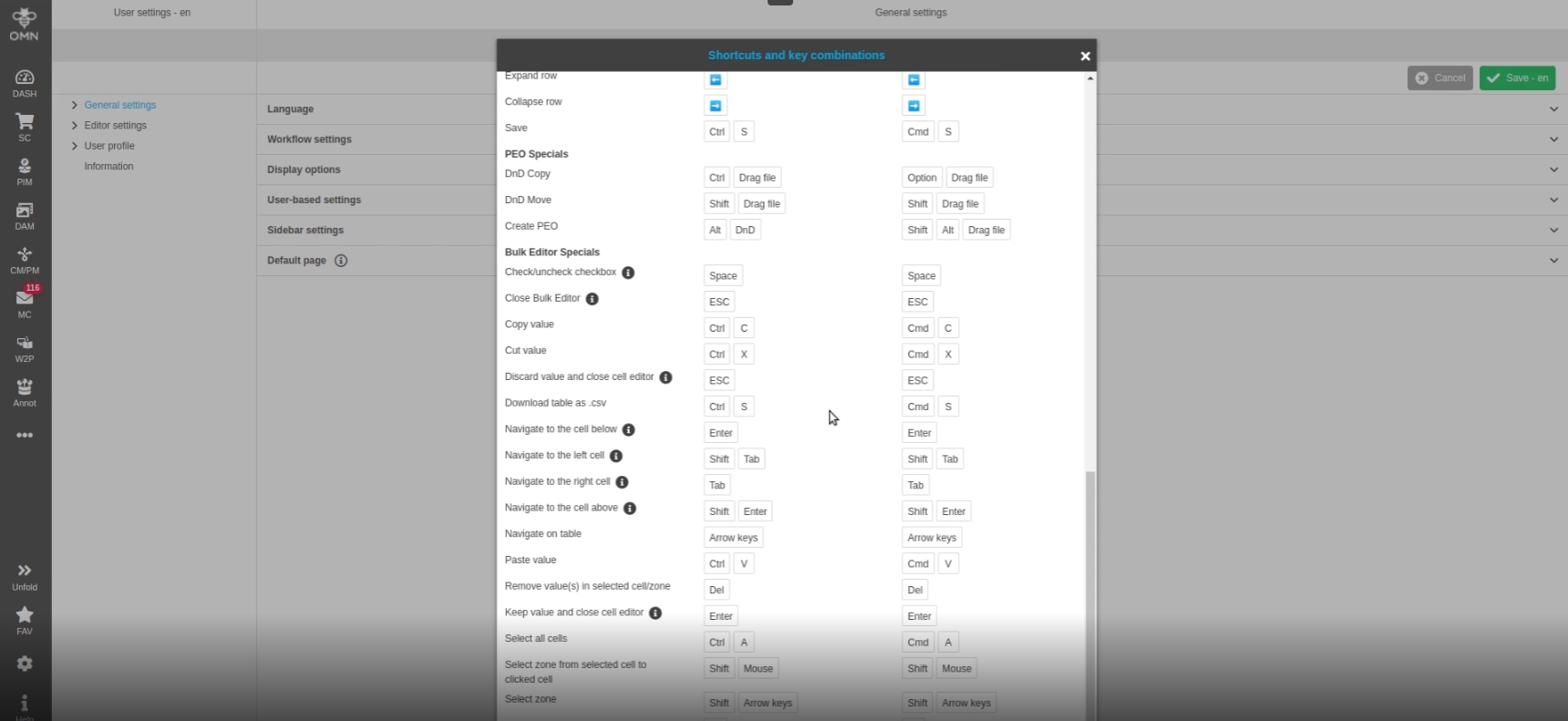
Possibility to use shortcuts not only in center view of FSTable but in all three panels (left/Center/Right)
-
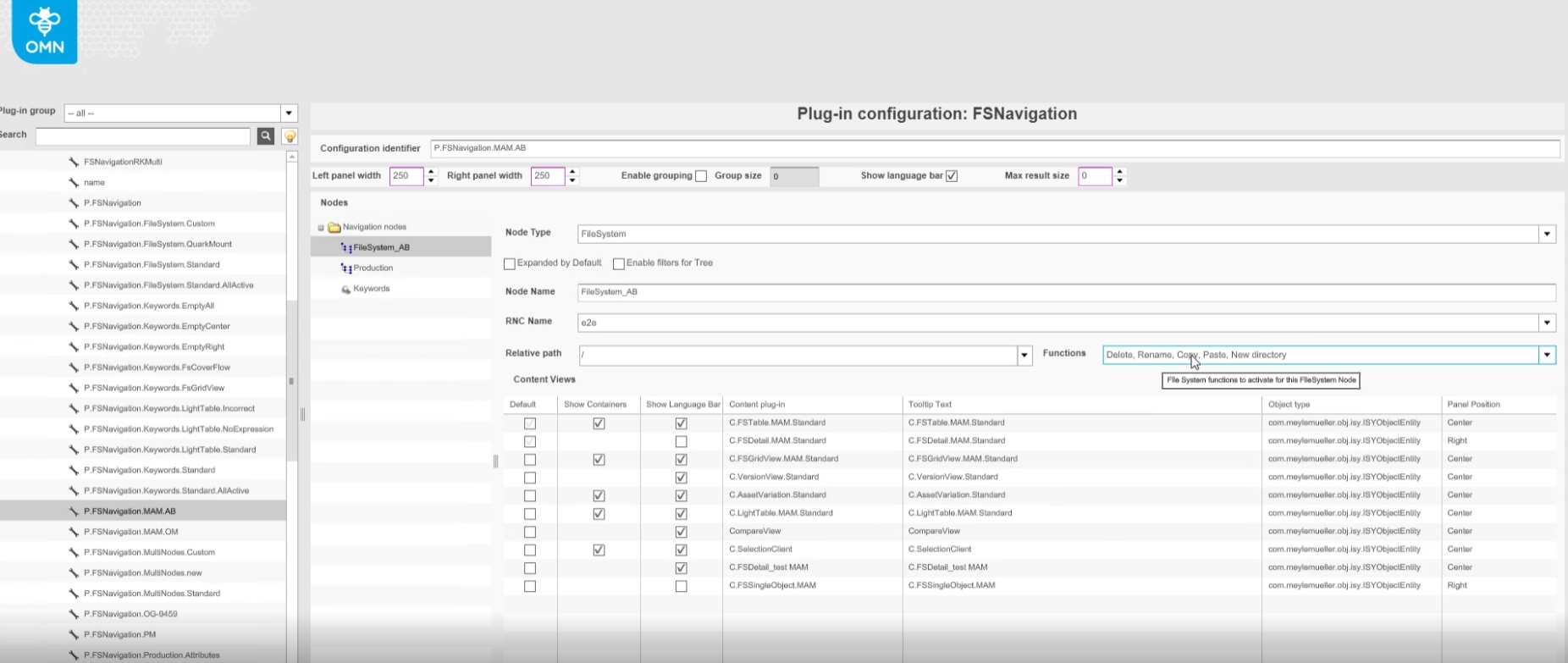
Configuration of functions in backend for left Hand view
1.3 Filmstrip - Possibility to switch between different view modes of asset visualization in filmstrip
References |
OG-12508 |
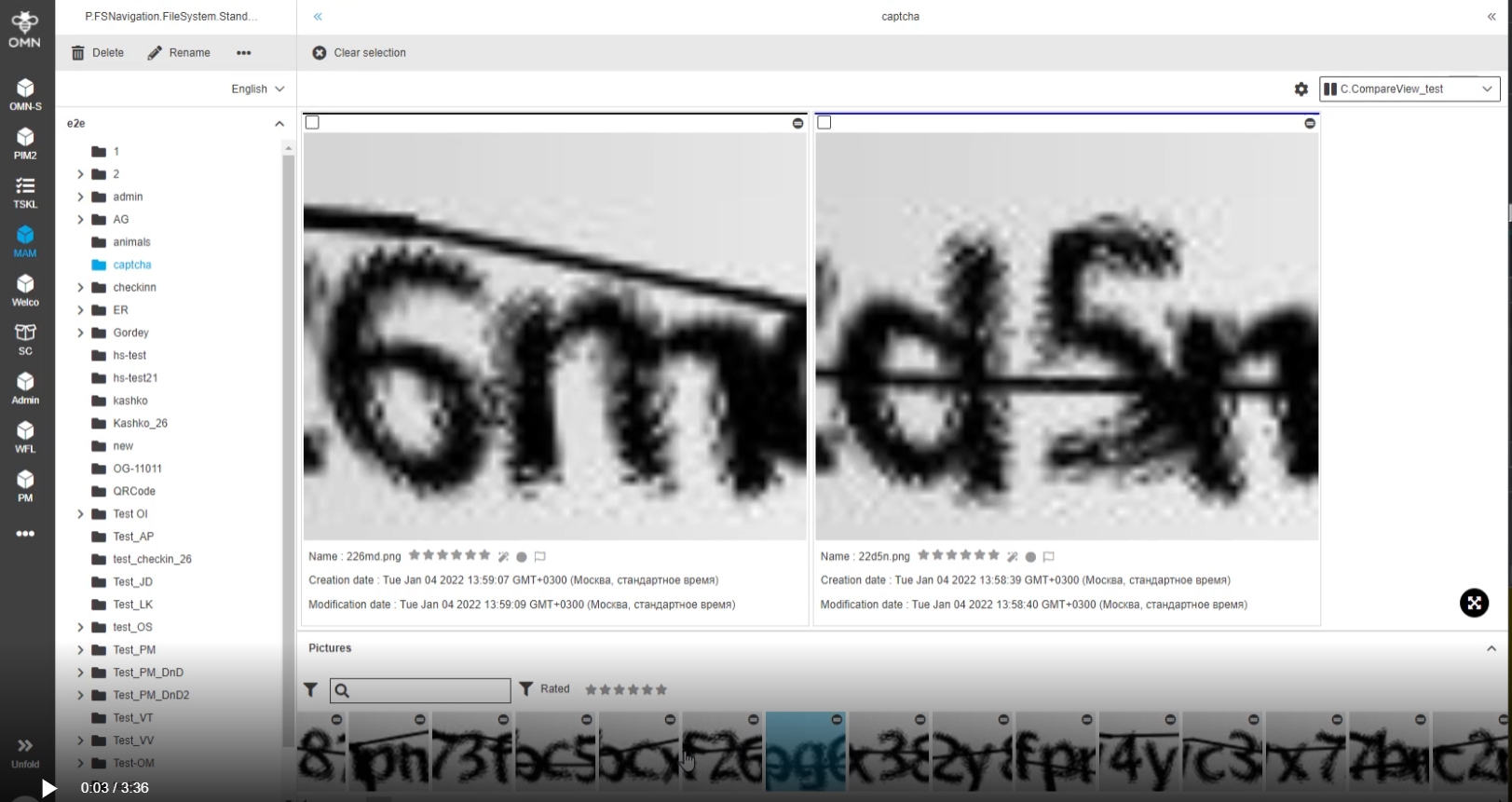
Possibility to decide how assets should be visualized in filmstrip, if they should be shown in real aspect ratios or in a cropped square mode


3. Doubleclick
3.1 AdvancedSearch - FSTable content view - Usage of double click functions
References |
OG-11519 |
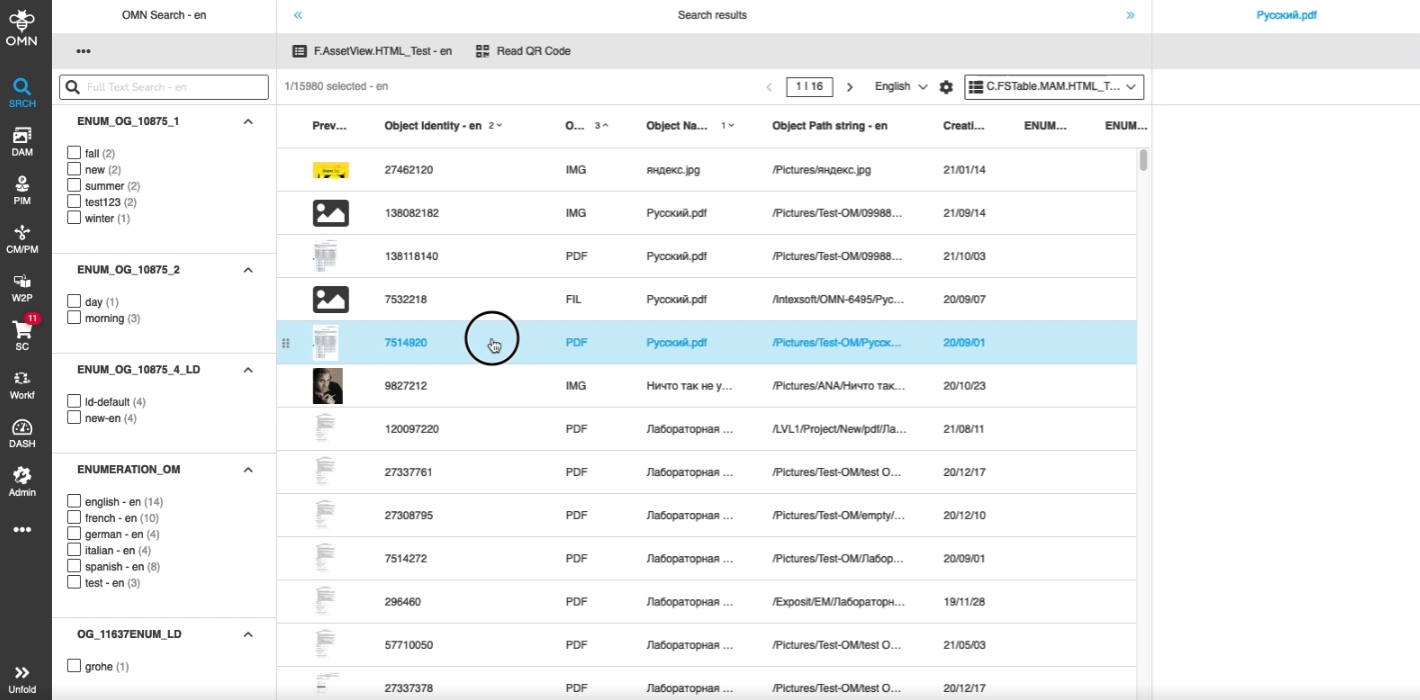
Perform simple actions by double clicking on objects, so that the user has an additional fast and usable option to interact with the Content
-
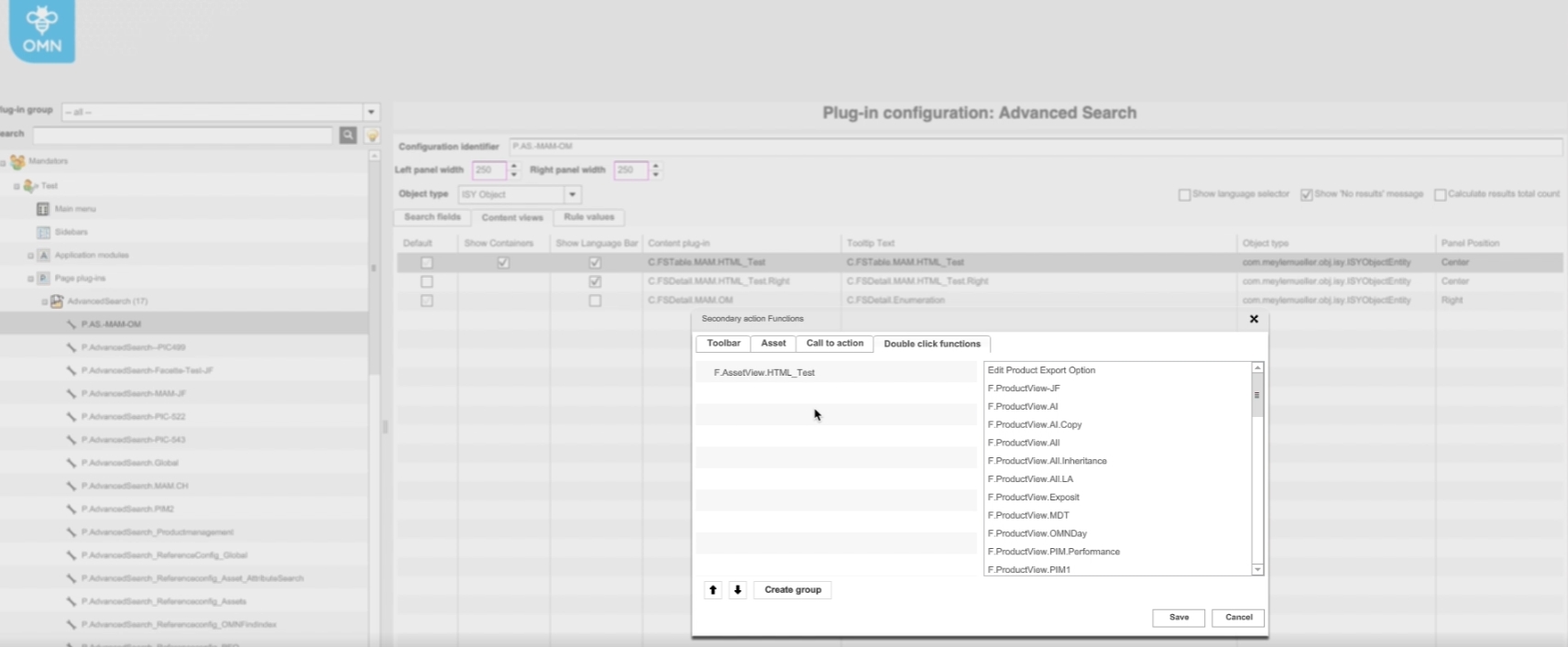
The behavior for double-click can be defined in the OMN configuration Client - e.g., open ProductView on double-click on PIM items shown in Search result
3.2 FSNavigation - FSTable content view - Usage of double click functions
References |
OG-11523 |
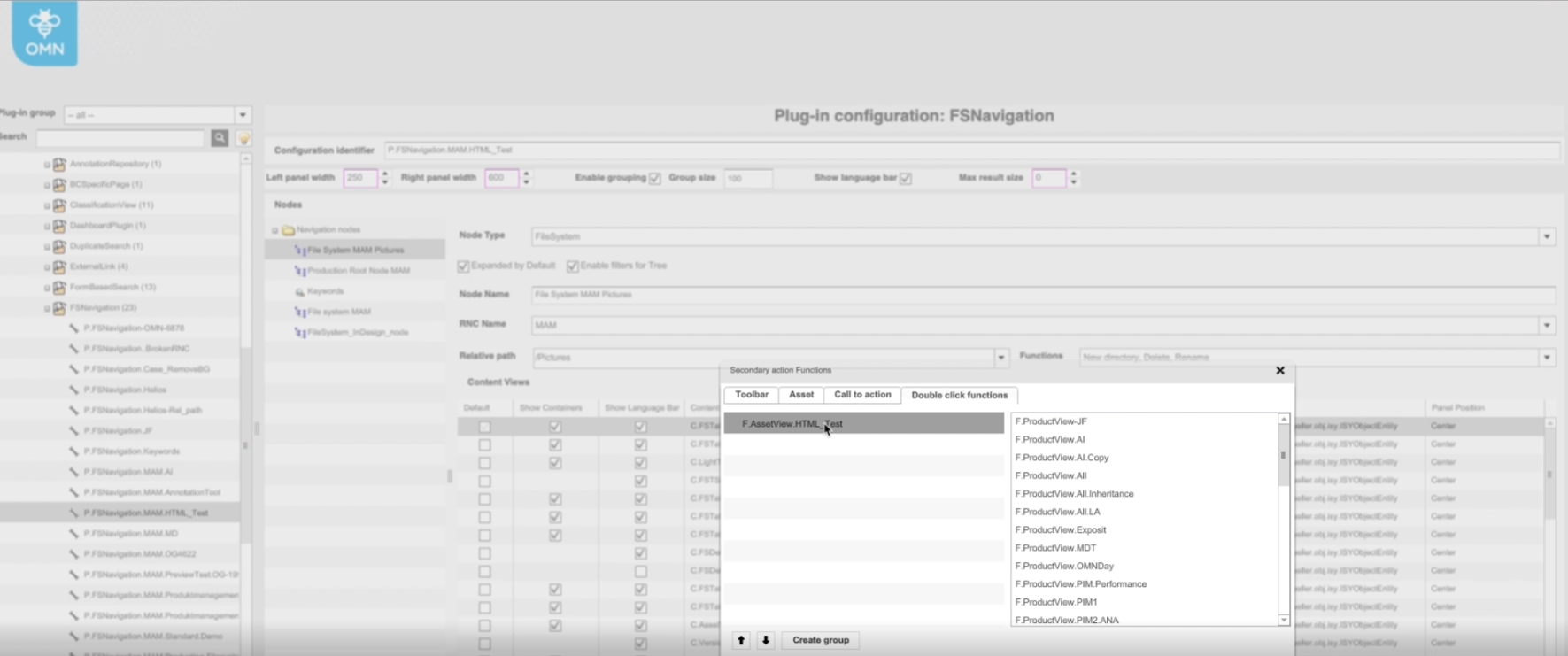
Support of double-clicking Action on objects in FSNavigation, so that the user has an additional fast and usable option to interact with the Content
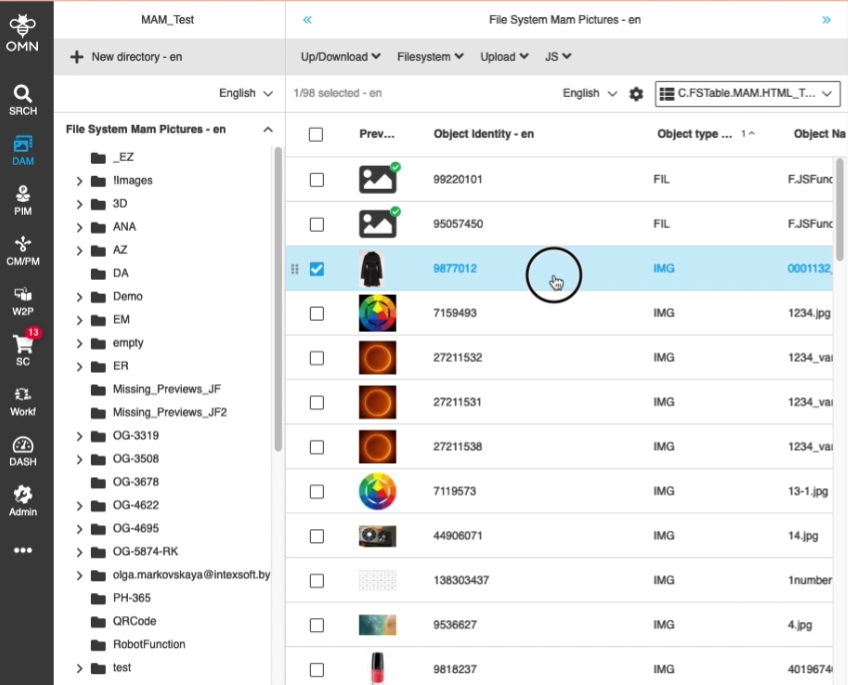
-
Configuration of double-click action
3.3 FormBasedSearch - FSTable content view - Usage of double click functions
References |
OG-11520 |
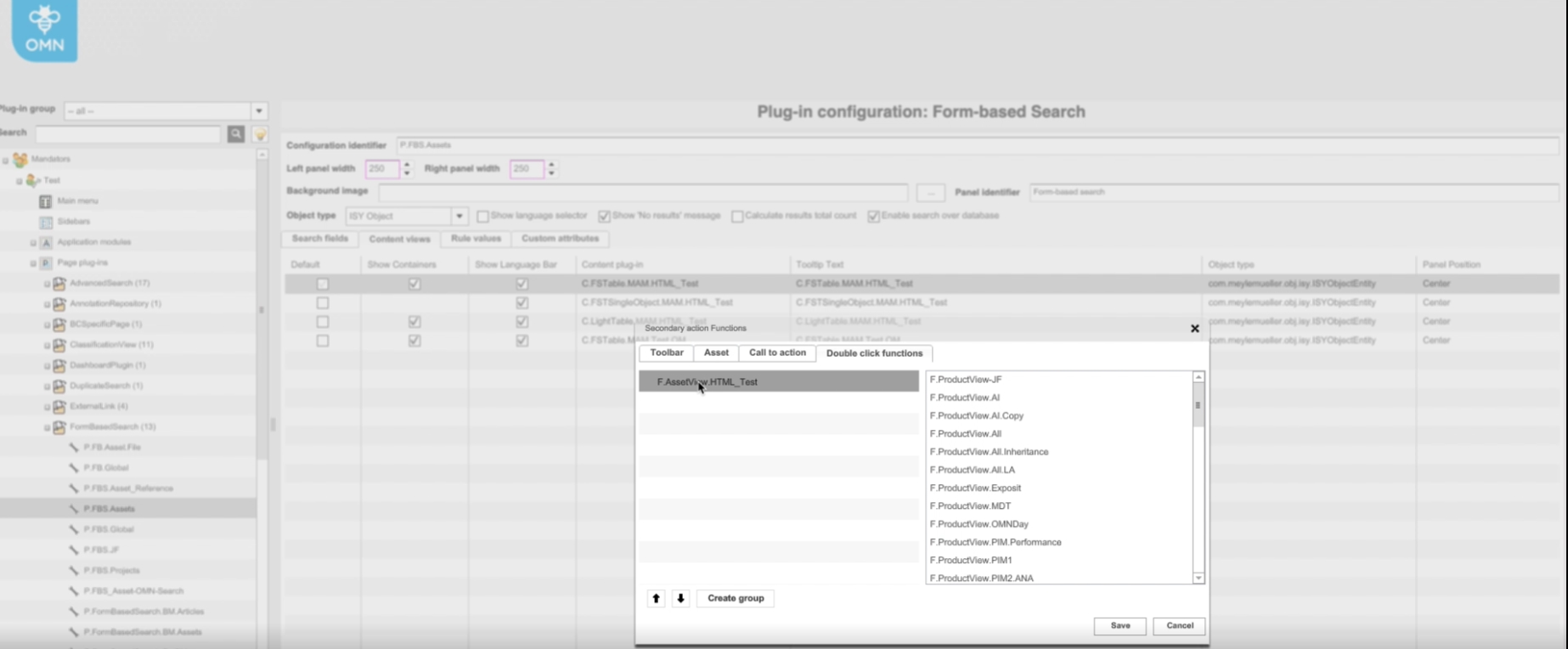
Support of double-clicking Action on objects in Formbased Search, so that the user has an additional fast and usable option to interact with the Content
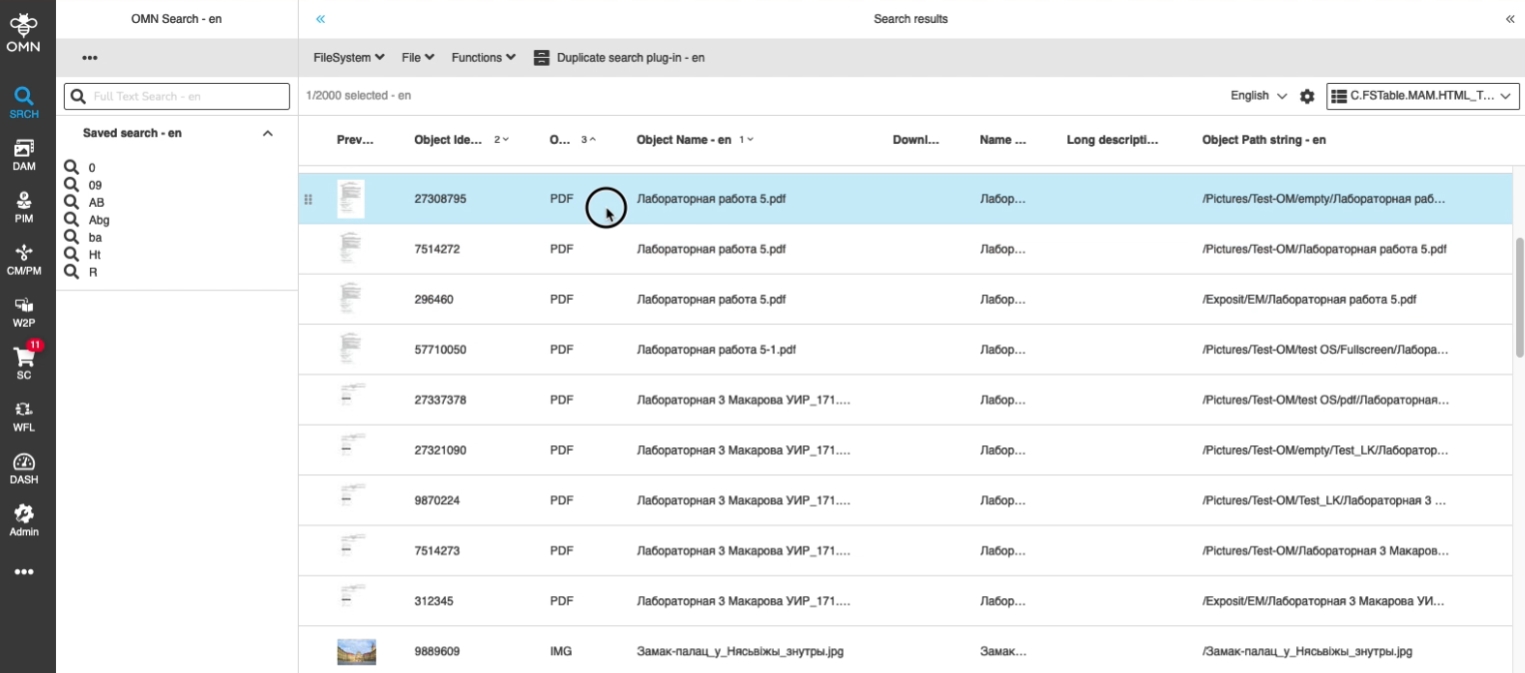
-
Configuration of double-click action
3.4 ShoppingCart - FSTable content view - Usage of double click functions
References |
OG-11525 |
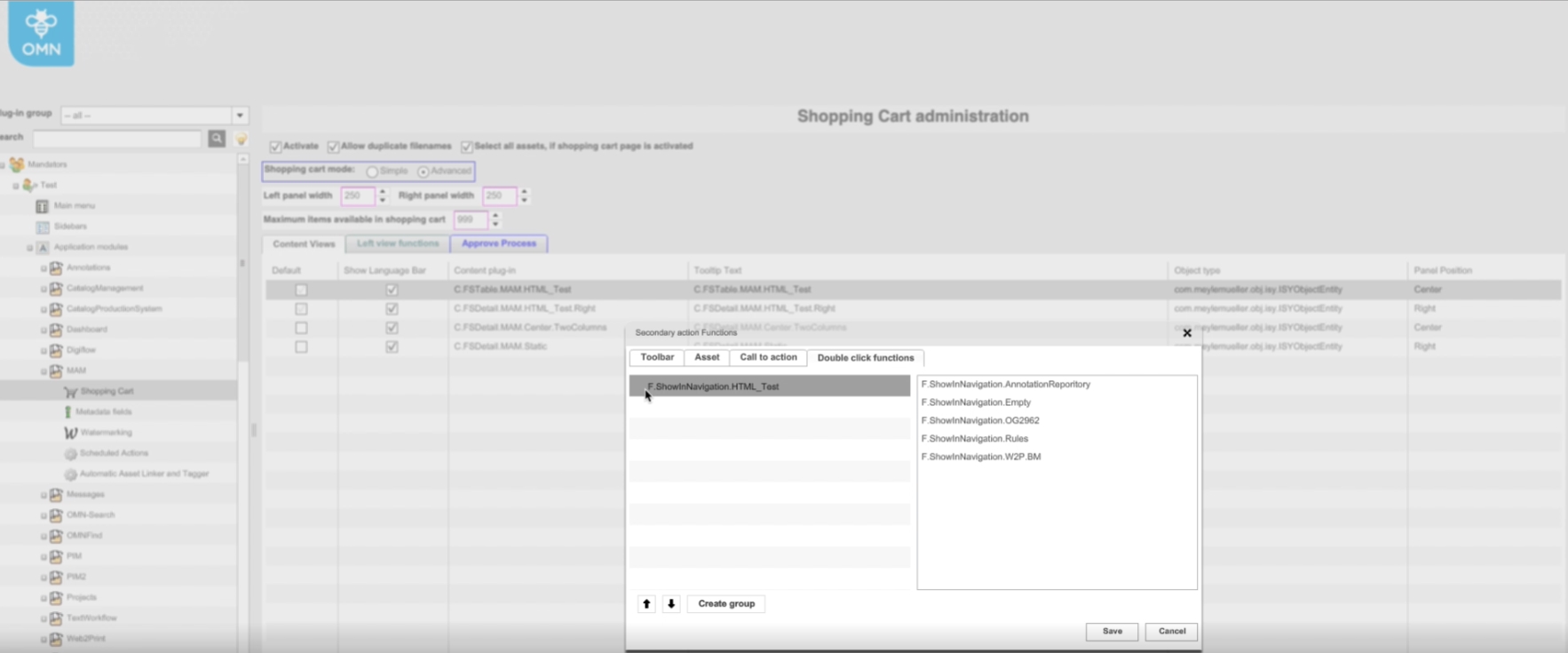
Support of double-clicking Action on objects in ShoppingCard, so that the user has an additional fast and usable option to interact with the Content
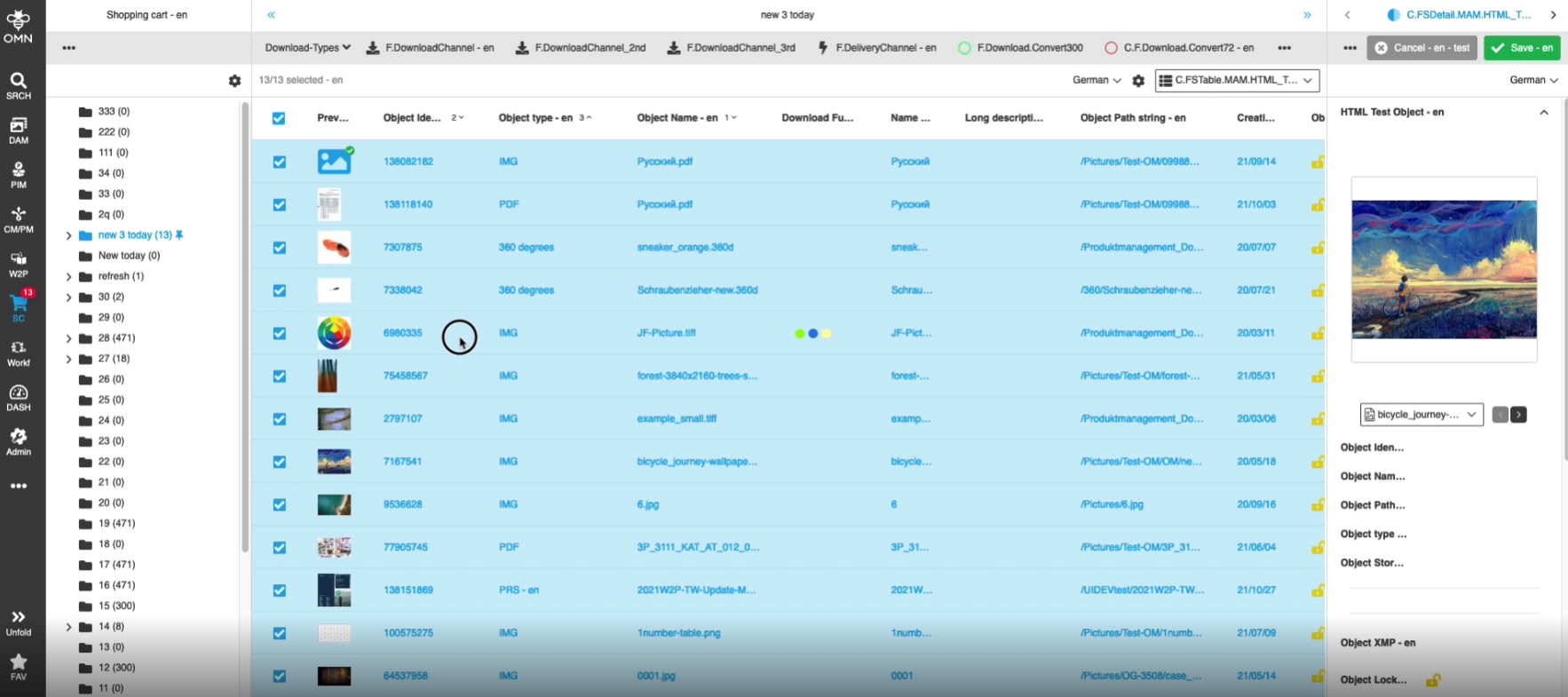
-
Configuration of double-click action
3.5 ProductView - FSTable content view - Usage of double click functions
References |
OG-11524 |
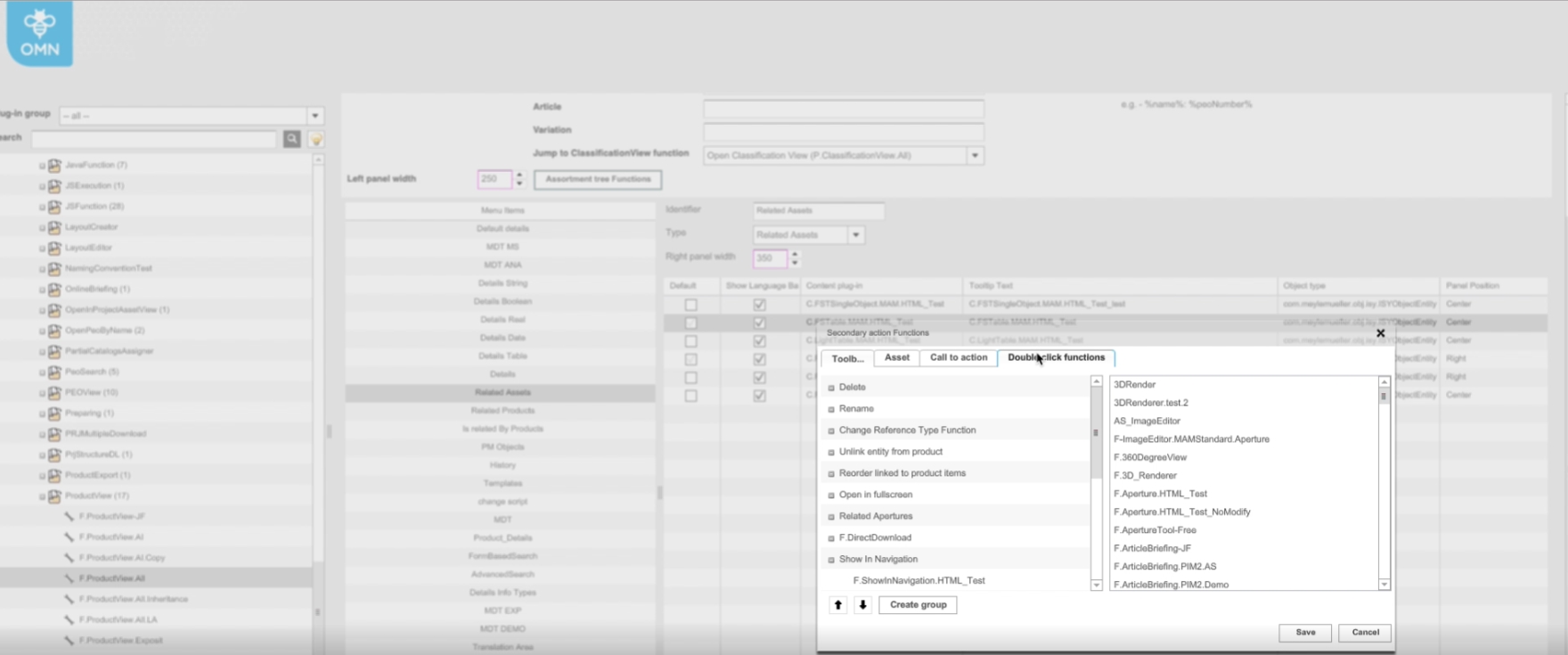
Support of double-clicking Action on objects in ProductView, so that the user has an additional fast and usable option to interact with the Content
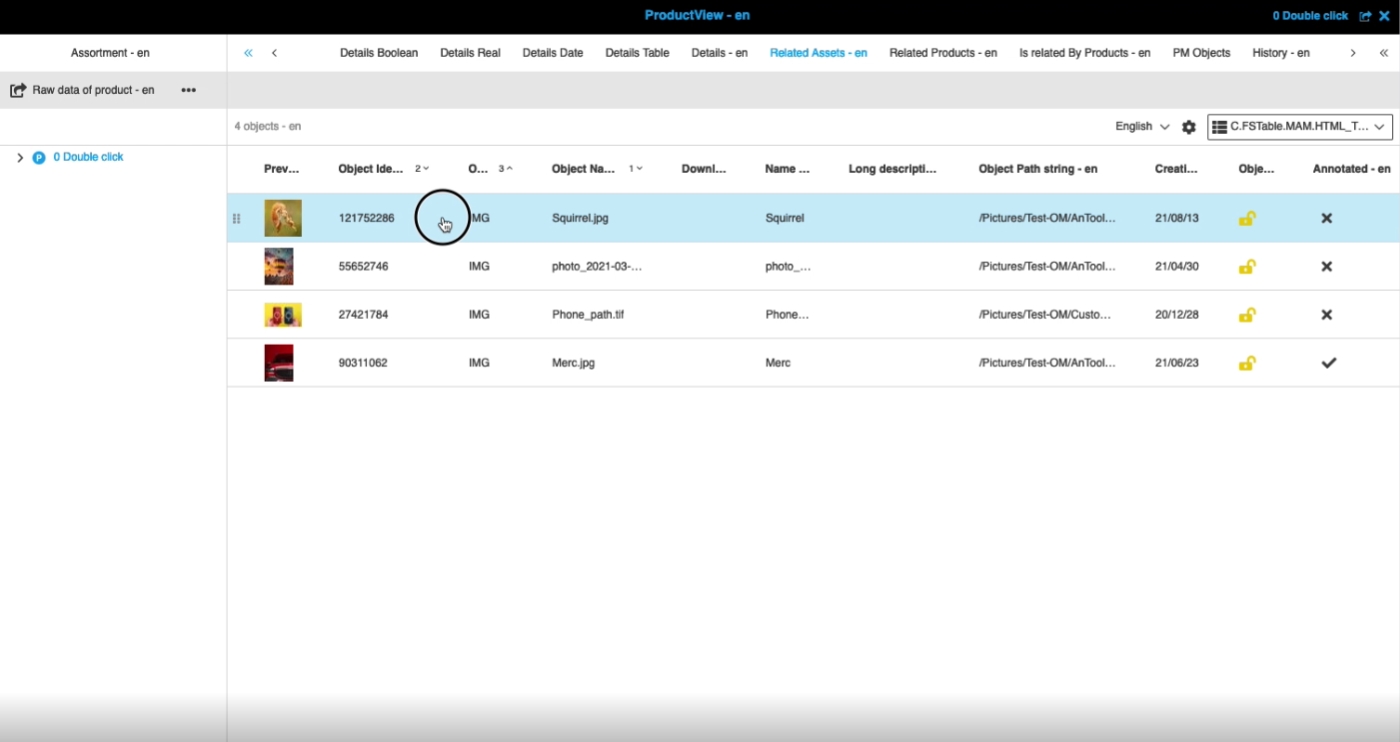
-
Configuration of double-click action
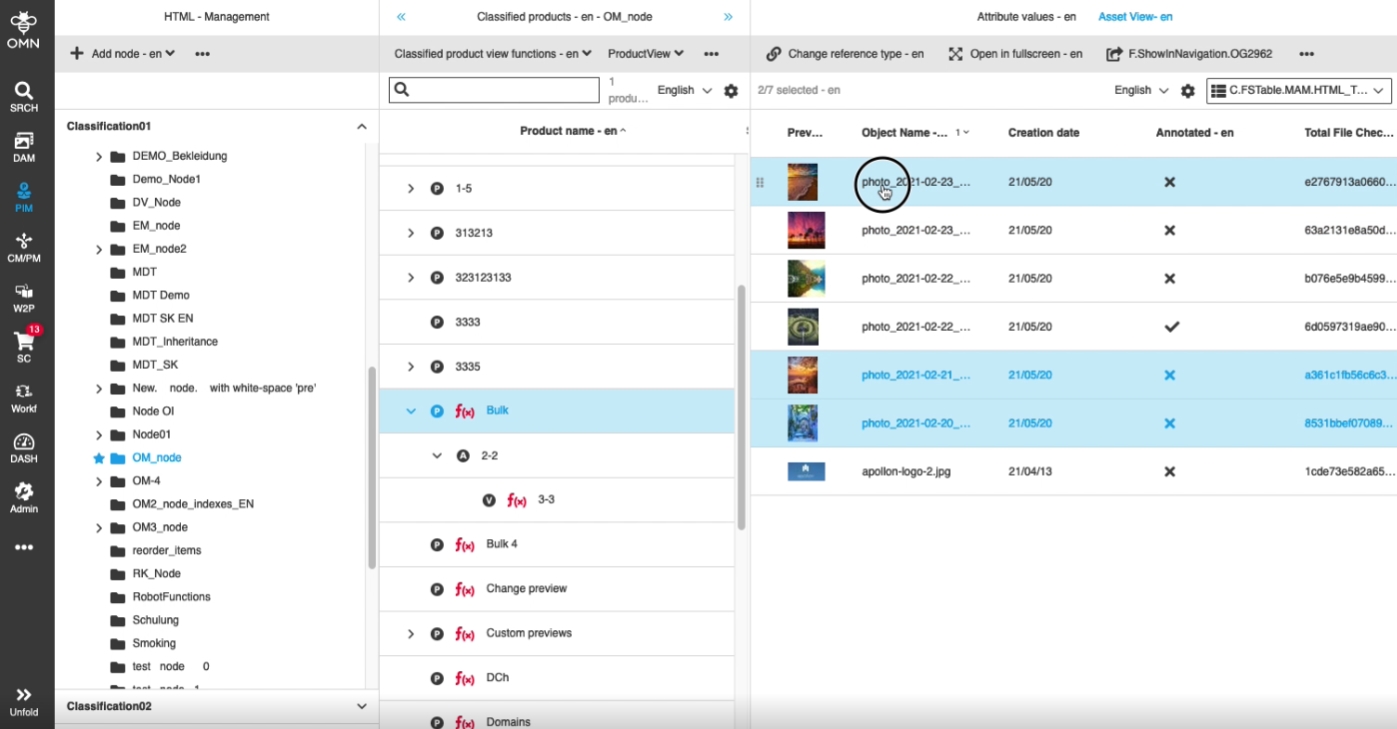
3.6 ClassificationView - Assets view - FSTable - Usage of double click functions
References |
OG-11522 |
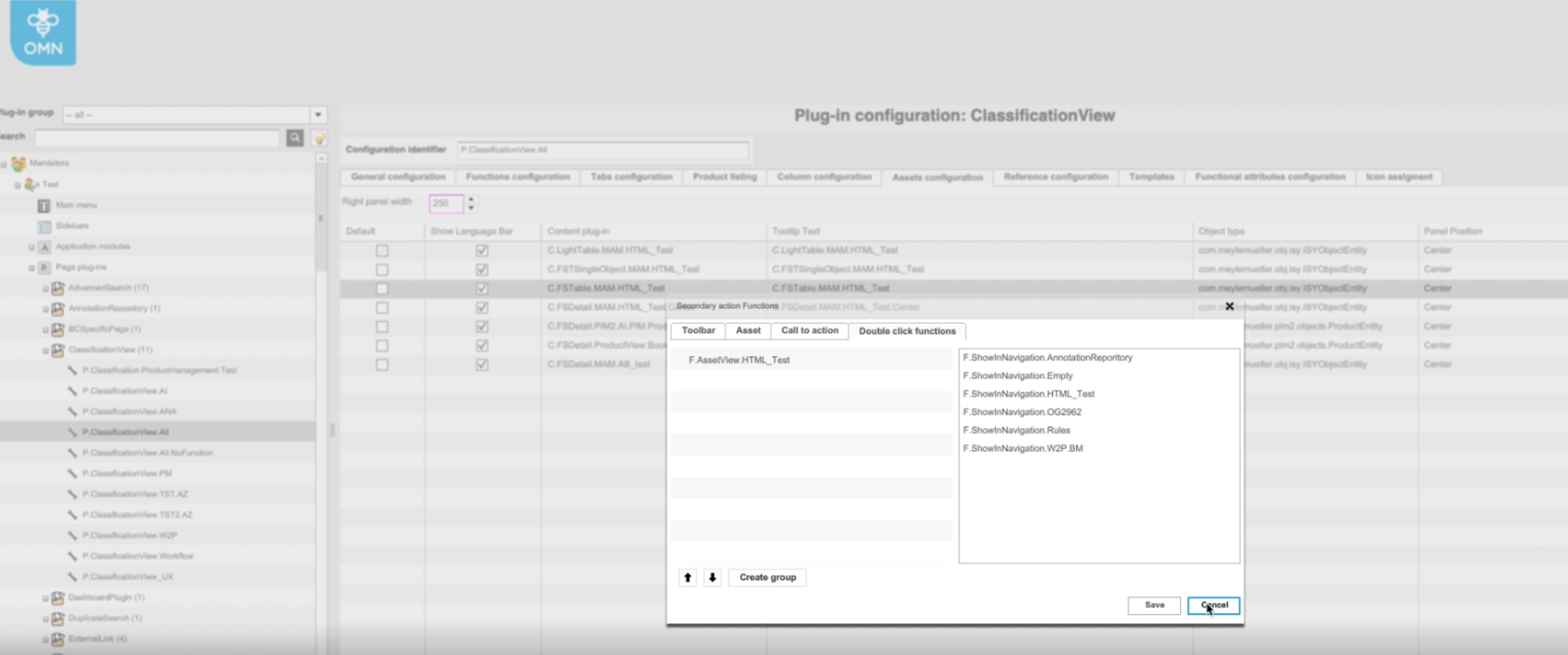
Support of double-clicking Action on objects in Classification/Asset View, so that the user has an additional fast and usable option to interact with the Content
-
Configuration of double-click Action
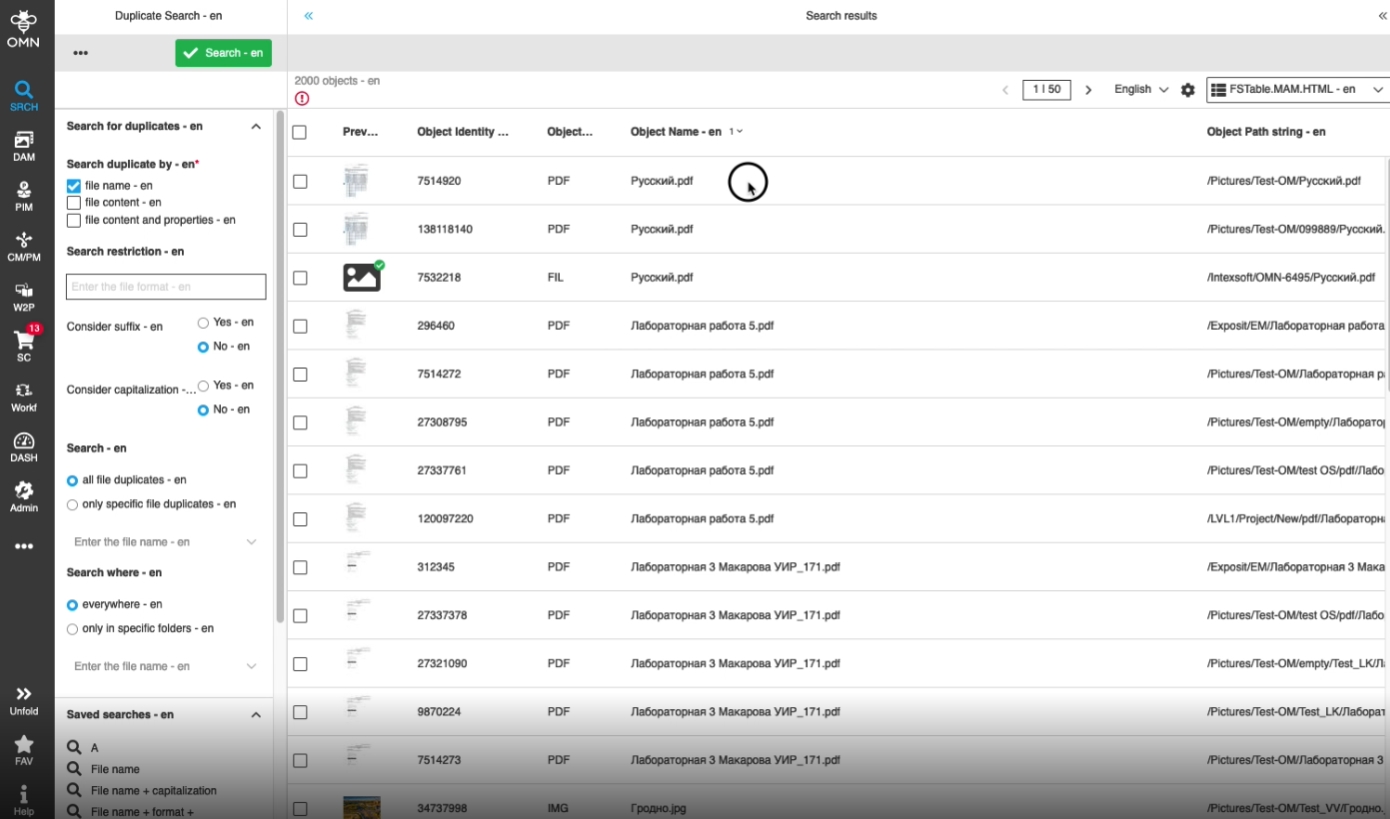
3.7 DuplicateSearch - FSTable content view - Usage of double click functions
References |
OG-11521 |
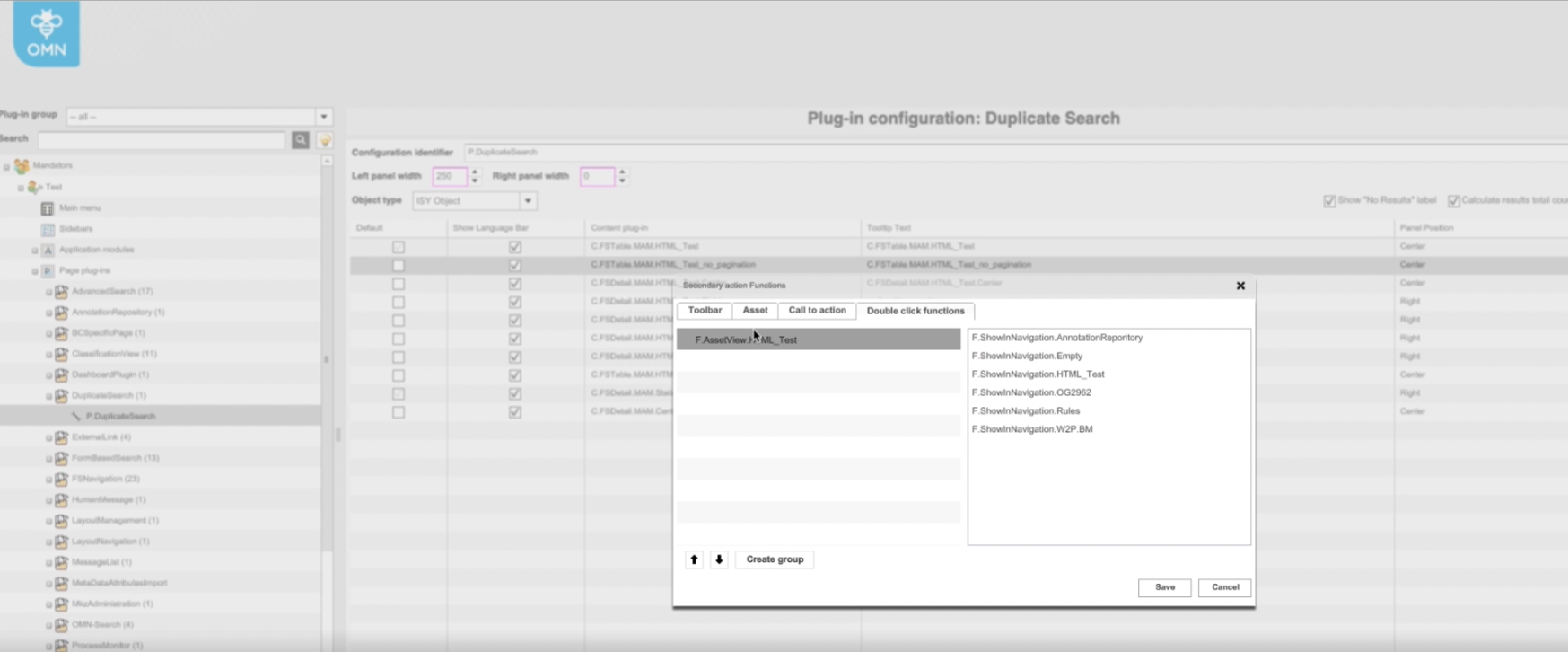
Support of double-clicking Action on objects in DuplicateSearch, so that the user has an additional fast and usable option to interact with the Content
-
Configuration of double-click Action
3.8 FSTable - Keyboard shortcuts - Use double click functions with 'Enter'
References |
OG-11578 |
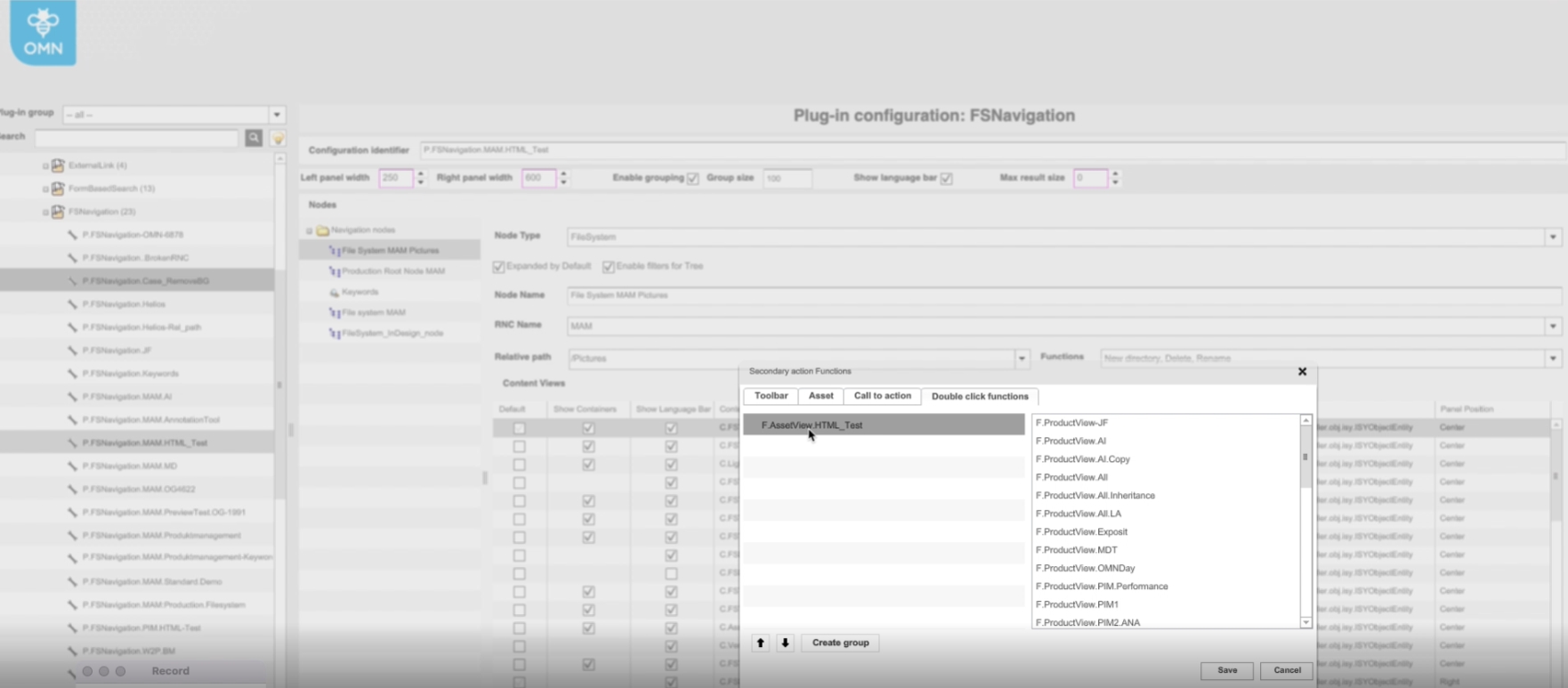
Possibility to execute double click function (if configured) by pressing 'Enter' Key on the keyboard, so that the user will have an additional fast and usable option to perform necessary actions on selected Content
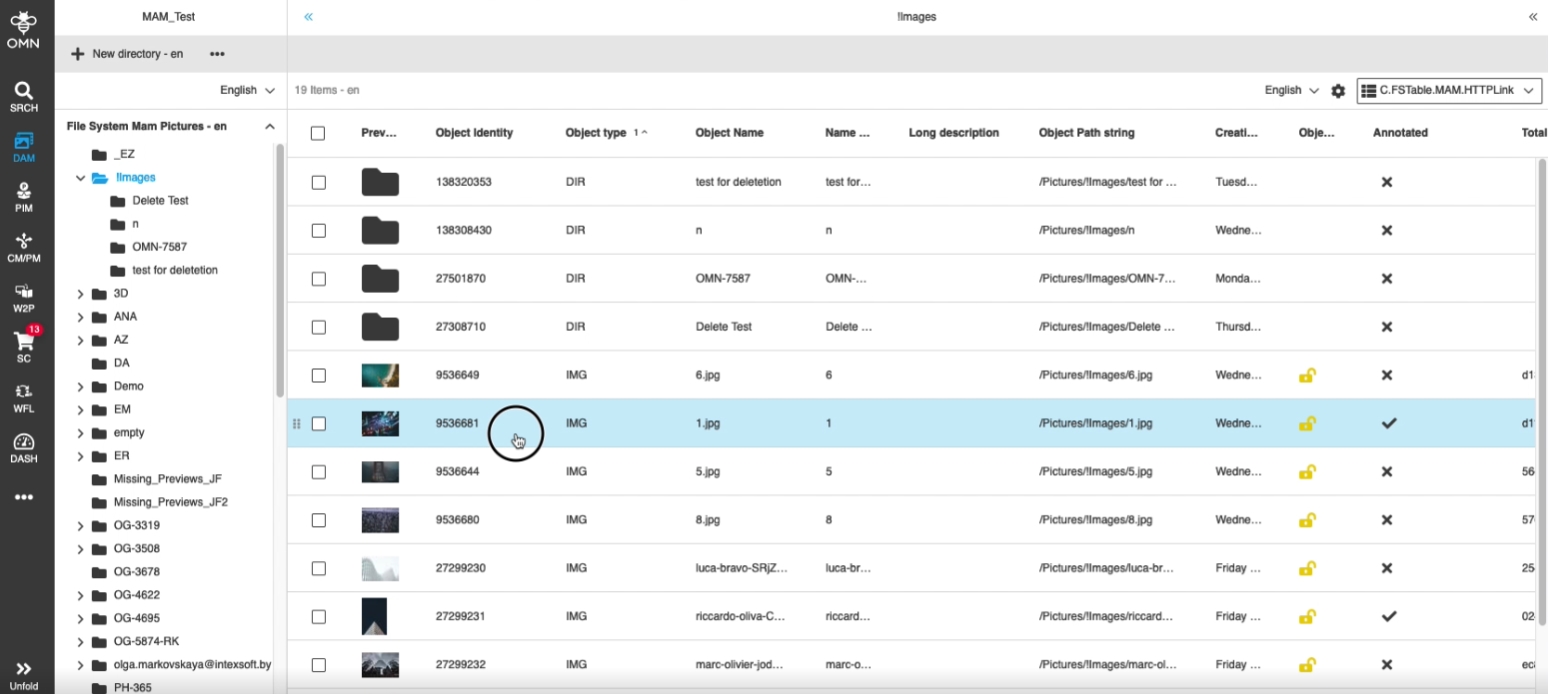
-
Configuration of double-click function in backend

5. User-based Settings
5.1 ProjectNavigation - Keep custom settings
References |
OG-8868 |
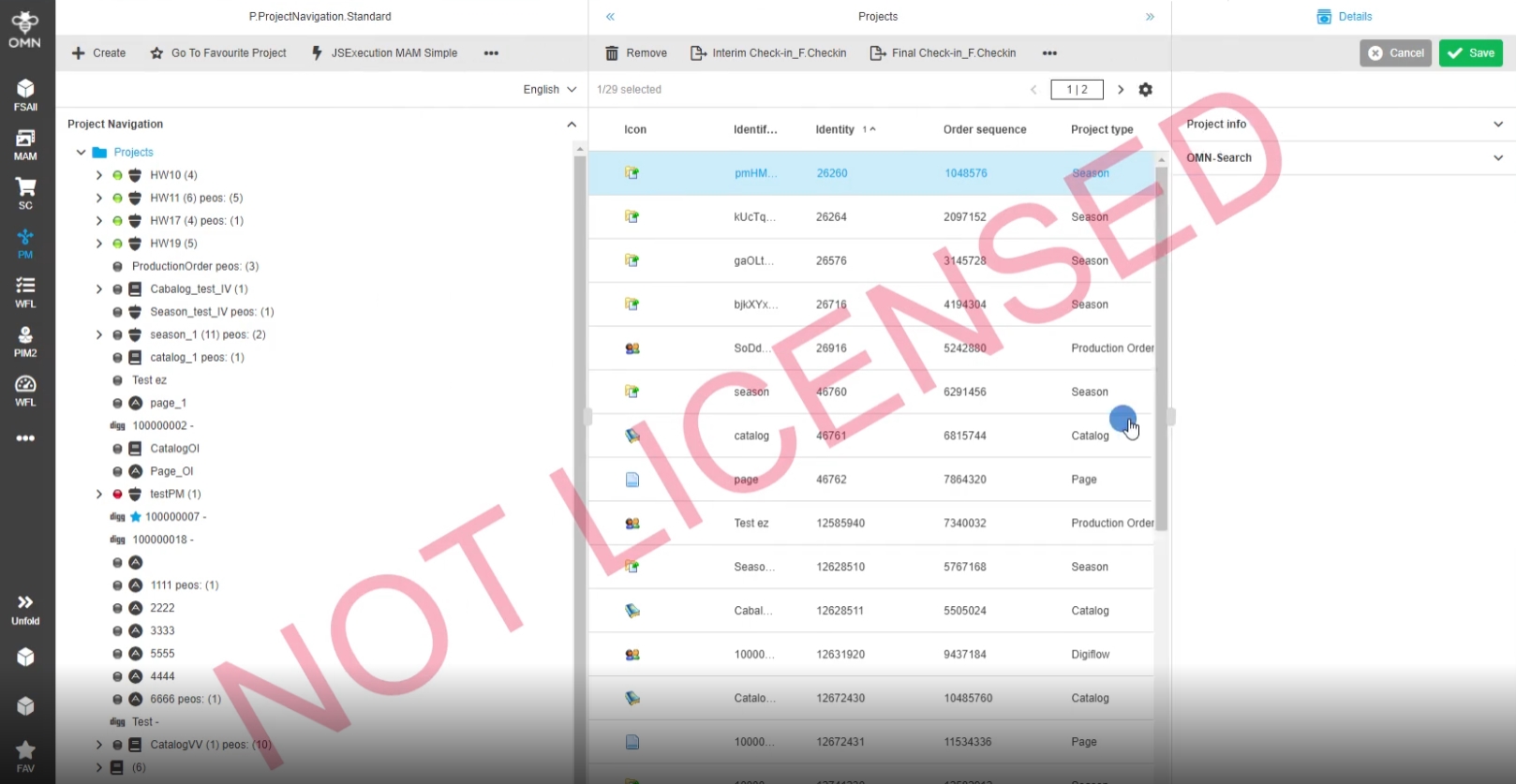
Client settings in Project Navigation done by the user are now saved in user-based settings
-
the state of project children without content - shown/hidden
-
project views in the center are also influenced by the "Hide project children without content"/"Show project children without content" functions
-
selected center view for a specific project
-
columns width (left/right/center)
-
the state of left and right panels (expanded, collapsed)
-
if the accordion in left panel are expanded or collapsed
5.2 FSNavigation - Keep custom settings
References |
OG-11065 |
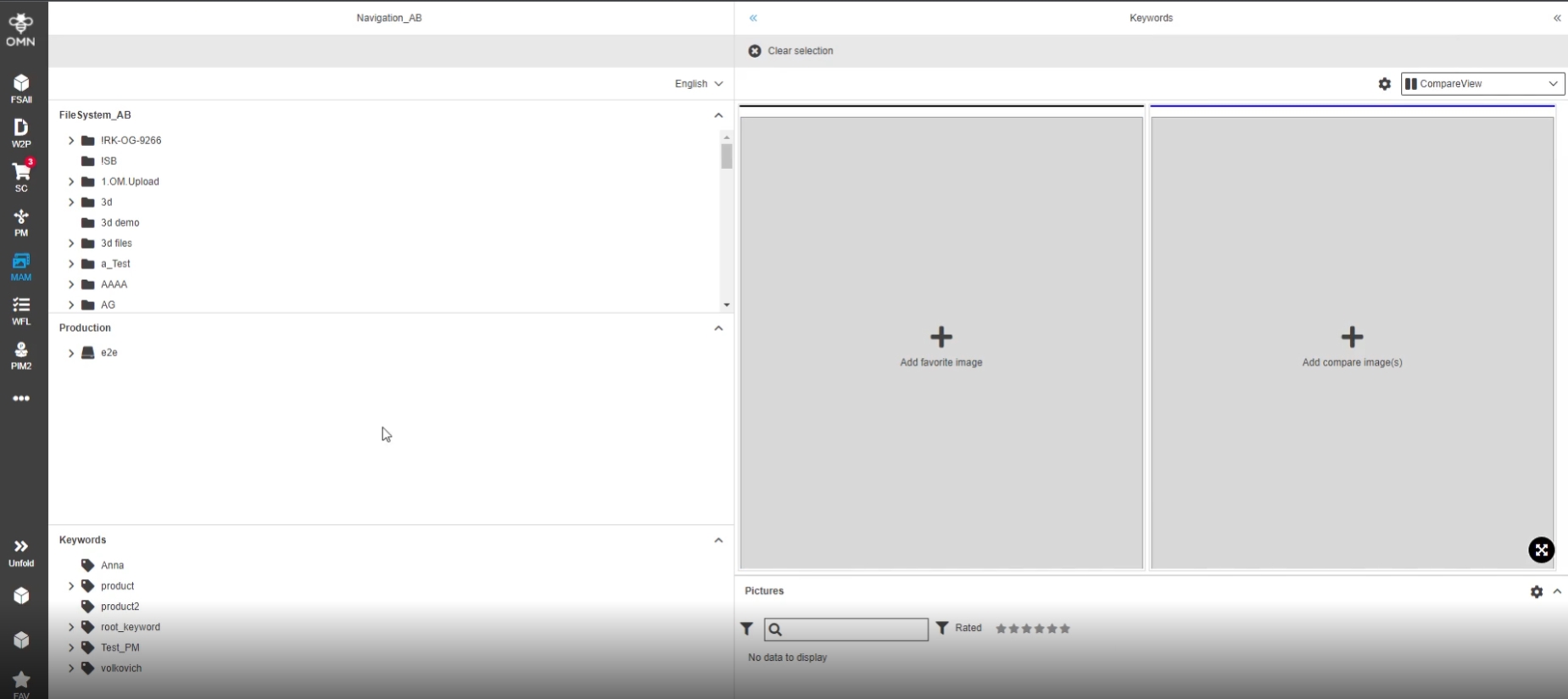
Client settings for FSNavigation will be saved, so that the page view is convenient
The following Setting will be saved
-
the width of the left, right, center panels
-
the state of left and right panels (expanded, collapsed)
-
the "lock" state of left and right panel availability
-
selected content view in dropdown for center panel and selected content view in the right panel (tabs in the navigation bar)
-
the state of accordions in the left panel (expanded/collapsed)
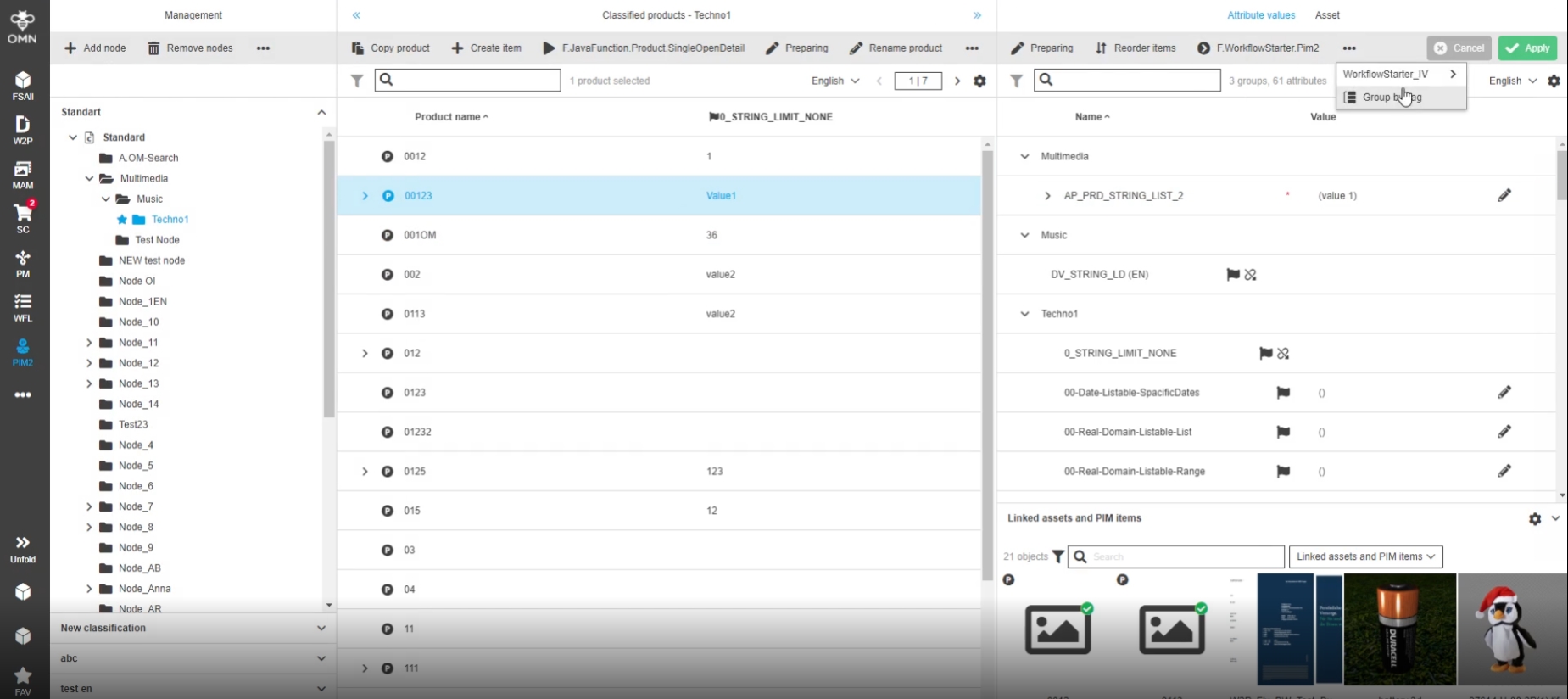
5.3 PIM2 - ManagementView - Group by Tag/Node - Keep custom settings
References |
OG-12818 |
Client settings for Grouping (by Tag/Node) in ClassificationView are now saved as userbased Settings so that on change of item the selected mode will not be reset to Default
5.4 ClassificationView - Keep custom settings
References |
OG-12105 |
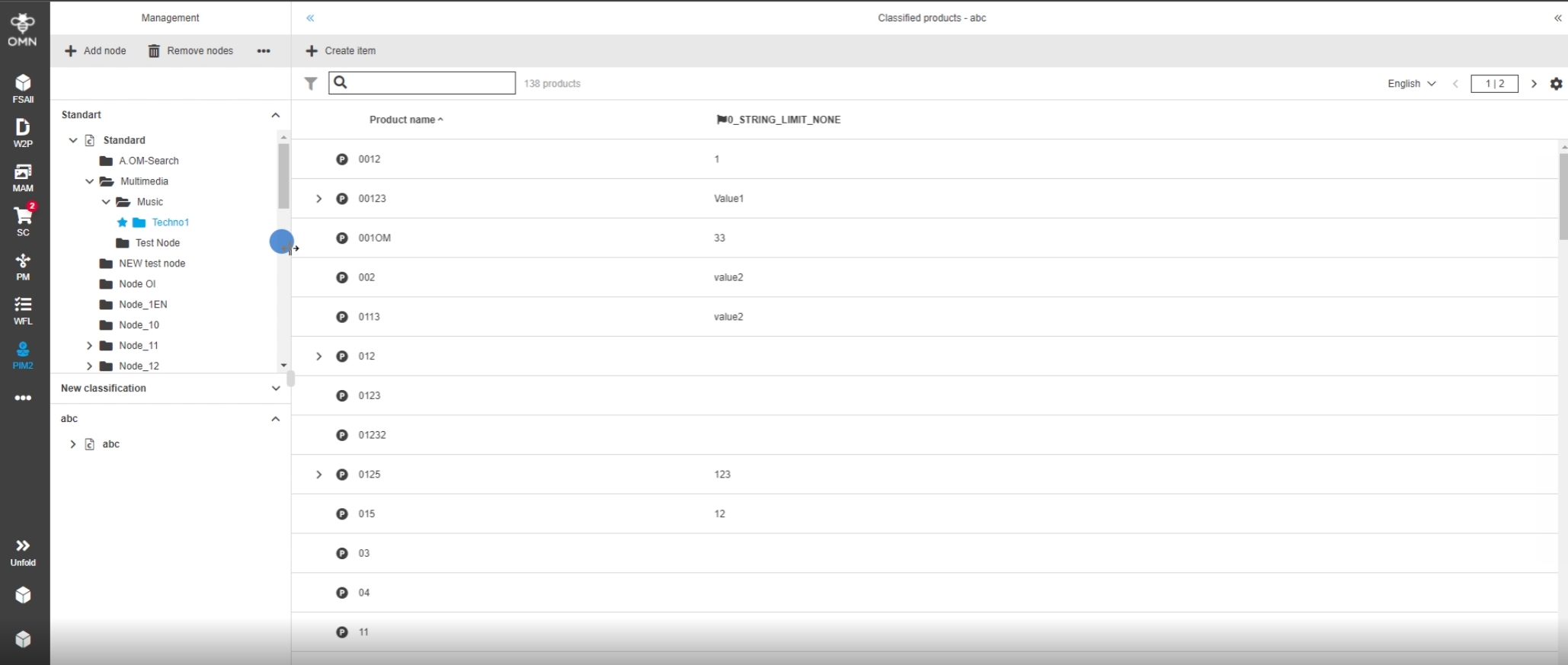
Client Settings in ClassificationView set by the user are now saved as userbased Settings
The following Setting will be saved
-
the width of the left, right, center panels
-
the state of left and right panels (expanded, collapsed)
-
state of accordions in the left panel (expanded/collapsed)
5.5 PIM2 - ClassificationView – User-based settings - Add and rename nodes - Columns' visibility in table
References |
OG-12149 |
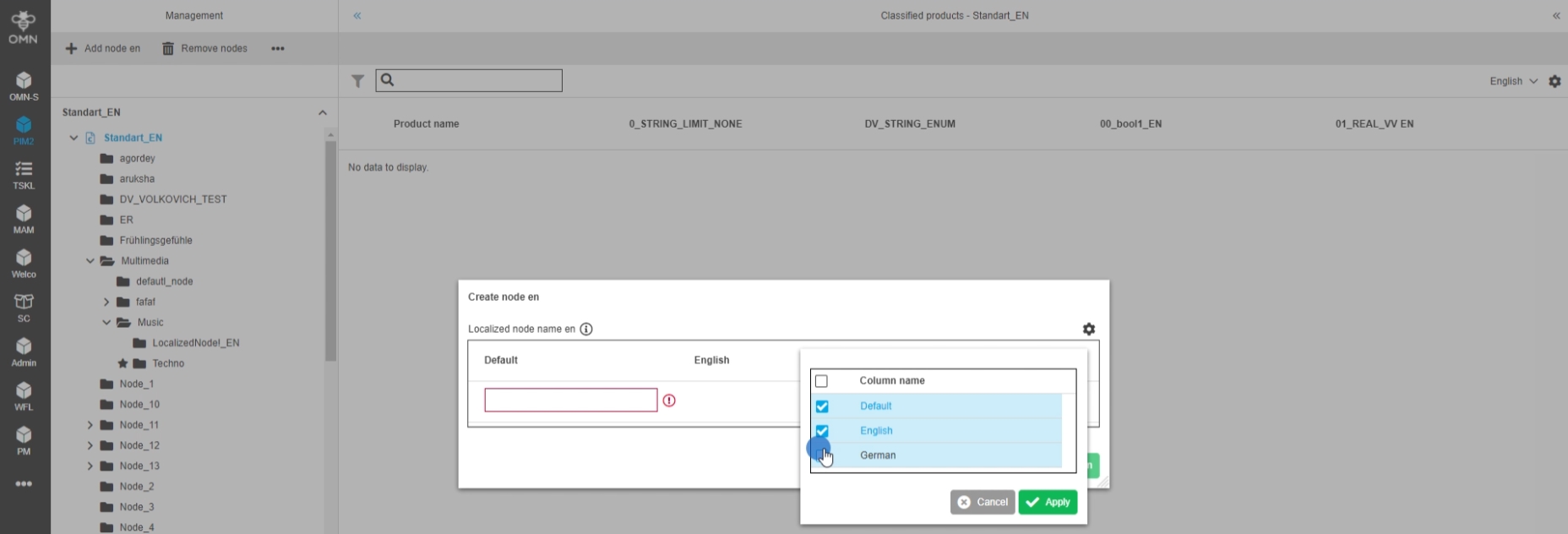
column settings in the "Add/rename node" functions in PIM2ClassificationView are now saved as userbased settings
-
when save user-based settings in user settings is activated, columns' visibility setting will be saved for 'Add/Rename node' modals in ClassificationView
7. DAM (Digital Asset Management)
7.1 FSNavigation
7.1.1 ShowInNavigation - Use configured Icon
References |
OG-4804 |
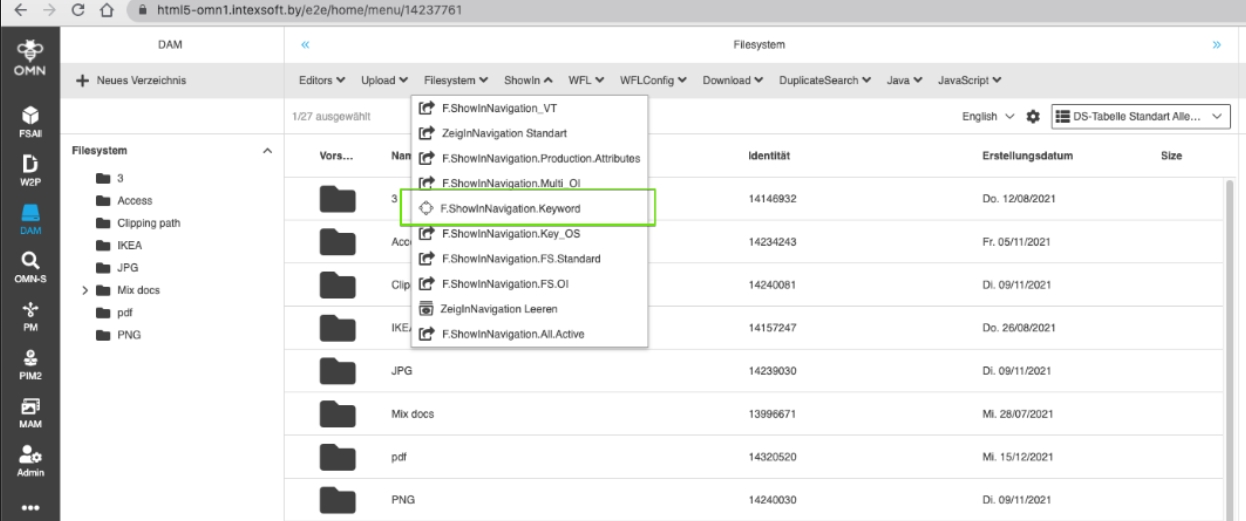
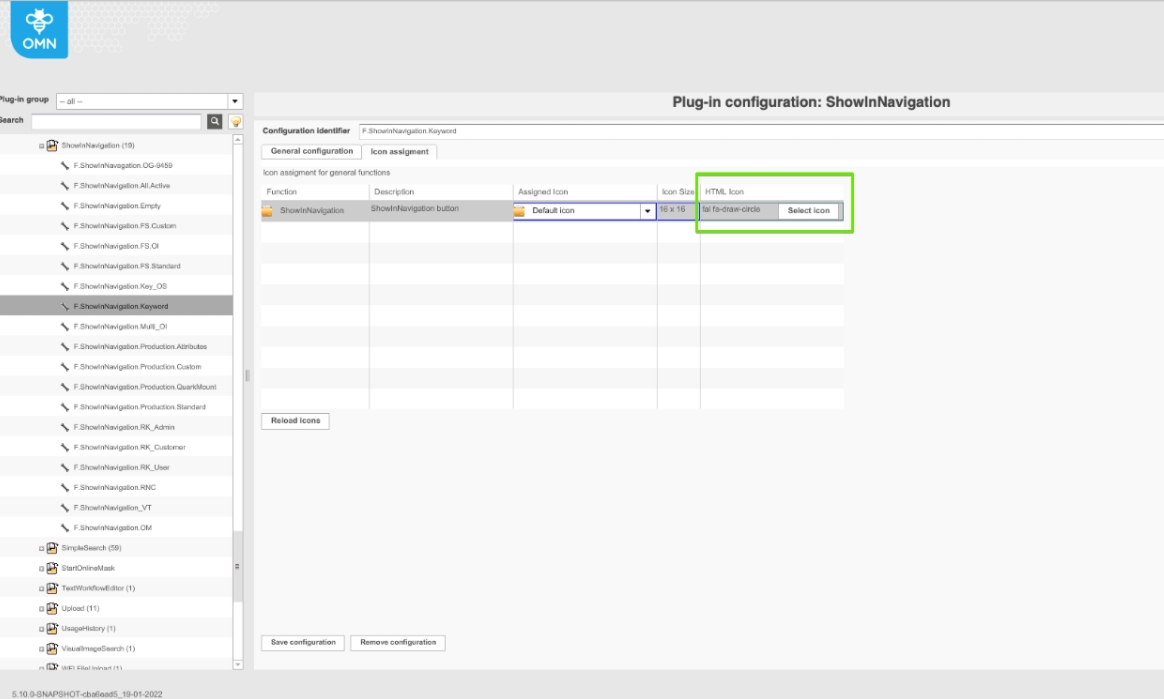
ShowinNavigation function now allows to configure custom Icon
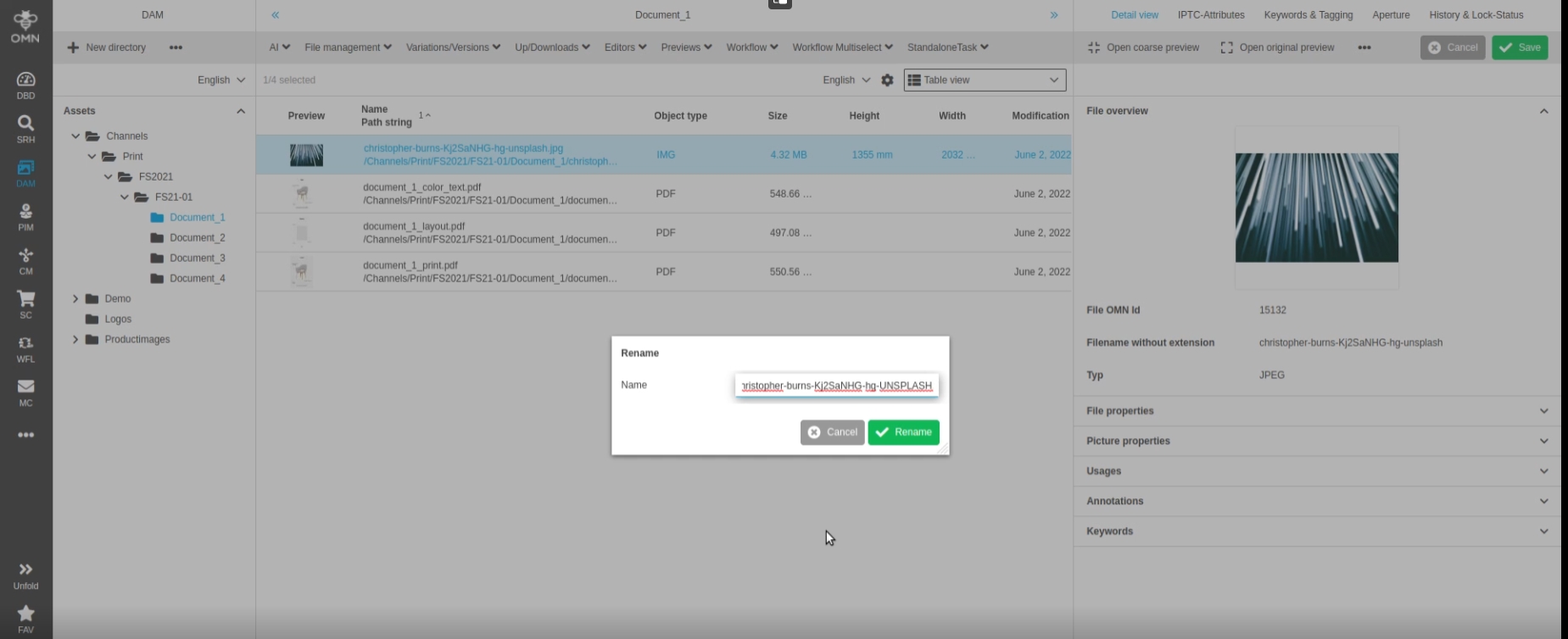
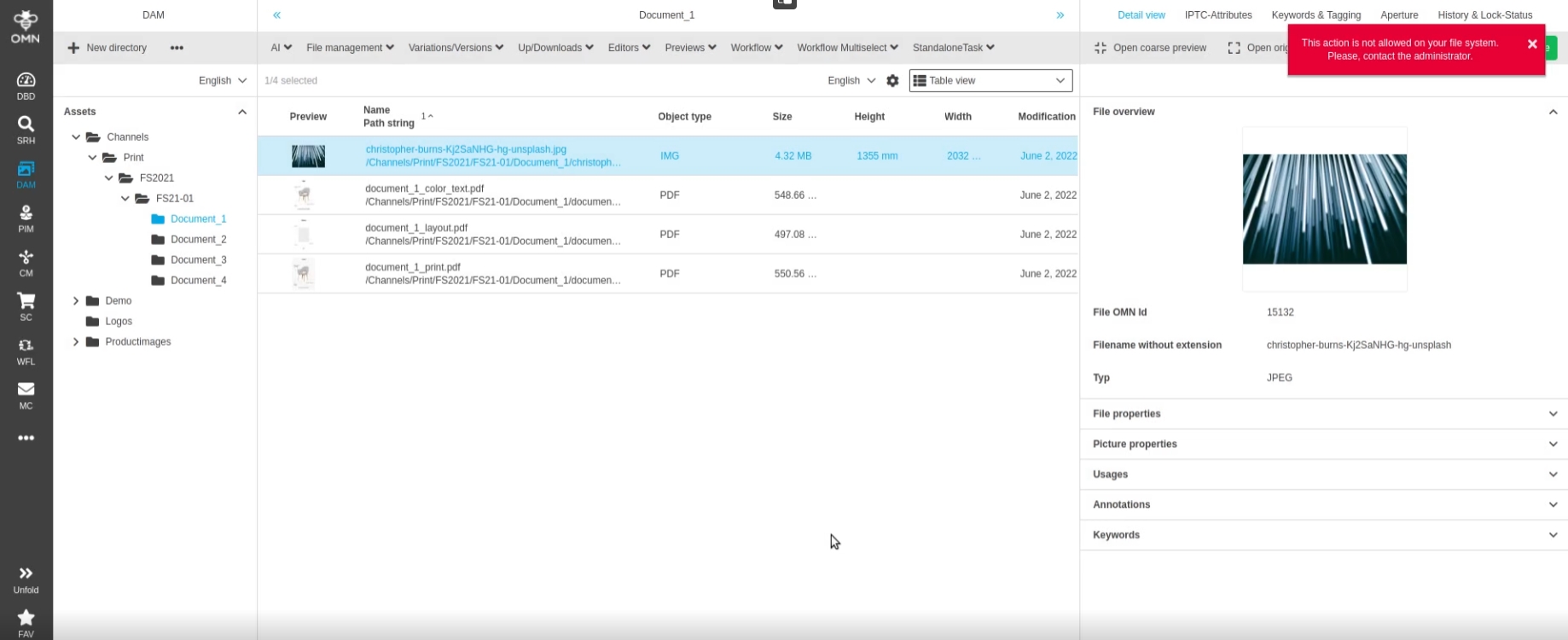
7.1.2 Rename - Optimization to prevent file loss if file is renamed in MAM with upper lower case but file system does not allow this action
References |
OMN-8966, OG-13405 |
Improved behavior with new toast message if some file management Action (e.g., rename file) is prohibited Because of file System restriction (e.g. file System does not support case-insensitiveness), so that the user is notified, and the file is not lost as in former versions*
7.2 Versioning
7.2.1 Deletion of active version will active before version if available
References |
OMN-9260 |
-
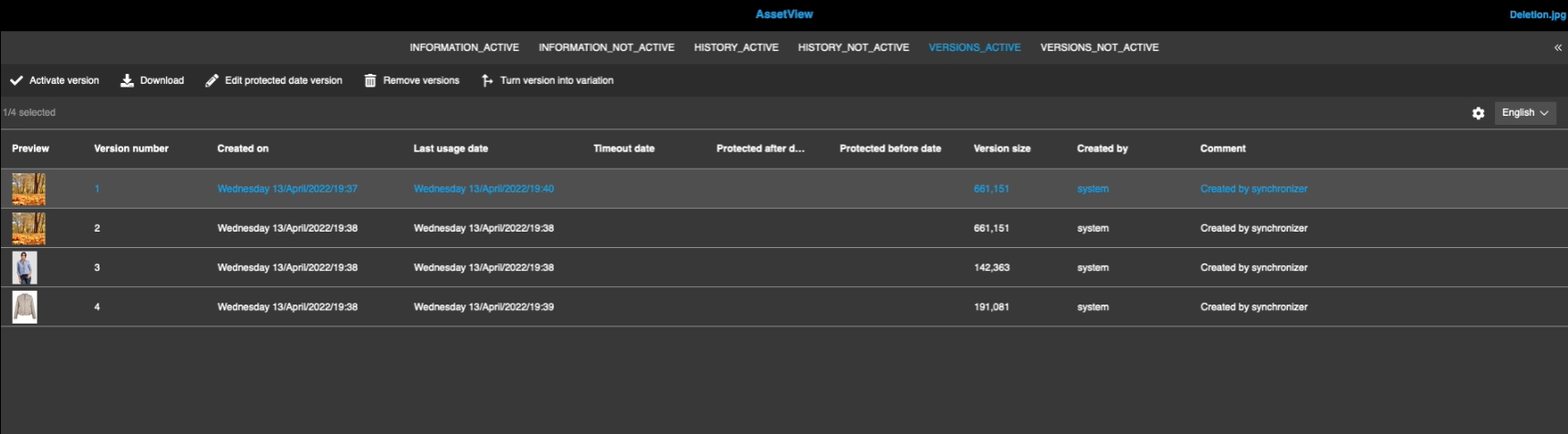
Improvement in DAM version Management in case when an active version is deleted the before version (if available) will become the active one automatically (the new active version and its preview will be shown in related views like FSTable)*
-
File with 4 versions
7.3 Fileformats
7.3.1 Newly formats that are supported by OMN tools
References |
OMN-9356 |
Support of following file Formats with preview
Graphical formats:
-
XCF - GIMP Image File
-
WebP - WebP Image (https://de.wikipedia.org/wiki/WebP)
-
PSB - Photoshop Large Document Format
-
XBM - X11 Bitmap Graphic
-
PICT - Picture File
-
SVG - Scalable Vector Graphic - > OMN-1886
Text/Web:
-
TXT - Plain Text File
-
RTF - RichTextFile
-
HTML - Hypertext Markup Language File
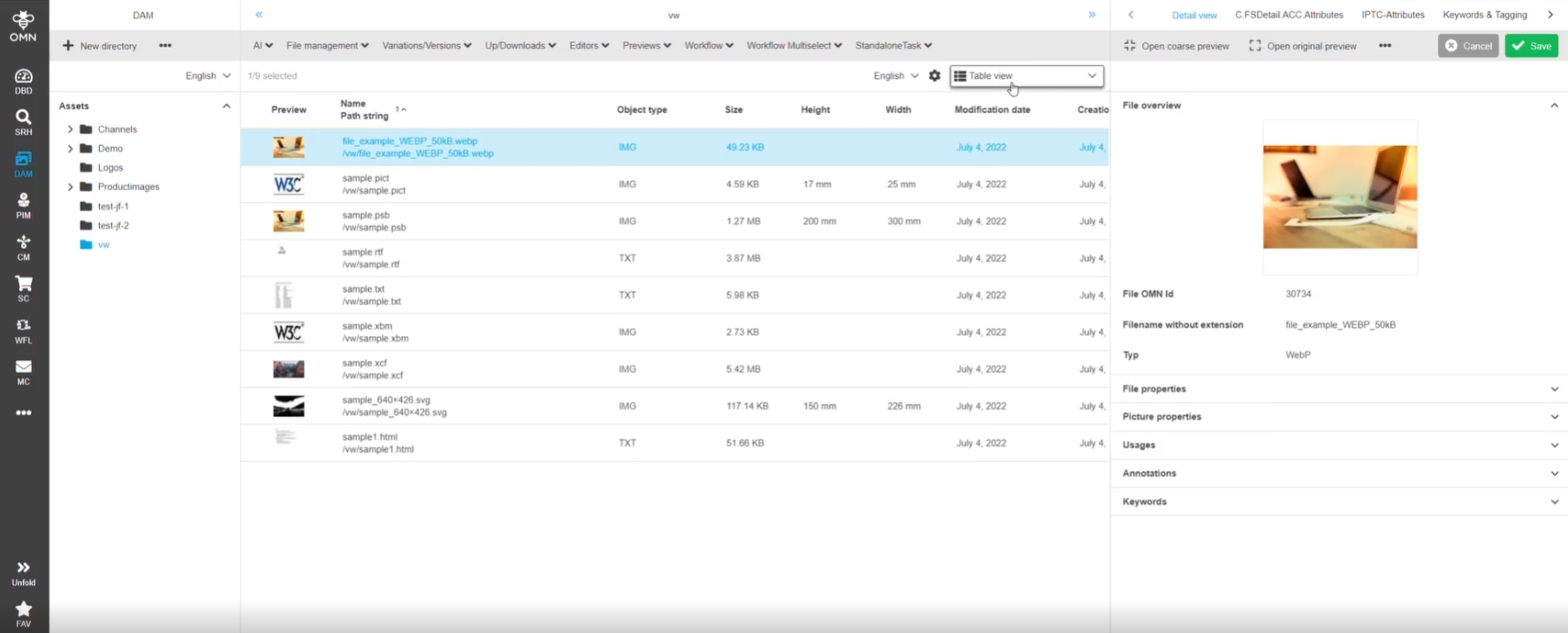
| Current supported file Formats can be found in Documentation OMN-Supported+Fileformats |
7.4 FSTable
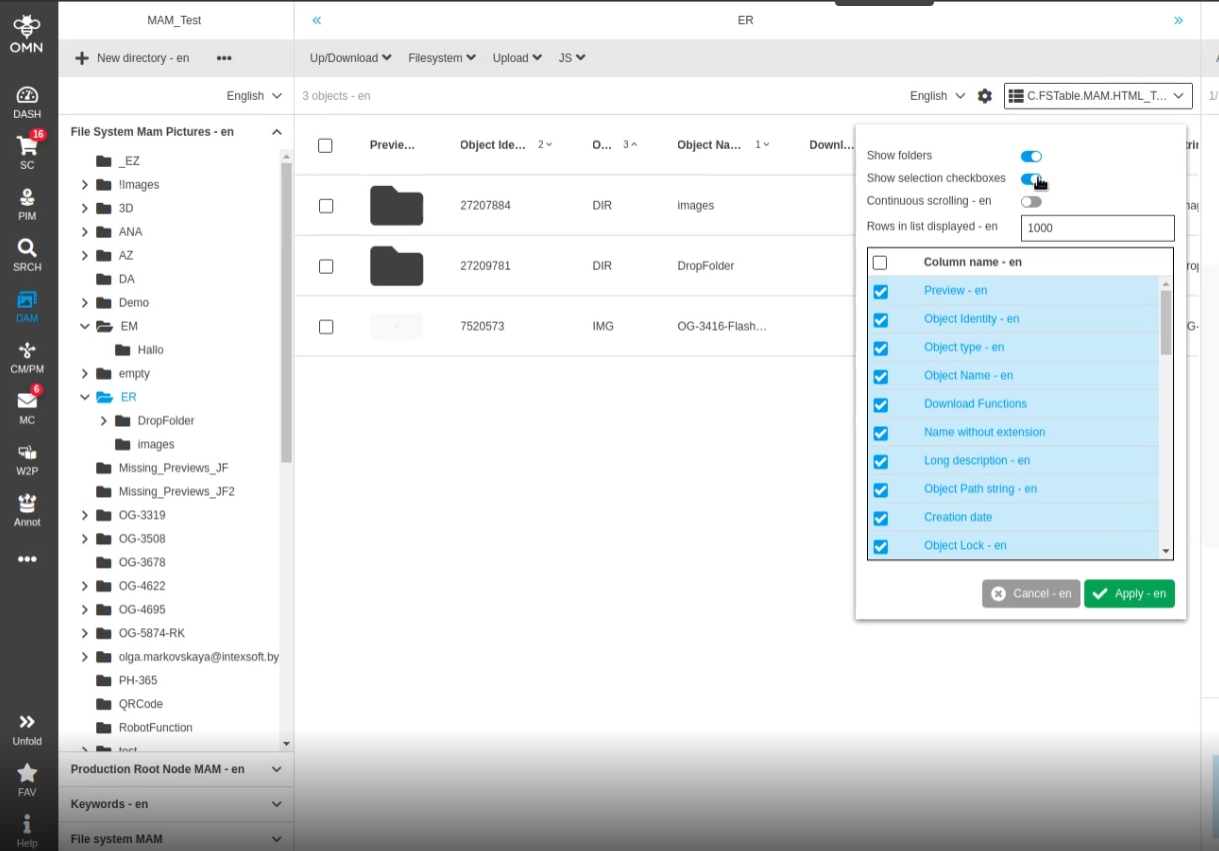
7.4.1 PIM2 - Show amount of linked assets to product
References |
OMN-9089, OG-12718 |
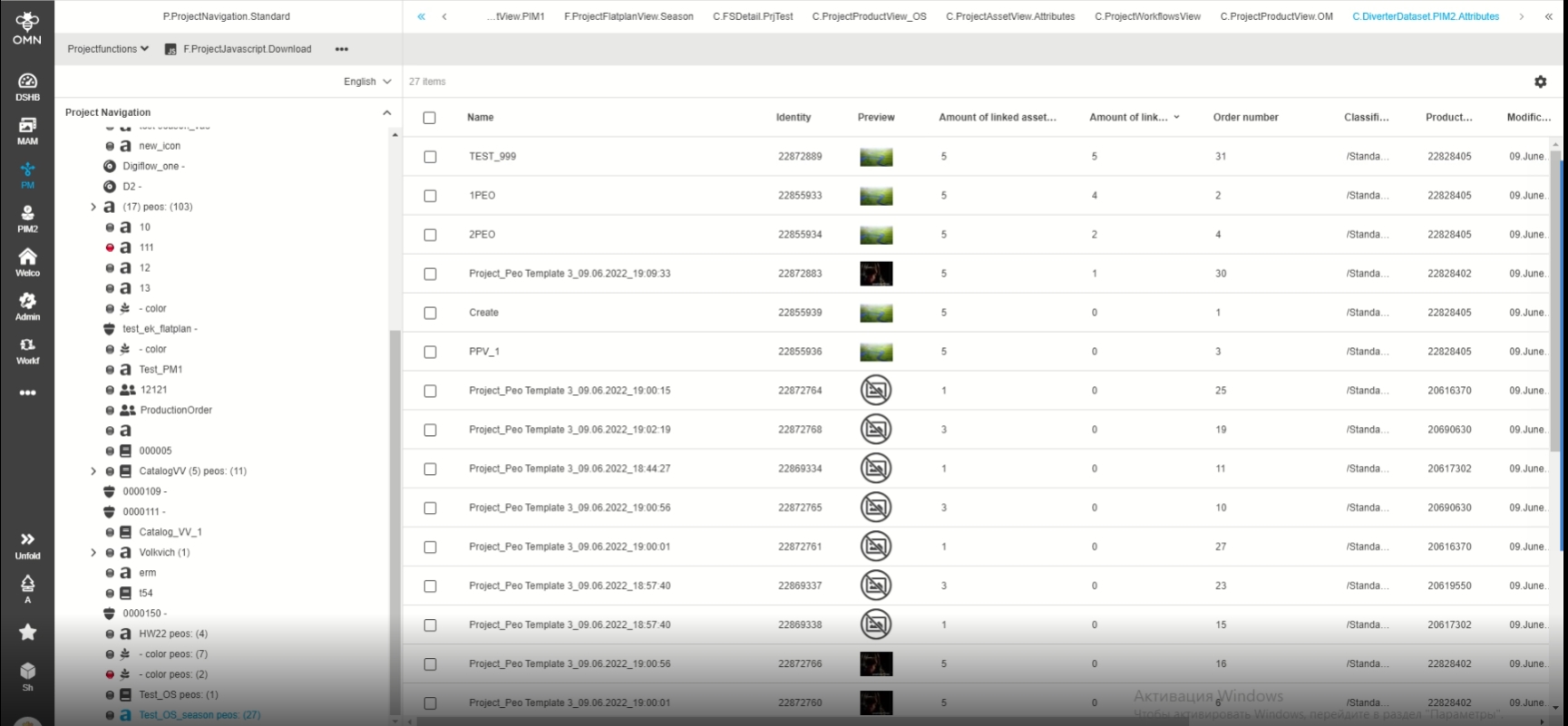
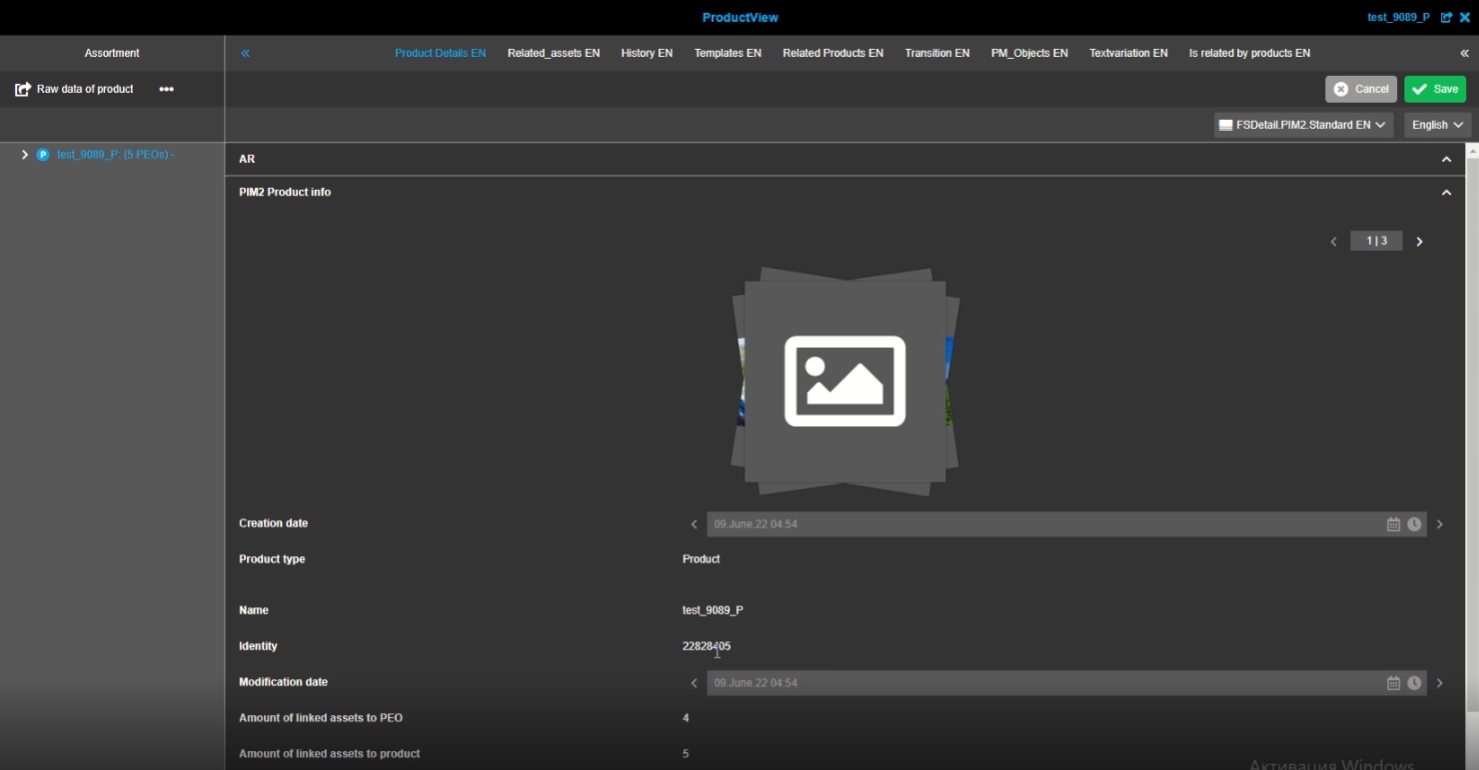
Possibility to configure an expression for object type PIM2product, which allows users to see the number of linked asset items to Products in the UI
-
new Expression (used in ProjectProductView configuration)
-
new Expression (used in ProductView configuration)
7.4.2 PIM2 - Show amount of linked assets to PEO
References |
OMN-9089 |
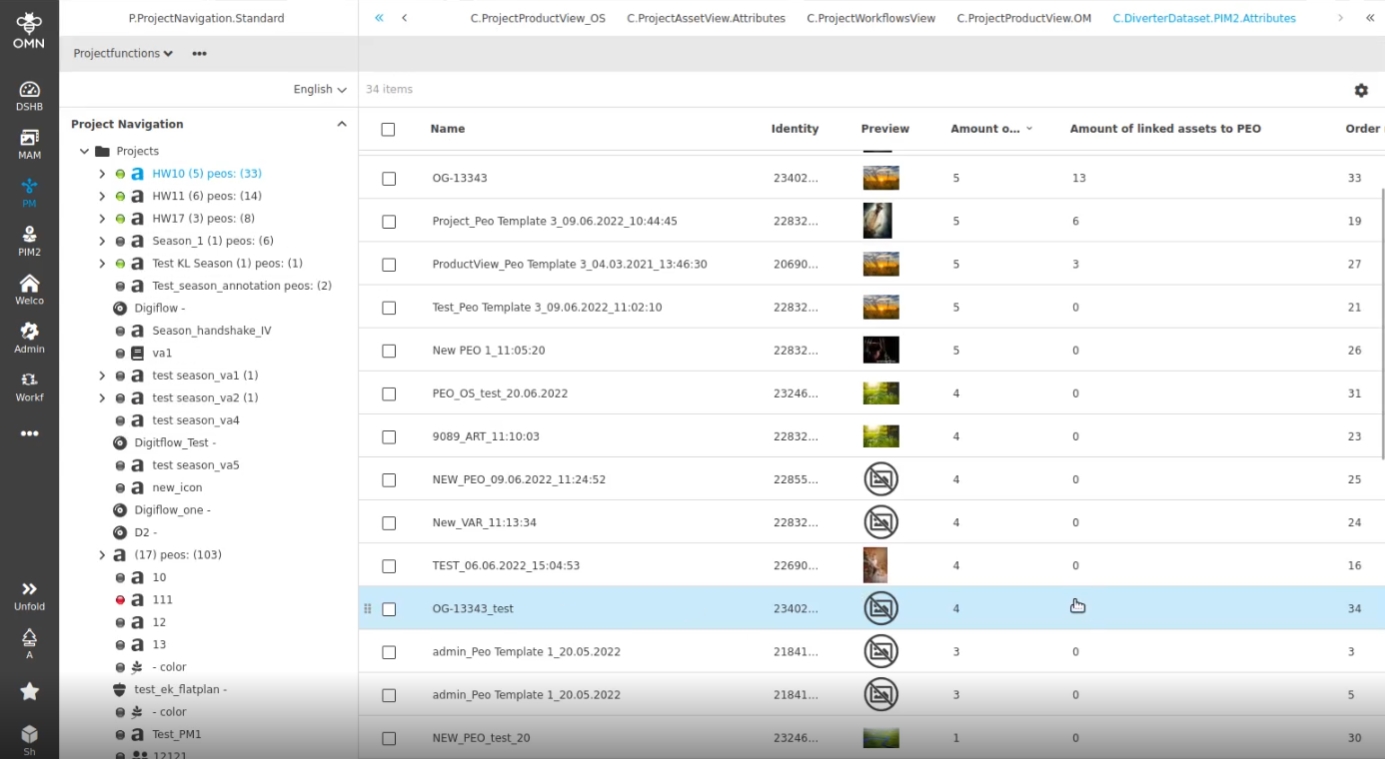
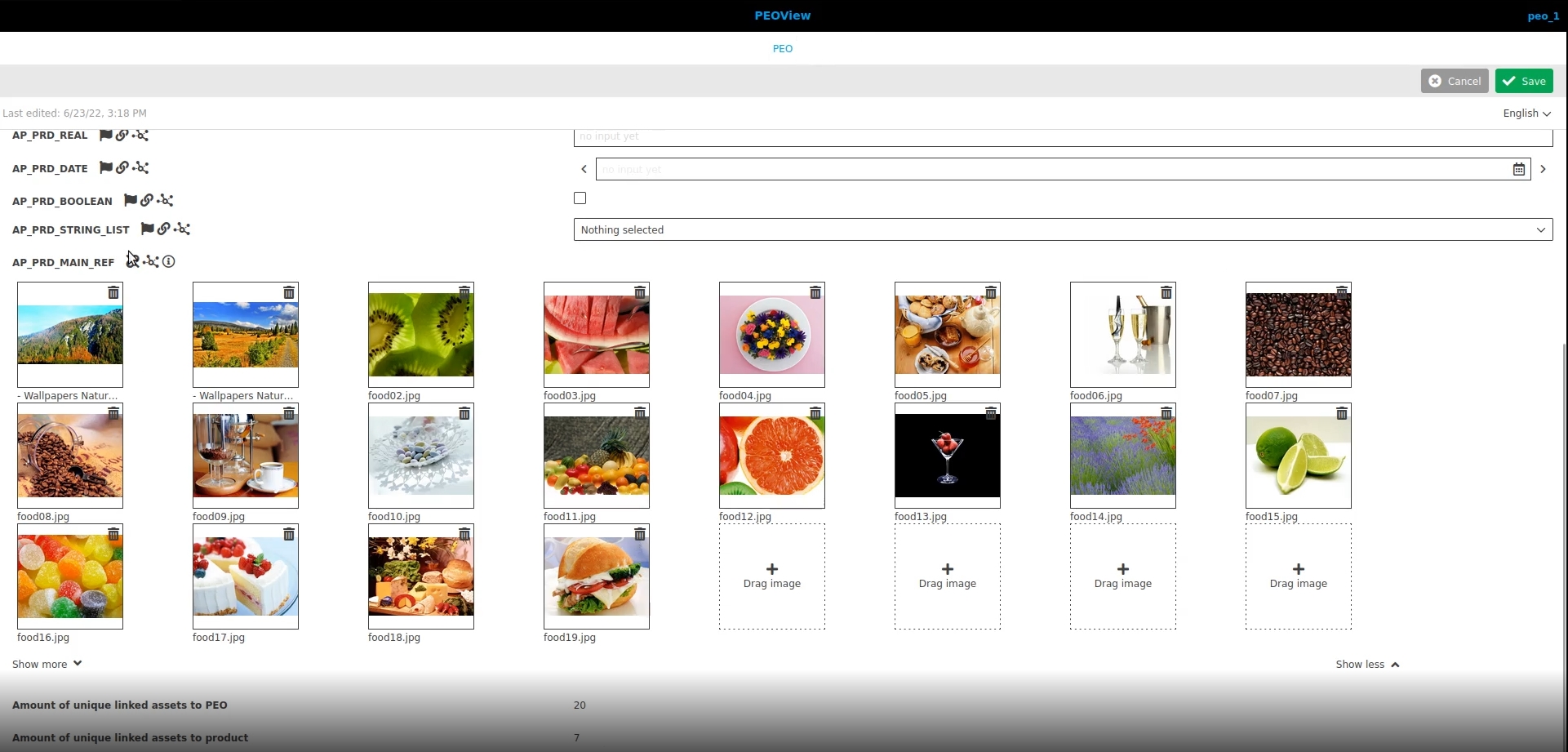
Possibility to configure an expression for object type PIM2product, which allows users to see the number of linked asset items to PIM-PEOS in the UI
-
new Expression (used in ProjectProductView configuration)
-
new Expression (used in PEOView configuration)
7.5 FSDetail
7.5.1 FSDetail - Preview Widget Improvement - Introduce top padding for Floating Toolbar
References |
OG-11077 |
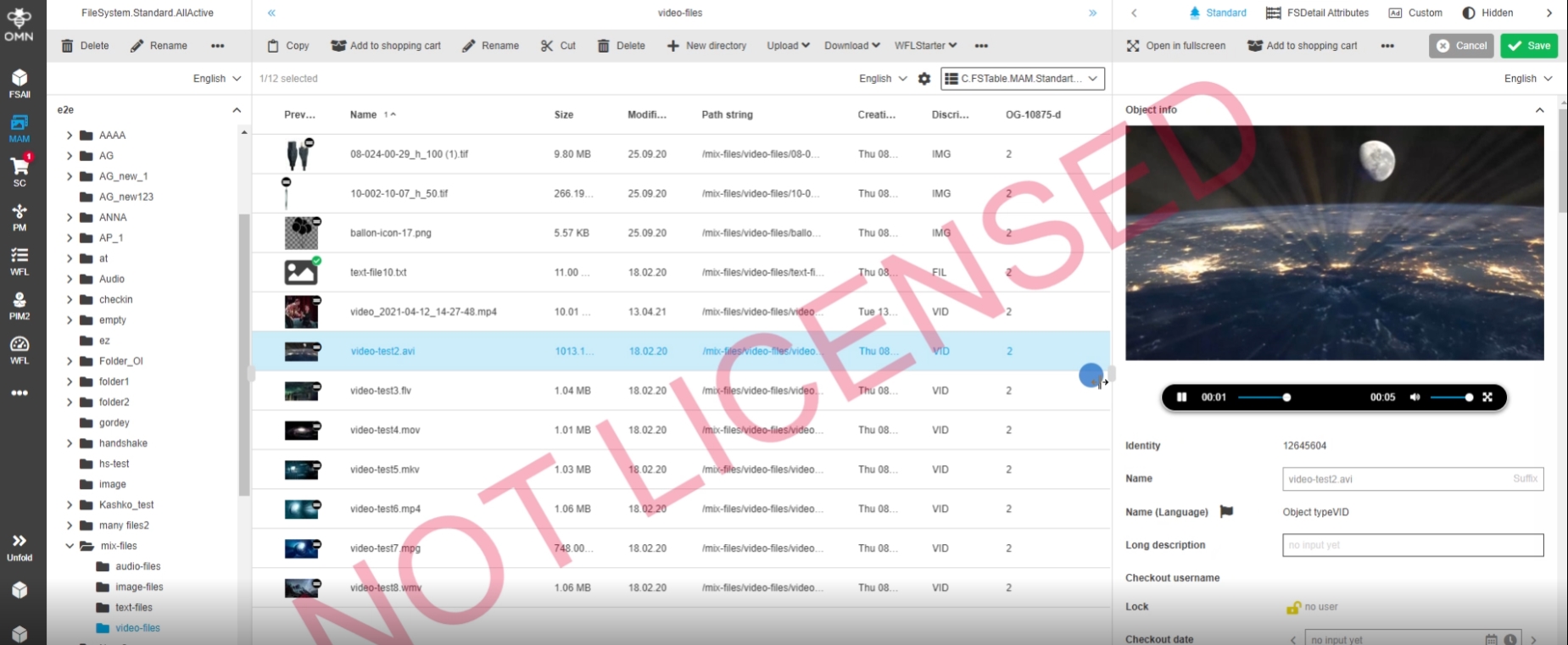
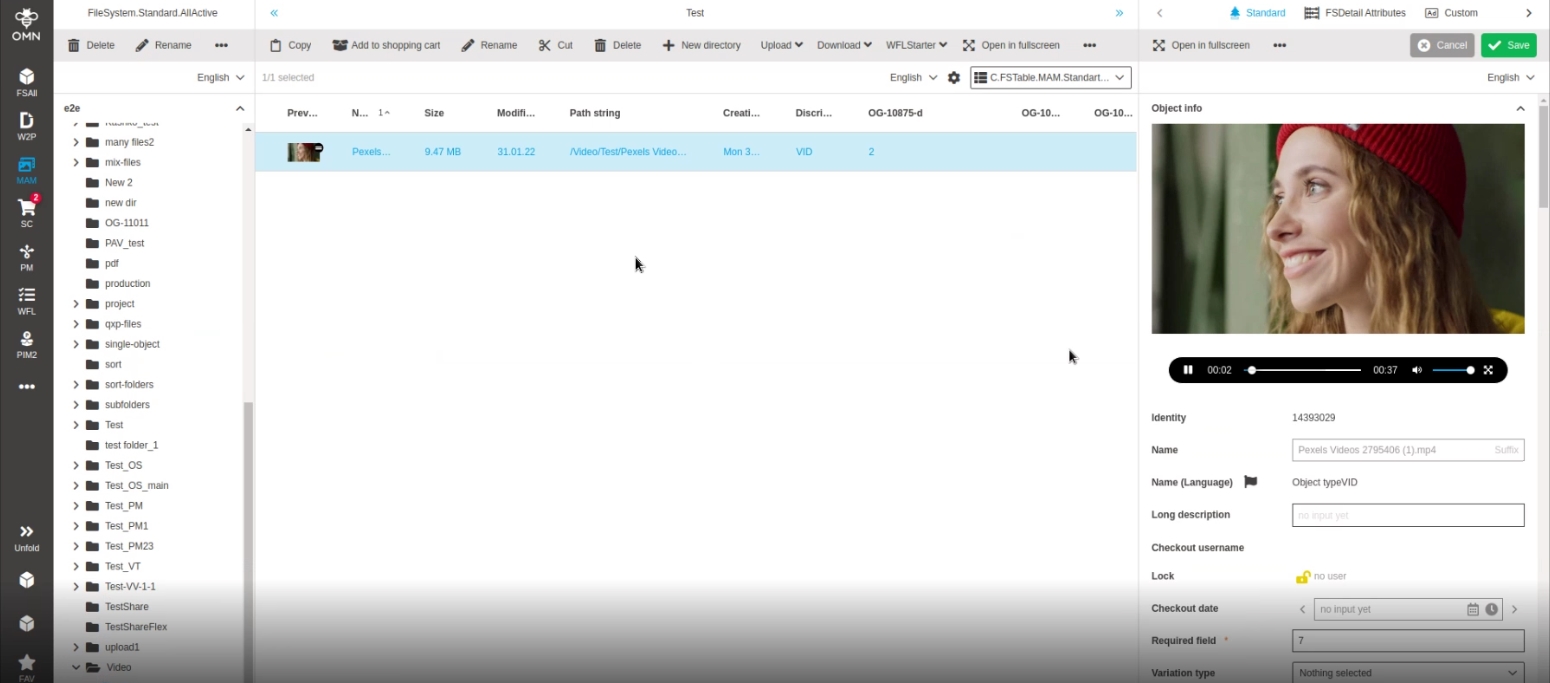
Introduction of top padding for floating bar in the FSDetail preview widget to see the whole preview of the selected video asset in the detail view and thus prevent that important information may not be visible to the user
7.5.2 FSDetail - Preview Widget Improvement - Disappearing Floating Toolbar
References |
OG-12884 |
Floating bar in Preview Widget remains now constantly, so that it is all time obvious how long the video is already playing and how long the video is at all
-
in former versions the floating bar disappears after view seconds after the video or audio has started
7.6 SingleObject
7.8 Aperture
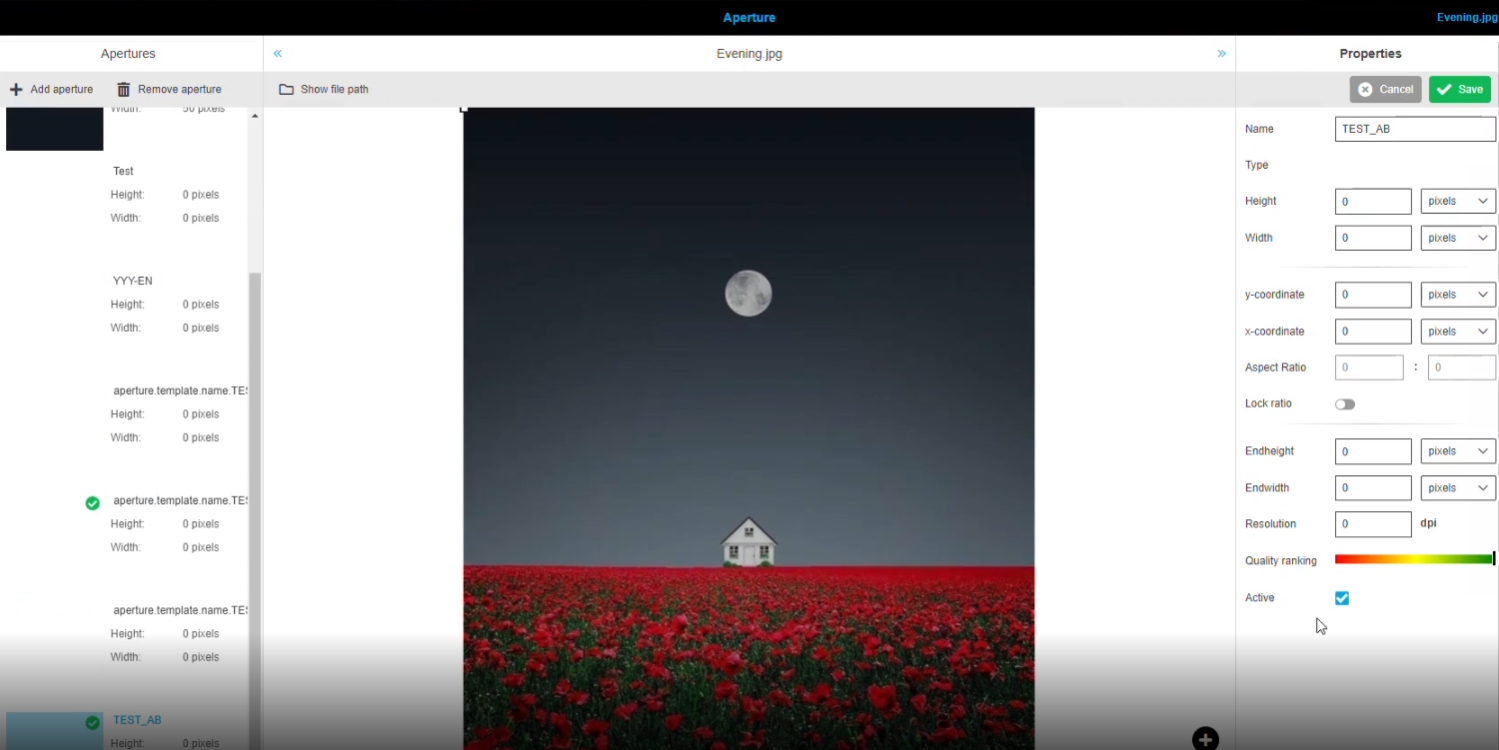
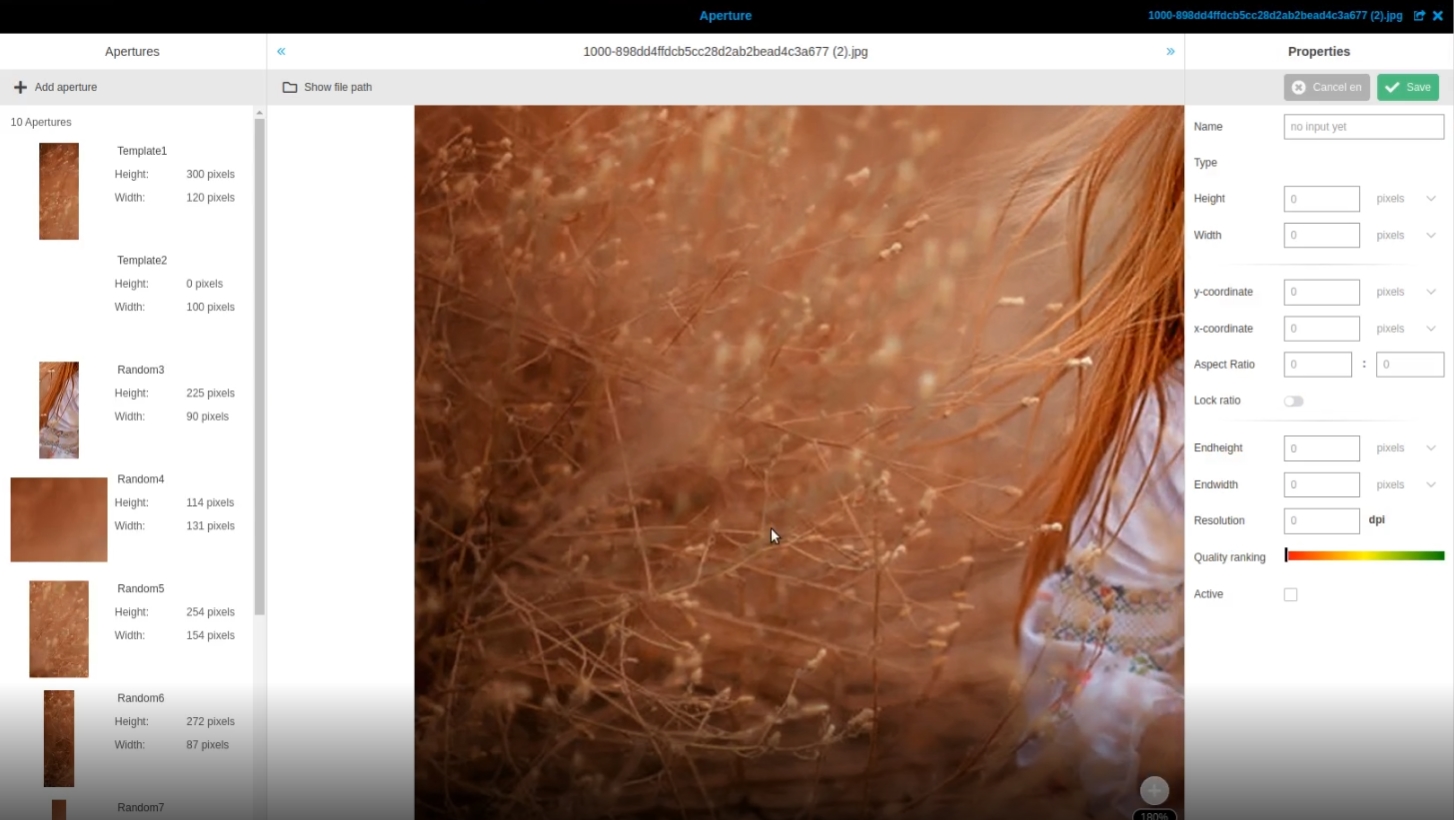
7.8.1 Aperture Tool - New created apertures does not have state "active" as default
References |
OG-12613, OMN-9101 |
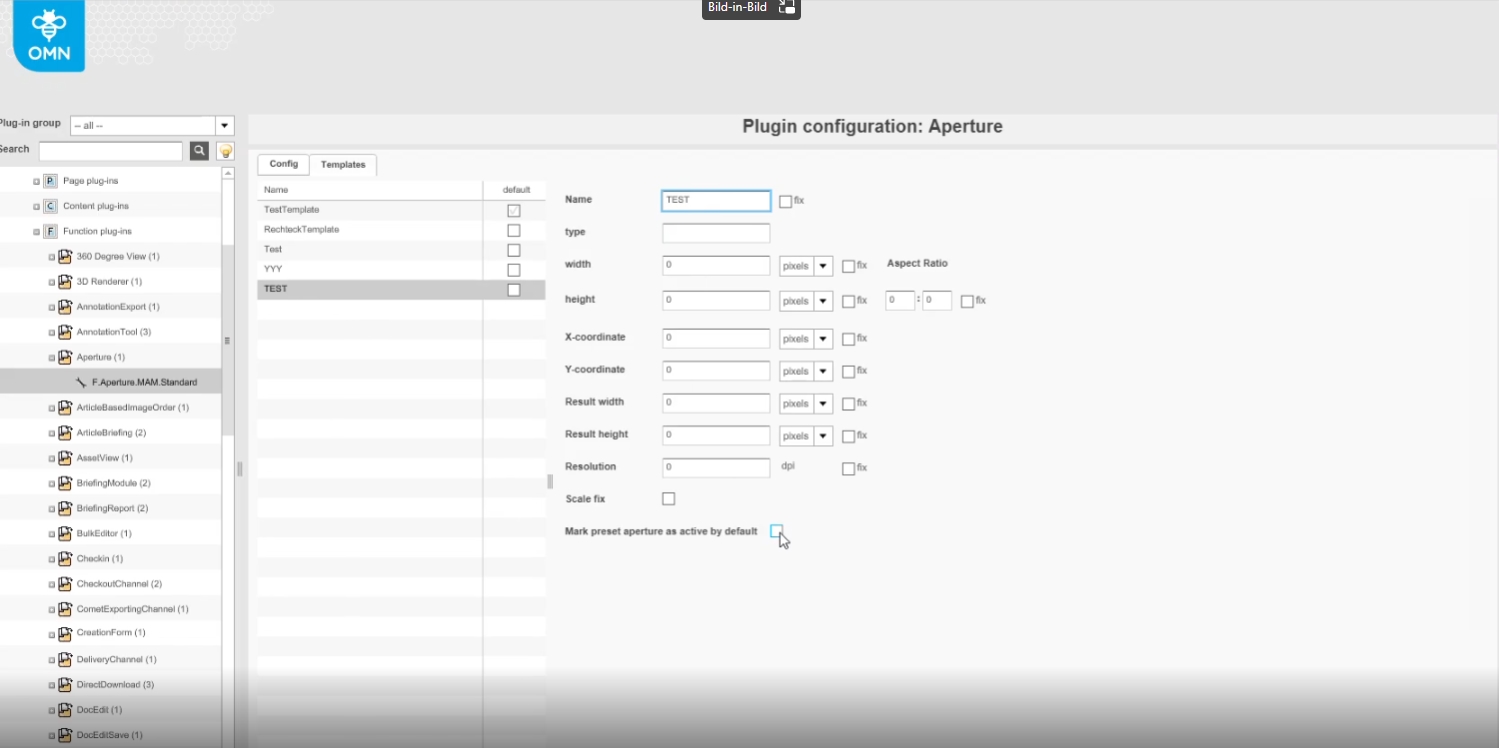
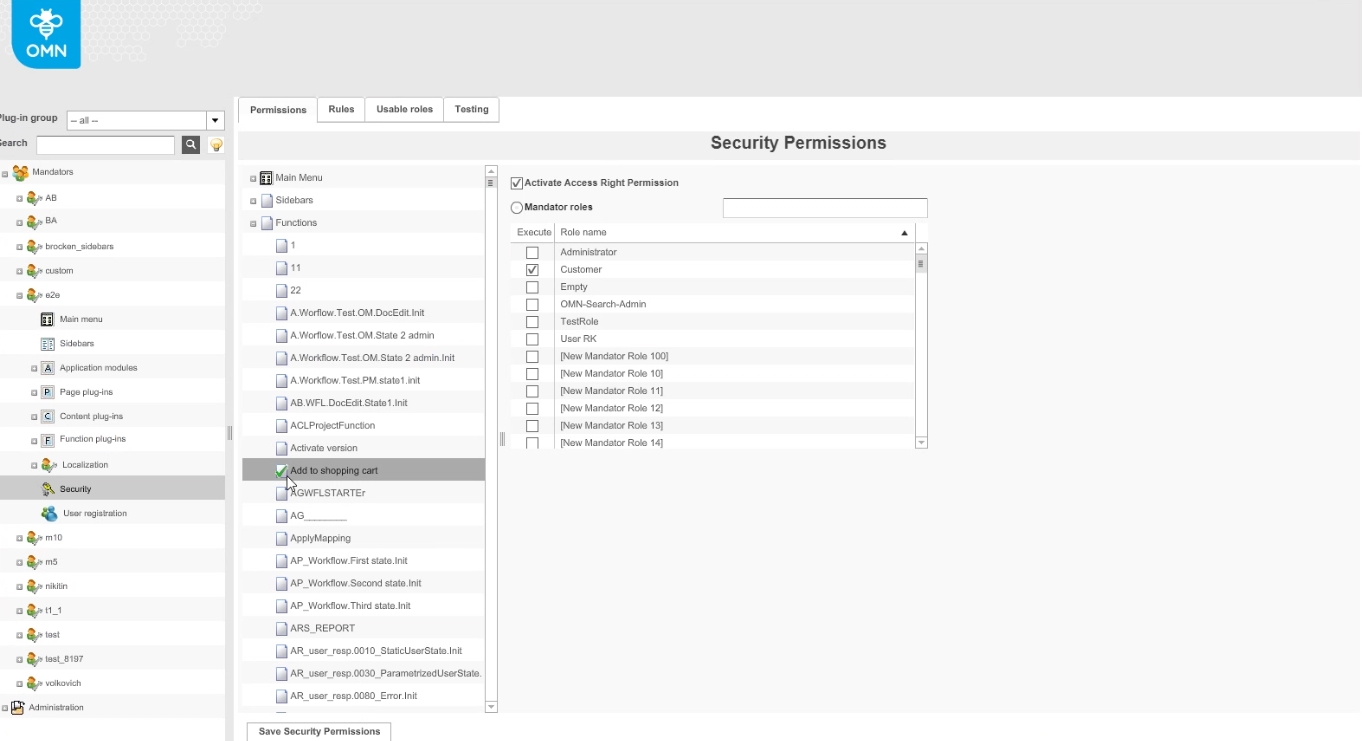
State "active" will be set automatically when creating new aperture, if new config Option is enabled for specific aperture template
-
new configuration Option allow to mark preset aperture as active by default
8. PIM (Product Information management)
8.1 ClassificationView
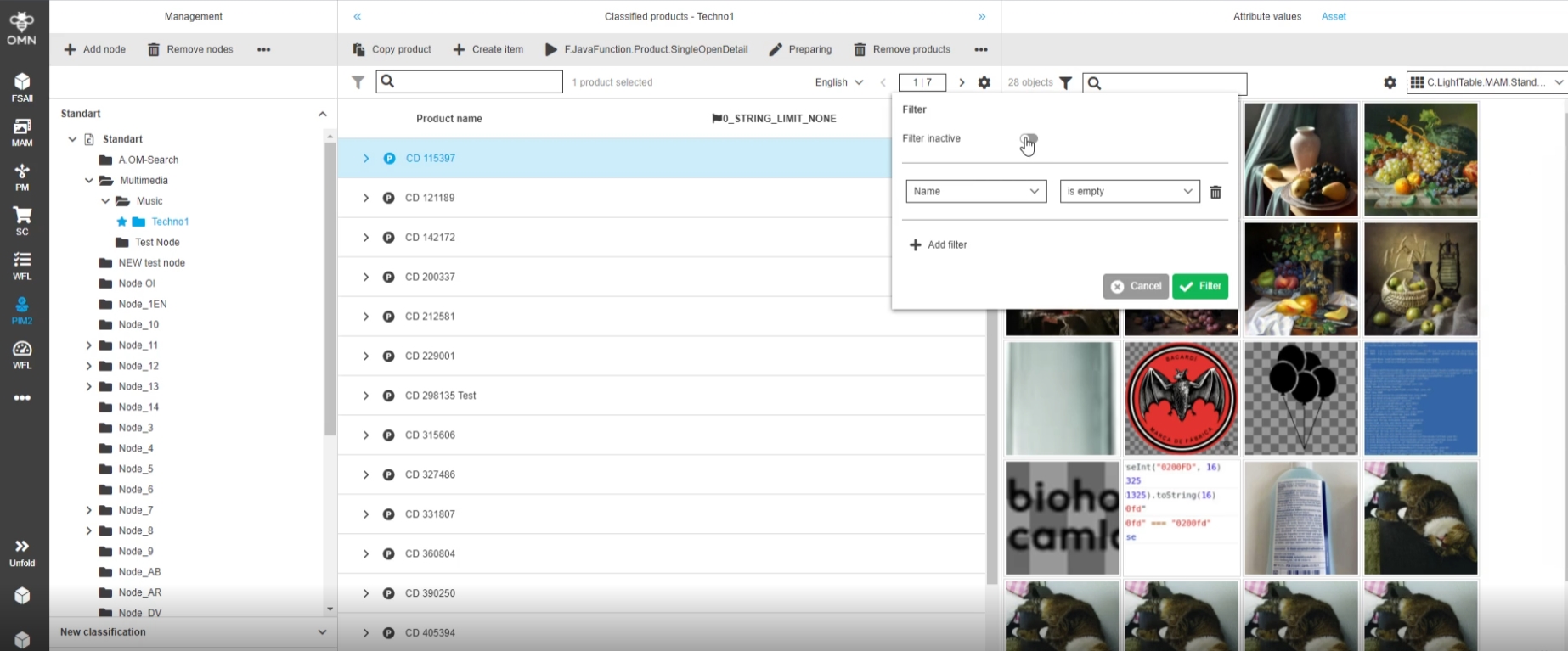
8.1.1 PIM2 - ClassificationView - AssetView - Keep Userbased settings
References |
OG-12737 |
User settings for the asset view(s) in ClassificationView are now saved as user-based Settings
8.1.2 PIM2 - Management View - Related assets - Ordering of assets linked by different reference types
References |
OG-11703 |
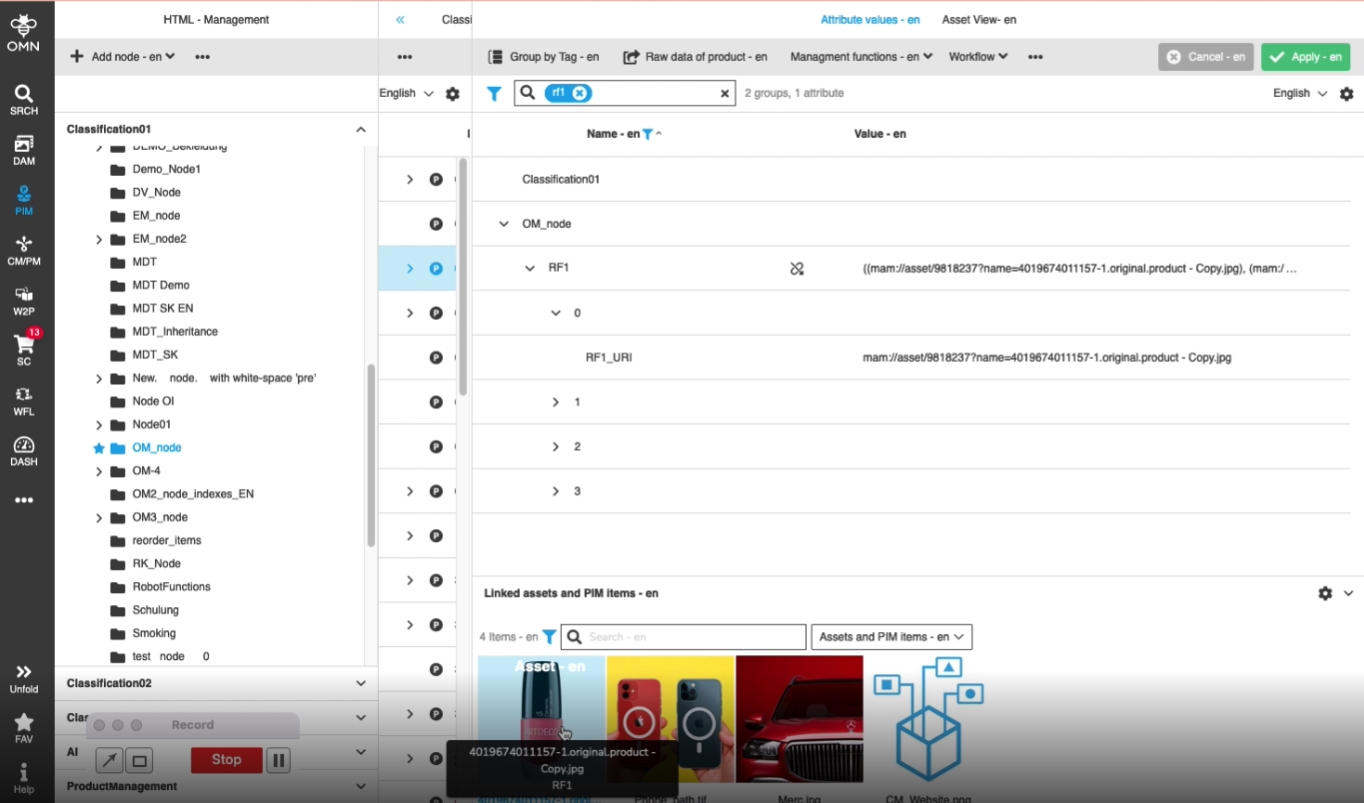
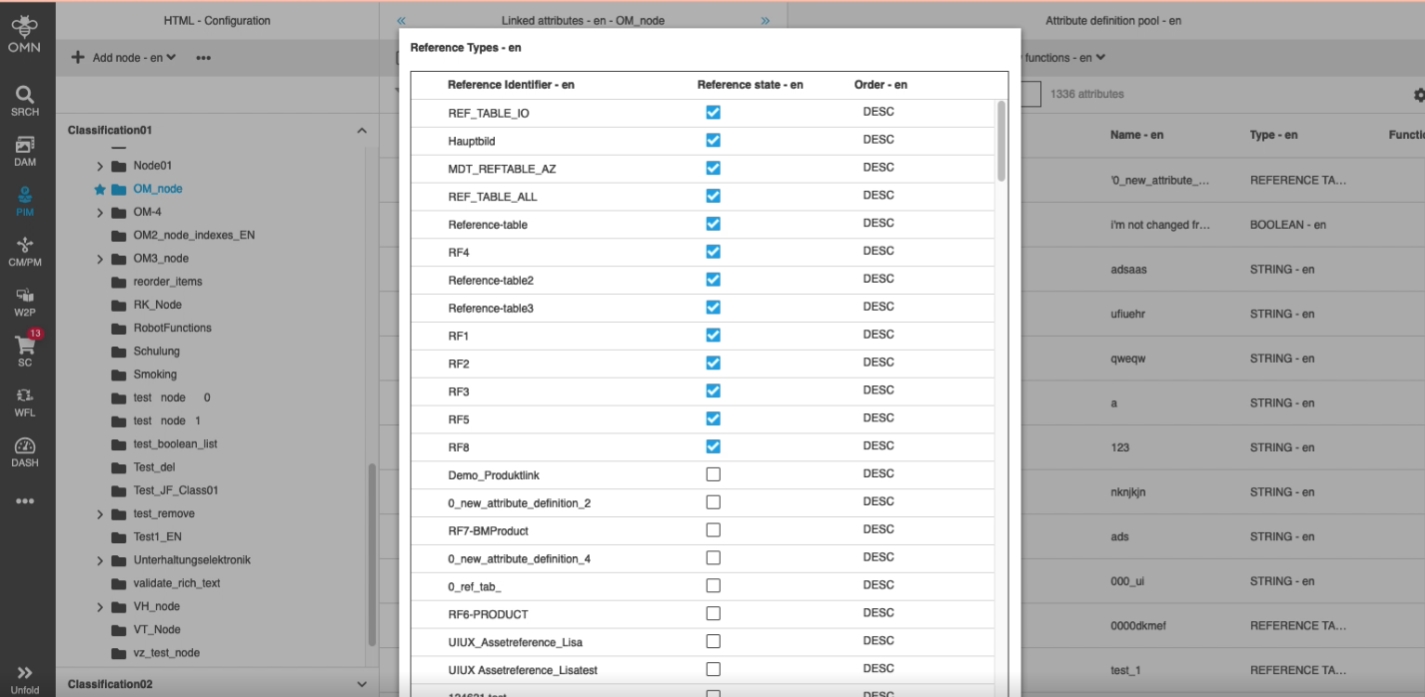
The linked assets are now ordered by reference type in related asset section of PIM2 Management View
-
configuration of reference type order
8.1.3 PIM ClassificationView - Linked asset reference is not renamed when corresponding asset was renamed
References |
OMN-9103 |
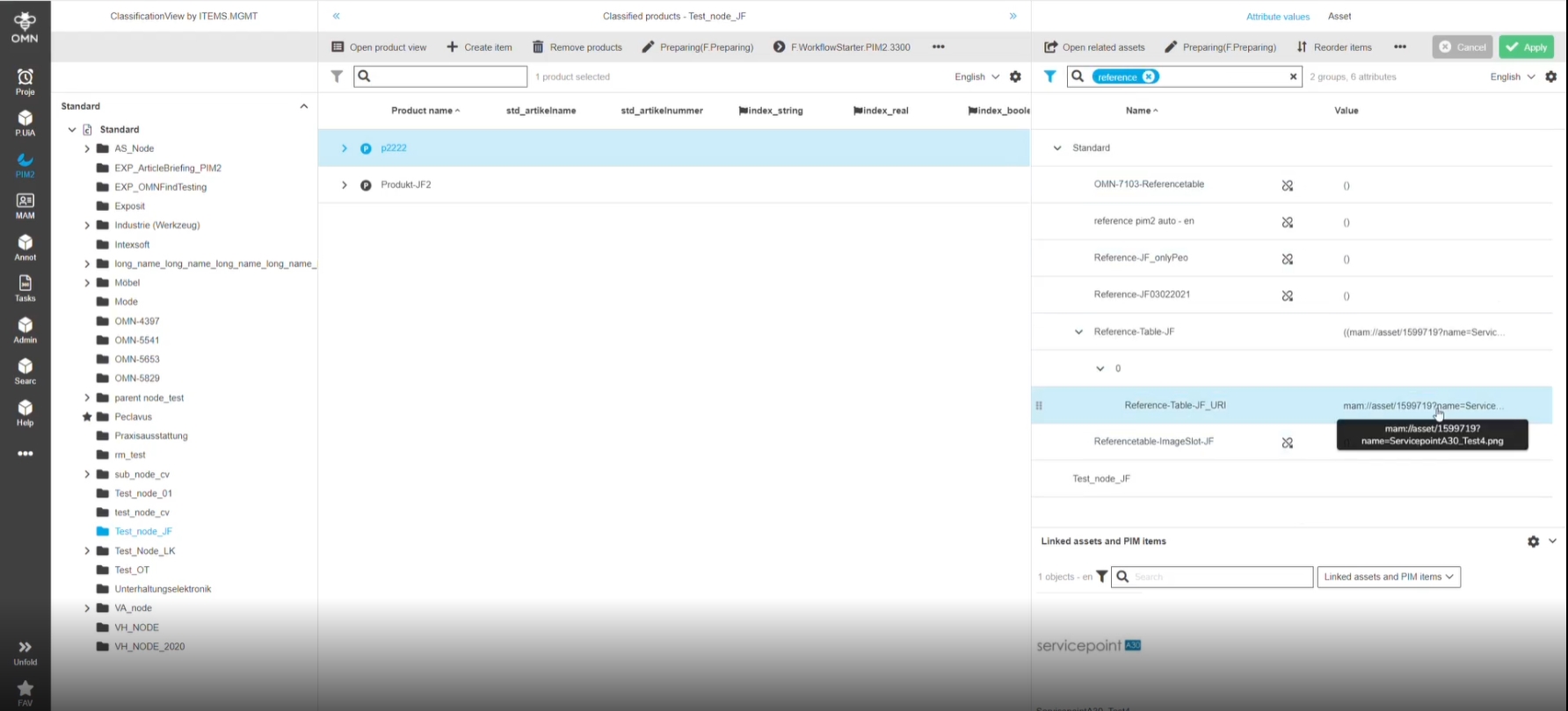
Linked asset reference name is being renamed too when asset was renamed (classification / product view)
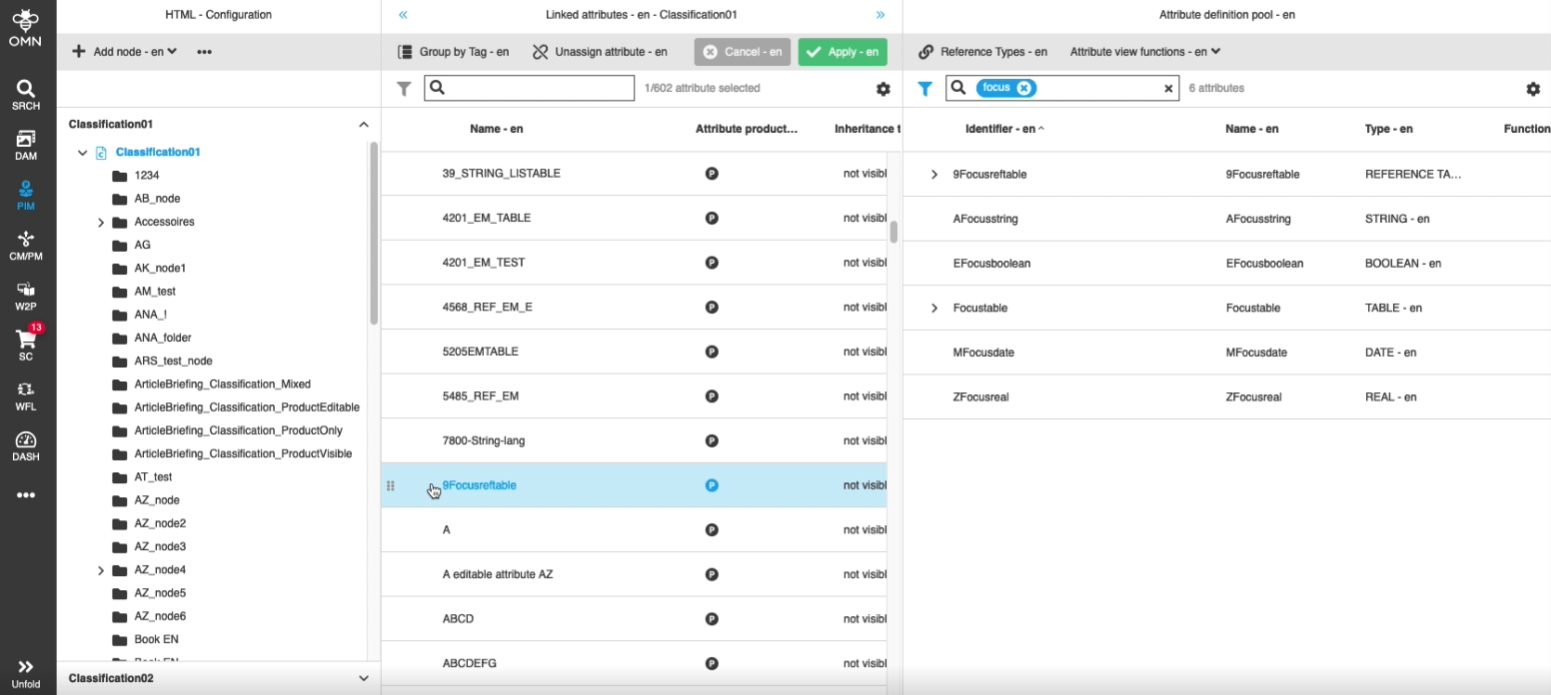
8.1.4 PIM2 - ClassificationView - Configuration - Linked attributes should be in focus
References |
OG-12154 |
In case of Attributes are linked in PIM configuration These are shown in Focus / Viewport after linking so that the user does not have to scroll
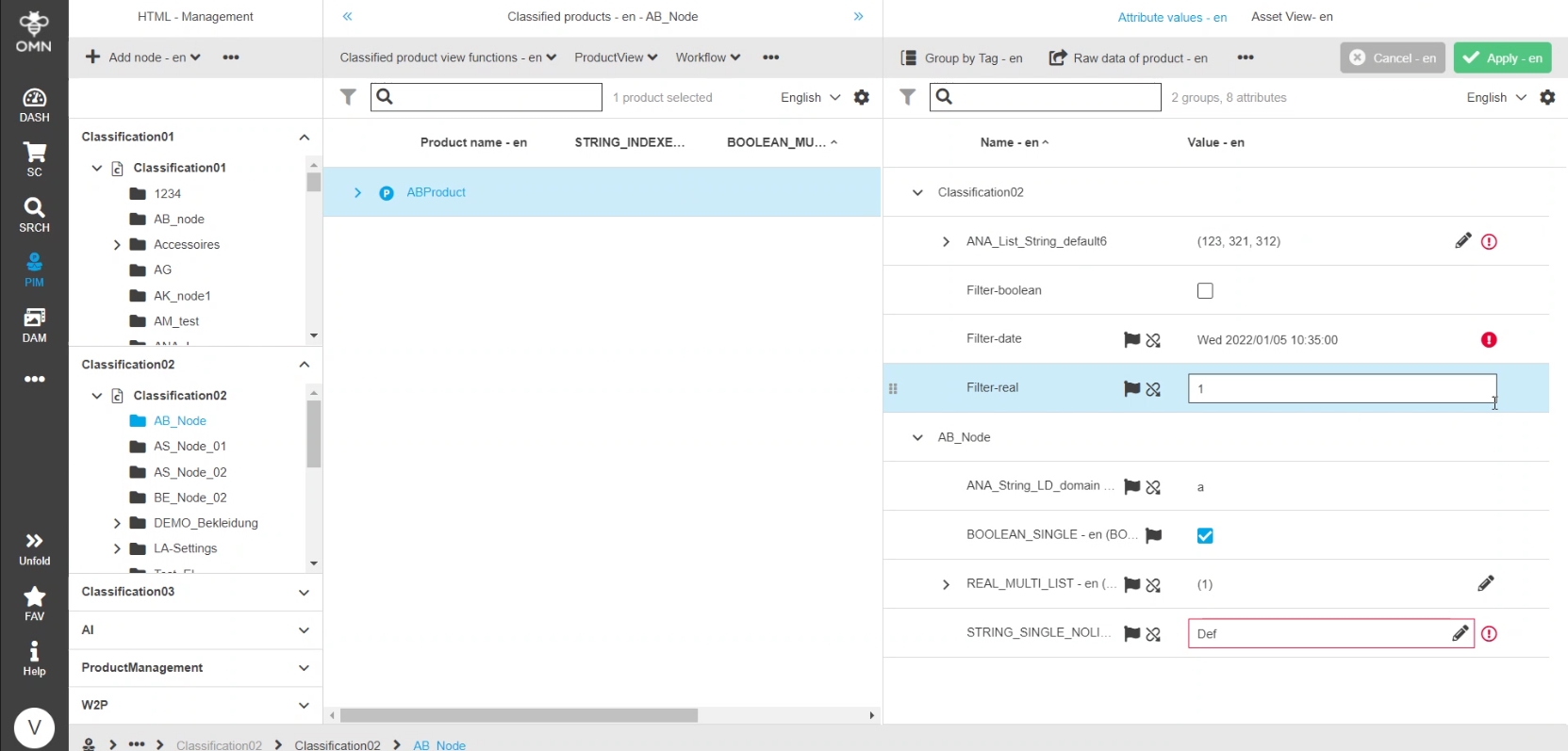
8.1.5 PIM2 - Listable attributes - Improvement - Show error on first level if available
References |
OG-11424 |
User can see an error information on first level of listable Attributes now, so that the user knows briefly that there is one available
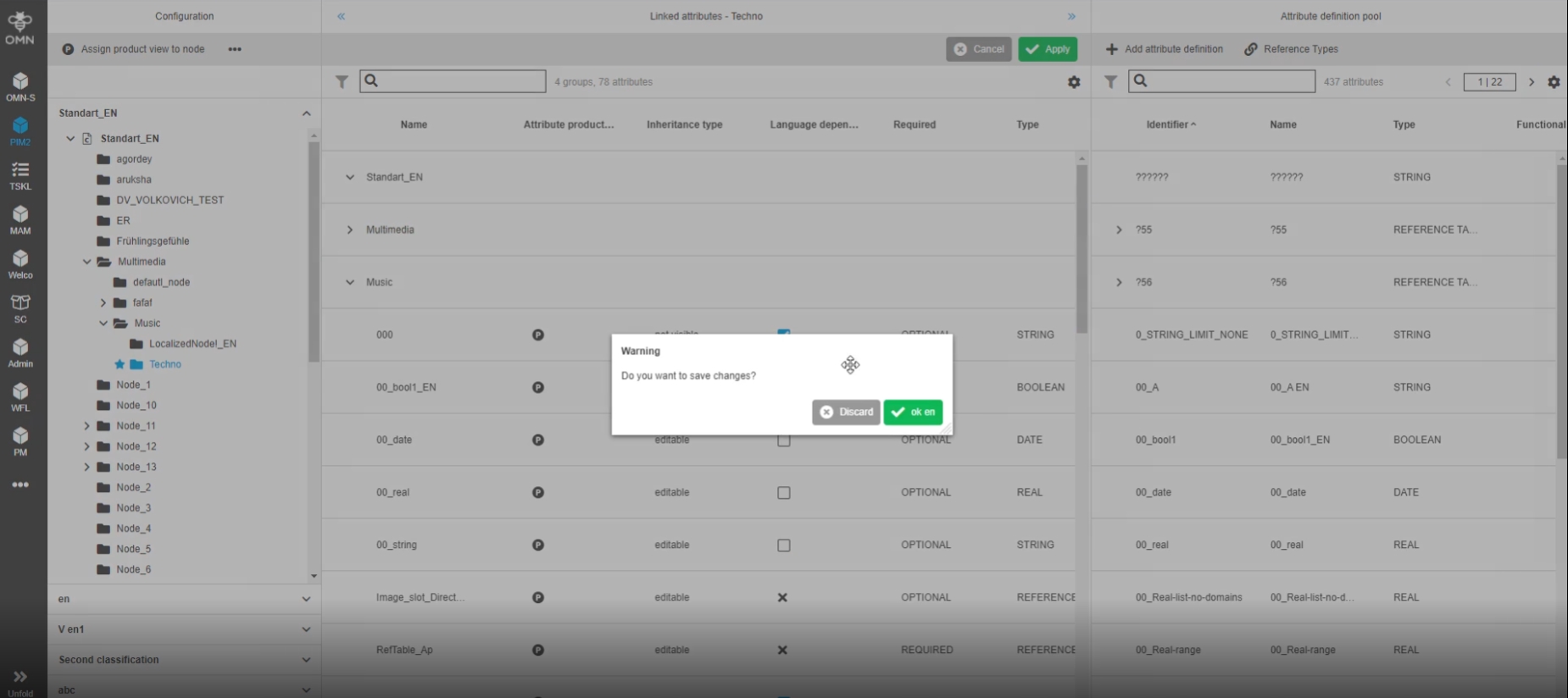
8.1.6 PIM2 - ClassificationView - Data in the table is not updated after change page and discarding changes in dirty checker
References |
OG-11931 |
User will see the actual data in the table after changes is discard using dirty checker
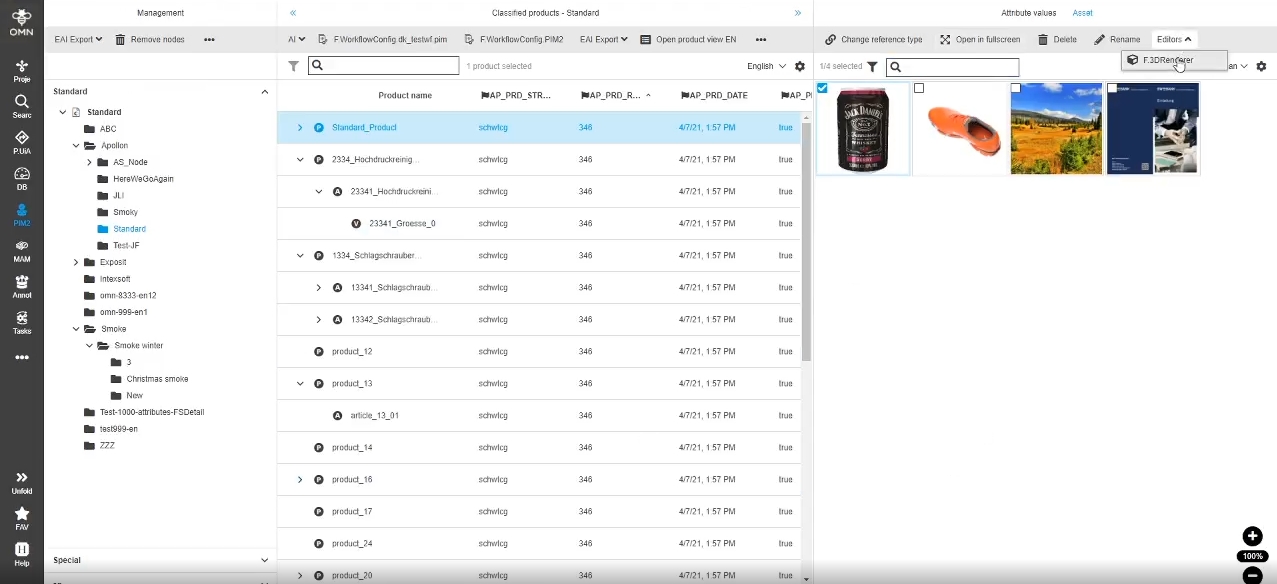
8.1.7 Add editors and process functions to configuration of functions for Asset configuration in Classification View
References |
OMN-9102 |
Editors' functions and process functions are now available in 'Asset configuration' in ClassificationView page plugin, so that the user doesn’t need to open assets in the navigation to access the editor’s functionality
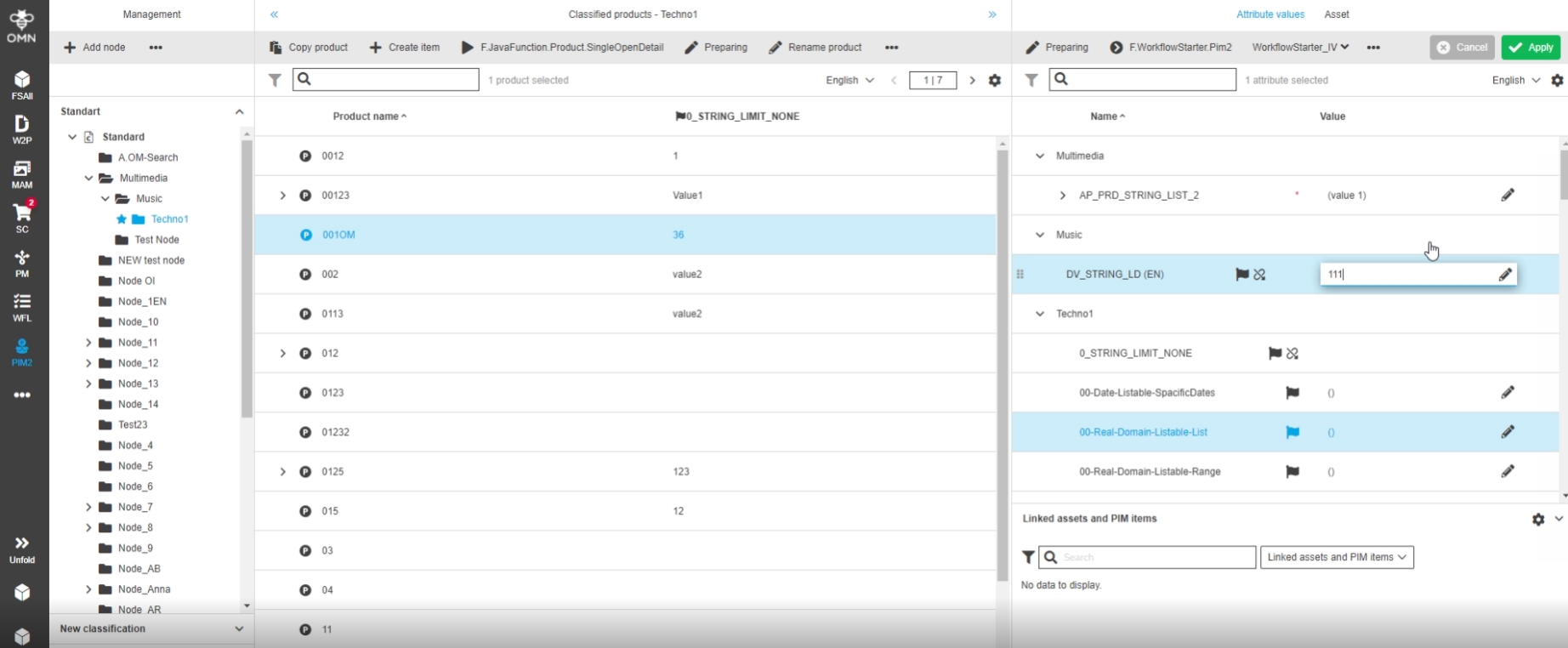
8.1.8 PIM2 - ClassificationView - ManagementView - Improvement for saving when changing a value without switching to another attribute (change focus)
References |
OG-12880 |
Possibility to see directly when the user types in values that they are unsaved changes and saving is possible without switching to another field
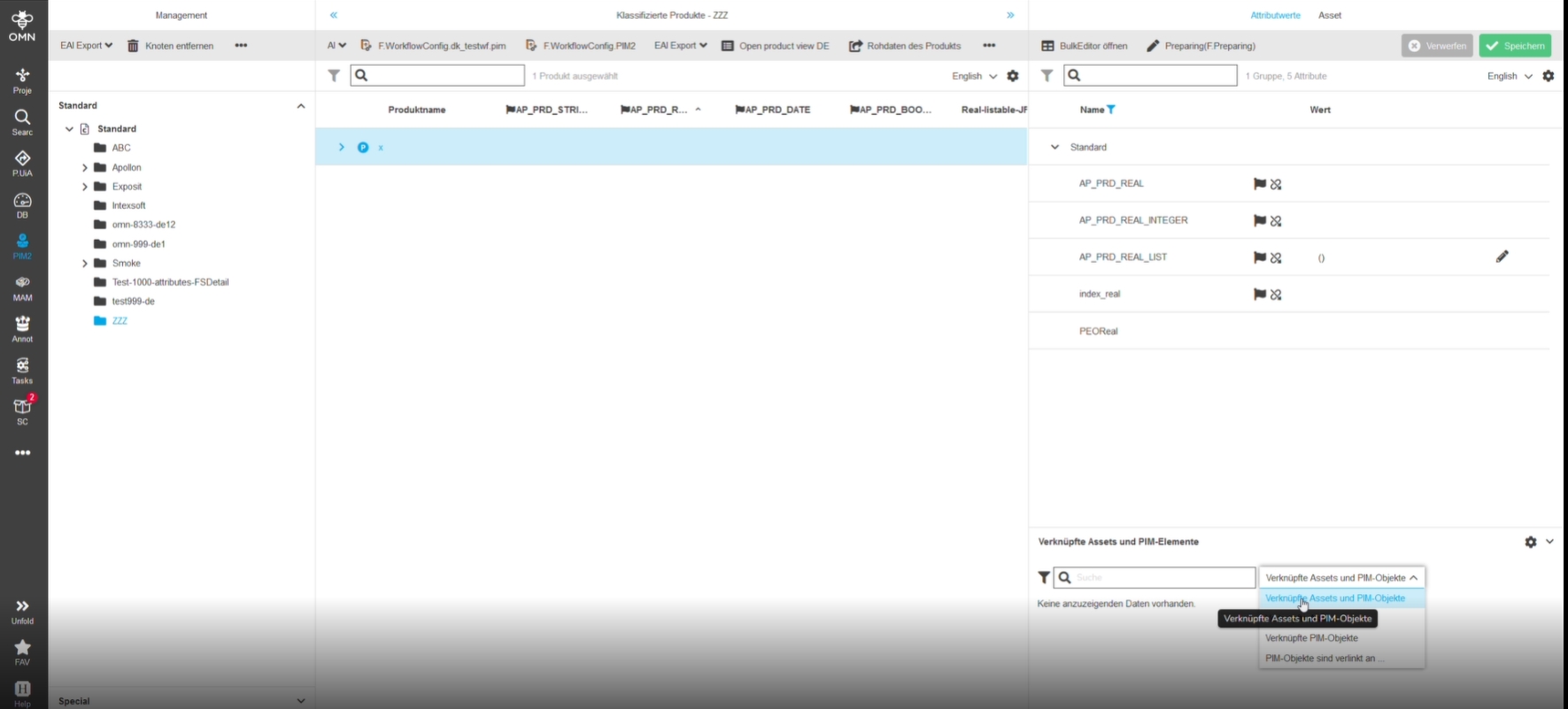
8.1.9 PIM2 - ClassificationView - Maintain item view - Maintain attributes - Filmstrip dropdown localization improvement
References |
OMN-9243 |
Improved Localizations for values in relation type selector in linked asset and PIM item Accordion of PIM ClassificationView
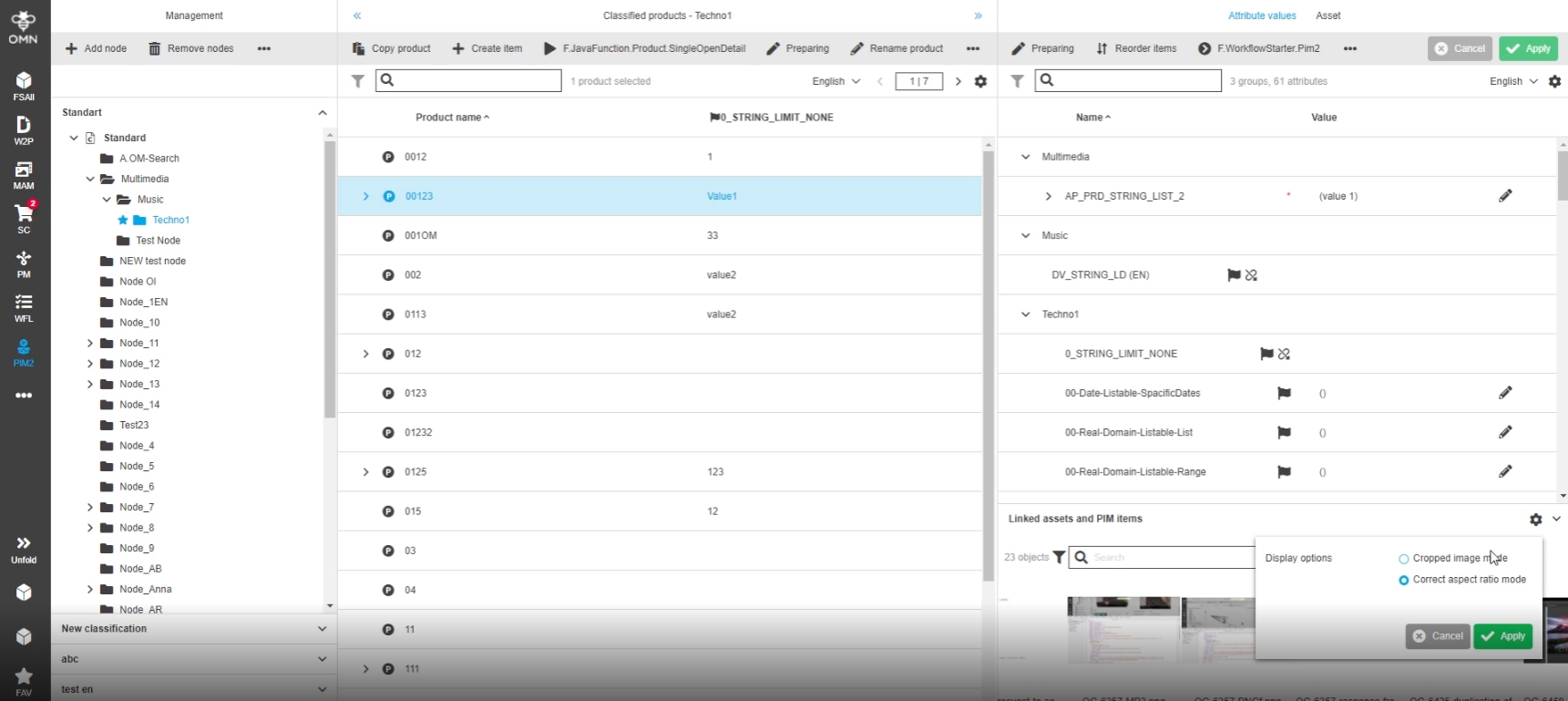
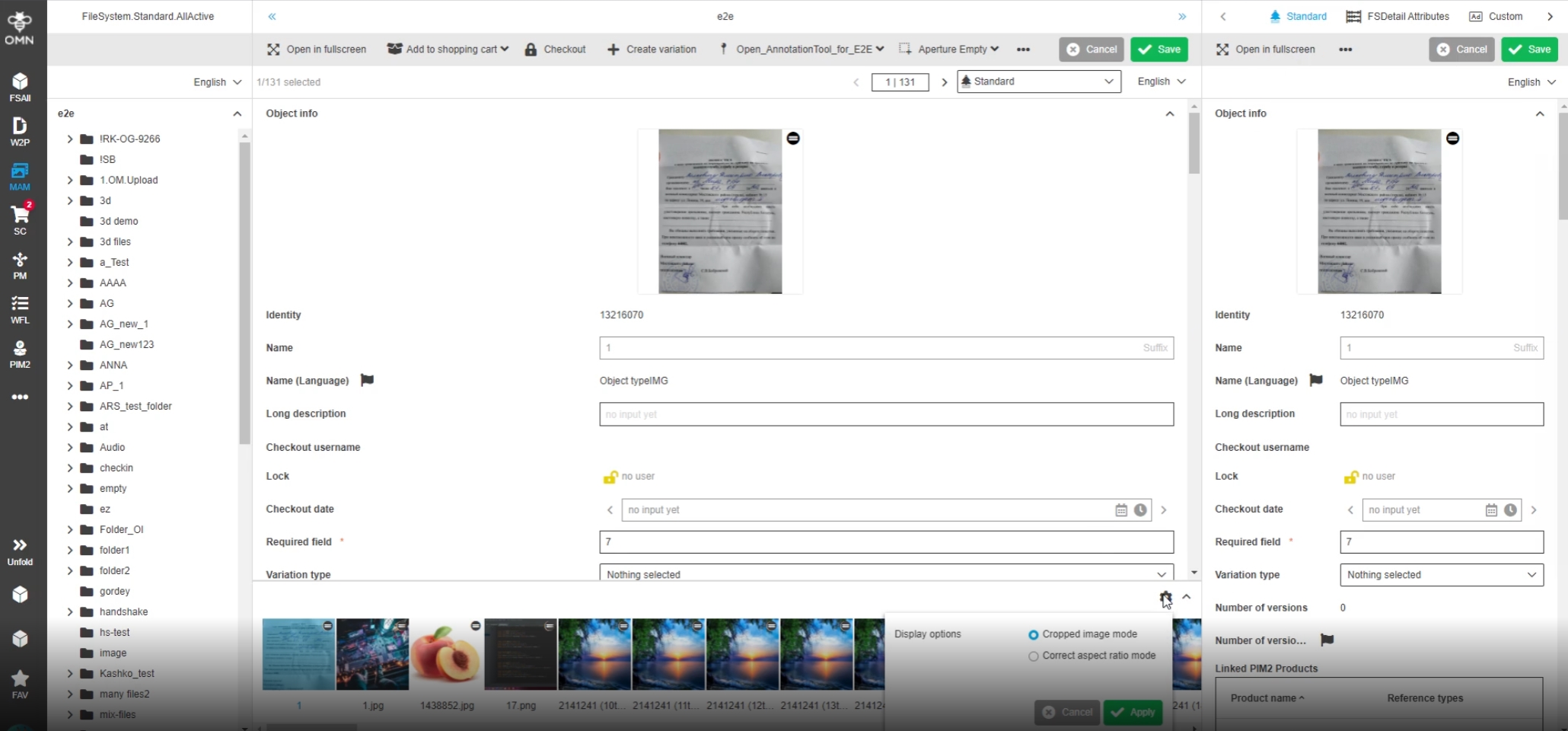
8.1.10 PIM2 - ClassificationView - Linked assets and PIM items and PIm2 Asset View- Add possibility to change image mode in filmstrip
References |
OG-12316 |
Possibility to change the image mode inside linked assets and PIM items accordion in Management View and in Single Object View in PIM2 Asset View, so that the user can individually decide how my view looks like
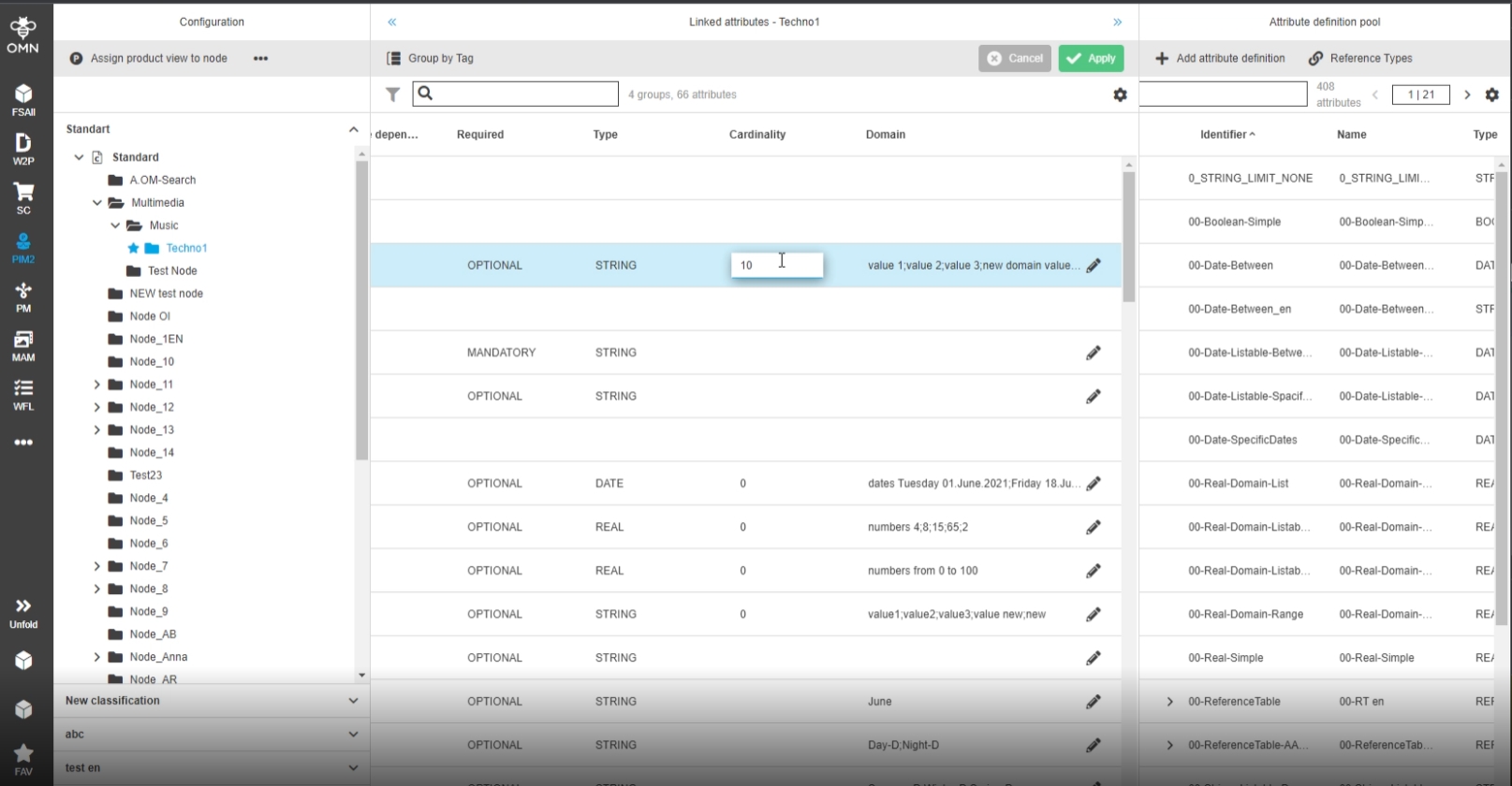
8.1.11 PIM2 - ClassificationView - ConfigurationView - The "Apply" and "Cancel" buttons becomes active after any focus of the fields without changes data
References |
OG-12985 |
The save buttons is now inactive if no values have been changed
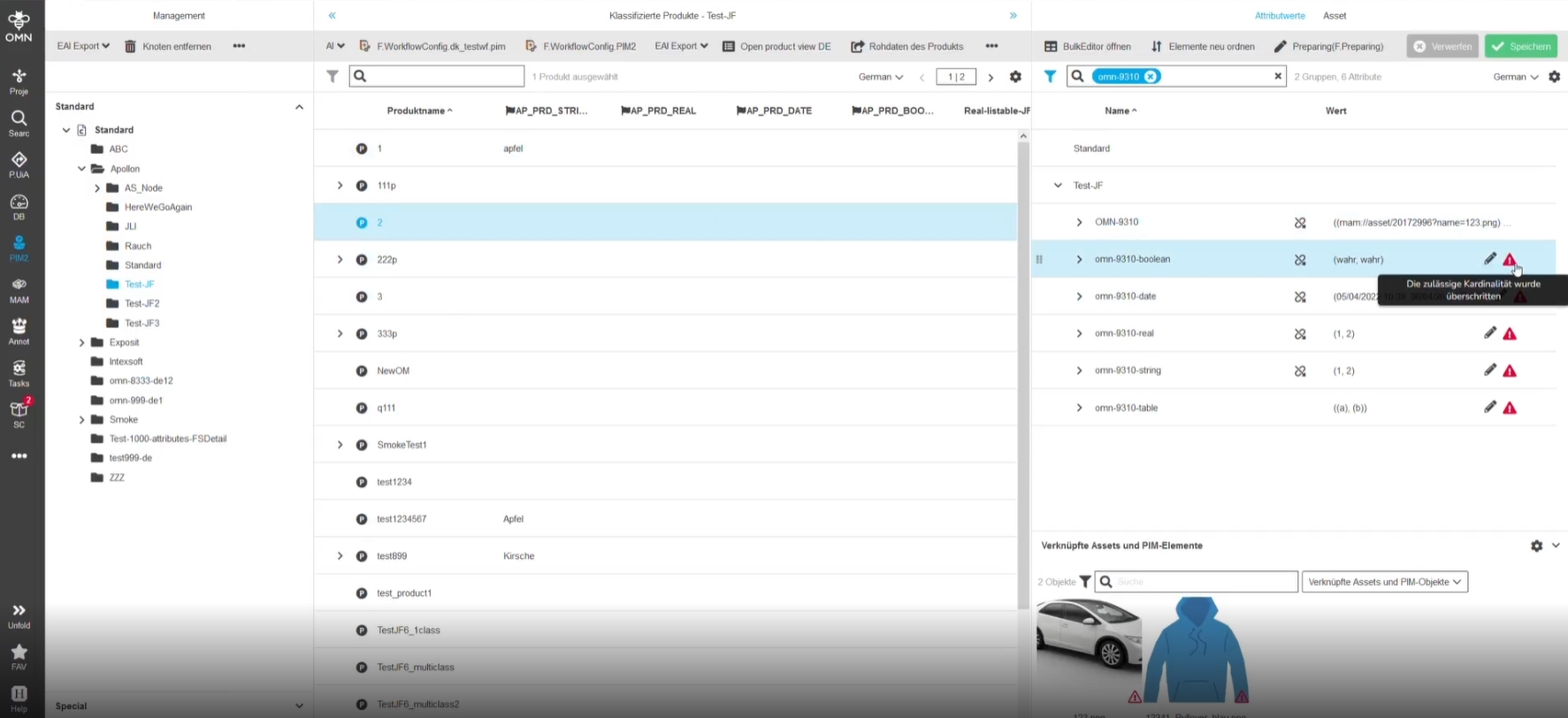
8.1.12 PIM2 - ClassificationView - Cardinality Info - Improve localizations
References |
OG-13032, OMN-9310 |
Improved error Messages on mouseover for DE and EN to have a more understandable error message
Following Message have been improved to show info About exceeded cardinality
-
EN: "The allowed cardinality was exceeded"
-
DE: "Die zulässige Kardinalität wurde überschritten"
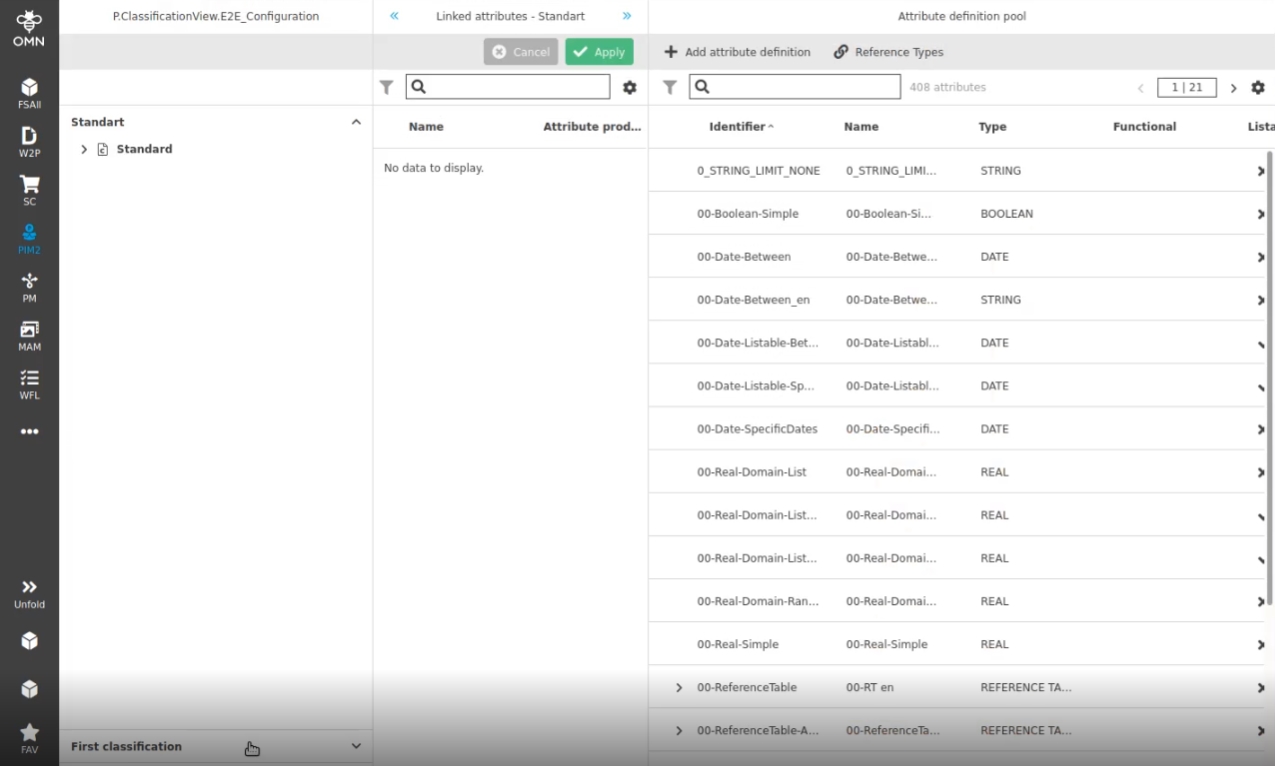
8.1.13 PIM2 - ClassificationView - First panel on left view is collapsed by default
References |
OG-13168 |
PIM2 - ClassificationView - First accordion panel on left view is opened by Default
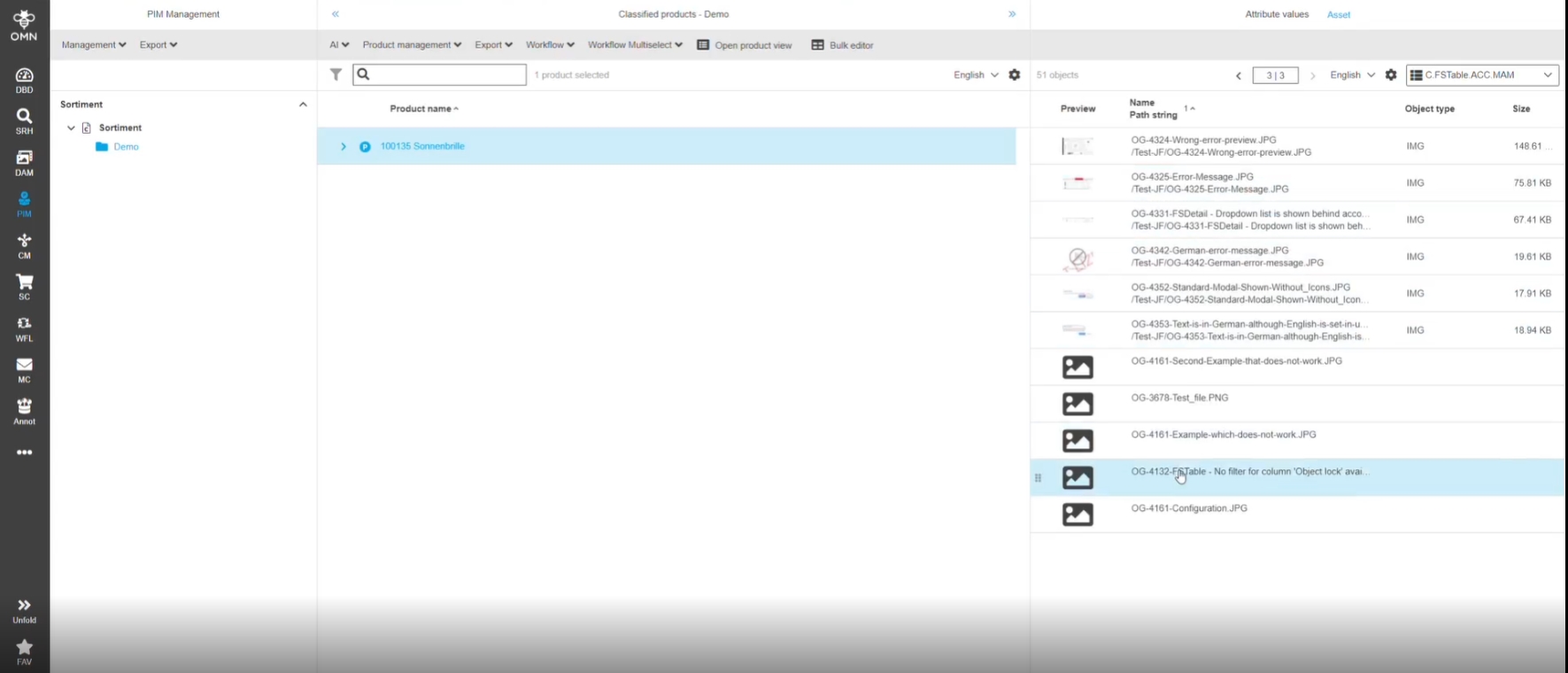
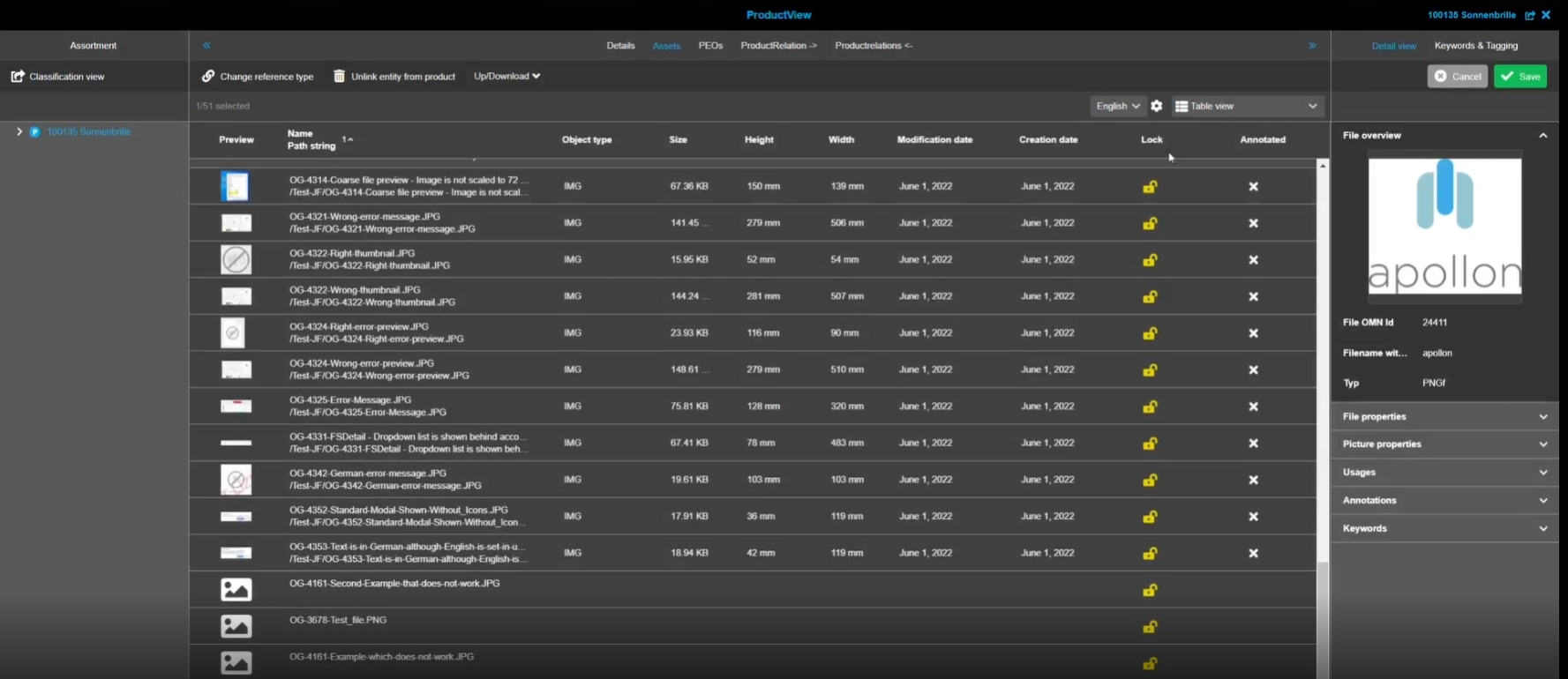
8.1.14 Invalid PIM asset links are not shown in different views (Classification / ProductView)
References |
OMN-9294 |
The following product-asset related views will show valid and broken links
-
Classification View - ManagementView
-
Classification View - Asset View
-
ProductView - Related Assets
In former versions broken links are only displayed in Classification - ManagementView
8.1.15 PIM2 - ClassificationView - First node tree in node view should be opened after loading page
References |
OG-13243, OG-13125 |
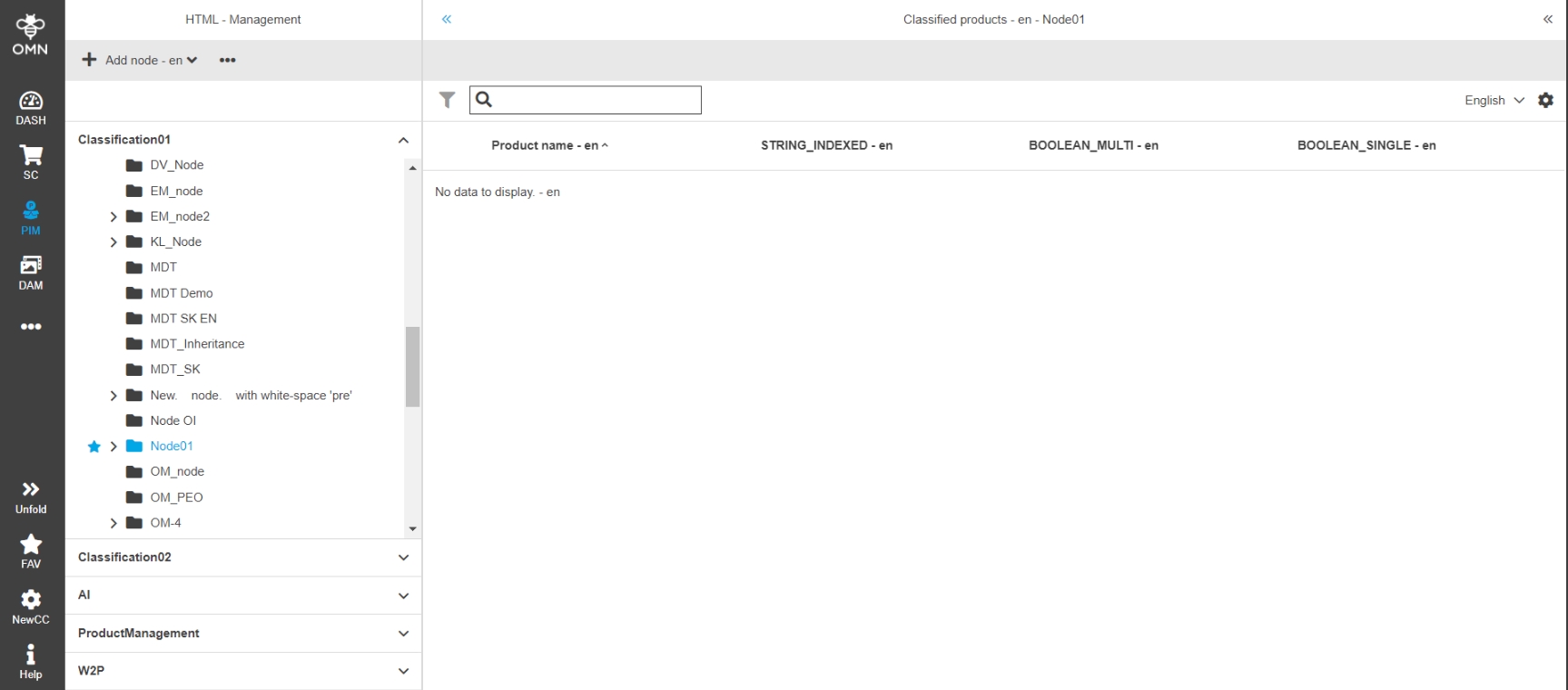
First tree in node view is opened immediately afterwards the user went to any view of PIM2 in case user-based settings is off
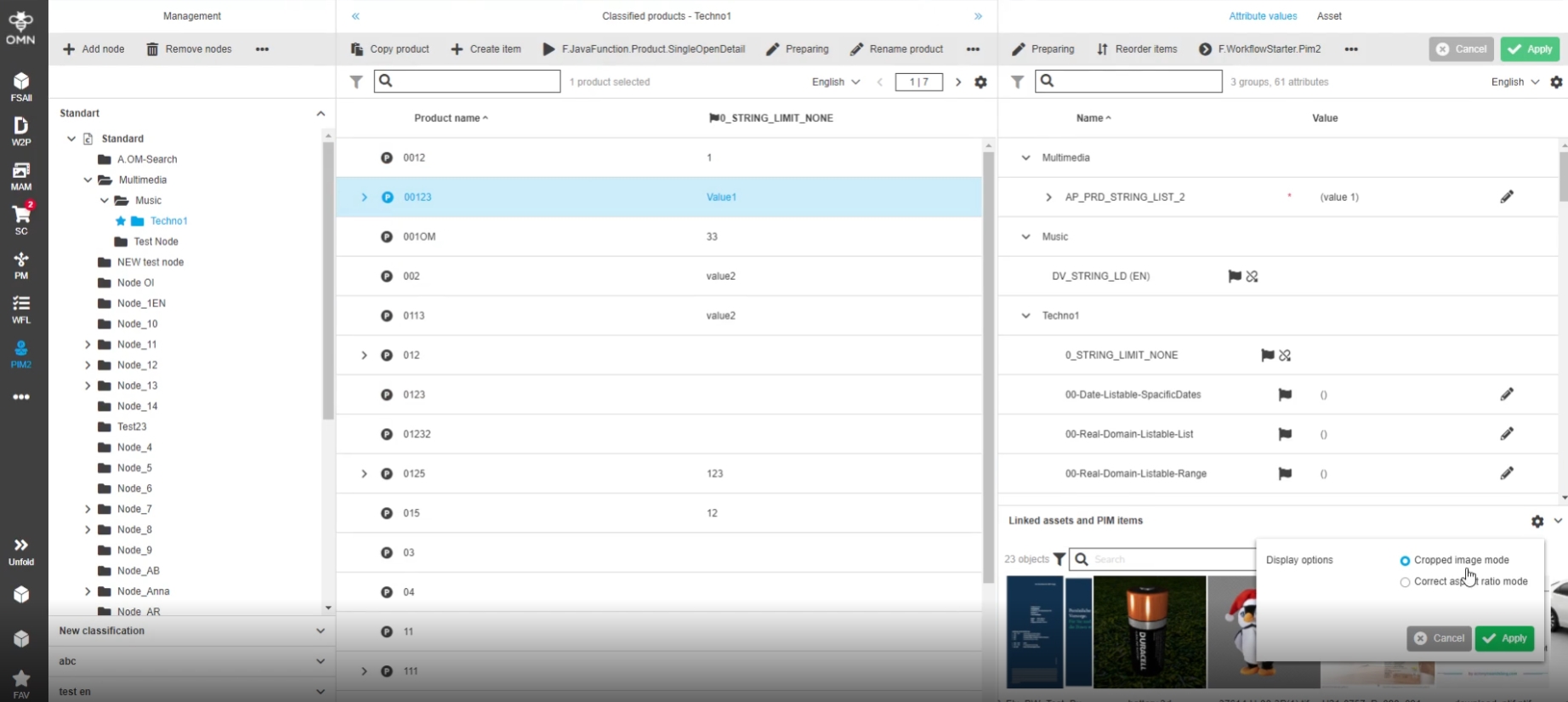
8.1.16 PIM2 - ClassificationView - Linked assets and PIM items - Add possibility to change image mode in filmstrip
References |
OG-12316 |
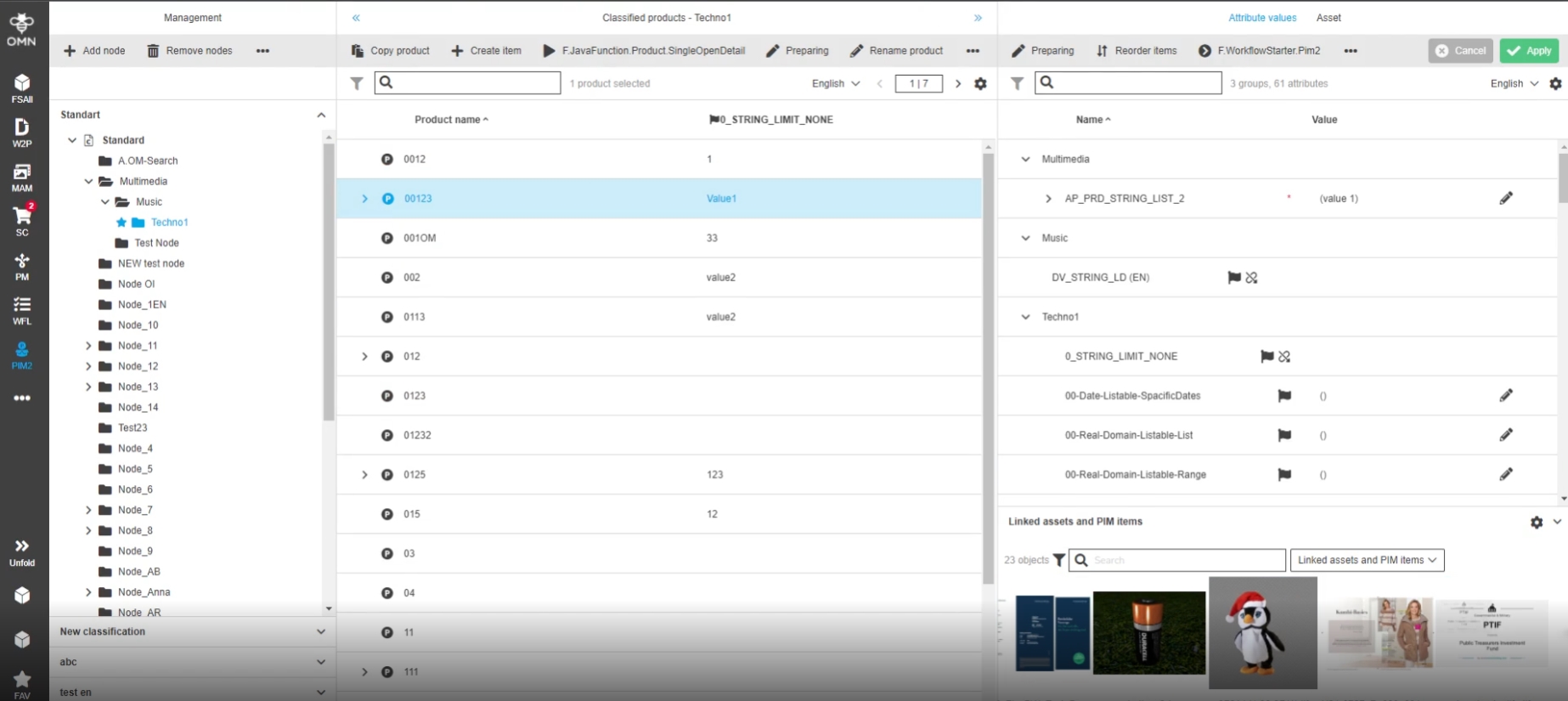
Possibility to change the image mode inside linked assets and PIM items accordion in PIM2 Management View, so that the user can individually decide how the view looks like
-
new Settings in linked item accordion
-
Display of preview according to view settings
8.2 Functions
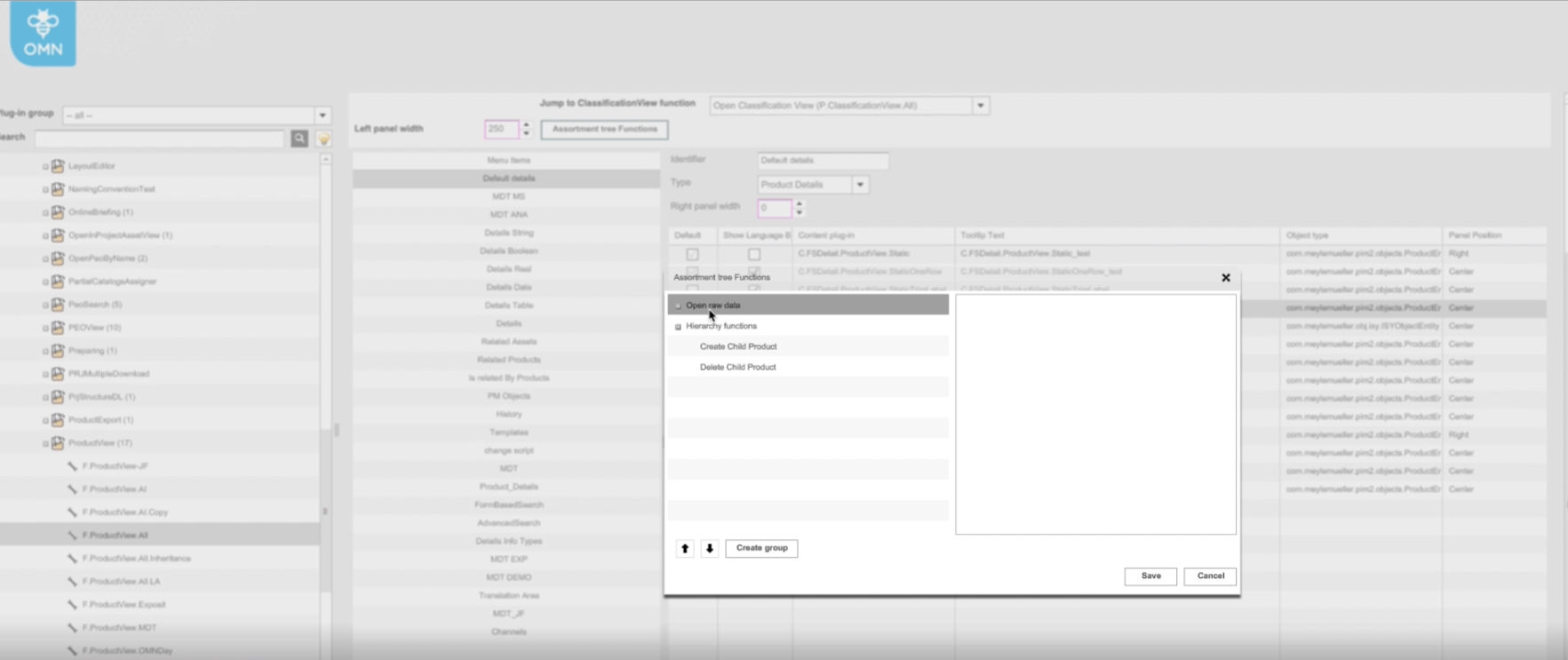
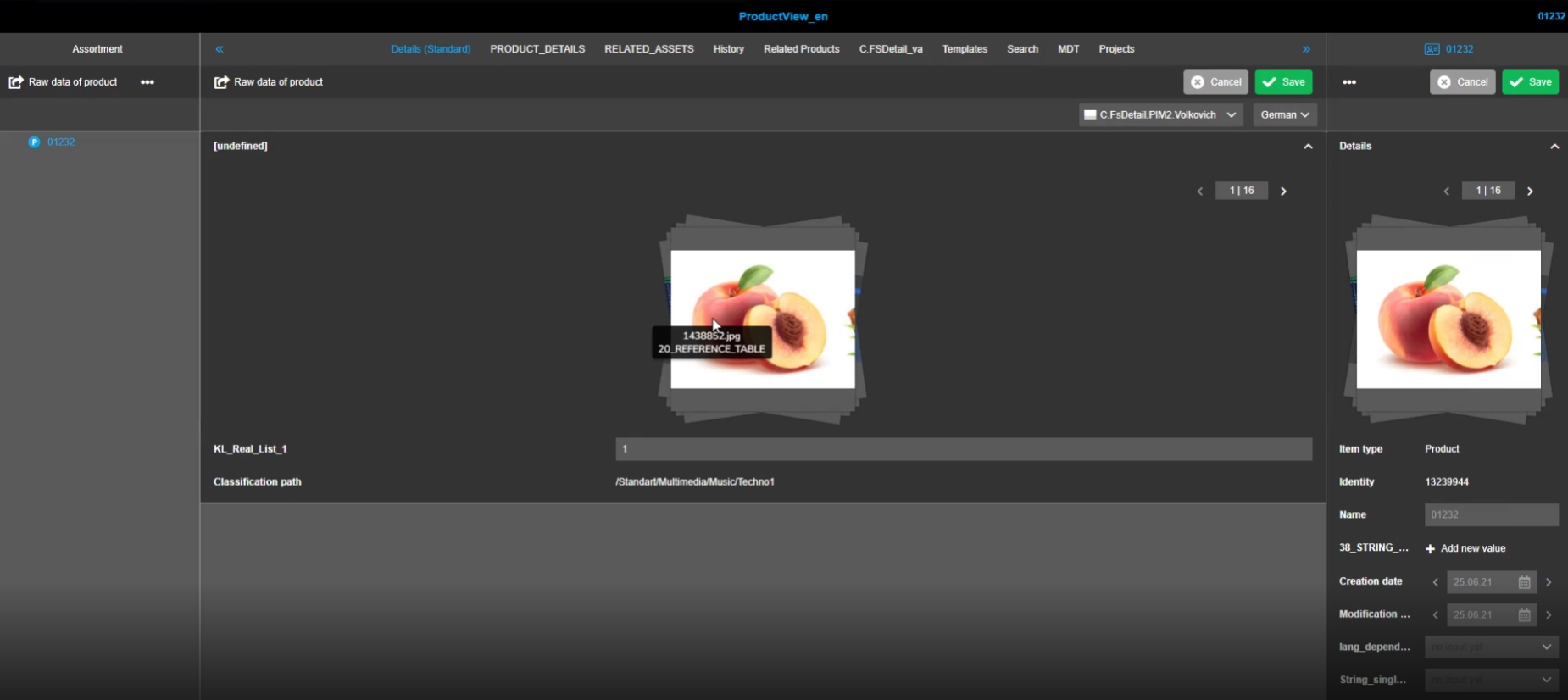
8.2.1 Add possibility to configure the asset view in the right view in PIM management as default view
References |
OMN-8896, OG-12297 |
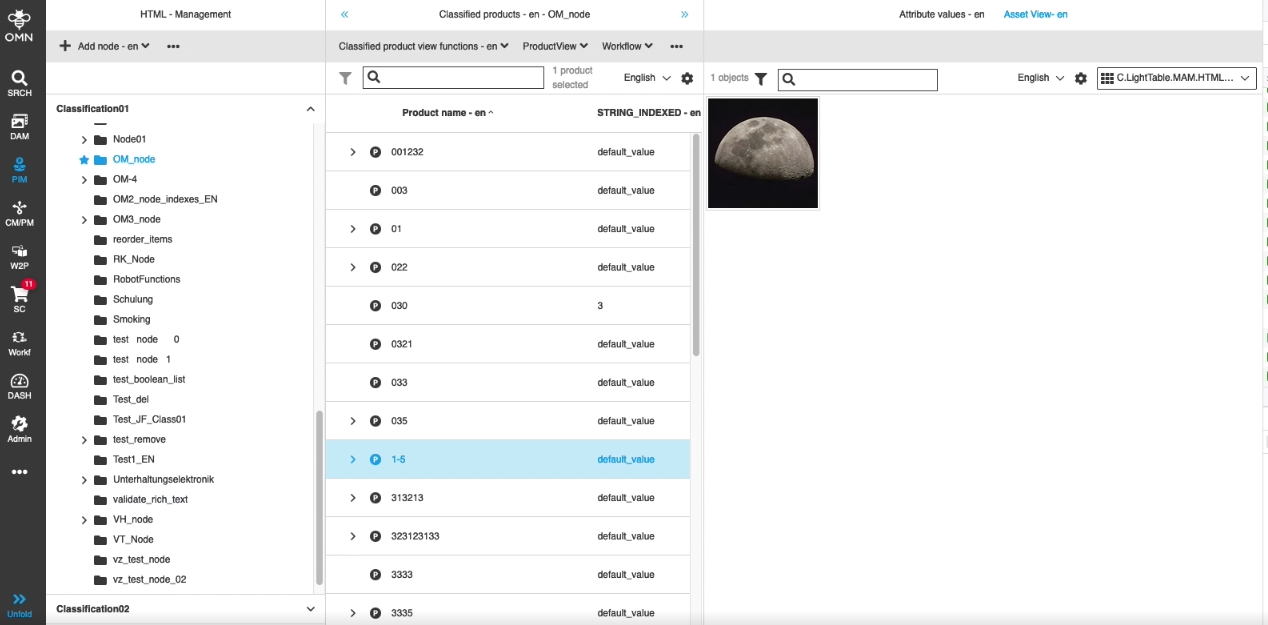
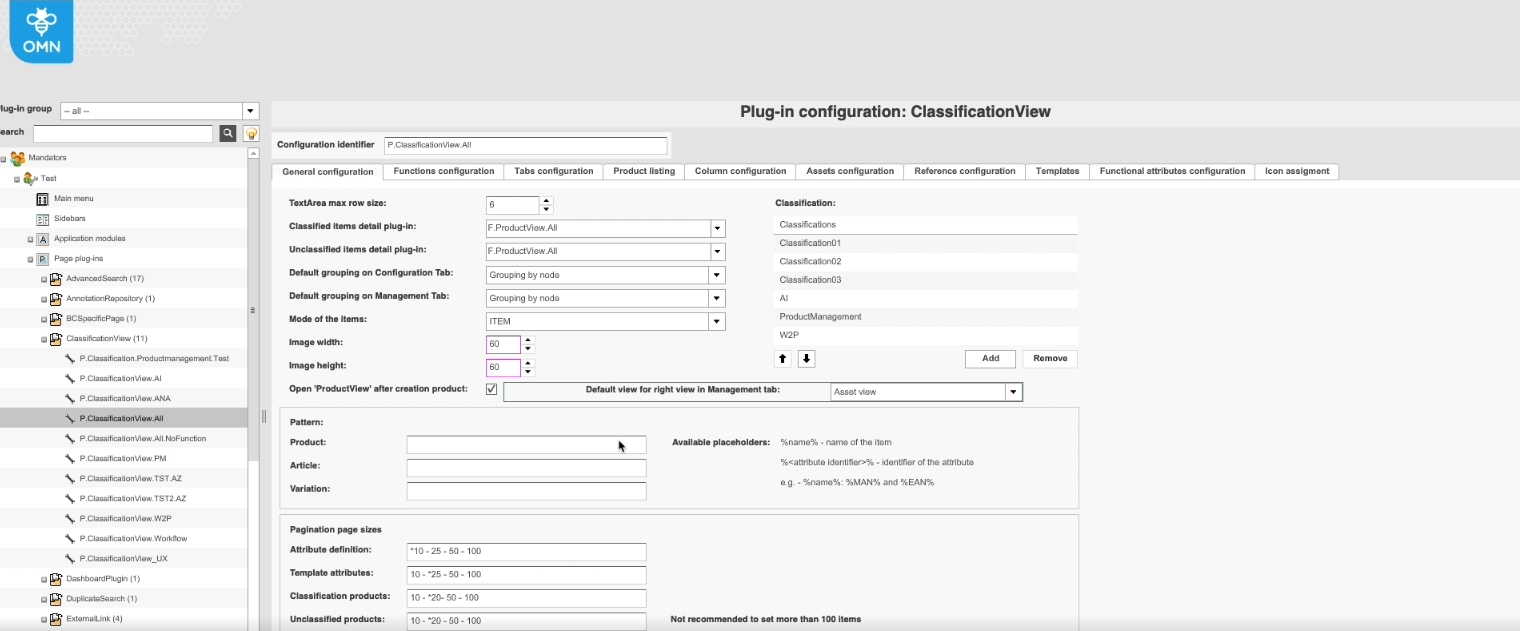
Possibility to define ‘Asset’ view as default view for the right panel in PIM2 Management View, so that user don’t need to switch between views if working only with assets linking/viewing
-
New Configuration Option in backend
8.5 ProductView/FSDetail
8.5.1 FSDetail - Pim2 Product - Support object sub types to show accordions with information from different hierarchy level
References |
OMN-9234, OG-12981 |
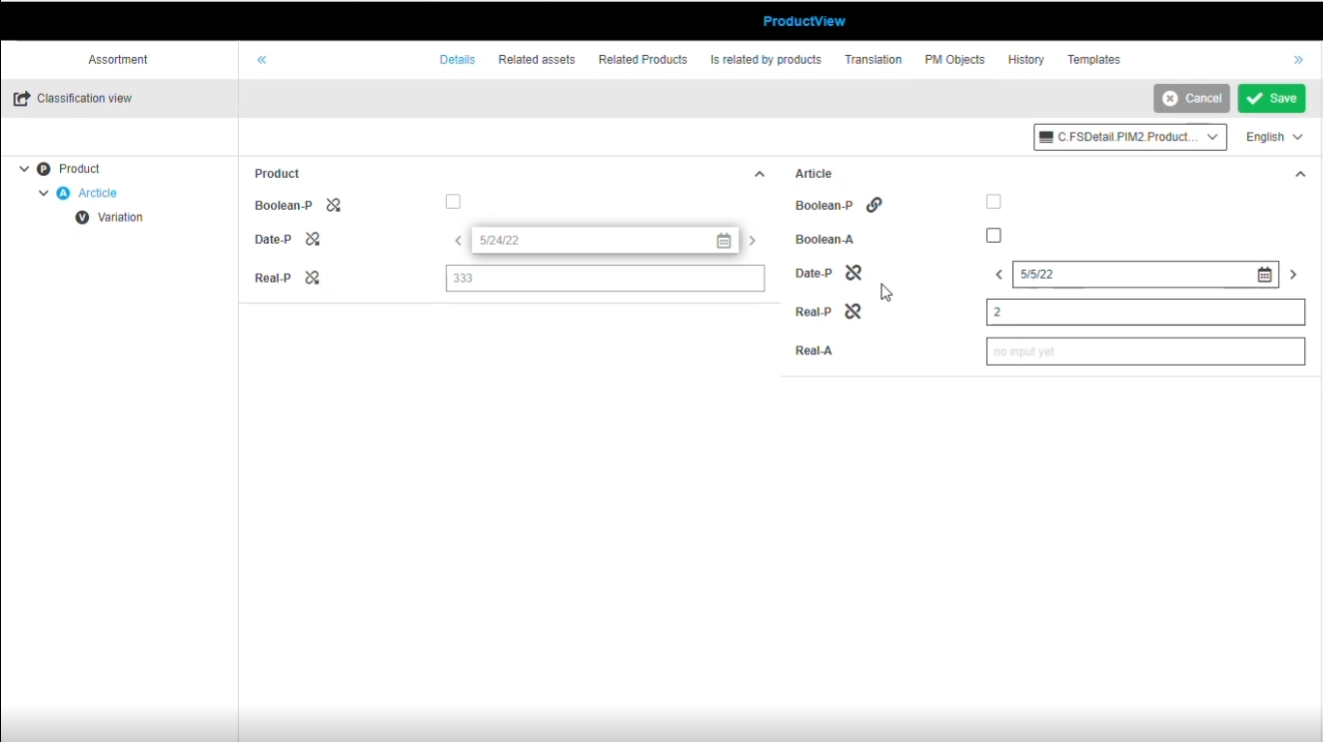
Possibility to see information from another hierarchy level in an accordion of ProductView, so that the user can compare information for example
-
example: user has selected article Level and see in first column the value of Attributes (example Date-P) for product Level and in second Level on article Level (in example screenshot the inheritance was broken on article Level so that value on article Level is different compared to product level
-
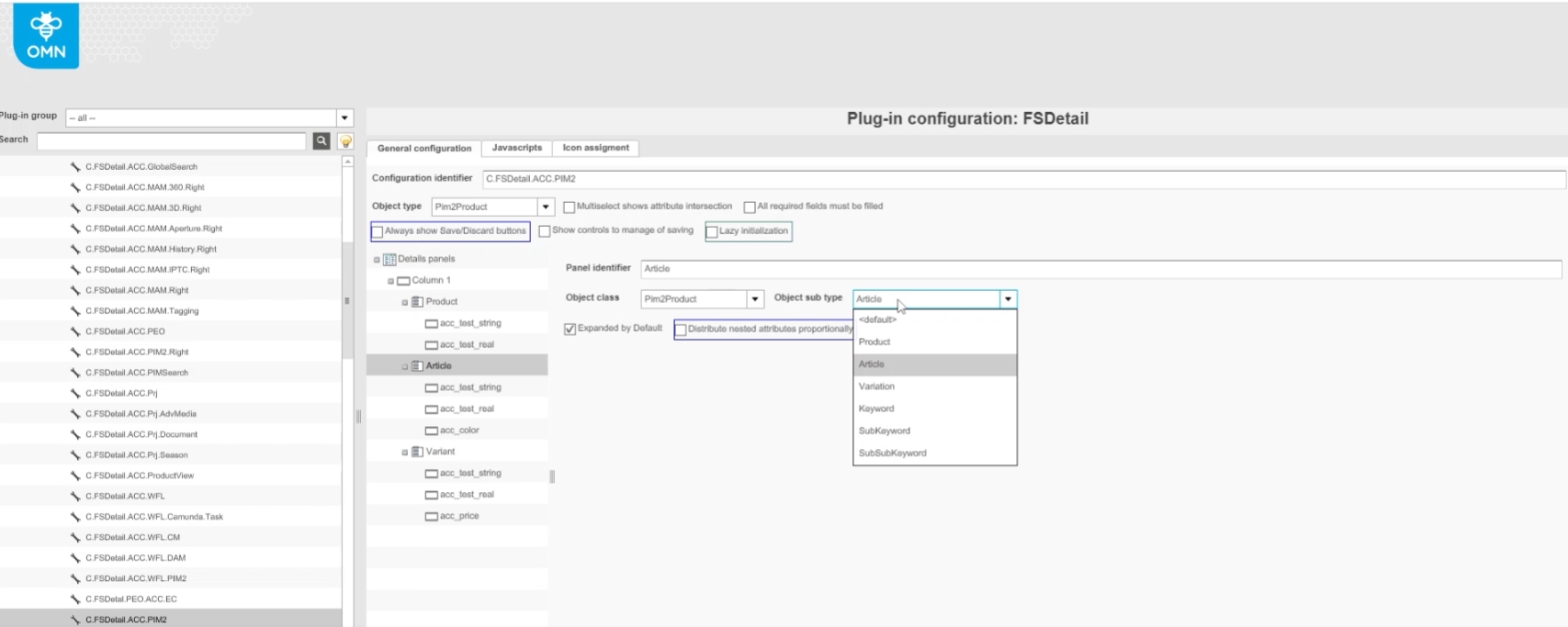
Configuration of object subtypes in OMN config Client (Product, Article, Variant)
Restriction:
-
in current version only Object Subtype Product and Article is supported
8.5.2 FSDetail plugin configuration provides the template name for the client side
References |
OMN-9545, OG-13110 |
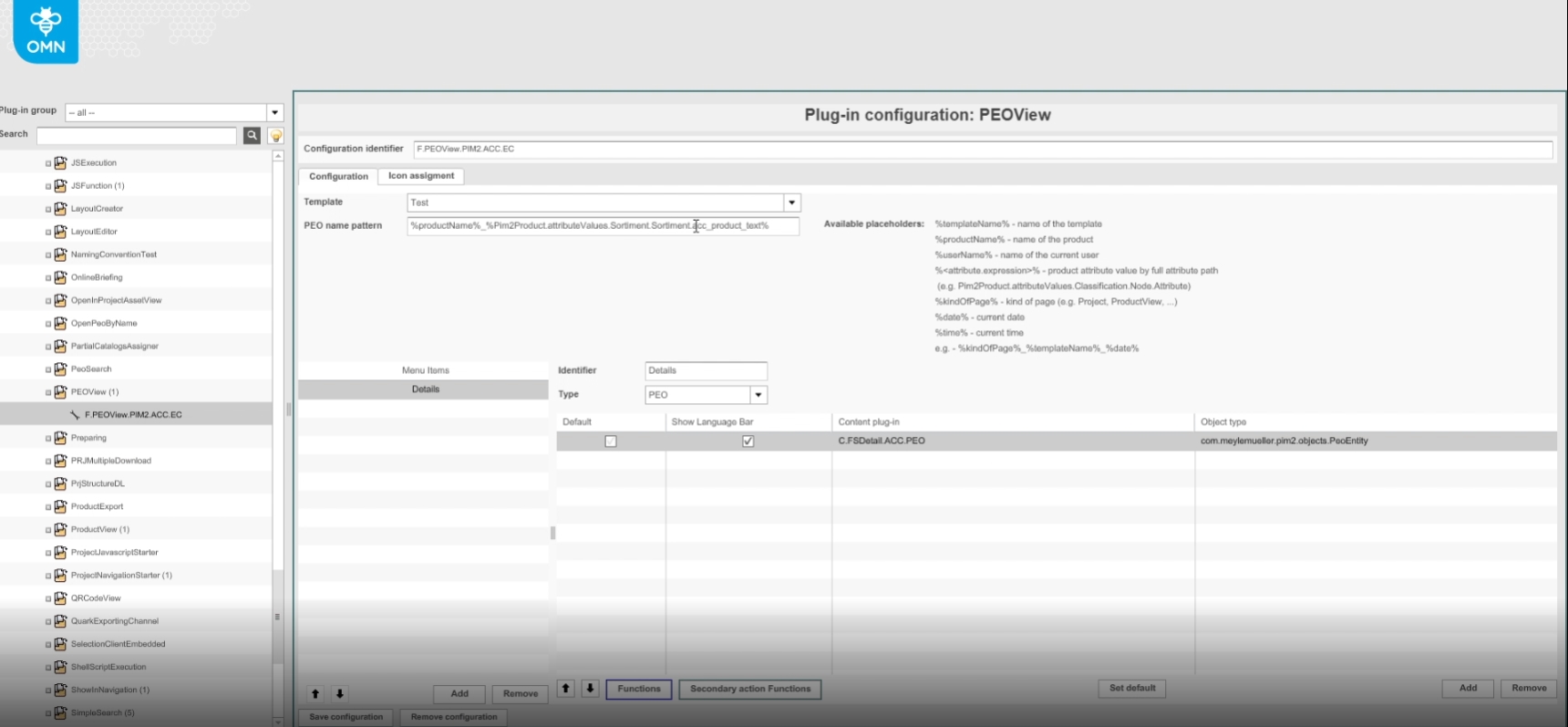
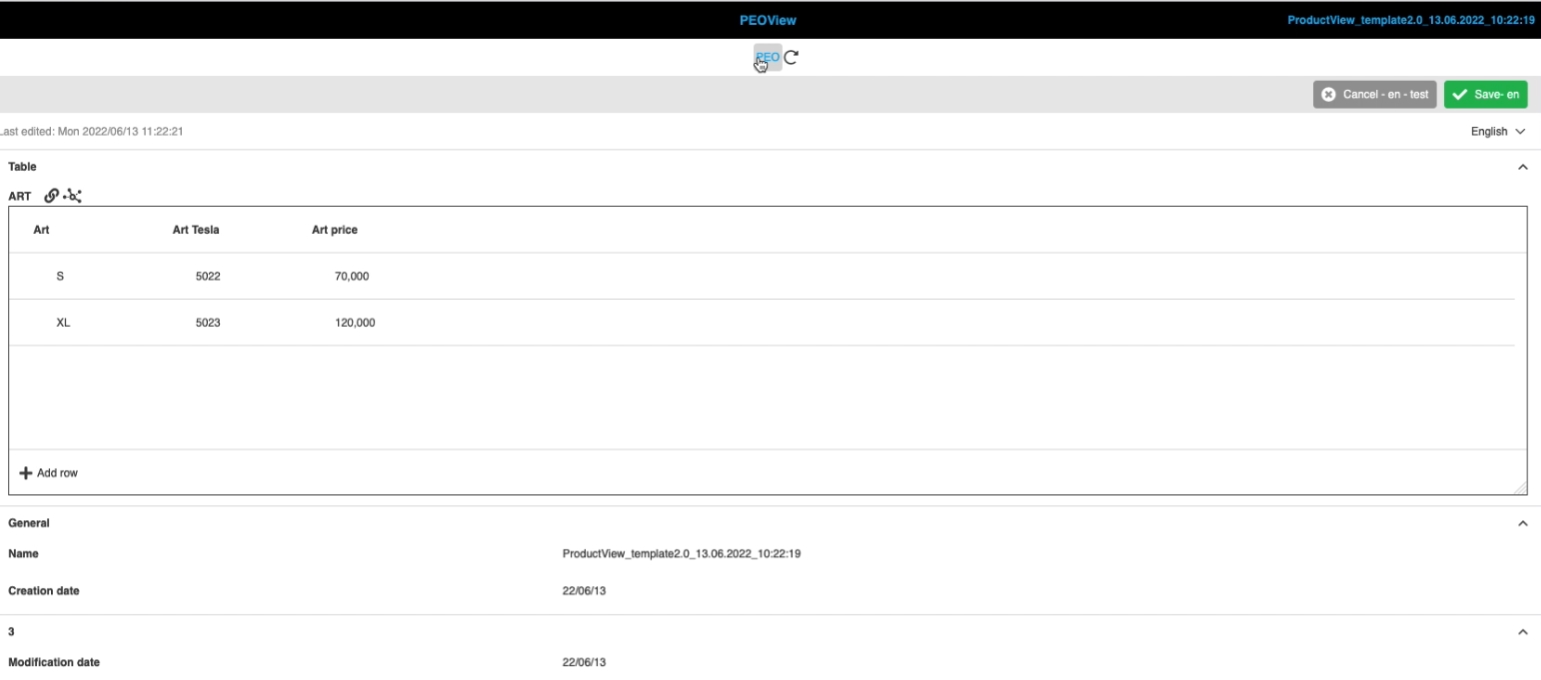
FSDetail Plugin Configuration provides the name of template that is stored in the plugin configuration info so that PEOView can display attributes for not language dependent table Attribute correctly
8.5.3 Add editors to configuration of functions for Related Assets tab in ProductView
References |
OMN-9026 |
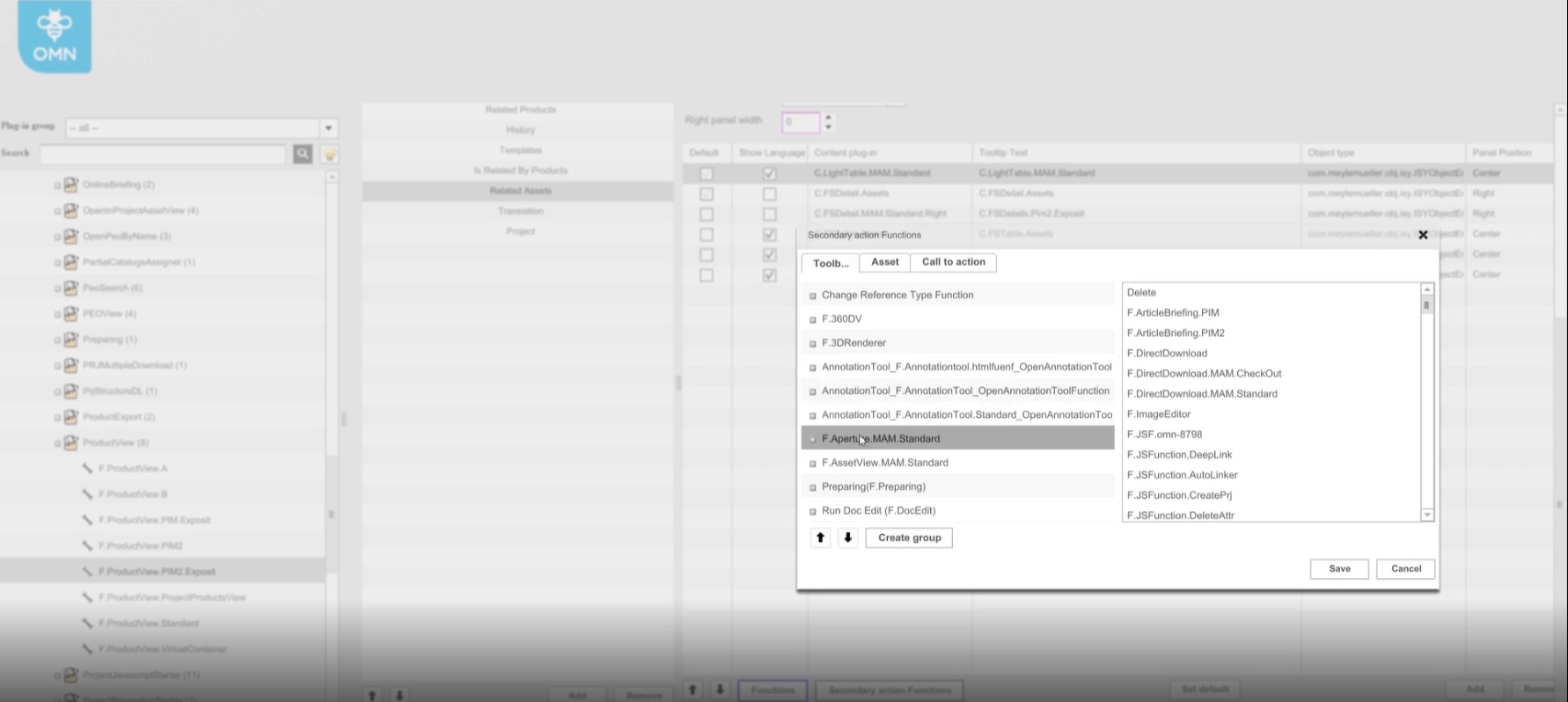
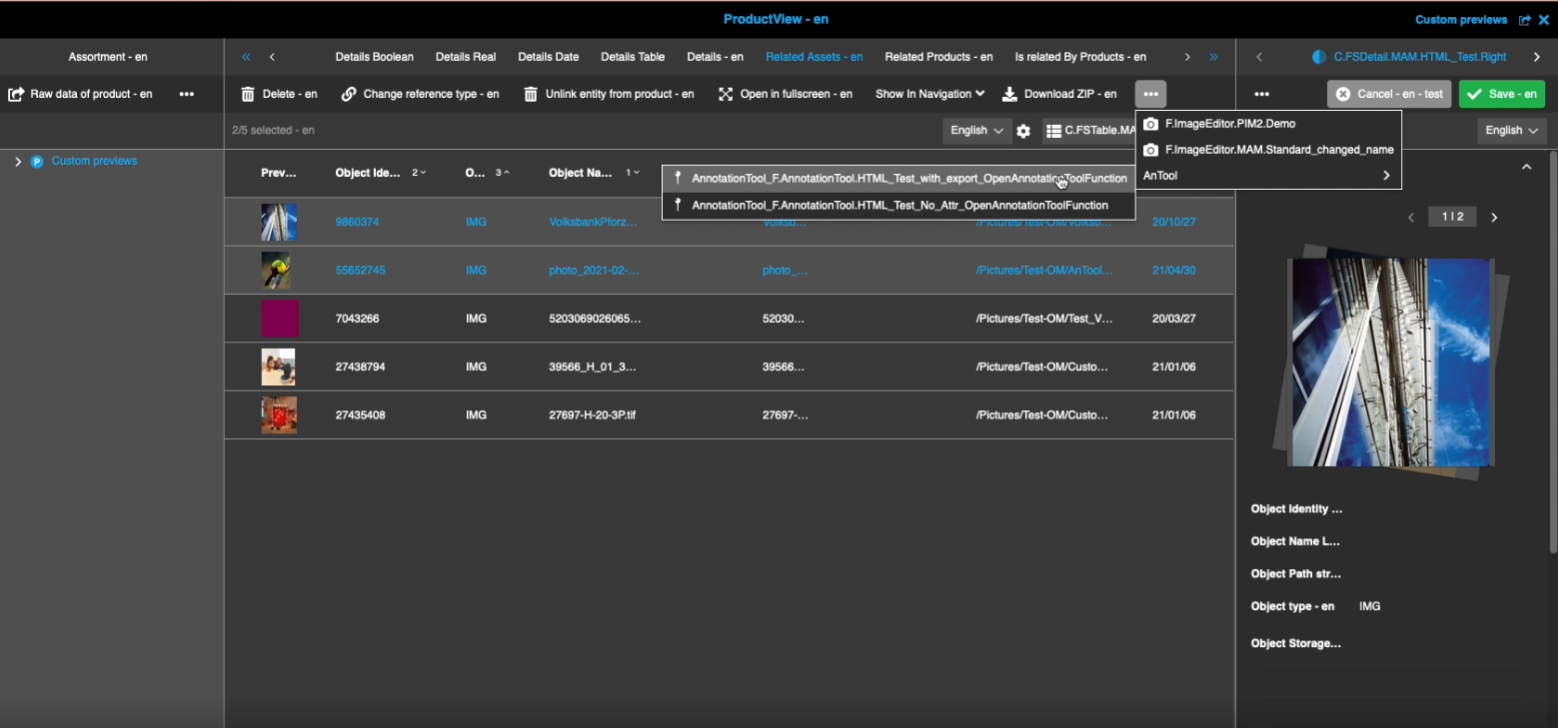
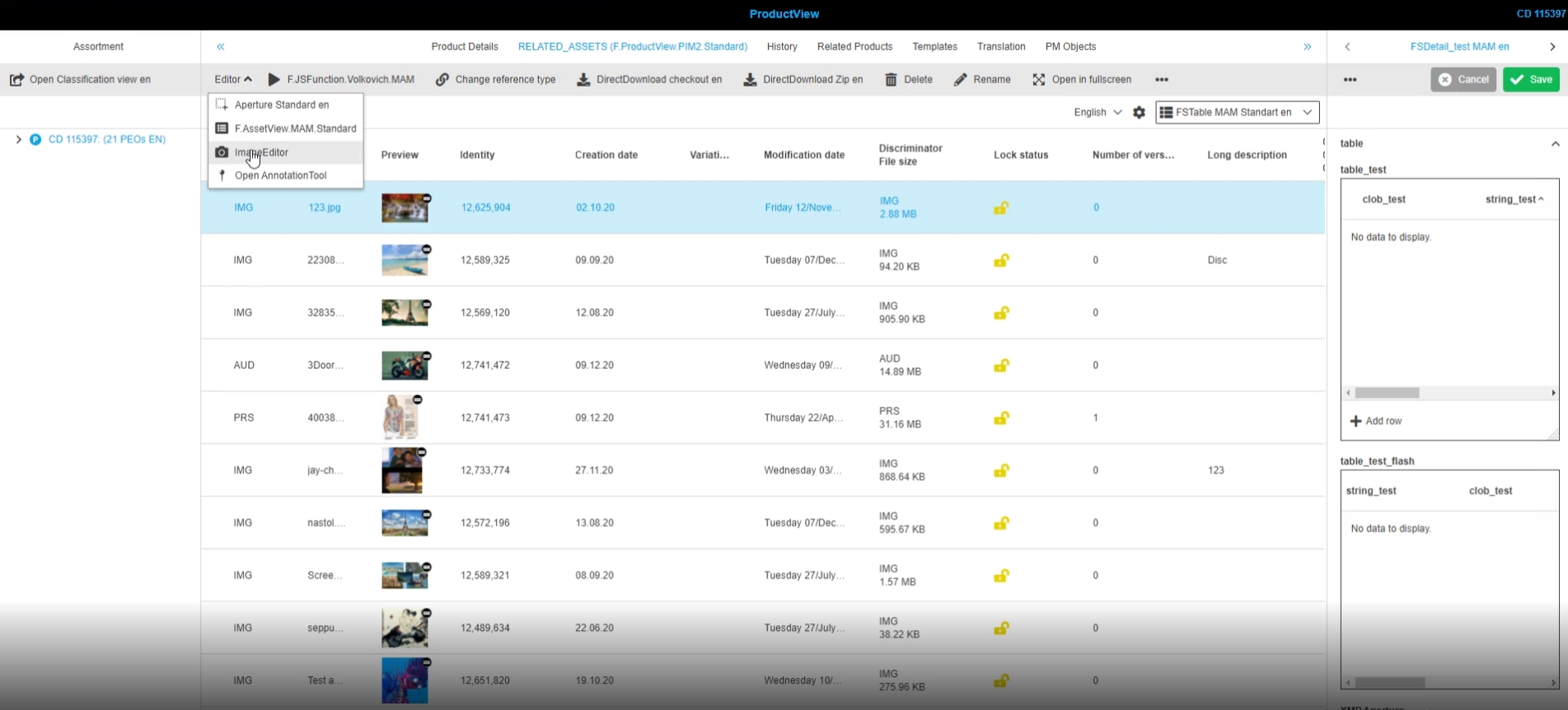
Editor functions like AnnotationTool or Aperture can now be configured for 'Related Assets' tab in ProductView, so that the user don’t need to open assets in navigation to access the editors functionality
-
Configuration
8.6 MDT (MetaData Translation Plugin)
8.6.1 Metadata Translation content plugin - Integration with Terminology
References |
OG-9321, OMN-8103 |
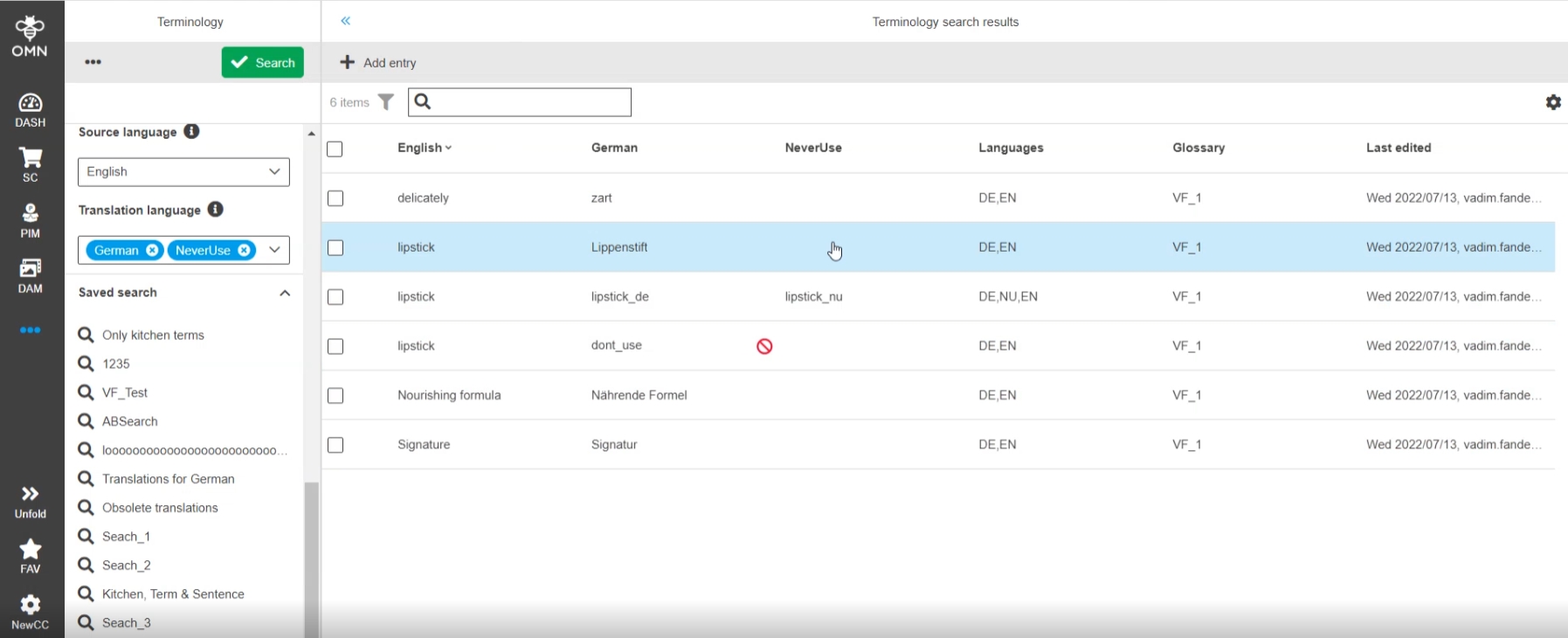
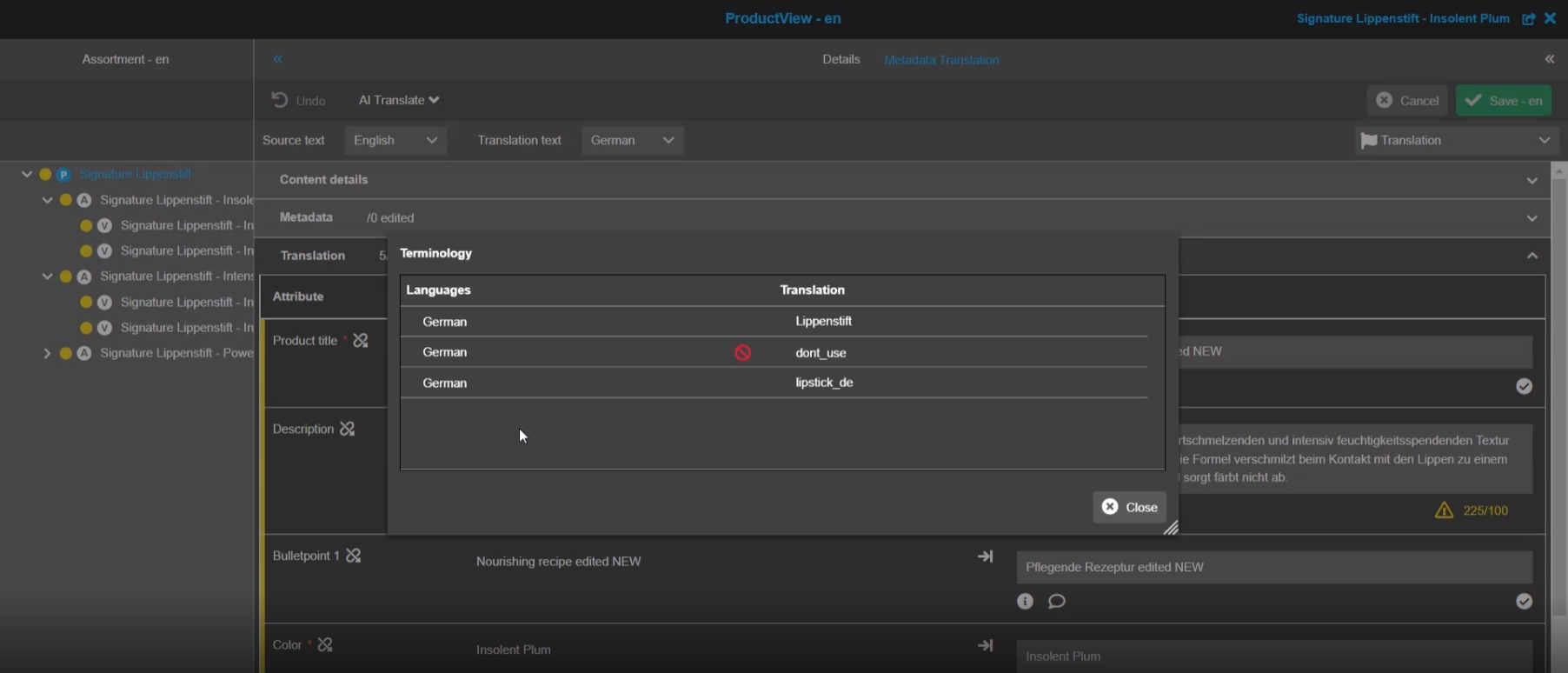
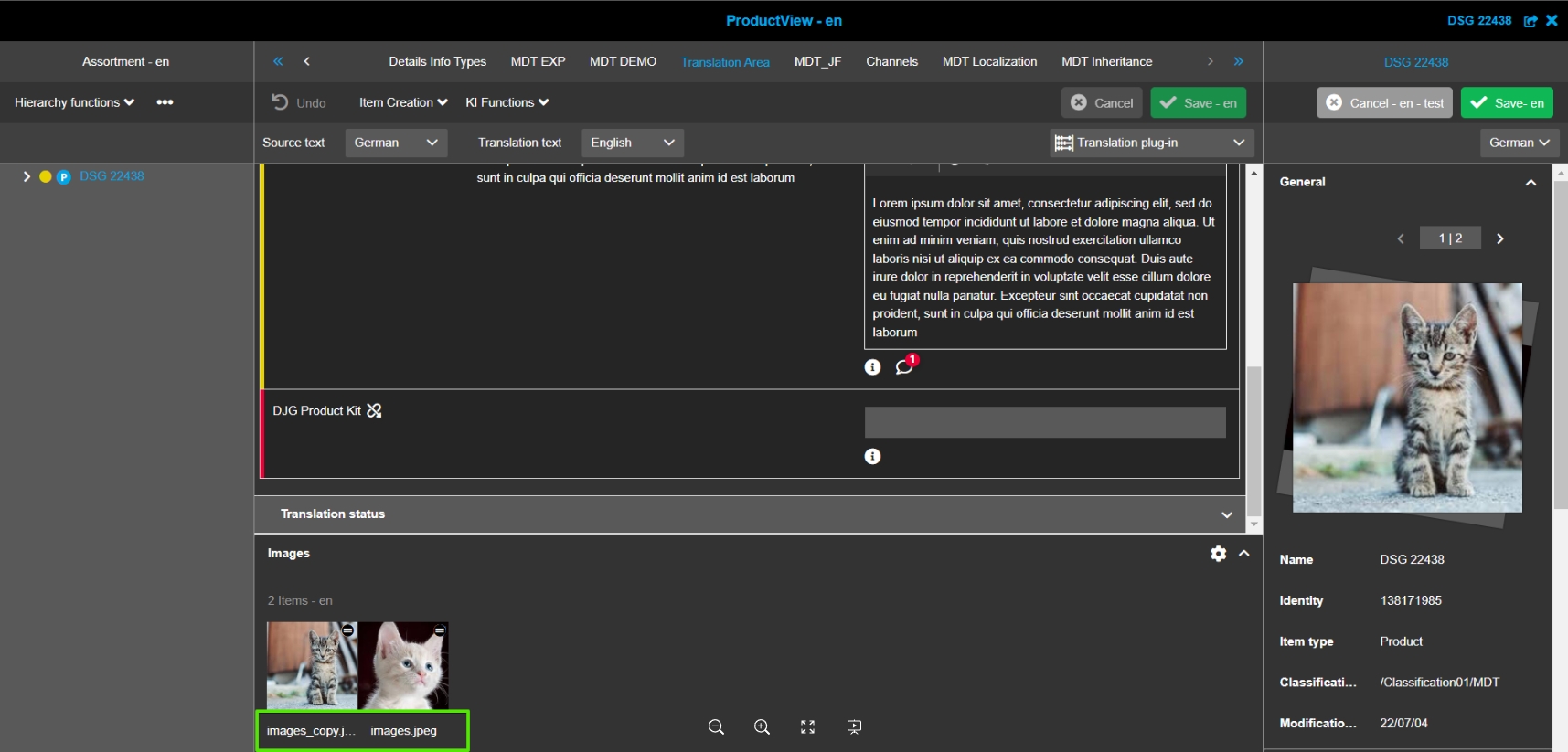
Display of recognized Terms / sentences in Source language of Metadata Translation Plugin and use existing translations (managed in OMN Terminology Plugin)
-
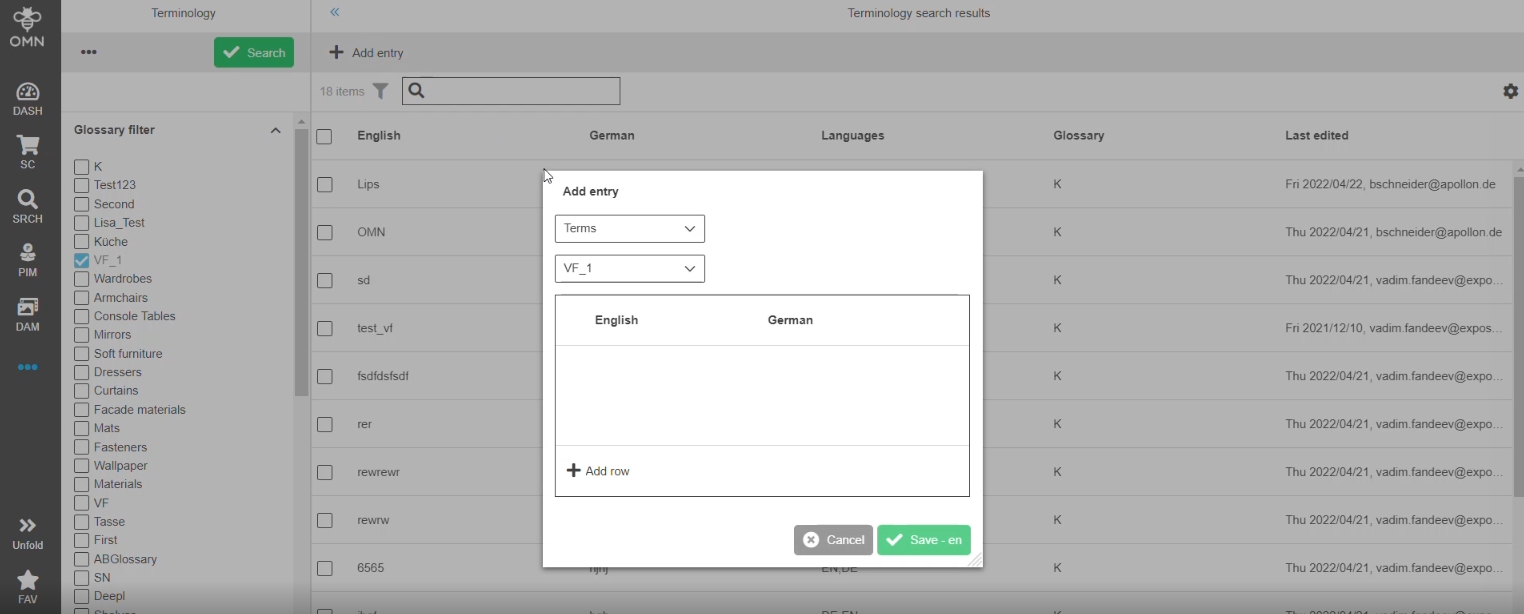
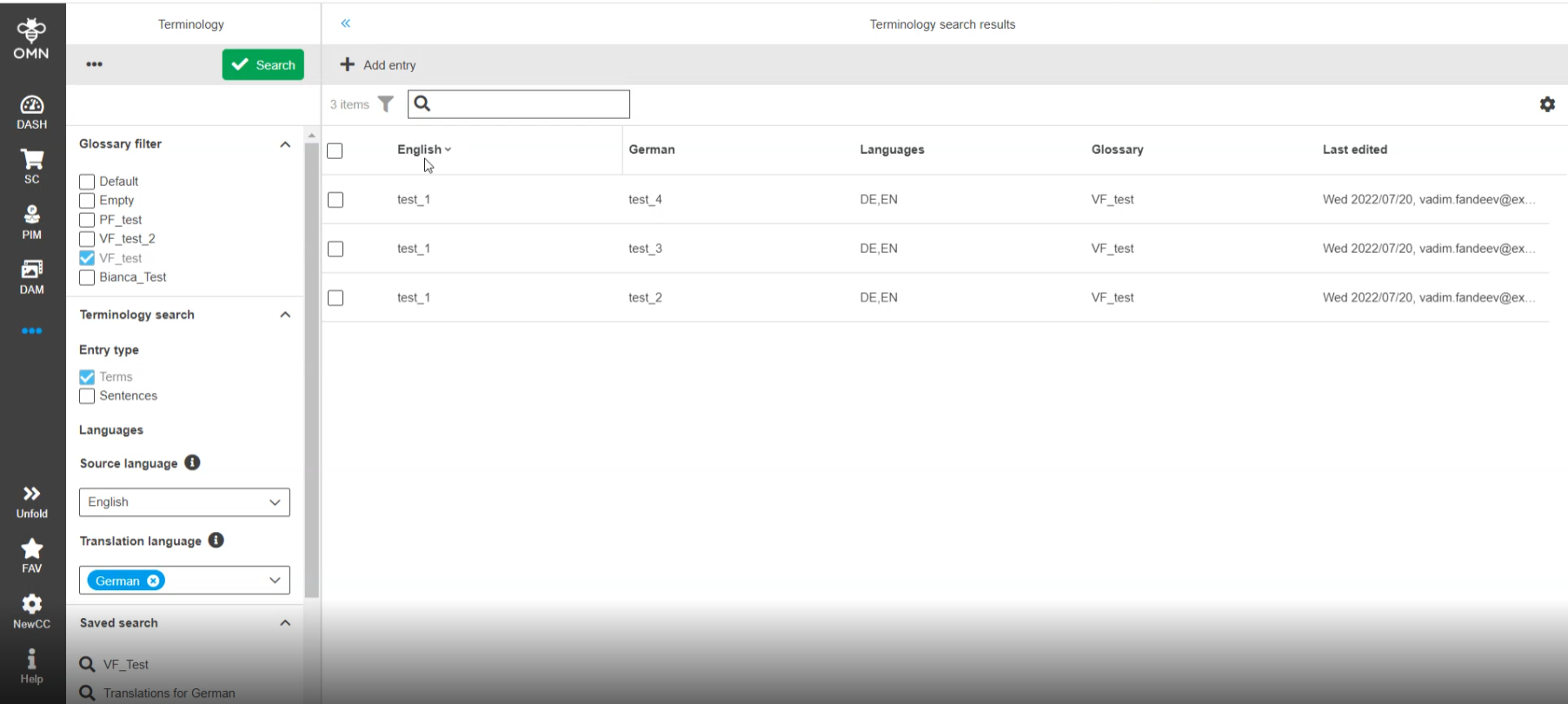
Managed Terms in OMN Terminology
-
Display of recognized Terms in Terminology
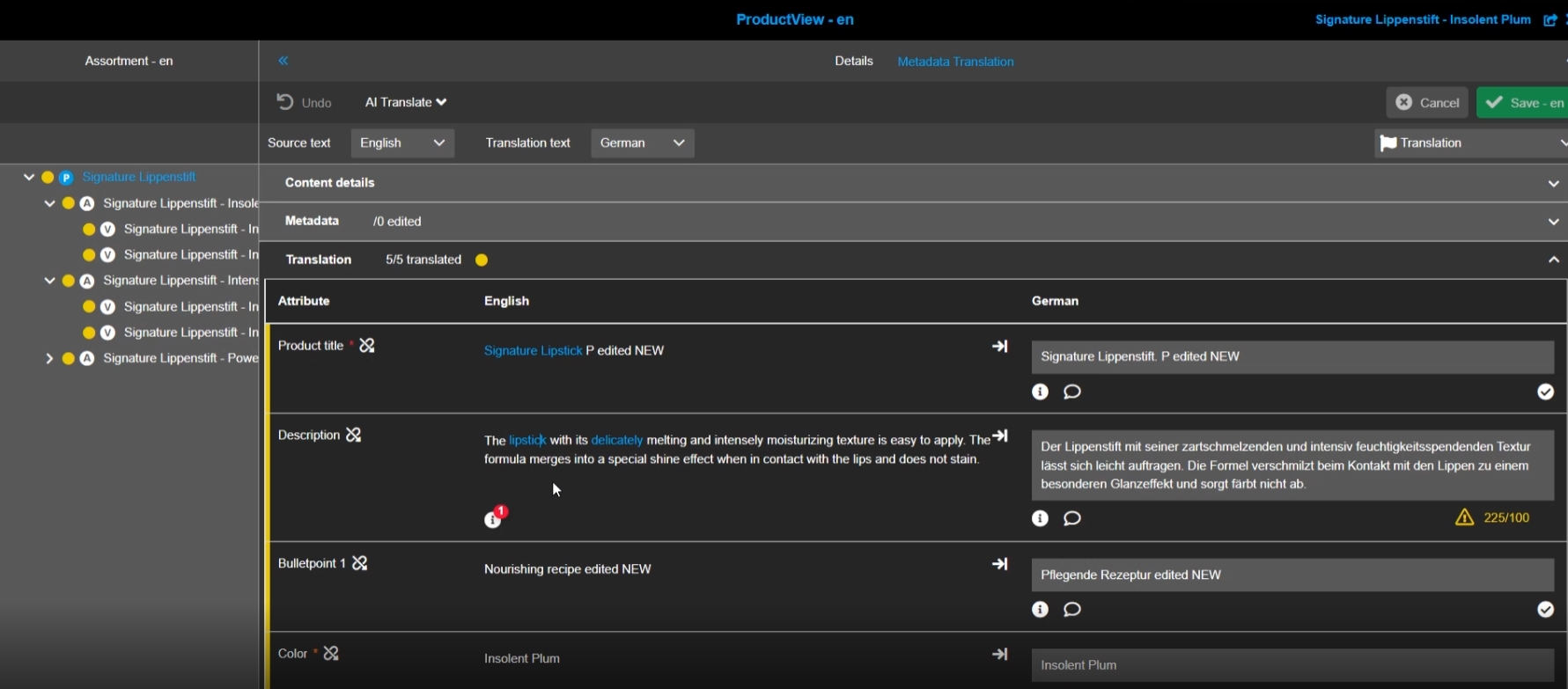
-
Possibility to see available Translation for Terms (Coming from Terminology) and copy them
8.7 Terminology Plugin
8.8 Bulk Editor
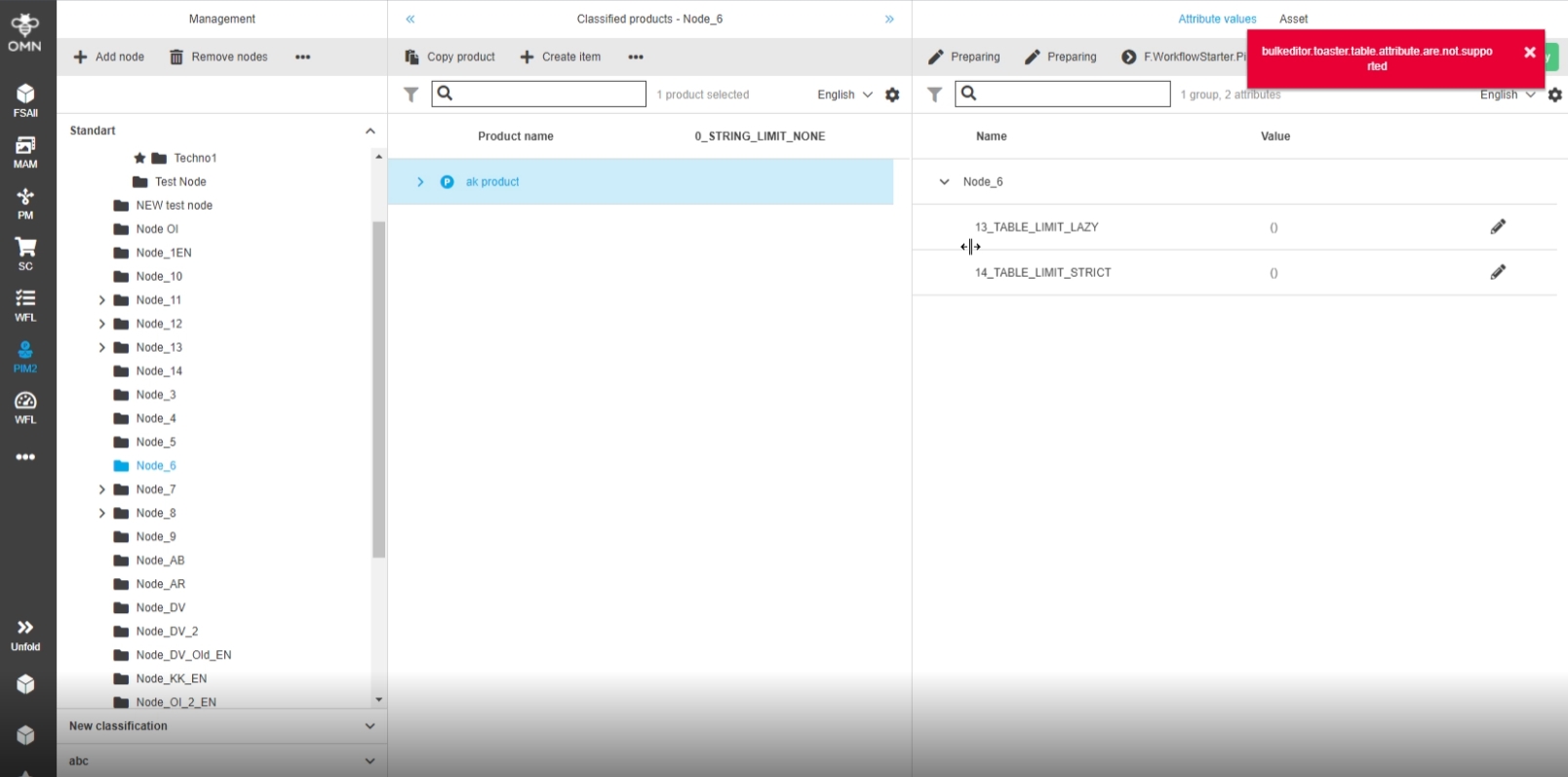
8.8.1 Bulk Editor - Improved message when trying to open products with only table attributes which are not supported
References |
OG-12571 |
Better handling when the Bulk Editor for Products can’t be opened Because of unsupported Attributes
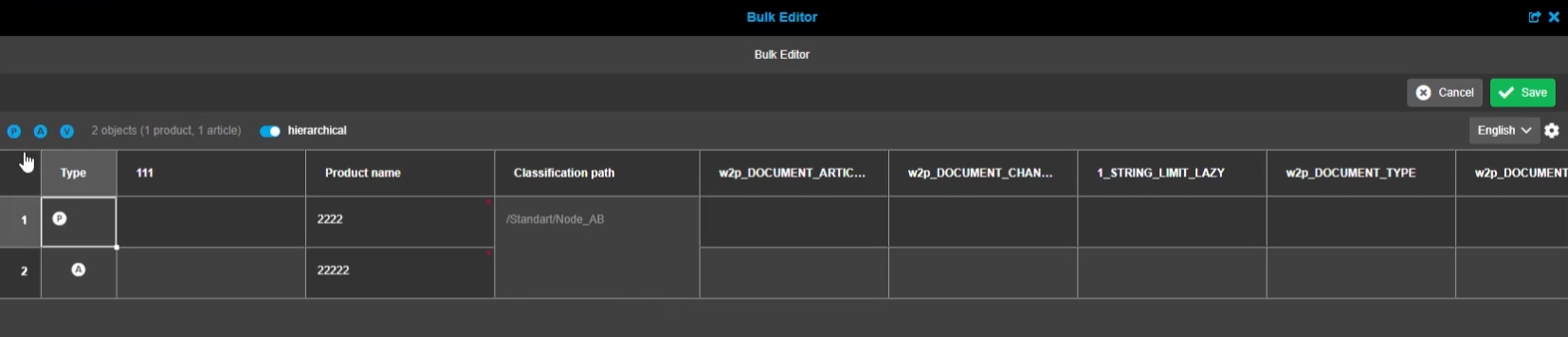
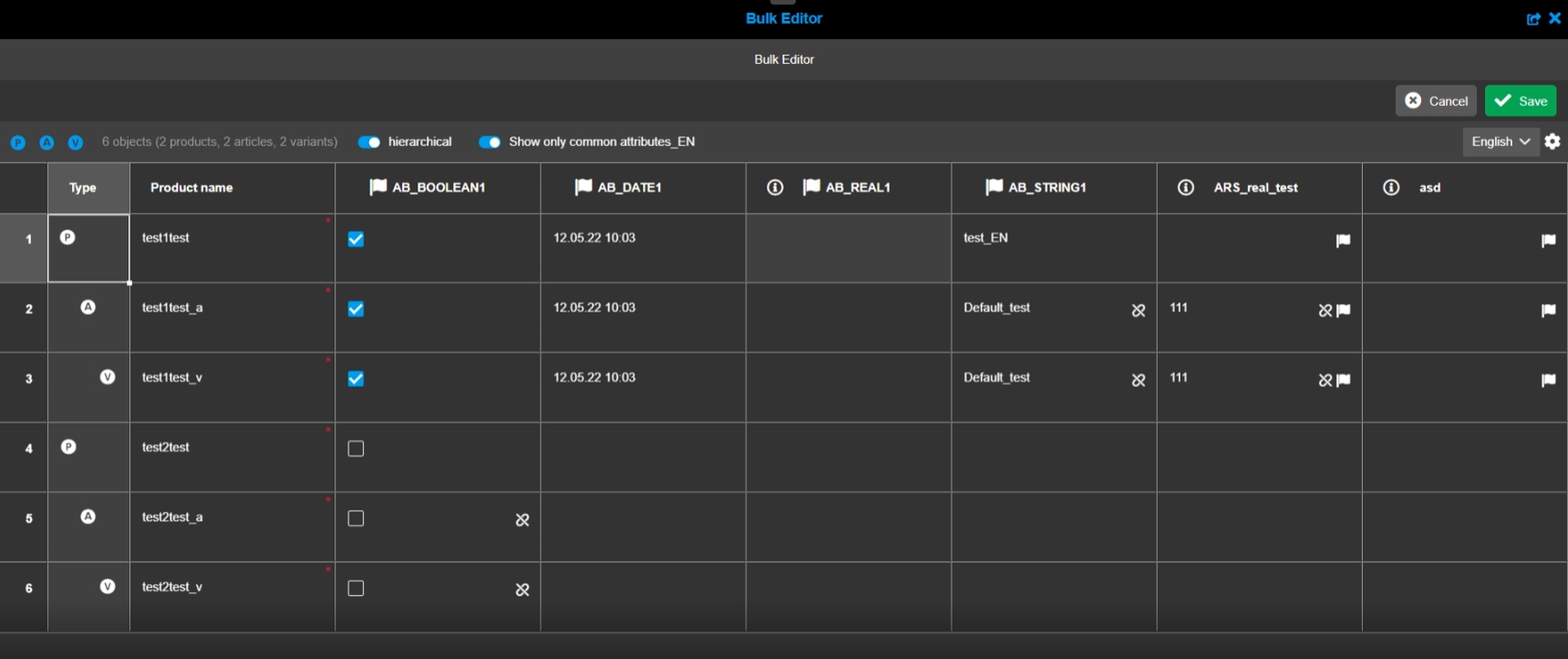
8.8.2 Bulk Editor - Show number of products, articles, and variants
References |
OG-12883 |
Display number of available objects in bulk editor, so that the user knows how many products, articles and variants are shown in bulk editor
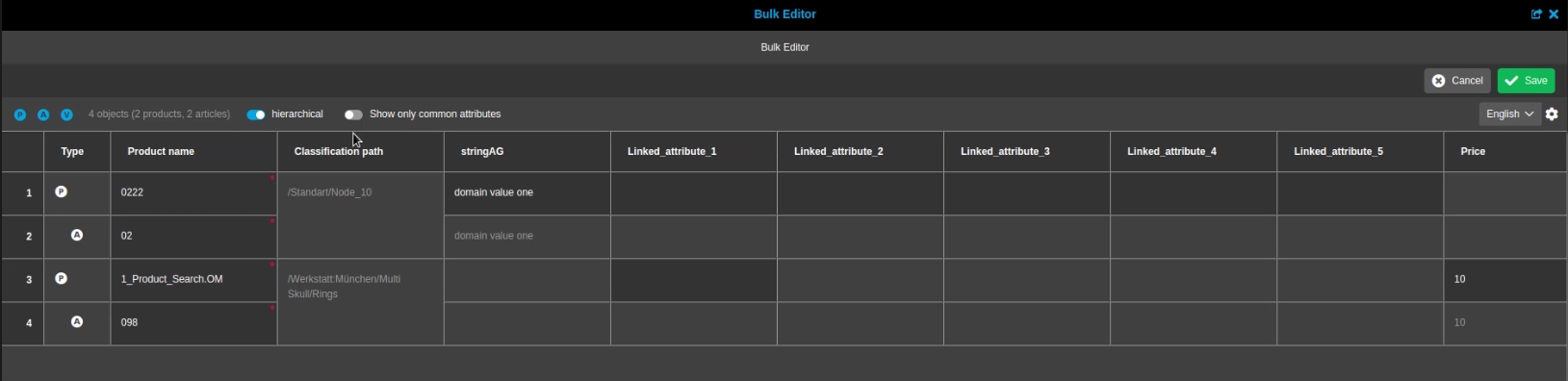
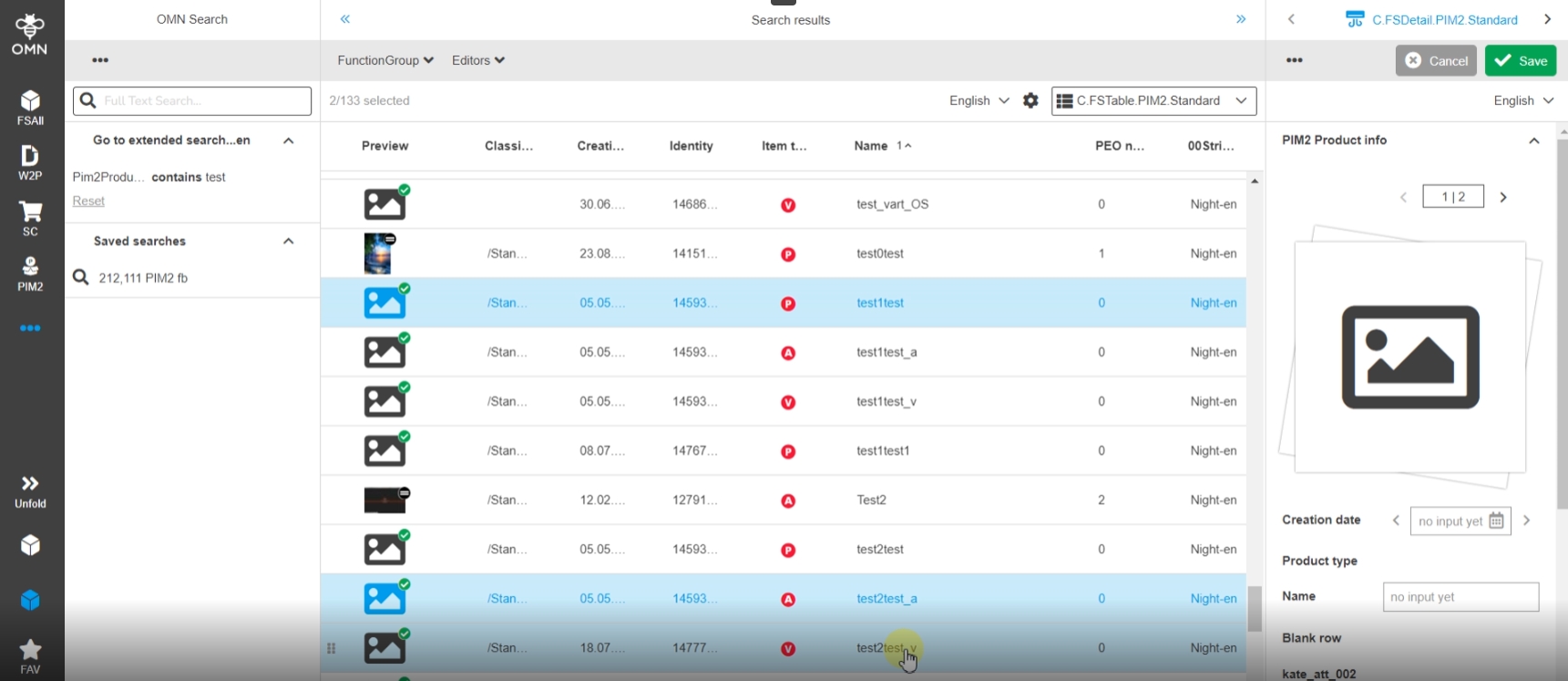
8.8.3 Bulk Editor - Open products with different attributes from OMN Search
References |
OG-11791 |
Possibility to open multiple products/articles/variants from OMN context with different attributes, so that the user doesn’t need to take care of the Attributes
There are two modes available, that can be activated/deactivated with a toggle in status bar
-
show only the same attributes inside table (default, activated state)
-
show all attributes inside the table
-
the selected settings will be saved in user-based settings if they are activated, if not default is used automatically
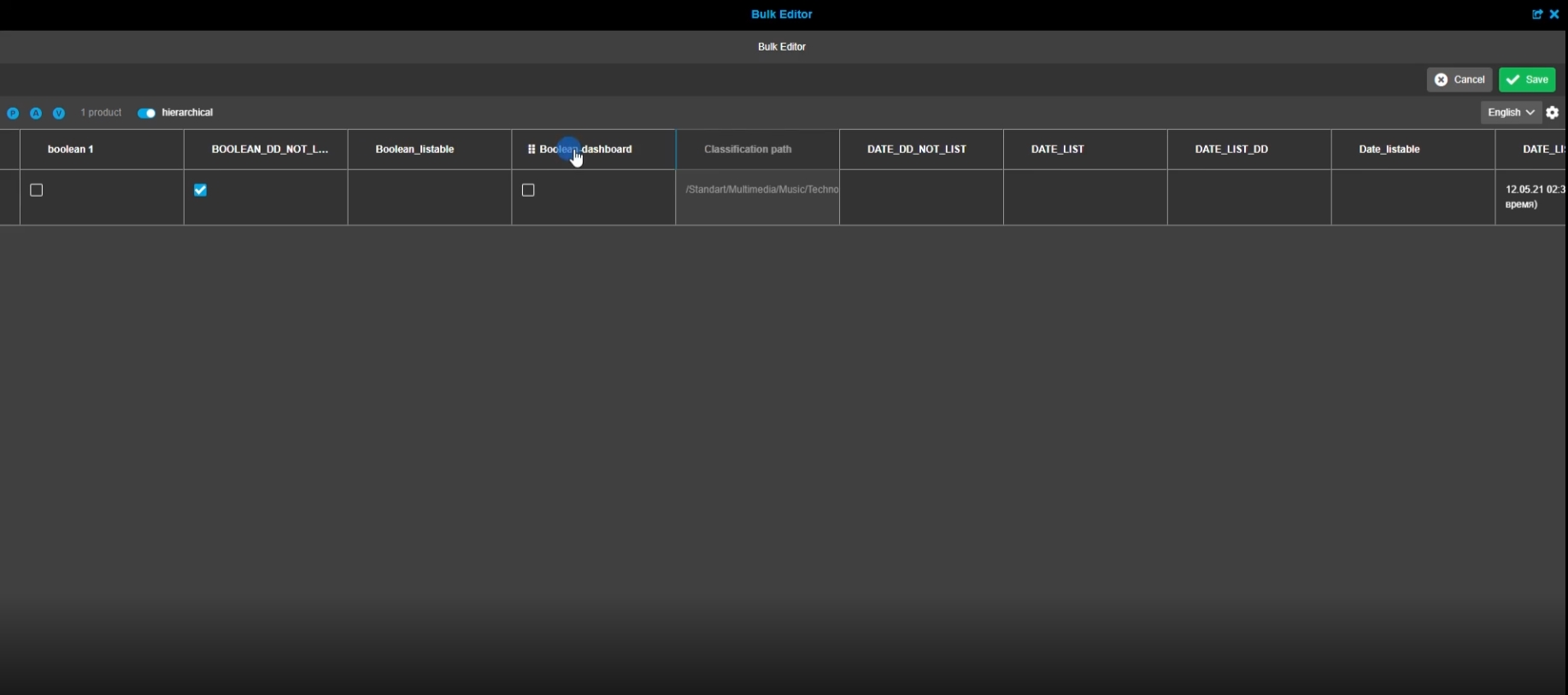
8.8.4 Bulk Editor - Reorder of columns
References |
OG-8464 |
New Possibility to arrange/reorder columns in Bulk Editor so that the user has more flexibility in viewing in editing corresponding data and can arrange the columns on base of Needs
8.8.5 Bulk Editor - open editor for products from different nodes of one or more classifications
References |
OG-12733 |
Possibility to open products from different nodes of the same classification even if they have common attribute with different configuration, so that the user can still edit the product’s attributes in Bulk Editor
9. CM (Channel Management)
9.1 Project general
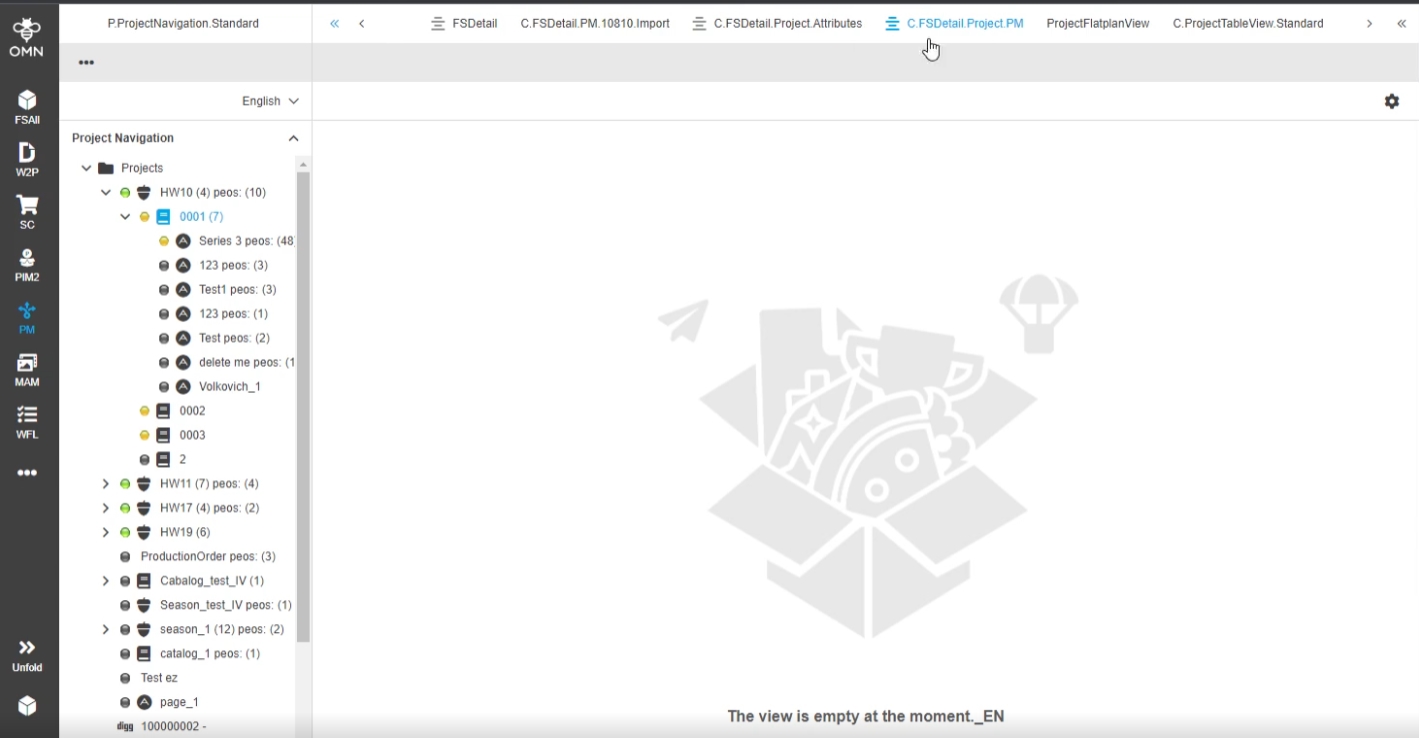
9.1.1 PM - Project views - Use configured icon in navigation bar
References |
OG-9220, OMN-7477 |
Display of configured icons for project views, so that the user can navigate through them and found necessary view easier*
-
Right now, the support of Icons is restricted to FSDetail
-
Further Plugin will follow in later Releases
9.2 Flatplan
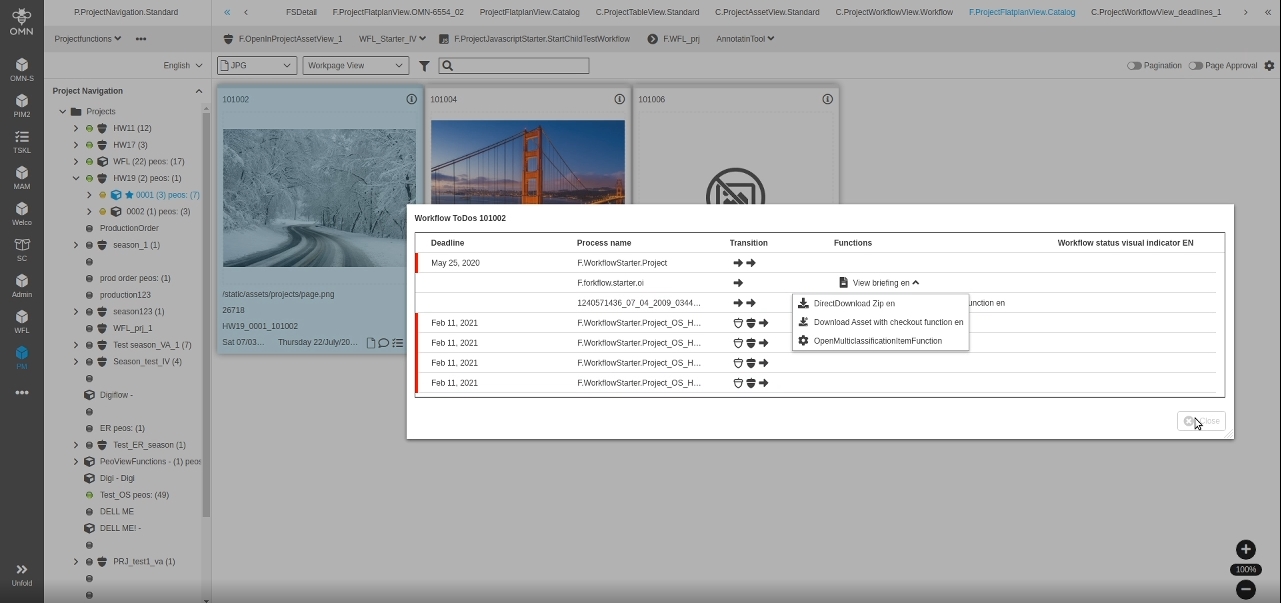
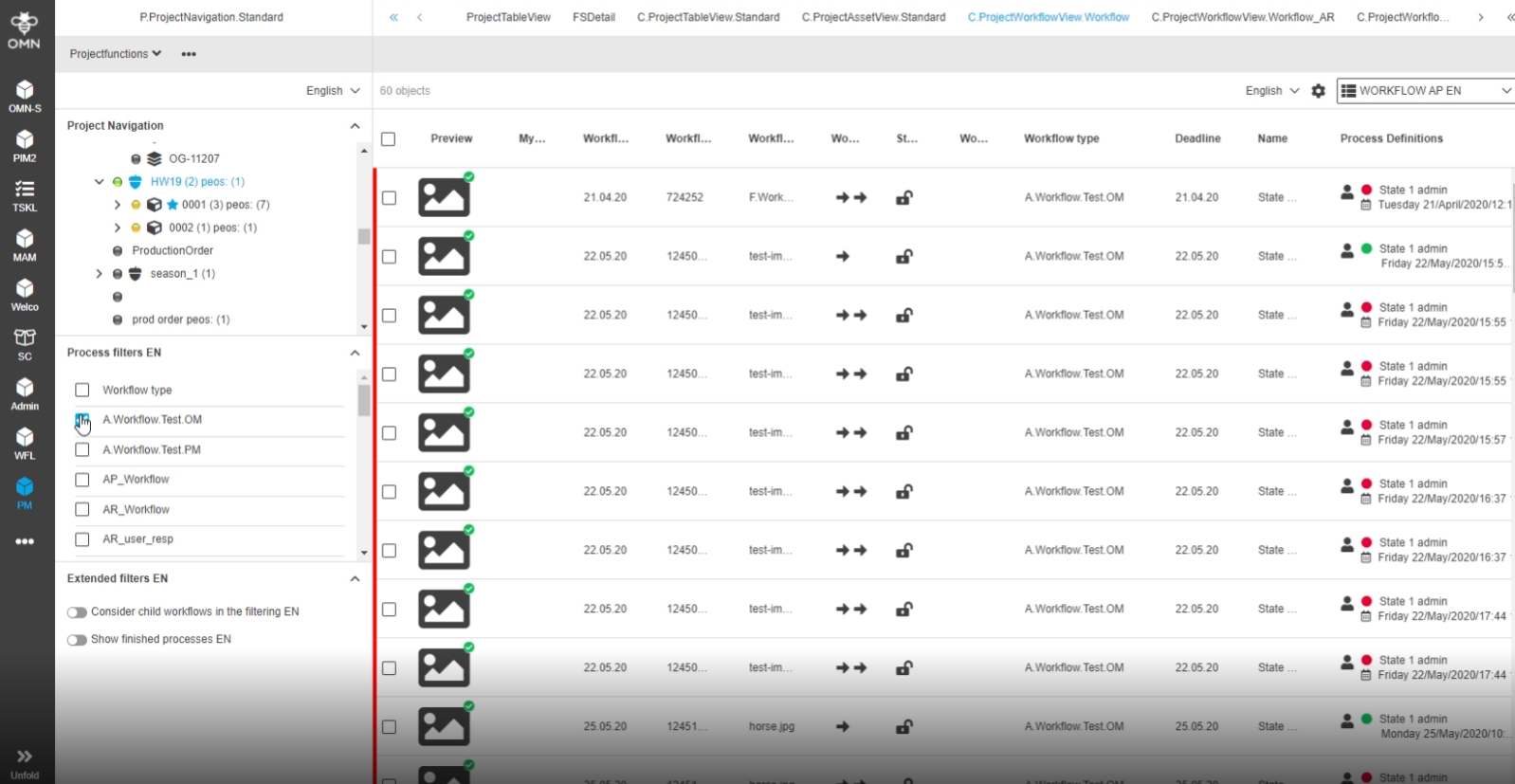
9.2.1 PM - ProjectFlatplanView - Page boxes – WorkflowTo Dos - Improvement for human function group
References |
OG-9748 |
Possibility to see current ToDos in Workflow ToDo modal in ProjectFlatplanView and be able to click on available human function without the need to open a dropdown by click on the static button
9.4 ProjectProductView
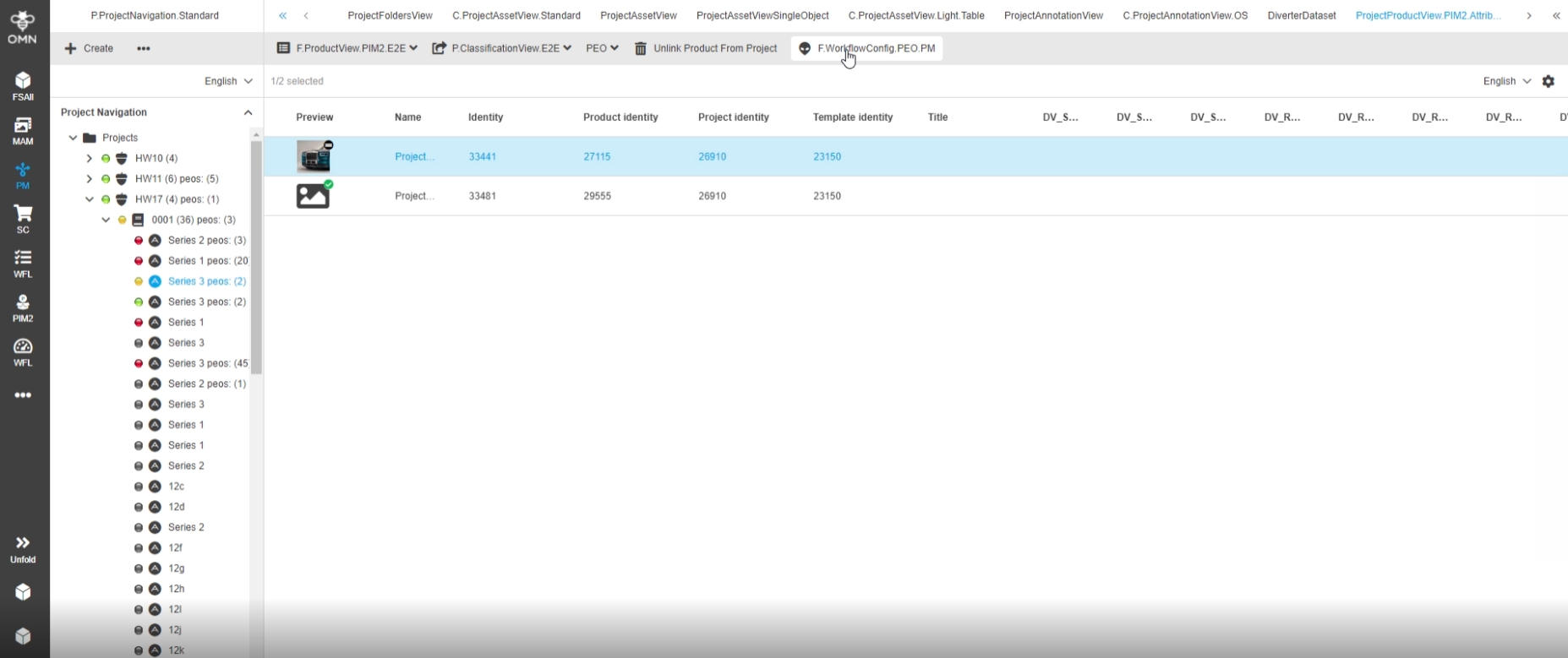
9.4.1 Possibility to add JSFunction JavaFunction and WFLs to ProjectProductView
References |
OMN-9094, OG-12750 |
Restriction |
No execution on workflows on PEOs |
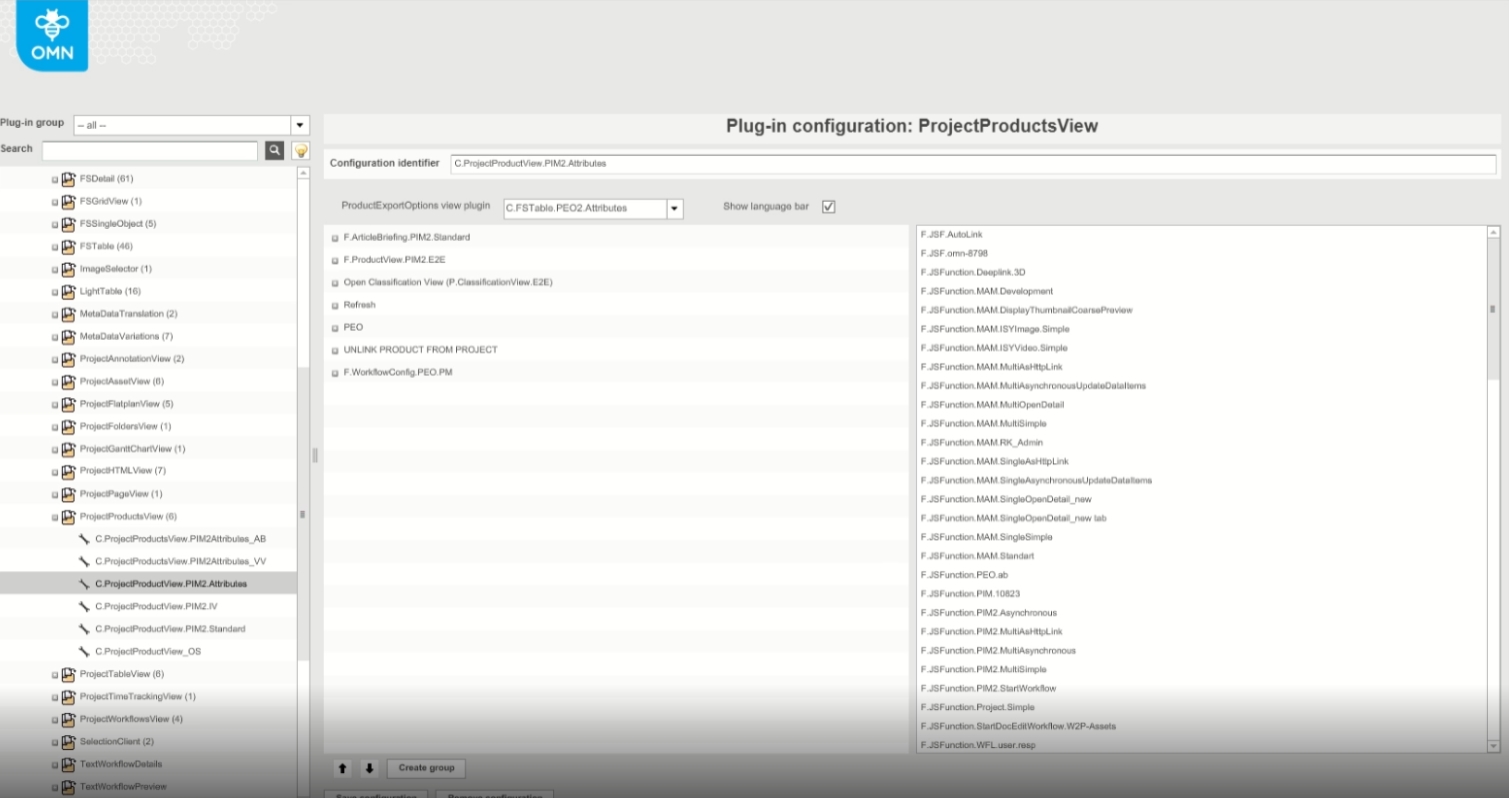
Workflow Functions (Camunda) can now be configured and used in Project ProductView
-
Configuration
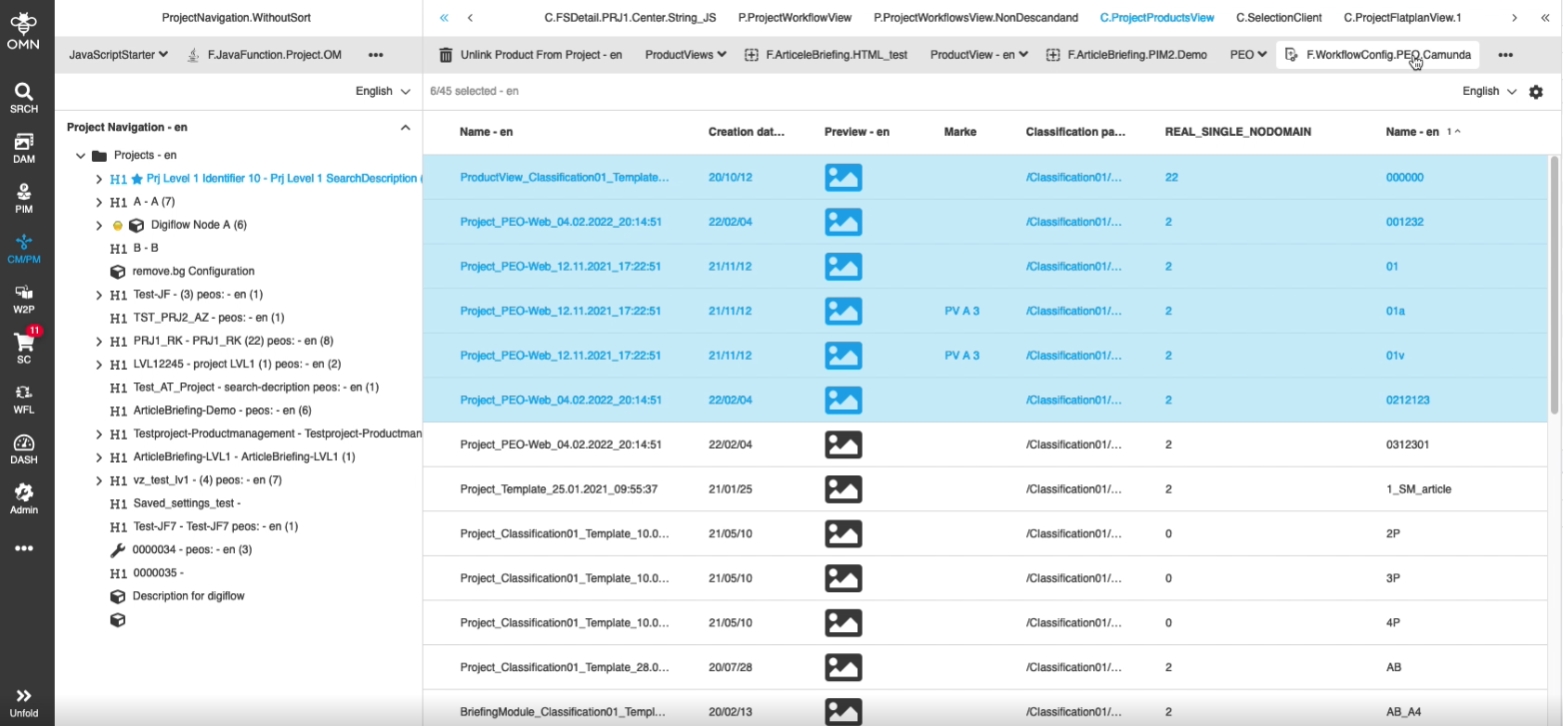
CM - ProjectProductView - Allow multi-selection configuration has influence on UI
References |
OG-12721 |
Possibility to execute functions on multi-selected objects in ProjectProductView like execute a Java function so that the user does not Need to start a function for each item separately
9.4.2 ProjectTable - No system feedback/status when deleting project types
References |
OG-12134 |
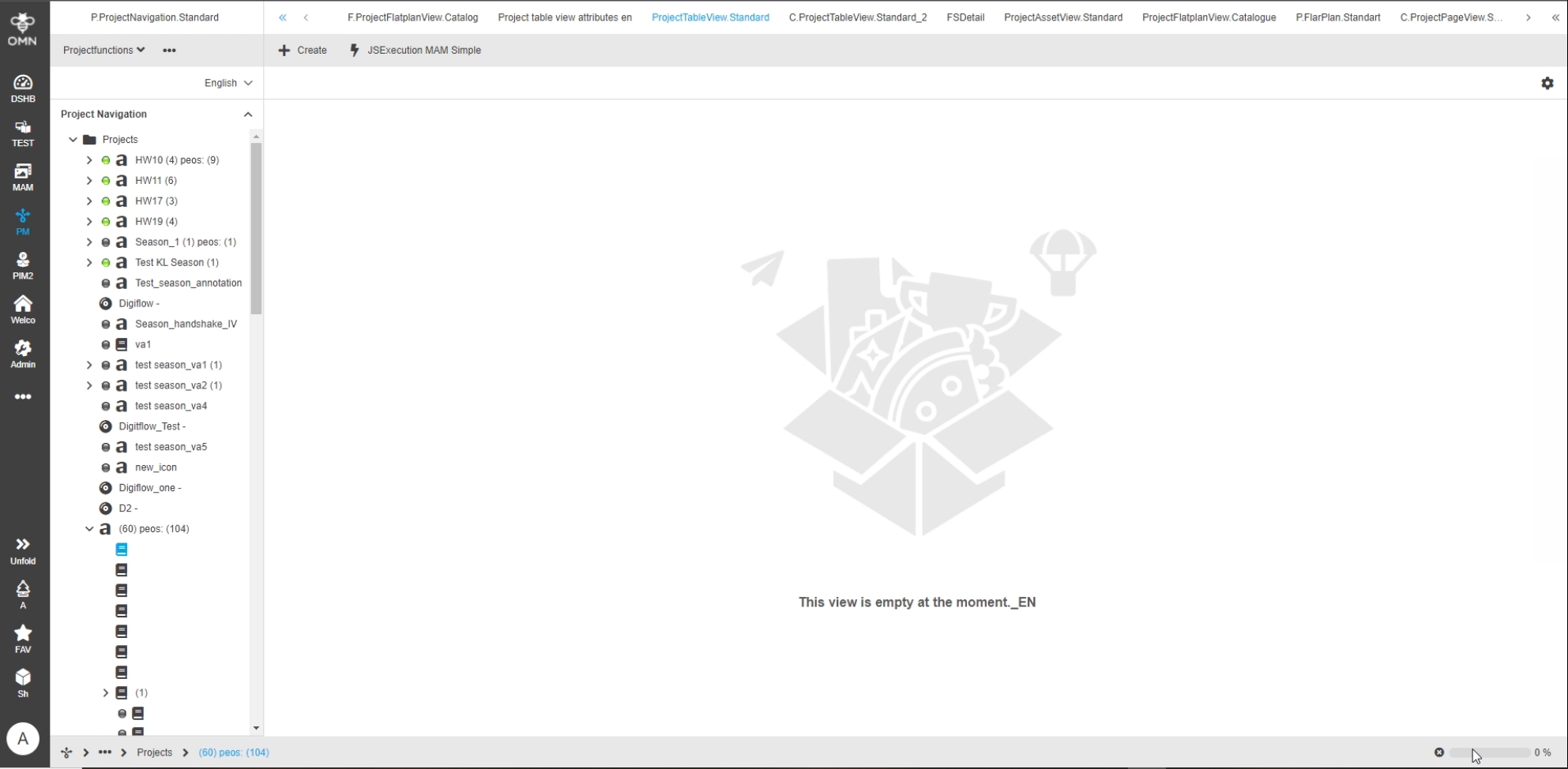
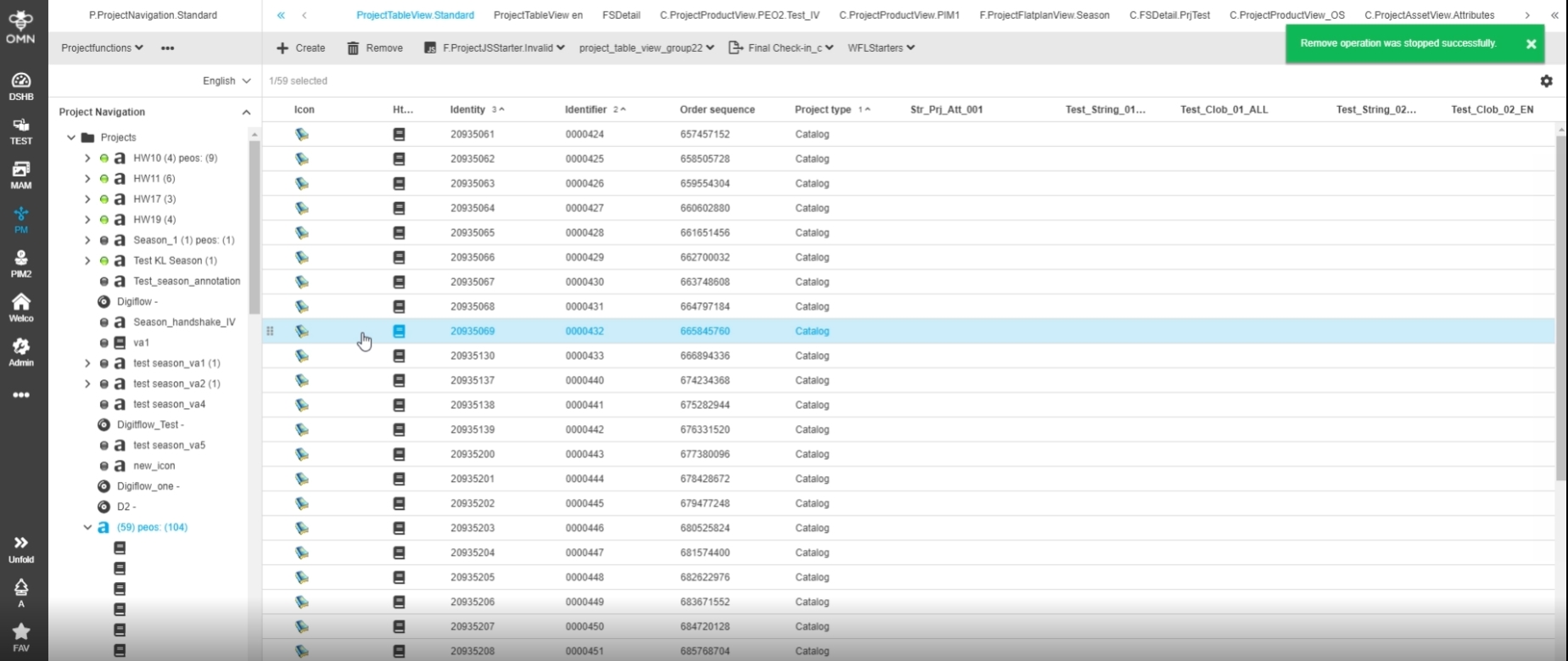
New display during deletion process of Project and improved Display when deletion is successfully finished
-
Progress indicator
-
New improved toast message after successful deletion
9.4.3 ProjectProductView - Show FSDetail in right view
References |
OG-5780, OMN-5759 |
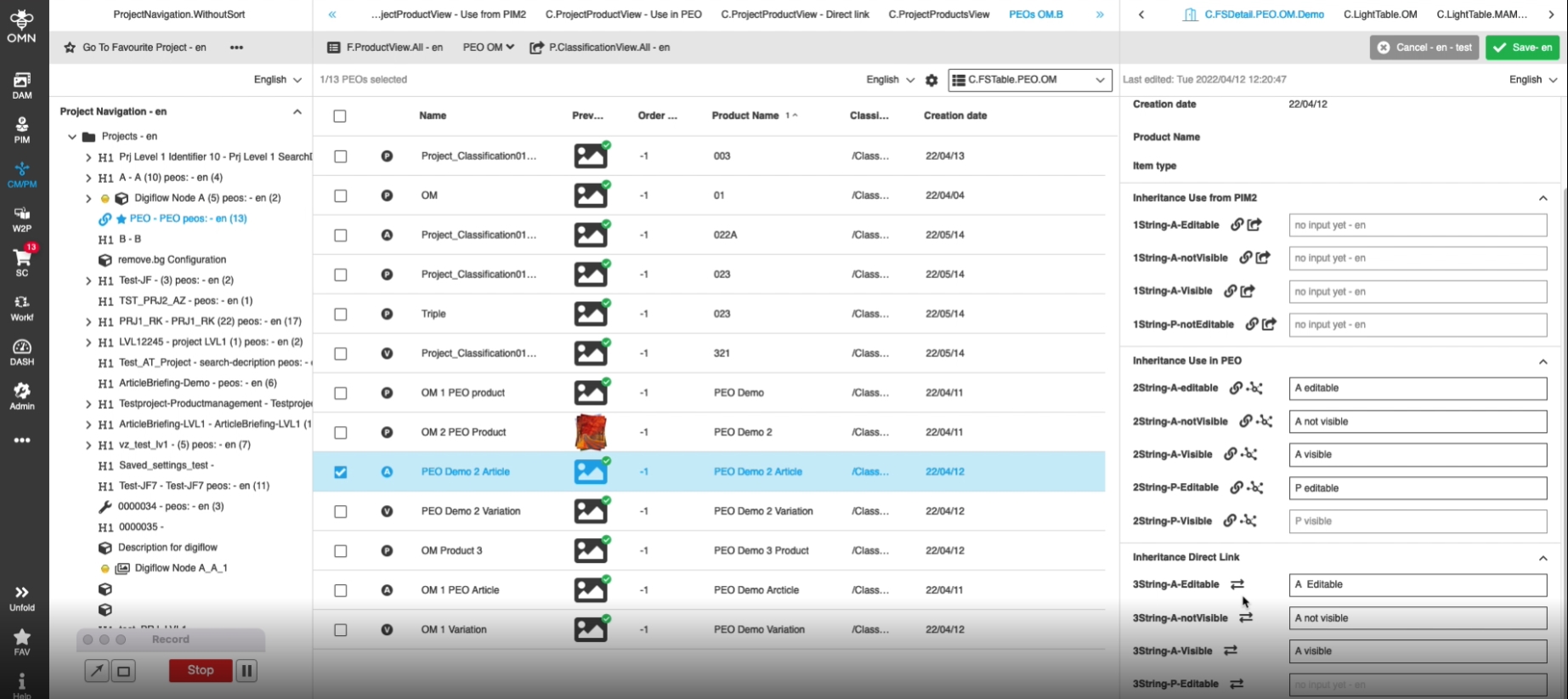
New Possibility to see and manage product data (PEO) related to the selected PEO product in ProjectProductView
9.4.4 CM - Project Product View - Show all previews in LightTable View
References |
OG-12916, OMN-9226, OMN-9225, OMN-9248 |
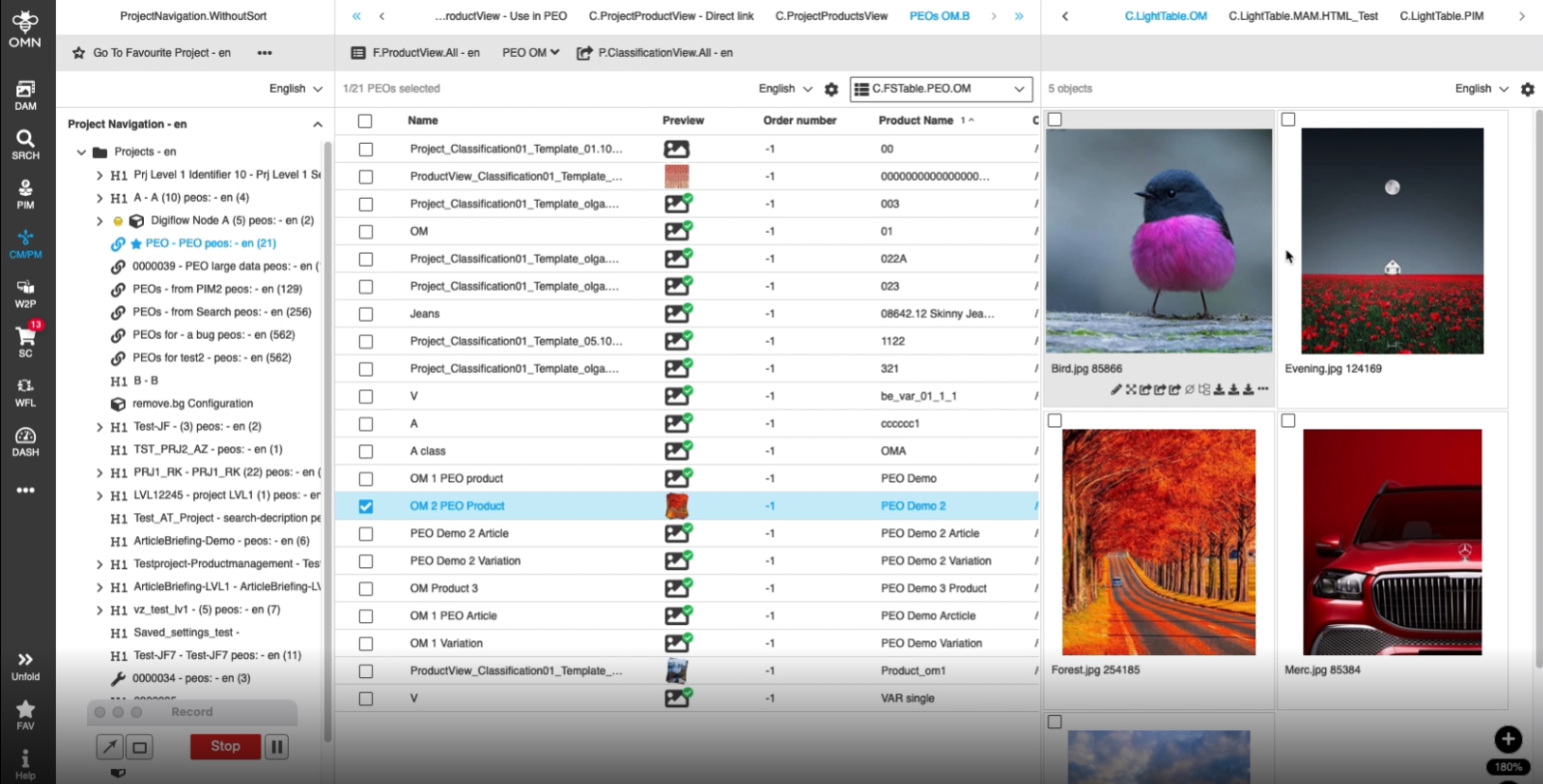
Possibility to see all linked objects in ProjectProductView in a more convenient way in LightTable in right panel, so the user can see previews and details and additional metadata information
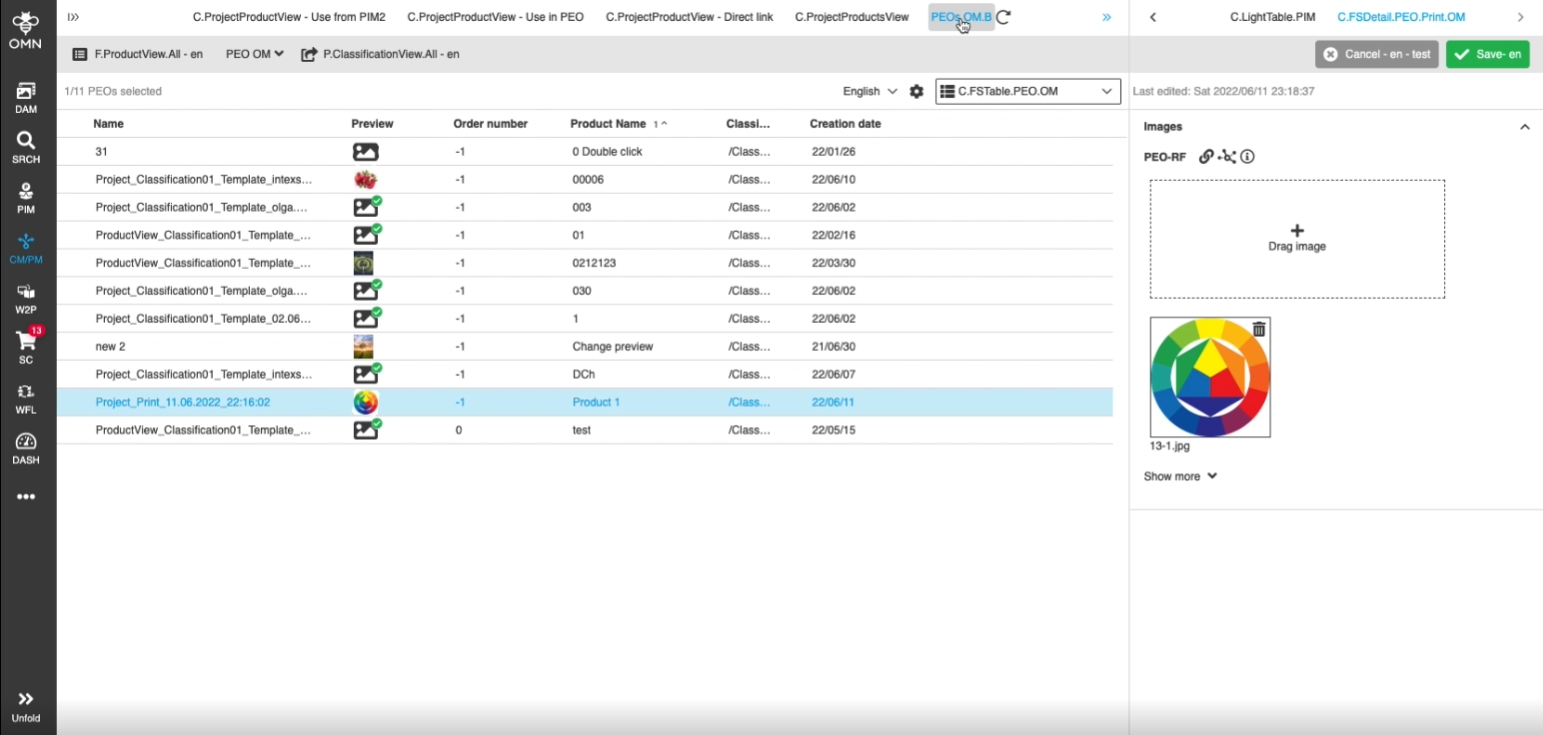
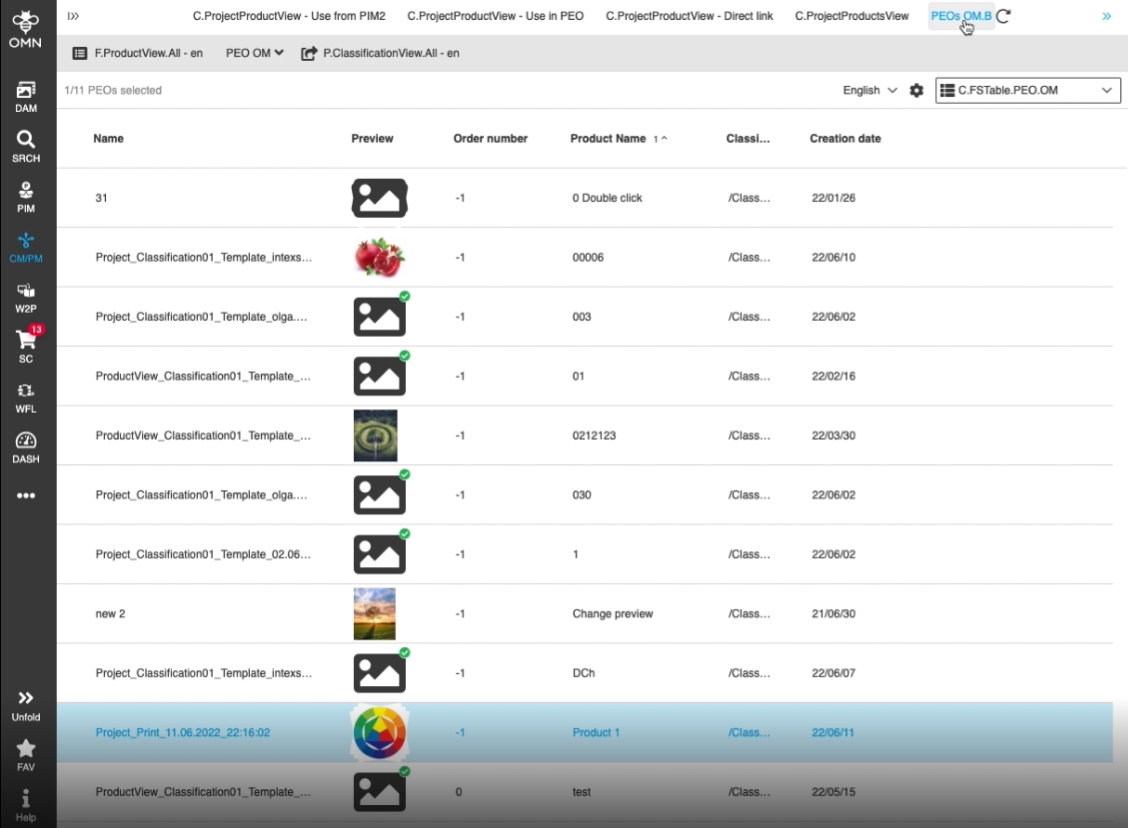
9.4.5 CM - Project Product View - Show all previews in table image stack
References |
OG-12654, OMN-9086 |
Possibility to see the preview(s) in ProjectProductView in a more convenient way, so that the user can recognize if more than one linked item is available (in case of linked PIM items and PEOs)
9.4.6 LightTable in right panel of ProjectProductView provides all needed functions
References |
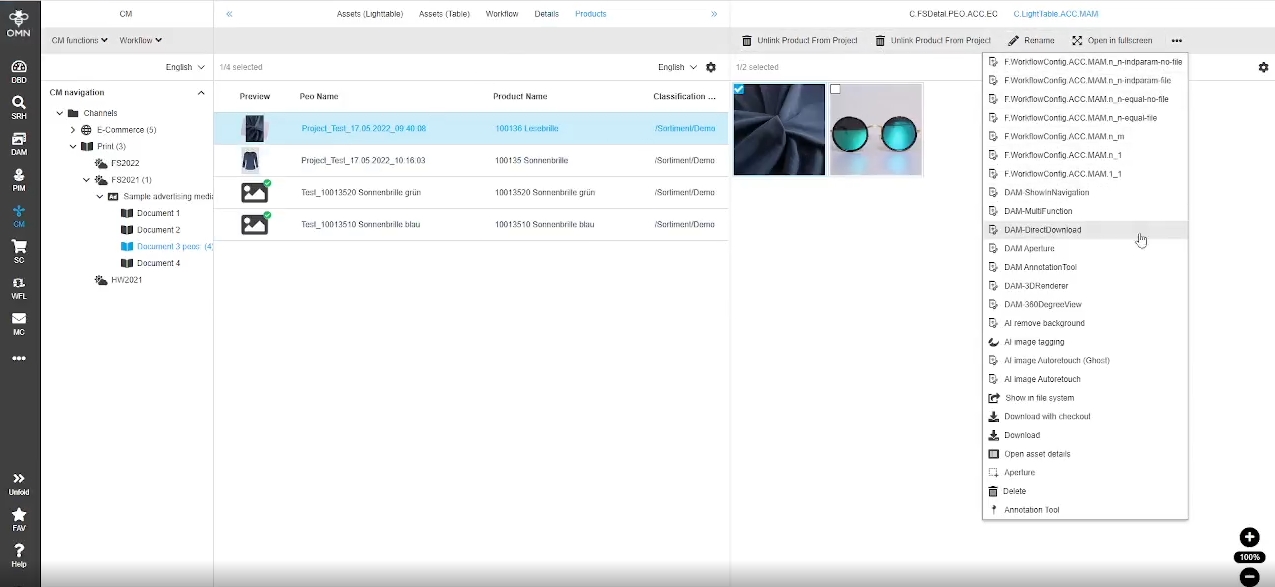
OMN-9296 |
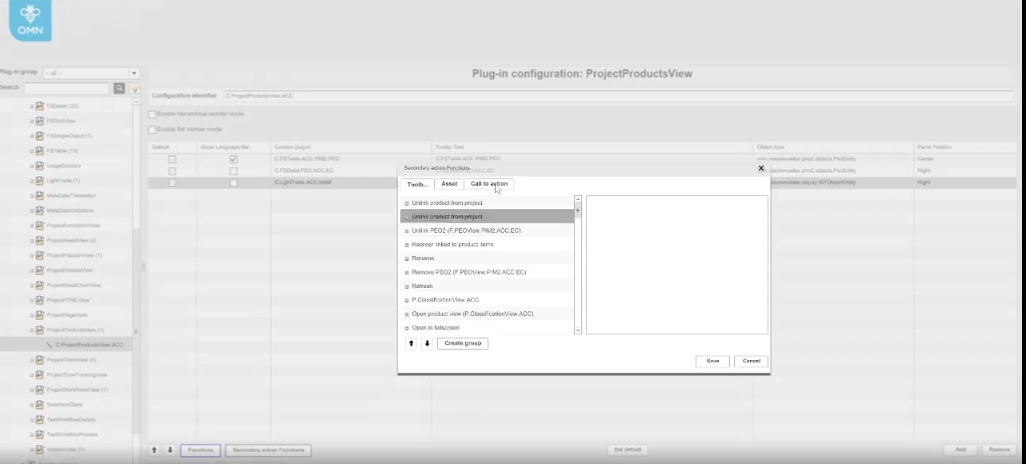
Possibility to configure LightTable view in the right panel of ProjectProductView and use all needed functions, so that the user can do some actions in the right panel with linked items
-
Configuration of LightTable functions in OMN Configclient
9.4.7 New Sorting functionality in ProjectProductView (future Replacement of Diverter)
General information
In the 5.10. version, the ProjectProductView view, is Extended by two new modes for sorting PEOs
The two new reorder modes (hierarchical and flat mode) have some limitations (see table) and will be Extended in future
The ProjectProductView Plugin is replacing Content Plugin Diverter Dataset in future (in version 5.10 Diverter is still available but will be deprecated in future)
Background
In former versions sorting was not possible at all in ProjectProductView Plugin and thus a separate Plugin Diverter Dataset was needed to sort PEO by the user
Overview of current Functionality and Limitations
| Modes and related Options | Sorting | Filtering | Support of User-Based settings | (PEO) Order Number Recalculation (when changing something) | Adherence to the hierarchy | Support of Dirty checking | Support of DnD of Products |
|---|---|---|---|---|---|---|---|
Read-Only Mode |
Server-side sorting (Performance limitations may occur) improvements in future versions planned |
Server-side filtering (Performance limitations may occur) improvements in future versions planned |
Yes restriction that the saved settings have no effect on the other views |
Triggered over UI when DnD, create PEOs, delete PEOs |
Display only |
not necessary |
No, Display only |
Multi-Sorting |
Column filters will be functionally extended in one of next versions |
no recalculation when PEO is deleted |
|||||
Reorder Mode (hierarchy) |
Client-side sorting (performant) |
column filter not supported yet will be supported in one of next versions |
Not supported yet will be supported in one of next versions |
Triggered over UI when DnD, create PEOs, delete PEOs |
Automatically restore the original PIM2 hierarchy if it has been broken |
yes |
Yes, hierarchy is considered, and child elements are also moved |
Refers to selected quick filter level (P,A,V) |
filtering is only possible via the Quick filter |
Recalculation of order numbers can only be triggered by client (no backend automatisms) |
Not allowed to break hierarchy |
||||
Can be persisted |
Gaps may occur when deleting PEOs (the folders Numbers are not completely recalculated, so that gaps can arise still in decision whether necessary |
||||||
Multi-Sorting |
|||||||
Reorder Mode (flat) |
Client-side sorting (performant) |
column filter not supported yet will be supported in one of next versions |
Not supported yet will be supported in one of next versions |
Triggered over UI when DnD, create PEOs, delete PEOs |
Validation through recovery option when user switches to hierarchy mode |
yes |
Yes, free DnD possible (also break the hierarchy) |
Can be persisted |
Recalculation of order numbers can only be triggered by client (no backend automatisms) |
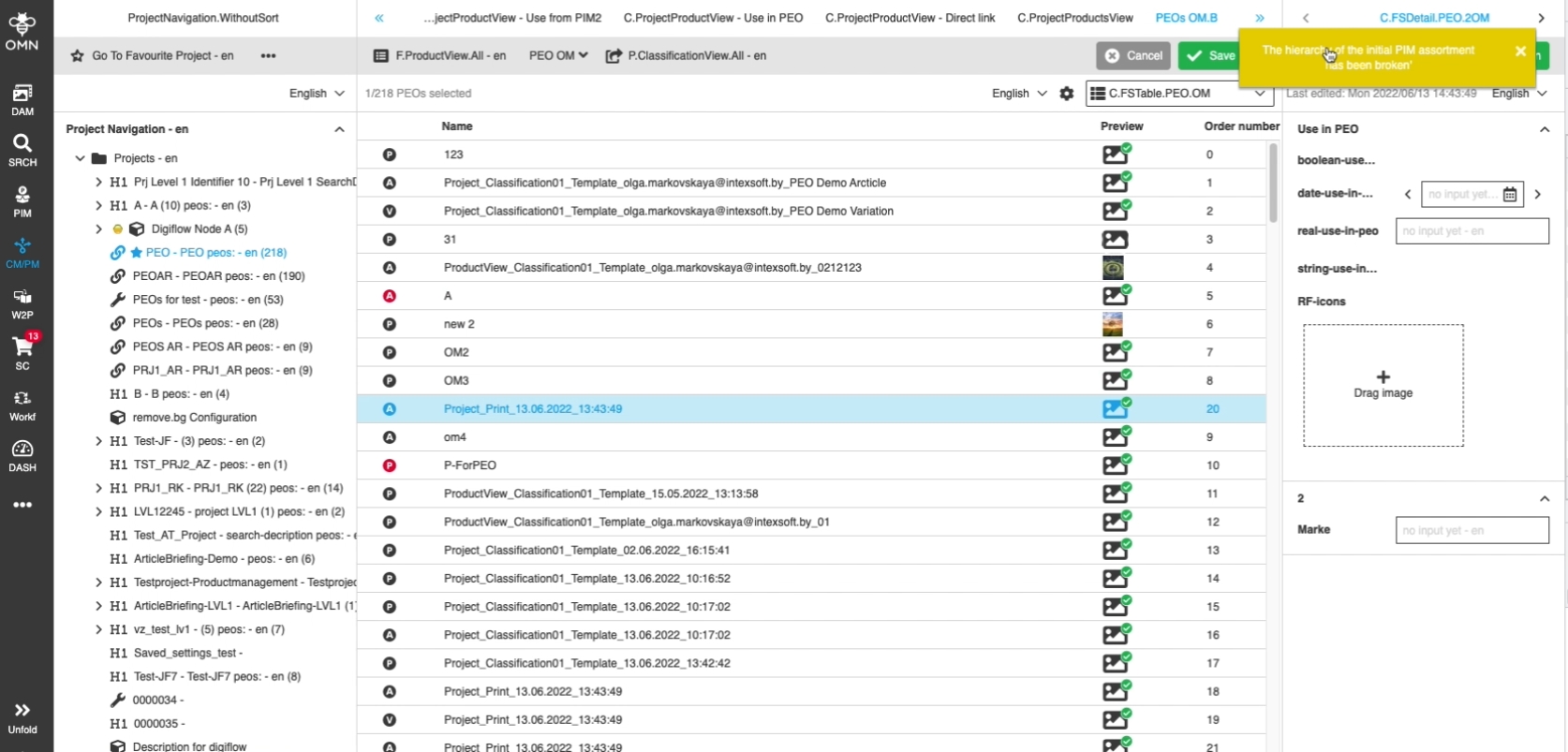
Display (toaster) when hierarchy is broken |
|||||
Multi-Sorting |
Gaps may occur when deleting PEOs (the folders Numbers are not completely recalculated, so that gaps can arise still in decision whether necessary |
Allows to break hierarchy via DnD |
9.4.8. ProjectProductView - FSTable - Reorder mode hierarchy - General layout
References |
OG-11939, OMN-9369 |
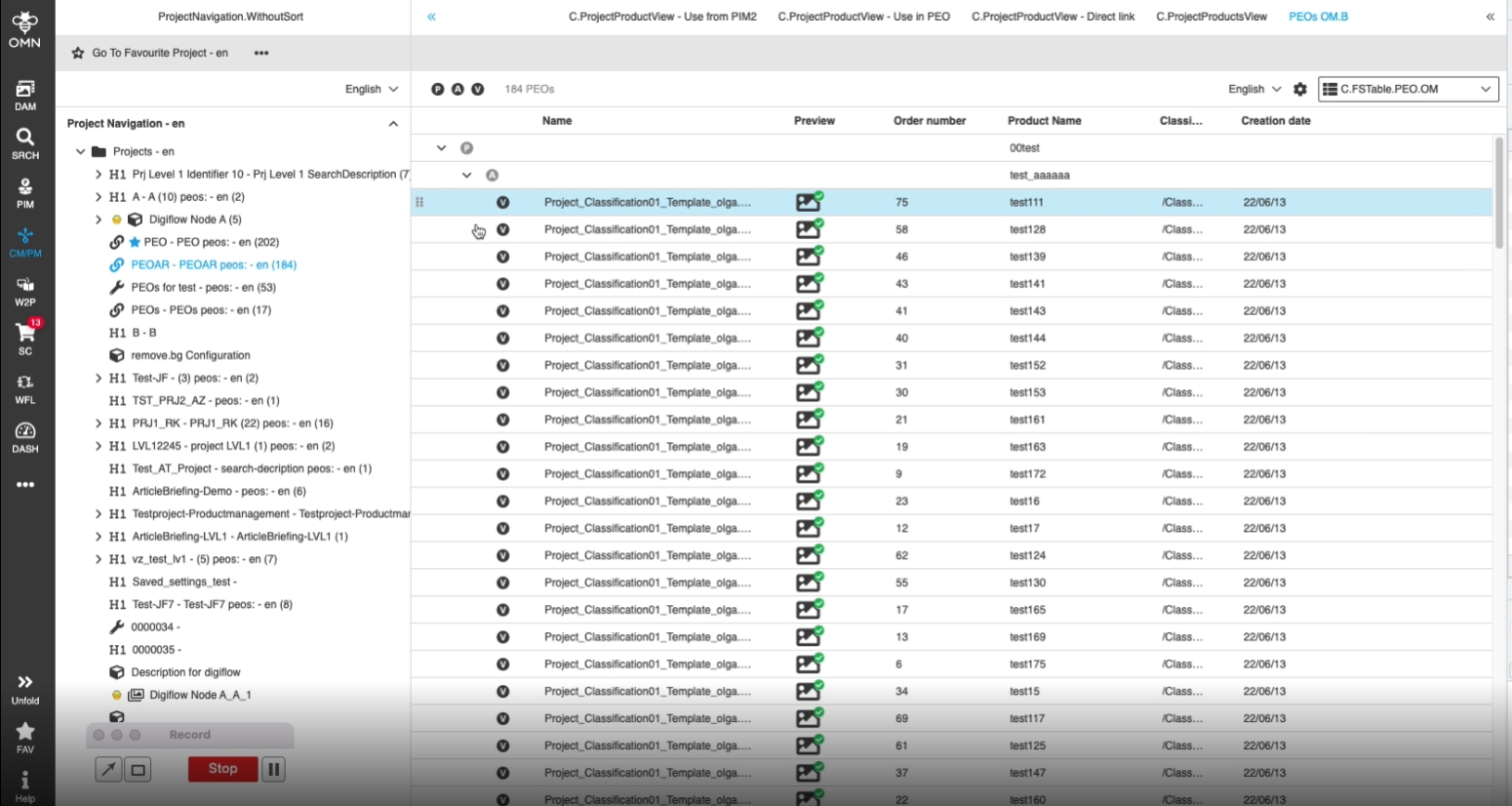
Possibility to sort/arrange PEOs in a new special reorder mode with hierarchy, so the user is aware of the hierarchy during my DnD Actions
-
Switch to reorder mode (hierarchical) in UI Setting of ProjectProductView (mode Need to be enabled in OMN config Client)
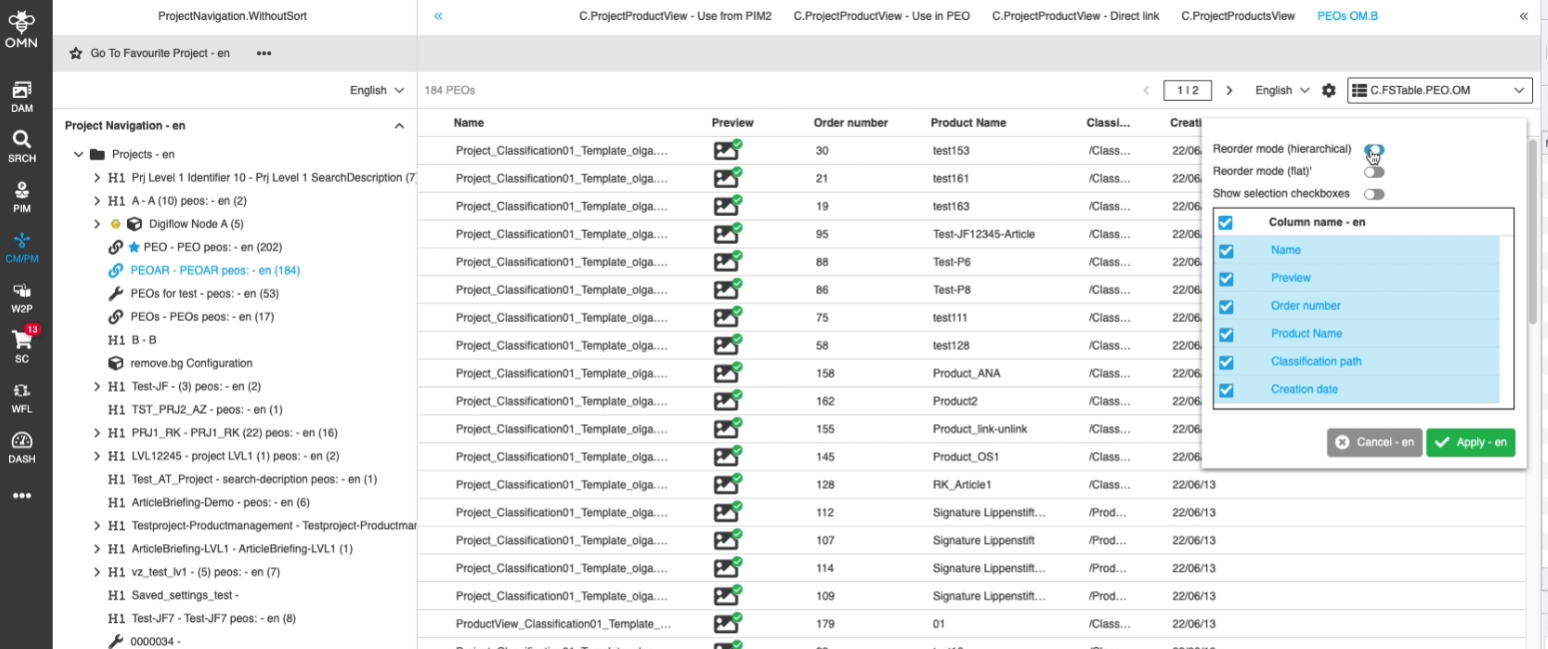
-
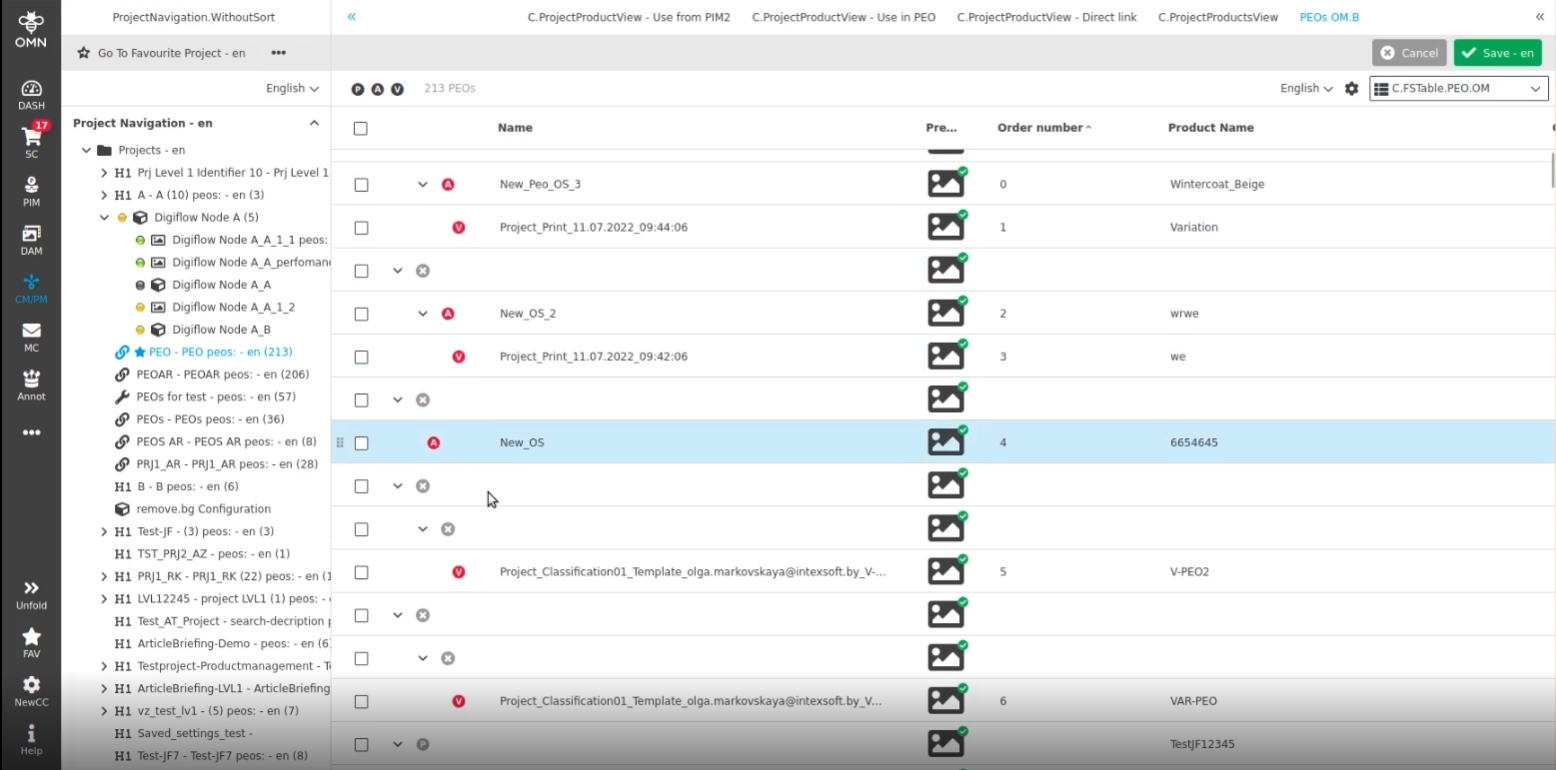
new sorting mode with hierarchy (different Icons on grouping Level (P,A,V) visualize if PEO is physically existing or not)
9.4.9 Configure Reorder modes in ProjectProductView
References |
OMN-9269 |
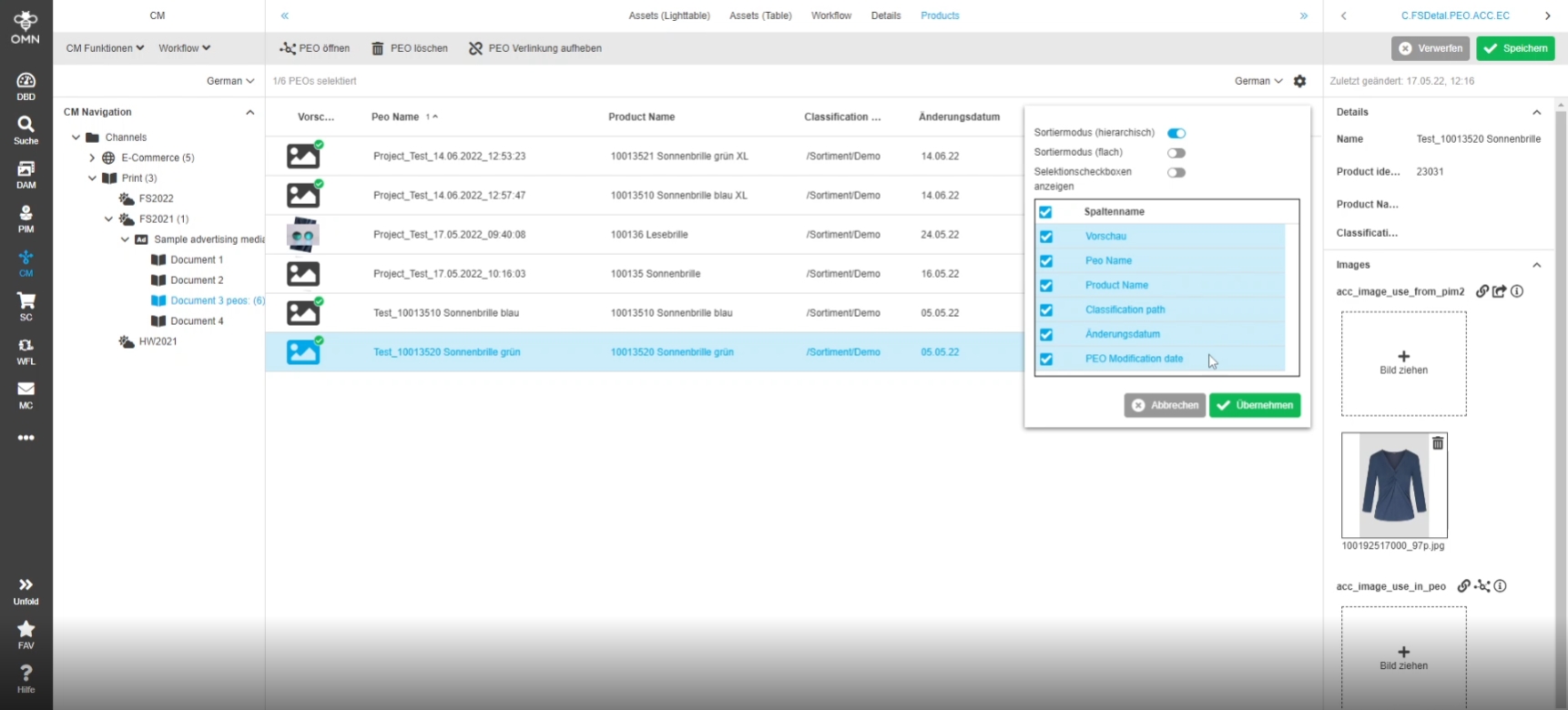
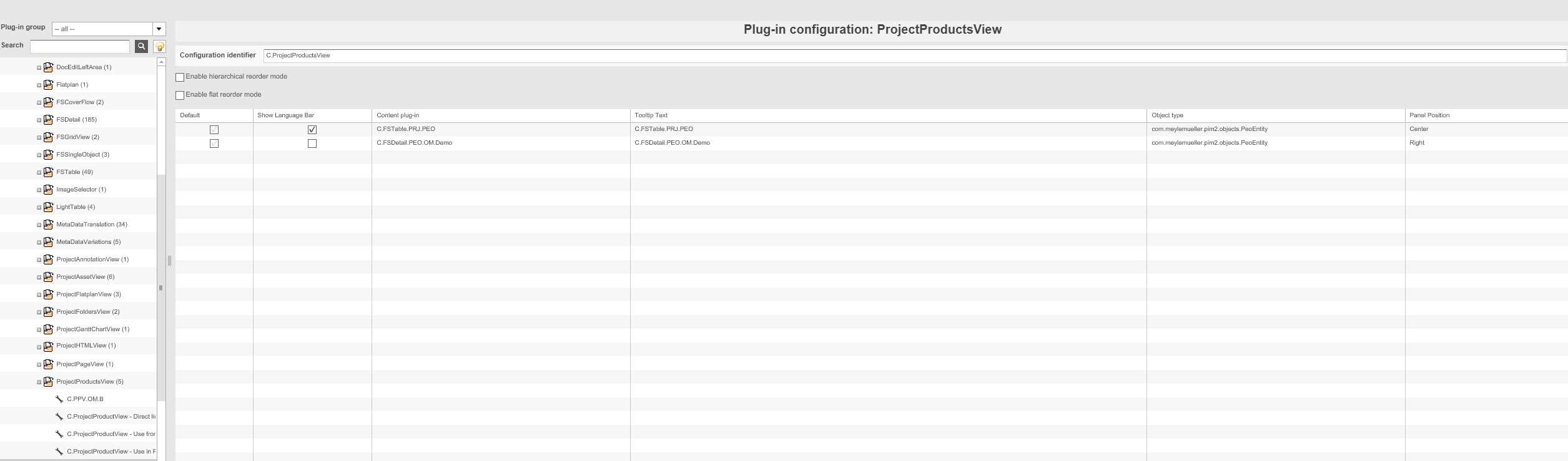
Possibility to configure two different reorder modes in ProjectProductView Plugin, so the user can decide which reordering mode(s) matches my customers Need
-
Selection of reorder modes in the frontend (according to allowed modes defined in backend configuration)
-
Configuration of available modes in backend
9.4.10 ProjectProductView - FSTable - Reorder mode flat - General layout
References |
OG-12990 |
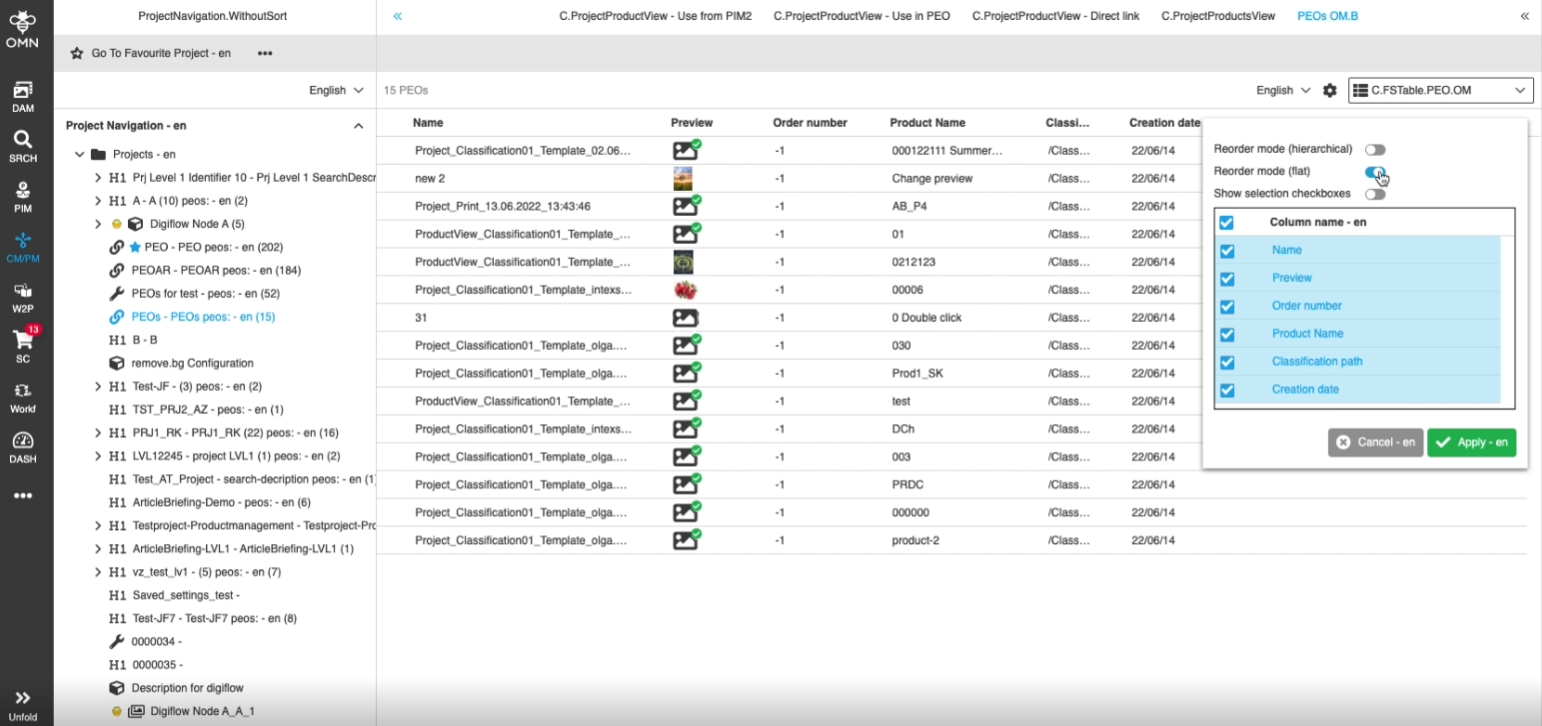
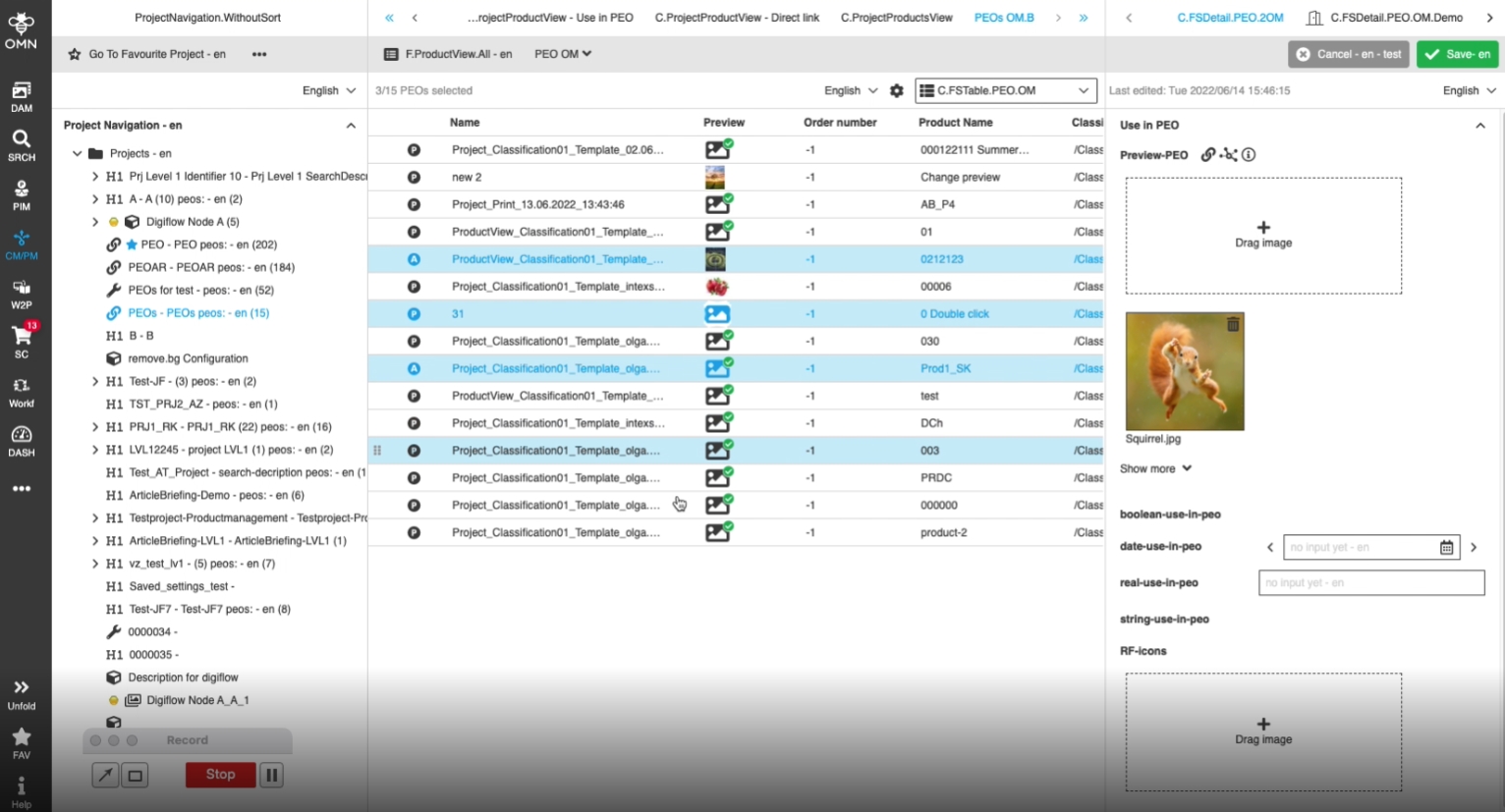
Possibility to rearrange PEOs in ProjectProductView independent from the PIM2 assortment hierarchy, so the user can arrange for example wished exceptions, where a PEO of an item should be placed within a foreign product for example
-
Enabled flat mode via settings
9.4.11 ProjectProductView - Reorder view modes - DnD - Persist ordering and recalculate order number when user clicks save
References |
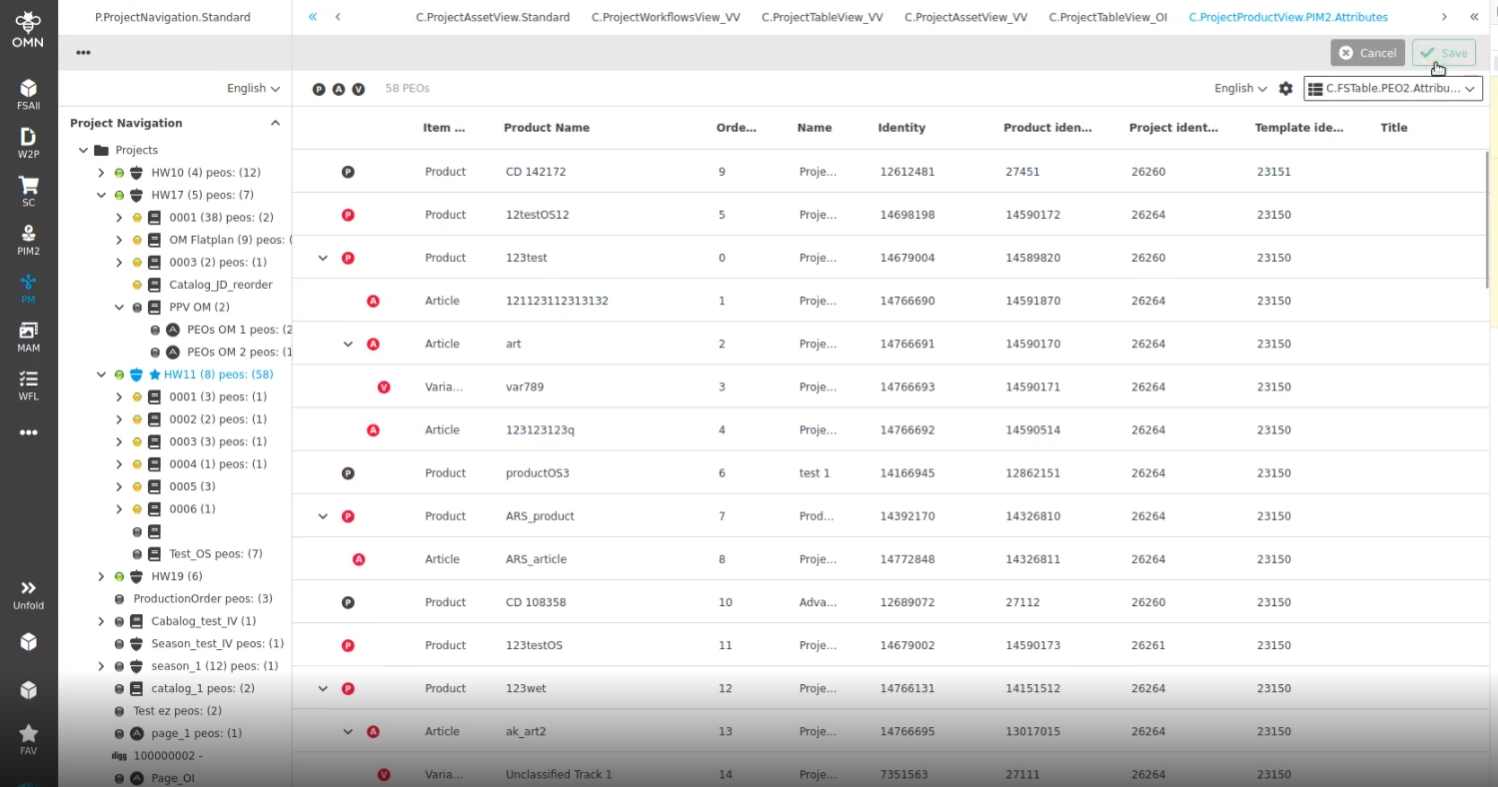
OG-12995 |
Saving of ordered items in ProjectProductView is possible by Save Function
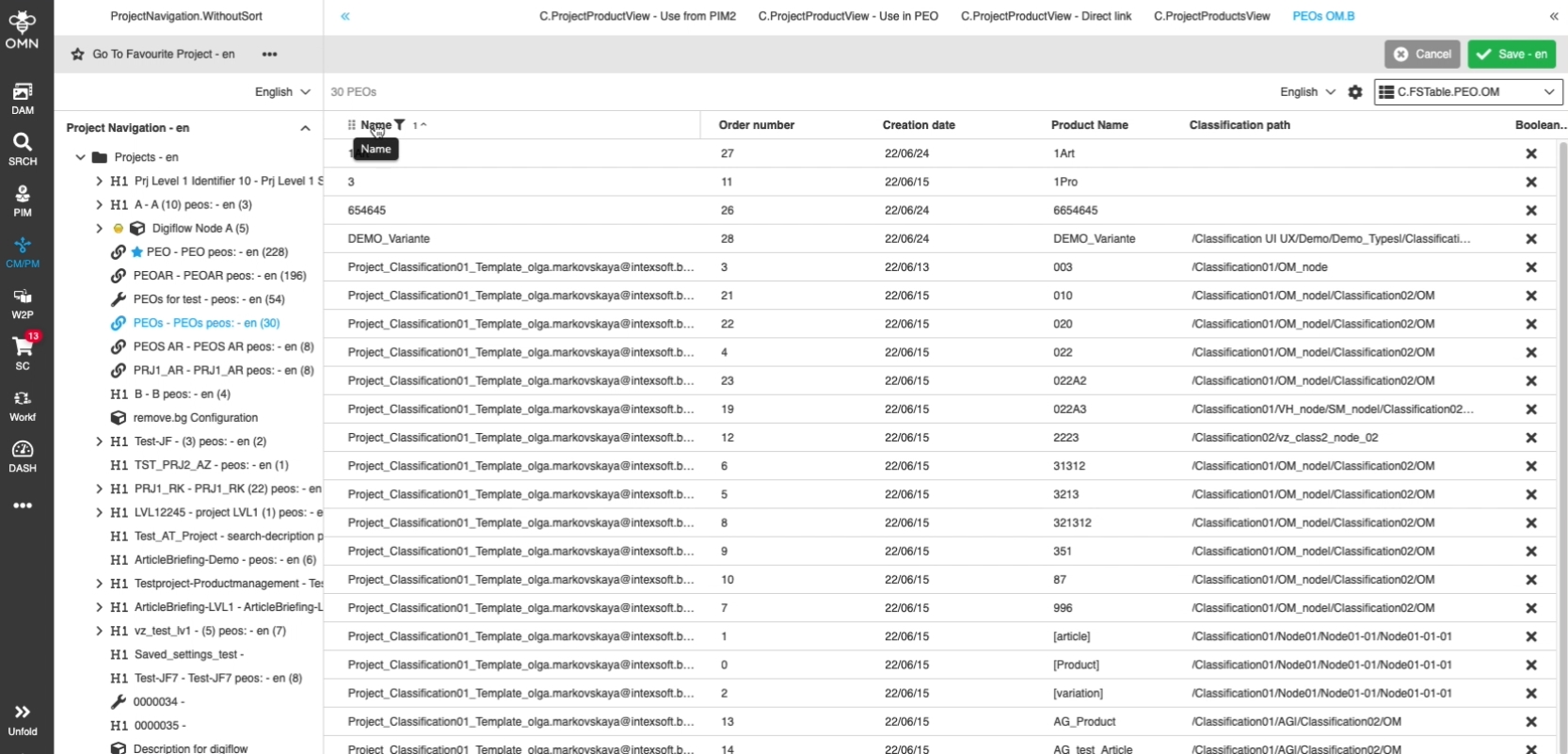
9.4.12 ProjectProductView - FSTable - Sorting in different table view modes
References |
OG-13016 |
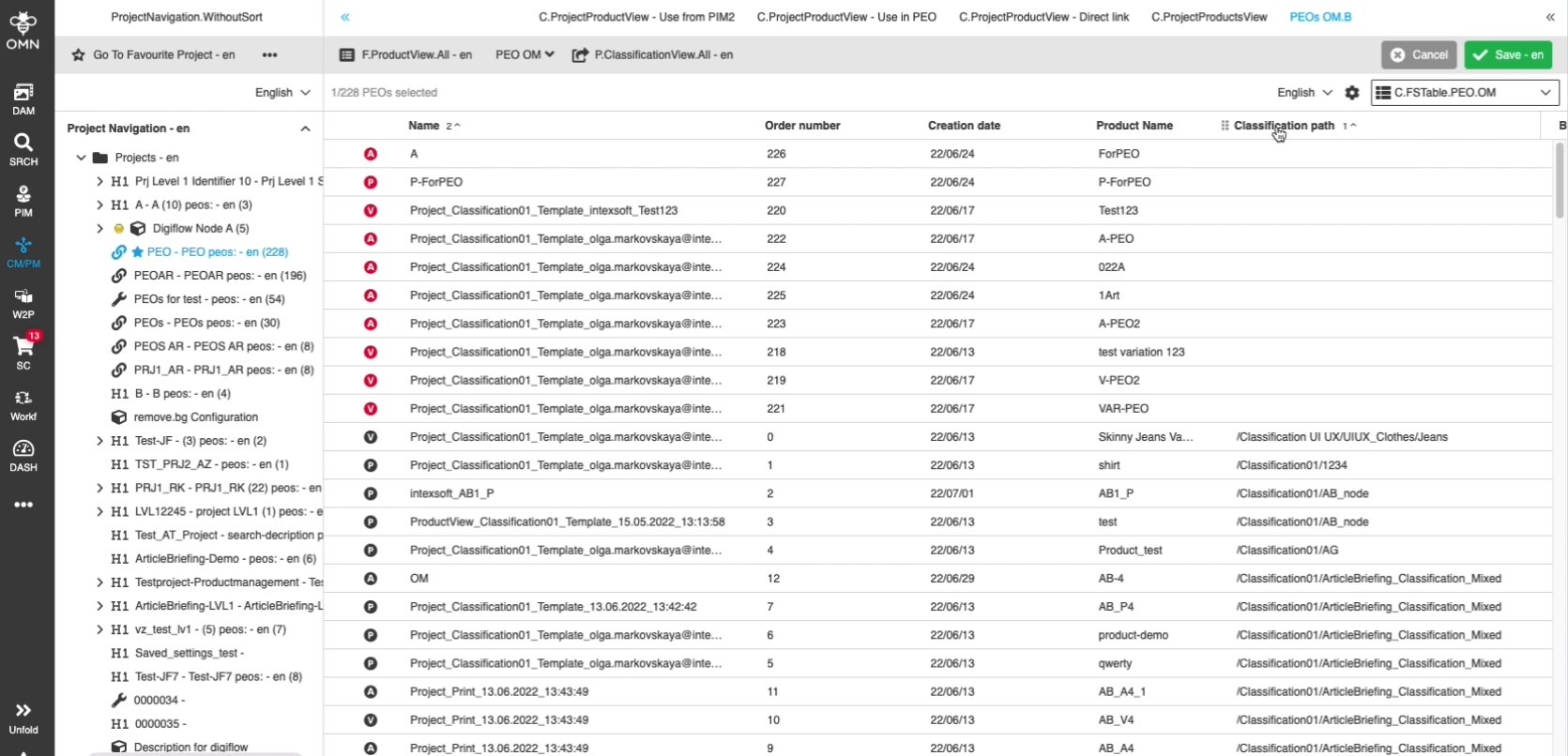
Possibility to sort FSTable in ProjectProductView in all available view modes, so the user can manage data in a better way
-
Sorting in flat mode
-
Sorting in hierarchy mode
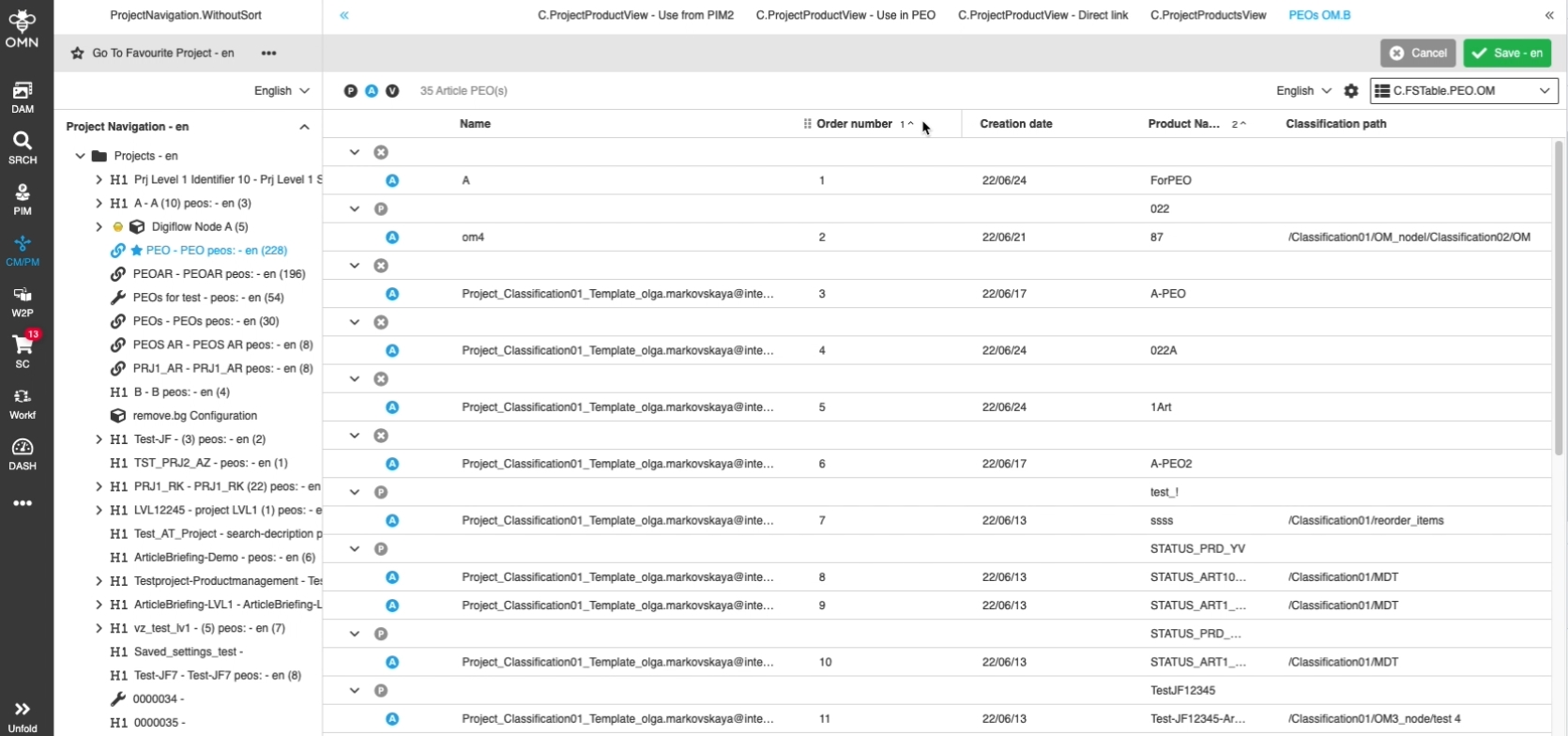
-
sorting in Read-only mode
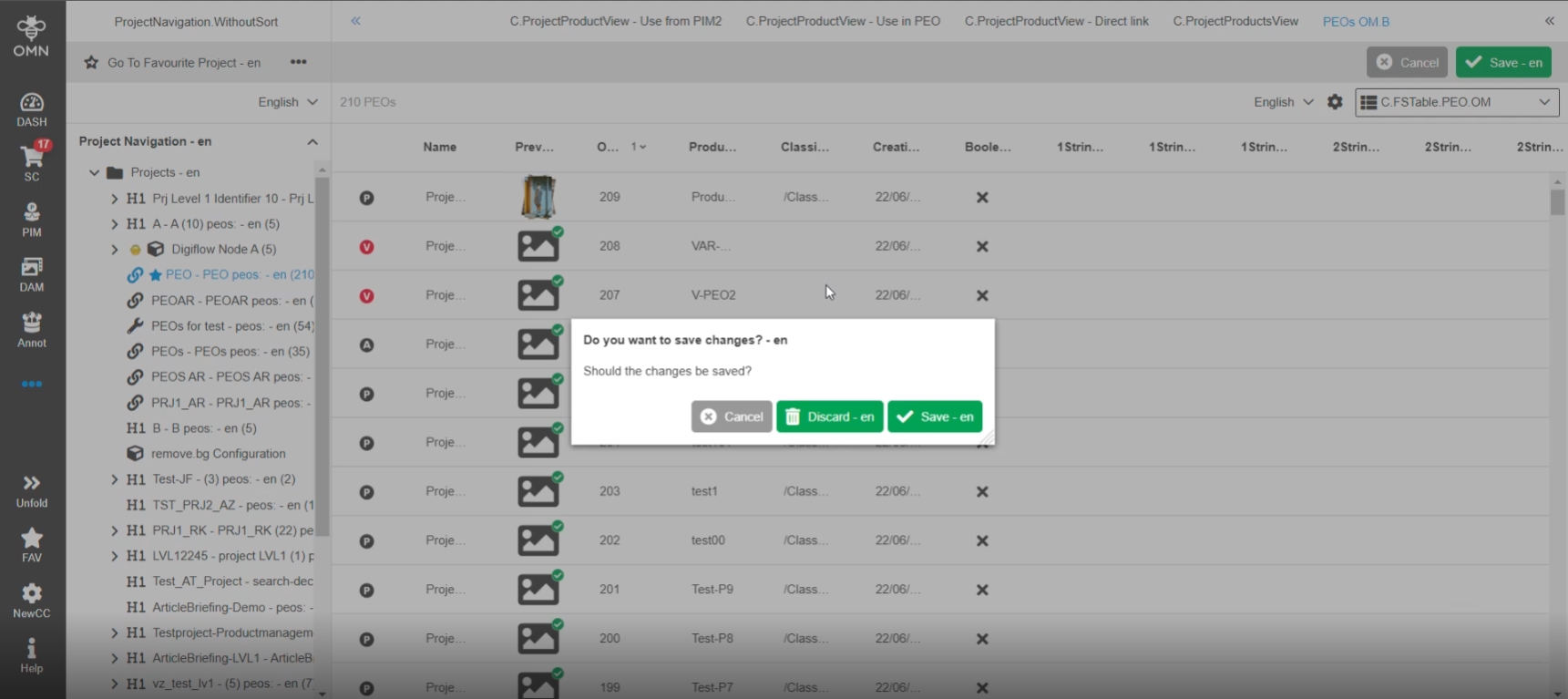
9.4.13 ProjectProductView - Reorder view modes - Dirty checking
References |
OG-12992 |
Dirty Check in ProjectProductView Reorder mode to get informed if there are unsaved changes
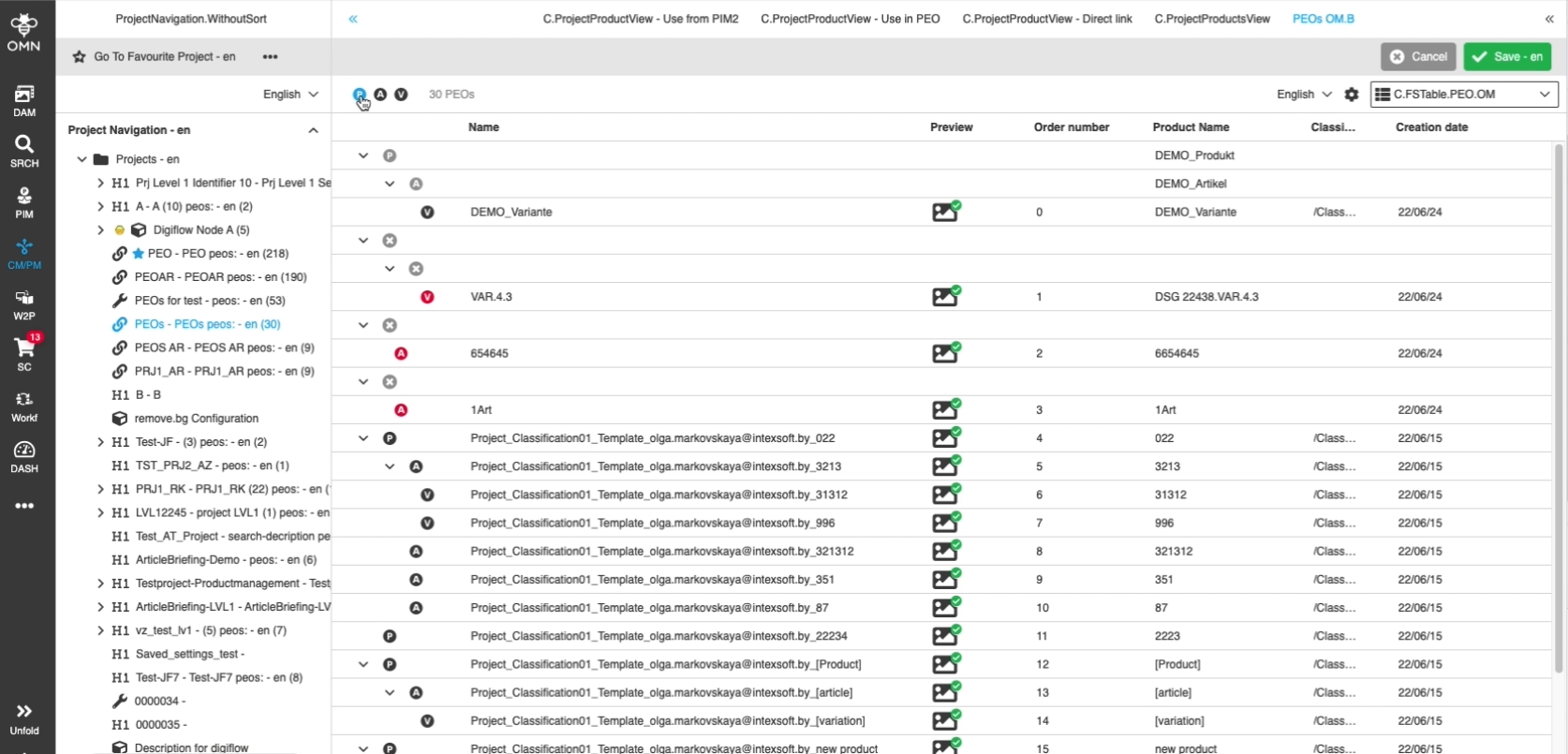
9.4.14 ProjectProductView - FS Table - Reorder mode hierarchy - Quick filter in status bar
References |
OG-12993 |
Possibility to quickly see relevant pim2 assortment Levels (P,A,V) by special filtering options in order to do reorder actions in ProjectProductView reorder hierarchy mode
9.4.15 Displaying PIM2 attributes in ProjectProductView with support for values' inheritance
References |
OMN-7437, OMN-9394 |
Possibility to see correct PEOs values of PIM2 attributes so that the user can organize the content in the view in a convenient way. Furthermore, ProjectProductView is considering so called overwritten state to see the same result in both ProjectProductView and PeoEditor according to configuration
| in former versions overwritten option was not considered in displaying |
-
ProjectProductView Shows PEOs (use case PEO does not have own overwritten values and Displays values from Product
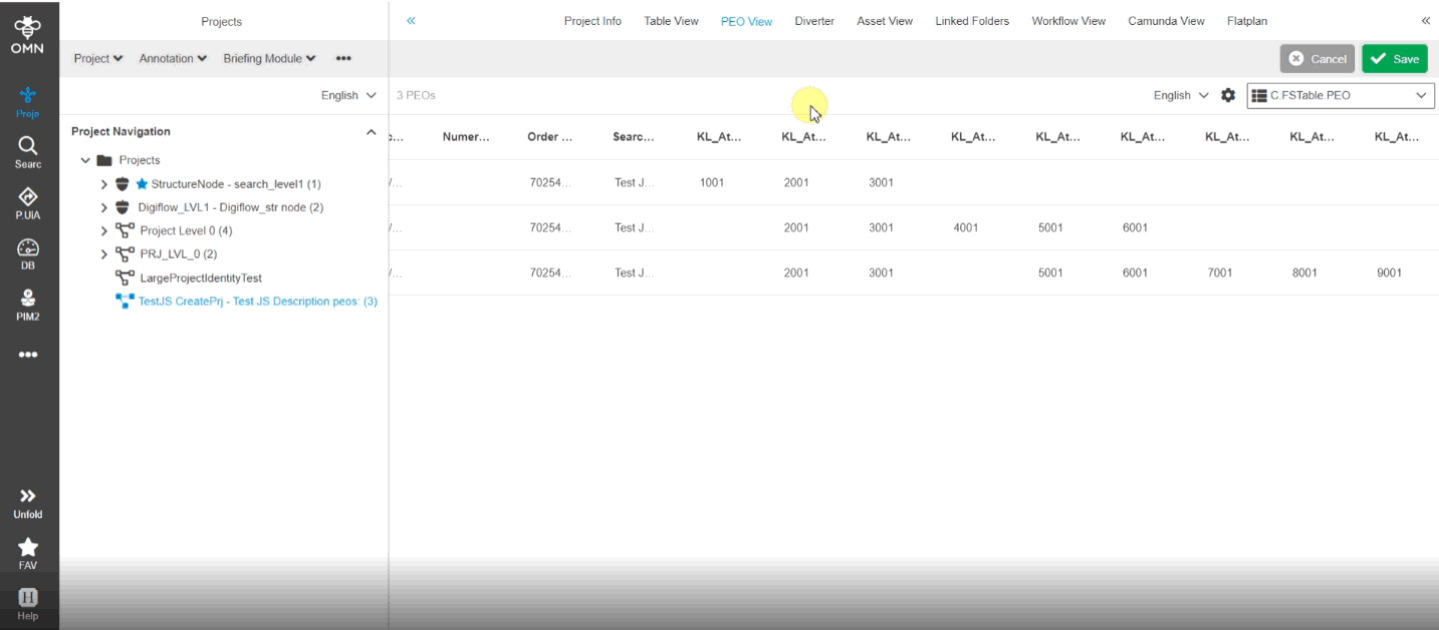
-
in case of PEO Attributes have overwritten values, the ProjectProductView will Display same values an in PeoEditor
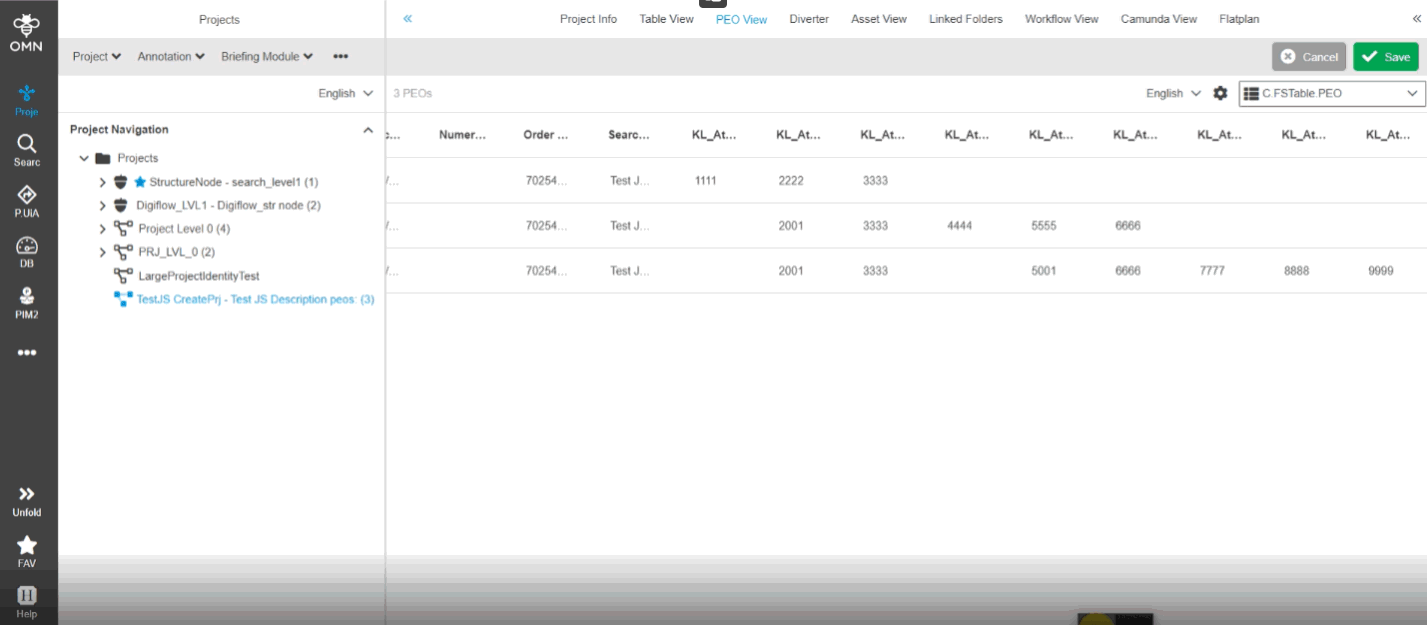
9.4.16 ProjectProductView - Reorder mode hierarchy - UX improvement to show nested rows expanded if user switches to hierarchy mode
References |
OG-13420 |
Nested rows of hierarchy mode in ProjectProductView will expanded on opening, if the user switches to the view mode, so that he can see all order numbers briefly
9.4.17 Project Product View - Reorder mode flat - Warning message in case hierarchy is broken and hierarchy mode is configured
References |
OG-13460 |
Possibility to see a warning toaster in reorder mode flat, in case the reorder mode hierarchy is available on the system, so that the user knows that he can’t switch back to reorder mode hierarchy without adjustments in order
9.4.18 ProjectProductView - Show content switcher if multiple content views in center and / or right panel are available
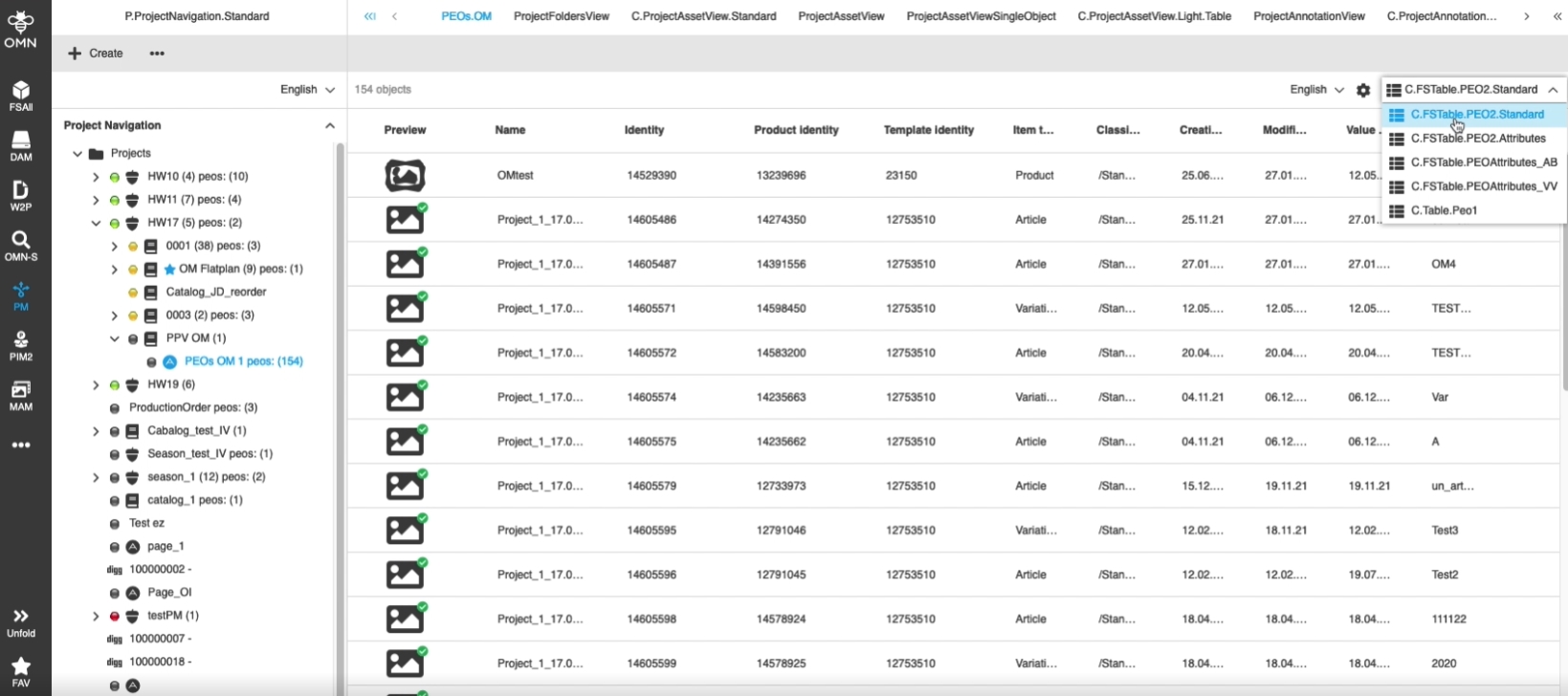
References |
OG-13147 |
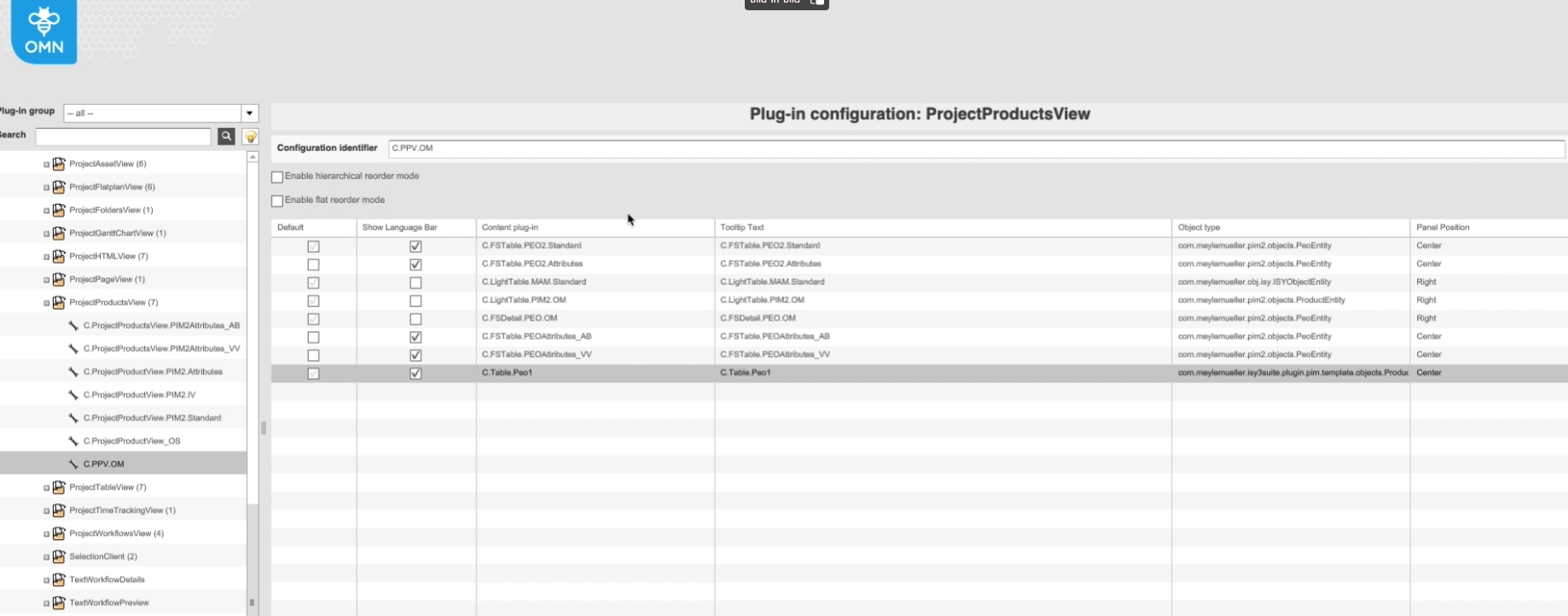
Display of Content-switcher in ProjectProductView if multiple Content Views in Center/Right Panel are available, so that the user can access all available content views in center and right Panel
-
Multiple configured Panels in config Client
9.4.19 ProjectProductView does not handle overwritten flag for value in PEO
References |
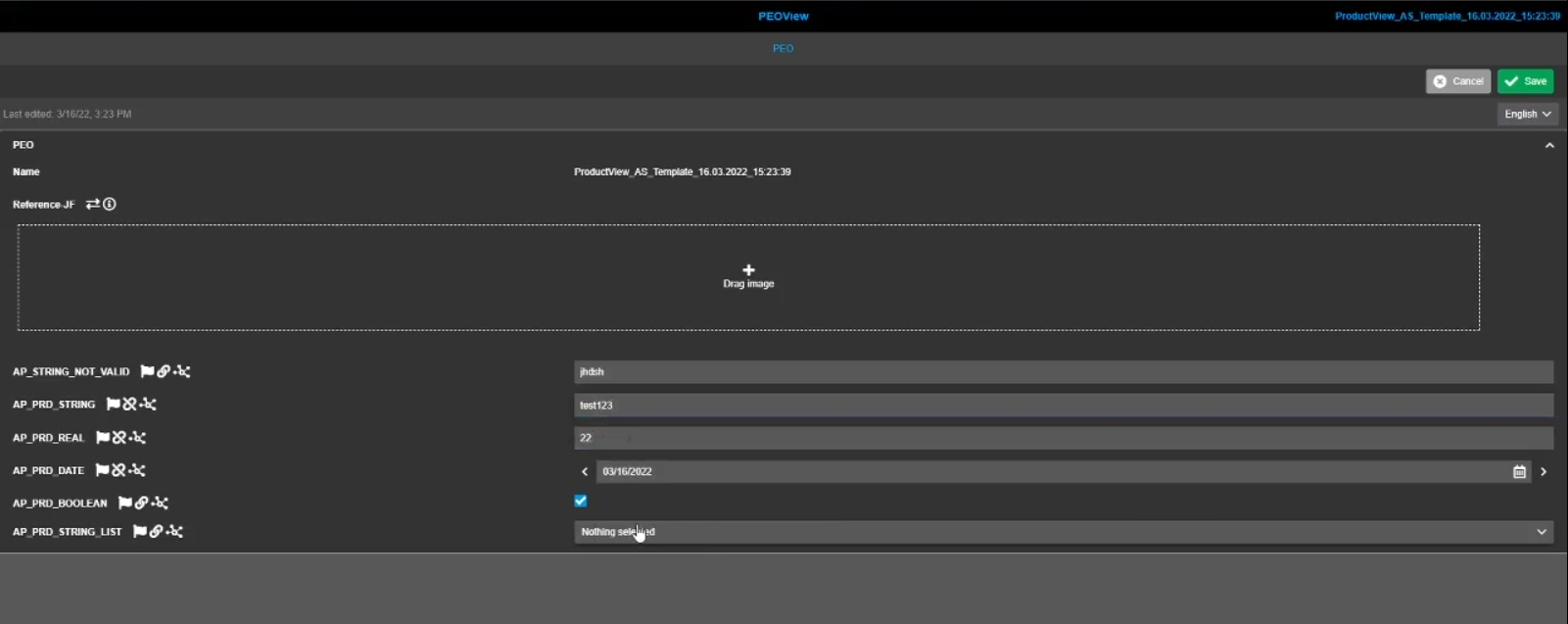
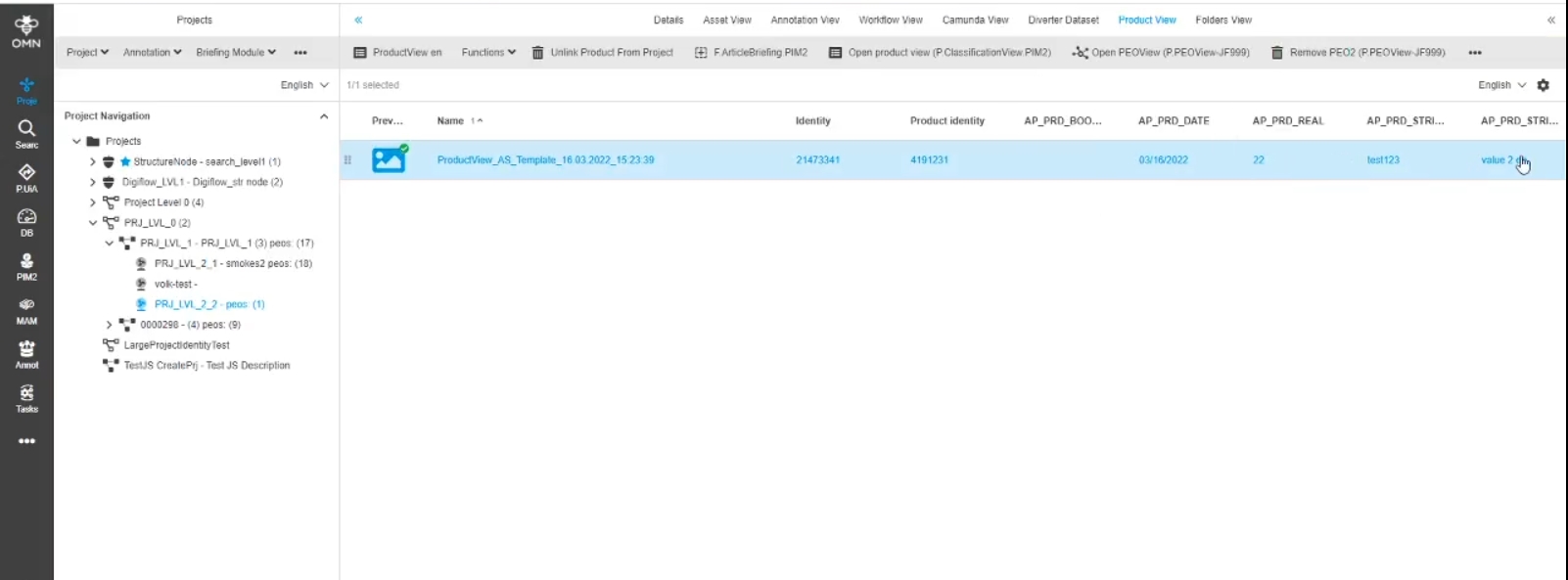
OMN-8938 |
In ProjectProductView the overwritten flag of a PEO Value is considered right now so that this view does show correct PEO values for the case that value is overwritten in PEO
9.4.20 ProjectProductView - all View modes - Interims improvement to visualize user applied column filtering only works for 'Use in PIM2' values
References |
OG-13361 |
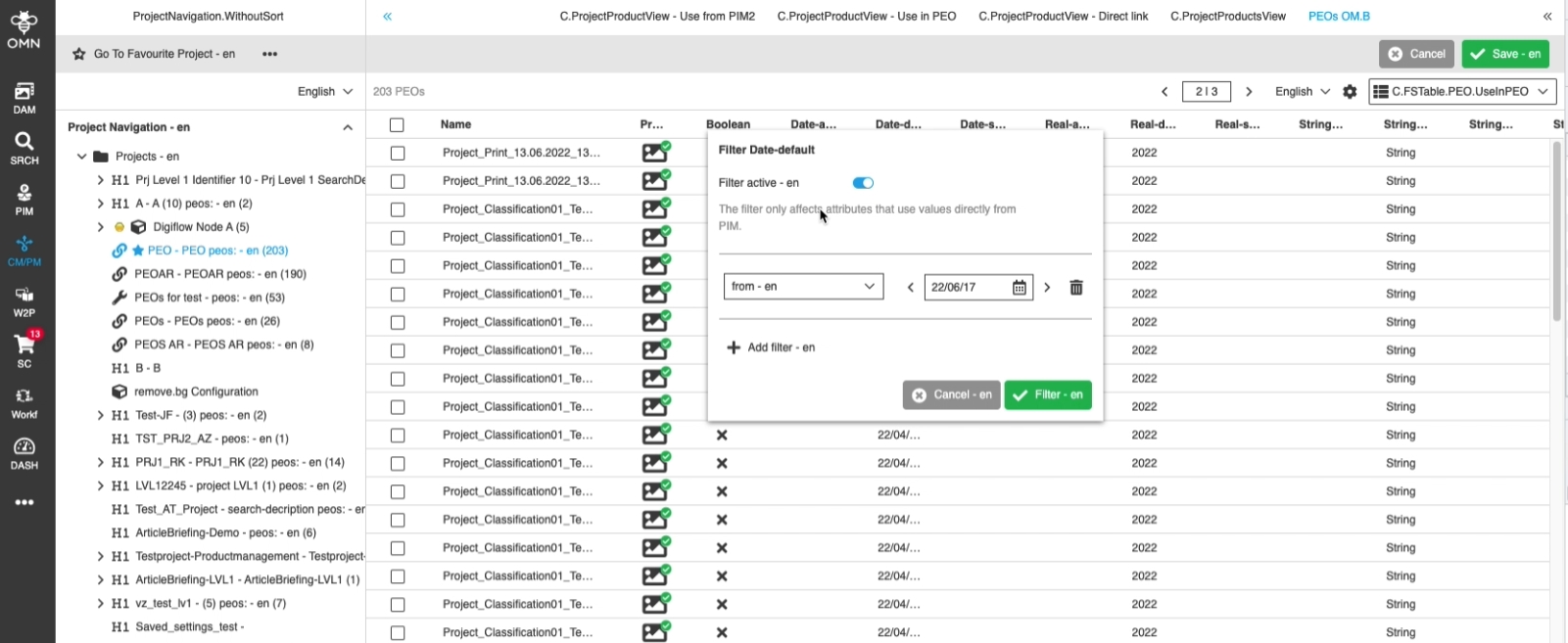
Additional info in column filters of ProjectProductView when the selected filter only supports working on attributes/expressions with the behavior 'Use in PIM' (and thus not considering values which are inherited from Product to PEO), so that the user is not confused by misleading filter results
9.4.21 ProjectProductView - FSTable - Reorder mode hierarchy - Automatic repairing of broken hierarchy when switching back to Reorder mode (hierarchy)
References |
OG-13398 |
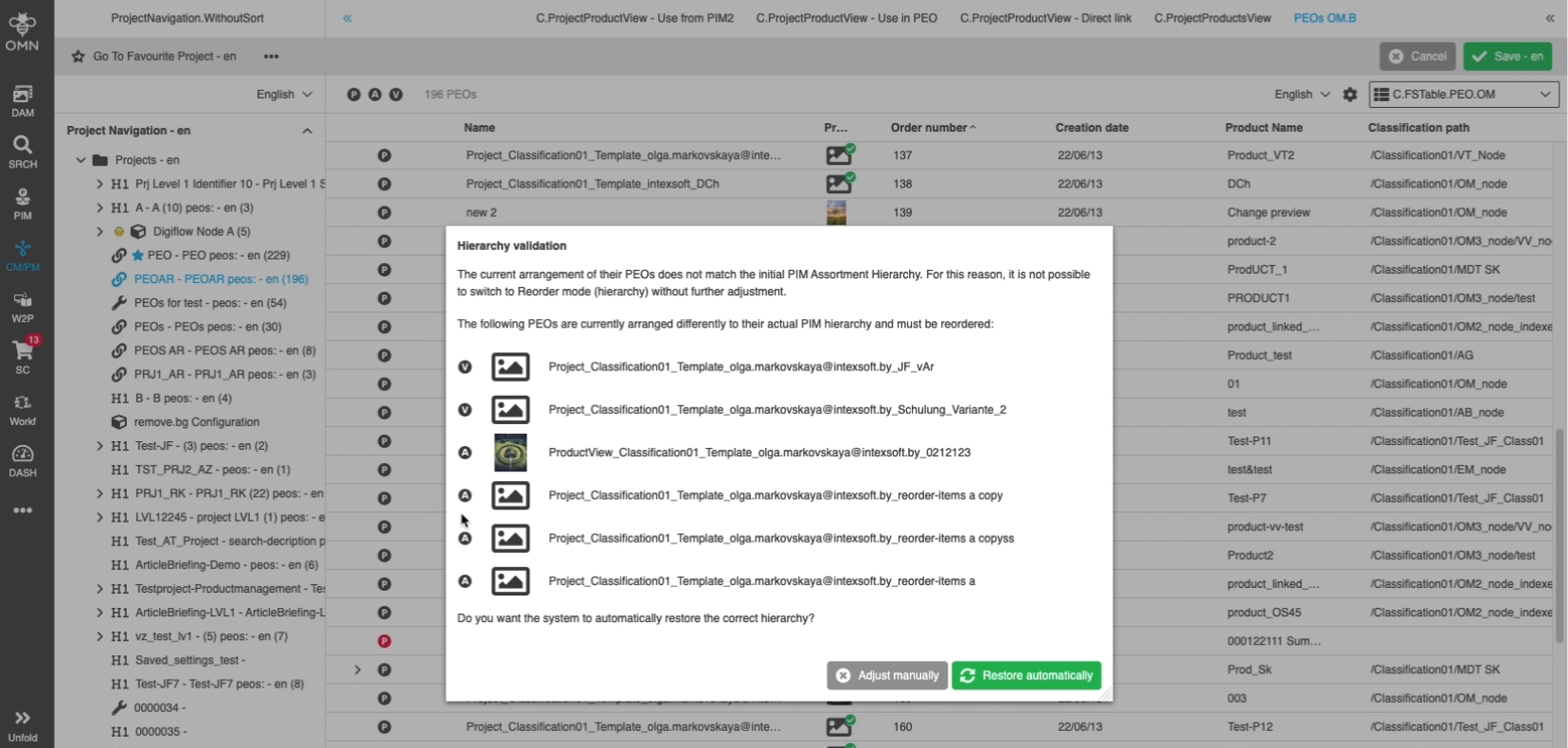
In case of hierarchy was broken in reorder (flat) mode, switching to hierarchy mode will list exact places where the PIM2 hierarchy is broken so that the user can clean up those places for successfully switching to reorder mode (hierarchy) again
10. Search
10.1 OMN Search
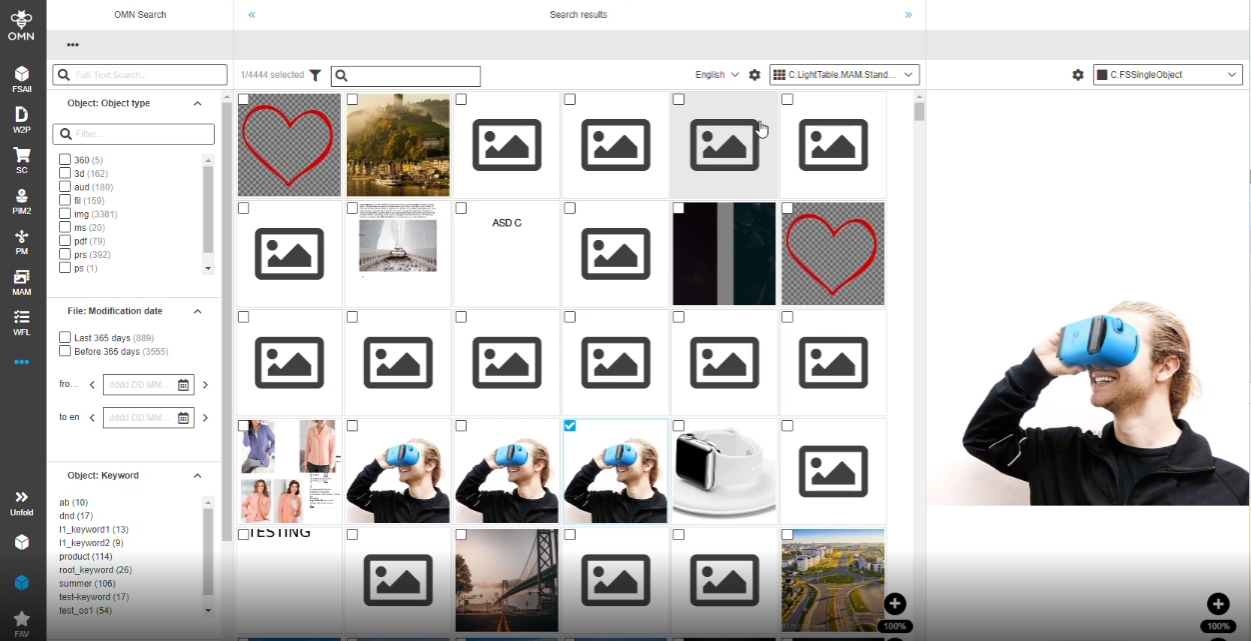
10.1.1 FSSingleObject - Usage in the right view of OMN-Search result page
References |
OG-10702 |
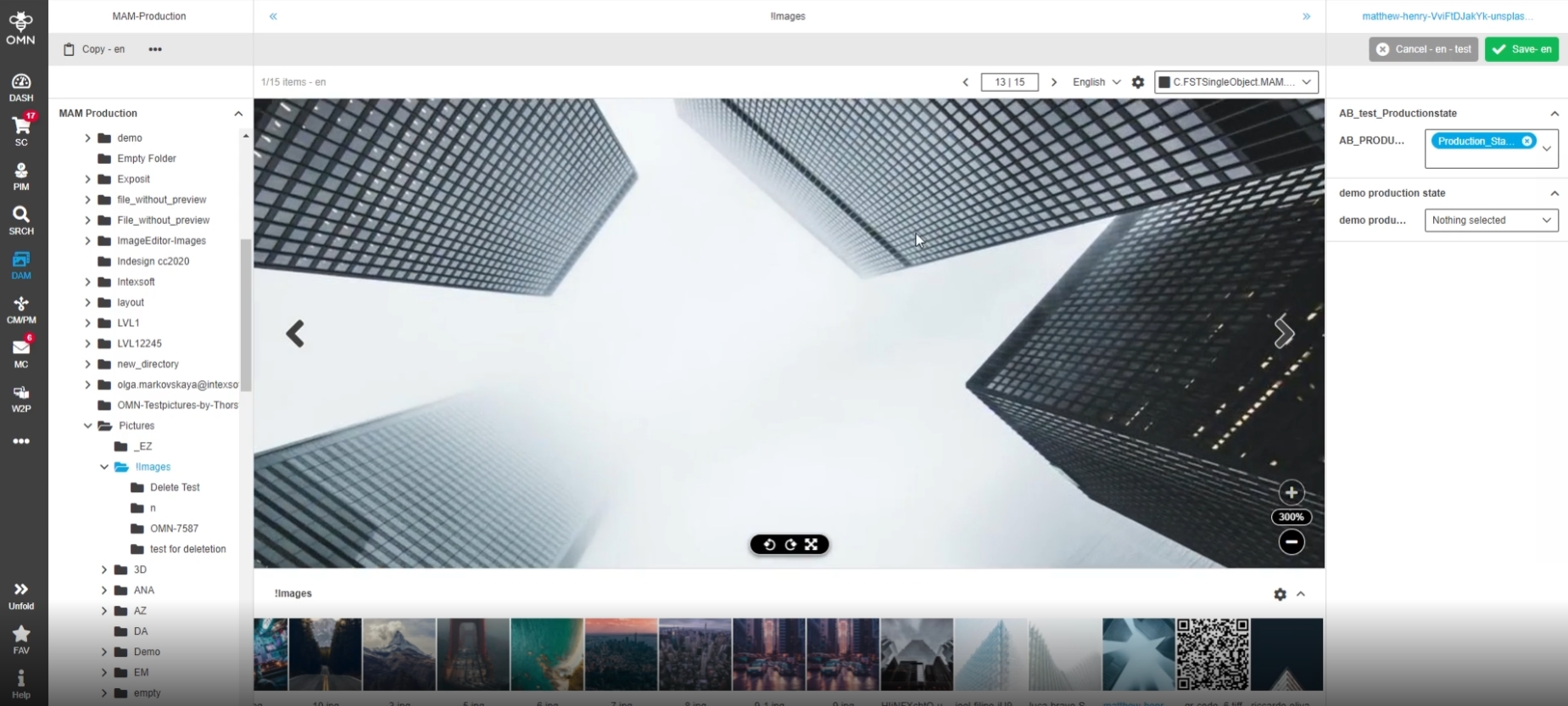
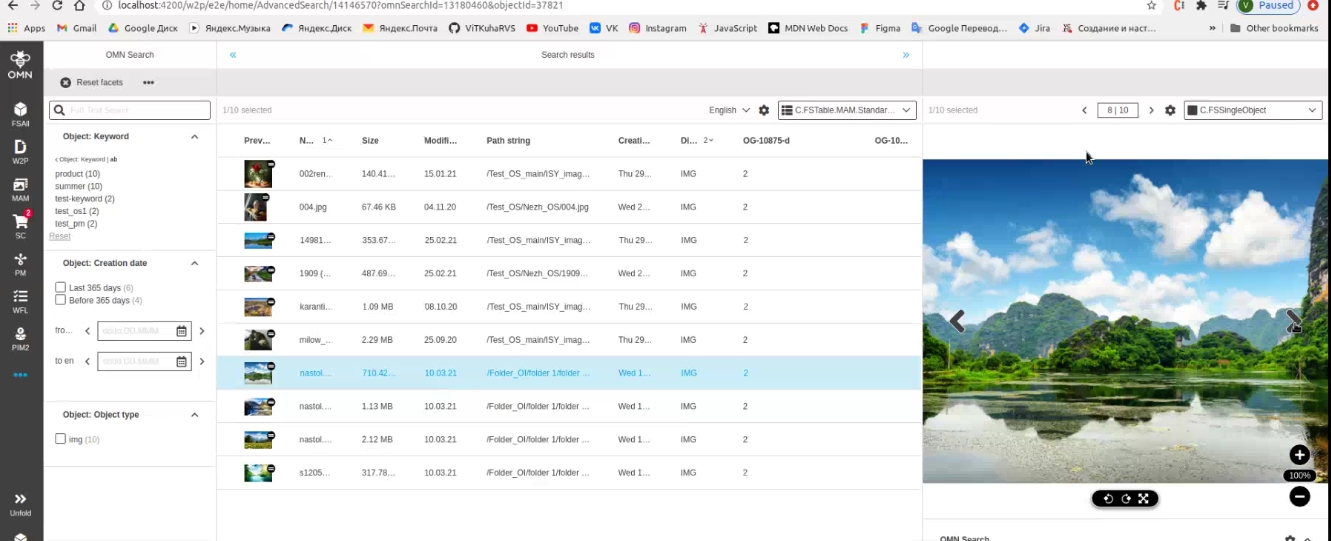
Possibility to use FSSingleObject as right view in searches, so that the user can have additional representation of asset information there
-
Formbased Search right View
10.1.2 Display that only specific amount of data is shown (in search result)
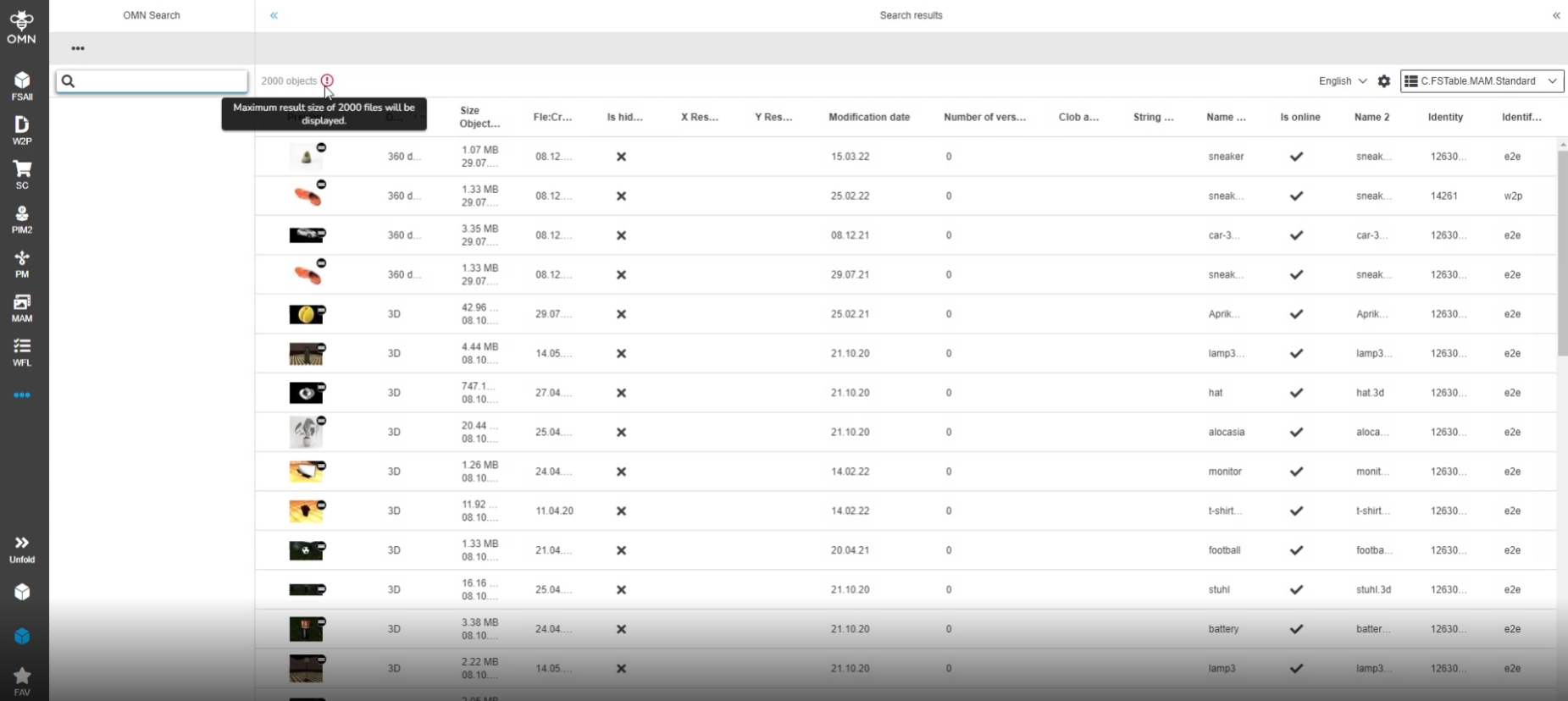
References |
OG-9614 |
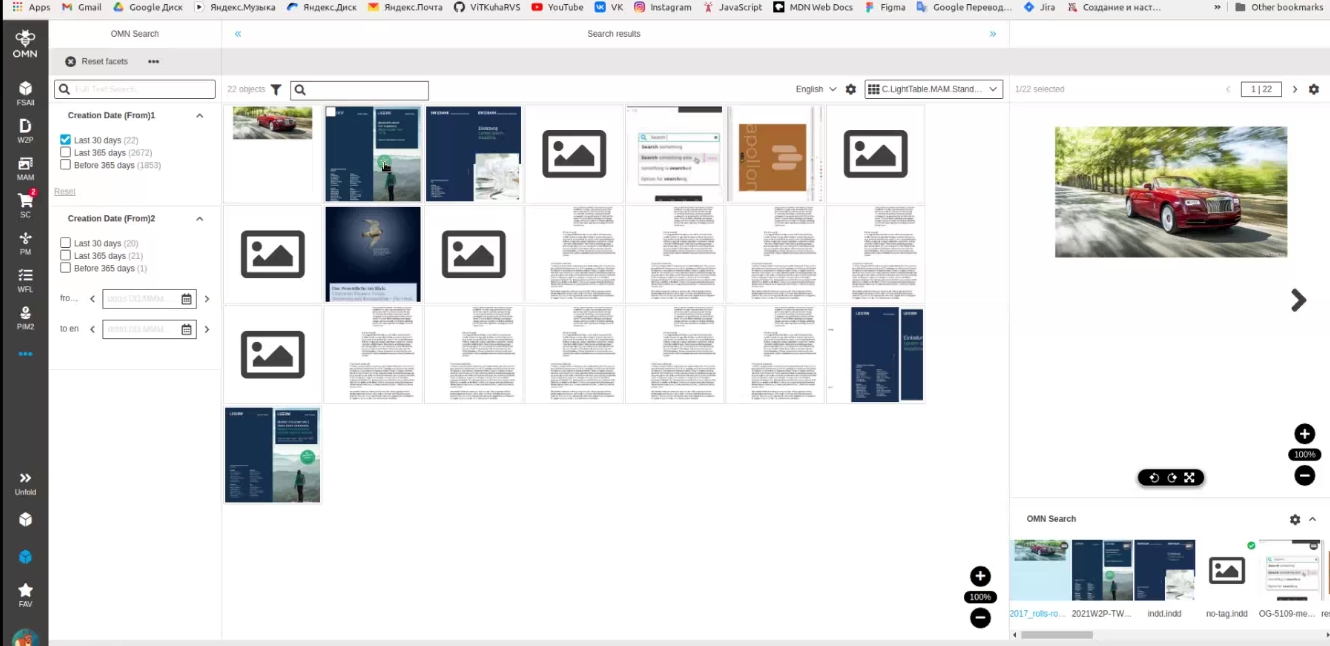
Information when max result size is exceeded so that the user can understand if all available objects are shown or not
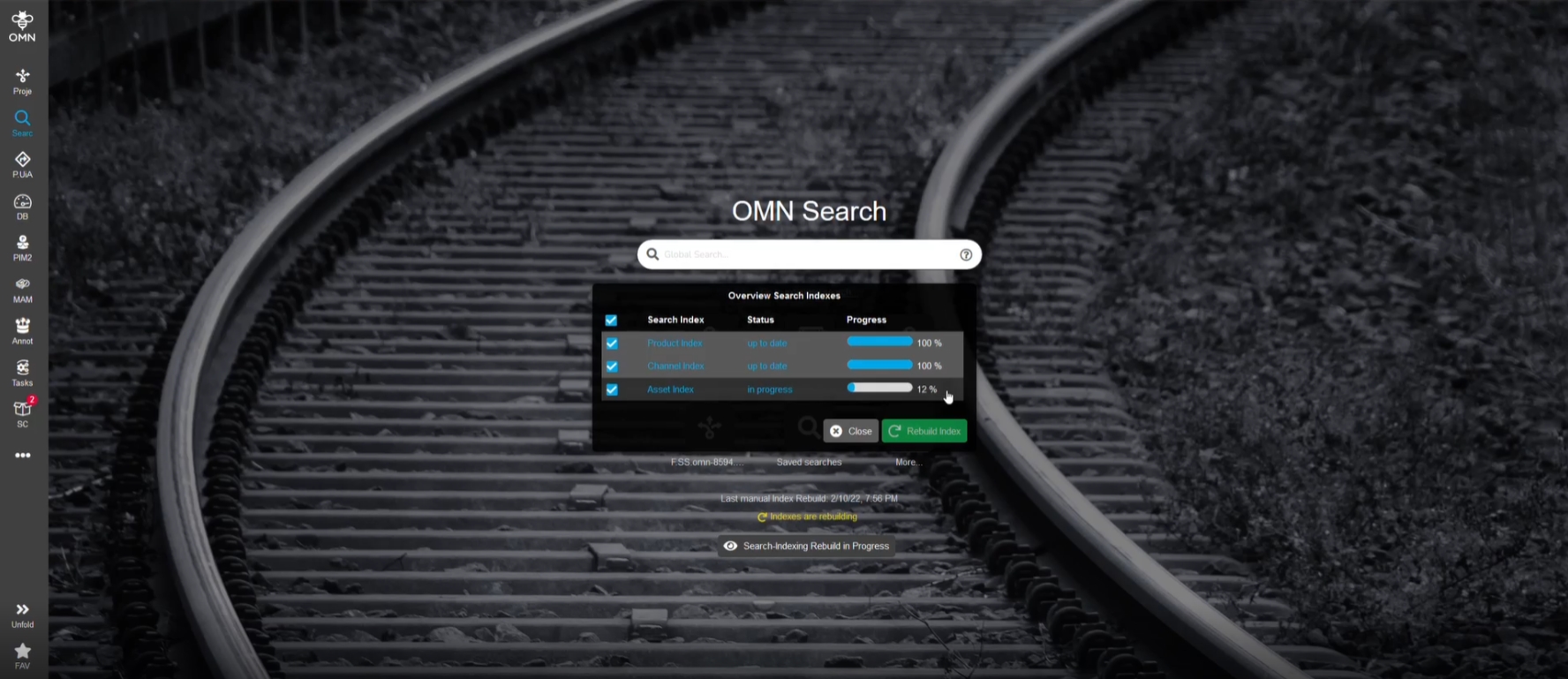
10.1.3 Indexing -Provide a progress value of indexing process
References |
PIC-653 |
Improved calculation and Display of index update state in OMN-Search Page*
-
The state that is provided by a new endpoint provides a count of processed items
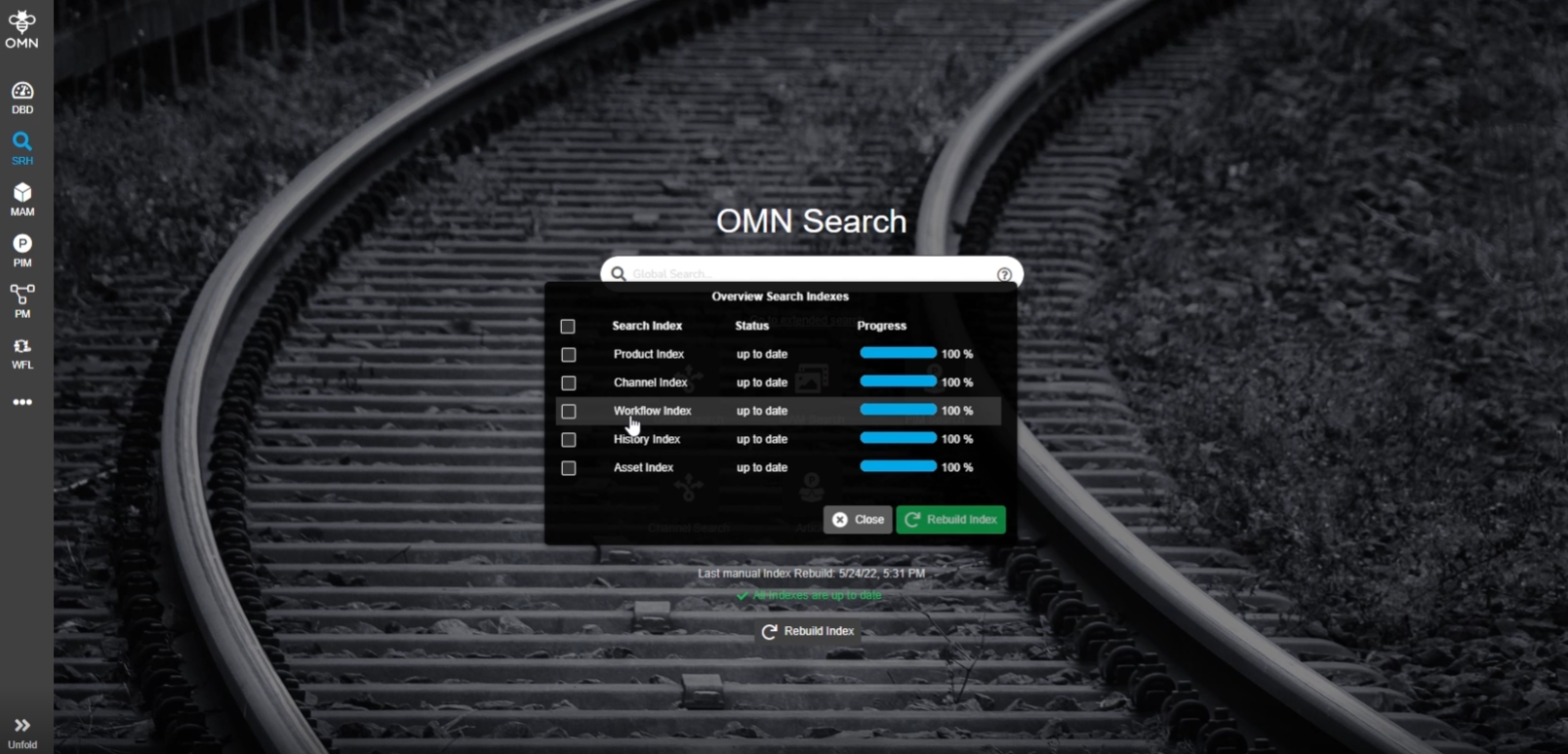
10.1.4 OMN Search - Add Workflow Elastic Search Index to the Index list
References |
OG-13019 |
New workflow index is also displayed on the index list of OMN Search so that the user can check the state and rebuild the index for Workflow when it’s outdated
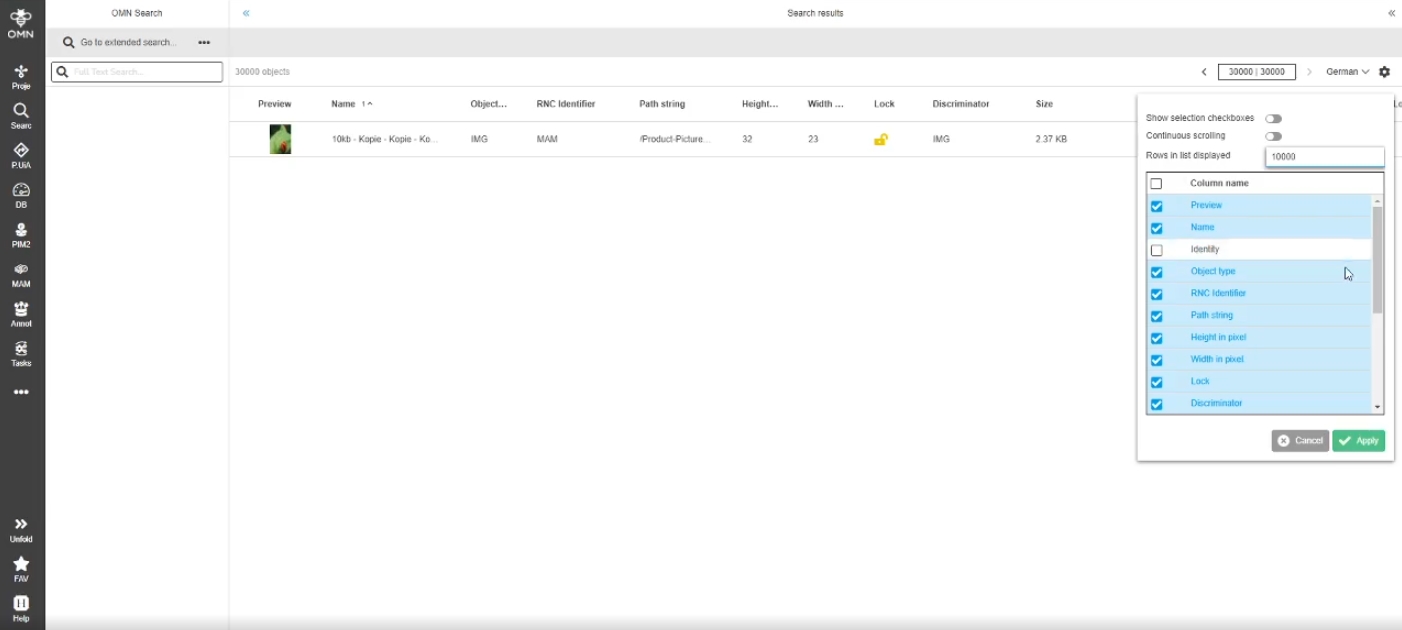
10.1.5 Pagination search exception - better error handling
References |
PIC-651 |
Improved behavior for Paginations in Search context
-
e.g. - if start index greater than 10000 (search limit), then search Returns more understandable information to the user
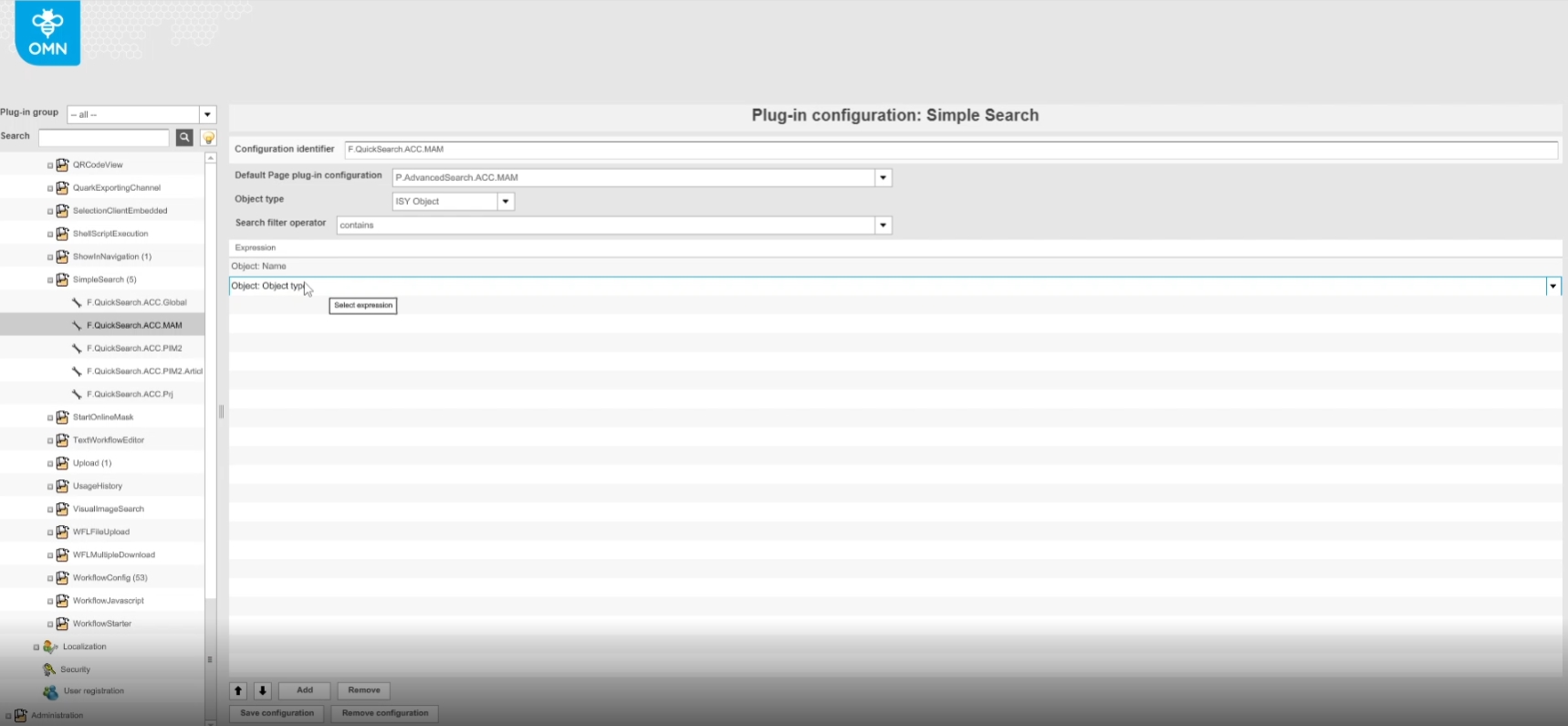
10.1.6 Multiple expressions should be configurable in SimpleSearch
References |
OMN-9398 |
Possibility to configure several expressions for SimpleSearch to use with OMN-Search Page
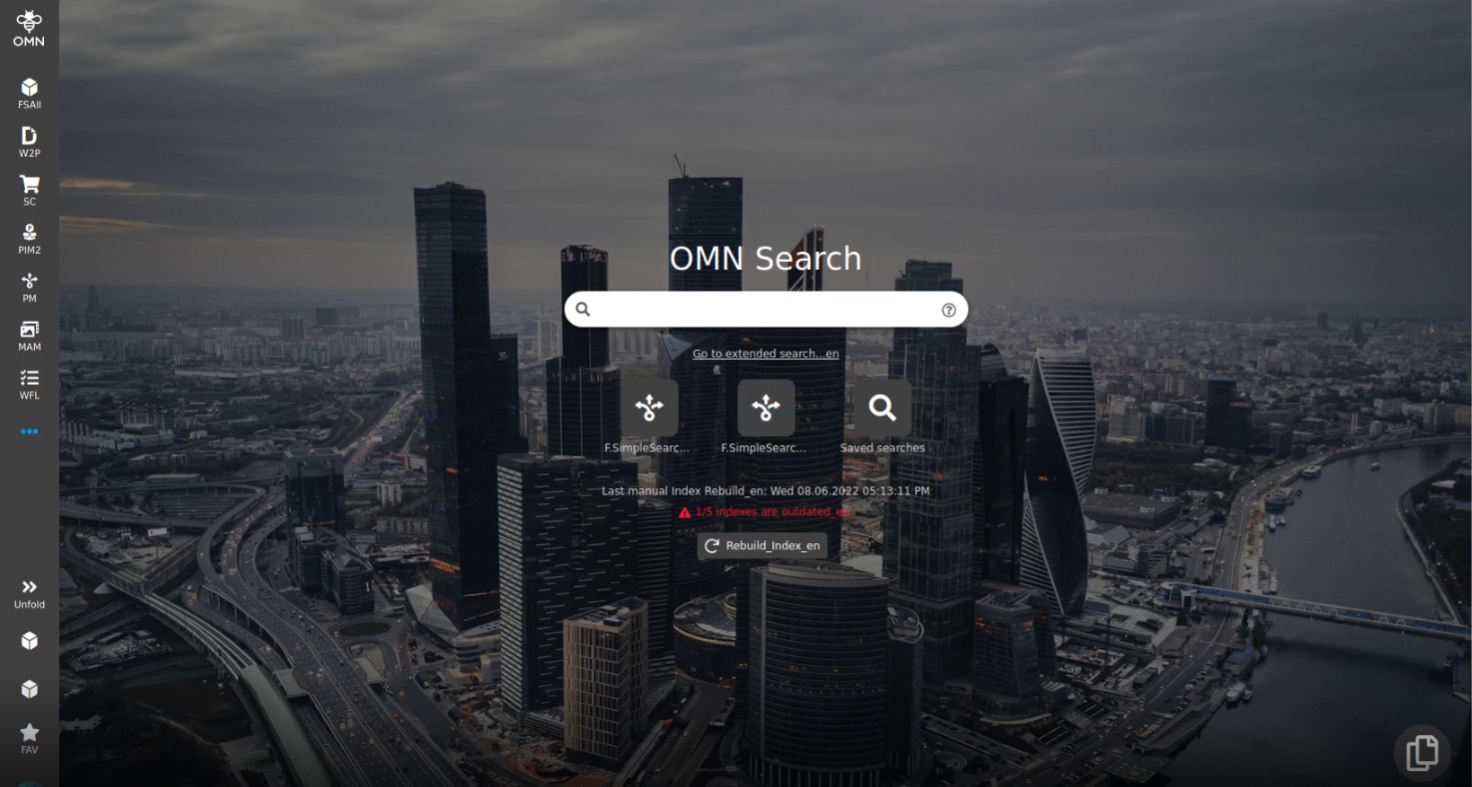
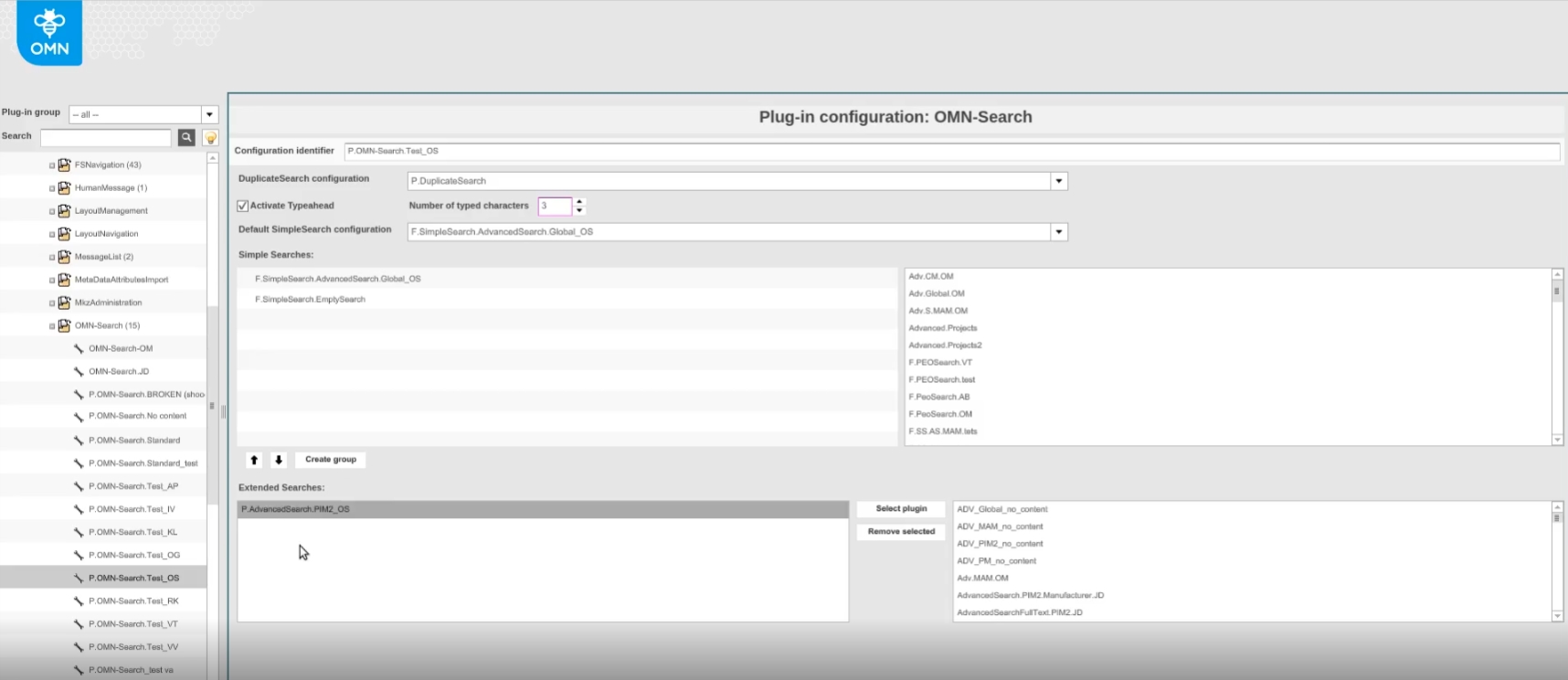
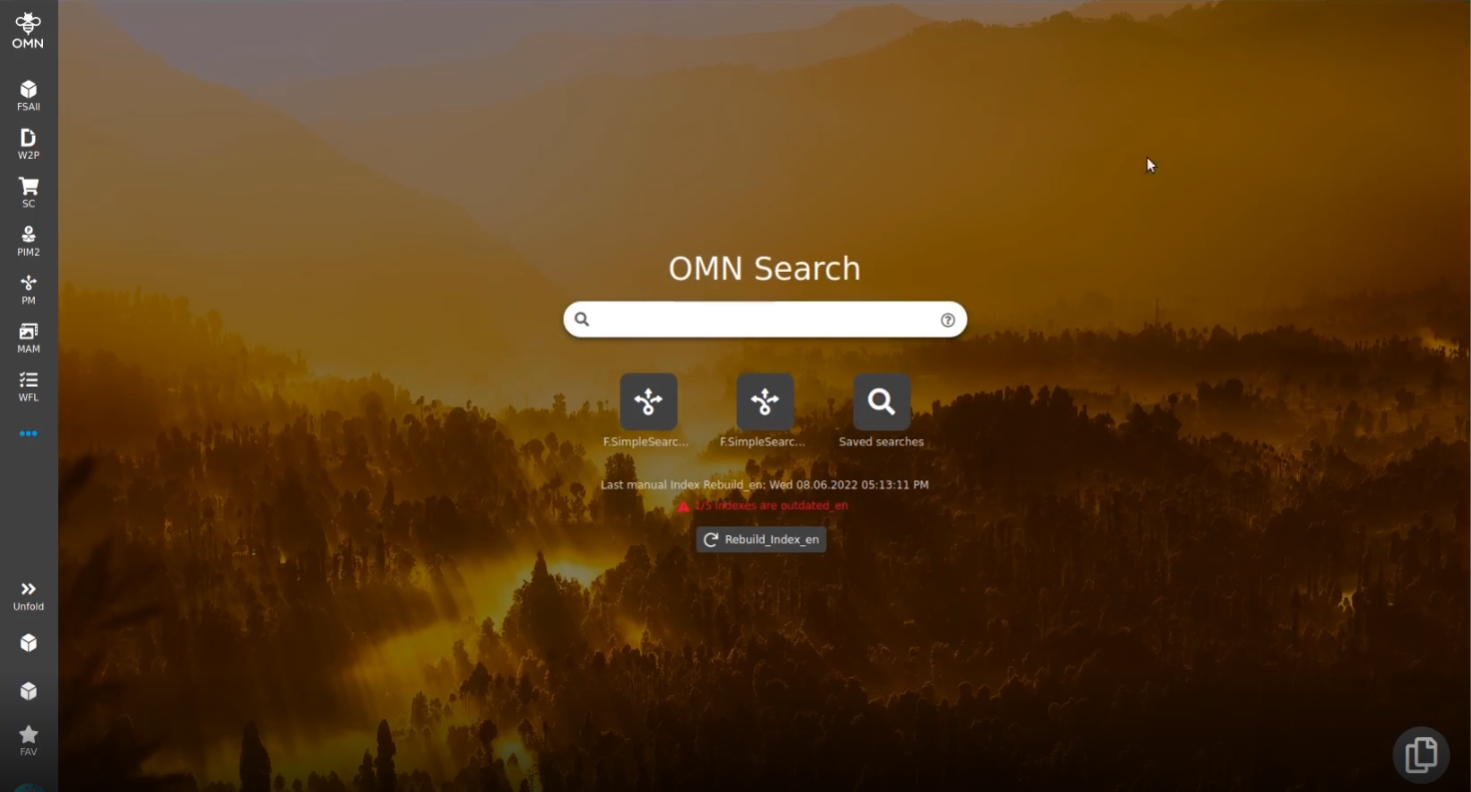
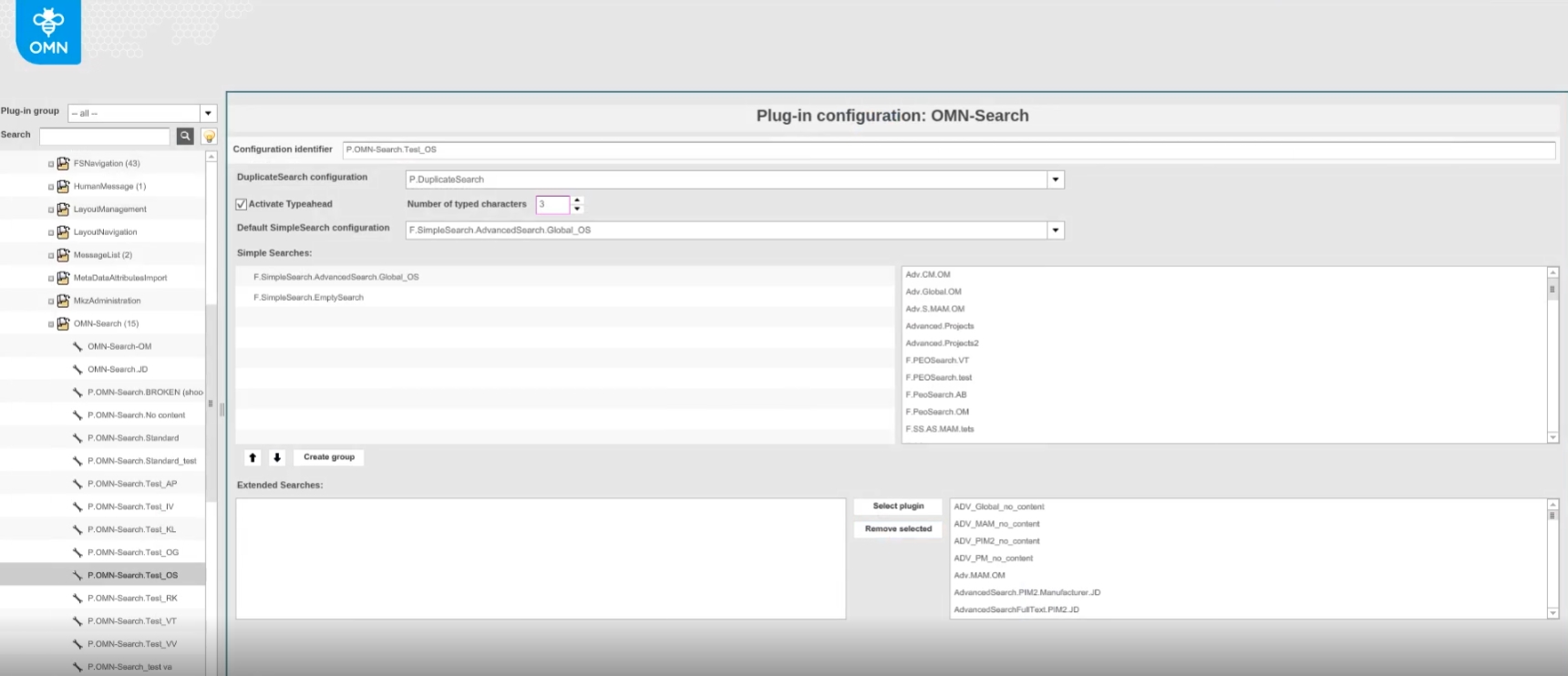
10.1.7 OMN Search - Hide extended search link when not configured
References |
OG-13373 |
Optimization on OMN search page that the user is not confronted with extended search link if no extend search is configured
-
Search Page with configured Extended Search
-
Search Page with non-configured Extended Search
10.1.8 Additional method of deleting saved searches in OMN Search
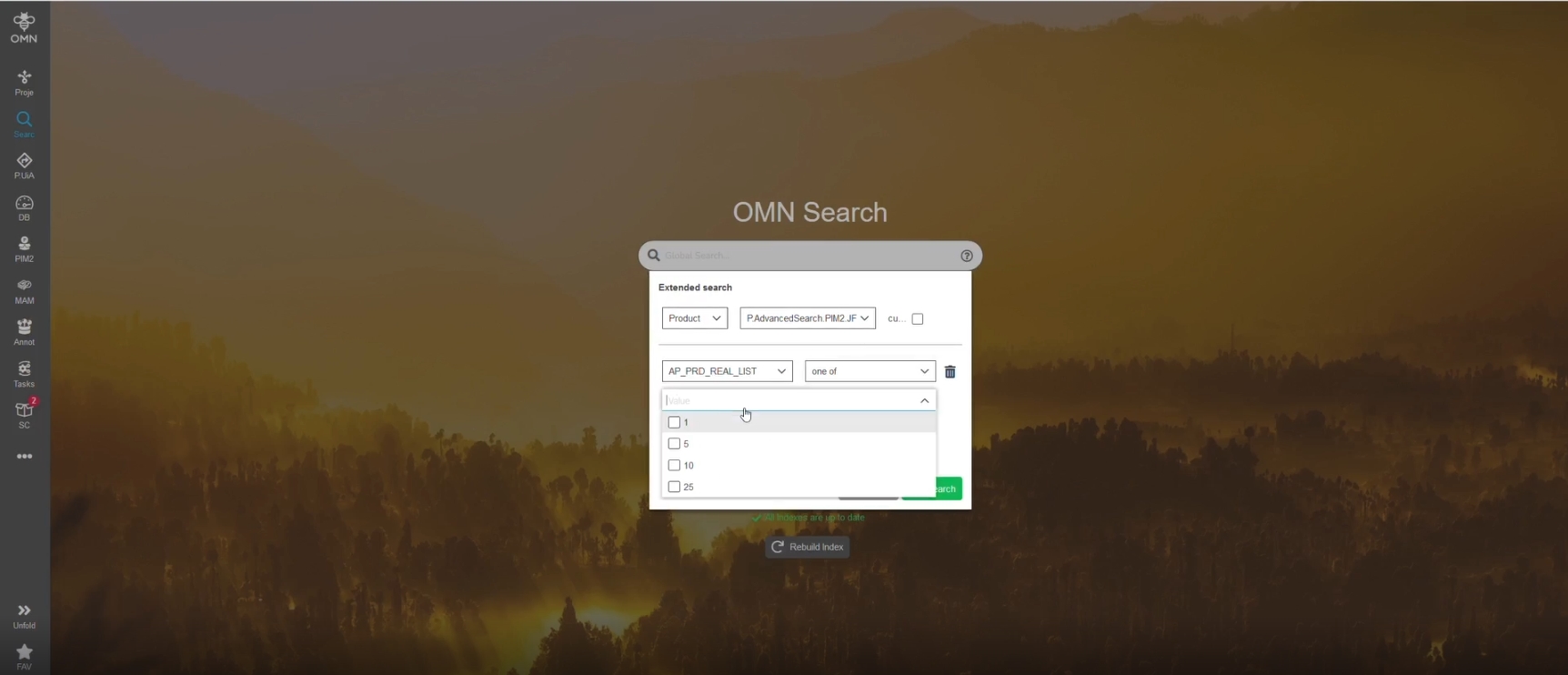
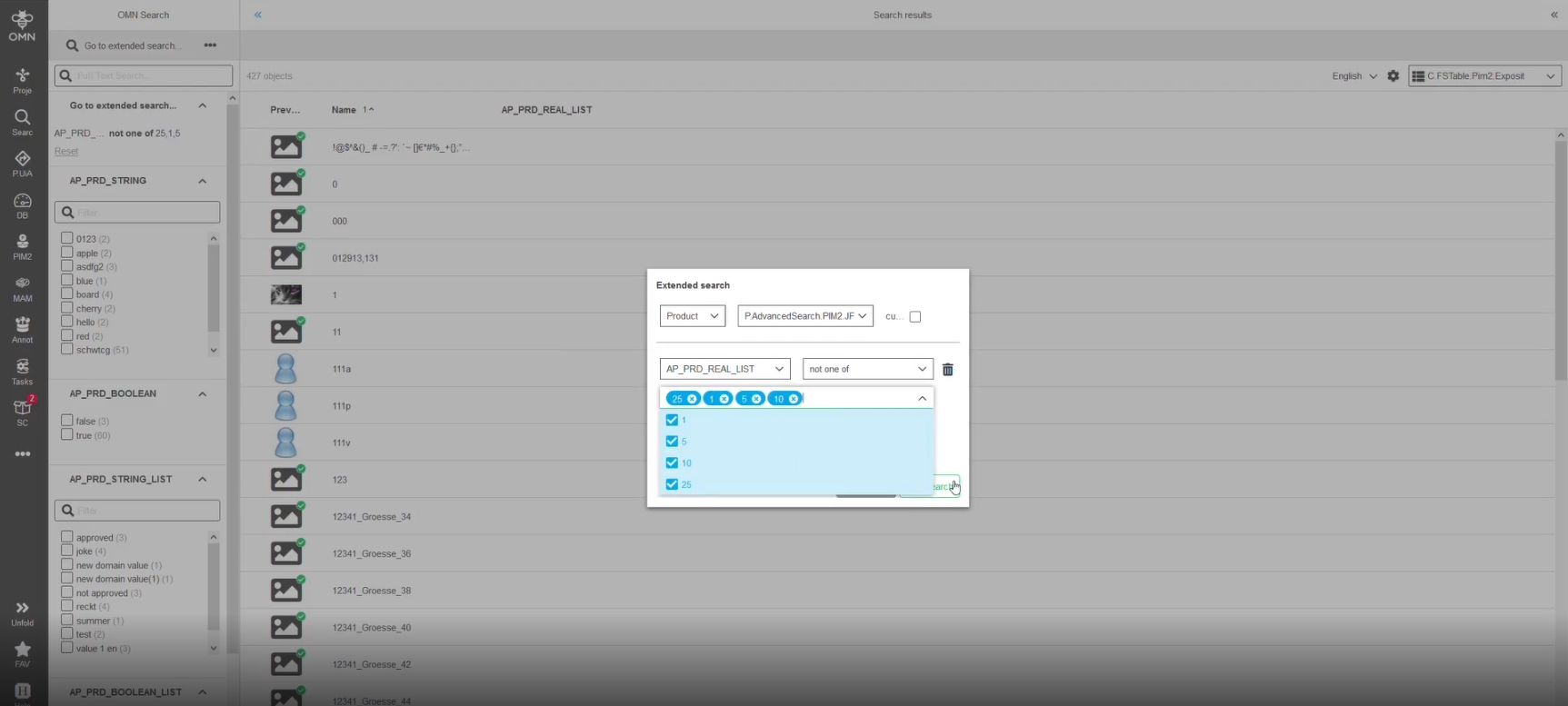
References |
OG-9546 |
New possibility to delete saved searches directly in OMN-Search page without executing a saved search first


11. Web2Print
11.1 Preparing
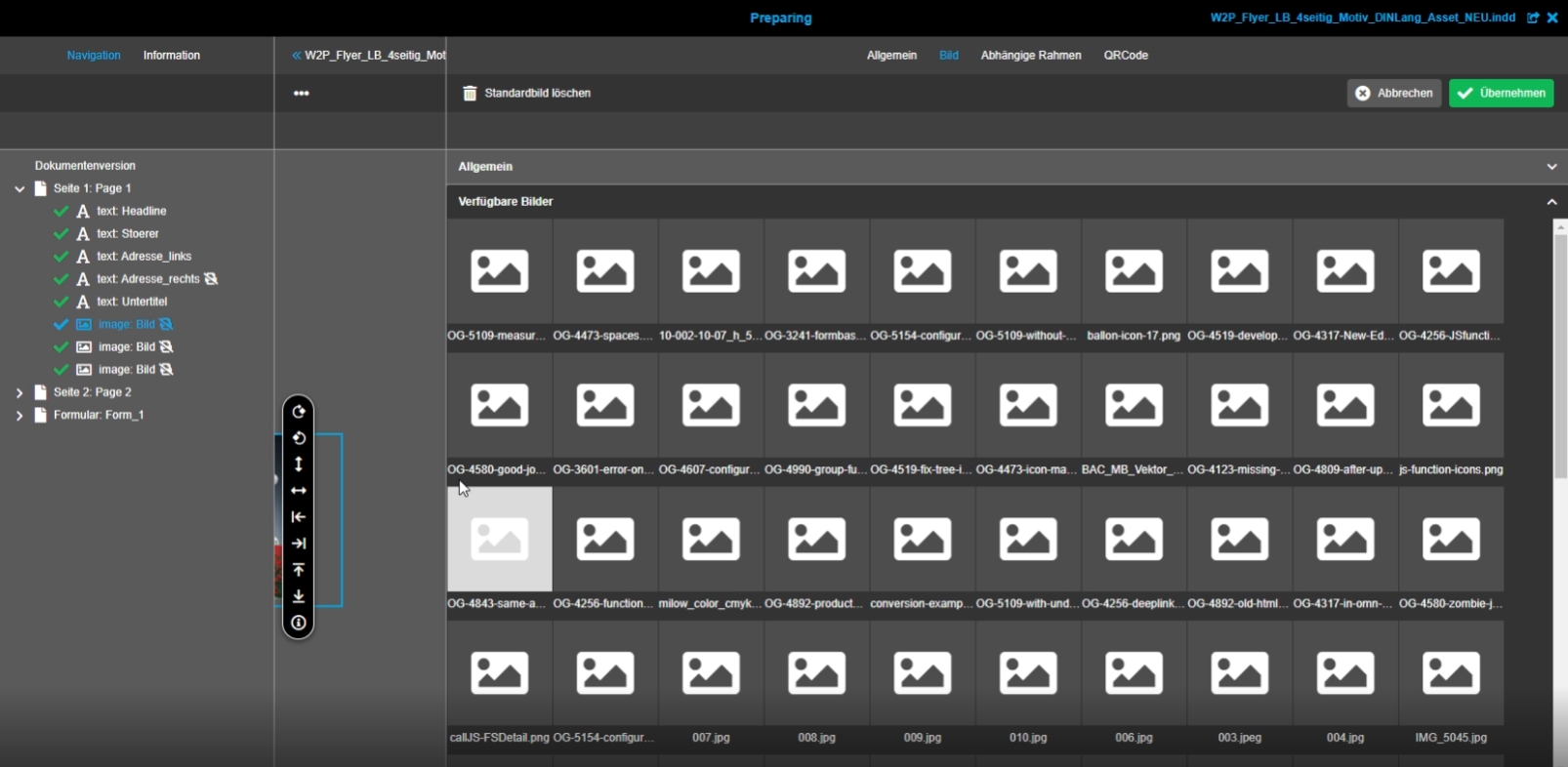
11.1.1 Preparing: Image Selector component - add virtual scrolling
References |
OG-5911 |
Image selector component now have virtual scrolling, so that in case of big data the performance of loading will be improved
11.2 DocEdit
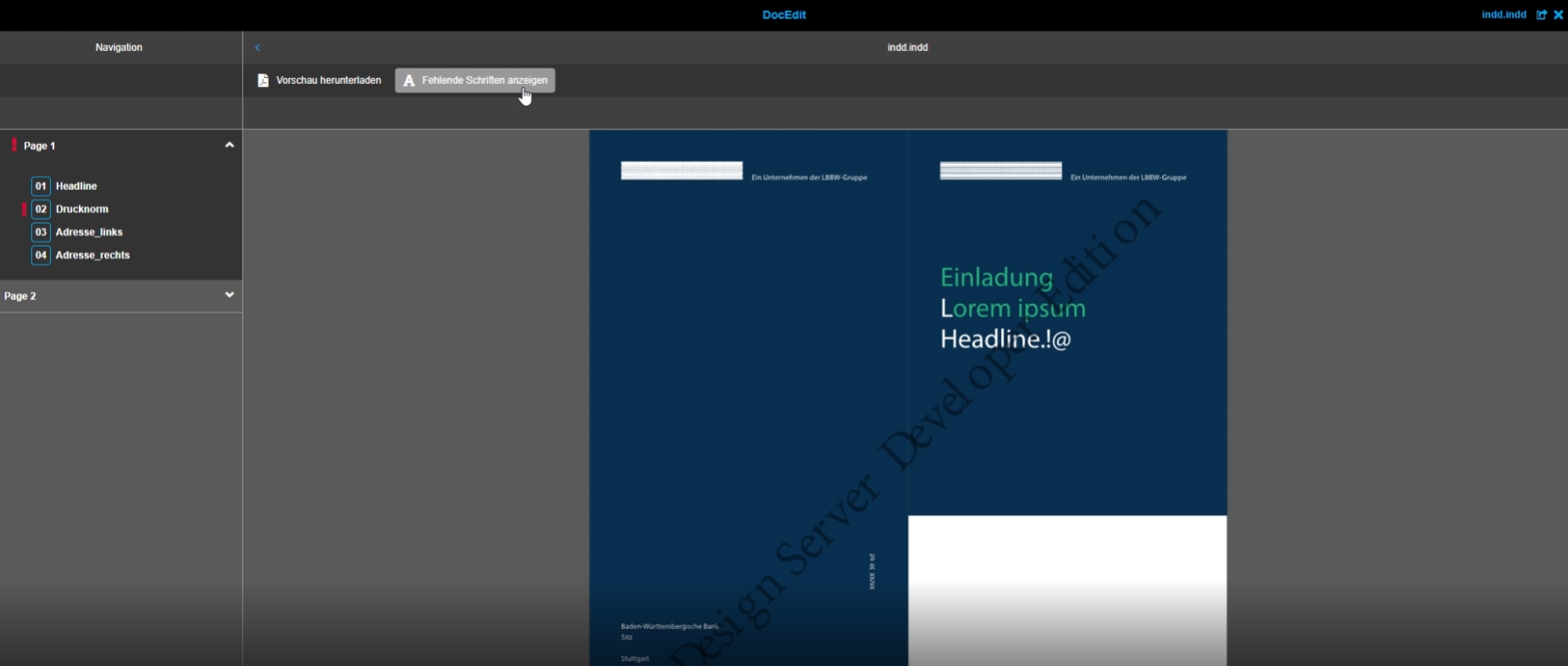
11.2.2 W2P - DocEdit - Show missing fonts function
References |
OG-12370, OMN-8907 |
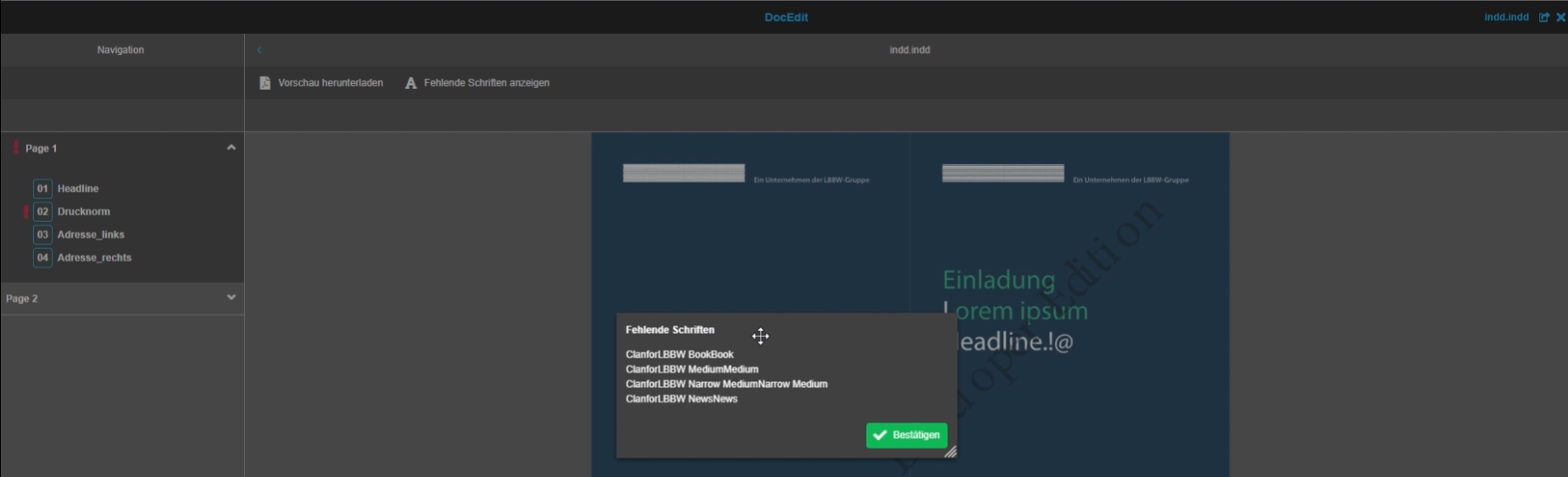
New function to show missing fonts for the InDesign document, so that the user understands why some texts are shown not as expected*
11.2.3 Remove hardcoded localization of DocEdit
References |
OG-12670 |
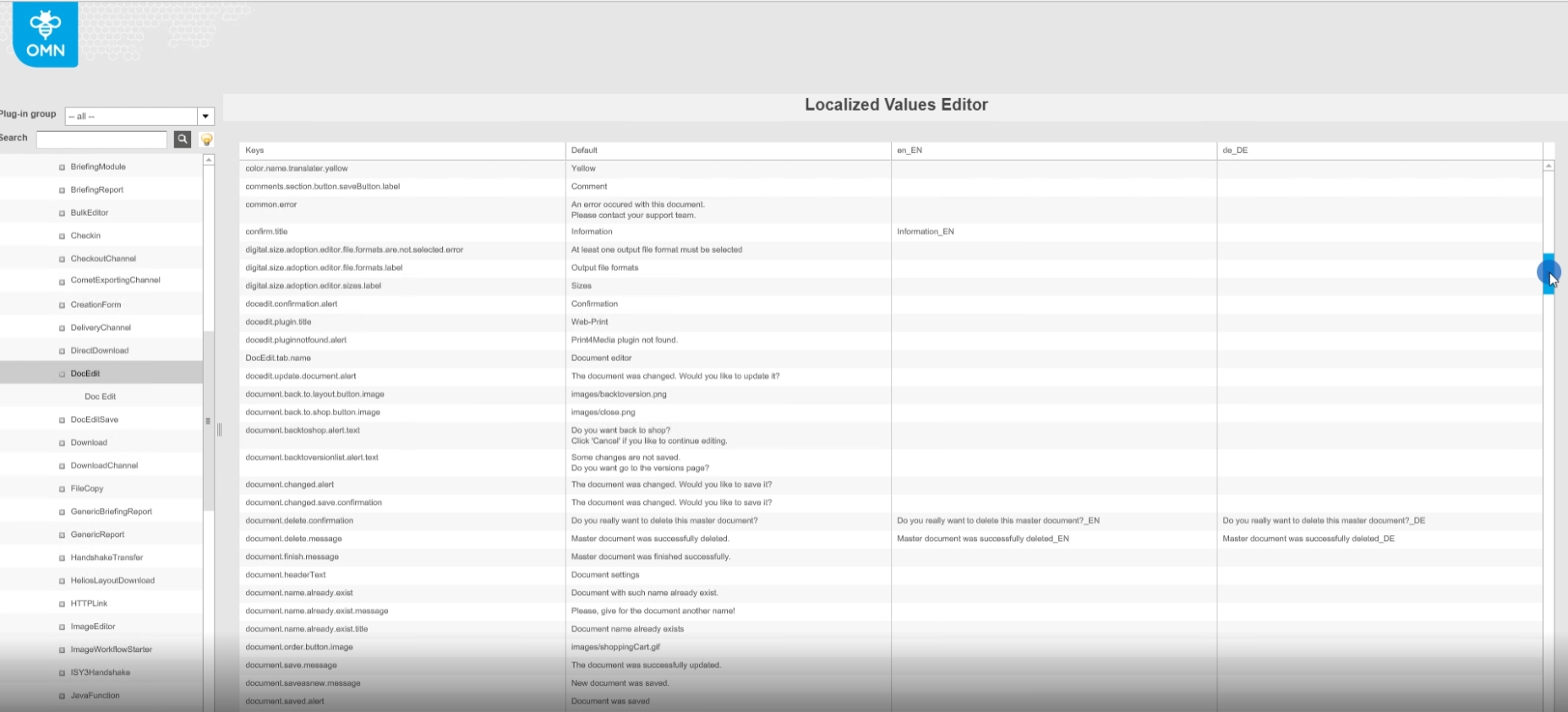
All functions and labels in DocEdit can now be localized with OMN Configclient so that now hardcoded translations will be used any longer
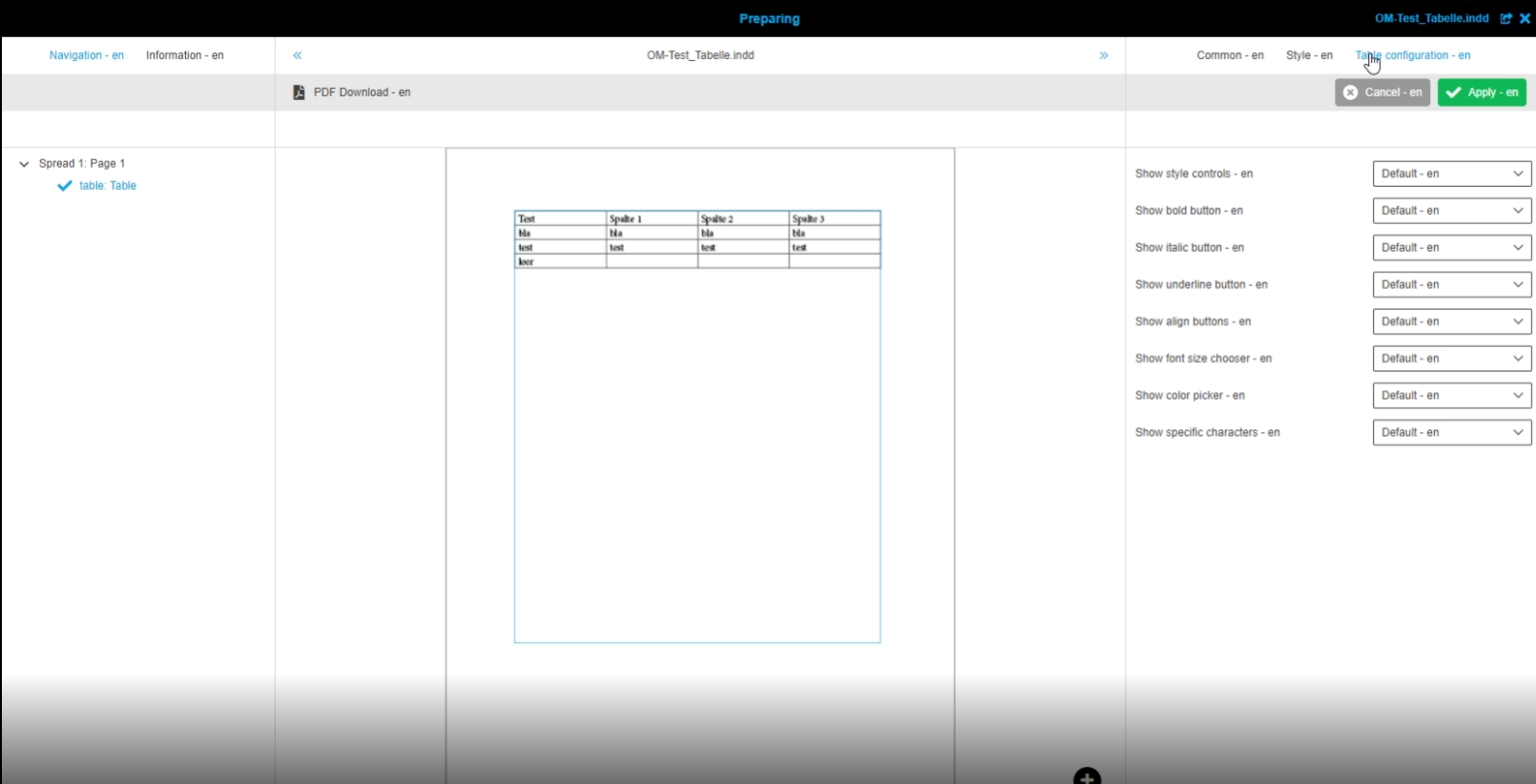
11.2.4 W2P - DocEdit - Table editor
References |
OG-12333 |
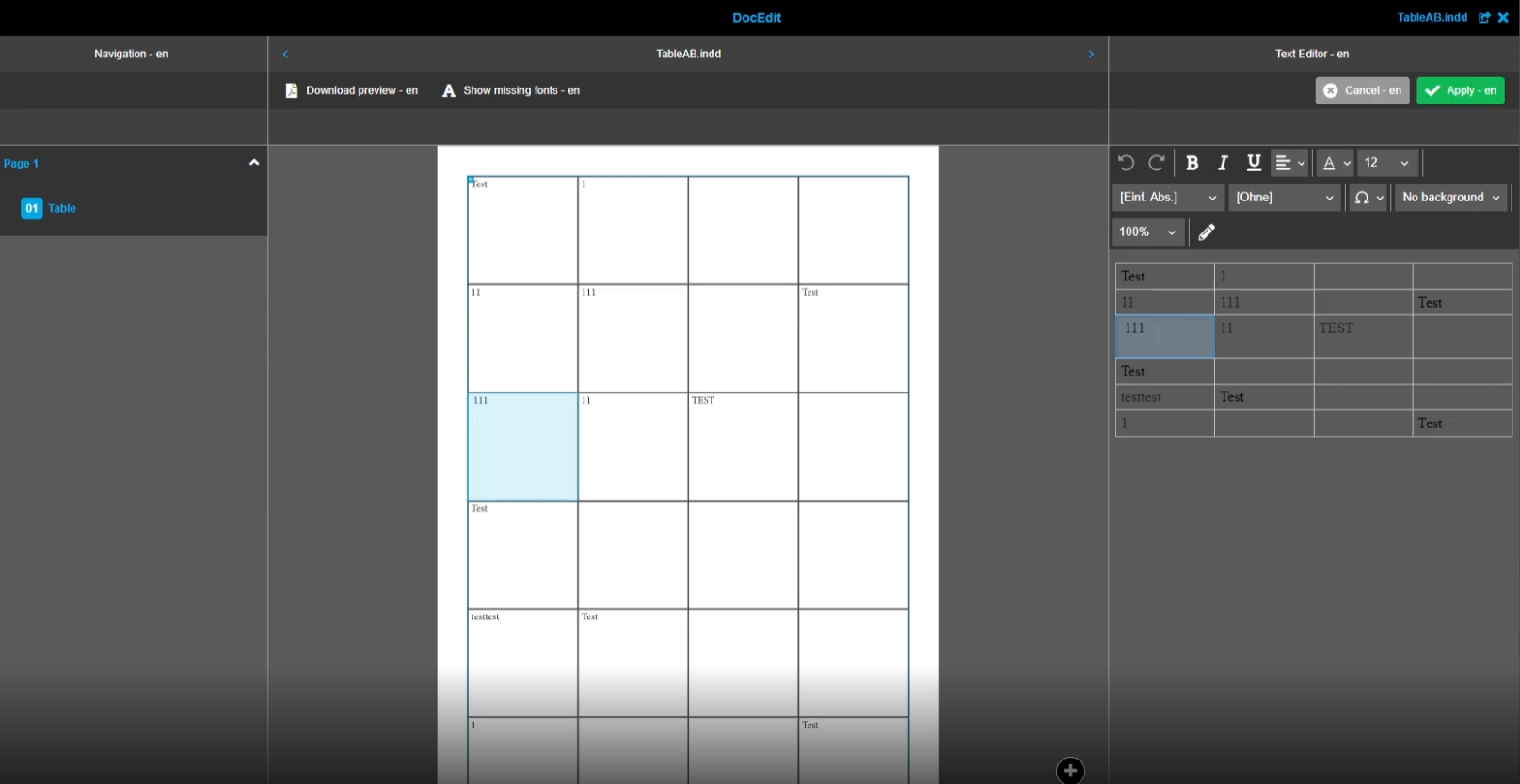
Functionality of table Editor in Web2Print, so that the user can edit INDD documents with table boxes
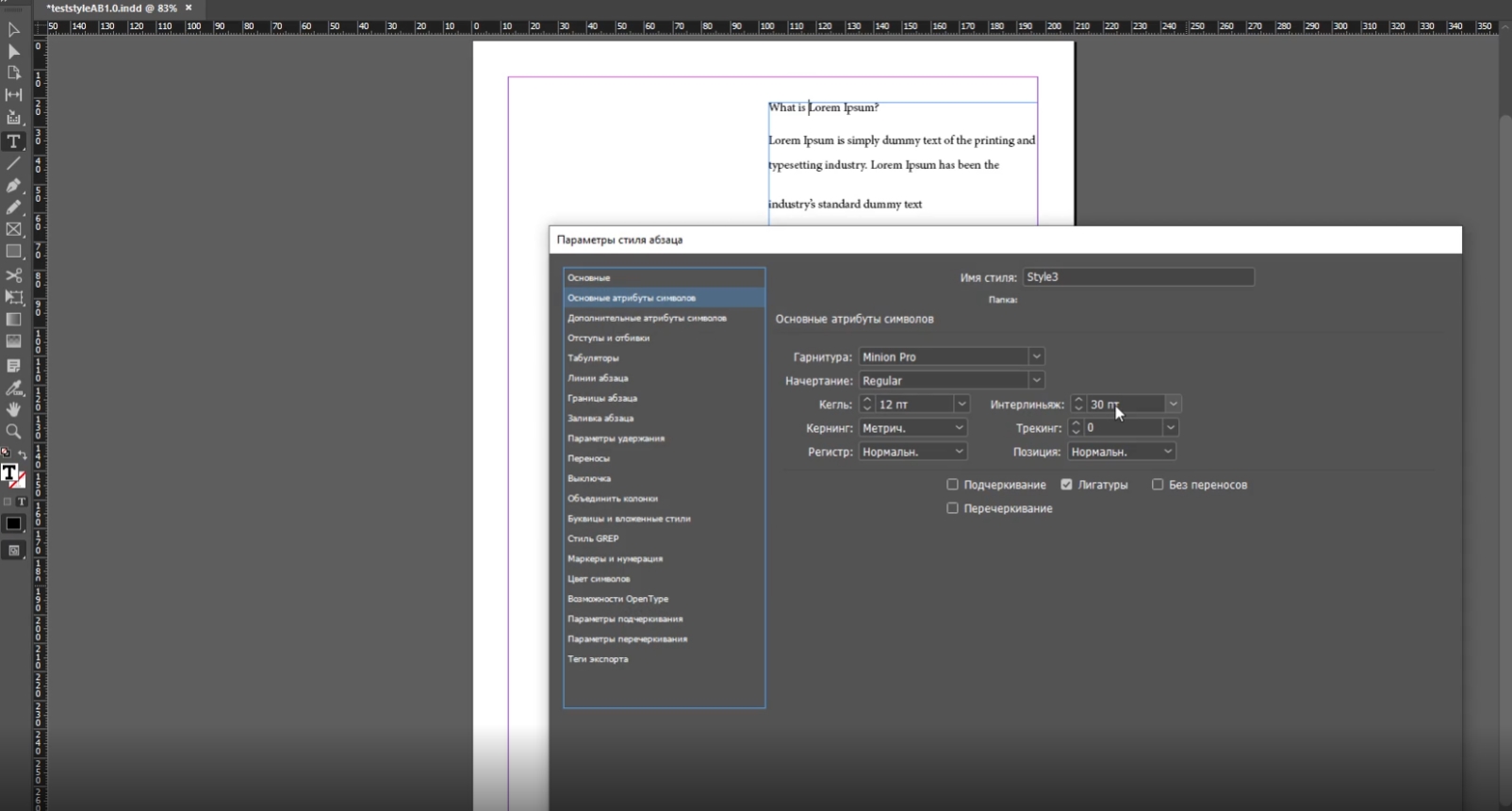
11.2.5 W2P - text box editors - support paragraph styles spacing options (leading, space before, space after)
References |
OG-12467, OMN-8988 |
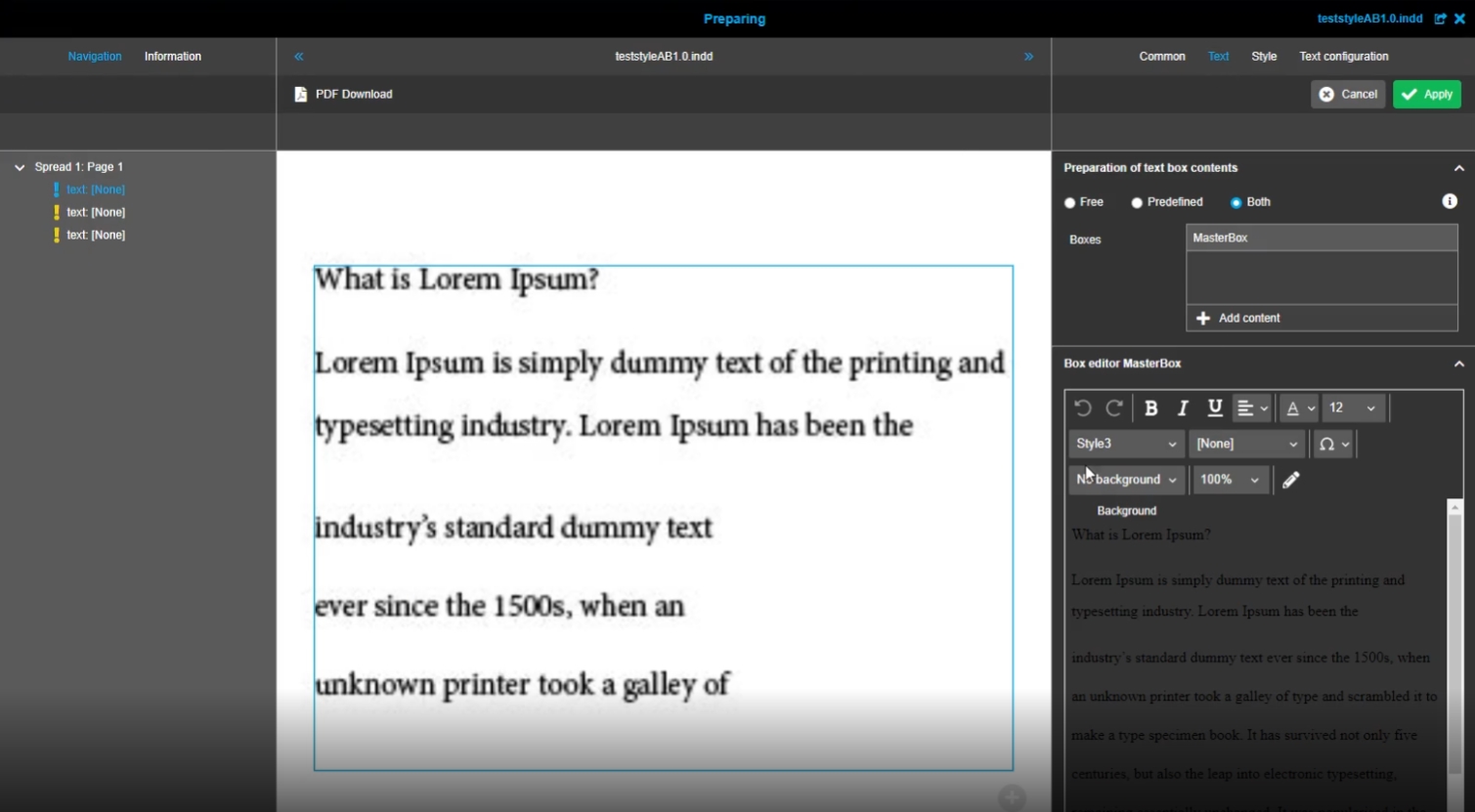
Possibility to see the paragraphs of text as they are shown in InDesign, so that there is no difference between text appearance on the canvas and in text box Editors
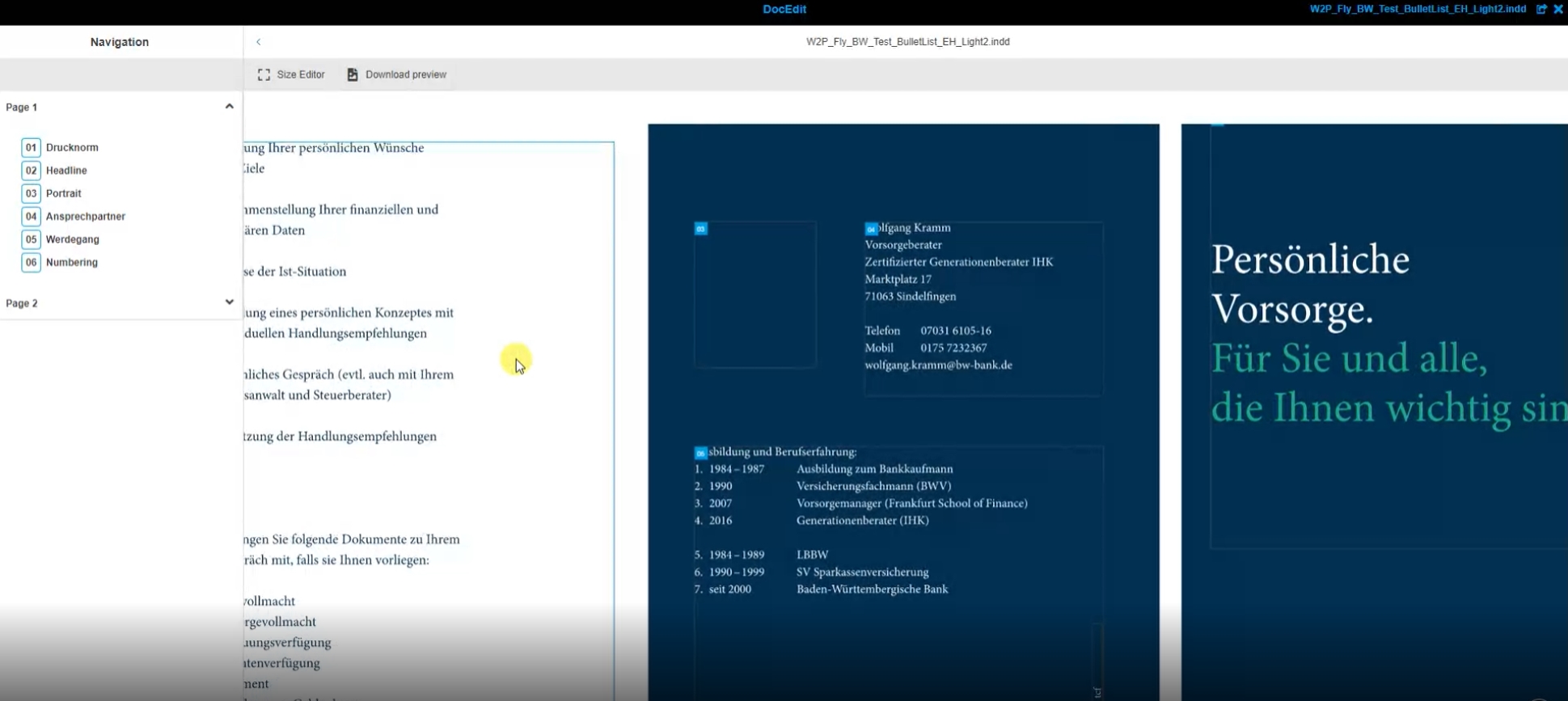
11.2.6 Preparing/DocEdit - Enable zoom with mouse wheel
References |
OG-11763 |
Support of zooming with mouse wheel on preview canvas in Preparing and DocEdit module
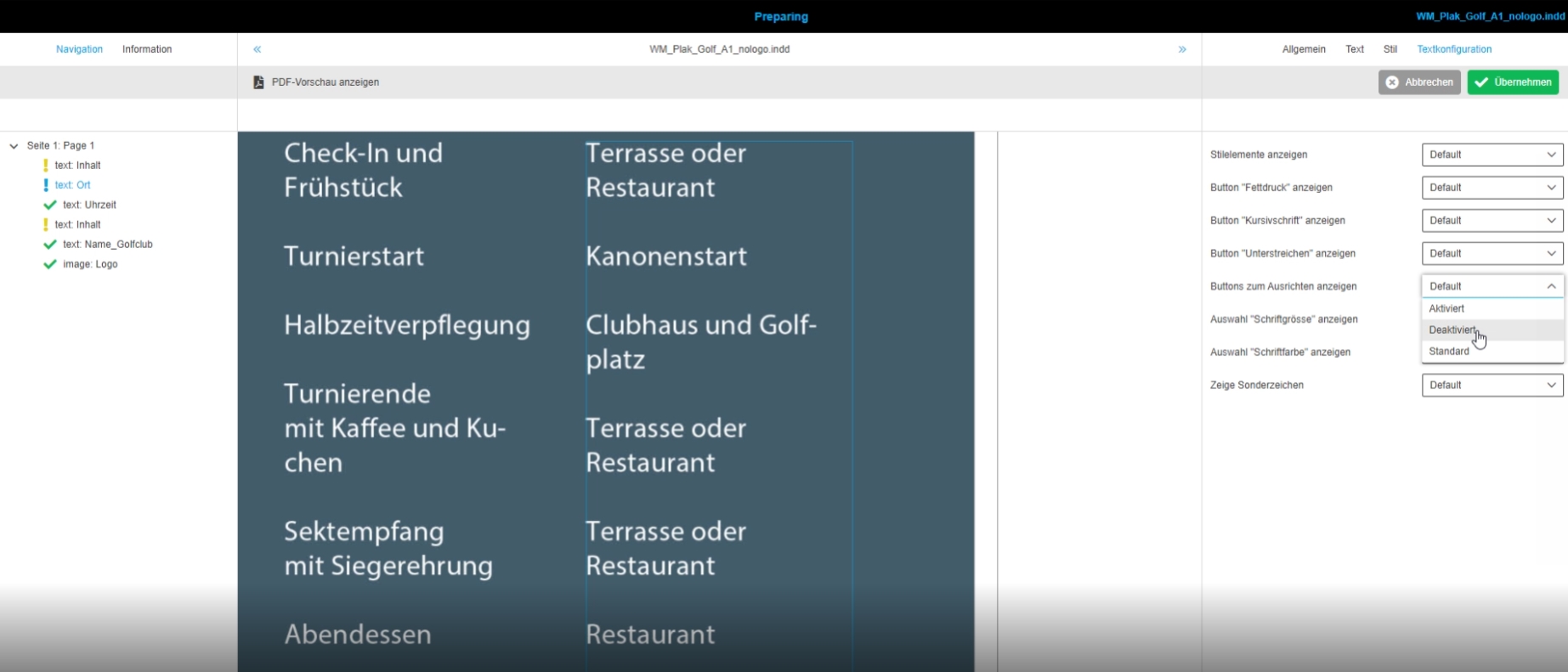
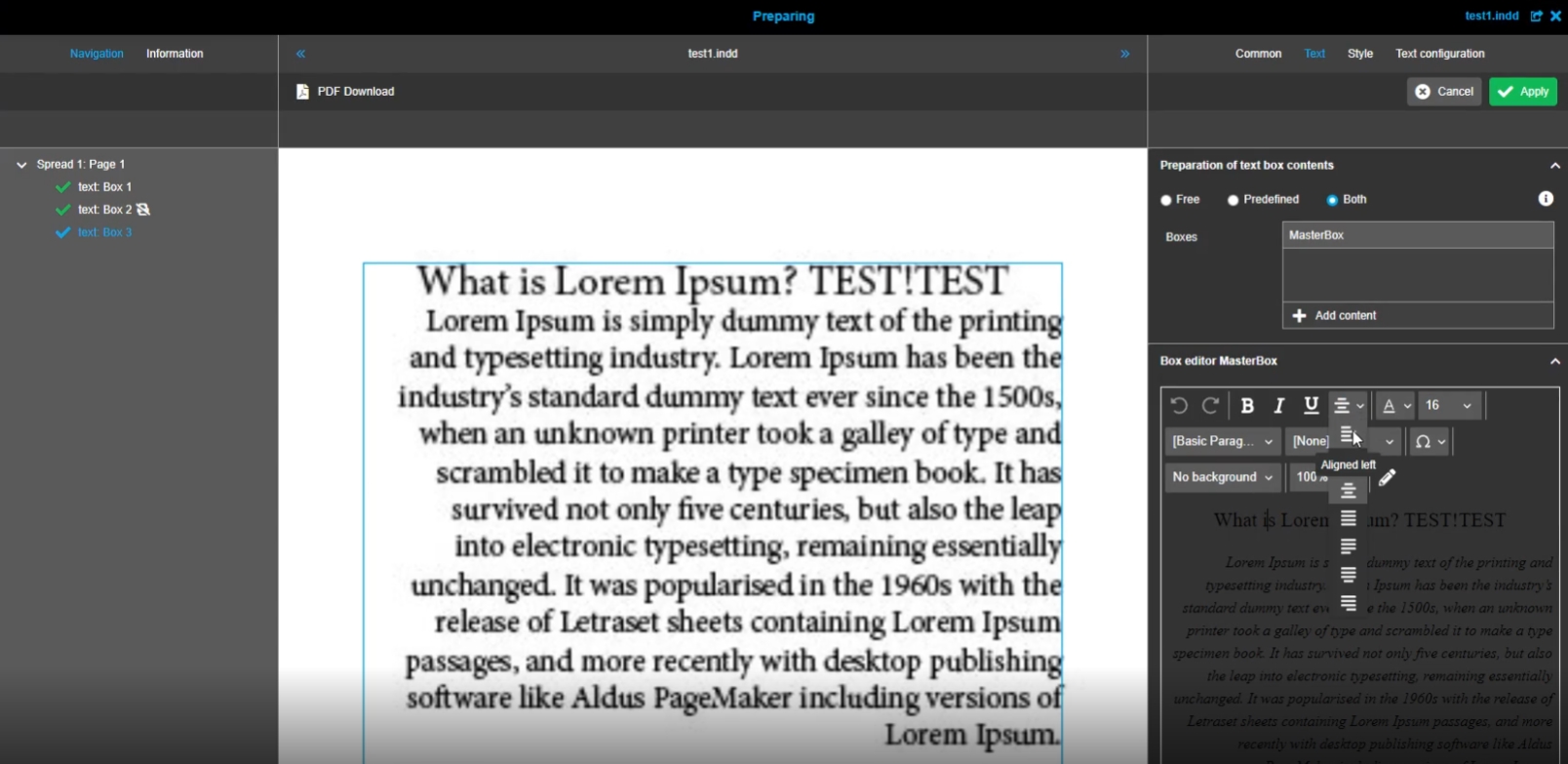
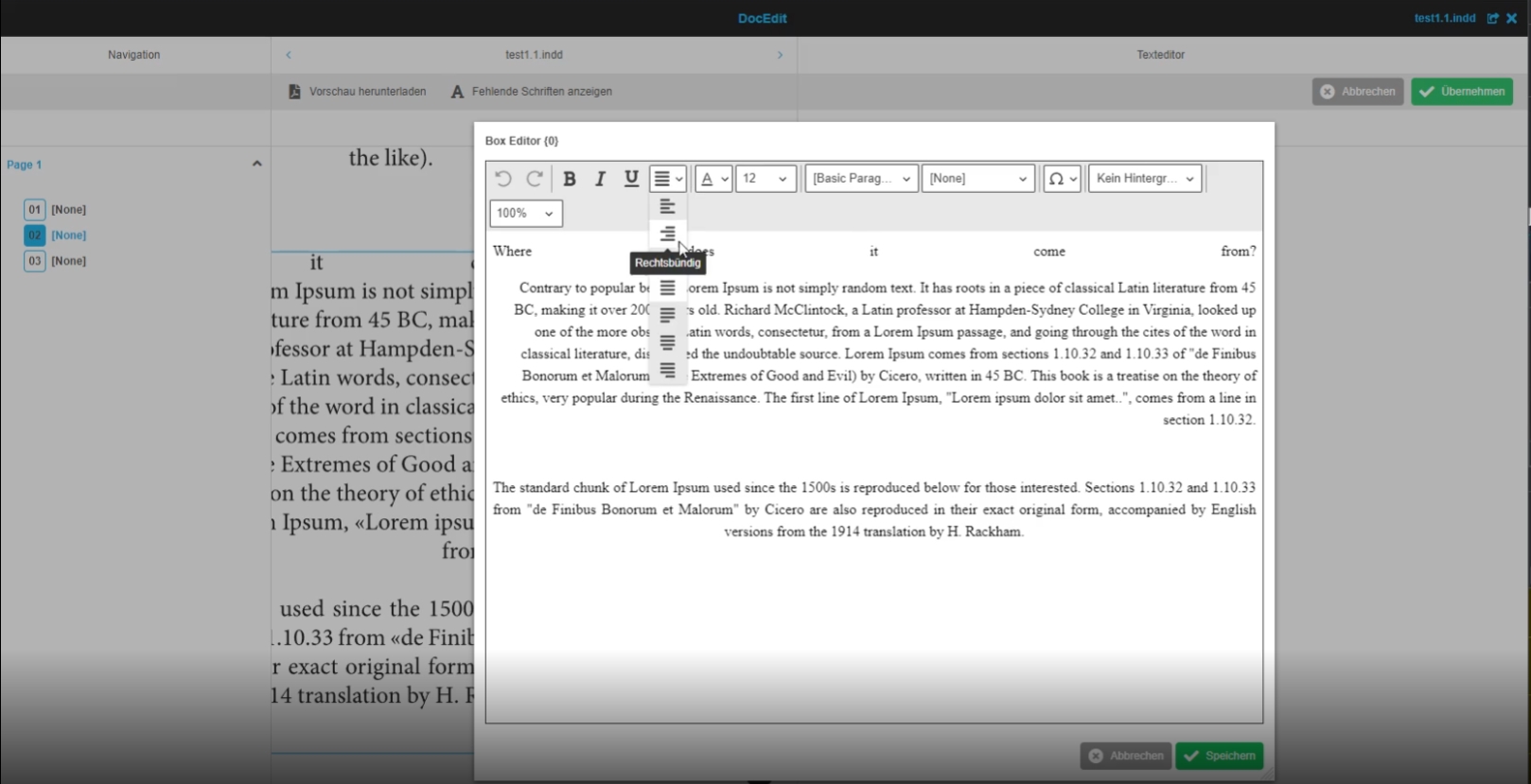
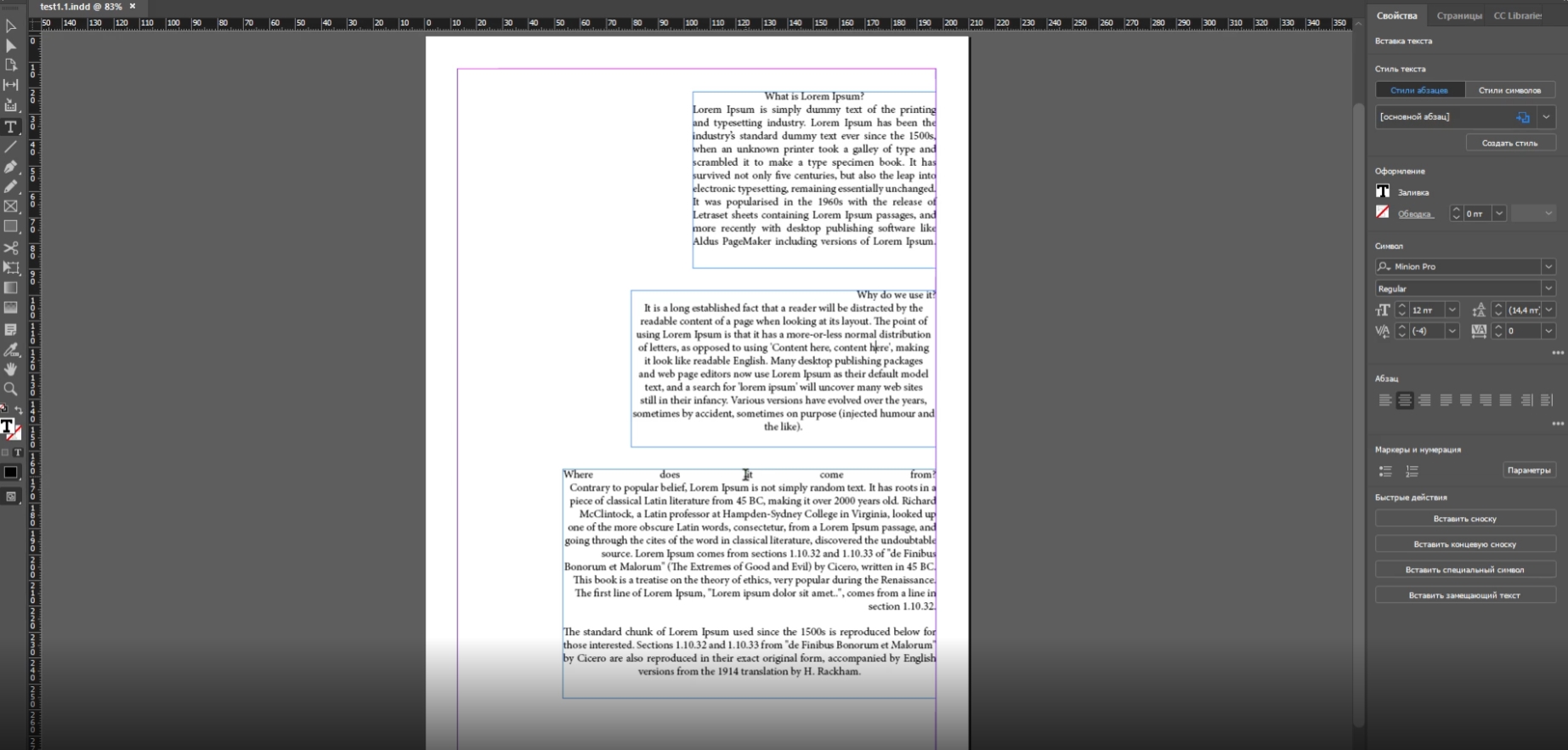
11.2.7 W2P - Text box editor - text alignment function
References |
OG-12372, OMN-9180, OMN-8907 |
New alignment function available for text boxes in Preparing and DocEdit, so that the user can align the text in the boxes as needed and the aligned text from INDD is shown correctly
Preparing
*the function can be used in Preparing Client * the function can be enabled for DocEdit
DocEdit
-
use of alignment function in DocEdit
11.2.8 Prevent import a document with duplicate page numbers
References |
OMN-9024, OG-12731 |
New check with informative message in a case when a document cannot be saved by a reason of duplicate page names

11.2.9 W2P Preparing and DocEdit - size of ck editor of text box - Improvement to handle overflow text (Collector)
References |
OG-13116 |
11.2.10 Introducing of the check overflow text function
References |
OG-13183 |
Possibility to check in CK editor if the text matches into the available textbox or not, so that the user can edit the text if needed
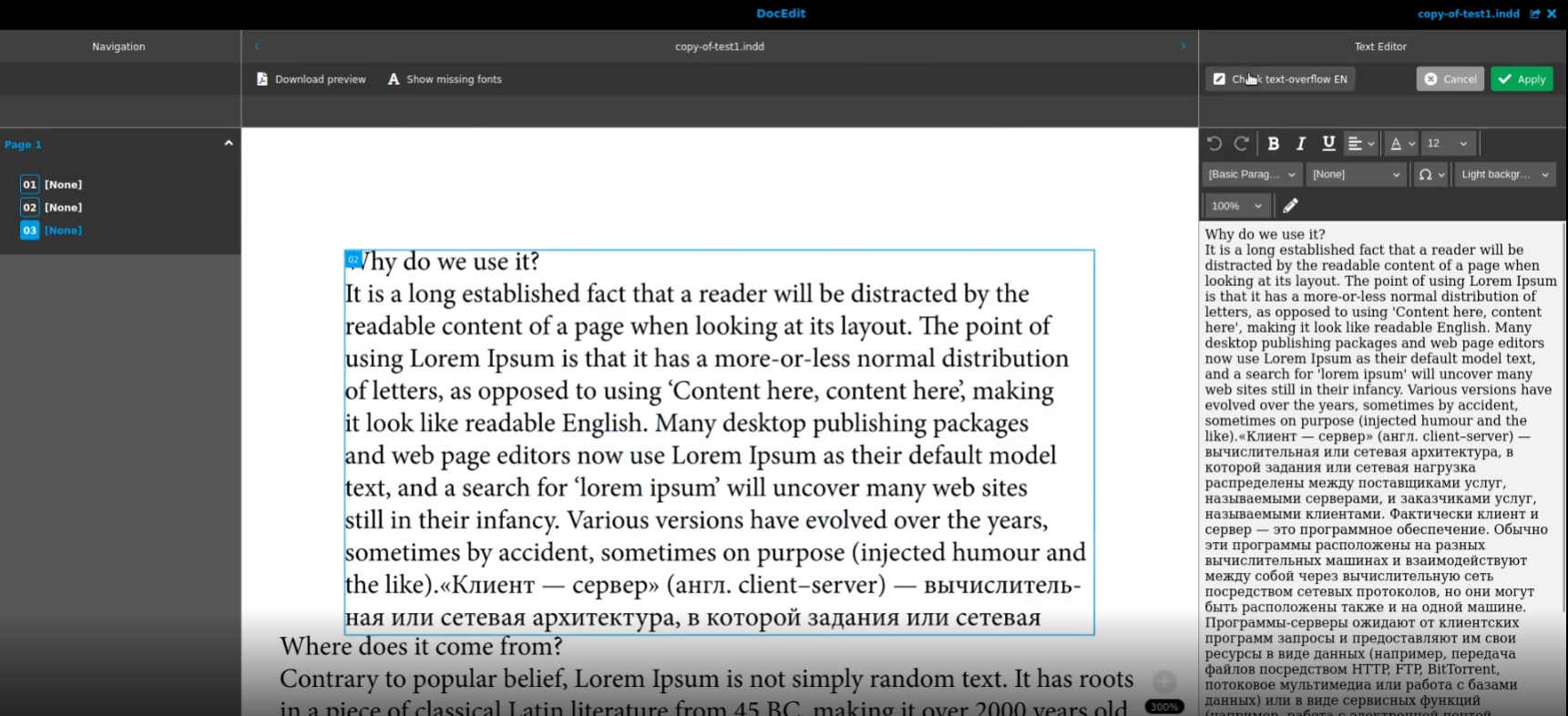
-
Configuration in OMN config Client for DocEdit
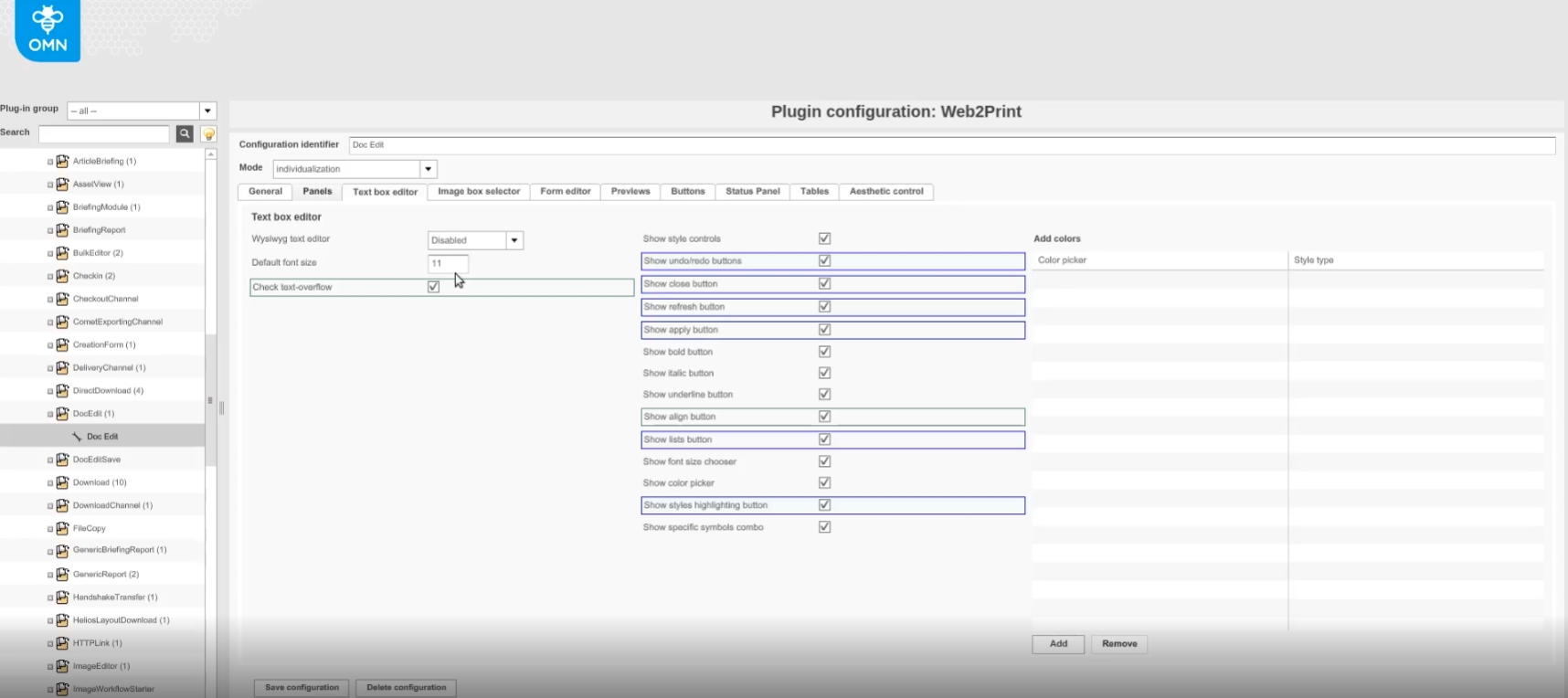
-
Configuration in OMNConfig Client for Preparing
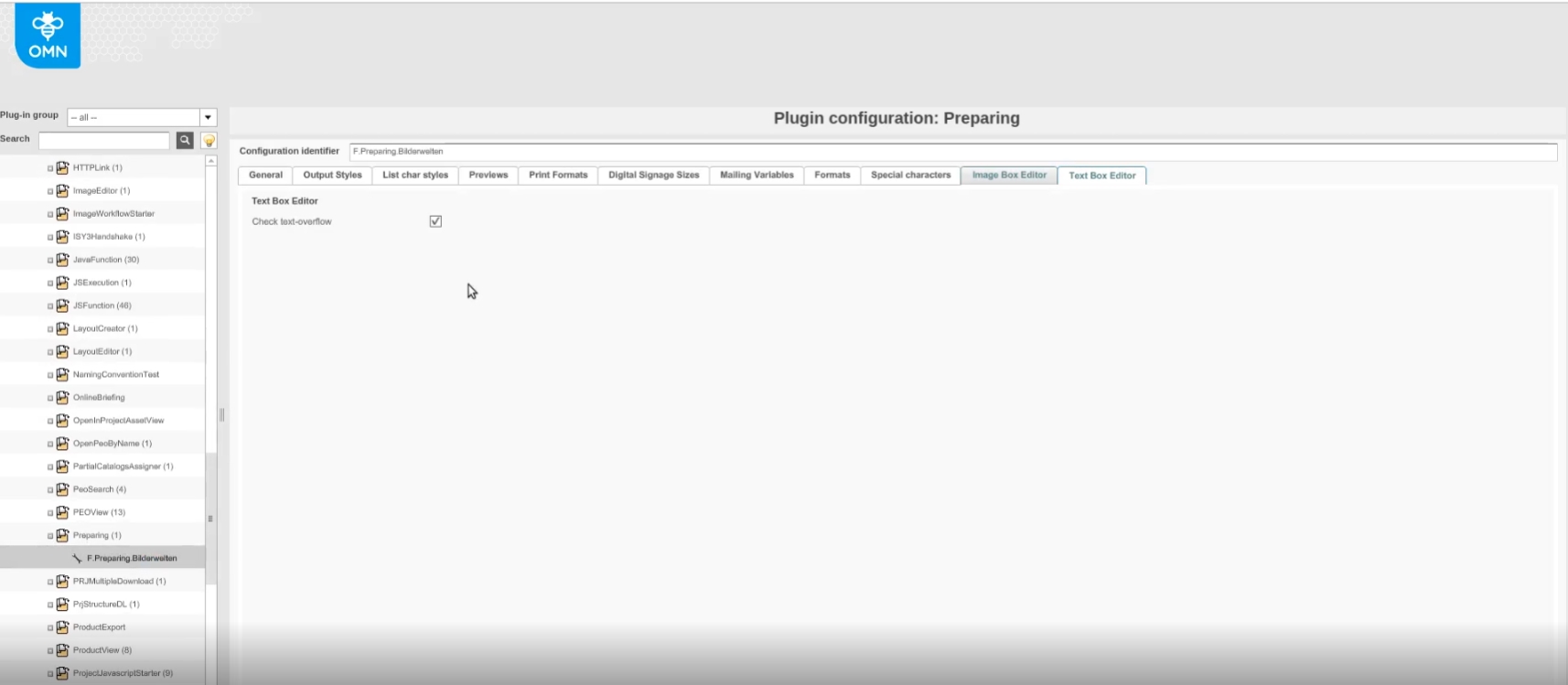
11.2.11 Configure check textbox size function in Preparing and DocEdit
References |
OMN-9342 |
Possibility to configure a function that allows users to check if an overflowing text is available in text boxes in Preparing and DocEdit
-
configuration in Preparing Plugin
-
configuration in DocEdit plugin
11.2.12 Check overflow text without saving
References |
OMN-9391 |
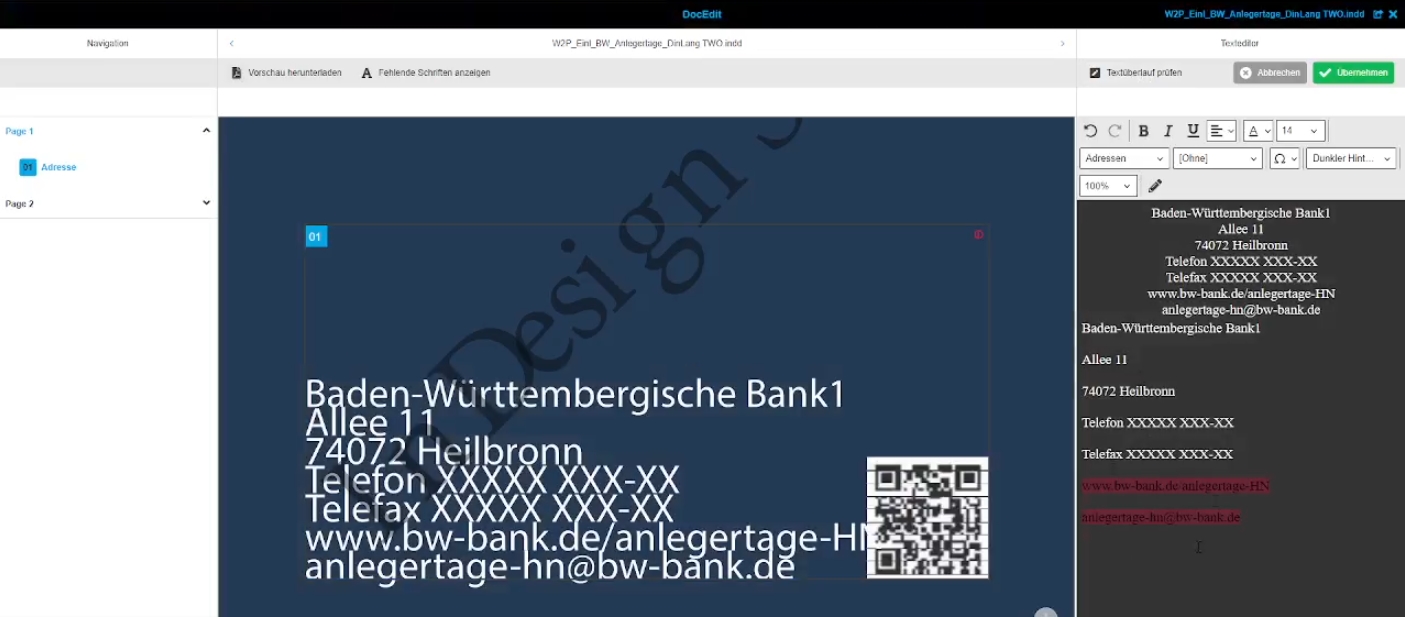
New function for a check in CKEditor of Web2Print Modules, if the text fits into the available textbox or not, so that the user can visually recognize text overflow
11.2.13 CKEditor - Highlighting text that does not fit to the box
References |
OG-13182 |
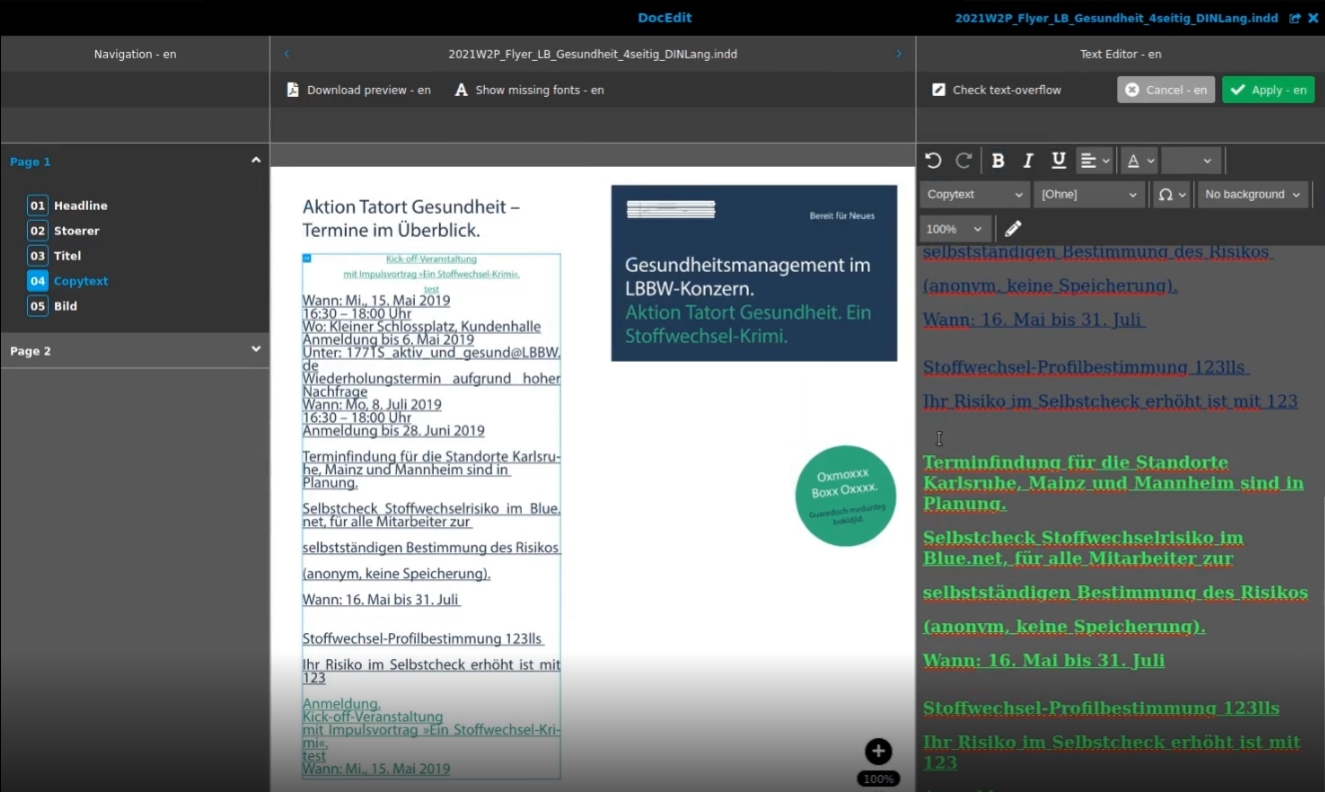
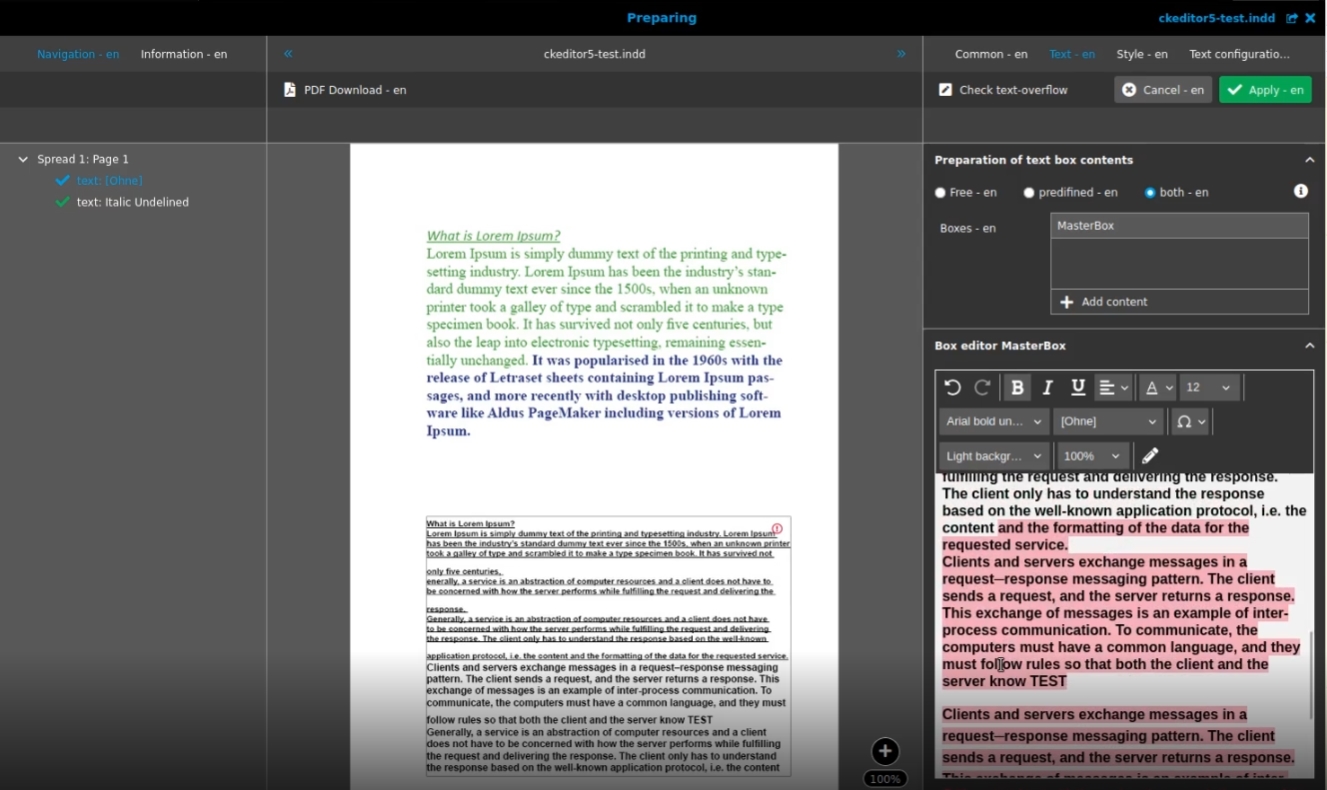
Possibility to check in CK editor if the text matches into the available textbox or not, so that the user can edit the text if needed
-
check text Overflow in DocEdit module
-
check text Overflow in Preparing module
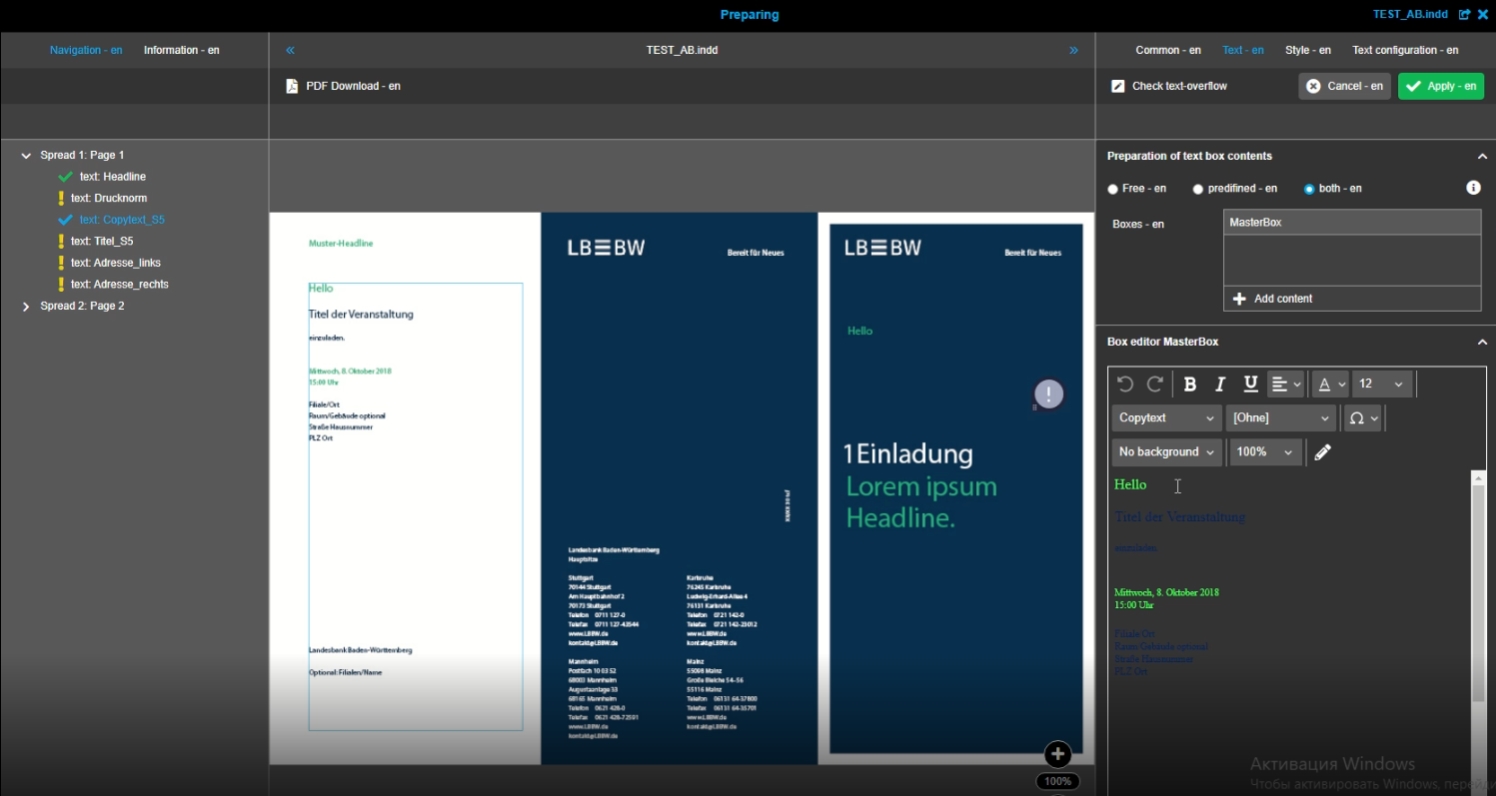
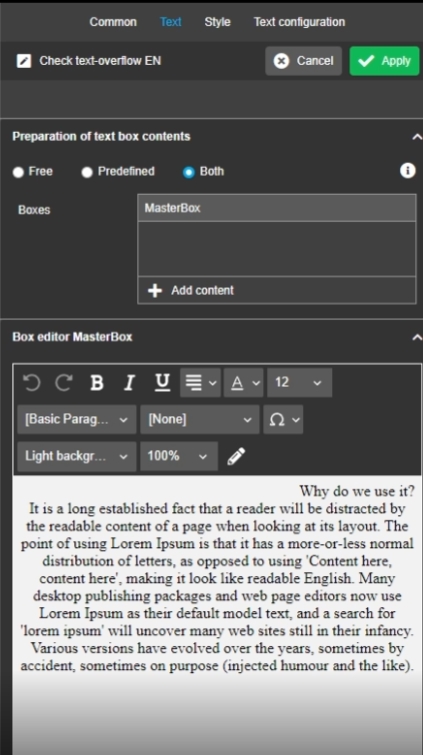
11.2.14 W2P possibility to activate automatic switching of background color in ck editor depending on text color
References |
OG-12428 |
Possibility to see the text immediately after opening the CK editor and be able to start editing without changing the background color first, so unnecessary clicks can be saved
12. Workflow
12.1 Workflow-Transparency Functionality
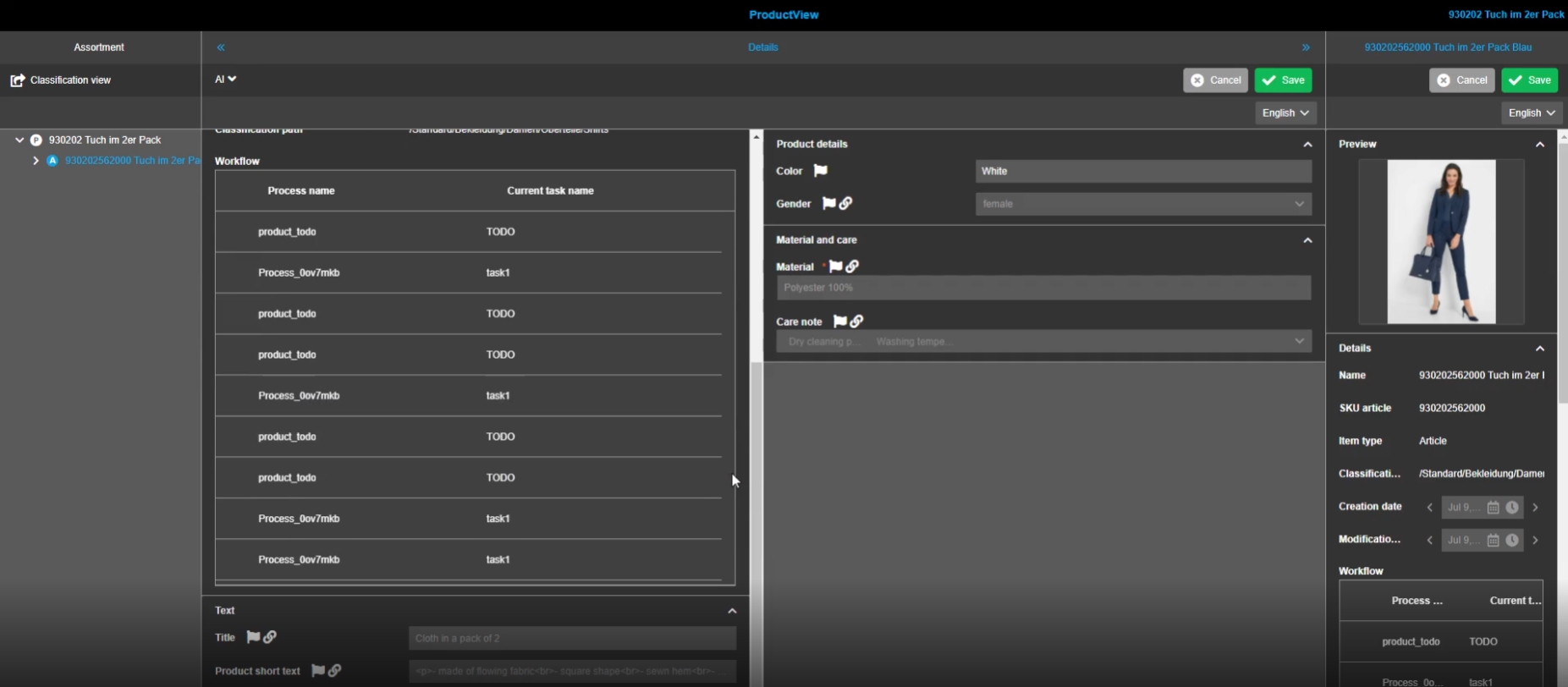
12.1.1 Workflow Widget for FSDetail view
References |
OG-12509, OMN-9057 |
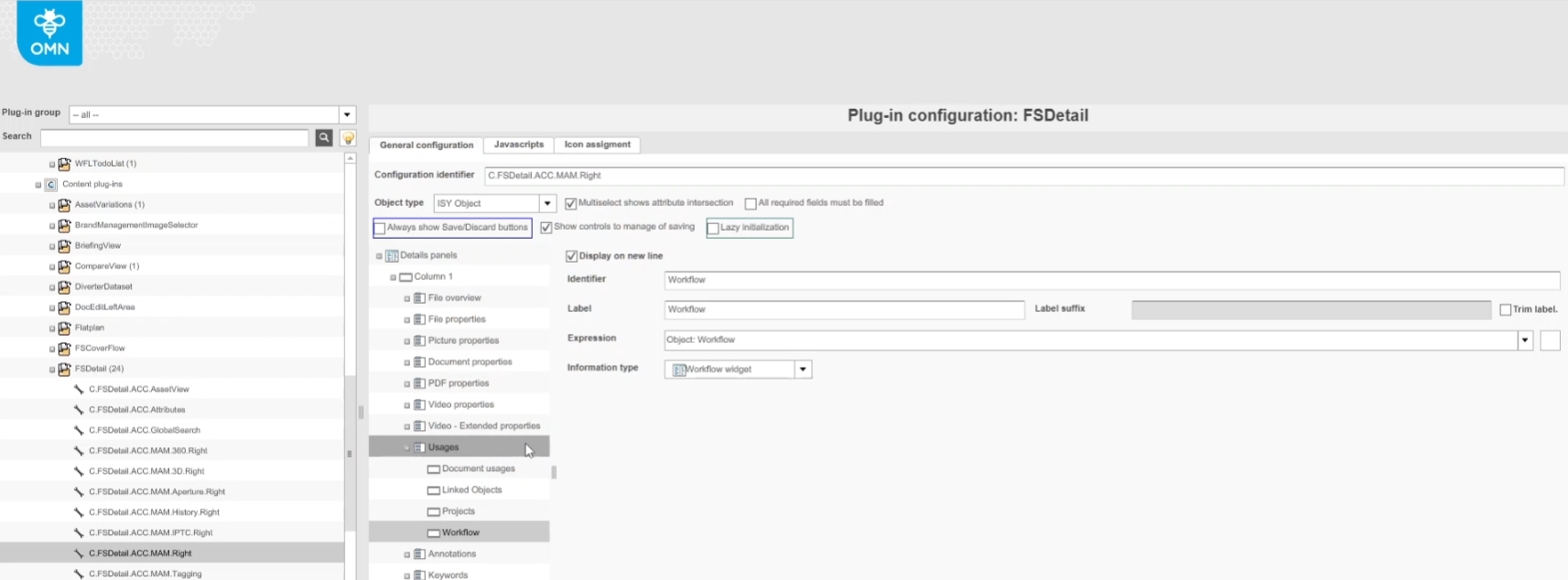
New Widget showing workflow Relations to have a quick and easy overview of which current active Tasks are running in relation to my selected OMN PIM object in a Detail view like product view or FSDetail
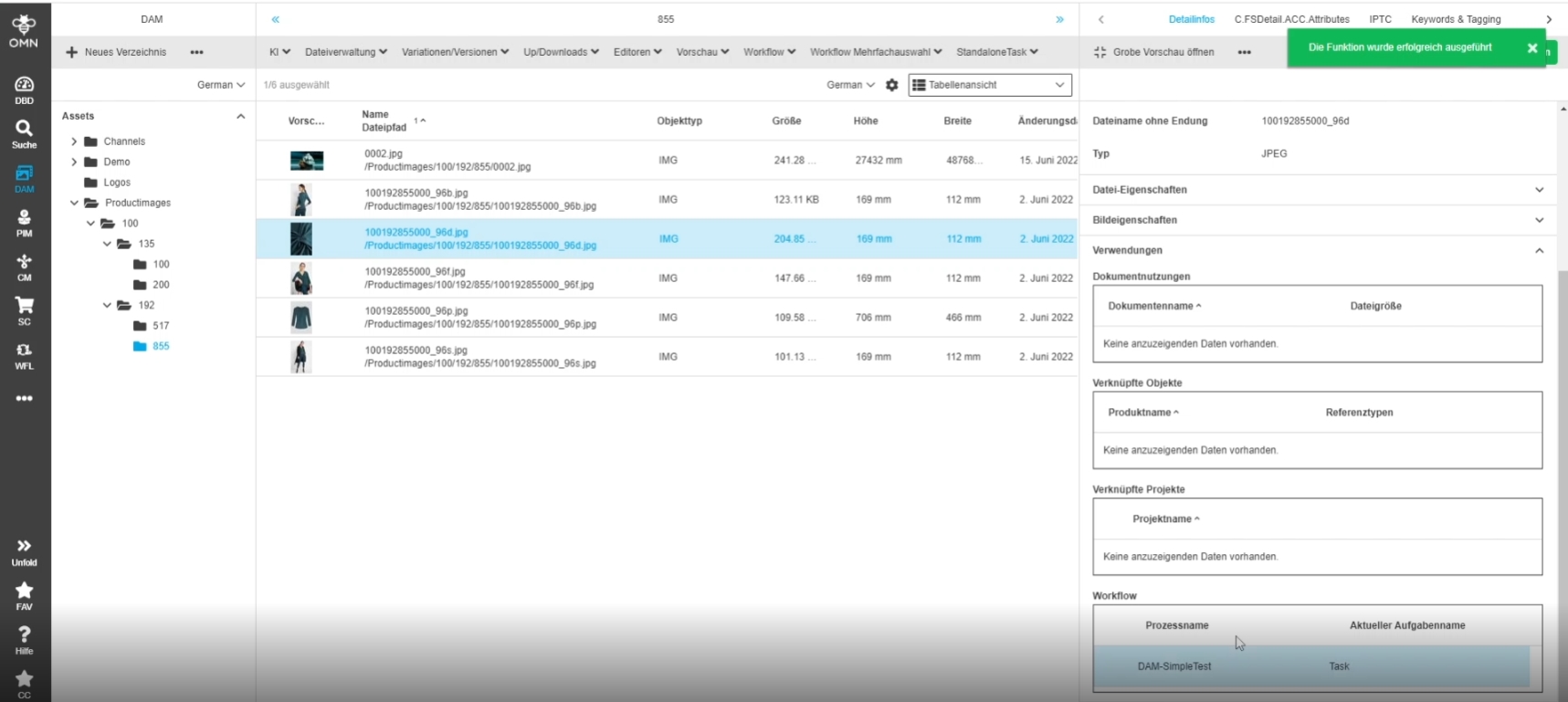
12.1.2 New expression and information type Workflow Widget for DAM FSDetail
References |
OMN-9185 |
Possibility to have a quick and easy overview of which current active workflows are running in relation to a DAM object in the details view
-
Display of active user Tasks in workflow widget
-
Adding Workflow Widget in FSDetail via OMN Configclient
Limitation
-
the Widget only works with Camunda workflow (not with old workflow engine XWE)
-
the Widget cannot work with so called Camunda Standalone Tasks yet (this feature is planned for a later version)
-
the Widget only Displays Camunda user tasks
12.1.3 Display asset Previews for Camunda tasks in FSTable
References |
OG-12923 |
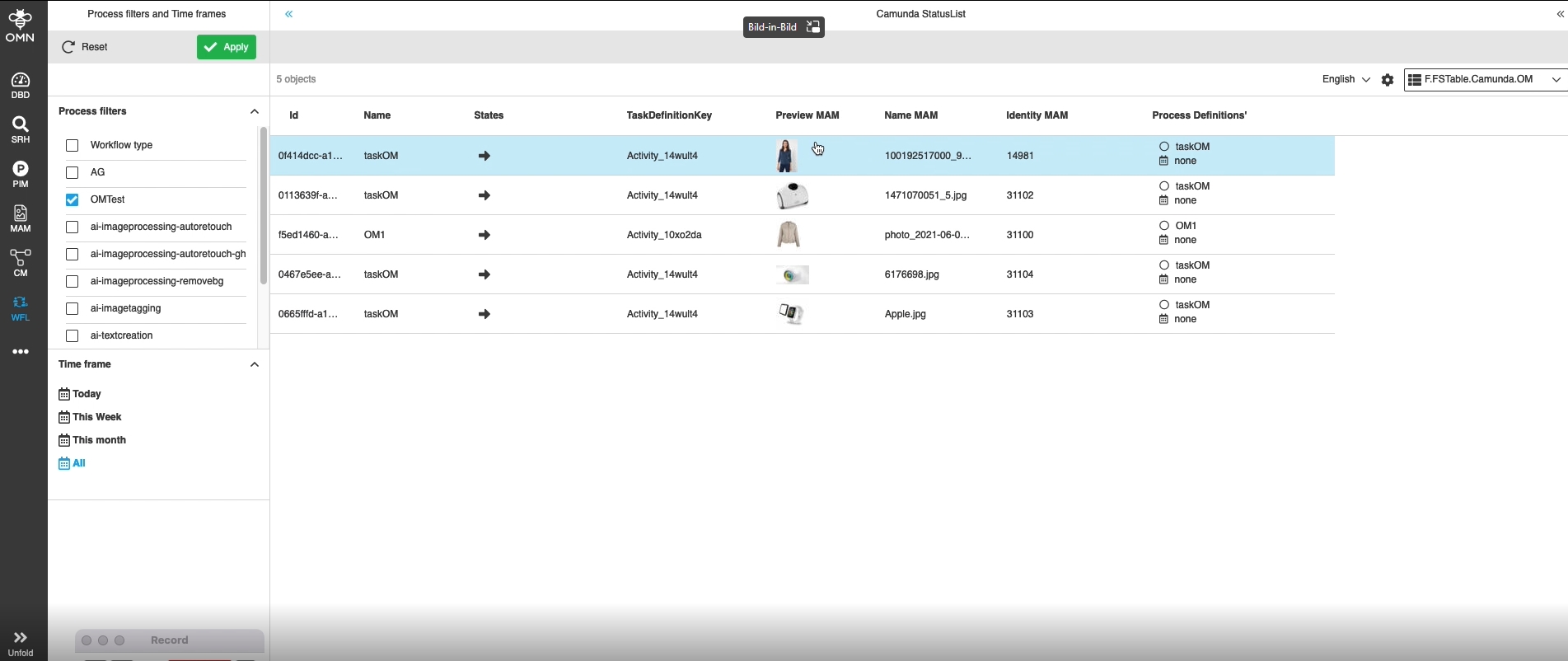
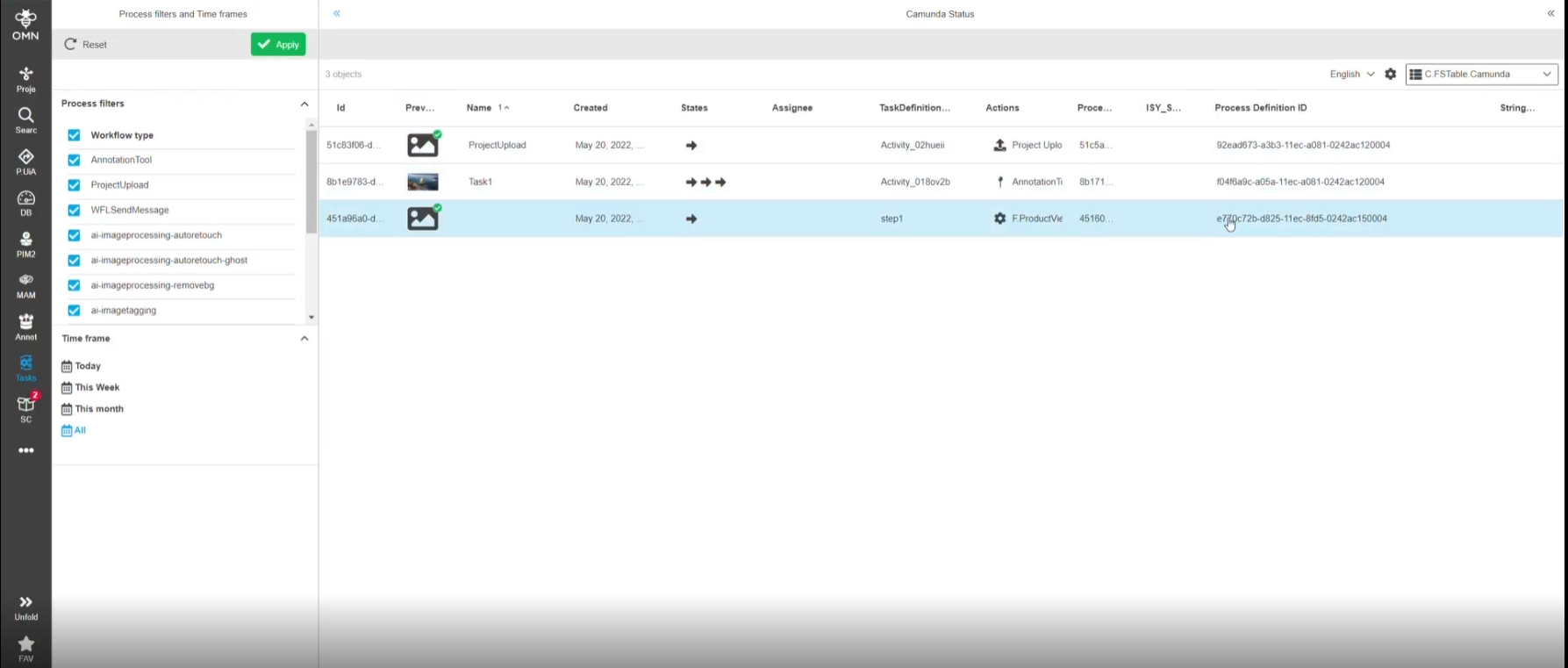
Support of Thumbnail preview for linked assets for Camunda tasks in a FSTable within any Workflow Plugin
12.1.4 Add Camunda and WFL components info’s to OMN Version info
References |
OMN-9197 |
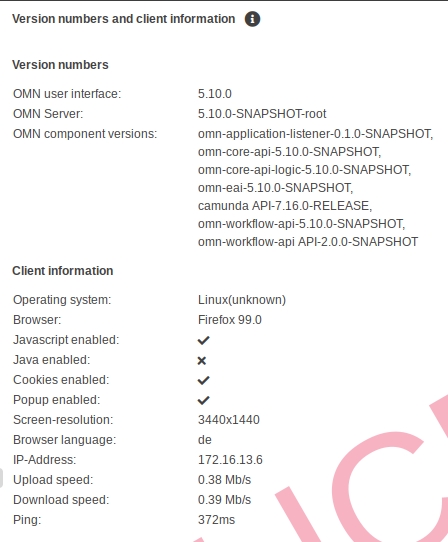
OMN-Version info is Extended by following information
-
Camunda API version
-
WFL component version
-
WFL-EXT component version
12.1.5 Notification functionality integration into Camunda workflows
References |
OW-560 |
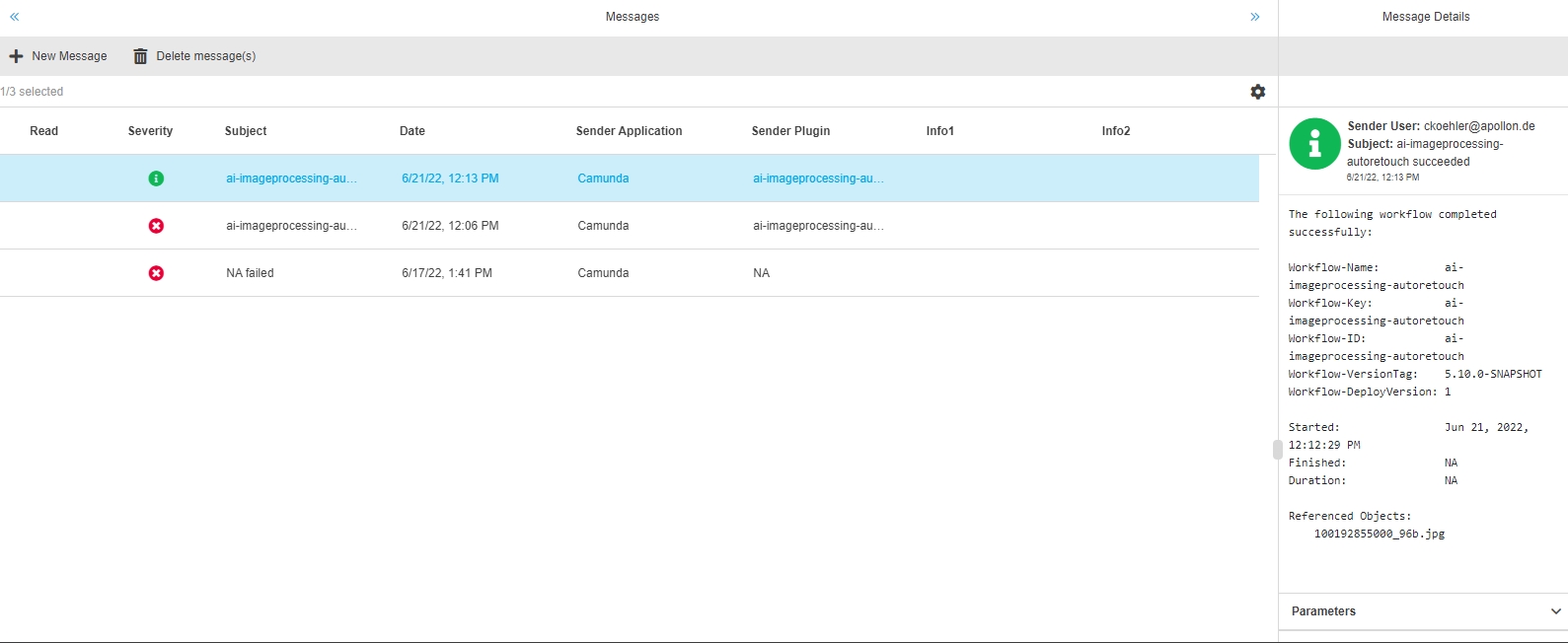
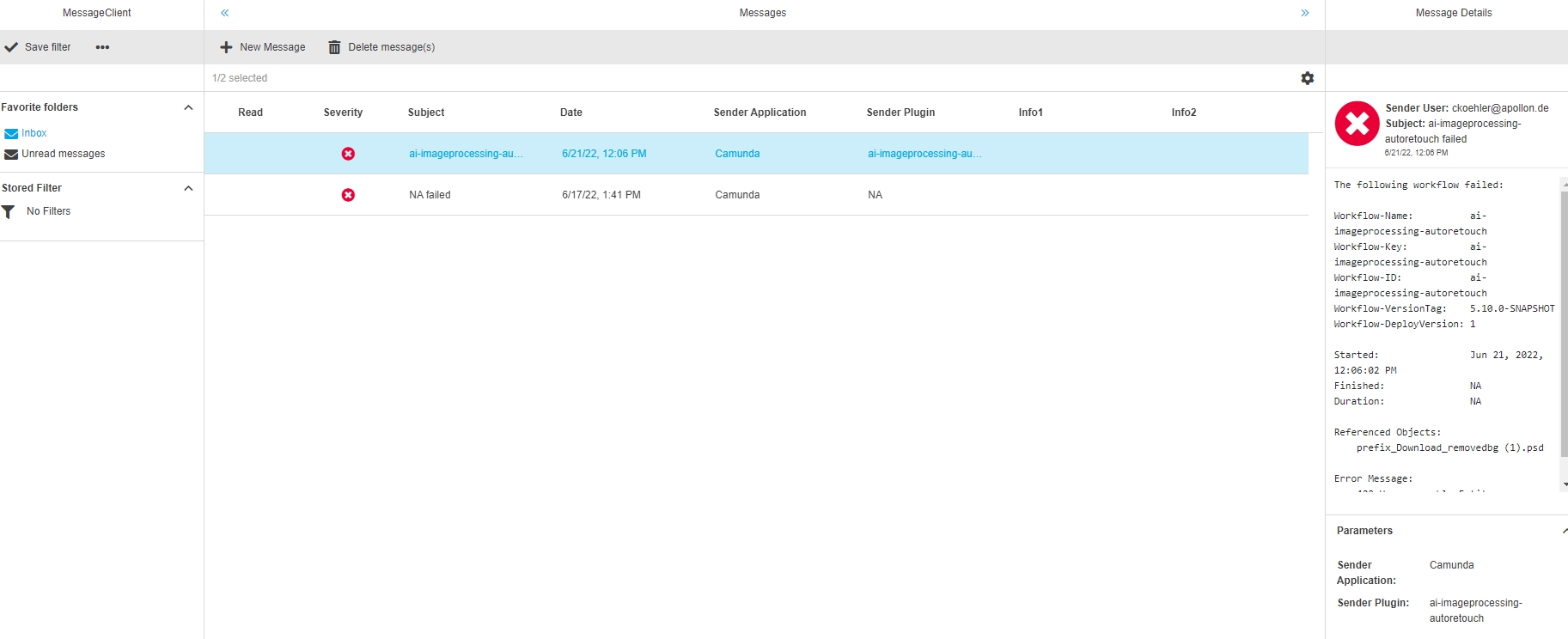
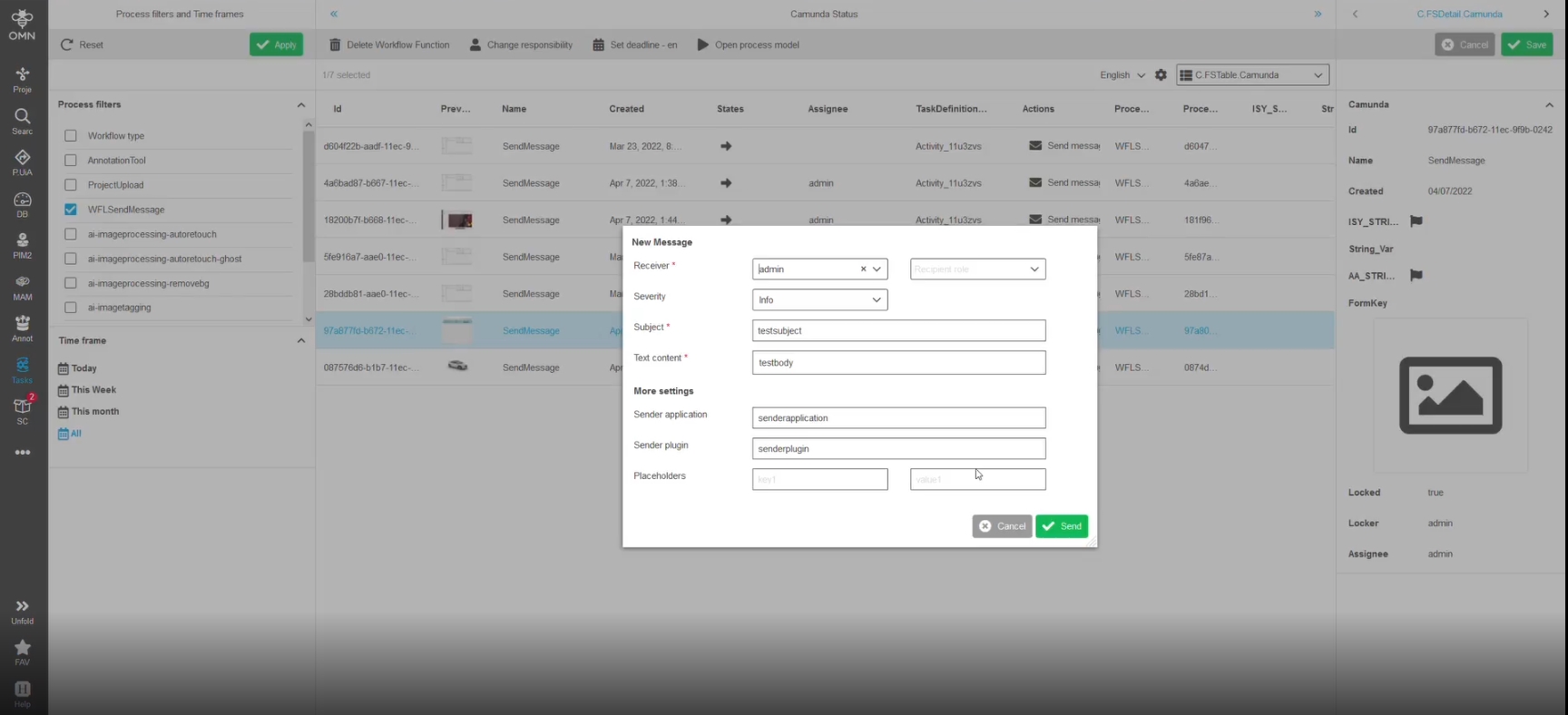
New notification functionality over OMN message Client for AI Image process
With this feature every asynchronous workflow process for AI-Image can send a notification e.g. in case of an error / success
-
example success message
-
example error message
12.2 WorkflowConfig Plugin
12.2.1 Create an Independent Camunda Task in Workflow Config
References |
OMN-7561, OG-13276, OW-386 |
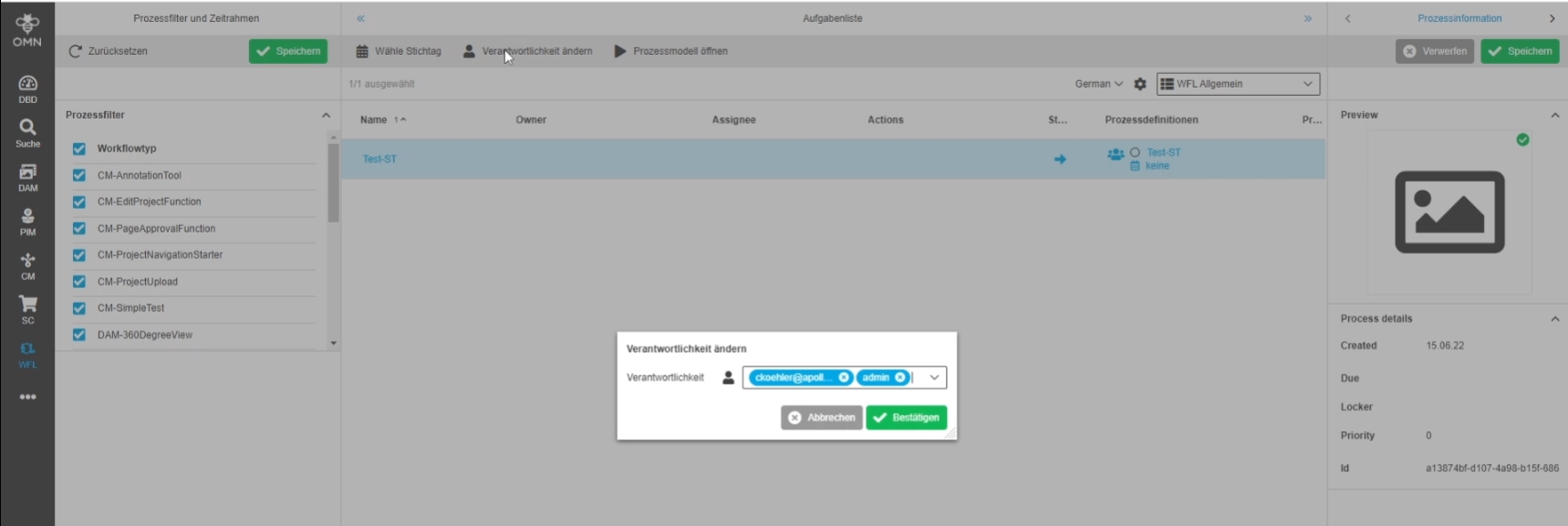
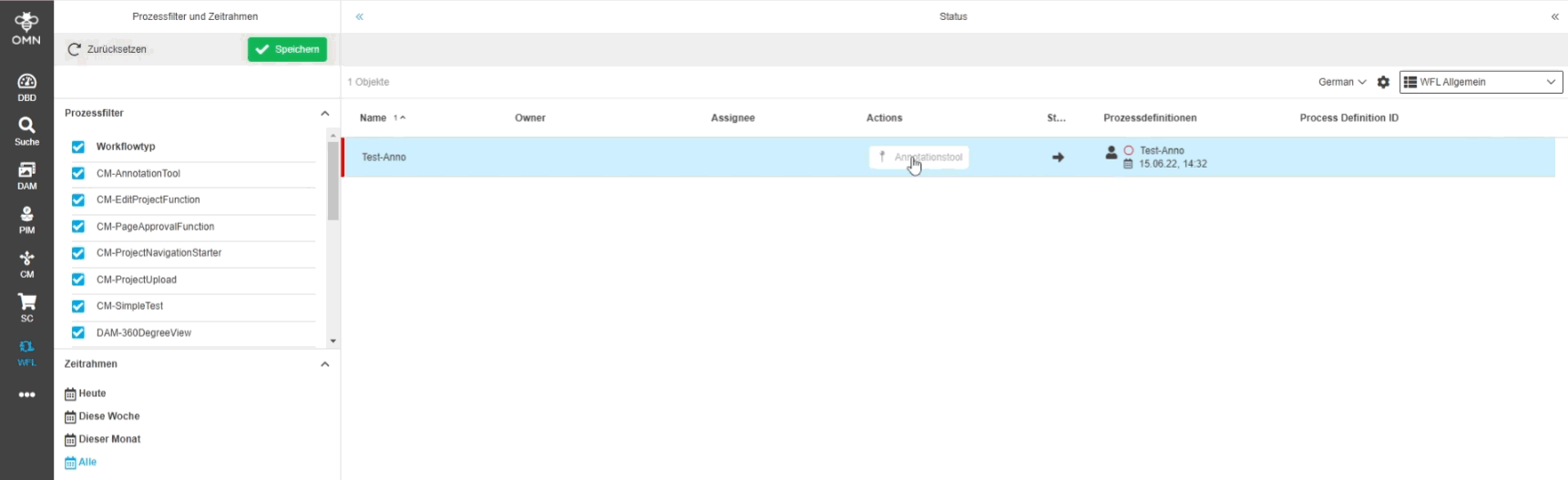
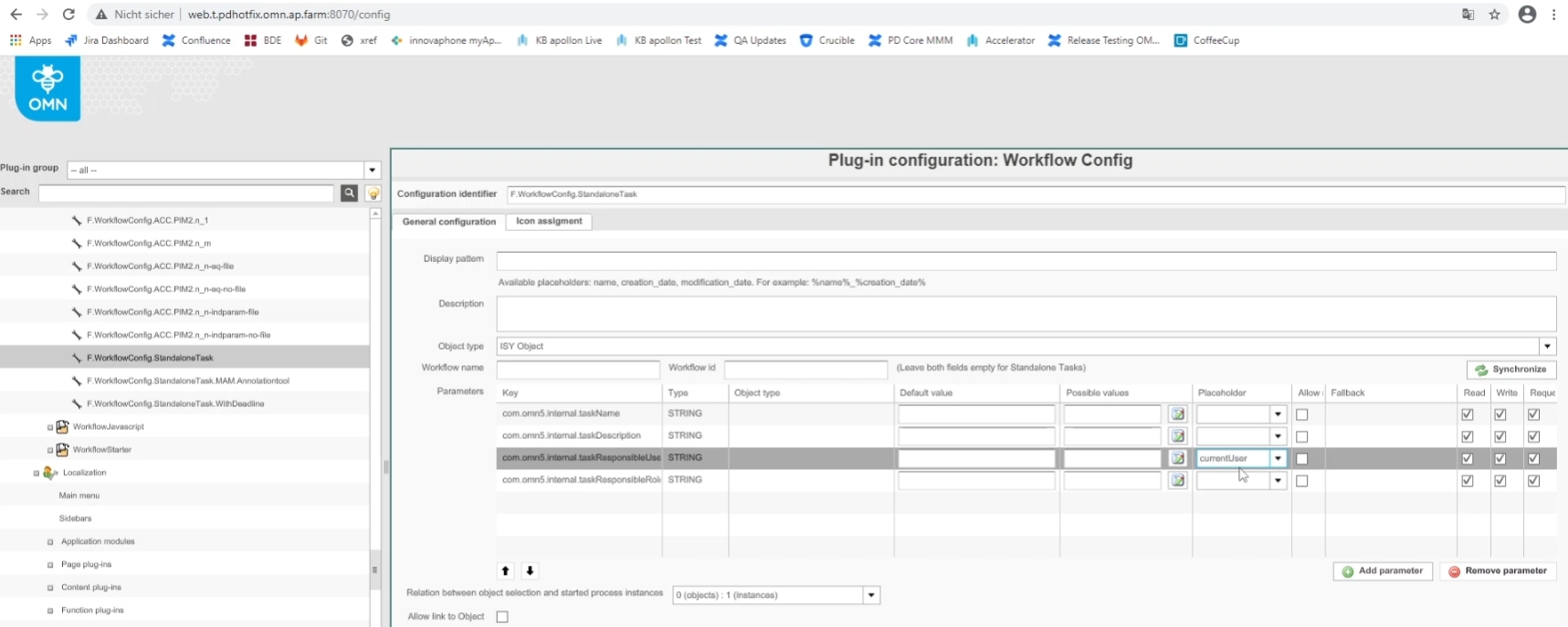
Possibility to configure/show an independent Camunda task in OMN, so the user can quickly assign this task / do it without the need for additional process definitions
-
creation of a Camunda Standalone Task in UI (not selected object)
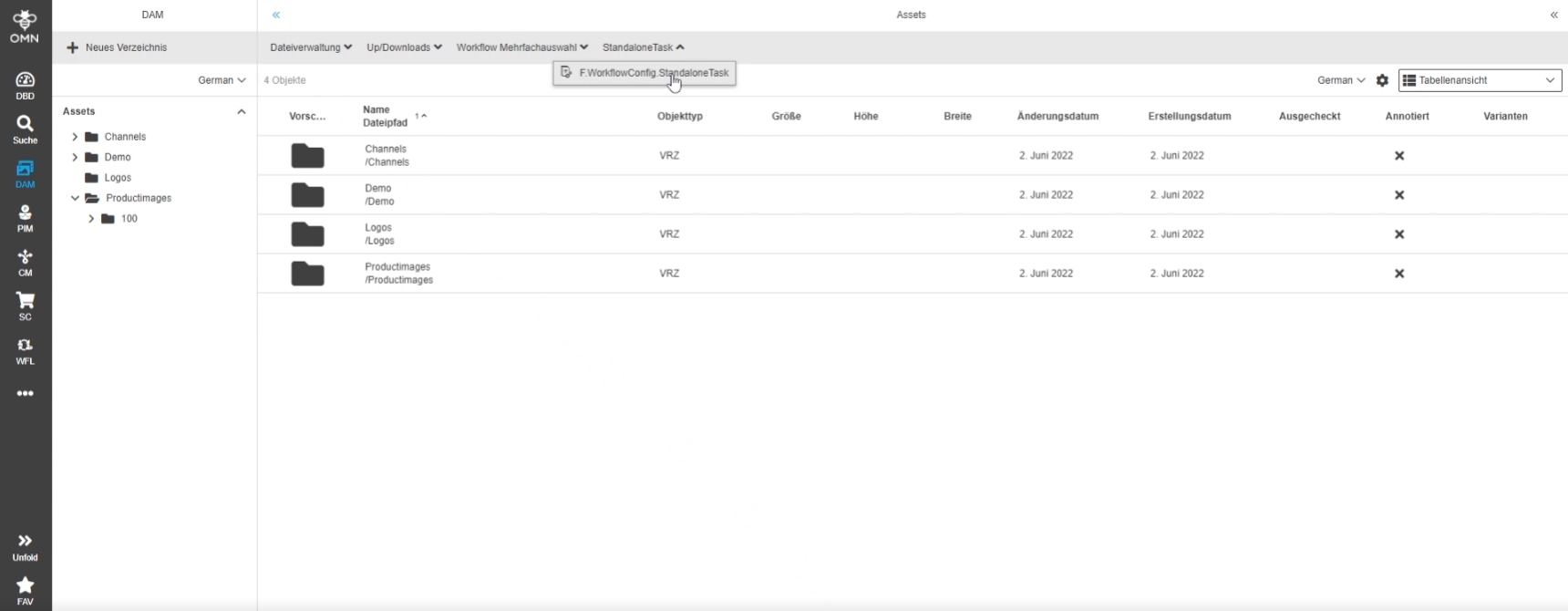
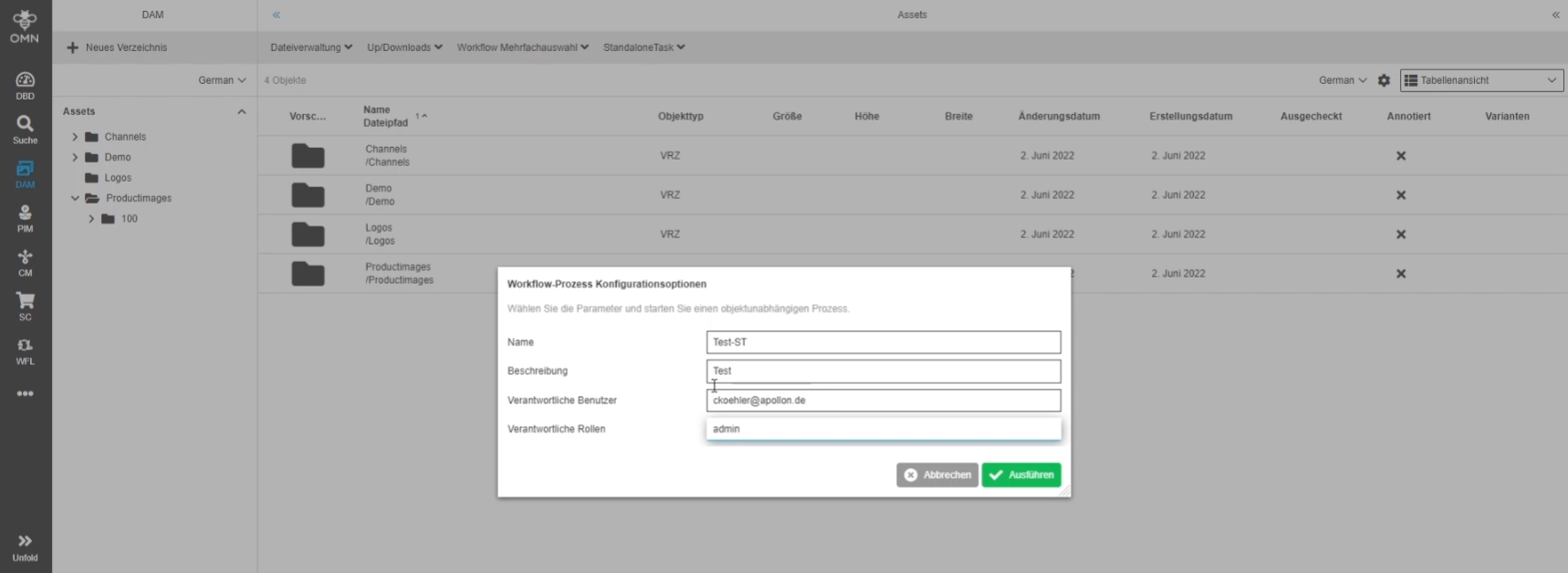
-
creation of a Camunda Standalone Task in UI (on selected object)
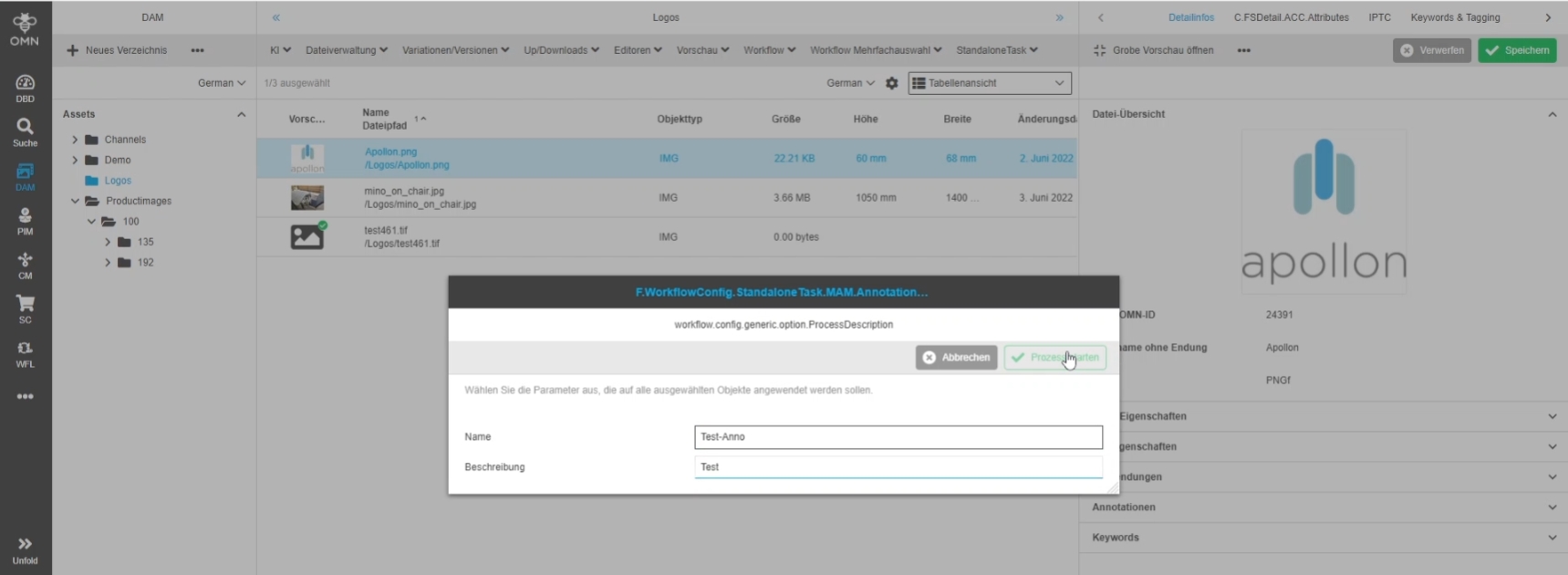
-
Display of a Standalone Task in workflow-related view (e.g. task list or workflow Status)
-
configuration of a Camunda Standalone Task (defined by Workflow name = empty)
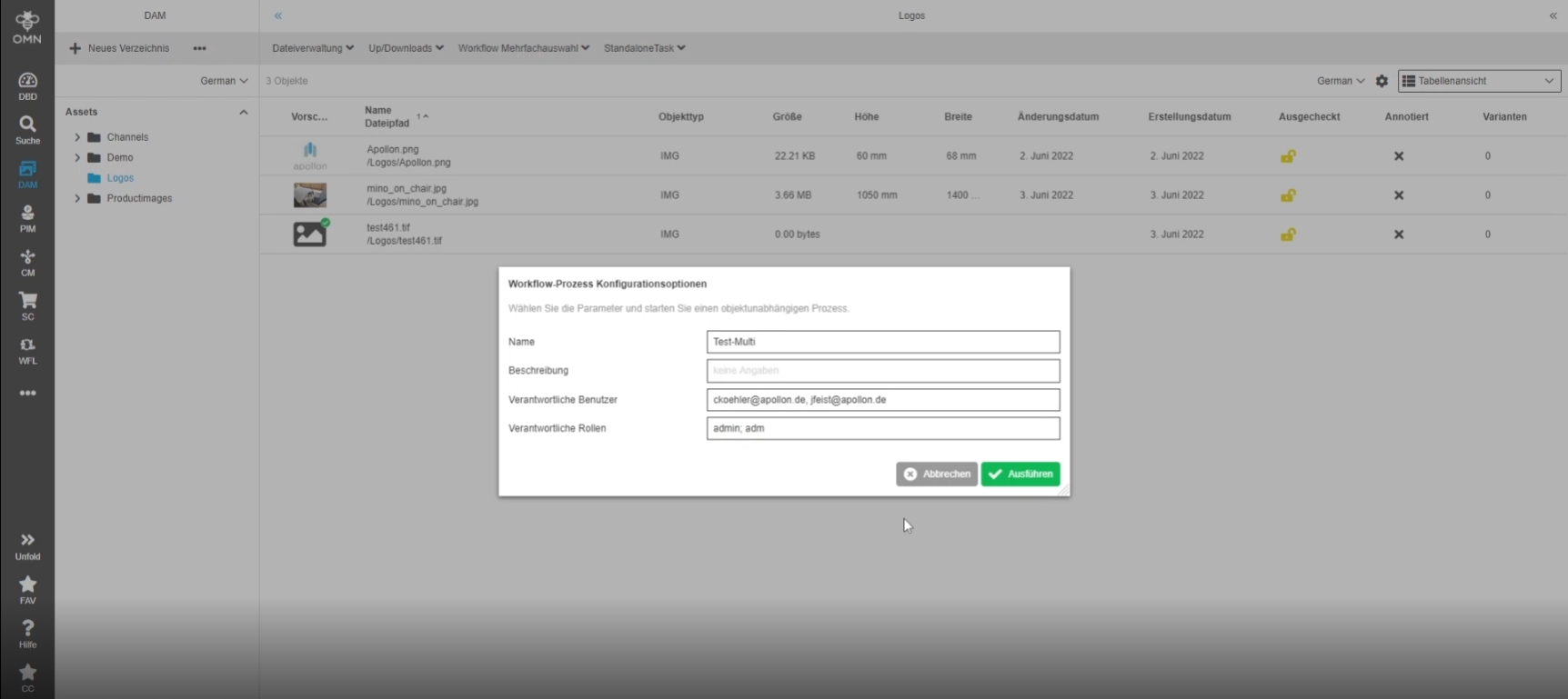
12.2.2 Workflow Config new multiselect behavior
References |
OMN-9010, OW-679 |
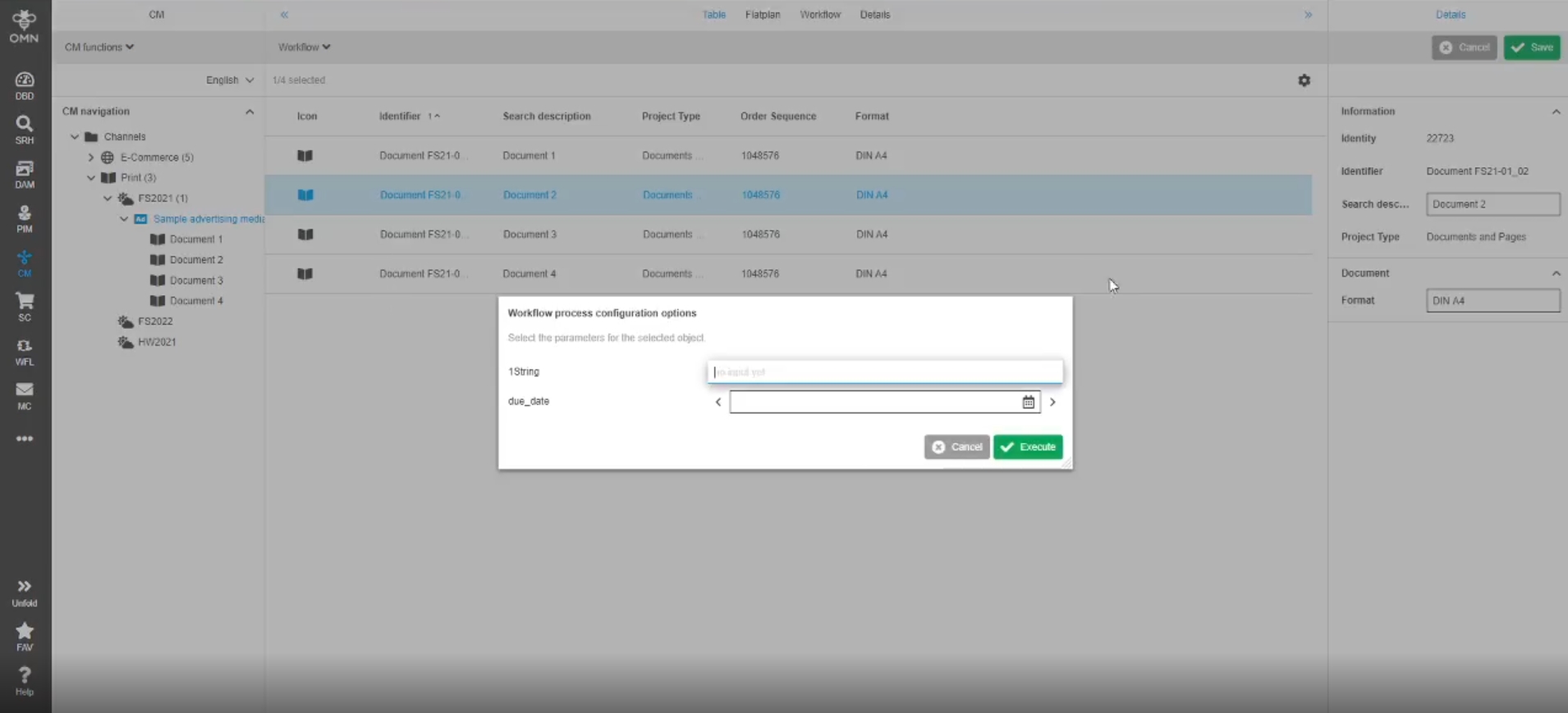
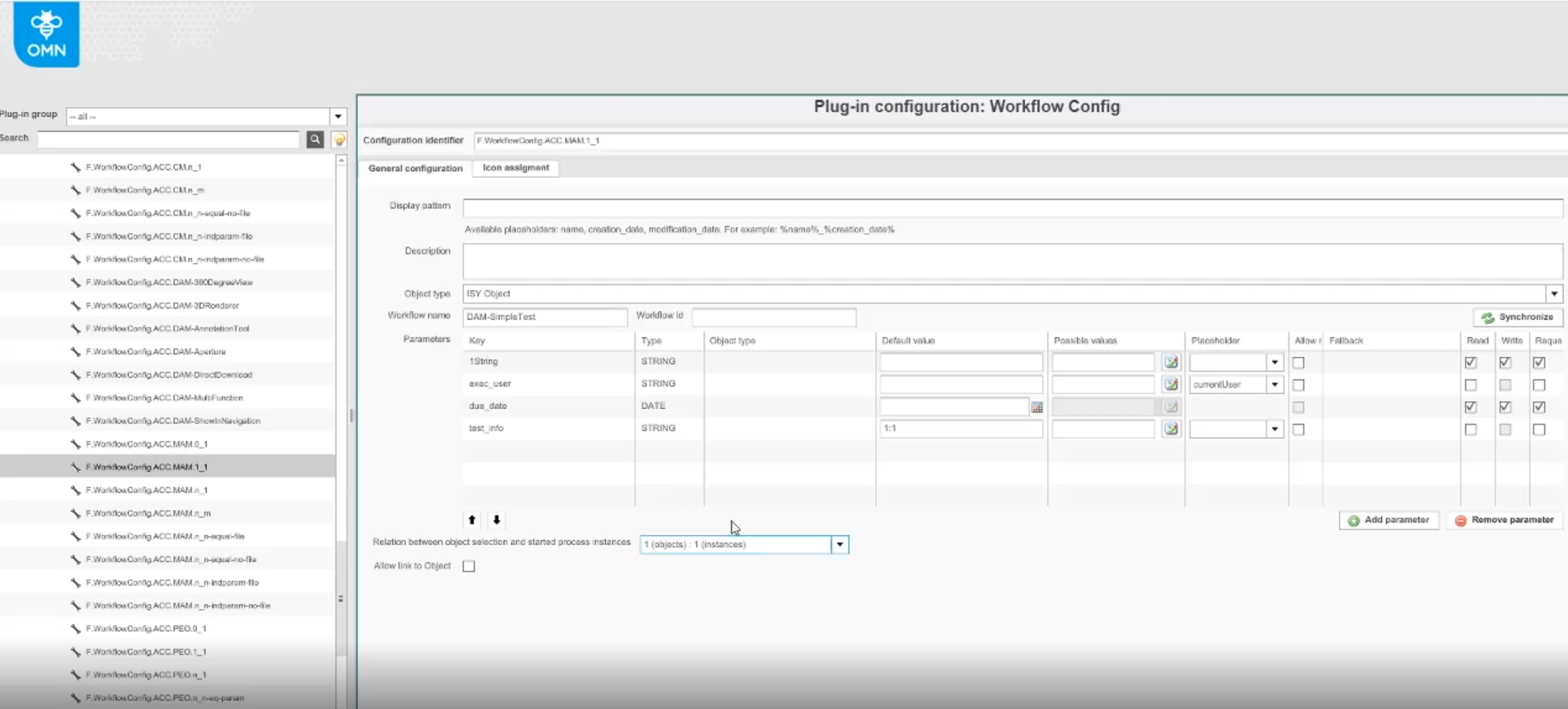
Possibility to start Camunda workflows in different ways based on new Parameter relations
Configuration possibilities
-
no object is selected in frontend, but user want to start one workflow process instance (0:1 relation)
-
one object is selected in frontend and user want to start one workflow process instance (1:1 relation)
-
multiple objects are selected in frontend and user want to start a single instance including all object(n:1 relation)
-
multiple objects are selected in frontend and user want to start multiple instances with equal Parameters for each selected object (batch start)(n:n relation) This option will be the default
-
multiple objects are selected in frontend and user want to start multiple instances with individual parameters (start execution several times) (n:n relation)
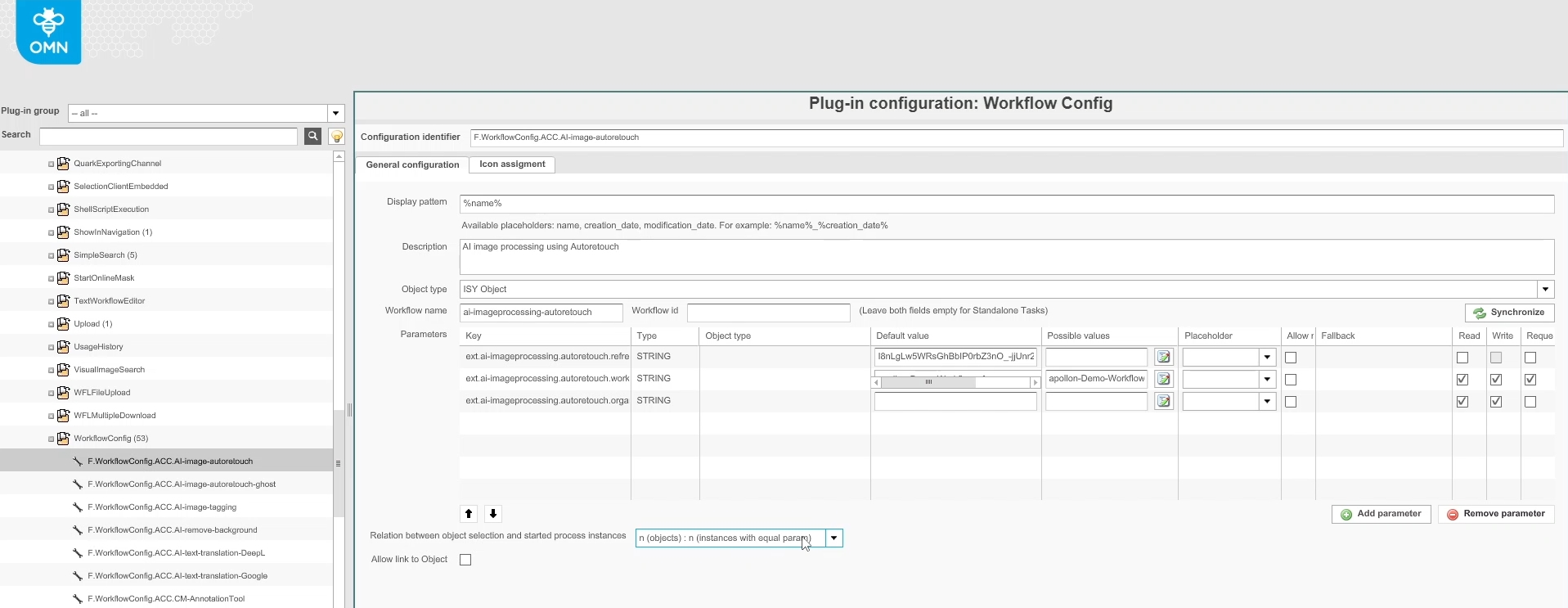
-
multiple objects are selected in frontend and user want to start multiple instances with individual parameters (start execution several times) (n:m relation) (e.g. Ghostmannequine)
-
Example configuration 1:1
-
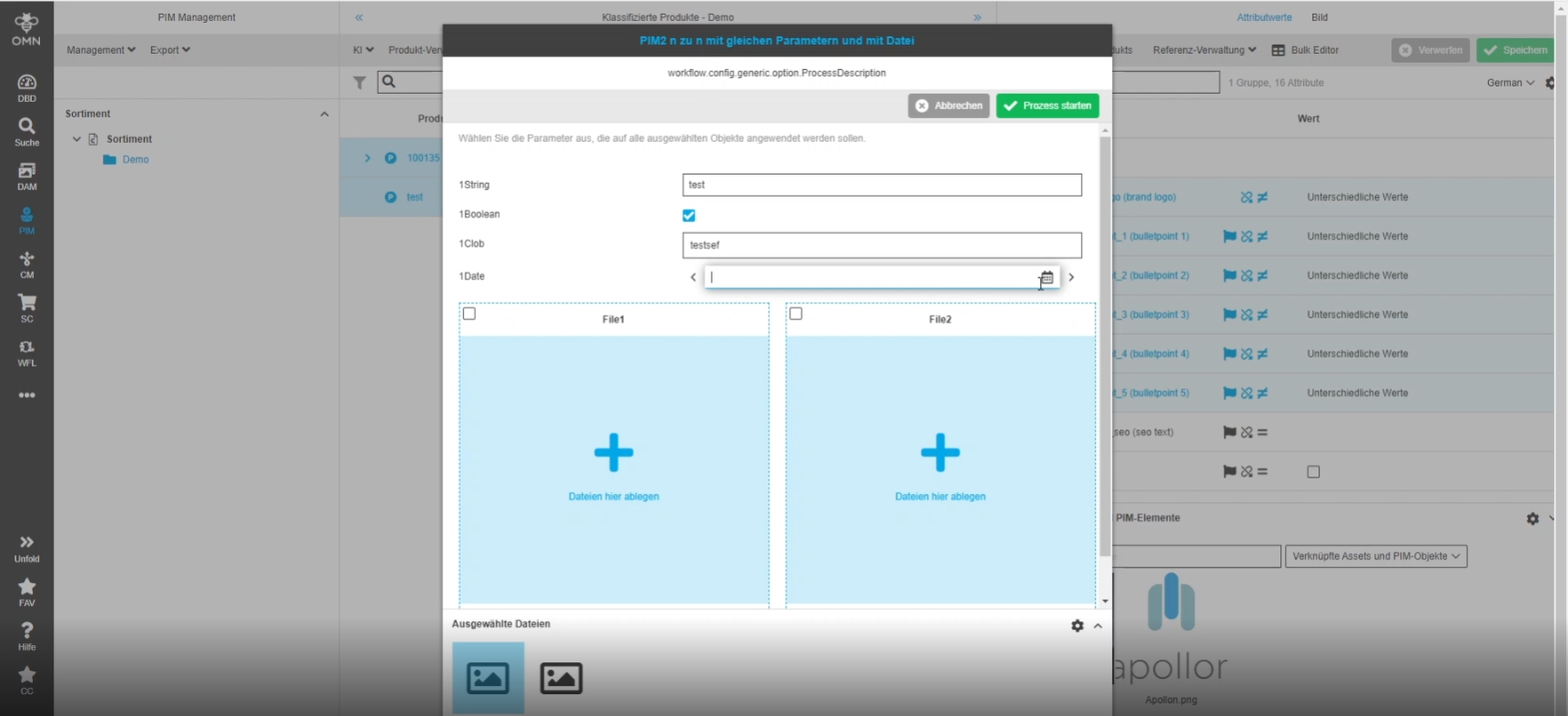
12.2.3 WorkflowConfig - Possibility to edit parameters for all selected objects
References |
OG-12780 |
Possibility to specify parameters only once for all selected objects, so that the user does not have to confirm parameter selection for every object
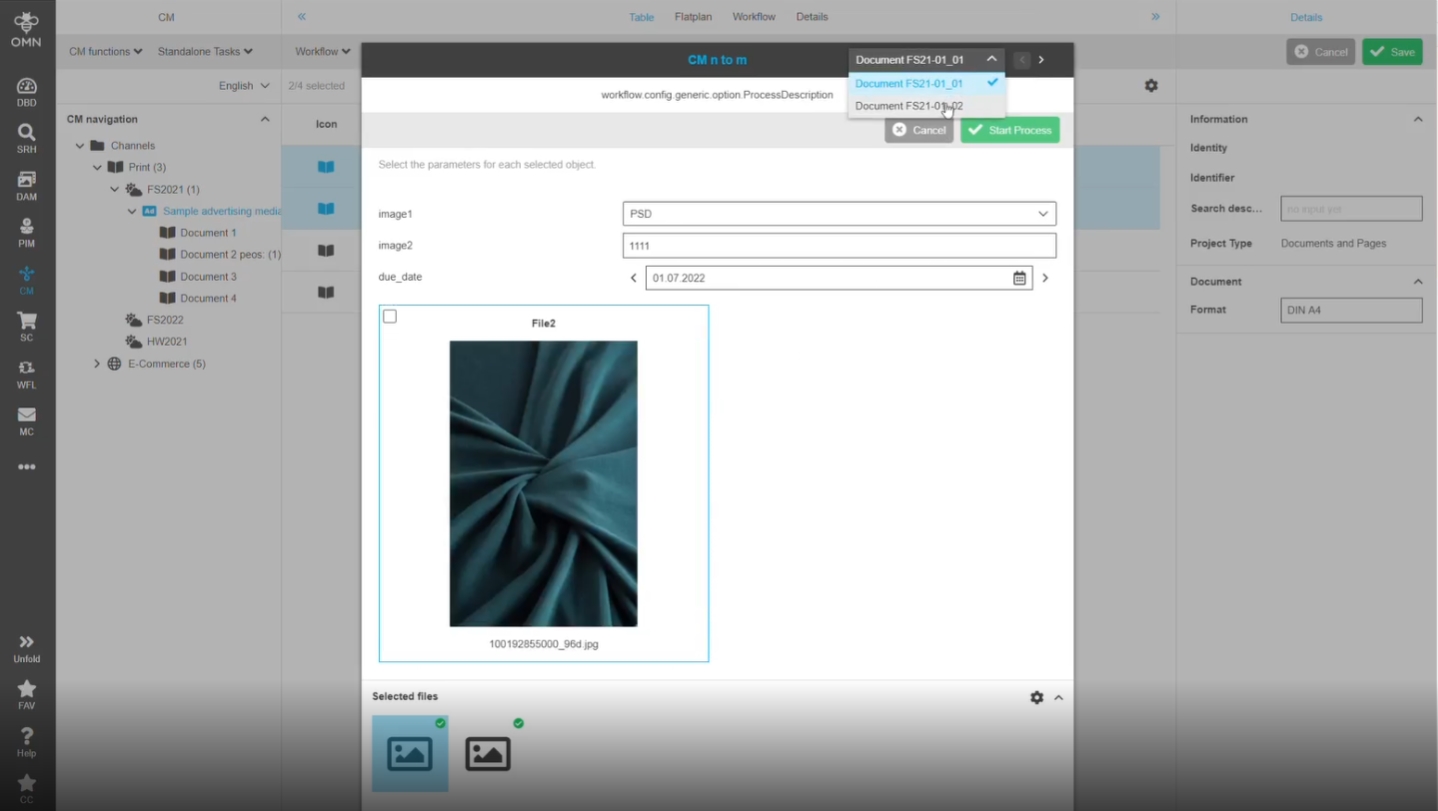
12.2.4 WorkflowConfig - Possibility to edit parameters individually per object if several objects have been selected
References |
OG-12940 |
Possibility to edit parameters in the workflow config modal individually per selected object, so the user can influence started instances one by one
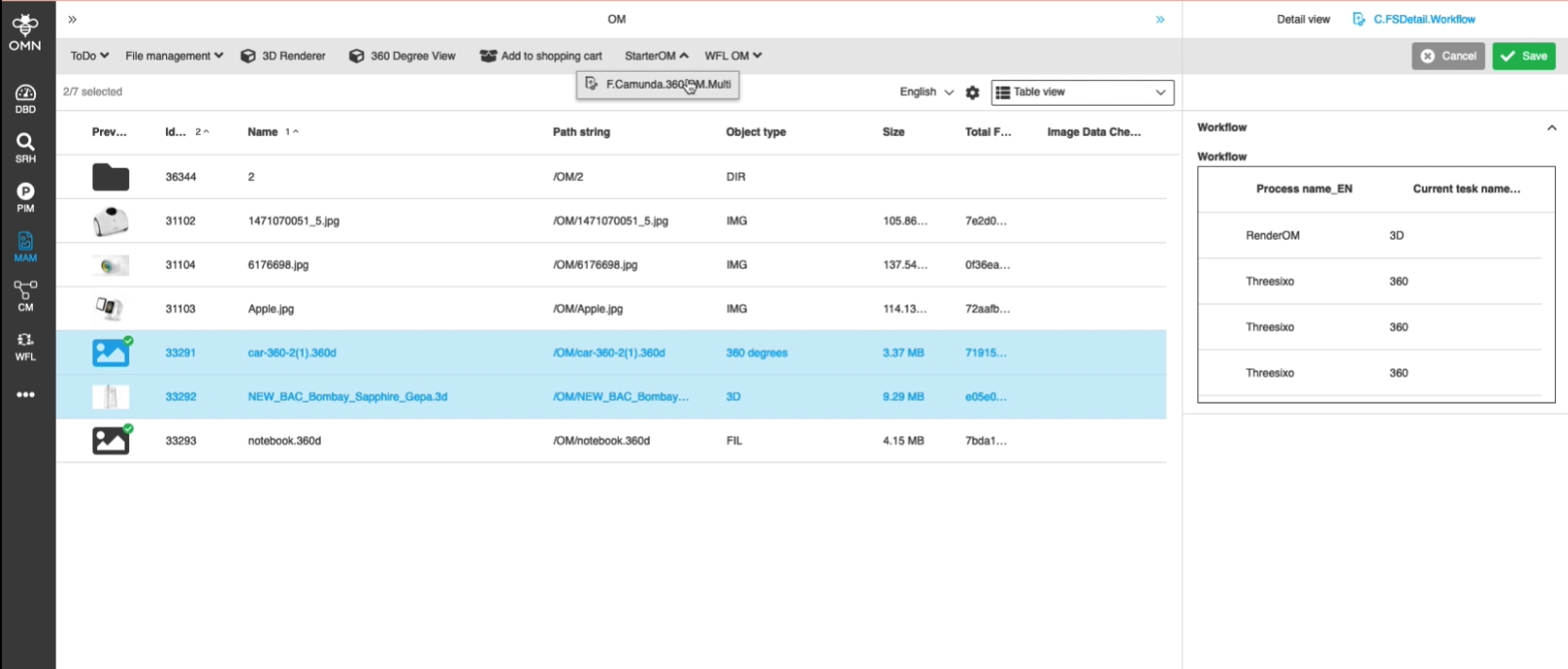
12.2.5 WorkflowConfig - availability of the function button for 360 and 3d files
References |
OG-13008 |
Possibility to see configured WorkflowConfig functions in the toolbar, so that the user can execute Workflows for 360 Degrees and 3D files
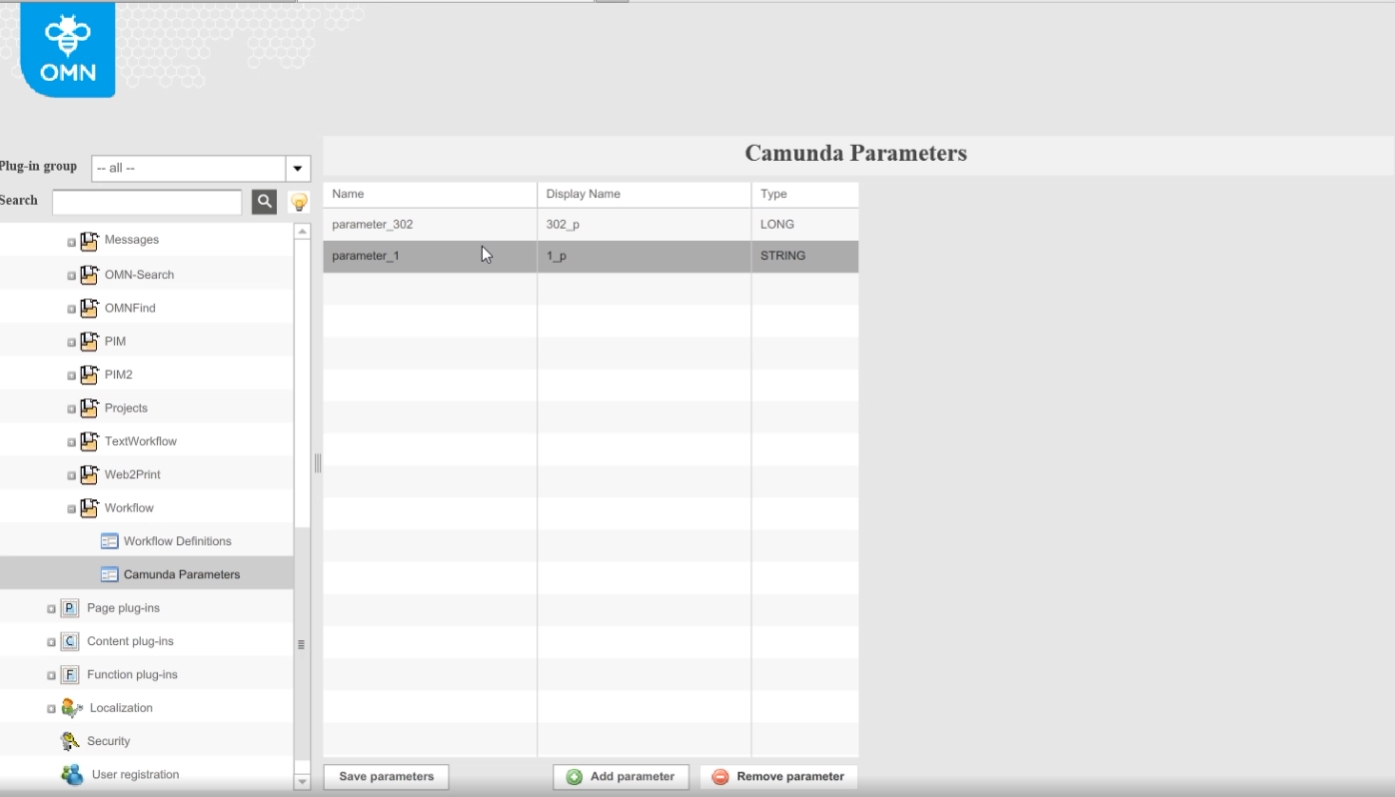
12.2.6 Use server method to start Camunda workflows instead of workflow API method
References |
OG-12349 |
In former Versions there was no way to start a Camunda workflow that is configured in OMN Config Client via the WorkflowConfig plugin using server Methods.
Within this requirement the client will call those server methods instead of the workflow API directly.
12.3 OMN product Workflows
12.3.1 AI Image Workflow v2.0
References |
OW-616 |
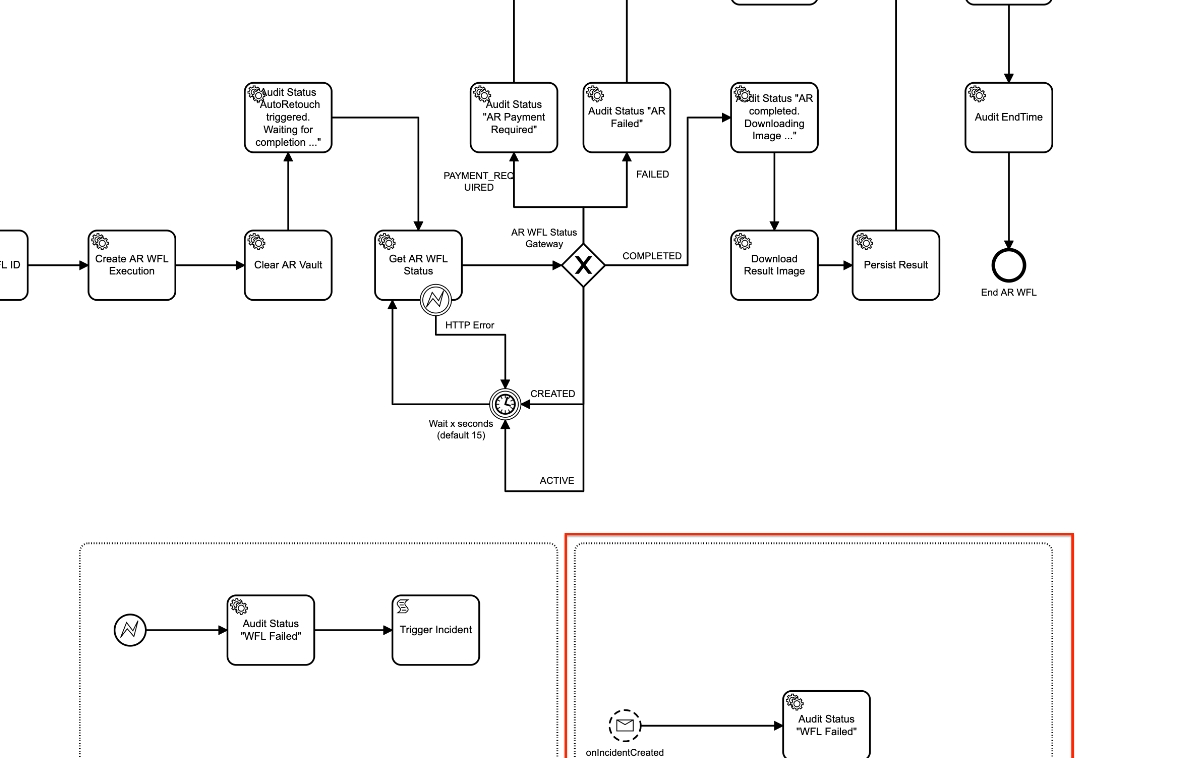
Revised AI Image Camunda Workflow for AutoRetouch Integration which splits the whole integration workflow into smaller tasks with a transaction boundary in between (async before/after)
-
execution of AI Image Workflow via UI (Equal as in former versions)
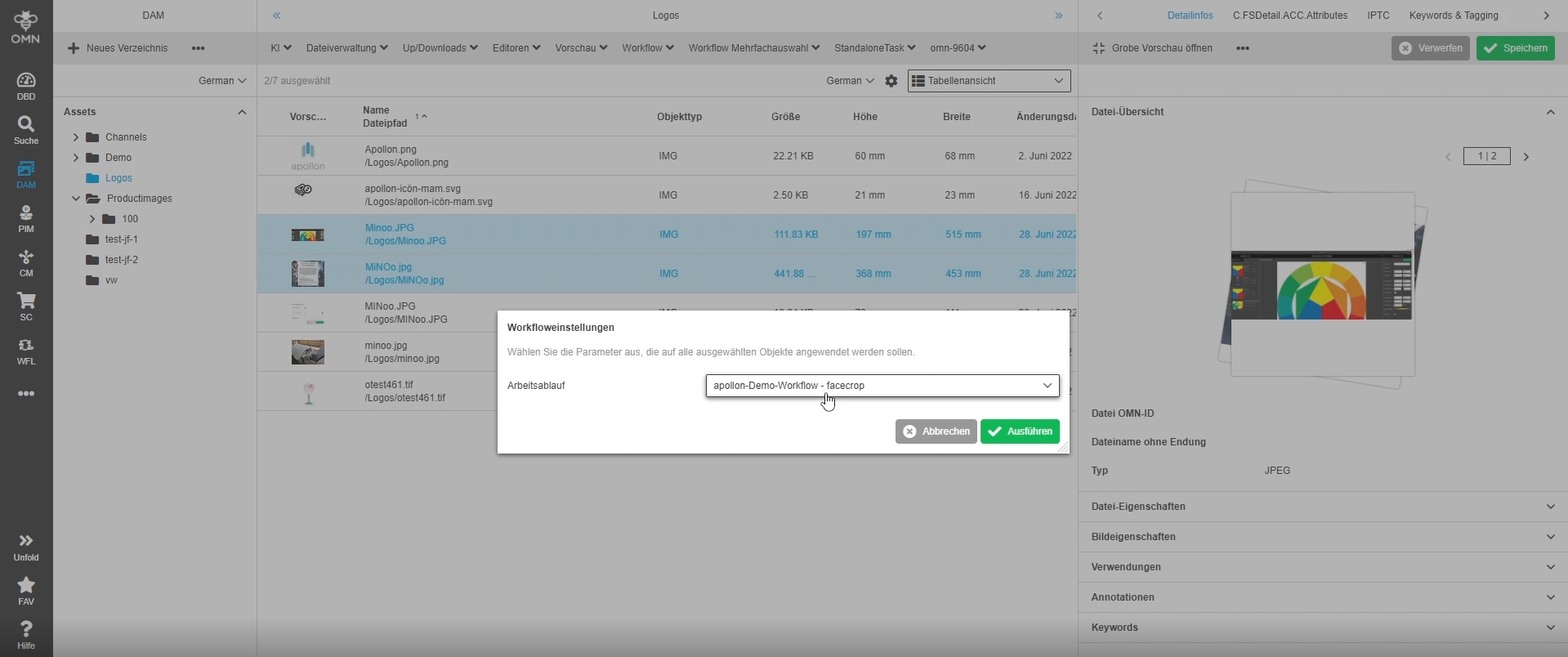
-
Revised AI-Image Camunda-Workflow (BPMN Modell)
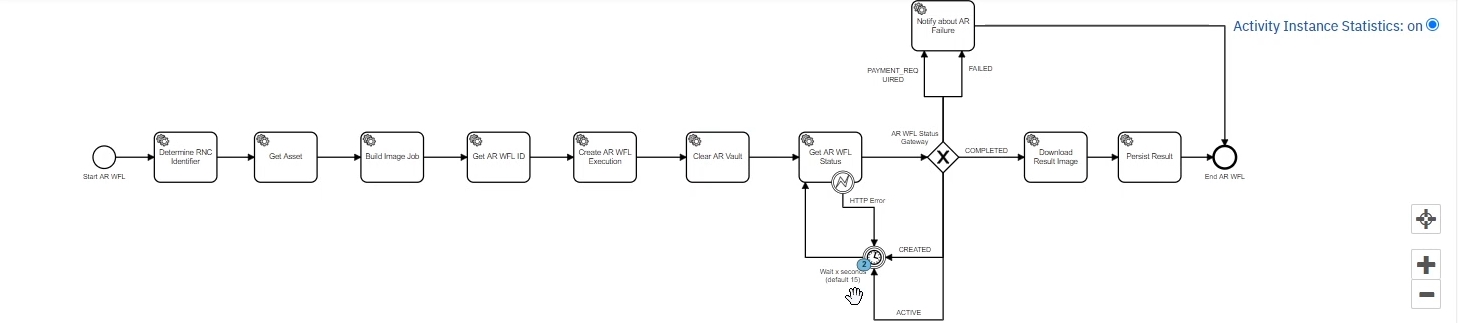
-
Configuration of AI Image Workflow on Base of WorkflowConfig Plugin
12.3.2 Do not retry failed jobs by default
References |
OW-624 |
Formerly failed jobs are retried 2 times (3 times at all), with new implementation failed jobs will not be retried in order not to produce additional costs
12.3.3 Increase default max retries for autoRetouch
References |
OW-615 |
Increase of default max retries
Change from 10 retries to 120 max retries which effectively leads to max 1h waiting
Background
The current default max retries of 10 is often not enough to get a result from AutoRetouch AI process
After triggering the AutoRetouch WFL OMN asks for the status in an additional request.
If AutoRetouch finishes within 30 seconds OMN get a COMPLETED result back and then can download the result Image.
However, if AutoRetouch is not yet finished after 30 seconds, it returns an ACTIVE state and OMN need to ask for the status again. This loop can happen several times.
Currently the maximum number of retries is 10: If OMN gets an ACTIVE state back 10 times in a row we throw an exception. The job is retried, and the AR result is lost.
To prevent losing results which might still complete in future the max retries are increased
12.3.4 Image Metadata for the AI Image Process (AutoRetouch)
References |
OW-613 |
Possibility to get Status information from AI Image process (AutoRetouch)
Following information can be written as metadata to the asset the workflow is executed on
-
start time of process
-
end time of process
-
process name
-
Process parameter (e.g. user has selected the auto retouch workflow masking
-
status information which informs about the status of the workflow
-
AutoRetouch Workflow was Extended to have possibility to write additional metadata
Further Information can be found in documentation
12.4 Camunda Workflow Functionality
12.4.1 Camunda table views should fetch data directly from new index
References |
OG-12967 |
Possibility to filter and sort Camunda processes in Camunda Table Views like WFLStatus, WFLTodoList and ProjectWorkflowView using FSTables with the Object type 'Camunda: Task
12.4.2 Introduce workflow index
References |
PIC-663 |
Introduction of new Elastic Search Index for Camunda workflow related data which is used in workflow related Plugins as persistence
12.4.3 Workflow human task action - SendMessageFunction
References |
OG-6652 |
Possibility to send message (Messageclient) out of an OMN Camunda workflow
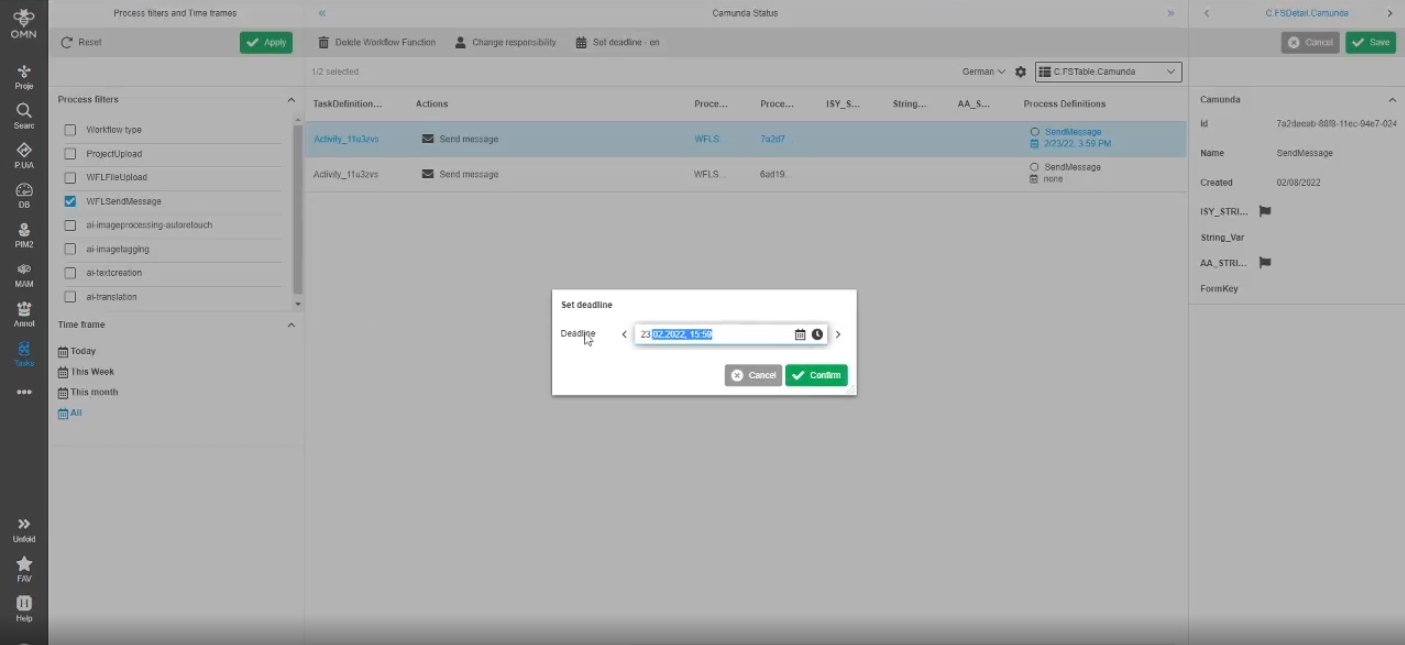
12.4.4 Add possibility to remove deadlines from Camunda tasks
References |
OMN-9097 |
Possibility to reset provided deadlines for a selected Camunda process
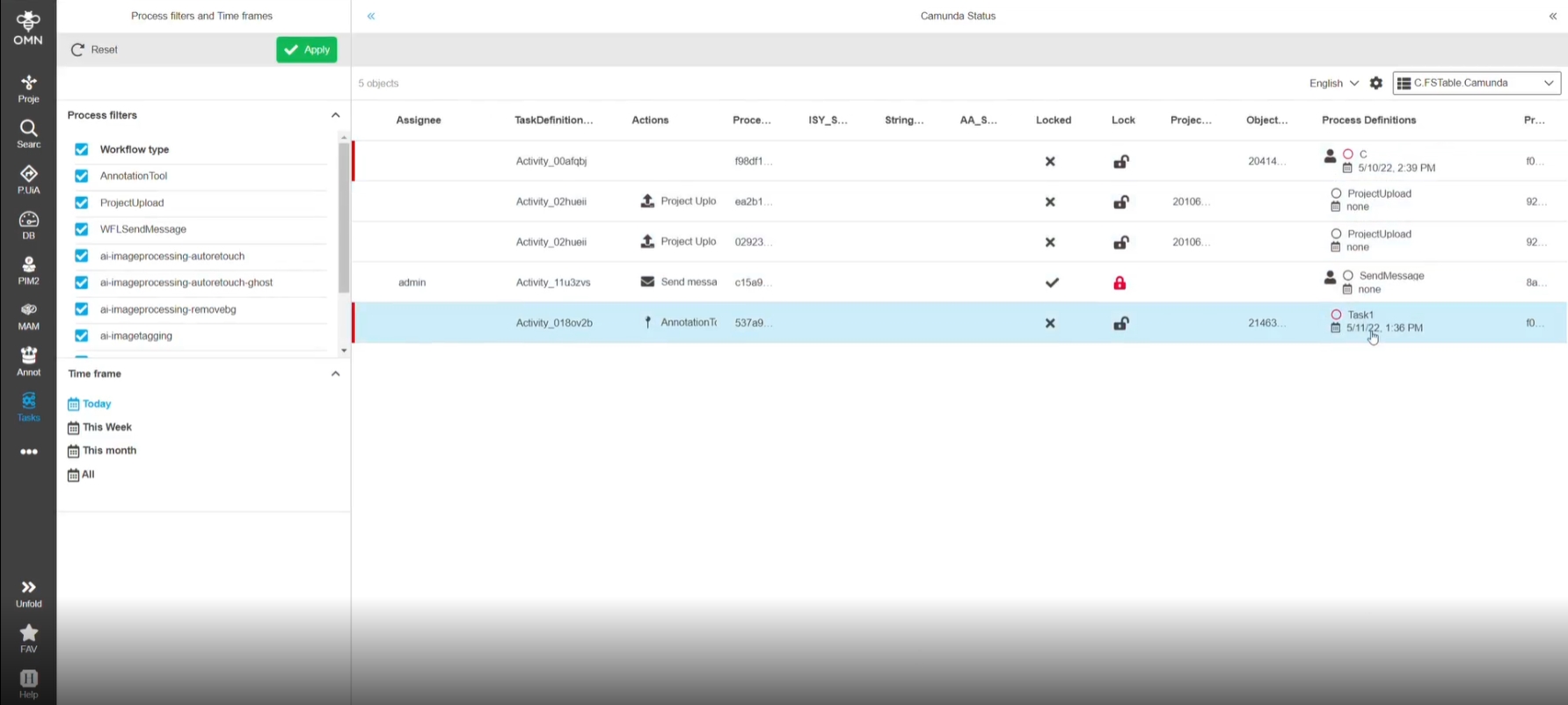
12.4.5 Time frame filter for Camunda processes
References |
OG-13067 |
Possibility to filter Camunda task via time frame filter
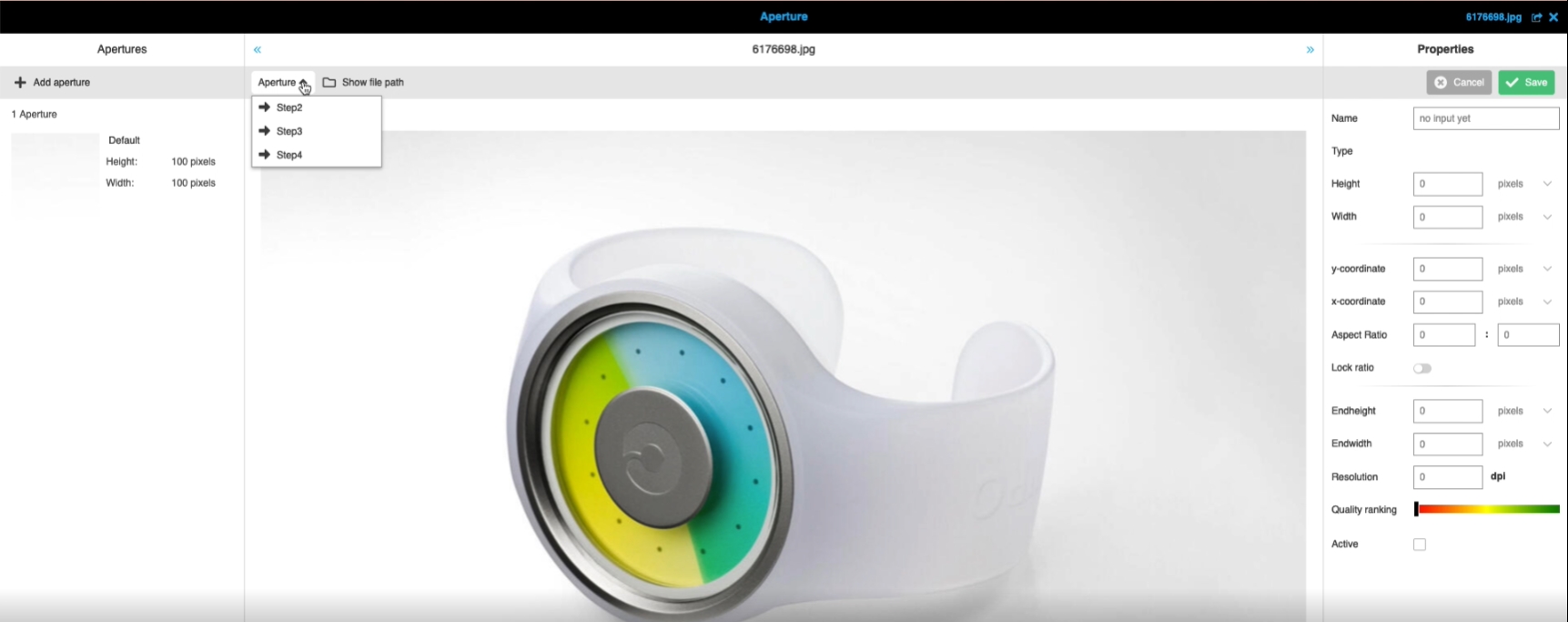
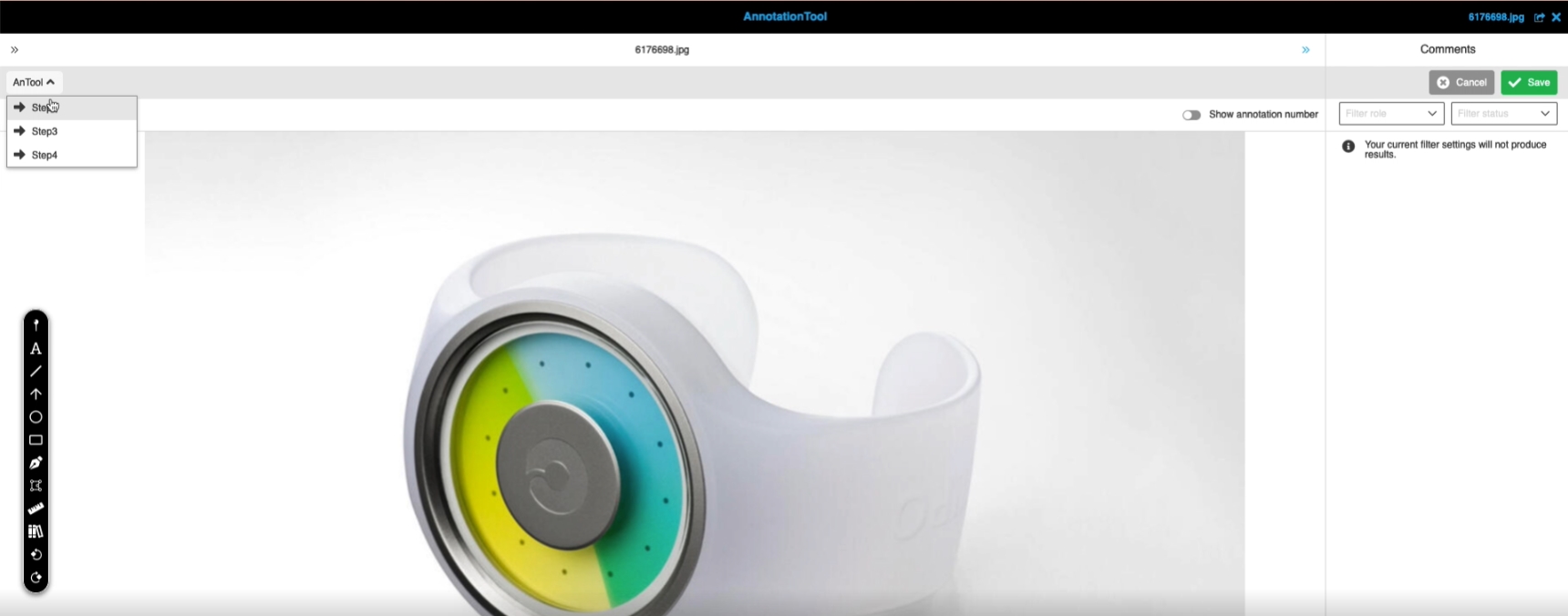
12.4.6 Add workflow transitions to editor for Camunda user tasks
References |
OG-12540, OMN-9123 |
Possibility to change a state of a Camunda task within an OMN Editor like ProductView
-
Example Aperture
-
Example Annotationtool
12.4.7 Provide workflow transitions into all views of OpenProductView function
References |
OG-13005 |
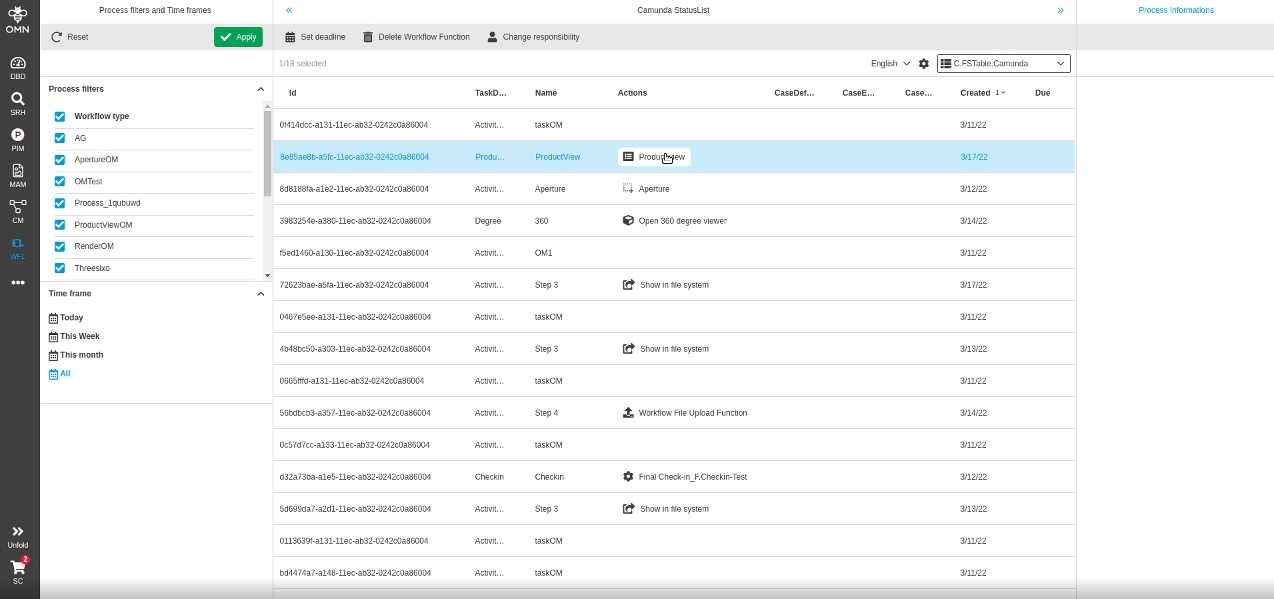
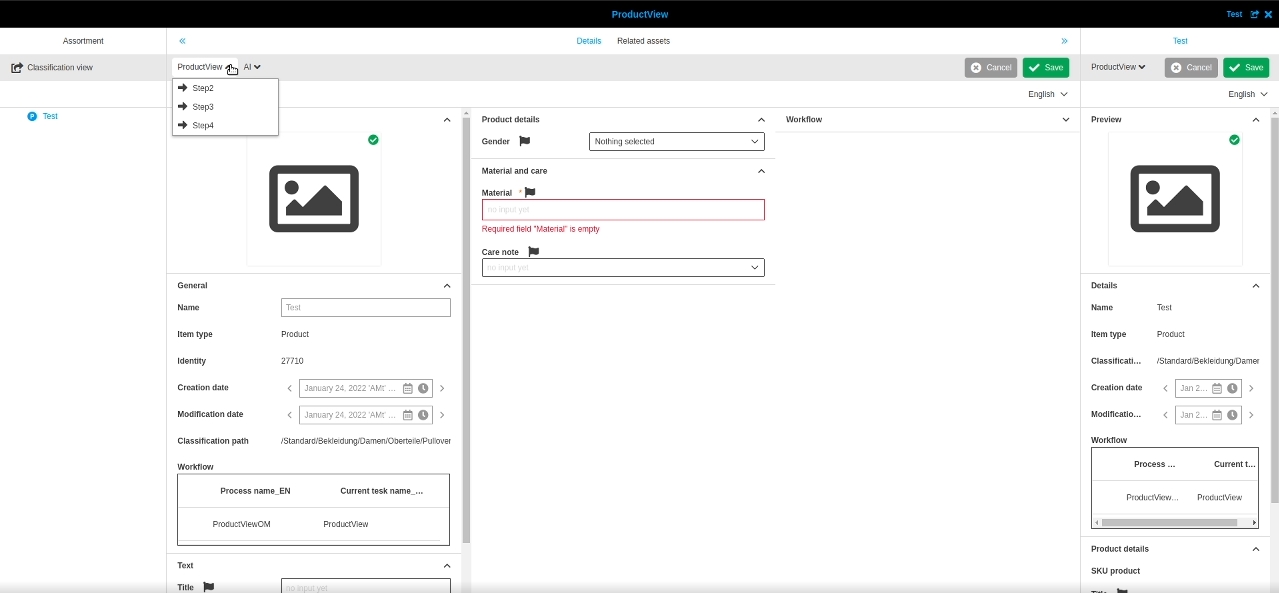
In case of EditorFunctions like Annotationtool, ProductView etc. are opened from task list the user can now change the state of a task within the called function (Editor)
-
Editor is opened from Task list
-
Editor will show related workflow transitions
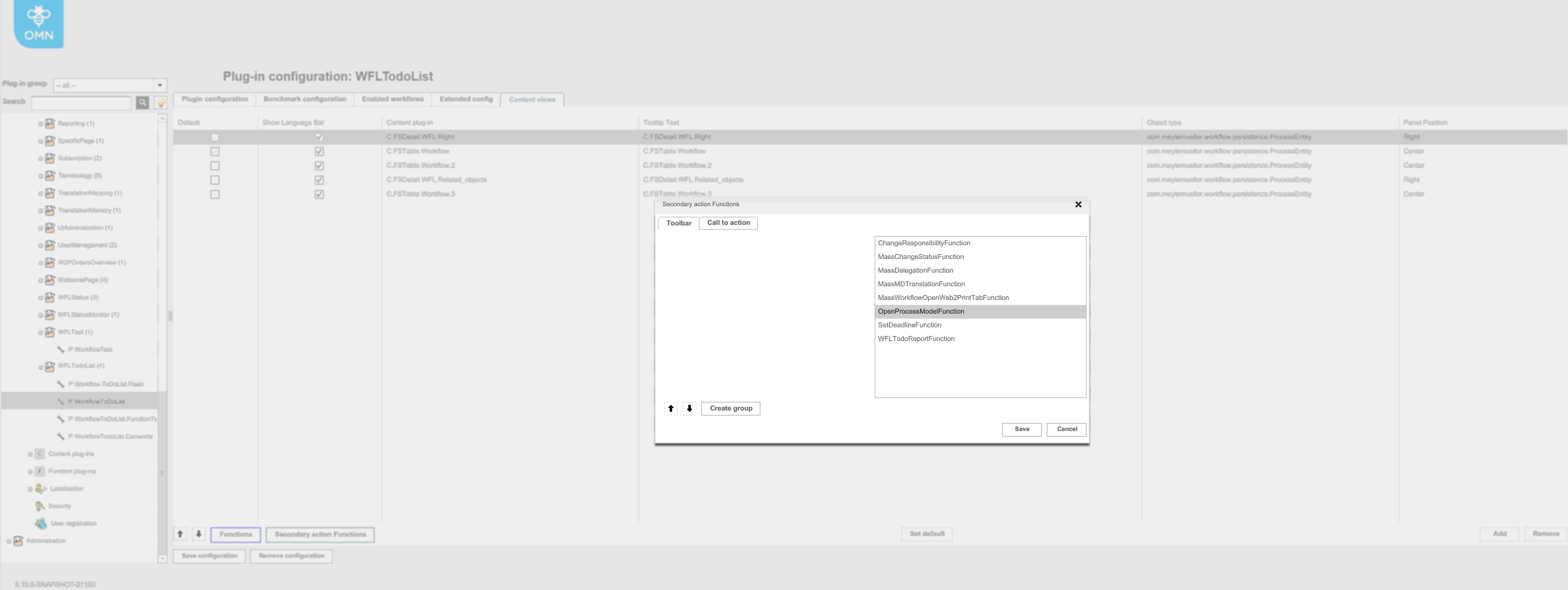
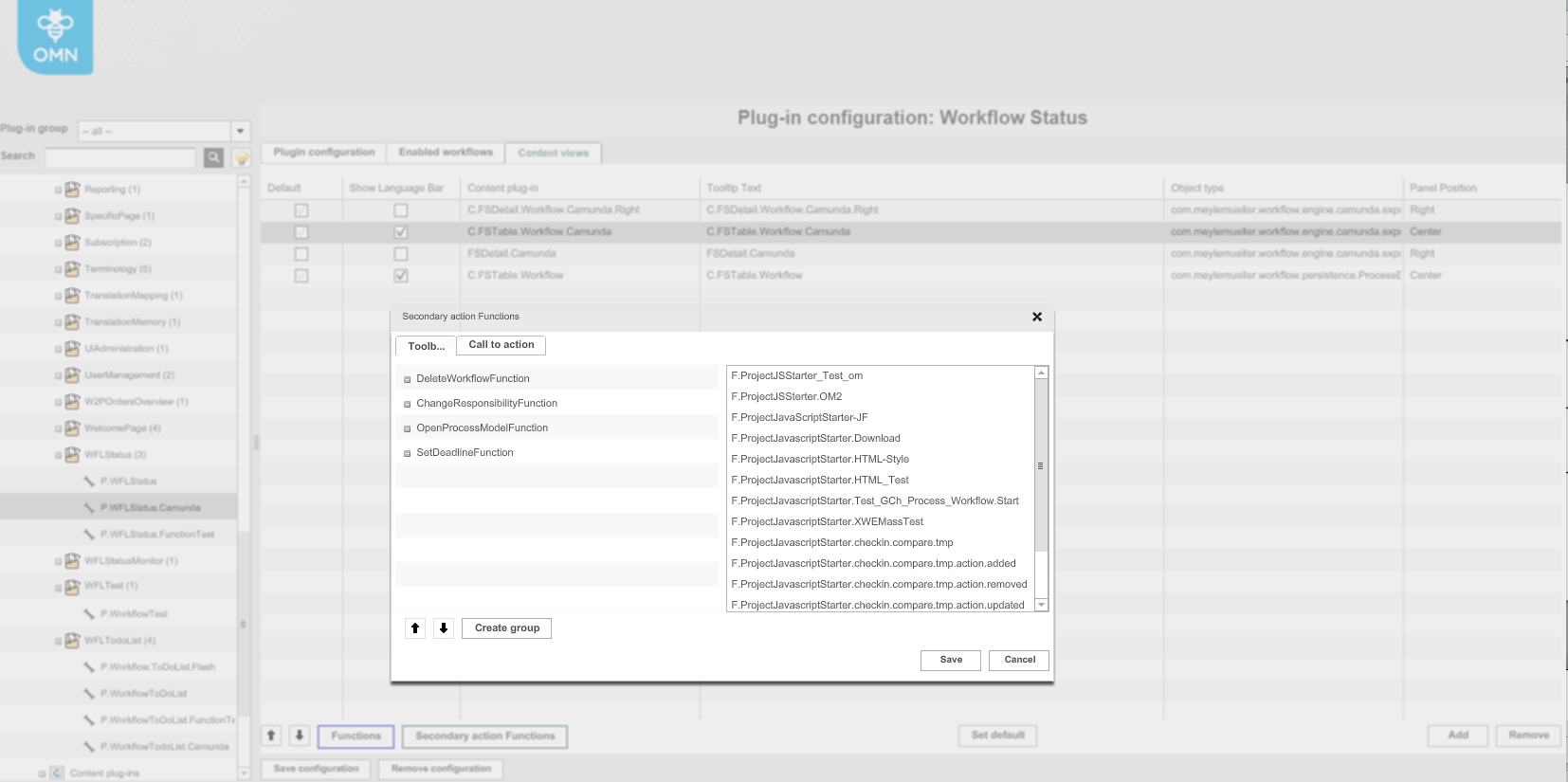
12.4.8 Camunda - Function - Open process model
References |
OMN-8374, OG-10548 |
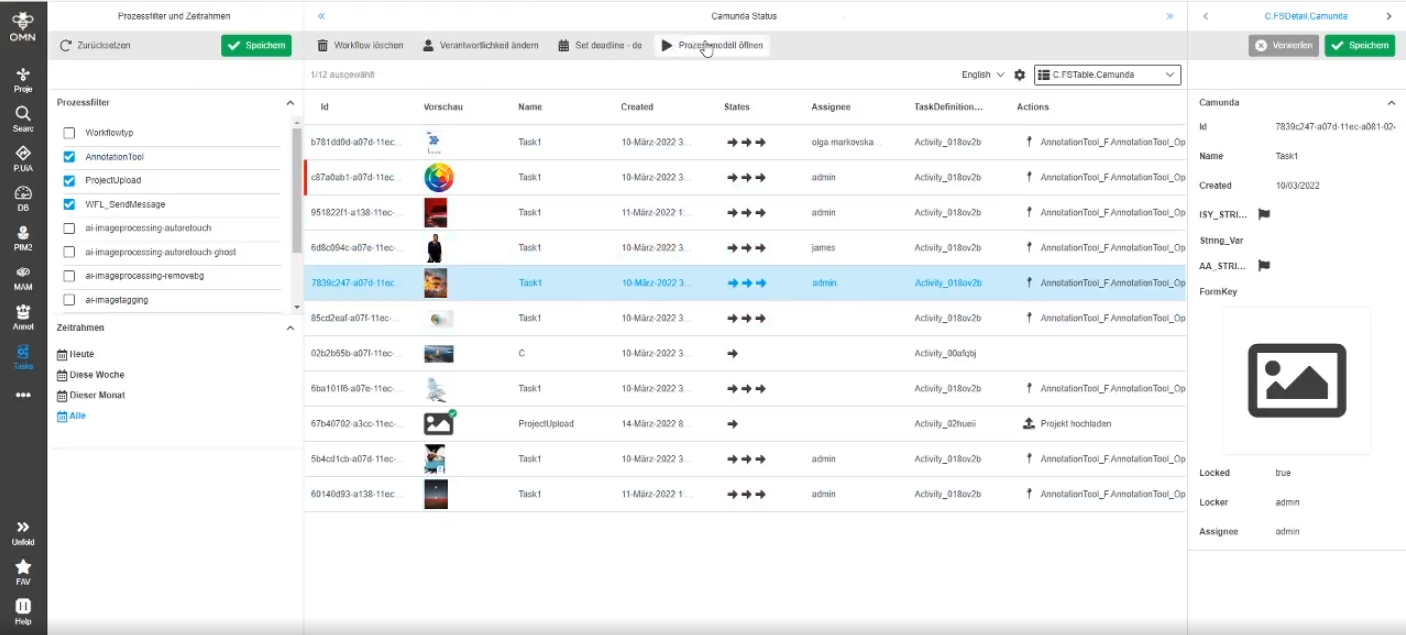
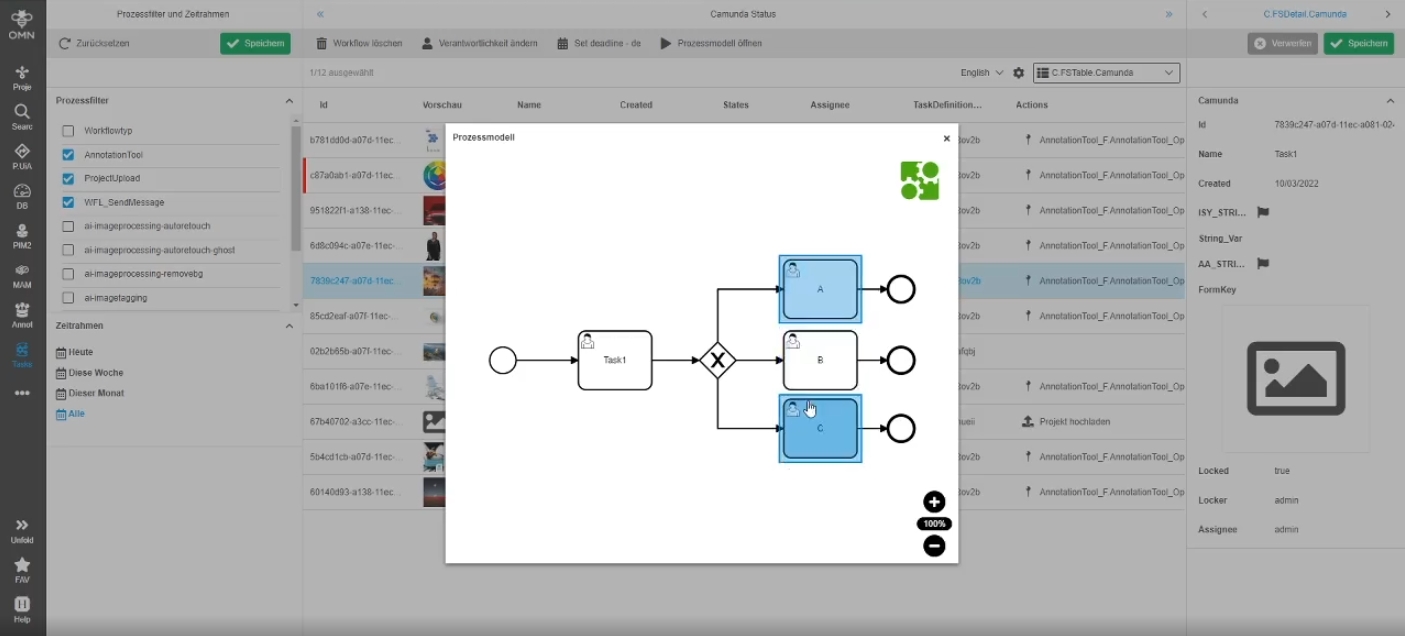
Possibility to view the related process model of Camunda process for my workflow in detail, so the user gets an better overview of the Camunda process
-
Possibility to open process model by function
-
Configuration possibility in backend in WFLToDoList
-
Configuration possibility in backend in WorkflowStatus
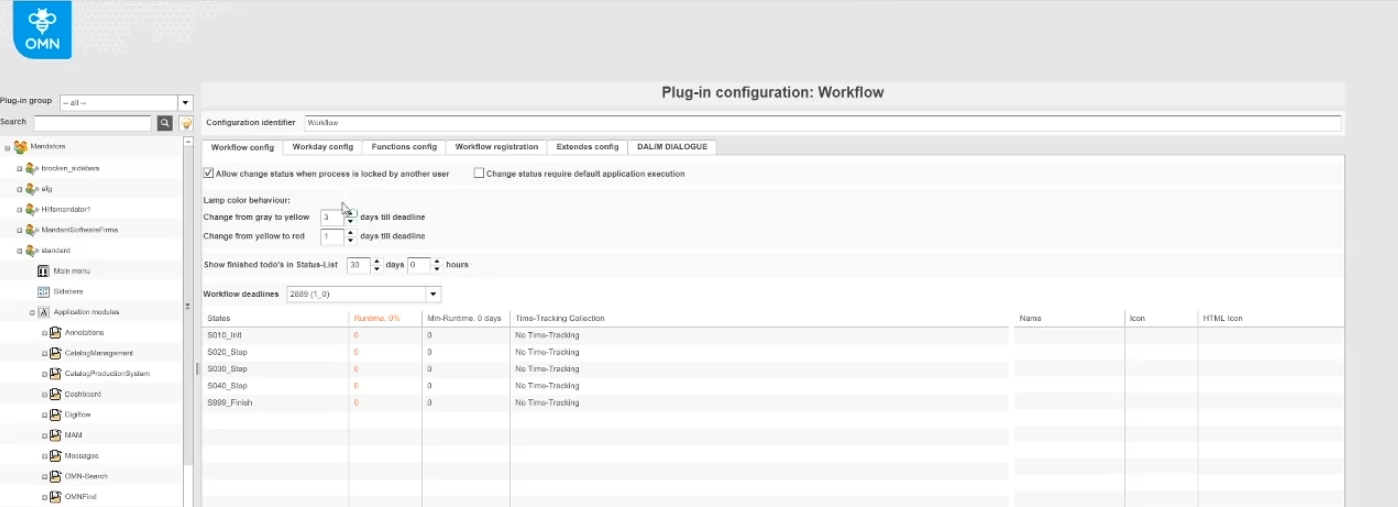
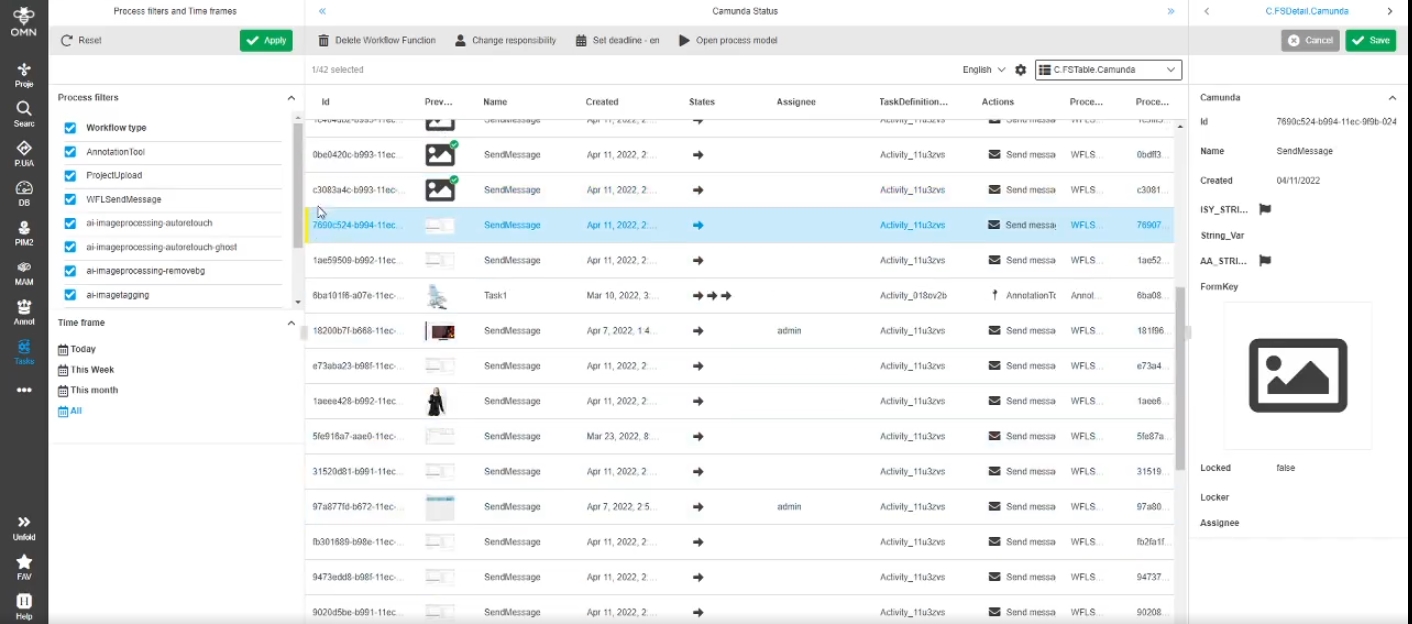
12.4.9 Provide lamp color settings to client side
References |
OMN-9301 |
The Lamp Color behavior options of workflow configuration can now be used for Display of Deadline Color indicator for Camunda Workflows
-
Change from gray to yellow days till deadline
-
Change from yellow to red days till Deadline
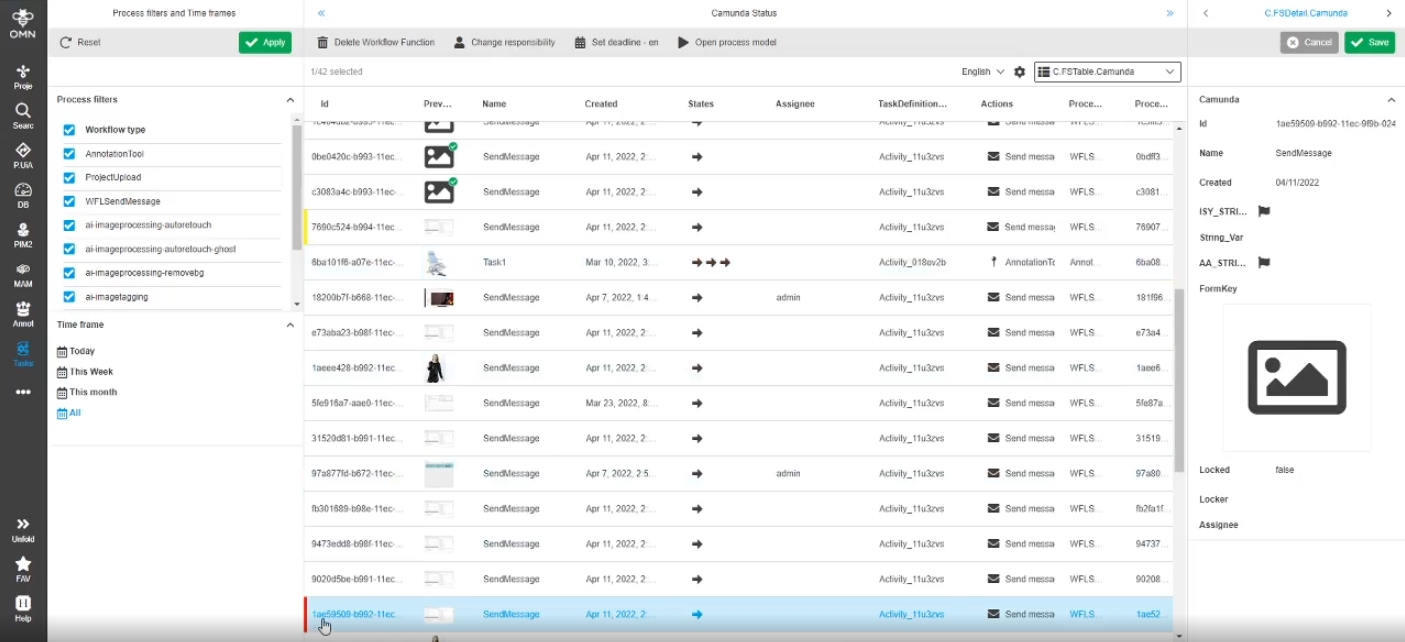
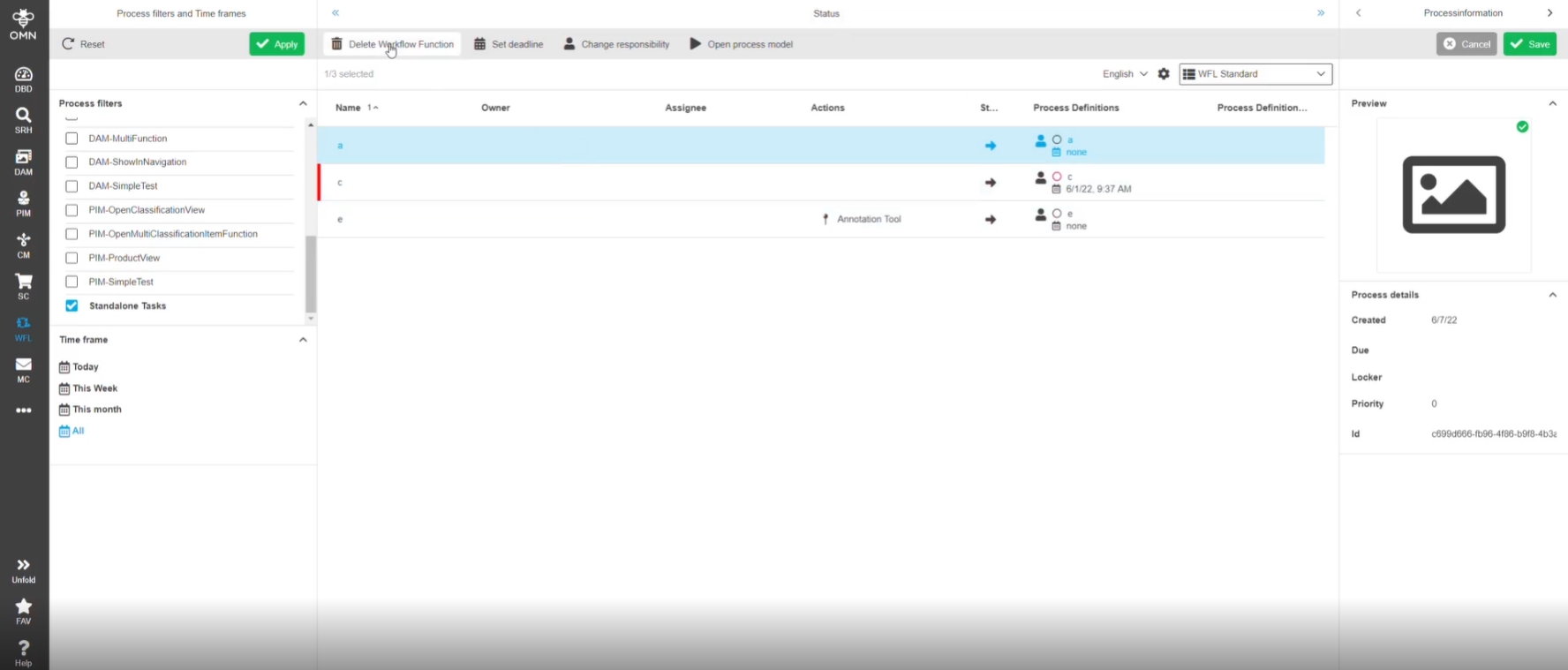
12.4.10 Delete function for Camunda Standalone Tasks
References |
OG-13280 |
Possibility to delete one or more Standalone Task(s) in WFLtodo and WFLStatusList
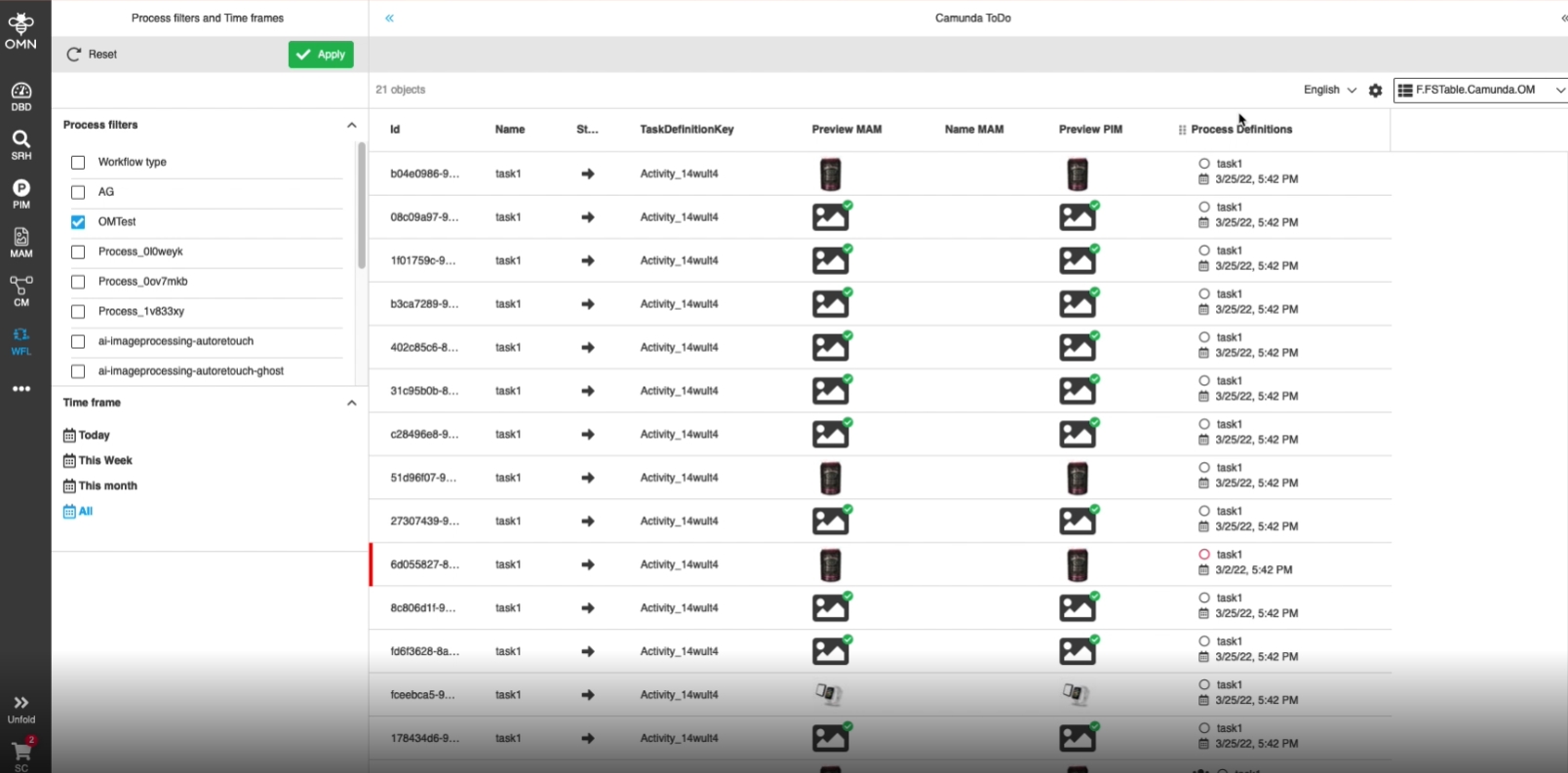
12.4.11 WFLToDoList - Display ProcessDefinitionsColumn for Camunda processes
References |
OG-12373 |
Possibility to see the Camunda process details column (TaskName, Responsibilities, Deadlines) in the WFLToDoList just like it is currently displayed in the WFLStatus view
12.4.12 Add API to access all available version information
References |
OW-671, OW-673 |
To minimize requests all available version information can be accessed by one API Endpoint (e.g.: /version/all)
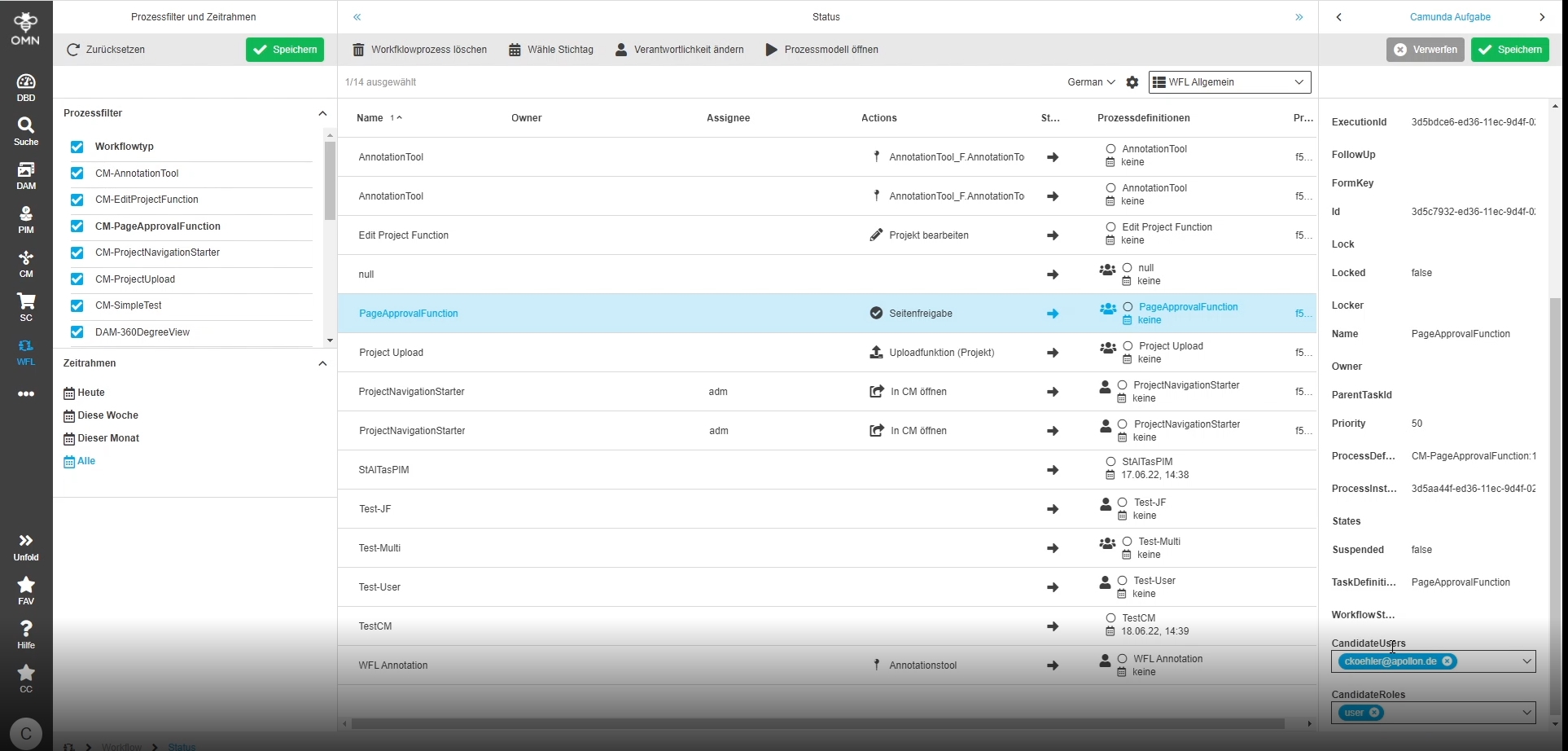
12.4.13 Implement separate candidate expressions for users and roles to allow filtering via search
References |
OMN-9505 |
In addition to the existing expression task.responsibilities that contains complex objects the following two new SEQ/BAQ expressions are introduced. This Attributes can also be used to include this information into OMN-Search index
-
task.candidateRoles: List<String> with role names
-
task.candidateUsers: List<String> with user names
12.4.14 Tasks not filtered by responsibilities in WFLToDoList
References |
OG-13271, OMN-9513 |
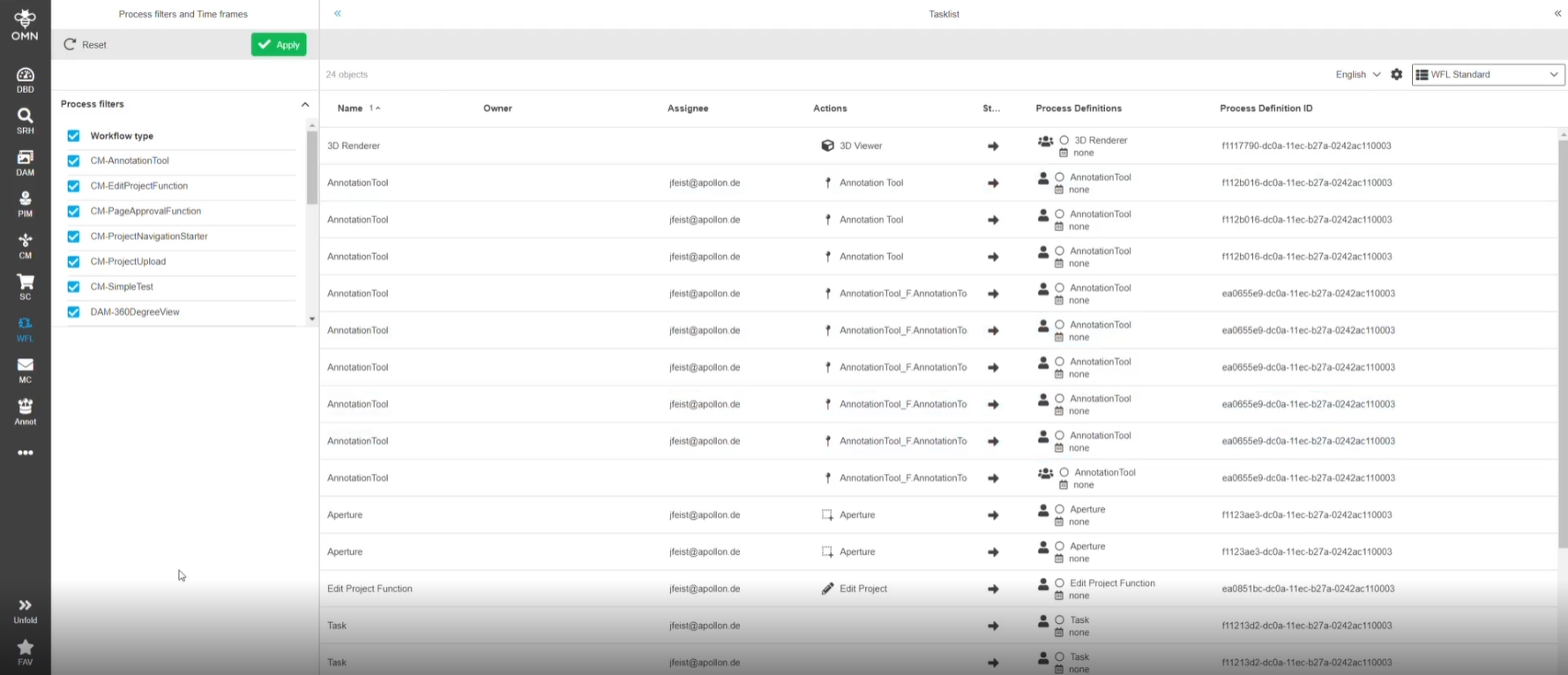
WFLTodoList is displaying tasks based on these criteria (in former Versions filter for responsibility was ignored)
-
Task has no responsible user or role
-
Current user is member of any configured responsible role of the Task
-
Current user is part of configured responsible users of the Task
12.4.15 Move resolution of placeholders for Camunda parameters to OMN Server
References |
OMN-9511 |
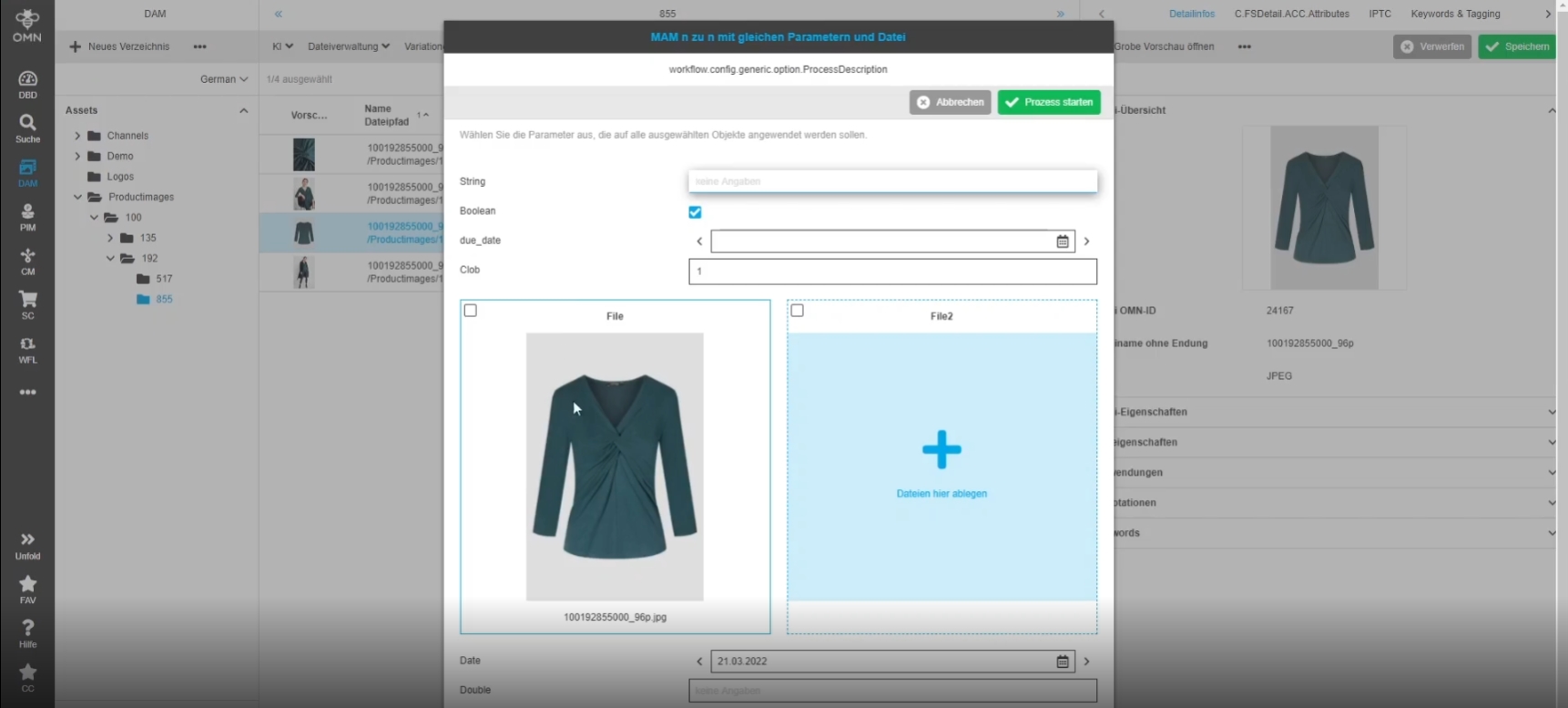
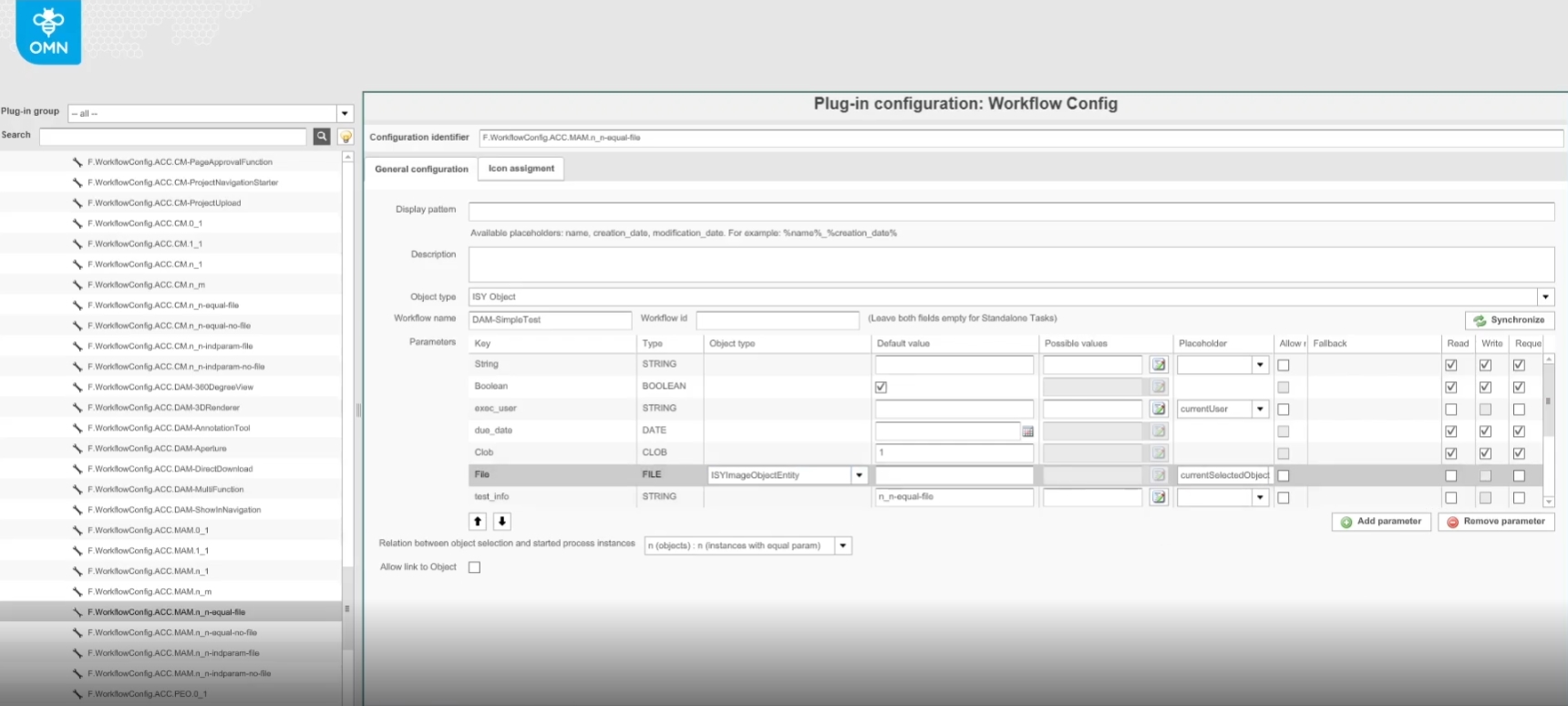
If a file Input type is configured as a workflow parameter the placeholder will always be resolved regardless of the access Level (read, write, request); in case of write access, the placeholder value can be overwritten by user Input set in the workflow process modal
-
configuration of a placeholder file on OMN config client
12.4.16 Camunda Listener for OMN Search Index updates
References |
OW-655 |
New Camunda Listener for OMN Search Index updates
-
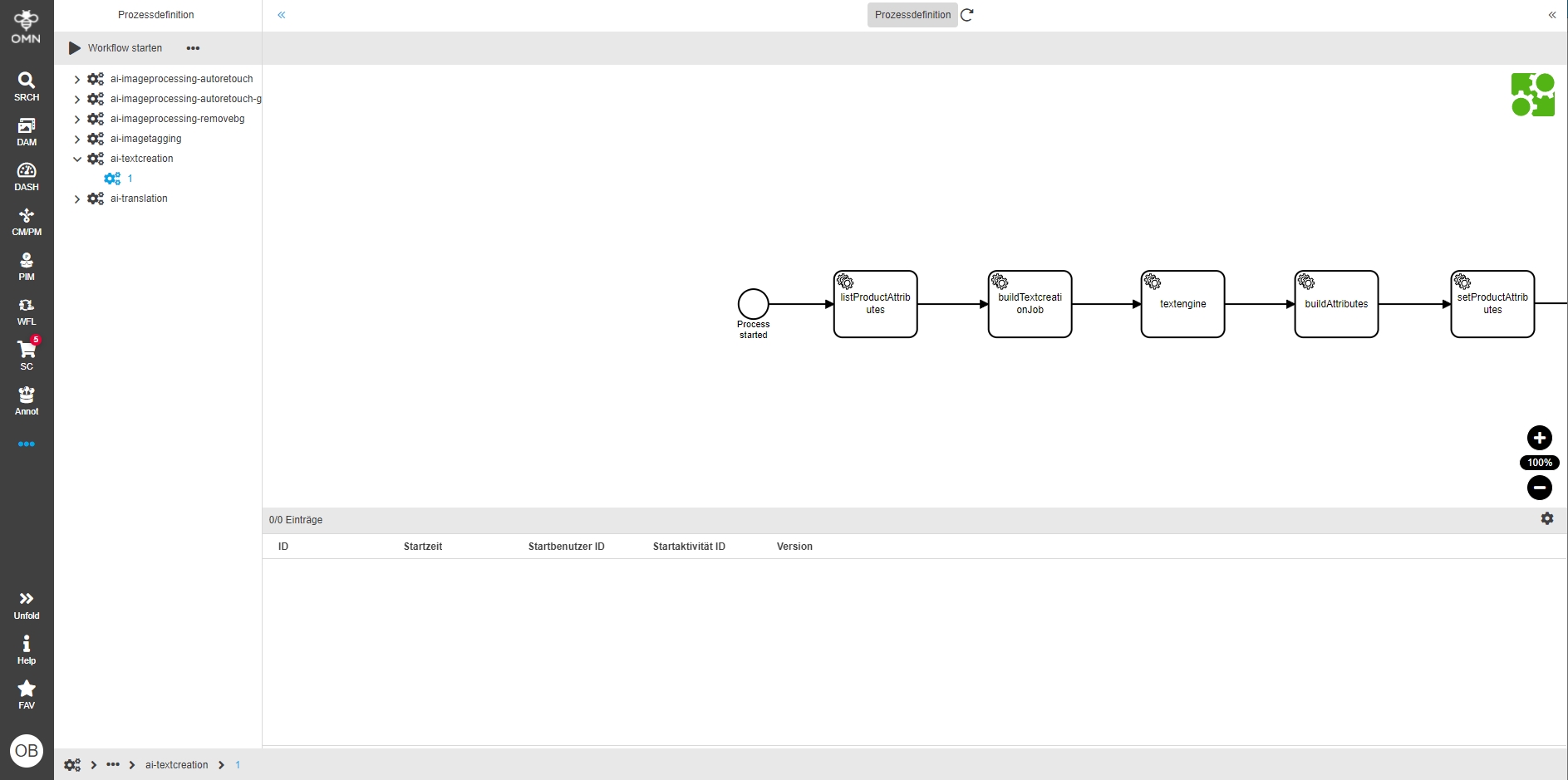
the listener reacts to every relevant event that could be needed to keep the search index up to date (variable-value-change, task created, task completed, etc) and call the search API to trigger a index update for the changed Task
13. Annotation-Repository + Tool
13.1 Annotation Tool
13.1.1 Annotation Tool - Enable zoom with mouse wheel
References |
OG-11767 |
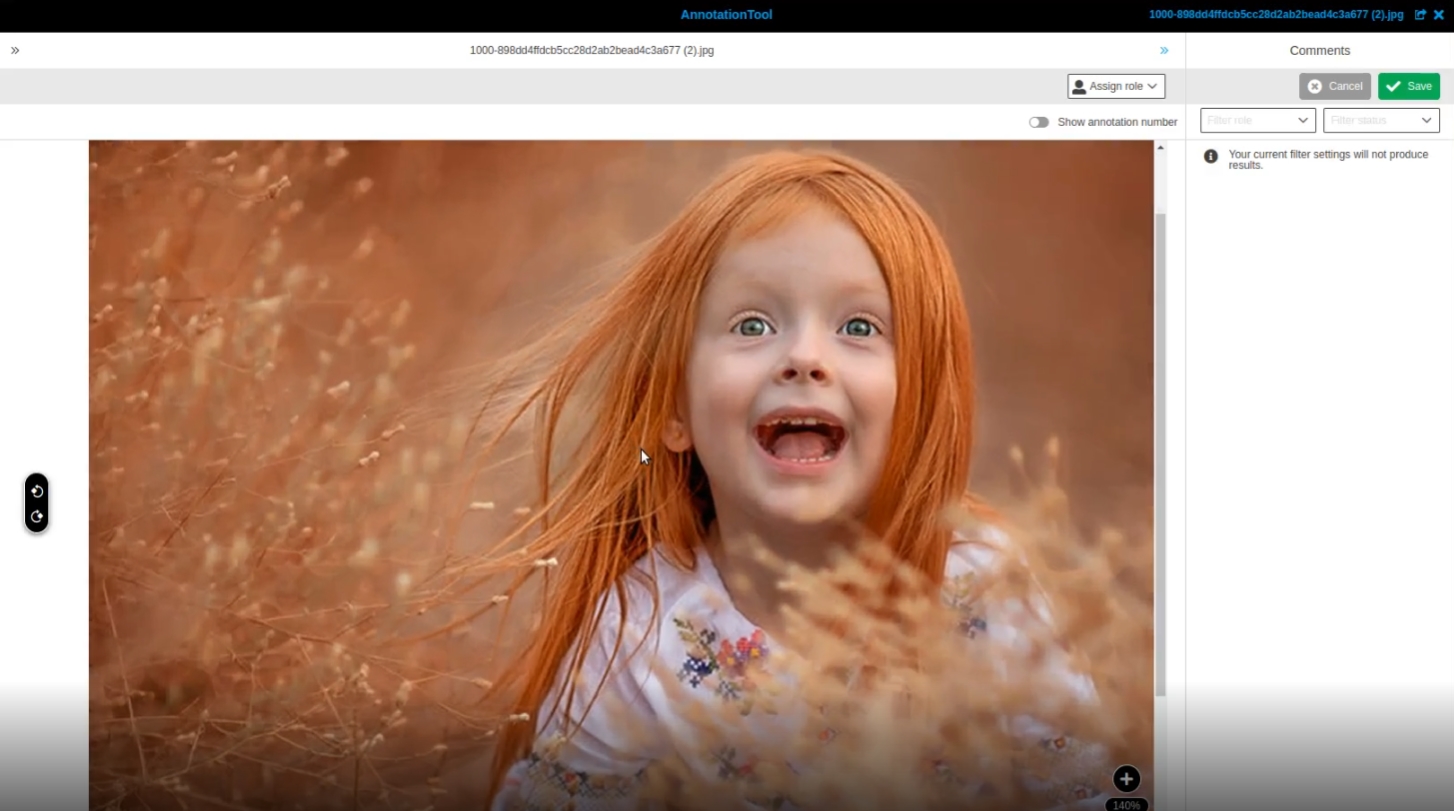
Possibility to zoom the canvas in AnnotationTool easily with Mouse wheel and Key combination*
-
Mousewheel + CRTL (Windows)
-
Mousewheel + CMD (Mac)
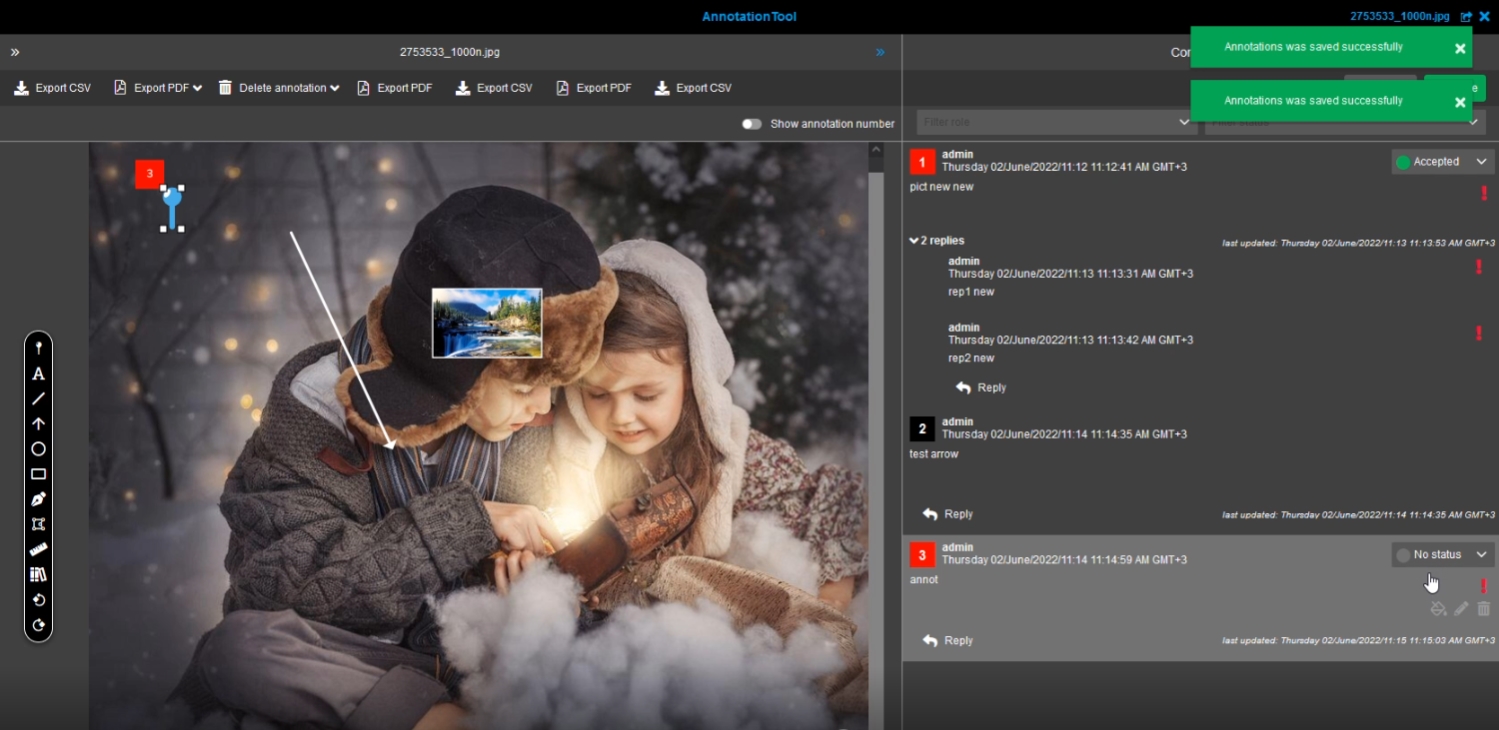
13.1.2 AnnotationTool - Comment View - Improvement to distinguish creation and modification date on created annotation
References |
OG-13155 |
Improved Display to see the time when an annotation has been created and when it has been modified the last time
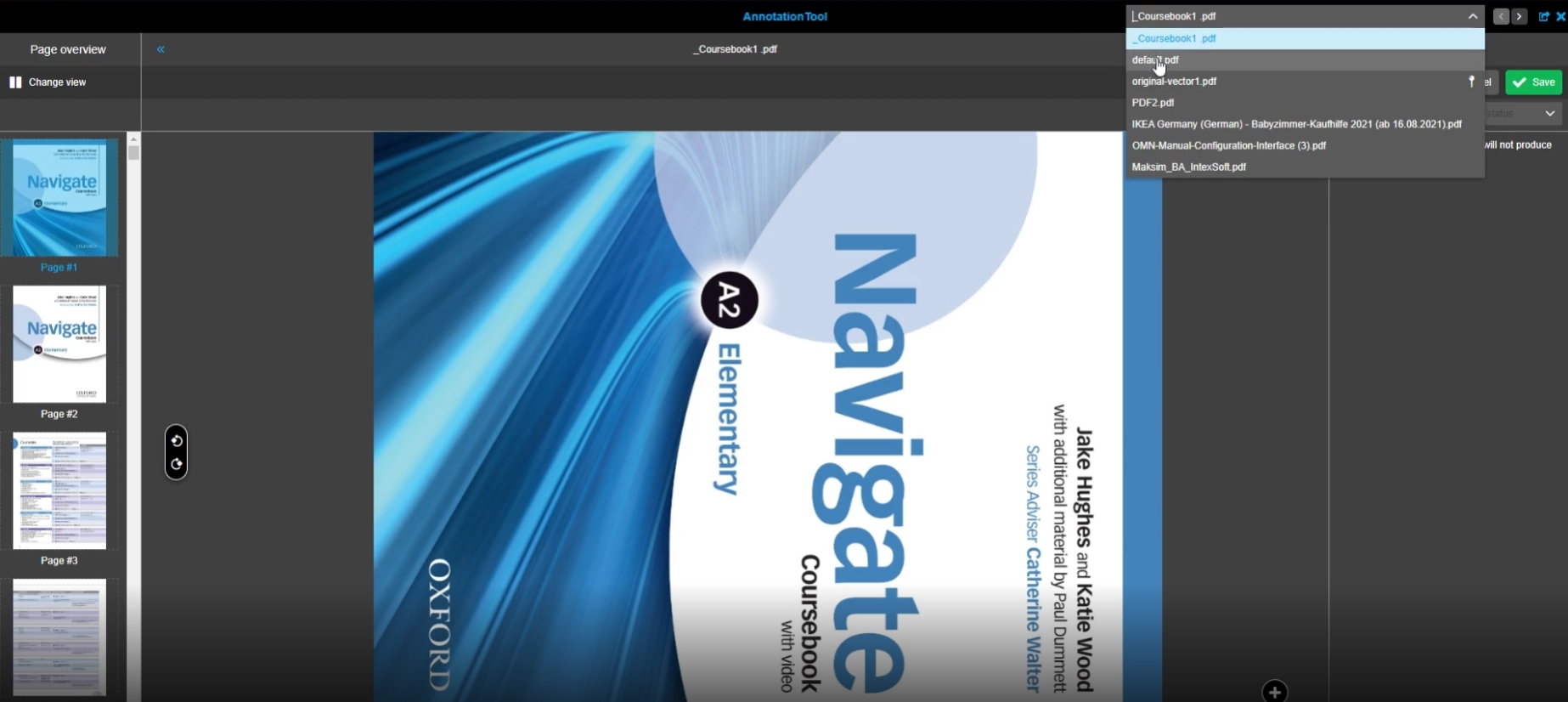
13.1.3 AnnotationTool - Function in Project Navigation shows not all pdf files fitting to annotation mapping configuration
References |
OG-11569, OMN-9170 |
Open AnnotationTool function from ProjectNavigation allows to see available pdfs according to configured annotation mapping in a specific order by new configuration Option
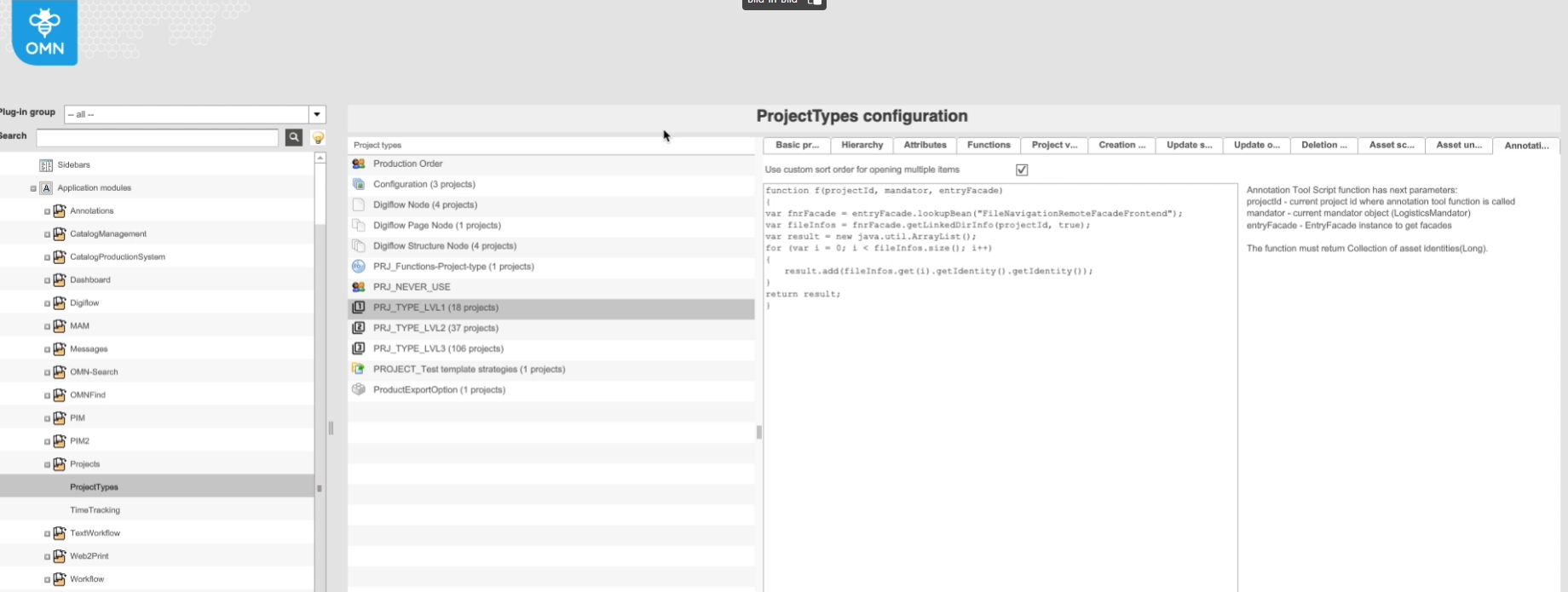
New configuration Option for custom sort order (for multiple opened items in AnnotationTool from project)
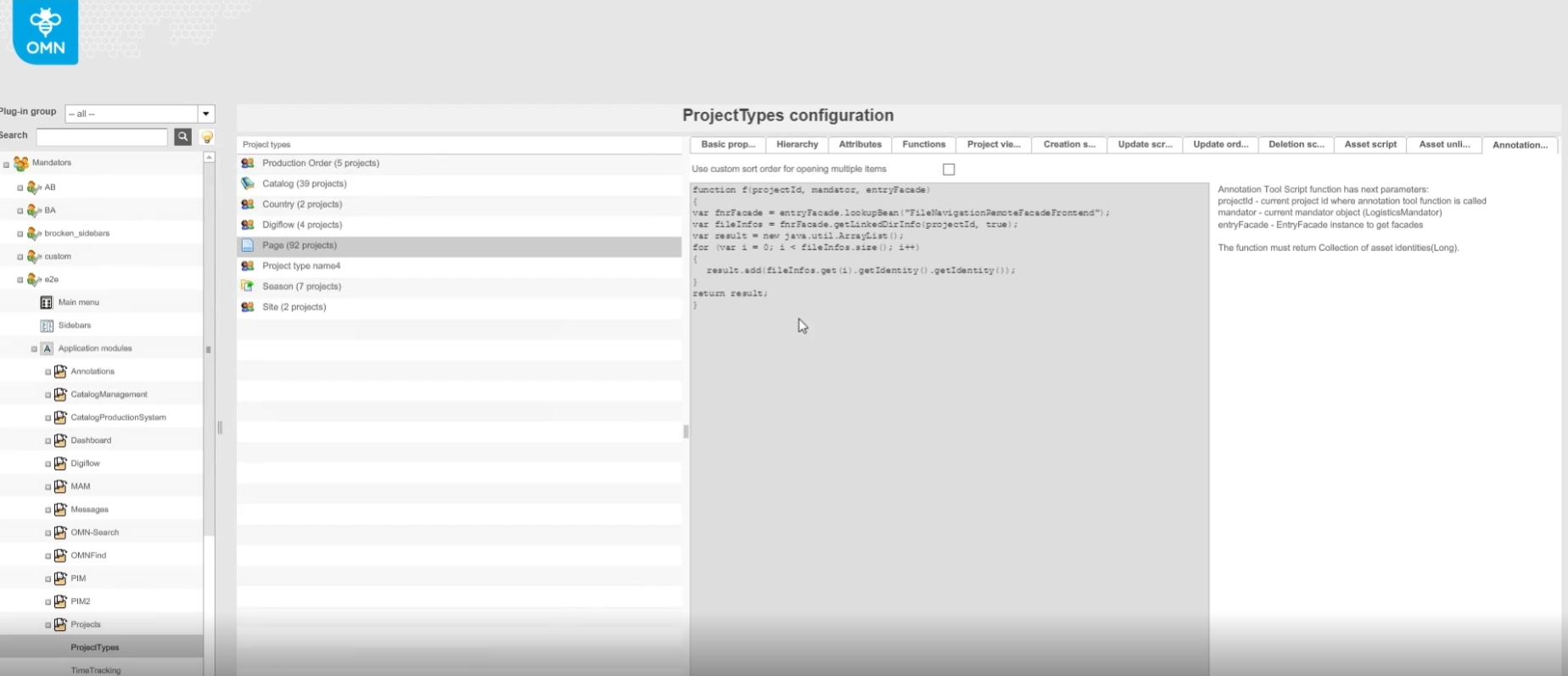
13.1.4 JavaScript configuration for opening AnnotationTool in project navigation
References |
OG-13025 |
Possibility to configure the sort order for multiple items opened in the annotation tool in CM context, so that they can influence it according to the customer process
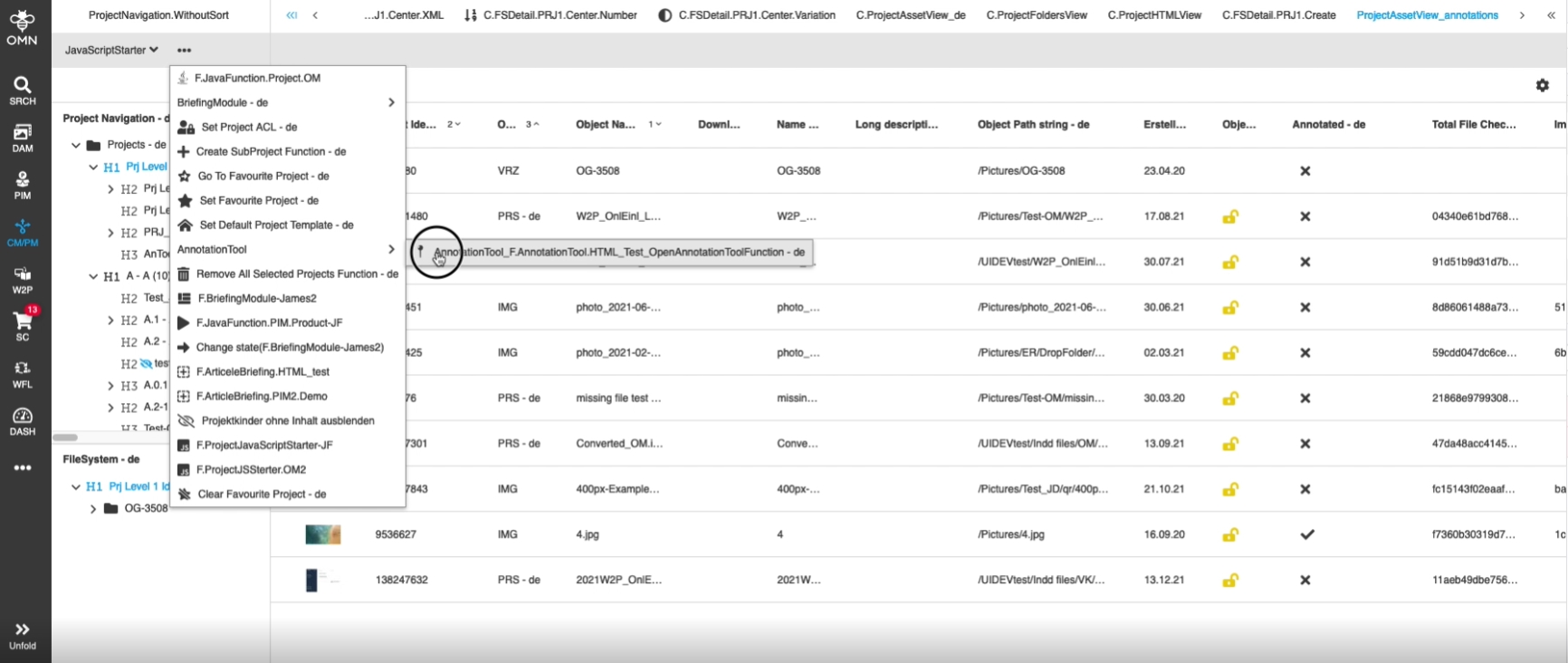
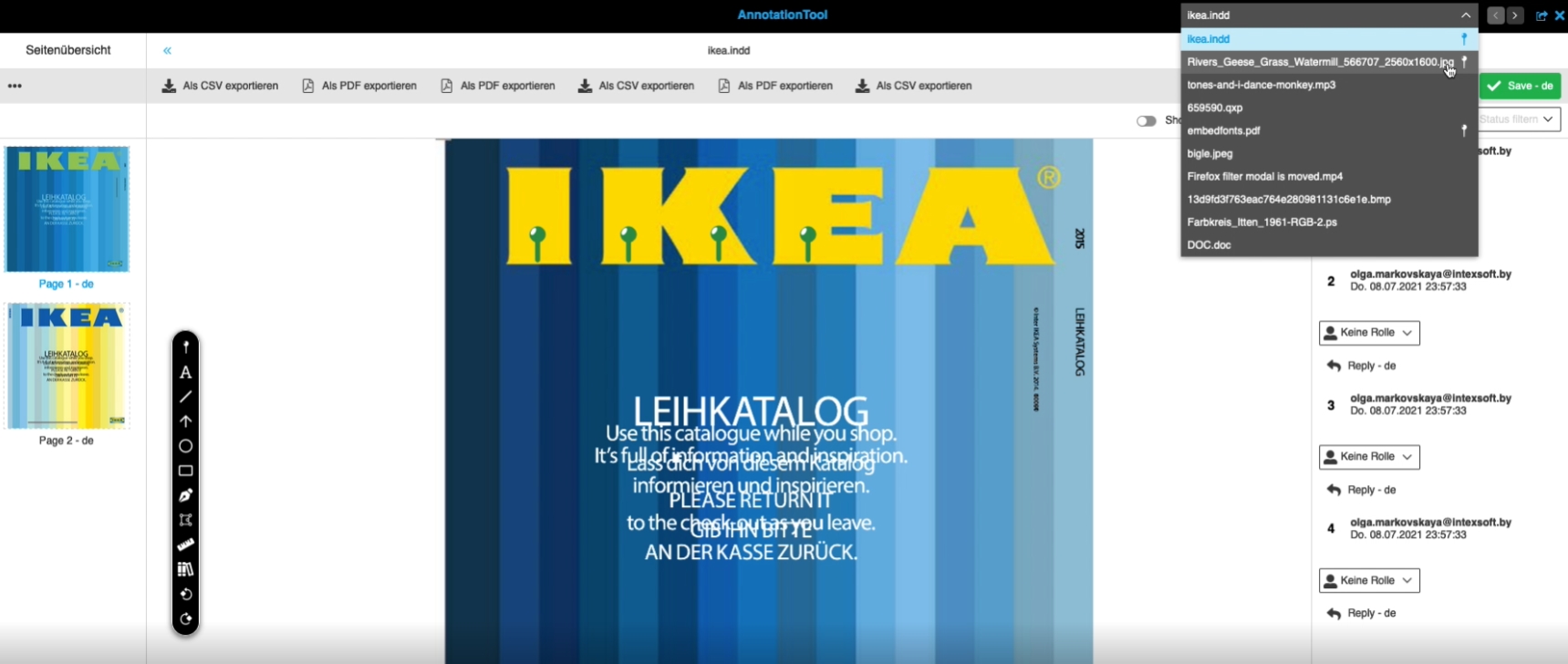
New configuration for custom sort order of multiple items, when Annotation tool is opened in a Project context
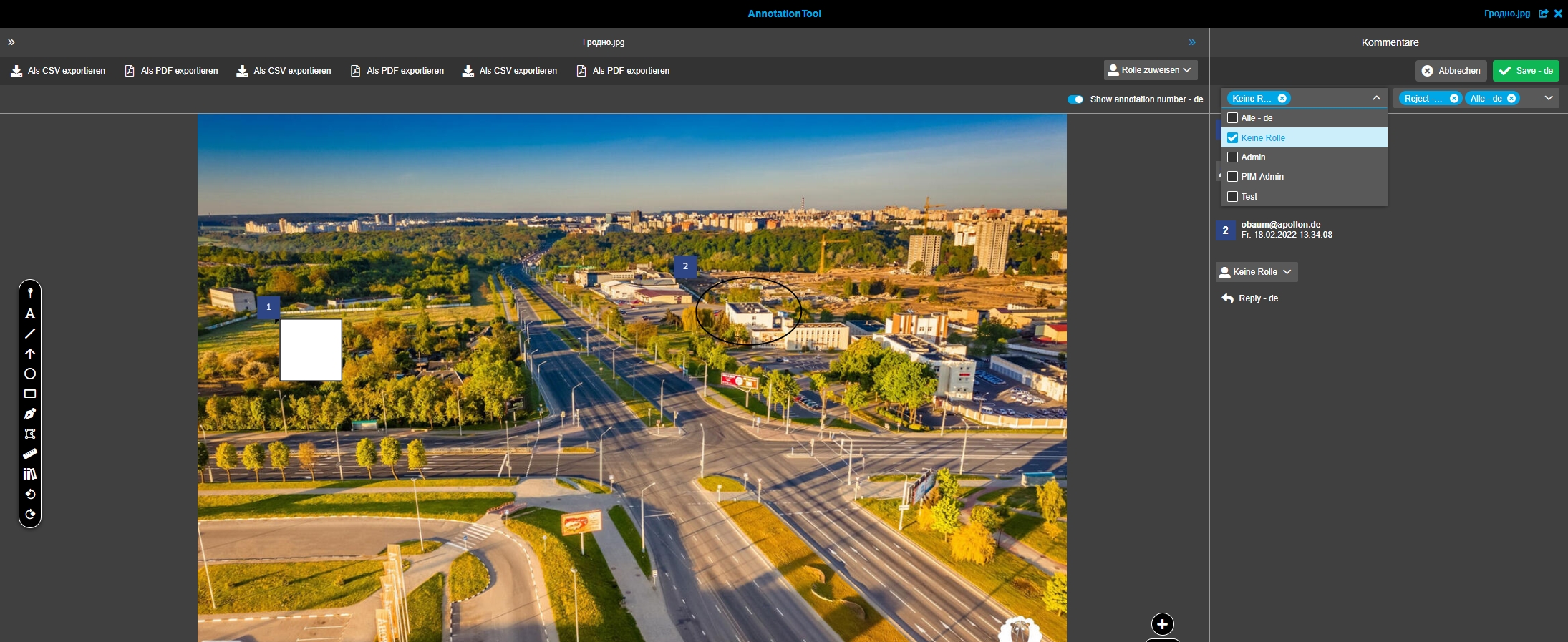
13.1.5 AnnotationTool - Role and Status filter - Allow multi selection
References |
OG-12850 |
New possibility to combine several filters with each other, so that the user can filter for more than only one status or role
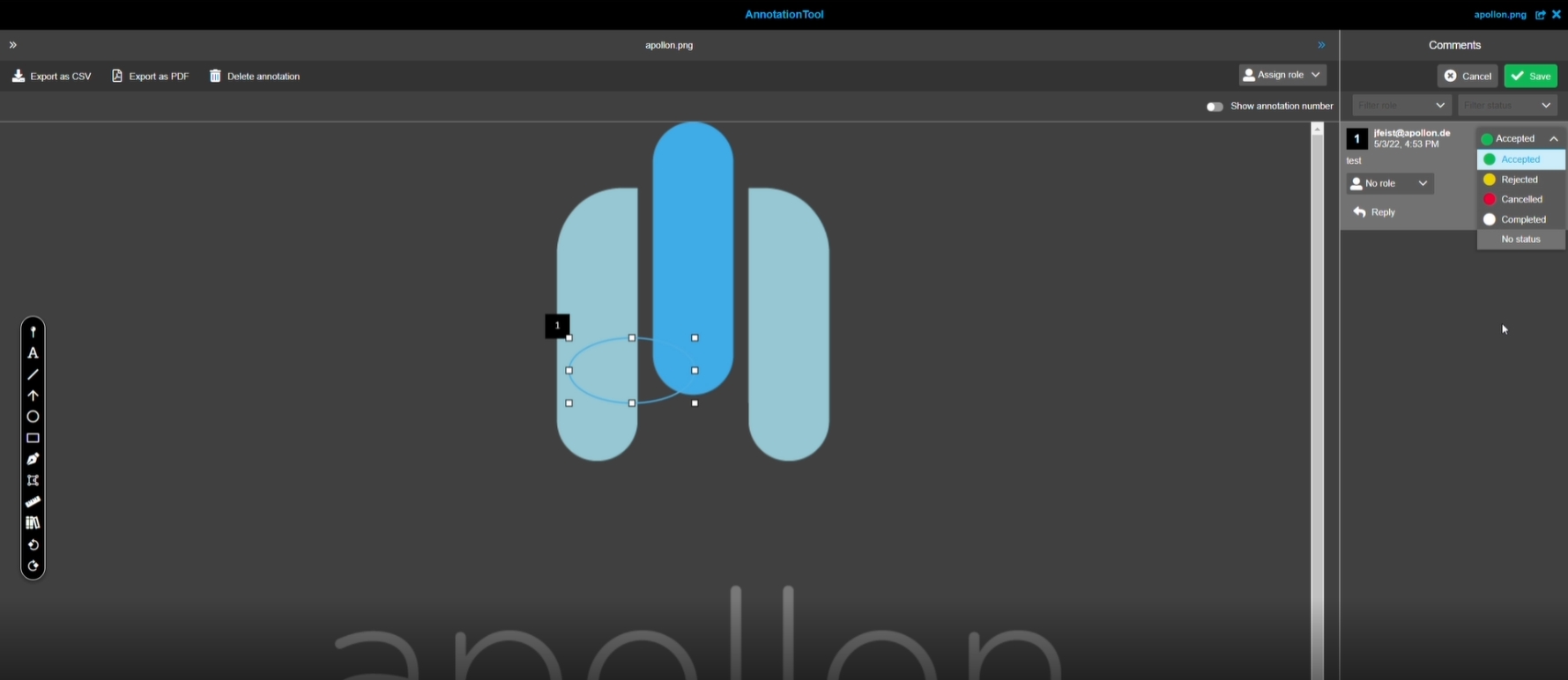
13.1.6 AnnotationTool Improve wording of commentary function states
References |
OMN-9401 |
Wording of commentary function states of annotation tool is optimized for German and English
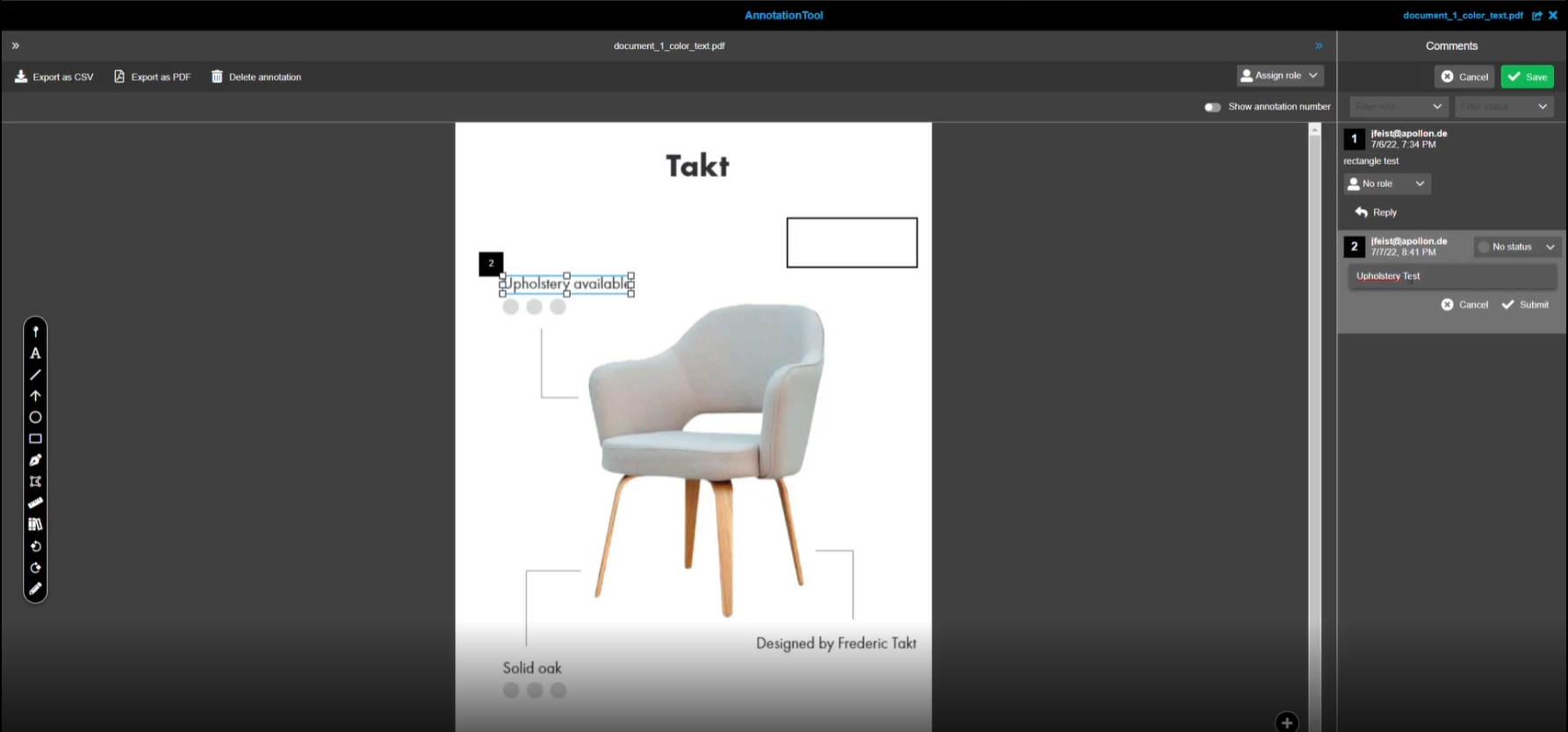
13.1.7 AnnotationTool - Mark Text and copy to annotation (Improvement)
References |
OG-4433, OMN-9288 |
Possibility to select text in a document (if vector-based text is available) with functionality to copy text to clipboard and create an extra annotation for editing text in the right Panel on base of a new AnnotationTool
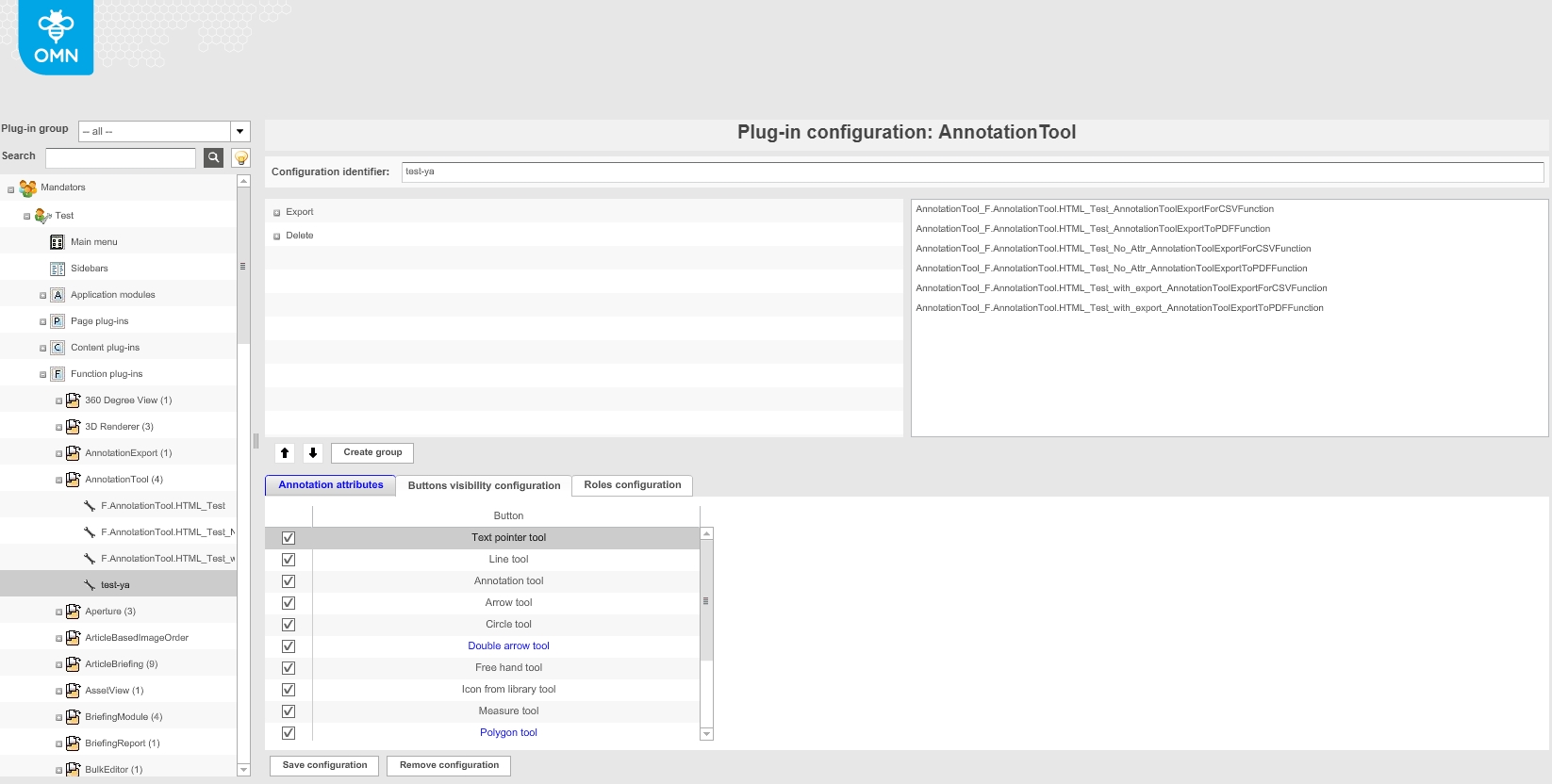
-
configuration of new Annotation text pointer tool
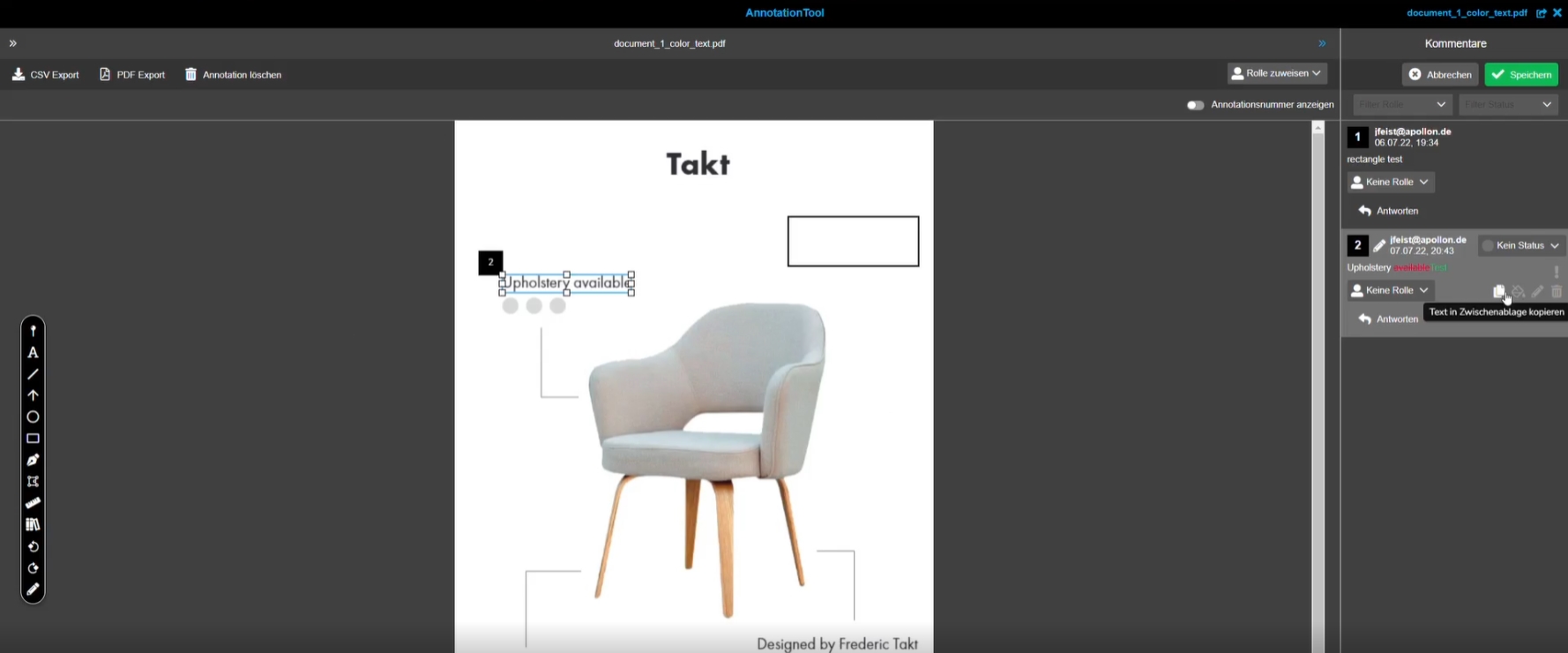
13.1.8 AnnotationTool - Comment View - Function to copy the final edit text
References |
OG-13329 |
New copy function to copy the final text from an annotation (with type text-editing) in the comment view, so the user can use it in another place without too many clicks
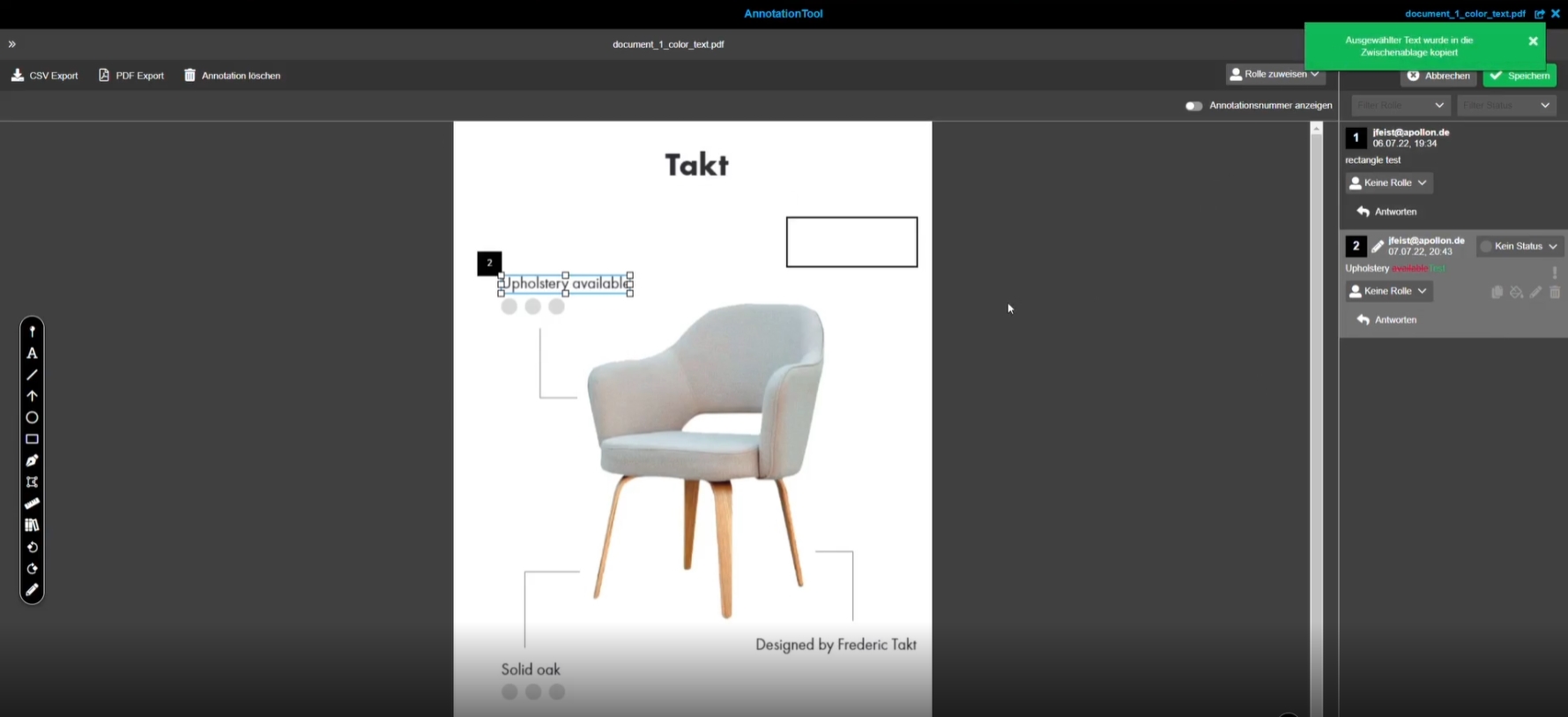
13.1.9 AnnotationTool - "Cancel" button deactivates Text marking tool
References |
OG-13562 |
Text marking tool stays active when user is using cancel operation
13.1.10 AnnotationTool - Function Text editing - Improvement for Save operation
References |
OG-13364, OMN-9556 |
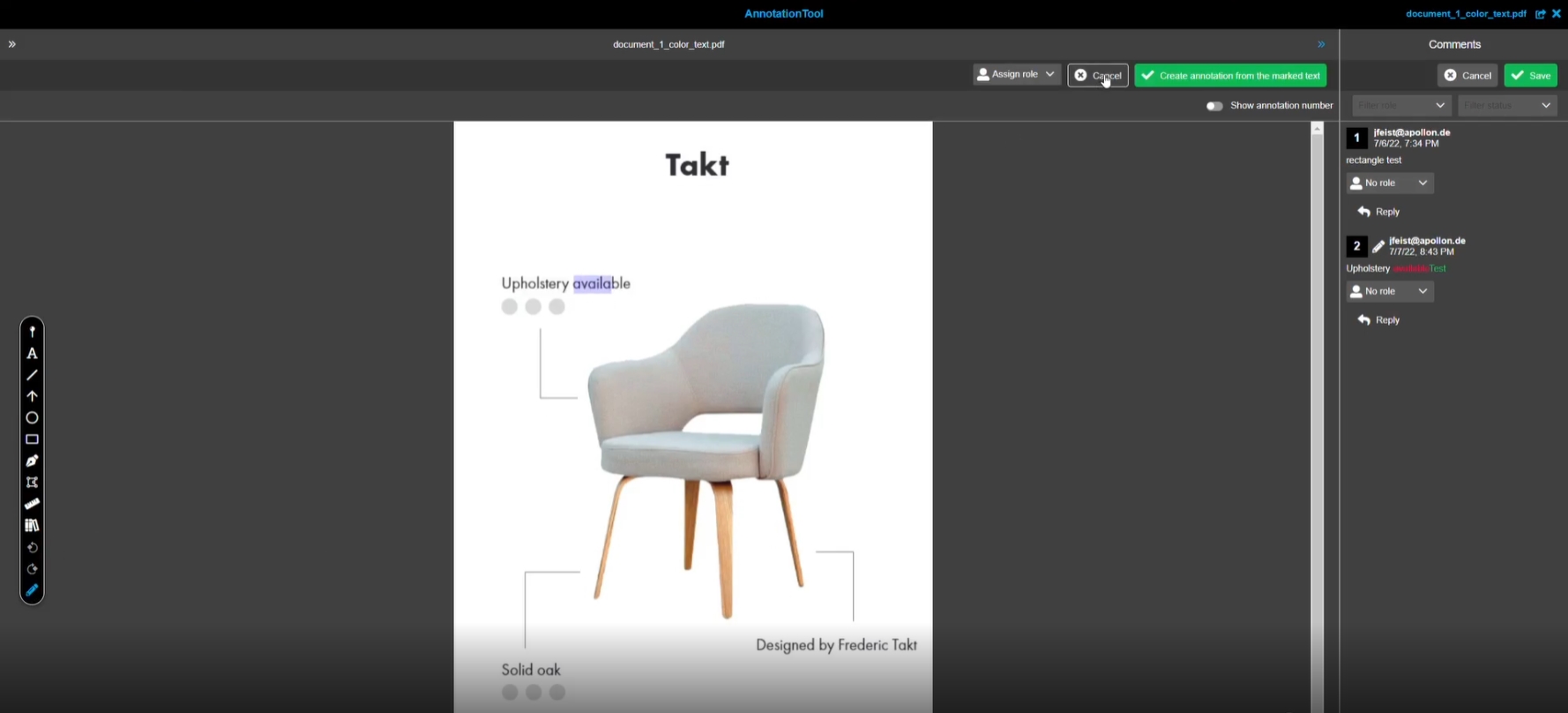
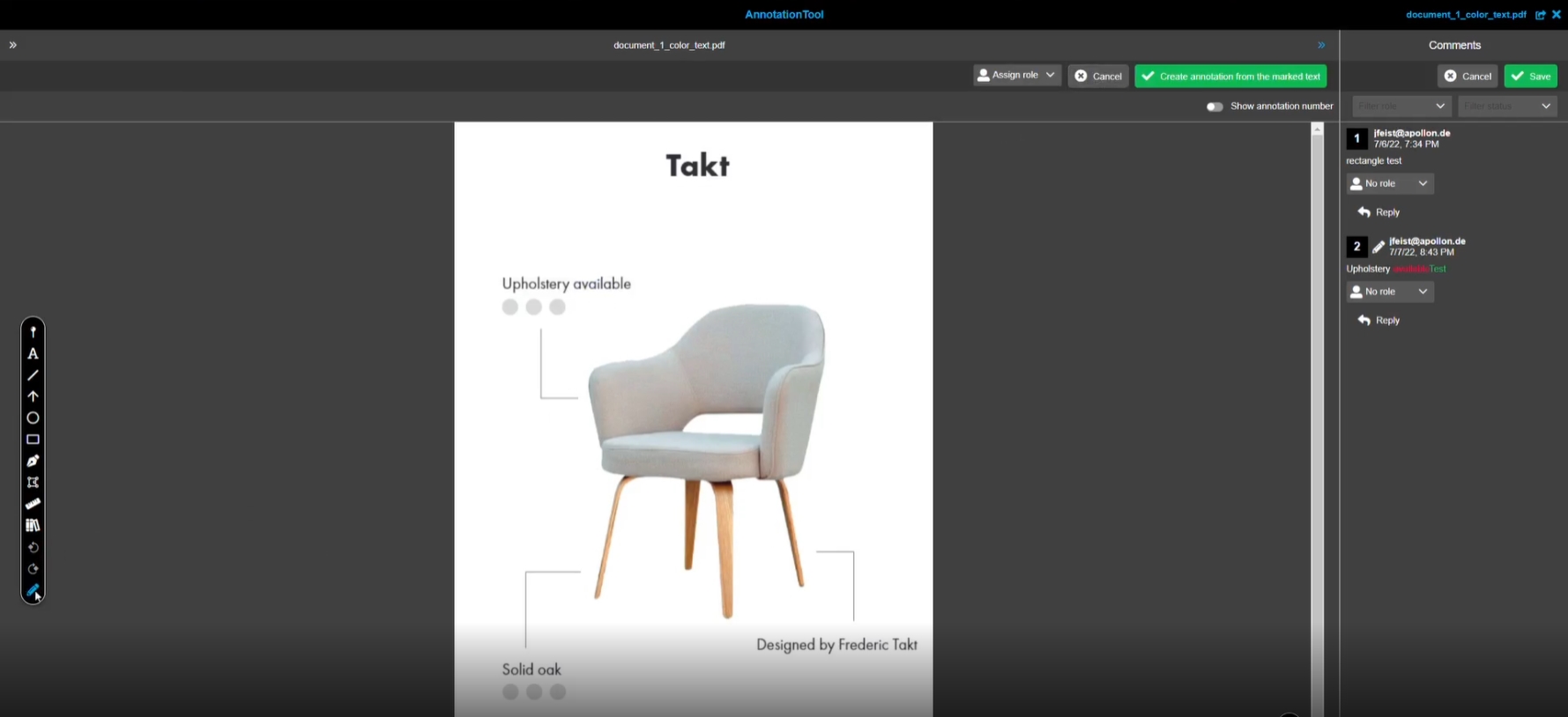
Improvements in saving of Annotation Tool mark text function to realize following user flow
-
user selects tool in floating toolbar
-
only text-editing annotations are shown in canvas (others are hidden)
-
mark text in canvas
-
click on primary button 'Create annotation from the marked text' in central panel
-
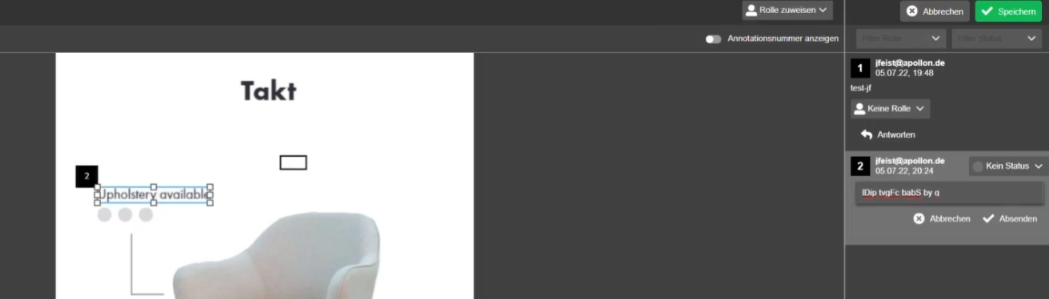
new annotation is available in the comment view
-
marked text is available and saved already
-
user can edit text by clicking on the edit icon
-
user can change the text and submit
-
red and green color highlighting is available as described
13.2 Annotation Repository
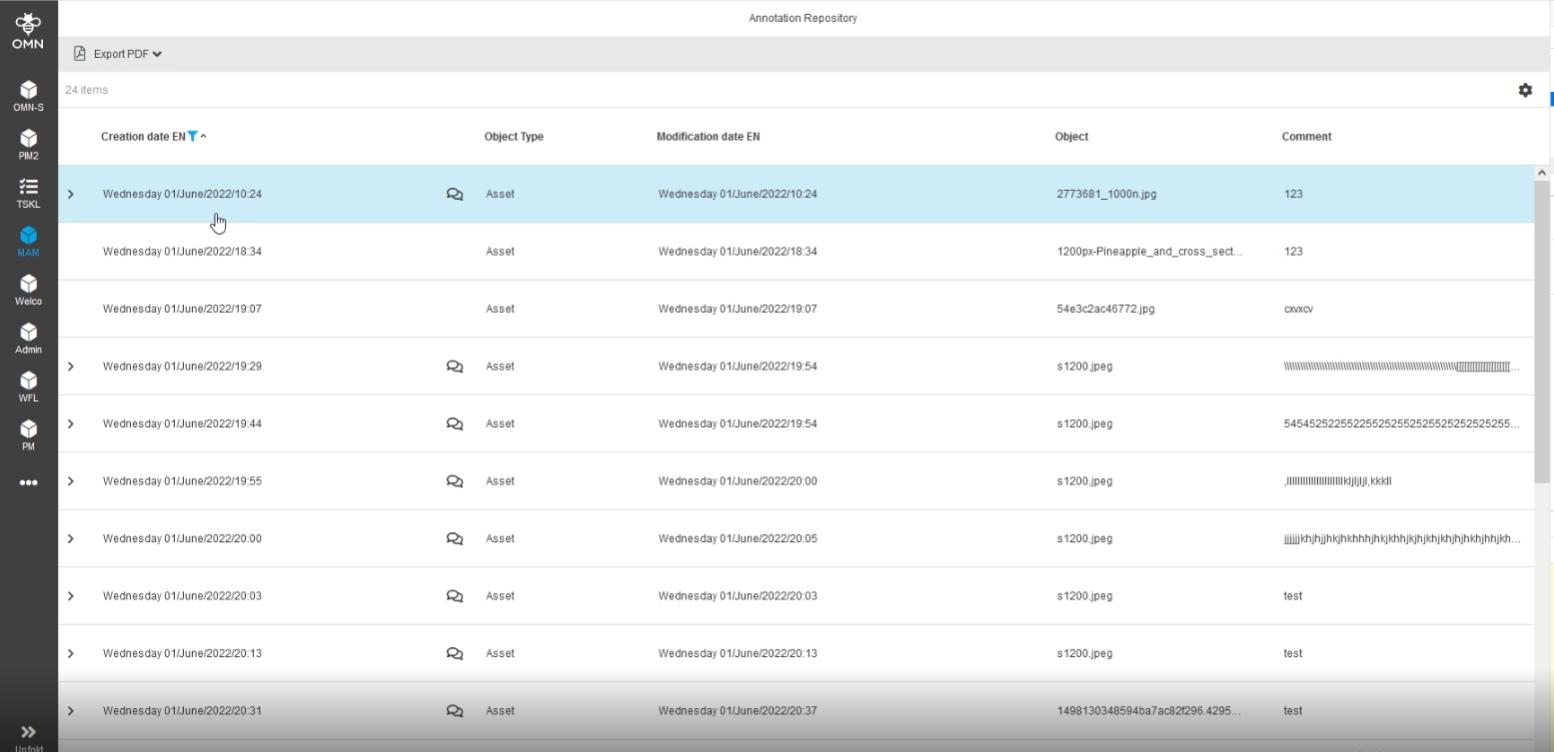
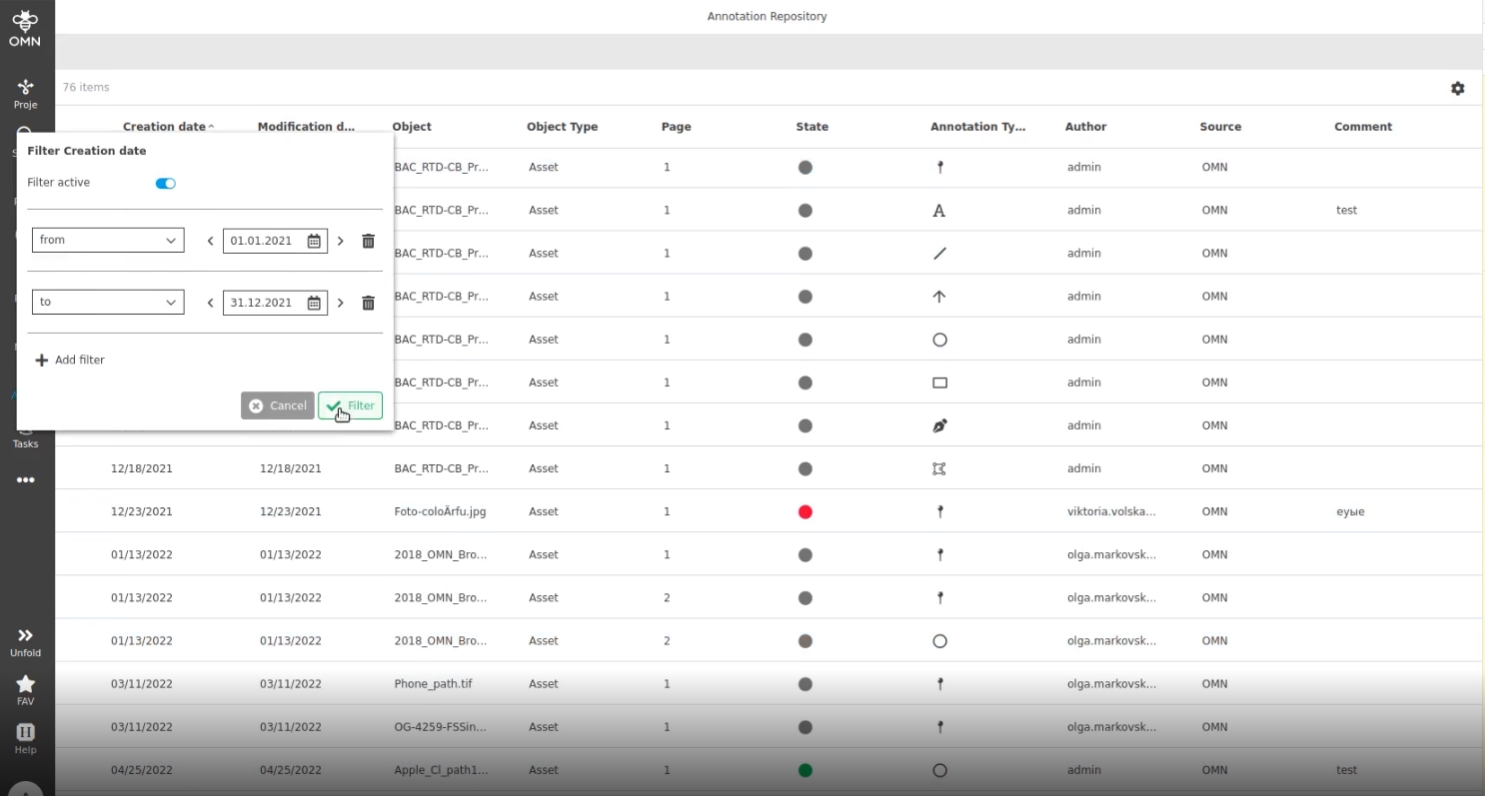
13.2.1 Annotation Repository - improvement to distinguish creation date and modification date (hardcoded interims solution)
References |
OG-13194 |
Distinguish in the AnnotationRepository when an annotation was created and when an annotation was last modified so that the user can meet my service processing times for the customer
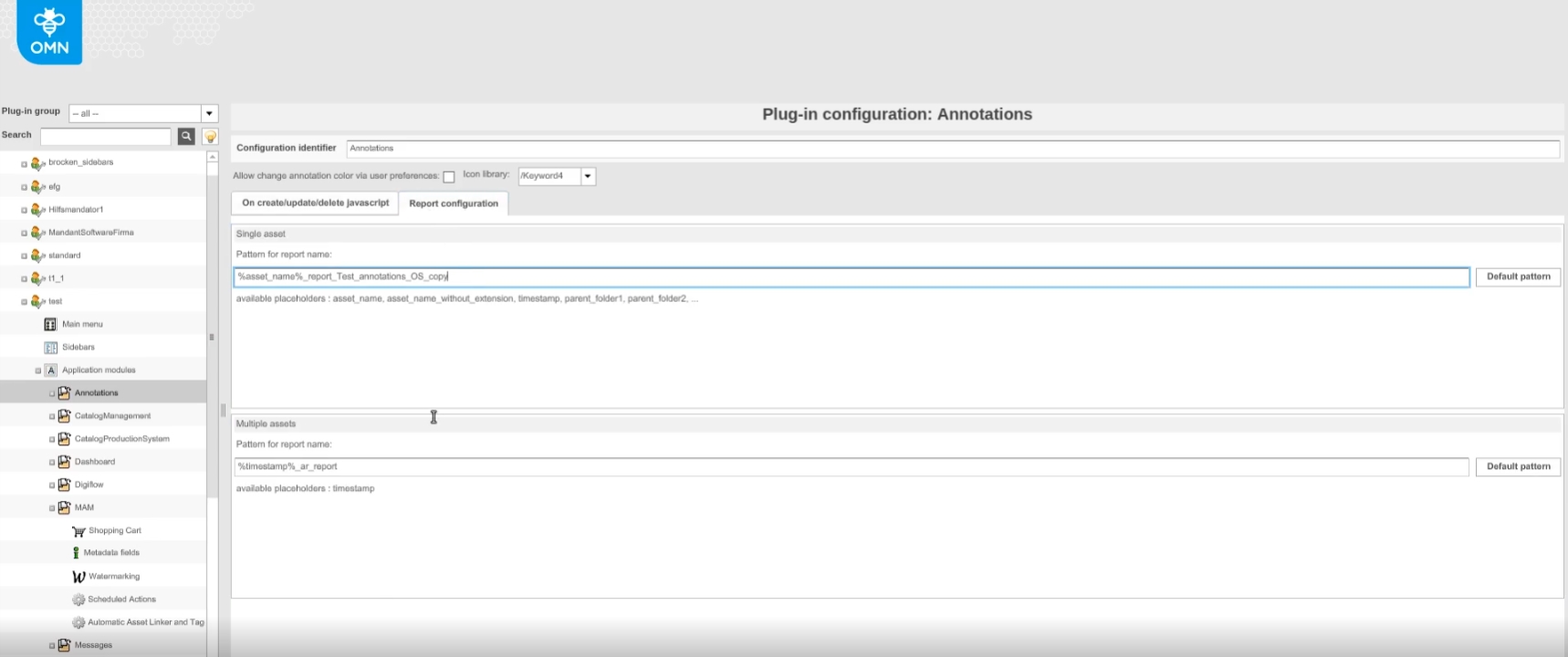
13.2.2 Annotations option to import and export configuration
References |
OMN-9218 |
Possibility to import and export functions for Annotation application module
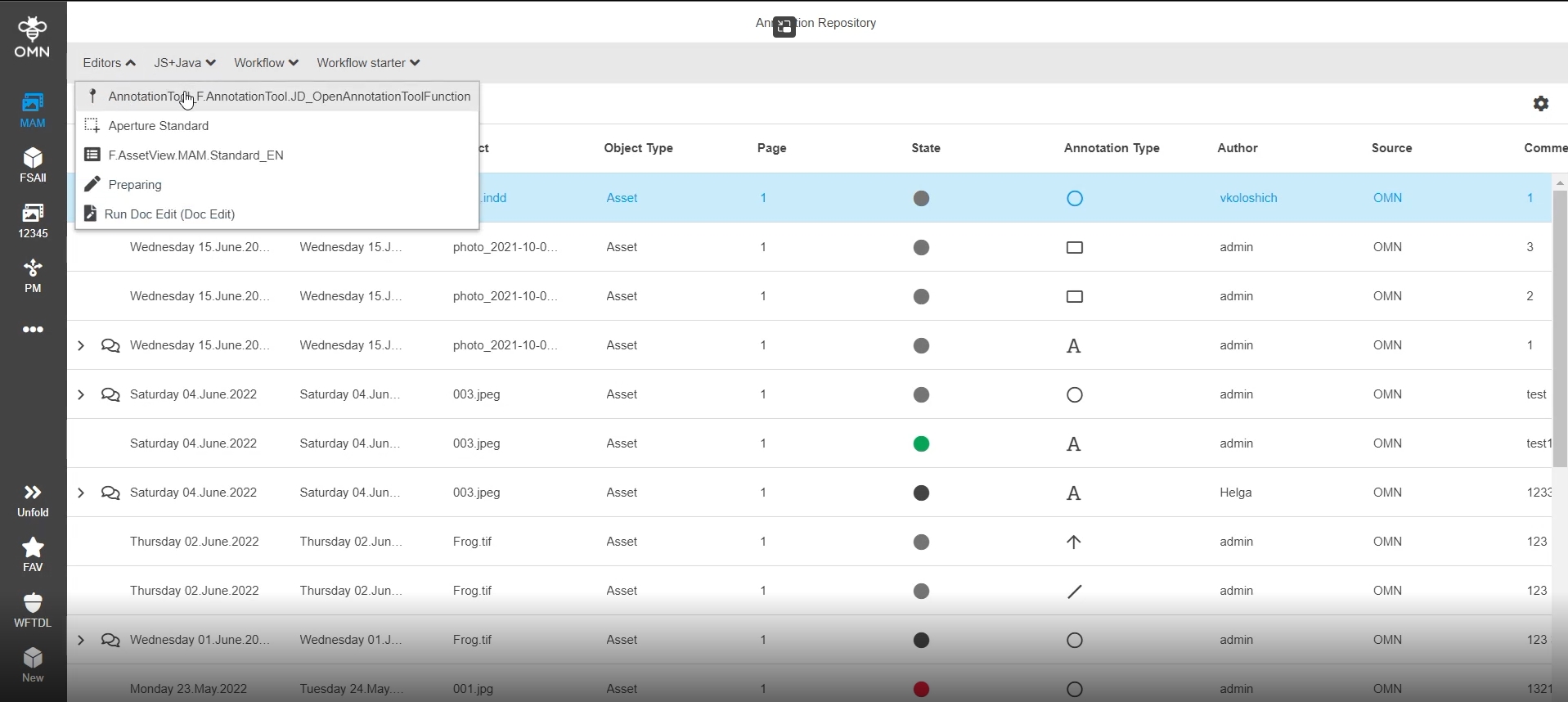
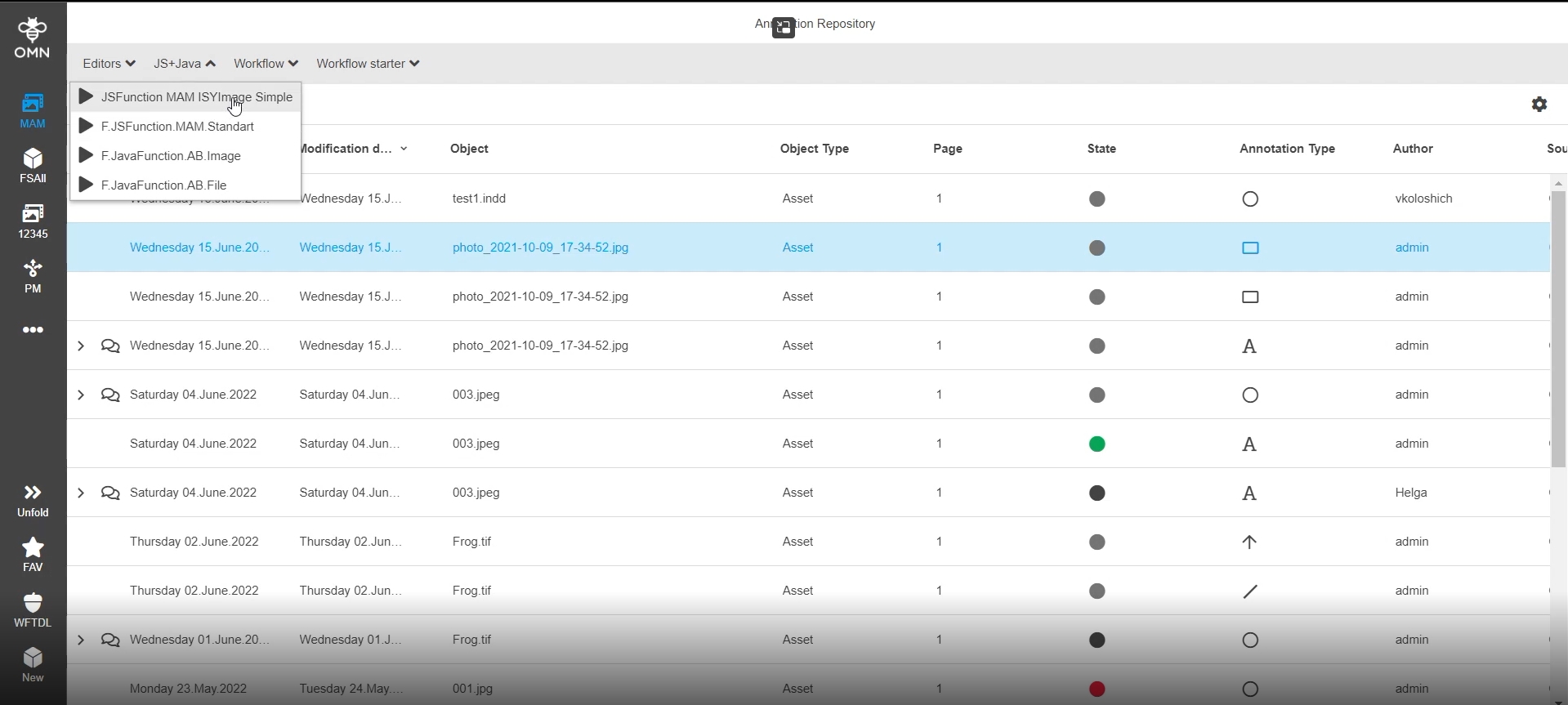
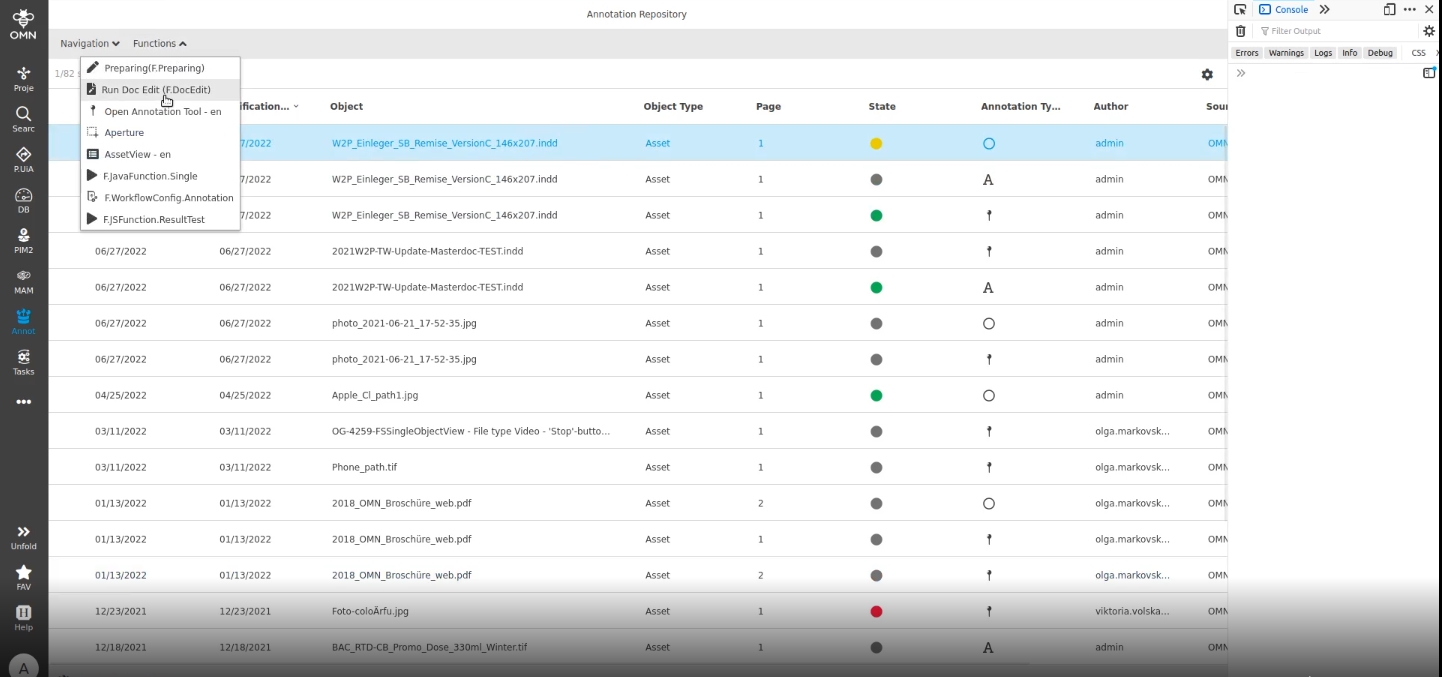
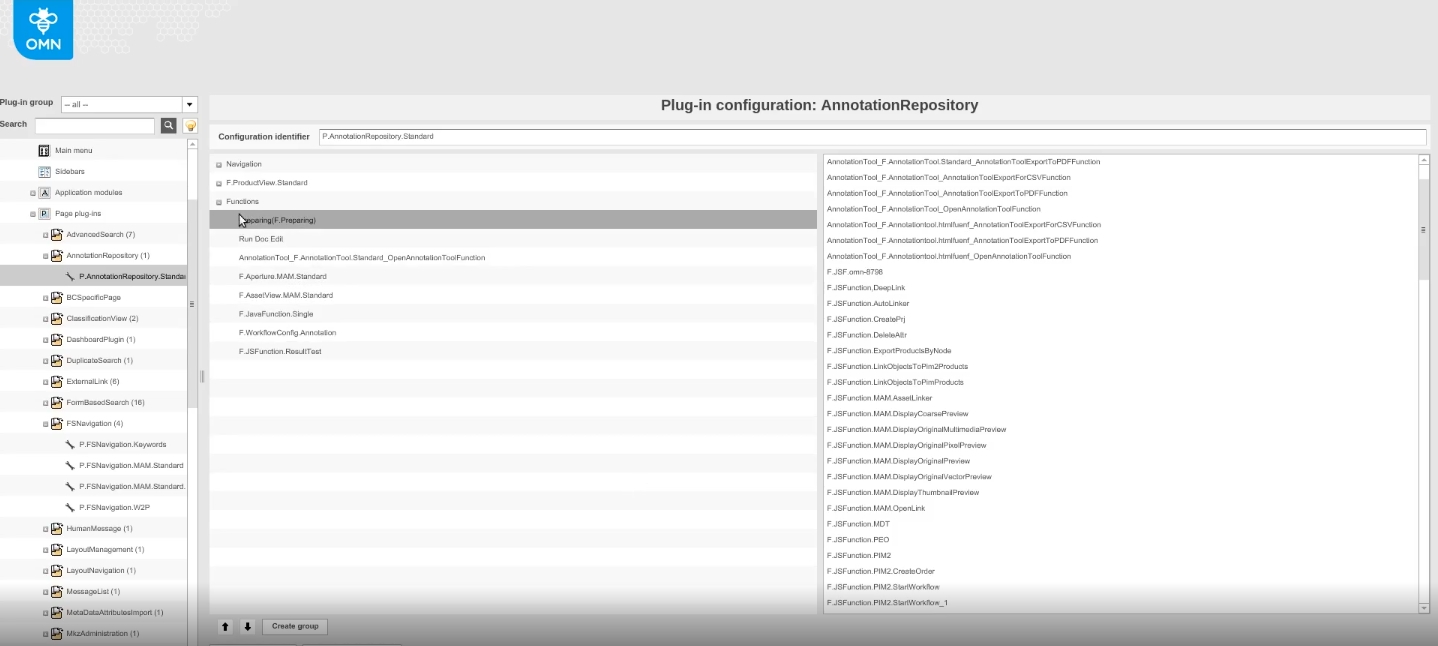
13.2.3 Possibility to add JSFunction JavaFunction and WFLStarter WFLConfig to Annotation Repository
References |
OMN-9375, OG-13254 |
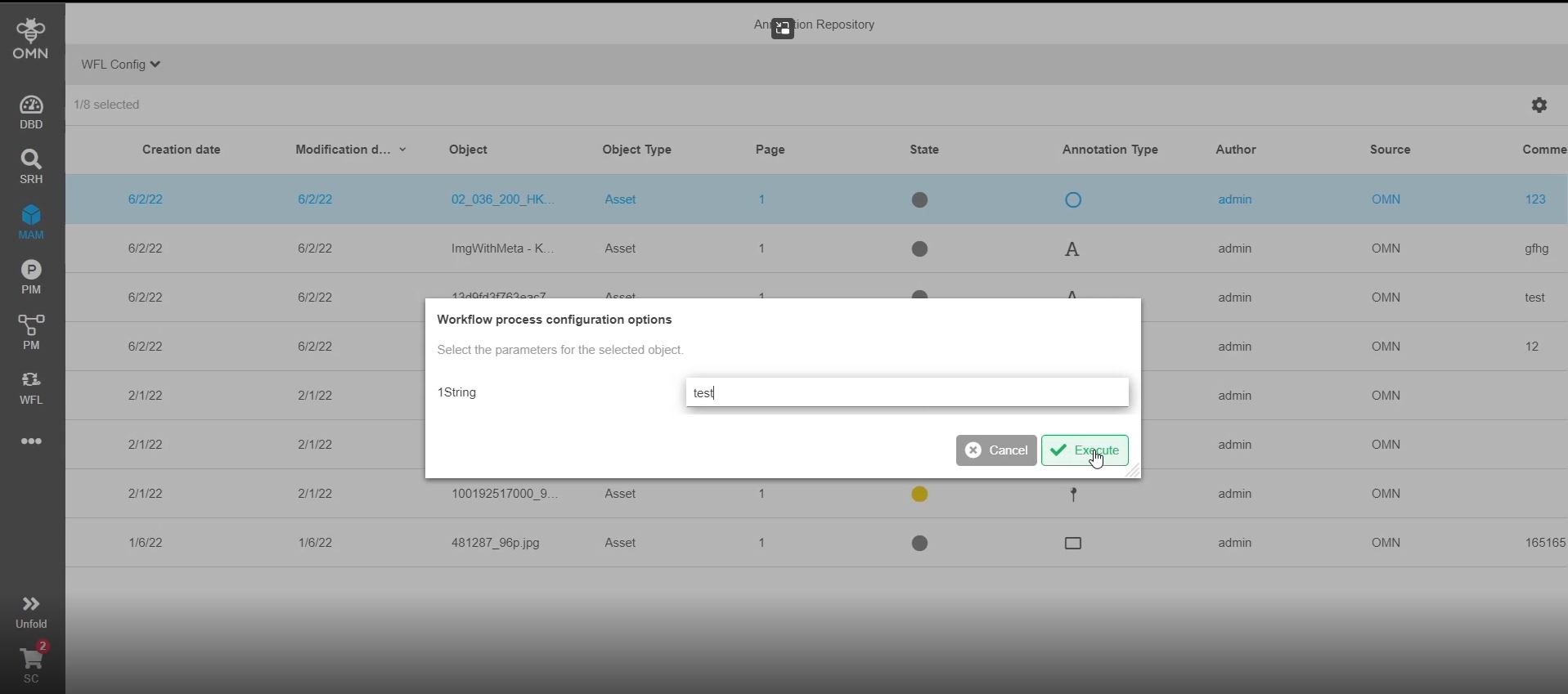
Possibility to configure JSfunctions, Javafunctions, and Workflow Functions (WorkflowConfig+Starter) in AnnotationRepository, so the user can execute custom functionality
-
Open Annotation Tool on Asset from Annotation Repository
-
Open Custom JS / Javafunctions on Asset from AnnotationRepository
-
Open Camunda Workflow (WorkflowConfig) on Asset from AnnotationRepository
14. Dashboard
15. User management
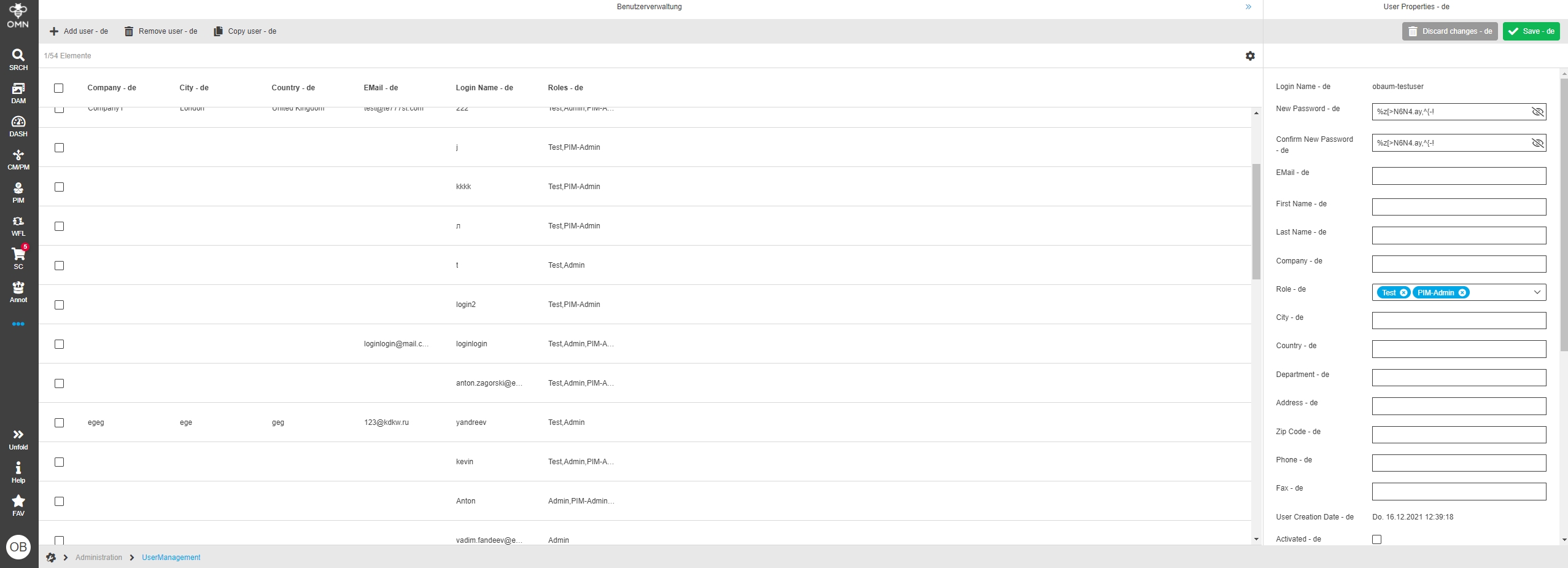
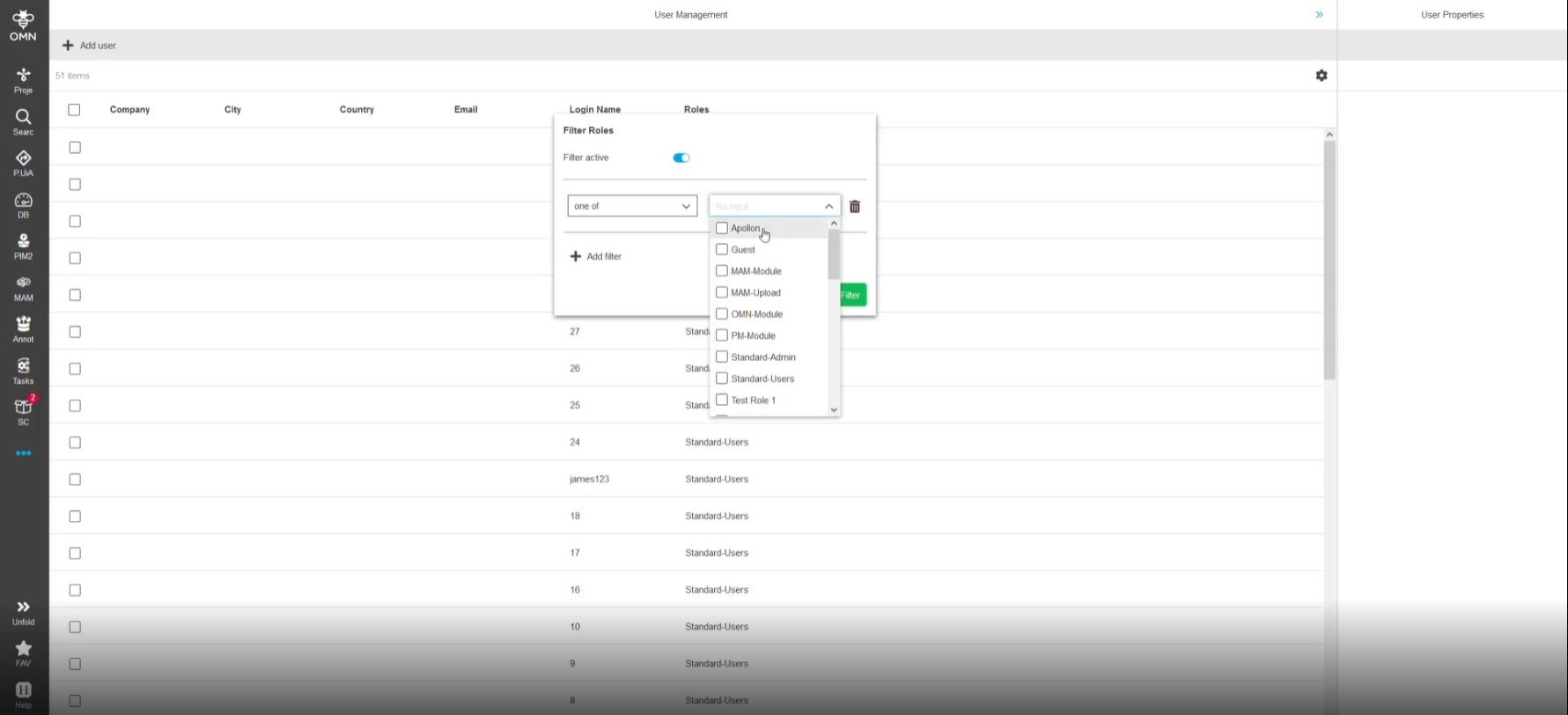
15.1 Sorting for 'Role' filter operators in User Management
References |
OMN-6520 |
Roles in the filter are sorted now, so that the user can find the necessary information more easier
-
All roles are sorted on server-side ASC
-
The entry in the dropdown (not selected) is be sorted alphabetically ASC
-
The chips (selected entries) are shown in the order they have been selected (not alphabetically ASC) -this is how the component multi select-dropdown works at all other places
16. Reporting
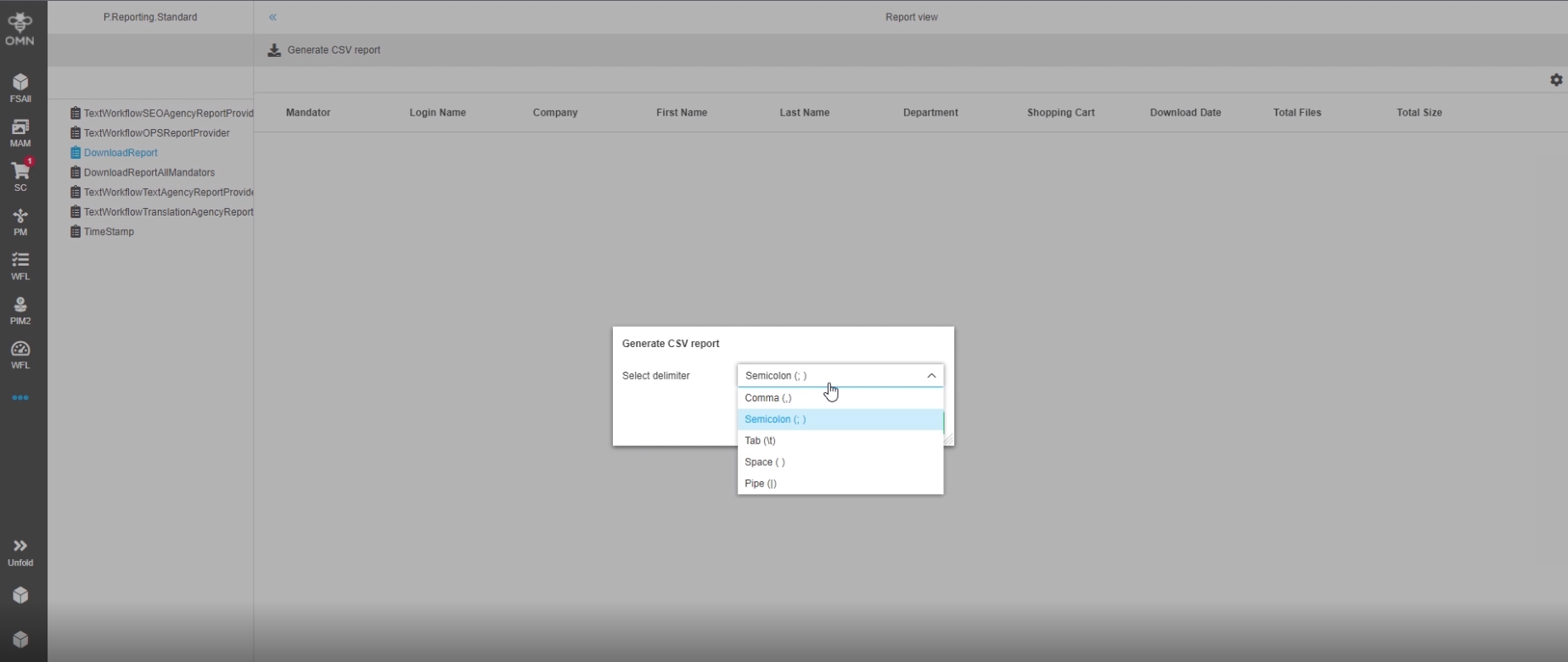
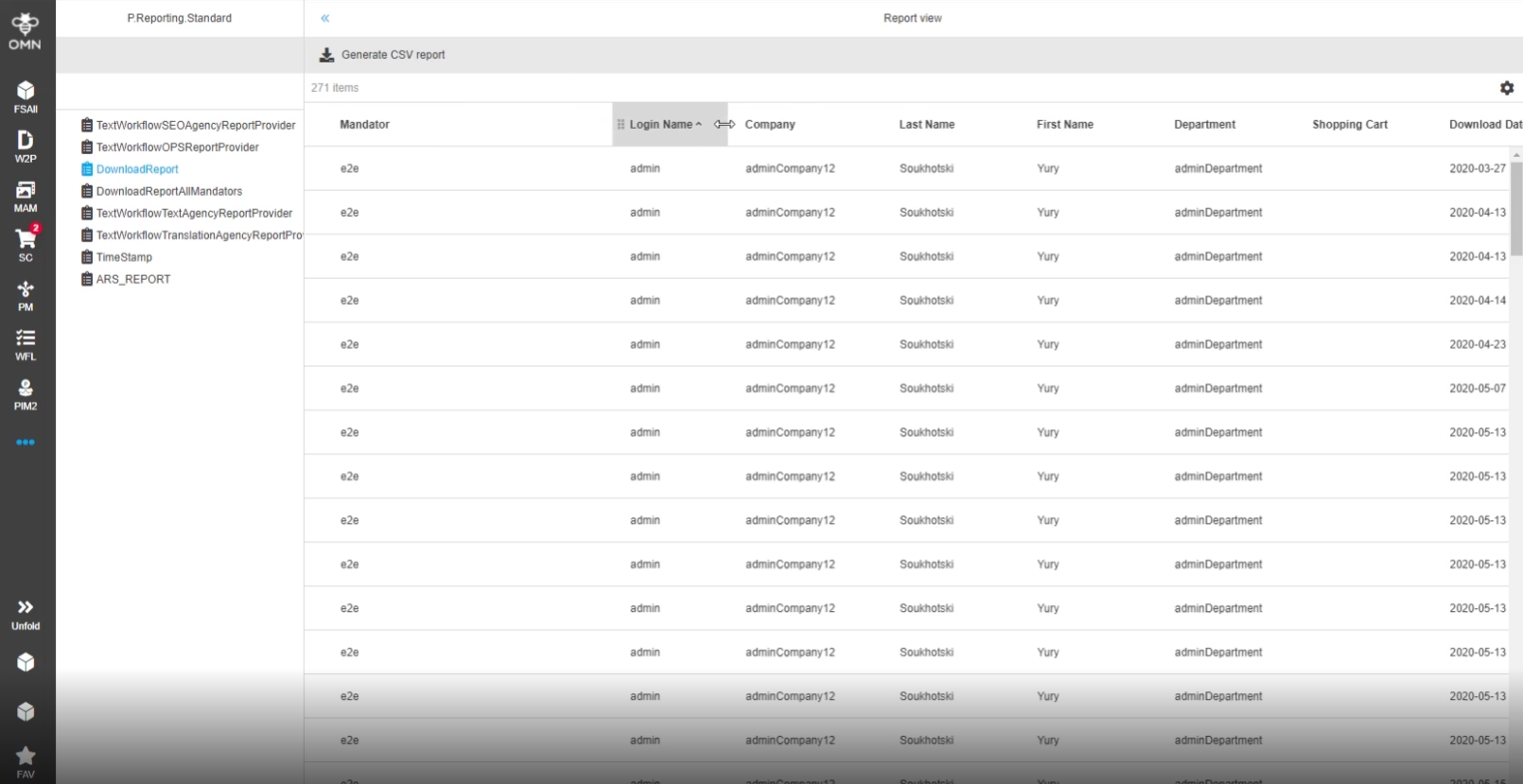
16.1 Reporting - add possibility to choose delimiter
References |
OG-12309 |
Possibility to select a delimiter for the CSV export file, so that the user will get the file in the required format and won’t need to transform it additionally
available delimiters
-
Comma (,)
-
Semicolon (; )
-
Tab (\t)
-
Space ( )
-
Pipe (|)
16.2 Reporting - Keep custom settings
References |
OG-12894 |
Client settings in Reporting module are saved as userbased Setting, so that the page view is convenient
-
following Settings are saved as user-based Settings, when Option is enabled in personal Settings
-
latest selected report type
-
parameters for report Generation
-
table columns’ width
-
table columns’ order
-
table columns’ visibility
-
continuous scrolling enabling/disabling
-
pagination option settings (rows per page) - if continuous scrolling is disabled
-
applied sorting and sorting order (ascending/descending)
-
applied filters
-
the width of left, center Panels
-
the status of left panel (expanded/collapsed)
-
17. Reference Management
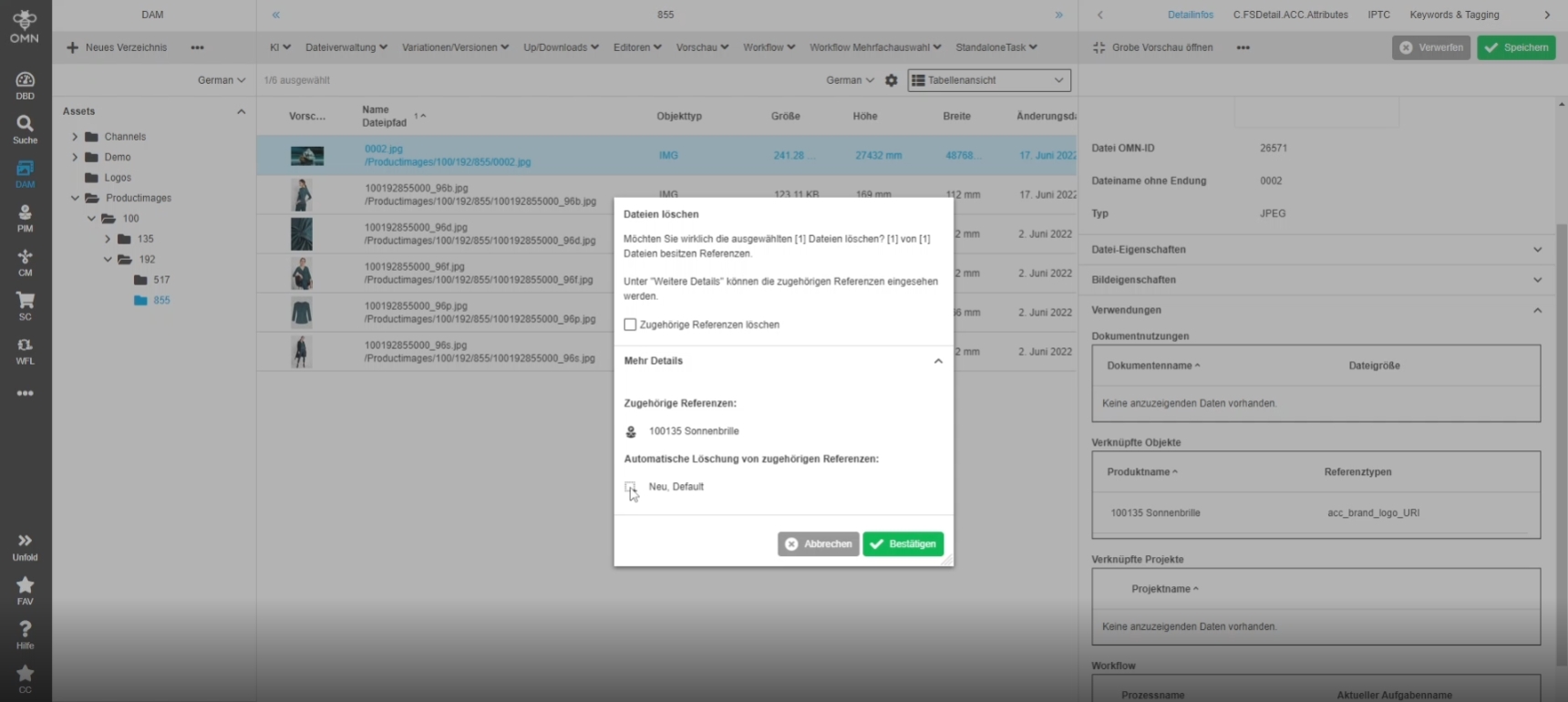
17.1 Notification about available related objects when deleting assets
References |
OG-7691, OMN-6885 |
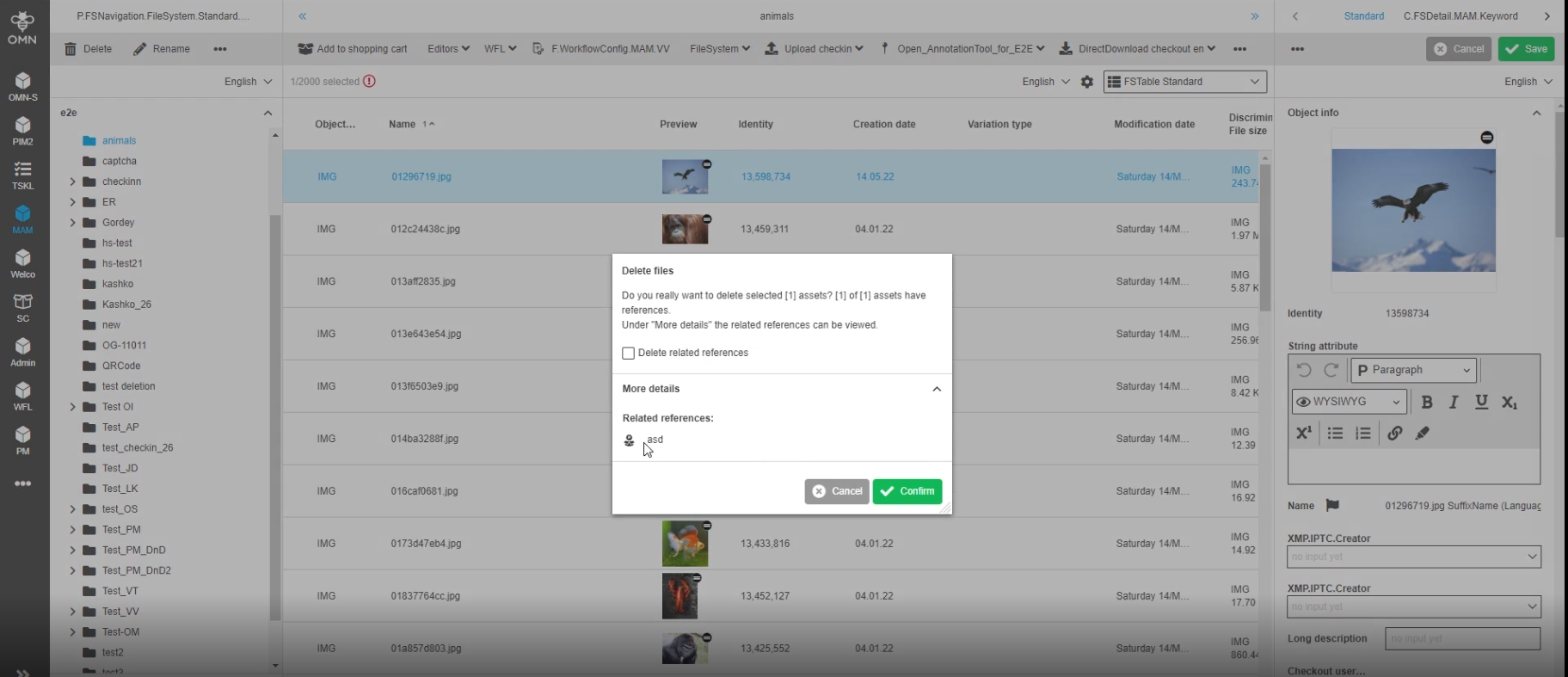
User will be notified about available related objects when deleting assets
17.2 Reference management - Notification about available related asset objects when deleting products
References |
OG-13235, OMN-9451 |
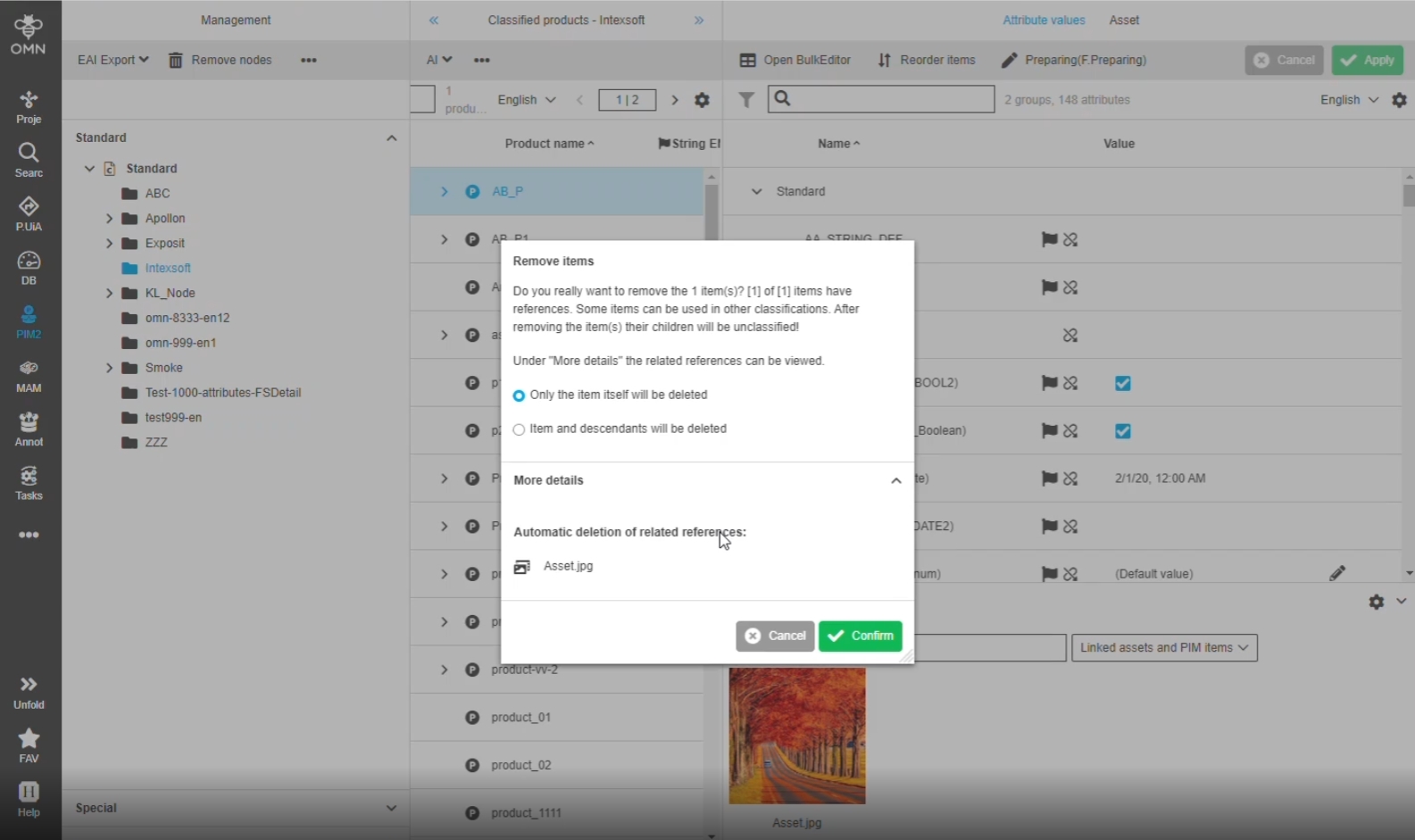
Extended Notification about available related assets when deleting products
17.3 Reference Management - Notification about available related Apertures when deleting assets
References |
OG-13258, OMN-9459 |
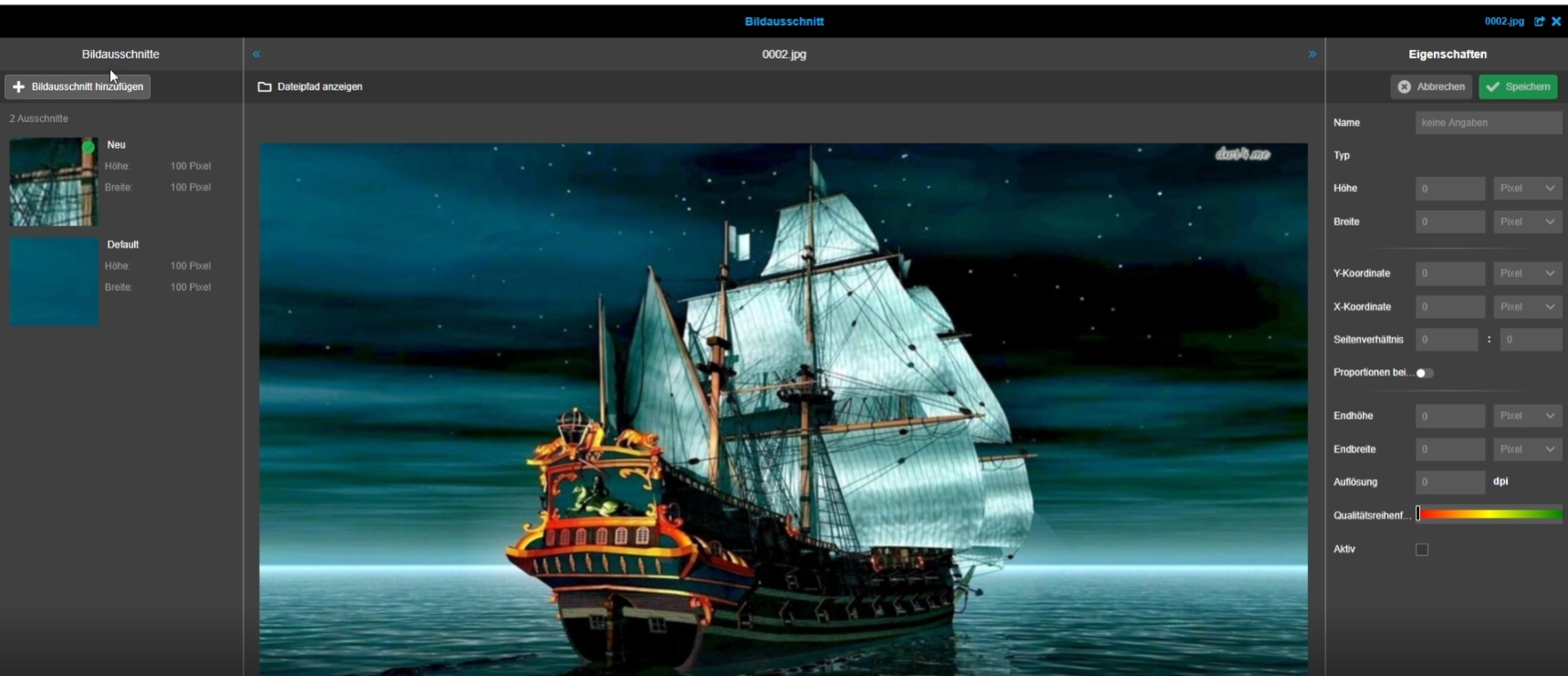
Extended Notification about available related aperture objects when deleting assets so that the user knows which references will be deleted
| Apertures will be deleted automatically if related Asset object will be deleted |
17.4 Reference management - Notification about available related PIM objects when deleting products
References |
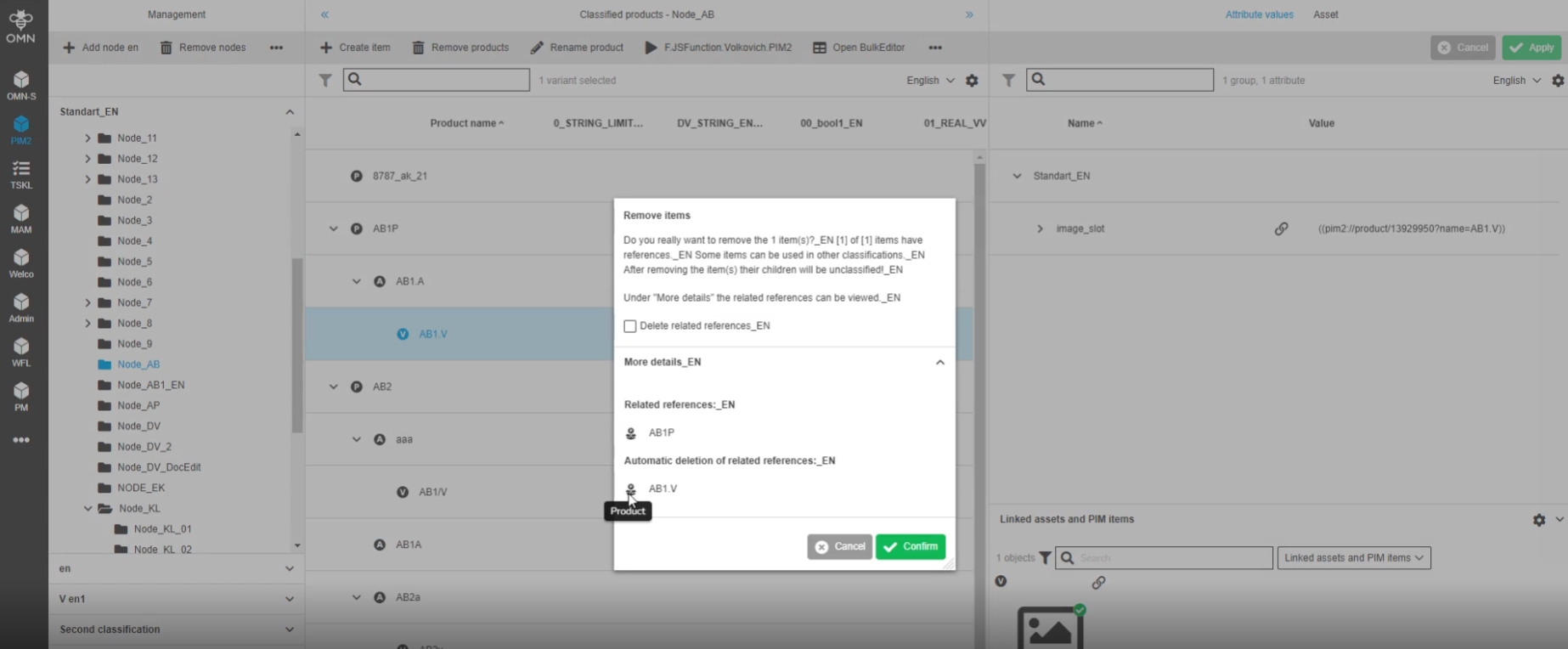
OG-13236, OMN-6887 |
Extended Notification about available related PIM objects when deleting PIM products*
17.5 Reference management - Notification about available related PEO objects when deleting products
References |
OG-13242, OMN-9423 |
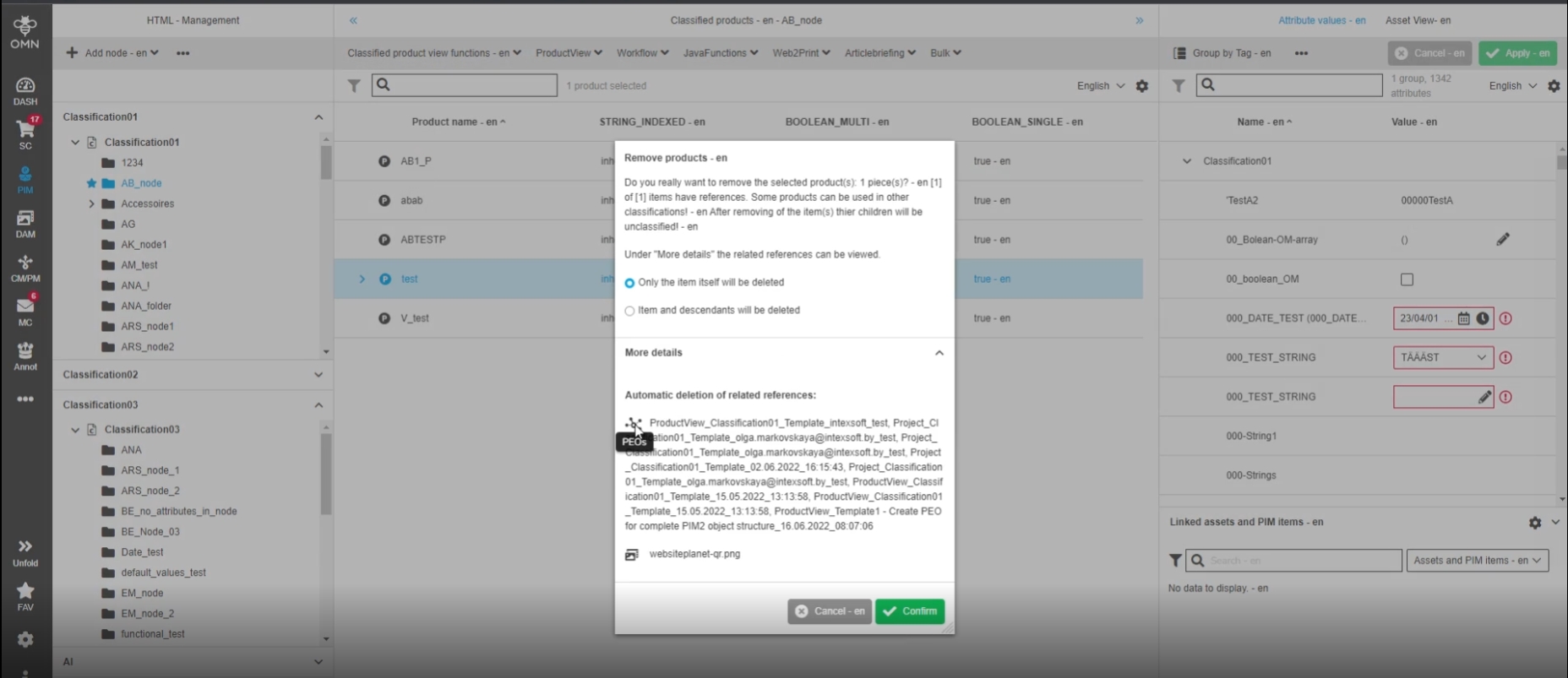
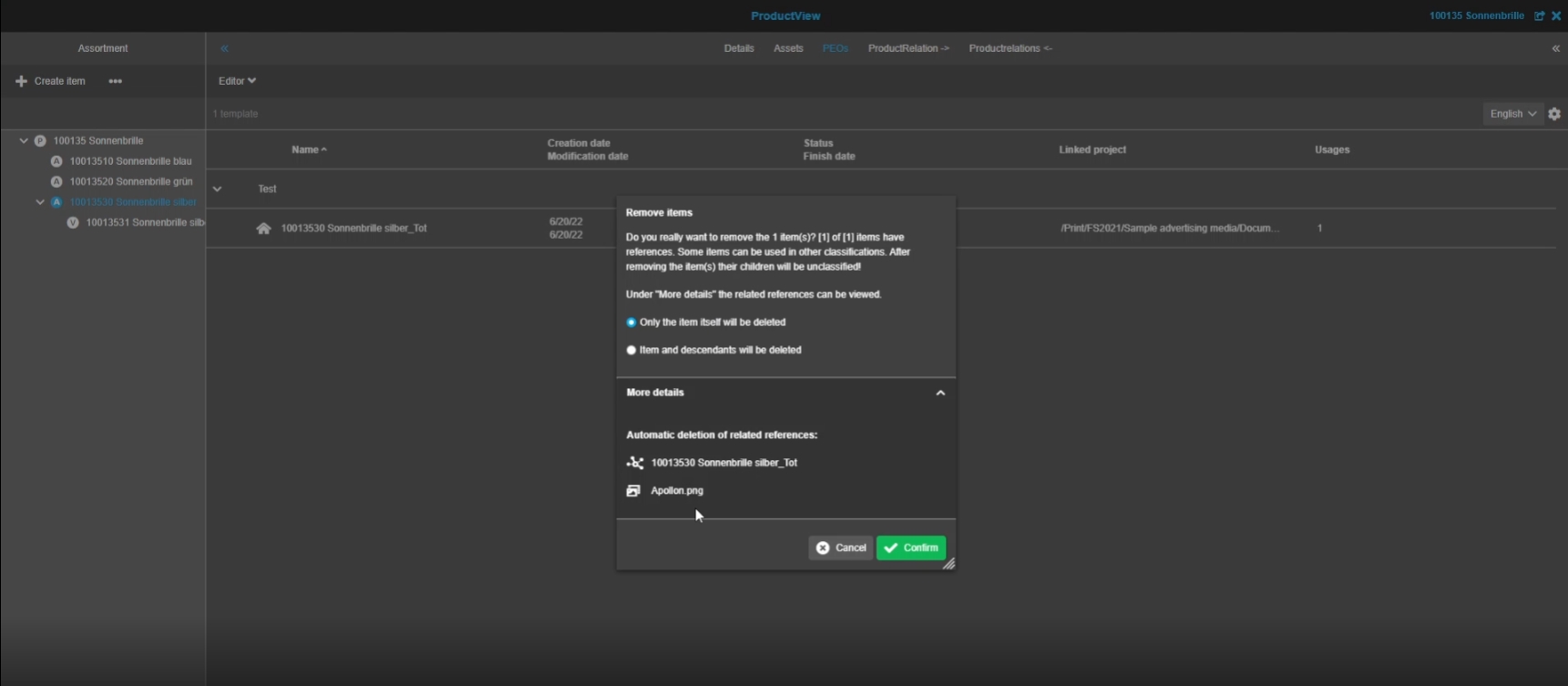
Enhanced notification about available related PEOs when deleting PIM2 products
-
the user will see a list of related PEOs which automatically will be deleted, when deleting the product (deletion from PIM classification view)
-
the user will see a list of related PEOs which automatically will be deleted, when deleting the product (deletion from PIM Product view)
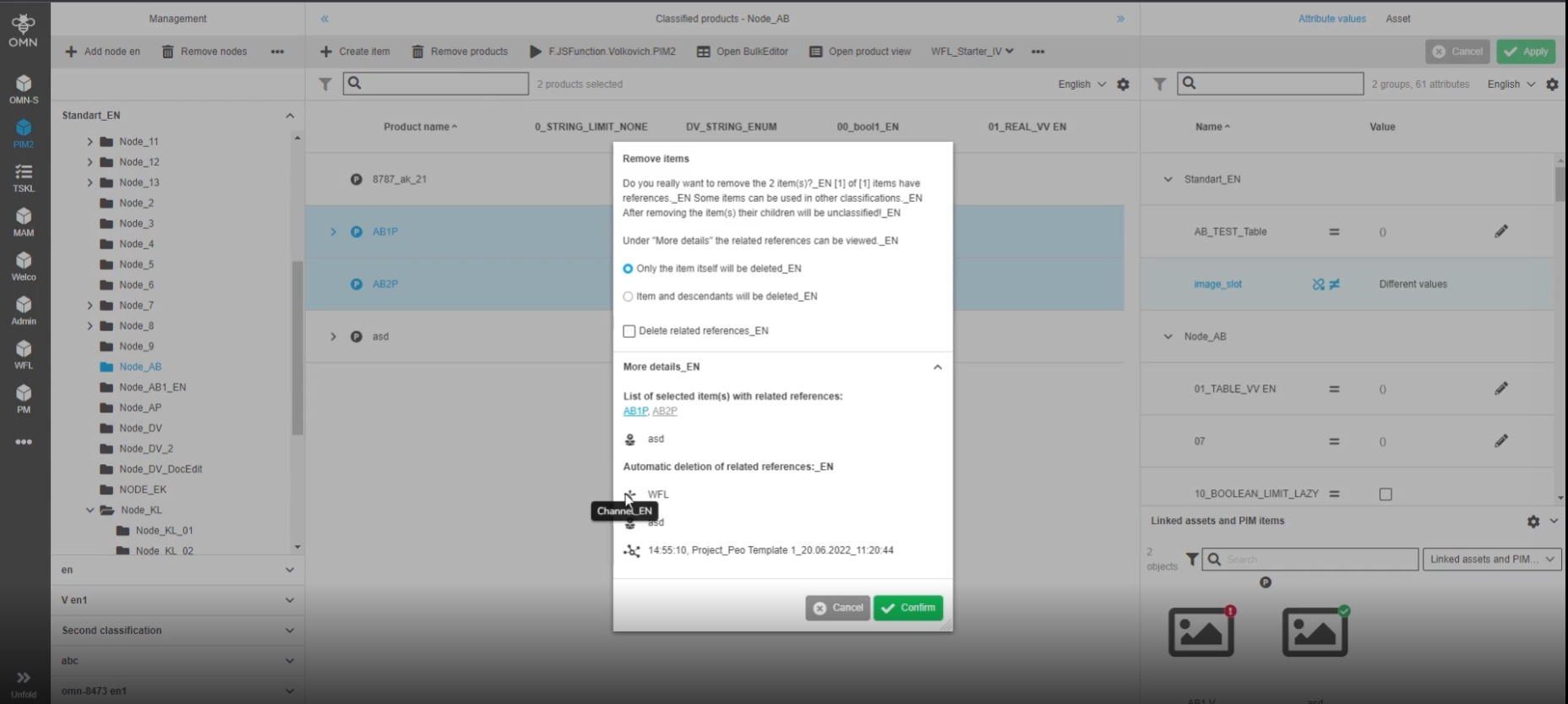
17.6 Reference management - Notification about available related channel objects when deleting products
References |
OG-13247, OMN-9450 |
Extended notification about available related channel references when deleting products
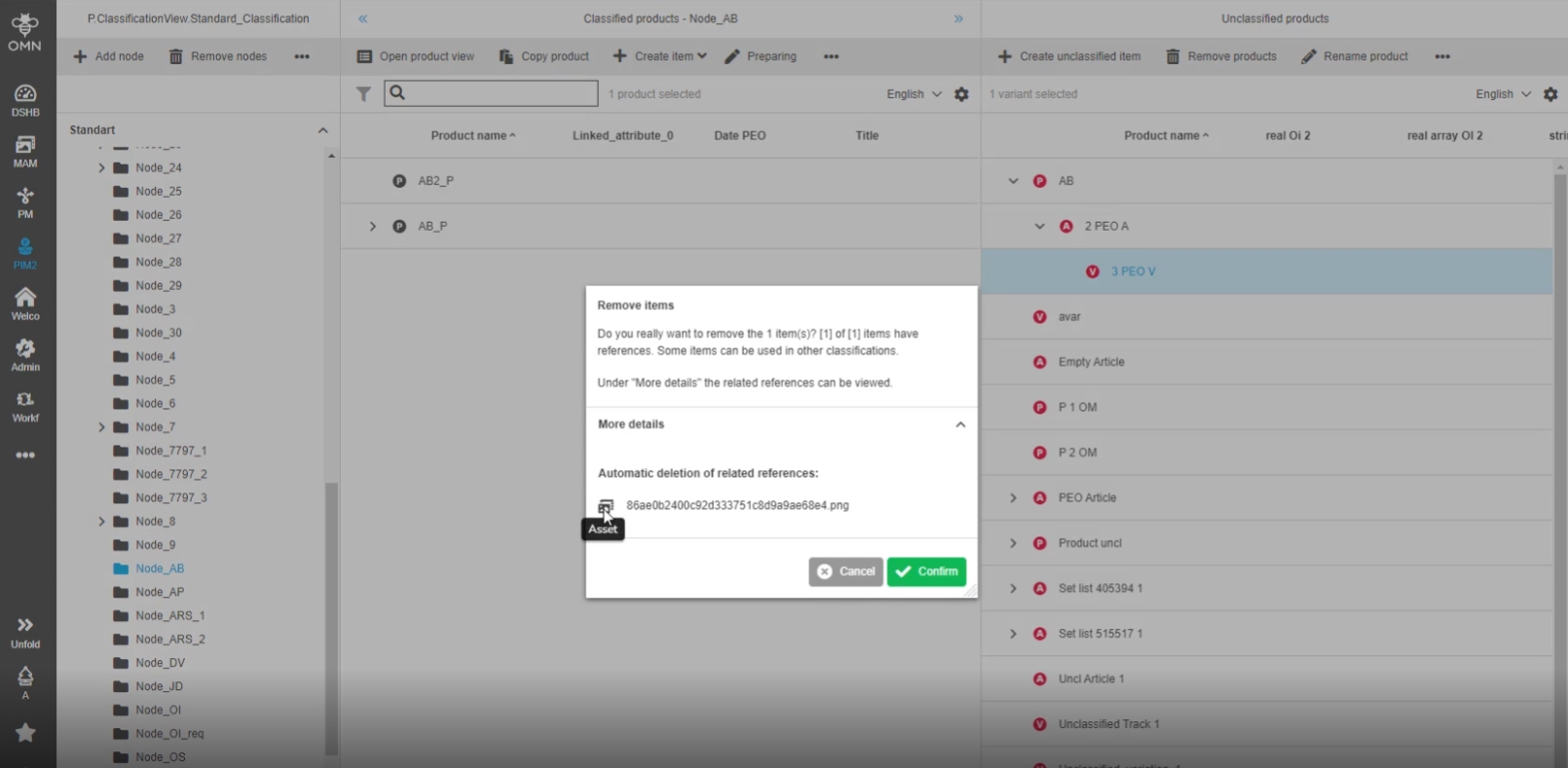
17.7 Reference management - Notification about available related asset objects when deleting unclassified products
References |
OG-13357, OMN-9451 , OMN-9535 |
Notification about available related assets when deleting unclassified products, so that the user knows which references will be deleted
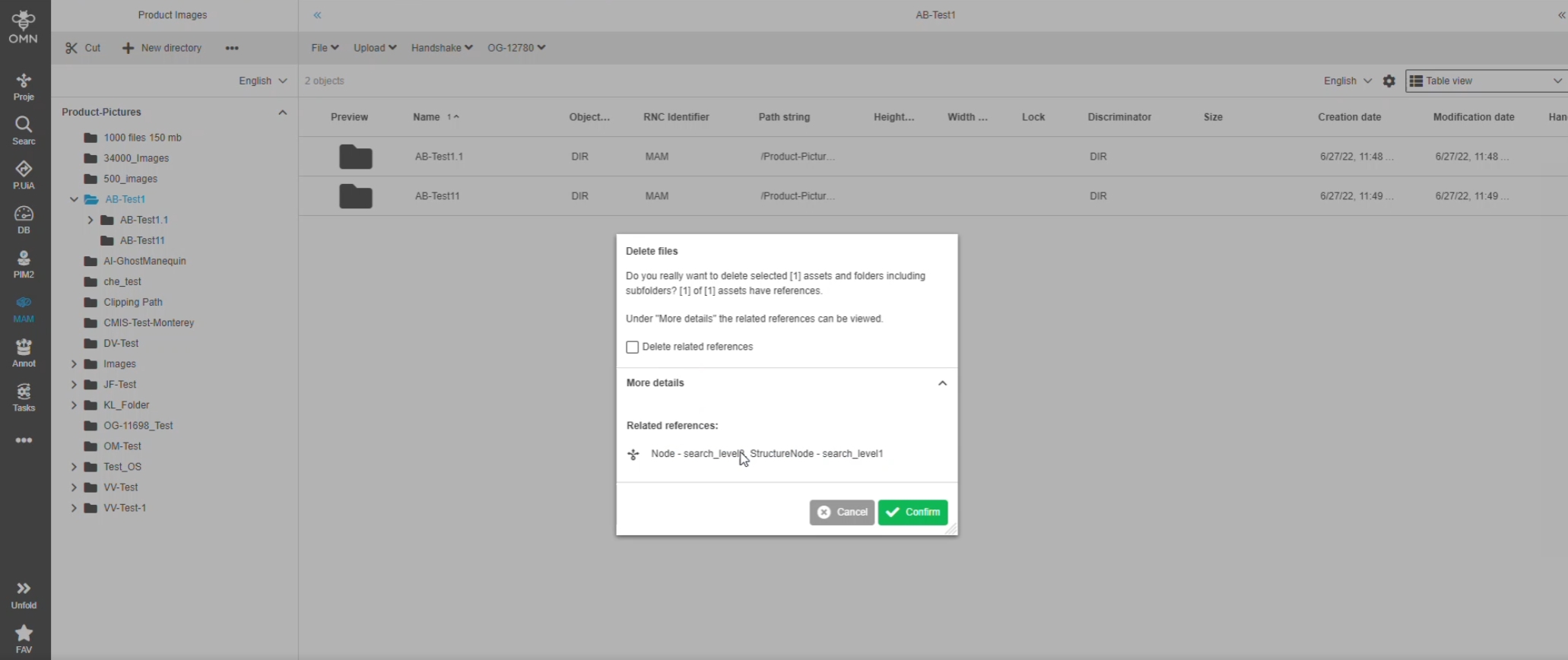
17.8 Reference management - Improvement for notification about available related channels when deleting assets
References |
OMN-9586 |
References in the reference modal will only be displayed, if they are direct references and not inherited once, in case that the user deletes folders and assets linked to channels
18. Configclient (HTML5)
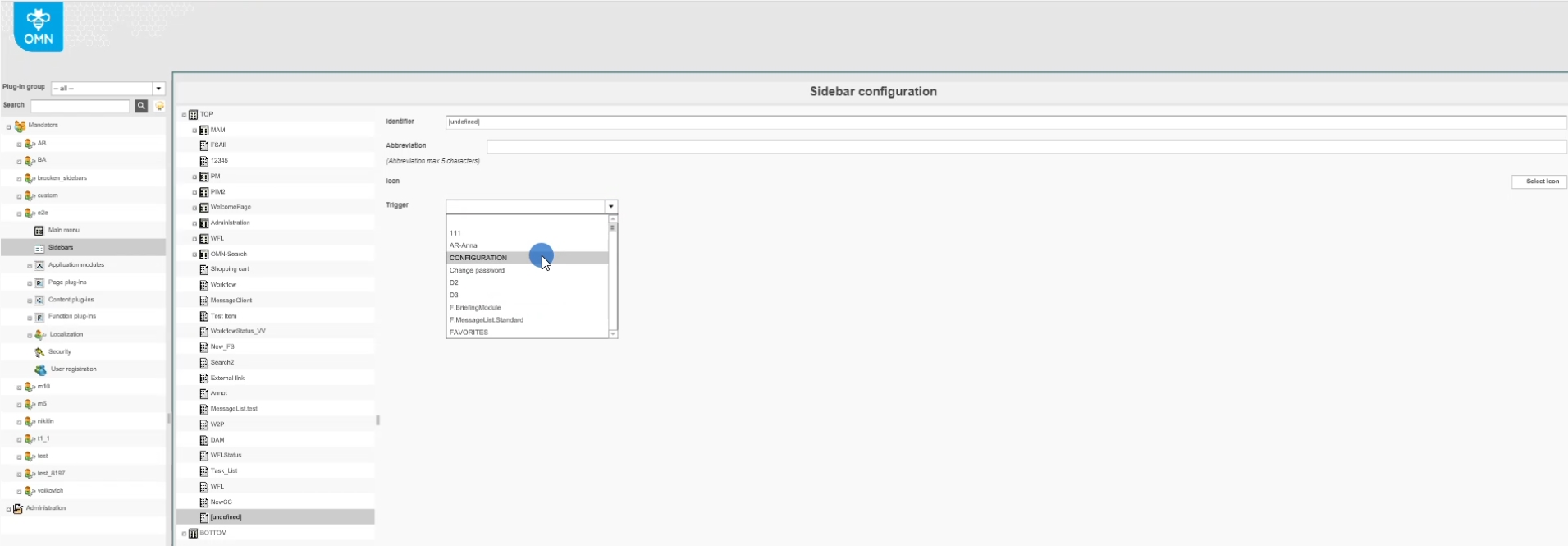
18.1 Sidebar - add new item to switch to the new Config Client
References |
OMN-9351, OG-13138 |
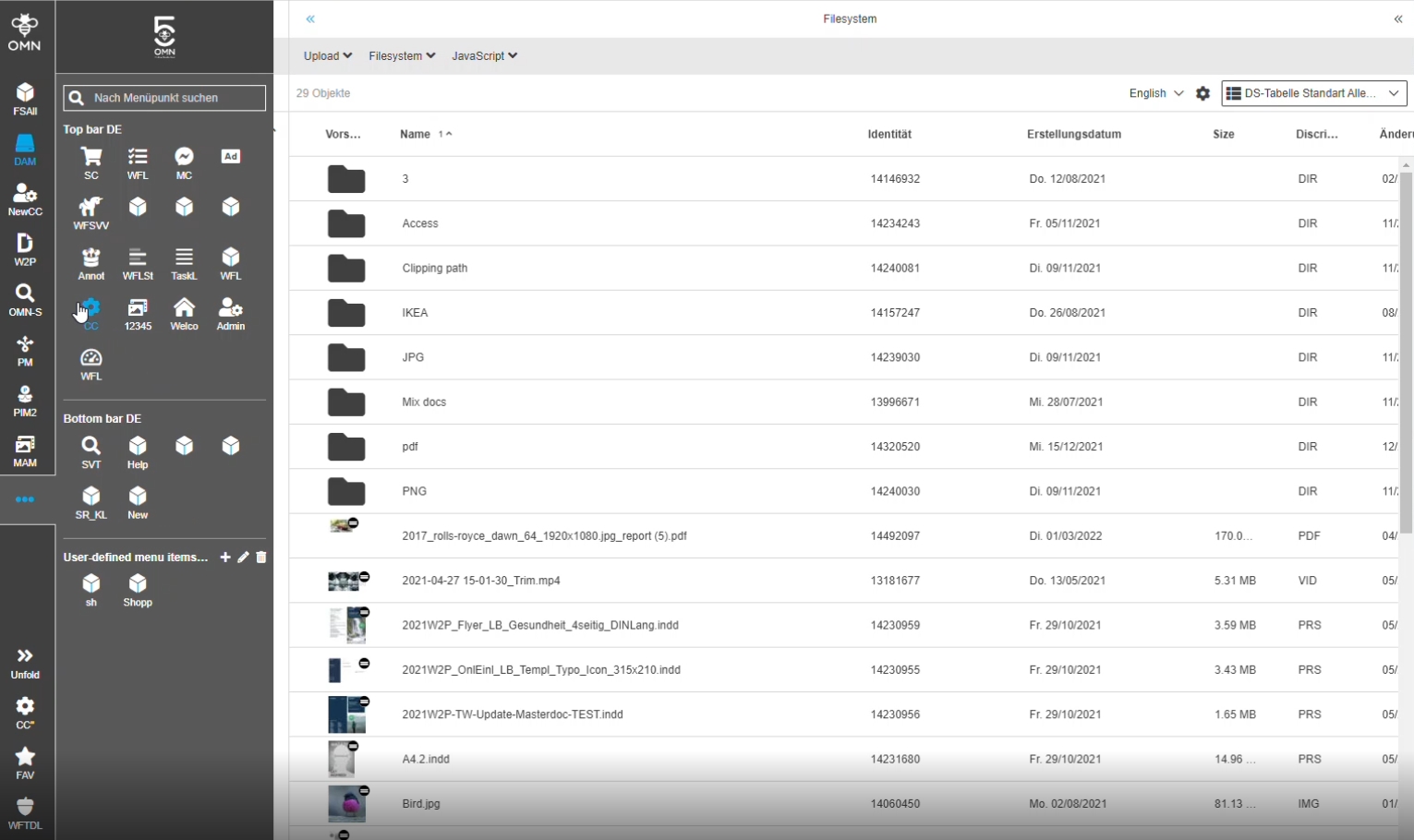
Possibility to switch from Frontend Client to the new Config Client/Config Area, so that the user can create or adjust system configuration
-
Switching to configuration section from UI (sidebar element can be available/configured in top or bottom bar
-
Configuration Section in Sidebar
18.2 Configclient - navigation between the applications (html config client and html client)
References |
OUCC-163 |
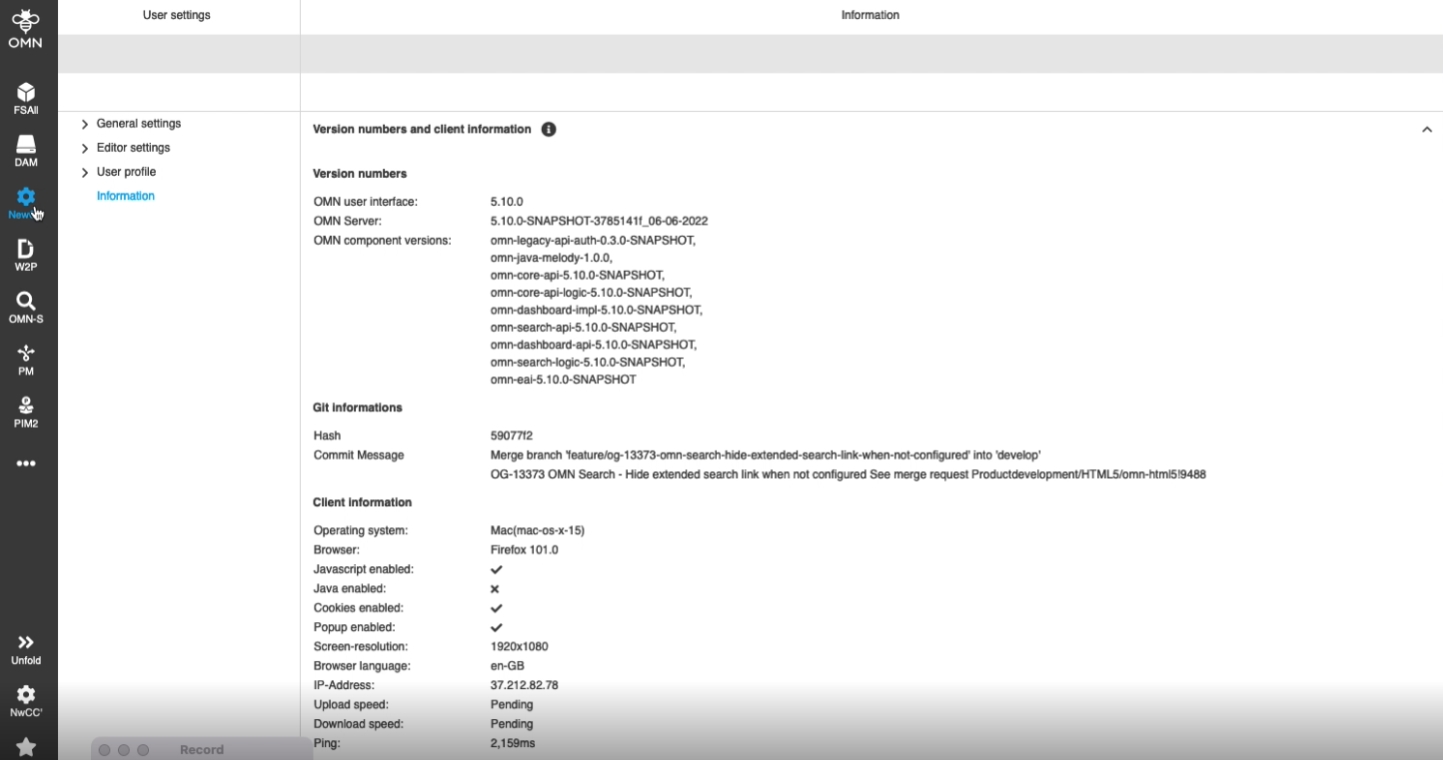
Possibility to navigate from app to app via buttons without knowing the links, so that the user can quickly open another application to configure or to check configured Plugins
-
from UI to configuration
-
from configuration back to UI

18.3 Home page - integrate sidebar component and left panel of selected sidebar item
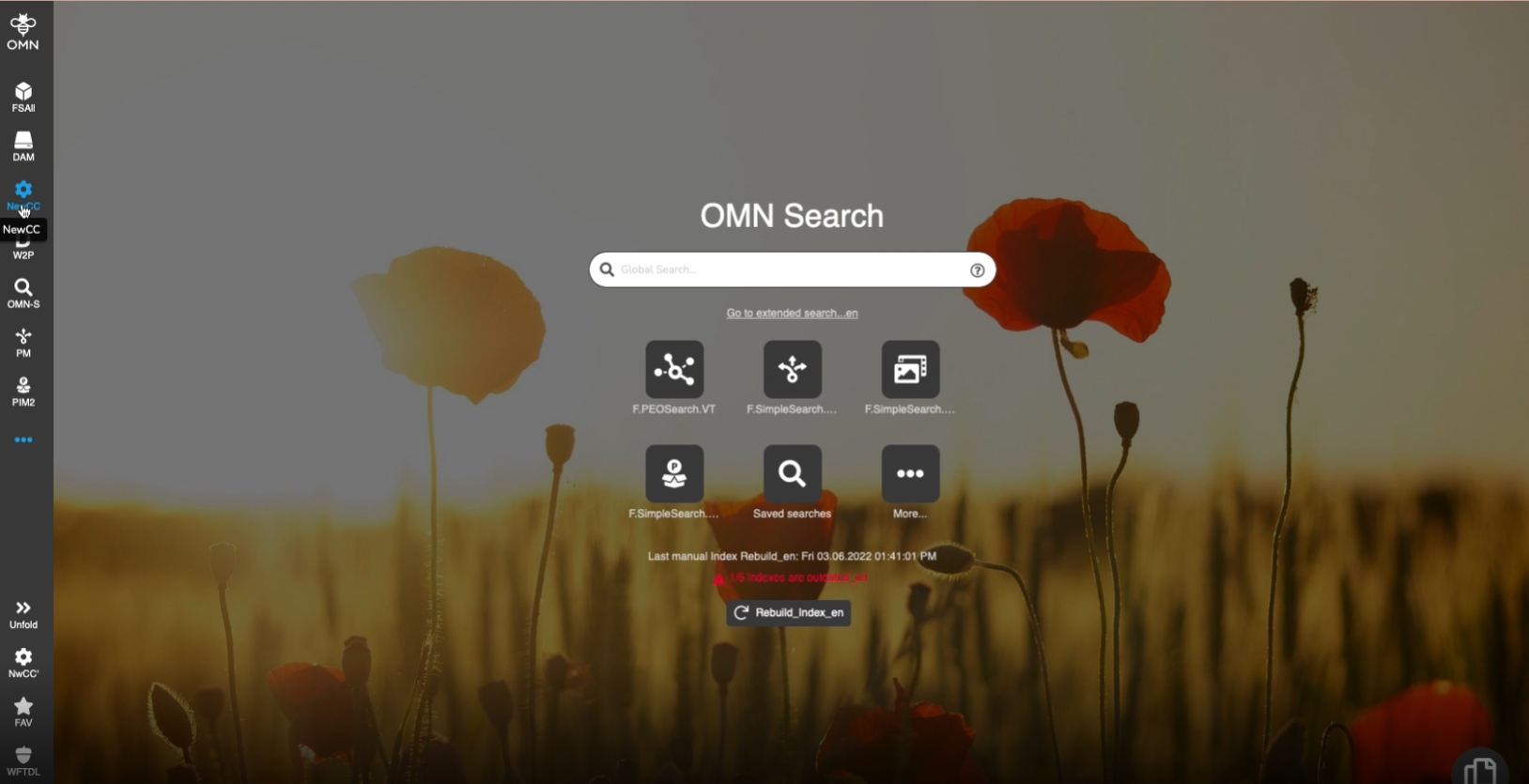
References |
OUCC-6 |
Possibility to create the first page of the new Config Client part, so that it can be opened by transition from Frontend Client

18.4 MD+A - Mandator settings - Reference Management - Introduce reference management configuration
References |
OUCC-201, OMN-9213 |
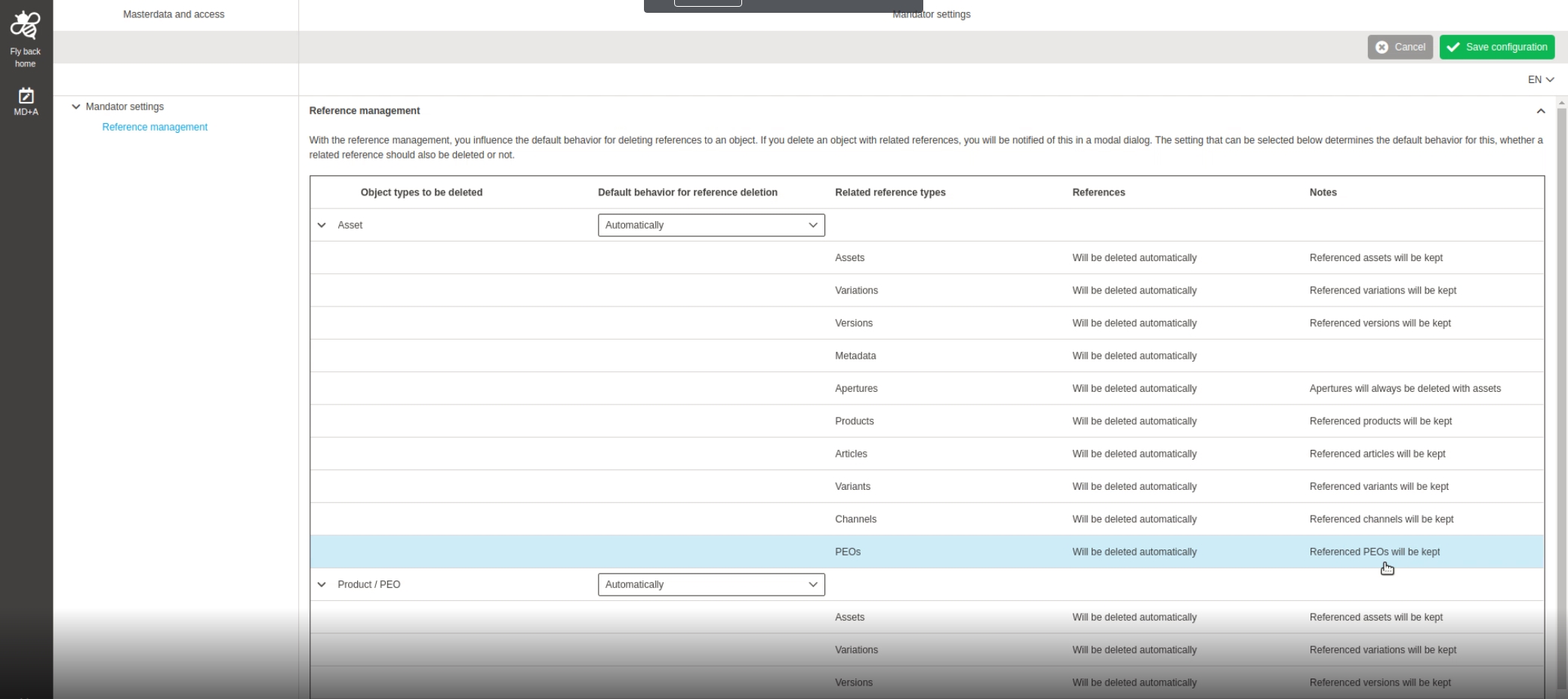
New Mandator Settings in HTML5 config Client to define How references will be treated, when objects having different Kind of references will be deleted (automatically delete reference or on user’s choice in the frontend)
19. Config-API (non-public)
19.1 Support for multiple yaml files
References |
OCA-1 |
Support for multiple yaml files for config Client API
19.2 Mandator settings REST API
References |
OCA-2 |
New ConfigClient Rest API Endpoints for Loading and Saving New Mandator Reference Management Settings
-
Loading mandator settings: Get /api/config/v1/mda/mandator-settings/<mandatorId> mandator identity MandatorSettingsInfo
-
Saving mandator settings: Post /api/config/v1/mda/mandator-settings/<mandatorId> mandator identity Status code
20. OMN-API
20.1 Create and update directory in XML format
References |
XR-754 |
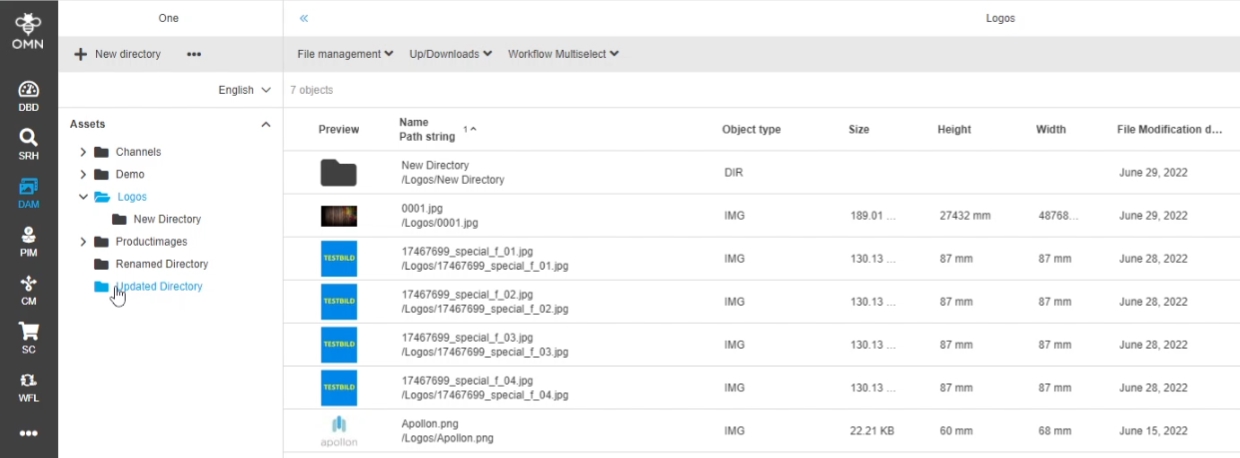
API endpoint to create or update a directory in a OMN RNC (Root node configuration)
-
example of an updated Directory in OMN
20.2 Upload assets
References |
XR-637 |
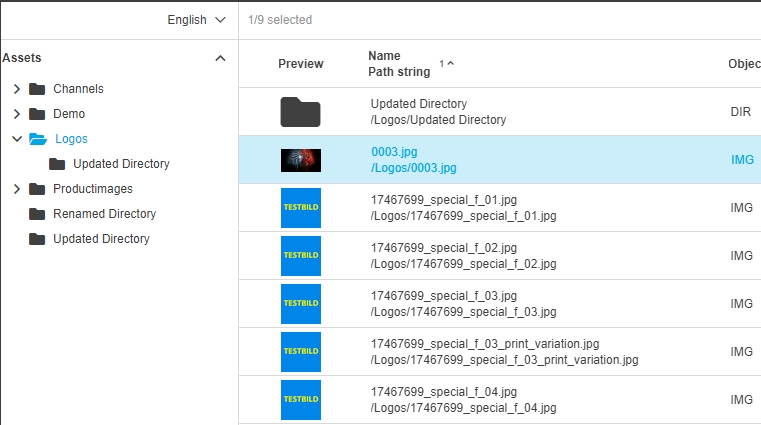
API endpoint to upload an asset into OMN
-
example of uploaded assets via API
20.3 Update assets - including name in XML format
References |
XR-730 |
API endpoint to rename an asset or update meta data attributes and XMP
20.4 Download assets
References |
XR-636 |
API endpoint to download one or multiple asset(s)
-
further Details can be found in API documentation
20.5 Download asset previews
References |
XR-726 |
API endpoint to be able to download the existing previews/renditions of an asset
20.7 Checkout assets
References |
XR-784 |
API endpoint to check-out an asset (the file is checked out in OMN - checkout and is therefore blocked for other users)
20.8 Checkin assets
References |
XR-783 |
API endpoint to check-in an edited asset in the corresponding tool as a new file
20.9 Navigate directories
References |
XR-725 |
API endpoint to retrieve directories of a RNC and retrieve directory children (sub-directories)
20.10 Navigate keywords
References |
XR-788 |
API endpoint to navigate through the existing OMN Keyword structure ( virtual filesystem structure) and retrieve related elements (Keywords and Assets) via API
20.11 Move directory
References |
XR-755 |
API endpoint to move and/or rename an existing OMN directory to another (Super) directory via API
20.12 Provide error message for asset files
References |
XR-762 |
New API endpoint /dam/assets/bin/retrieve returns the original asset files and previews. In case a file cannot be provided (for whatever reason), then it is simply skipped, the API consumer can get the error information by requesting this single asset again
20.13 Delete directory
References |
XR-756 |
API endpoint to delete an existing OMN Directory and all its children (directories, assets)
20.14 Delete Keyword
References |
XR-786 |
API endpoint to delete an existing OMN Keyword Directory and all its children (directories, assets) via API
20.15 Create and update Keywords XML format
References |
XR-785 |
API endpoint to create a new and/or update/rename an existing OMN Keyword via API (e.g. to upload my new file there and link it to it)
20.16 Navigate RNC
References |
XR-815 |
API endpoint to navigate through the existing OMN RNC and folder structure and retrieve RNCs via API
20.17 Retrieve asset hash information
| References | XR-814 |
|---|
API endpoint to get a hash information about an asset via existing retrieve asset API.
20.18 Retrieve assets in directory
References |
XR-811 |
API endpoint to navigate throw directories and see actual file system structure with assets in directories
20.19 Search assets
References |
PIC-669 |
Search Asset extensions, so that
-
Client is able to execute an advanced search by configurationIdentifier
-
The result of search includes localized labels of the fields and facetts, according to specified language of request
-
Result attribute list are set by the first(default) FS-TABLE configured in the contentview of the advanced search
-
Relative thumbnail/download Url are added programatically
20.20 Update dynamic attributes for directory in XML format
References |
XR-777 |
Possibility to update dynamic attrubutes for OMN (Sub-) Directory via API
20.21 Extend AssetDownloadByIdServlet
References |
OMN-9632 |
assetDownloadByIdServlet is extended so it is capable to also provide a specific version of an asset
-
The version can be identified by its relative number.
-
Additional query parameter for servlet: versionNumber if set and version exists this should be downloaded