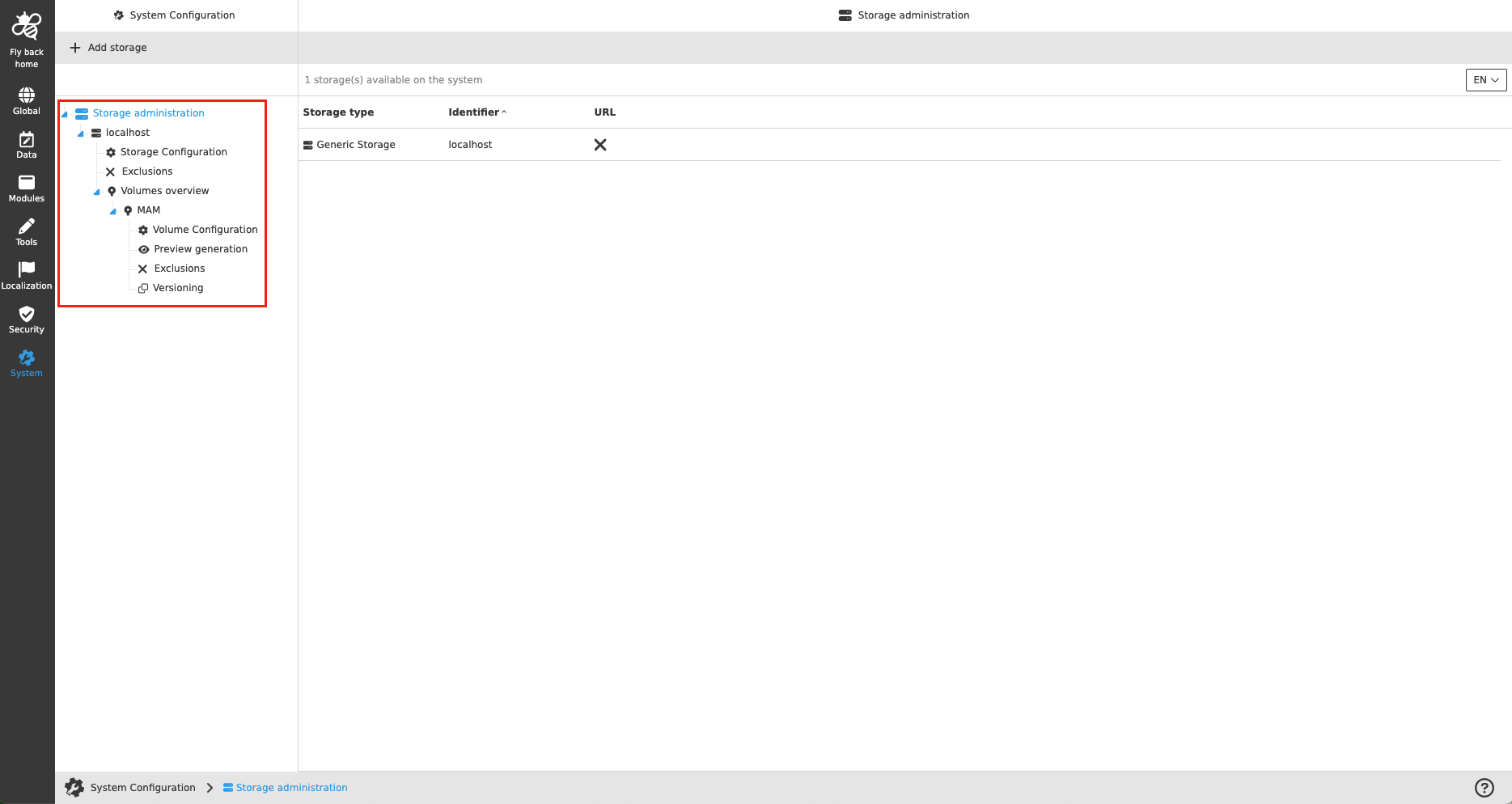
Storage Administration
Purpose
The Storage Administration allows to make storage known to the OMN system or to use the connections and on the storage and their volumes stored data within OMN. Two different types of storage can be connected to OMN.
OMN allows the creation of a generic storage (= filesystem storages). Only one generic storage can be created per OMN system, and it is automatically always a localhost.
The second type of storage is object storage (implemented with S3).
Possible usage of the Storage Administration
Storage Administration configuration can be used in:
-
DAM application plugin
-
Navigation page plugin
Preconditions
To configure Storage Administration, the following needs to be done upfront:
-
for generic storages
-
A local file system must be mounted.
-
-
for object storages
-
Compatible S3 storage must be set up (MinIO and AWS are supported by the product).
-
General configuration
The configuration of Storage Administration includes the following parts:
| Tab Name | Description | Note |
|---|---|---|
Storage Administration |
If the Storage Administration level is selected in the left tree, the central view shows a table of all storages configured on the OMN system. |
see more details Storage Administration |
Storage Configuration |
Relevant information for the storages can be stored in the storage configuration and, especially for object storages, the credentials are stored here. |
see more details Storage Configuration |
(Storage) Exclusions |
The access to specific folders and files on the storage within the OMN system can be restricted. Excluded folders and files are not displayed in the user interface navigation. |
see more details Exclusions |
Volumes |
If the volumes level is selected in the left tree, the central view shows a table of all volumes configured in the storage. The table provides a brief overview of the configurations for volumes. |
see more details Volumes |
Volume Configuration |
In the Volume Configuration identifier and volume name can be read, the relative path can be changed and the minimalistic check-in can be activated or deactivated. |
see more details Volume Configuration |
Preview generation |
The volume settings related to preview generation will be available at a later date. |
For the moment disabled. |
(Volume) Exclusions |
The access to specific folders and files on the volume within the OMN system can be restricted. Excluded folders and files are not displayed in the user interface navigation. |
see more details Exclusions |
Versioning |
This tab contains the settings related to file versioning. It can be controlled whether versions should be created automatically and for which file types how many versions can be created and stored in the OMN system. |
|
Metadata |
This tab is available only for object storages and allows the preserving of metadata. |
see more details Metadata |