Product Maturity Level
General
The maturity level is an aggregated and consolidated status of the product.
It is based on individual maturity level checks and effectively reflects the level of maintenance of the attributes.
The maturity level itself has no temporal context, but merely reflects the status at the time of the assessment.
The maturity level is calculated at regular intervals and is triggered by adjustments to a product. In PIM, the calculated maturity level status is displayed in the "Product Lifecycle State" and "Product state" columns.
The maturity level process consists of two components:
-
Maturity level
This logic performs the calculation of the current product status. -
CronJob
This is responsible for the time-based execution of the maturity level logic.
Configuration / Display of maturity level
The configuration of the maturity level and the associated CronJob are carried out in Channel Management.
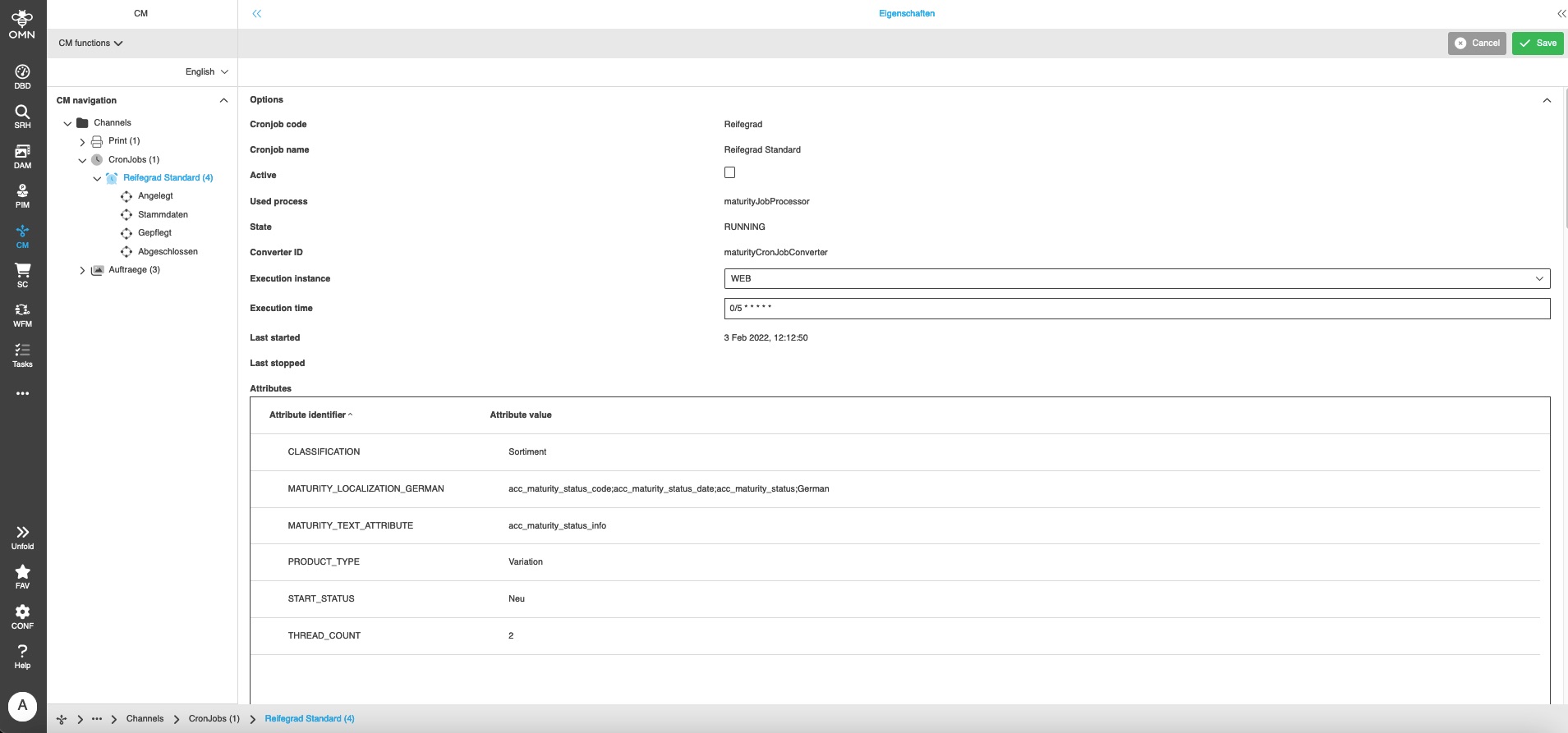
The maturity status is displayed in the Product View under Details in the Detail View "Maturity" (Content Switcher).
This view displays the "Maturity state (System)", "Maturity date (System)" and "Maturity info (System)":
-
The "Maturity state (System)" shows the current status of the product.
-
The "Maturity date (System)" shows the date of the last maturity change.
-
The "Maturity info (System)" lists the attributes that must be maintained in order to reach the next maturity status.
In this example, the attributes "Brand" and "Color" would have to be maintained in order to switch from the "Draft" status to the next status, "Master Data".
Configuration in Channel Management
CronJob
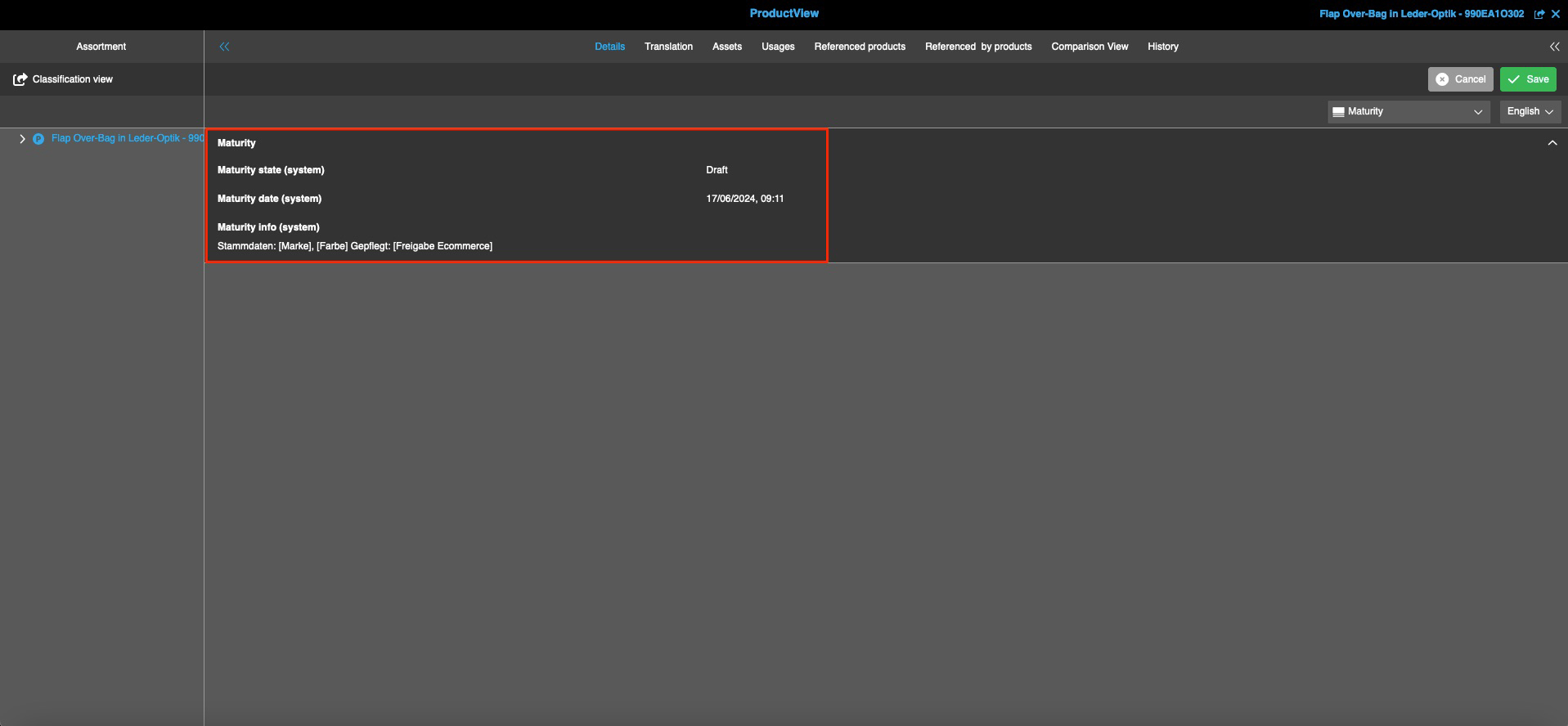
The CronJob module provides you with various settings fields and information fields for the maturity level. These are used to configure and monitor scheduled processes. This includes process activation, execution times, execution instance (WEB or WRK01) and the definition of general attributes such as the number of threads or the start status of the maturity level.
When delivered from the OMN standard, the maturity level is preconfigured and only needs to be activated via the "Active" field.
All options are explained clearly below:
General
-
Cronjob code: Specifies the unique project identifier used to assign the cronjob internally.
-
Cronjob name: Defines the name of the project for easier recognition.
-
Active: This setting can be used to activate or deactivate the CronJob. Only activated CronJobs are executed according to the schedule.
-
Process used: This specifies the name of the Java class that is executed when the CronJob is started. It contains the actual logic of the process.
-
Status: Sets the current status of the cron job. Possible status values include whether the process is actively running ("RUNNING"), has encountered an error ("ERROR"), or has been terminated ("FINISHED").
System and execution details
-
Converter ID: Specifies which Java class is used to convert the attribute data from the attributes table.
-
Execution instance: Specifies on which OMN system the cron job is executed (WEB or WRK01).
-
Execution time: The execution interval is defined here in the Spring Cron format. This allows flexible schedules to be created (default: every 5 seconds).
-
Last started: Displays the date and time of the last execution of the CronJob.
-
Last finished: Displays the date and time when the CronJob was last finished – regardless of whether it was successful or ended with an error.
Configuration of attributes
Specific settings for the CronJob can be made in the table, which controls its behavior in detail. If a different classification is used, the new classification name must be entered in the "CLASSIFICATION" field.
-
CLASSIFICATION: Determines the classification in which the PIM products are to be checked.
-
MATURITY_LOCALIZATION_GERMAN: Defines which PIM attributes are used to display the maturity status in German.
-
MATURITY_TEXT_ATTRIBUTE: Specifies the PIM attribute in which the list of attributes is stored that must be maintained for the next maturity step.
-
PRODUCT_TYPE: Specifies the product level at which the attribute checks are to be performed. If, for example, "Article" is defined, then only the attributes at the "Article" and "Product" levels are checked. Possible values are "Product", "Article" or "Variation".
-
START_STATUS: Defines the initial maturity status that a PIM product receives after it is created.
-
THREAD_COUNT: Specifies how many threads should be used simultaneously for processing. A higher number can speed up processing, depending on the system load. It is recommended to set the maximum number of threads to "2".
Maturity level
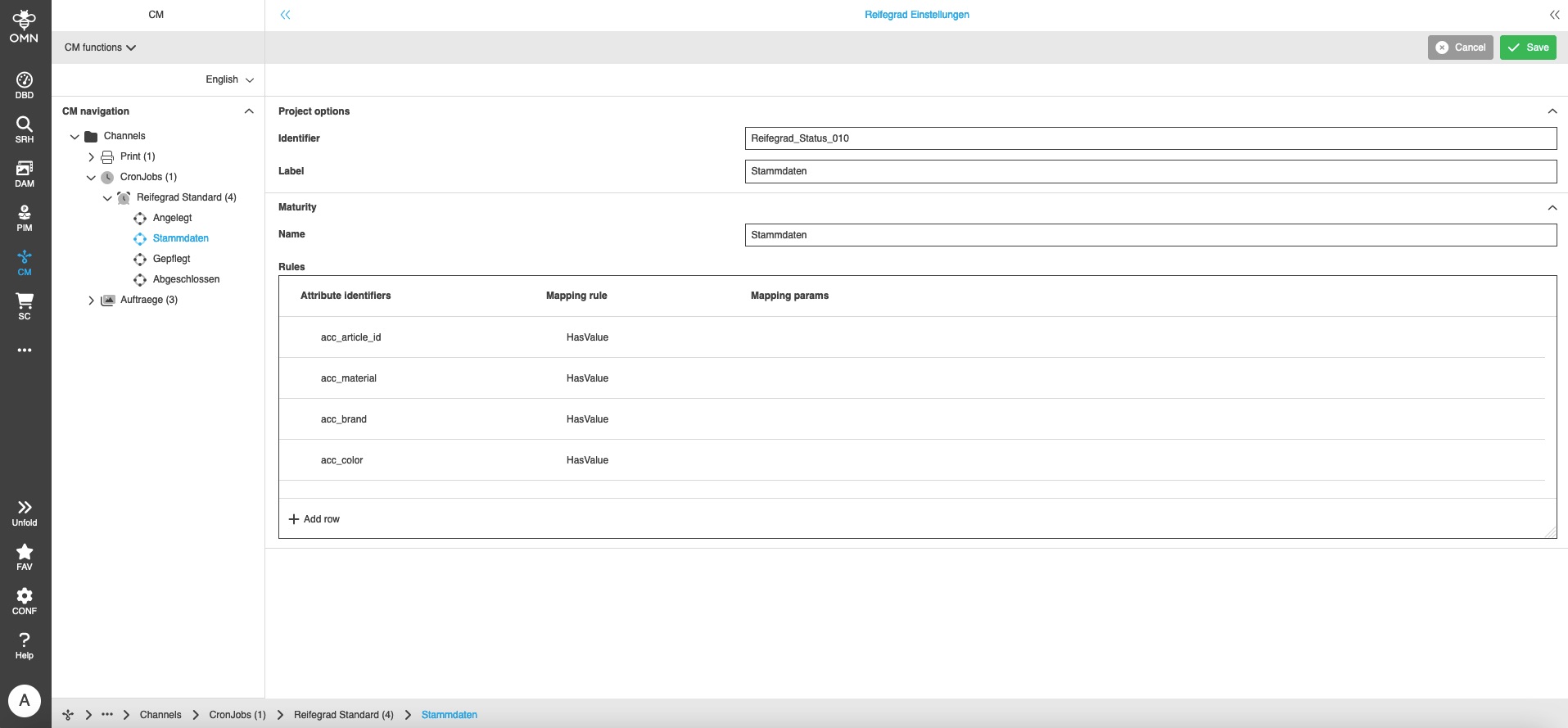
This section defines the various maturity level statuses used in the PIM process. Each status is associated with specific rules that determine which attributes of a product must be checked in order to achieve that status. The calculated maturity status is displayed on the product and in the PIM management view.
General
-
Identifier: A unique project identifier used for internal assignment of the maturity level status.
-
Description: A descriptive description of the project that explains the maturity level status in more detail.
-
Name: The actual name of the maturity level status as used by the system.
Rules
The rule table defines which product attributes are to be checked and which conditions must apply to them in order to achieve the respective maturity level.
Each rule consists of the following components:
-
Attribute identifier: Specifies which PIM attribute is to be checked. This corresponds to the technical name (identifier) of the attribute in the PIM system.
-
Rule mapping: Defines the rule according to which the attribute value is validated. This can be, for example, a mandatory field check, a minimum value, or a specific format.
-
Parameter mapping: The rules "ValueIn" and "HasSeveralValues" require additional parameters to be applied correctly. These mappings provide the corresponding values or specifications. Examples of such parameters can be found in the following section.
Examples: Rules in the maturity level project
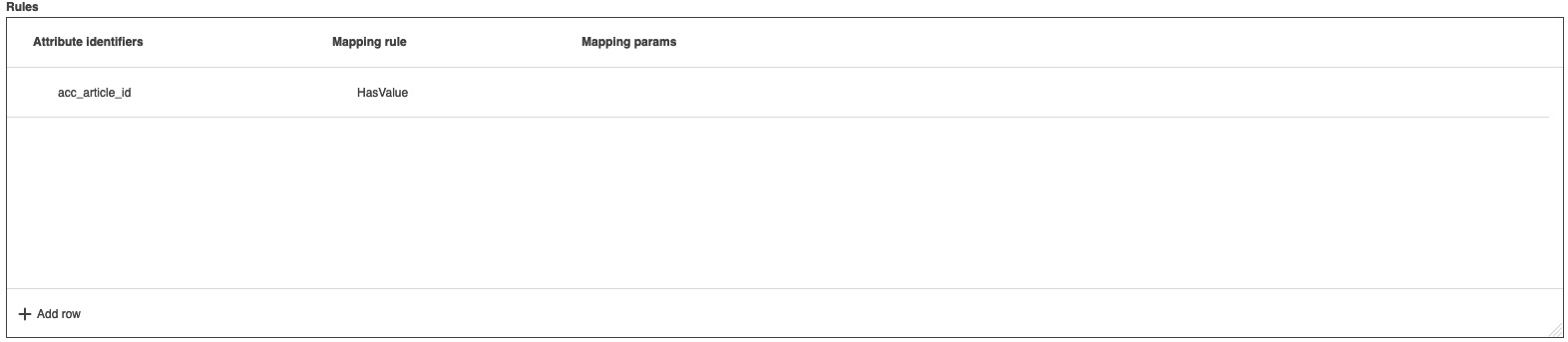
Mapping rule "HasValue"
The system checks whether an attribute value has been maintained.
The content of the attribute value is not relevant.
A parameter mapping is not required for this rule.
Mapping rule "ValueIn"
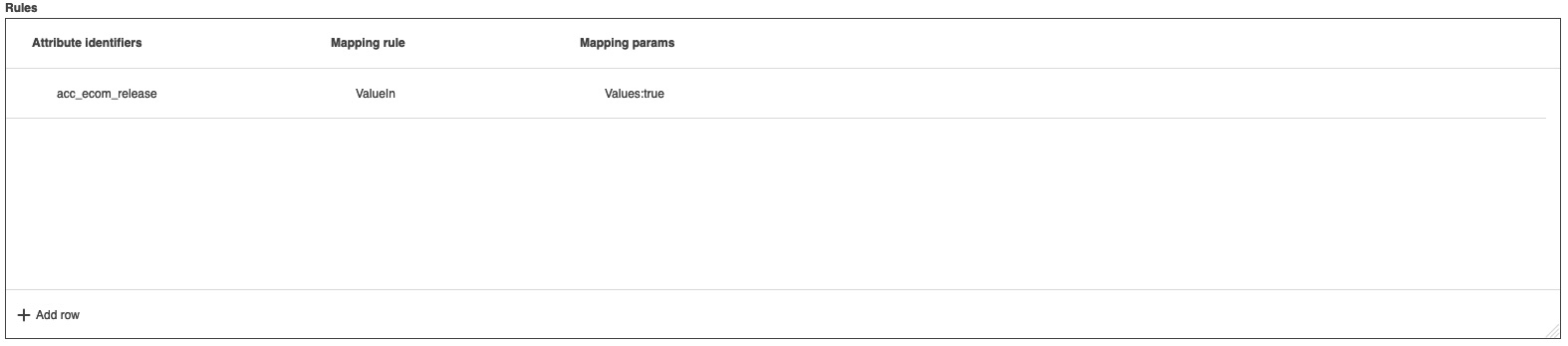
The system checks whether a specific attribute value has been maintained as a text or number.
In this case, the system checks whether the attribute value is "true" for a Boolean.
This is done by specifying "Values:true".
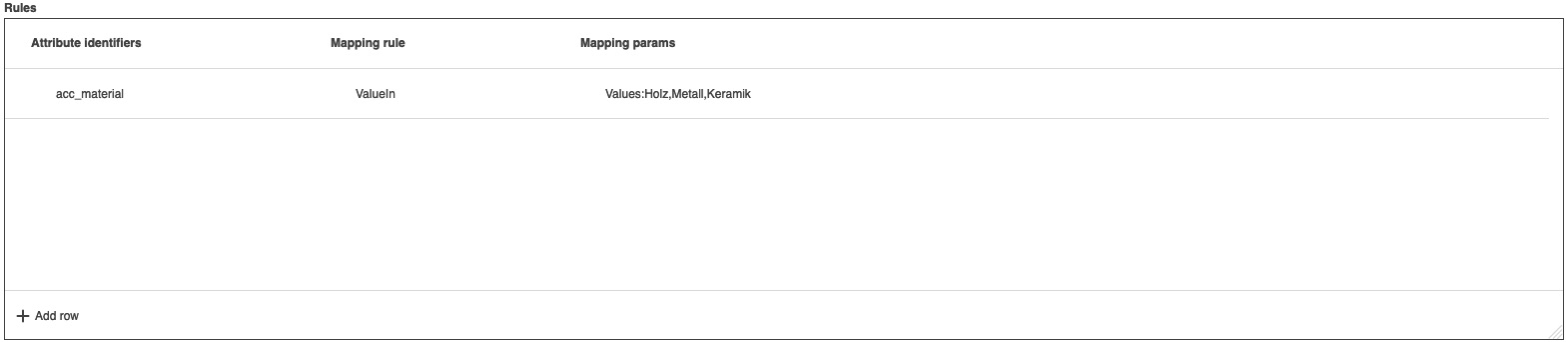
Several attribute values can be specified in the parameter mapping, separated by commas.
In this case, only one of the attribute values needs to be maintained for the rule to apply successfully.
Mapping rule "HasSeveralValues"
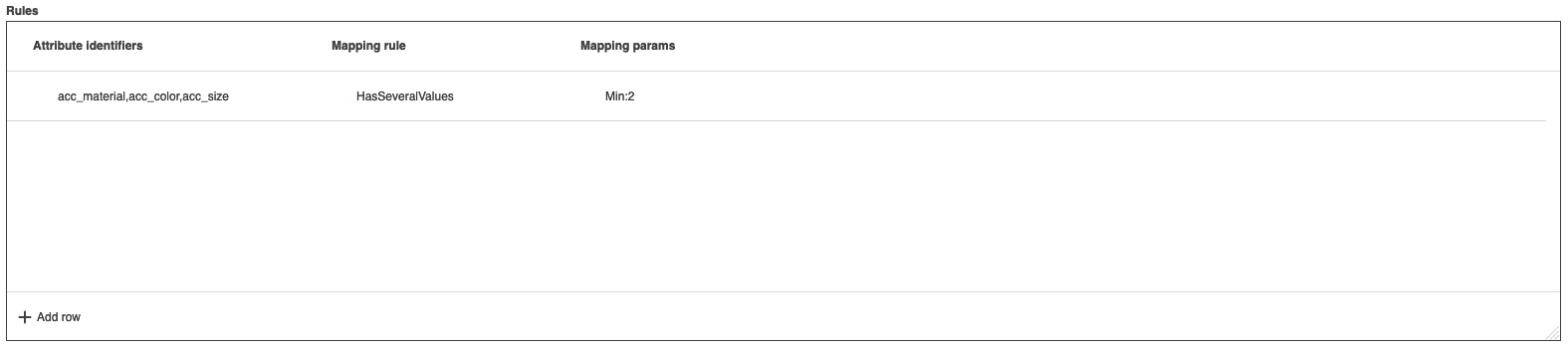
This rule is an extension of "HasValues" and can check attribute combinations.
To do this, the attribute identifiers to be checked must be specified comma-separated and the minimum number must be defined in the parameter mapping.
In the following example, at least two of the three attributes listed must therefore be maintained for the rule to apply successfully.
Reports for maturity level
Under the menu item "Admin" you will find the sub-item "Report", where there are three reports for the maturity level.
These reports provide a quick overview of the current maturity level of the products. The reports are displayed in advance in OMN and can then be downloaded as CSV files if required.
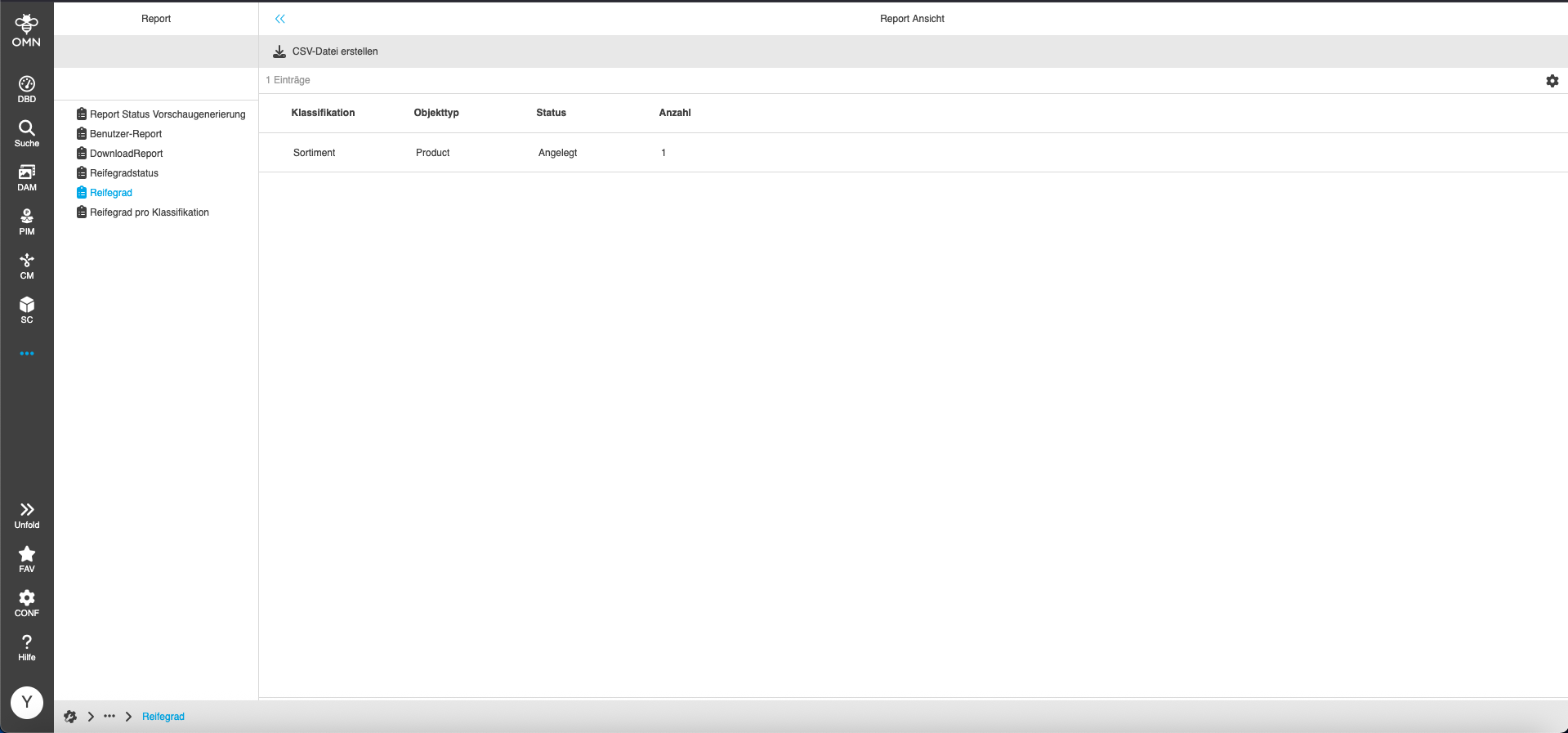
Report: Maturity level
This report shows the number of maturity levels per classification, object type (Product, Article, Variant), and status (Created, Master data, Maintained or Finalized).
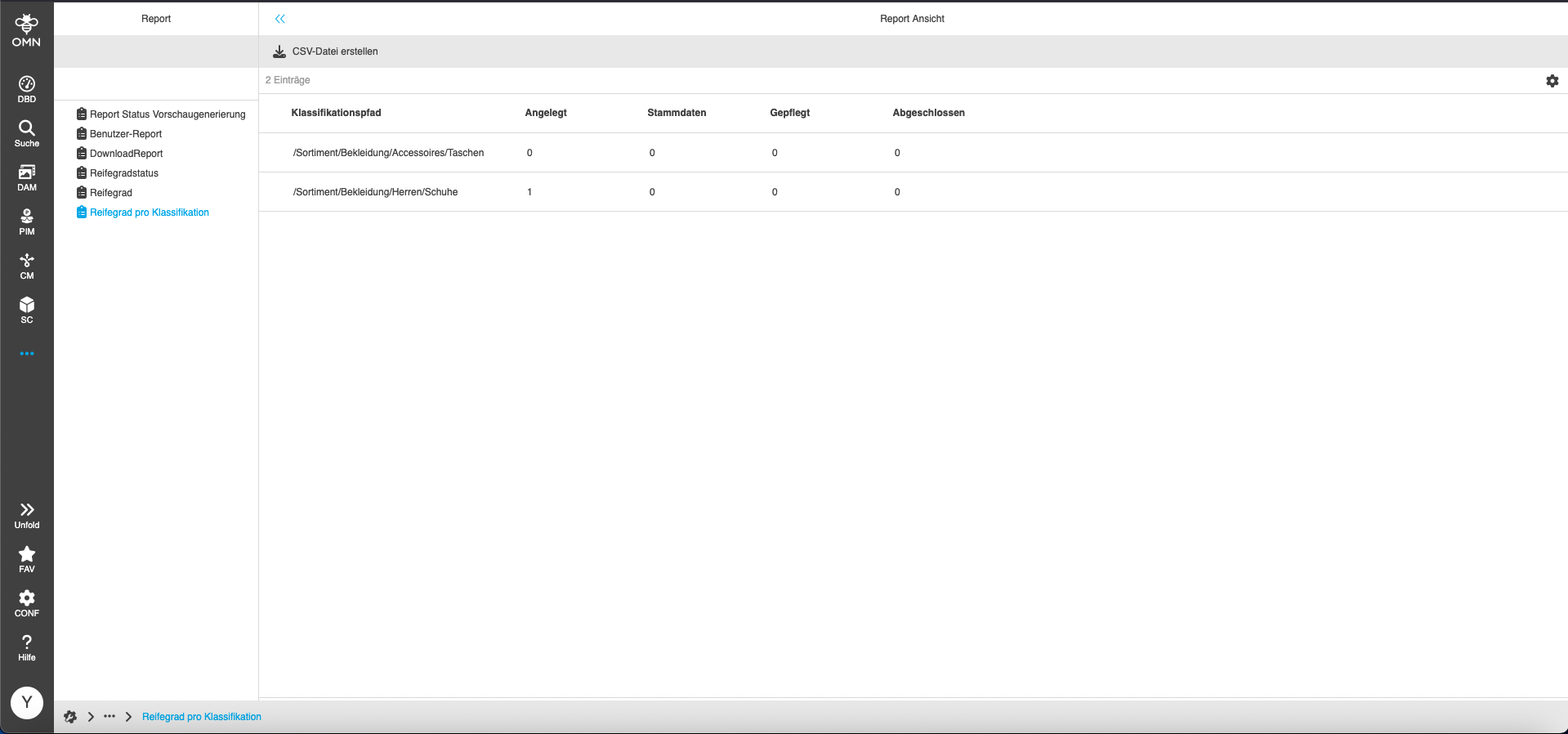
Report: Maturity level per classification
This report shows the number of maturity levels per classification and per status (Created, Master data, Maintained and Finalized).
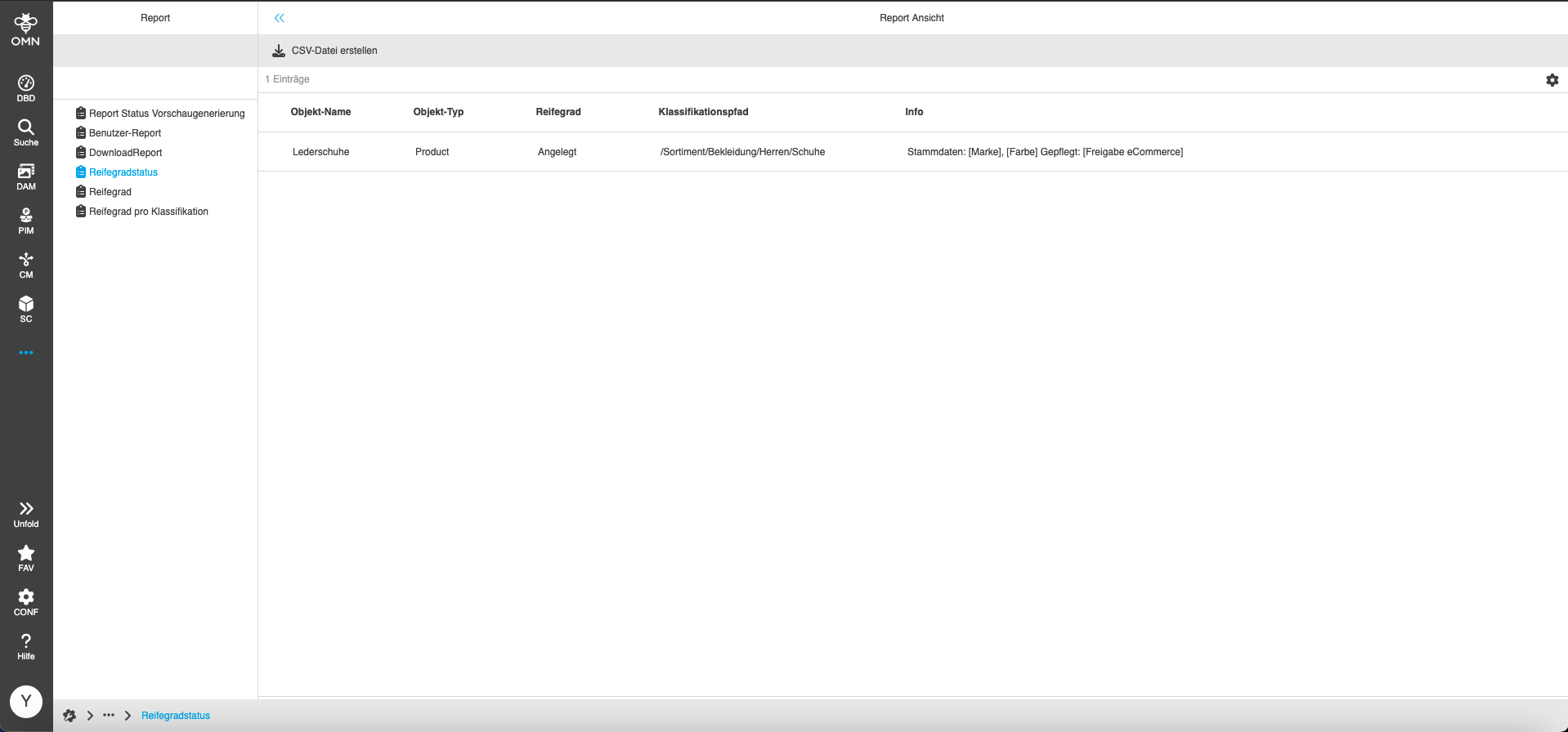
Report: Maturity status
This report displays the respective product with its name, object type (product, article, variant), classification path, status (Created, Master data, Maintained and Finalized), and maturity level information.
An upstream filter function allows you to search specifically for the filter criteria maturity level, object name, object type, and classification path.

After entering the filter criteria, the report is generated and the results are listed.