Working with CI HUB
CI HUB Products
Would you like to access data stored in OMN directly from desktop applications, such as Adobe Photoshop, Adobe Indesign or Microsoft Word, or directly from your operating system?
Then our OMN CI HUB Connector in combination with the following CI HUB products is just right for you:
CI HUB Pro - for Professional Creatives

Access to OMN DAM directly from various desktop applications and the Adobe Express web application.
Available for the following applications: https://ci-hub.com/all-applications
See also CI HUB Pro


Examples
-
Example 1: Data access to data stored in OMN directly from Microsoft PowerPoint
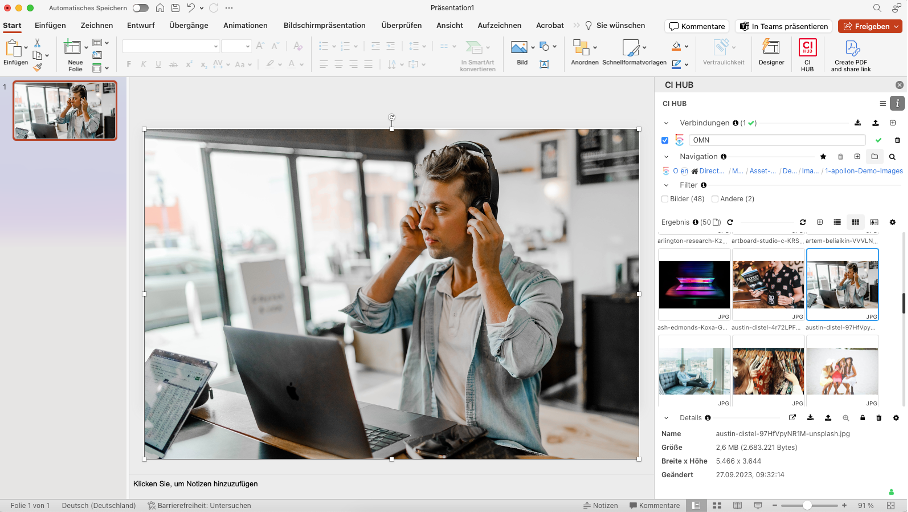 Figure 1. Access to assets stored in OMN from a desktop application
 -
Example 2: Data access to data stored in OMN directly from the Adobe Express web application
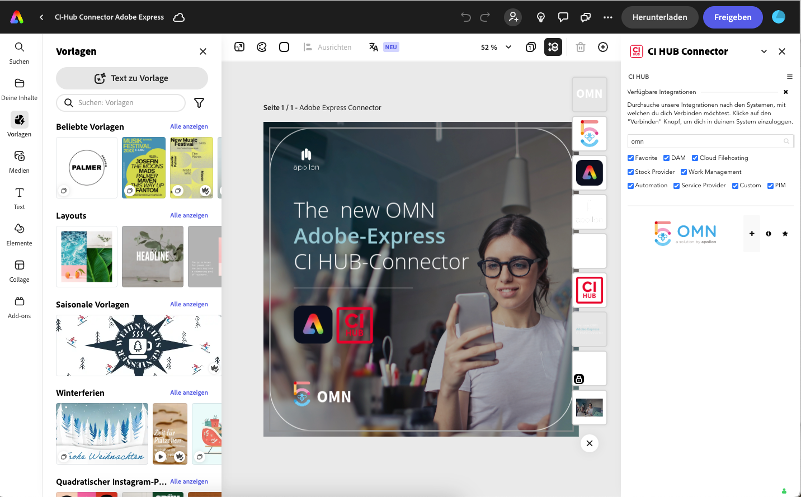 Figure 2. Access to assets stored in OMN from Adobe Express
 -
Example 3: Data access to data stored in OMN directly from the operating system
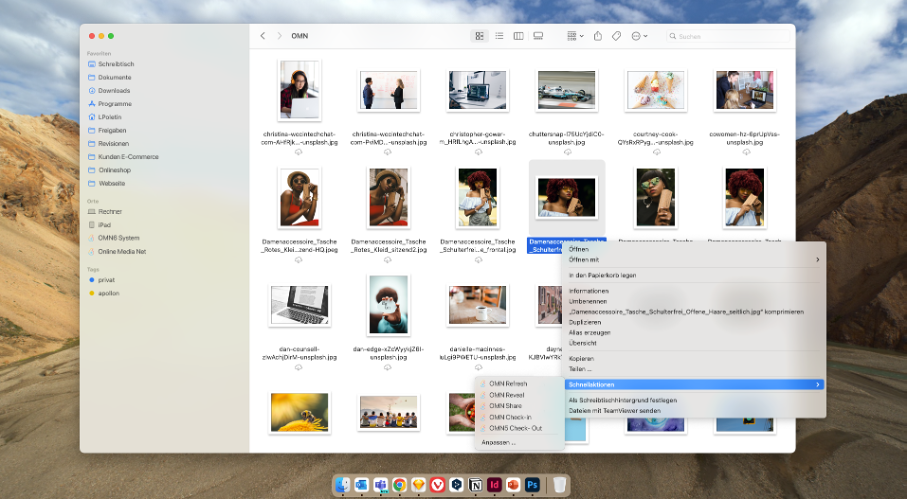 Figure 3. Access to data stored in OMN directly from the operating system via a drive
Prerequisites for the use of CI HUB
The use of CI HUB products in combination with Online Media Net requires a corresponding license for CI HUB and OMN.
If you are interested in CI HUB features, the specific requirements for use or the prices, you will find here.
If you simply want to try out CI HUB, there is also a trial version.
You can find more information on this in the next section.
Trial Version for CI HUB Plugins
If you would like to try out CI HUB first, you can register at the following link: https://ci-hub.com/user-registration
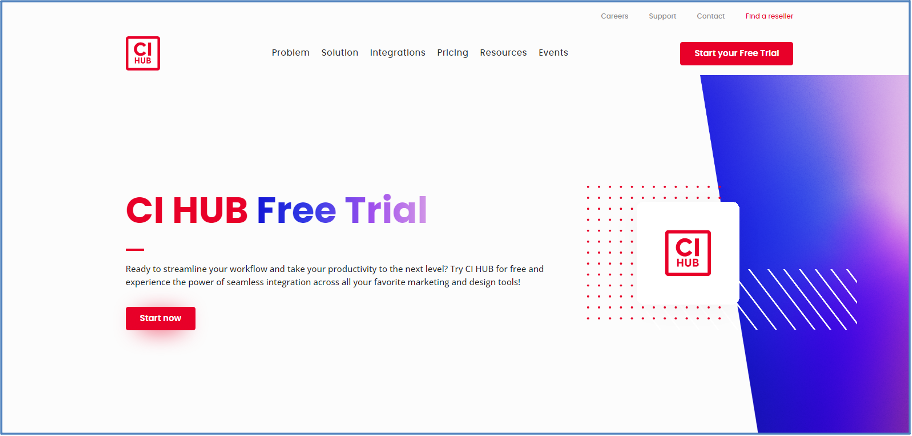
Please enter the application OMN in the registration form.
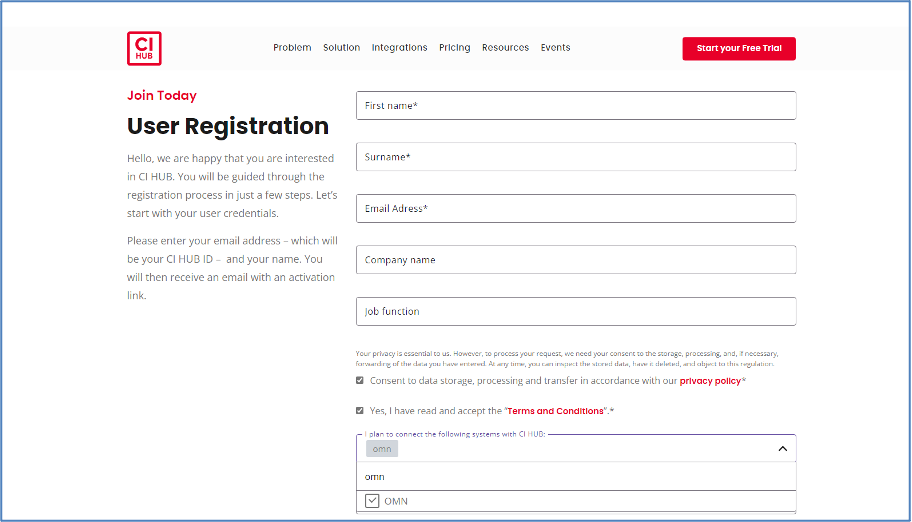
You can then download the trial plugin, e.g. for Adobe, Microsoft etc., and install it on your computer.
For Adobe Tools, the plugin installer can also be found in the Adobe Marketplace:
CI HUB Connector | Adobe Exchange
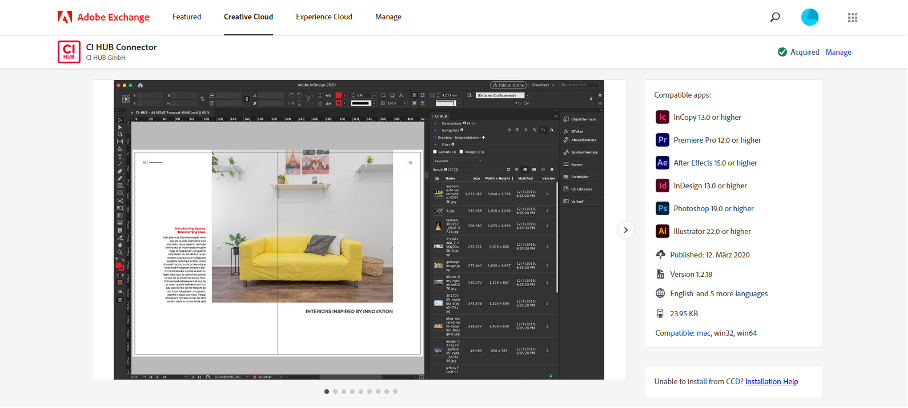
You can find out how to set up and use the CI HUB Connector in the next section.
Set up OMN connection in the CI HUB Connector
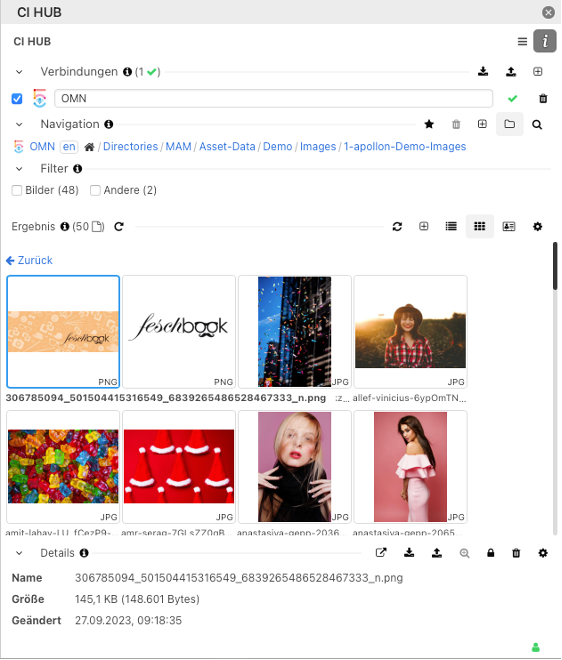
After successfully installing the CI HUB plugin (e.g. for Microsoft or Adobe), you can open the CI HUB extension in the respective desktop tool and establish a connection to OMN.
To do this, under Connections >> + >> select OMN5 from the list.
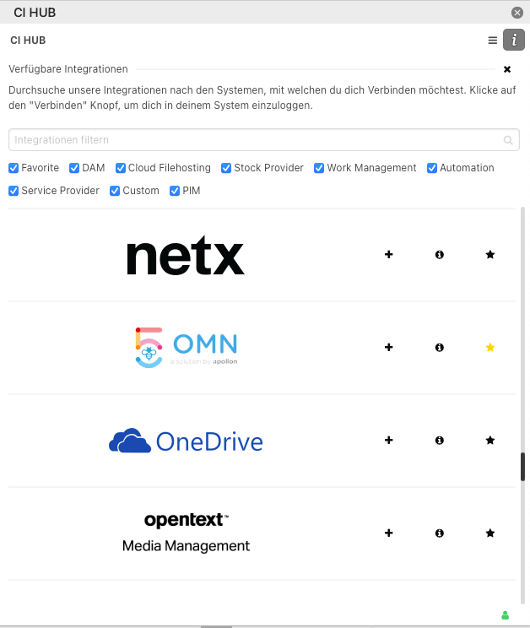
After entering your CI HUB login (which you created when you registered with CI HUB), a browser window will open in which you can enter the URL of your OMN system.
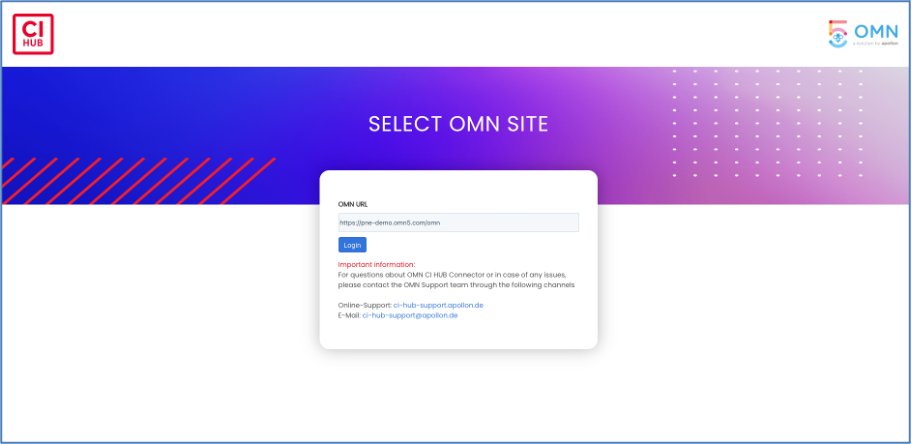
You will then be asked for your Online Media Net access data.
The connection is then active (indicated by the green tick) and access to the files is possible.
Usage of the CI HUB Plugin
If you would like to know how to use the CI HUB plugin or if you have any questions about setting it up, you will find the following help:
Questions or Support
The following options are available for CI HUB support:
Support request directly to CI HUB for plugin-specific questions + problems:
CI HUB – Service / Help - Feature Requests are always welcome! (ci-hub.com)
Support request to apollon for OMN-specific questions + problems in the context of using CI HUB:
-
Via e-mail to ci-hub-support@apollon.de
-
Via contact form directly in the CI HUB plugin