How can I use ChatGPT in OMN?
ChatGPT is a generative AI service developed by OpenAI.
To be able to use ChatGPT in OMN, you first need an OpenAI account and a license.
Furthermore, you need a valid ChatGPT API key, which contains the so-called ChatGPT Organization ID.
This is a unique identifier that is required to use the ChatGPT API.
You can find out how and where to find this information in the following chapters.
How do I create a ChatGPT account with OpenAI?
You can create an account with OpenAI at the following link.
Enter your organization when creating an account.
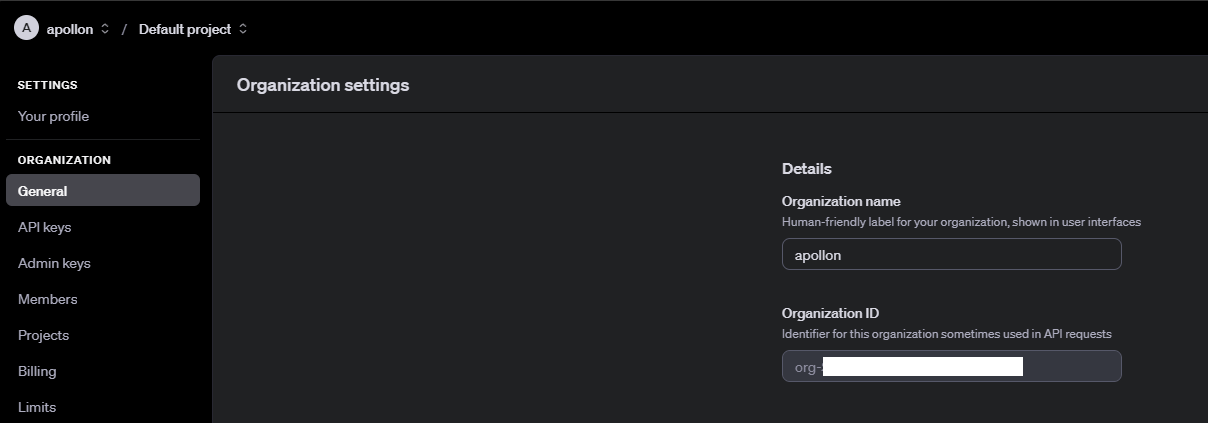
After successful registration, you can click on the gear icon (settings) at the top right and open “Organization” - “General”.

Here you can find your organization name, if it has already been entered during registration.
You can also find the Organization ID here. This is required in addition to the API key for using ChatGPT via OMN.
The credit card can be stored via the menu item “Billing” (further information can be found at here).
How do I generate a ChatGPT API key that I can use in OMN?
There are two options for generating an API key:
-
User-related API keys
-
Project-related API keys
The API key must later be stored with the Organization ID in an OMN configuration.
User-related API keys
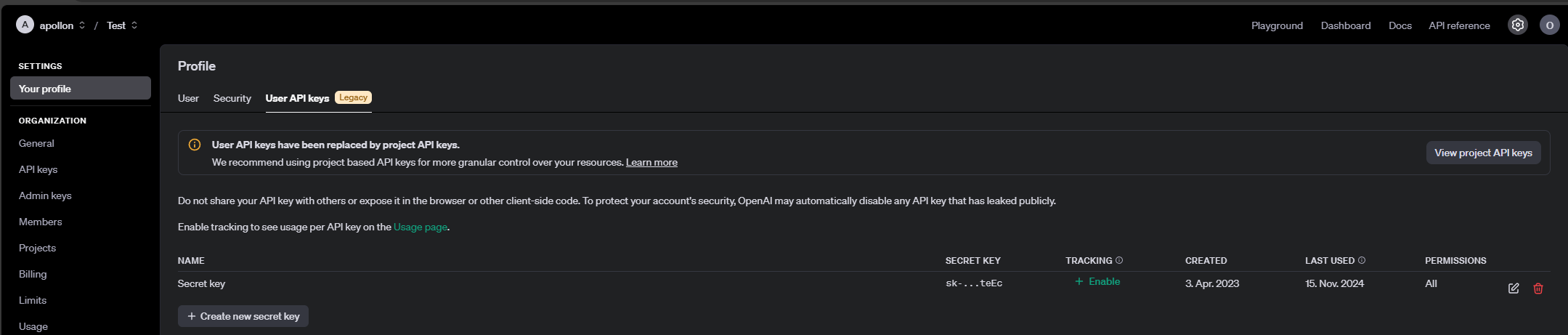
To generate a user-related API key, follow the steps below:
-
Open the “Your profile” section under “Settings”
-
Go to “User API keys”
-
Click on “Create new secret key” to generate an API key.
Project-related API keys
Project-related API keys can be administered more extensively (e.g. locking certain models, giving other users access to them, etc.).
To generate a project-related API key, follow the steps below:
-
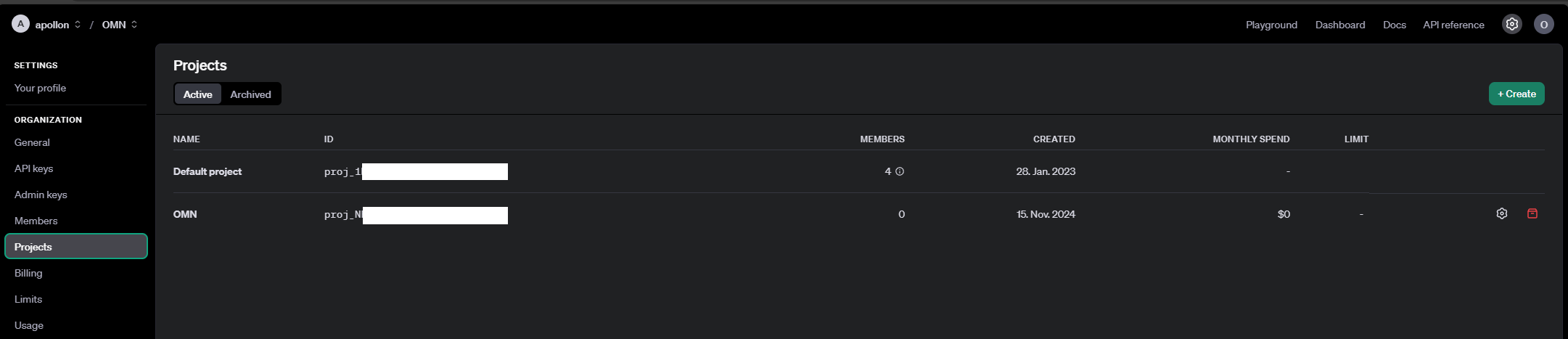
Open the “Projects” section under “Organization”
-
Create a project for OMN
-
Open the “API keys” section under “Organization”

-
Create a project-related API key (“Create new secret key”)
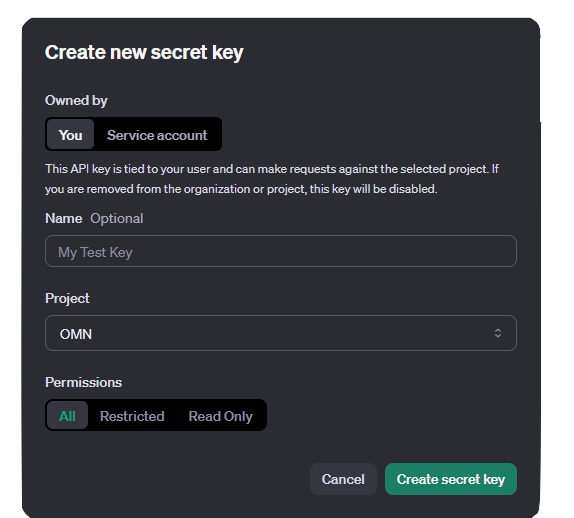
| The generated secret key must be copied directly, as it can no longer be viewed later. |