Storage Configuration
This page is available for generic storages as well as object storages. Since the setting options differ slightly, they are listed separately below.
Generic Storage Configuration
The Storage Configuration tab shows information about the generic storage. It is possible to enter a description about the generic storage, so the usage of the storage is clear to users of the Configuration Client.
It is only possible to create one generic storage by using the add storage function in the left toolbar. This created generic storage will be automatically a localhost.
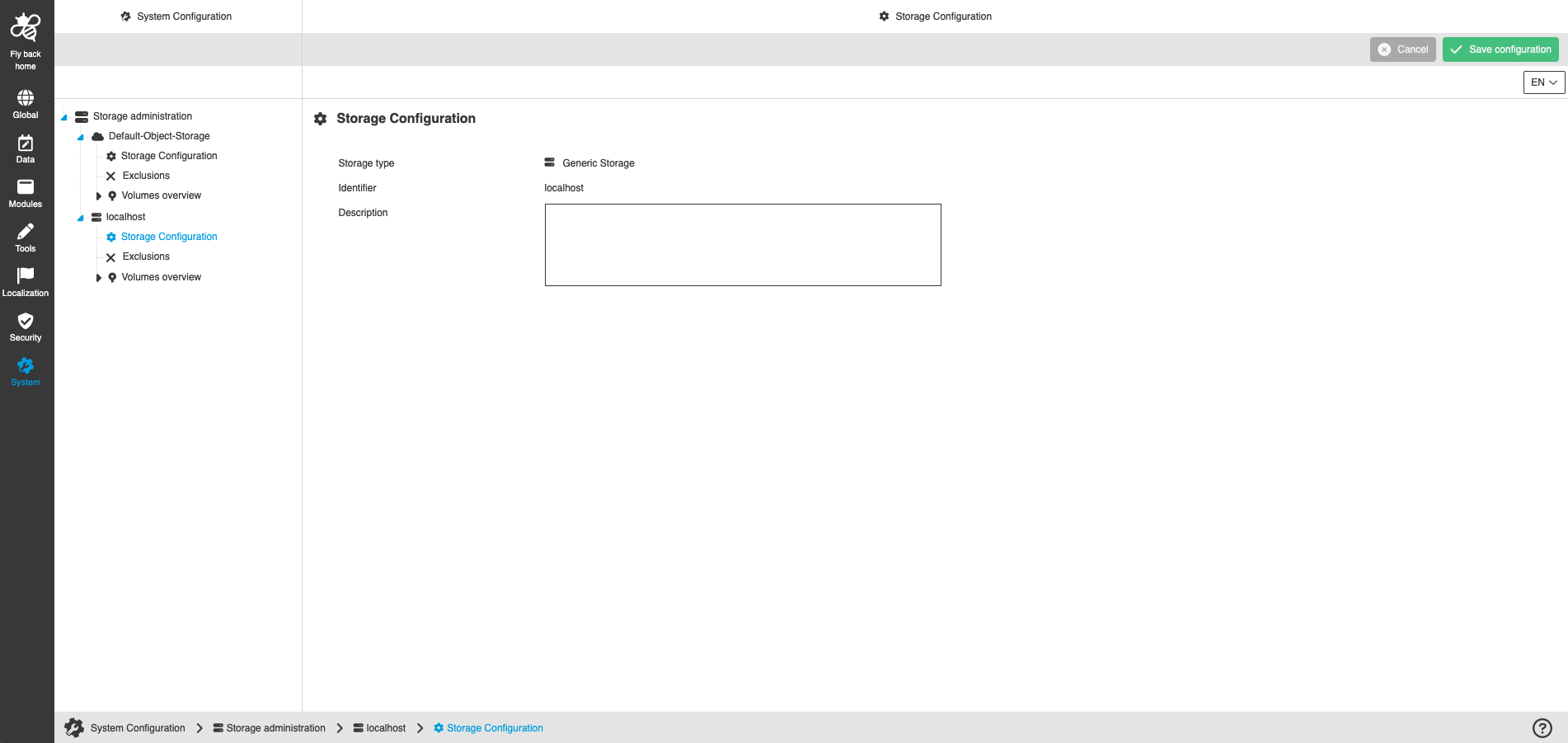
Name of option |
Description |
Note |
Storage type |
Shows which storage type the storage is from. The storage type is defined at the time of creation. |
Read-only information |
Identifier |
The identifier is defined when the storage is created. In the case of generic storage, the identifier is always the localhost. |
Read-only information |
Description |
Free text field, which allows to enter further information about the storage. |
This field is optional. |
Object Storage Configuration
The Storage Configuration tab shows information about the object storage. It is possible to enter a description about the object storage, so the usage of the storage is clear to users of the Configuration Client.
Furthermore, the object storage specific credentials are stored here, which are required to establish a connection to the object storage.
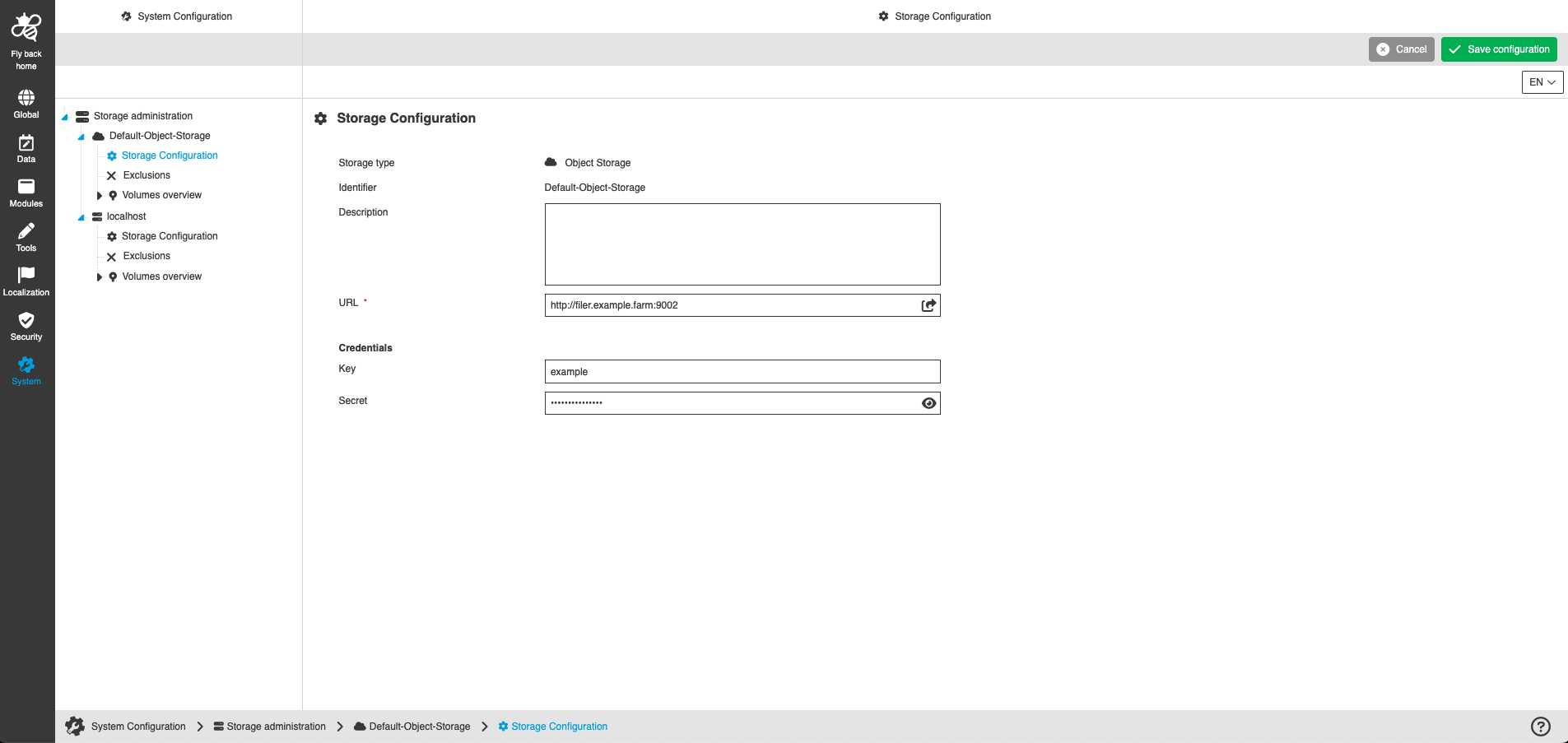
Name of option |
Description |
Note |
Storage type |
Shows which storage type the storage is from. The storage type is defined at the time of creation. |
Read-only information |
Identifier |
The identifier is defined when the storage is created. |
Read-only information |
Description |
Free text field, which allows to enter further information about the storage. |
This field is optional. |
URL |
The storage filer address with correct port is entered here to get connection to the object storage. |
This field is mandatory. The combination of URL and key must be unique. By clicking on the icon, the URL can be opened directly in a new browser tab. |
Key |
The key of the account defined in Object Storage should be stored. |
The combination of URL and key must be unique. |
Secret |
The secret of the account defined in Object Storage should be stored. |
By clicking on the icon, the secret can be shown or hidden. |