Watermarking
For setting a watermark, so that information is visible in the asset in the preview.
Typically, the information is a text or a logo which identifies the owner of the media.
-
Access the watermarking via Mandators → <Mandator name> → Application modules → MAM → Watermarking
Make sure that you have the following prerequisites ready:
✓ Mandator roles are configured
This is how the configuration of watermarking functionality looks like:
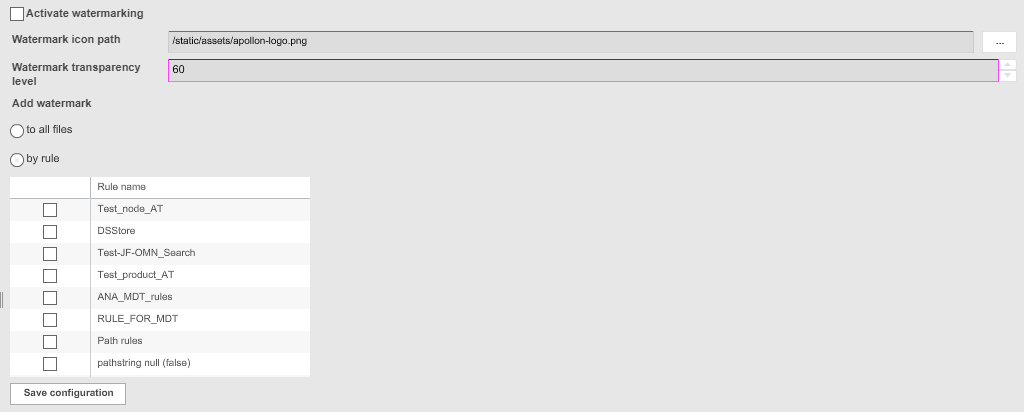
| Field | Description | Notice |
|---|---|---|
Activate watermarking |
>> Activate the checkbox to activate the watermarking |
|
Watermark icon path |
For choosing a picture to be used as watermark |
Recommended: transparent picture, .GIF or .PNG format. The browsing dialog searches in the folders of your local installation: <installation path>/-catalinabase/webapps/images/ |
Watermark transparency level |
For defining the transparency level of the watermark |
Value in % Default value: 0 (i.e. no transparency) |
Add watermark |
Definition when the watermark is added to the preview:
|