WelcomePage (Page Plugin)
The WelcomePage is used to represent a start / welcome page to the user after the user has logged into OMN.
-
Access the plug-in via Mandators → <Mandator name> → Page plug-ins → WelcomePage
You can use the plug-in as follows:
-
Sidebar
A configured welcome Page plugin allows to have a separate information for old (blue border) and new HTML5 client (green border). Here you can see how the configuration looks like:
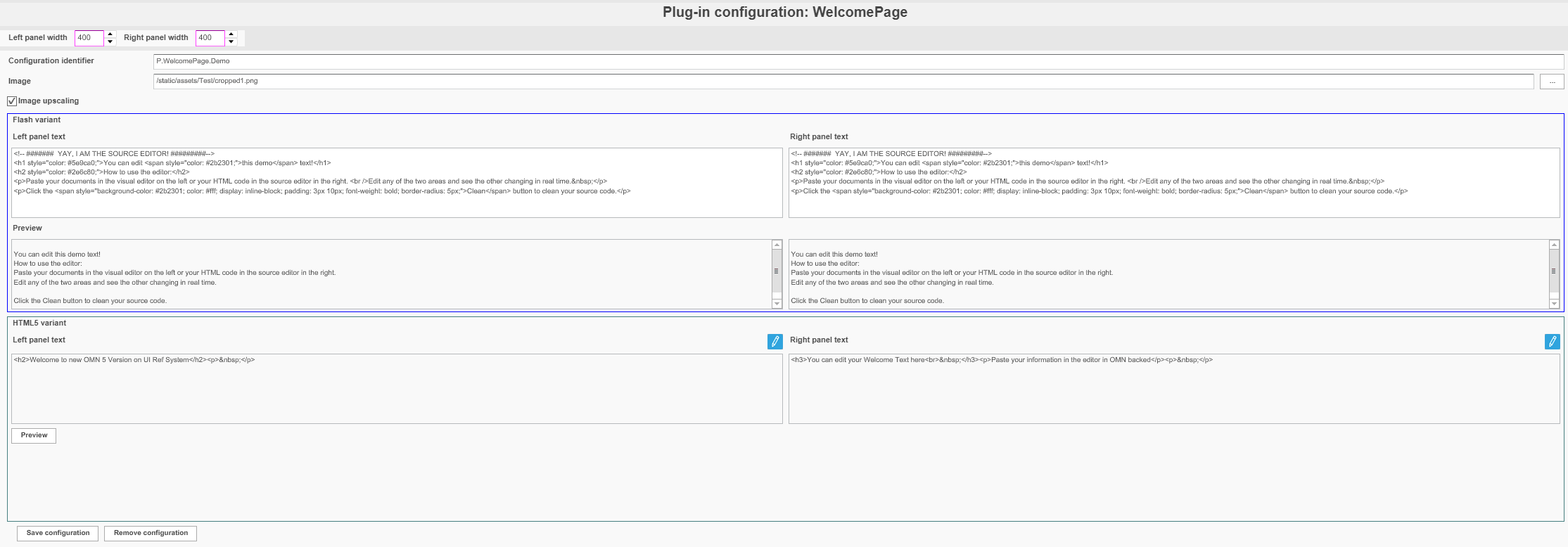
| Field | Description | Notice |
|---|---|---|
Configuration Identifier |
Name of the specific configuration of the plug-in |
|
Left Panel width |
Left panel width |
Value is in px In case of 0 left panel is folded |
Right Panel width |
Right panel width |
Value is in px In case of 0 right panel is folded |
Image |
Path to the image which will be used in center of welcome page |
Path example: /static/assets/Test/cropped1.png Image must be stored in OMN locally |
Image upscaling |
Will improve image quality in center |
Option only works for old client UI |
Left Panel Text (old client variant) |
Area to enter text for left view with html formatting |
Html tags must be set manually |
Right Panel Text (old client variant) |
Area to enter text for right view with html formatting |
Html tags must be set manually |
Left Panel Text (HTML5 variant) |
Area to enter text for left view with html formatting |
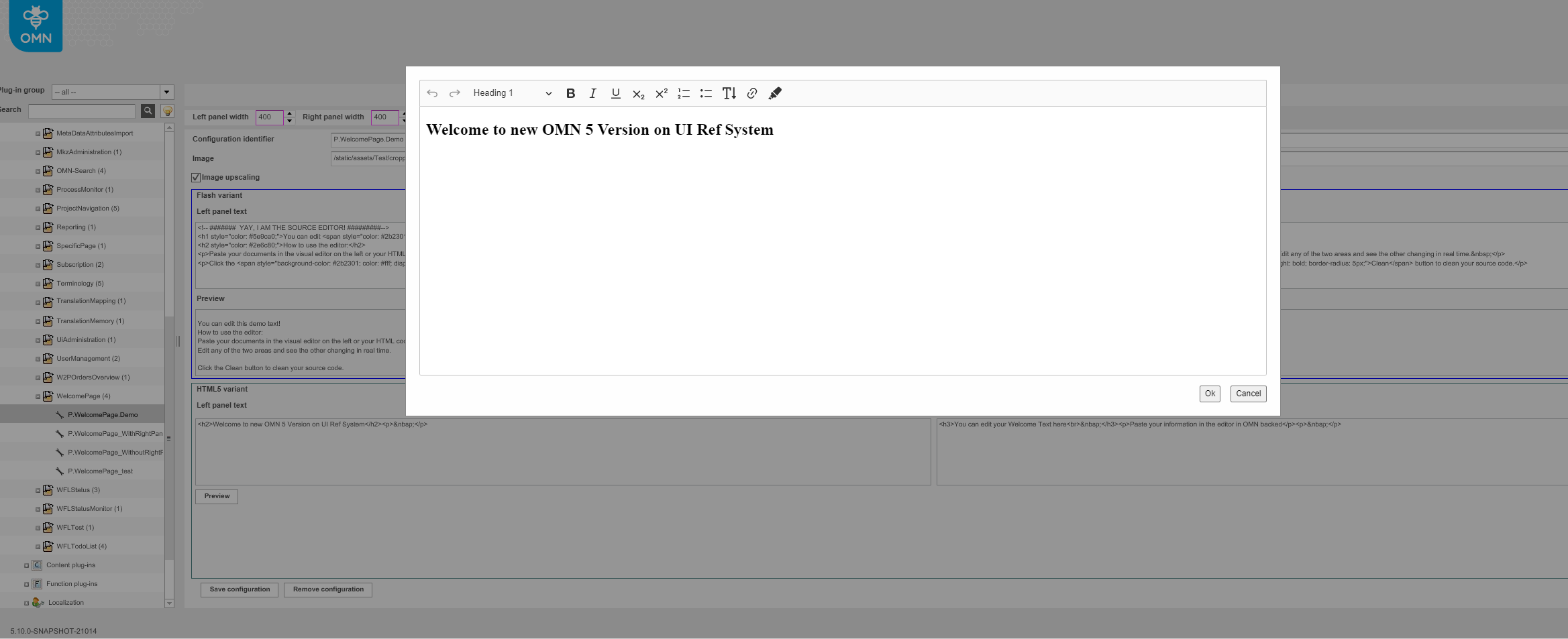
By click on pencil icon CK HTML editor will be opened allowing to enter text in WYSIWYG mode:
|
Right Panel Text (HTML5 variant) |
Area to enter text for right view with html formatting |
By click on pencil icon CK HTML editor will be opened allowing to enter text in WYSIWYG mode |
Preview |
Enables a preview display of the configured Welcome page |
In case of HTML version, new browser window with welcome page will be opened |