DeepL Glossary Export
Description
Leveraging Your OMN Glossaries in DeepL Translations
To include your existing OMN glossaries in your AI DeepL translations, you can simply export them to DeepL using the AI DeepL Glossary Export Workflow. This way, DeepL will utilize your pre-defined terms and translations during the automatic translation process.
To use the DeepL Translator and DeepL Glossaries in the OMN context, a paid DeepL API Pro subscription must be purchased.
All information about DeepL API Pro can be found here.
API URL
Access to the following URL is needed:
General Parameters
Workflow-Name: ai-translation-glossary-export
| Key (* = required) | Type | Default | Description | Example |
|---|---|---|---|---|
ext.ai-translation.deepl.apiKey* |
string |
API Key for the DeepL service. |
||
ext.ai-translation.deepl.apiUrl* |
string |
Base URL of the DeepL API. Note that this needs to be set to the base url only: https://api.deepl.com/v2 |
||
ext.ai-translation.audit.attribute.modificationDate |
string |
The Glossary attribute identifier where to store the date and time the DeepL Glossary was last updated |
DEEPL_MODIFICATION_DATE |
|
ext.ai-translation-glossary-export.audit.attribute.status |
string |
The Glossary attribute identifier where to store the last status of the exported Glossary. The value "Exported" indicates a successful export of the OMN Glossary to DeepL |
DEEPL_EXPORT_STATUS |
|
ext.ai-translation-glossary-export.deepl.sourceLanguageTagMappings |
string |
${ext.ai-translation.deepl.sourceLanguageTagMappings} |
The mappings from language tags to the DeepL Source Languages. The language tag is constructed from the *_omnSourceLanguage and its configured ISO language and country code. For example 'German (Switzerland)' with a configured ISO language code of 'ch' and a country code of 'CH' will be translated to the language tag 'ch-CH', which then could be mapped to DeepL Source Language "DE" by using "ch-CH:DE". Multiple mappings need to be comma separated. There should usually be no need to set this parameter with another mapping. See also General Language Mapping. Note that the ".putAll", ".removeAllKeys" feature is not yet available here. By default this parameter references the DeepL Source Language Mappings from general AI Translation Workflow. If no mappings are provided then the uppercase ISO language code will be used as DeepL Source Language. |
us-EN:EN,ch-CH:DE |
ext.ai-translation-glossary-export.deepl.targetLanguageTagMappings |
string |
${ext.ai-translation.deepl.targetLanguageTagMappings} |
The mappings from language tags to the DeepL Target Languages. The language tag is constructed from the *_omnTargetLanguage and its configured ISO language and country code. For example 'English' with a configured ISO language code of 'en' and a country code of 'EN' will be translated to the language tag 'en-EN', which is mapped to DeepL Target Language 'EN-US' by default for backward compatibility reasons. To override that to "EN-GB" specify the mapping "en-EN:EN-GB" here. See also General Language Mapping. Note that the ".putAll", ".removeAllKeys" feature is not yet available here. By default this parameter references the DeepL Target Language Mappings from general AI Translation Workflow. If no mappings are provided then the uppercase ISO language code will be used as DeepL Target Language. |
en-EN:EN-GB,ch-CH:DE |
Example configuration
The following image shows what a sample configuration for DeepL Glossary Export might look like.
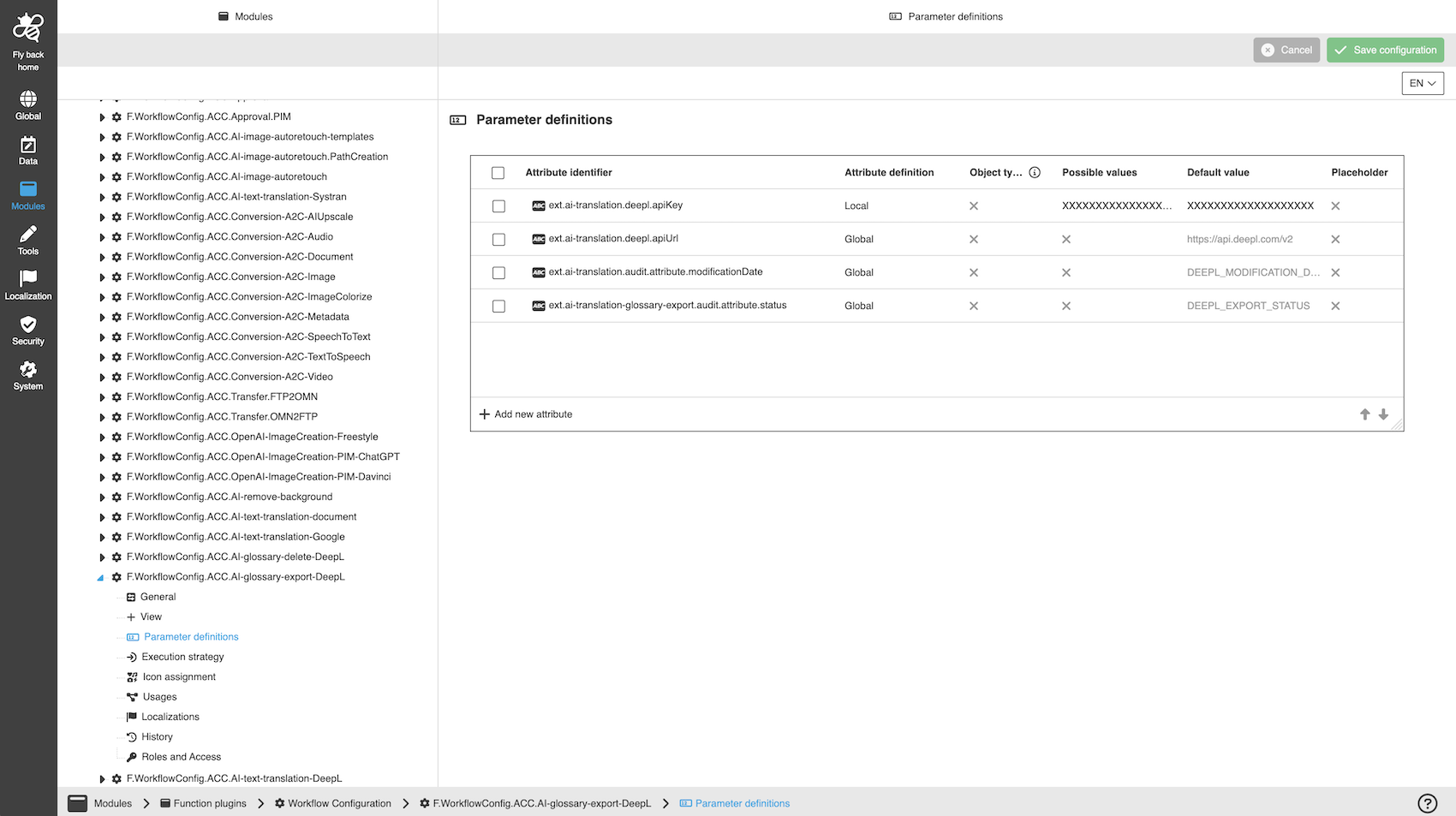
A detailed step-by-step guide to the configuration of the Workflow Config Function plug-in can be found on this page.
Support
For questions users can directly contact the DeepL Help Center.