Access Rights configuration
Terminology plug-in has three types of permissions, which allow to restrict the access to the Terminology plugin for some roles so that only allowed users can view and/or manage terms in Terminology:
-
Neither visible nor editable: Terminology plugin is not available in the sidebar
-
Visible: then the user can access the plugin via the sidebar and only view its content as well as use filtering, sorting, etc. There is no possibility to add/edit/remove terms and sentences in the center view as well as create and edit glossaries on the left.
-
Editable: the user can view and use all existing functions (add/edit/remove terms and sentences in the center view; create/rename/delete glossaries on the left view; export/import terminology database)
To set up user permissions for the Terminology plug-in:
-
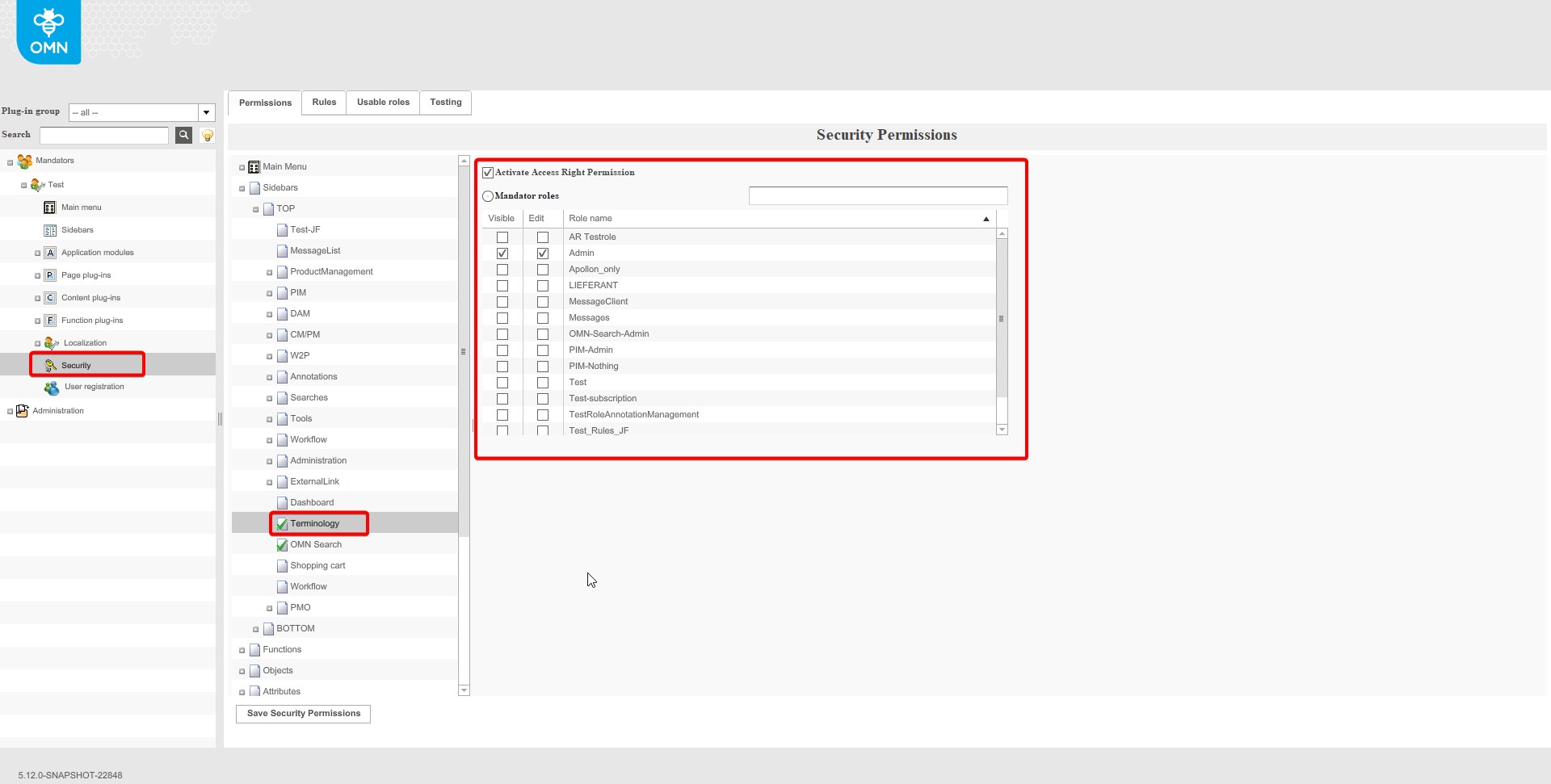
Navigate to “Security” module
-
Expand “Sidebars” section
-
Expand “TOP” or “BOTTOM” section in accordance with the location to which the corresponding Terminology plug-in has been added
-
Find the target Terminology entity and click on it
-
Enable checkbox “Activate Access Right Permission”
-
Mark the roles which should have the only “Visible” type of access to Terminology in column “Visible”
-
Mark the roles which should have the “Editable” type of access to Terminology in column “Edit”
-
Save Security Permissions.
As a result the roles will have “Visible” or “Editable” access to Terminology correspondingly. The rest of the roles will not be able to open Terminology.
More information about the Terminology configuration can be found here.