What is S3?
The "Amazon Simple Storage Service" (Amazon S3) is an object storage service that offers industry-leading scalability, data availability, security and performance.
With Amazon S3, you can store and access any amount of data from anywhere on the Internet at any time.
Here is some important information about Amazon S3:
-
Uses: Customers of all sizes and industries can use Amazon S3 to store and protect any amount of data in a variety of use cases, such as images and videos.
-
Storage classes: Amazon S3 offers different storage classes that can be used for different requirements:
-
S3 Standard: For frequent access to production data.
-
S3 Standard-IA: For infrequently accessed data to save costs.
-
S3 Glacier Instant Retrieval, S3 Glacier Flexible Retrieval and S3 Glacier Deep Archive: For cost-effective archiving.
-
S3 Express One Zone: A high-performance, low-latency storage class for latency-sensitive applications.
-
S3 Intelligent Tiering: Optimizes storage costs by automatically moving data between access tiers based on access patterns.
-
-
Organization: Data is managed in buckets:
An Amazon S3 bucket is a container for objects that is stored in the Amazon Simple Storage Service (S3). Any number of objects can be stored in a bucket. An account can contain up to 100 buckets. These buckets are used to store and manage data securely, permanently and in a highly scalable manner.
Data access to S3 storage
Access to files stored in S3 is possible in various ways, such as via:
-
the OMN web interface
-
S3 3rd party tools
-
CI Hub Drive (from mid-2024) to access S3 buckets connected in OMN directly from the desktop
1. Access to S3 buckets via OMN
Since version 5.12, OMN can use S3 as data storage for files and visualize them in the frontend.
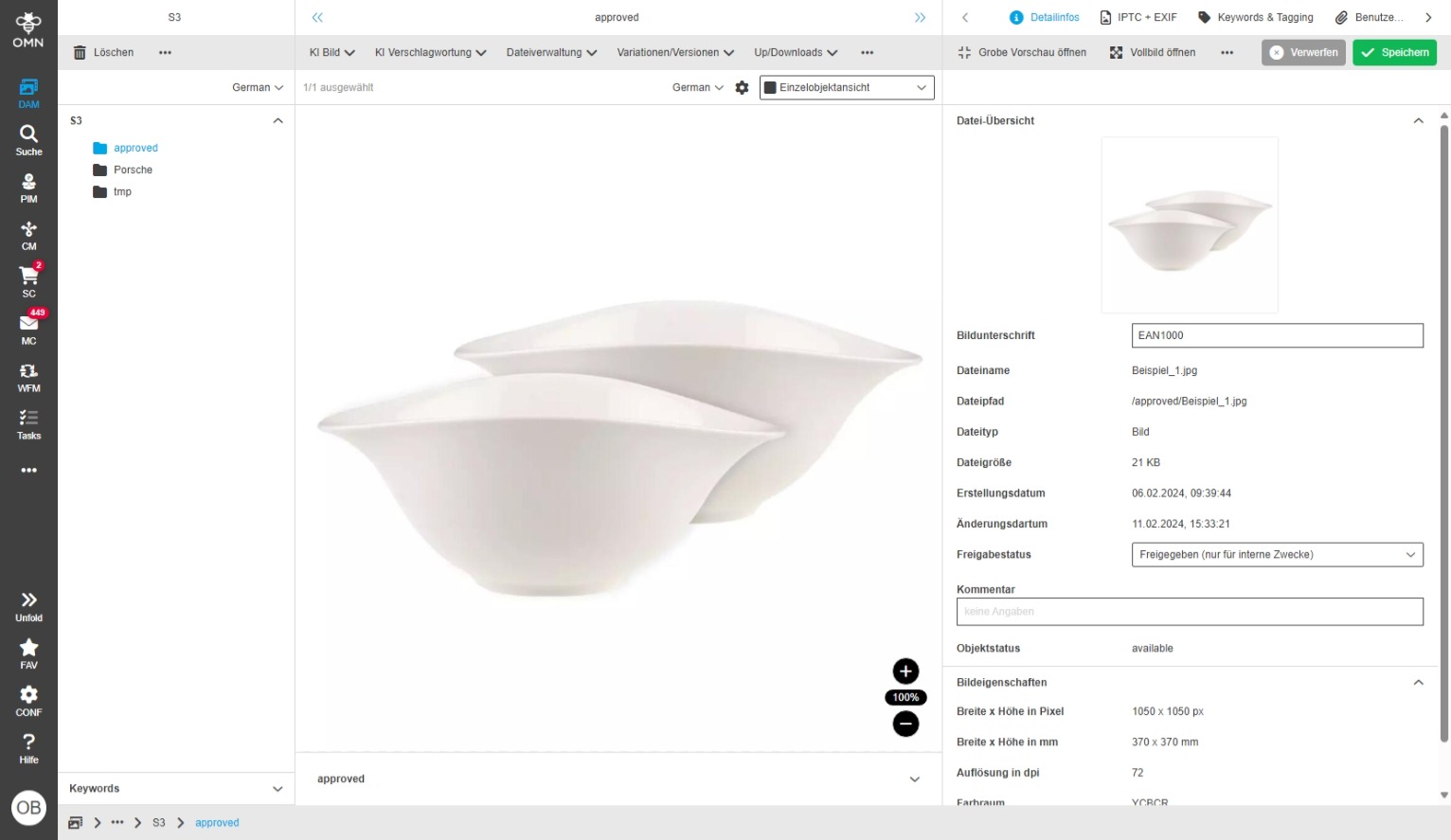
You can find more information on how to integrate S3 storage into OMN here.
2. Access to S3 buckets via 3rd party tools
There are a number of S3 clients with which you can access an Amazon S3 storage from Mac and PC.
The following list is exemplary and divided into OpenSource and commercial tools:
OpenSource S3 clients:
-
Commander One: A robust Amazon S3 browser for Mac with seamless data access.
-
Explore S3 Pro: Offers Fire Provider, deep S3 integration and high-speed transfers
-
Explore Forklift 4: File management in two windows with real-time monitoring
-
WinSCP: Minimalist user interface for remote directory synchronization
-
S3Express: Command line tool with multithreading and automatic retries
-
Cyberduck: Efficient handling of large files with competitor transfer control
-
CloudMounter: Secure access to AWS S3 with automatic region detection
-
CrossFTP: Multi-part transmission, glacier protection and S3 logging management
Example Access to S3 bucket via S3 browser
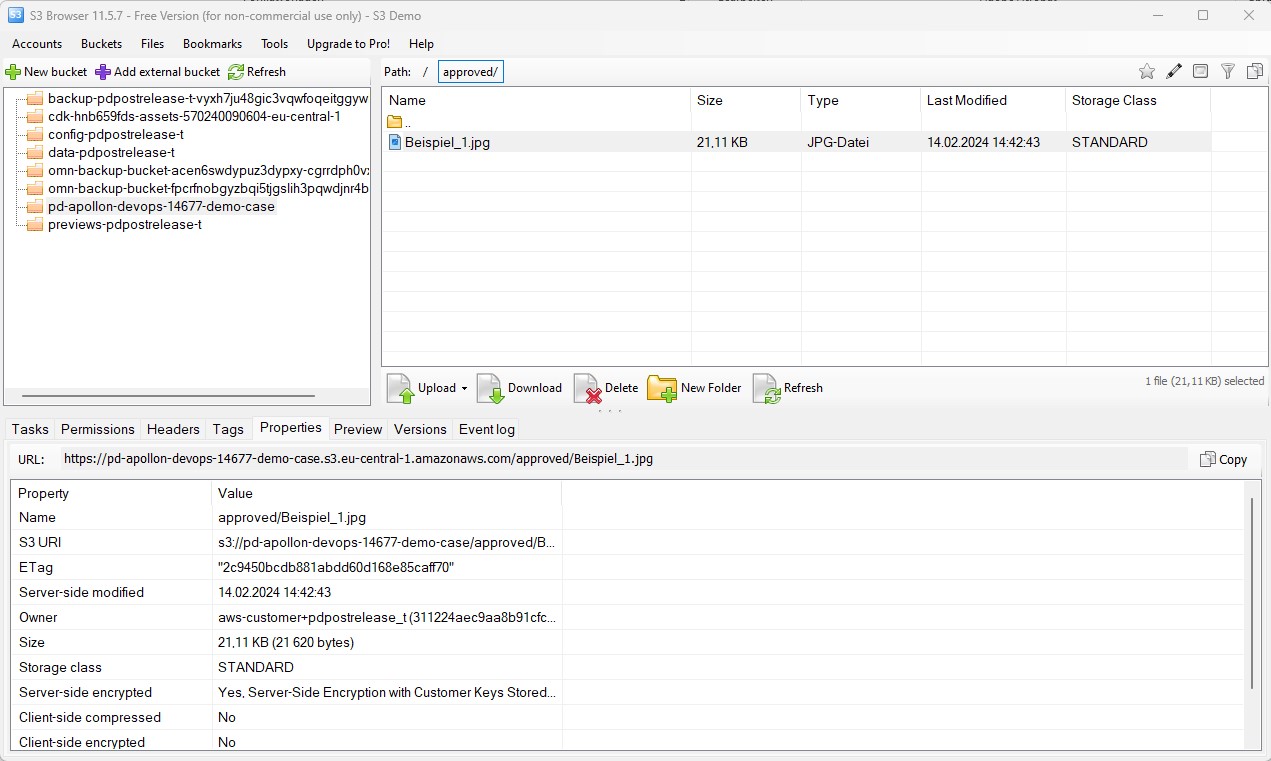
The S3 Browser is a tool specifically designed for the management of Amazon S3 buckets. With this program, users can easily and quickly access, search and manage their S3 objects.
The application can be downloaded here, but is subject to a charge for commercial use.
Here are some of the most important functions of the S3 Browser:
-
Easy access: The S3 Browser provides quick and easy access to Amazon S3 buckets.
The setup is very simple, as you need almost no technical background knowledge apart from the access data to access the data of a bucket. -
Automatic detection of buckets: Provided the authorizations have been set, the S3 browser also finds the buckets assigned to the user automatically. Alternatively, these can be entered manually.
-
Working performance: The S3 Browser boasts very good working performance and offers a much slimmer interface compared to software such as Cyberduck or WinSCP, which also allow access to S3 buckets.