ProjectHTMLView (Content plugin)
The plug-in allows adding specific information by scripts creating HTML to be displayed in ProductView
-
Access the plug-in via Mandators → <Mandator name> → Content plug-ins → ProjectHTMLView
Make sure that you have at least the following plug-ins available:
✓ Content plug-in “FSDetail” of the object type ProductDetails
Make sure that you have the following prerequisites ready:
✓ Function plug-in “ProjectJavascriptstarter” containing script code which will produce the HTML page
Here you can see how the configuration looks like:

| Field | Description | Notice |
|---|---|---|
Project JavaScript Starter Plugin |
Contains Script code Producing the HTML page |
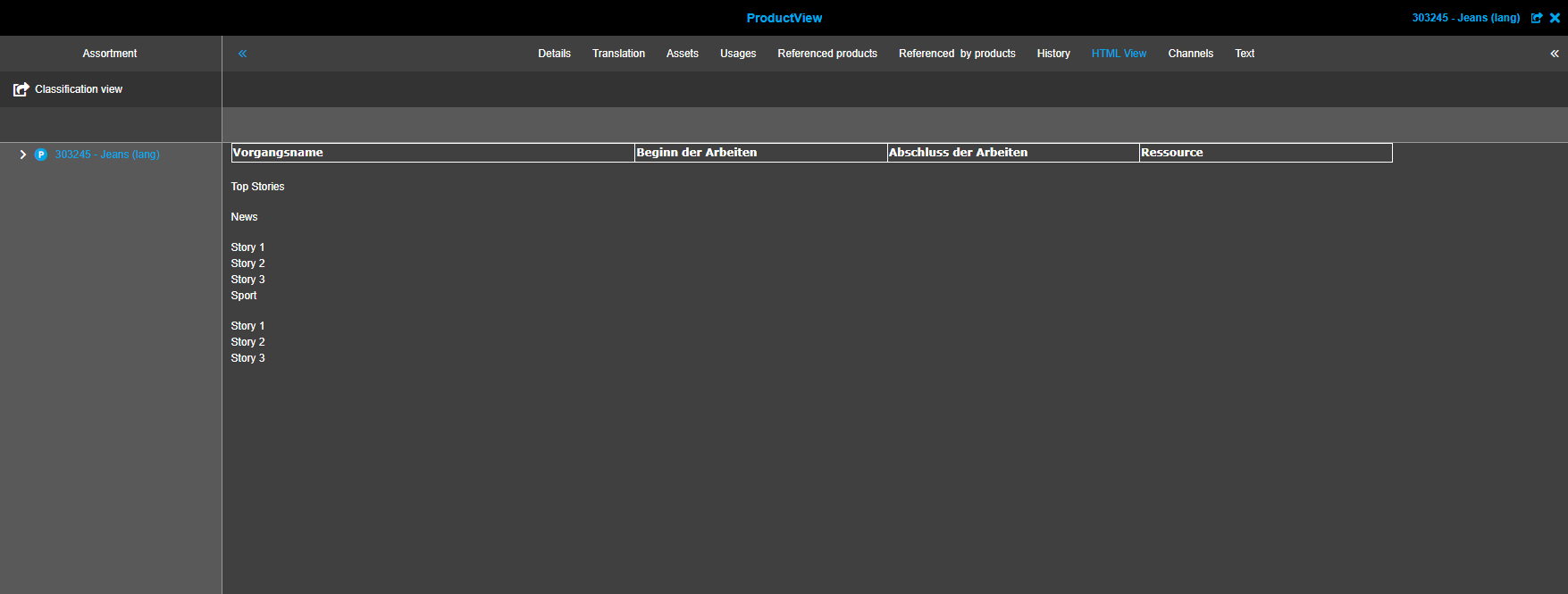
Here is the example of how the page can look like on the client:
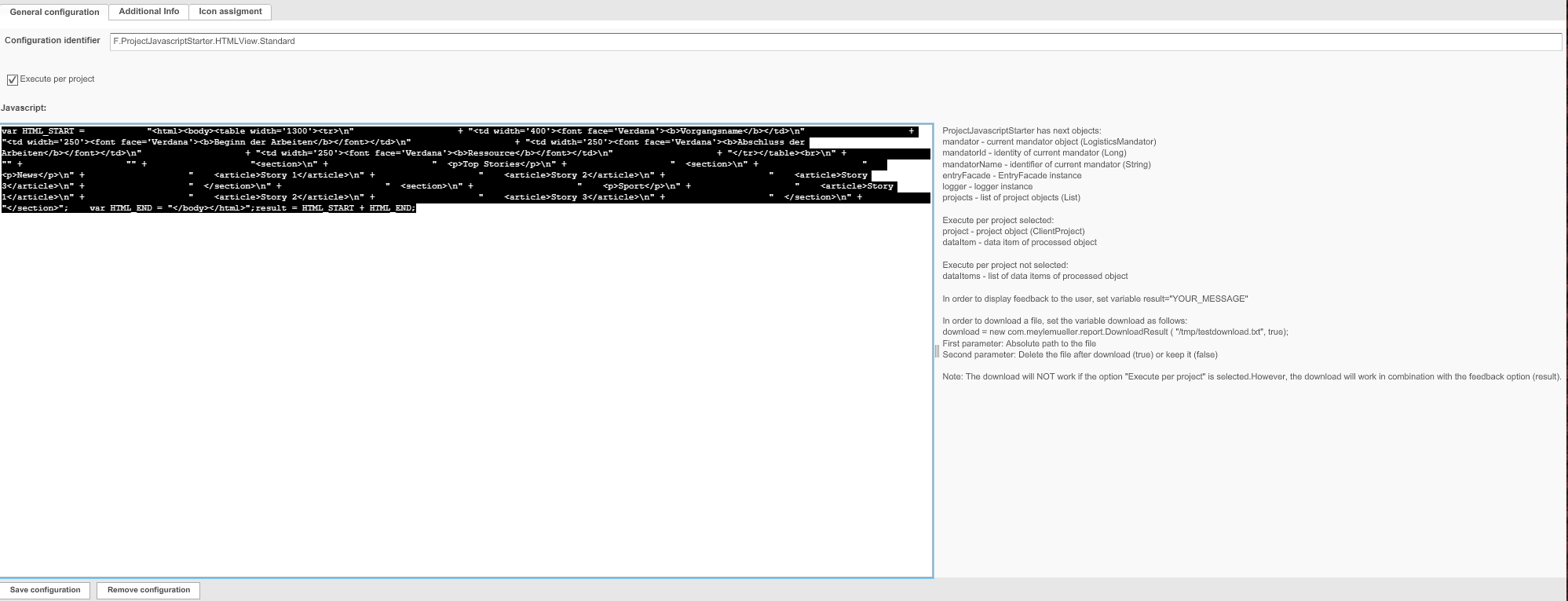
Configuration of ProjectJavaScriptStarter function (used in the example)
Here you can see a sample script for ProjectHTMLView:
<flashrichtext version="1"> <textformat font="Courier New" size="11" color="4473924" bold="false" italic="false" underline="false" url="" target="" align="left" leftMargin="0" rightMargin="0" indent="0" leading="2" blockIndent="0" kerning="false" letterSpacing="0" display="block">(var HTML_START = "<html><body><table width='1300'><tr>" + "<td width='400'><font face='Verdana'><b>Vorgangsname</b></td>" + "<td width='250'><font face='Verdana'><b>Beginn der Arbeiten</b></font></td>" + "<td width='250'><font face='Verdana'><b>Abschluss der Arbeiten</b></font></td>" + "<td width='250'><font face='Verdana'><b>Ressource</b></font></td>" + "</tr></table><br>" + "" + "" + "<section>" + " <p>Top Stories</p>" + " <section>" + " <p>News</p>" + " <article>Story 1</article>" + " <article>Story 2</article>" + " <article>Story 3</article>" + " </section>" + " <section>" + " <p>Sport</p>" + " <article>Story 1</article>" + " <article>Story 2</article>" + " <article>Story 3</article>" + " </section>" + "</section>"; var HTML_END = "</body></html>";result = HTML_START + HTML_END;)</textformat></flashrichtext>