ProductView (Function Plugin)
The plug-in creates a detail view for products containing sub-tabs that enable managing data in specially configured views (e.g. Data-management for Ecommerce category manager), setting up relations between a product and its assets or relations between various products.
With the plug-in, the user can also handle variations and their translations in the Frontend, as well as create different product export options to export product information for further publishing.
-
Access the plug-in via Mandators → <Mandator name> → Function plug-ins → ProductView
Make sure that you have at least one of the following plug-ins available:
✓ Content plug-in “FSDetail” of the object type PIM2Product
✓ Content plug-in “FSTable” of the object type PIM2Product
You can use the plug-in as follows:
-
Product detail view for the application module PIM2
| ProductView for PIM1 is no longer supported with new HTML5 UI. |
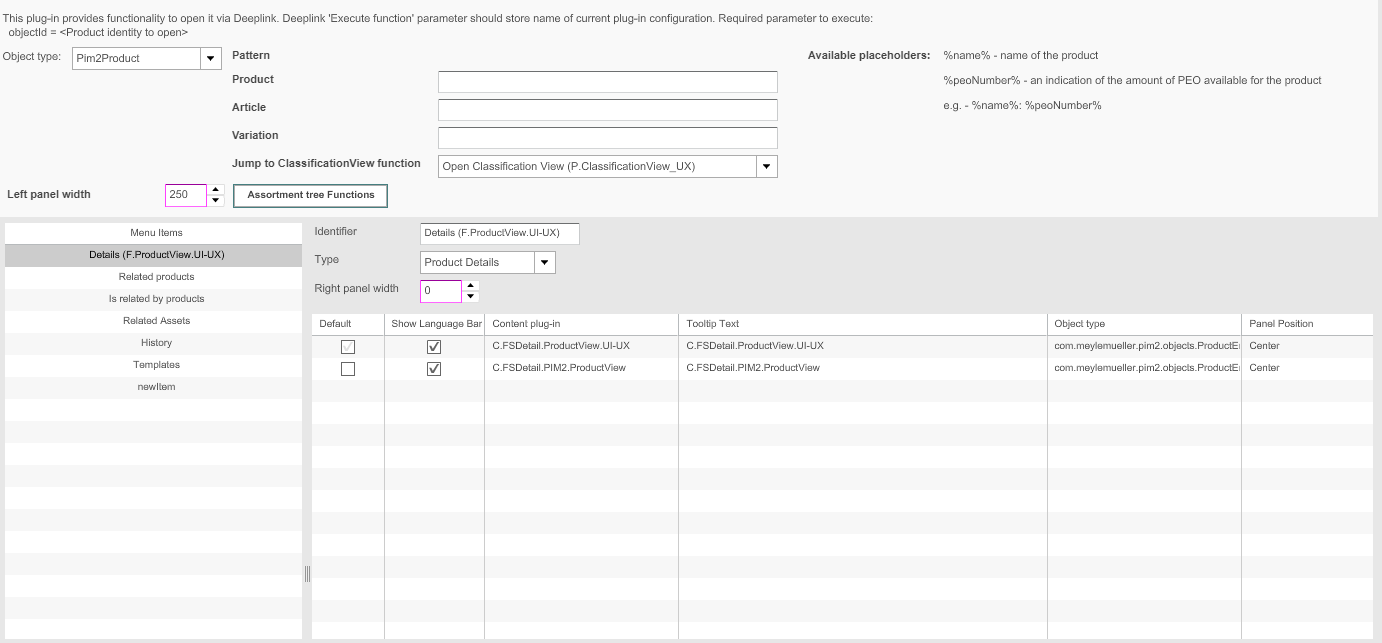
This is how the configuration of ProductView function plugin looks like:
| Field | Description | Notice |
|---|---|---|
ObjectType |
For choosing the relevant object type
|
ProductView for ObjectType ISYObject (PIM1) is no longer supported with new HTML5 UI |
Pattern |
Allows to define a pattern for each level: product, article and variation on base of placeholders The Pattern will be used for the display of assortment-Tree |
Available placeholders %name% = name of the product %peonumber% = an indication of the amount of PEO available for the product Example-configuration %name% (%peonumber%) |
Jump to ClassificationView Function |
To define the ClassificationView Content Plugin which can be opened from ProductView for current product |
|
Left Panel Width |
Defines the left panel width of product view where the assortment tree is displayed |
All values in pixels |
Assortment Tree Functions |
To define functions which will be shown in left panel view where assortment tree of the product is shown Following functions can be configured:
|
|
Menu items |
Available menu items:
|
Following menu items are currently not supported with HTML UI
|
Adding Menu Items of Type Details, Relation, History, Translation to a ProductView
This overview is only valid for menu items of the type Product Details, Related Assets, Related Products, History, Translation.
For menu items of the type Templates: see "Adding Menu Items of the Type Templates to a ProductView".
For menu items of the type PM Objects: see "Adding Menu Items of the Type PM Objects to a ProductView".
For menu items of the type Search: see "Adding Menu Items of the Type Search to a ProductView".
Make sure that you have at least one of the following plug-ins available:
✓ Content plug-in “FSDetail”
✓ Content plug-in “FSTable
For displaying the product view, the following plug-ins can also be used:
✓ Content plug-in "FSTable" as History View
✓ Content plug-in "FSSingleObject"
✓ Content plug-in "FSLightTable"
✓ Content plug-in “FSCoverFlow” (no longer supported for HTML5 client)
✓ Content plug-in "FSGridView" (no longer supported for HTML5 client)
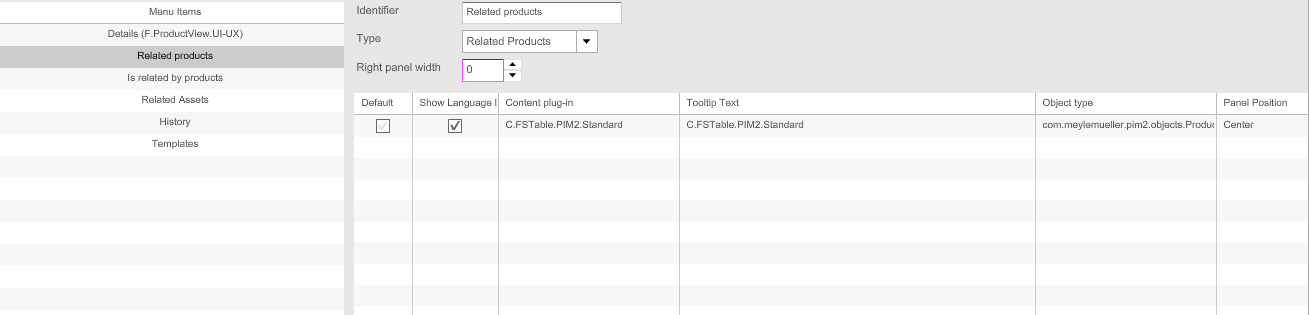
This is how configuration of the menu item of these types looks like:
Short descriptions on the configuration of the menu item of these types are provided in the table below:
| Field | Description | Notice |
|---|---|---|
Identifier |
Name of the specific menu item. |
|
Type |
For choosing a type for the menu item: Product Details, Related Assets, Related Pro-ducts, History, Textvariation, Translation, Usage, Templates, Search |
|
Right panel width |
Width of the right area can be modified. |
All values in pixels |
Content Views |
For adding a content view. If necessary, for adding functions to the content view |