Configuration with Camunda and BPMN
Confluence Documentation for steps/gates
Rules
In order to mimic XWE behaviour and let the UI show transitions, we have to specifically configure BPMN diagrams.
Tasks will have transitions to next steps only if the form defined on this task will have exactly one field of type enum. The values in the enumeration are the transitions.
If there are no fields of type enum, it means that there are no transitions defined. Two or more fields of type enum mean the configuration is ambiguous and is considered to be broken.
Fields of other types besides enum have no restrictions.
The number of arrows must exactly match number of values in the enumeration. Each arrow must have condition type set to expression and expression must check (evaluate to true) that form field is equal to one specific value of enumeration. Every expression has to check different value.
In this context there are two main gateway types that are used.
Exclusive gateway: Exactly one sequence flow is taken - the first one with a matching condition. The other ones are ignored even if the condition is met.
Inclusive gateway: All sequence flows are taken where the condition is met.
Example
flow.bpmn contains example for steps configuration.
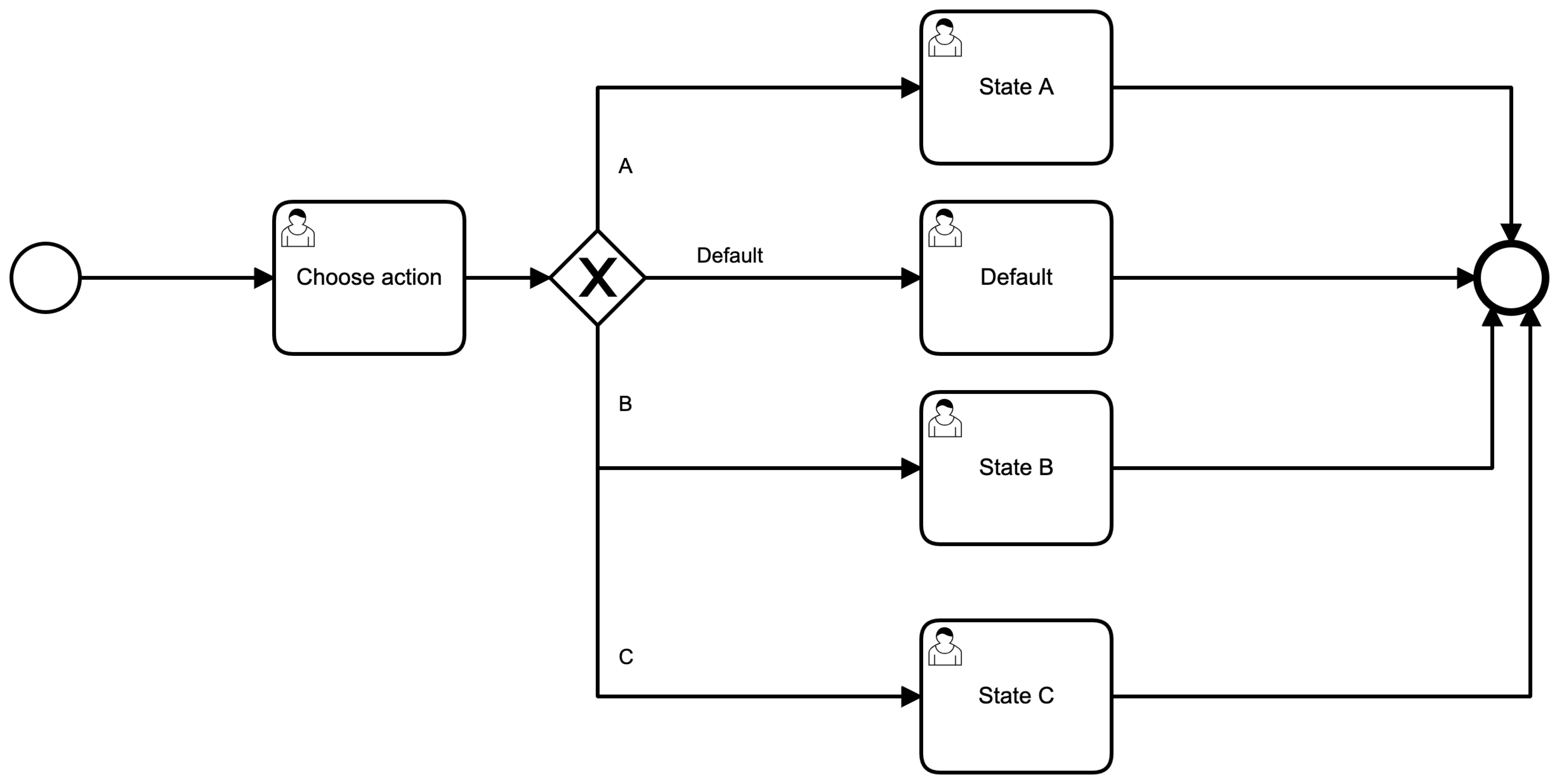
"Choose action" has form field action of type enum with values
default-step, step-a, step-b and step-c. There are 4 arrows
which go from gateway X to different tasks. UI must show 4 buttons. A
button per transition, in other words per enumeration value. Each arrow
has own expression that evaluates to true exactly in one case. Example
for State A: $\{action == 'step-a'} . If the user sets the field to step-a,
then the process will select the first arrow after the gateway
and will only switch to State A. Because the gateway is exclusive, the default step will not be executed.