Access rights for searches
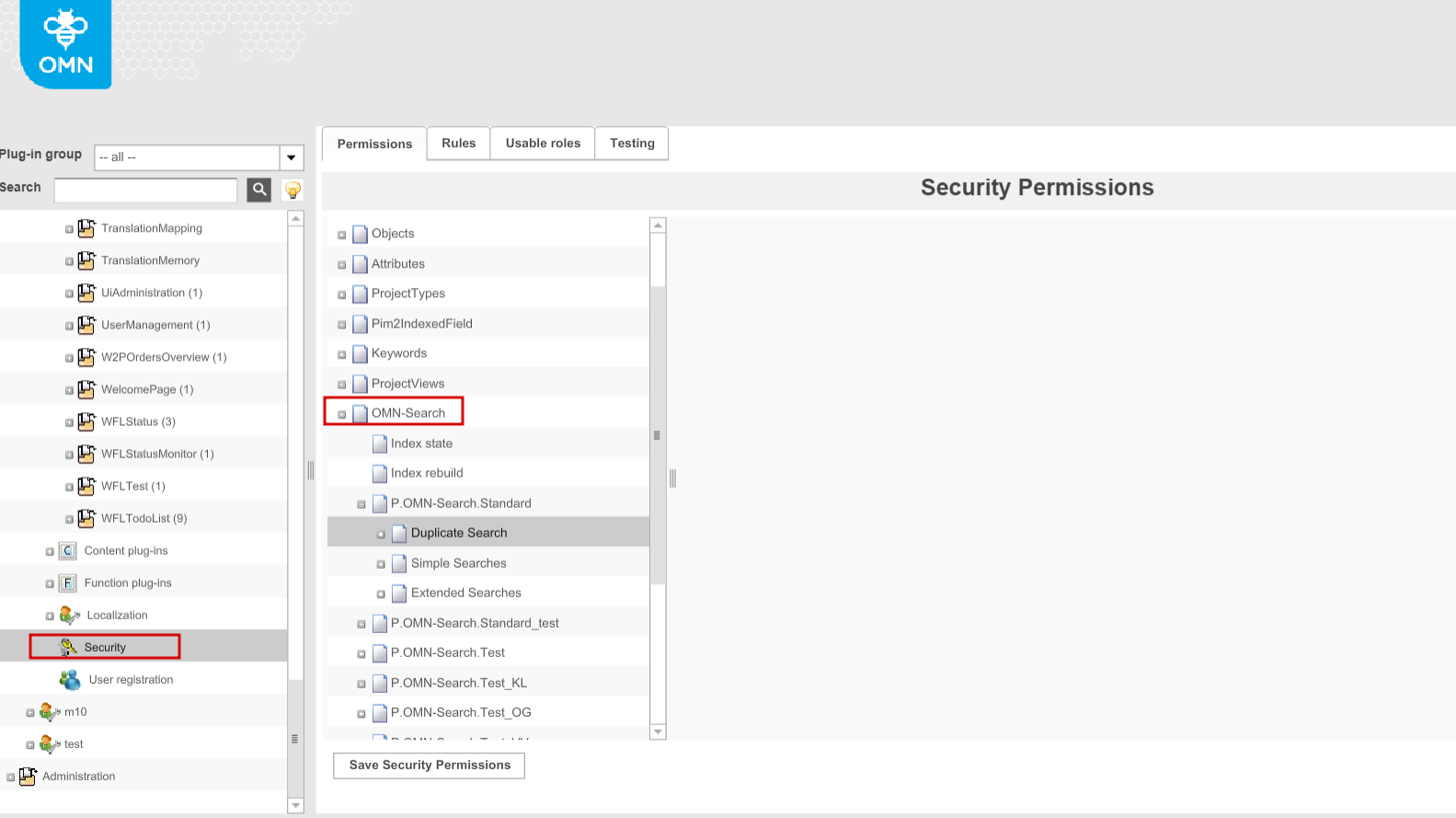
The access to the Search functionality on the OMN-Search page can be restricted for some users. For this, the separate section is available in the Security → Permissions → OMN-Search. Only access rights by roles can be configured here. The following restrictions by Access Rights can be set:
-
Index state - the visibility of indexes state on the OMN-Search page in the frontend.If restricted for some users, Index Rebuild is not available for them correspondingly
-
Index Rebuild - the availability of "Rebuild Indexes" button on the global OMN-Search page in the frontend
-
Specific search configurations from OMN-Search page plugin including:
-
Simple searches - the availability of tiles with simple searches (quick searches) includes SimpleSearch and PEOSearch function plugins' configurations enabled in OMN-Search page plugin
-
Duplicate searches - the possibility to search for duplicates from OMN-Search page (the icon in the frontend)
-
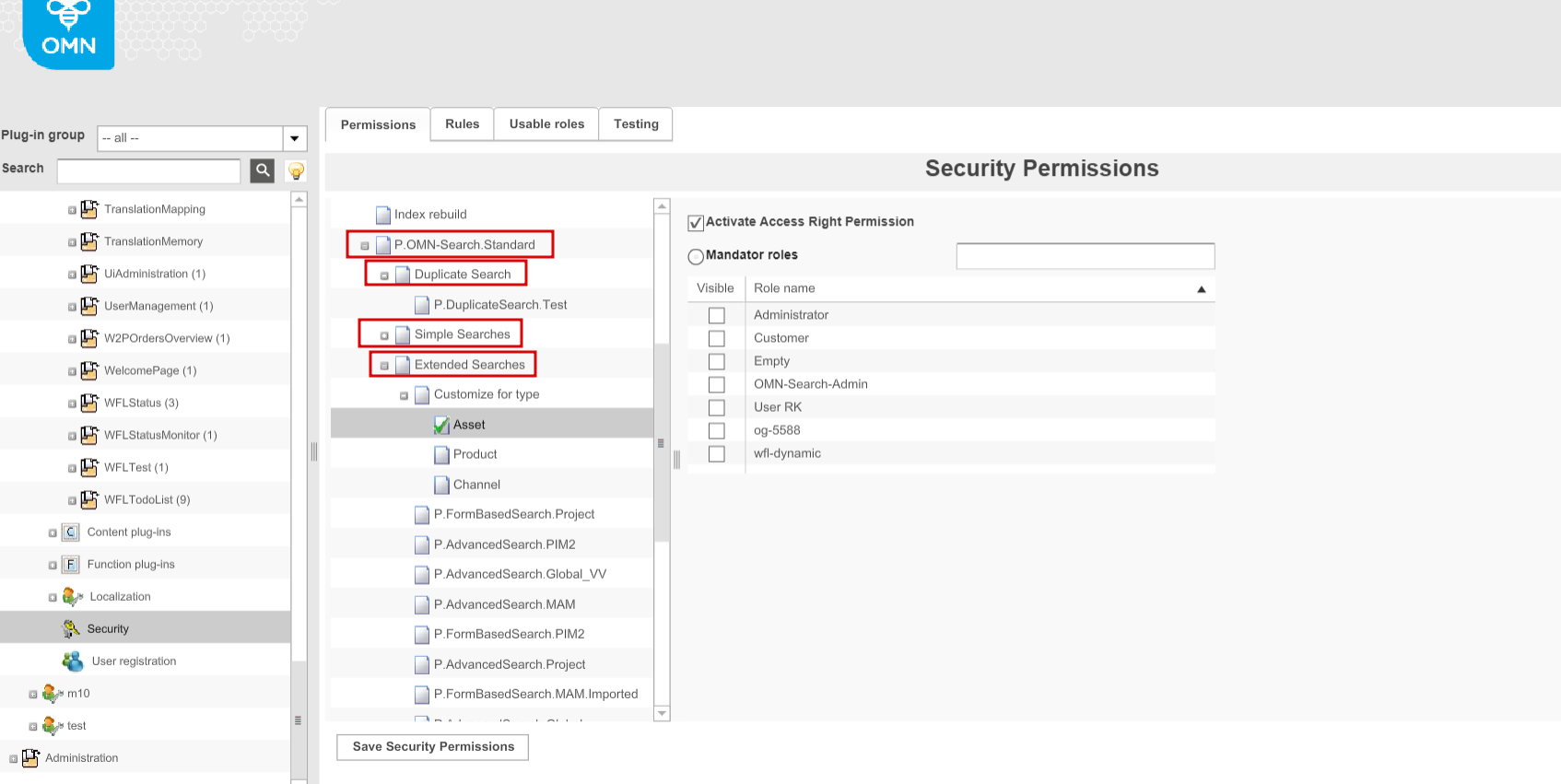
Extended searches - the availability of Extended Search as a link on the OMN-Search page in general or the availability of each specific configuration of Advanced/FormBasedSearch in the extended search modal window
-
"Customize for type" (for Asset/Product/Project separately) - the availability of "Custom" checkbox in the modal for extended search.If available, the search by all attributes from Elastic Index can be activated.
-
-