Reference management
Purpose
The ‘Reference management’ page is a part of the 'Data settings'. On this page you have the possibility to define the application behavior for references between the objects in case of deletion of objects.
What is a reference?
A reference is a technical term for the relationship between objects in the system. For example:
-
when the user creates an aperture - the reference between asset and aperture is created
-
when the user links an asset to the product - the reference between product and asset is created
General configuration
This is how the configuration looks like:
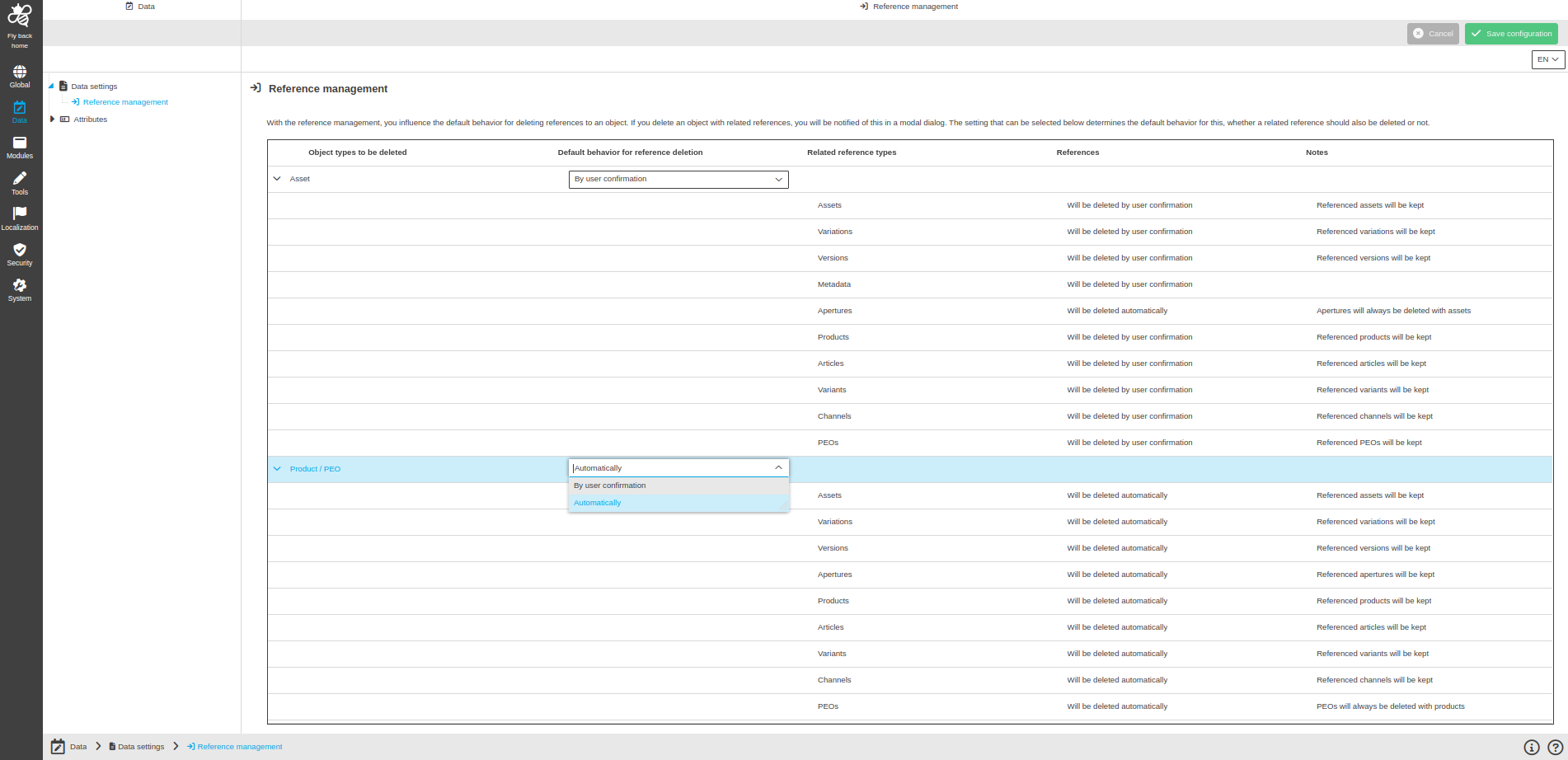
Image 1 Reference management page configuration
The Reference management page contains the table with the following columns:
Column name |
Description |
Hints |
Object types to be deleted |
Available object types to be deleted:
|
|
Default behavior for reference deletion |
Available options of behavior for reference deletion:
|
|
Related reference types |
Available related reference types:
|
|
References |
Shows whether a reference type will be deleted automatically or by user confirmation, example:
|
If the user selects 'Automatically' in the 'Default behavior for reference deletion' column, the column shows 'will be deleted automatically' for any kind of reference. |
Notes |
Shows special notes whether the referenced object (e.g. products, assets, apertures, etc.) will be kept or always be deleted, as example:
|
Configuration instructions
-
Choose 'Automatically' or 'By user confirmation' in 'Default behaviour for reference deletion' column for 'Asset' object type.
-
Choose 'Automatically' or 'By user confirmation' in 'Default behaviour for reference deletion' column for 'Product' object type.
-
Execute 'Save configuration' function.
Appearance in the frontend
Description to the 'Reference management' page in the frontend can be found here