Feature Details

DAM
Improvements and Features in OMN DAM Module
FSNavigation - Copy and Move function - Improvement localization
General Tags |
OG-14136, OMN-11293 |
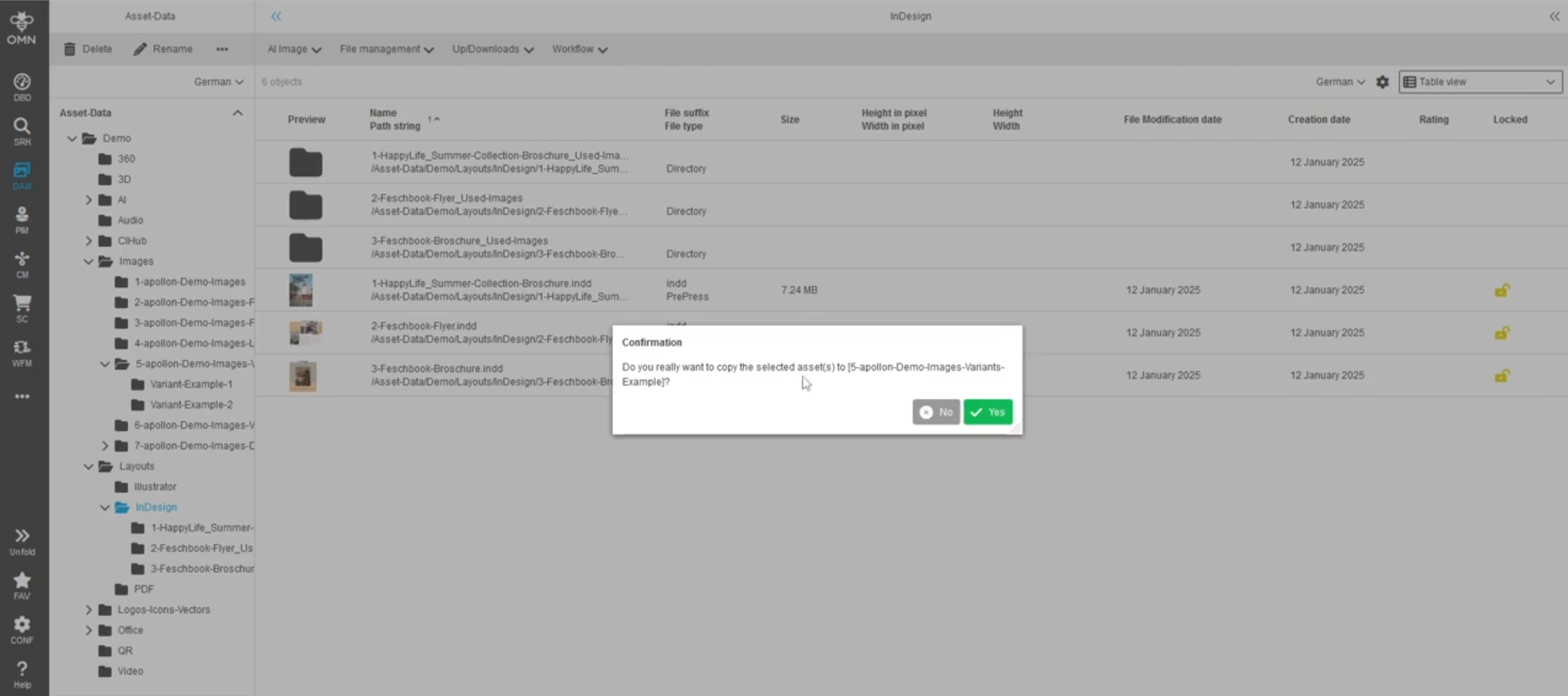
Improvement for localization of copy and move action for files, folders or both, so it matches the user action in the confirmation modal
Show in Navigation - User-based settings interfere with opening asset in file system navigation instead of Keyword-Navigation again
General Tags |
OG-15431 |
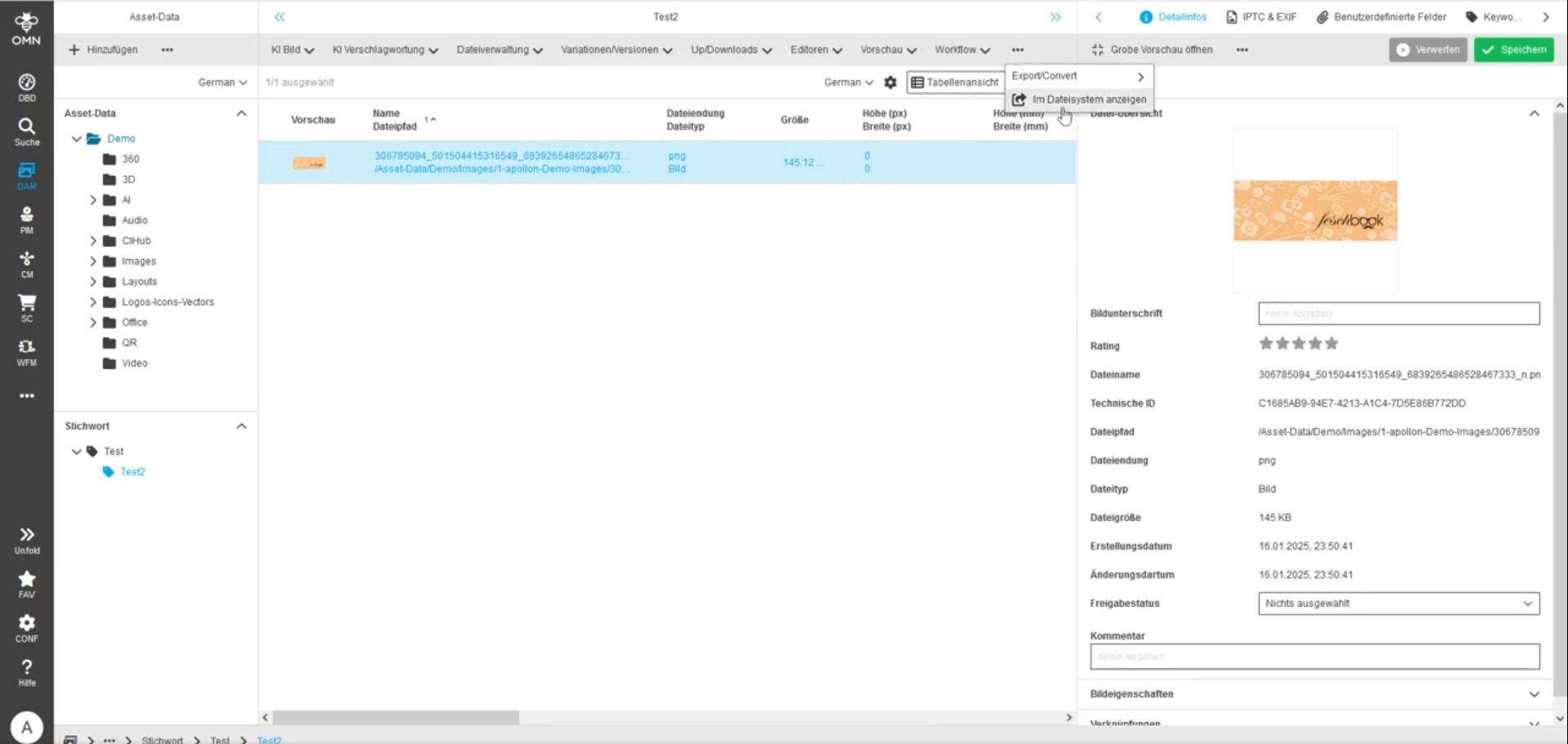
In case that the Show in Navigation function is configured with a Navigation that includes multiple node navigations it will always open the selected asset in the filesystem navigation, regardless of whether user-based settings are turned on or not
Chip Component - Improvement - Chip list line break in statusbar
General Tags |
OG-8666 |
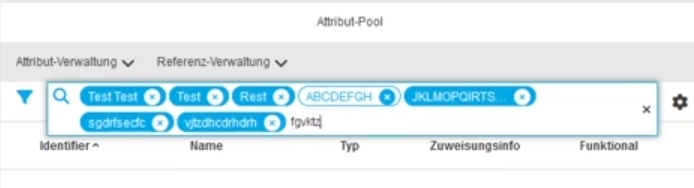
Improvement in component chip list to see the chips in only one line and open it as kind of dropdown when cannot show more Chips
DAM - Assets deletion text improvement
General Tags |
OG-13208 |
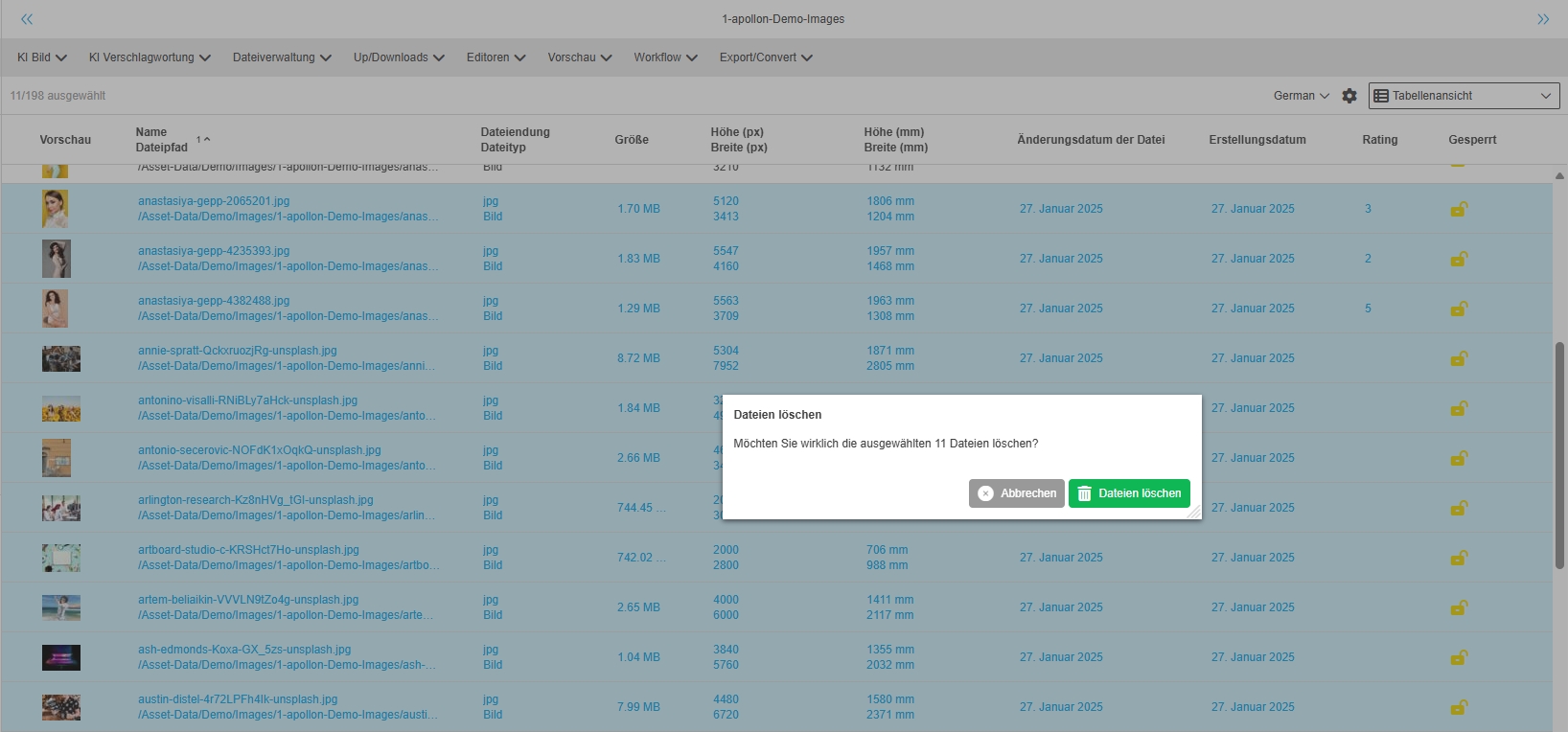
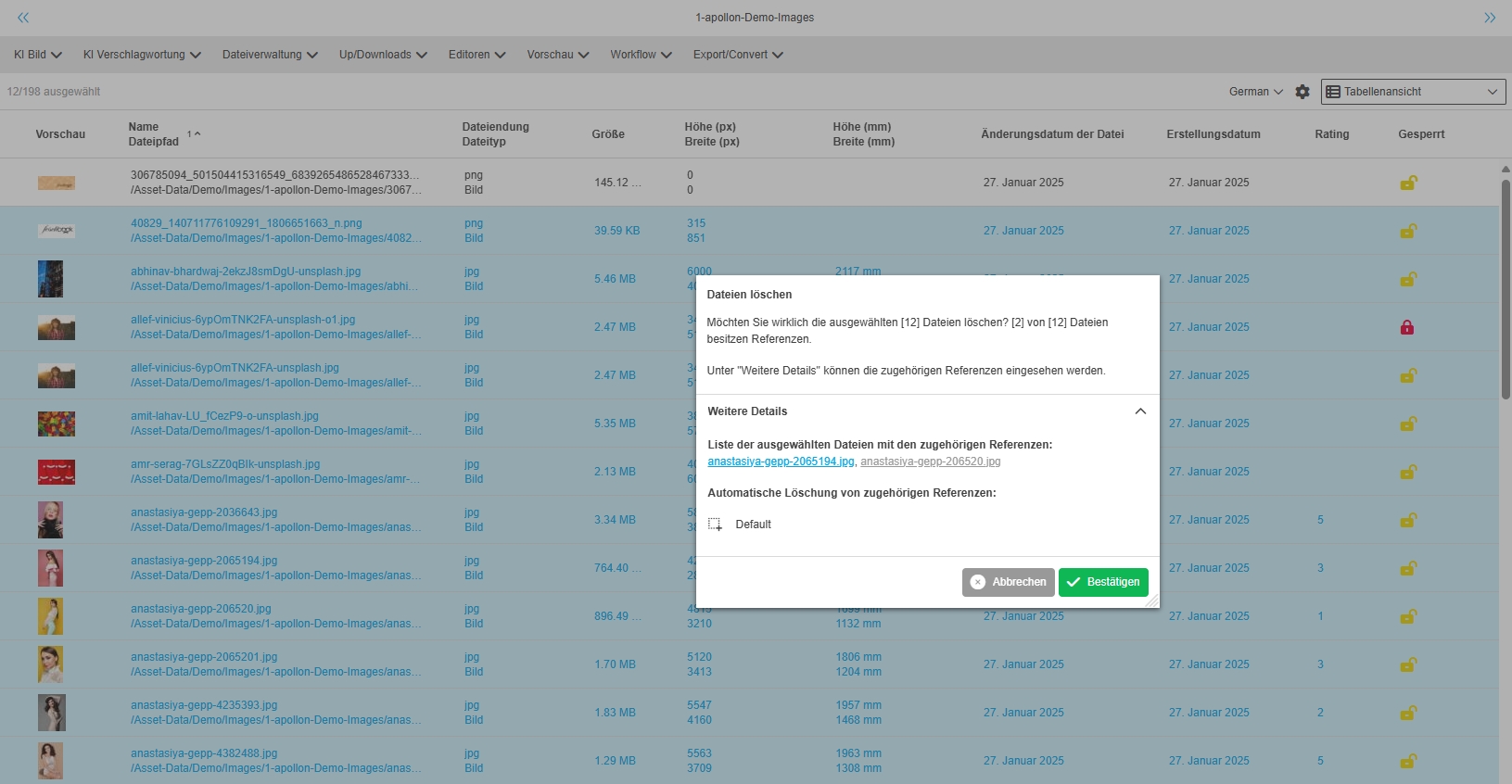
Improved text in the deletion assets modal window in case the selected asset contains no references in a more convenient way, so that information is better to understand
-
Dialog for deleting assets without Relations
-
Dialog for deleting assets with Relations
FSTable - Visualization of DAM label attributes (new DAM attribute data type)
General Tags |
OG-15172, OMN-11050 |
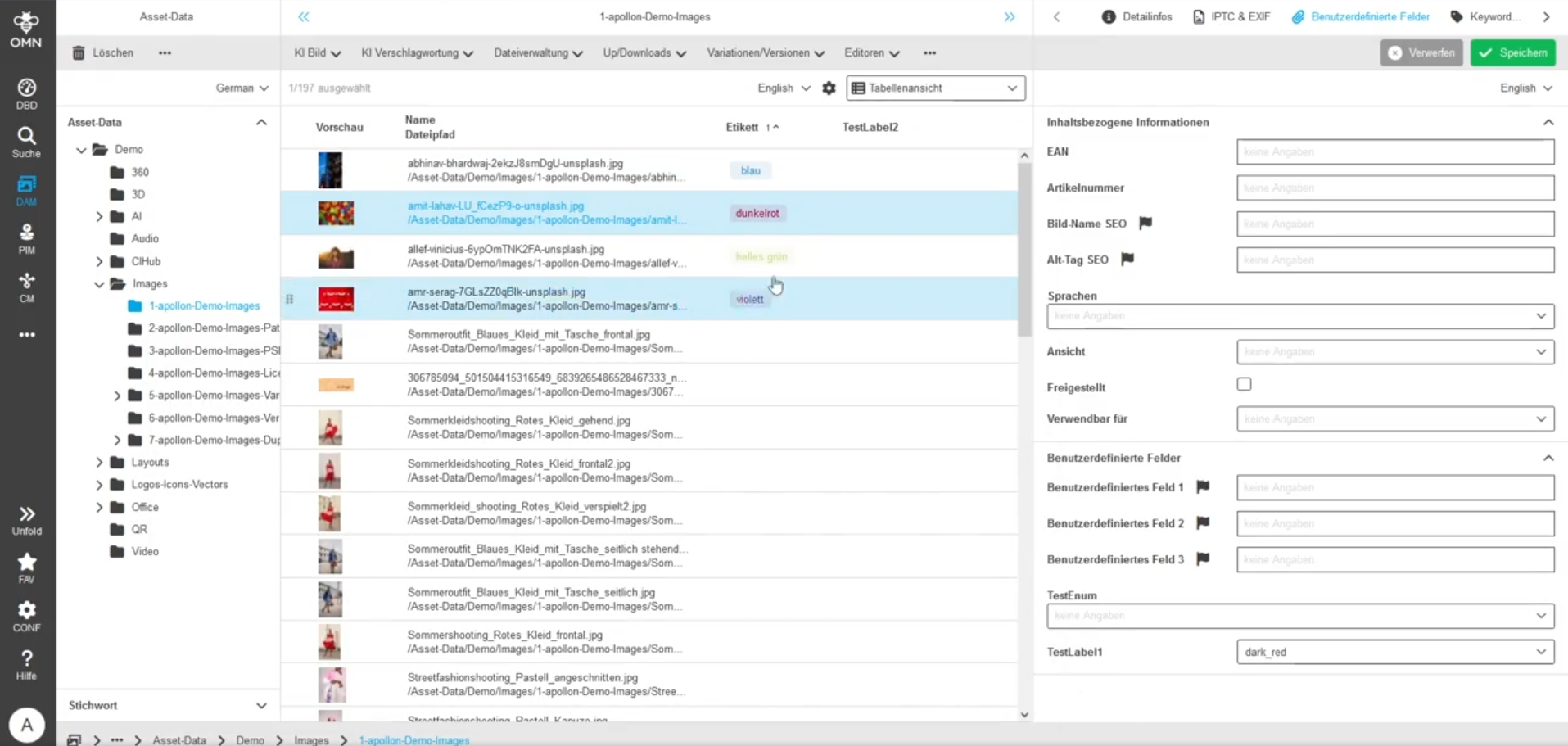
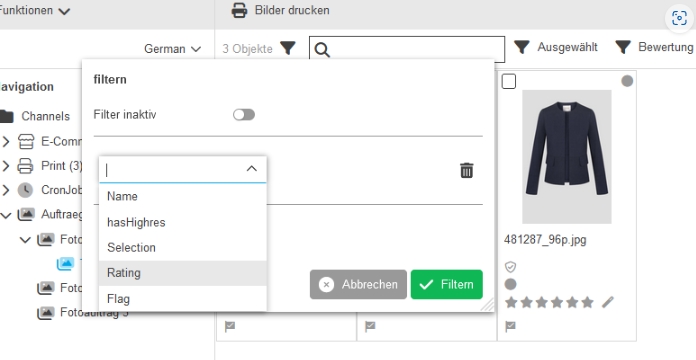
Possibility to see colored label attributes within the table
Light Table - Formatting issue of date values
General Tags |
OG-15507 |
Light Table is showing date values in a better format according to format definition in mandator (short, medium Long

Light Table - Formatting issue of number values
General Tags |
OG-15502 |
Number values are displayed in Light Table view are now rounded without decimal places (e.g. for the values height and width) of assets
| in later Version rounding will be configurable |

Light Table - Visualization of DAM label attributes (new dam attribute data type)
General Tags |
OG-15174, OMN-11052 |
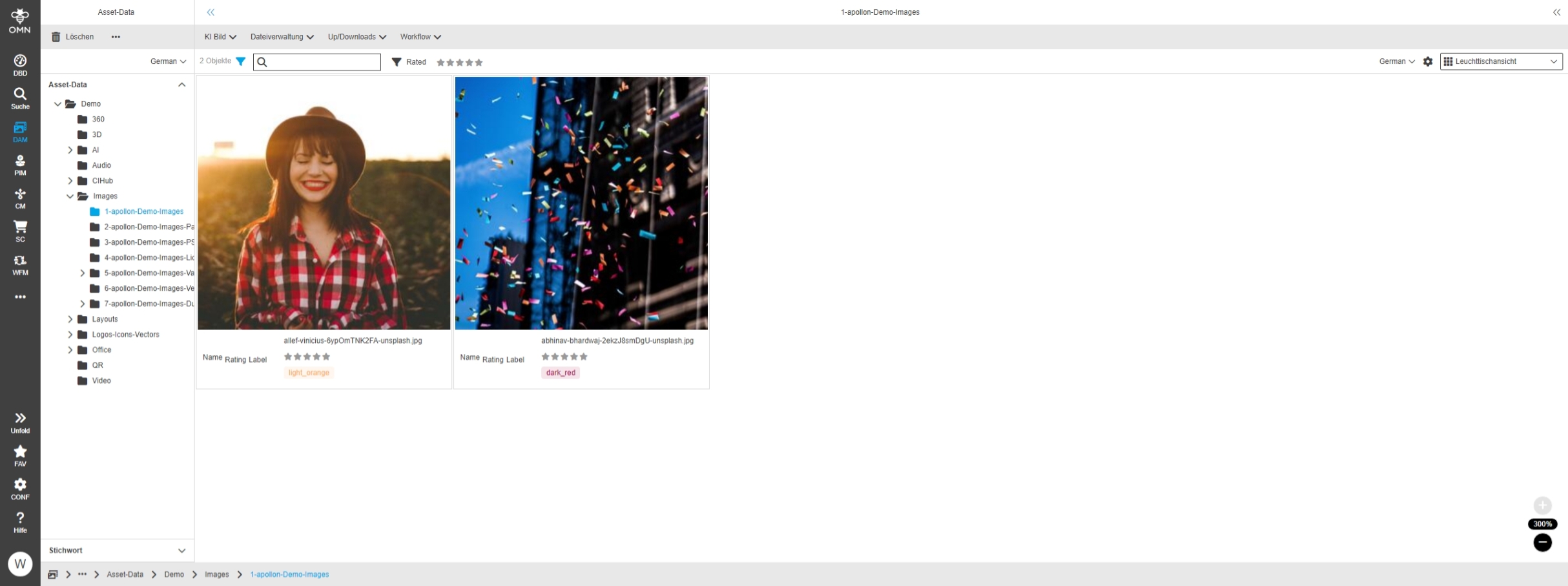
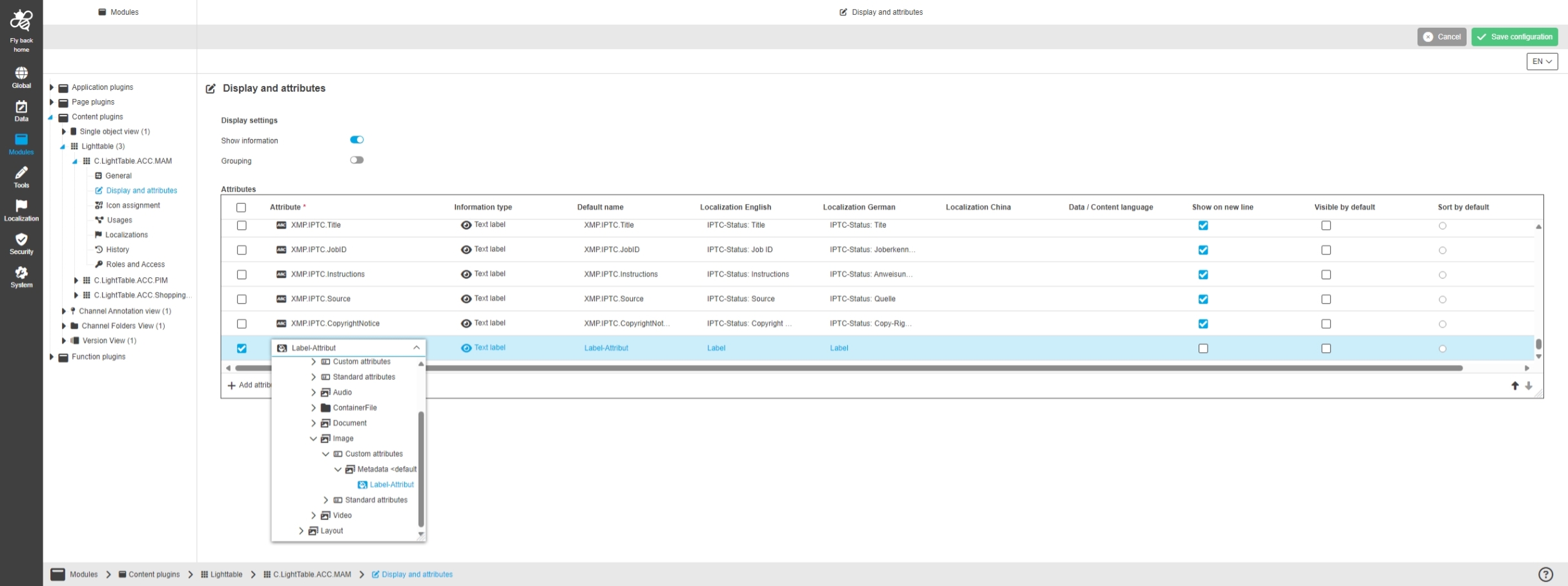
Possibility to see label attributes visualized in Light Table content view to see the attribute in a colored highlighted way on the asset tile
-
Configuration
Light Table - Standard expressions contain same units as in FS Detail
General Tags |
OG-15564 |
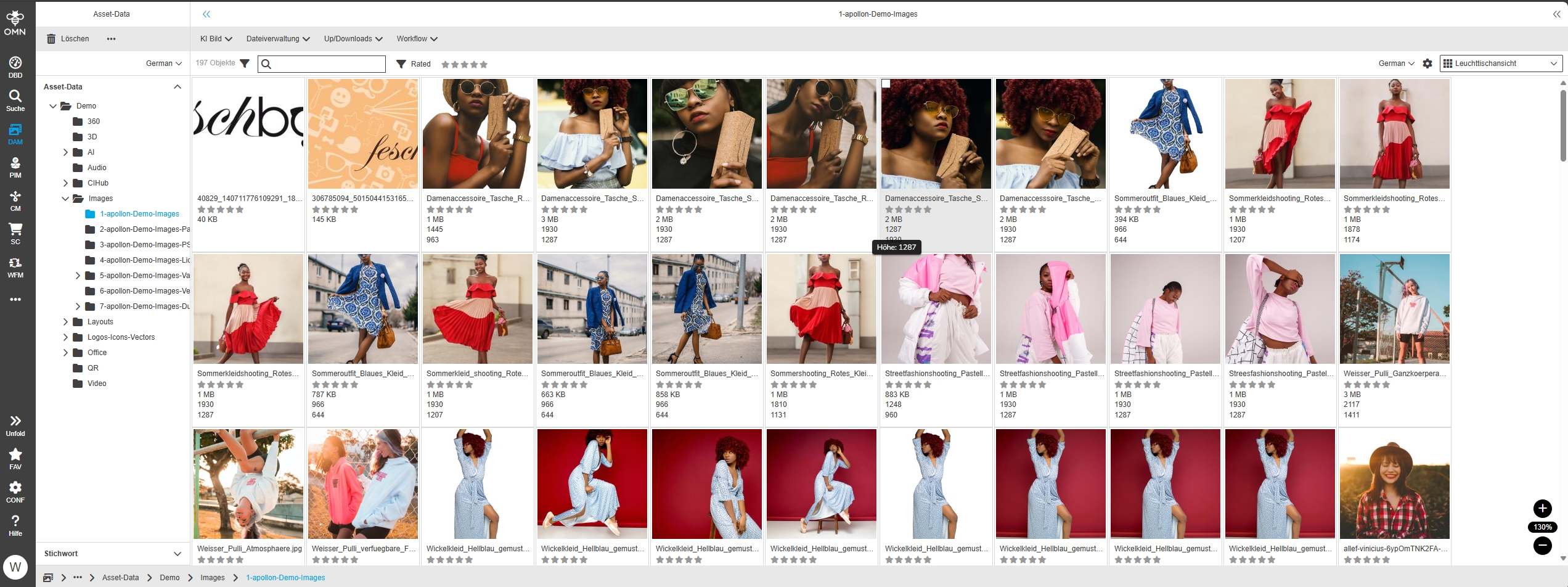
Improvement to see Units for File Size Attribute in the UI similar to Detail
-
Units for file size is shown
-
Use of the same unit for the representation
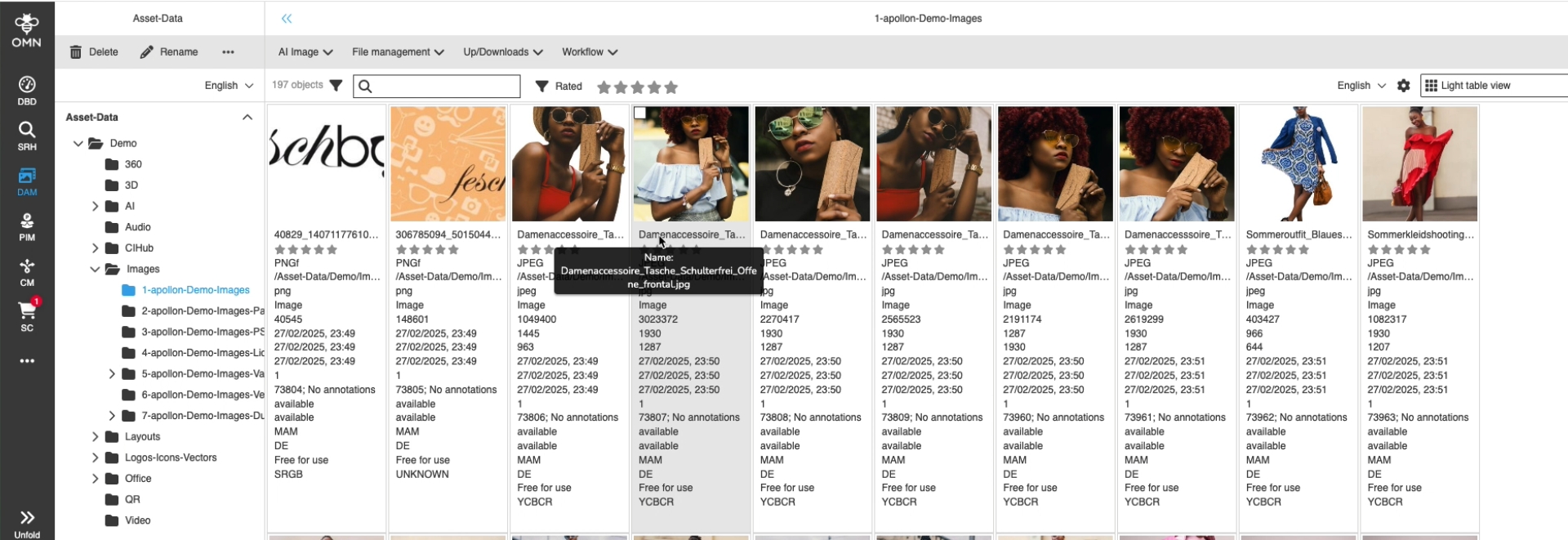
Light Table - Show label and value in tooltip when hovering attribute on Light Table tile
General Tags |
OG-15554 |
Possibility to see the attribute label and its value in the tooltip when hovering the attribute on Light Table tile to allocate the value Information especially in small zoom Levels in Light Table
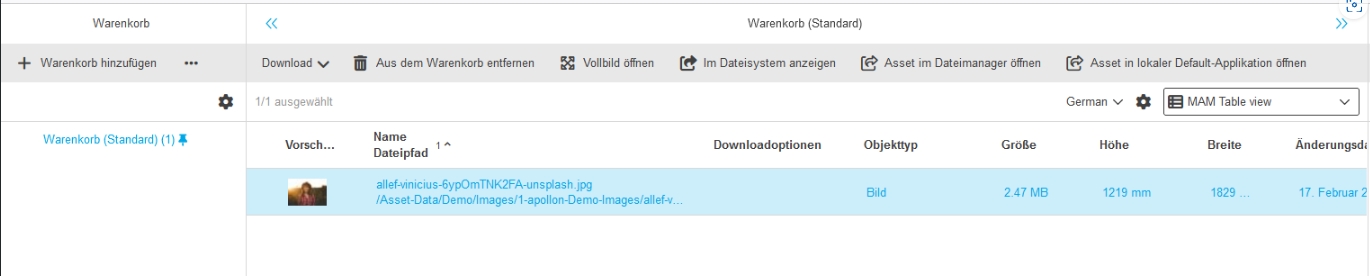
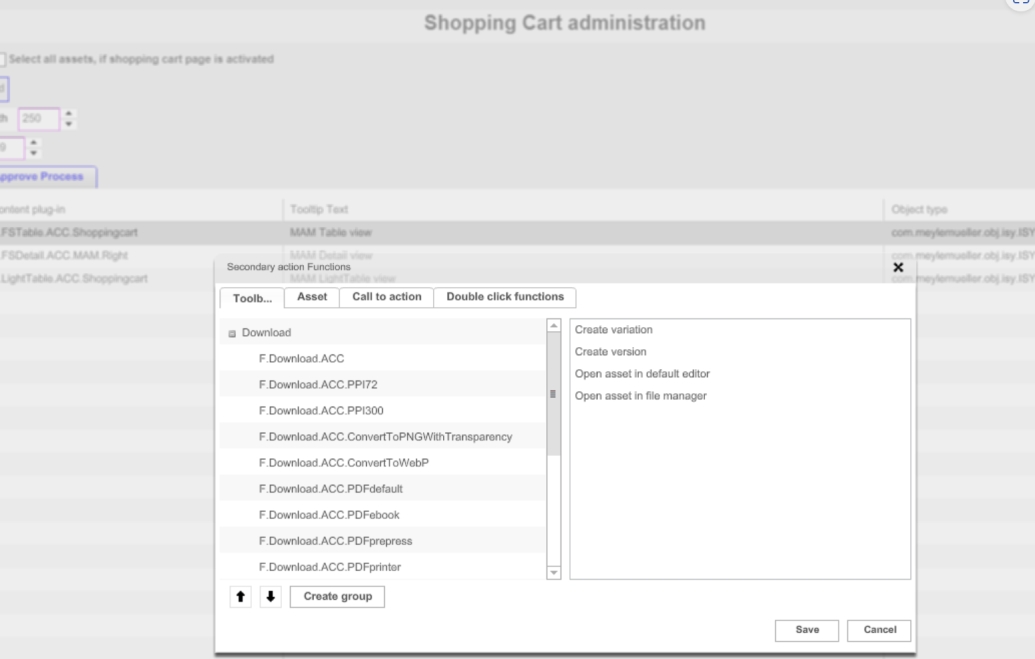
Shopping Cart - Add local open function
General Tags |
OMN-11389 |
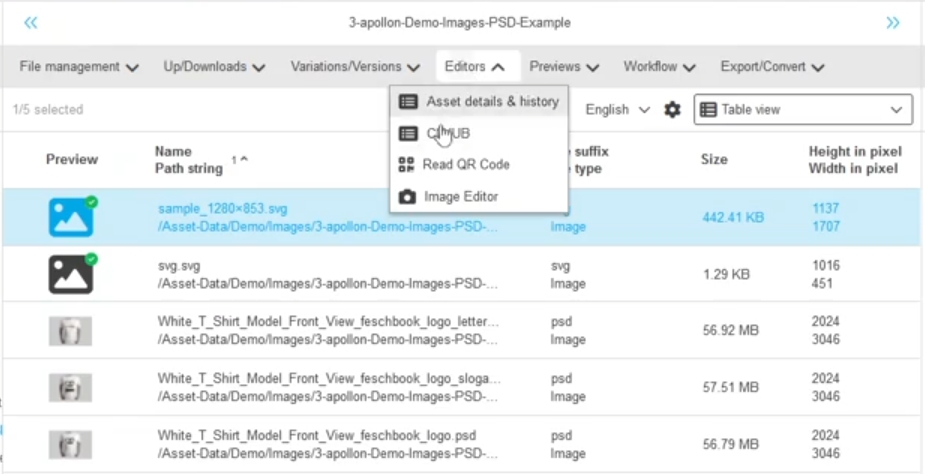
Possibility to configure and use the local open function into Shopping Cart Content view
-
open asset in default Editor
-
open asset in file Manager
| The usage of open-function needs direct volume access (for more Information check OMN documentation OMN local open functions) |
PIM
Improvements and Features in OMN PIM Module
ClassificationView
Improvements and Features in OMN PIM Classification Plugin
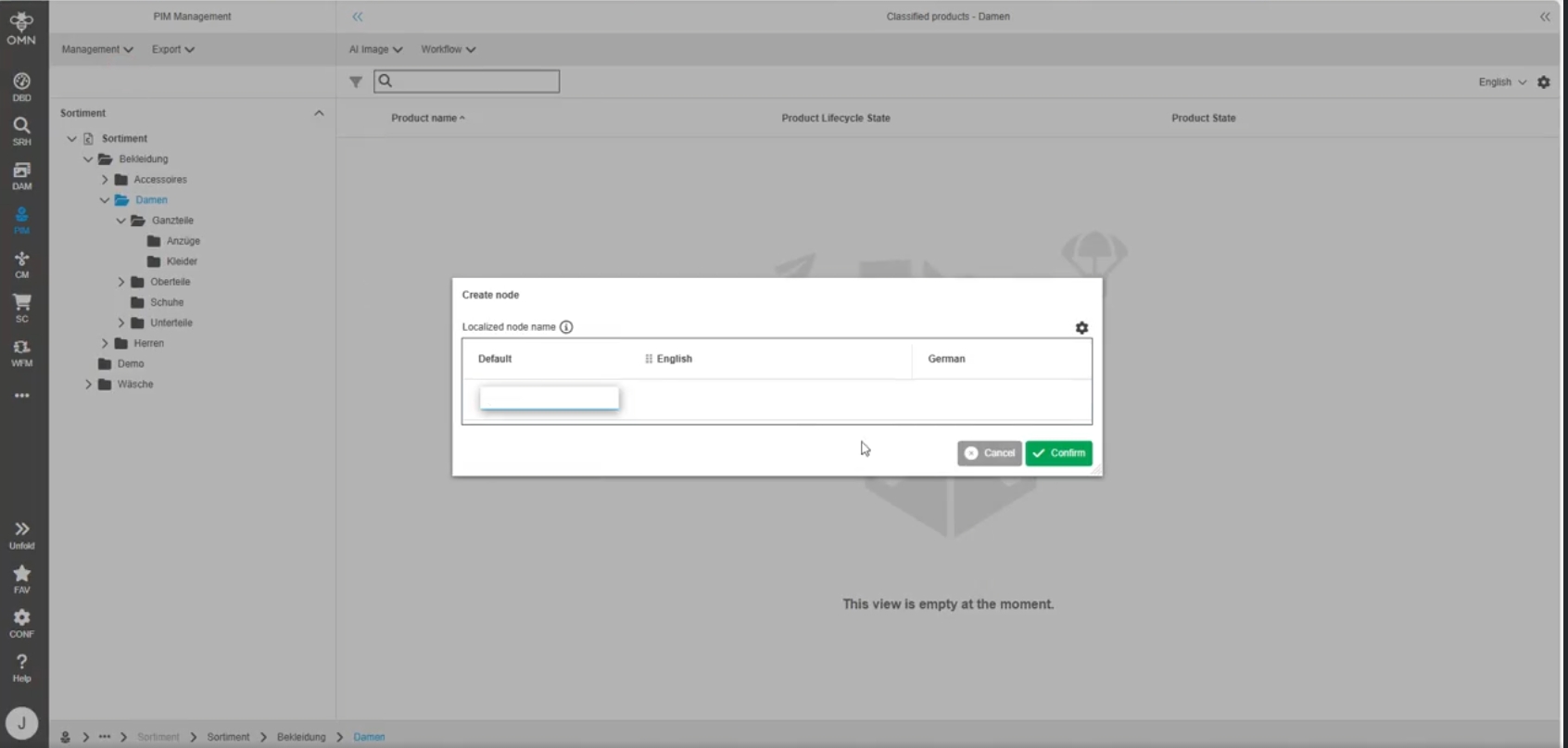
PIM2 - Localization of classifications and tree nodes - Keep custom settings
General Tags |
OG-15020 |
Possibility to save the Settings within the rename or create modal for classifications/nodes in PIM (Management, Classification, Configuration), so that the user don’t have to set my languages always from the beginning
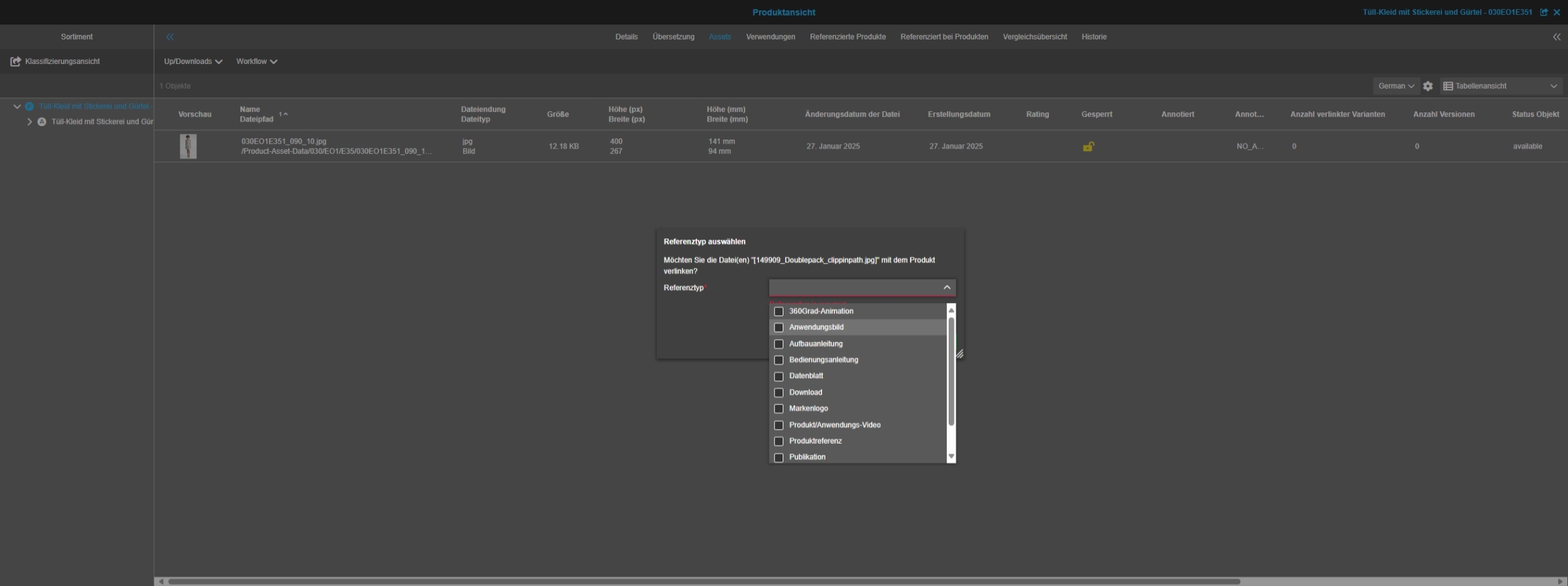
Product View Linking reference modal window shows unqualified reference types
General Tags |
OG-15427 |
Only the references, which are configured for the linked item type are now selectable in the linking dialogue
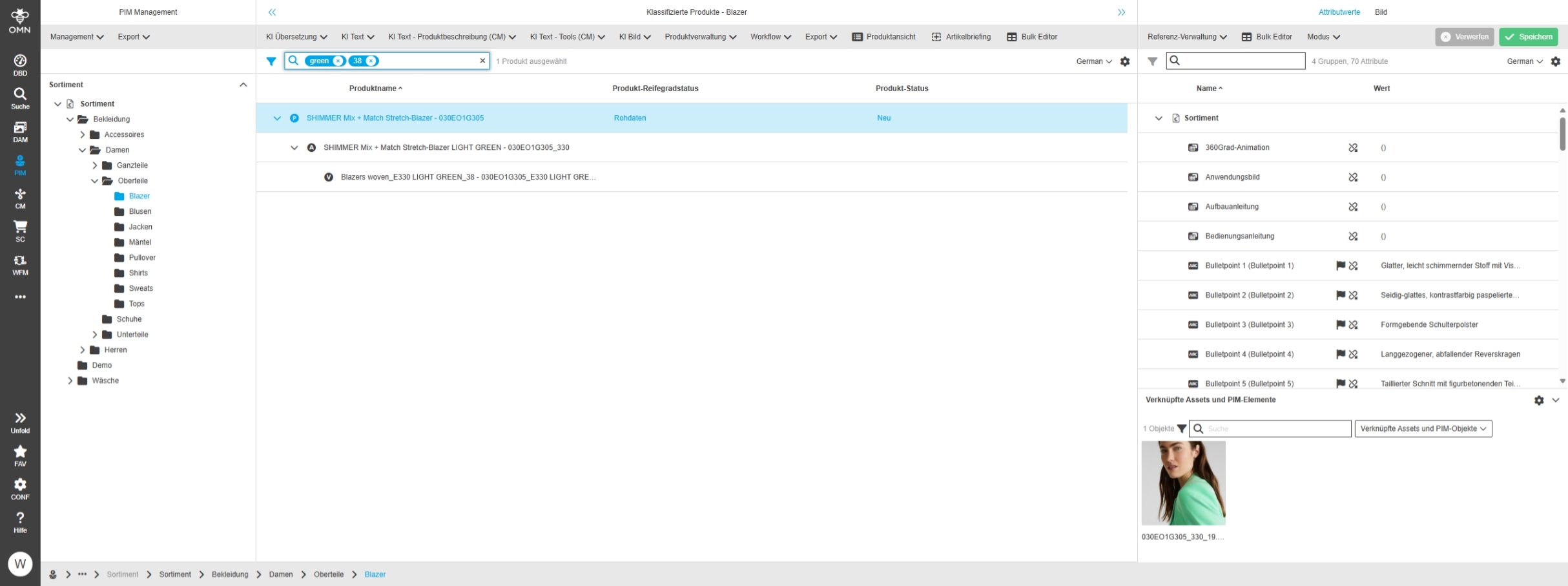
PIM assets are not shown in the correct order
General Tags |
OG-14840, OMN-11092 |
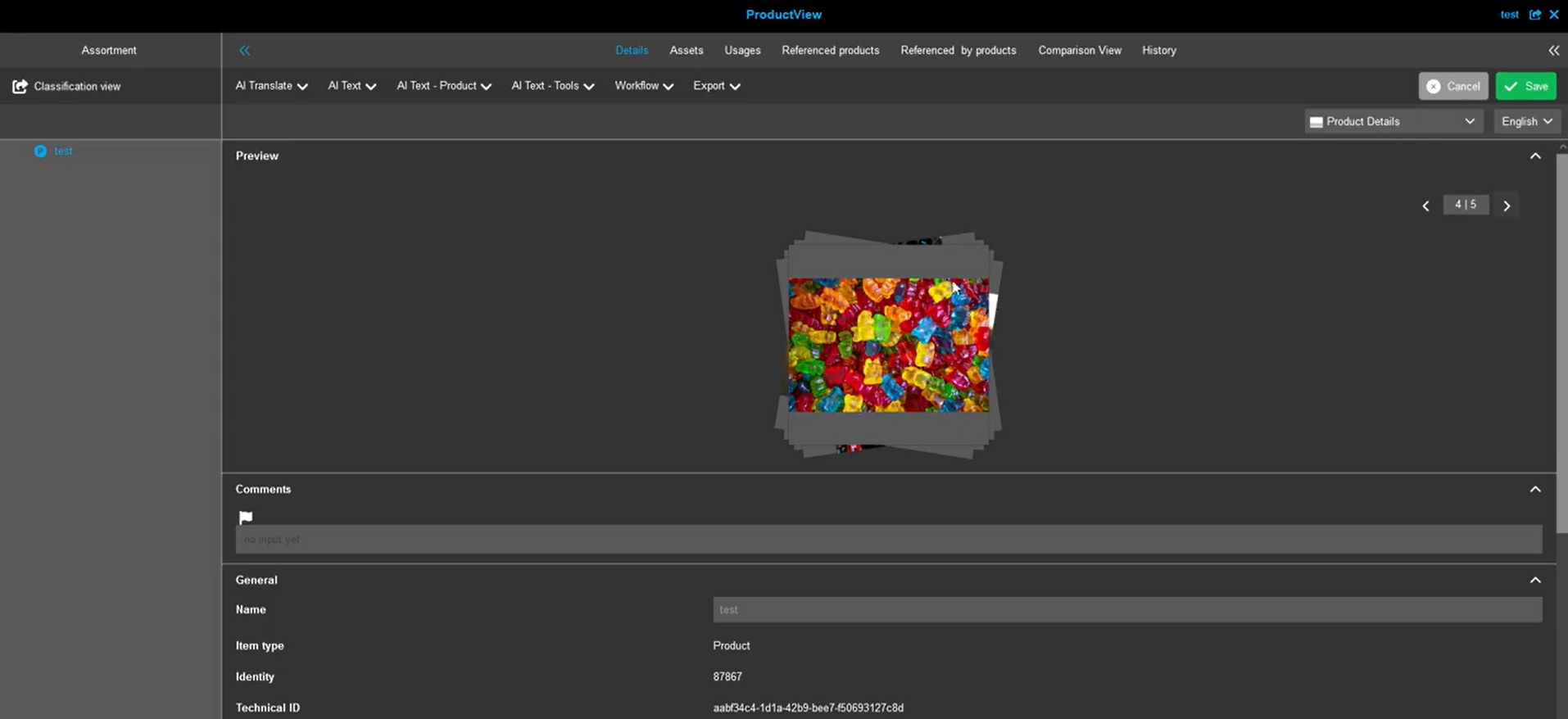
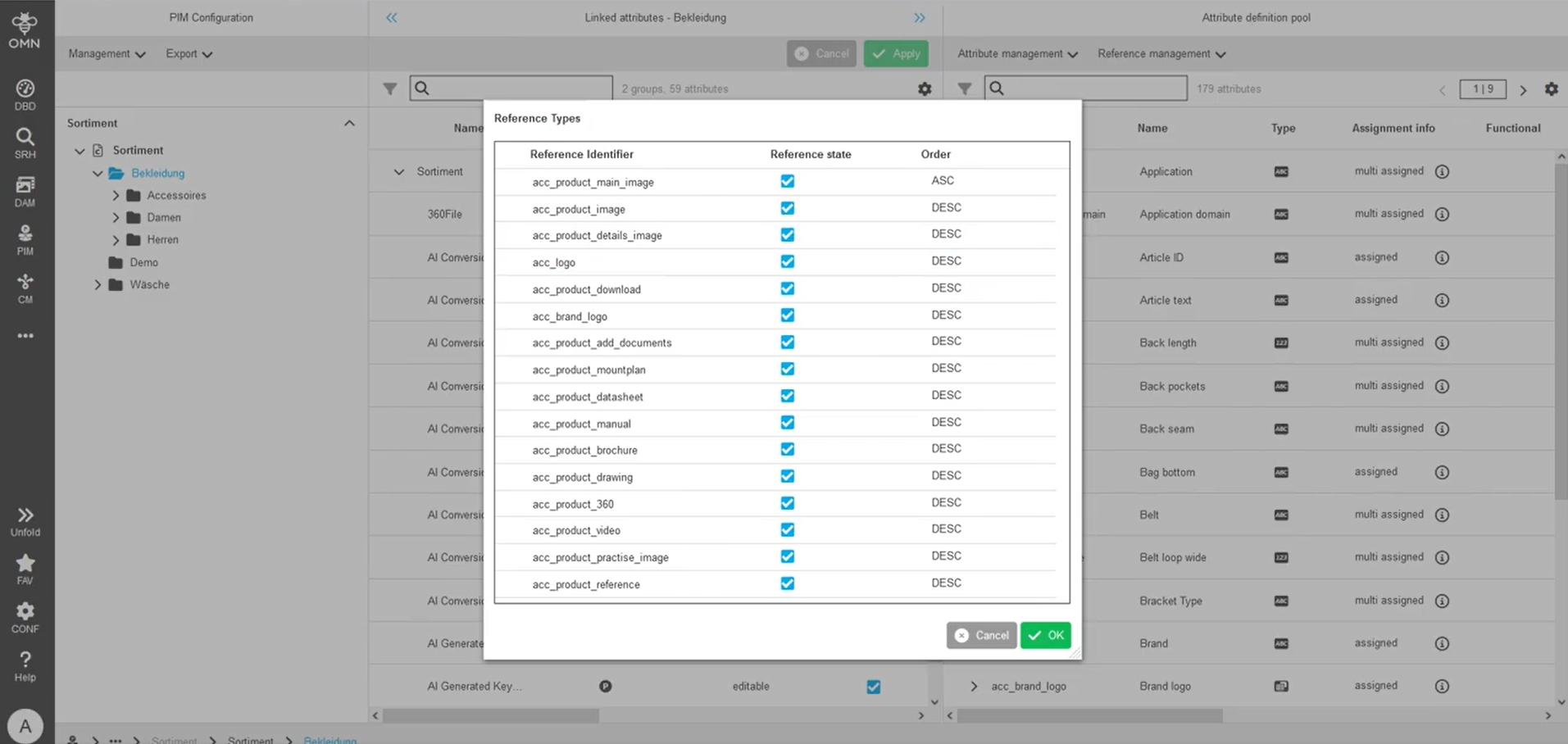
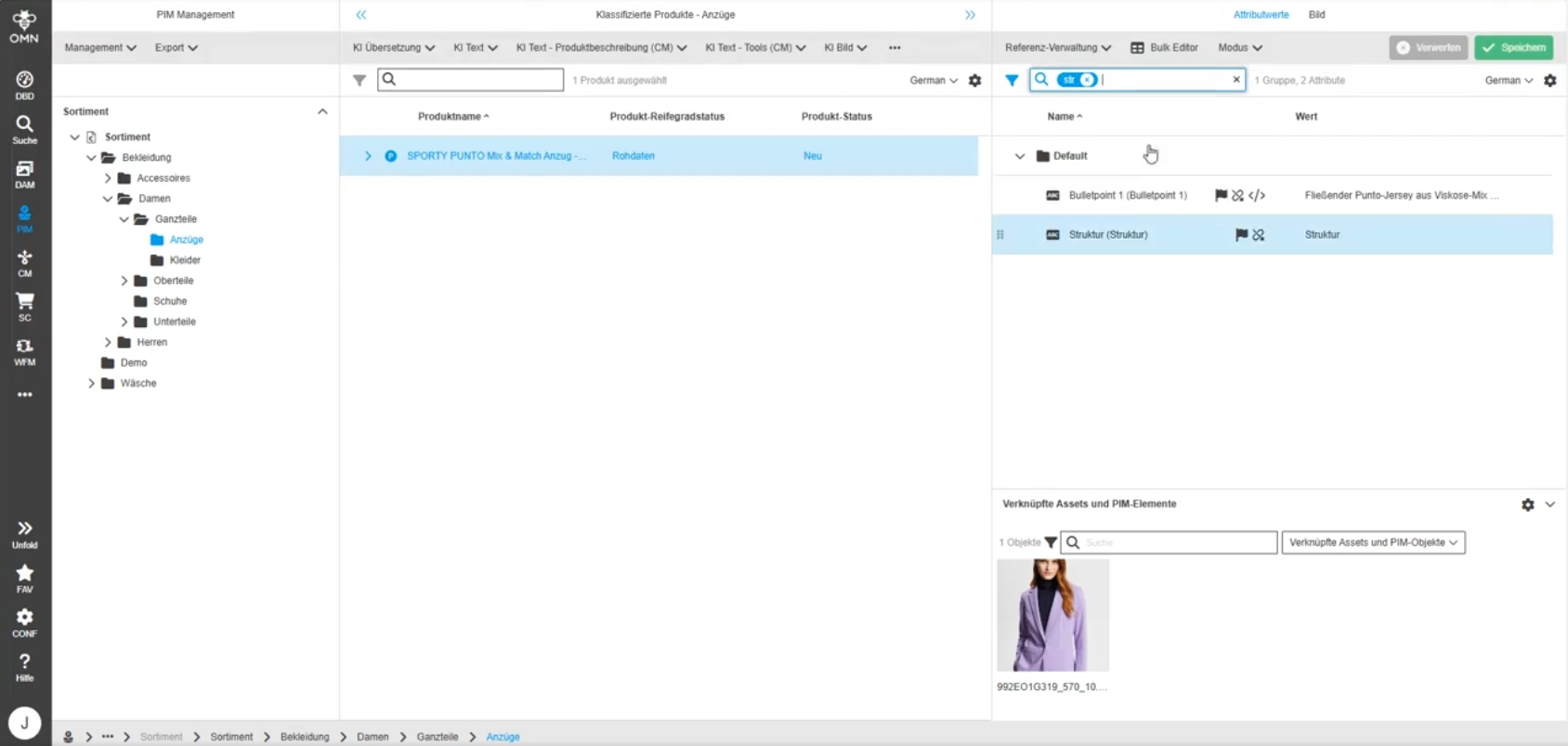
The order of previews (showing related assets of a product) in the OMN preview Widget is now showing the previews in the order of the defined Reference-Configuration from PIM configuration
-
Preview Widget showing previews references with the product
-
configuration of reference type order in PIM2 configuration
FS Detail
Improvements and Features in OMN Detail View Plugin
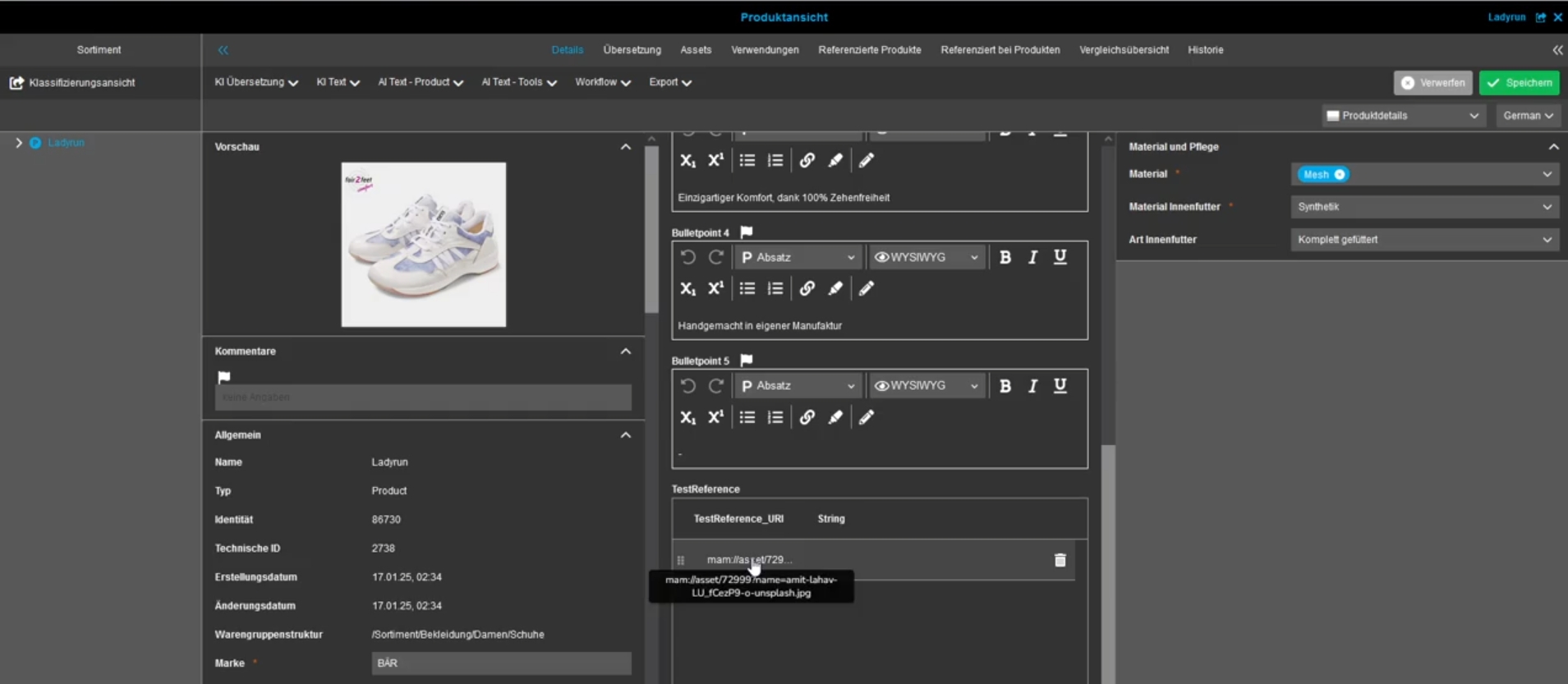
FS Detail - PIM2Product - Adjustment for Reference table attribute with Table widget editable information type
General Tags |
OMN-11266, OG-15423 |
Possibility to maintain a reference table attribute in FS Detail in a way, so it is not possible to create invalid data by changing a URI-reference
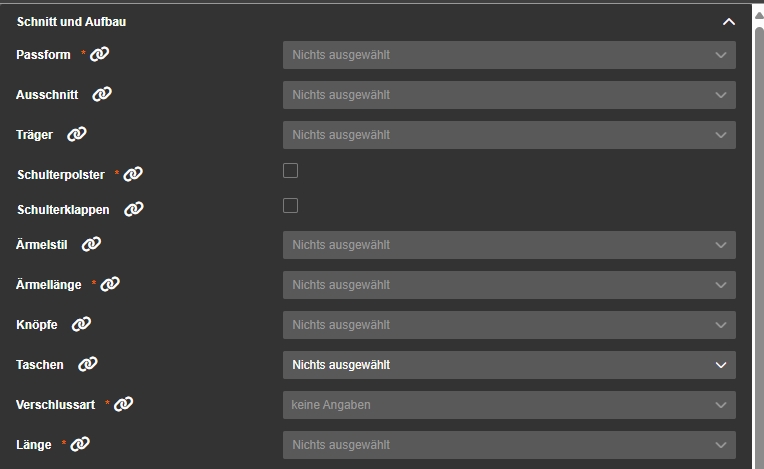
FS Detail - Object type PIM2 Product - Label information type - Remove functionality of inheritance icon for label fields
General Tags |
OG-15437 |
If the Information type is configured as label, the inheritance Icon is not changeable anymore
-
Labels are generally used for data that is only visible and not editable in the current view
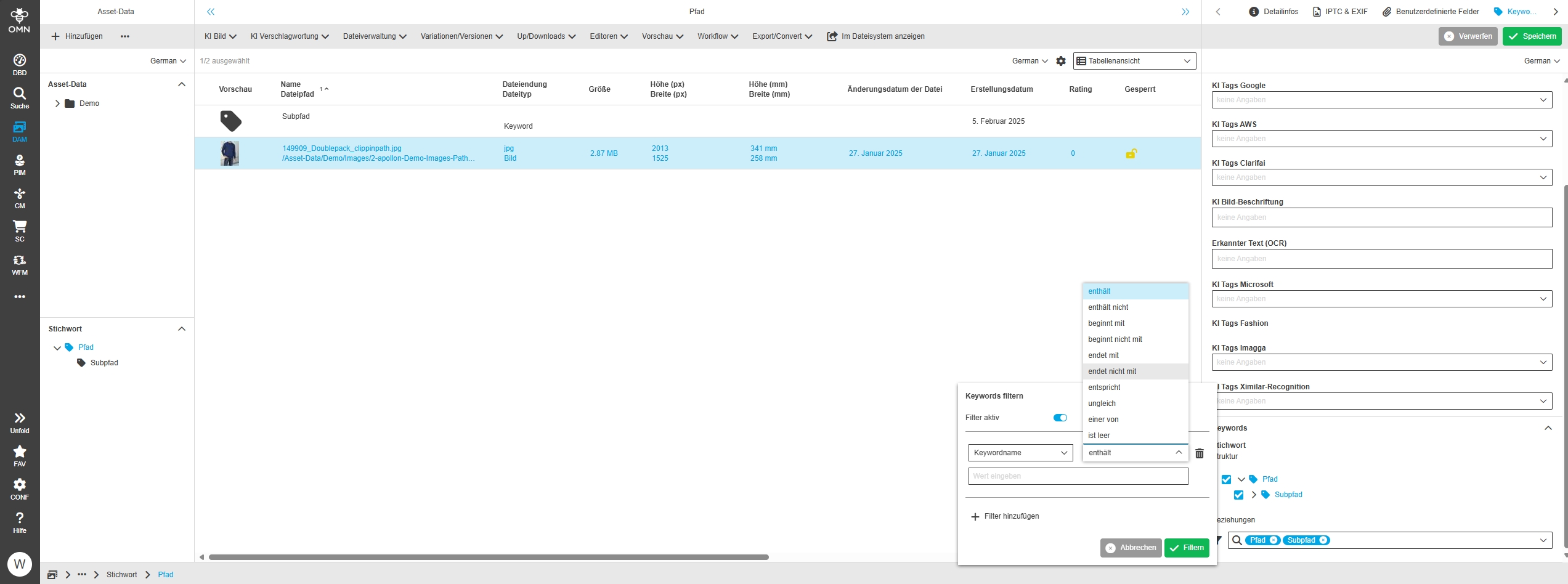
FS Detail - Widget - Keywords - Relations mode - Filter improvement to search for keyword node
General Tags |
OG-15186, OMN-11317 |
Possibility to filter keyword nodes in FS Detail keyword Widget in order to reduce the amount of keywords shown in the tree above in order to find wished keyword more easily
-
advanced filters for Keyword nodes in DAM Keyword widget
Bulk Editor
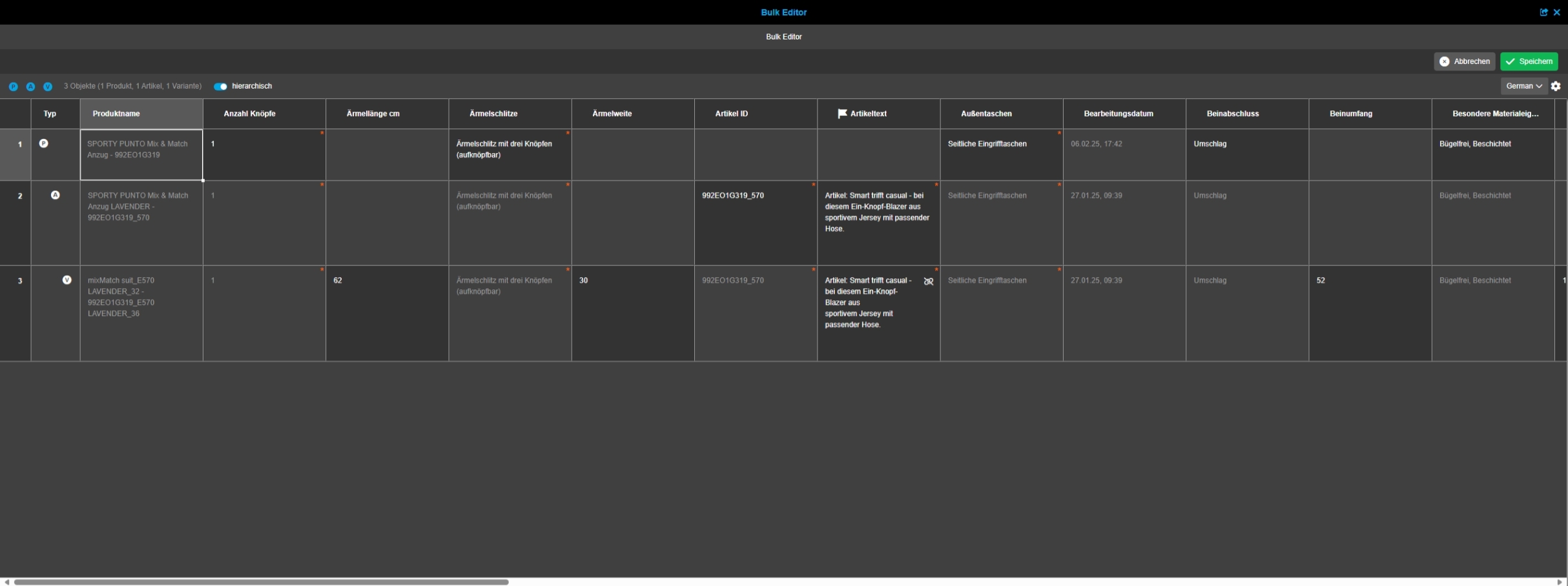
Improvements and Features in OMN Bulk Editor Plugin

Annotation Tool
Improvements and Features in OMN Annotation Tool
|
- Annotation Tool does not support S3 storage which means, that library function and csv Export are not working currently - S3 Support will be delivered in next version |
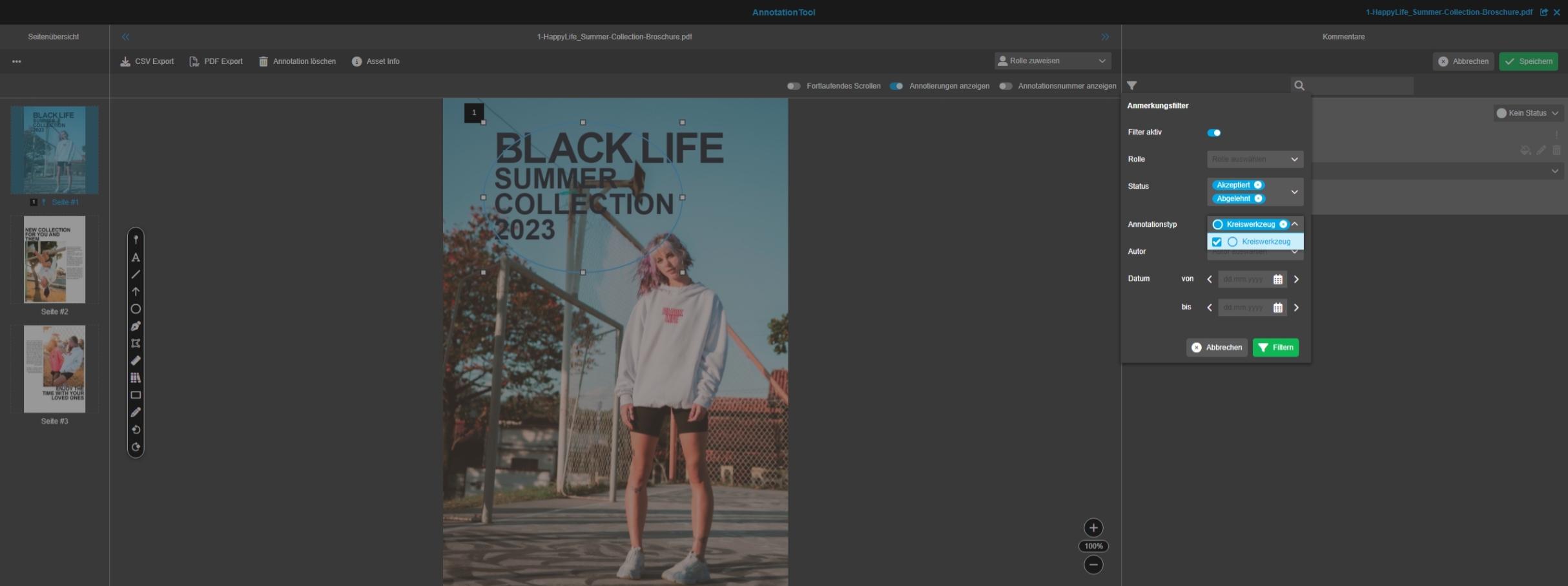
Annotation Tool - Right panel - comment view - annotation quick filter (Improvement)
General Tags |
OG-4414, OMN-11283 |
Possibility to easily filter annotations in the comment view list by using a quick filter to find annotations quickly by specific filter criteria
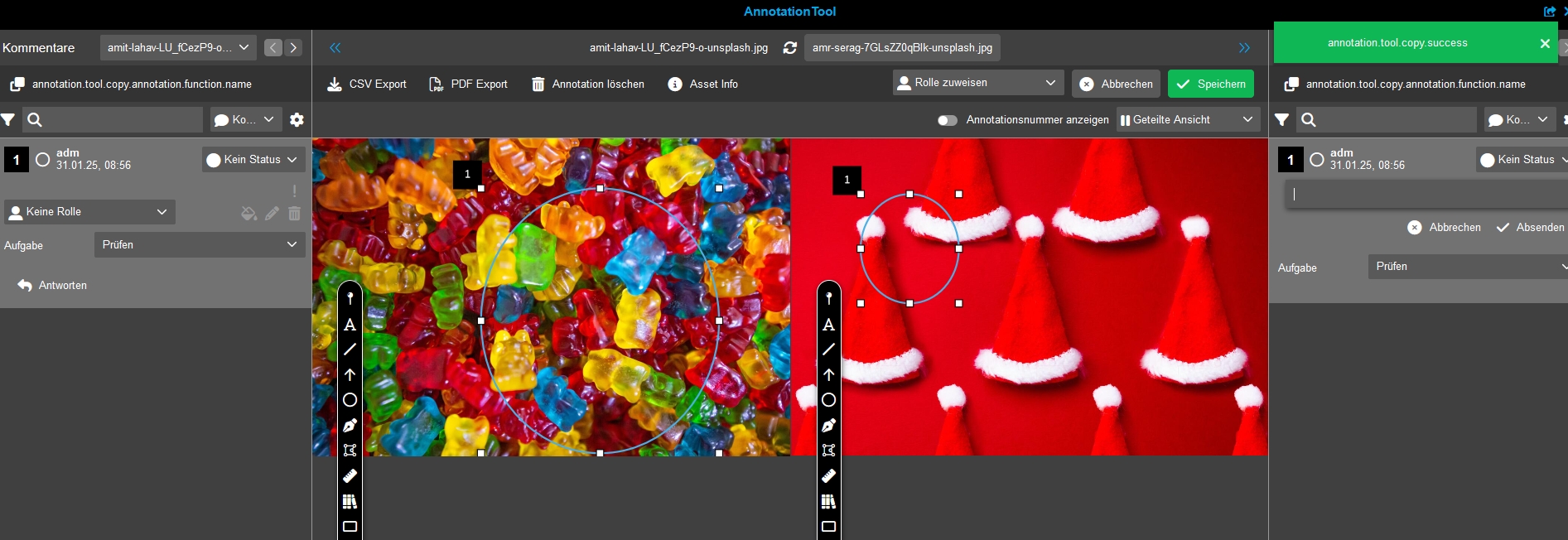
Annotation Tool - Compare Views - Function to copy annotation to the other opened asset
General Tags |
OG-14921, OMN-11296 |
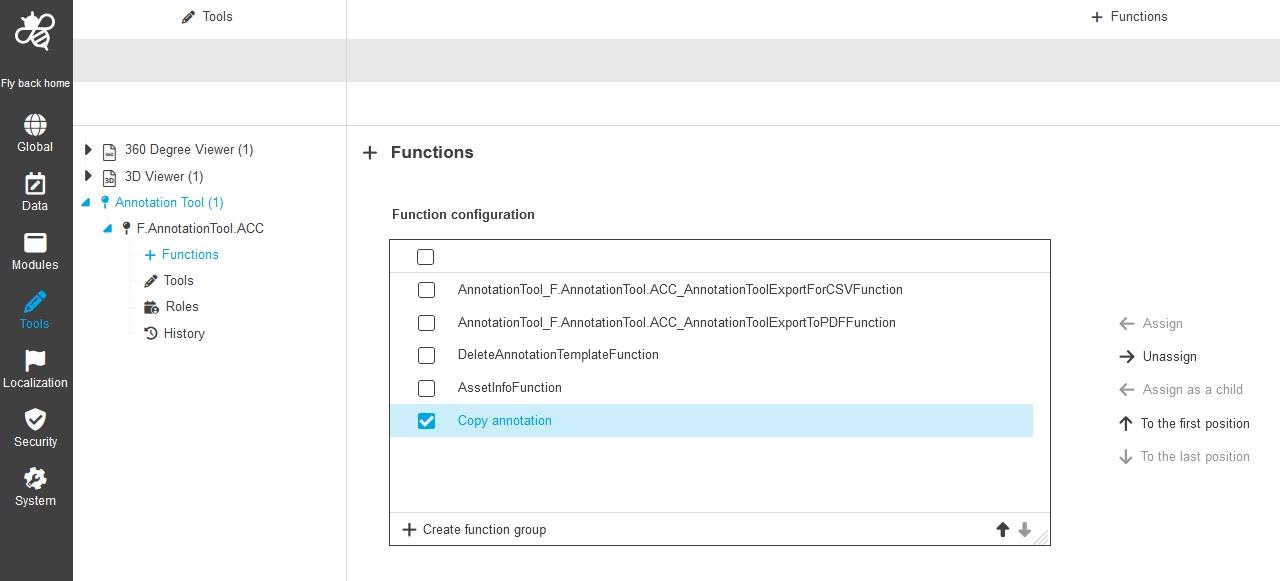
New Function to copy an annotation (with its made comment) to the other opened file in the compare views of Annotation Tool, so that the user can reuse the annotation and adjust it or for example
-
Function in Frontend
-
Configuration
New expression for open and resolved annotations in DAM
General Tags |
OMN-10749 |
Introduction of new standard expression to have the possibility to filter for Annotation statuses in Annotated column to find out assets having open annotations
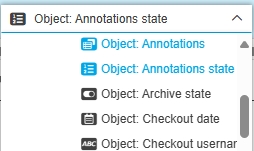
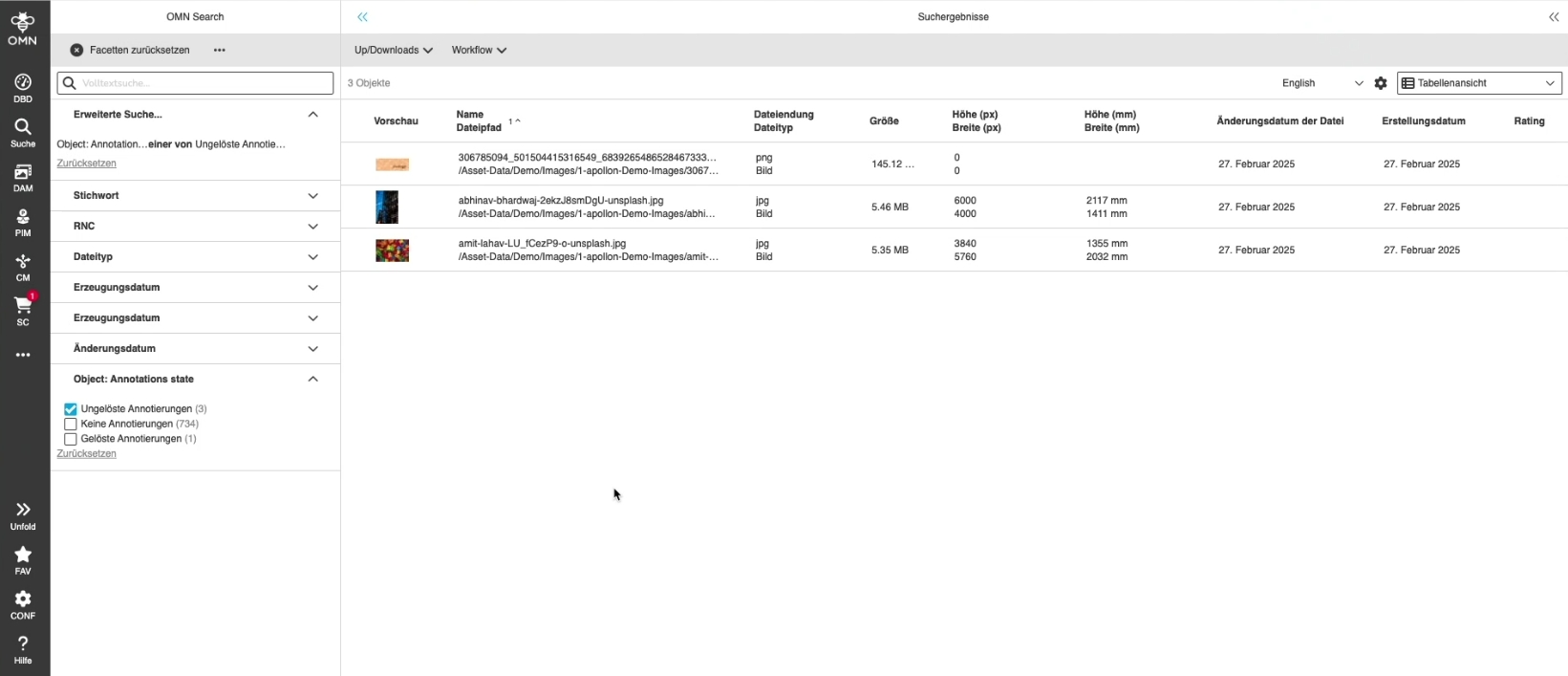
The expression Annotation state should be configurable in OMN Search
General Tags |
PIC-730, OG-15587 |
Possibility to search / facet for Annotation state in OMN Search
DAM - new expression for open and resolved annotations - annotation state
General Tags |
OG-12854 |
New possibility to see if asset has unresolved Annotation by new standard expression Annotation state which can be used in Detail, Table and Light Table
-
Annotation state in Table
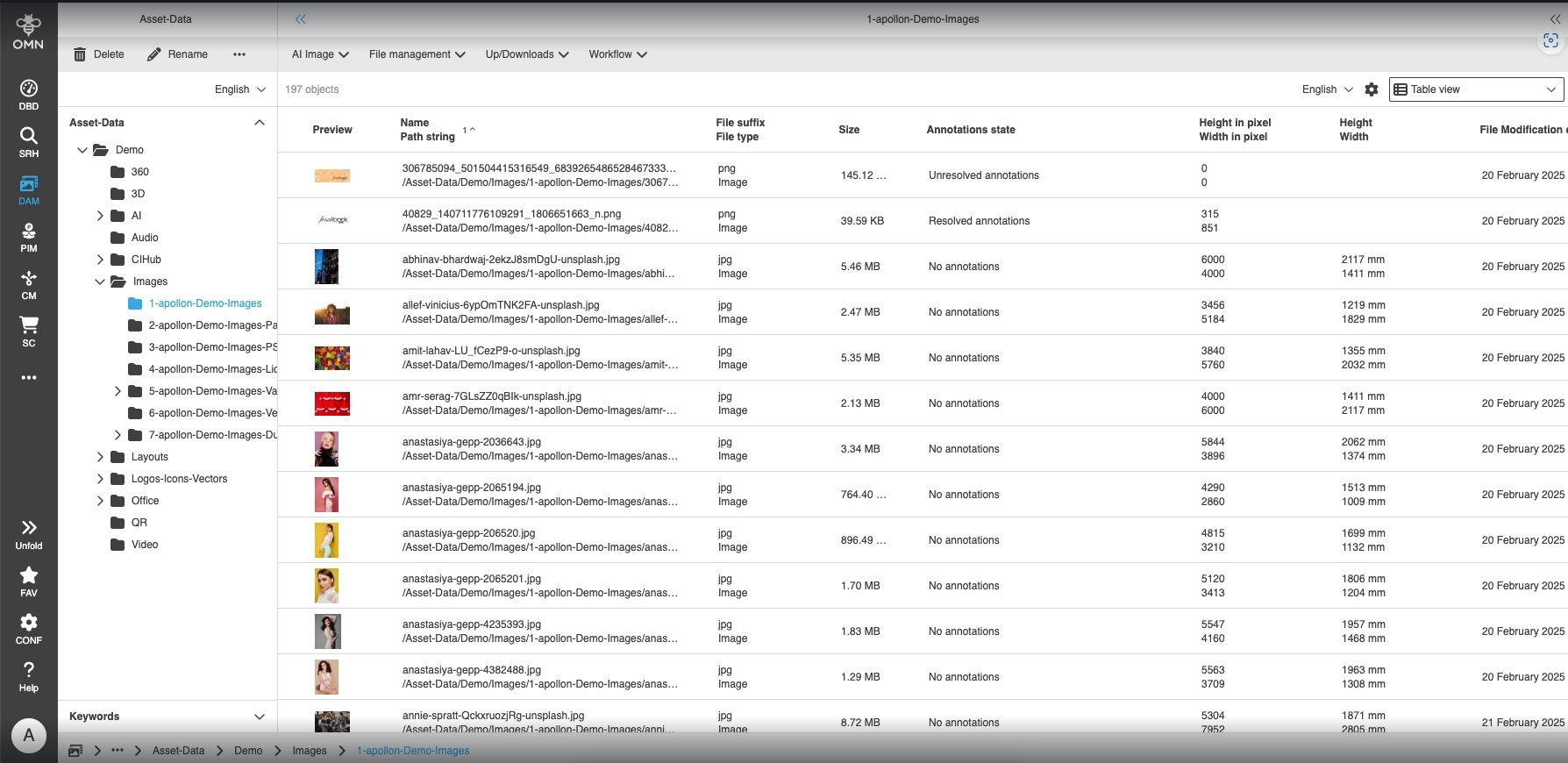
-
Annotation state in Light Table
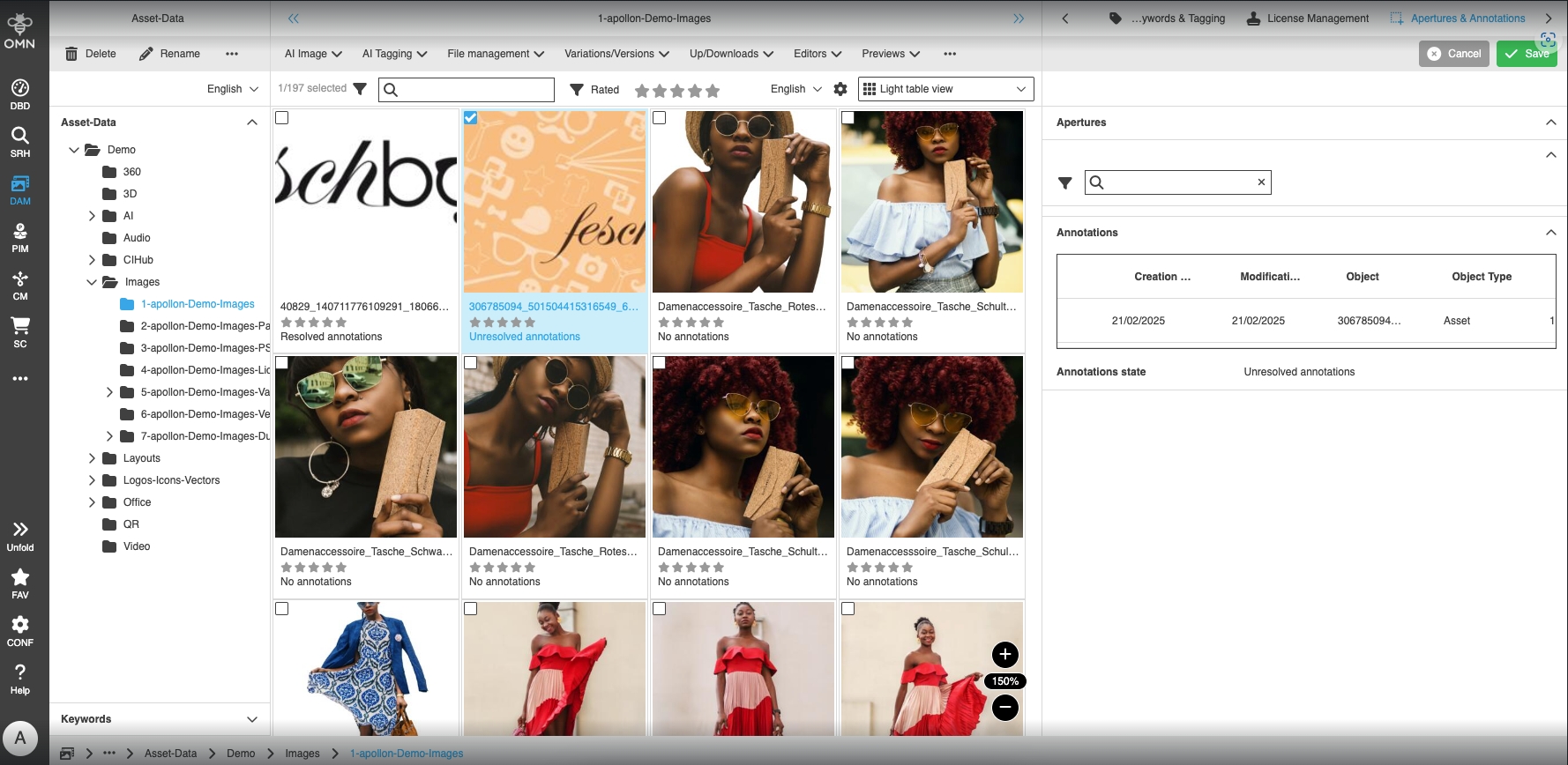
-
Annotation state in Detail view
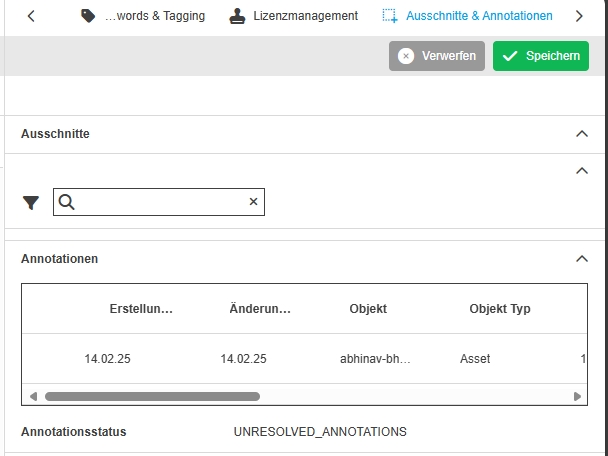
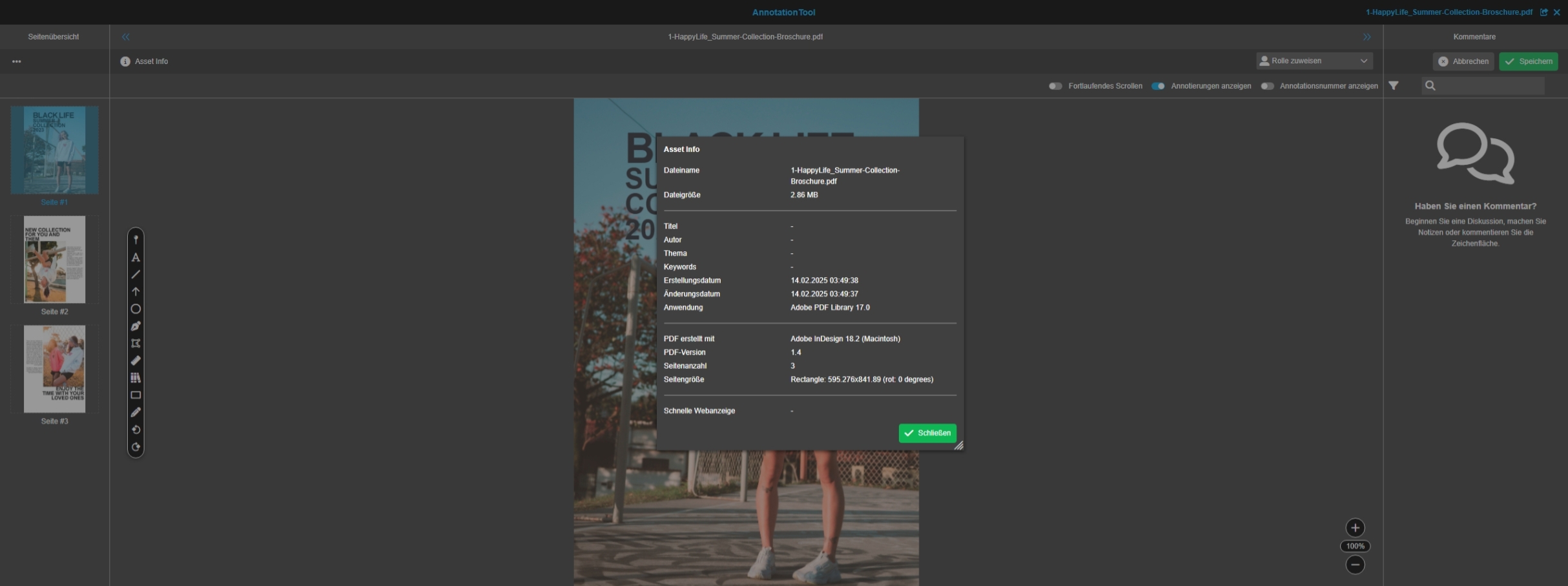
Annotation Tool - Function - Document info
General Tags |
OG-14936, OMN-11255, OMN-11270 |
Possibility to see general document information of the PDF-document which is opened in Annotation Tool
Annotation Tool - Compare function
General Tags |
OOM-447, OG-13735 |
Base Requirement |
OR-683 |
Annotation Tool provide new view for compare function
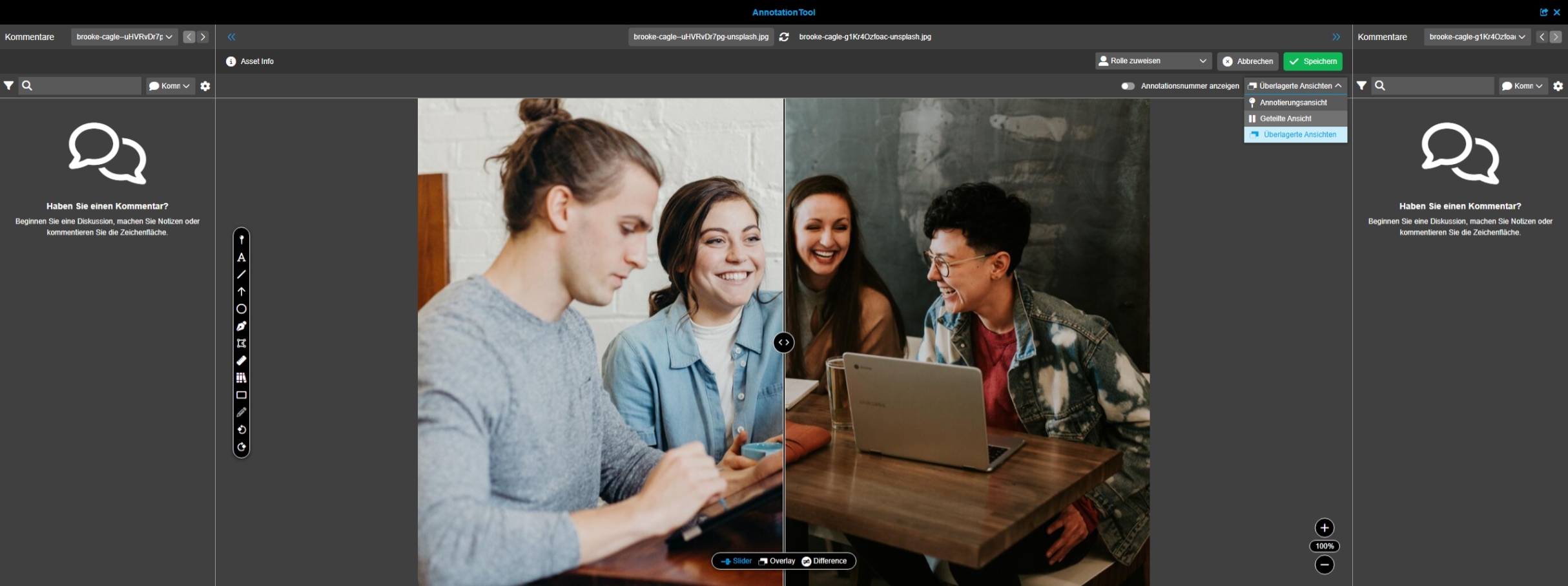
Annotation Tool - Compare View - Introducing Overlay View
General Tags |
OG-13737 |
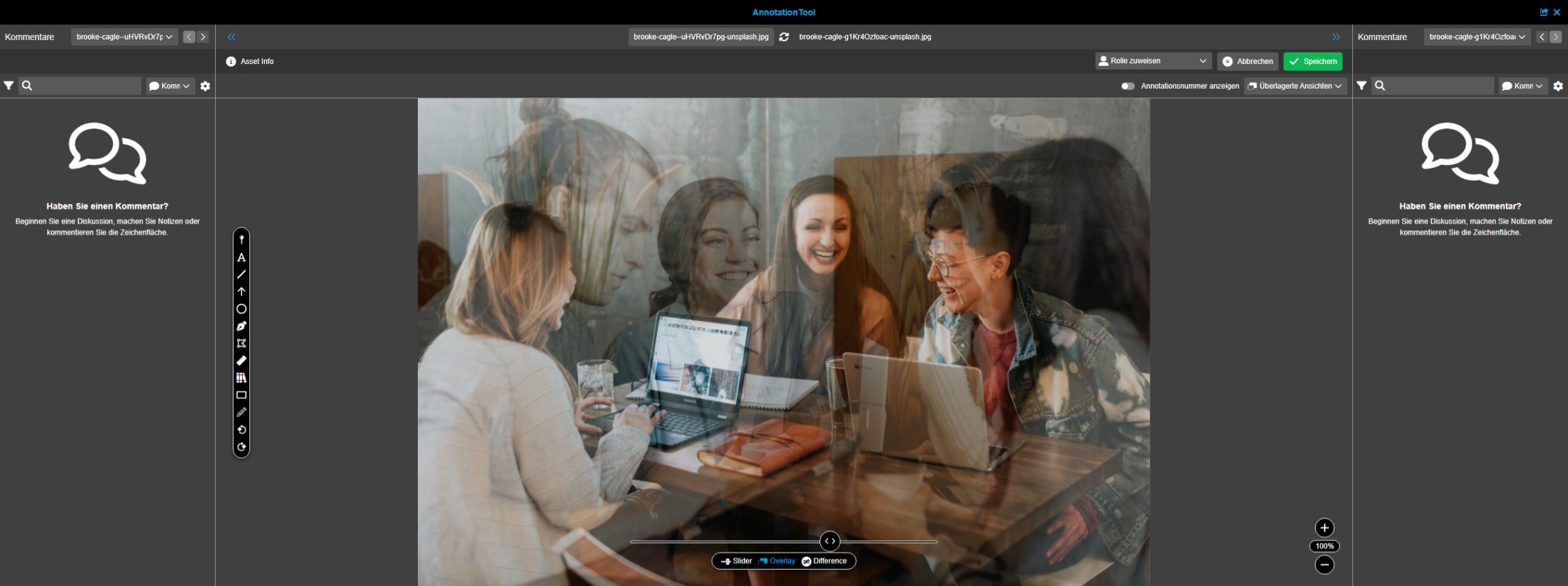
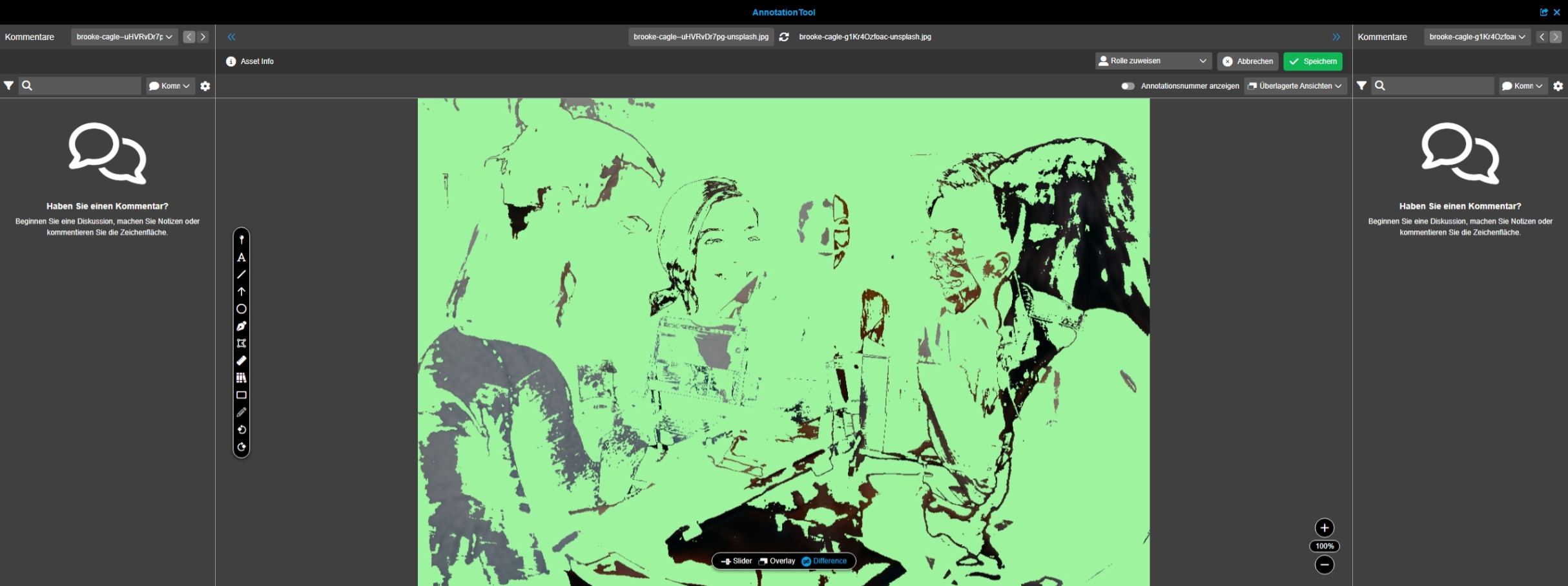
Possibility to compare two files within the Annotation Tool with an overlay mode to detect for example easily color differences in 2 similar assets (for example in an original and a revision) by adjusting the opacity of one asset in the canvas so more parts of the other
-
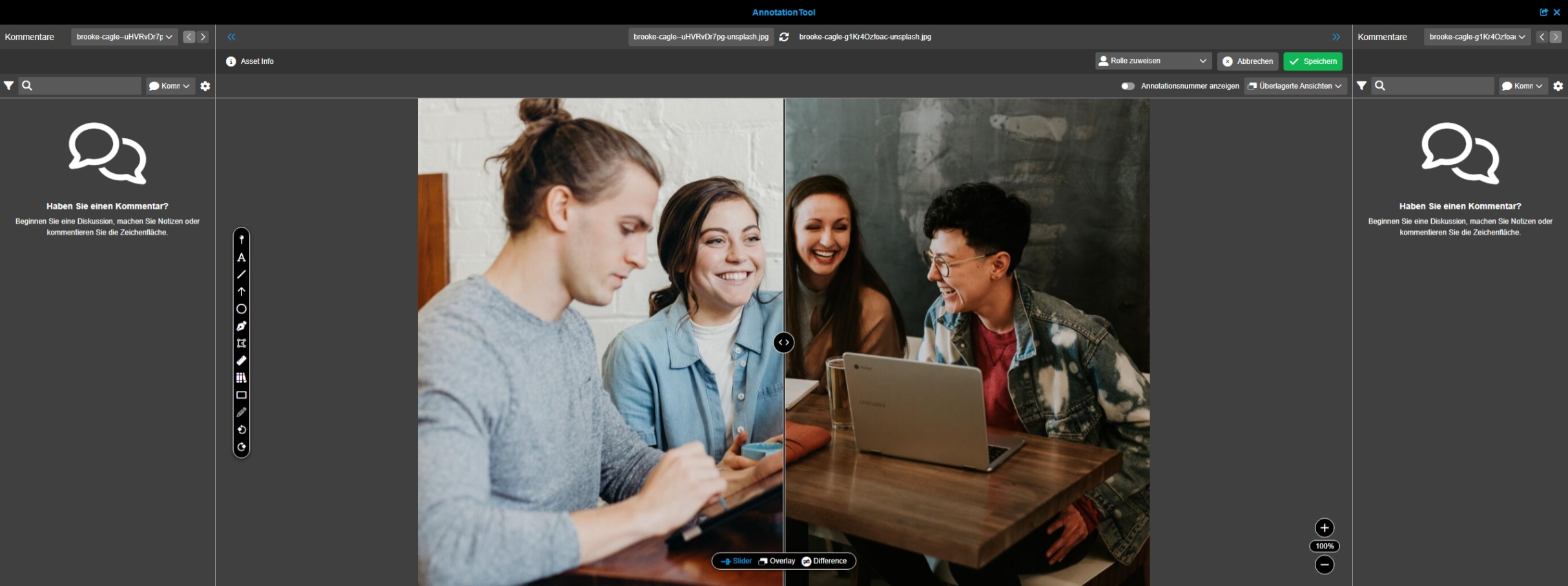
Slider-View
-
Overlay-View
-
Difference view
Annotation Tool - Compare View - Slider View - Function to compare assets
General Tags |
OG-13330 |
Possibility to compare two files within the Annotation Tool with a new slider view
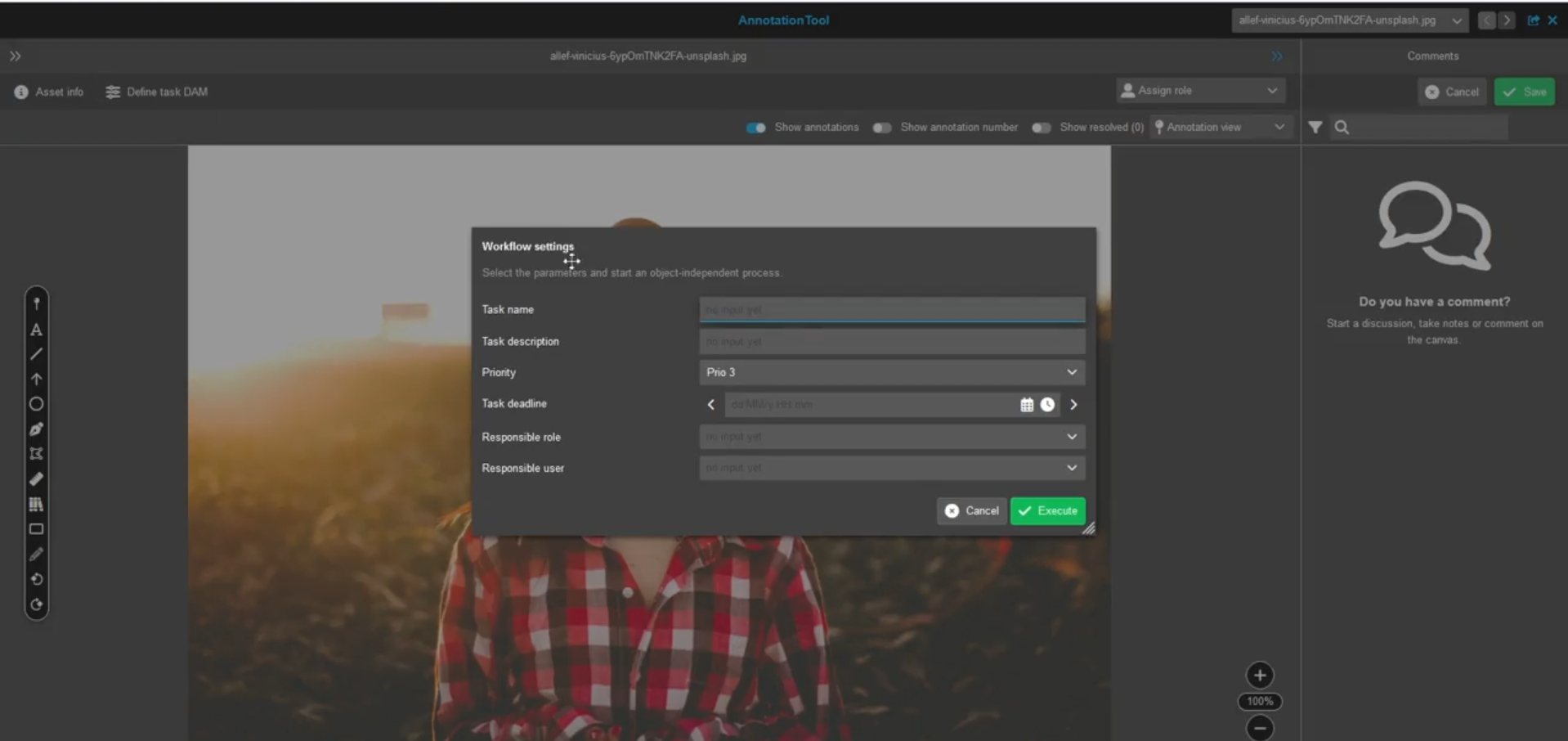
Annotation Tool - Open Workflow configuration function in Annotation Tool
General Tags |
OG-15527 |
Possibility to start a workflow on asset directly out of Annotation Tool, e.g. start ad hoc workflow on shown asset from Annotation Tool
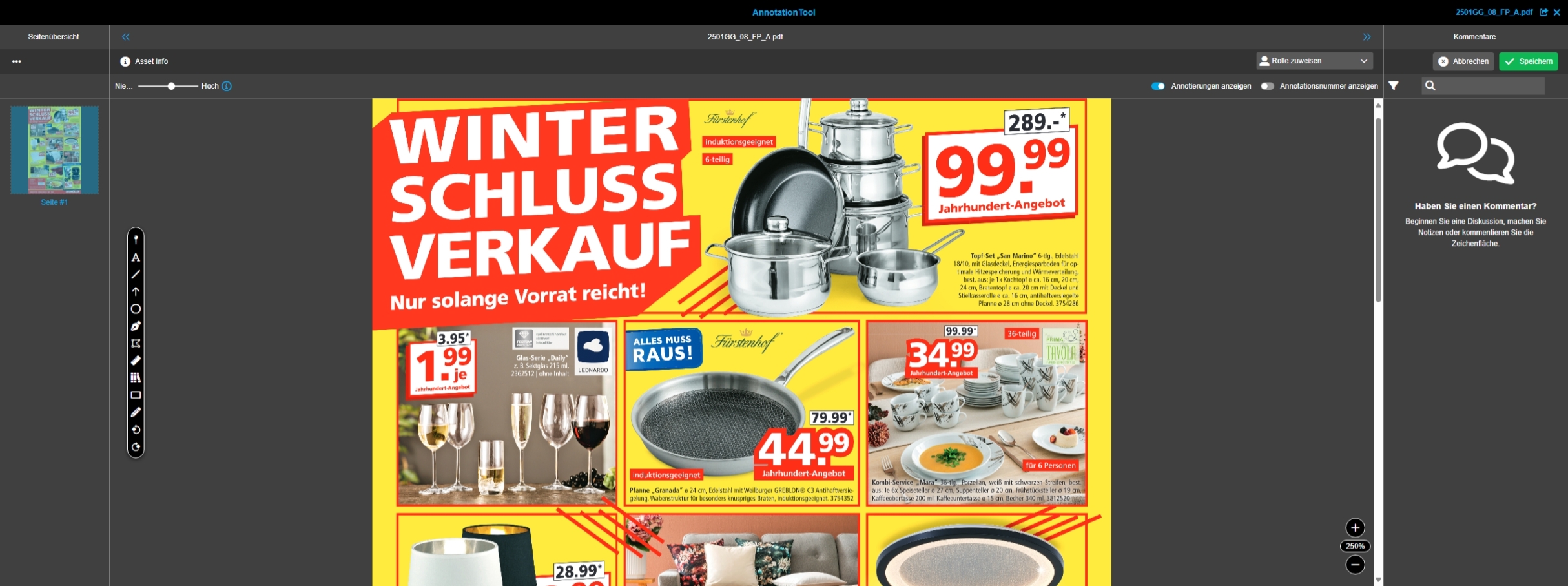
Annotation Tool - Quality indicator for opened asset within Annotation Tool
General Tags |
OG-15562 |
Possibility to set the quality indicator for the opened asset within the Annotation Tool to define individually the asset quality which is shown in canvas
-
the setting is not saved in user-based Settings
| The Setting is only available for PDF |
Annotation Tool - Open Workflow configuration function in Annotation Tool - only use workflows with appropriate execution strategy
General Tags |
OG-15601 |
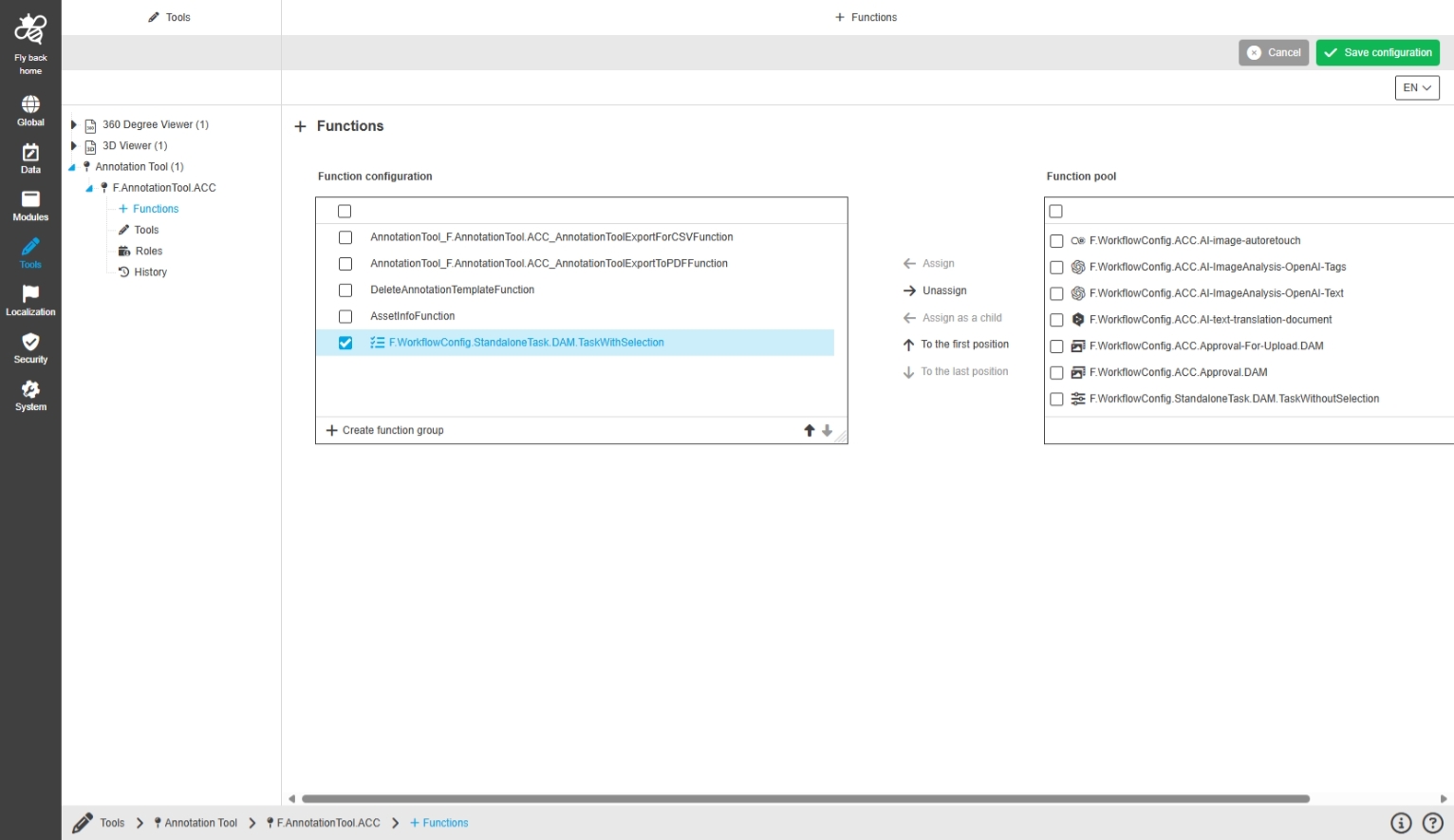
When using WorkflowConfig Functions in Annotation Tool only functions with execution strategy n:N or 1:1 will be shown
-
configured functions in Annotation Tool Configuration
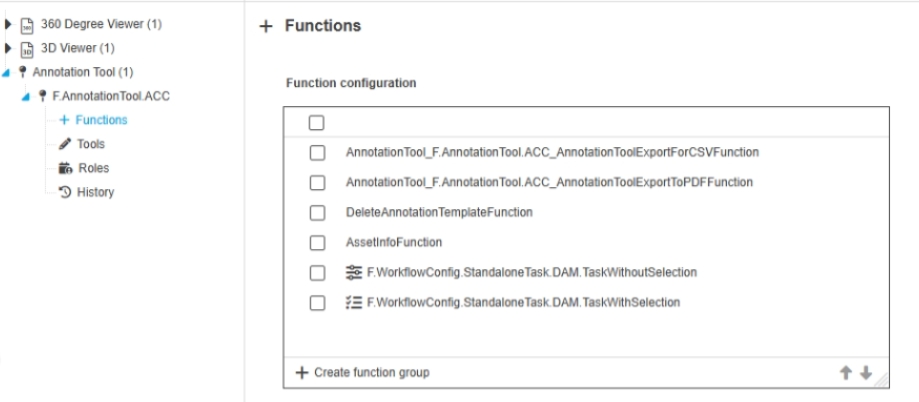
-
configured functions in Annotation Tool

CM
Improvements and Features in OMN CM Module
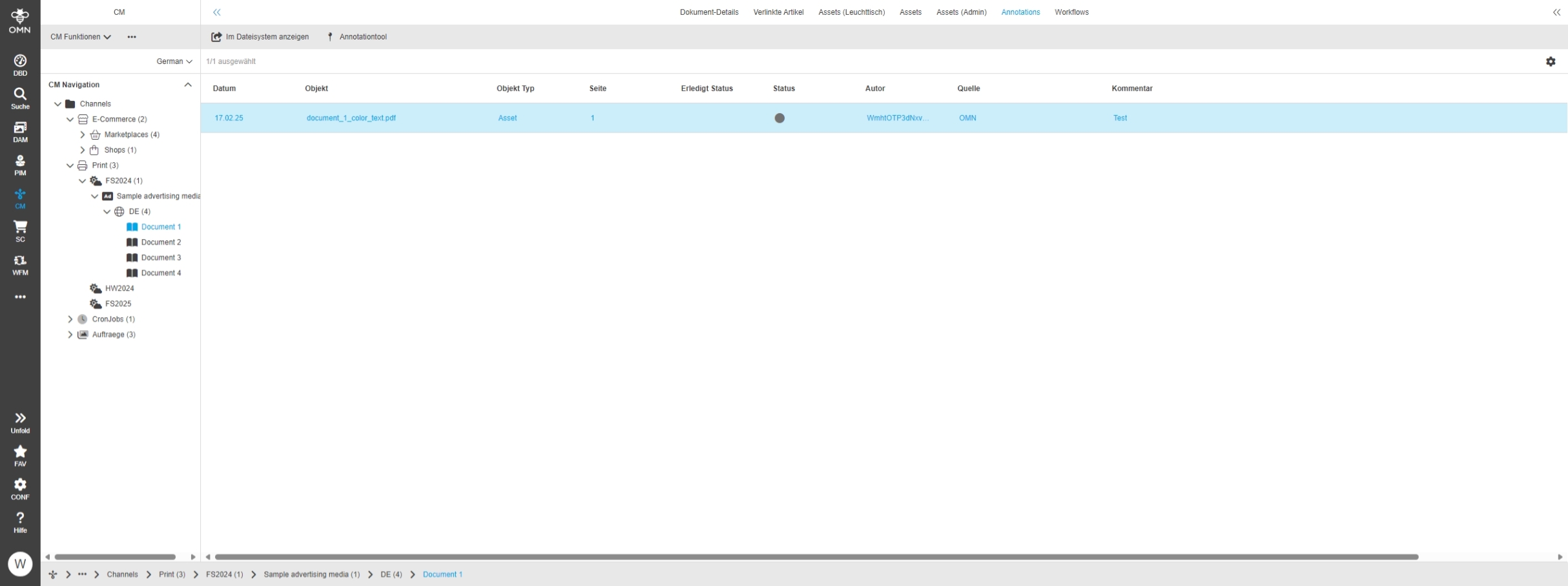
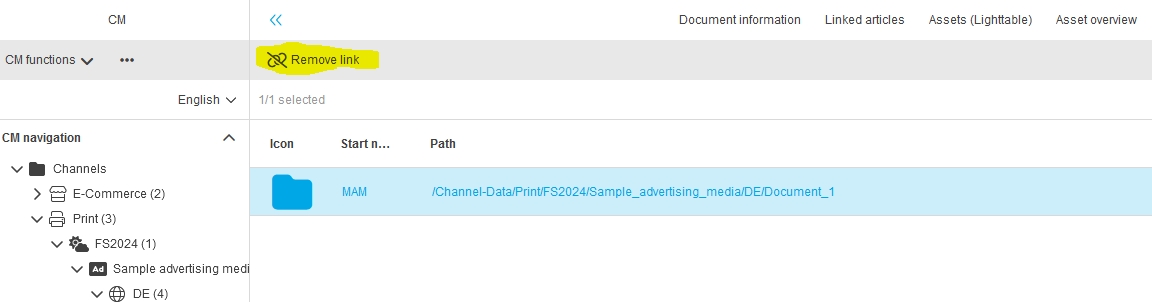
CM - ProjectAnnotationView - Function - Open Annotation Tool
General Tags |
OG-15221 |
Possibility to open Annotation Tool in center view of ProjectAnnotationView for files linked to the project, to check the made annotations in Details
Search
Improvements and Features in OMN Search
Search General
General Improvements and Features in OMN Search
OMN Search - DAM file expression for suffix - Configurable as facet
General Tags |
PIC-736 |
The new DAM Expression Object: Suffix can now be used as facet in OMN Search, when configured
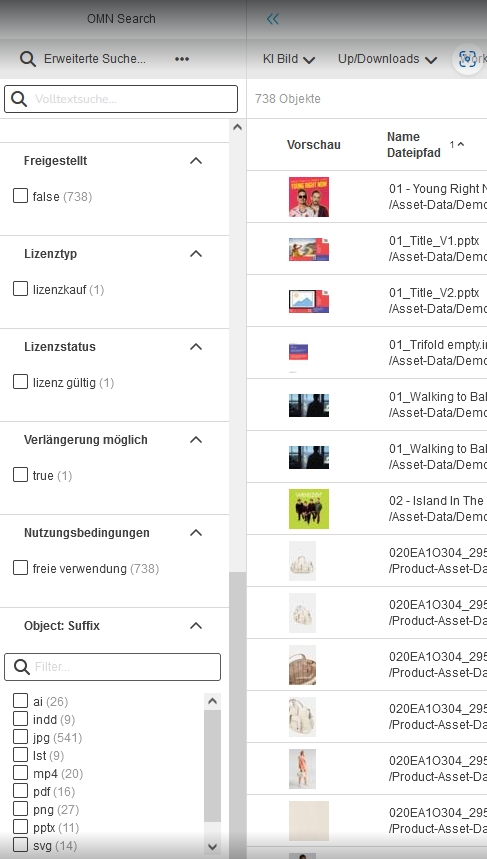
Allow more than 10 facet values in OMN Search
General Tags |
OG-15355 |
Possibility to see all facets for an attribute/expression in the OMN Search result page, so that the user can execute my search with all possible facets
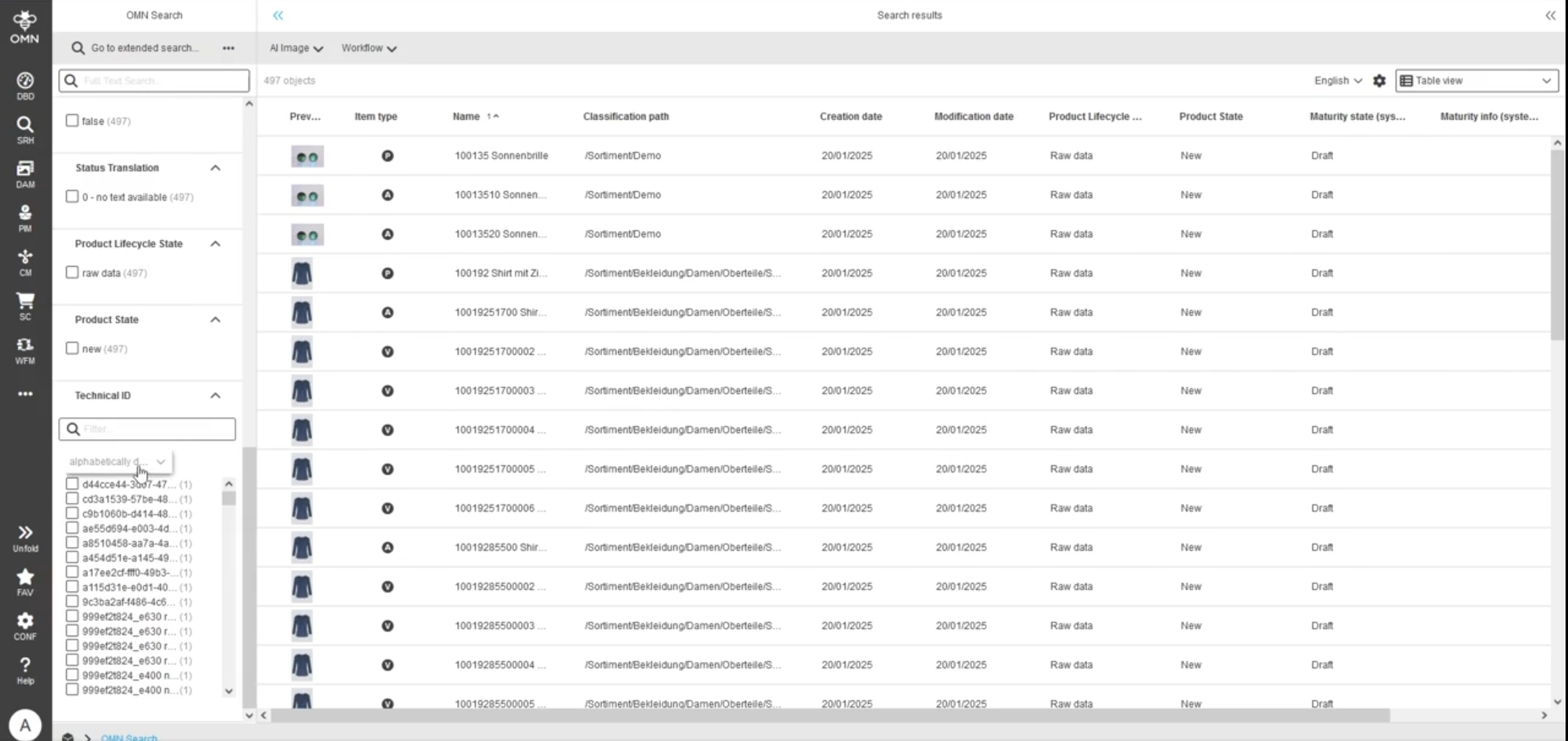
OMN Search – Extended Search by keywords - Improvement - searchable keyword structure selection
General Tags |
OG-15329 |
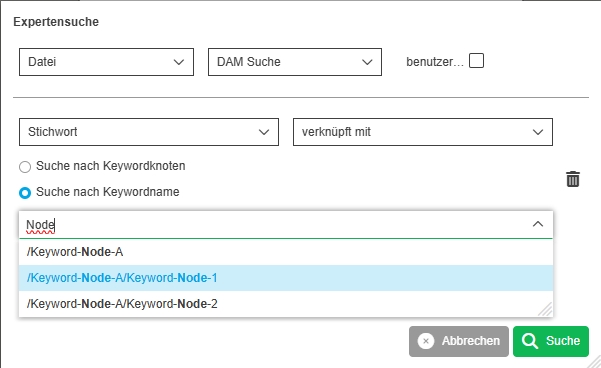
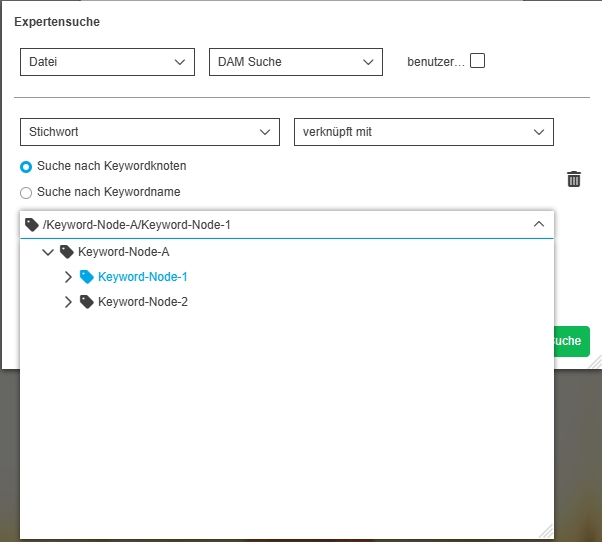
Possibility to search for specific keywords in extended searches with 2 modes
-
Search for Keyword node name
-
Select Keyword-Node from Keyword-Tree
Searches over Elasticsearch - Show total amount of objects in search center result page statusbar
General Tags |
OG-15538 |
Base-Requirement |
OR-1742 |
Possibility to see the total count of found objects in OMN Search result (using Elasticsearch), so that the user knows how many matching assets
-
the total hit Count must be configured
-
the total hit Count number is only shown if the search result exceeds the number of objects, which can be displayed by ES (higher than 10.000)
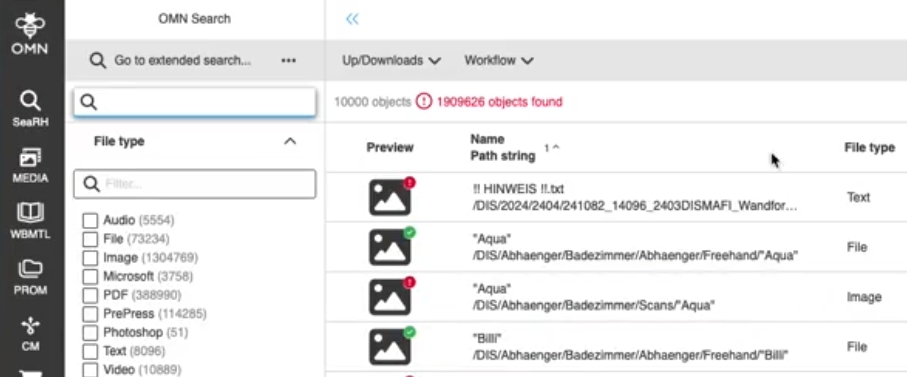
For the TotalHitCount Calculation, the OMN property es.search.maxTrackTotalHits must be enabled and set to a number that comes close to a maximum number of hits eg. 1.000.000.
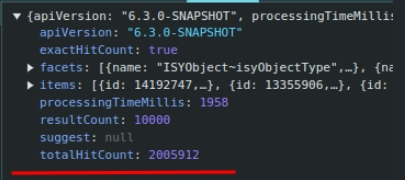
OMN Search - Improve performance when loading search results
General Tags |
OG-15501 |
Small Improvement when loading the page layout of the search page
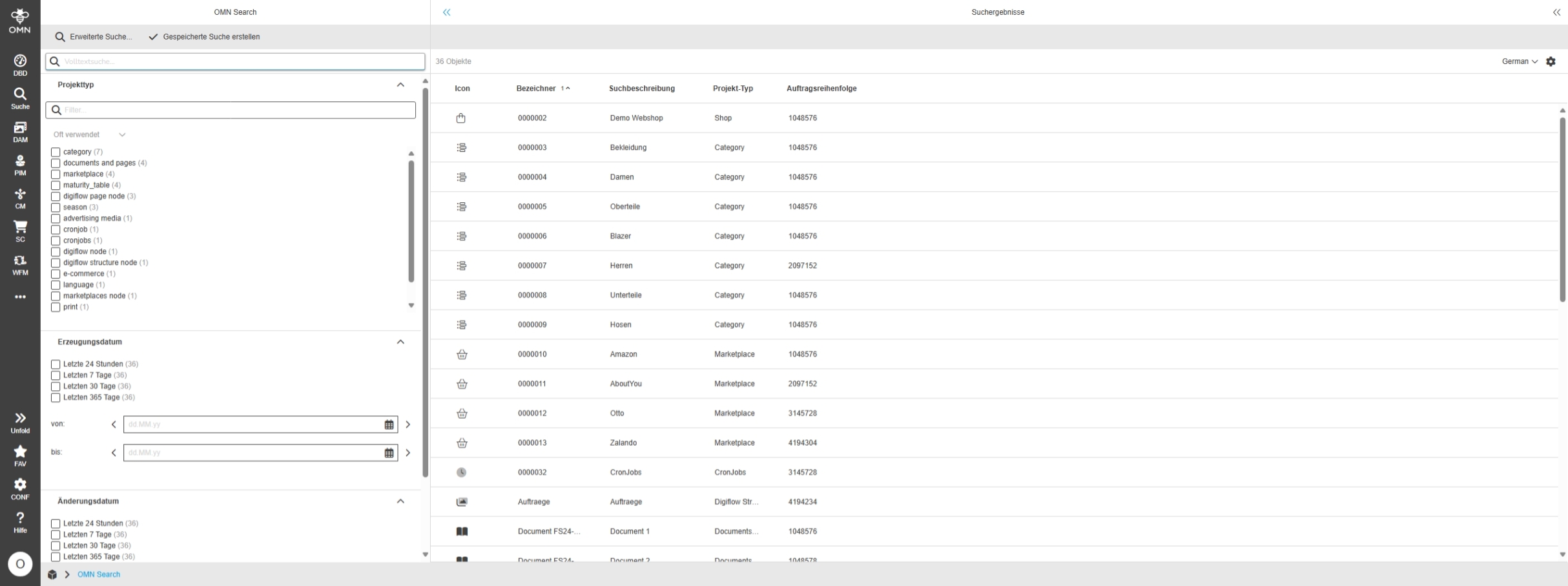
Advanced Search - Visualization of DAM label attributes (new dam attribute data type) - Facet and Search criteria
General Tags |
OG-15177, OMN-11098 |
Possibility to search for label attributes in advanced search to find assets have been maintained with a certain label attribute value
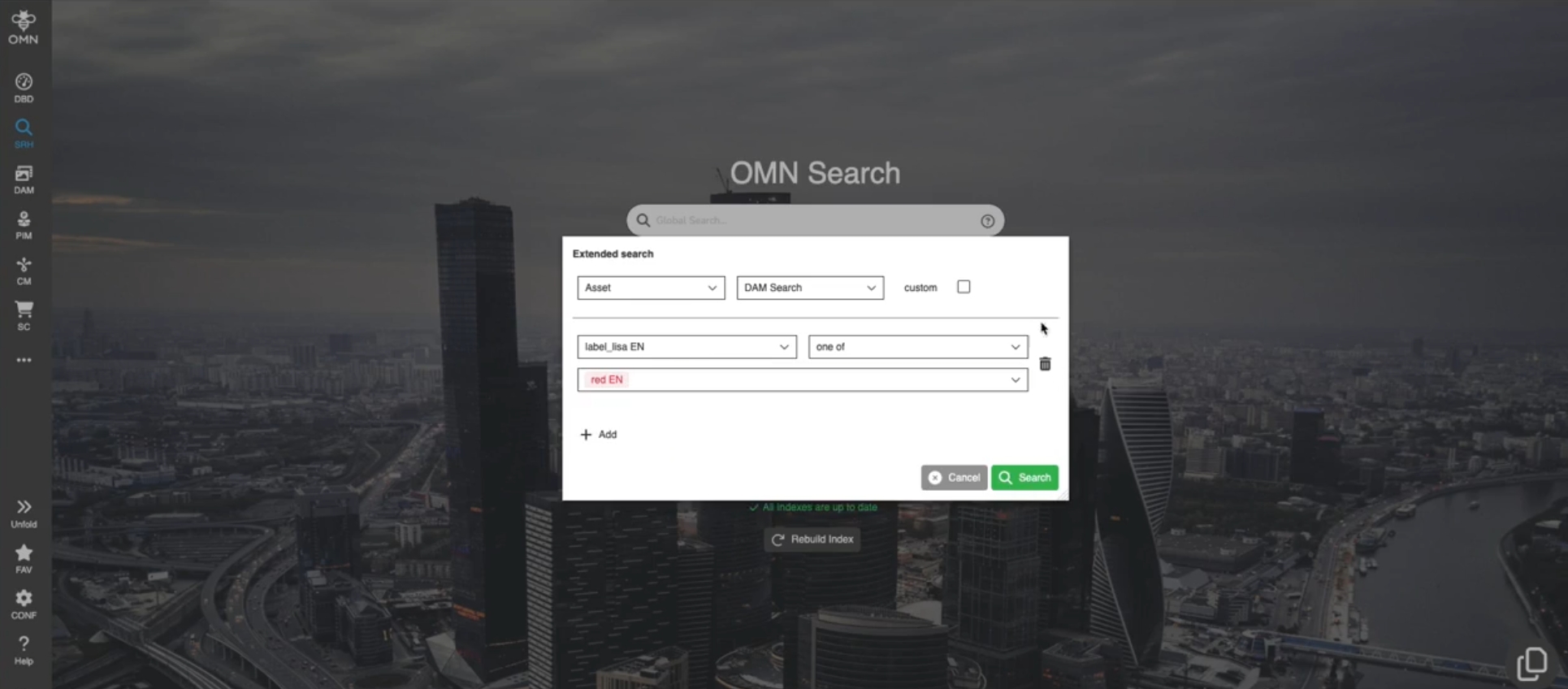
Form-based Search - Visualization of DAM label attributes (new dam attribute data type) - Facet and Search criteria
General Tags |
OG-15178, OMN-11099 |
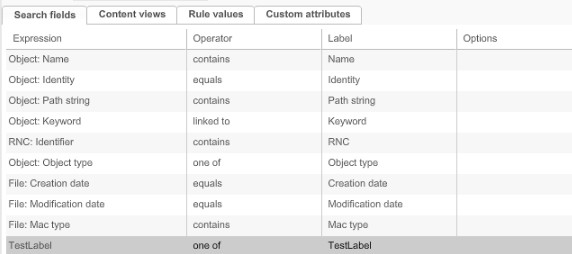
Possibility to search for label attributes in form based search to see which assets have been maintained with a certain label attribute value
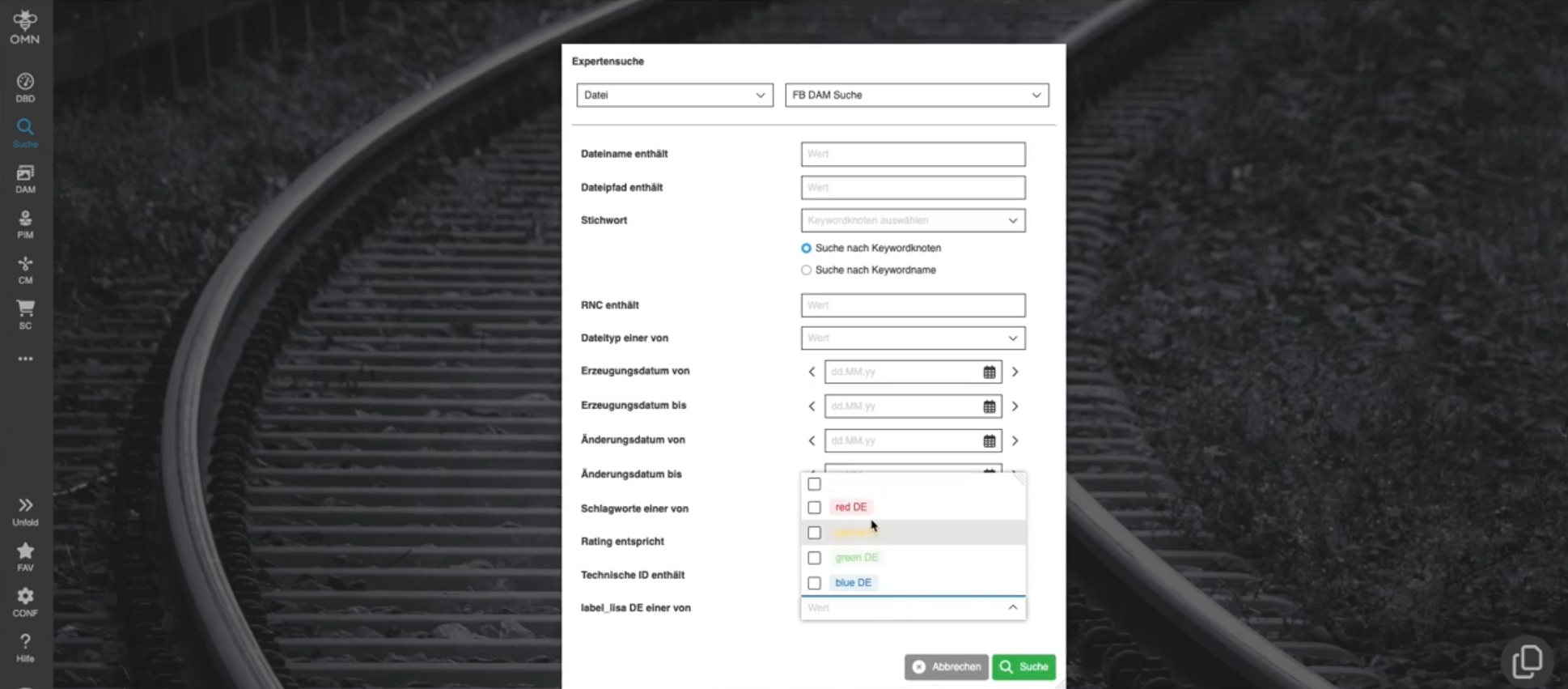
-
configuration: add label attribute to Search
Duplicate Search
Base-Requirement |
OR-1707 |
Improvements and Features in OMN Duplicate Search
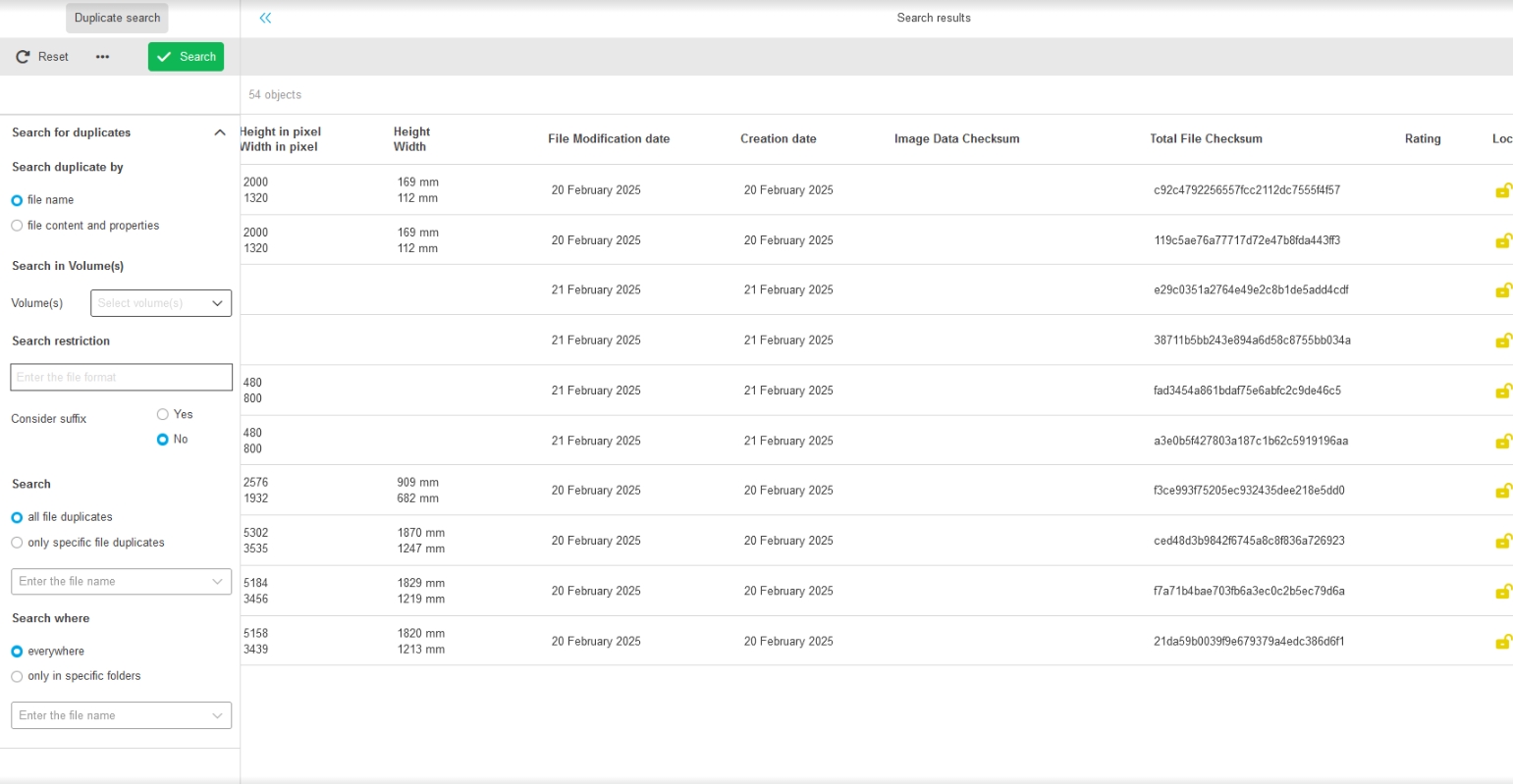
Duplicate Search over Elasticsearch
General Tags |
PIC-741 |
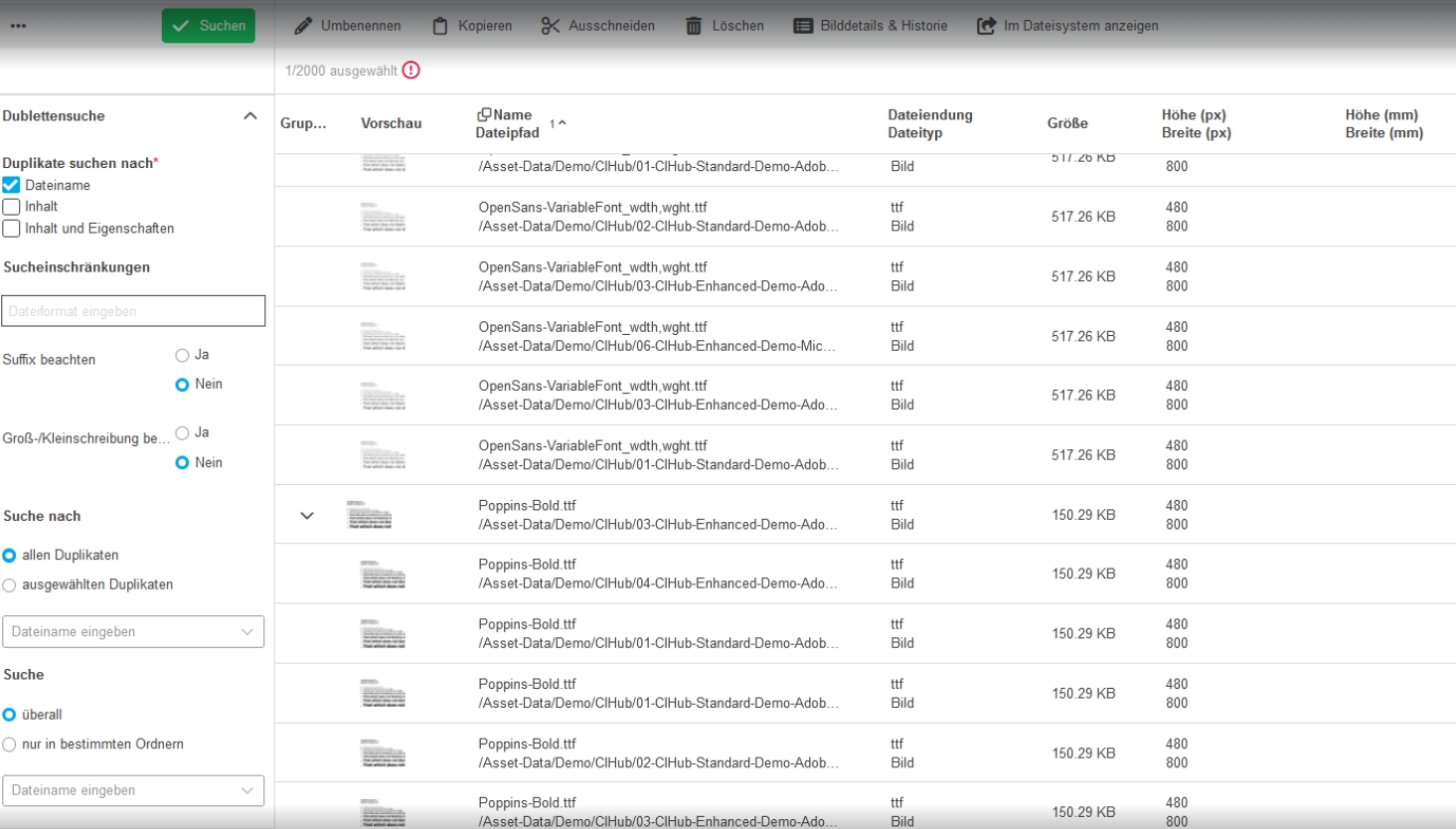
Duplicate Search is now based on Elasticsearch instead of Database to have more Performance when search for duplicates
Duplicate Search - Left View - UI shows search filters as configure
General Tags |
OG-15448 |
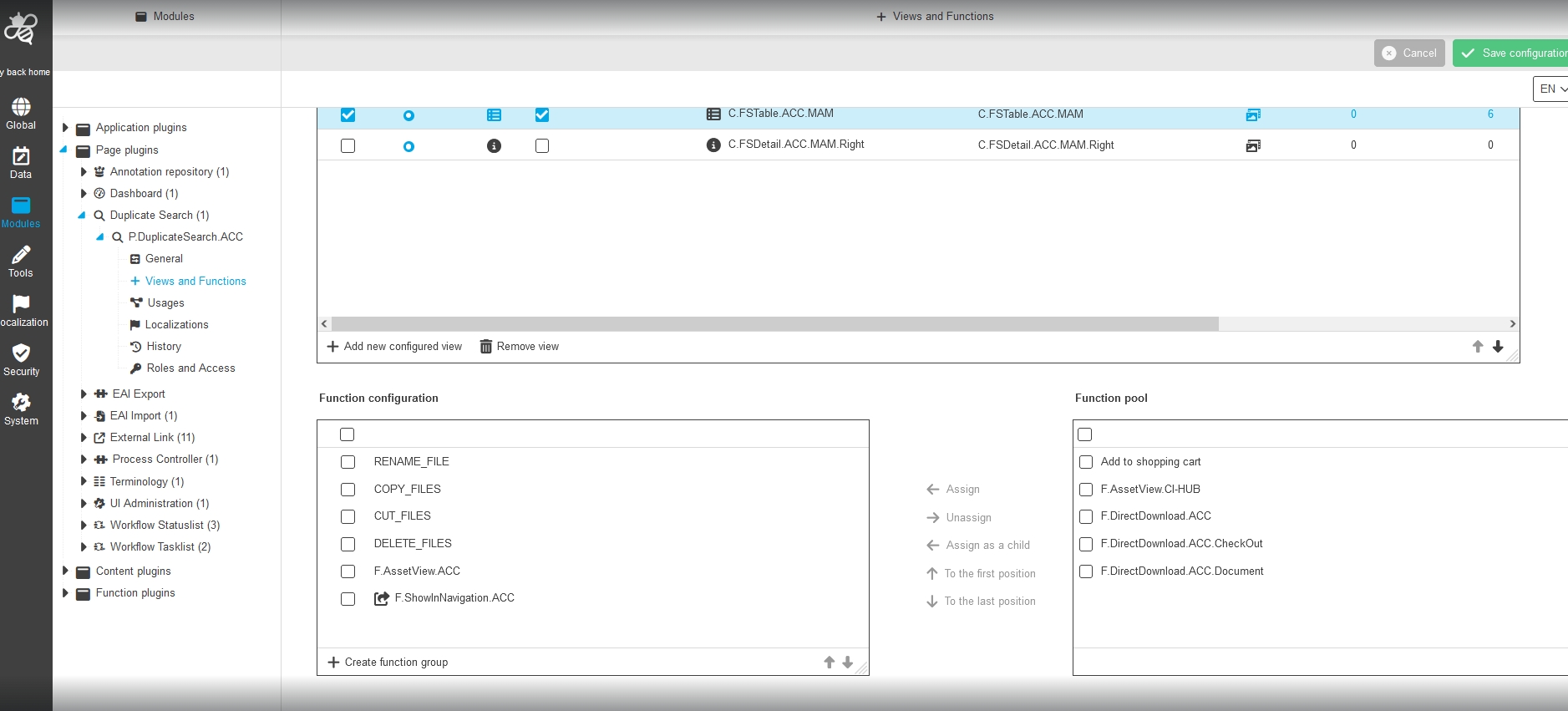
In Former Version Duplicate Search had hardcoded Parameters. In this Version the user will on.y see search filters in the left view of duplicate search, which are configured in new Configuration Client
-
Frontend
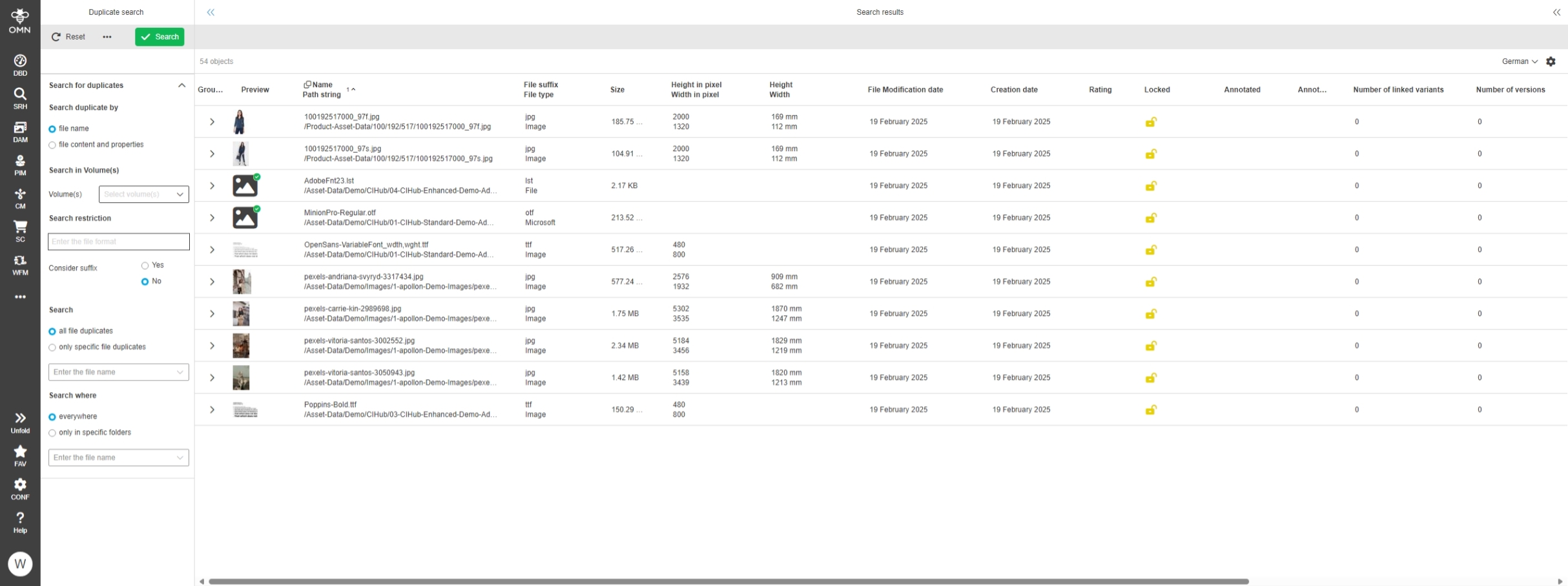
-
Configuration
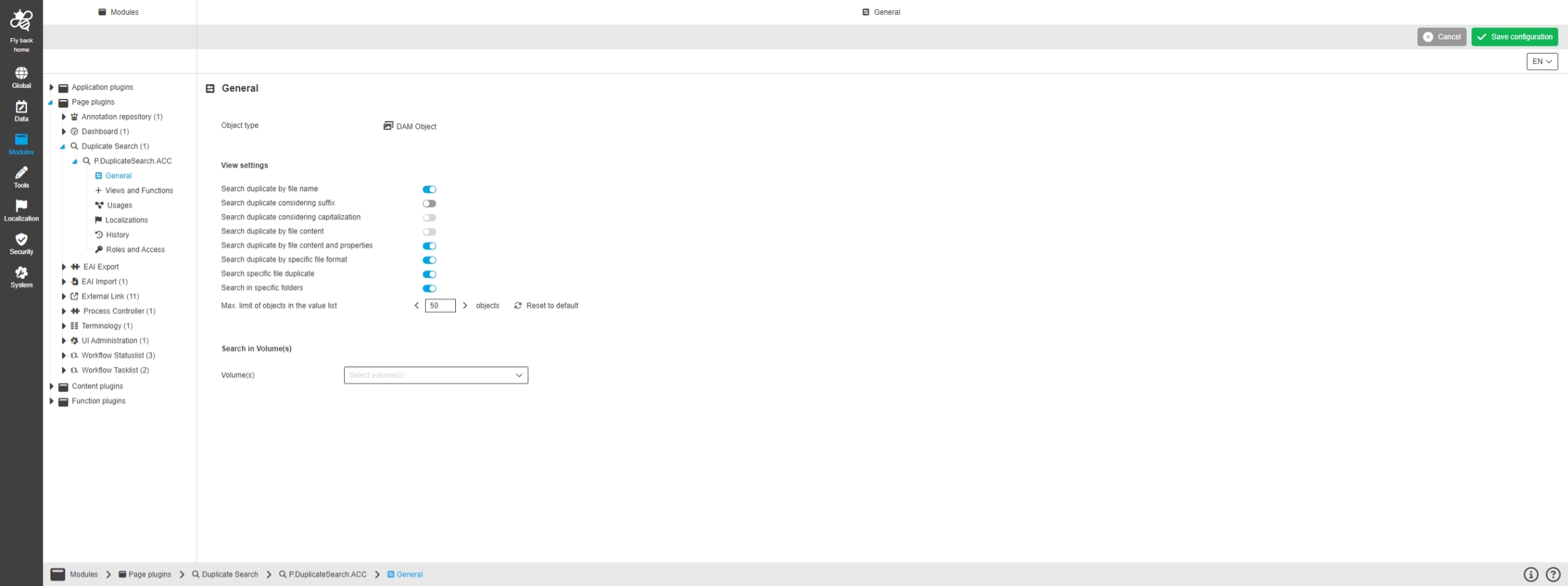
Duplicate Search - Remove Paste function usage from Duplicate Search plugin
General Tags |
OMN-11332 |
The Paste function is no longer available in Duplicate Search Plugin because the Use Case to paste an asset into search result is invalid
Duplicate Search over Elasticsearch - Sorter and Filters
General Tags |
PIC-743 |
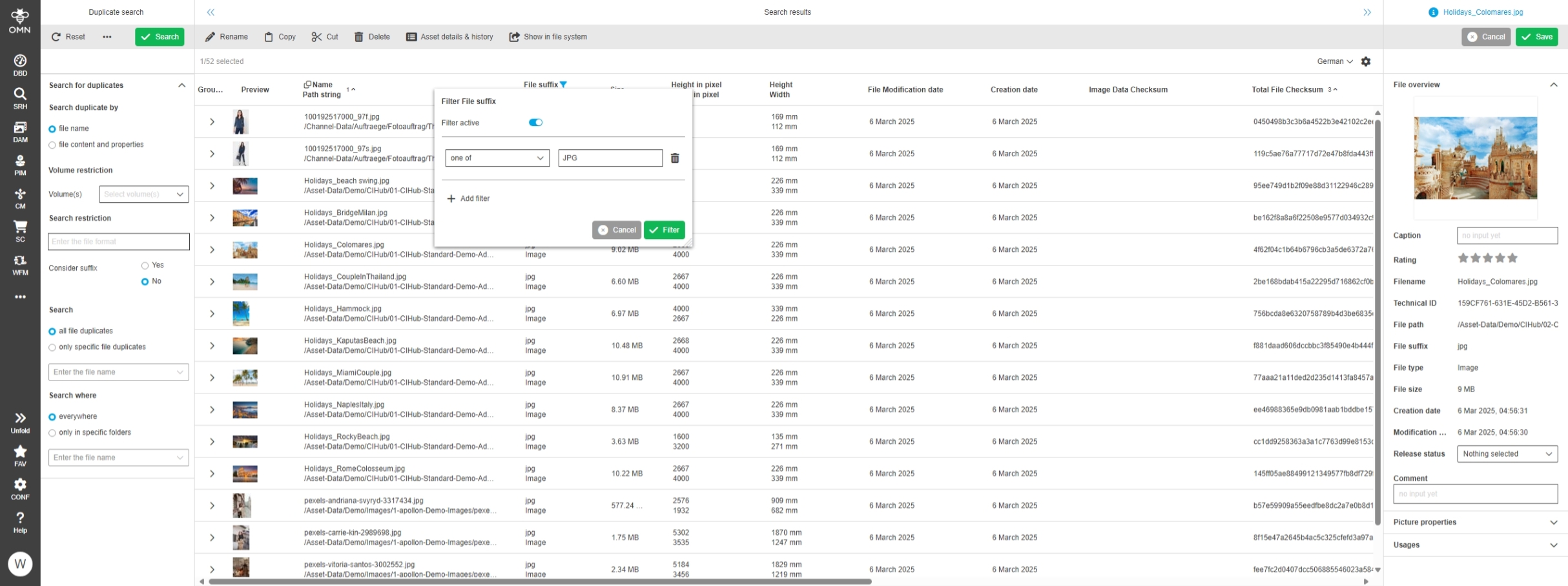
Duplicate Search allow sorting and filtering now on base of Elasticsearch implementation
Duplicate Search - RNC filters based on Elasticsearch
General Tags |
PIC-748 |
RNC filters are introduced and its logic are implemented with Elasticsearch on backend.
Duplicate Search - Search duplicate by - Improvement for no combination and default grouping in center view
General Tags |
OG-15498 |
New improved default grouping logic in Duplicate Search which related to the search option
-
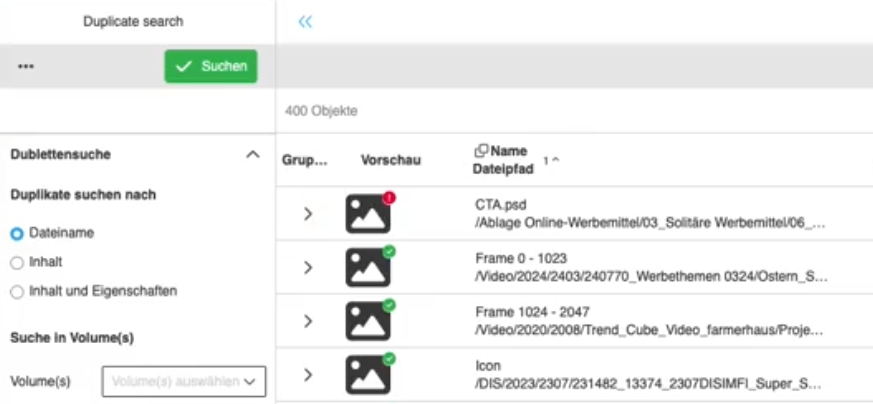
for "Search duplicate by file Name": Table grouped by asset Name
-
for "Search duplicate by file Content": Table grouped by image checksum
-
for "Search duplicate by file content and properties": Table grouped by total file checksum
Duplicate Search - Grouping and pagination with Elasticsearch
General Tags |
PIC-751 |
New Duplicate Search based on Elasticsearch allows using pagination and continuous scrolling view setting in central table in duplicate search
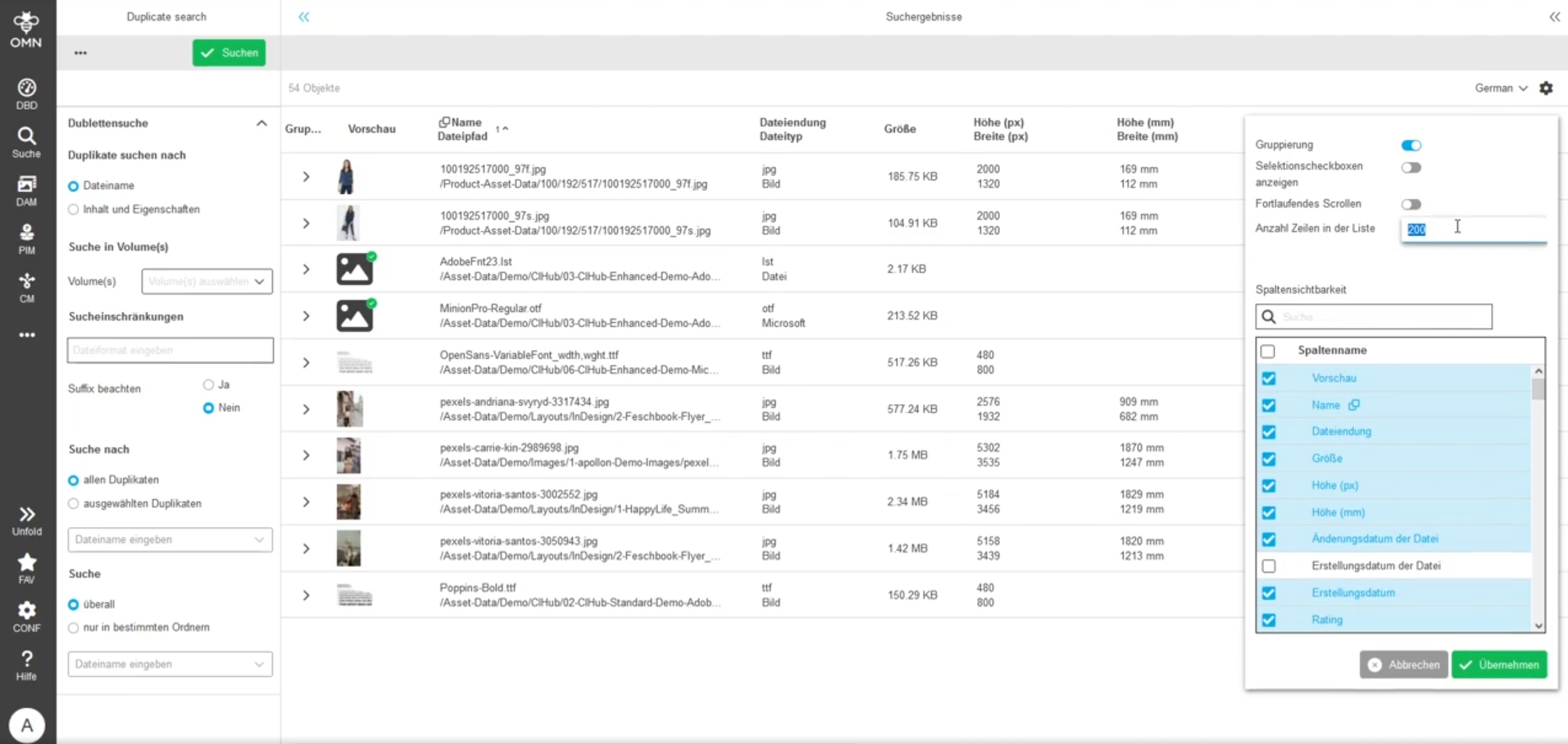
Duplicate Search - Improvements for search in specific folders
General Tags |
OG-15513, OMN-11392 |
Improvement to search in specific Folders of the Filesystem for duplicates
-
in Former versions this feature was already available, but it was only possible to select few folders, so it was not possible to select certain folders on large filesystems containing many folders
-
this is improved in this Version
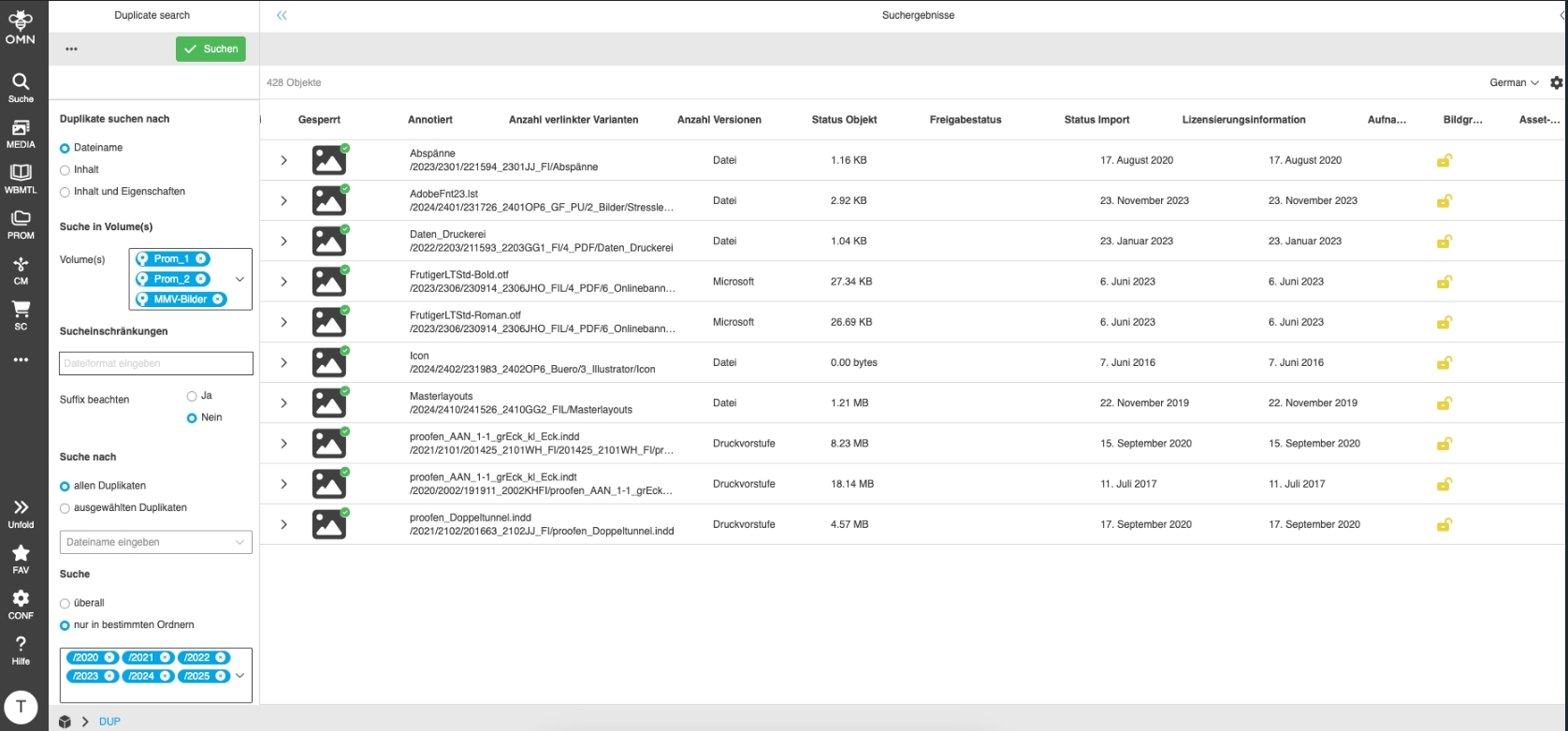
Duplicate Search - Localization adjustment for Search in Volume(s)
General Tags |
OG-15574 |
Improved localization of new Search option in Duplicate Search to restrict volumes where duplicates will be search to better understand, that search option will restrict volumes where duplicates will be searched
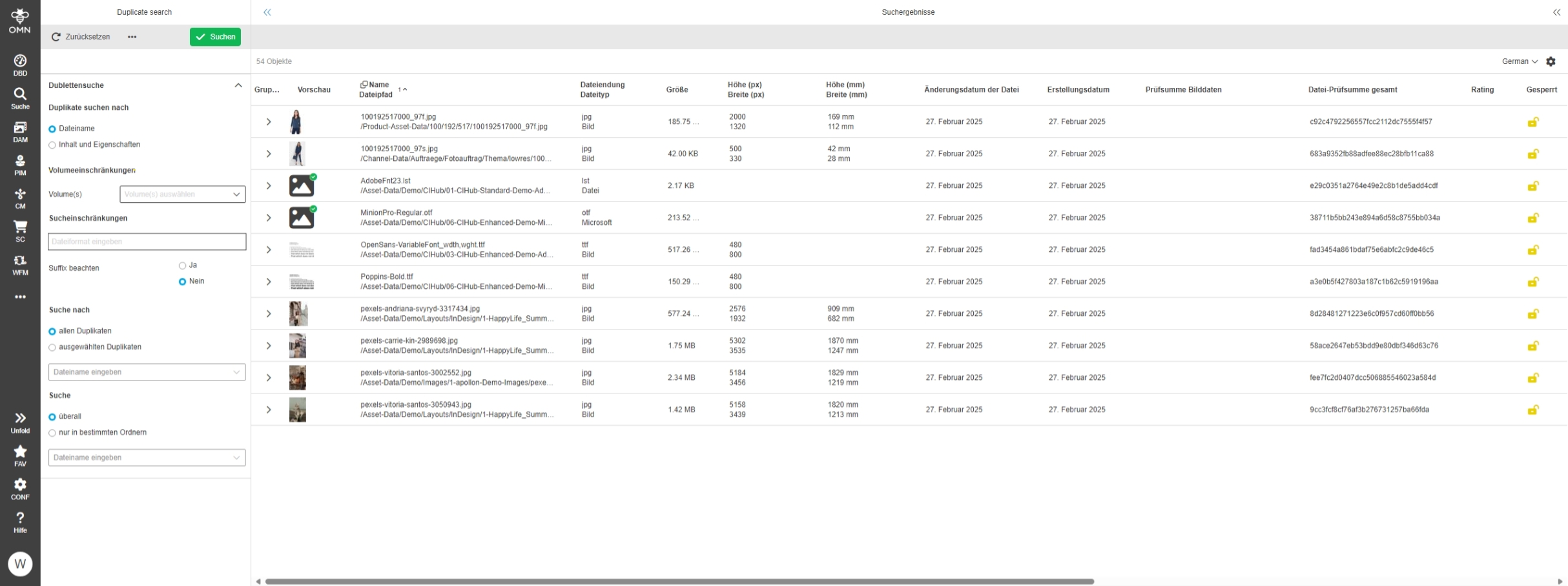
Duplicate Search - FSTable - Display of Counter and limitation
General Tags |
OG-15591 |
Display of a special message if not all results are displayed in a duplicate search due to technical limitations / configuration settings
This message is displayed if
-
the result has more duplicates / duplicate groups than can be returned
-
if the number of elements in a duplicate group exceeds the configured limit (the limit can be set in the user settings)
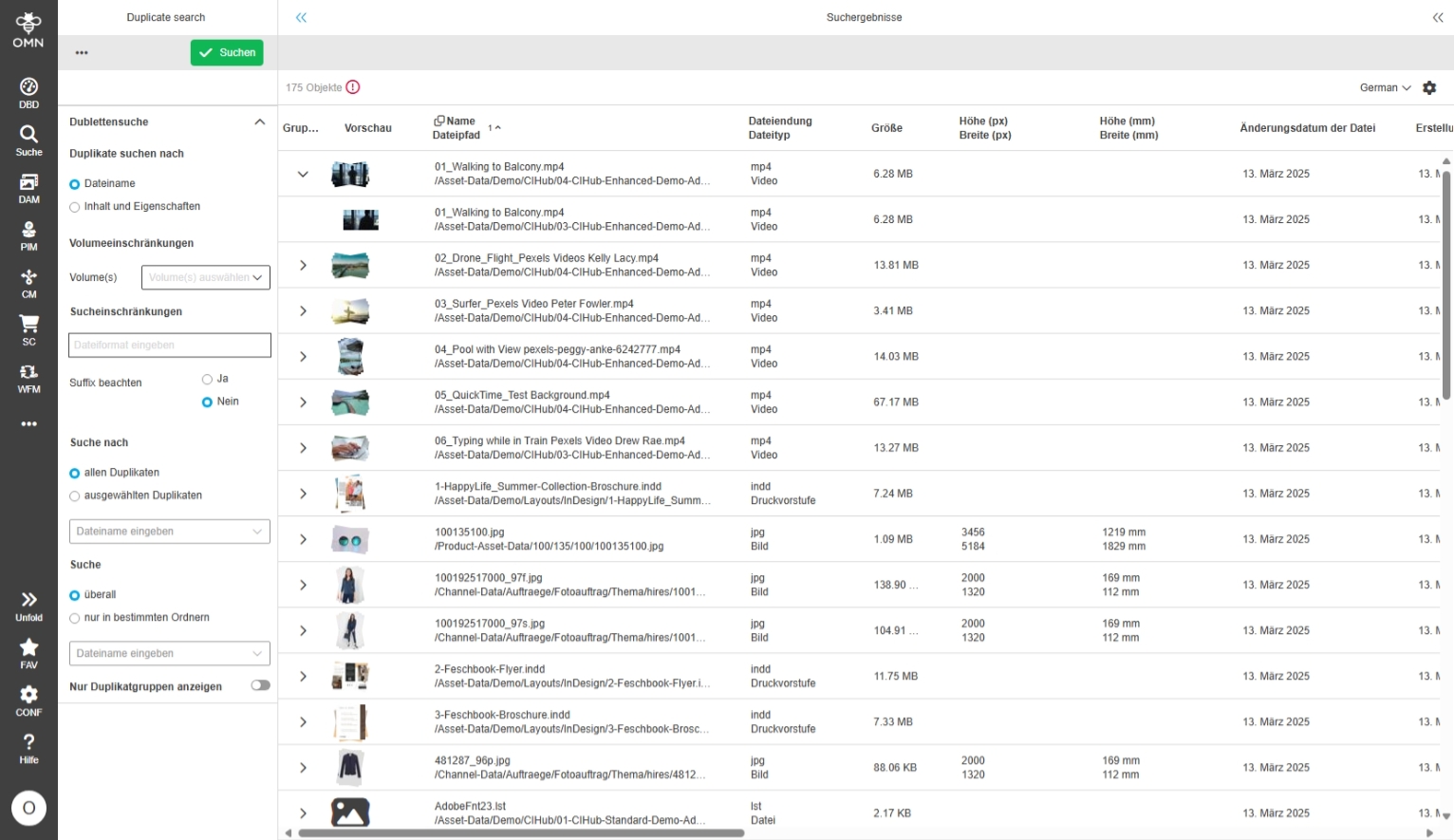
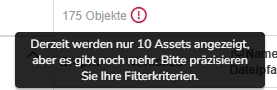
Duplicate Search - FSTable - inactive 'Show only groups' mode - Visualization if max. amount of items within group is exceeded
General Tags |
OG-15589 |
Possibility to recognize in the Table View of Duplicate Search if the nesting duplicate search result is not completely shown due technical limits, so that is clear for the user
-
the number of elements below a group can be set in the user settings
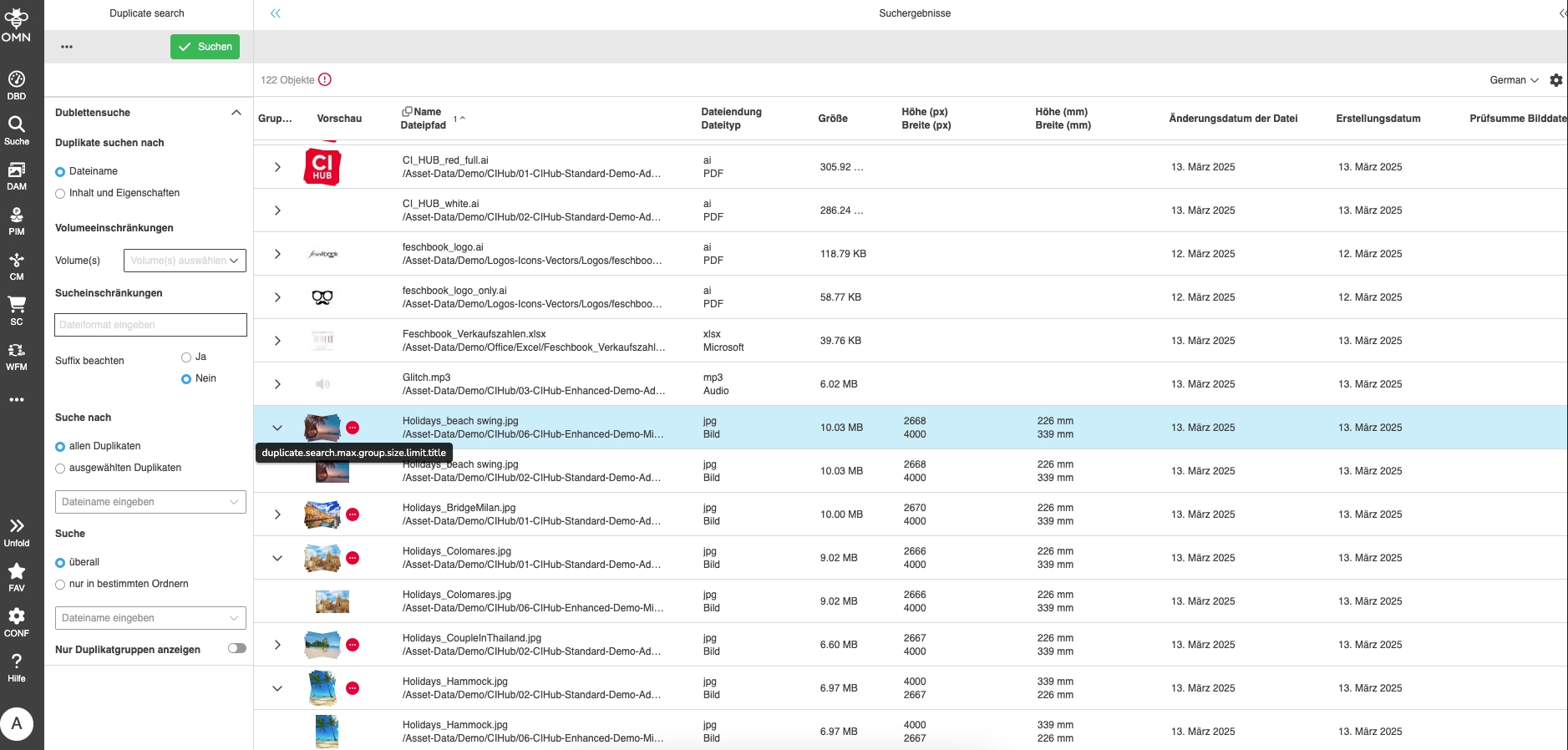
-
Setting for the number of elements within a group
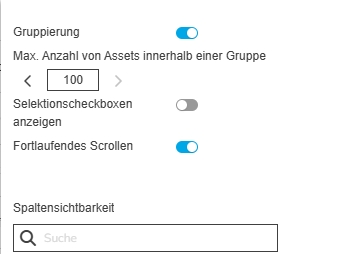
Duplicate Search - FSTable - Behavior if 'Show only groups' mode is active
General Tags |
OG-15585, PIC-758 |
Possibility to see only groups (means no nesting) in Duplicate Search, to indicate for which file names, content, content and properties there are duplicates available on my System
-
it is possible to search for the corresponding assets in a separate tab for a duplicate group using a new function
-
it is possible to switch between grouping mode and non-grouped mode if this is enabled by configuration
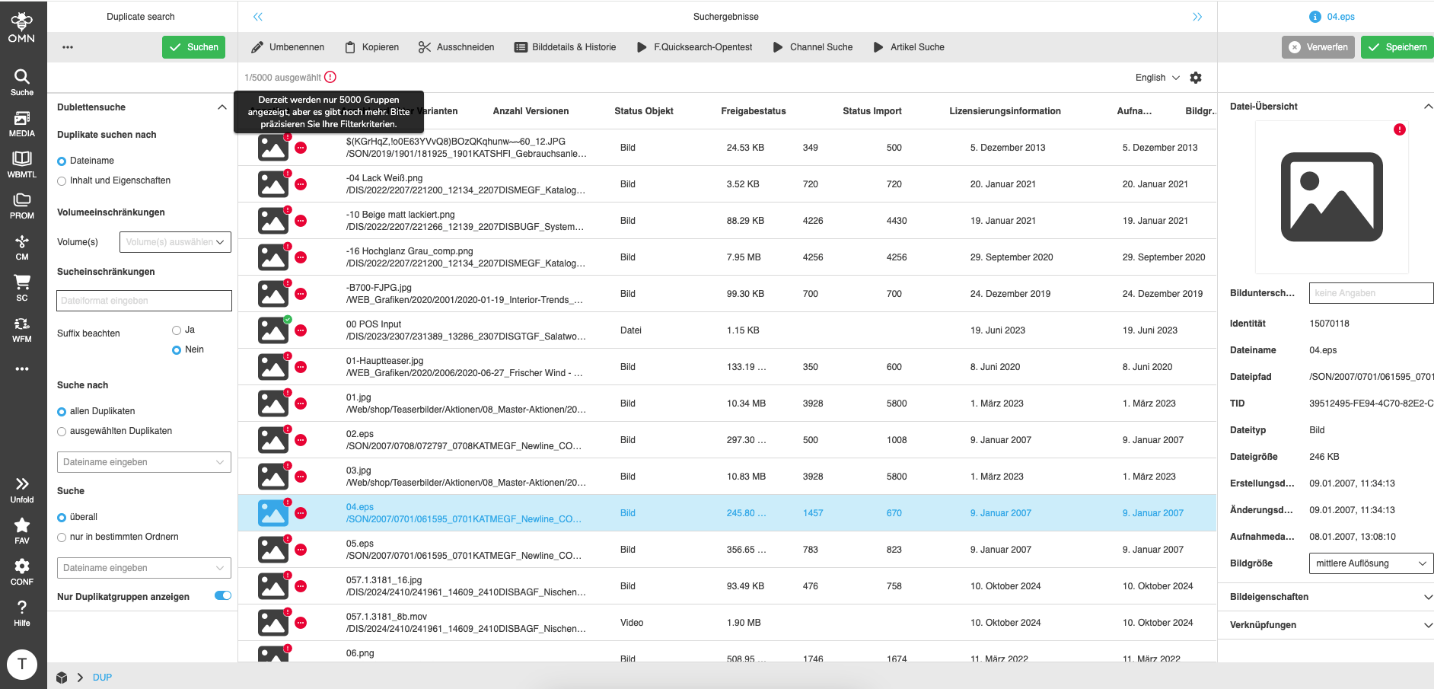
Duplicate Search - FSTable - Behavior if 'Show only groups' mode is inactive
General Tags |
OG-15588, PIC-757 |
Possibility to see found duplicates as nested search results in my duplicate Table, to be able to check the assets which are grouped together in the search result directly based on new advanced User Settings controlling the max amount of items within a group
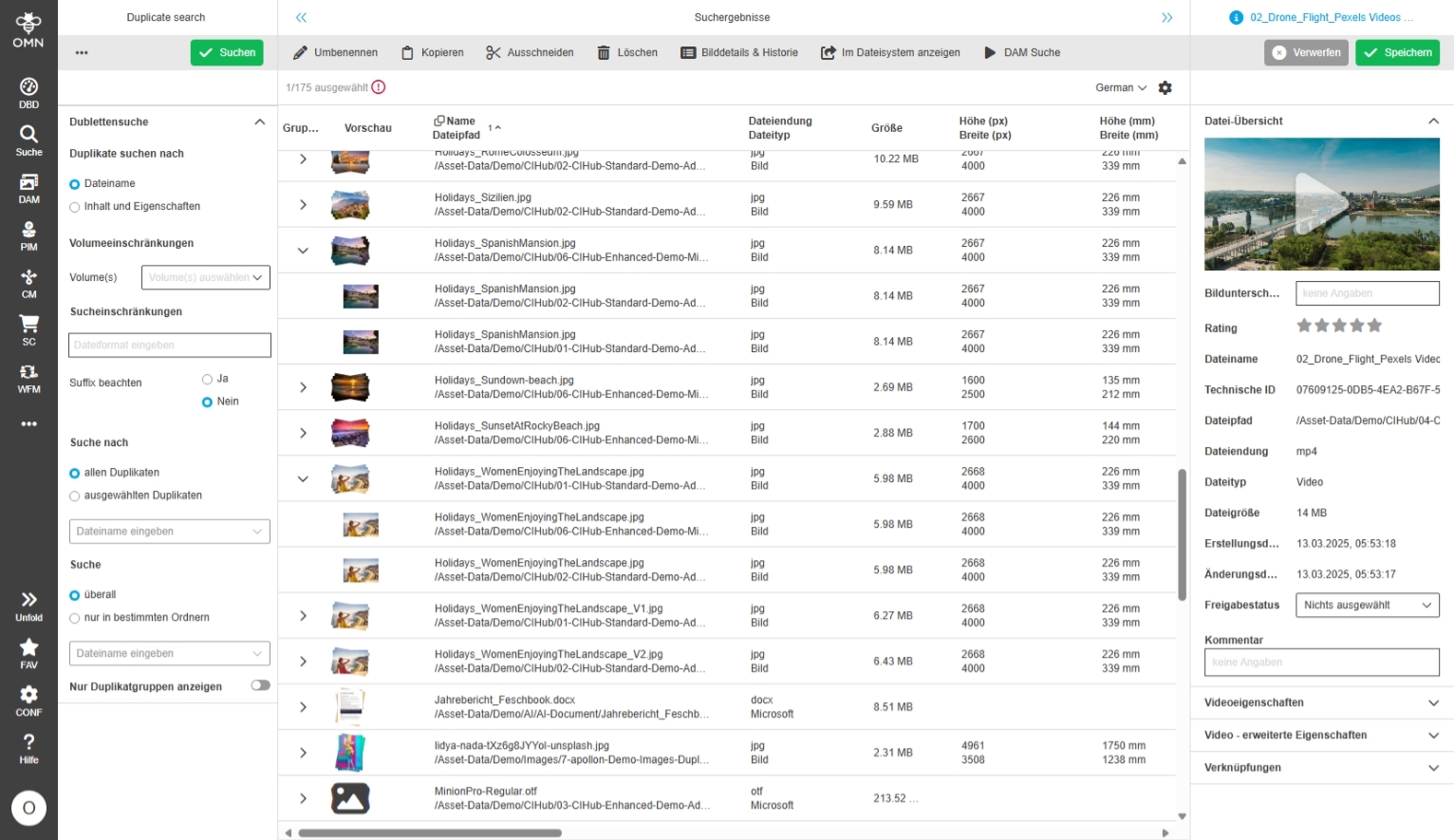
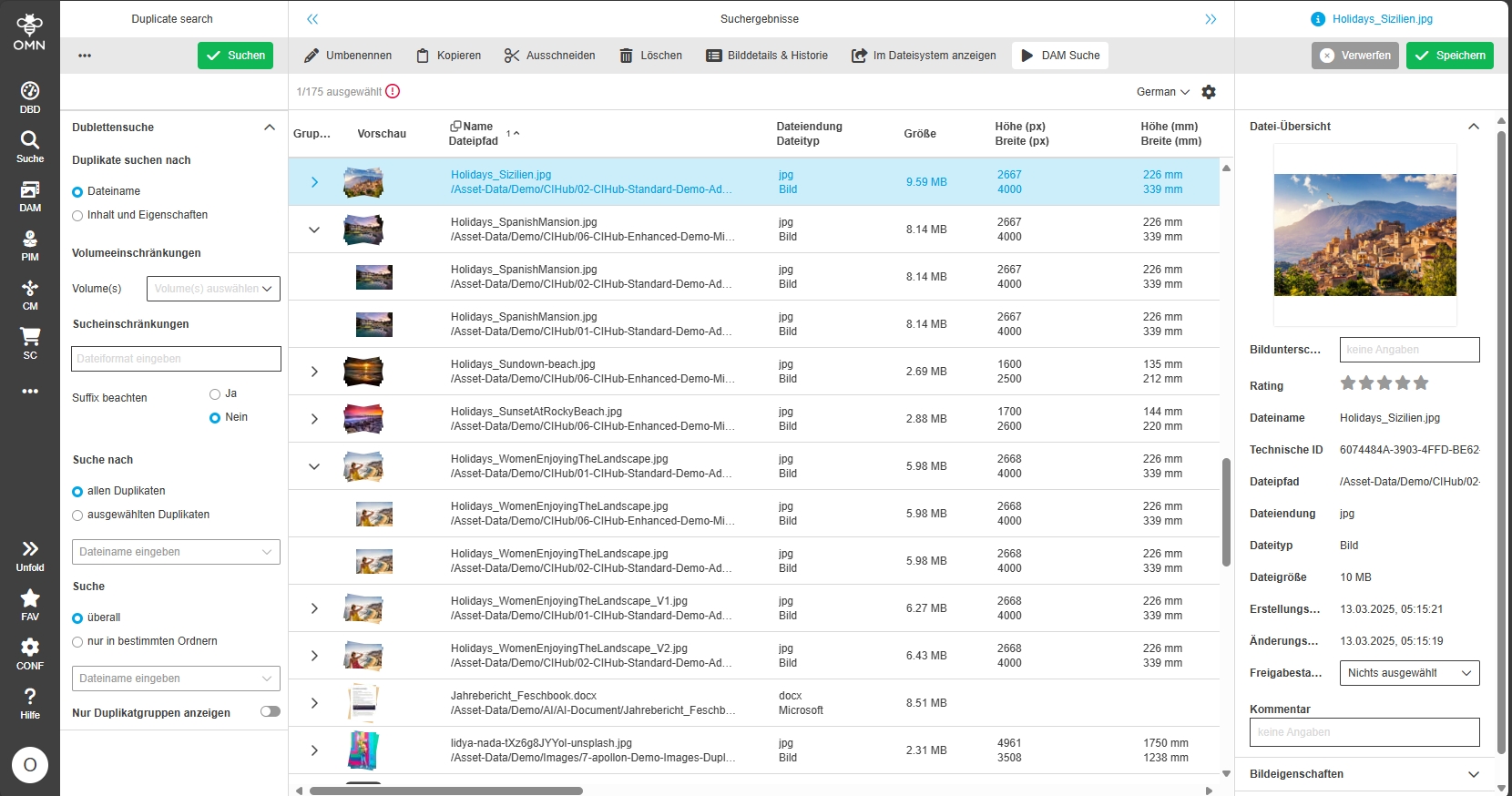
Duplicate Search - Open Search Selected duplicate from Duplicate Search Result in OMN Search to see related duplicates in more detail
General Tags |
OG-15592 |
Possibility to have the option of continuing to work with the search result from the duplicate search and to view the associated files in OMN Search for a selected duplicate found on base f new function
Workflow
Improvements and Features in OMN Workflow Module
PDT
Improvements and Features in OMN Workflow PDTs (Predefined Tasks)
Read Variables from local scope in WFLs PDTs
General Tags |
OW-982 |
The TaskUtil Helper is Extended to read per default from local scope
-
Camunda Variables from the execution context should be read from the local variable scope only.
-
This is to avoid clashes with variables of the same name on the global scope
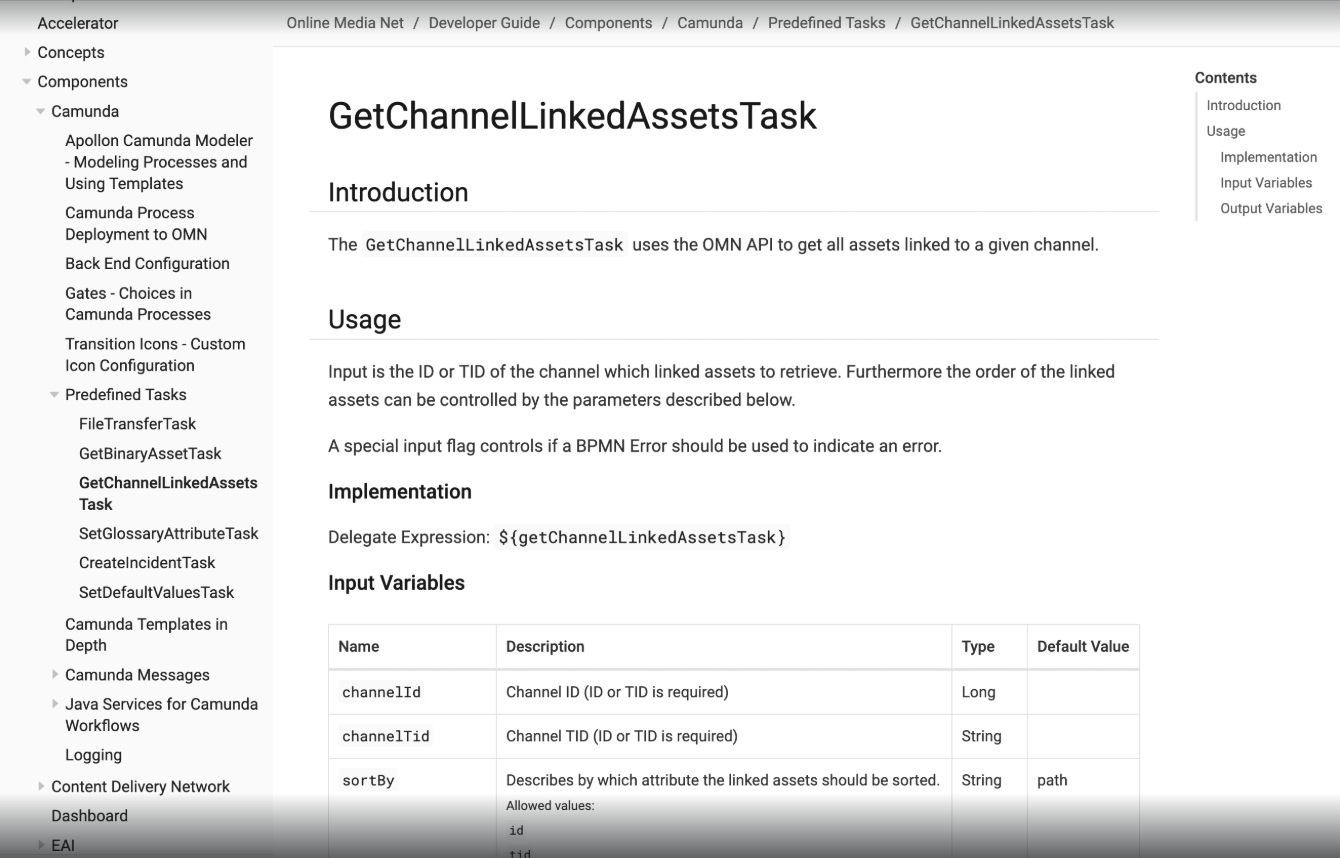
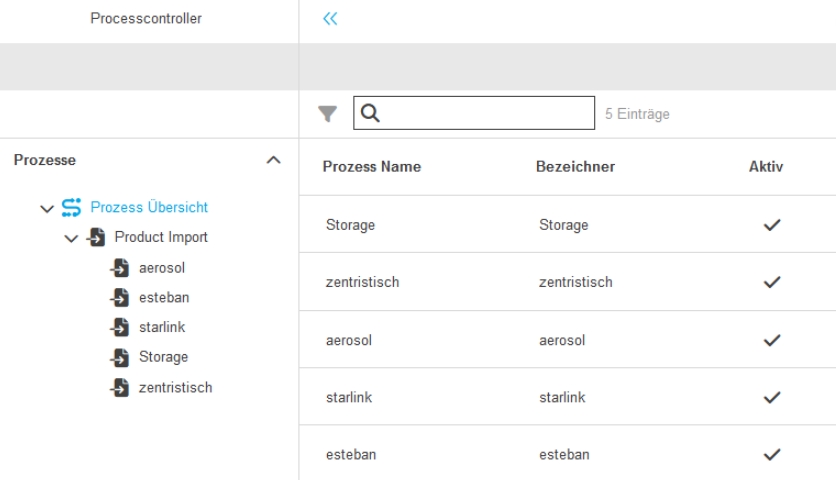
PDT to read Channel linked Assets
General Tags |
OW-988 |
New PDT for use in Camunda Workflows to read Channel linked Assets
For more Information see related documentation
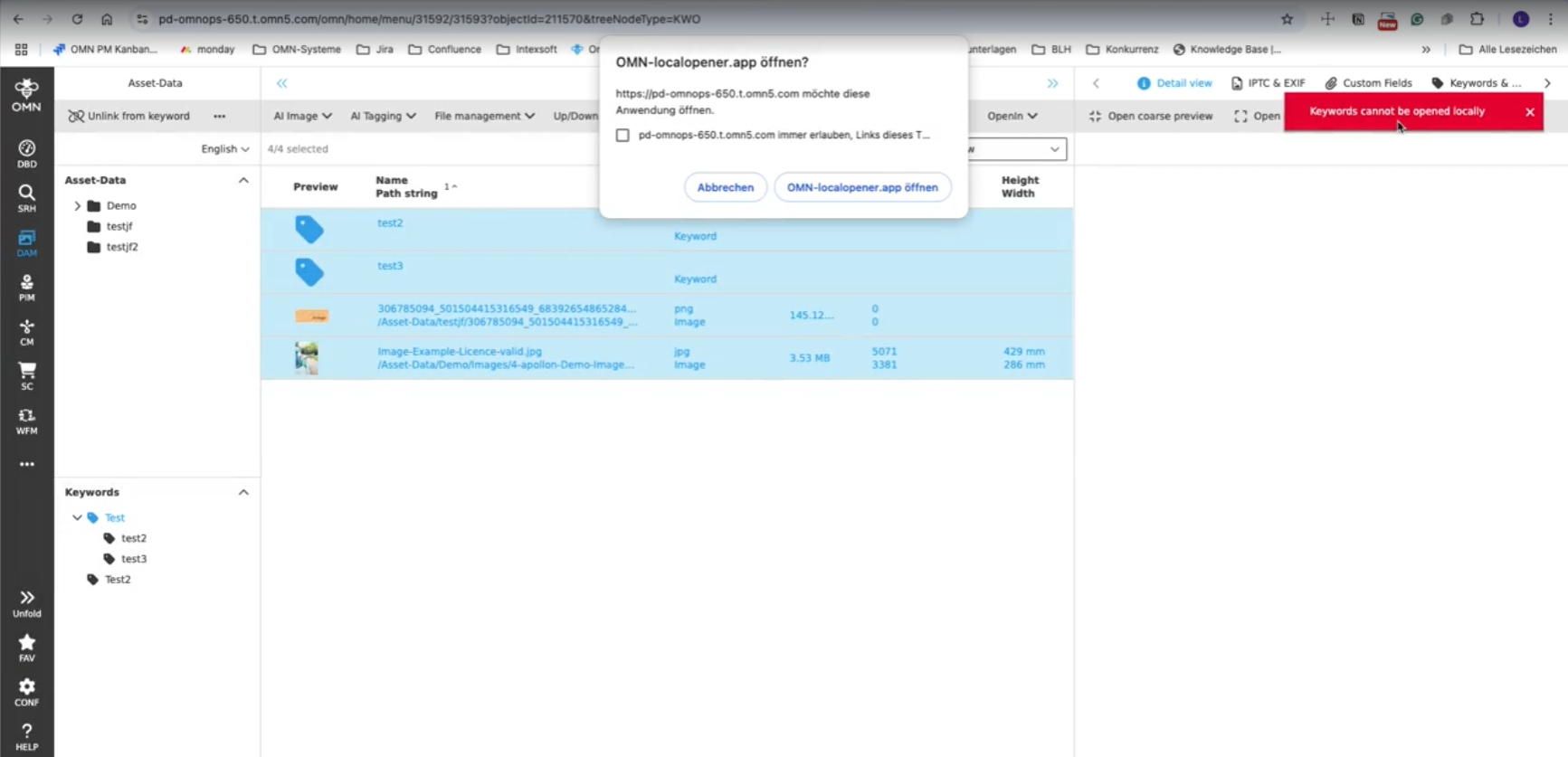
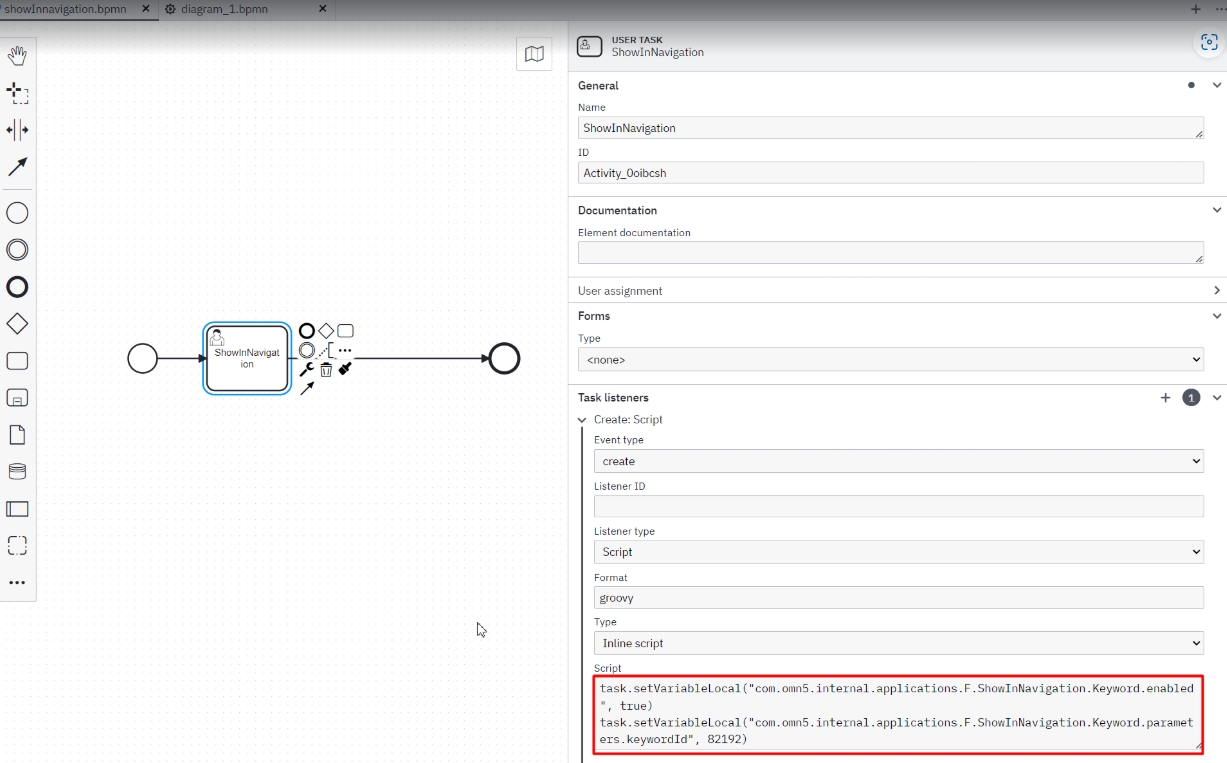
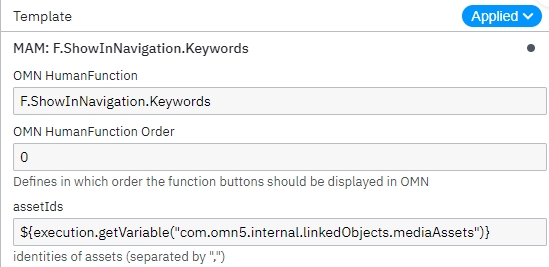
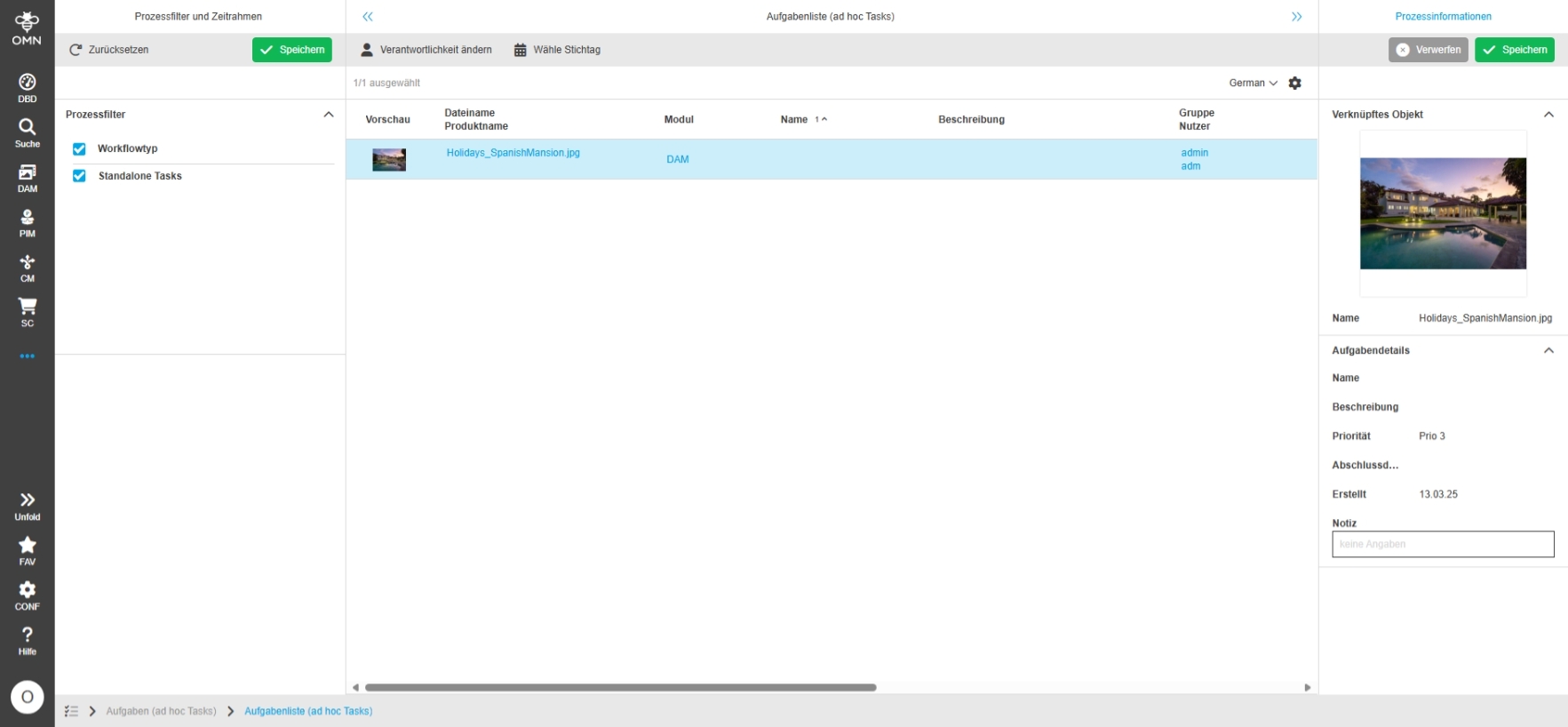
Workflow HumanFunction to open keyword navigation for a specified keyword
General Tags |
OMN-11377, OG-15520, OMN-11410 |
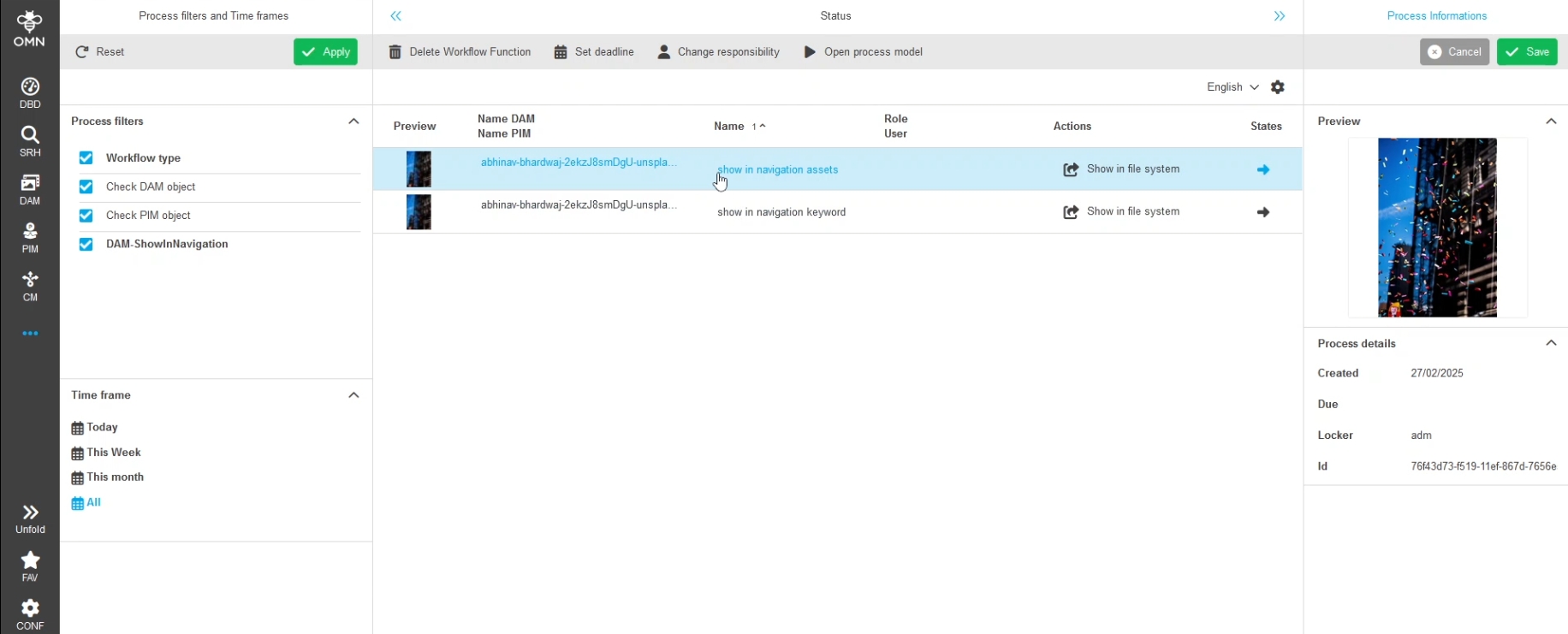
Possibility to use / configure a human function using a showInNavigation plugin allowing to open a FSNavigation from type keyword (single node) for a specific sub element of the existing keyword structure within a Camunda workflow
-
usage of human function in Camunda workflow
-
configured human function in Camunda Workflow
Global Localization of FSDetail as humanFunction.WorkflowFSDetailsFunction within Camunda Workflow
General Tags |
OG-15334 |
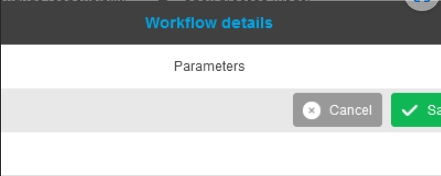
Introduction of new localization keys allowing to localize Workflow Detail Panel globally
-
default.function.modal.title.WorkflowFSDetailsFunction - Workflow Details
-
default.function.navigation.bar.title - Parameters
-
default.function.modal.title.EditProjectFunction - Edit channel
| in later Versions it is planned to allow localization on usage Level of each Workflow-FSDetail |
EAI-UI
Improvements and Features in OMN EAI
Mapping Editor
Improvements and Features in OMN EAI Mapping Editor
EAI UI - EAI-Mapping - Mapping Editor - Improvements for multi-Assignment
General Tags |
OG-15488, OMN-11224, OCA-158, OMN-11418 |
Improvements in EAI Mapping Editor for handing attribute references with language dependency, P/A/V levels (editable) and multi assignment
-
new column “OMN Path” column is for showing, on which node the mapping is used in OMN
-
the “Add node and level“ function button in toolbar is shown, so that a user is able to add different attributes on different levels and/or nodes
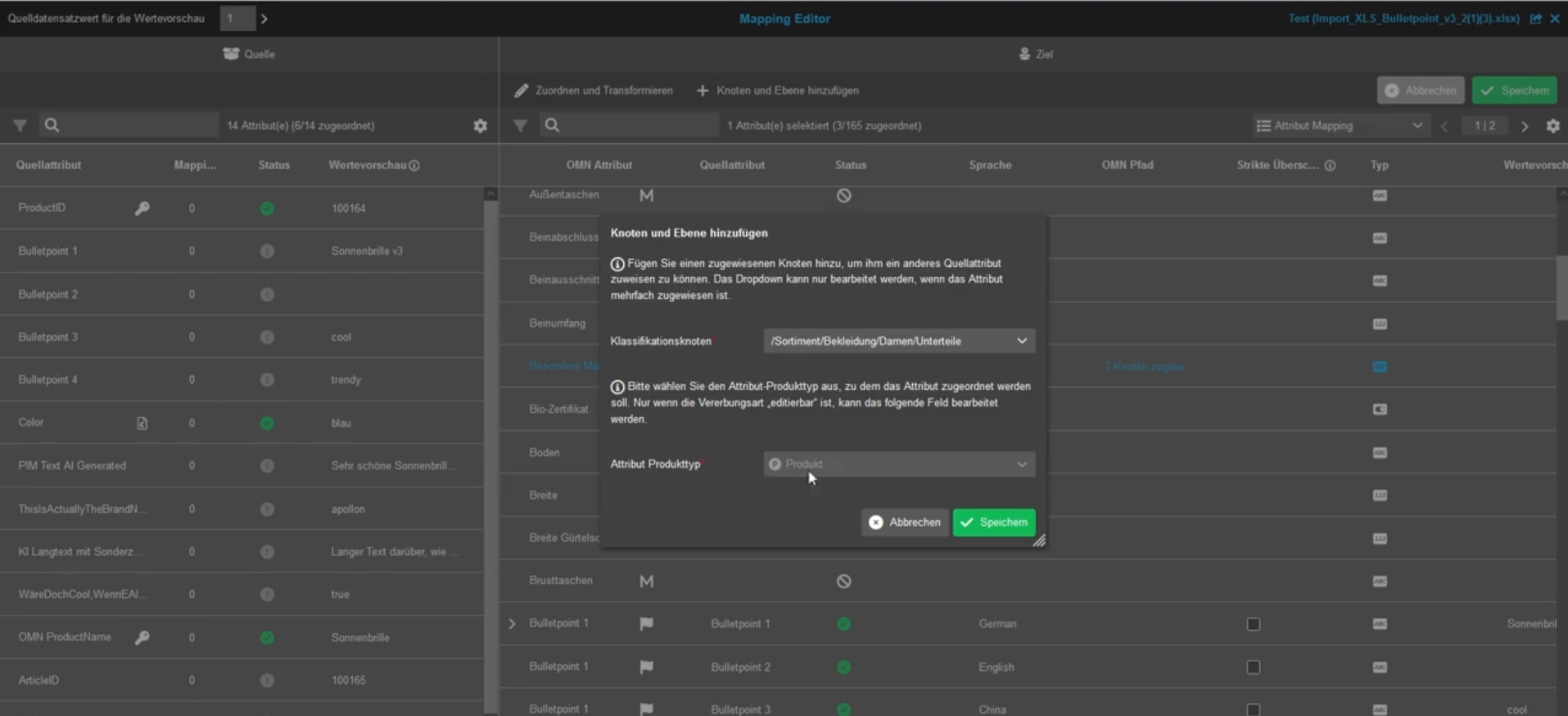
-
new function and column “Language” column is for adding a language and only shows content in case the OMN attribute is language dependent
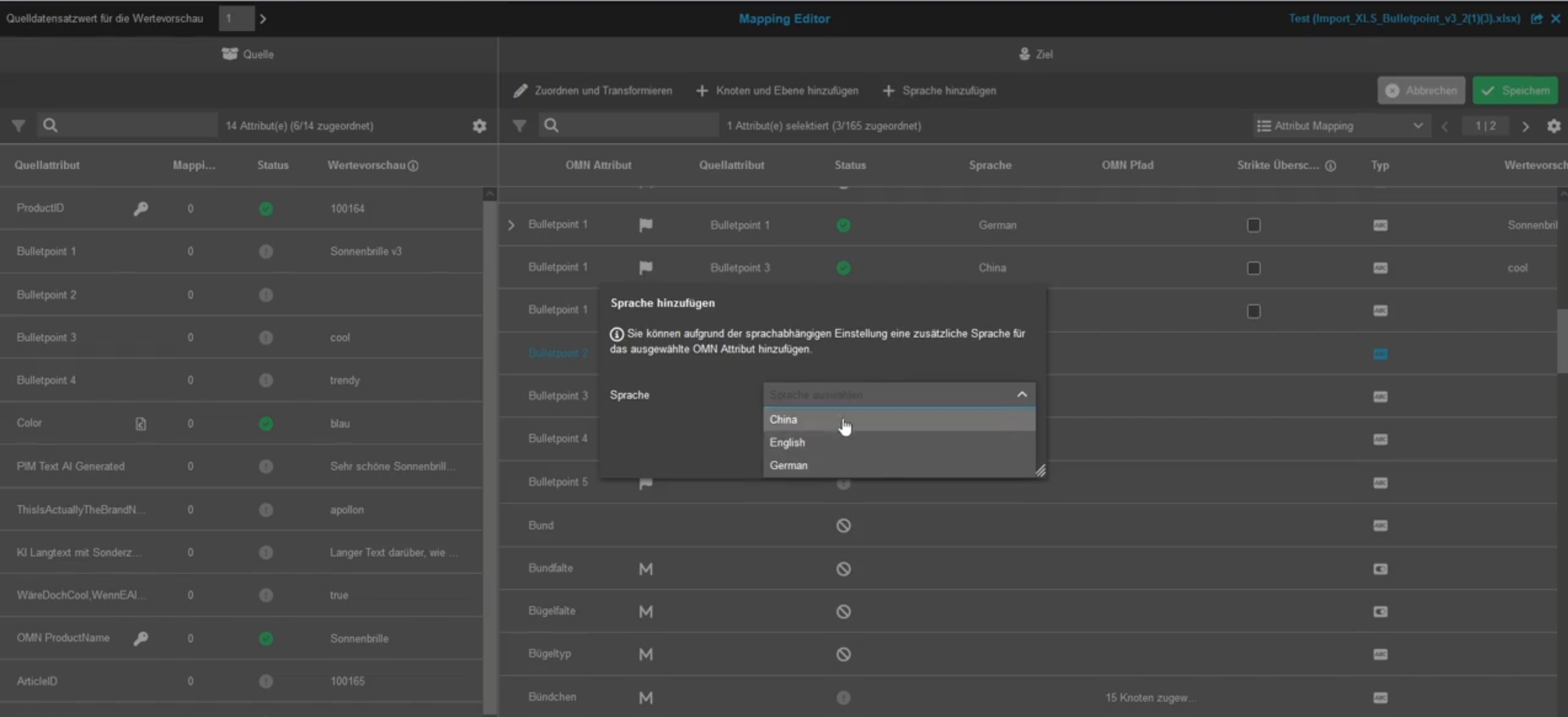
API
Improvements and Features in OMN API
Configuration
Improvements and Features in OMN Config API (not public)
Mandator Settings - Implement mandator management endpoints
General Tags |
OCA-147 |
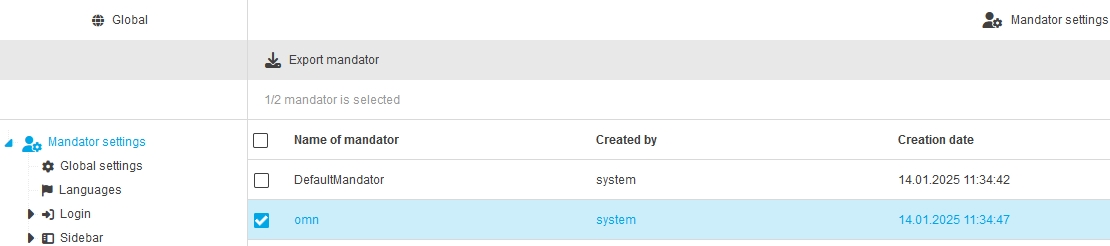
Possibility to manage the current mandator within the new Configuration Client via API
Mandator Settings - Mandator settings info endpoint
General Tags |
OCA-153 |
Possibility to get current mandator settings Information by new endpoint
-
created by field
-
creation date field
-
modified by field
-
modification date field
Mandator Settings - Import mandator settings endpoint
General Tags |
OCA-155 |
Possibility to import mandator Settings by ConfigAPI
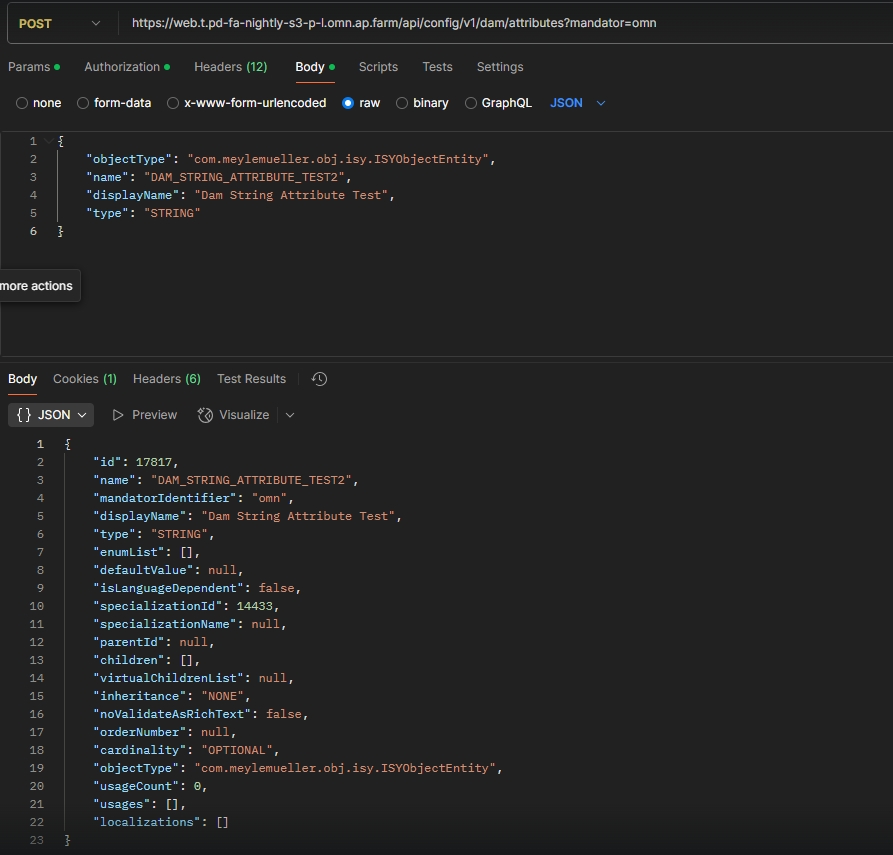
Data - Attributes - Object Type Assets - Implement API
General Tags |
OCA-149 |
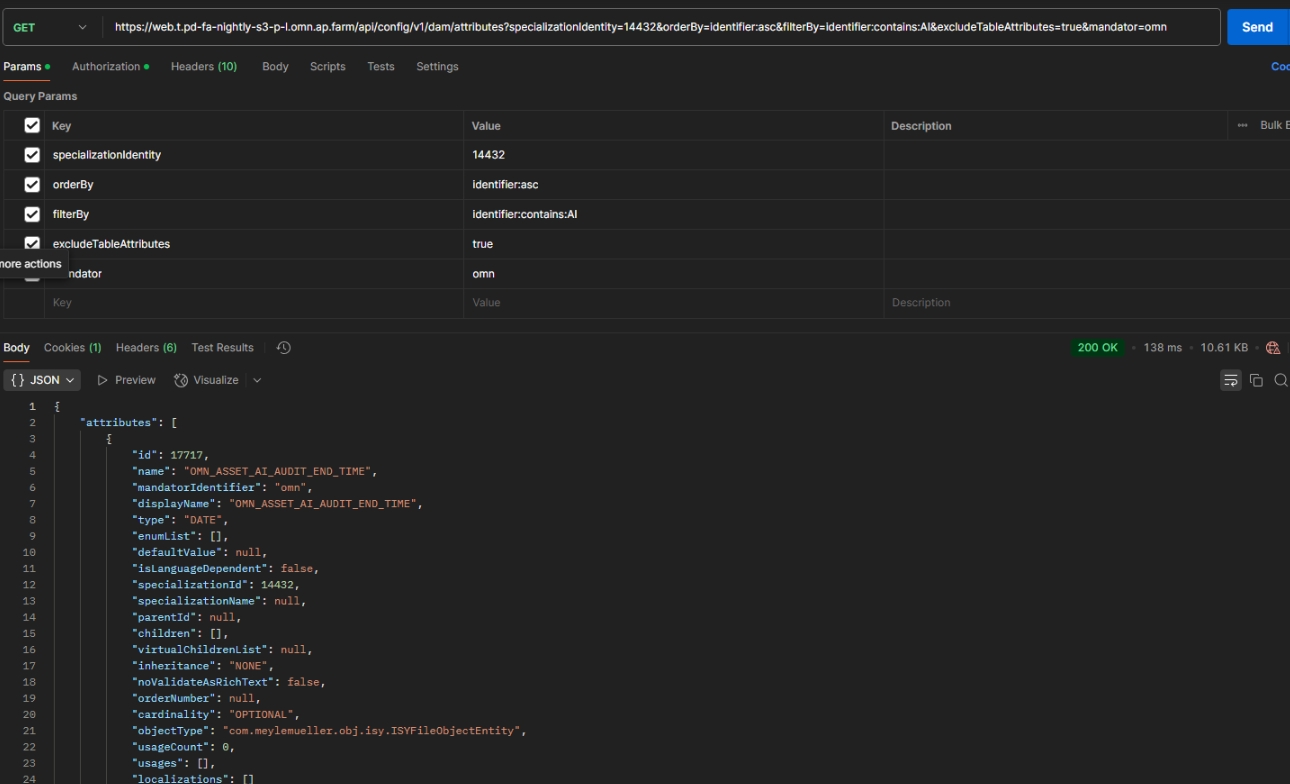
API Endpoints in ConfigAPI to create, update and delete DAM Attributes
-
GET /dam/attributes?specializationIdentity={number}&orderBy={name:asc - example}&filterBy={name:contains:a - example}&excludeTableAttributes={true/false}&mandator={mandatorIdentifier}
-
GET /dam/attributes/{attributeId}
-
POST /dam/attributes?mandator={mandatorIdentifier}
-
DELETE /dam/Attributes/
-
GET /owners?rootOwner={com.meylemueller.obj.isy.ISYObjectEntity - example}{attributeId}
-
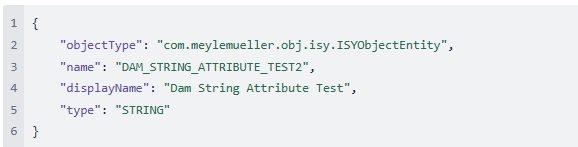
Body example
Data - Attributes - Add label attributes support in Configuration Client
General Tags |
OCA-157 |
Improvement for saving and editing attributes logic to support new label Attribute
Data - Attributes - Clean cache after attribute creation
General Tags |
OCA-159 |
When new DAM Attribute is created with new Configuration Client, that Cache will be cleaned to see Attribute in other Plugins directly
Data - Attributes - Calculate attributes including children
General Tags |
OCA-161 |
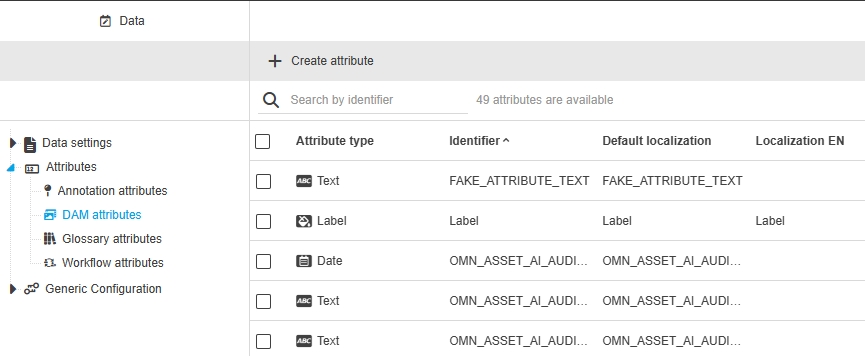
Possibility to retrieve number of all attributes, including children Attributes
-
Return attributes total size, including children Attributes
Security - Provide endpoint for groups
General Tags |
OCA-126 |
New Configuration Client API Rest endpoint to retrieve, create, modify and delete groups
Security - Provide endpoint for users
General Tags |
OCA-127 |
New Configuration Client API Rest endpoint to retrieve, create, modify and delete users
Security - Provide endpoint for roles
General Tags |
OCA-128 |
New Configuration Client API Rest endpoint to retrieve, create, modify and delete roles
EAI-UI - Possibility to map table attribute
General Tags |
OCA-154 |
Possibility to map attributes from source file to table Attribute in PIM via Mapping Editor
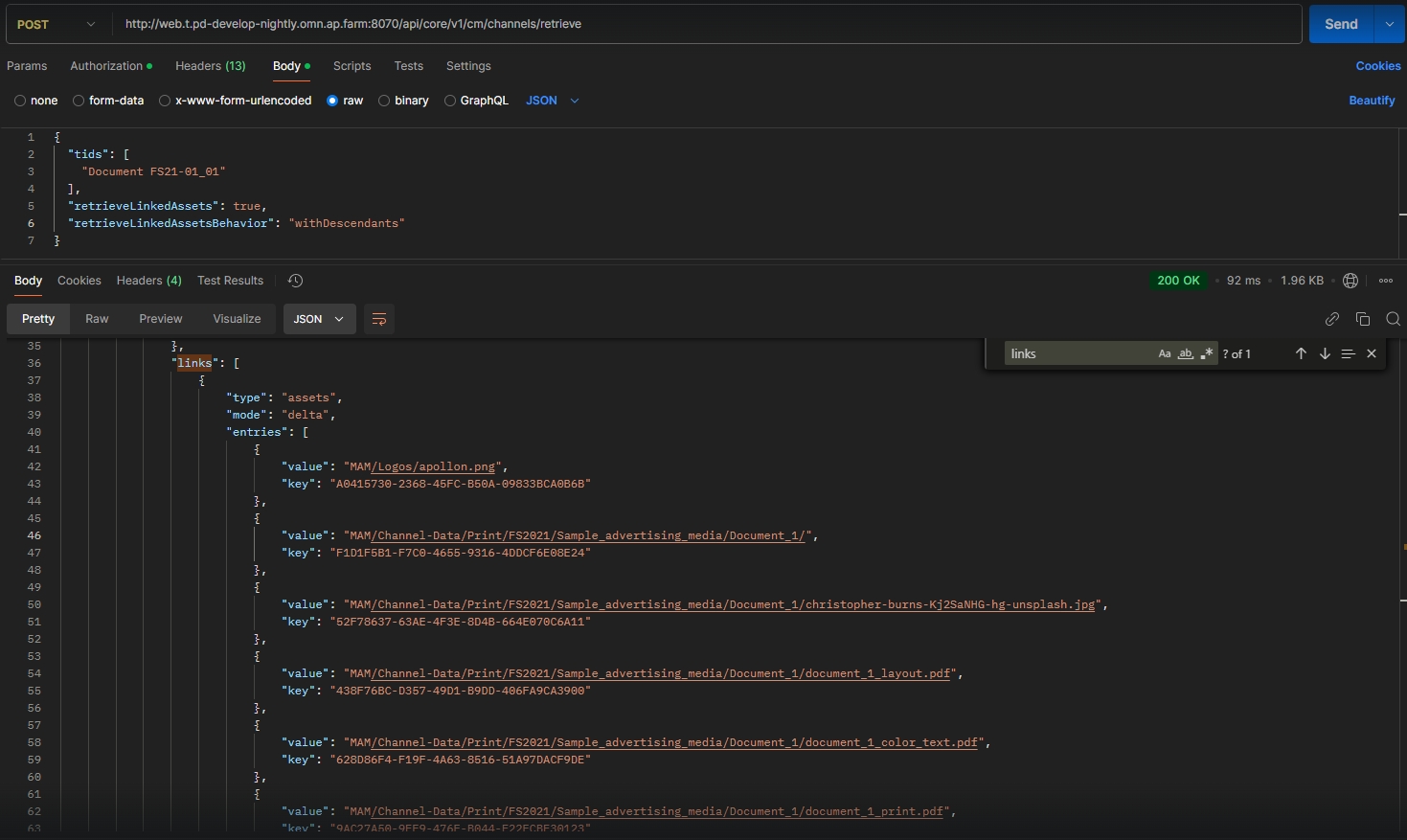
Include Channel Linked Assets Without children
General Tags |
XR-1336 |
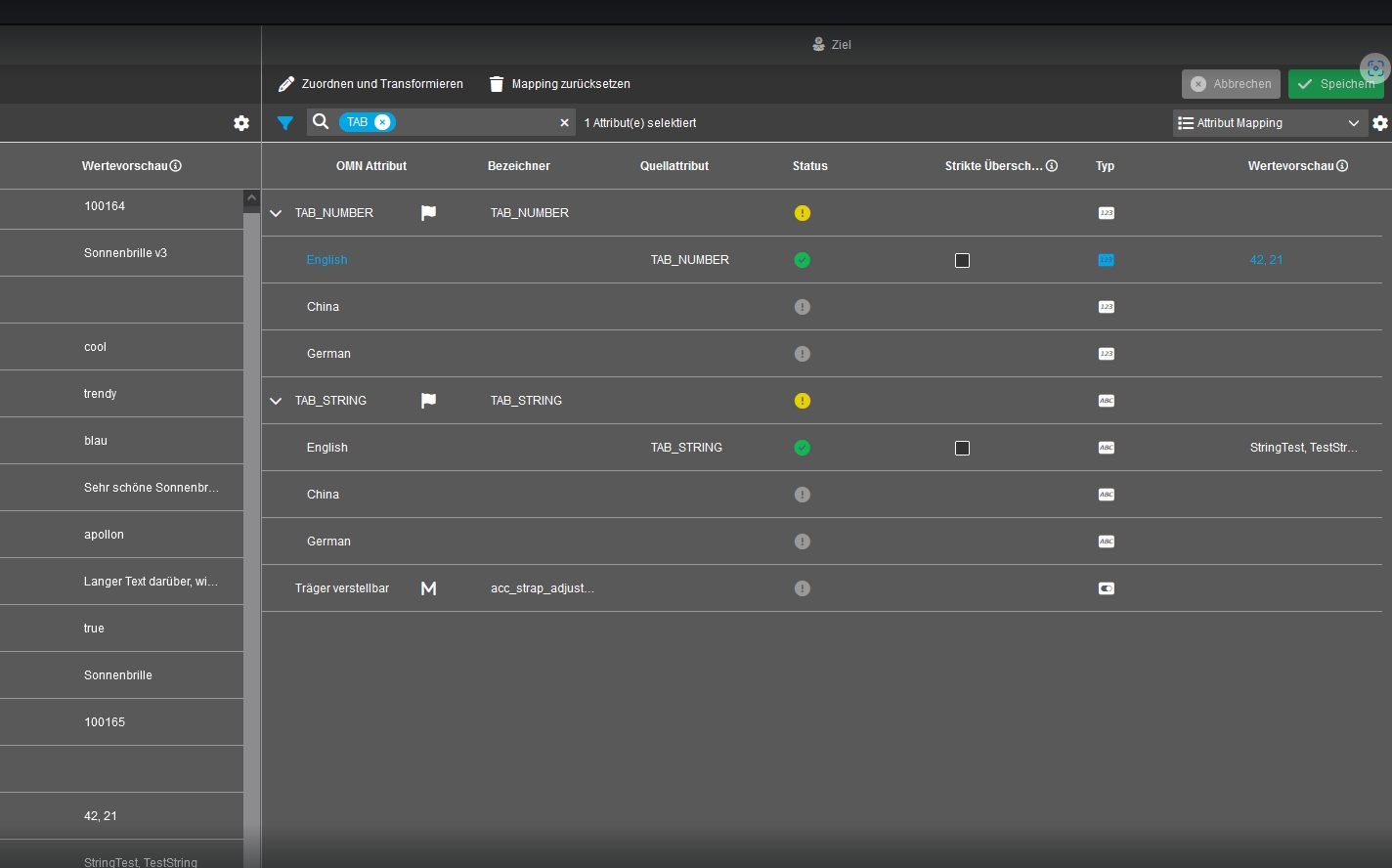
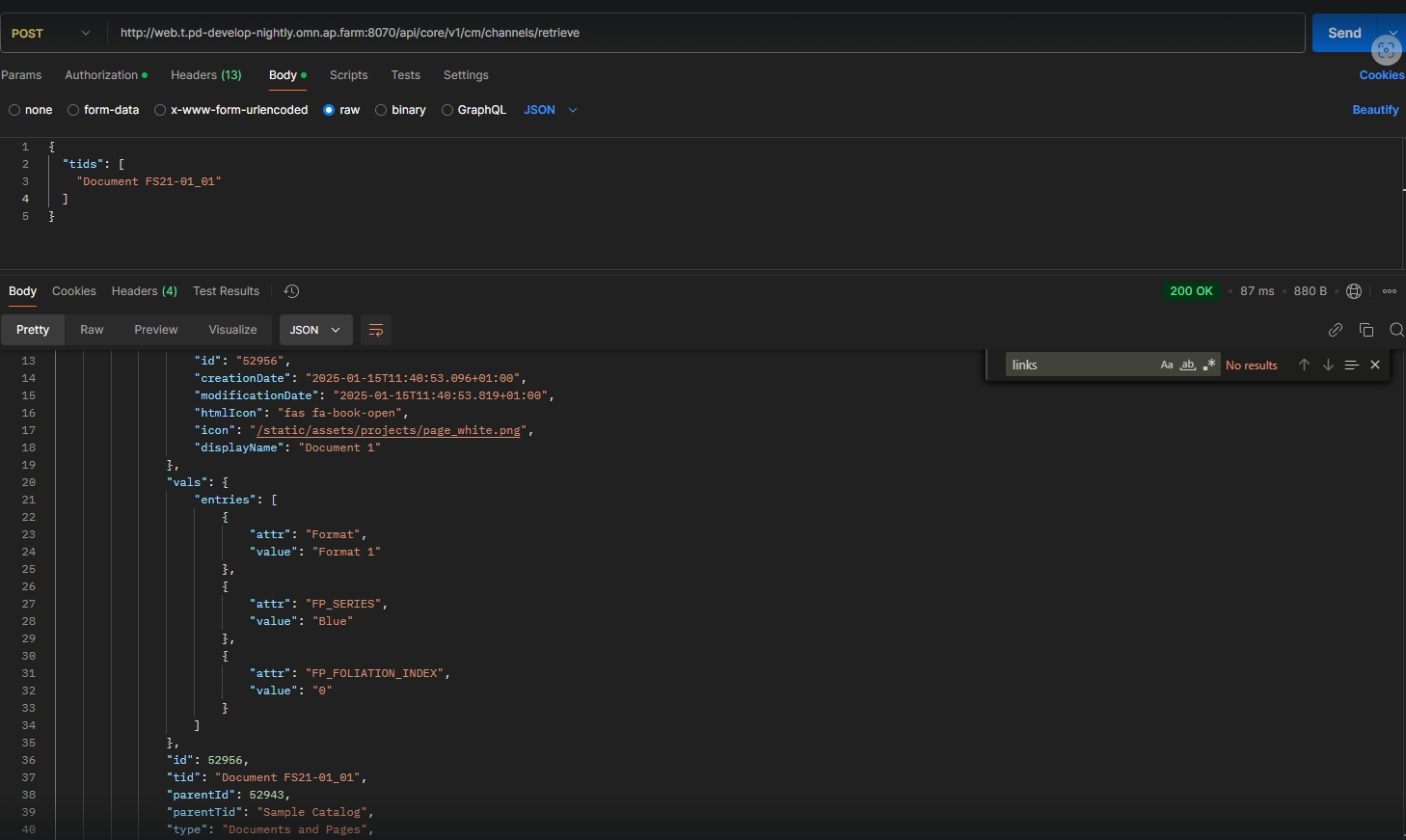
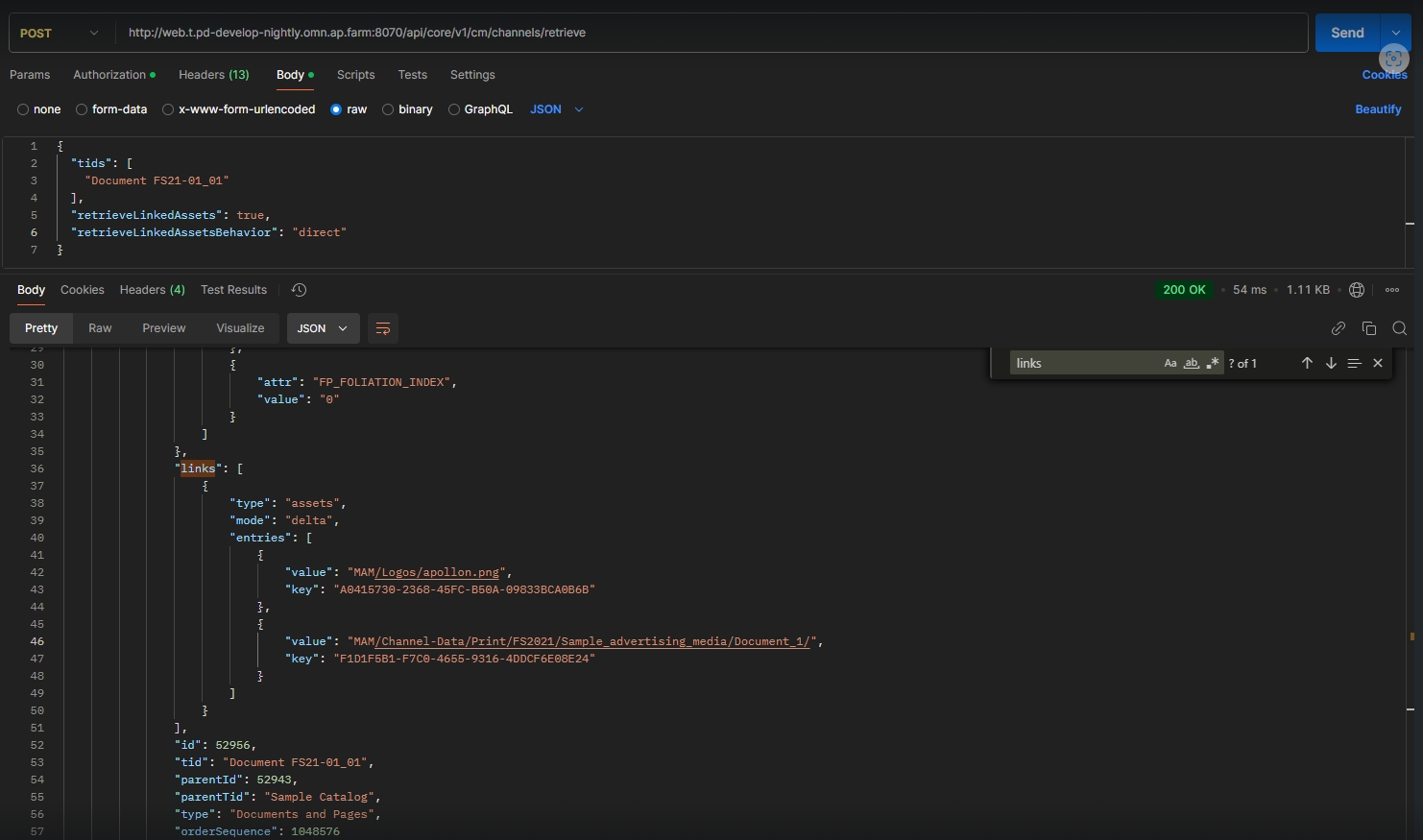
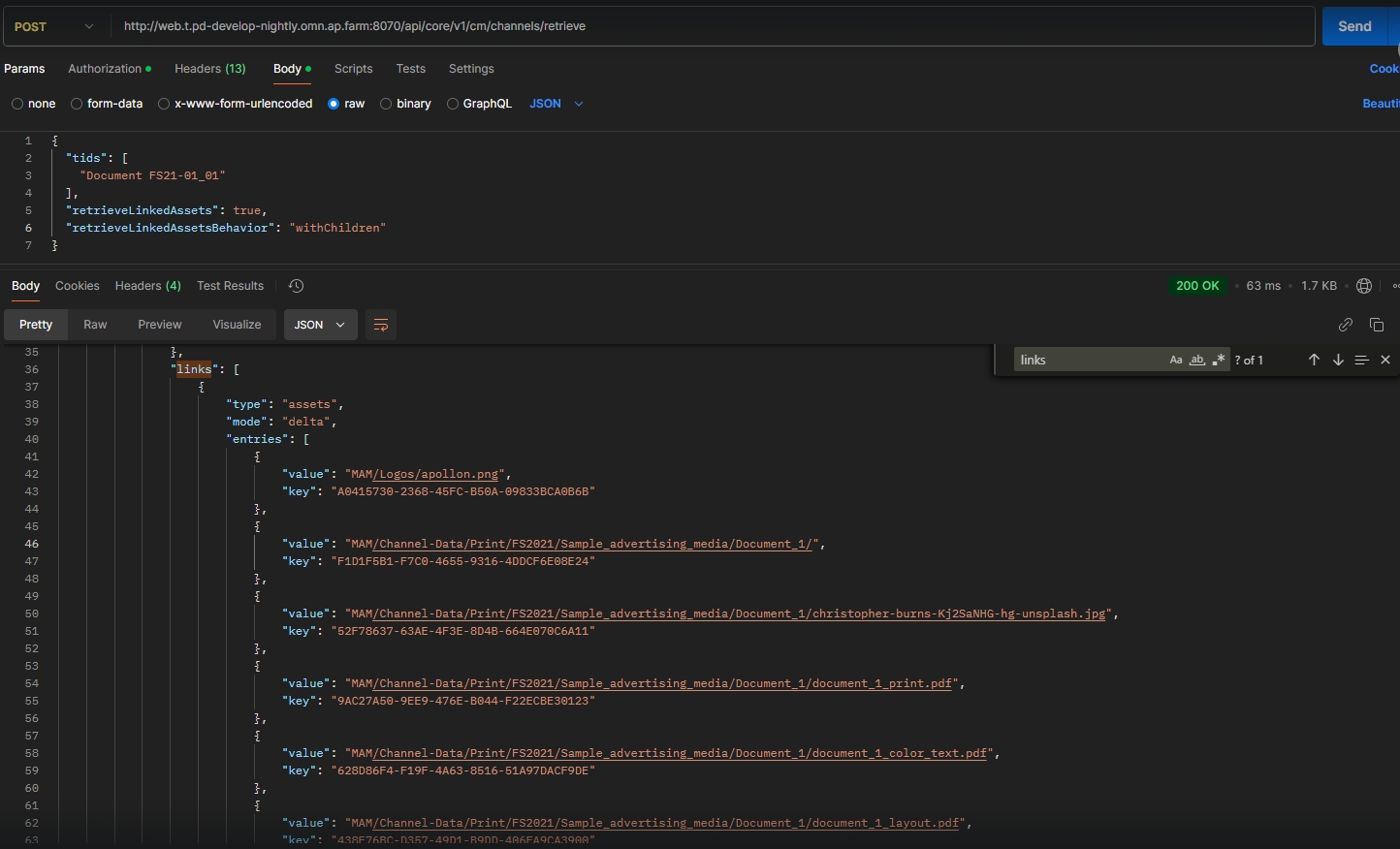
Possibility to retrieve only the directly linked entities (folders or assets) of a Channel without expanding the Folders by Introduction of two new request property on channel retrieve endpoint
-
"retrieveLinkedAssets": true/false : “retrieveLinkedAssets“ controls if linked assets should be exported at all
-
"retrieveLinkedAssetsBehavior": direct/withChildren/withDescendants: “retrieveLinkedAssetsBehaviour“ further controls the behavior of exported assets
-
direct: only include directly linked assets (Default)
-
withChildren: include assets of linked folders
-
withDescendants: include assets and subfolders of linked Folders
-
-
Default behaviour
-
Direct links
-
with Children
-
with Descendants
Message Client
Improvements and Features in OMN Message Client Module
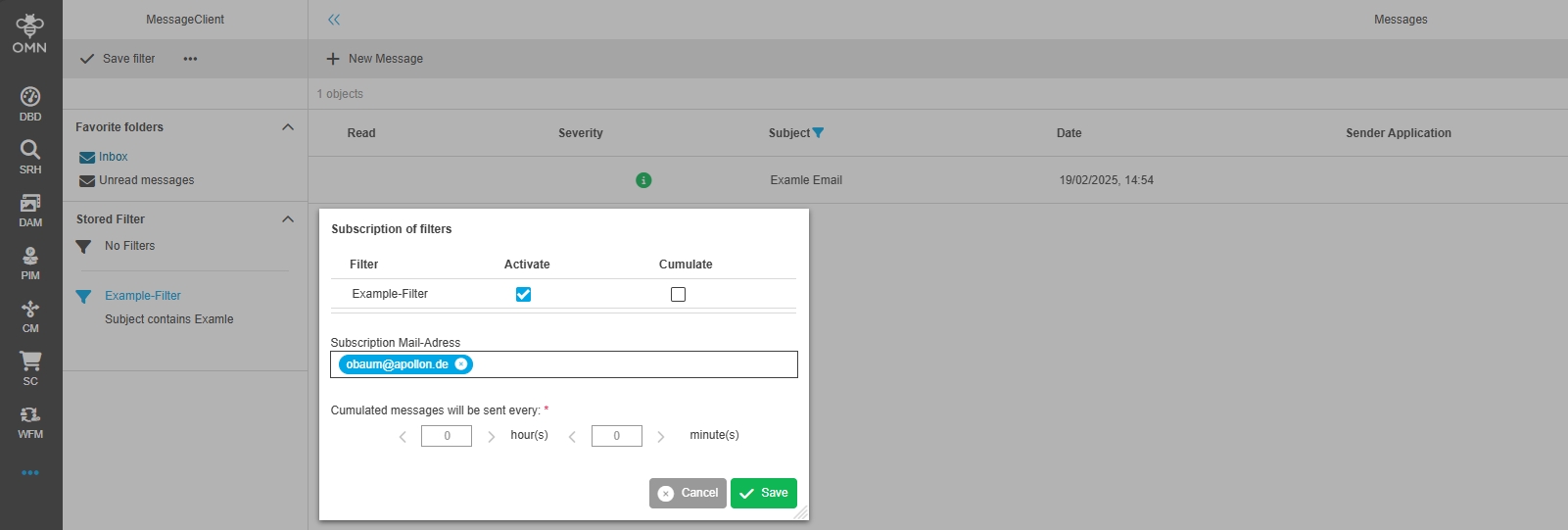
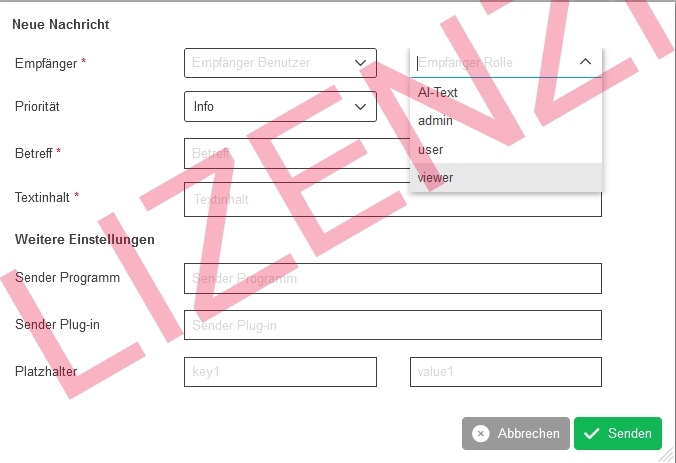
Subscription for messages - direct emails receive for all subscribed users
General Tags |
OMN-6517 |
Sending direct Messages from Message Client also work with cc - email addresses
-
In former versions of Configuration Client email address was not considered when sending direct emails (only email address from user profile was taken)
-
in case of Configuration Client Parameter emails will also be sent to them because of implementation
Integrations
Improvements and Features in OMN Integrations
AI Tag
Improvements and Features in AI Tagging
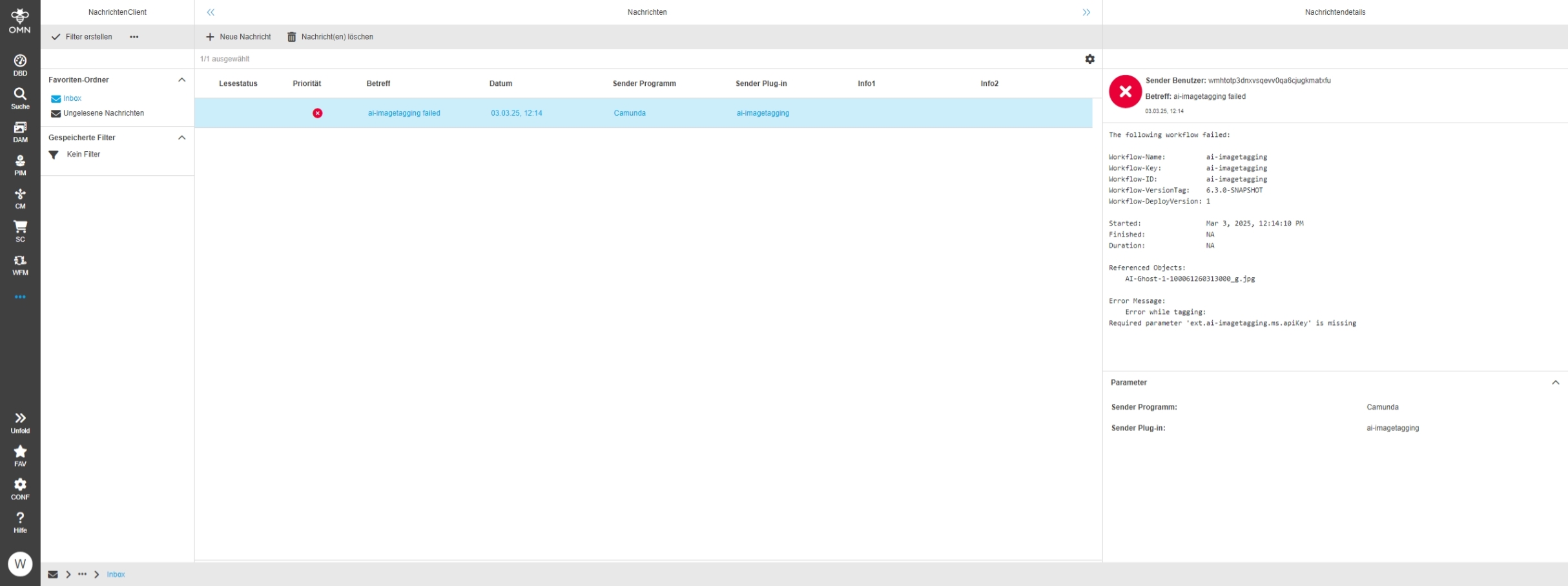
Improve error messages for ai tagging workflow
General Tags |
OW-694 |
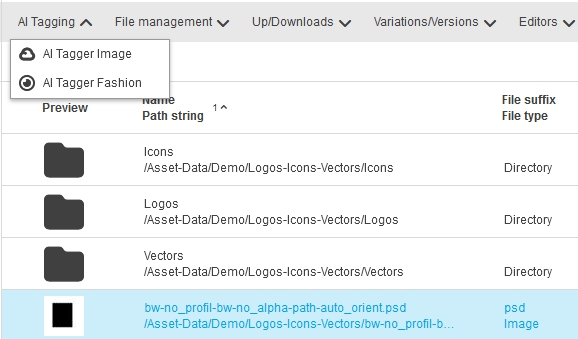
AI Image Tagging Workflow with Microsoft sends now more detailed error information messages to Message Client in case of specific issues
-
no/invalid API-Key
-
Invalid DeepL API Key in case translation is necessary
-
invalid URL
-
invalid/non-supported file formats
AI Image Enumerations should consider add to add new value to attribute definition
General Tags |
OW-862 |
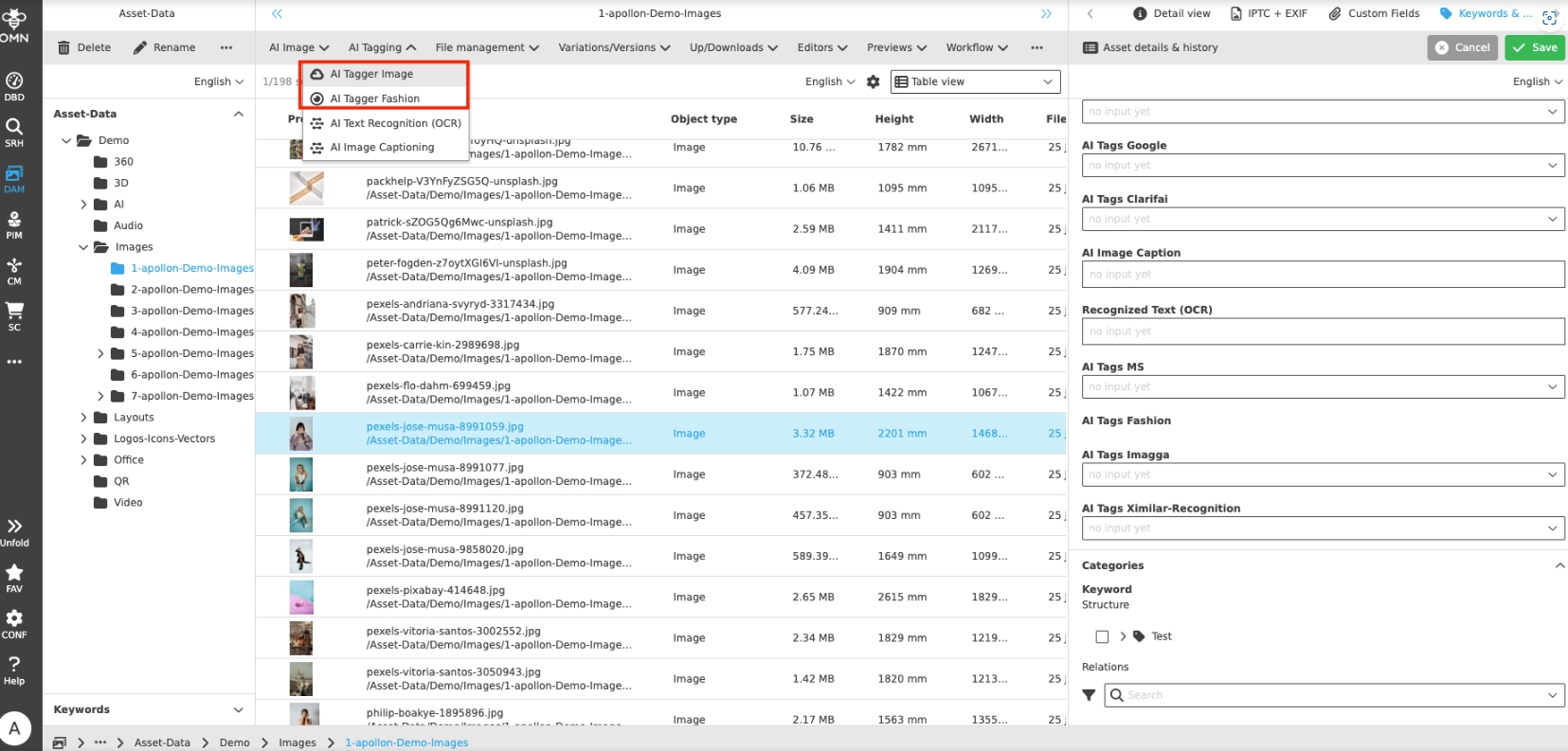
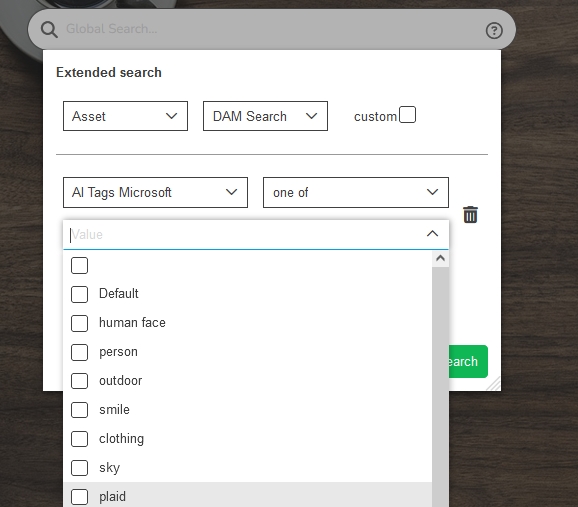
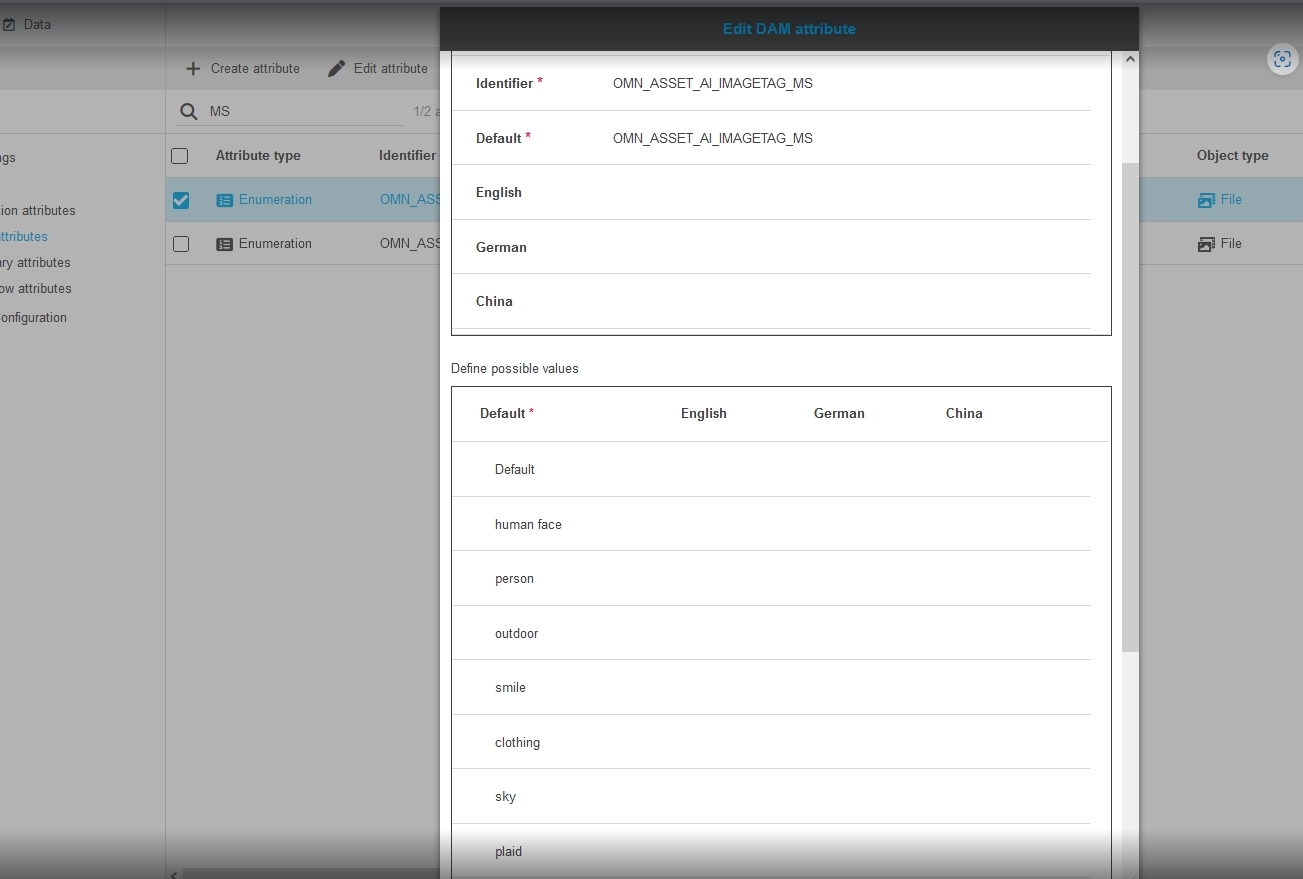
When using AI-Services creating AI tags the tags values will now be added to the attribute’s value list (add new values) so that they can be searched via Extended Search
-
Tags created by AI

-
AI Tags in Extended Search
-
Tags written into Attribute definition
AI Translate
Improvements and Features in AI Translate
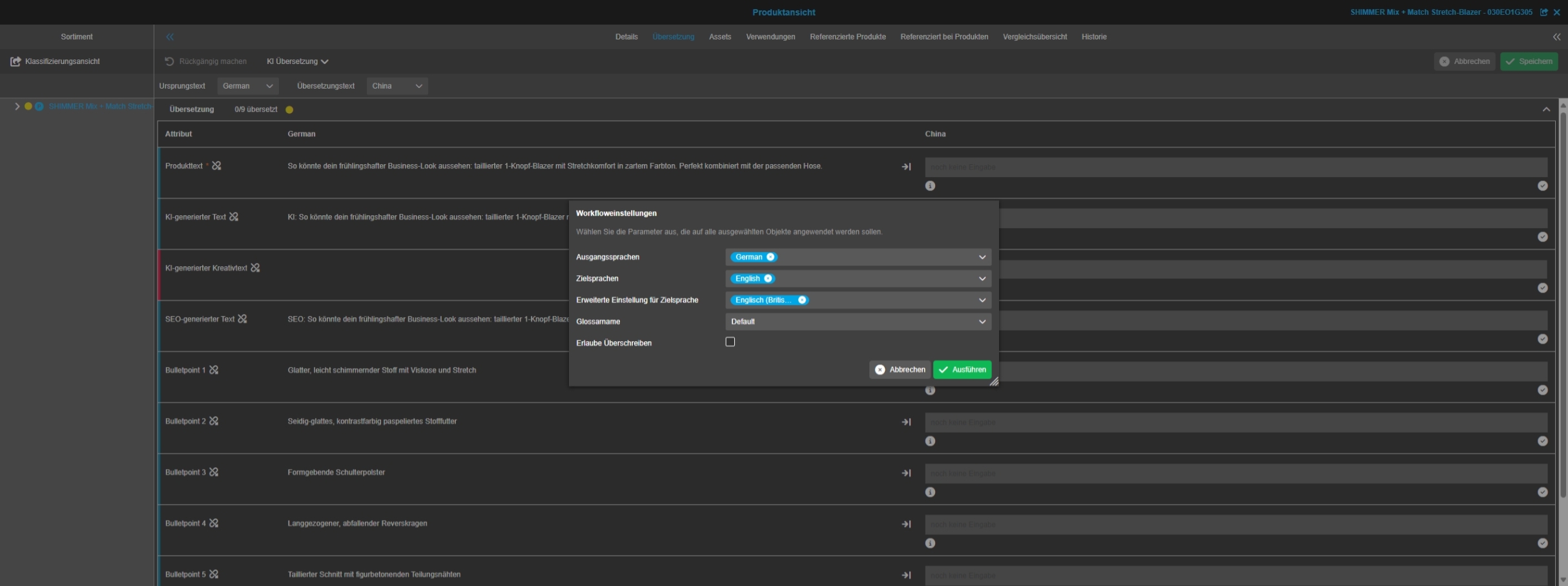
DeepL API Changes - Adjust DeepL Product Translator
General Tags |
OW-996 |
Base-Requirement |
OR-1716 |
DeepL API Changes - Adjust DeepL Product Translator
DeepL announced two changes on its API for March 14, 2025 - more Details can be found here
Zapier
General Tags |
OR-1511 |
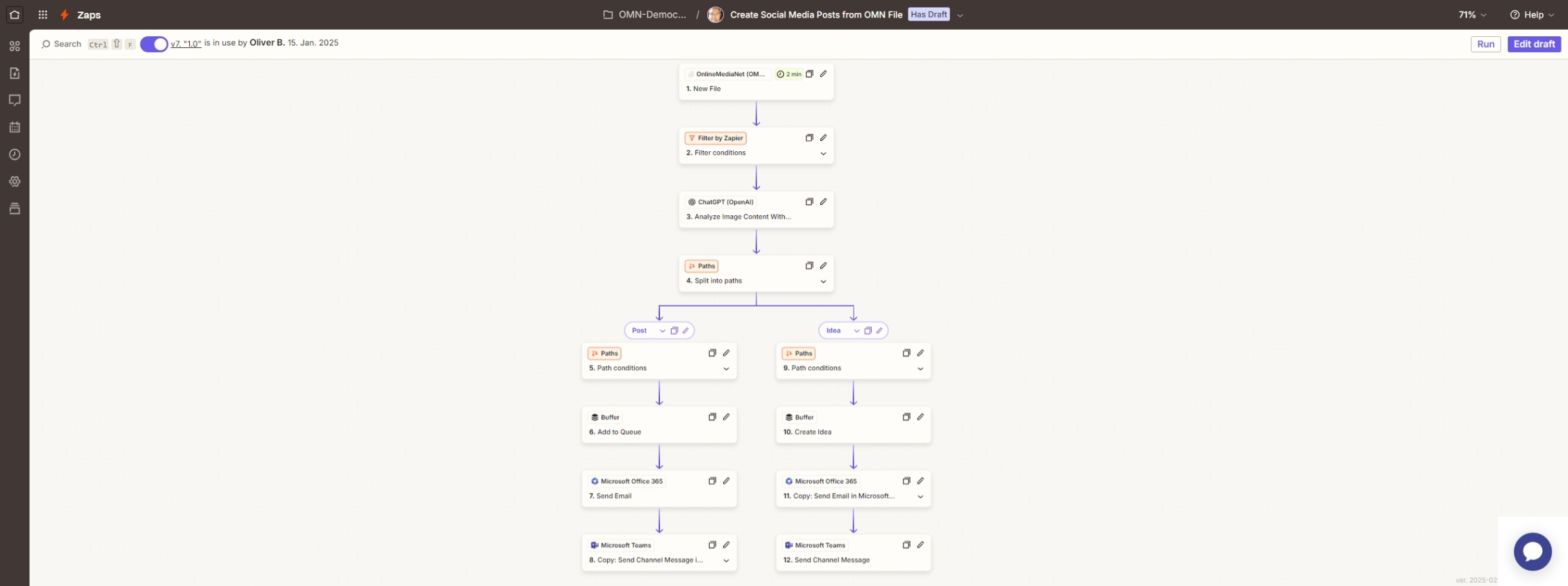
New integration of OMN with the Zapier automation platform
Zapier OMN Zap
General Tags |
OR-1511 , OKC-96 |
OMN 6.3 integrates with the Zapier automation platform and provide a own OMN Zap (Beta)
Zapier is an online tool that helps you to link different web applications together and automate workflows.
It allows you to create so-called "Zaps", which consist of a trigger and one or more actions. As soon as a certain event (trigger) occurs, Zapier automatically executes the defined actions
Important terms and functions of Zapier:
-
Apps: The applications that you can connect to Zapier (e.g. Google Drive, Slack, Trello).
-
Zaps: Automated workflows that consist of a trigger and one or more actions.
-
Tasks: Individual tasks that are executed within a zap.
-
Trigger: The event that triggers the Zap (e.g. a new email, a new entry in a spreadsheet).
-
Actions: The tasks that are executed after the trigger (e.g. send a notification, enter data into a database).
Zapier helps to automate repetitive tasks, thus saving time and increasing efficiency.
There is a separate Zap (currently in beta) for using OMN in conjunction with Zapier.
All you need is Online Media Net, a Zapier account and, depending on the automation workflow, a paid subscription and creative ideas.
You can find detailed information about Zapier itself on the website at https://zapier.com/
Werk-II Data-Sheet Service
General Tags |
OW-519 |
Base Requirement |
OR-1058 |
OMN now supports interface to Werk-II priint:Cloud Comet to generate pdf-datasheets from OMN PIM
-
the Service requires subscription
-
the usage of the interface requires effort to build the template-based on InDesign and some configuration in OMN
-
the templates must be deployed in Priint:Cloud Management console: https://mgmt.priintcloud.com/de
Example of a created Datasheet on base of PIM Product Data
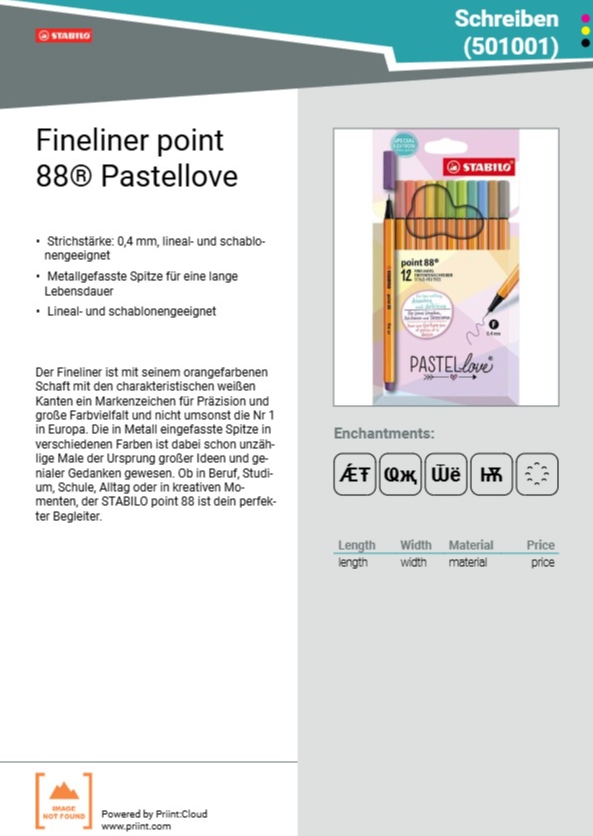
| OMN Accelerator will provide Default template for data sheet service in a later version |
Configuration Client
Improvements and Features in OMN Configuration Client
General
General Improvements and Features in OMN Configuration Client
Mandator
Improvements and Features in OMN Configuration Client - Mandator Configuration
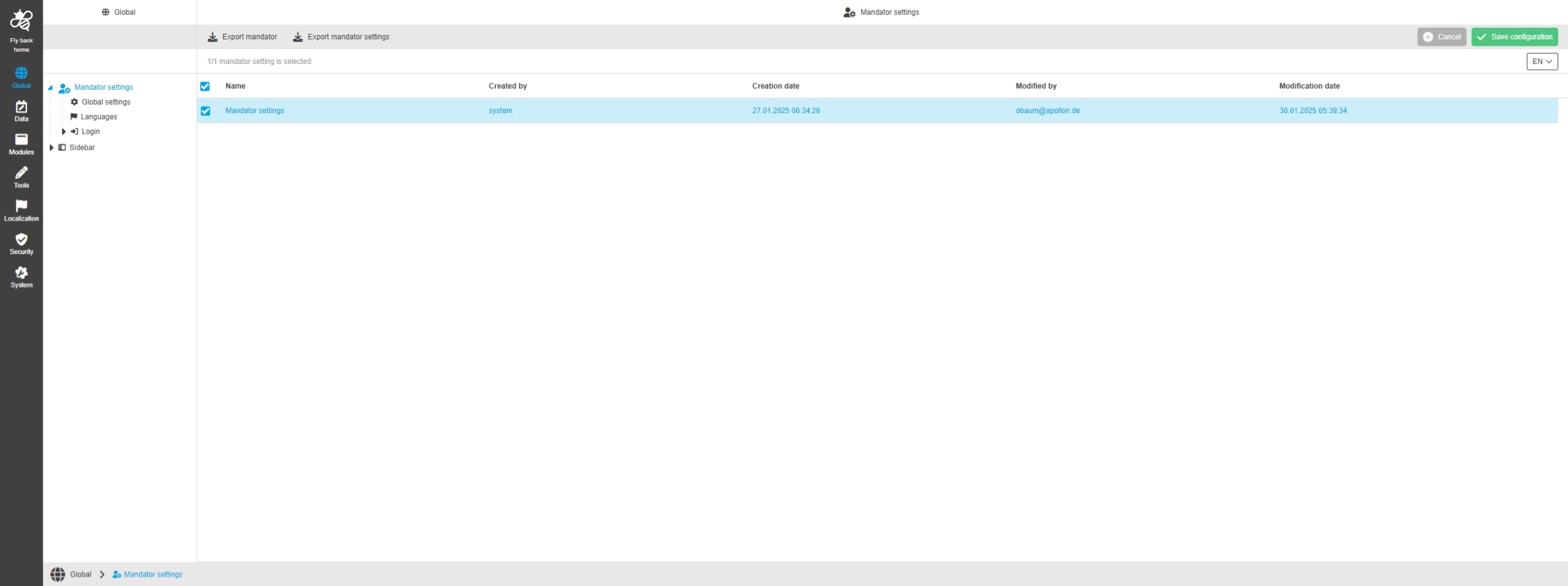
Mandator Settings - Extend main menu table
General Tags |
OMN-11307 |
Main menu table in Mandator Settings is Extended by additional fields
-
created by field
-
modified by field
-
creation date field
-
modification date field
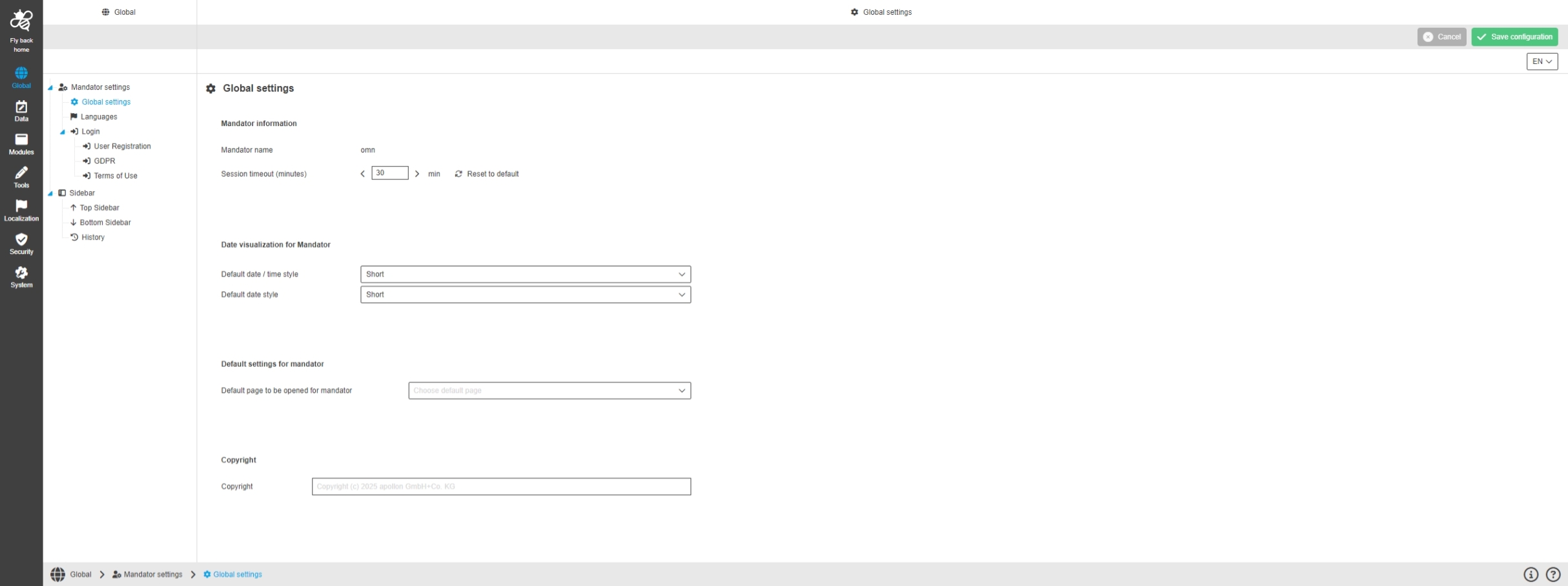
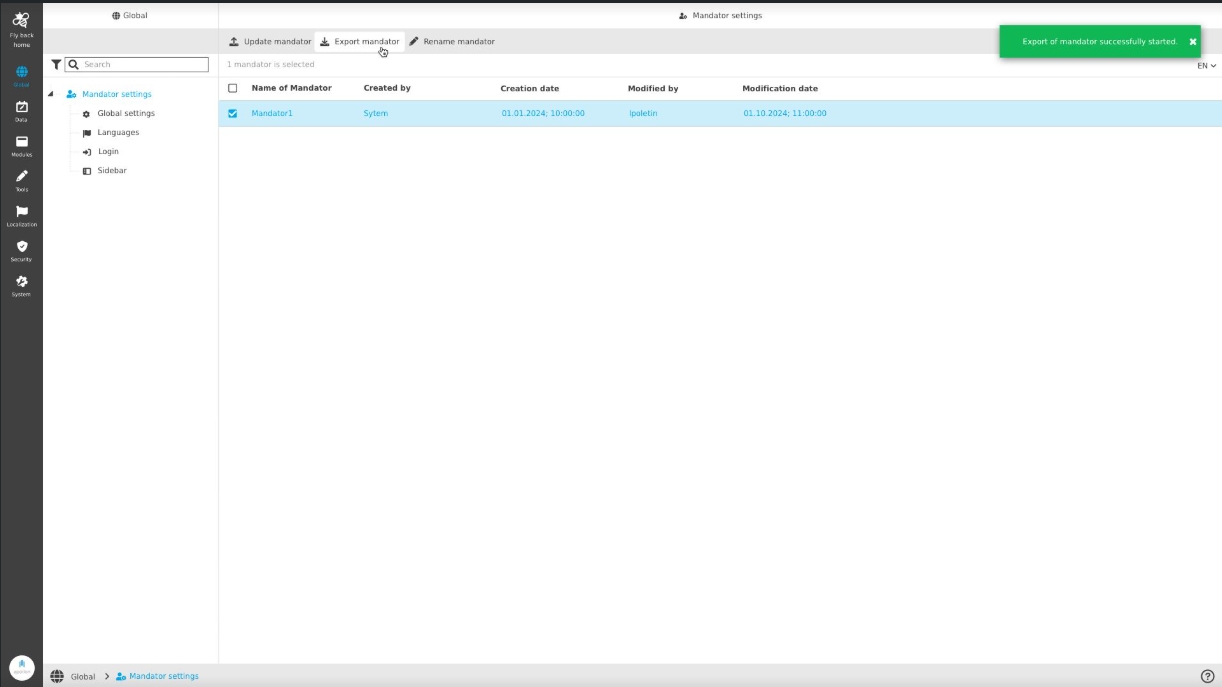
Global - Mandator settings - Mandator management
General Tags |
OUCC-1472 |
Possibility to manage the current mandator within the new Configuration Client
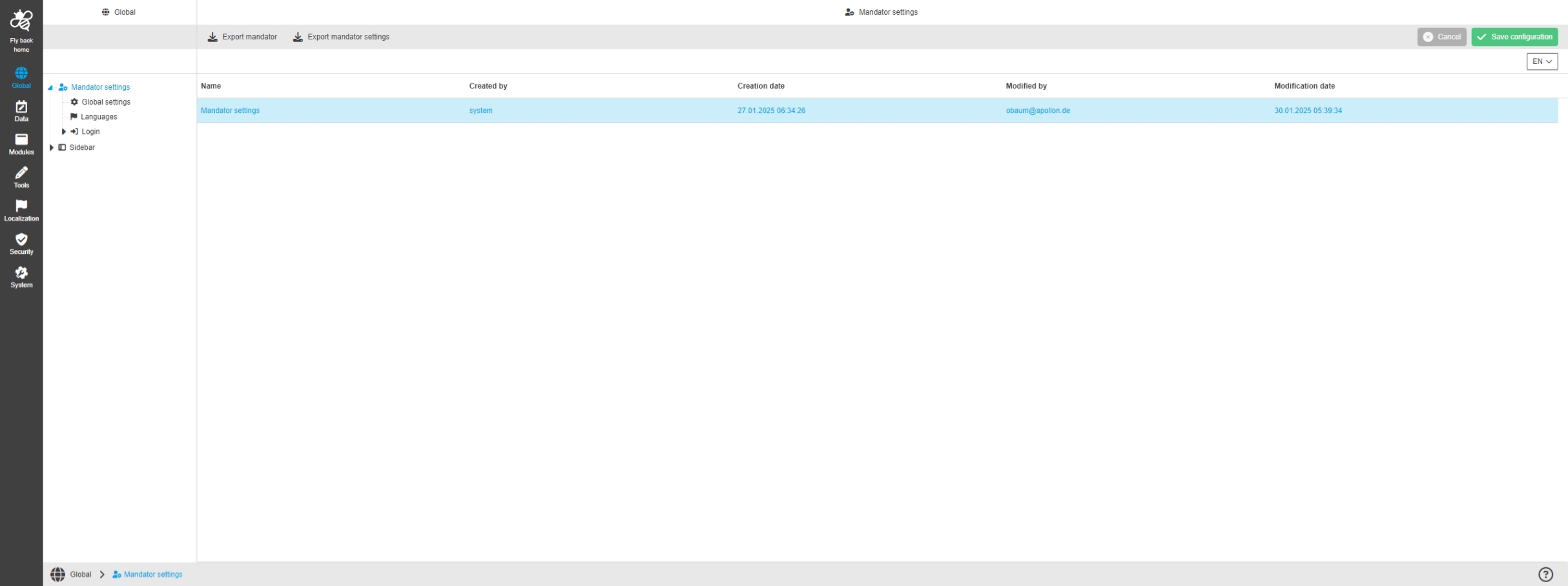
Global - Mandator settings - Mandator settings management
General Tags |
OUCC-1565, OMN-11197 |
Package |
OOM-546 |
Possibility to manage mandator Settings in new Configuration Client
Application
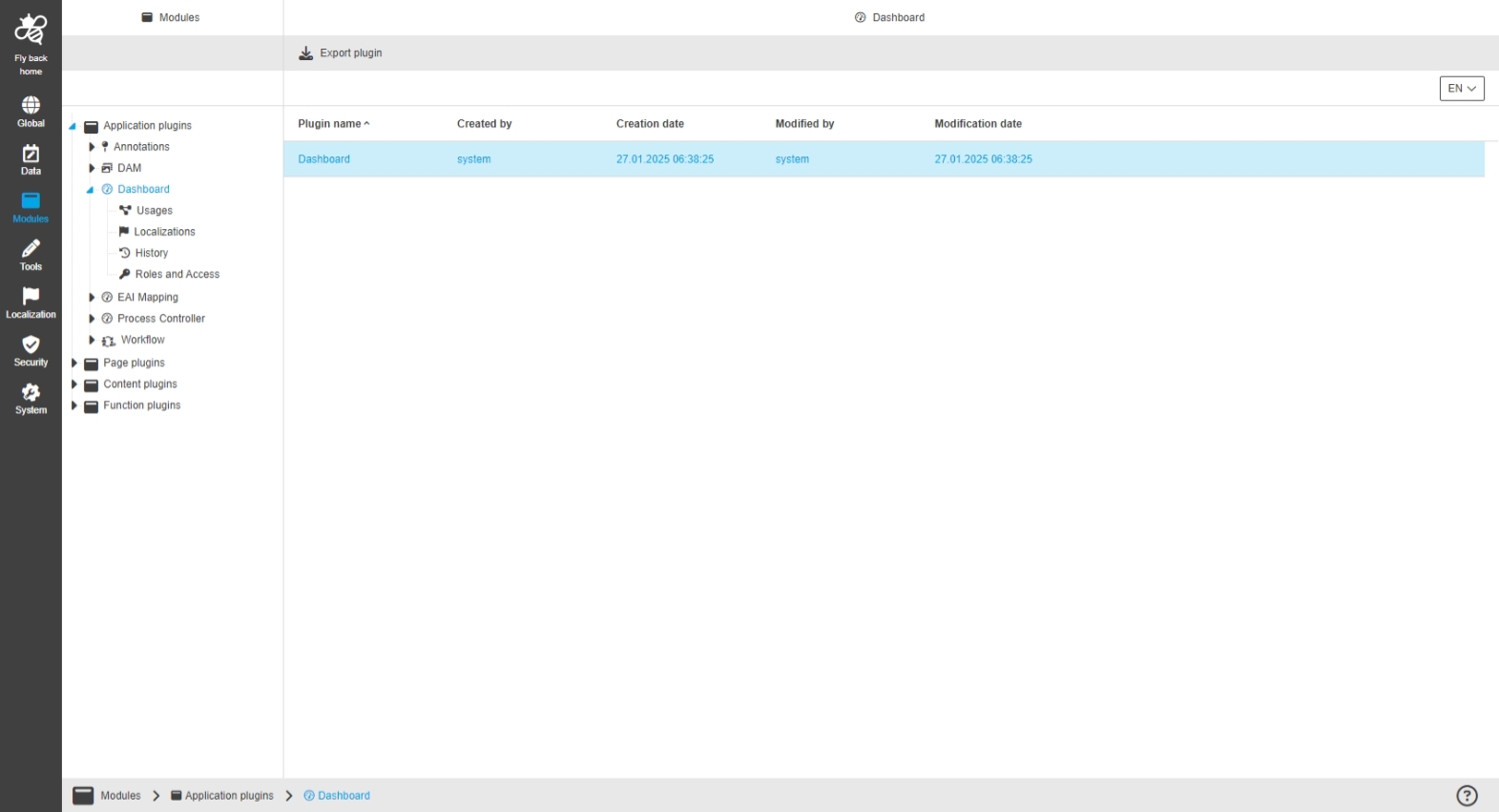
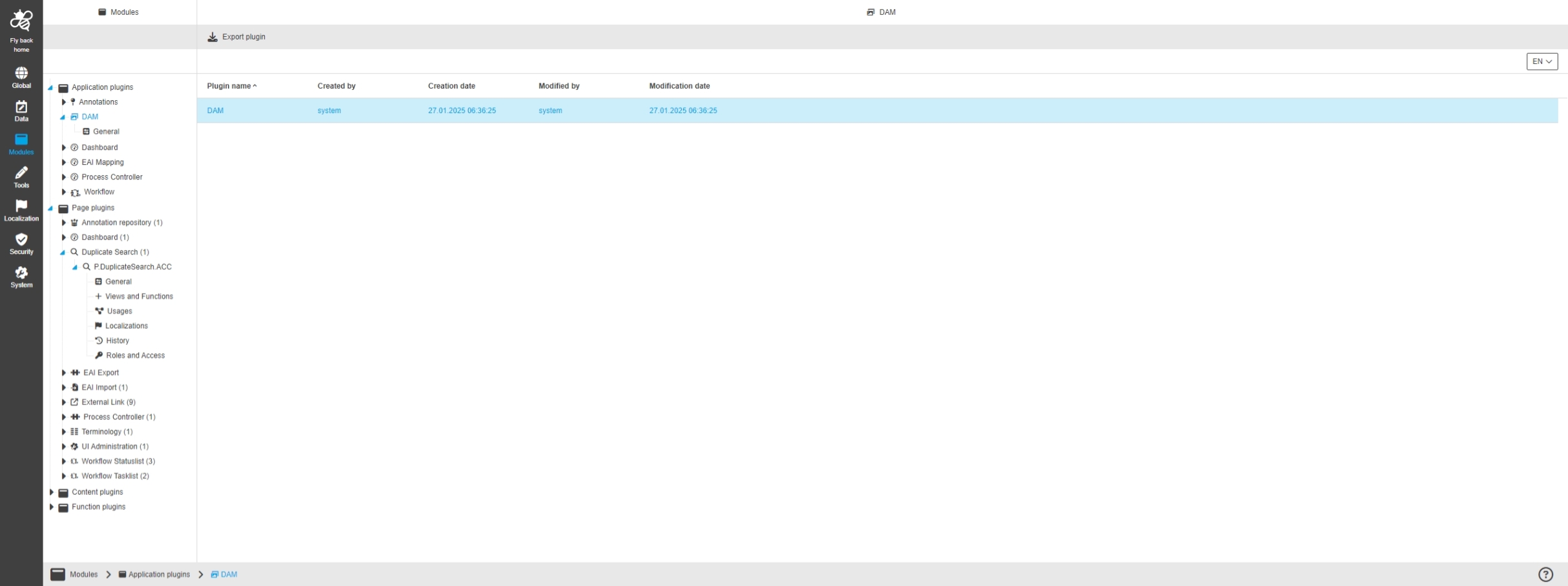
Improvements and Features in OMN Configuration Client - Application Plugin Configuration
Preview
Improvements and Features in Preview Configuration Settings
Introduce new Preview generation settings for PDF content which is not displayed correctly (Open Original / Annotation Tool)
General Tags |
OMN-11368 |
In some cases specific PDFs are not displayed in Annotation Tool correctly (Fonts are missing). For this further settings for preview Generation of Preview-PDFs has been introduced.
-
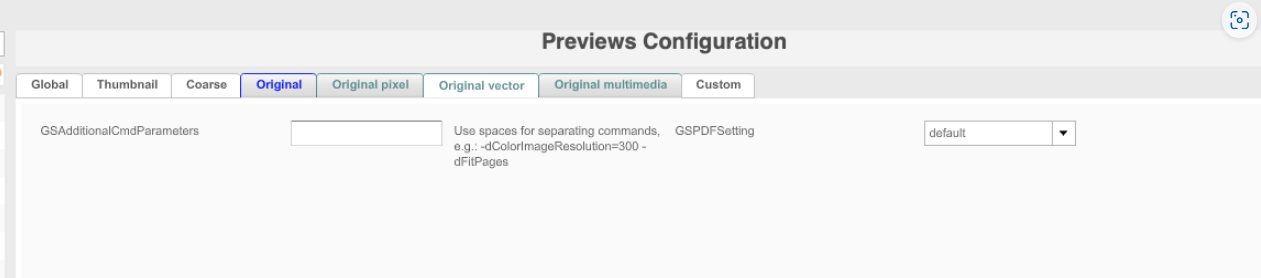
Introduction of new configuration settings for generating previews for PDF content that is not displayed correctly (Open Original / Annotation Tool)
-
The previewPluginRegistry.xml which is stored under /usr/local/omn/config.samples/previewPluginRegistry.xml is extended
-
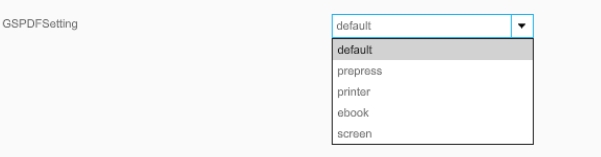
gspdf settings allows choosing from various Presets (coming from Ghostscript)
-
The -dPDFSETTINGS parameter in Ghostscript is used to control the quality and size of the generated PDF files. There are various pre-defined settings that you can use:
-
/screen: Lowest quality and file size, suitable for display on screens.
-
/ebook: Medium quality and file size, suitable for e-books.
-
/printer: Higher quality and file size, suitable for printing.
-
/prepress: Highest quality and file size, suitable for professional printing.
-
/default: Standard setting that offers a balanced quality and file size.
-
-
GSSubmitFonts is the technical Parameter -dSubsetFonts from GhostScript which can used to reduce pdf doc size by excluding unused characters, so it saves not the full font, but only used from this font characters.
-
in case of Property is true, it will reduce the pdf size
-
in case of false the pdf will have access to full font for future editing.
-
-
the new settings will have affect only on preview generation for the original Vector form

-
Former Configuration in 6.2
Data
Improvements and Features in OMN Configuration Client - Data Configuration
DAM-Attributes
General Tags |
OUCC-274 |
Package |
OOM-543 |
Improvements and Features in OMN Configuration Client - Data Configuration for DAM-Attributes
Data - Attributes - Object Type Assets
General Tags |
OUCC-306 |
Possibility to filter label attributes in FS Table to reduce the listed assets in the content view by a certain label criteria
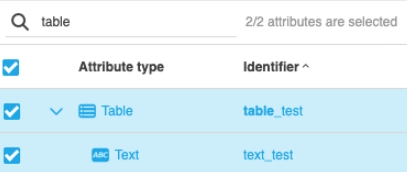
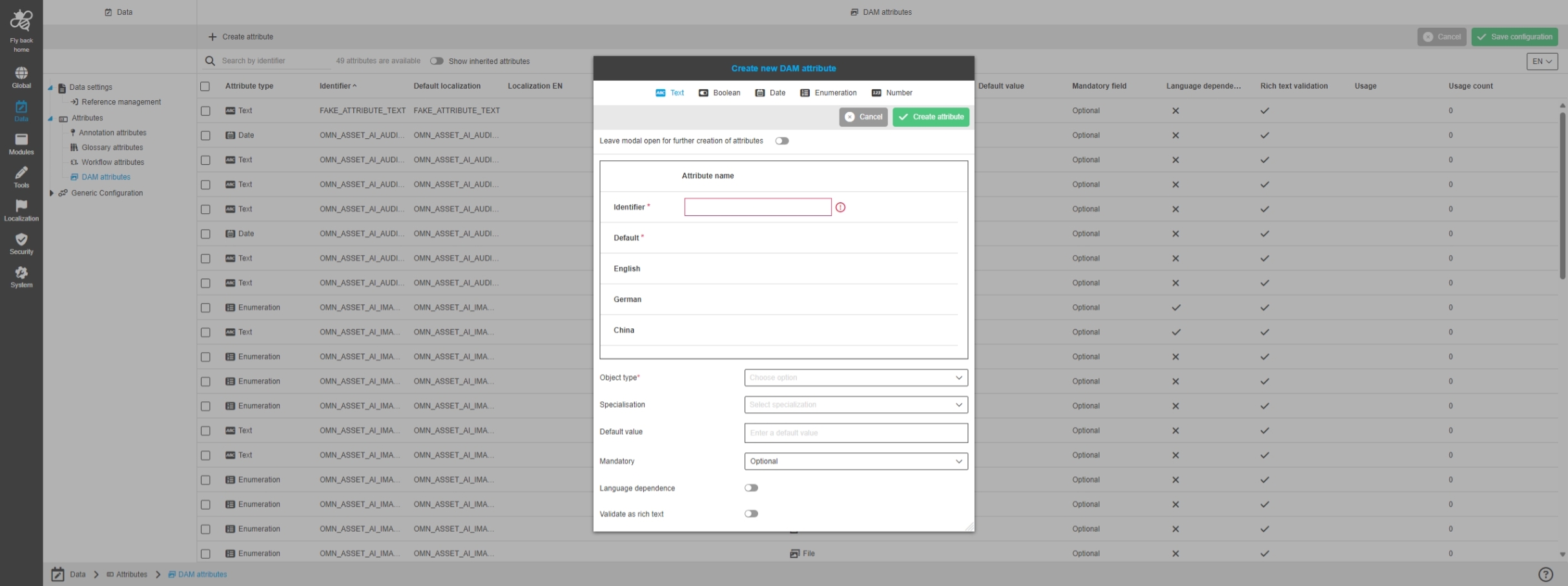
Data - Attributes - Object Type Assets - Create attribute
General Tags |
OUCC-1380 |
Possibility to create a new attribute from type asset in new Configuration Client
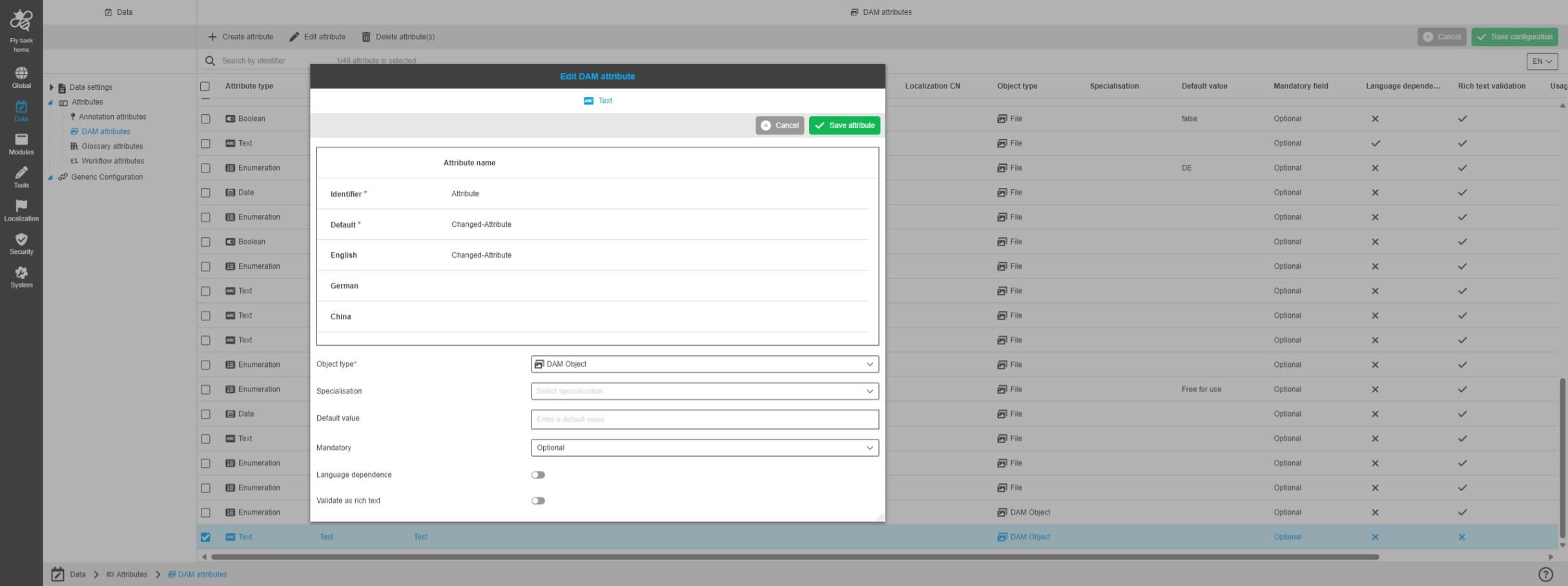
Data - Attributes - Object Type Assets - Edit attribute
General Tags |
OUCC-1381 |
Possibility to edit created DAM Attributes in new Configuration Client
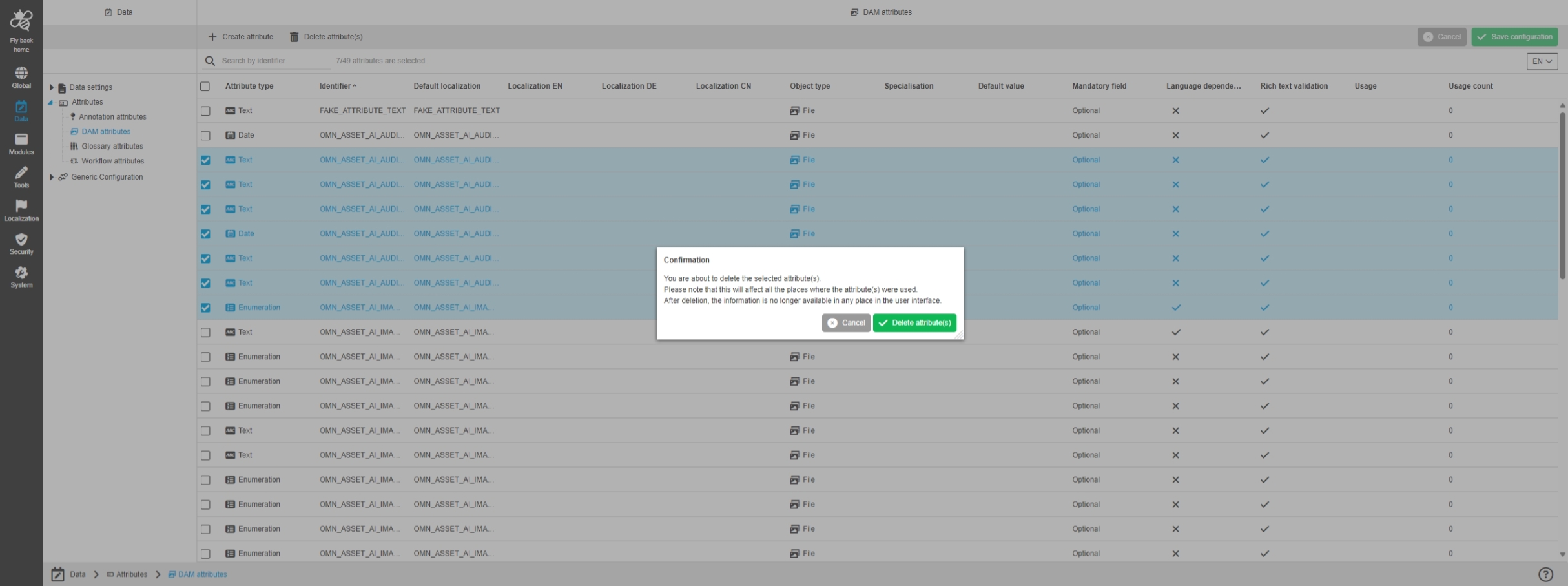
Data - Attributes - Object Type Assets - Delete attribute(s)
General Tags |
OUCC-1382, OMN-11269 |
Possibility to delete an attribute from type asset in new Configuration Client
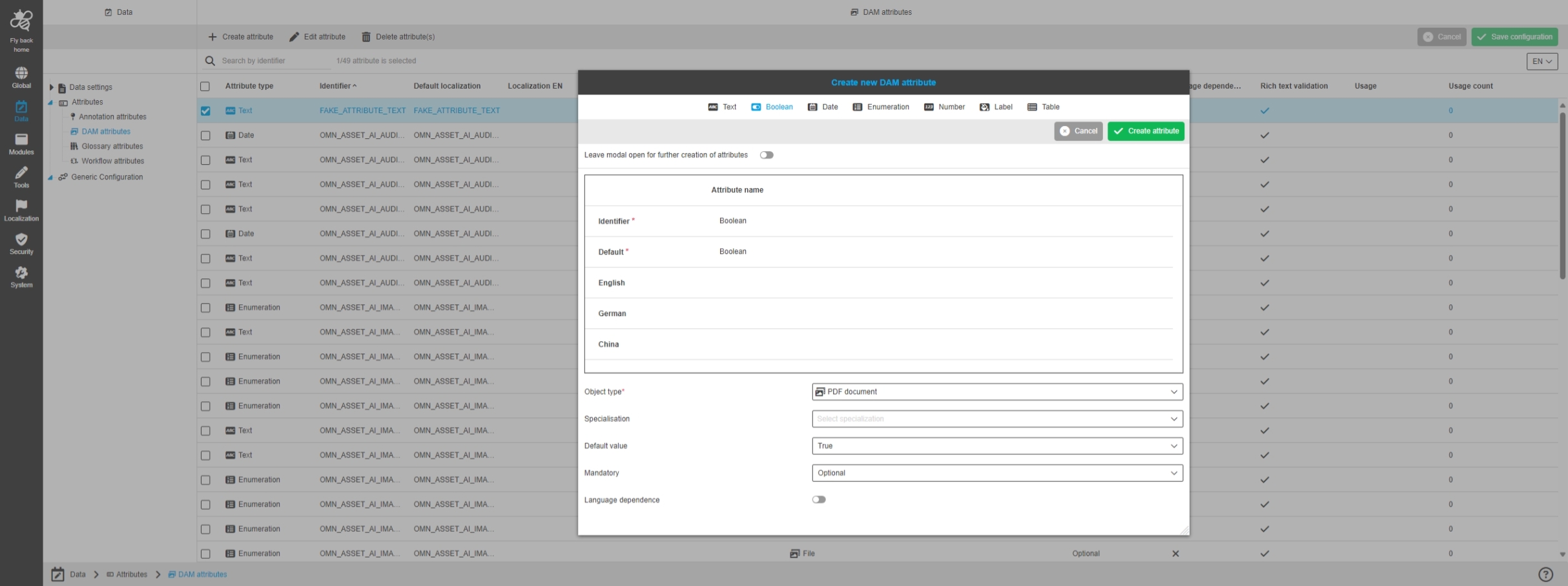
Data - Attributes - Object Type Assets - Create attribute - Boolean
General Tags |
OUCC-1460 |
Possibility to create an asset Boolean Attribute in new Configuration Client to use it in DAM content views for example table or detail view
Data - Attributes - Object Type Assets - Create attribute - Text
General Tags |
OUCC-1459 |
Possibility to create an asset text attribute in new Configuration Client to use it in DAM content views for example table or detail view
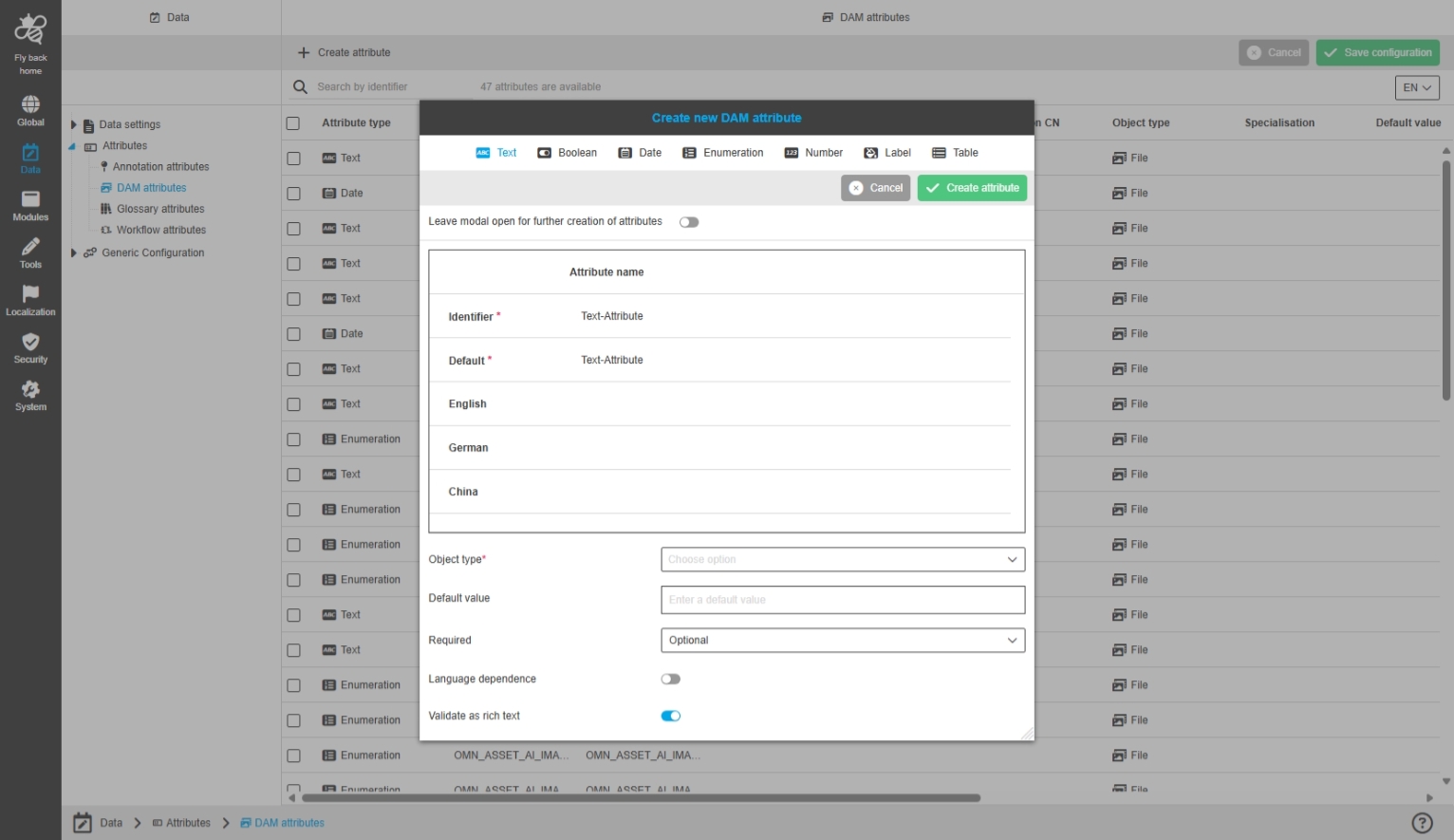
Data - Attributes - Object Type Assets - Create attribute - Label
General Tags |
OUCC-1383 |
Possibility to create an asset label attribute in new Configuration Client to use it in DAM content views for example table or detail view
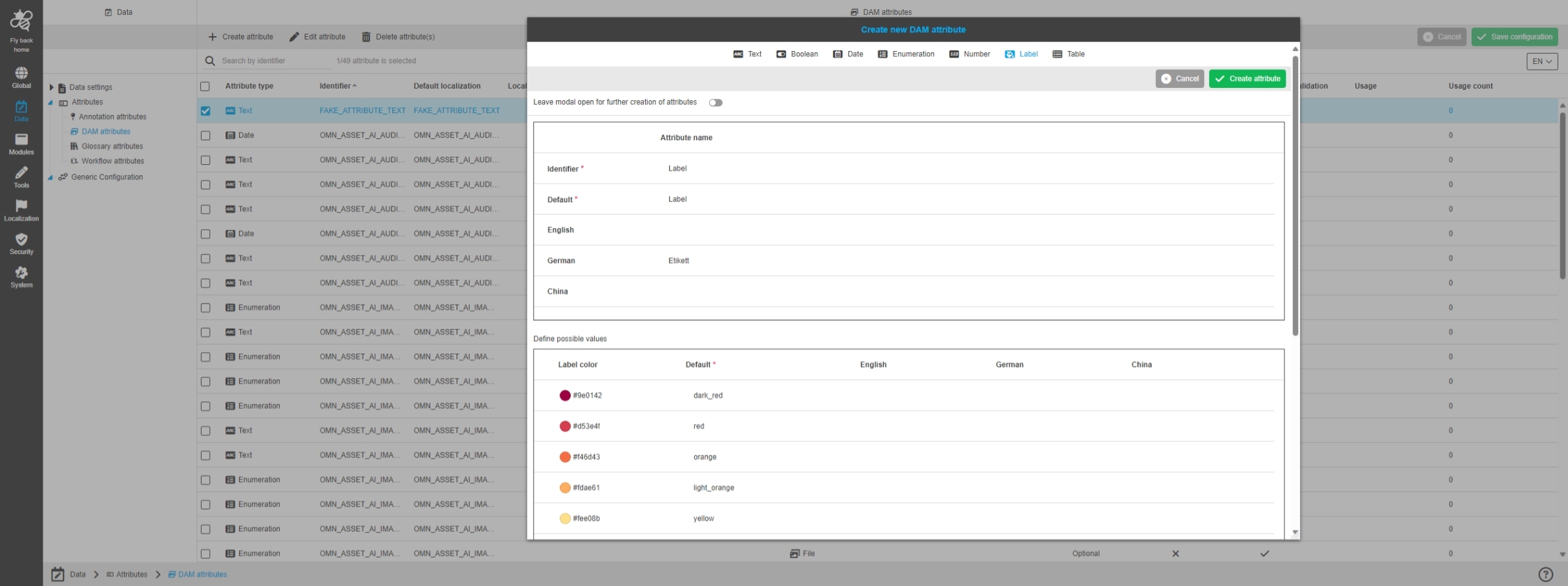
Data - Attributes - Object Type Assets - Create attribute - Date
General Tags |
OUCC-1461, OUCC-1641 |
Possibility to create an asset date attribute in new Configuration Client to use it in DAM content views for example table or detail view
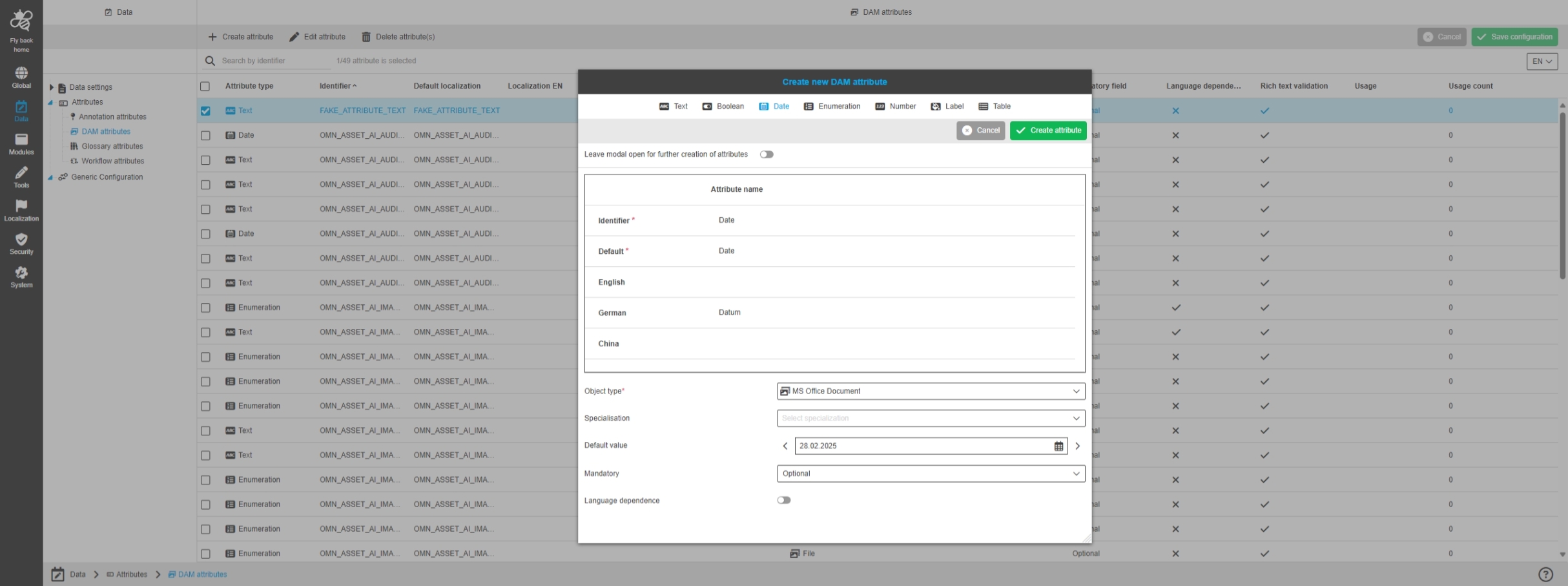
Data - Attributes - Object Type Assets - Create attribute - Enumeration
General Tags |
OUCC-1462 |
Possibility to create an asset enum attribute with value list in new Configuration Client to use it in DAM content views for example table or detail view
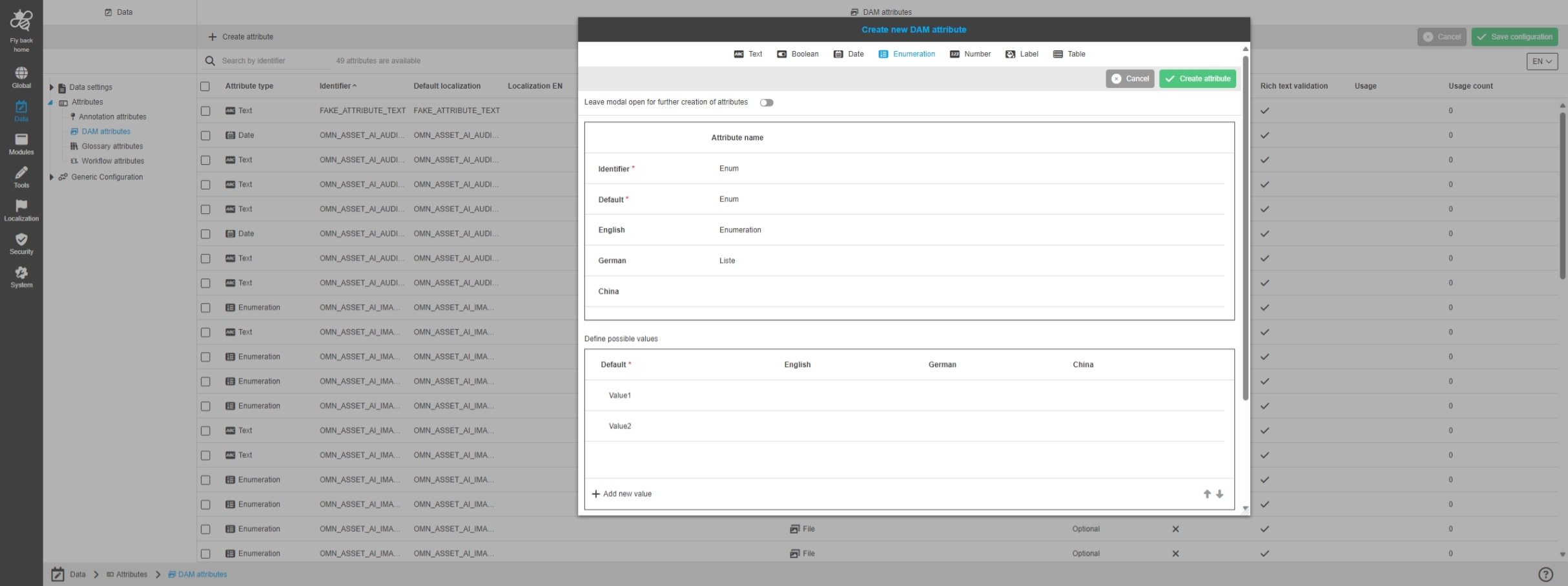
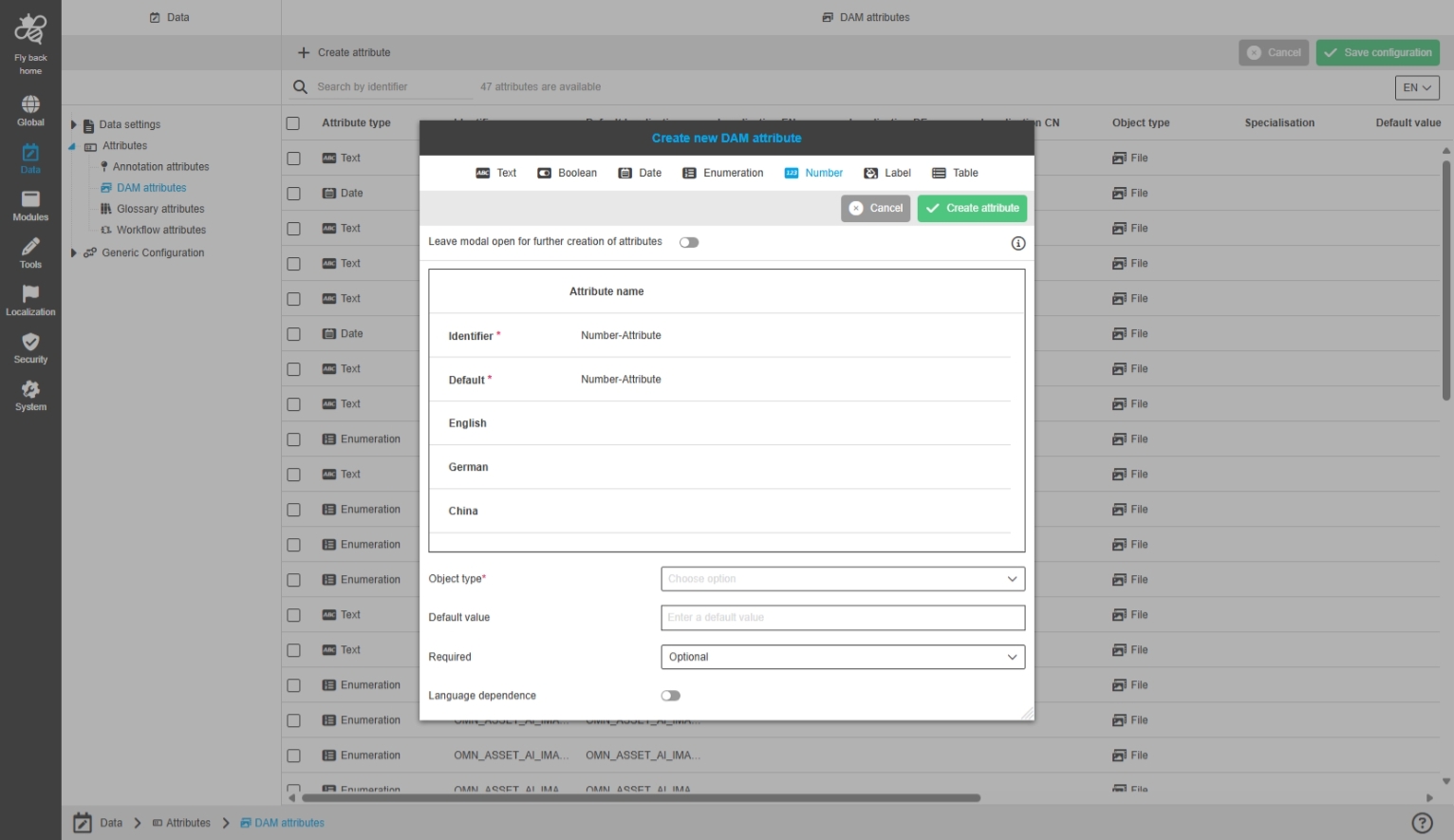
Data - Attributes - Object Type Assets - Create attribute - Number
General Tags |
OUCC-1463 |
Possibility to configure number attribute in new Configuration Client to use it in DAM content views for example table or detail view
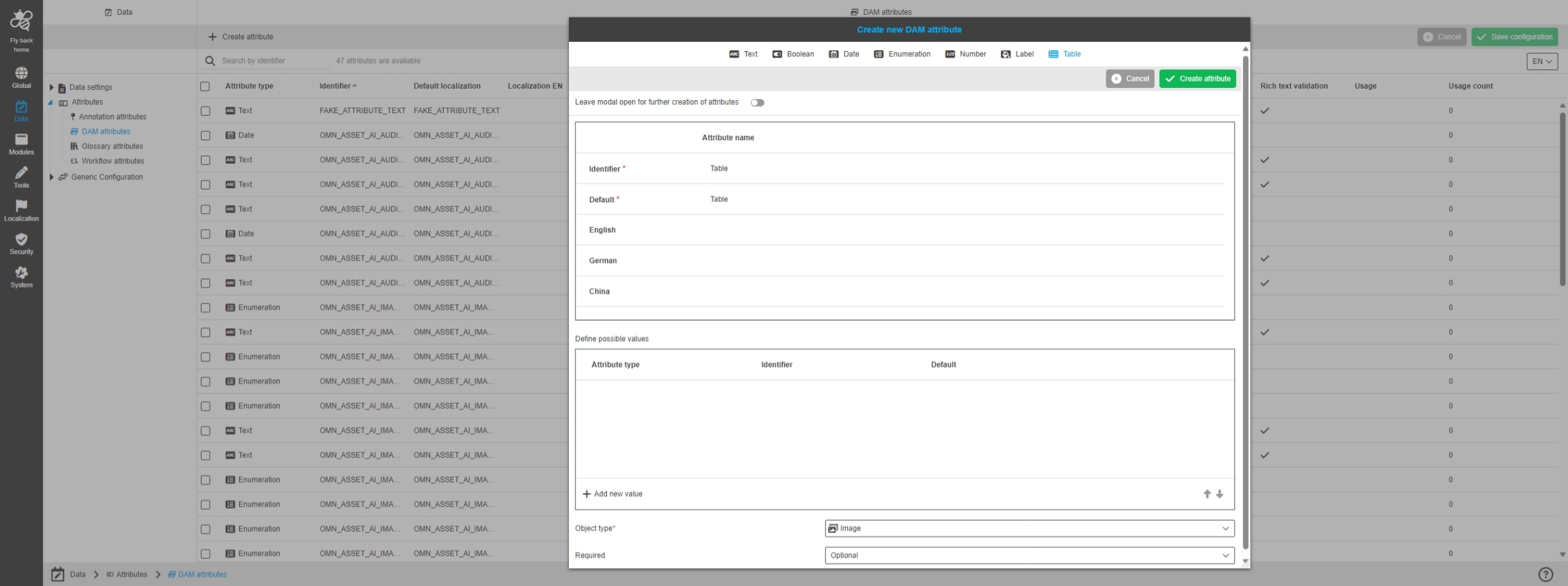
Data - Attributes - Object Type Assets - Create attribute - Table
General Tags |
OUCC-1465 |
Possibility to create an asset table attribute, so that we can use it in DAM content views for example table or detail view.
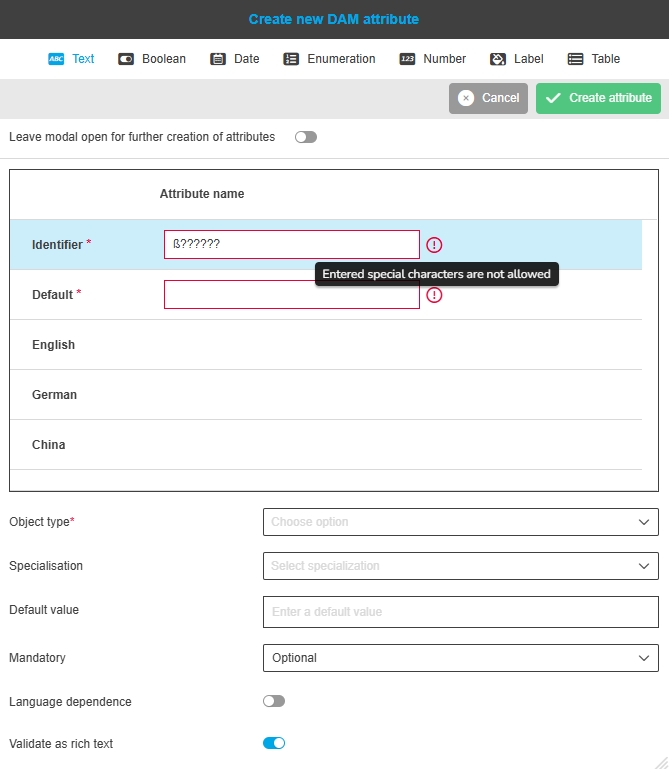
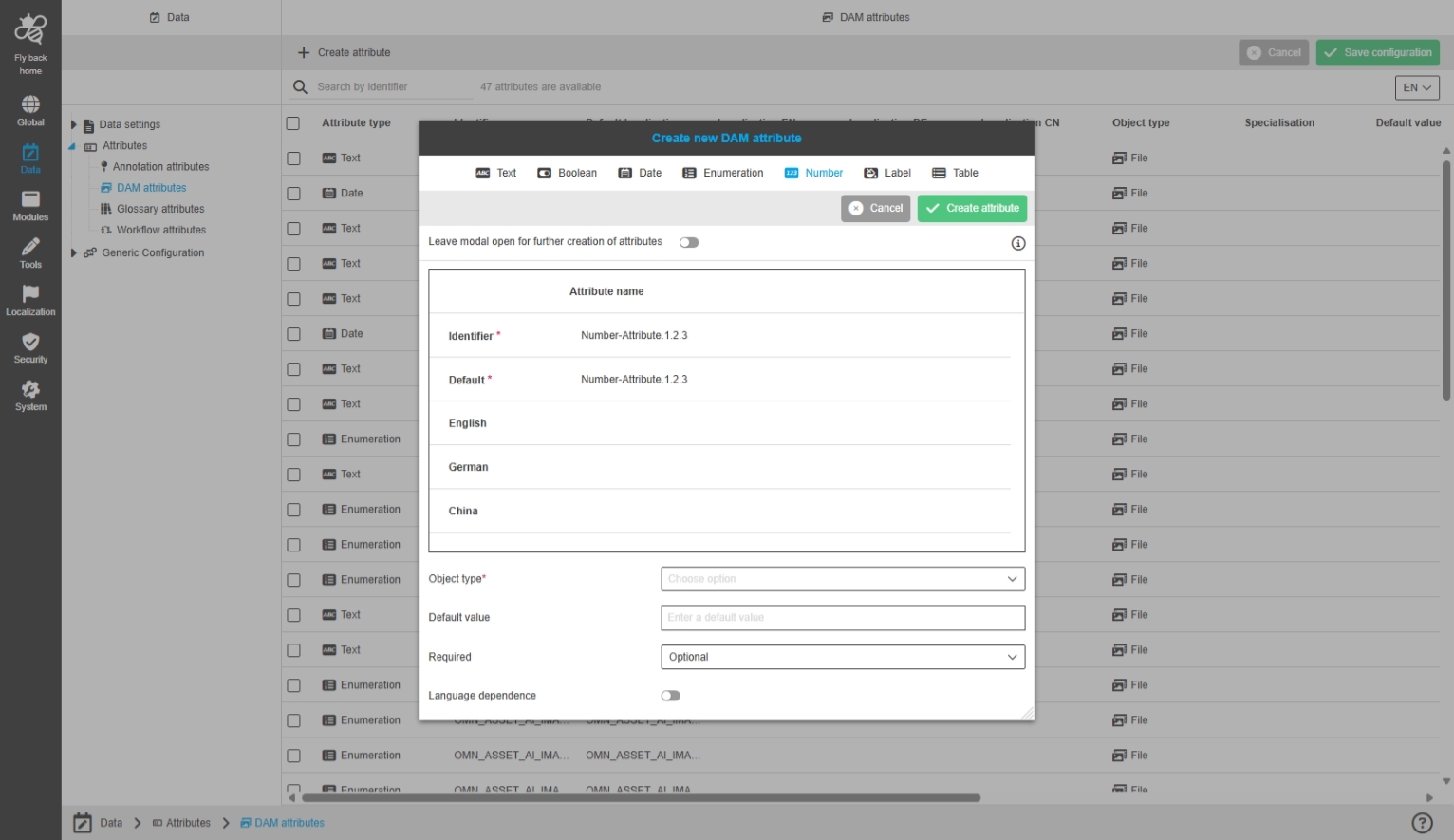
Data - Attributes - all Object Type - Create attribute - Alignment of allowed characters for identifiers
General Tags |
OUCC-1521 |
Possibility to create attributes in the new Configuration Client for all attribute object types the same way, so that there is a unique behavior and clarity how to create attributes with following allowed conditions
-
a-Z (lower and upper cases)
-
0-9 (numbers) Check Mark
-
special characters: -
-
spaces are not allowed, if the user enters space it should be automatically transformed to '_' (underline)
-
if the user enters any character, that is not in the allowed scope the following validation message is shown (inline editing approach should be used like already implemented)
Label Attributes
Base-Requirement |
OR-1635 |
Possibility to configure new Attribute type (Colored) Labels in DAM Attribute Configuration
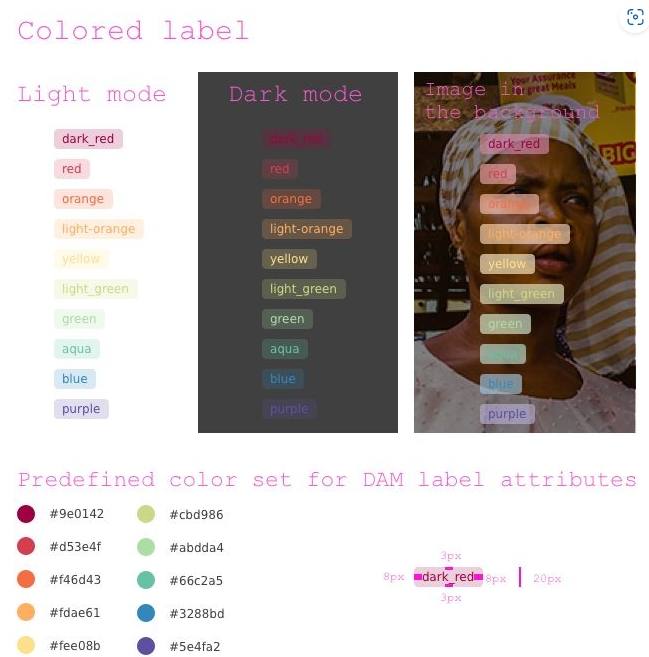
General layout colored label component
General Tags |
OG-15171, OMN-11350 |
Introduction of new colored label component in UI in context of new label Attribute, which can be configured for assets
-
a new attribute type for label attribute is introduced on server side for DAM-Attributes
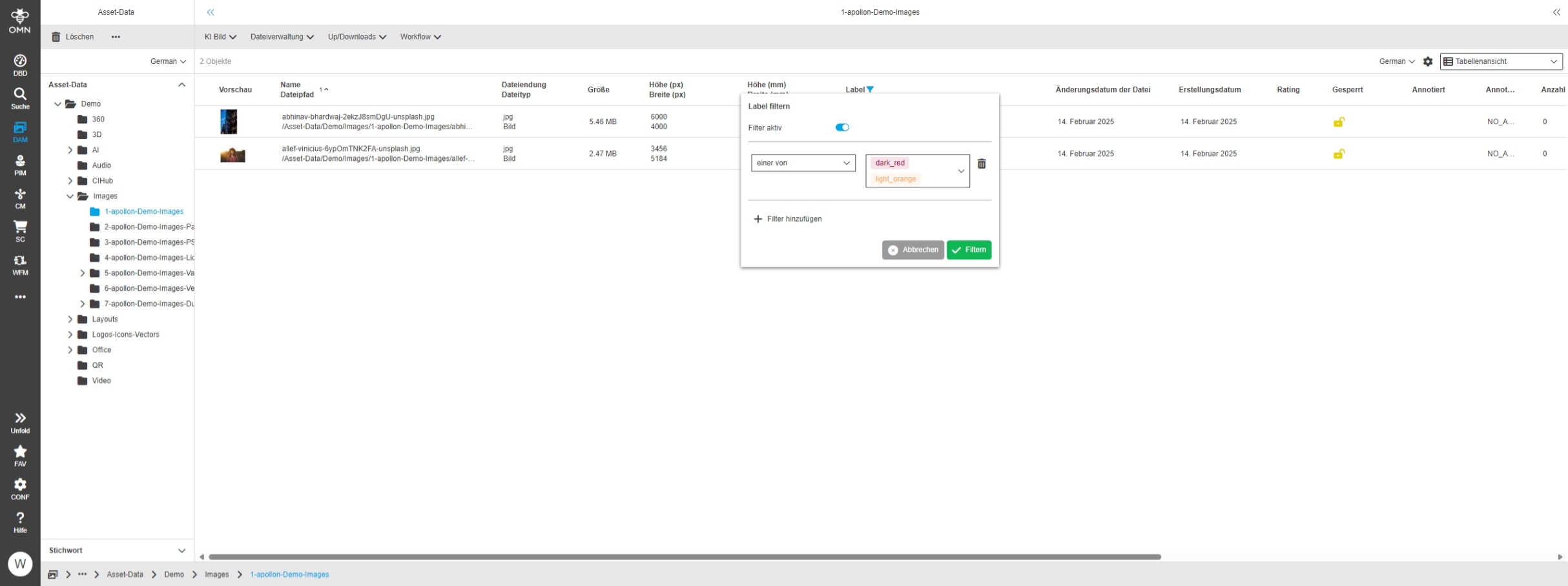
FSTable - DAM label attributes - Column filter
General Tags |
OG-15176 |
Possibility to filter label attributes in FS Table to reduce the listed assets in the content view by a certain label
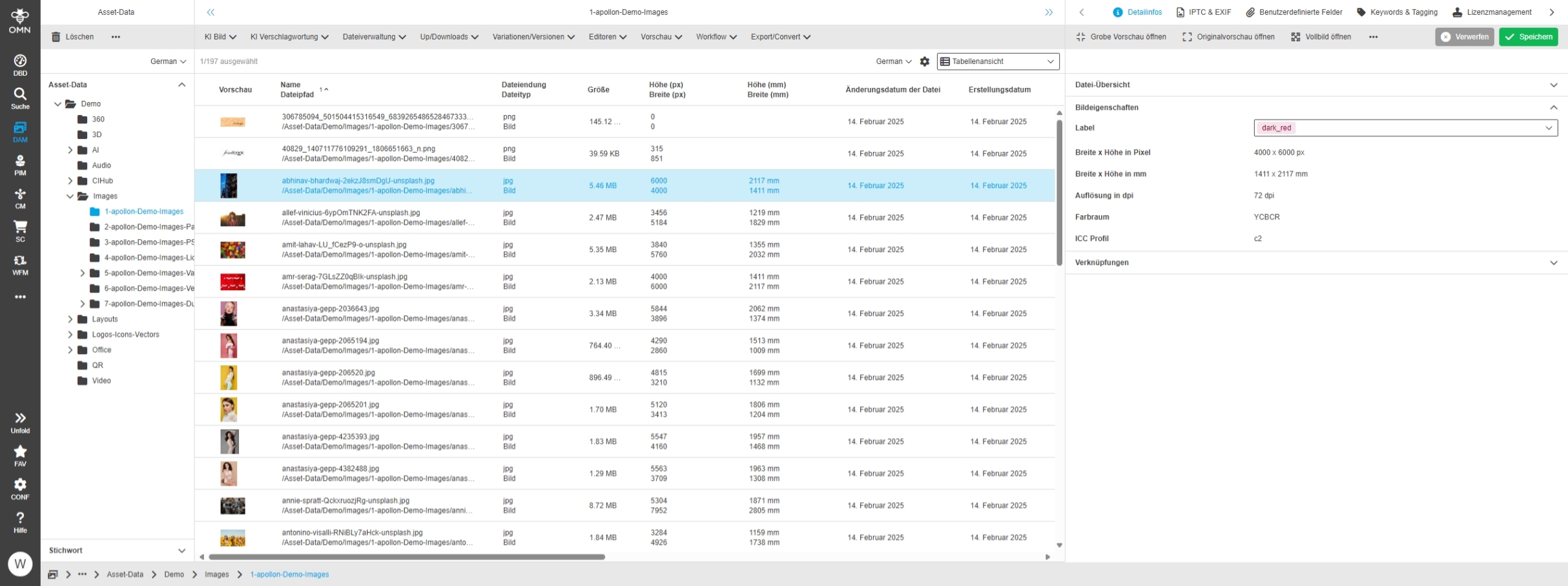
FSDetail - Visualization of DAM label attributes (new dam attribute data type)
General Tags |
OG-15173, OMN-11051 |
Possibility to change the label attribute in Detail View on selected assets
Current Version does not support
-
creating new values directly in Detail view (must be done over Configuration Client)
-
assign multiple labels to one asset
Page Plugins
Improvements and Features in OMN Configuration Client - Page Plugin Configuration
Duplicate Search
Improvements and Features in OMN Configuration Client – Duplicate Search Configuration
Modules - Page plugin - Duplicate Search - General layout
General Tags |
OUCC-1574 |
Possibility to configure the Duplicate Search page plugin in the new Configuration Client
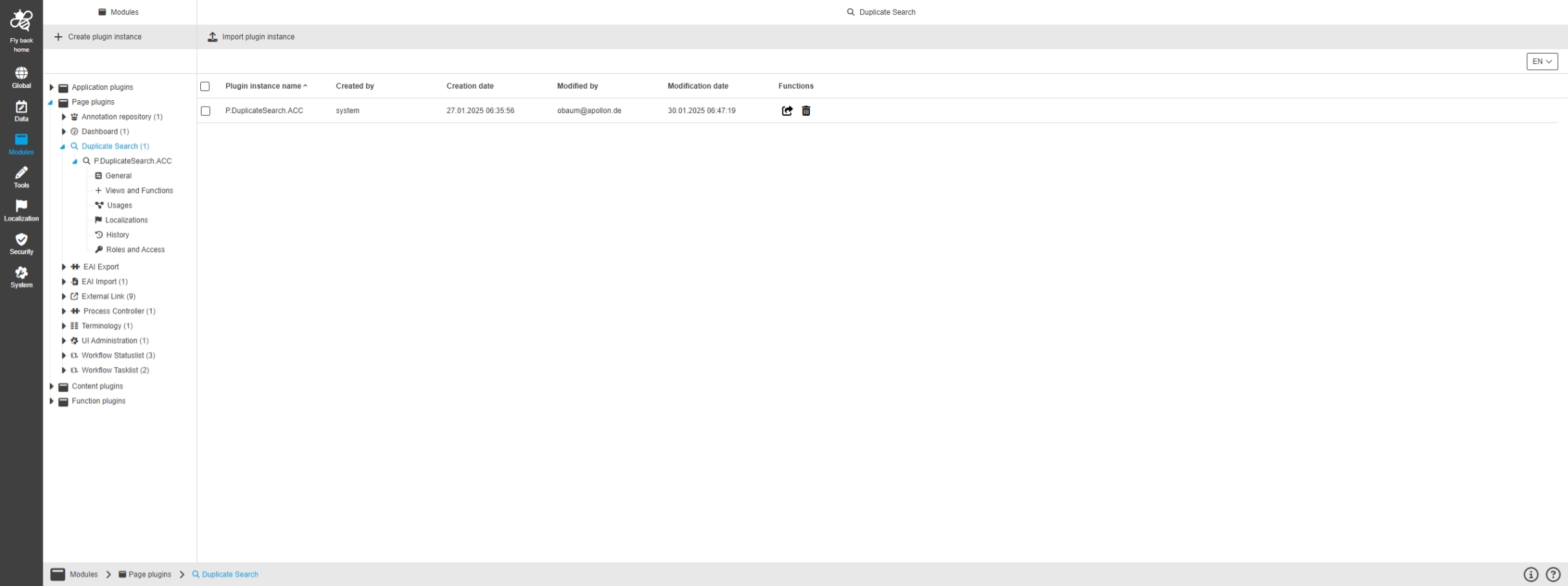
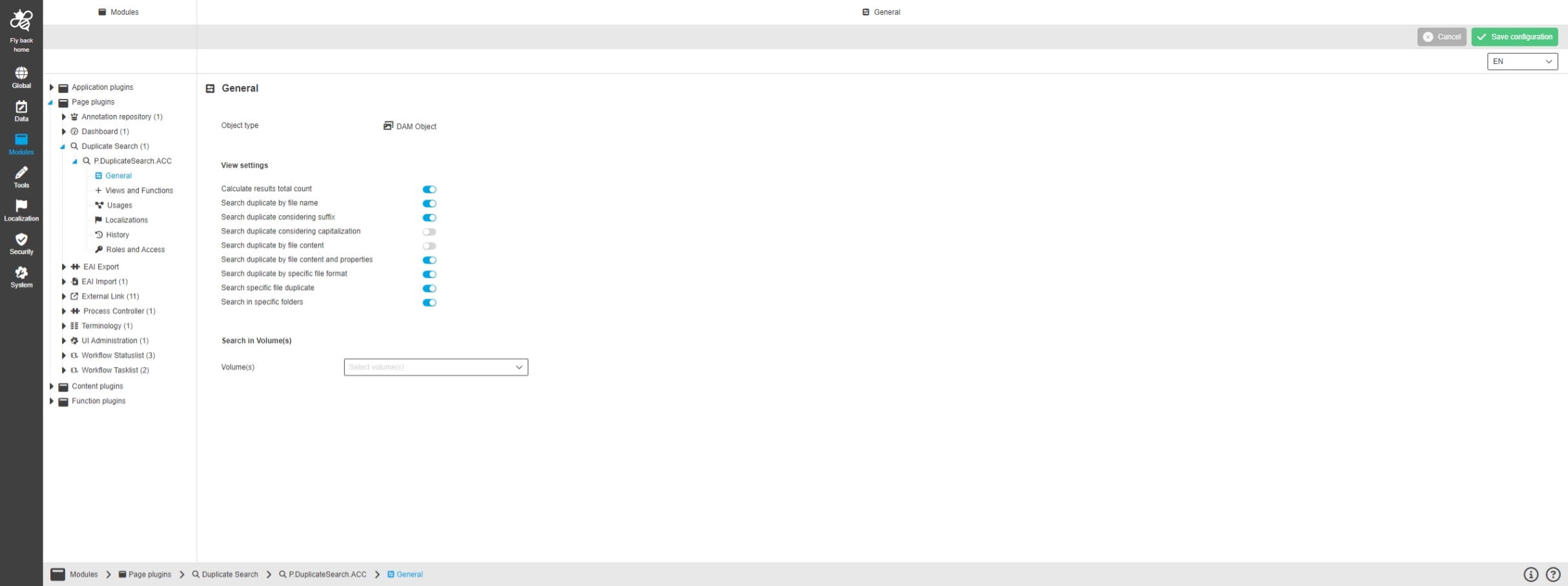
Modules - Page plugin - Duplicate Search - General
General Tags |
OUCC-1575, OMN-11336 |
Possibility to configure the general settings of the Duplicate Search Plugin in new Configuration Client
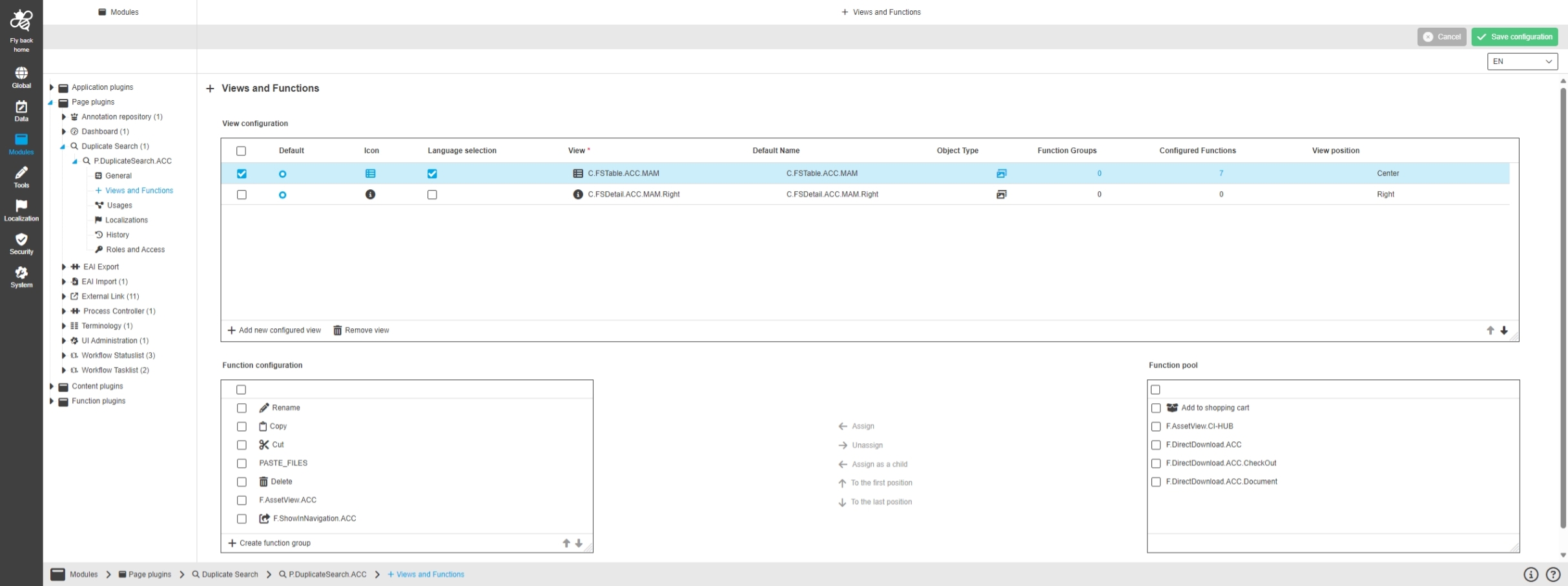
Modules - Page plugin - Duplicate Search - Views and Functions
General Tags |
OUCC-1576 |
Possibility to configure views and functions which should be shown in the UI for the Duplicate Search Plugin in new Configuration Client
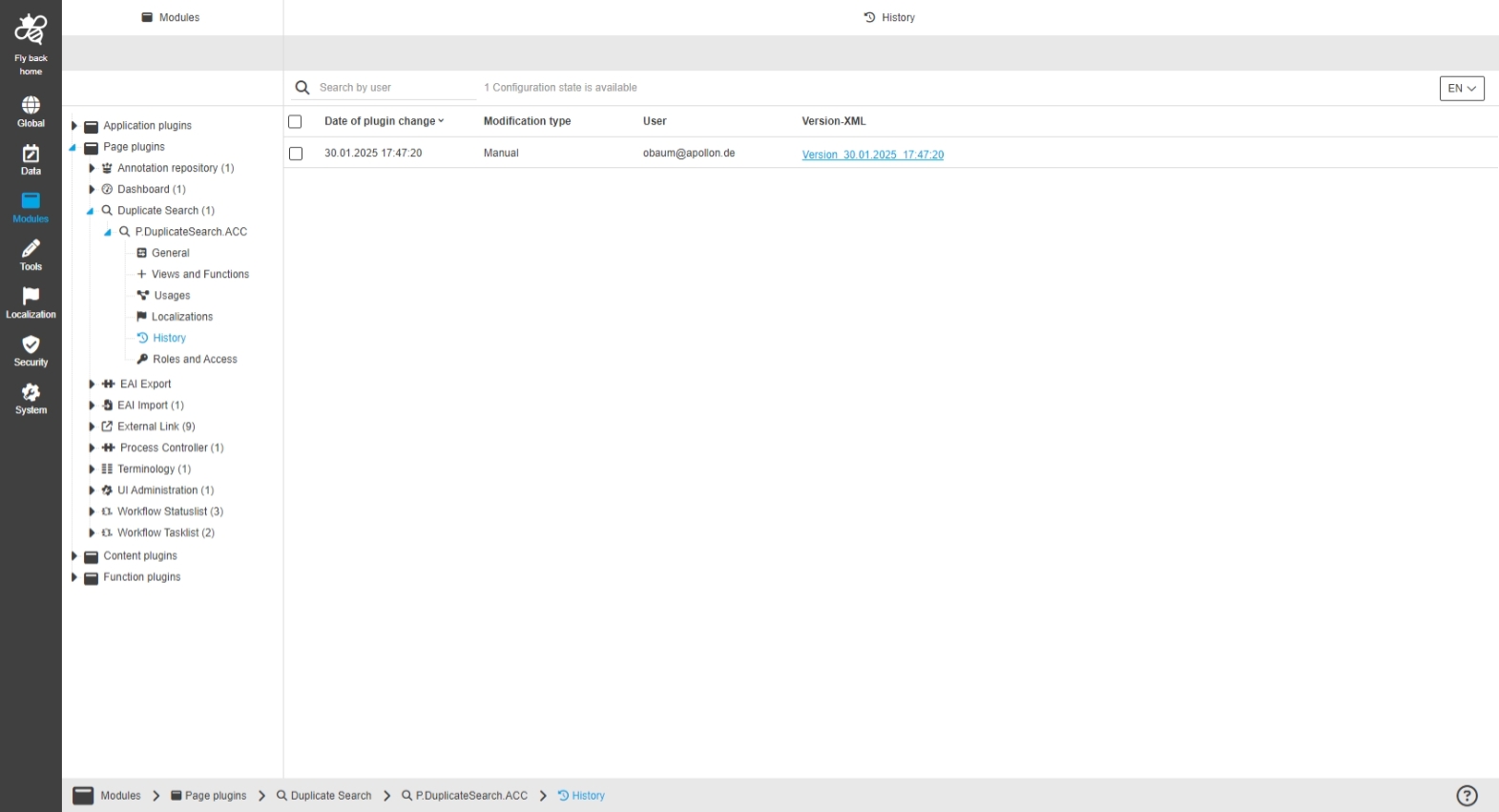
Modules - Page plugin - Duplicate Search - History
General Tags |
OUCC-1579 |
New overview of all modifications made in the Duplicate Search plugin instance
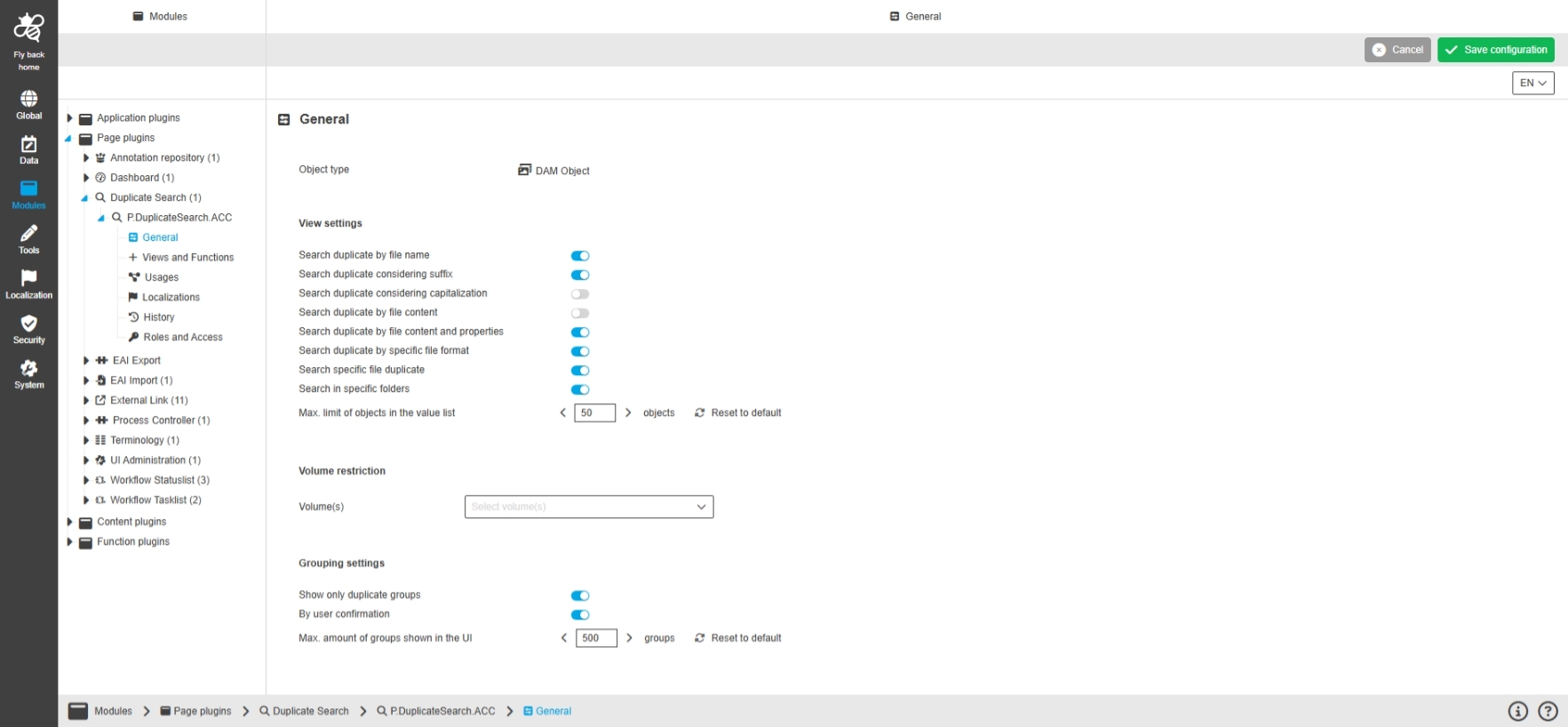
Modules - Page plugin - Duplicate Search - General - max. amount for objects searchable 'Search in specific folders' dropdown
General Tags |
OUCC-1667, OMN-11388 |
Chance to configure the max. object limit for Duplicate Search Plugin which defines the possible values list in 'Search in specific folders’ dropdown in the UI
-
this option allows finding duplicates in specific folders
Modules - Page plugin - Duplicate Search - General - Remove toggle Calculate results total count
General Tags |
OUCC-1678 |
The toggle "Calculate results total Count" is removed from configuration because it is no longer relevant for duplicate Search working with Elasticsearch
-
the total hit count will be displayed in the UI in another way (OG-15538)
Modules - Page plugin - Duplicate Search - General - Localization improvement for Search in Volume(s)
General Tags |
OUCC-1696 |
Improved localization of new Search Option in Configuration Client to restrict volumes where duplicates will be search to better understand, that search Option will restrict volumes where duplicates will be searched
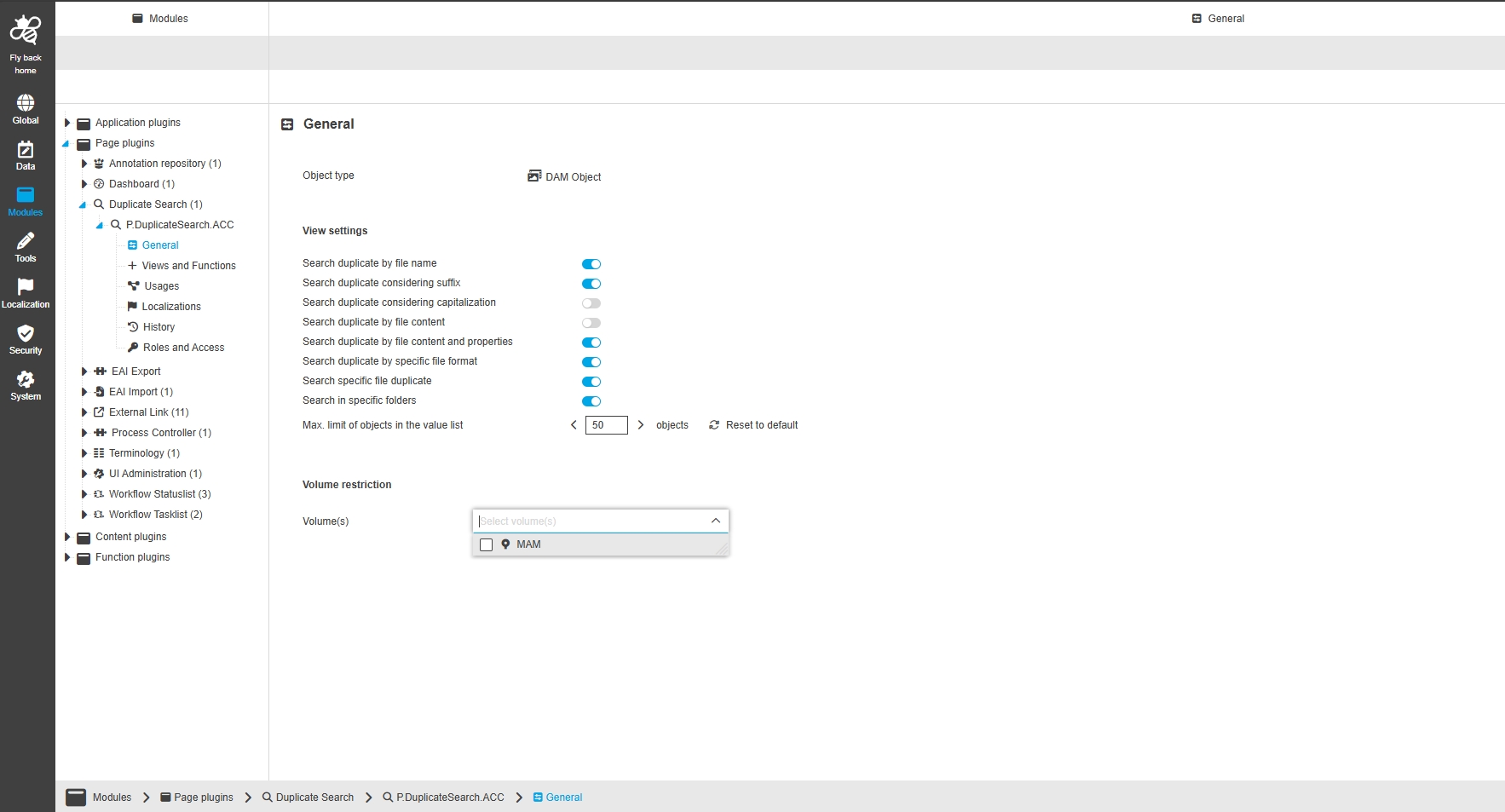
Modules - Page plugin - Duplicate Search - General - Configure max group size and show groups toggle
General Tags |
OUCC-1707, OMN-11417 |
Chance to define in the duplicate search configuration whether (duplicate) groups (in Elasticsearch they are called buckets) should be visualized with or without child in the duplicate search and define the max group size so that is possible to influence the performance by configuration
It is also possible to set whether the user can switch between grouping mode and non-grouping mode in the UI
Duplicate Search - Configurable Function to open Search from Duplicate Search in selected file
General Tags |
OUCC-1708, OMN-11422 |
Possibility to configure a function to open result from Duplicate Search in OMN Search plugin in order to continue working with a search result from the duplicate search in the advanced search and thus see all files that belong to the duplicate
-
Precondition: The Use of the “open in search function” requires additional configuration. in order that search can be executed correspondingly
-
it must be secured by configuration that the configured search contains the parameters depending on the needed duplicate search use case: filename, image data checksum, total file checksum
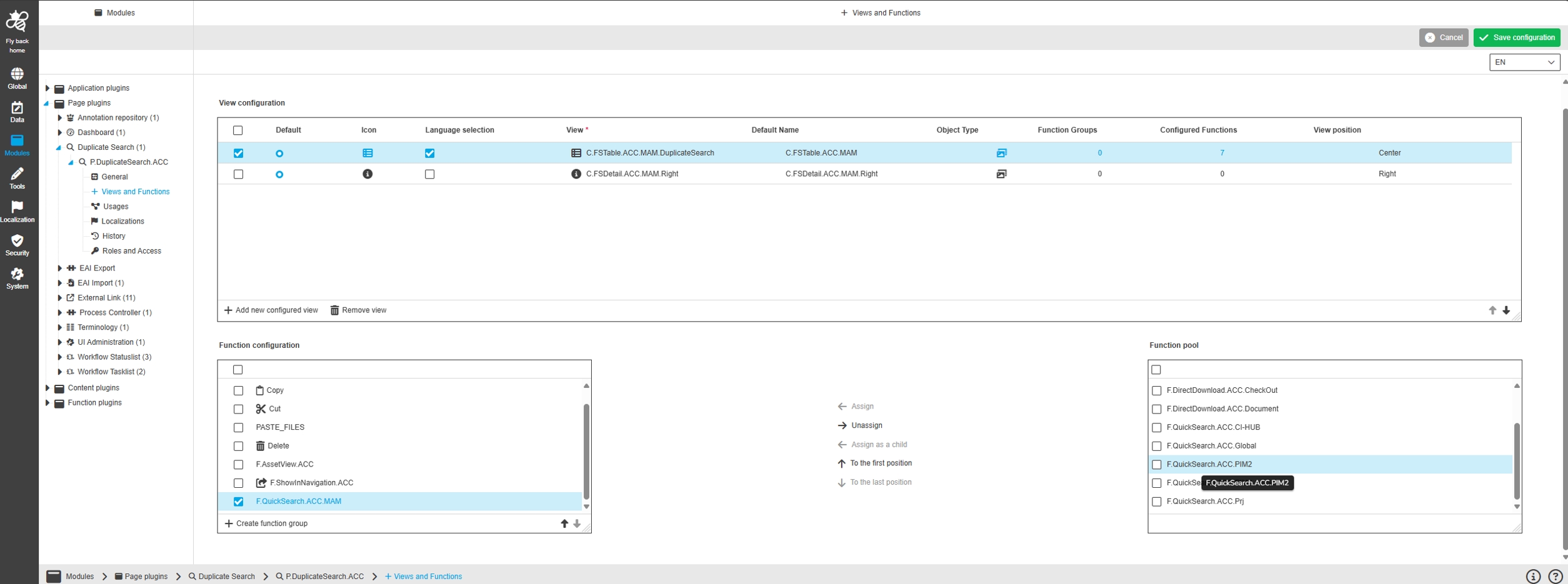
Modules - Page plugin - Duplicate Search - General - Toggle behavior for 'Search duplicate by' toggles and new options for file name relevant parameters
General Tags |
OUCC-1614, OMN-11354 |
Possibility to configure a use case valid configuration for the 'Search duplicate by' toggles in the configuration, so UI shows always at least one option to search duplicates by file name, content or content and properties and search is valid
Content Plugins
Improvements and Features in OMN Configuration Client - Content Plugin Configuration
ChannelAnnotationView
Improvements and Features in OMN Configuration Client - Content Plugin Channel Annotation View
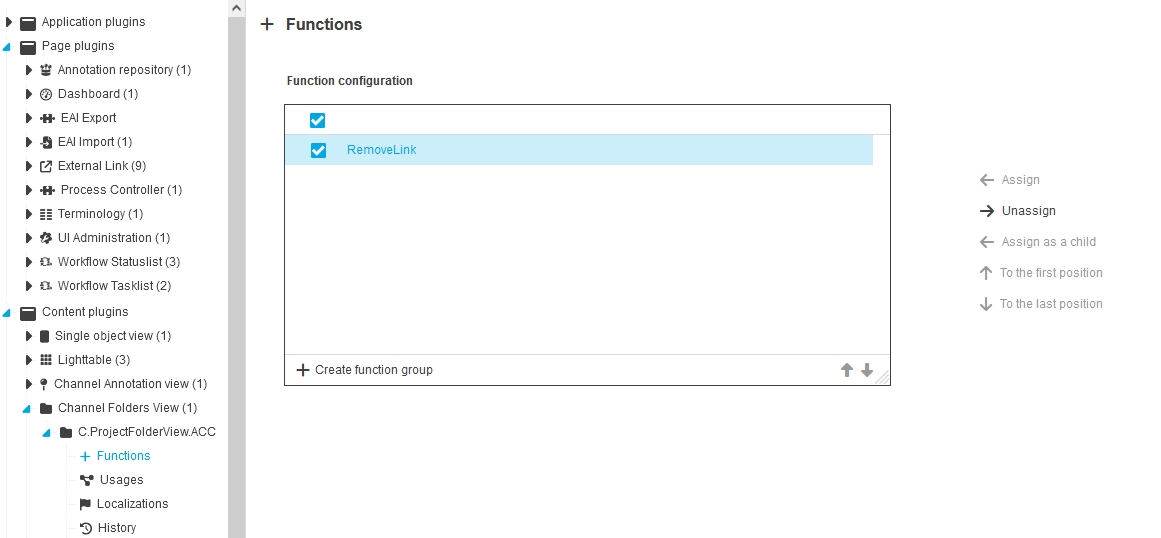
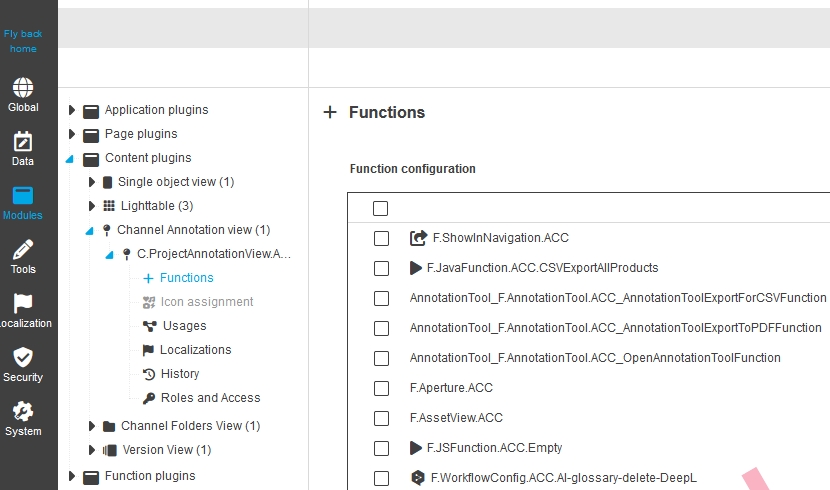
Modules - Content plugin - Channel Annotation View - add configurable functions
General Tags |
OUCC-1401 |
Possibility to configure other important functions in the ProjectAnnotationView which are aligned to Annotation Repository
-
AnnotationTool (most important one - to open Annotation Tool on selected table entry)
-
AnnotationToolExportforCSV (currently shown without configuration)
-
AnnotationToolExportfoToPDF (currently shown without configuration)
-
AssetView
-
WorkflowConfig (from Type Asset or no type)
-
JSFunction
-
JavaFunction
-
Aperture
Function Plugins and Tools
Improvements and Features in OMN Configuration Client - Function Plugin and Tool Configuration
System Configuration
Improvements and Features in OMN Configuration Client - System Configuration
Security
General Tags |
OUCC-1280 |
Improvements and Features in OMN Configuration Client - Security Configuration
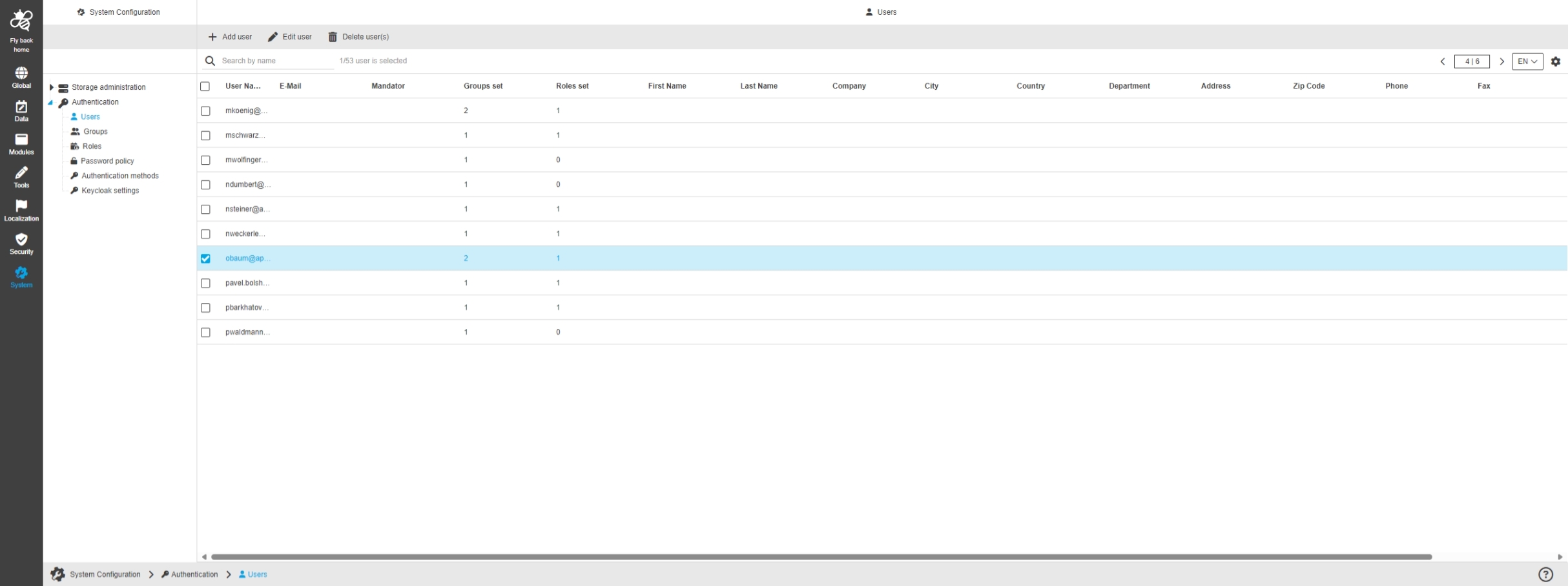
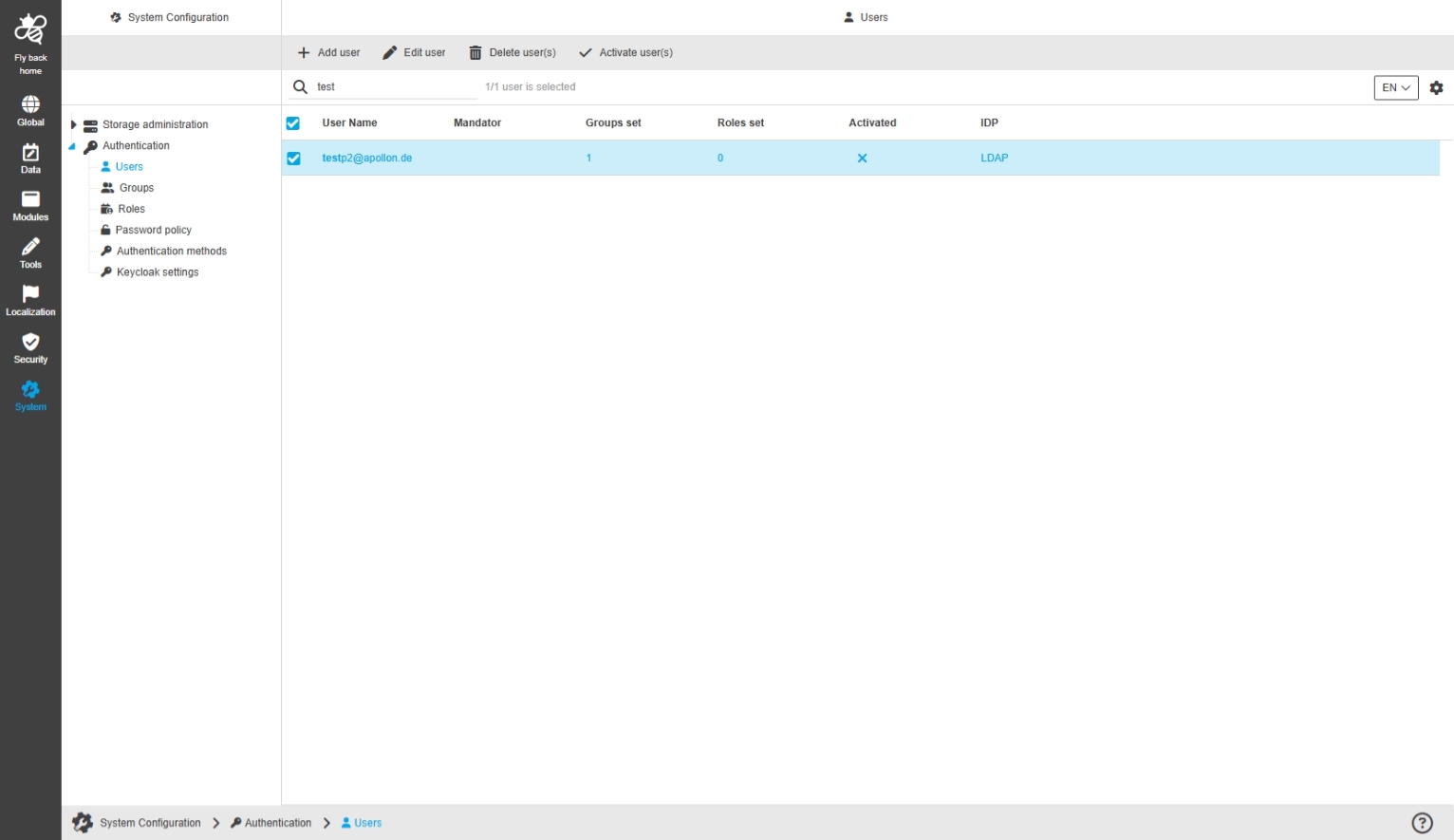
ConfigClient - System Configuration - Authentication - Users - Center view
General Tags |
OUCC-1281 |
Possibility to manage OMN users in new Configuration Client with functionality to add, edit and remove user for the OMN system and see an overview of all roles
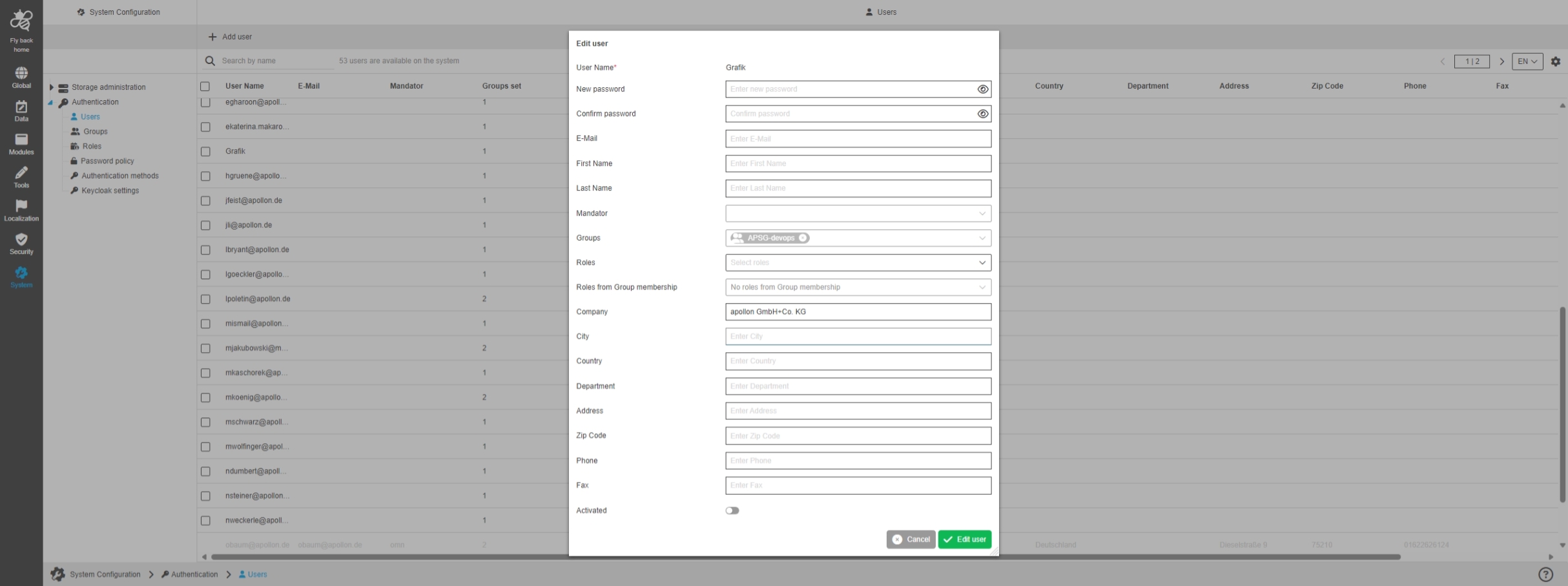
ConfigClient - System Configuration - Authentication - Users - Function - Edit user
General Tags |
OUCC-1317 |
Possibility to edit an existing user in the user configuration within new Configuration Client
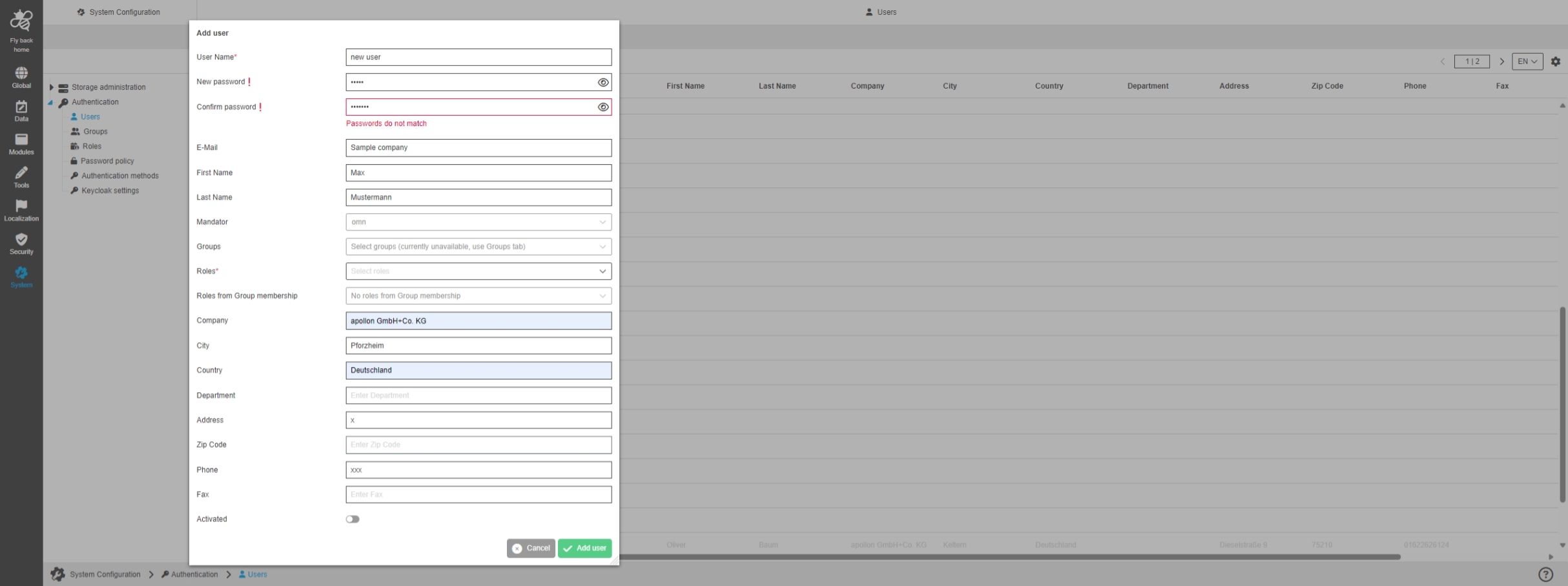
ConfigClient - System Configuration - Authentication - Users - Function - Add user
General Tags |
OUCC-1288 |
Possibility to create a new OMN LDAP user within the Authentication section of new Configuration Client
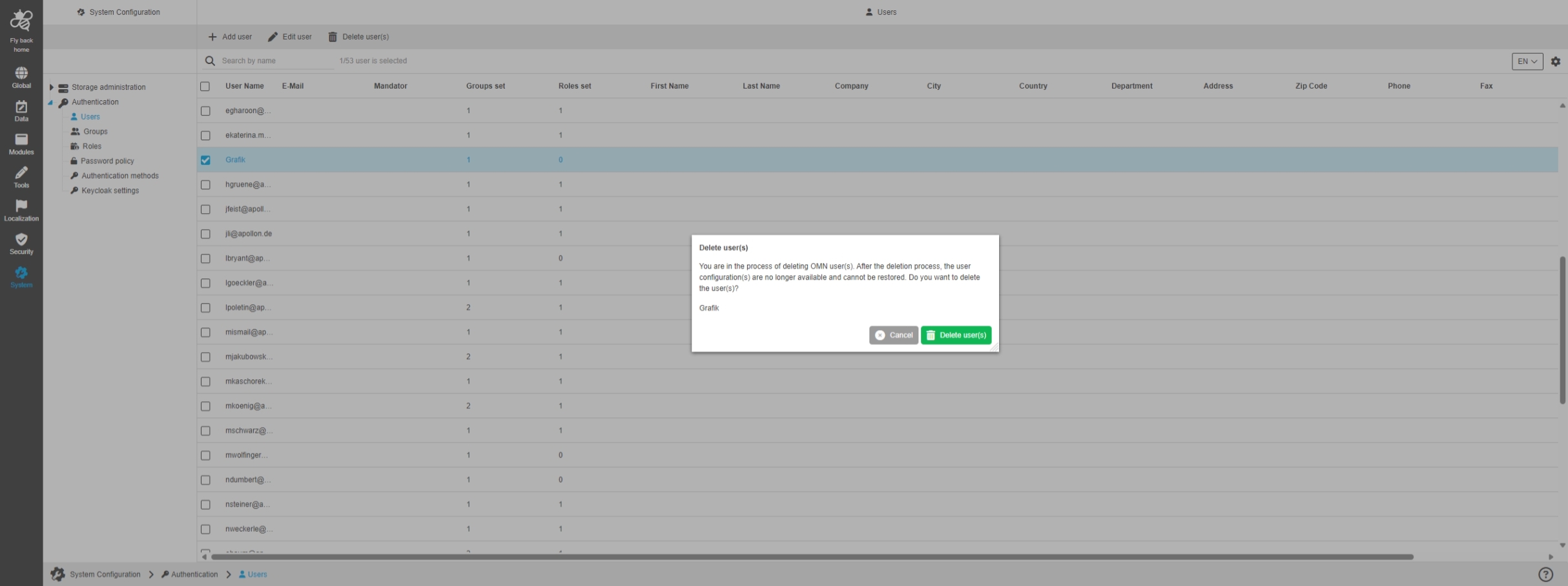
ConfigClient - System Configuration - Authentication - Users - Function - Delete user(s)
General Tags |
OUCC-1289 |
Possibility to delete users from the OMN System in new Configuration Client
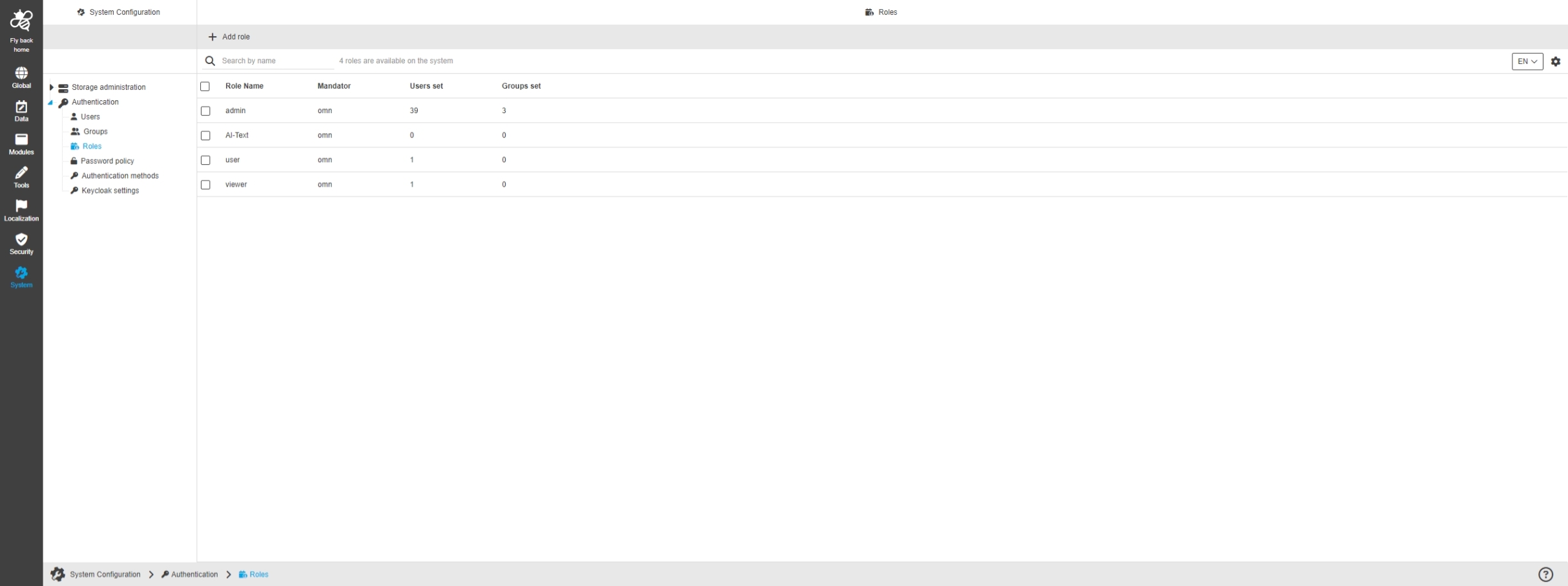
ConfigClient - System Configuration - Authentication - Roles - Center view
General Tags |
OUCC-1283 |
Possibility to manage OMN roles in new Configuration Client with functionality to add, edit and remove roles for the OMN system and see an overview of all roles
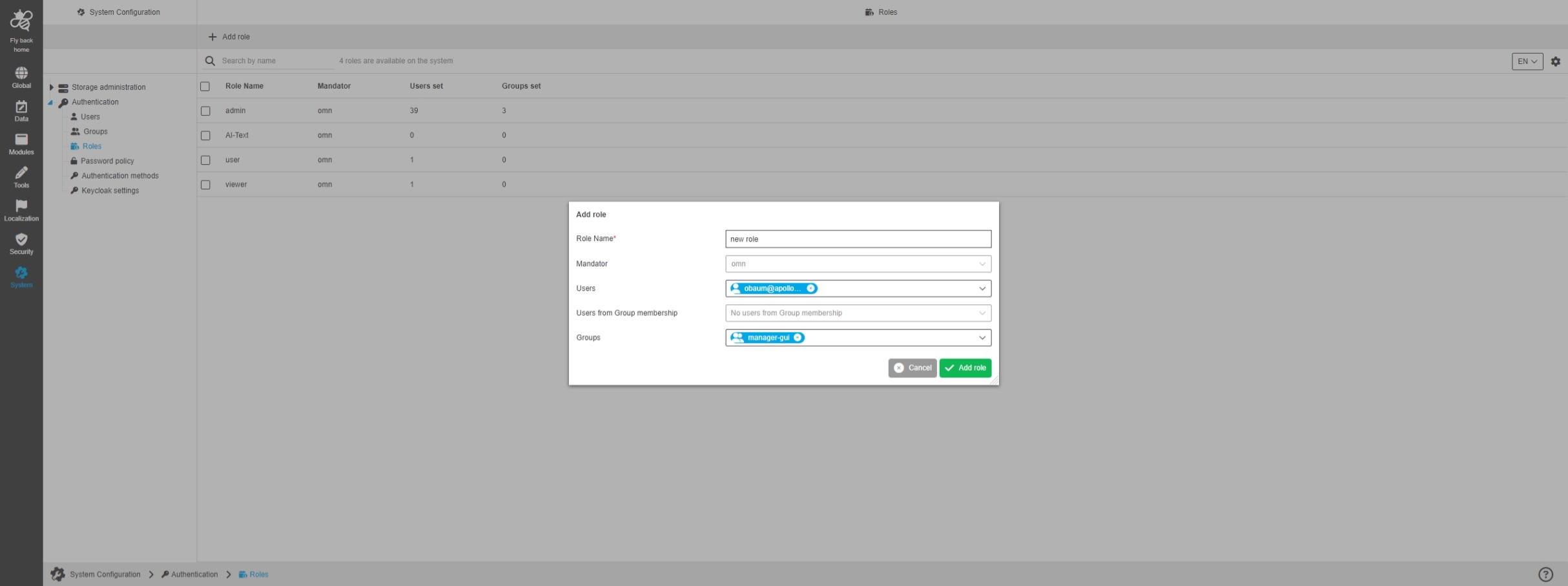
ConfigClient - System Configuration - Authentication - Roles - Function - Add role
General Tags |
OUCC-1292 |
Possibility to create a new role in the role configuration within new Configuration Client
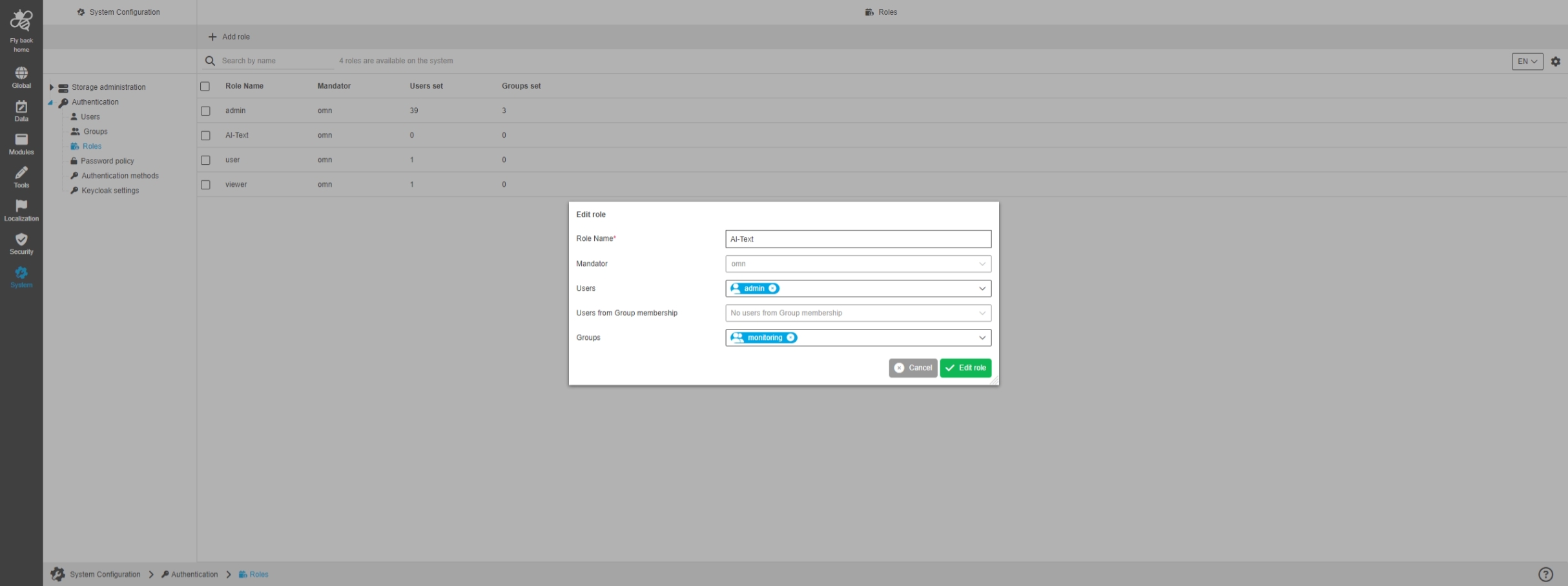
ConfigClient - System Configuration - Authentication - Roles - Function - Edit role
General Tags |
OUCC-1319 |
Possibility to edit an existing role in the role configuration within new Configuration Client
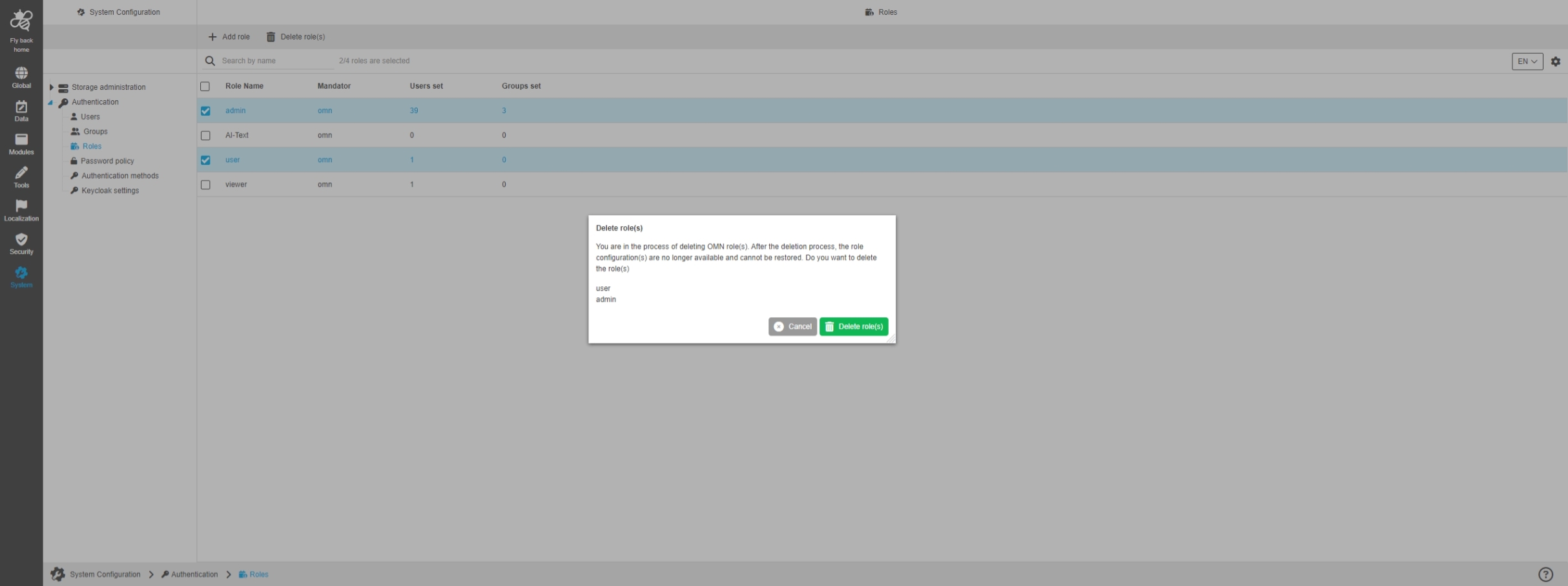
ConfigClient - System Configuration - Authentication - Roles - Function - Delete role(s)
General Tags |
OUCC-1293 |
Possibility to delete an existing role from the OMN System in new Configuration Client
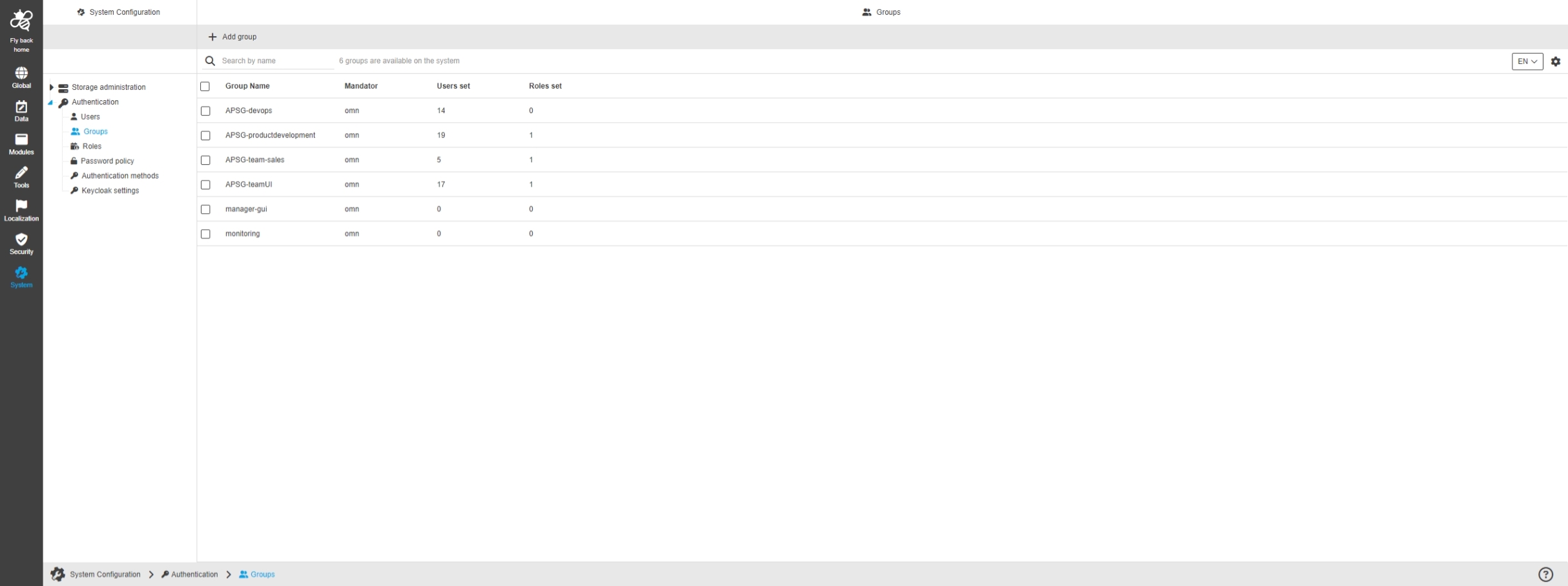
ConfigClient - System Configuration - Authentication - Groups - Center view
General Tags |
OUCC-1282 |
Possibility to manage OMN Groups in new Configuration Client with functionality to add, edit and remove Groups for the OMN system and see an overview of all roles
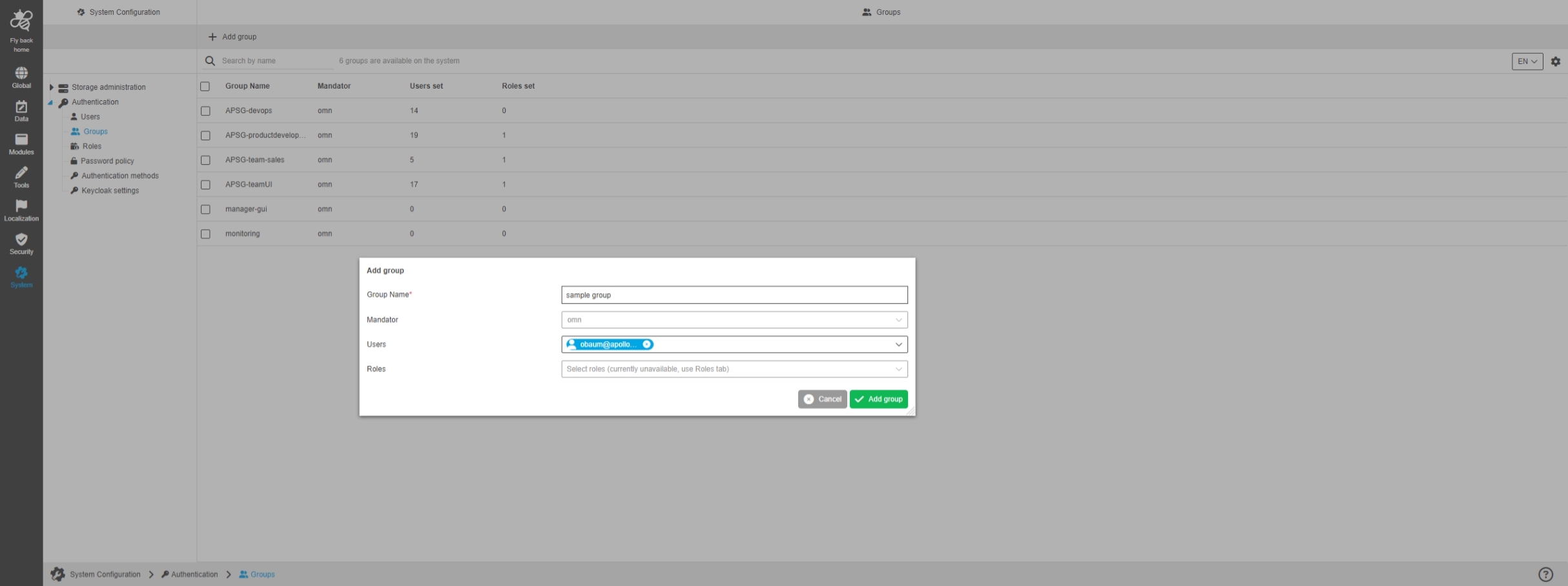
ConfigClient - System Configuration - Authentication - Groups - Function - Add group
General Tags |
OUCC-1290 |
Possibility to create a new OMN LDAP group within the Authentication section of new OMN Configuration Client
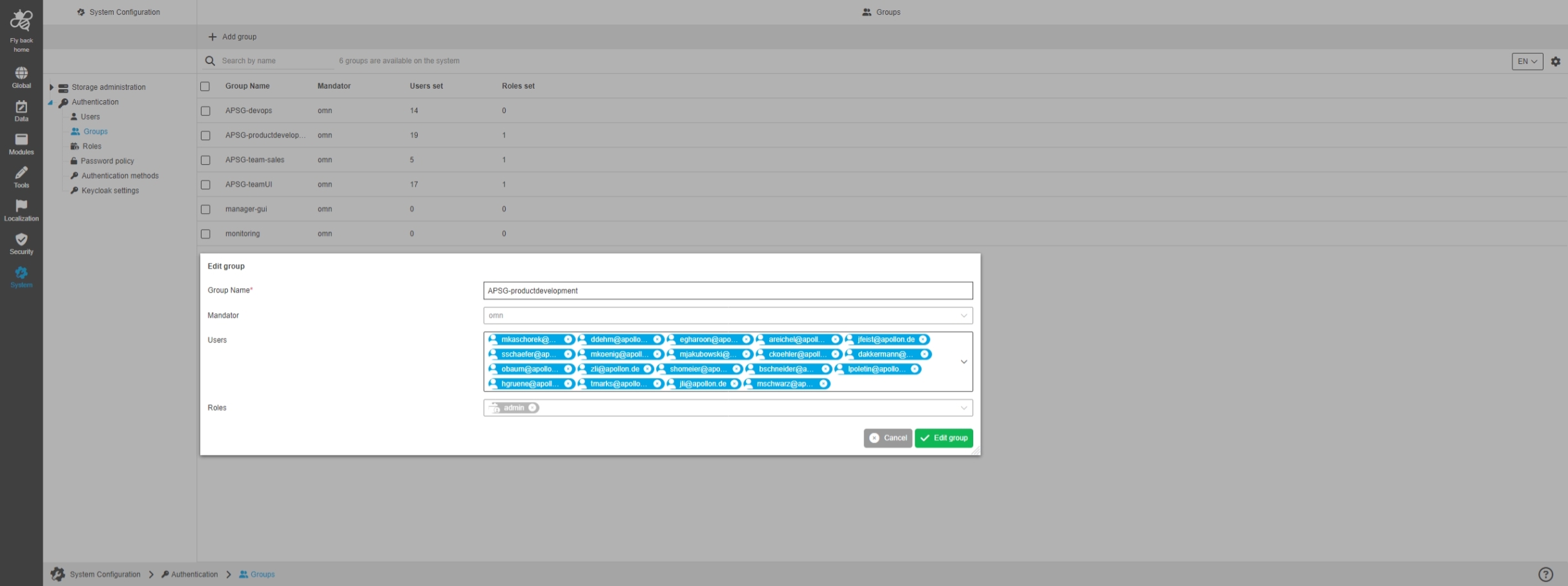
ConfigClient - System Configuration - Authentication - Groups - Function - Edit group
General Tags |
OUCC-1318 |
Possibility to edit an existing OMN LDAP group within the Authentication section of new OMN Configuration Client
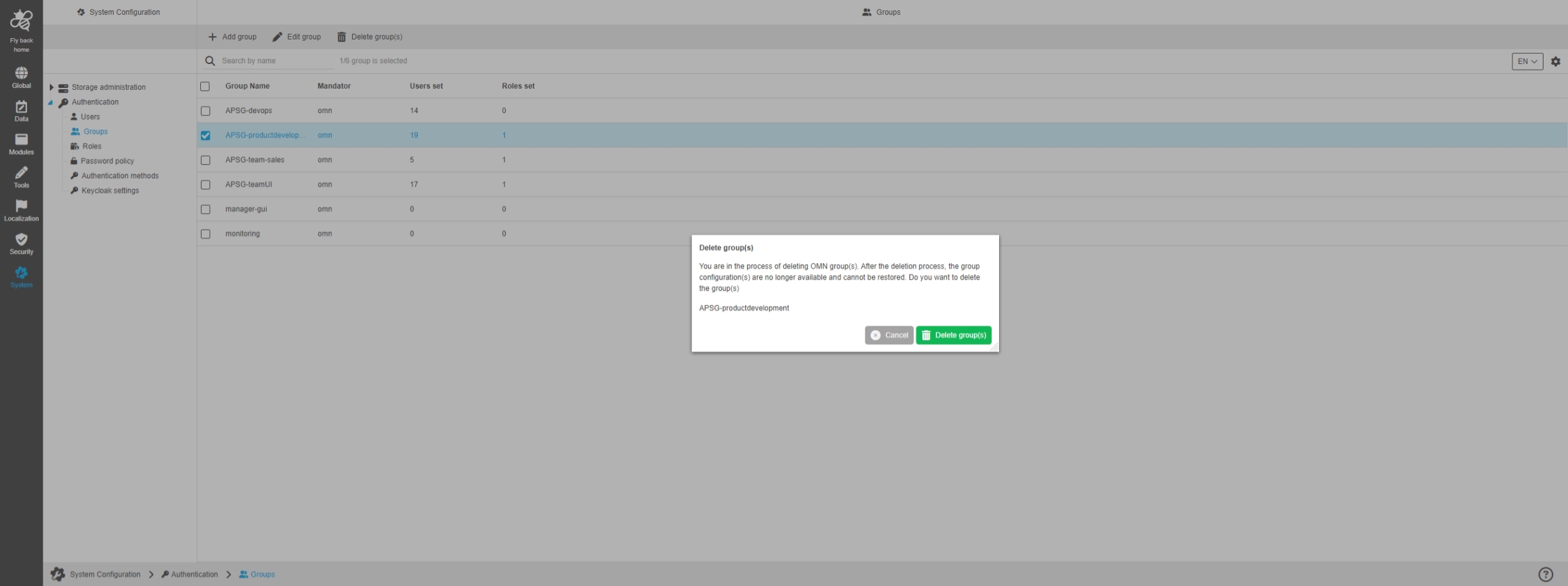
ConfigClient - System Configuration - Authentication - Groups - Function - Delete group(s)
General Tags |
OUCC-1291 |
Possibility to delete an existing OMN LDAP group within the Authentication section of new OMN Configuration Client
ConfigClient - System Configuration - Authentication - Users - Function - Activate and Deactivate
General Tags |
OUCC-1711 |
Possibility to activate and deactivate users for the OMN system by using a function in the user table allowing to also activate and deactivate users that are otherwise not editable like IDP users
Accelerator
Improvements and Features in OMN Accelerator Configuration
General
Improvements and Features in OMN Accelerator General Configuration
AI-Services
Improvements and Features in OMN Accelerator AI-Service Configuration
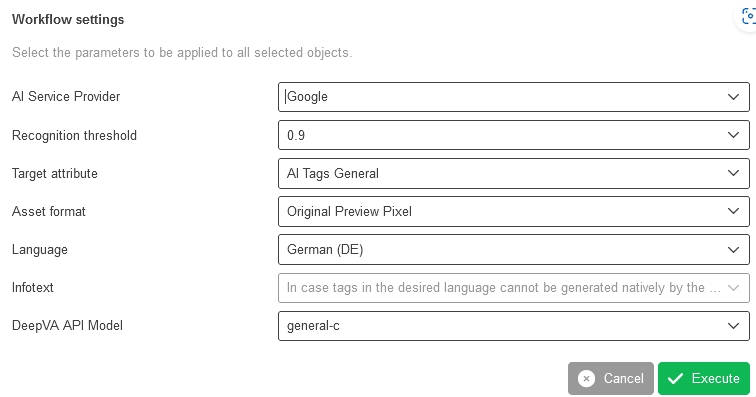
AI-Tagging Service set Asset format to ORIGINAL PREVIEW PIXEL
General Tags |
OMNA-1784 |
The following preview Format ORIGINAL PREVIEW PIXEL is used as Default for Image Tagging
-
in this case the OMN Preview Format will be used for Tagging and not the original hires file