Feature Details
General
General Improvements in OMN
Login - Select system language
Tags |
OG-11229, OKC-108 |
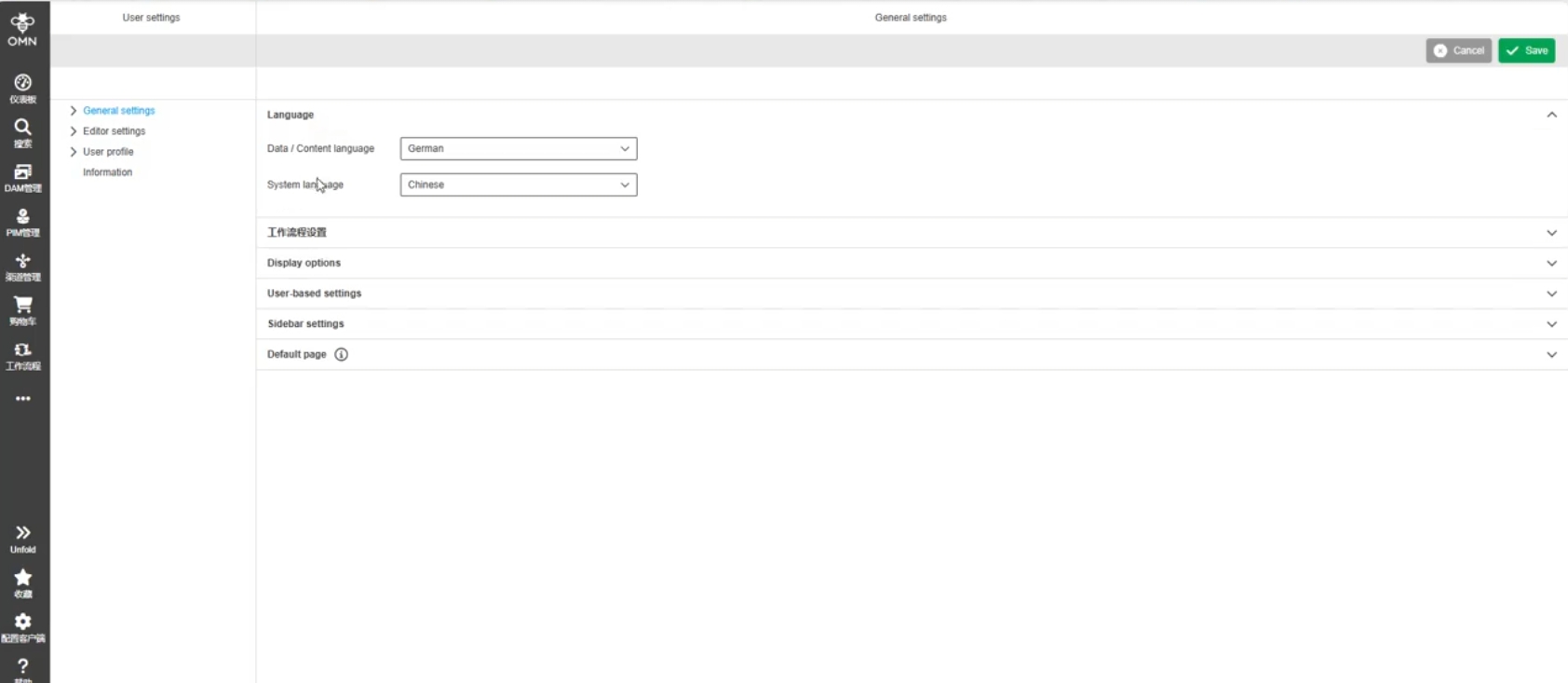
If OMN has several configured System / UI languages it is possible now to select the preferred language on OMN Login page
-
after setting the language on the login page, the set language is retained after login
-
if the user changes the language within OMN user settings, this language is used by default
-
as OMN Login uses predefined ISO languages via Keycloak, in OMN the configuration of the languages is variable, e.g. also at local level, it is possible that not all languages configured in OMN are available on the login page

Restriction
In version 6.4. it is not possible to hide specific configured UI System languages in login page (example: OMN has 3 configured UI System languages, Login Page should only show one of them - this will be treated in a later release and separate requirement
Redirect after login when menu not available
Tags |
OG-15904 |
Improvement in Login page so that the Users is redirected to the Login page instead of encountering a 404 error in case of menu item is not available anymore
-
the use case which occurred when an OMN instance is reinitialized or reconfigured and has configuration changes in menu structure

User settings
Improvements in OMN user settings
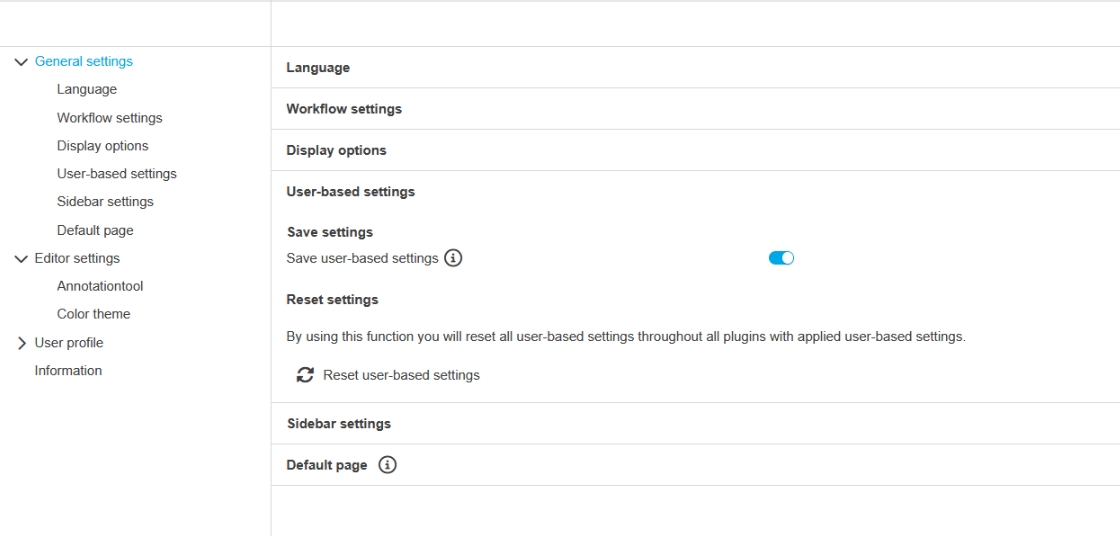
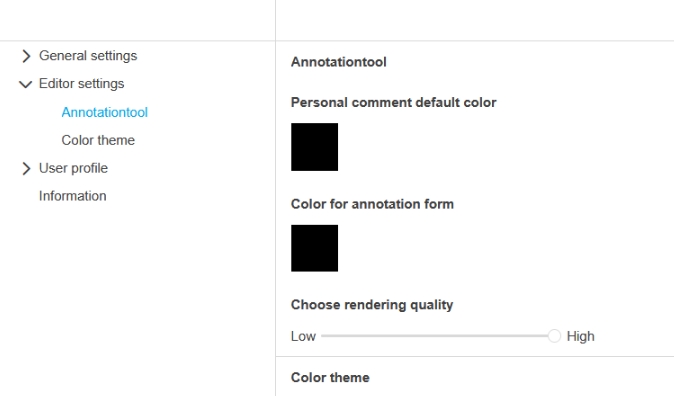
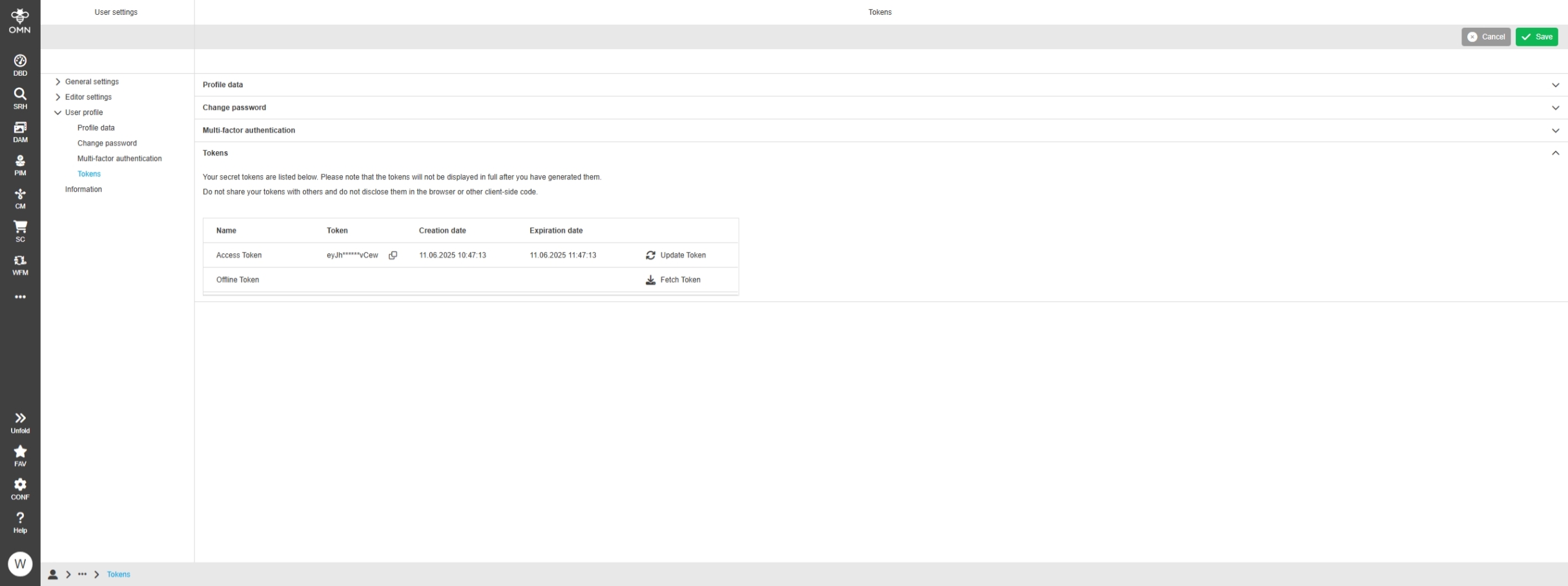
Possibility to pre-set user settings without changing product default
Tags |
OMN-11390 |
Default settings are like expected after adding properties
-
new file user-settings.properties in config folder in MinIO with the following Content:
-
UserSetting.AnnotationToolPdfQuality.default=10
-
UserSetting.UserBasedSettingsState.default=true
-
DAM
Improvements and new functions in OMN DAM Module
Support of MXF File Format
Tags |
OMN-11479 |
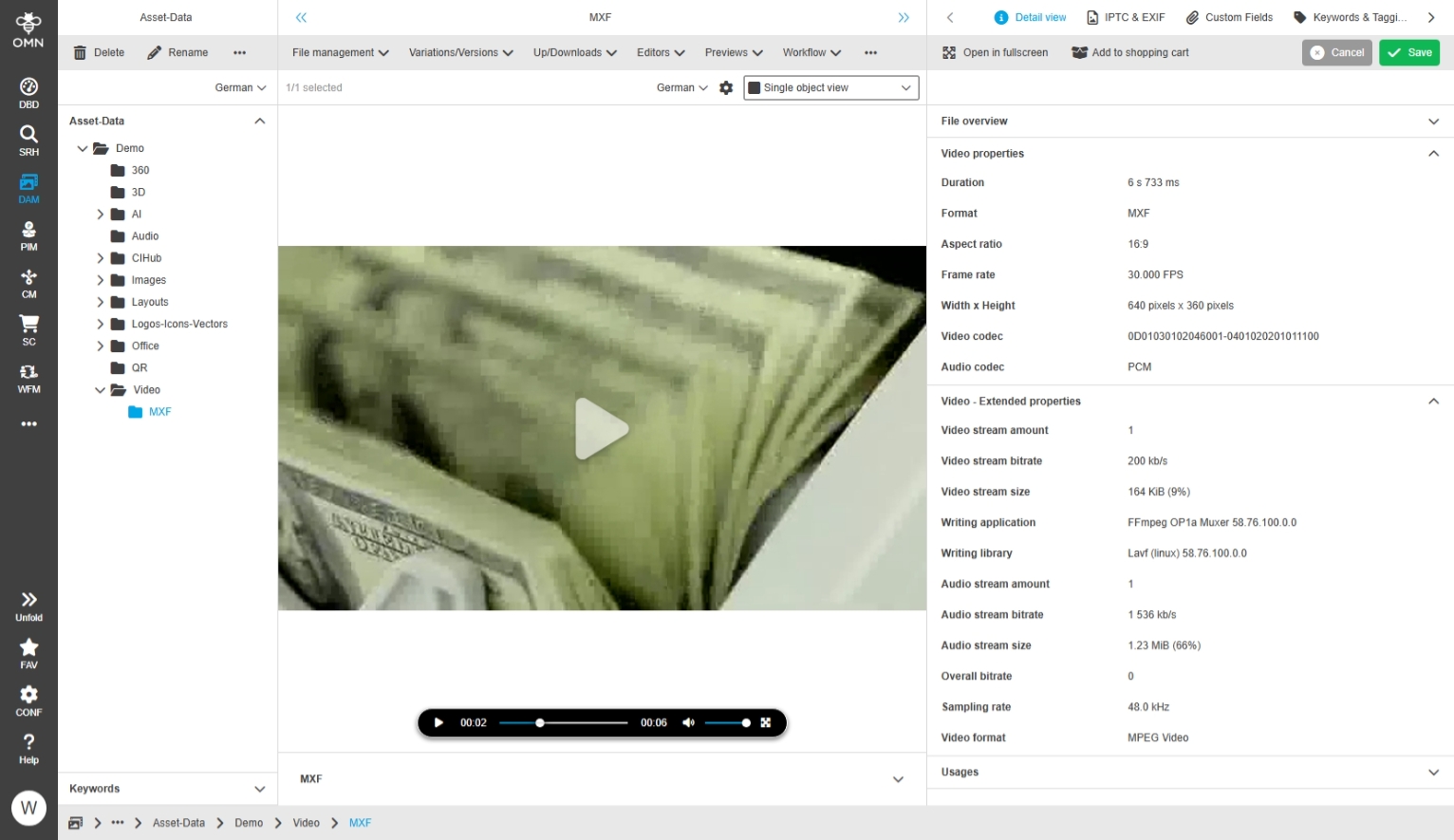
OMN Supports now MXF Video File Format
MXF-Dateien (Material Exchange Format) are container files that are frequently used in professional video and audio production.
They usually contain:
-
Video data (e.g. MPEG-2, H.264, ProRes, DNxHD)
-
Audio data (PCM, AES3, Dolby-E)
-
Metadata (timecode, scene Information)
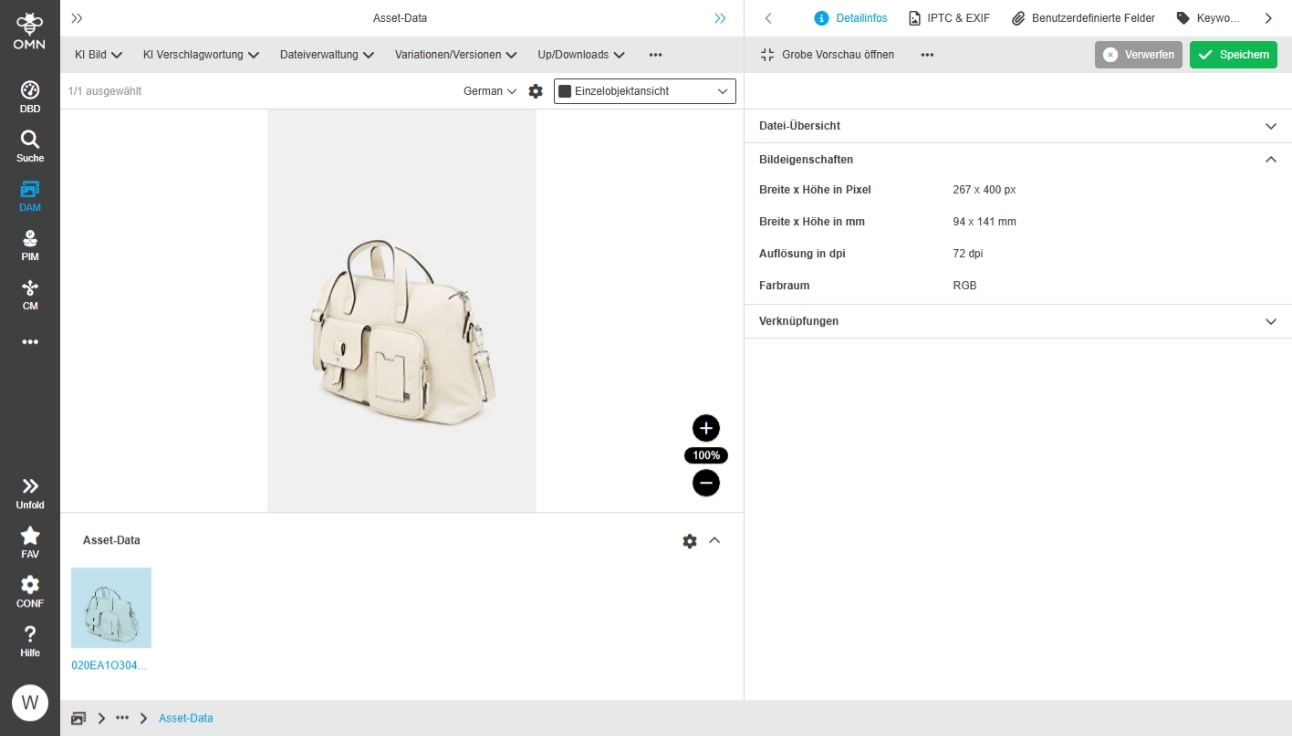
The color space is read incorrectly for JPG images
Tags |
OMN-11408 |
For some RGB images, the color space was recognized as YCBCR and not as RGB, this is correct now
Improvements in Linking Keywords to Assets
Tags |
OMN-11198 |
Technical Performance Improvement when link many items to a keyword
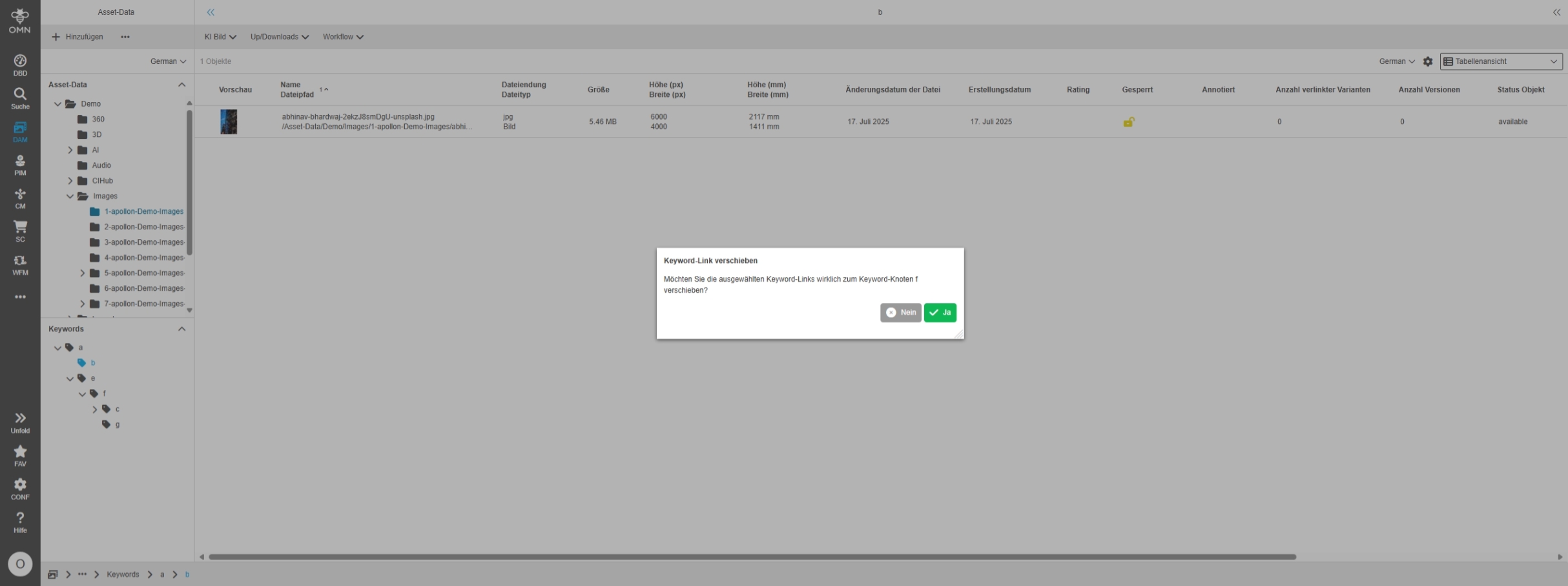
FS Navigation - Keywords - Possibility to move asset
Tags |
/OMN-11562, OG-15710 |
Base Requirement |
OR-1778 |
Possibility to decide between copy and move assets from keyword node to keyword node
-
Copy
-
Win: Ctrl + Drag asset
-
Mac: Cmd + Drag asset
-
Move/Link
-
Win: Drag asset
-
Mac: Drag asset
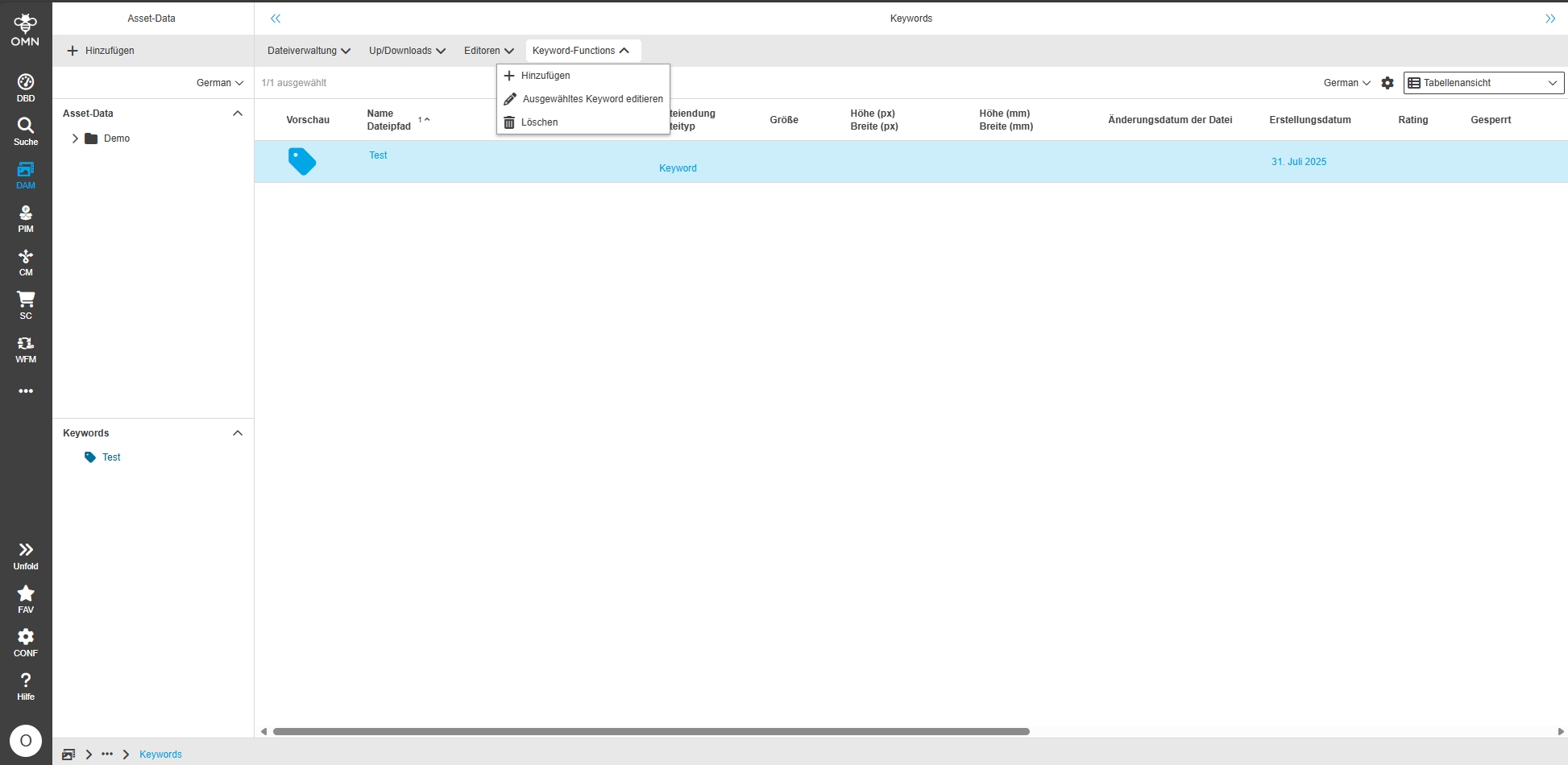
Secondary Action Functions to Rename, Create and Delete Keywords
Tags |
OMN-10733, OG-14966 |
Base Requirement |
OR-1484 |
Possibility to create, delete, rename, and add keywords in the DAM content views
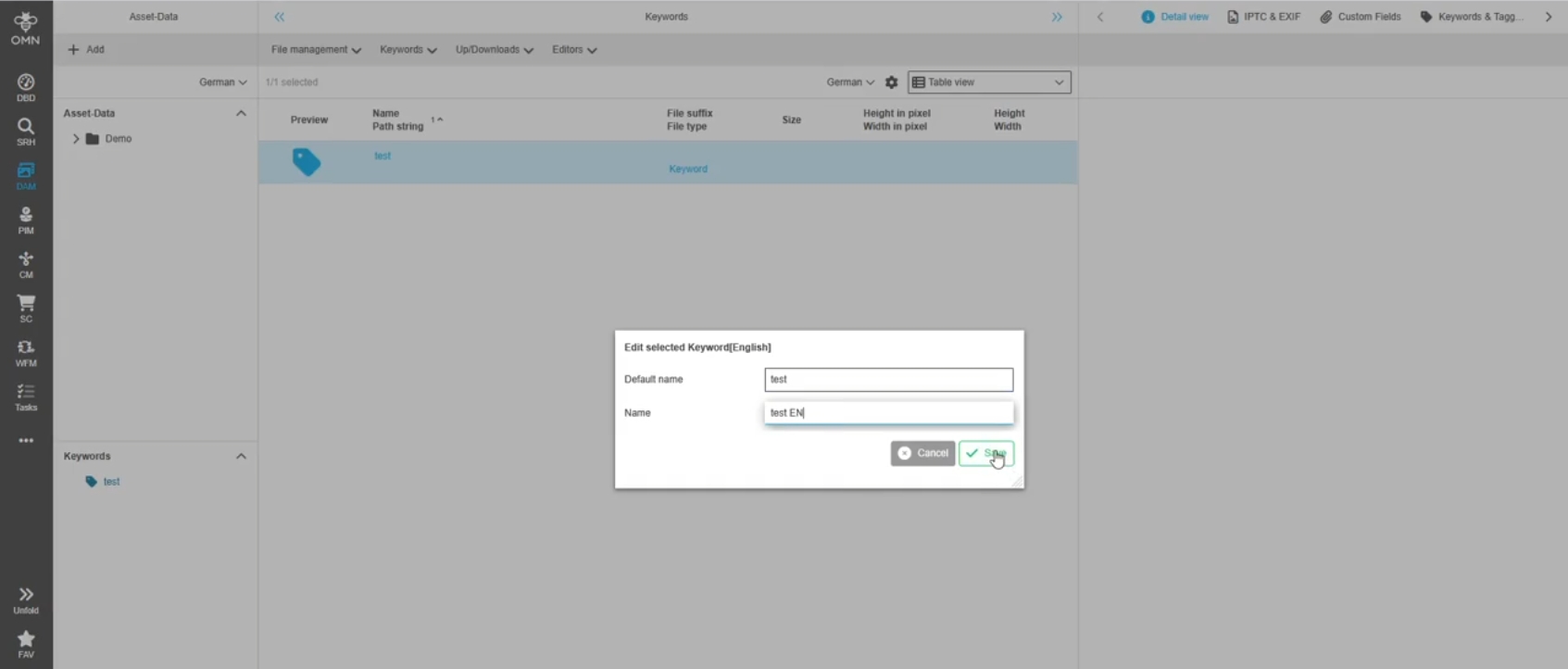
Add new Edit selected Keyword function
Tags |
OMN-11639 |
A new function is introduced allowing editing selected keyword from FSNavigation, FSTable and LightTable
FSDetail - Object type Asset - Introduce new standard expression Object:Path
Tags |
OMN-11253 |
Possibility to configure a standard asset expression which allows to show the asset path in FS Detail without the filename at the end
-
Expression: Object: Path
Modules - Page plugin - Shopping cart - download information improvements
Tags |
OMN-11617, OG-15639 |
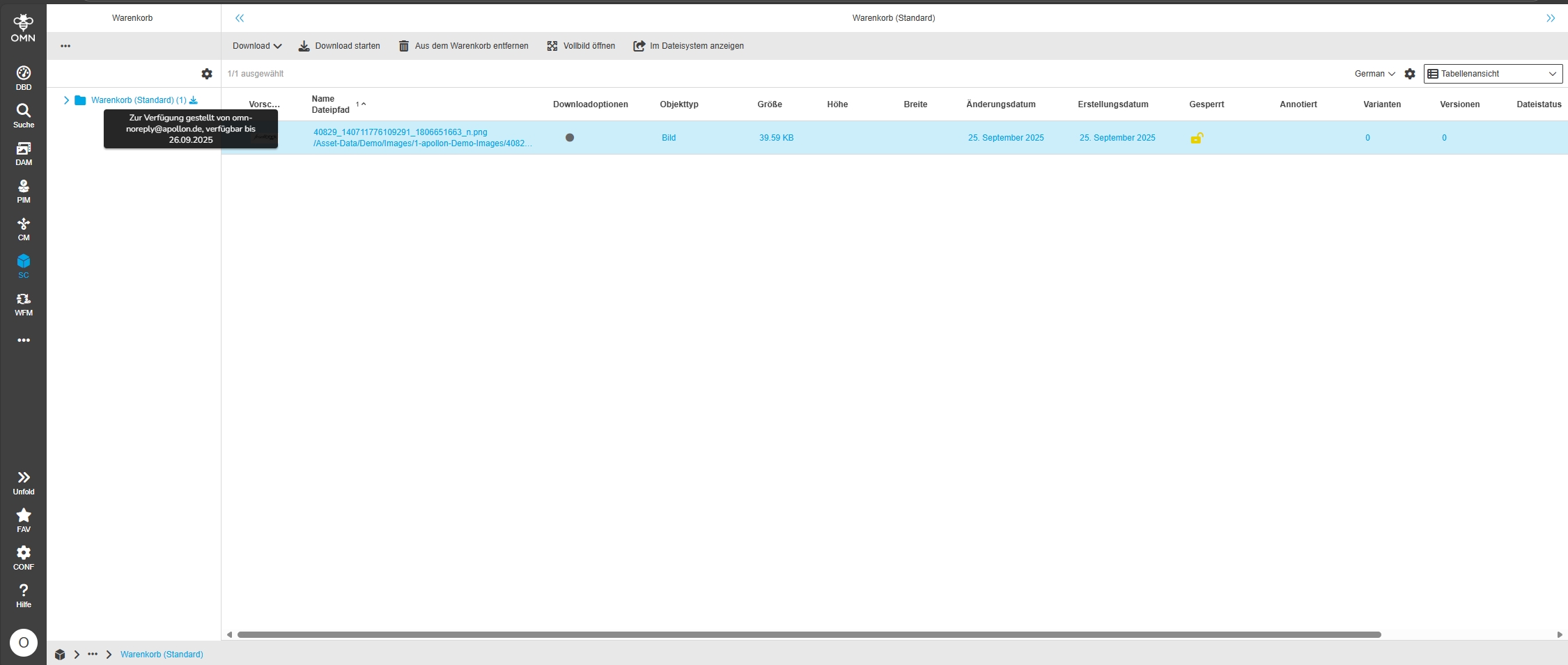
Possibility to do a Shopping Cart download directly in the Shopping Cart
-
the download link functionality works as in former versions Version
-
the Shopping Cart download function Shows Tooltip information to whom the Shopping Cart link was send and until when the download is available (dependent on the configuration of Shopping Cart download availability from Configuration Client)
PIM
Improvements and new functions in OMN PIM Module
ClassificationView / ProductView
Improvements in PIM2 - Management View
Product DnD slow for large product structures with many articles
Tags |
OG-15560 |
DnD Performance improvement when the users try to DnD large product structures with many articles
PIM2 - ClassificationView - Configuration - Show if Product View is assigned to a node
Tags |
OG-12867 |
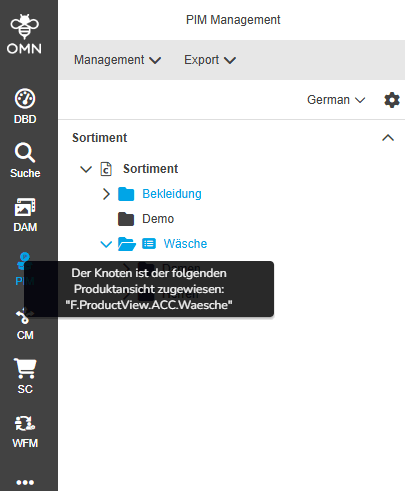
Possibility to see if a Special Product View is assigned to a node, so that the user knows at a glance which product view is used
-
user can enable Displays in new Settings of classification view
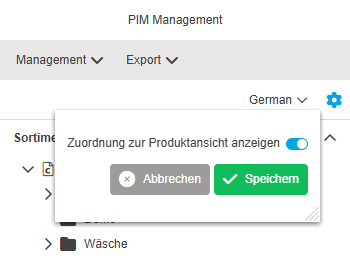
-
Name of product View is shown on Icon if Special product view is configured to node
PIM2 - ClassificationView - Language Switcher for classification and sort tree alphabetically
Tags |
OG-15686, OMN-11489 |
Base Requirement |
OR-1763 |
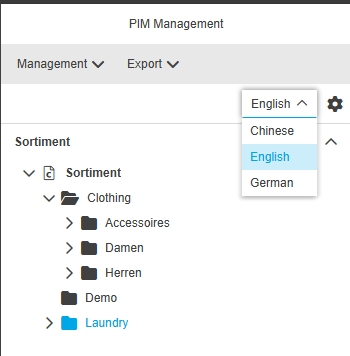
New Possibility to switch between the localized languages easily and see all nodes of the classification tree sorted alphabetically
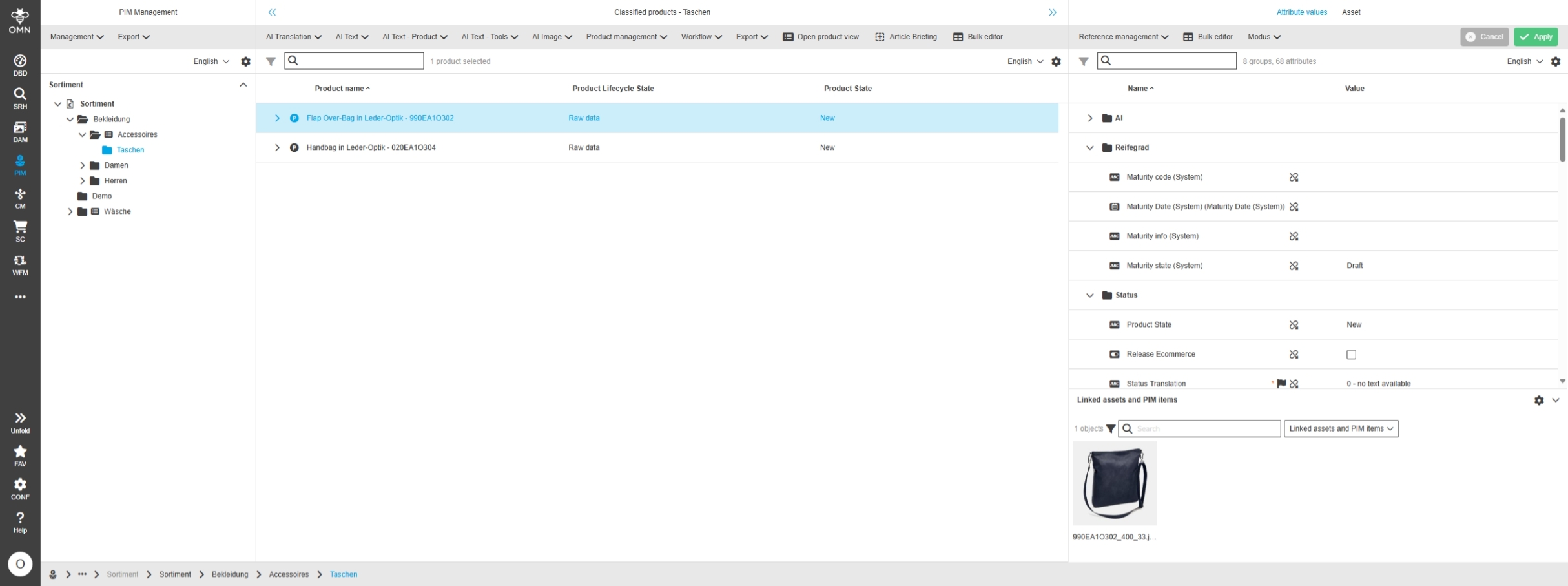
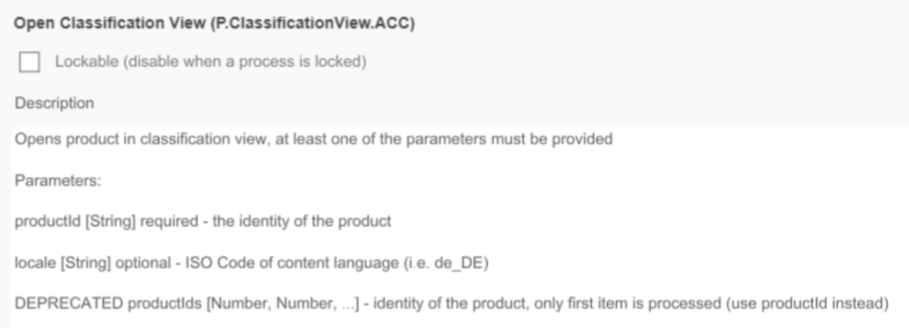
PIM2 ClassificationView Add Open classified product in product view Function to Classification View Management
Tags |
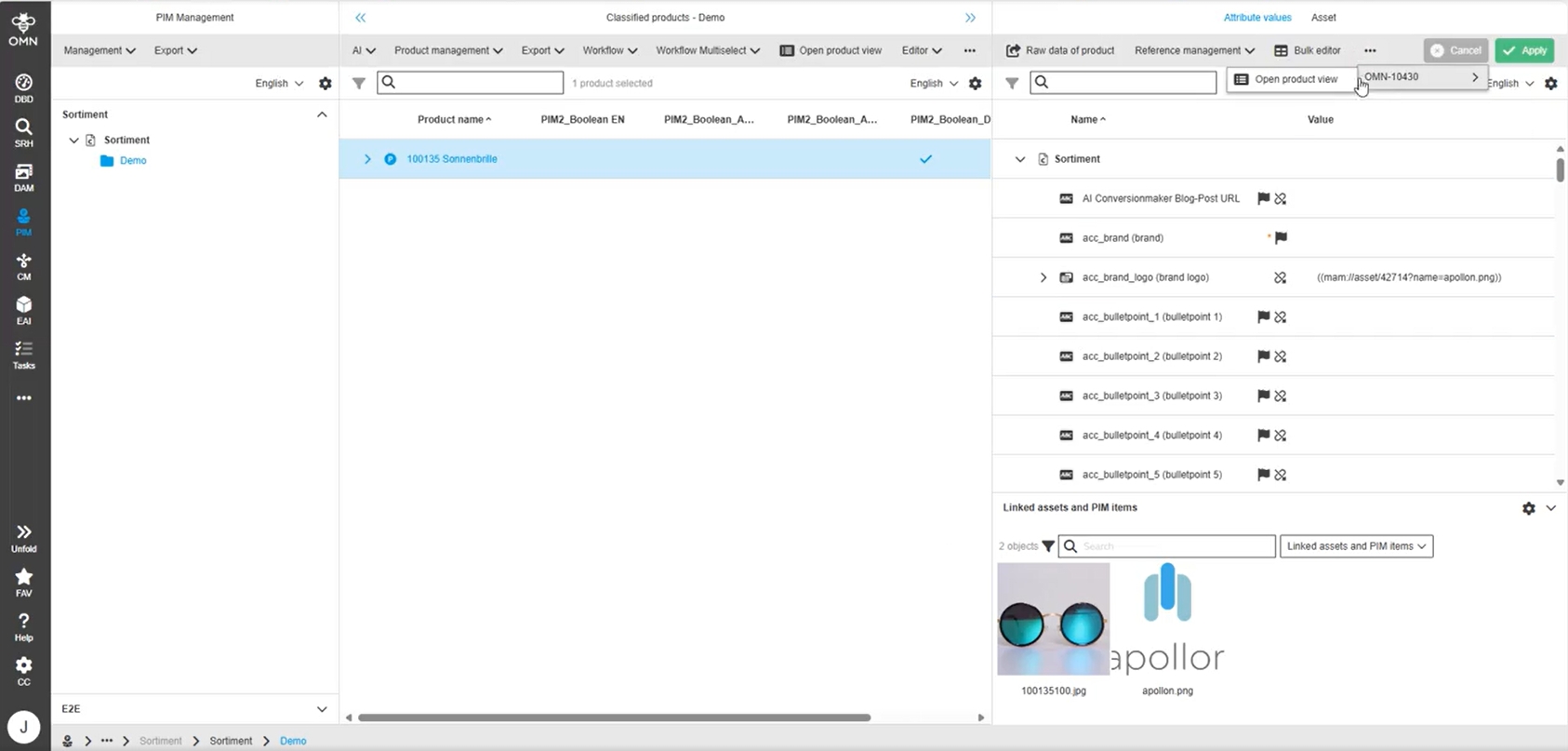
OMN-10430 |
In Classification Management View the function "Open classified product in product view" is now configurable
PIM2 Management - Asset Tab - Unlink items from product - Selection behavior is wrong
Tags |
OG-15731 |
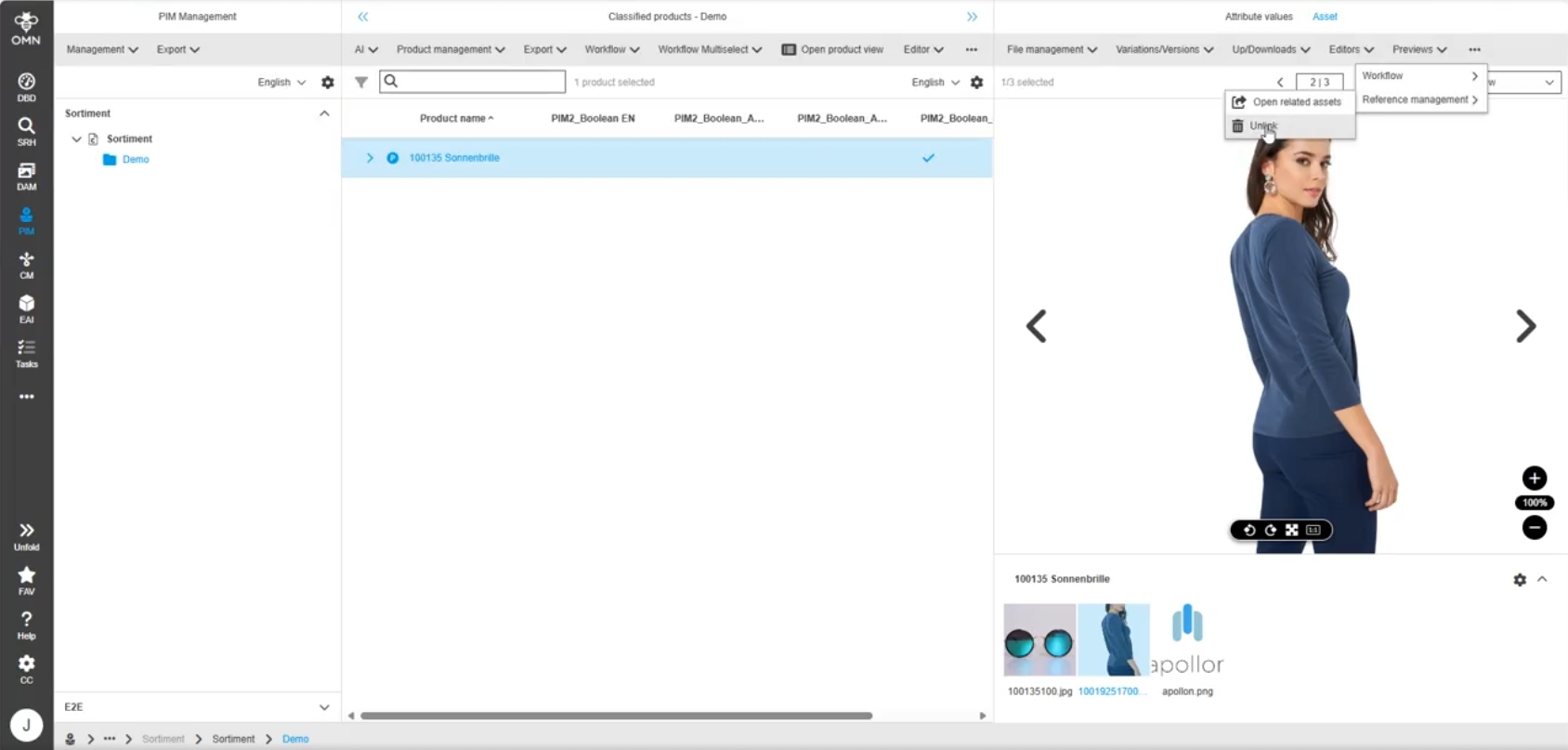
The “Unlink items from product“-function is now also working from PIM2 Classification AssetView
-
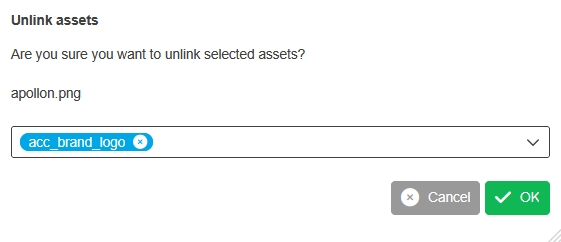
After executing the function the user can select the reference type for unlinking the selected item
FSDetail - Widget - Linked PIM2 products - Show Icon for PIM items (P,A,V)
Tags |
OG-14408, OMN-11671 |
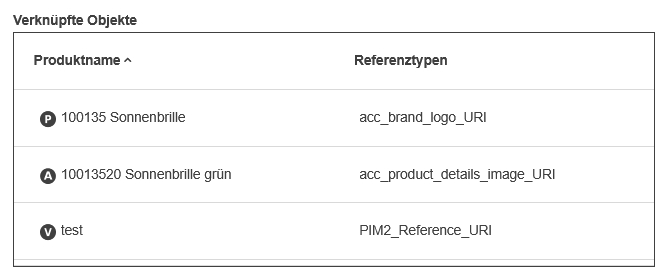
Icon for products, articles, variants are now shown in linked PIM objects Widget to better recognize to which Level an item is linked
PIM2 ClassificationView Asset configuration Functions for open related asset and delete reference
Tags |
OMN-10429 |
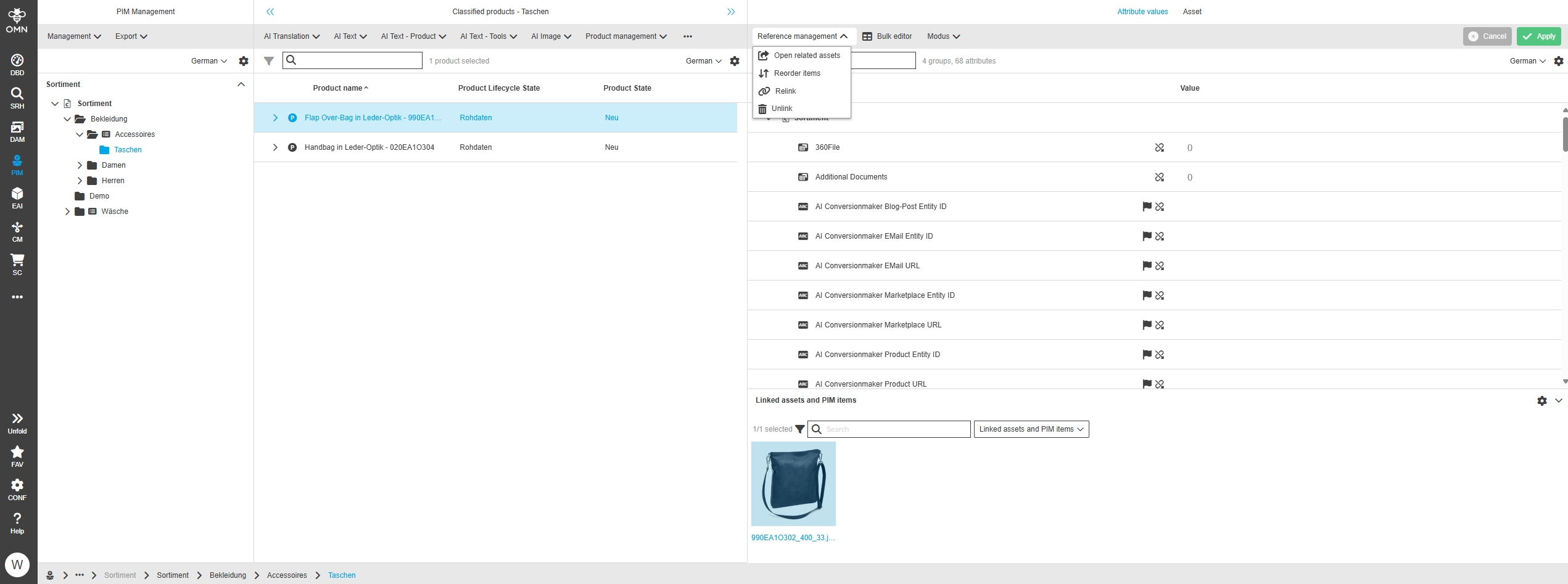
In PIM Classification View the following functions are usable now when there are configured
-
open related asset
-
unlink/delete reference
PIM2 - ClassificationView plugin - Group by Tag/Node - Keep custom settings - Improvement to also keep expansion state
Tags |
OG-15517 |
The state of group (expanded or collapsed) for Group by Tag/Node entries is saved now in Settings
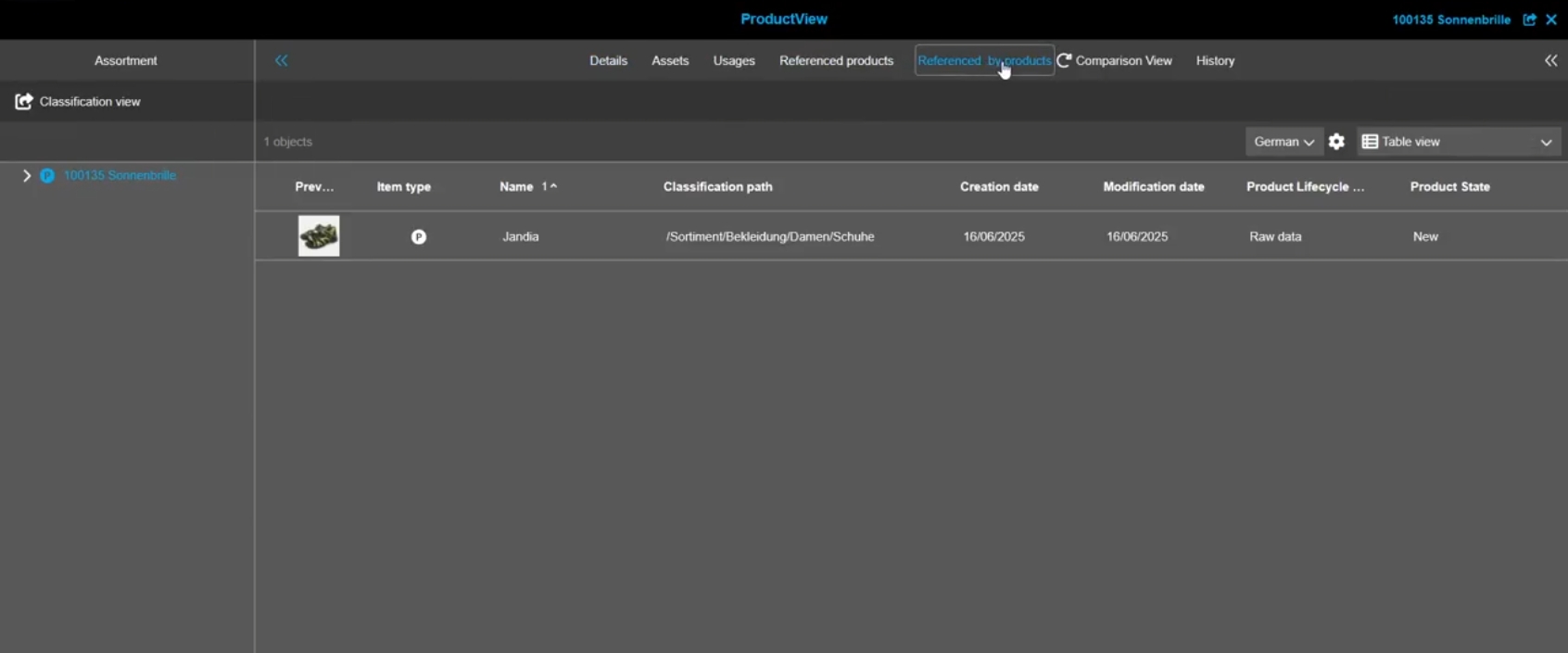
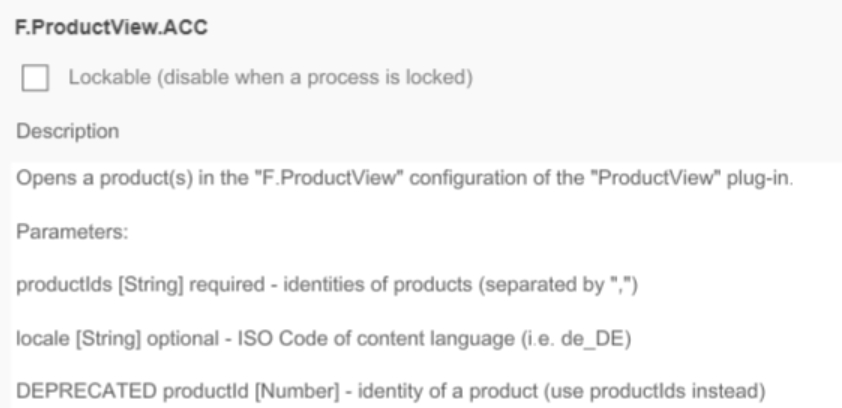
Add function "Open product view (classification)" to "Is Related By Products" ProductView type
Tags |
OMN-11582 |
Base Requirement |
OR-1814 |
Possibility to open the fitting ProductView “ (assigned to classification) for the selected items directly from “related by product” view of ProductView (similar to related products of product view
Workflow
Improvements and new functions in OMN Workflow Module
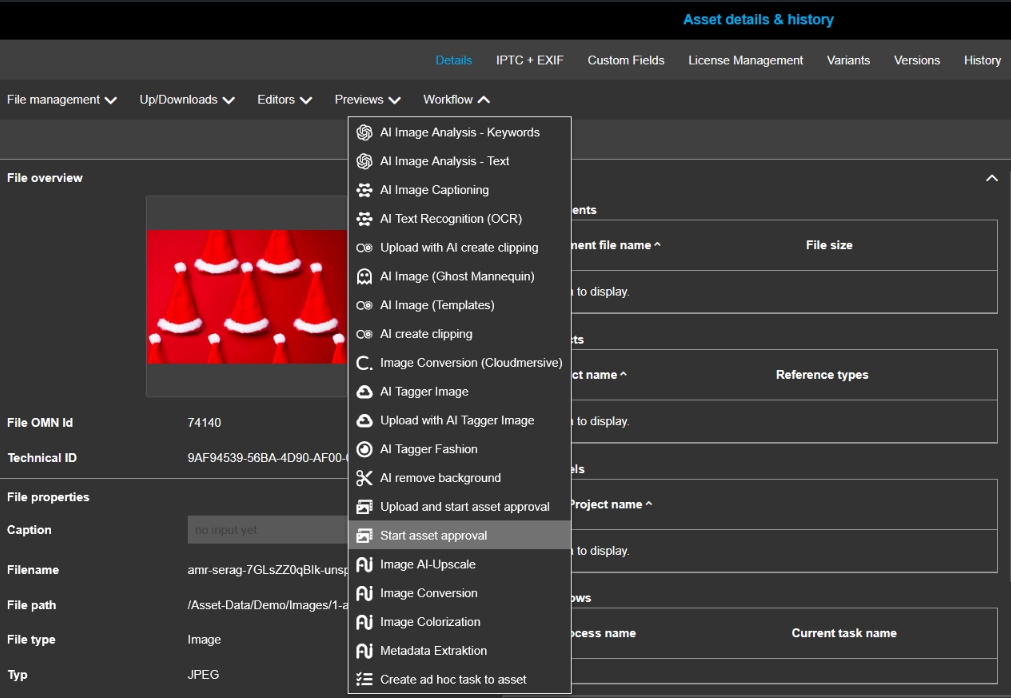
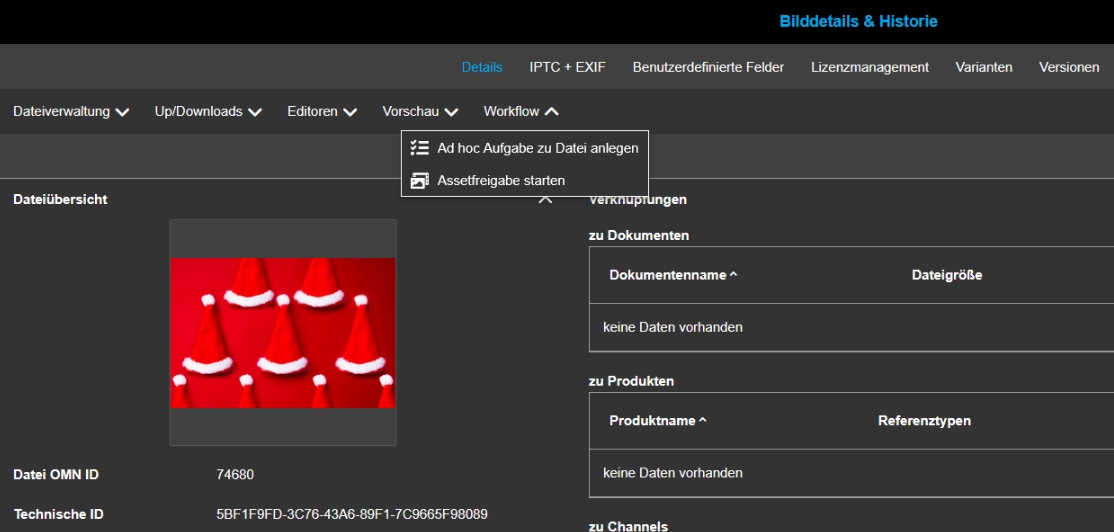
Open Workflow configuration function from AssetView
Tags |
OG-15543 |
Possibility to start a workflow on asset directly out of AssetView content Plugins when configured
UI Administration provide EN and DE localizations for workflow process metadata information
Tags |
OG-15822 |
Possibility to localize the workflow process meta information in UI Administration to ee localized labels and values
ProjectWorkflowView - Show workflows of descendant projects - UI improvement
Tags |
OG-15012, OMN-10808 |
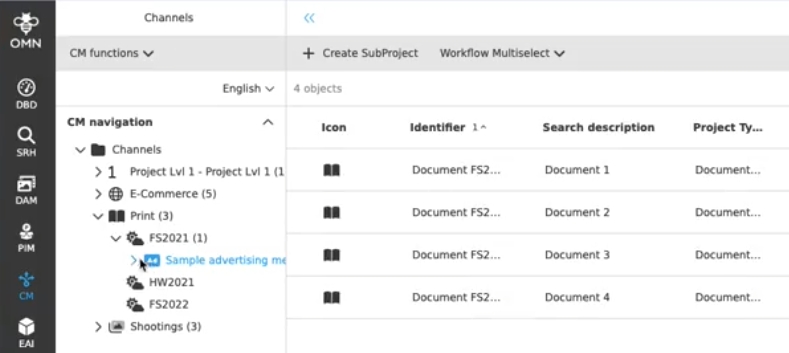
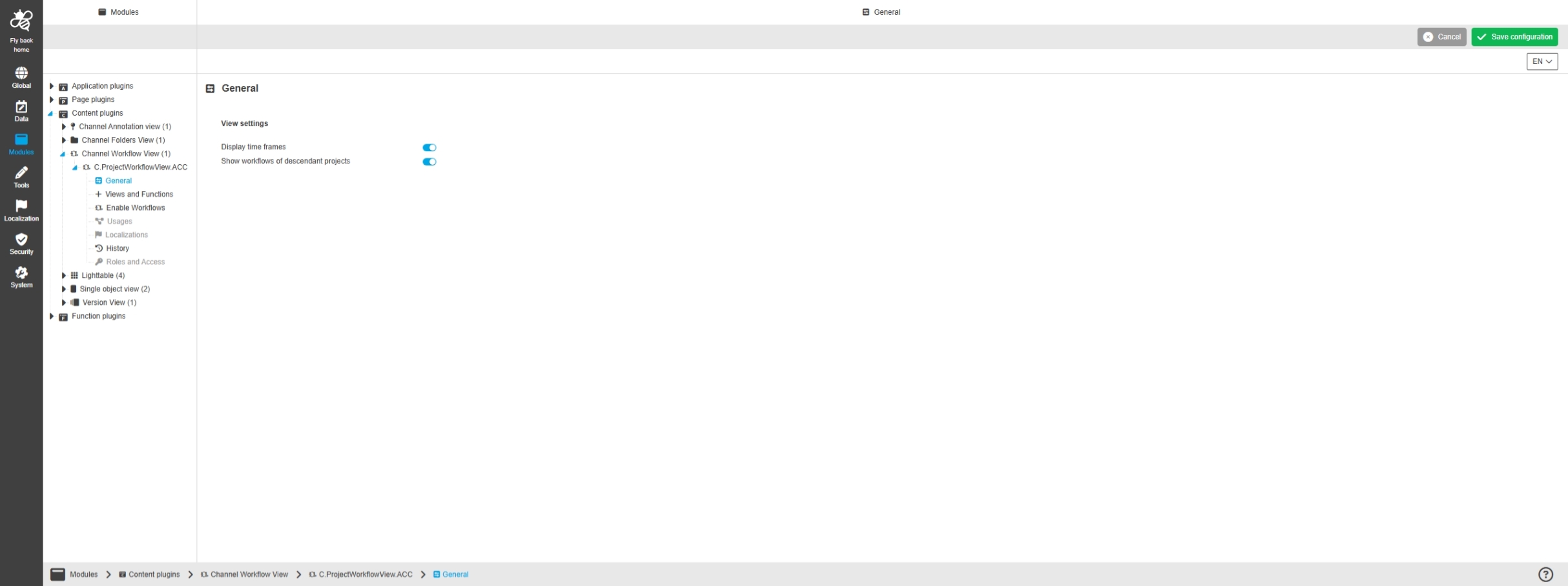
Possibility to see descendant project workflow processes in the project workflow view to detect which processes are running for child Projects
-
Display of workflows of subordinate project elements
-
Configuration to see descendant project workflow processes is enabled in ConfigUI
FSDetail - Workflow Widget - All types - Improvement to visualize configured icon next to the process name
Tags |
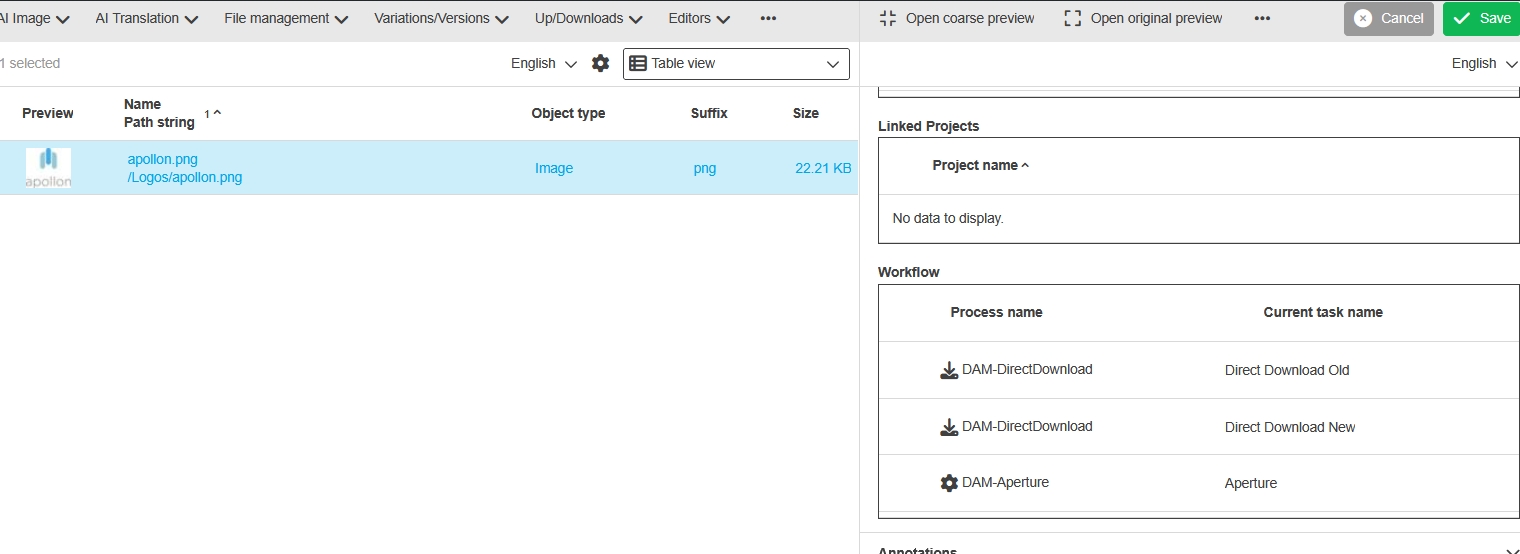
OG-15086, OMN-11705 |
Possibility to see the related icon for workflow config in the workflow Widget (FSDetail) to receive a better understanding between triggered function and started process
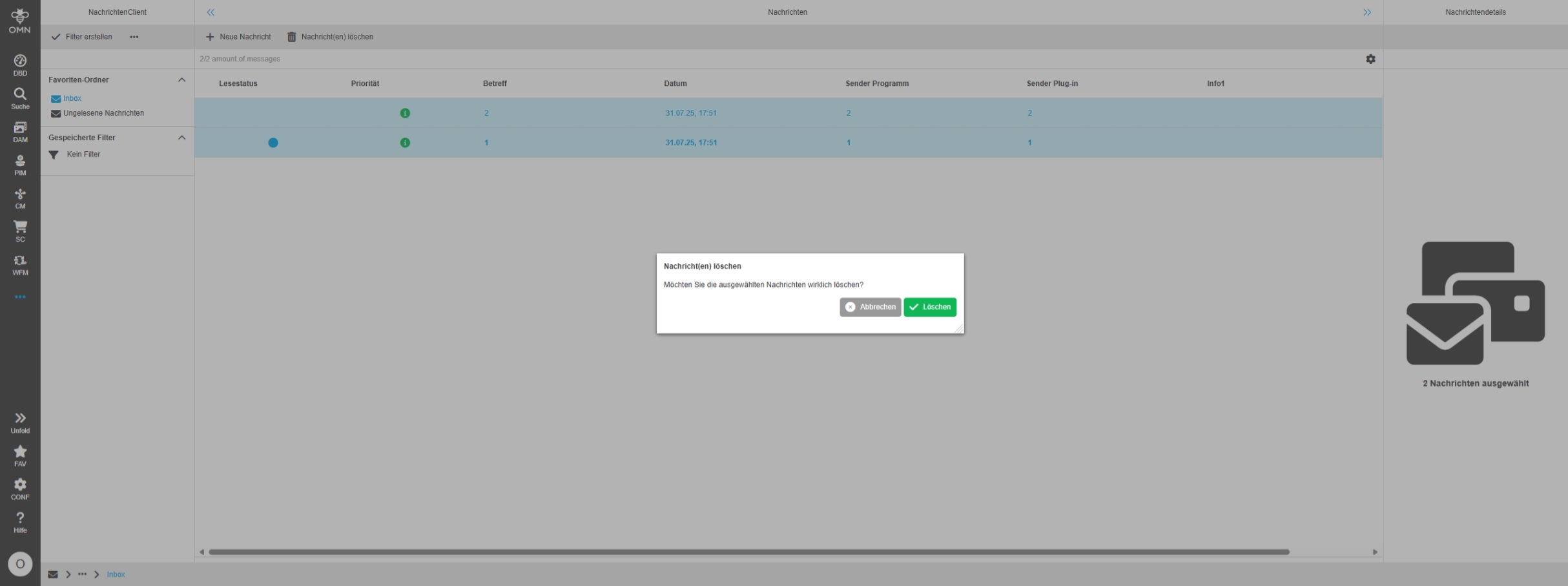
Message Client - Allow operations on multi-selected messages
Tags |
OG-14587 |
Base Requirement |
OR-1247 |
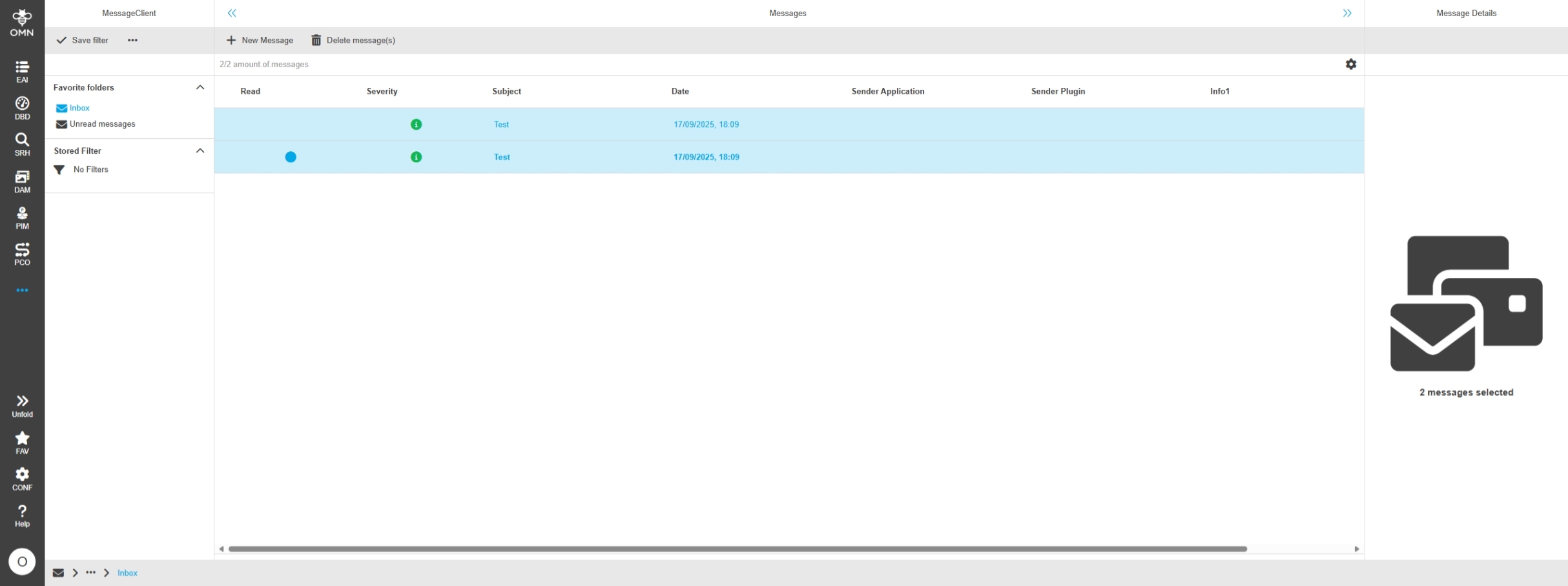
Possibility to delete multiple of Messages in Message Client
-
Multiple selection
-
Multiple Deletion
Delete related project Camunda workflows if project is deleted
Tags |
OMN-11462, OG-15693 |
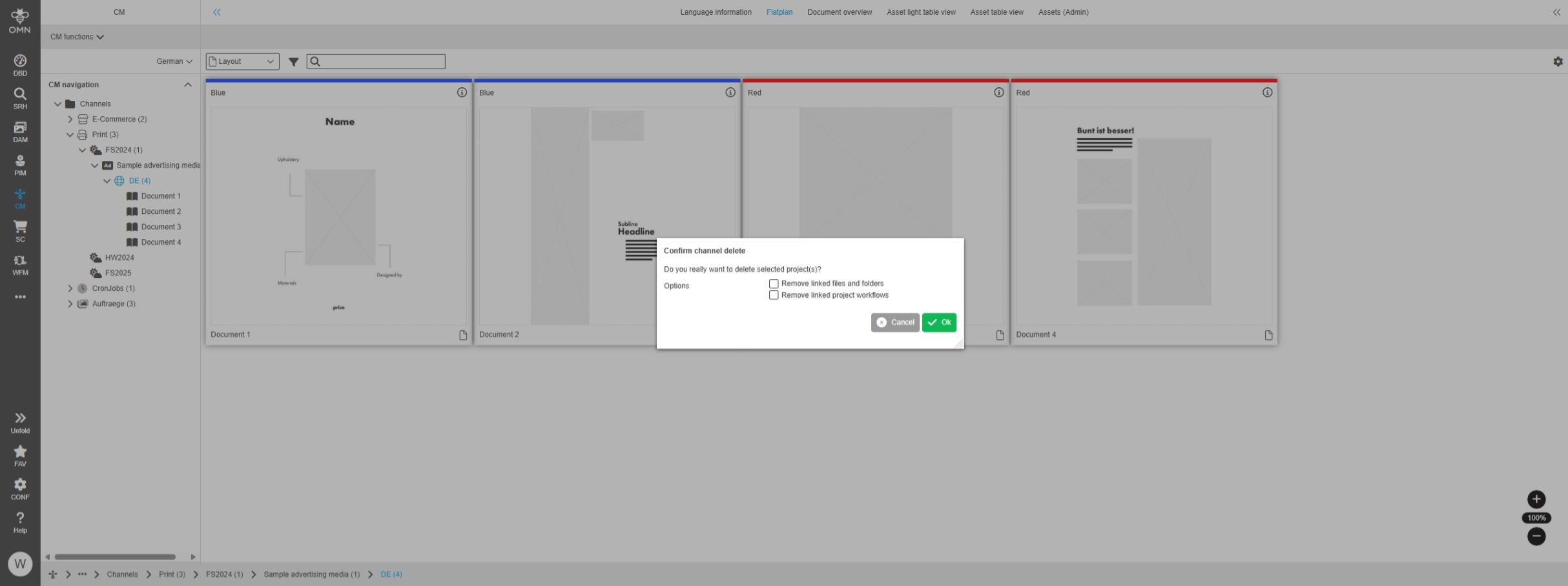
In case of Project is deleted in CM Module the user can now also deleted related Workflows by the Project deletion
-
When a channel is deleted, the subordinate channels and workflow are also automatically deleted
-
the function supports now deleting of Camunda Workflows (formerly only deletion of XWE Workflows was possible
-
the function was already delivered with OMN 6.3.2.
Search
Annotation Tool
New functionality and Improvements in OMN Annotation Tool
Annotation Tool - General layout - Refresh (compare views)
Tags |
OG-15050 |
Possibility to refresh content inside Annotation Tool Compare views to see if some data changed

Annotation Tool - New improvements - Undo / Redo
Tags |
OG-9524 |
New function to redo and undo in the Annotation Tool to undo and redo the latest actions in the Annotation Tool
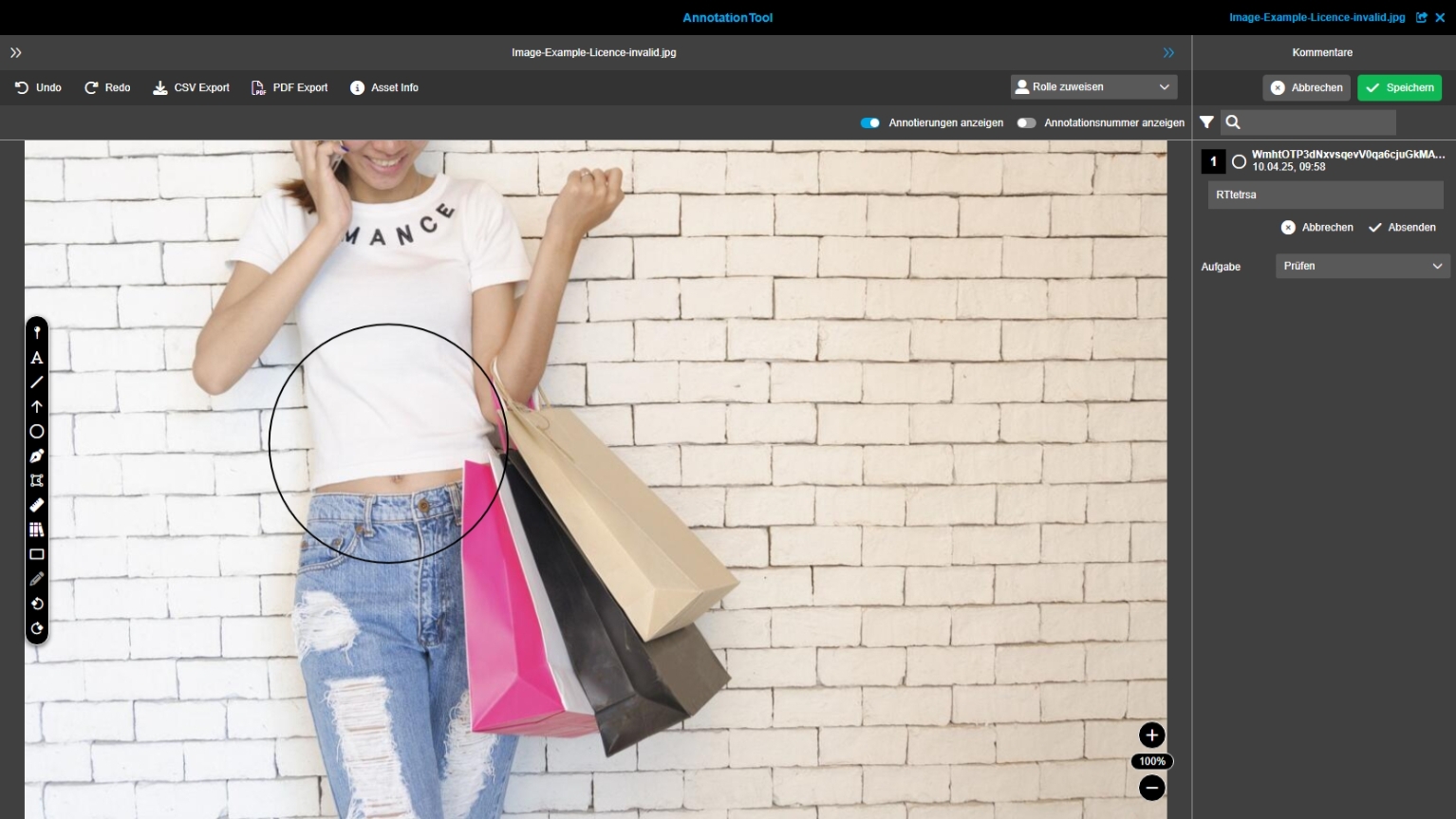
Annotation Tool - General layout - center view - Edit view - Toolbar - Polyline tool (Improvement)
Tags |
OG-4912 |
UX-Optimization to create polyline as Annotation to highlight areas more accurate than a rectangle and adjust position, and it parts of it afterwards
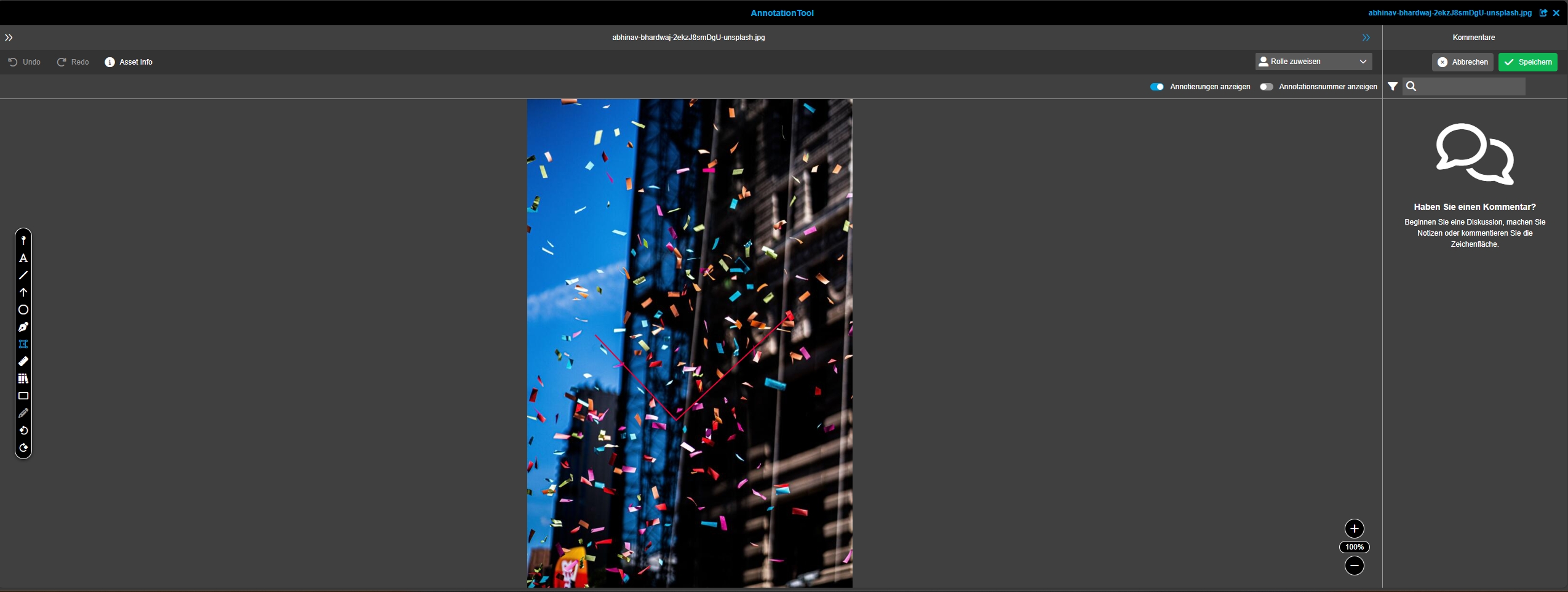
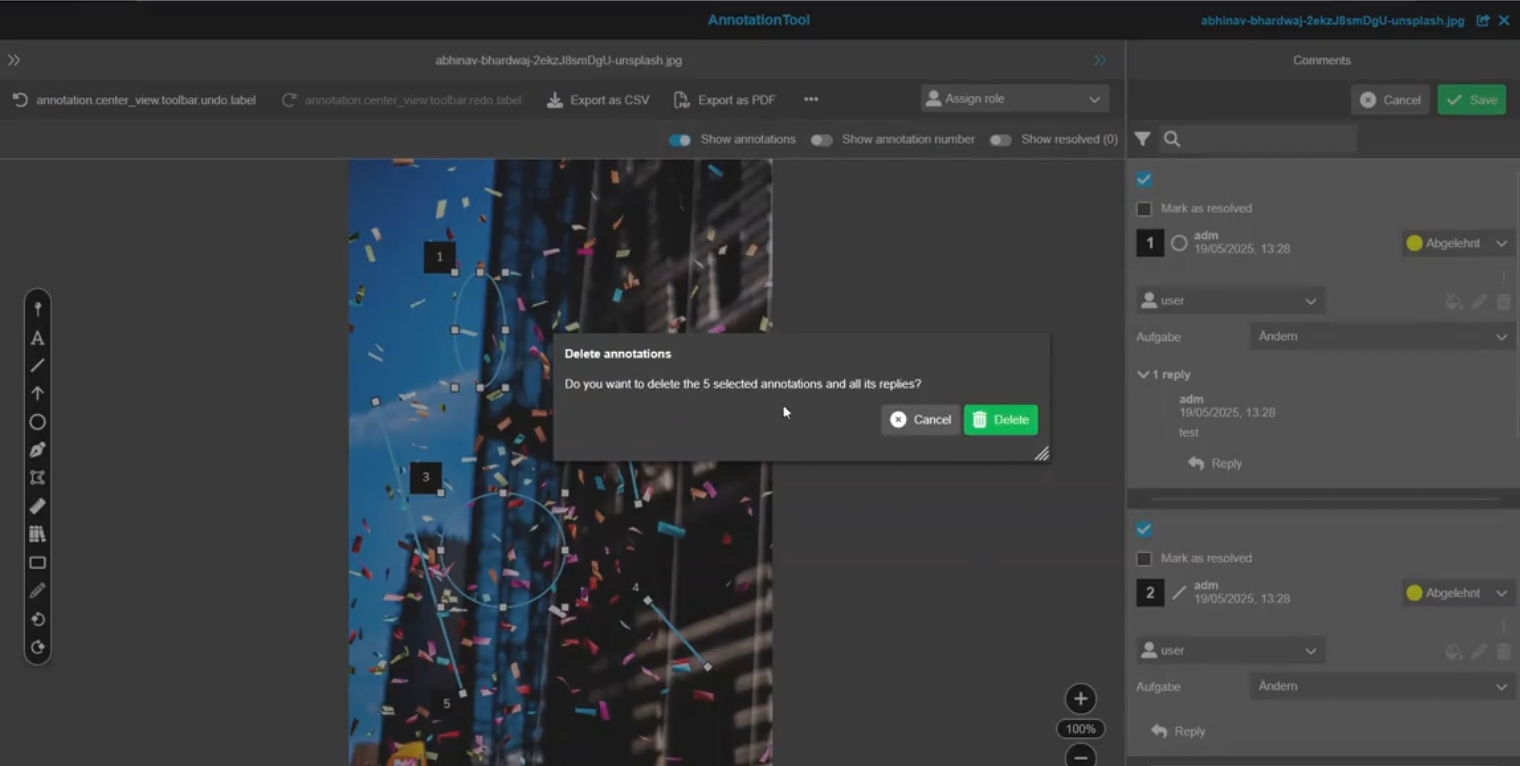
Annotation Tool - Comment view(s) - Mass editing
Tags |
OG-14933 |
Possibility to select different annotation comments in comment views to change made settings in mass editing
-
Selection can be done by Click and Control key
-
select all
-
Mac: Cmd+ A
-
Win: Ctrl + A
-
-
select specific
-
Mac: Cmd + Click
-
Win: Crtl + Click
-
-
select from to
-
Mac: Shift + Click
-
Win: Shift + Click
-
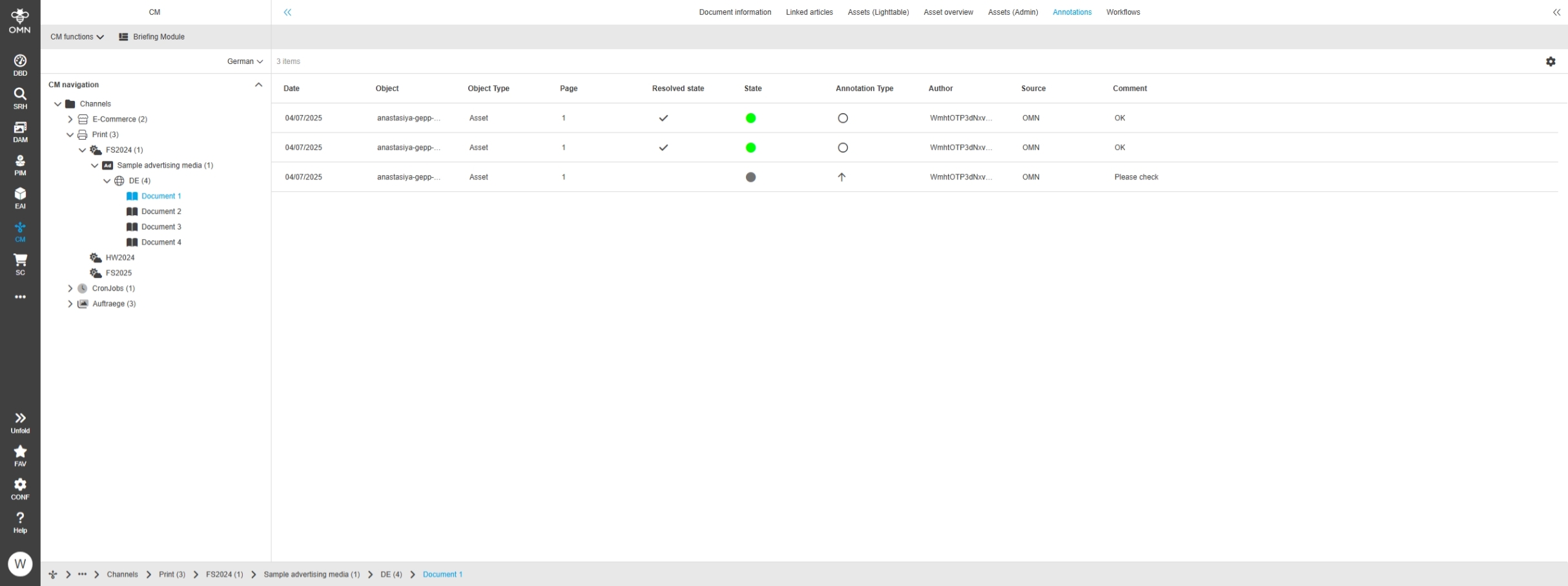
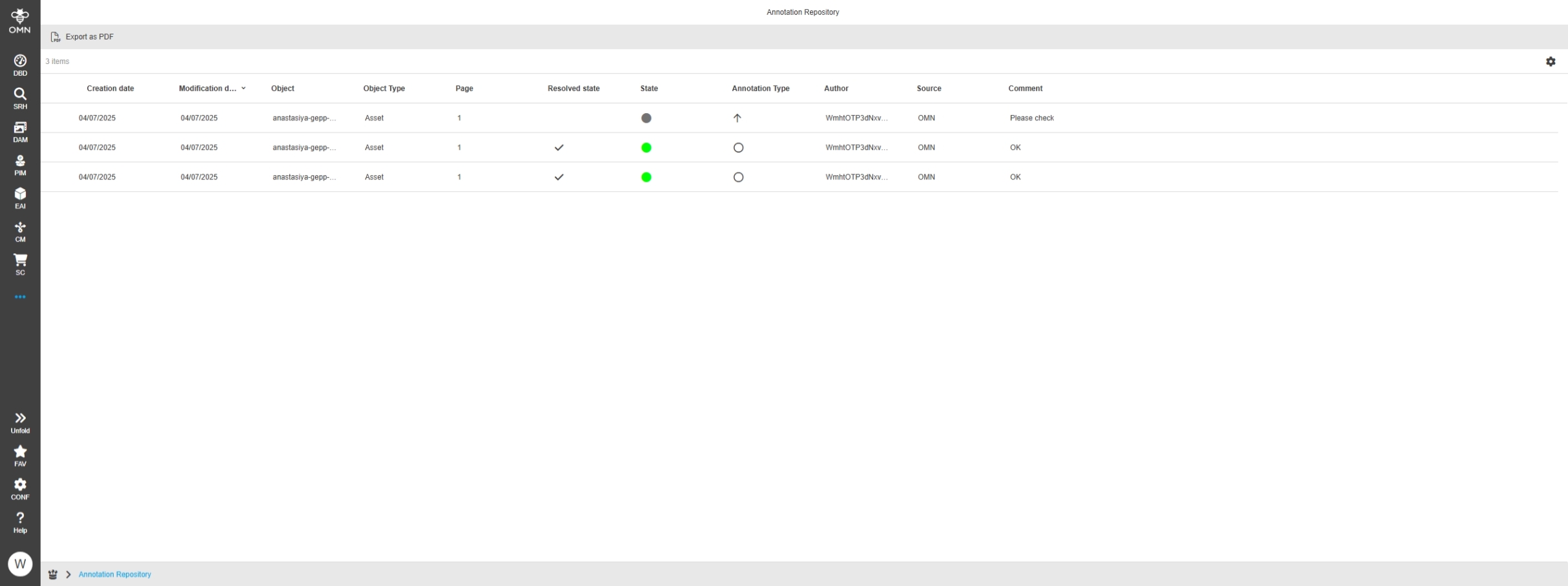
Object: Annotation state' expression available in Annotation Repository and ChannelAnnotationView
Tags |
OG-15622, OMN-11477 |
Possibility to see if an asset has resolved or unresolved annotations by new Expression in following views
-
ChannelAnnotationView
-
Annotation repository
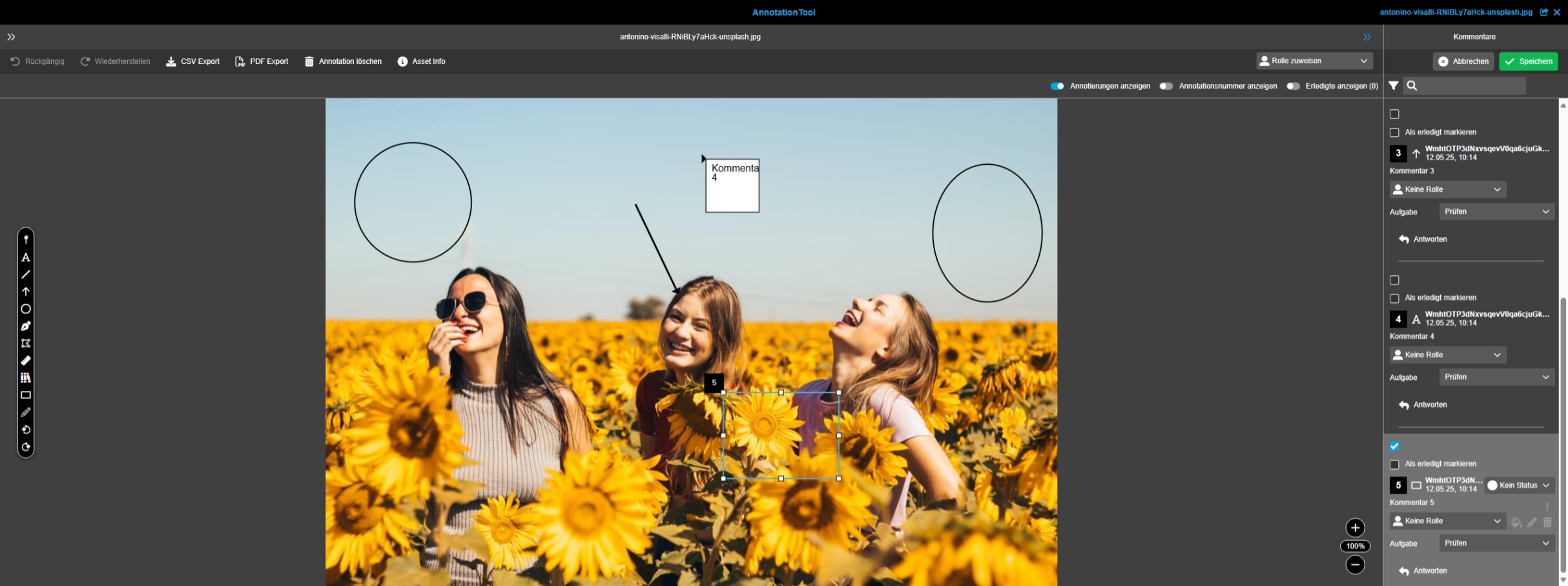
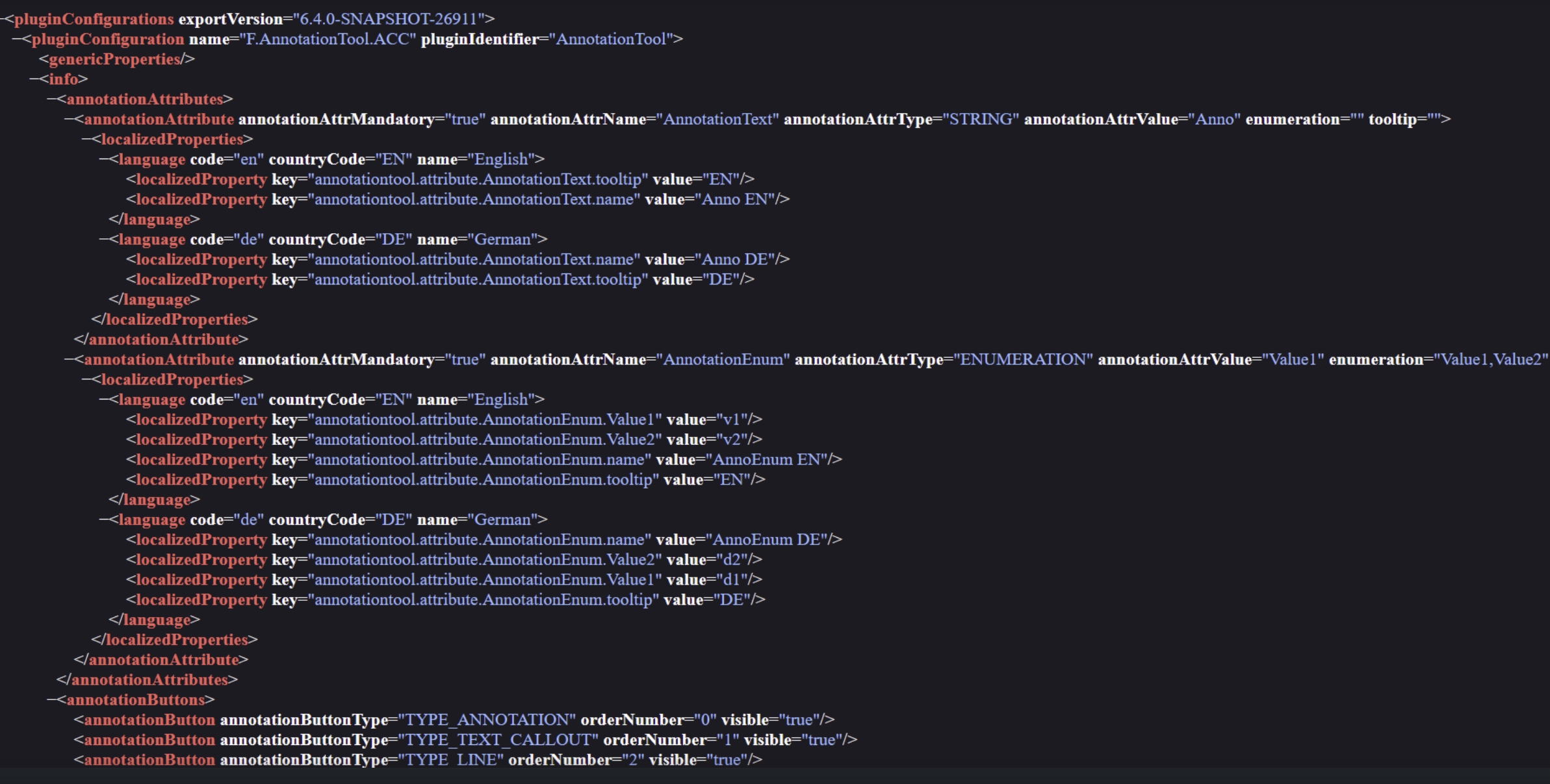
Annotation Tool - when marking a comment in the center marker it does not jump to comment in the right panel
Tags |
OG-15707 |
When marking/selecting a comment in the center of annotation tool, the corresponding annotation tool is marked on right-hand panel and the corresponding annotation is shown on the top of right hand panel (automatic Scrolling)
Dashboard
Improvements and new functions in OMN Dashboard Module
Dashboard - Share function
Tags |
OG-12301, OMN-11796 |
Base Requirement |
OR-1732 |
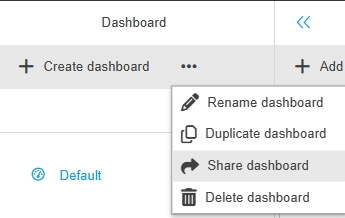
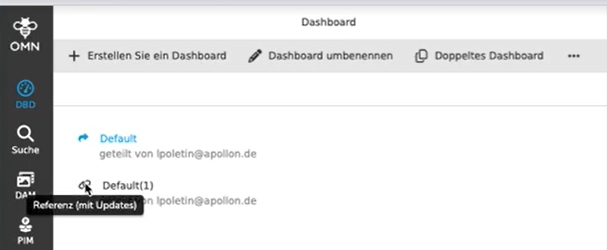
New Sharing function is available in Dashboard module
-
if function is configured - share Dashboard is available in toolbar functions of Dashboard module
-
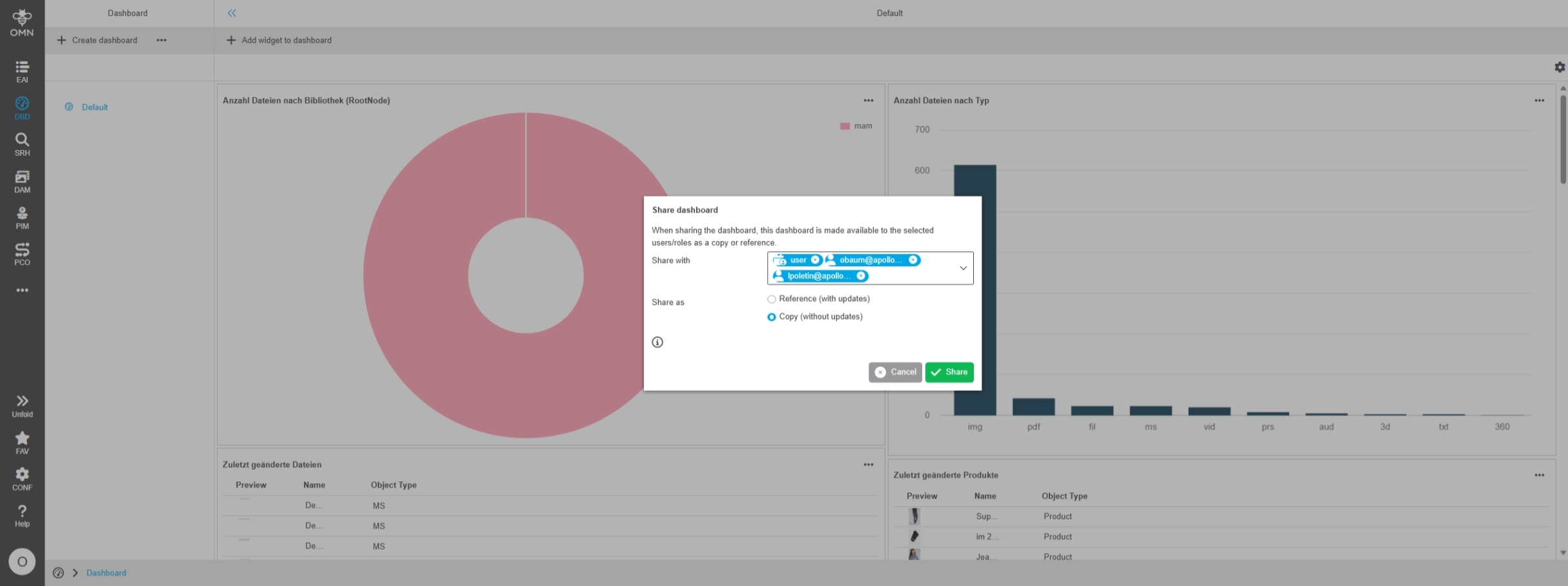
Sharing function allows sharing Dashboard via copy or reference
-
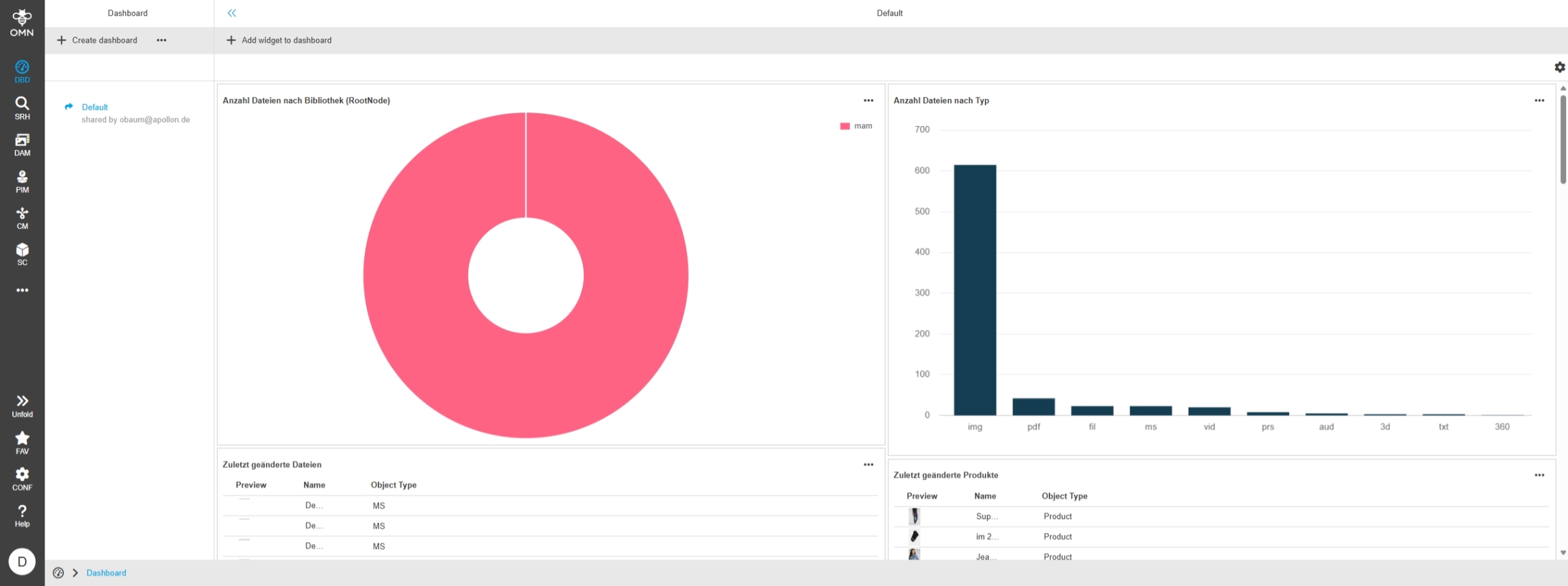
if user has Access to share Dashboards appropriate Information is displayed in dashboard list on left view
Reporting
Improvements and new functions in OMN Reporting Module
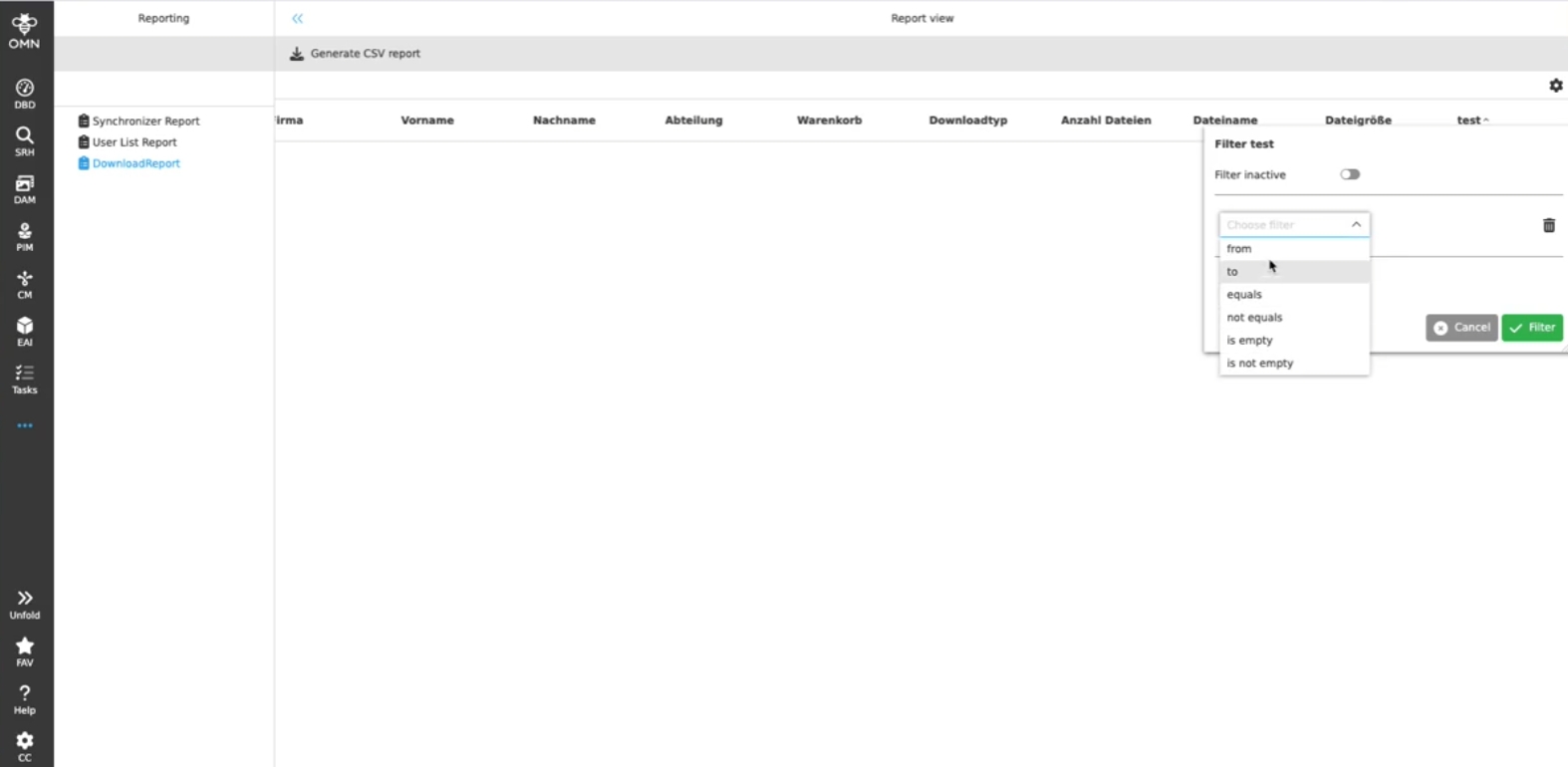
Reporting - Filters - Consider column’s type in filtering
Tags |
OG-9796, OMN-8543 |
Filtering in Reporting plugin that corresponds the type of expression by which filtering is performed
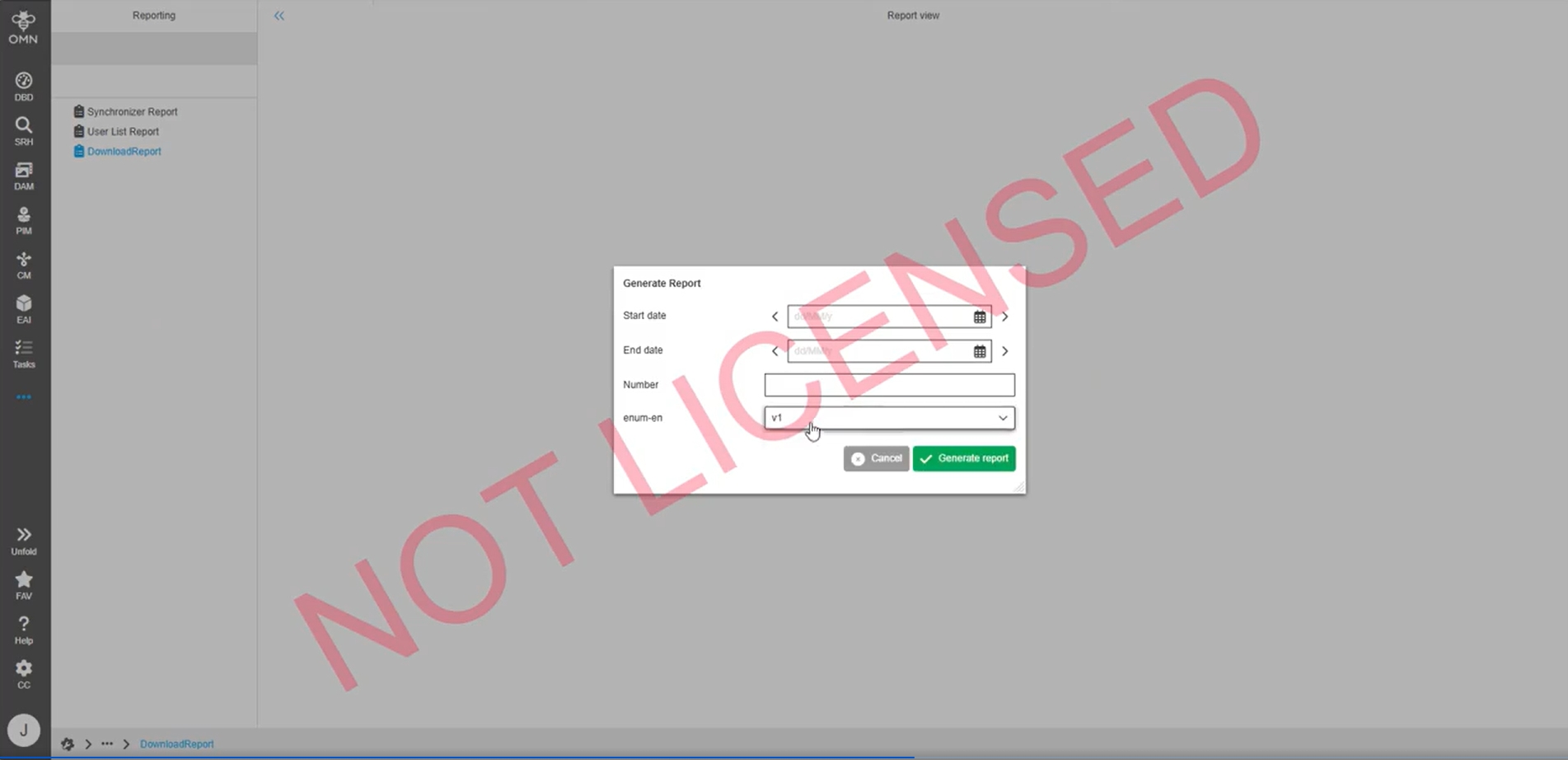
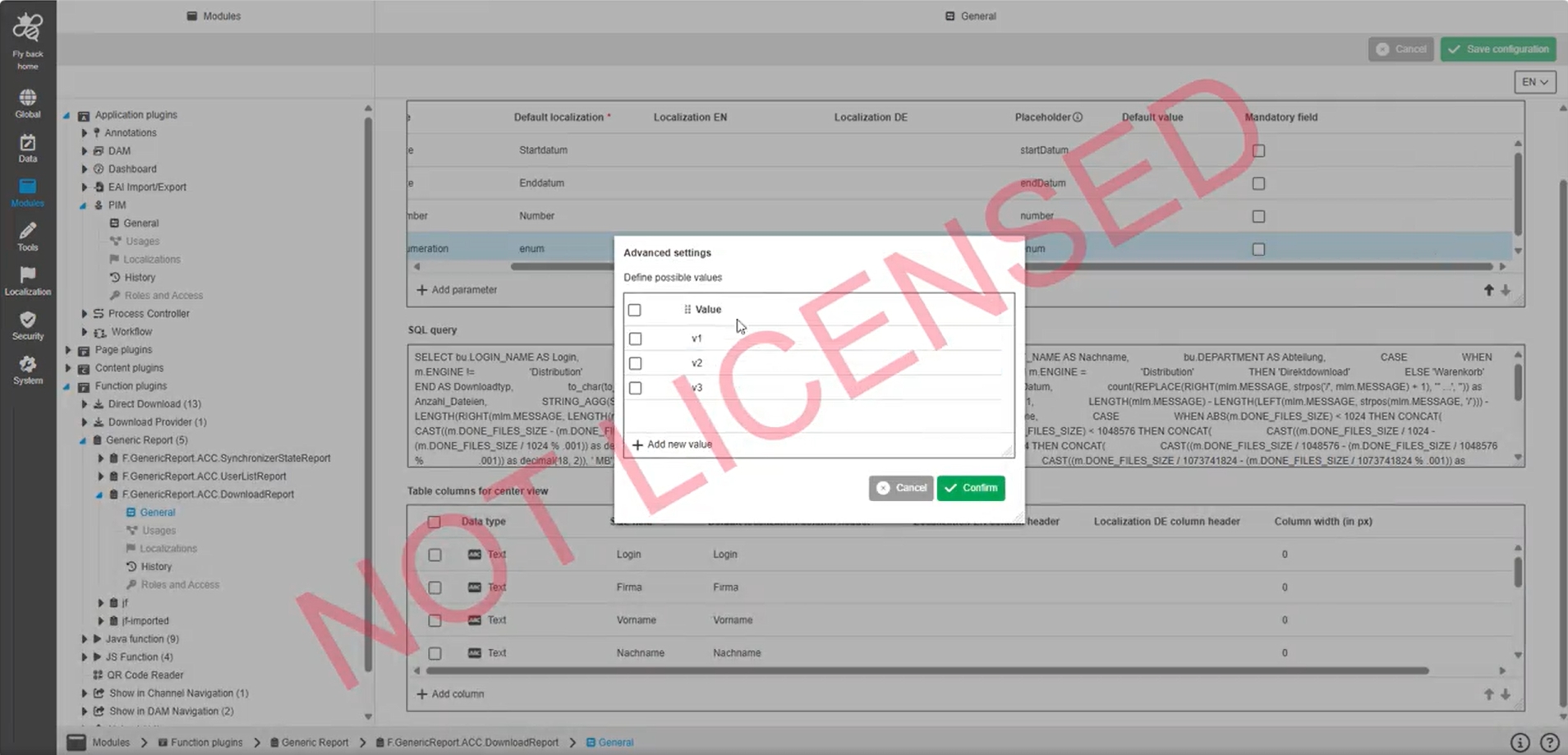
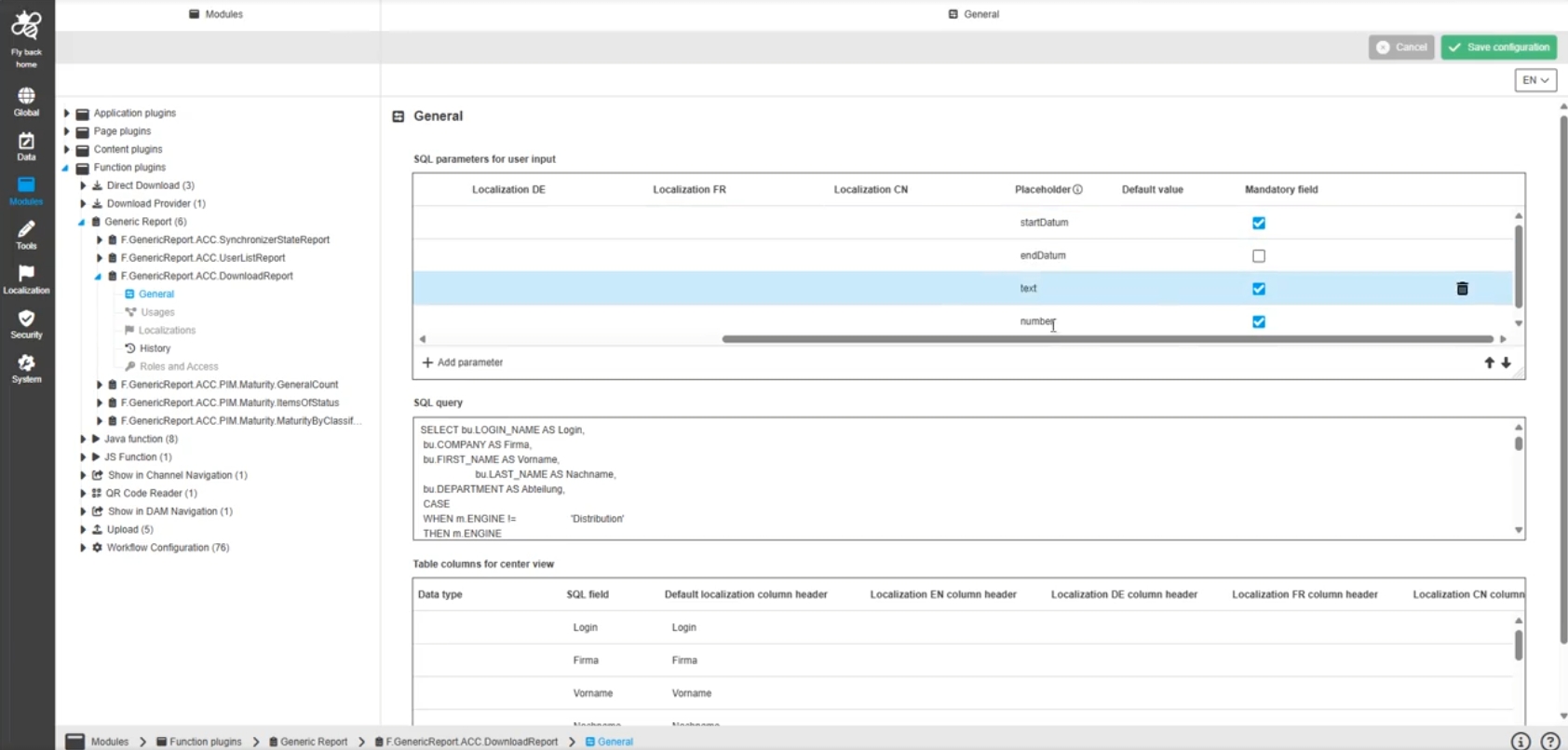
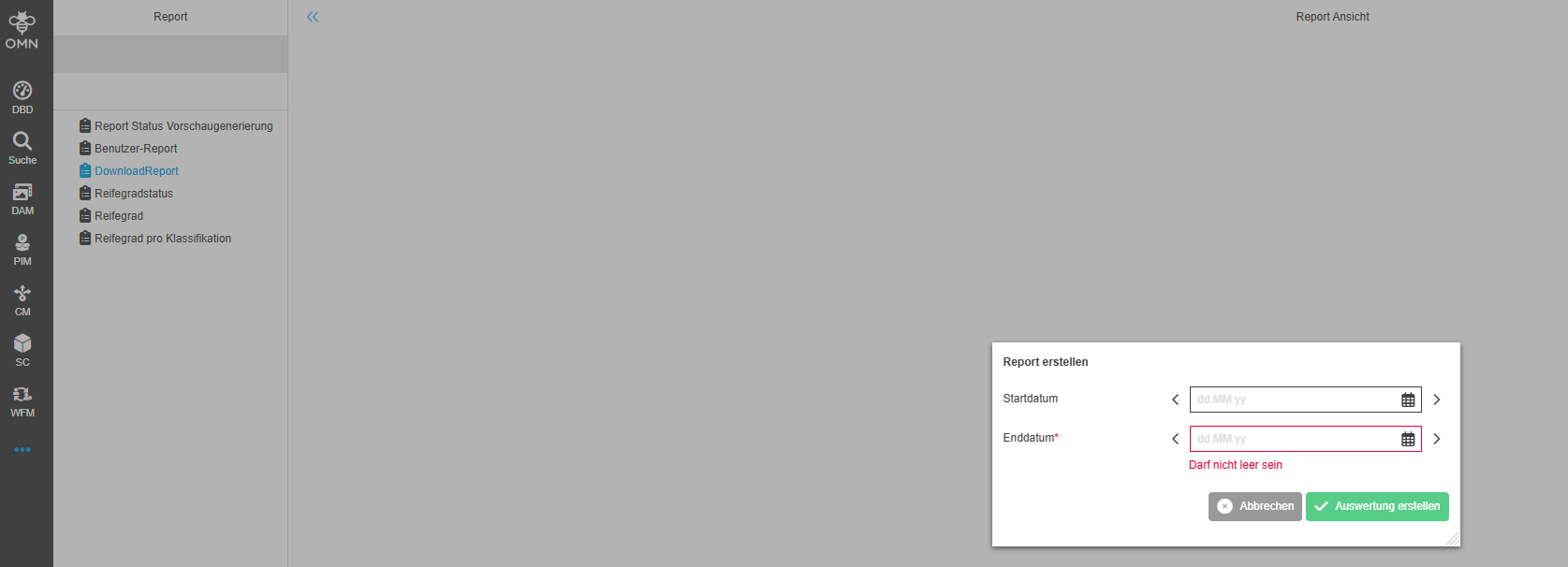
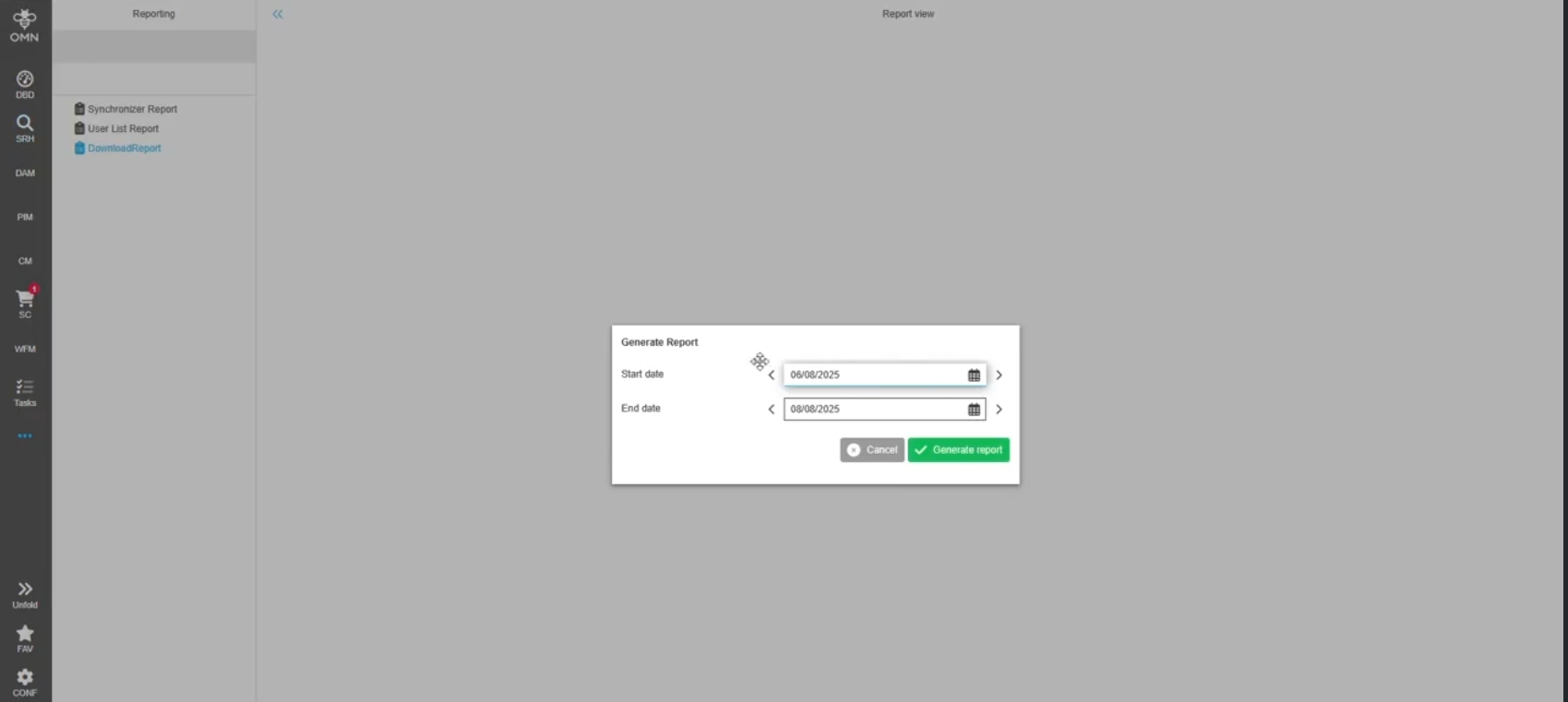
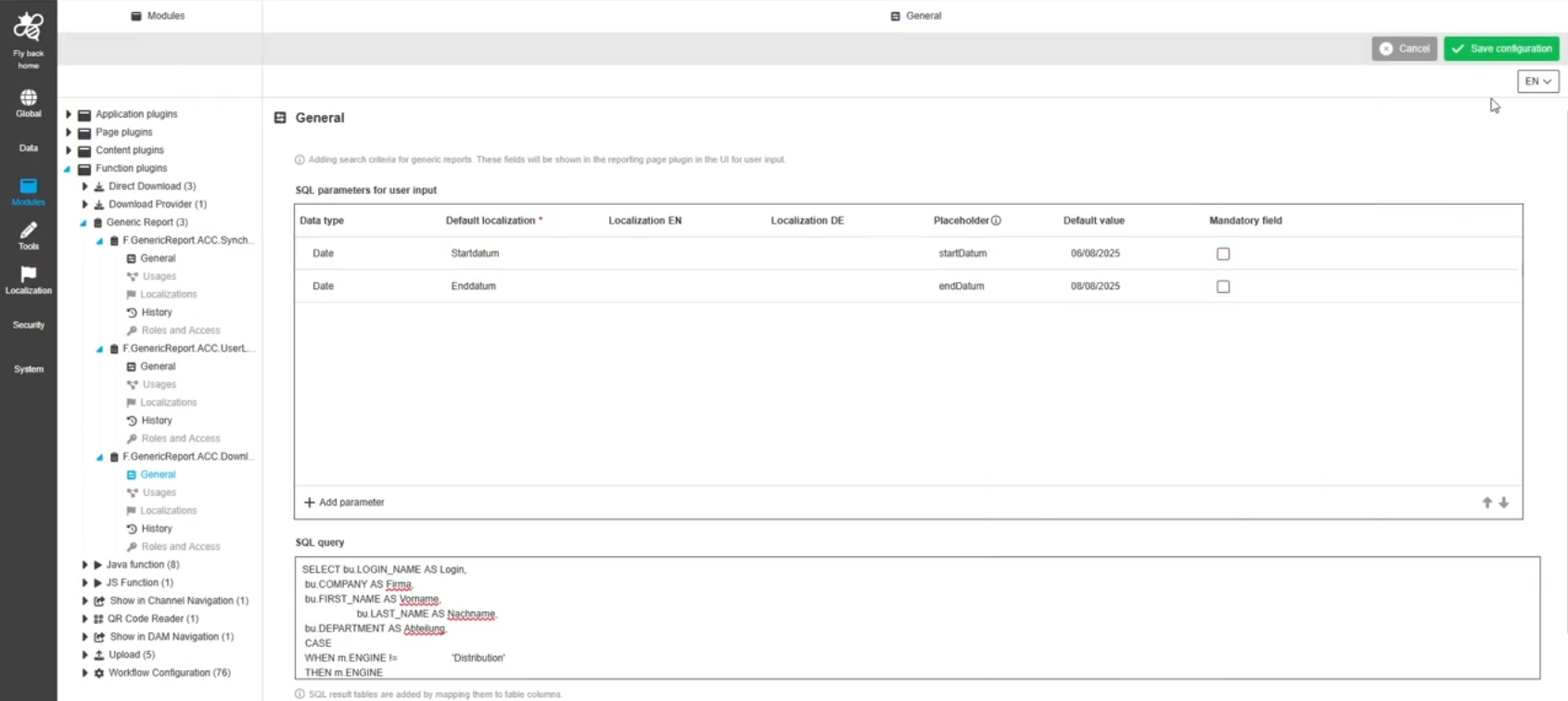
Reporting - form for report parameters - Show configured Enum SQL parameter from generic report
Tags |
OG-15672 |
Possibility to select Enum SQL parameter in the parameter form to execute a report by selecting a possible value
-
representation of possible values in UI
-
configuration of possible values in ConfigUI
EAI
Improvements and new functions in EAI Module
EAI - UI - Import
Improvements and Changes in EAI UI Import Module
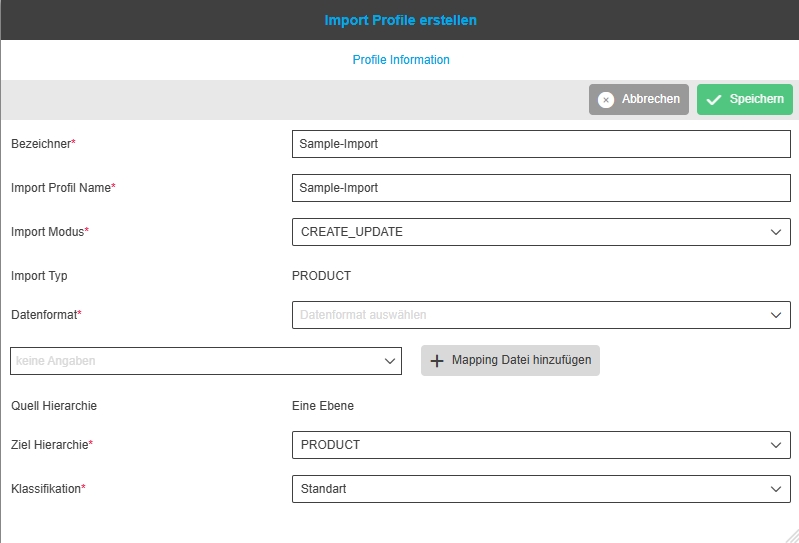
EAI-UI - Import - Rename reference file while creating import profile
Tags |
OG-15635 |
Reference file will be automatically renamed while creating the import profile
-
name will be: <original_name>_ref.<Extension>

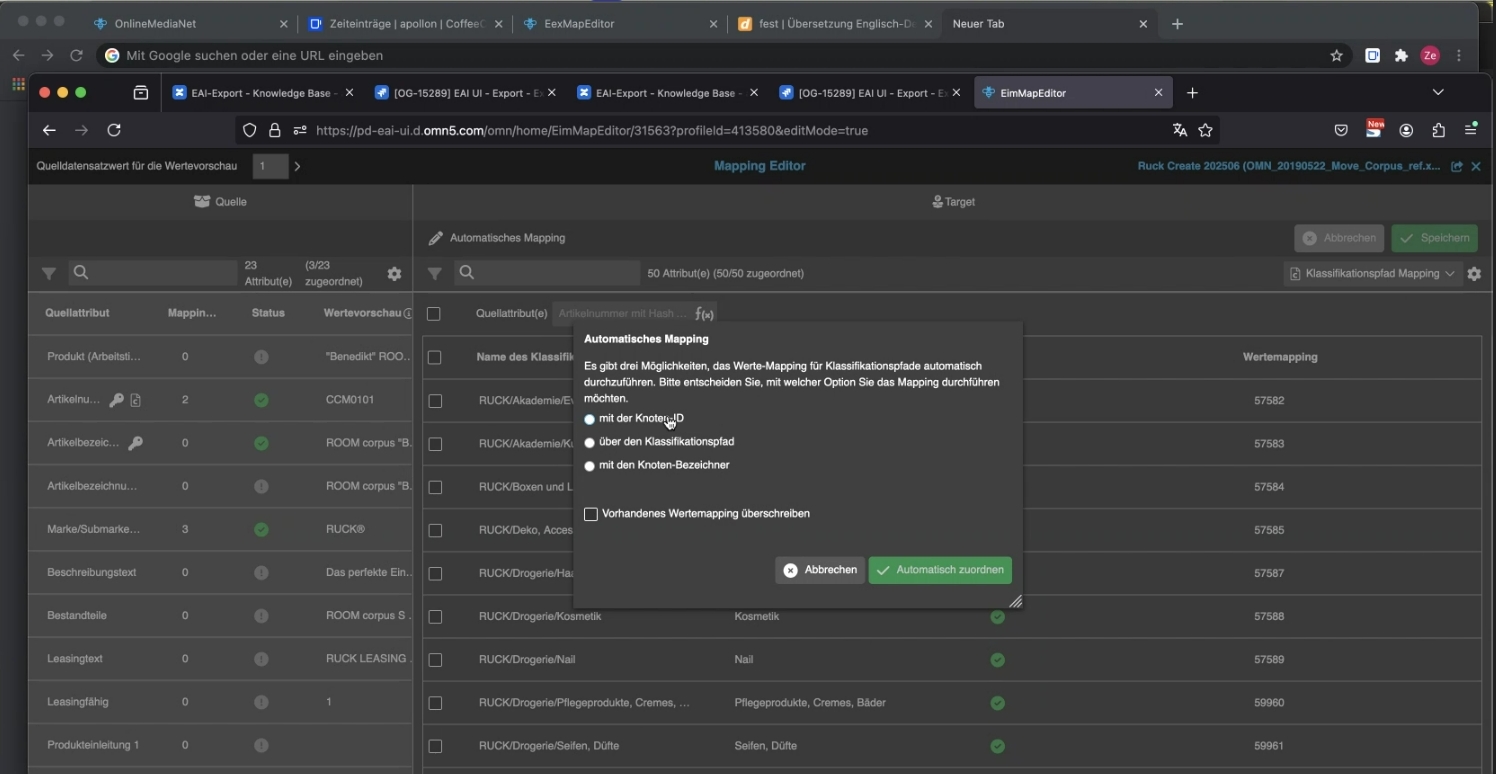
EAI-UI - Import - Chunked upload to upload EAI import file
Tags |
OG-15653 |
In former Version it was not possible to upload Import files larger than 1 MB. Now EAI Import module is using chunked upload to allow higher upload sizes

EAI Export Module
Base Requirement |
OR-1495 |
New submodule from EAI-UI for exporting product data based on a selection, an export profile and a job for generating the export
The EAI module consists of several components:
-
Export Selector: for compiling the data to be exported
-
Export Profile: for defining the export format and field contents with transformations
-
Collective Job: for defining a time-controlled job for generating the export and delivery to an FTP or OMN directory with the option of full or delta Exports
-
Process Controller: for process control of exports executed via collective jobs
| The EAI export profile has beta status in OMN 6.4 and contains many bug fixes and further improvements in next version |
Export Selectors
Tags |
OG-15763 |
New Plugin EAI Selector which is used for EAI module to define the scope (selection) of products which are relevant for Exports
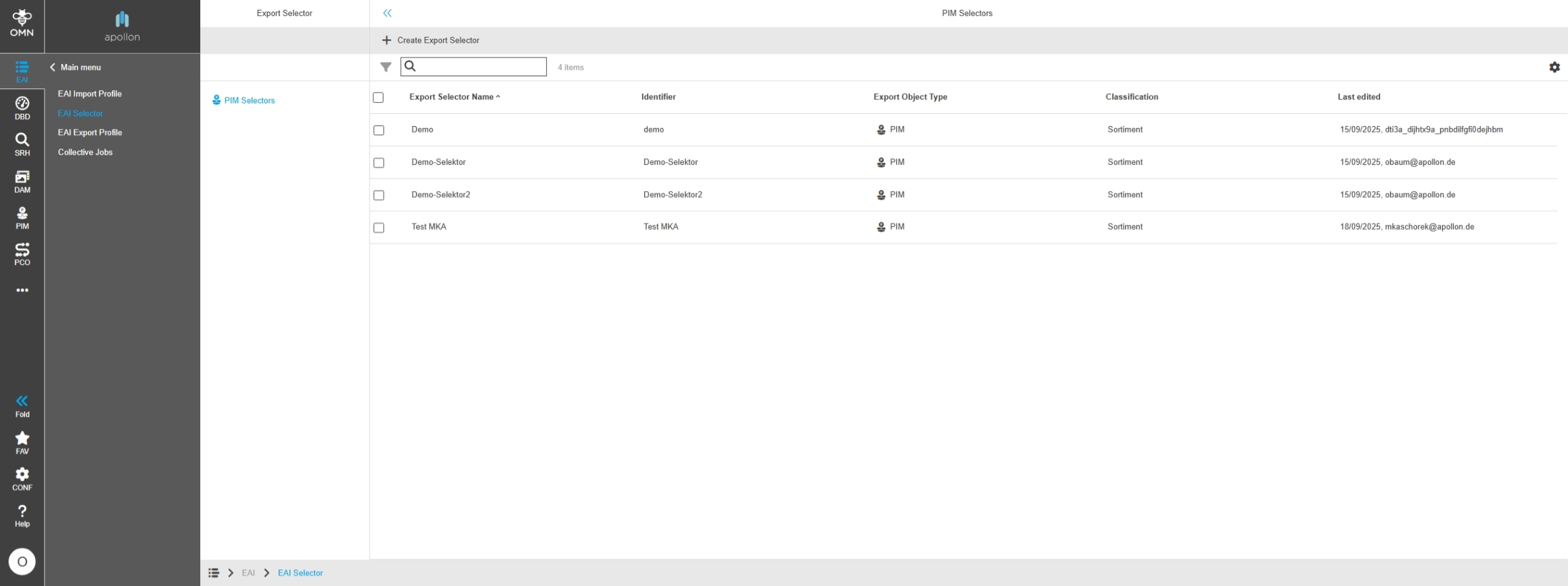
EAI UI - Export - Selectors - Left View
Tags |
OG-15342 |
Left view in Export Selector Plugin which sort selectors by Object Types
-
currently, only Selectors for PIM object types are supported
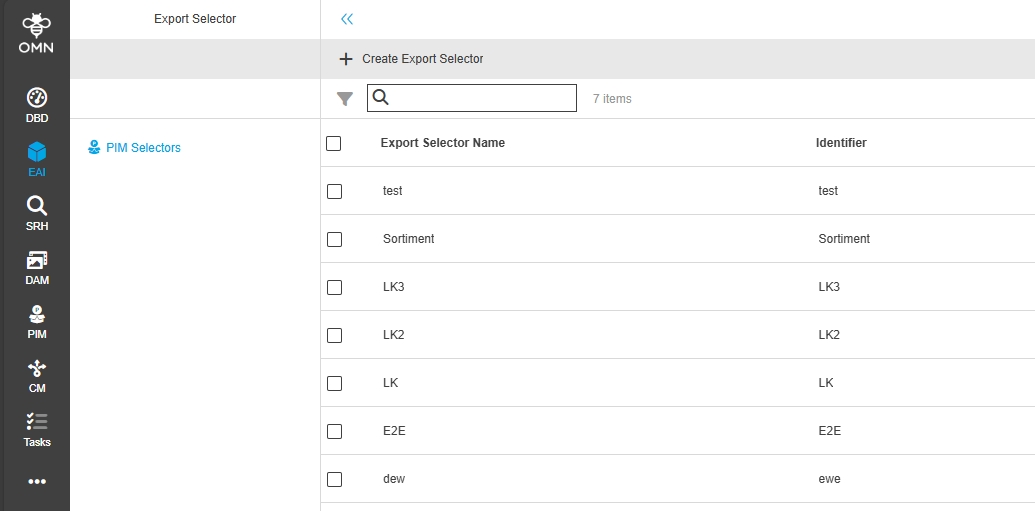
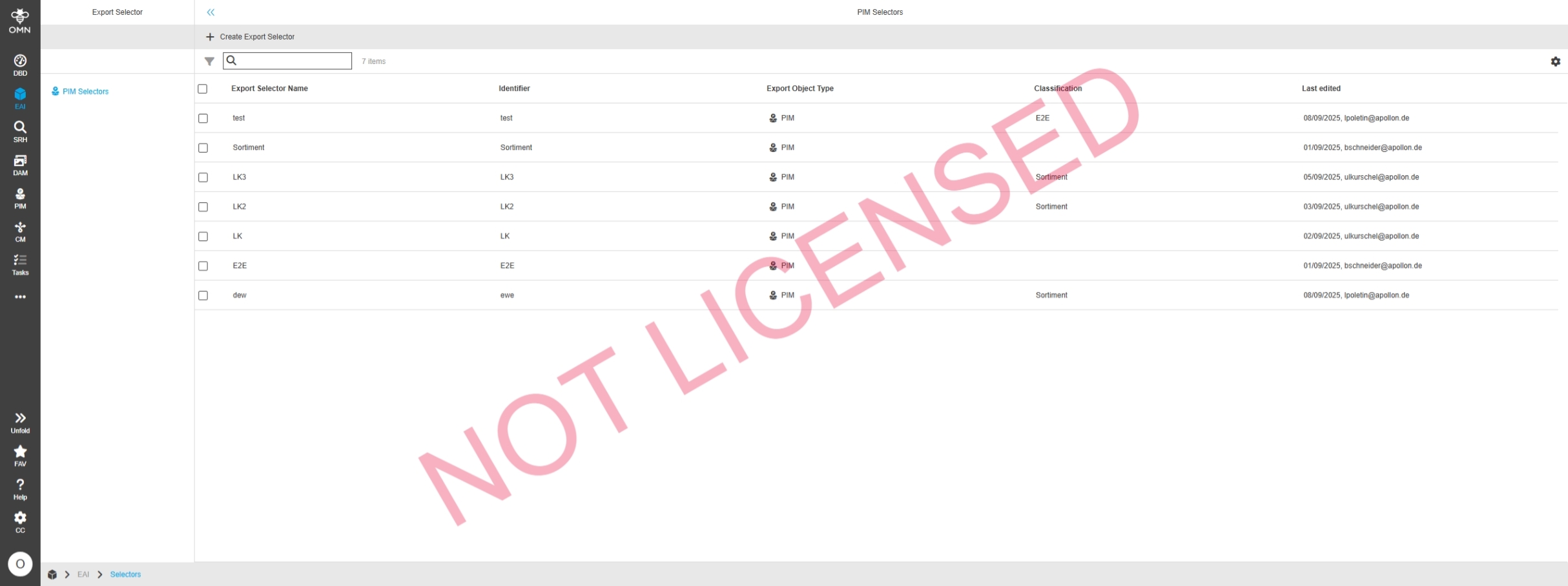
EAI UI - Export - Selectors - Center View
Tags |
OG-15343, OMN-11736 |
Possibility to see all selectors listed in a table to have an overview an on items selections which are relevant for Export
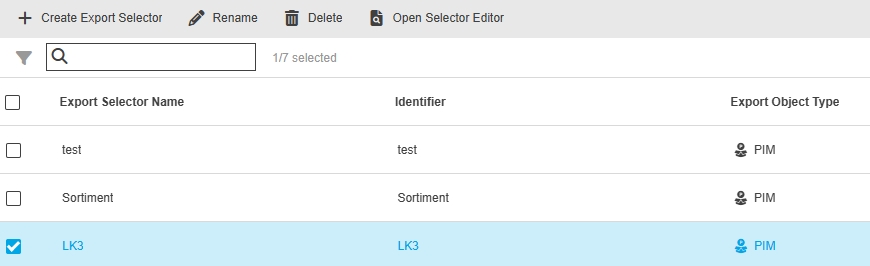
EAI UI - Export - Selectors - Center View - Functions
Tags |
OG-15345 |
Functions in Export Selector Plugin to create, rename or delete selectors and open selector Editor to define the scope for an Export
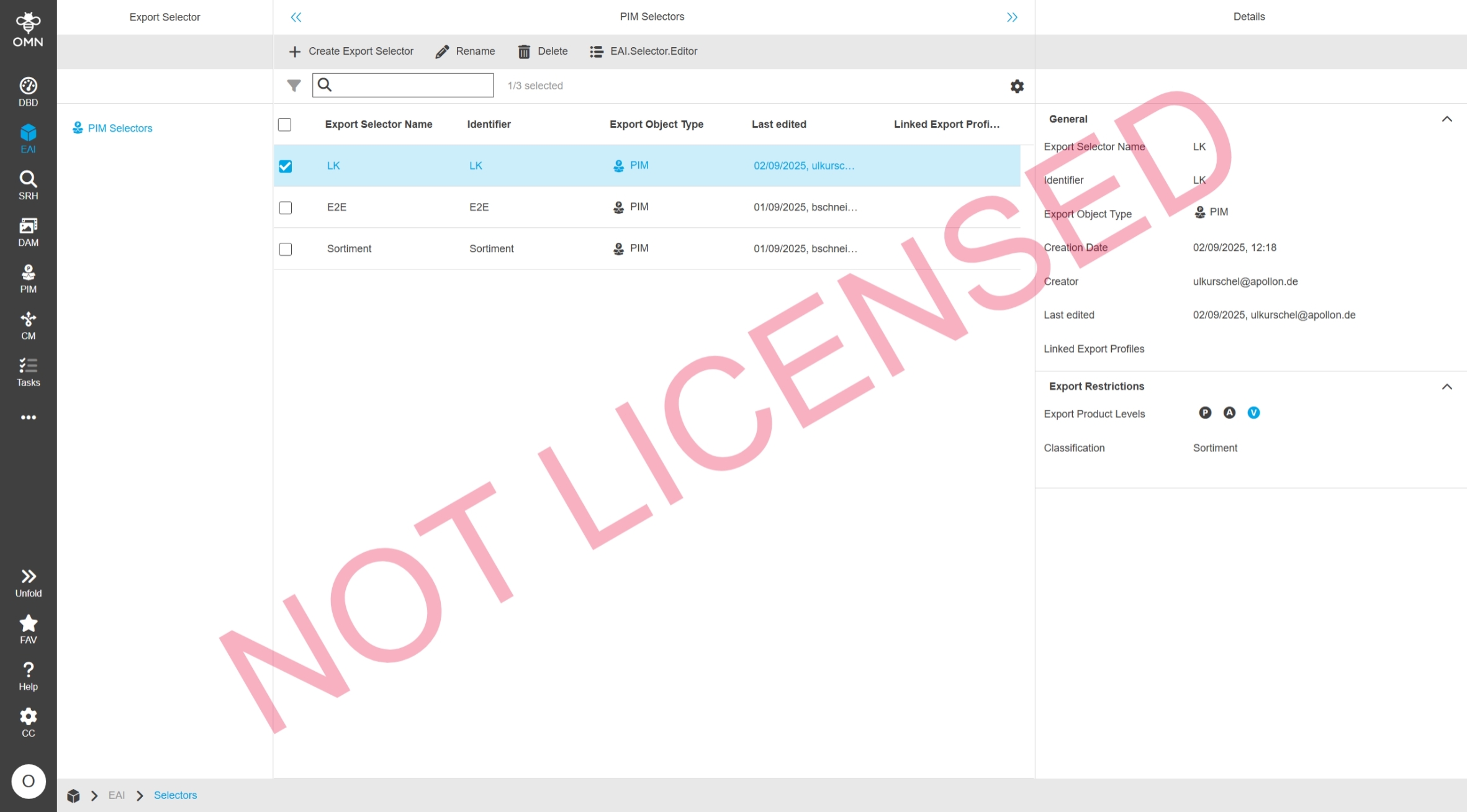
EAI UI - Export - Selectors - Right View
Tags |
OG-15344 |
New Right View in EAI Export selector Plugin which Displays all details/settings of an export selector
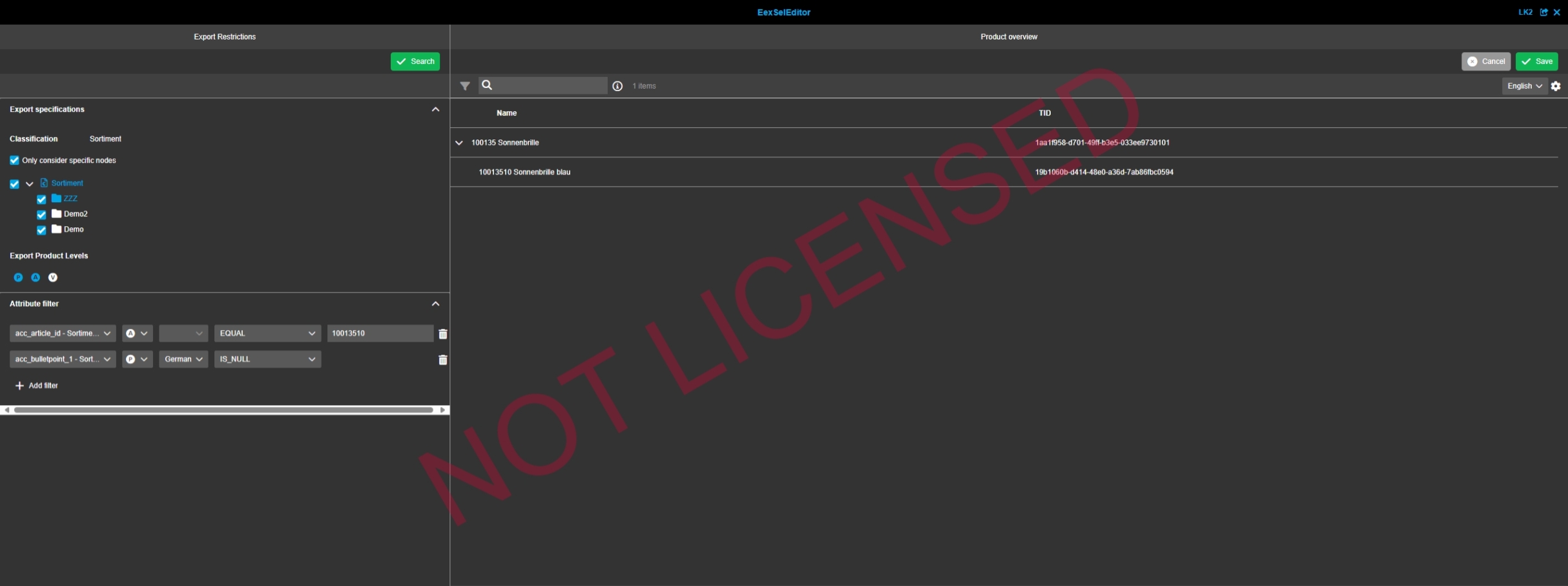
EAI UI - Export - Selectors - Selector Editor
Tags |
OG-15346 |
New Tool for EAI Export called Selection Editor which allows to define the selection for which products/articles/variants will be exported later via EAI-Export
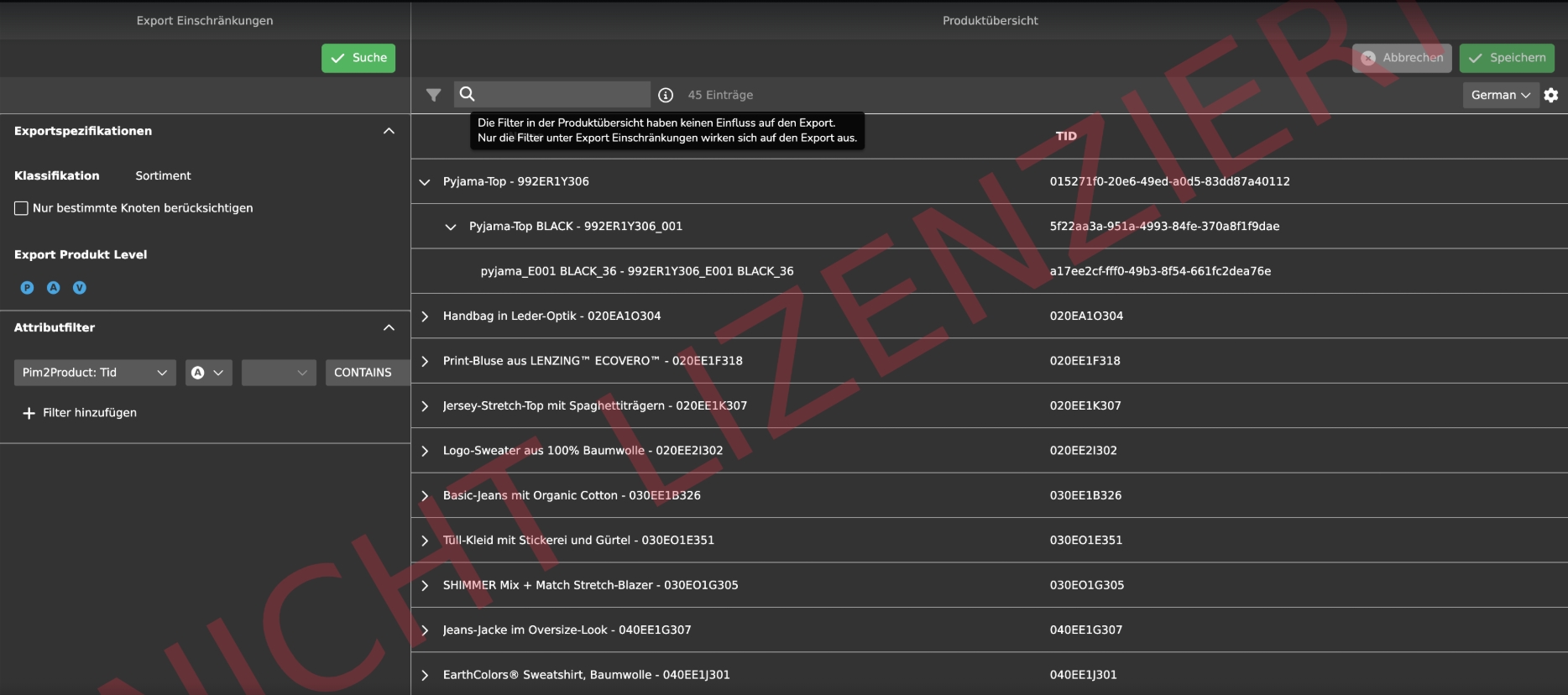
EAI UI -Export Profiles
Tags |
OG-14940 |
New Plugin called Export Profiles Plugin to create / manage export profiles which can be used to export PIM data from OMN (PIM Attributes with its Values)
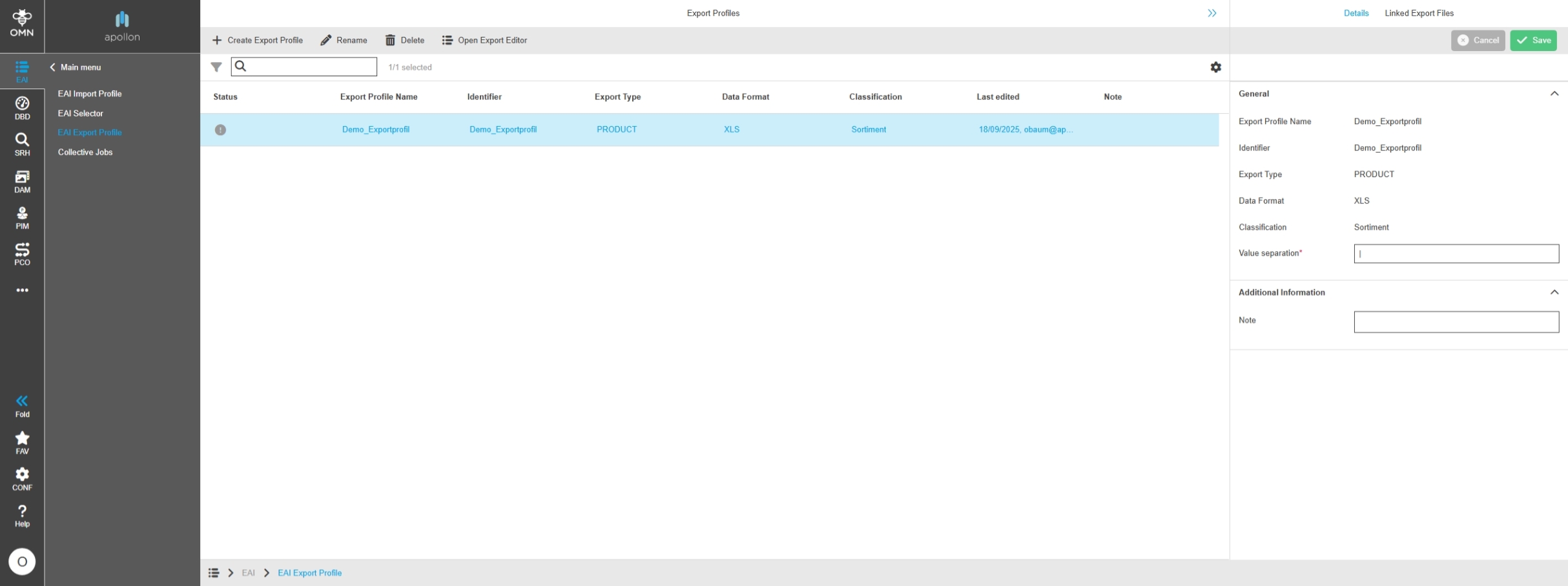
EAI UI - Export - Export Profiles
Tags |
OG-15386, OMN-11110 |
New Export Profile Plugin to manage so-called Export profiles defining the date Format and PIM Attributes which should be exported so that the profile can be used for Exports in Collective Job module
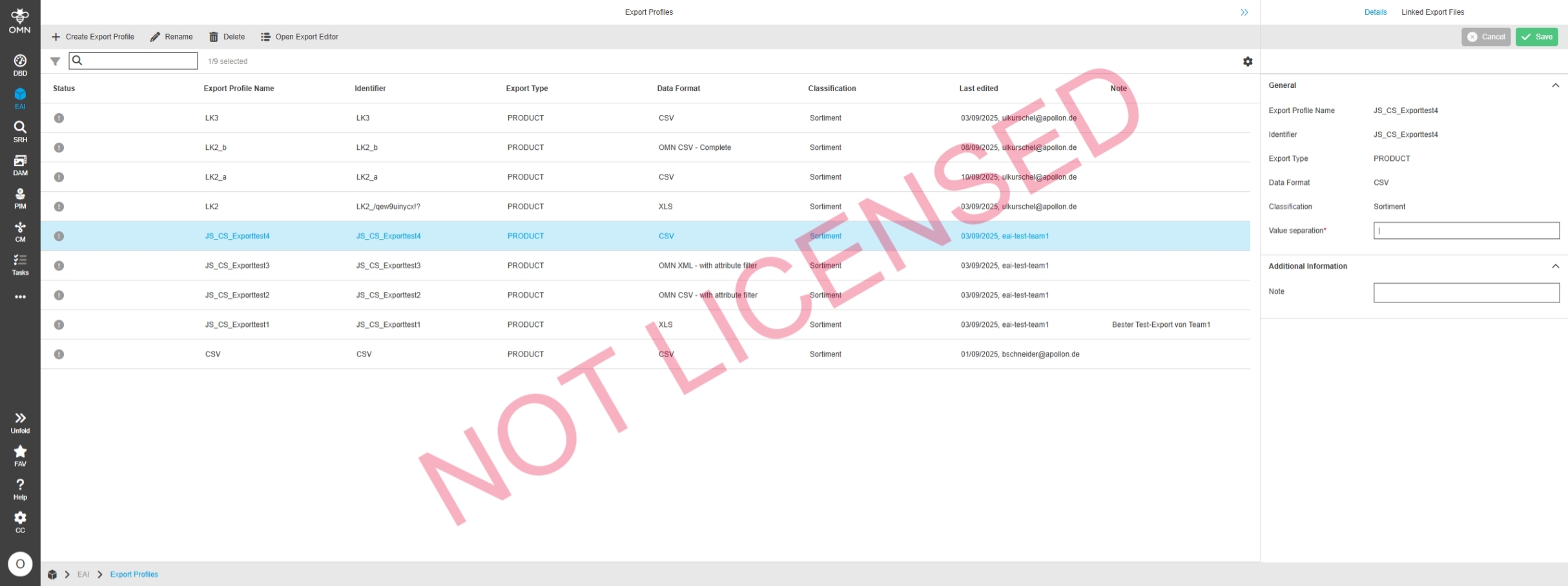
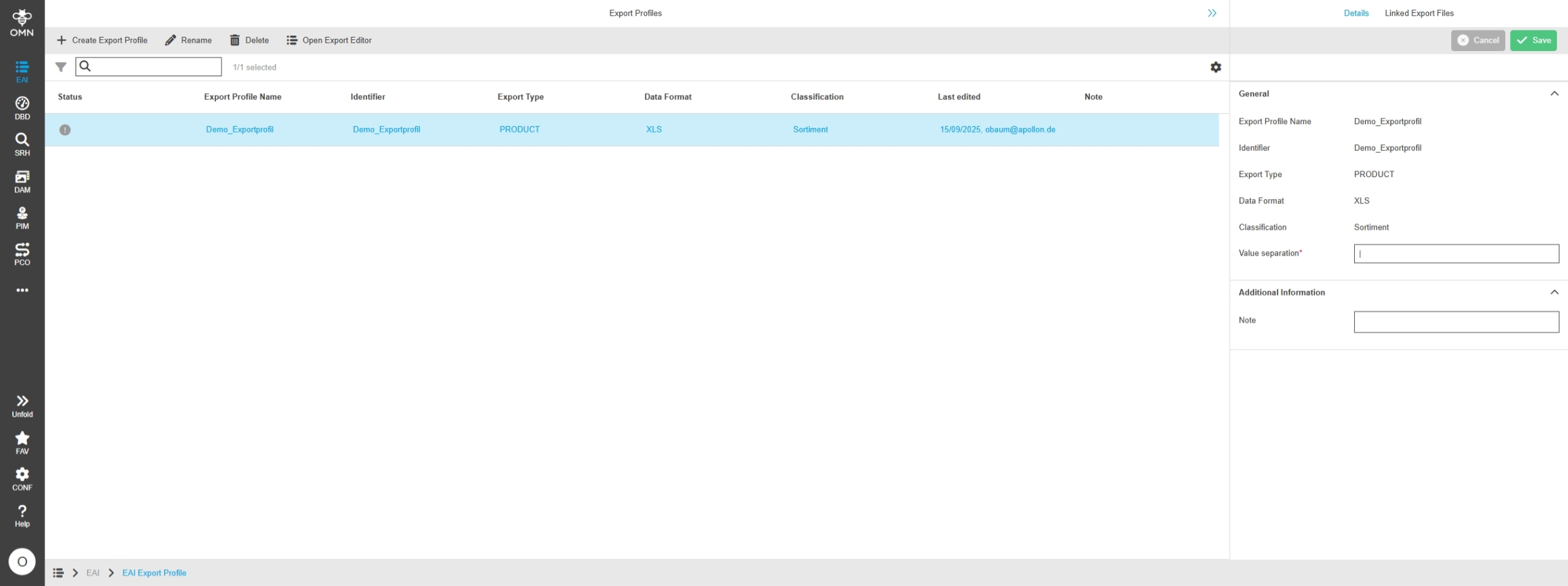
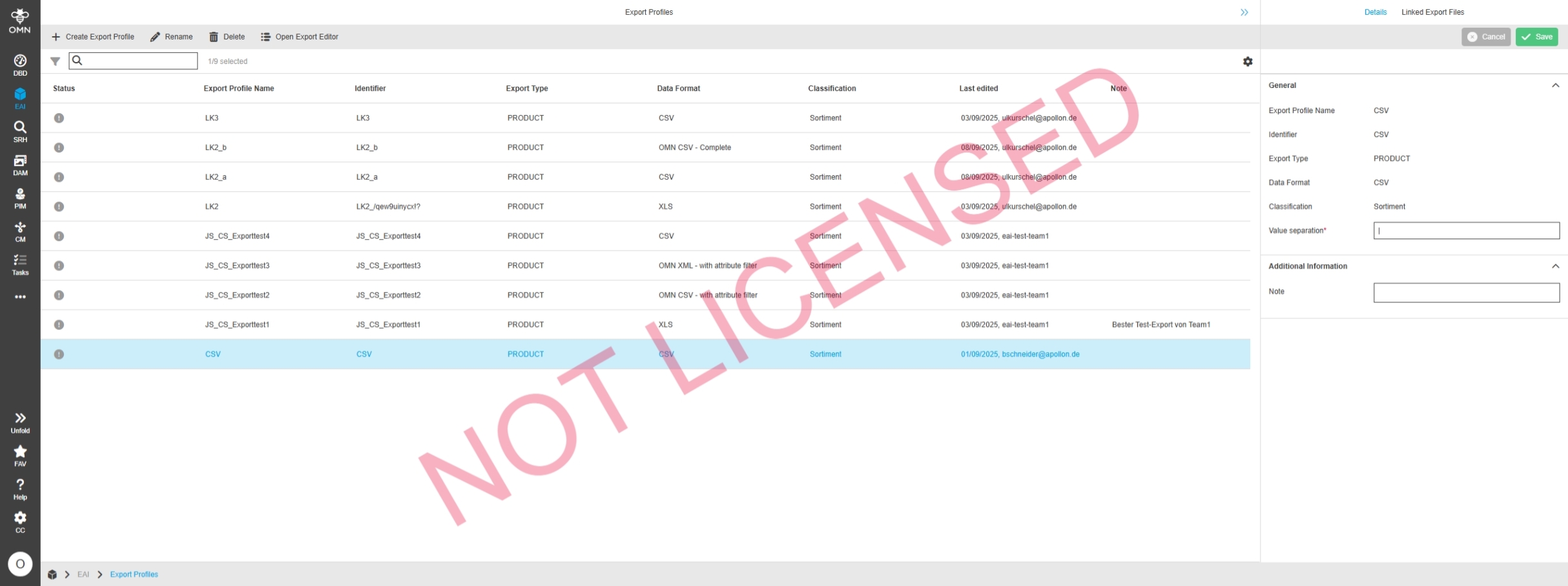
EAI UI - Export - Export Profiles - Center View
Tags |
OG-15387 |
Center View in Export Profile Plugin allows managing new Export profiles and Display relevant Information
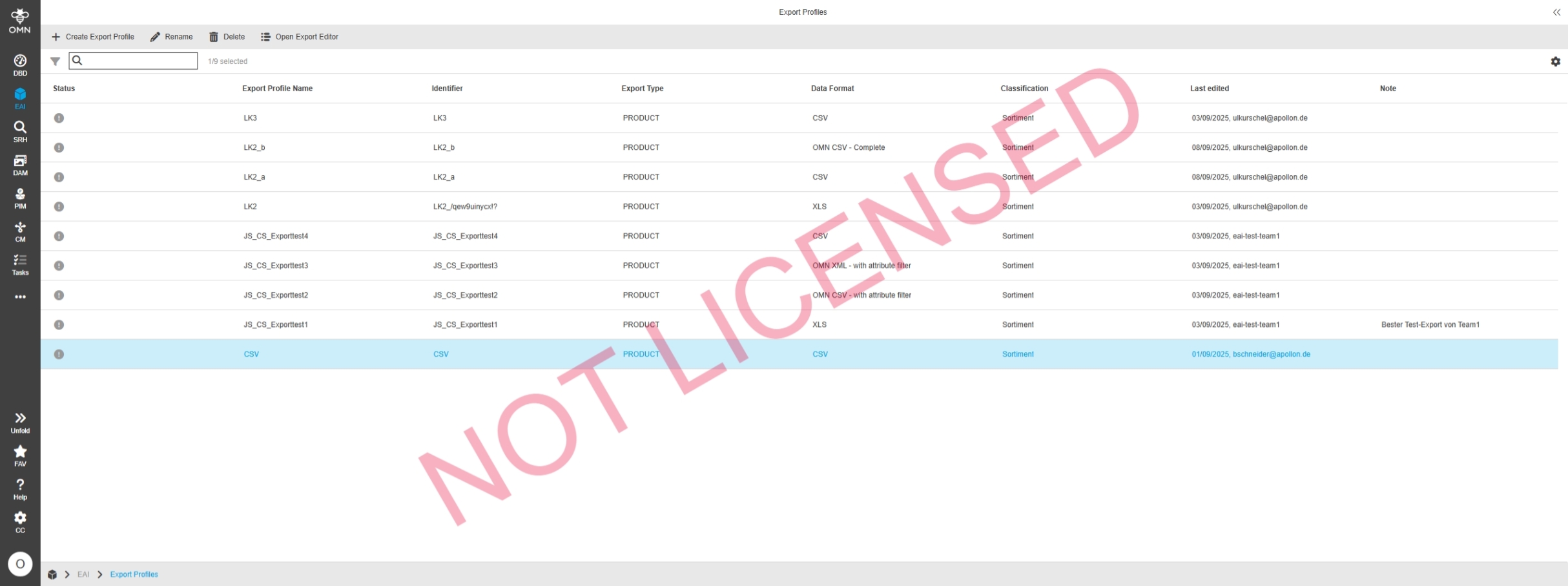
EAI UI - Export - Export Profiles - Center View Functions
Tags |
OG-15392 |
Export Profile Plugin provides several functions to create, rename or delete profiles and open Export Editor to define relevant Attributes within a profile
EAI UI - Export - Export Editor
Tags |
OG-15765 |
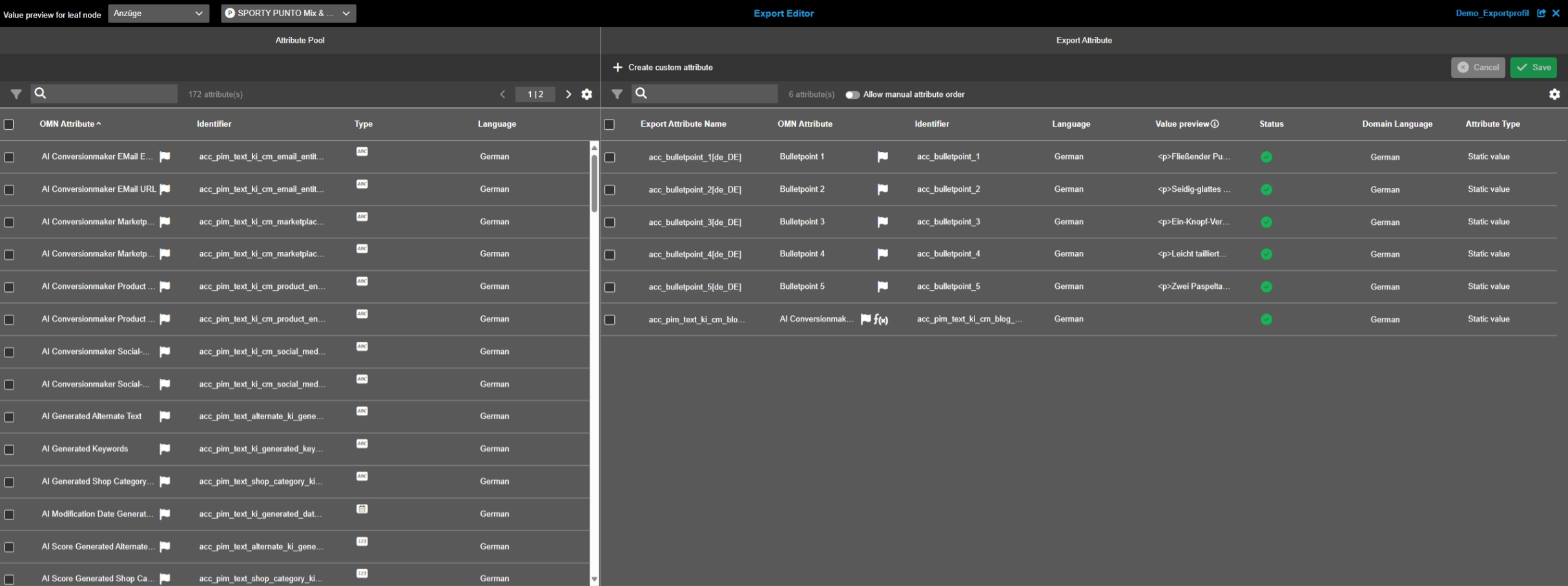
New Tool Plugin called Export Editor which can be opened from Module Export Profiles to define Attributes which should be exported
EAI UI - Export - Export Editor - Left View
Tags |
OG-15604 |
Left view in Export Editor Shows Attributes of PIM Data model and allow to add them to Export profile
EAI UI - Export - Export Editor - Left View Functions
Tags |
OG-15606 |
Functionality on Left view in Export Editor Shows to assign selected Attributes from PIM Attribute Pool on left view to Export profile on Right view
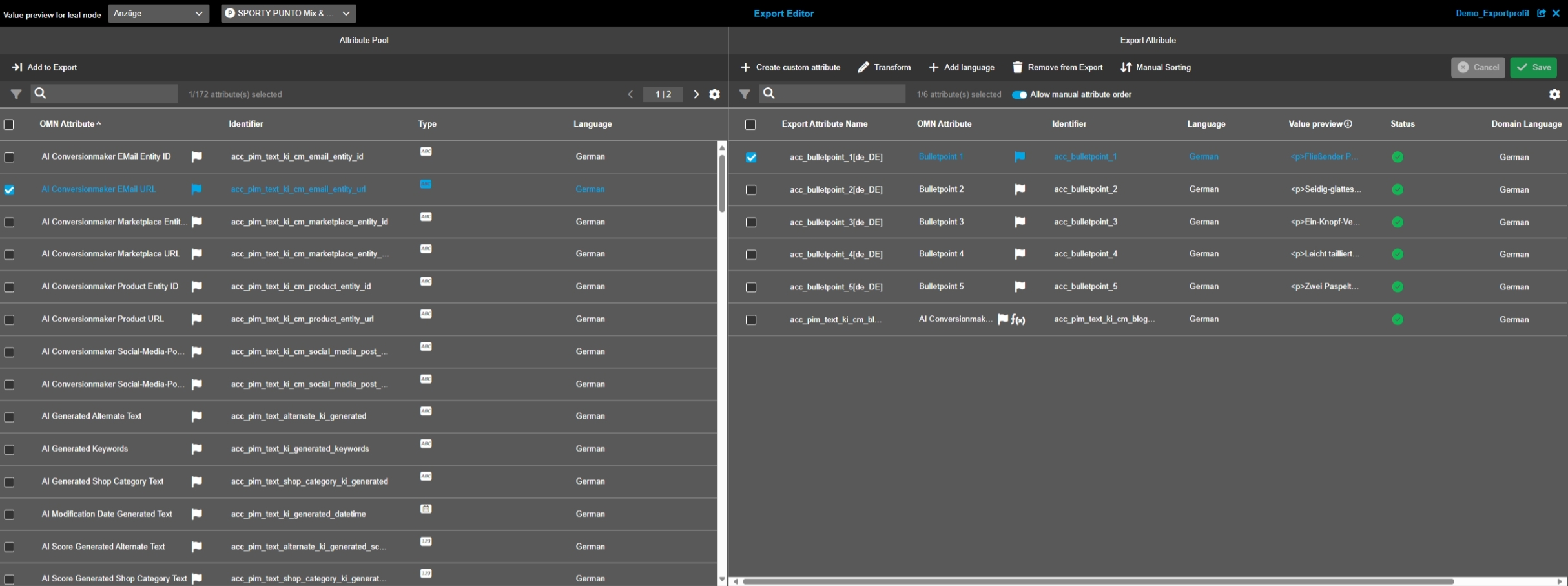
EAI UI - Export - Export Editor - Center View
Tags |
OG-15396 |
The Center View in Export Editor Shows the Attributes which are assigned to Export profile and allow transformations on it
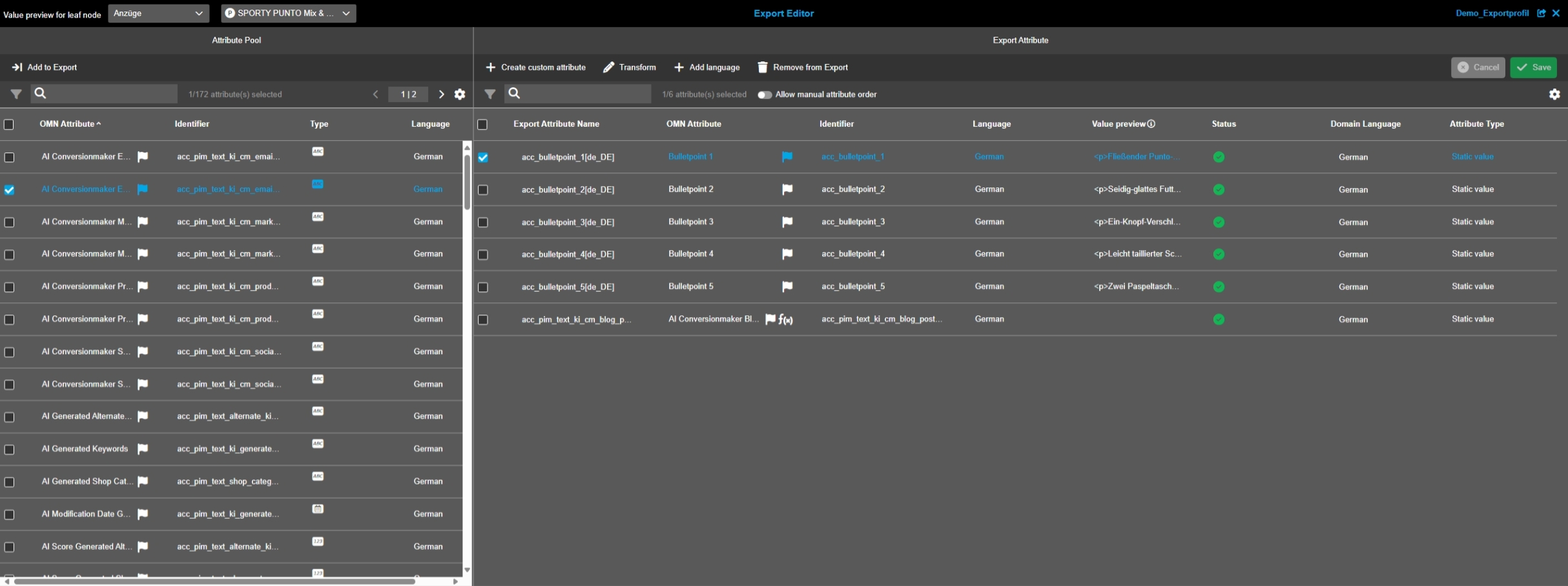
EAI UI - Export - Export Editor - Center View Functions
Tags |
OG-15289 |
Several Functions are provided in Center View of Export Editor
-
create custom Attribute to add Attribute which is not part of OMN PIM data Modell
-
transform to create transformations on Attributes and its values
-
add language to define the language of Attribute value which should be exported if Attribute is language dependent
-
remove from Export to remove Attribute from Export profile (Attribute will not be removed in PIM)
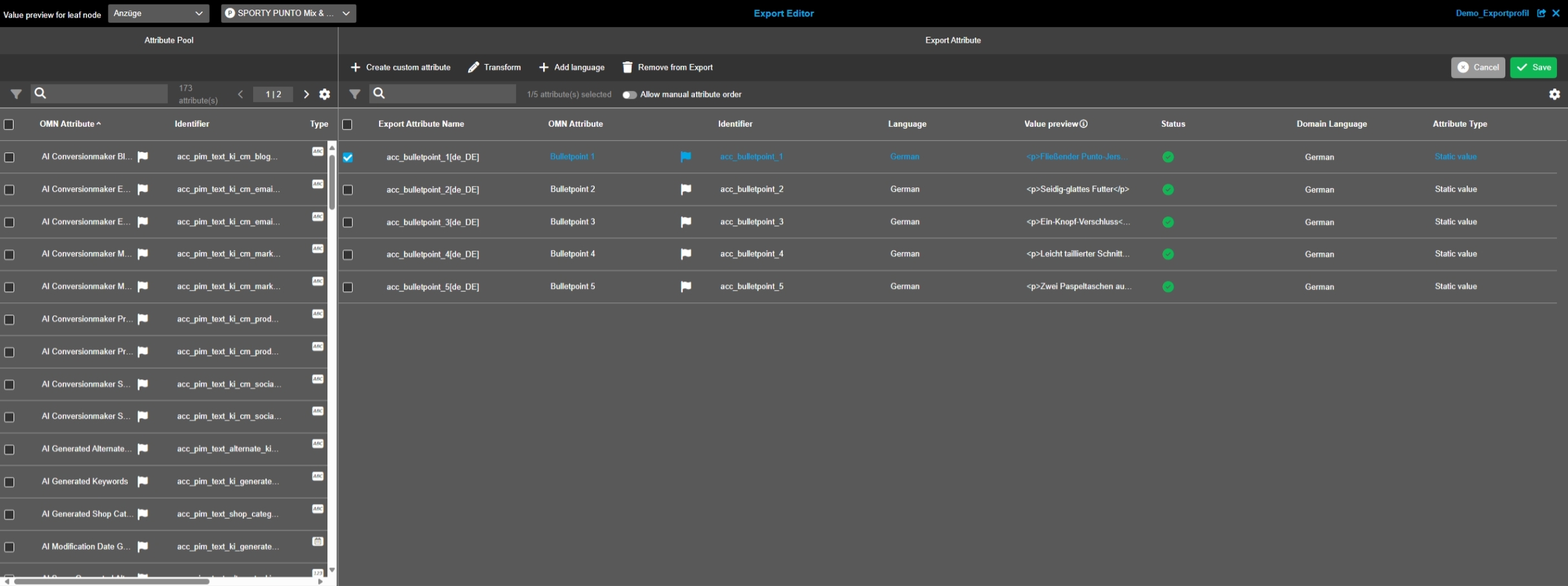
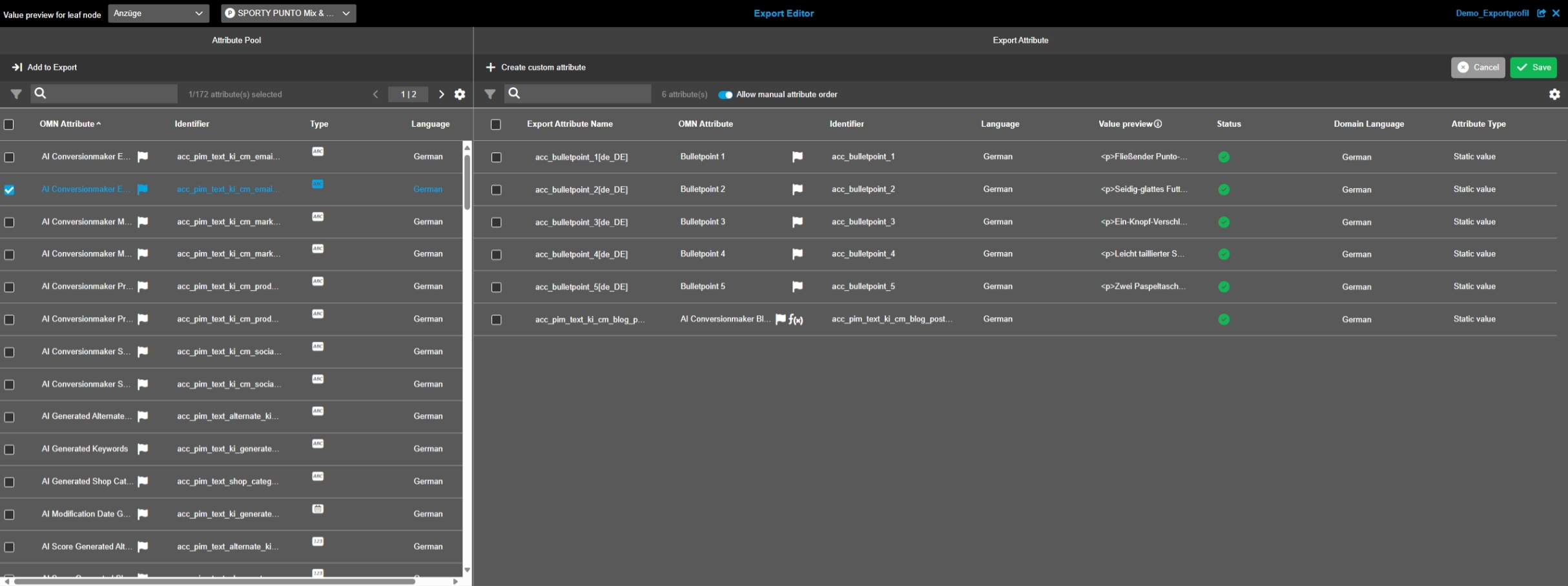
EAI UI - Export - Export Editor - Center View - Manual Export order
Tags |
OG-15845 |
Possibility to define a manual export order, so that the Content of the result file is in the exact order
-
function contains known issues which will be improved in next Version
EAI UI - Export - Export Editor - Transformations - Transform modal - Attribute selection and transformation
Tags |
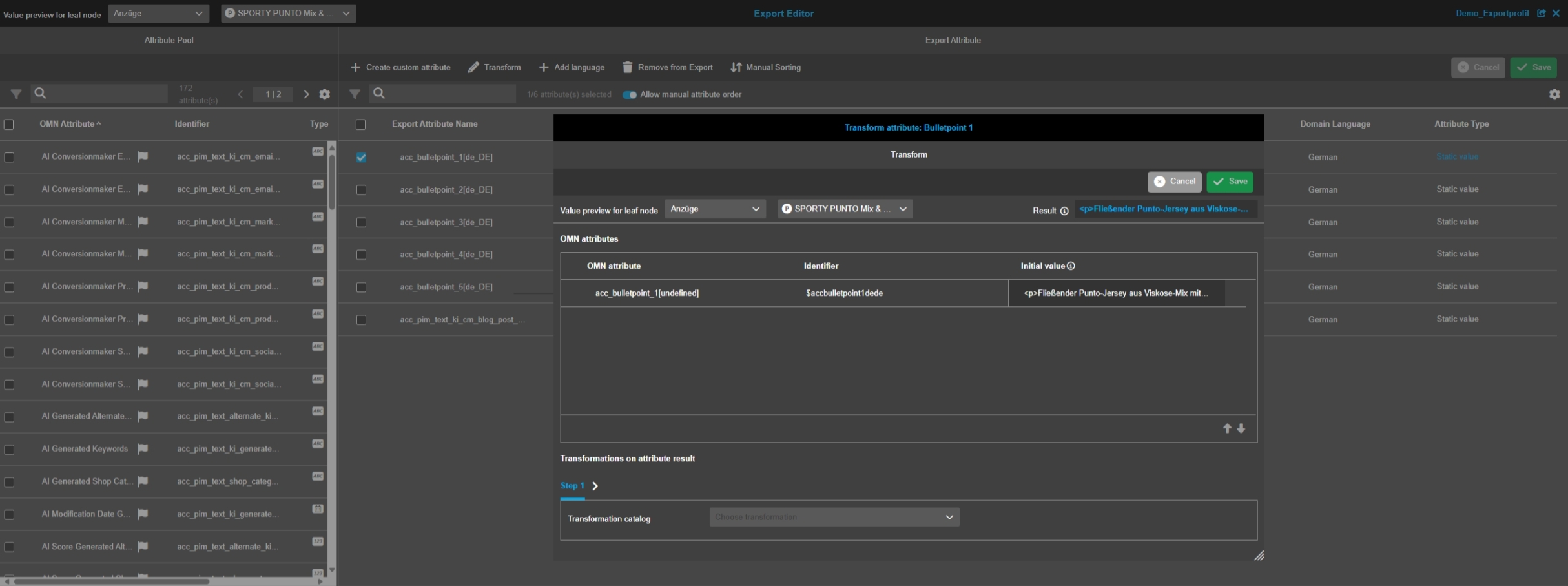
OG-15607 |
Possibility to add transformations on attributes in Export Editor to create custom rules and fields for export
EAI UI - Export - Export Editor - Transformations - Transform modal - Transformations on attribute
Tags |
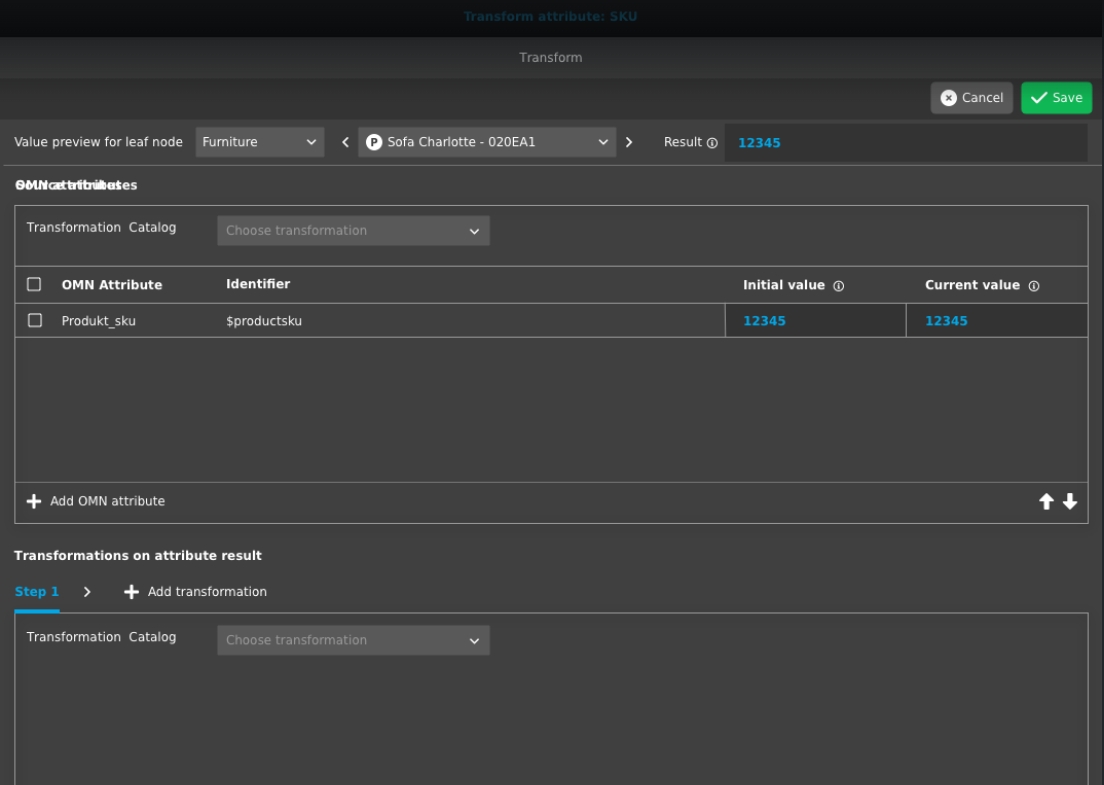
OG-15670 |
Possibility to add transformations on attributes in Export Editor to create custom rules and fields for Export
-
function contains known issues which will be improved in next Version
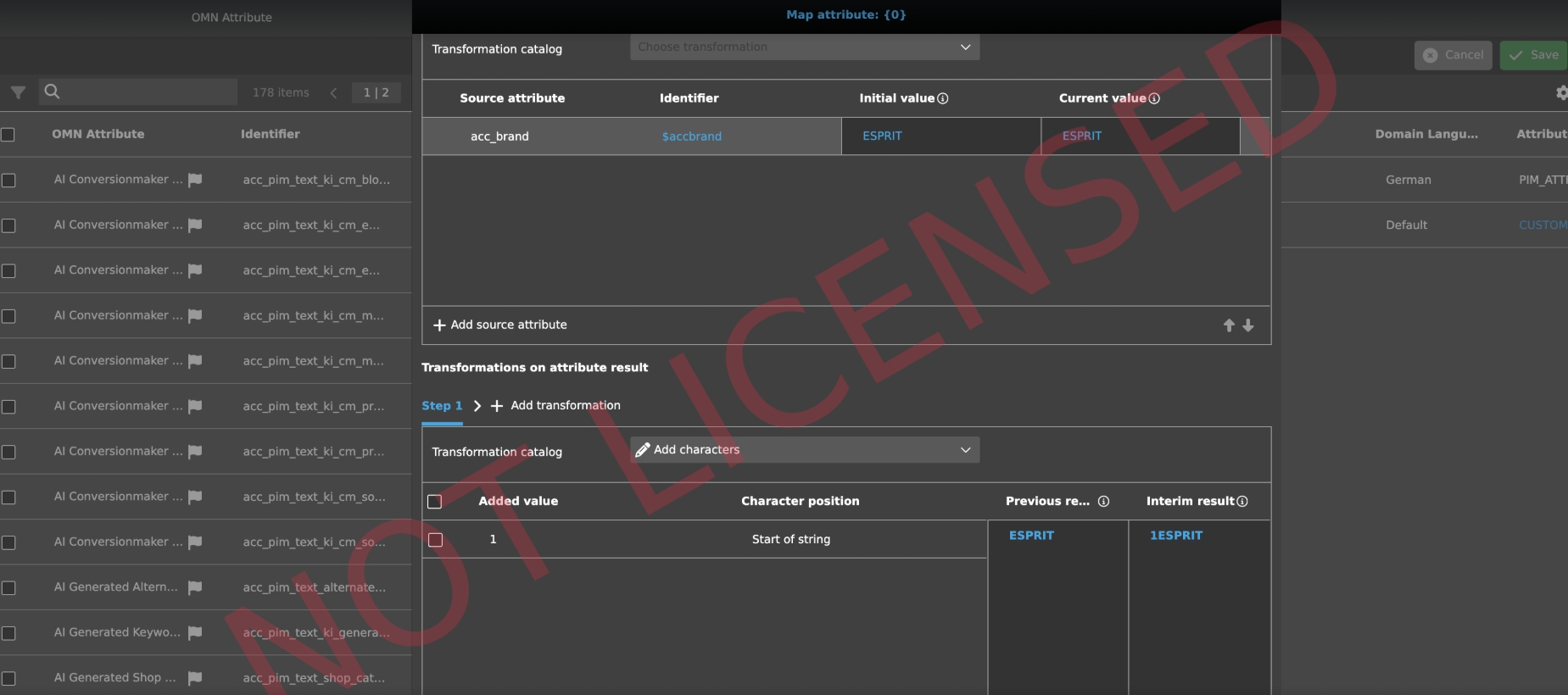
EAI UI - Export - Export Editor - Transformations - Add characters
Tags |
OG-15662 |
Possibility to add transformations on Attributes for adding Characters in Export Editor to create custom rules and fields for Export
EAI UI - Export - Export Editor - Transformations - Fill characters
Tags |
OG-15663 |
Possibility to add transformations on attributes in Export Editor (Fill Characters) to create custom rules and fields for Export
-
this transformation type has open issues which will be fixed in next Version
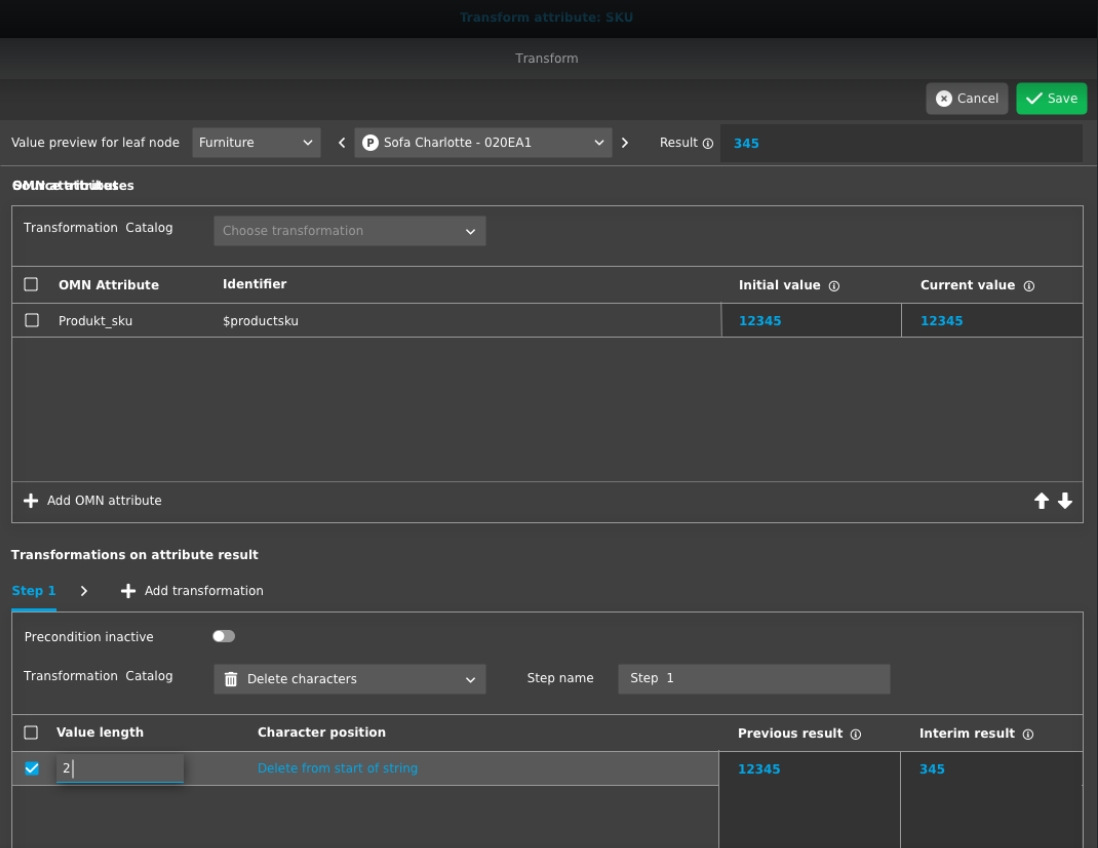
EAI UI - Export - Export Editor - Transformations - Delete characters
Tags |
OG-15664 |
Possibility to add transformations on attributes in Export Editor (Delete) to create custom rules and fields for Export
-
this transformation type has open issues which will be fixed in next Version
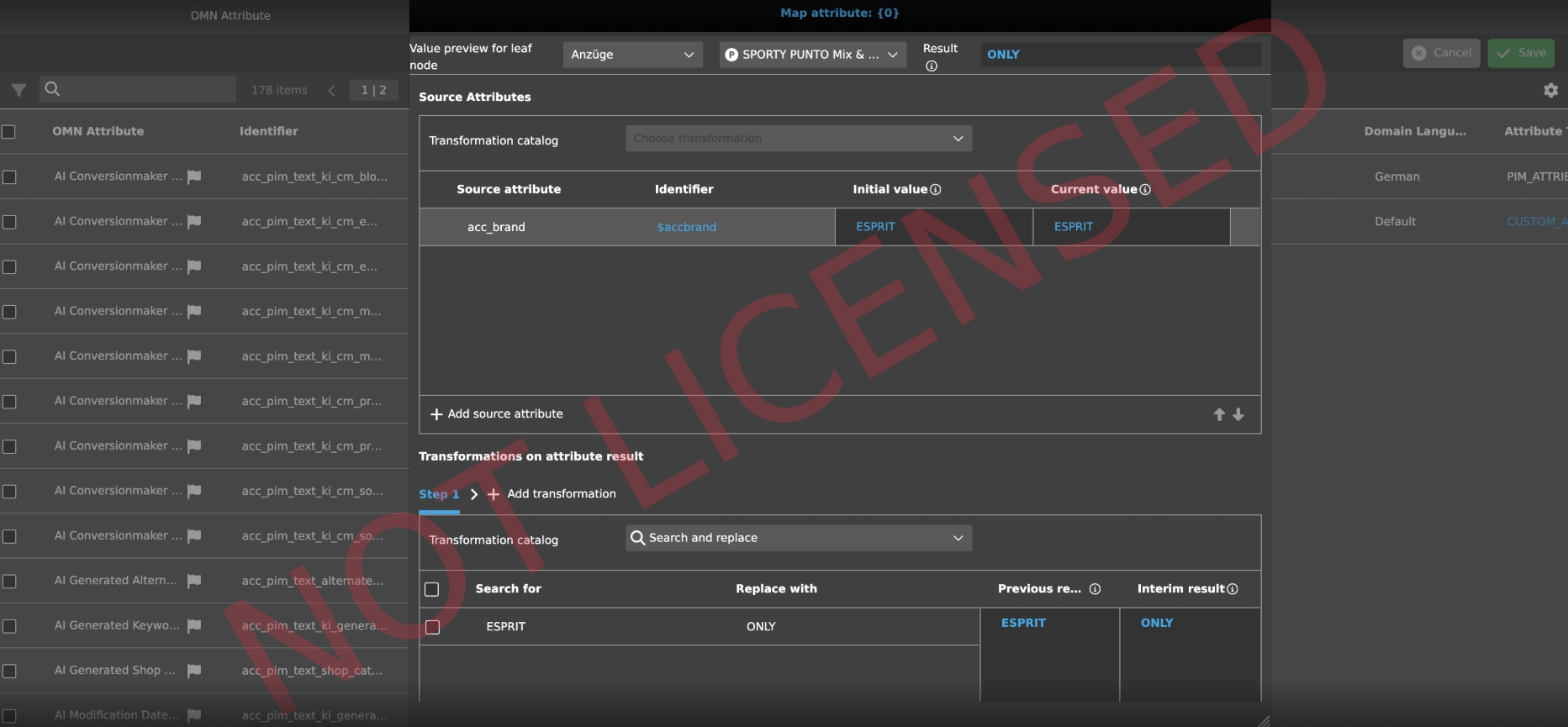
EAI UI - Export - Export Editor - Transformations - Search and replace
Tags |
OG-15665 |
Possibility to add transformations on attributes with search and replace in Export Editor to create custom rules and fields for Export
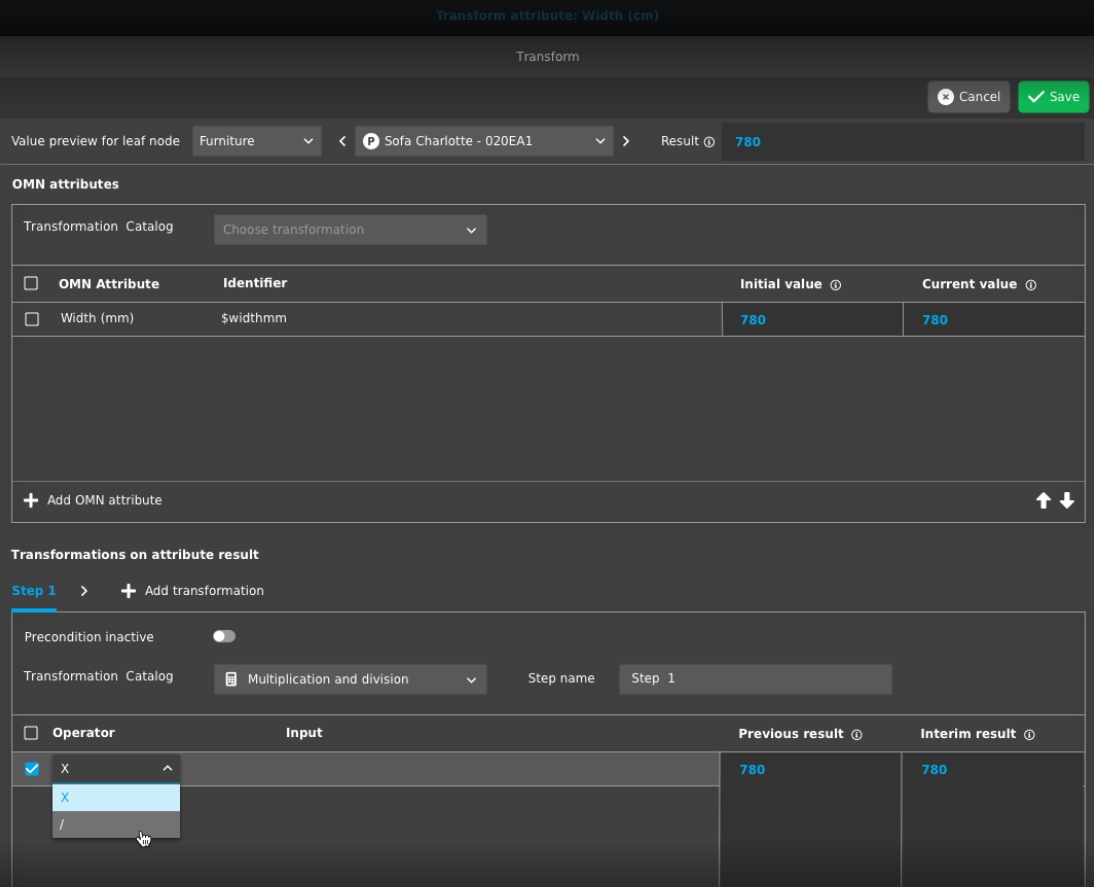
EAI UI - Export - Export Editor - Transformations - Multiplication and division
Tags |
OG-15666 |
Possibility to add transformations on attributes in Export Editor (Multiplication and division) to create custom rules and fields for Export
-
this transformation type has open issues which will be fixed in next Version
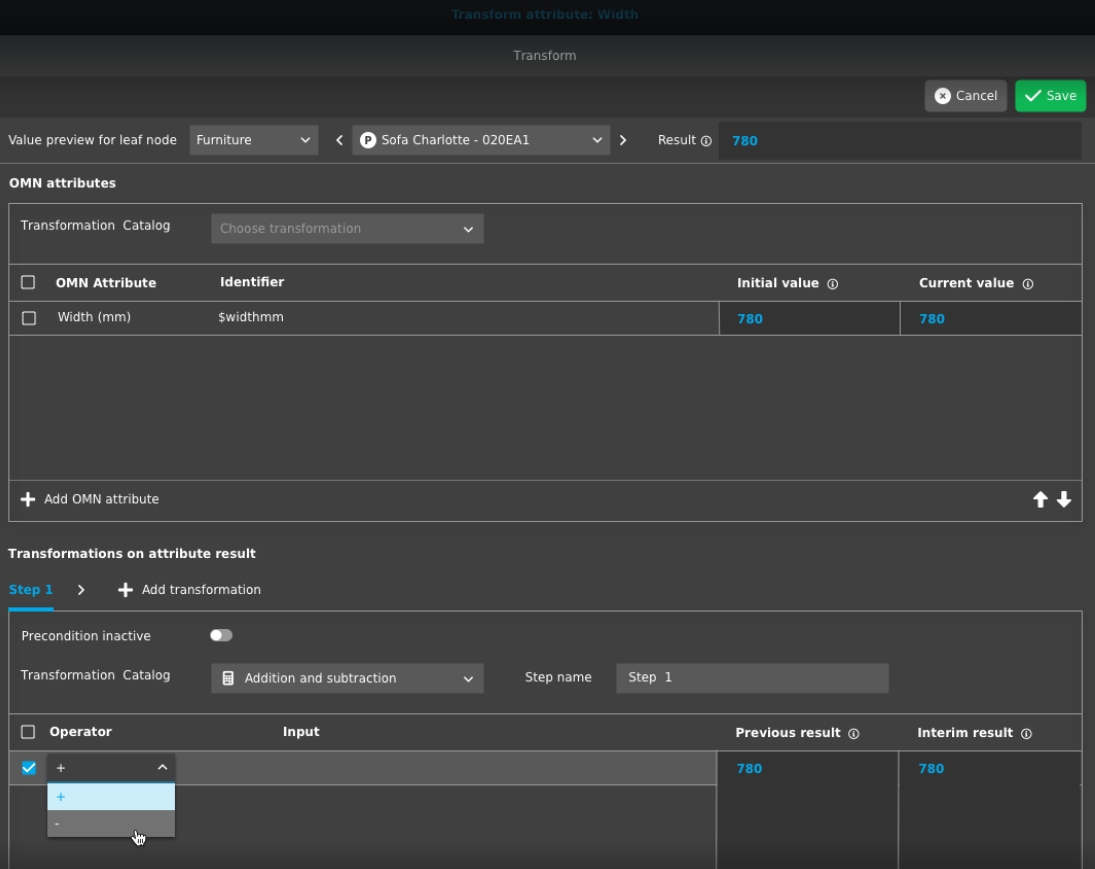
EAI UI - Export - Export Editor - Transformations - Addition and subtraction
Tags |
OG-15667 |
Possibility to add transformations on attributes in Export Editor (Addition and subtraction) to create custom rules and fields for Export
-
this transformation type has open issues which will be fixed in next Version
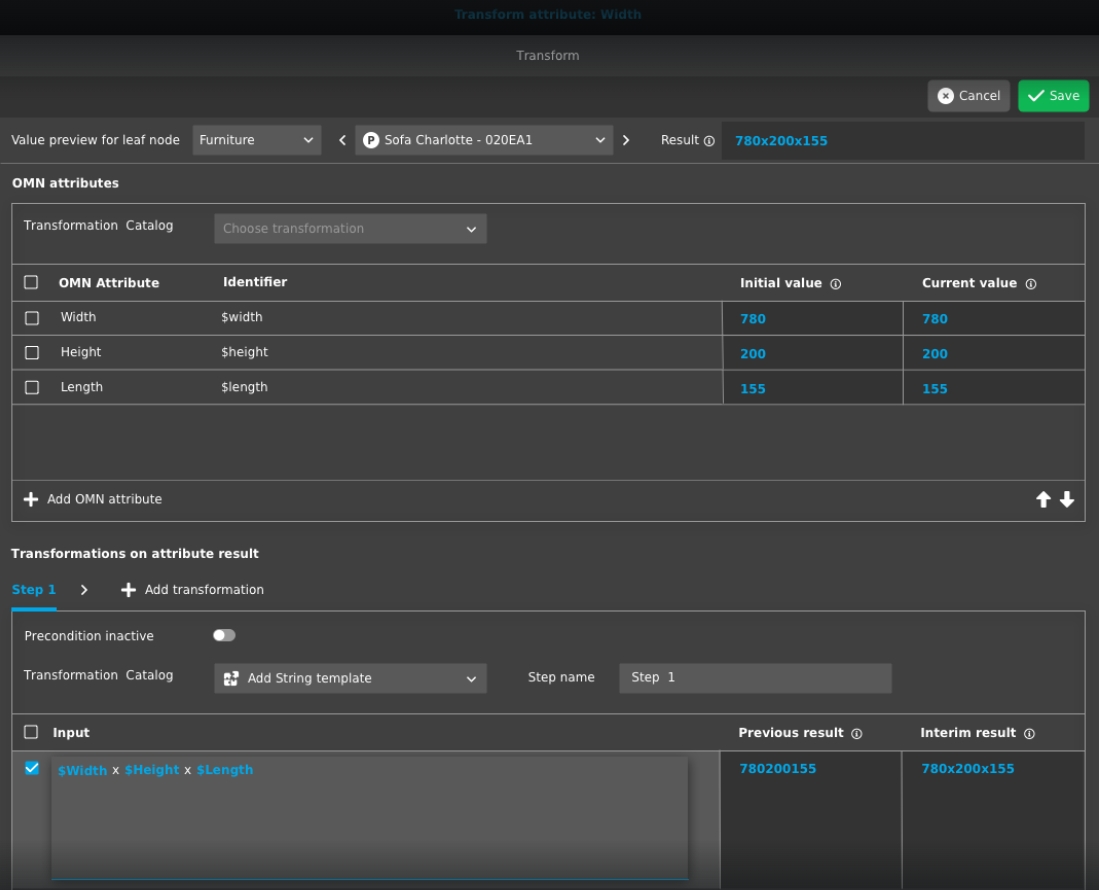
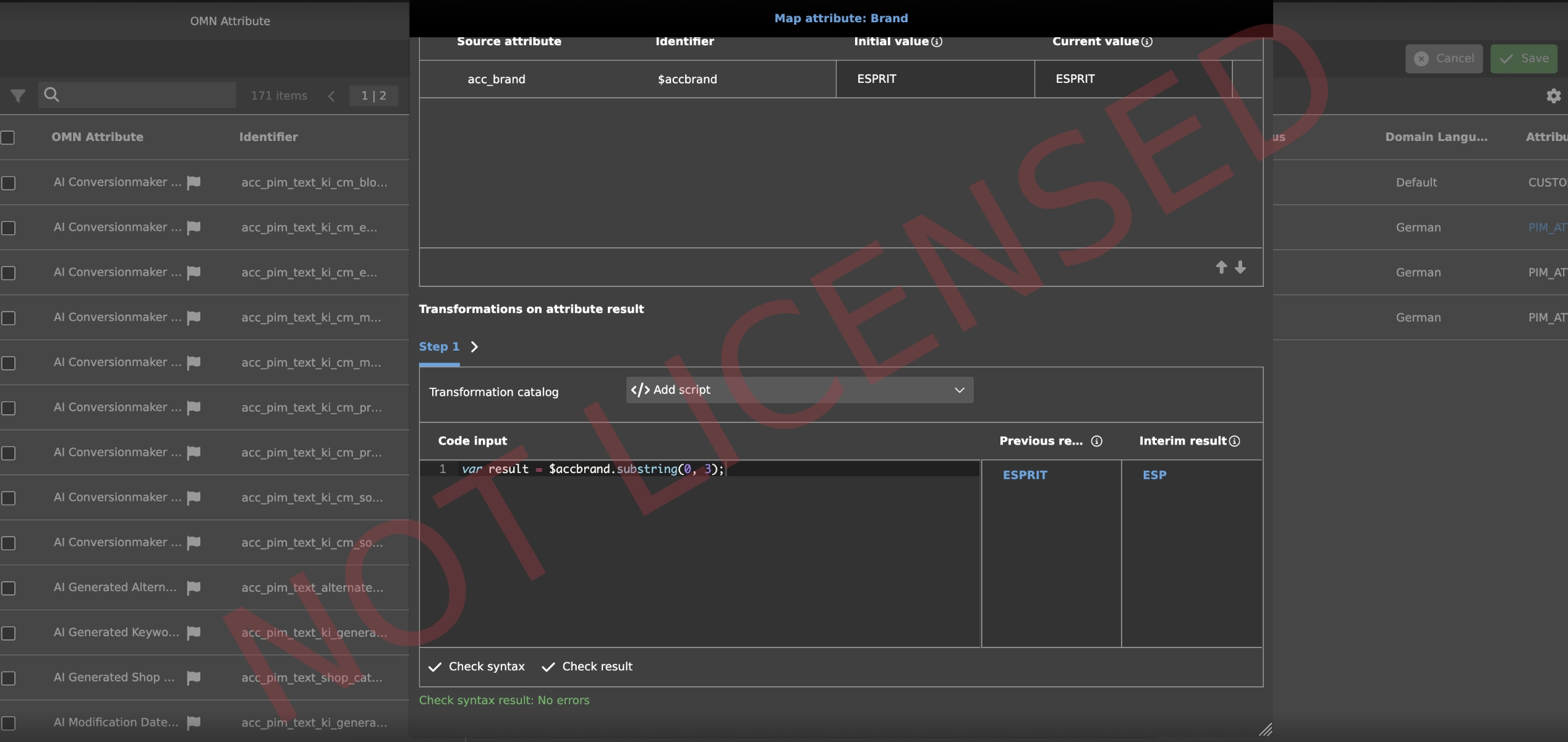
EAI UI - Export - Collective Jobs
Tags |
OG-15477, OG-15764 |
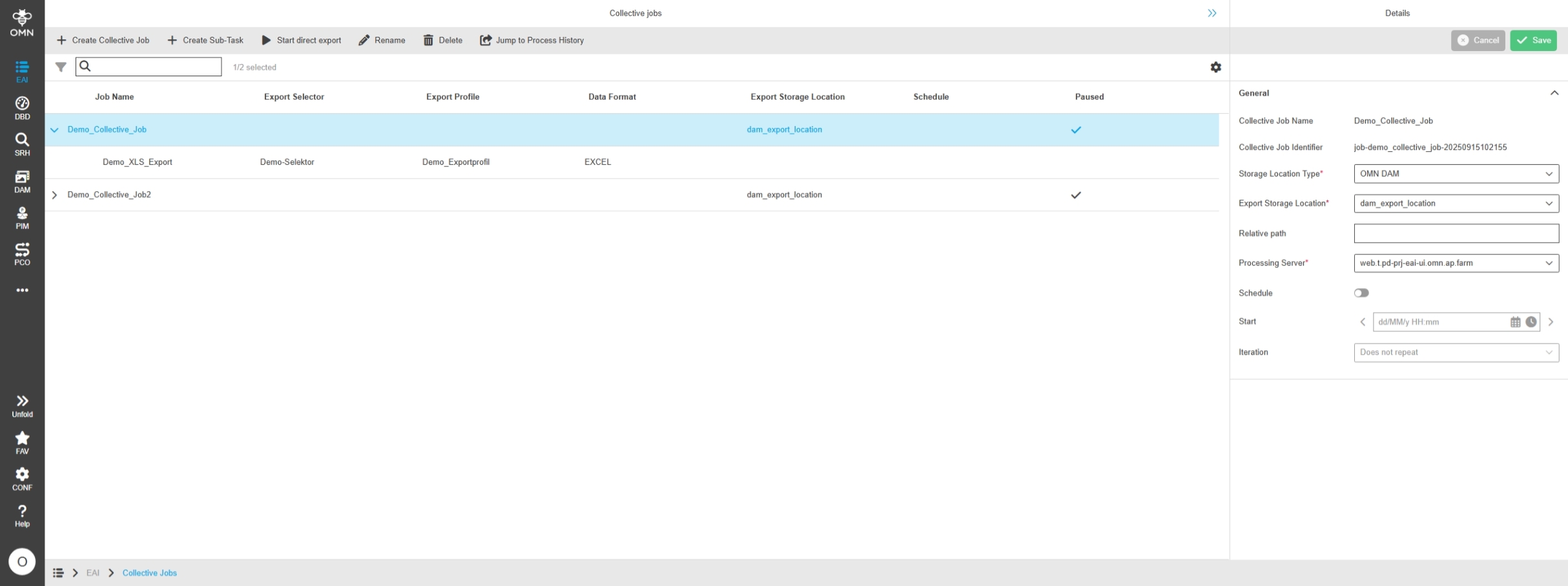
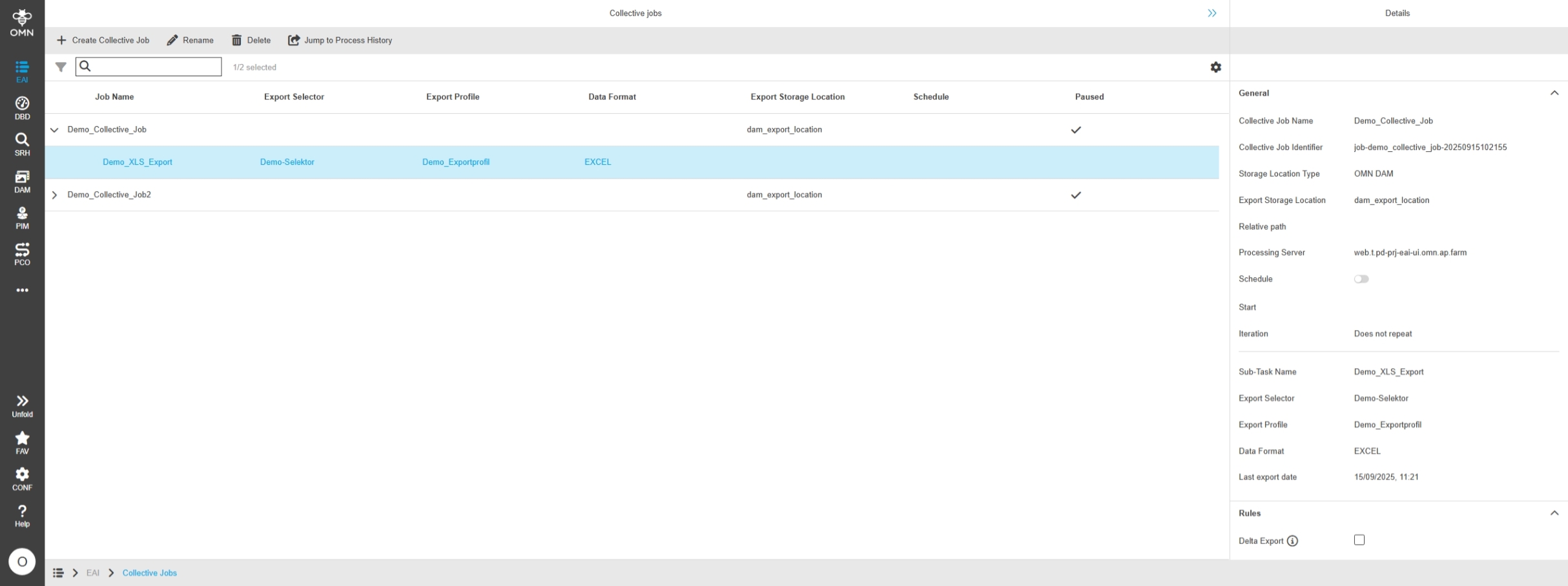
New Collective Job Module belonging to EAI Export where there user can manage collective Job profiles to define EAI product Exports on base of Export profiles and selectors with possibility to schedule These Jobs or execute them on demand
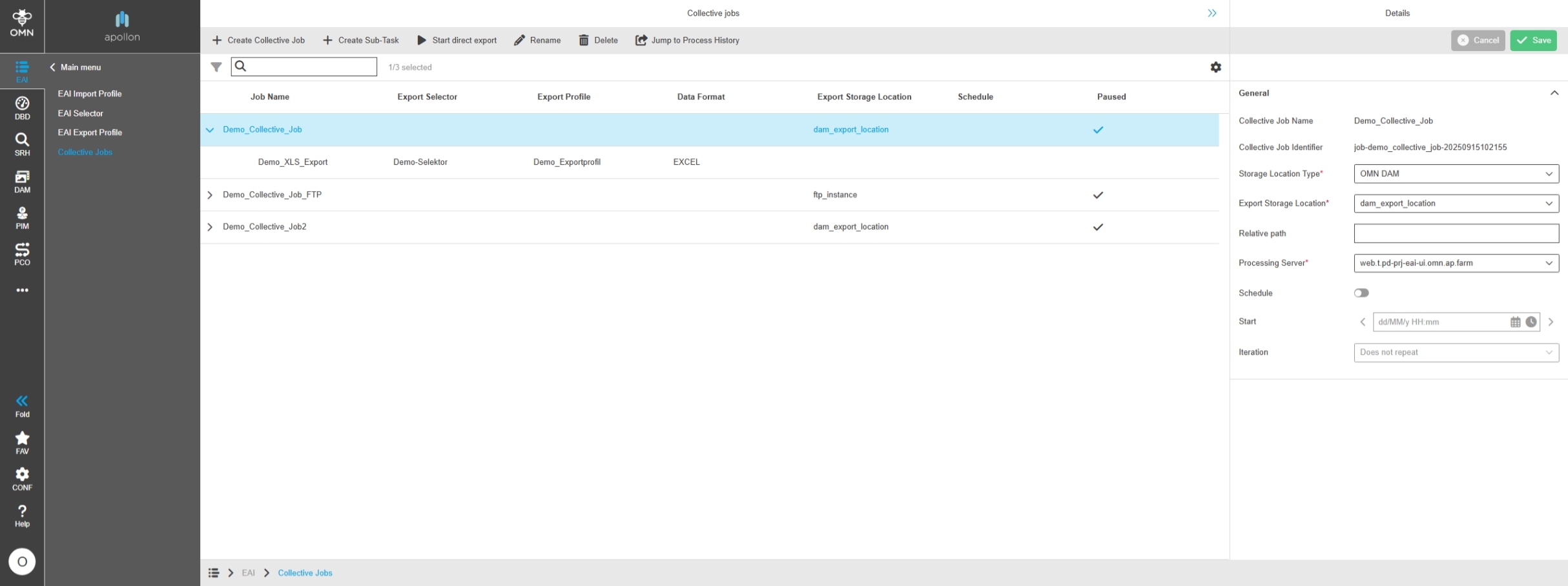
EAI UI - Export - Collective Jobs - Center View
Tags |
OG-15479, OMN-11737, OMN-11786 |
New Collective Jobs module to create Export Jobs with Center Overview to show important Information About related Export profiles and selectors
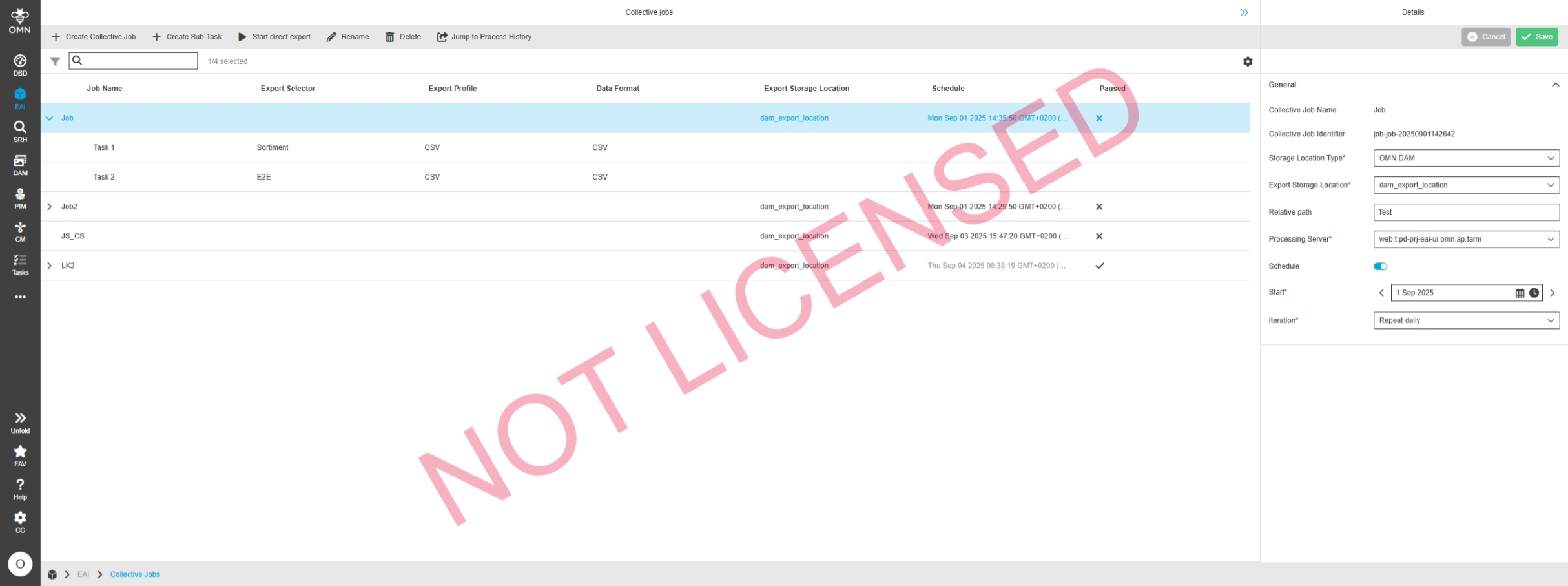
EAI UI - Export - Collective Jobs - Center View Functions
Tags |
OG-15480 |
Several functions in the Collective Jobs module to create delete or rename Jobs and its sub-tasks or start exports directly
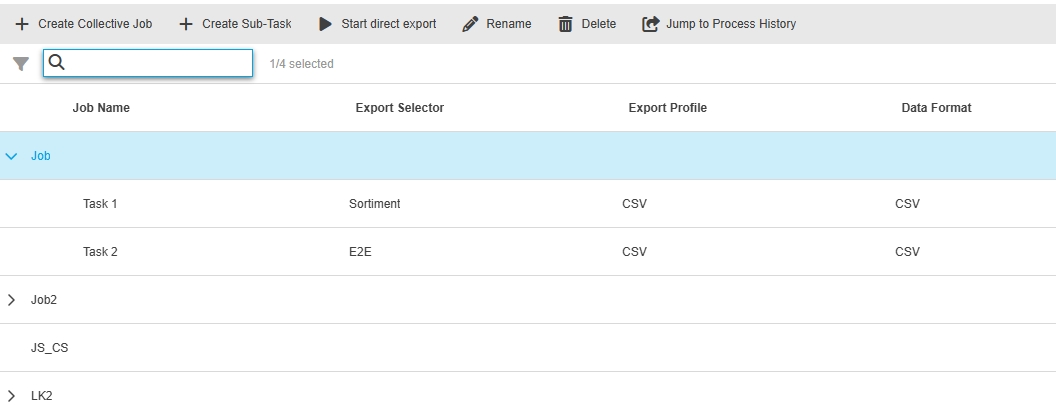
entities, dB tables, services and backend logic for EAI collective job
Tags |
OMN-11111 |
Server Extensions for EAI Collective Job Module
-
database tables are according to the db diagram
-
entities inclusive page plugin in java are generated
-
daos for collective job are defined.
-
API for services are defined.
-
services (crud) are implemented
-
services for UI are implemented
EAI UI - Process Controller
Tags |
OG-14892, OMN-10417 |
Adjustments and Extensions of Process Controller module - related to new EAI - Export and EAI - Import
EAI UI - Process Controller - Export - Left View
Tags |
OG-14649, OG-15547 |
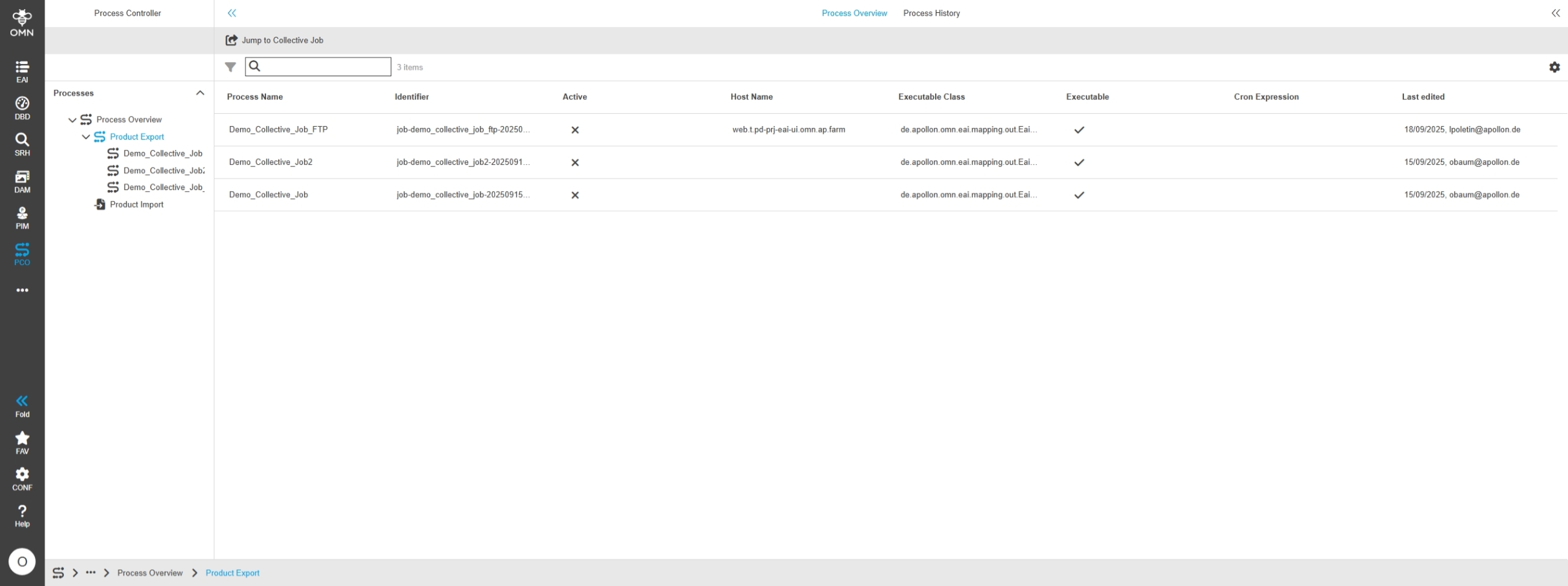
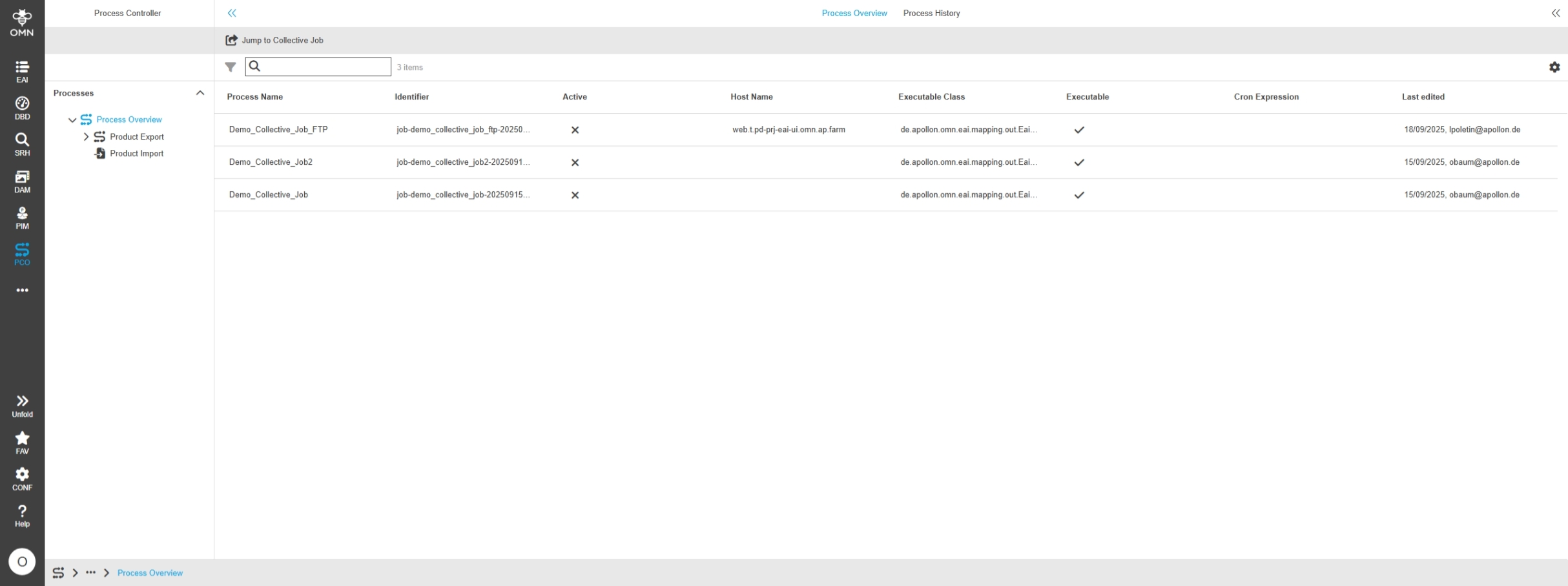
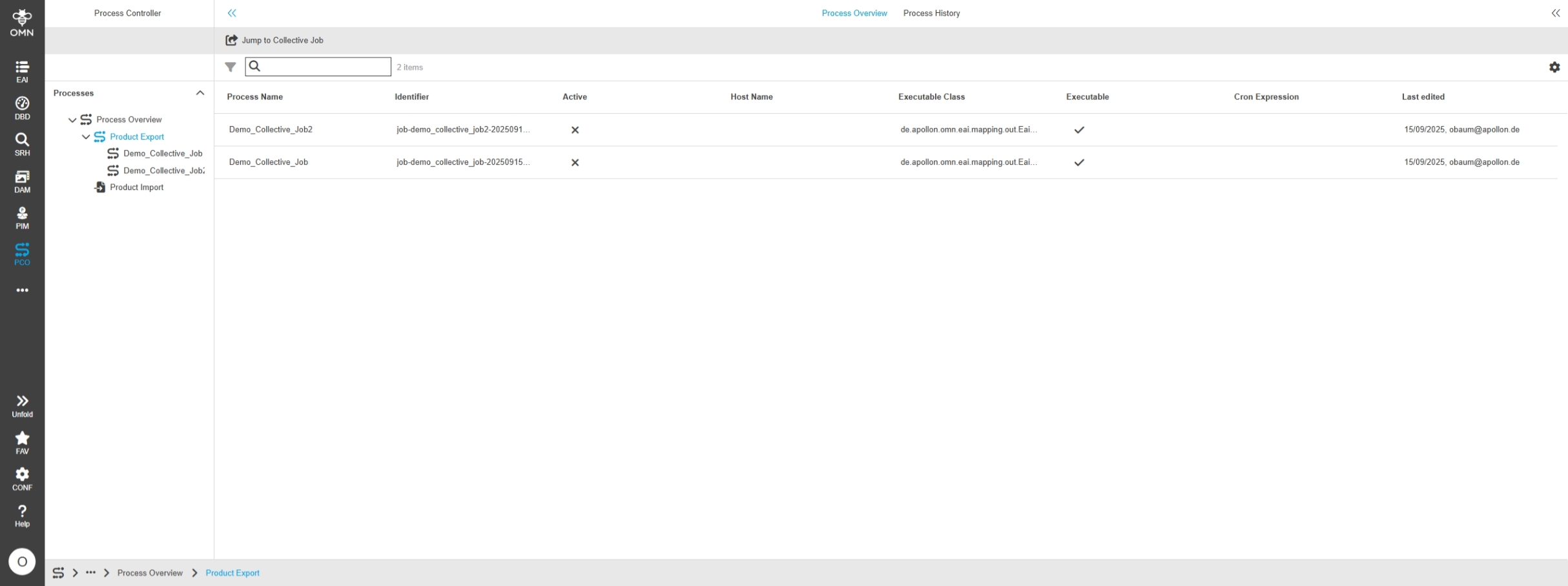
The process overview in the process monitor also displays product export processes and an export process in the process history
-
Process overview
-
Process History
EAI UI - Process Controller - Export - Center View
Tags |
OG-15548 |
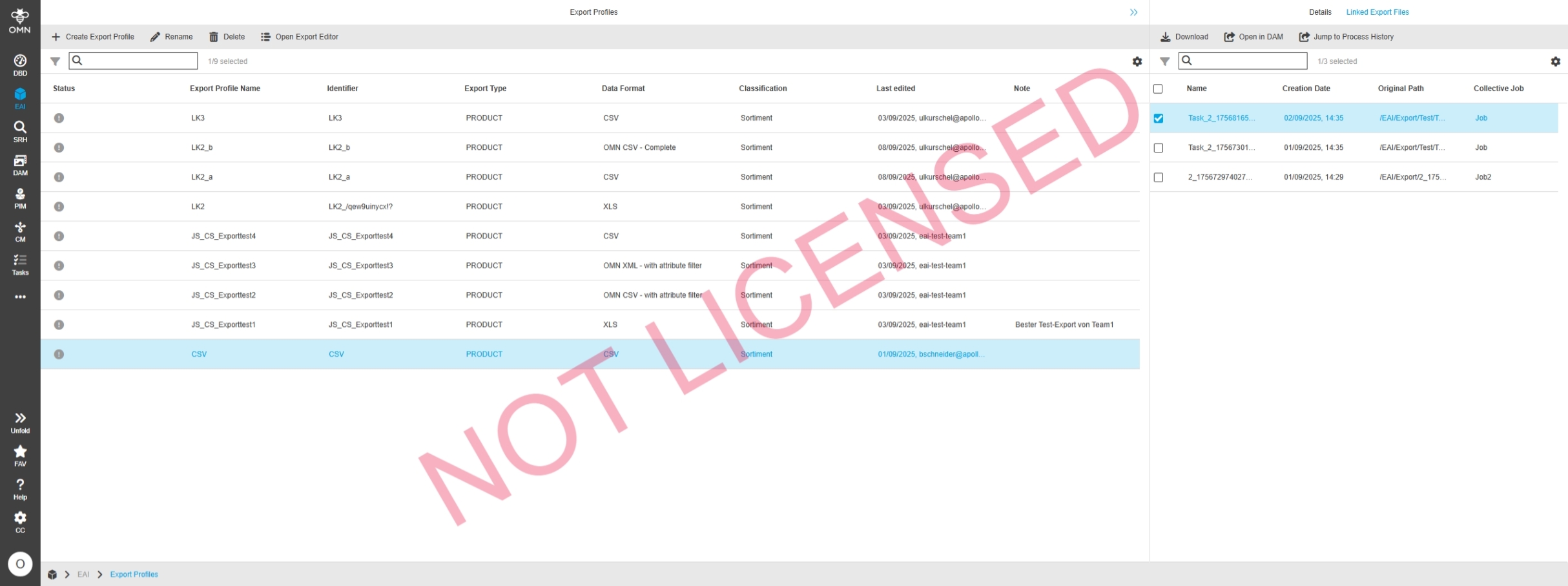
The Process Controller shows now Export Jobs (created in Collective Job module) and provide Detail info about a specific Export process, assets and history with logs
EAI UI - Process Controller - Export - Right View
Tags |
OG-15549 |
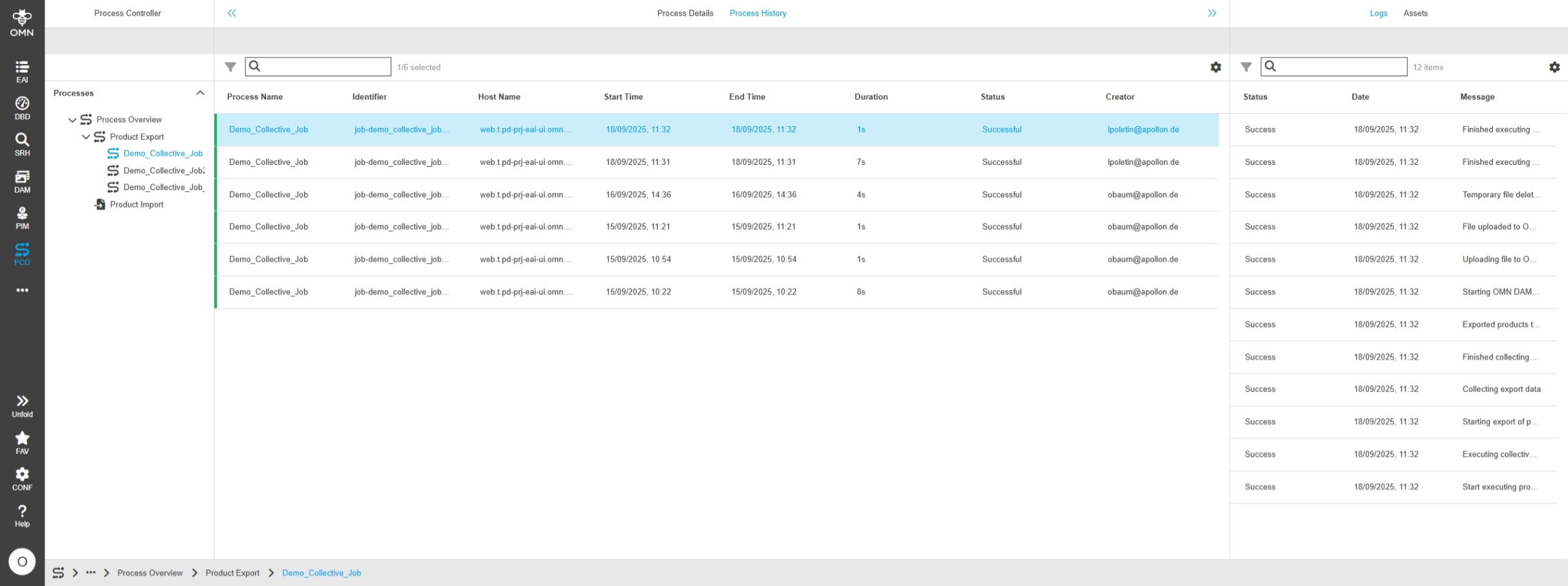
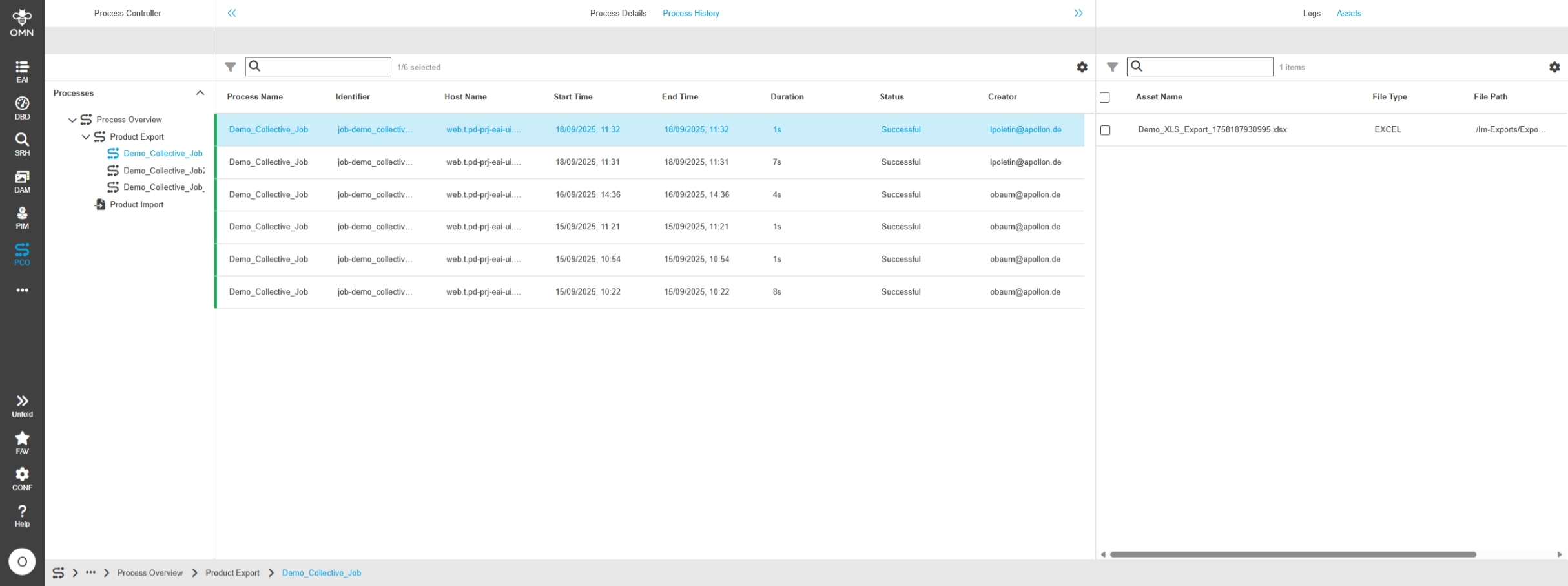
Additional Info of Export processes in Process Controller to access the Process details, assets and history logs
-
Access to log information for a Collective Job Export process in the Process Controller
-
Access to the generated exports of a collective job export in the Process Controller
EAI UI - Process Controller - Export - Implement logic for assets for OMN Storage
Tags |
XR-1410 |
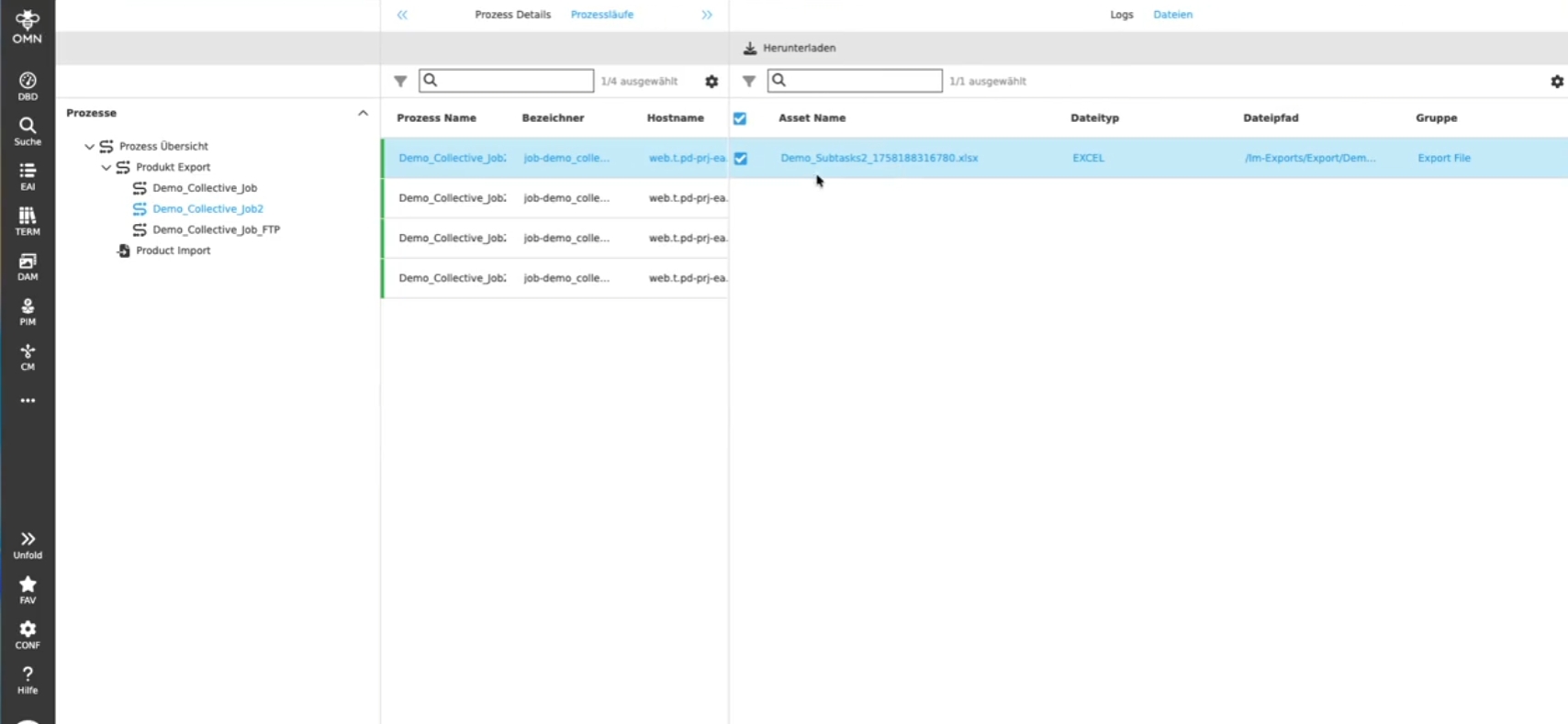
The Process Controller grants Access to generated Access files for a selective Export Process
-
Export files exported on OMN file storage are shown
-
Export File exported on ftp are currently now shown - this feature will be added in later Version (XR-1416)
EAI Import - Process Controller - retry logic for storing protocol file and display information about retry and failures
Tags |
XR-1413 |
Improvement for EAI-UI Import so that in case the protocol file cannot be written, an automatic retry is carried out automatically at a max of 3 times and the event of an error and information about the retry and error messages are displayed in the process controller as log entries in the right view
Integrations
Improvements and new functions in OMN Integrations
DeepSeek
Tags |
OR-1721, OMNA-1816 |
Integration of DeepSeek to create text /translation on base of prompt with PIM2 data and DeepSeek Model
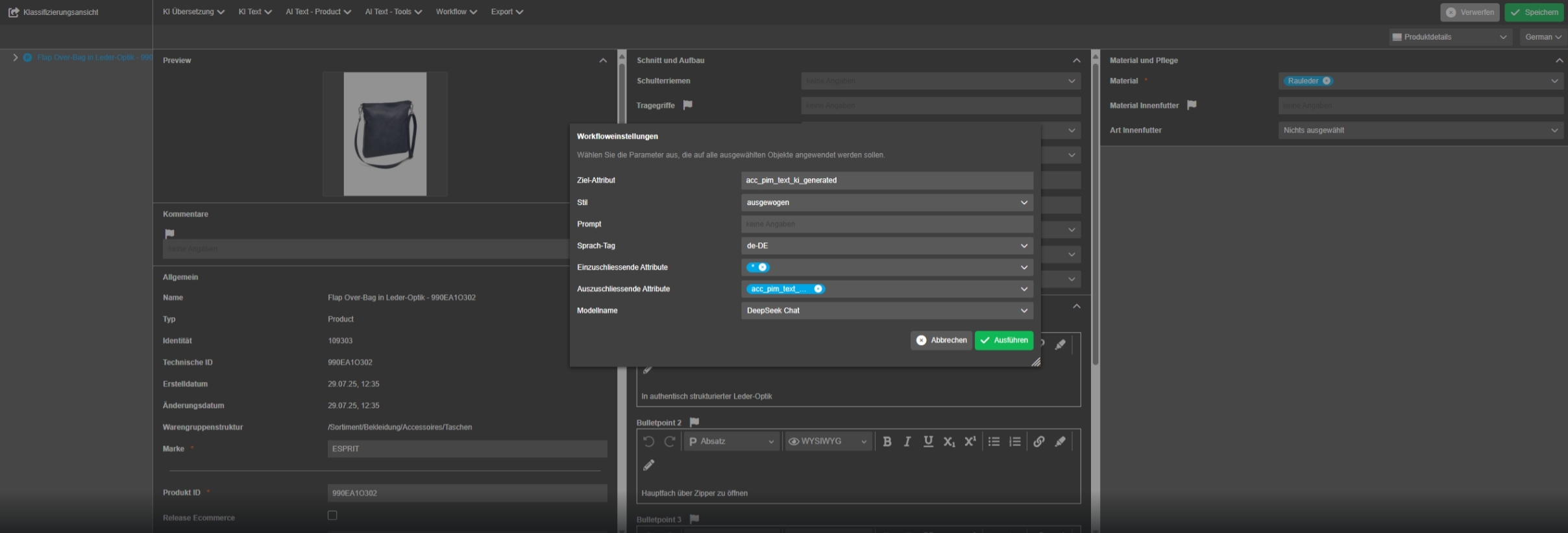
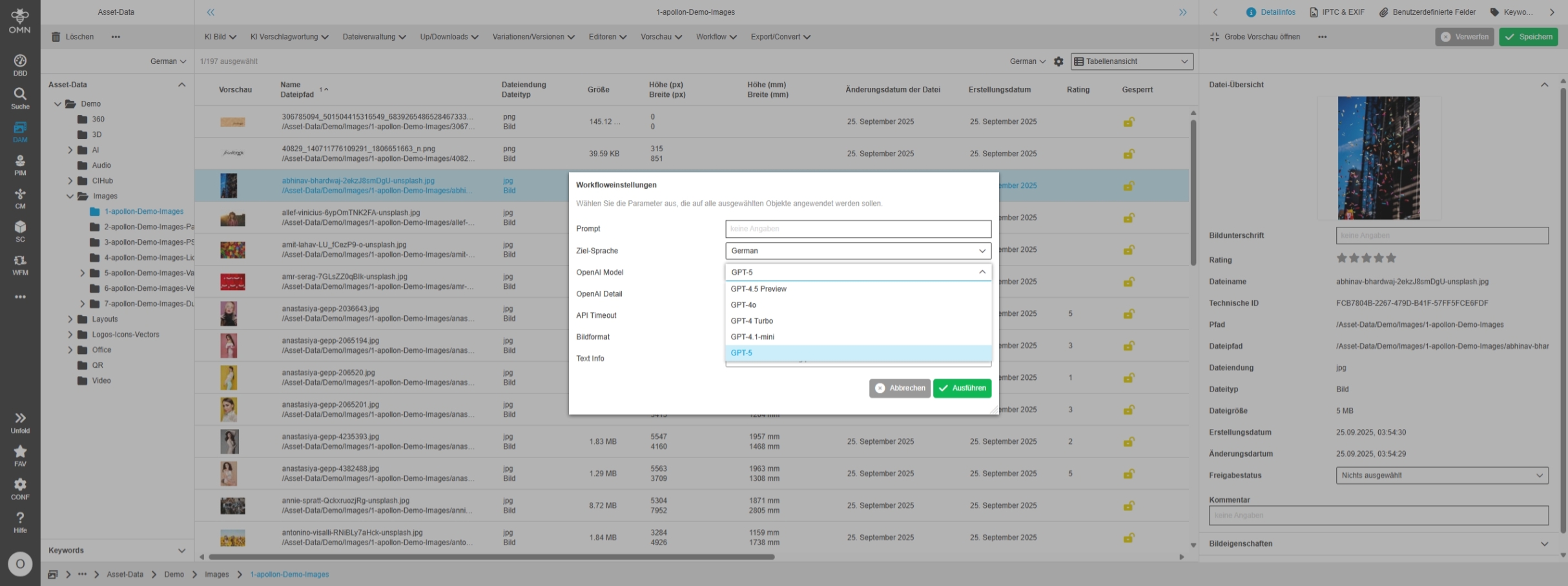
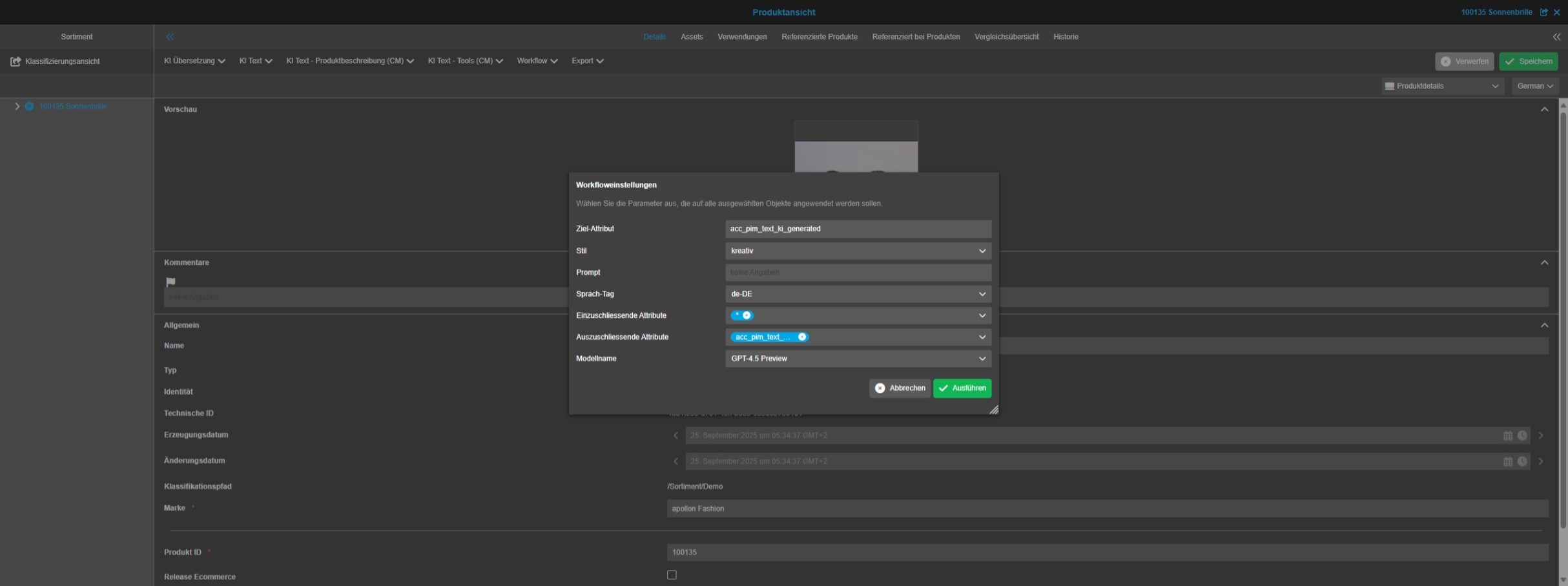
Configuration
Improvements and new functions in OMN Configuration UI
General
General Optimizations and small enhancements in new Config UI
Configuration Client - Add localizations for the standard tabs Localizations and Roles and Access in tree
Tags |
OUCC-1190 |
Improved and correct German localization for the standard tabs 'Localizations' and 'Roles and Access' in the whole new Configuration Client
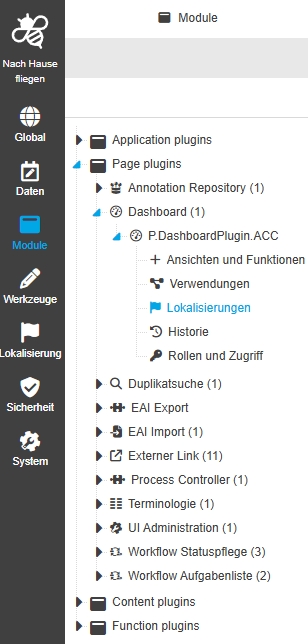
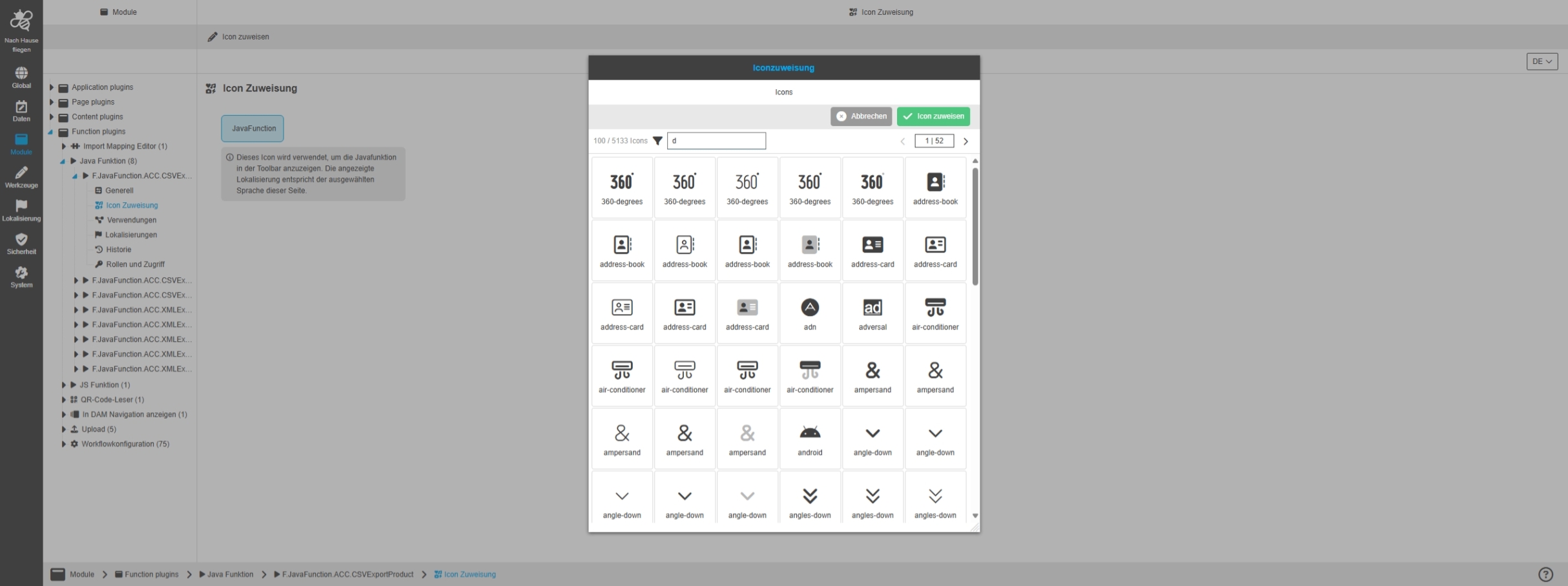
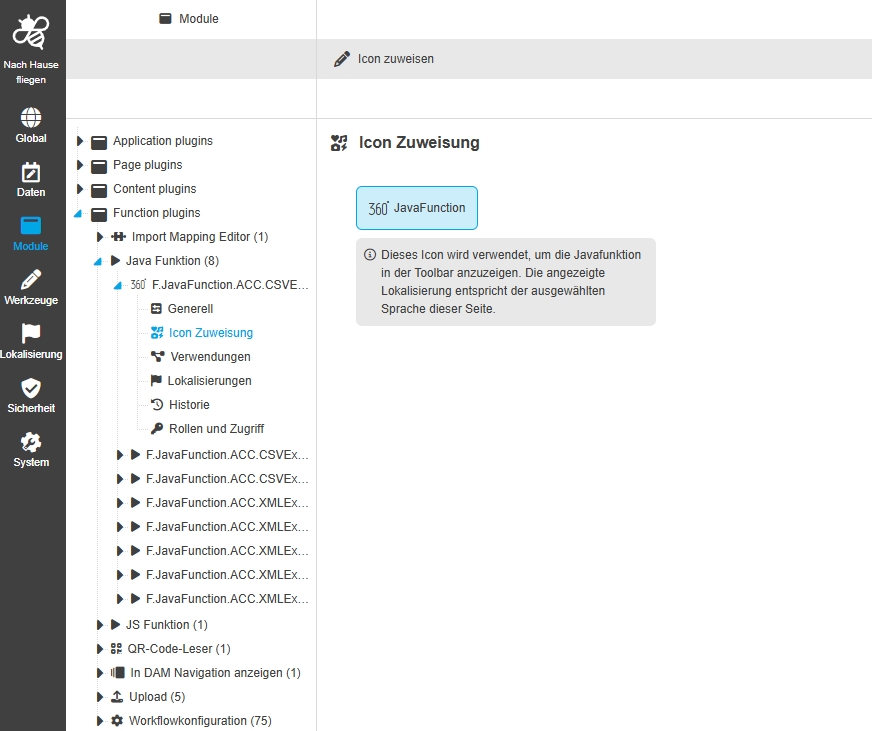
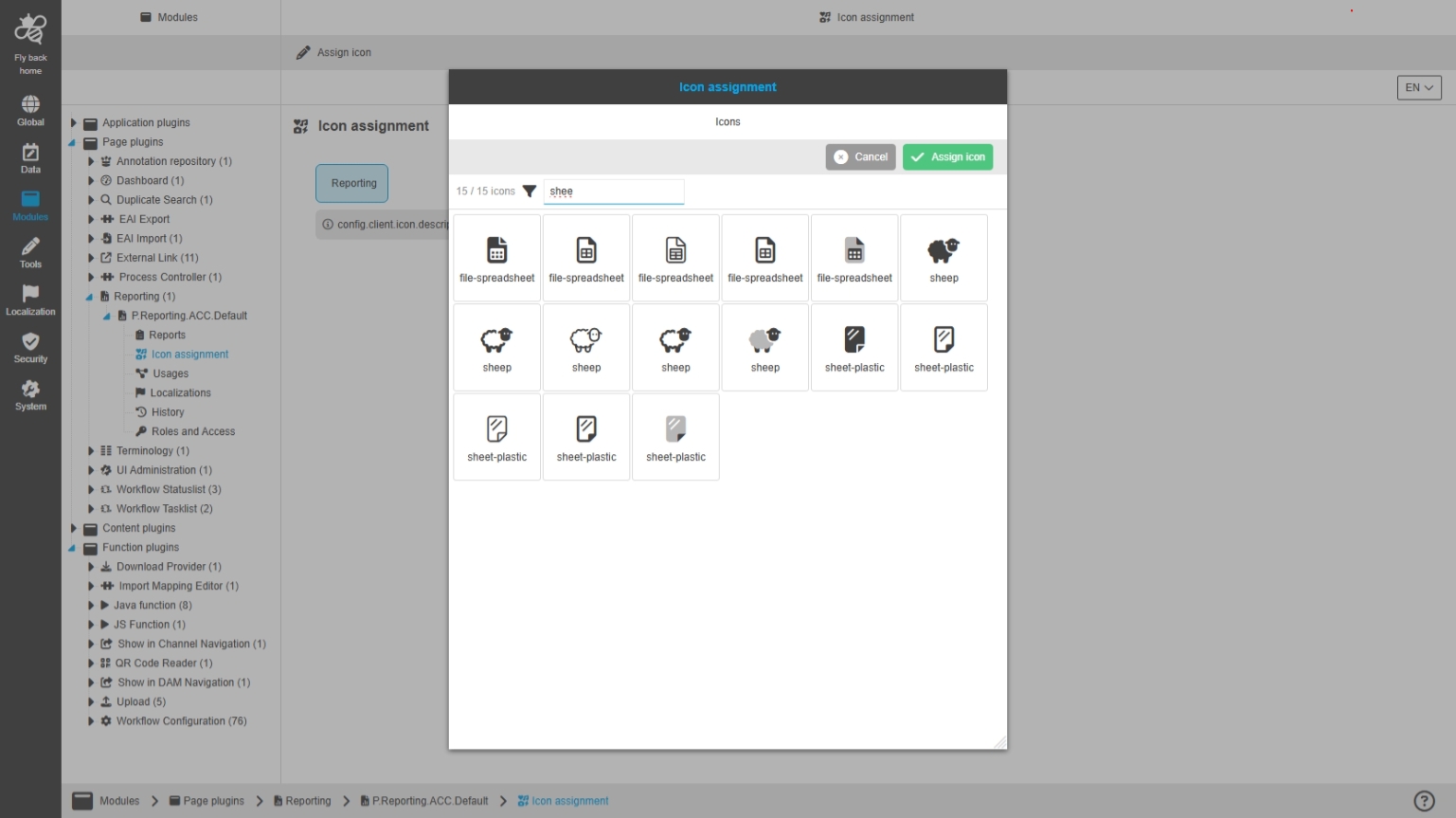
Configuration Client - UI Pattern - Plugin Tab for Icon assignment - Use configured icon in tree for plugin instance
Tags |
OUCC-826 |
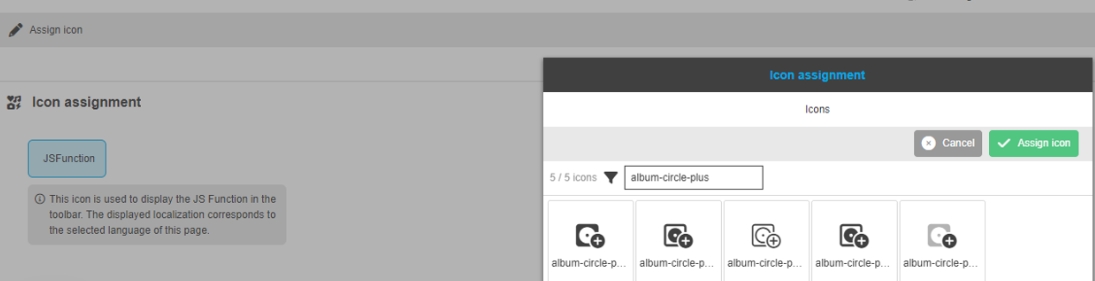
Possibility to see configured icon in icon assignment tab in the tree for the plugin instance to find plugin instance faster, because the user will have the connection between icon in the frontend and icon in the configuration
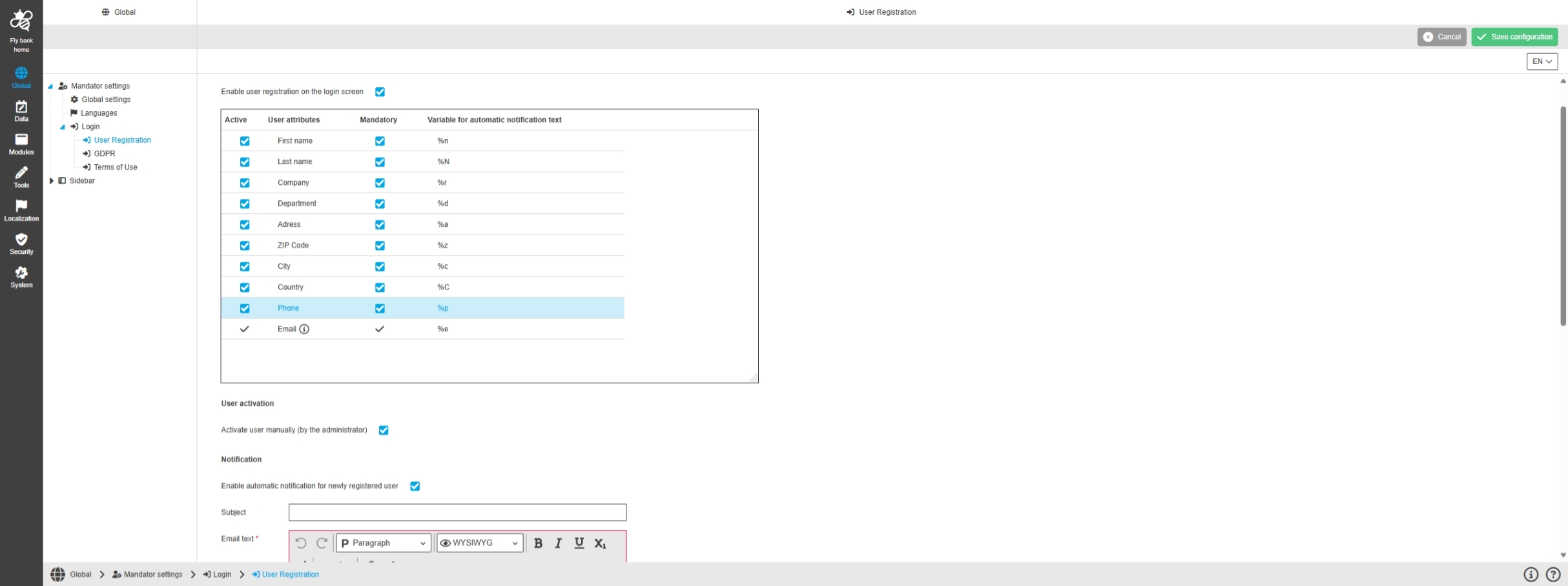
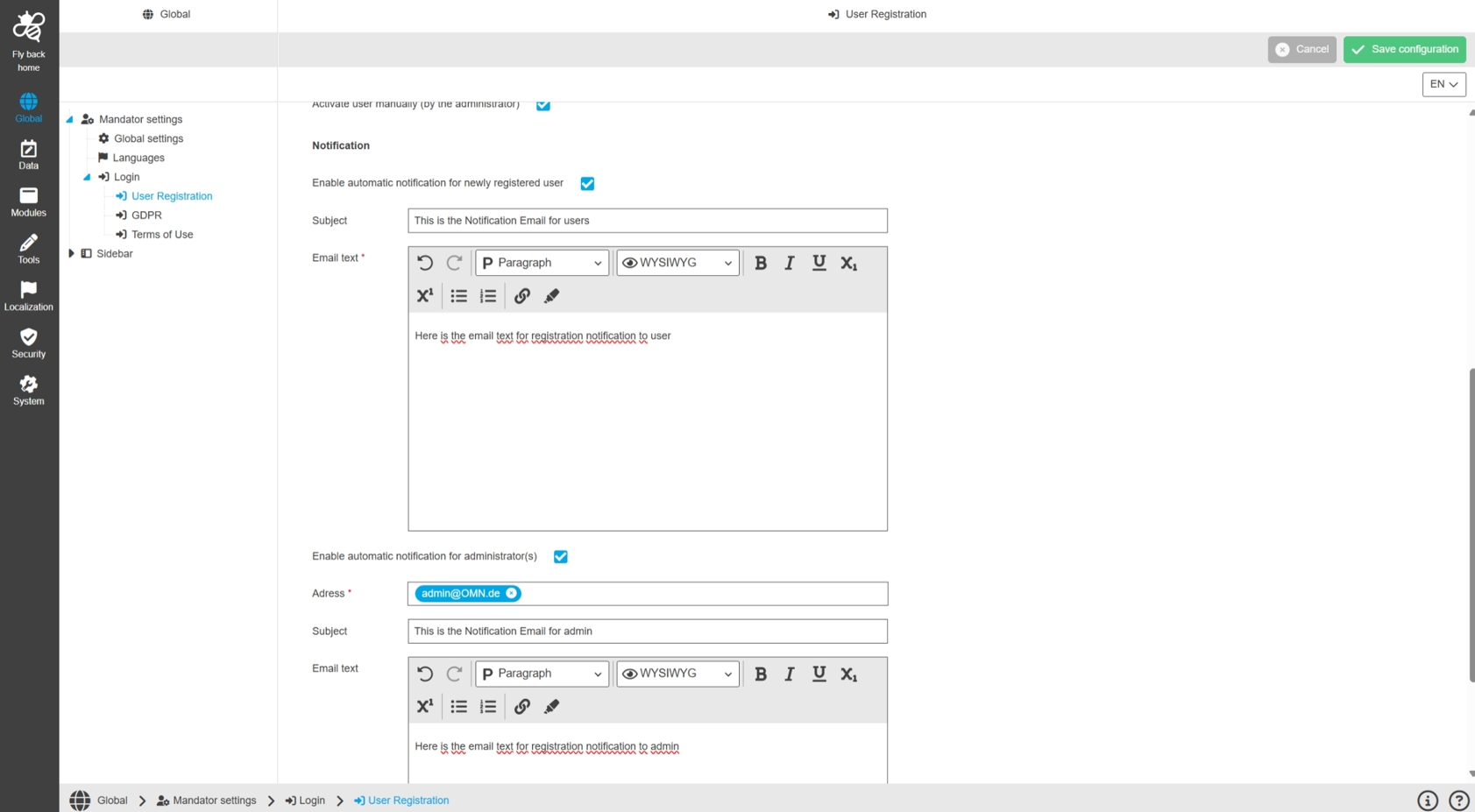
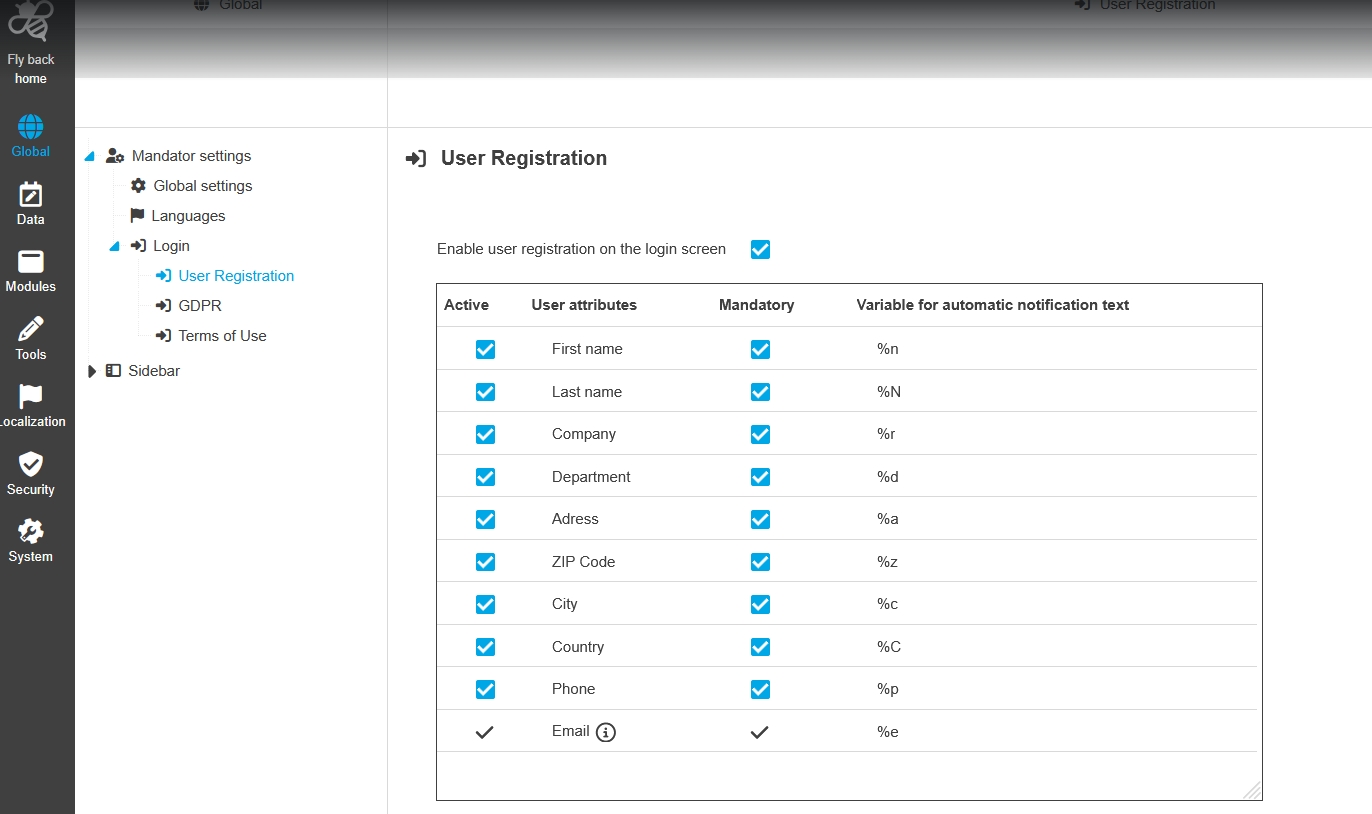
Global - Mandator settings - Login - User Registration
Tags |
OUCC-250, OMN-11509, OMN-8561 |
Possibility to active / deactivate user Registration form on Login page and configure relevant attributes for the registration modal and automatic notifications for newly registered users to handle Registration Process
-
Configuration
-
Frontend

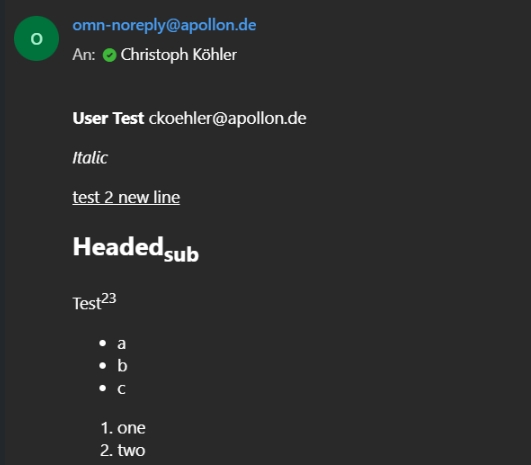
User Registration - Send emails to newly registered users
Tags |
OMN-11465 |
Extension of OMN configuration database table with new Parameters in order to send email that confirms that a user registered successfully
-
EMAIL_SUBJECT_FOR_USERS
-
EMAIL_BODY_FOR_USERS
-
SEND_EMAIL_TO_USERS

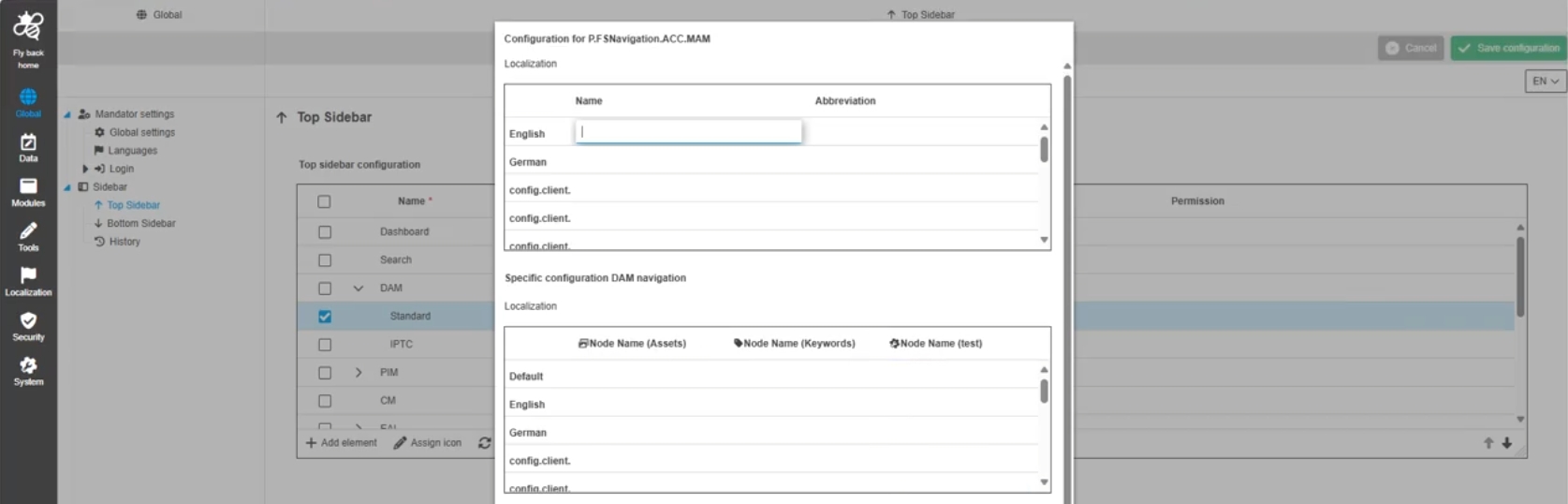
Configuration Client - Global - Mandator Settings - Sidebar - Top and bottom bar - Icons for FS Navigation special configurations
Tags |
OUCC-1324 |
New icons for the different node types (in FS Navigation) in the special configurations modal in the sidebar to visually see at a glance which node types are configured and which localizations and settings belong to each other
Configuration Client - Global - Mandator Settings - Sidebar - Top and bottom bar - Order of fields for FS Navigation special configurations related to order in FS Navigation plugin instance
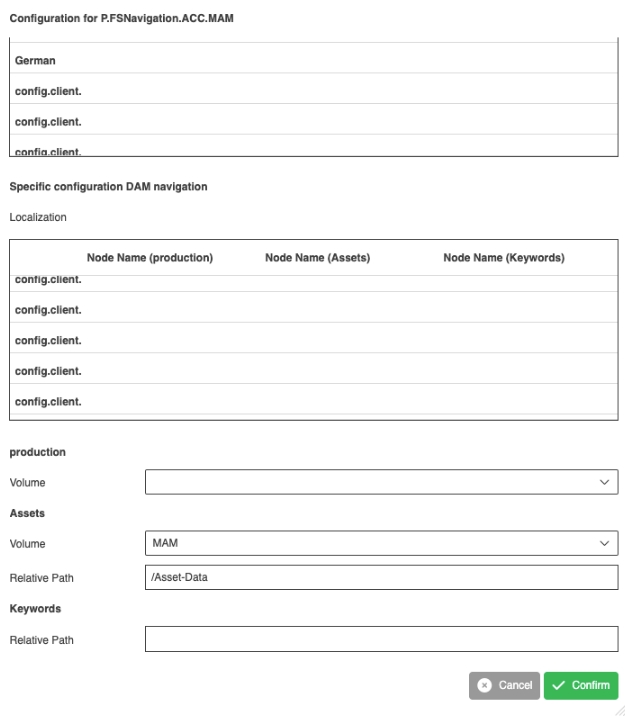
Tags |
OUCC-1325 |
Possibility see localization columns and node configurations in FS Navigation modal in the sidebar in the same order they have been configured in the related FS Navigation plugin instance
Possibility to disable sections Usage, Localization and roles Plugins temporarily
Tags |
OUCC-1956 |
Areas which are not functional and will be supported in later OMN - Versions are deactivated like
-
Localization tab
-
Usage tab
-
roles and rules tab
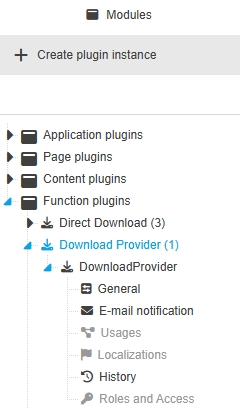
Configuration Client - UI Component - Tree - Sort plugins and configurations alphabetically in the tree
Tags |
OUCC-768 |
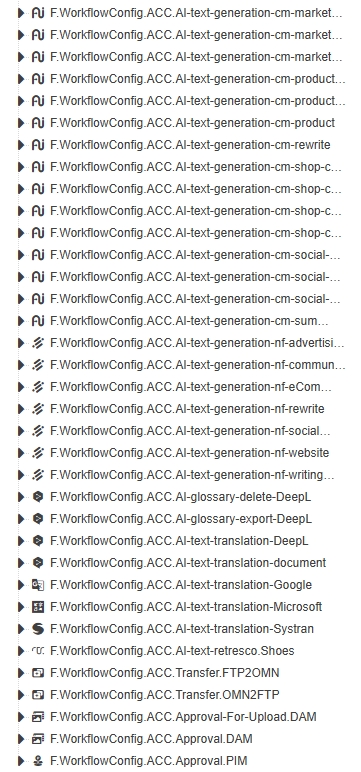
Elements are sorted in tree component alphabetical to find them more quickly
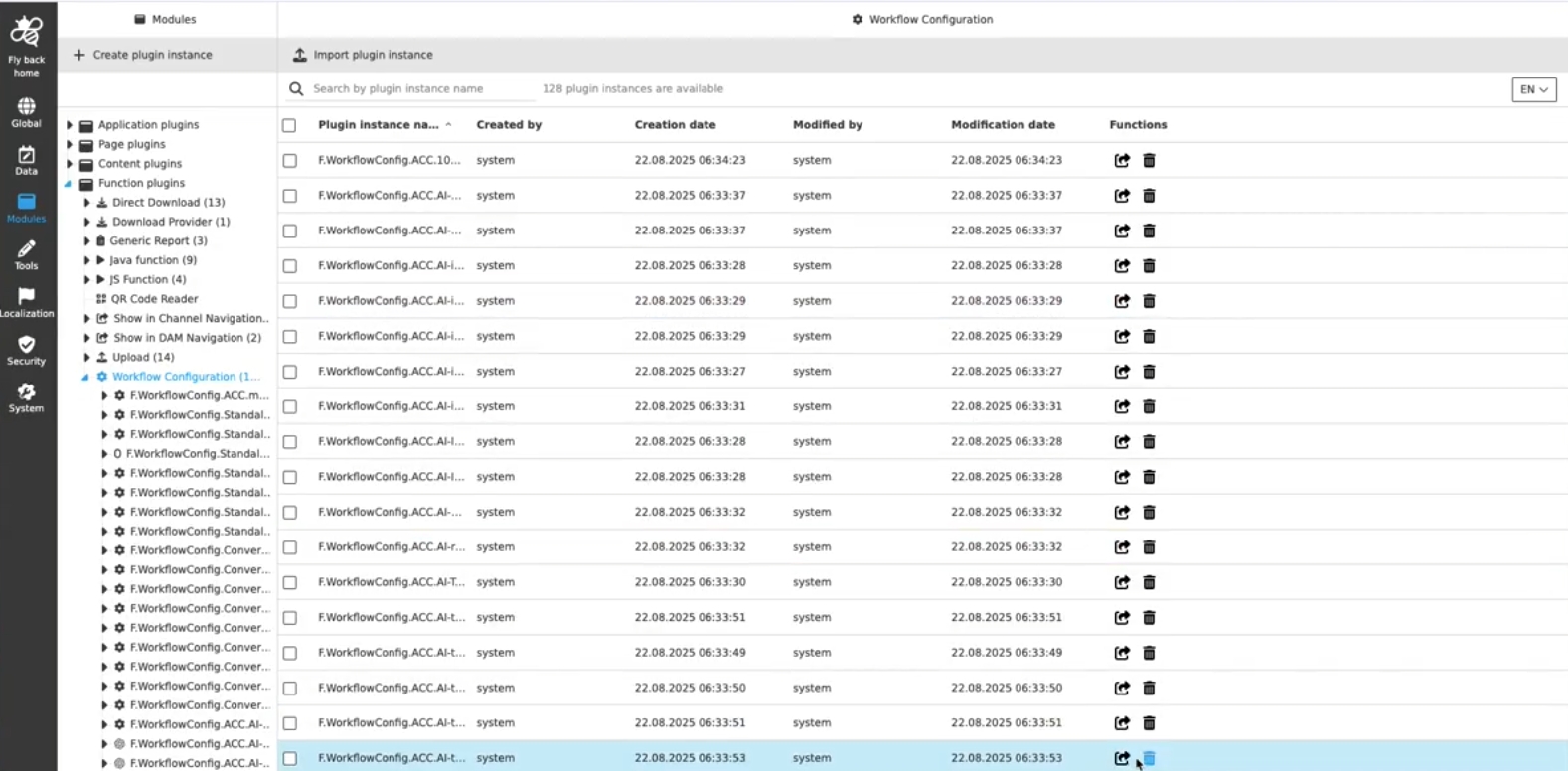
Modules - Plugin Instances - General Layout - Improvement for table row function 'Open plugin configuration' to open tab in viewport
Tags |
OUCC-1569 |
Improvement to see the opened plugin instance configuration in viewport , when click on function 'Open plugin configuration' in the plugin management, so the configurator can proceed my work directly
Sidebar
Improvements and new functions in OMN Config UI - Sidebar Configuration
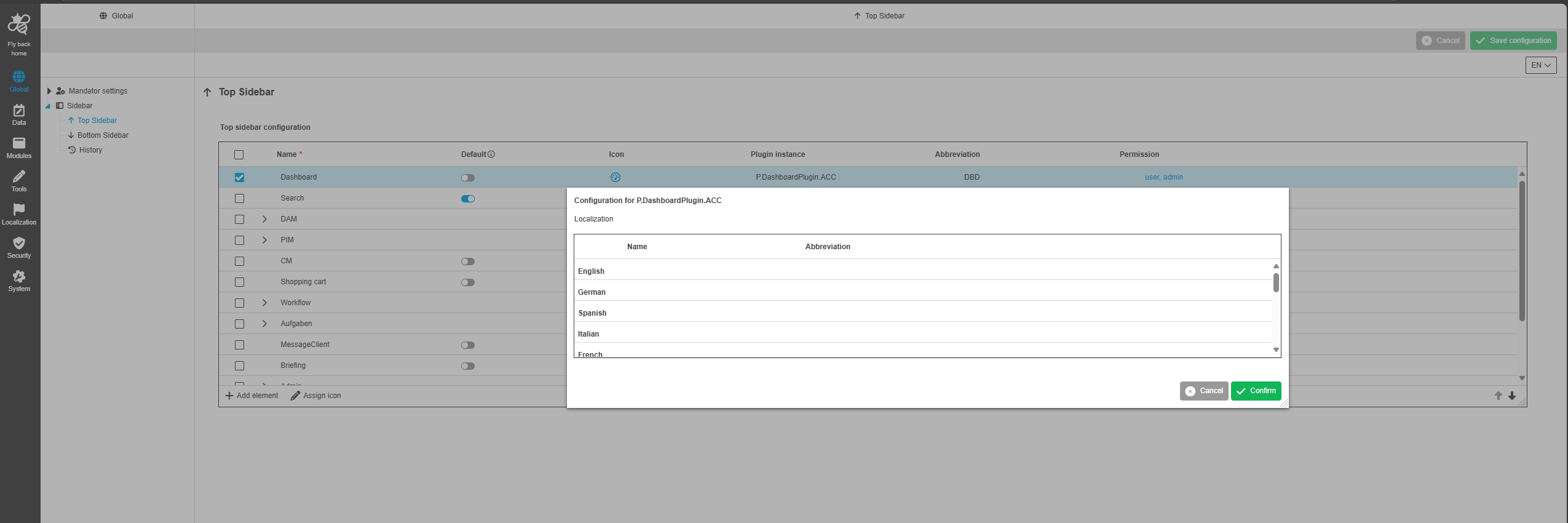
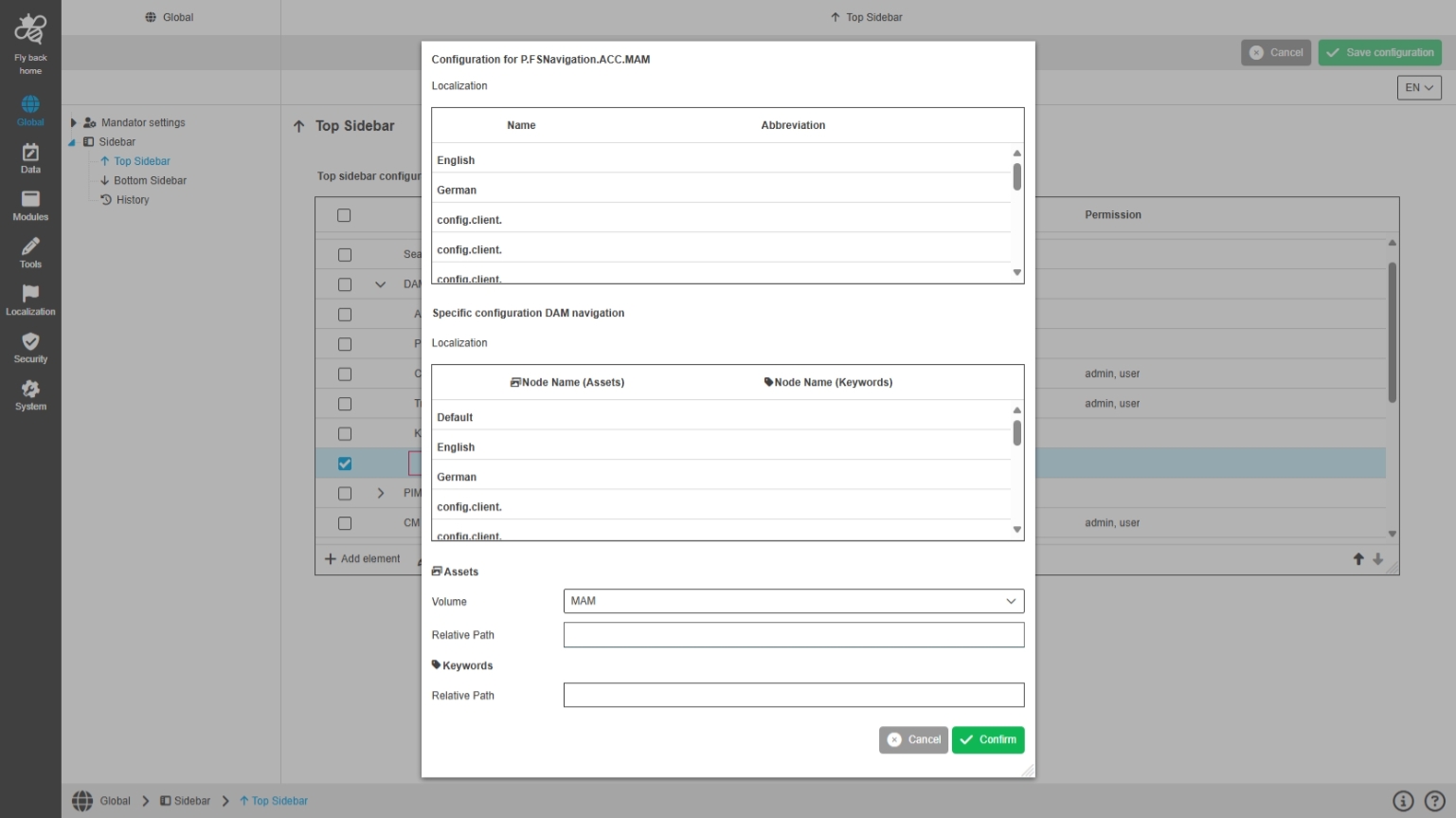
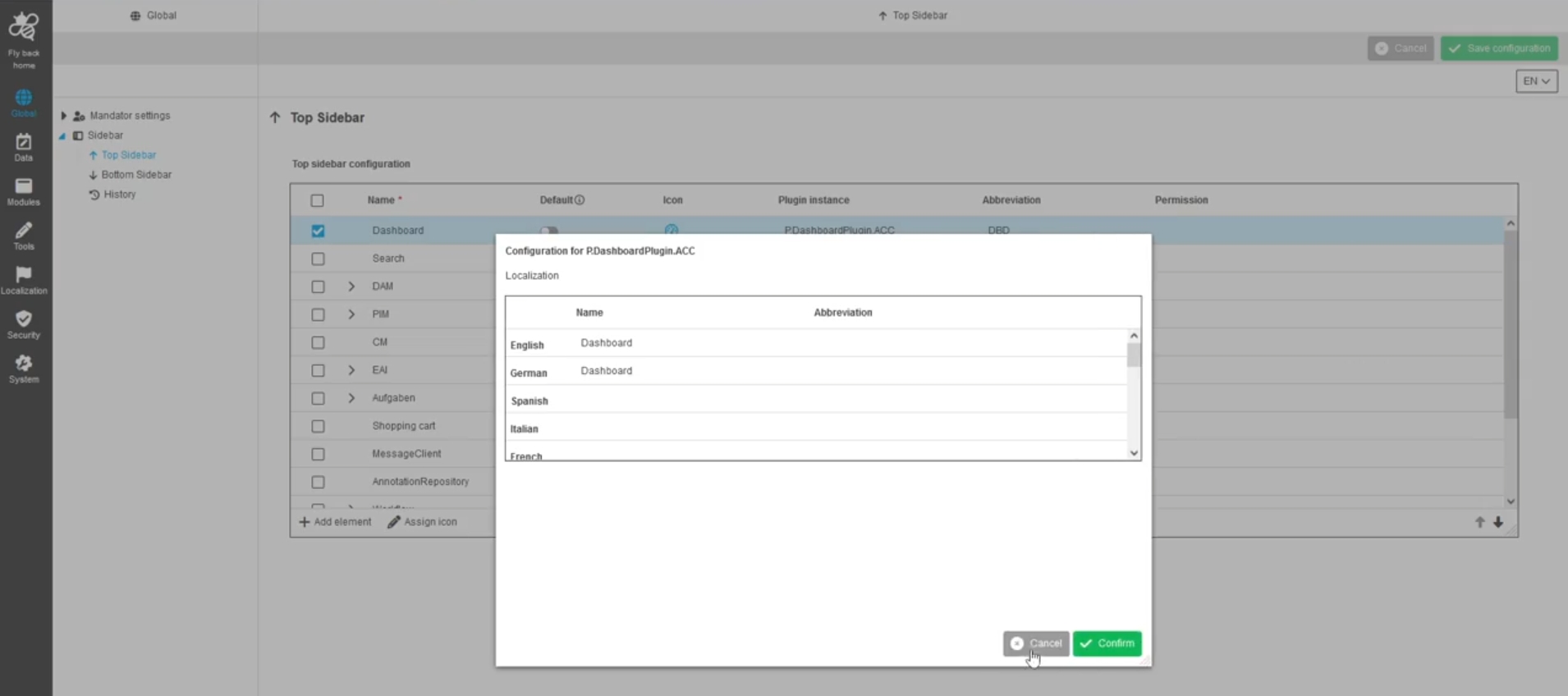
Added missing localizations for system languages to see them in sidebar
Tags |
OUCC-1555 |
System languages are now correctly shown and localizable in the sidebar configuration
Data
Improvements and new functions in OMN Config UI - Data Configuration
General
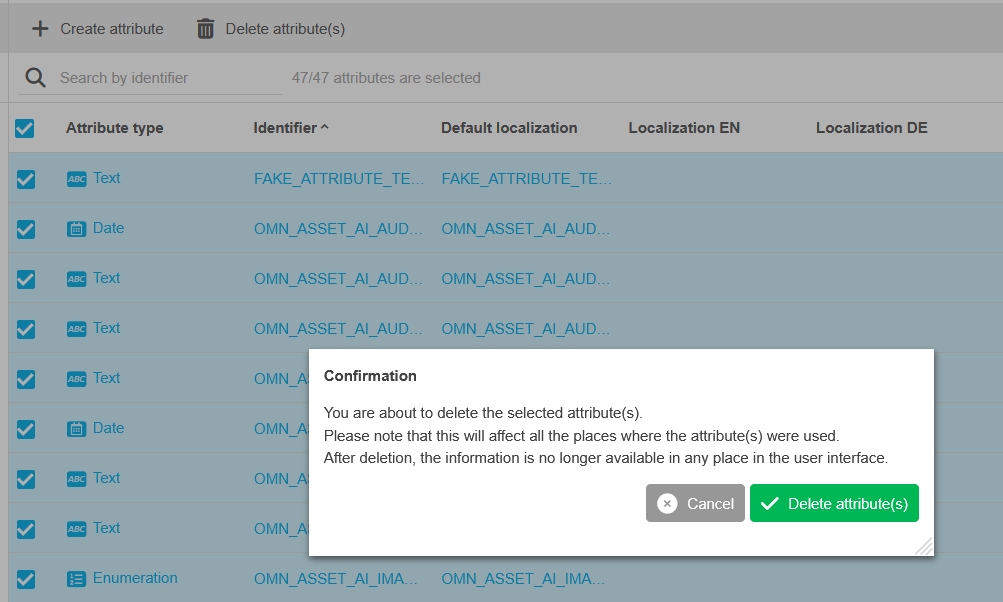
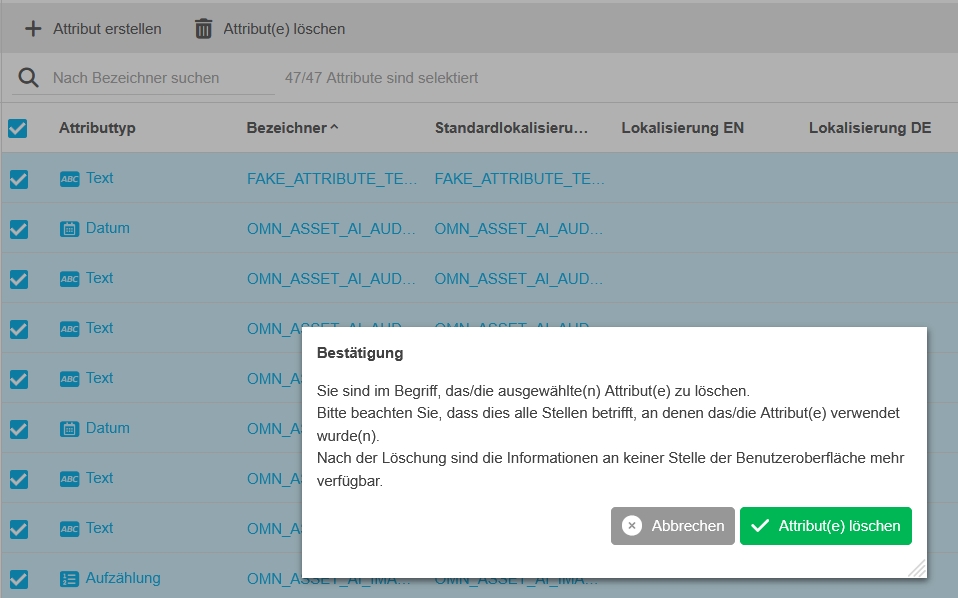
Improved message that deletion of attribute deletes all maintained metadata that have been maintained in the attribute and cannot be restored
DAM
Data - Attributes - Object Type Assets - DAM sub object types and specializations
Tags |
OUCC-1636 |
Possibility to configure attributes from object type asset to use them in different DAM related contexts
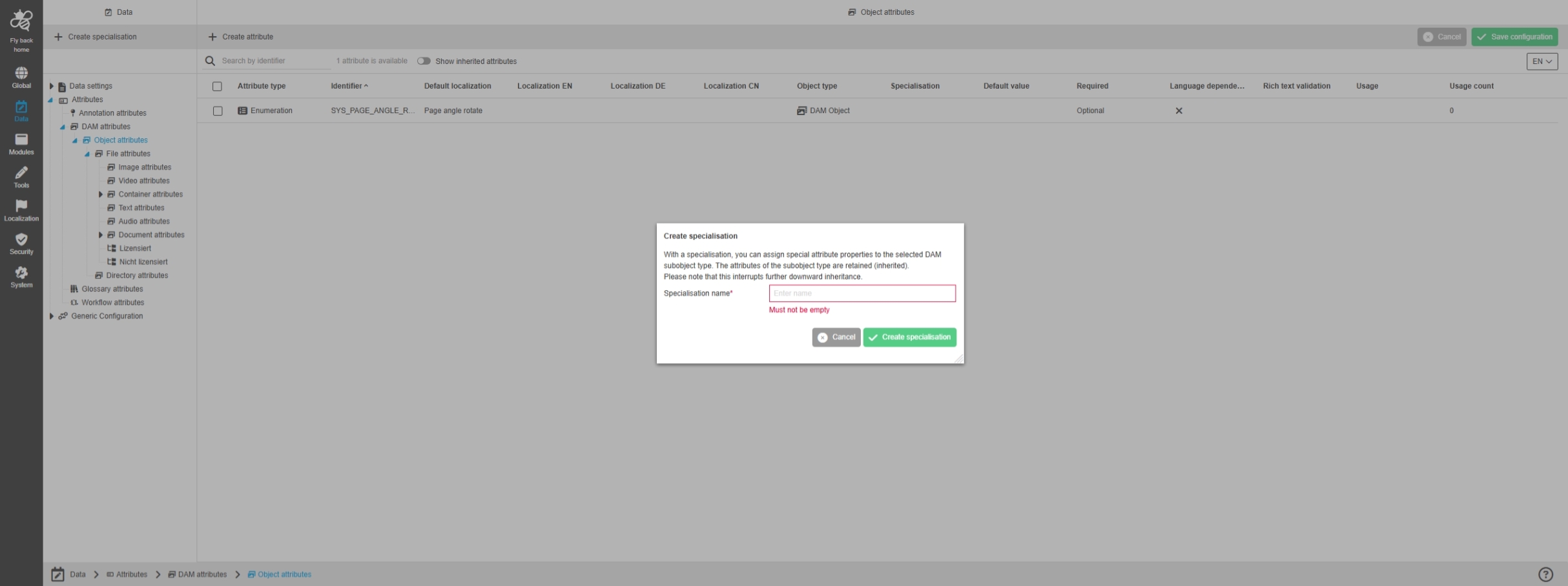
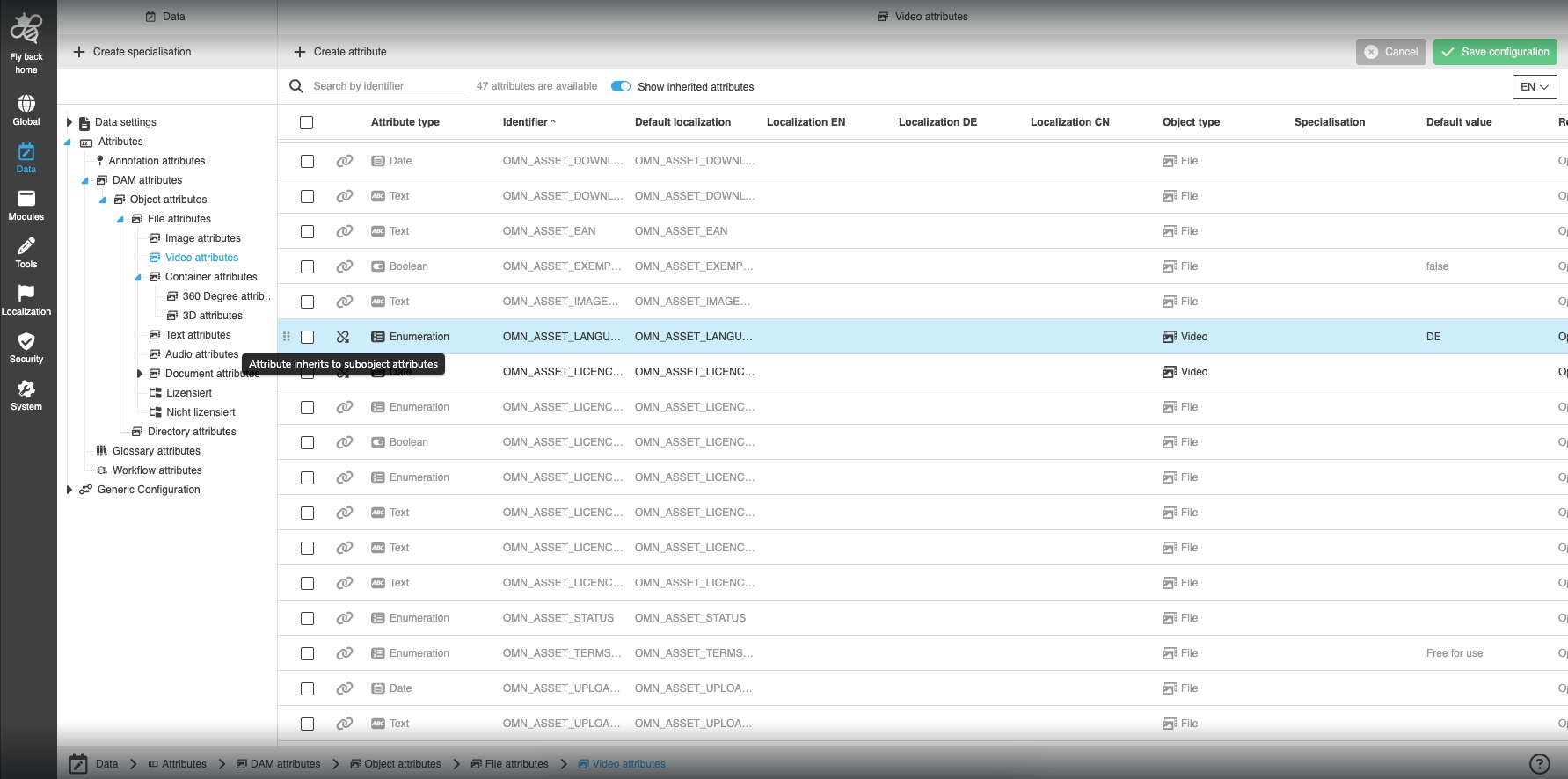
Data - Attributes - Object Type Assets - DnD behavior to assign DAM attributes to sub object types and specializations
Tags |
OUCC-1469 |
Possibility to assign selected attributes in the table to a sub-object type via DnD to change sub-object type configuration for multiple attributes easily and quick
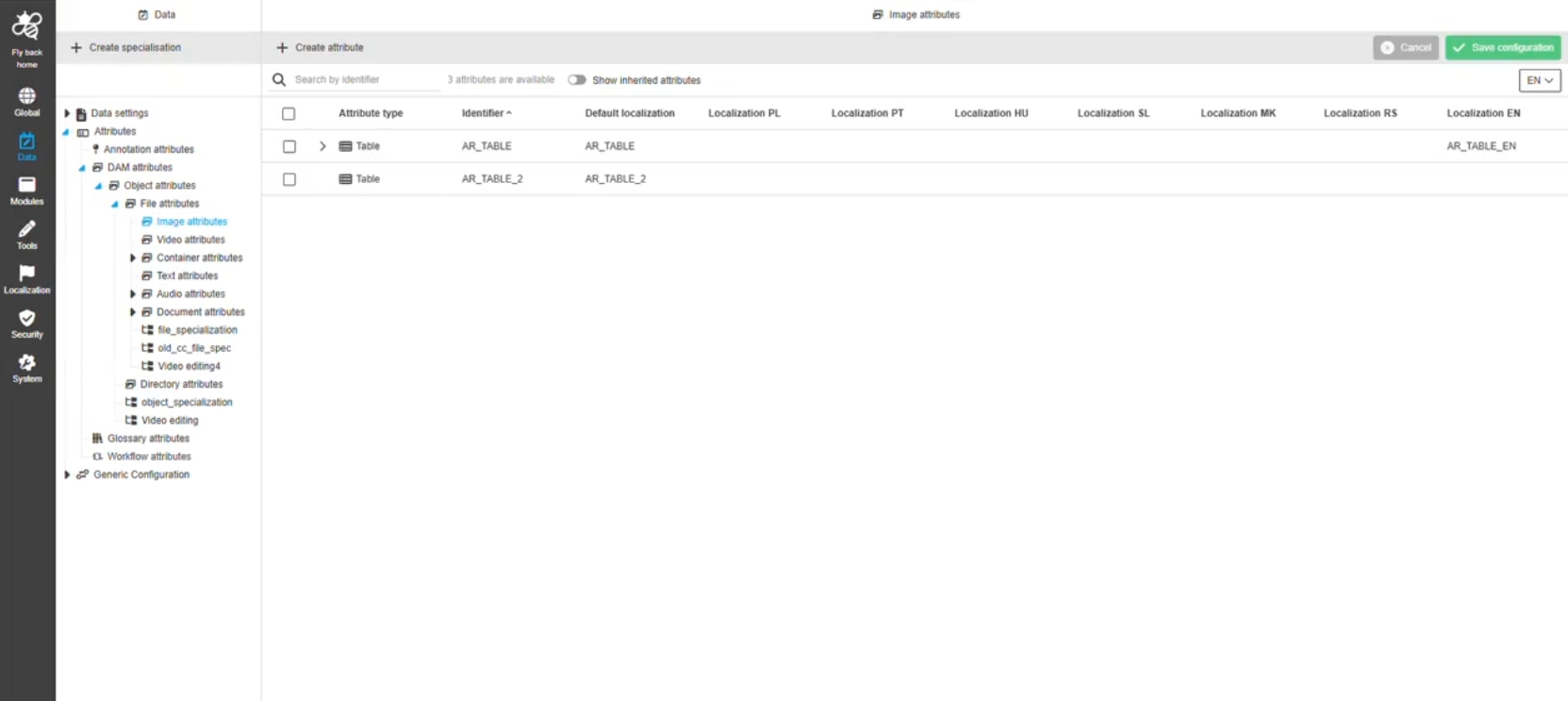
Data - Attributes - Object Type Assets - Create specialization
Tags |
OUCC-1466 |
Possibility to create a specialization for DAM Attributes to use dedicated attributes for a certain object in the UI
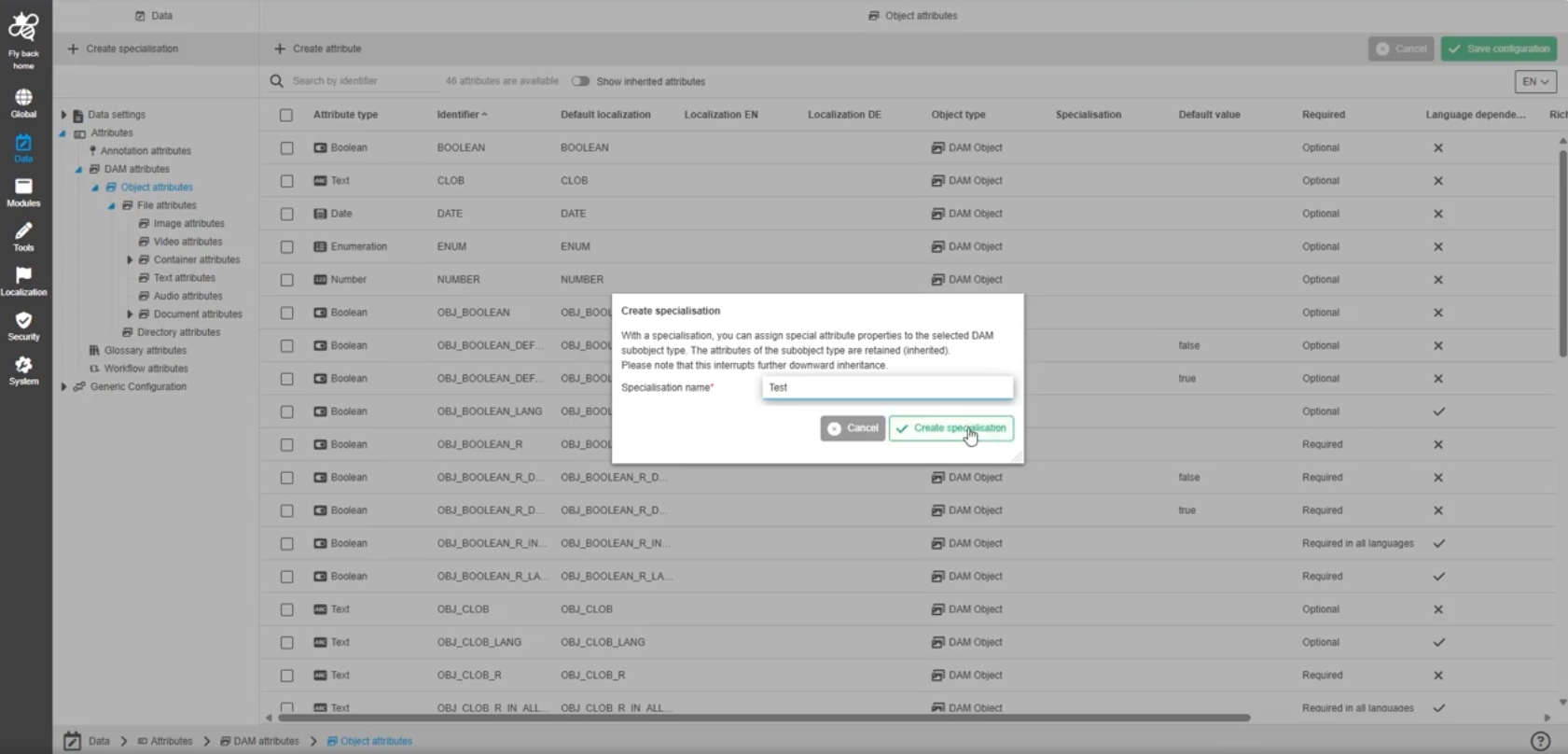
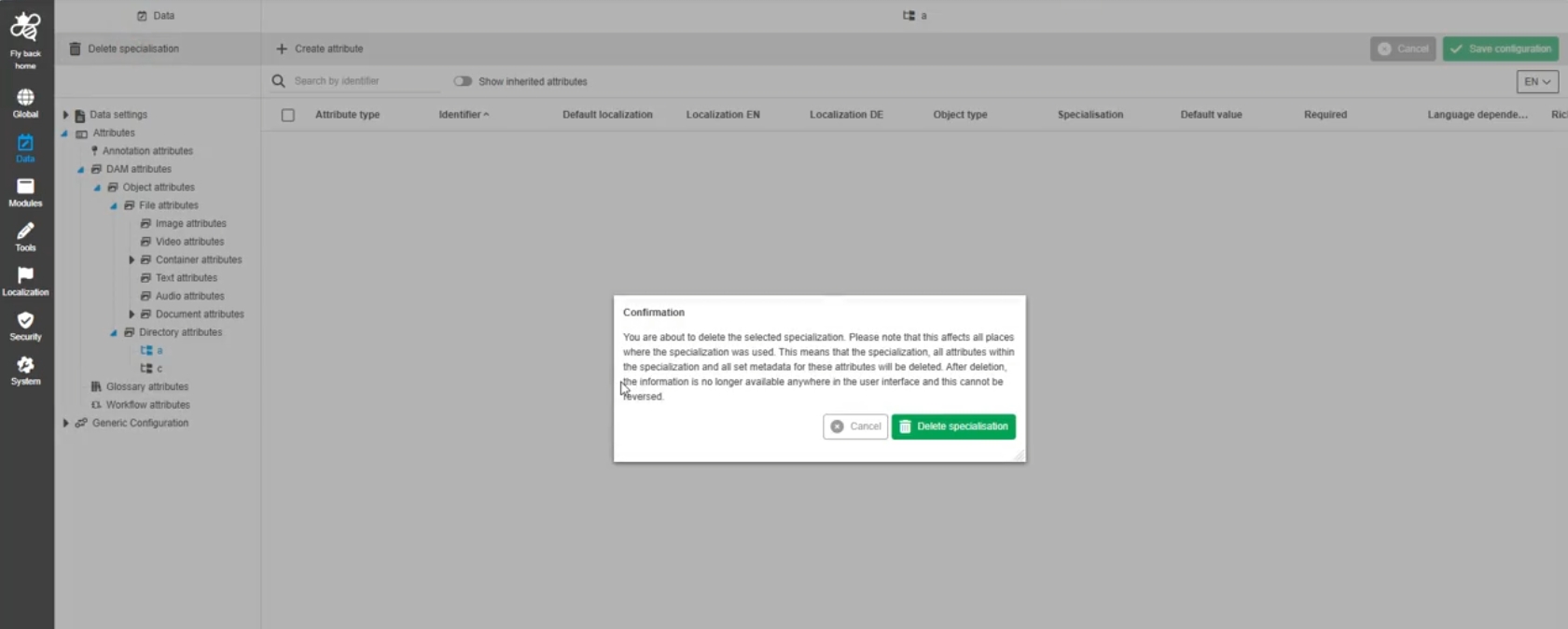
Data - Attributes - Object Type Assets - Delete specialization
Tags |
OUCC-1468 |
Possibility to delete an existing specialization on DAM Attributes, which is not needed anymore to clean up my data structure
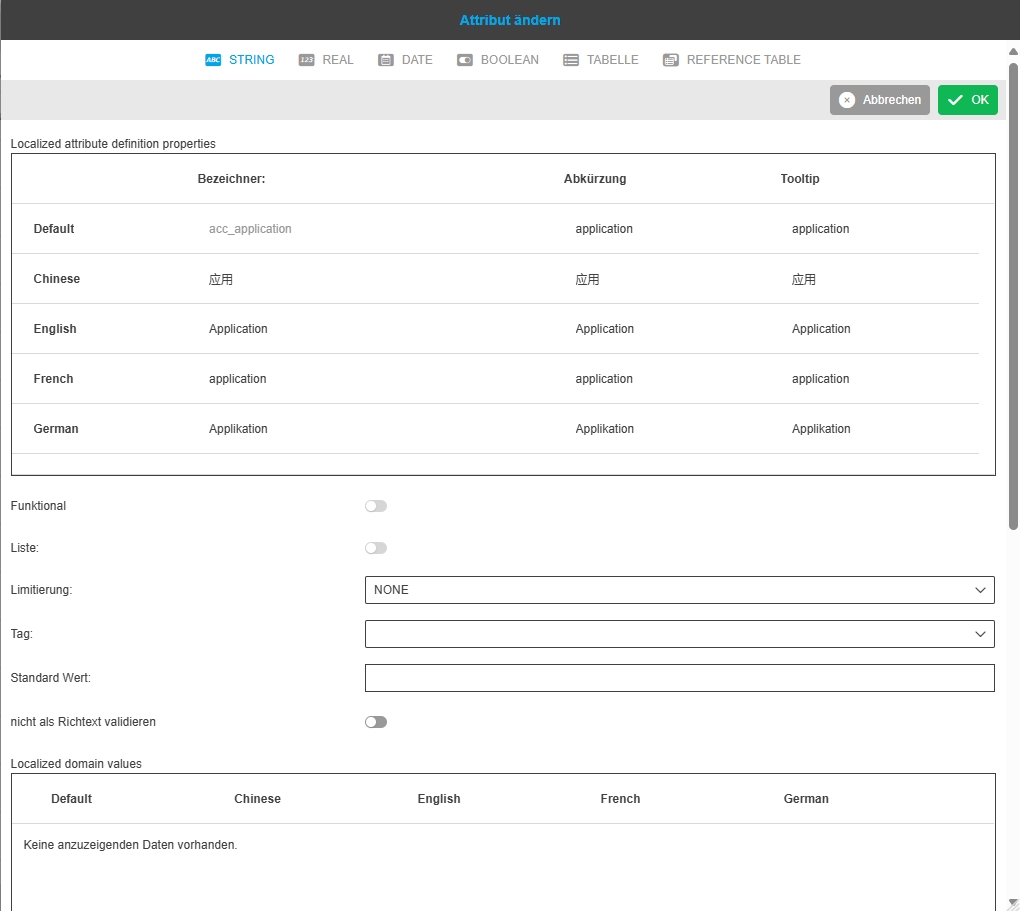
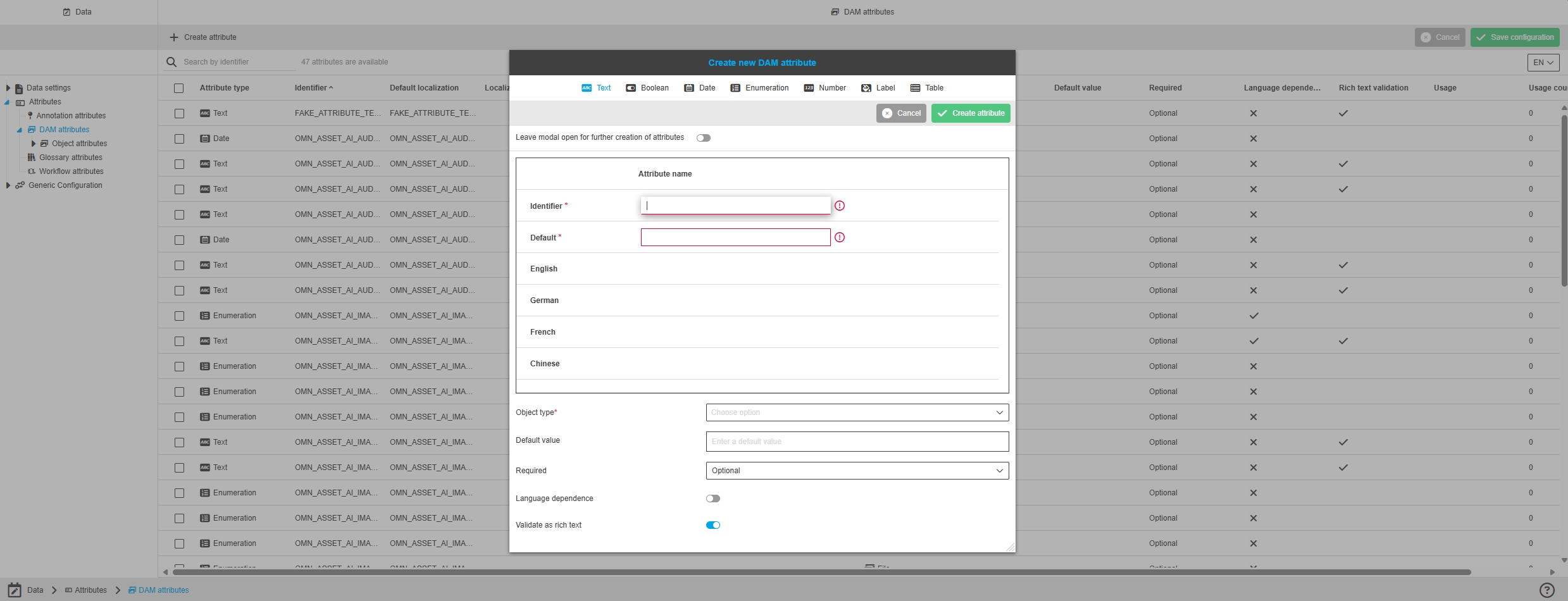
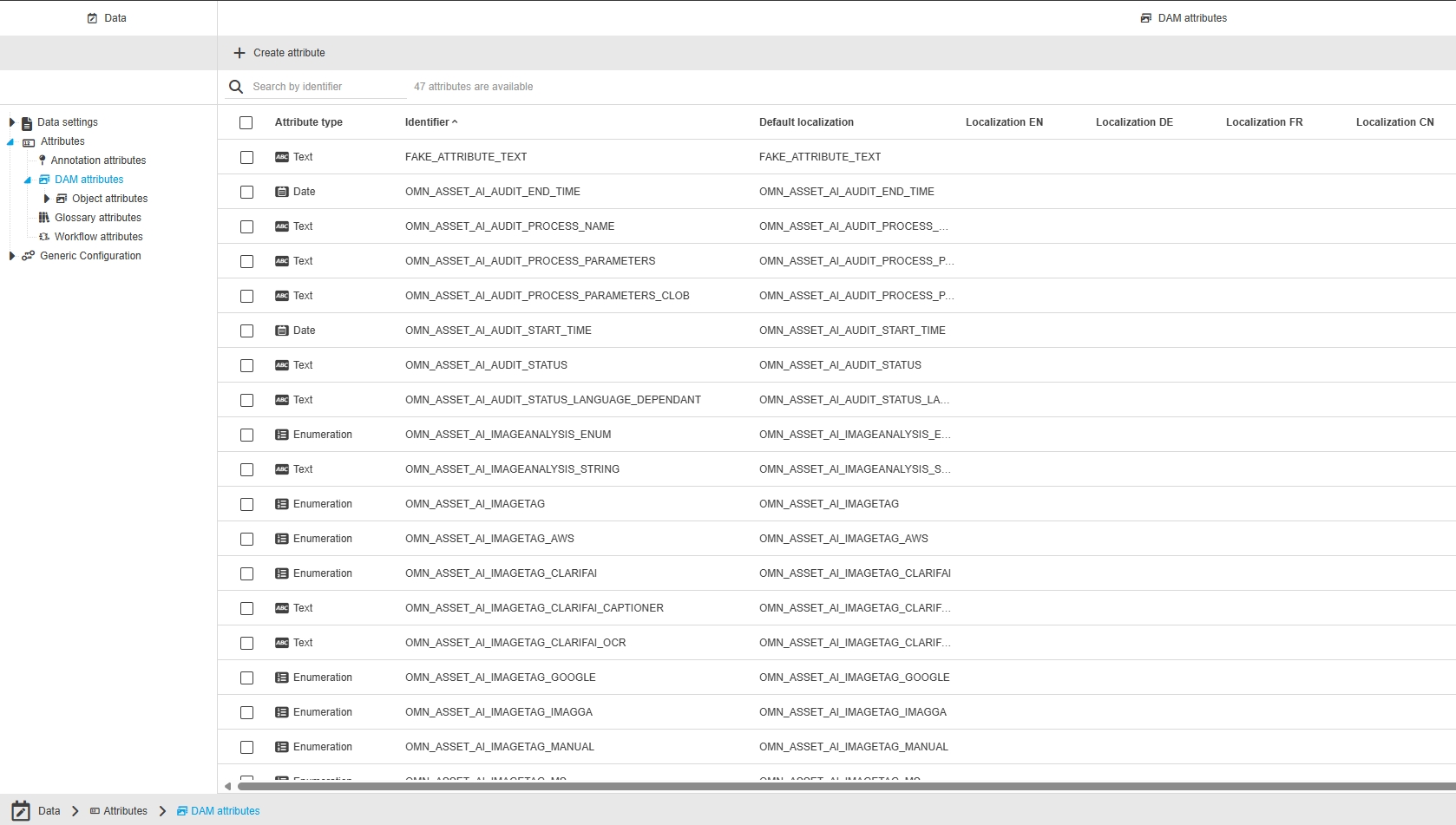
Data - Attributes - All Object Type - Create attribute - Improvement to enhance attribute definition fields to state of the art
Tags |
OUCC-435 |
Possibility to distinguish identifier and default localization in creating attribute processes and in the table of attribute overview, when managing attributes, so customers can distinguish the 2 information
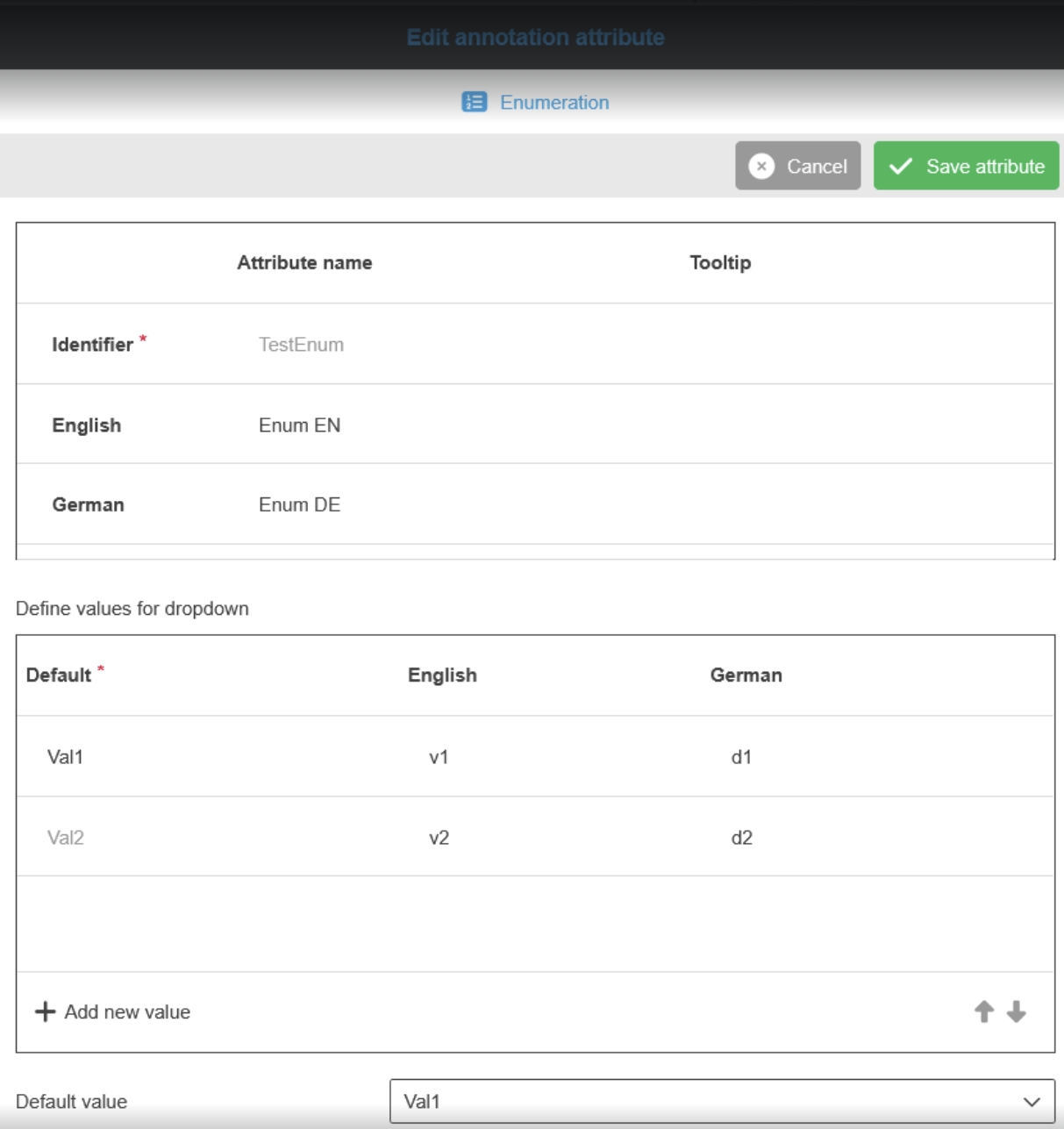
Data - Attributes - Enumeration attributes - Forbid to adjust default value of possible value in case its used
Tags |
OUCC-1773, OMN-11581 |
Chance to know which default values of possible attribute values are in use to let the configurator better understand which values can be adjusted without any issues
-
‘Default values’ are not adjustable in case the attribute possible value is in use (if the user has set the value to any asset)
-
the values in use have a Grey Default Attribute name
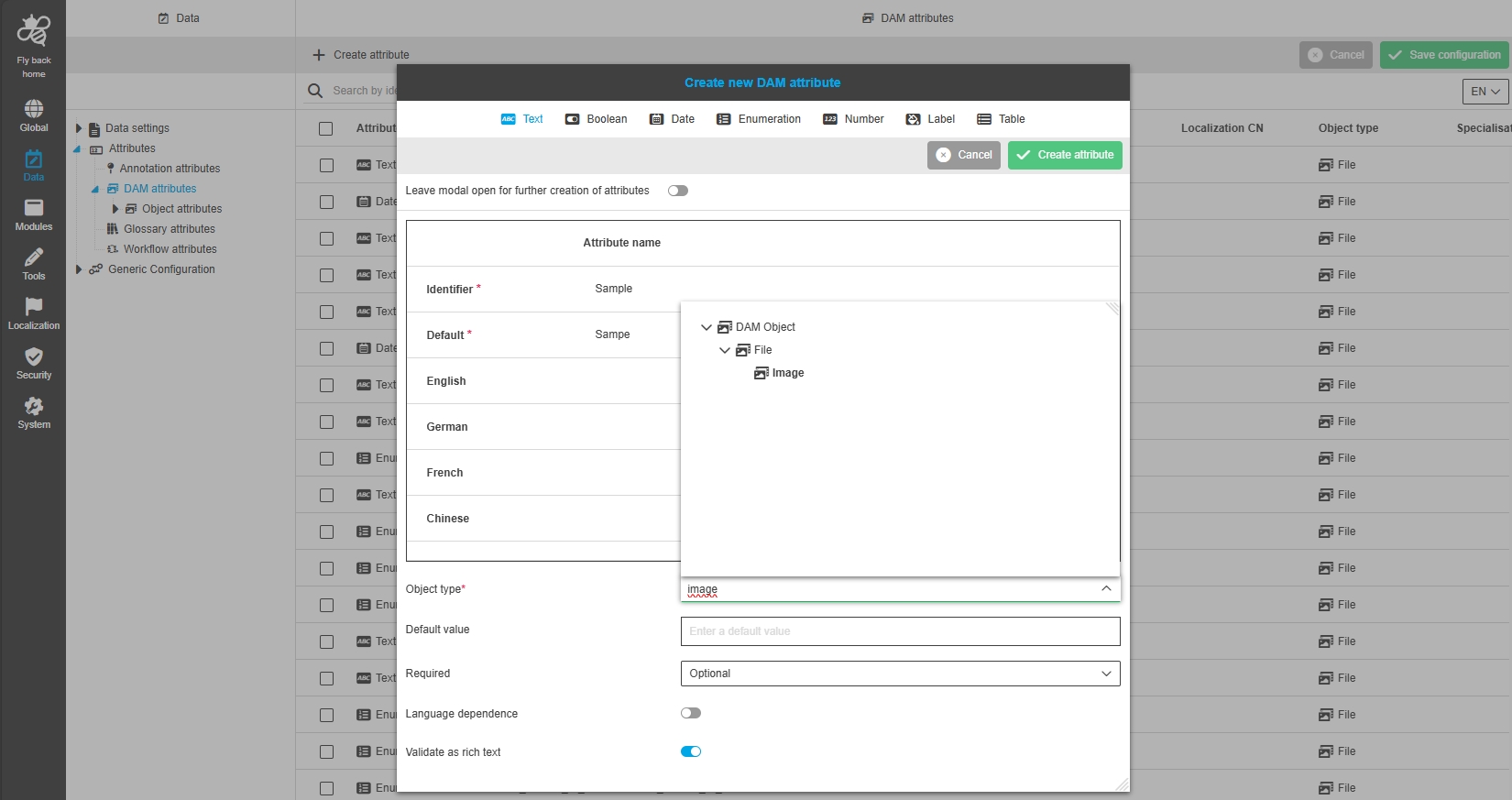
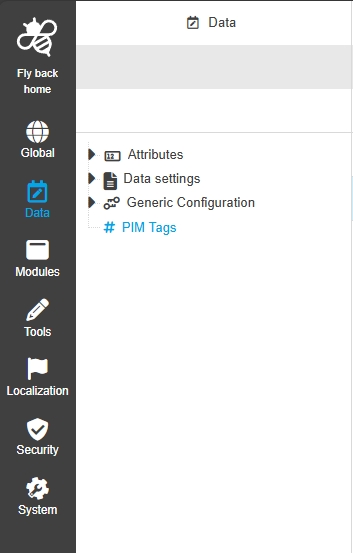
Configuration Client - Data - Tag management
Tags |
OUCC-1197 |
Possibility to manage PIM2 tags via new ConfigUI Data section
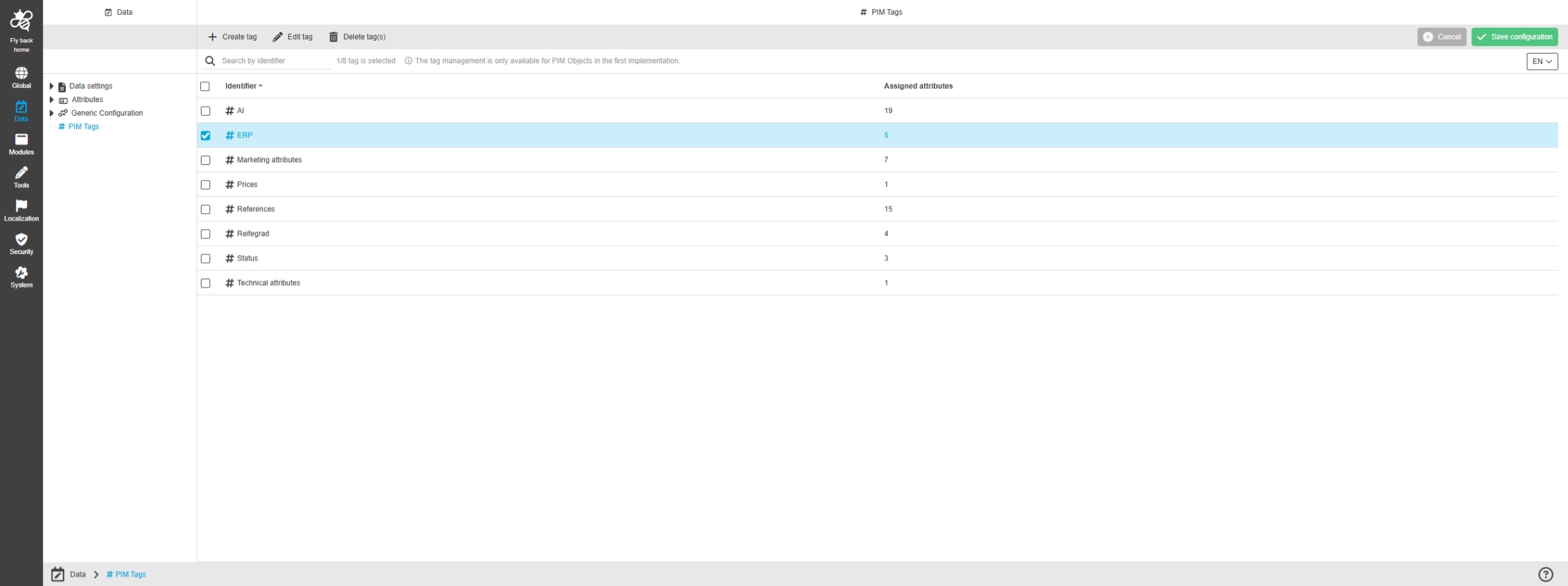
Data - Tag management - General layout
Tags |
OUCC-1946 |
Possibility to configure tags for the PIM module in new Config UI to manage my attributes in metadata in meaningful Groups
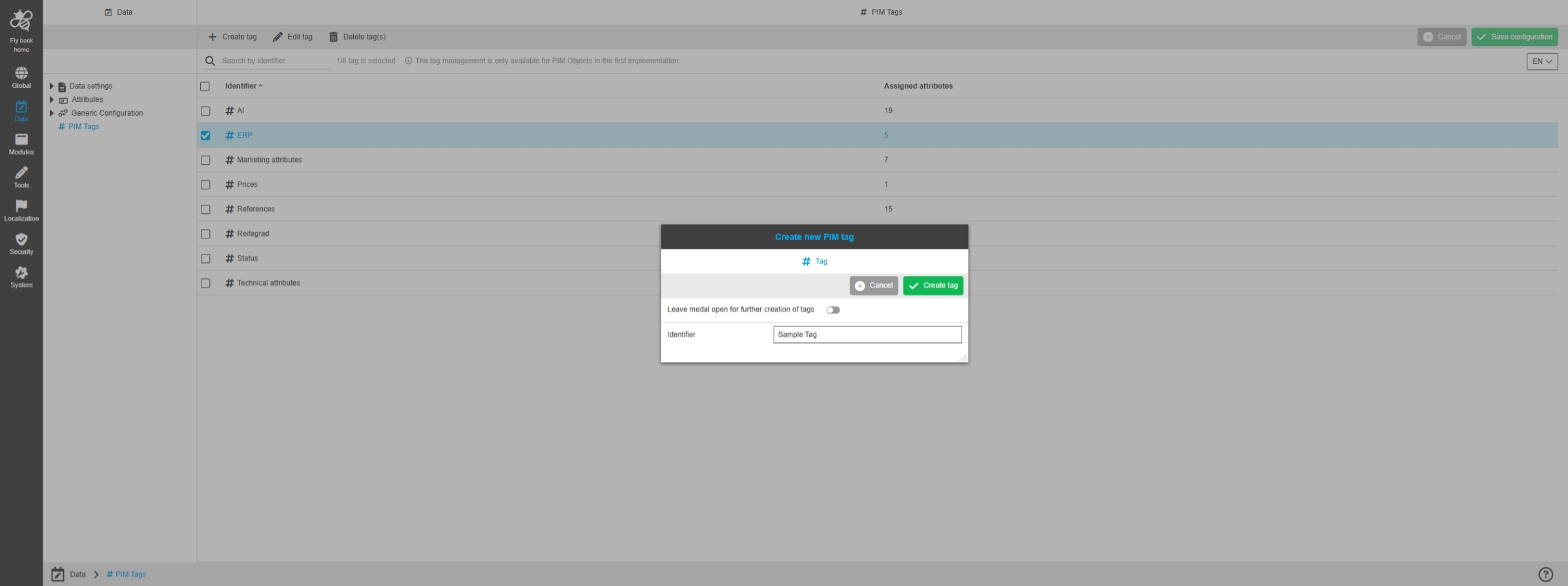
Data - Tag management - Function - Create tag
Tags |
OUCC-1947 |
Possibility to create a new tag in the tag management for PIM2 to assign attributes for this tag in the UI
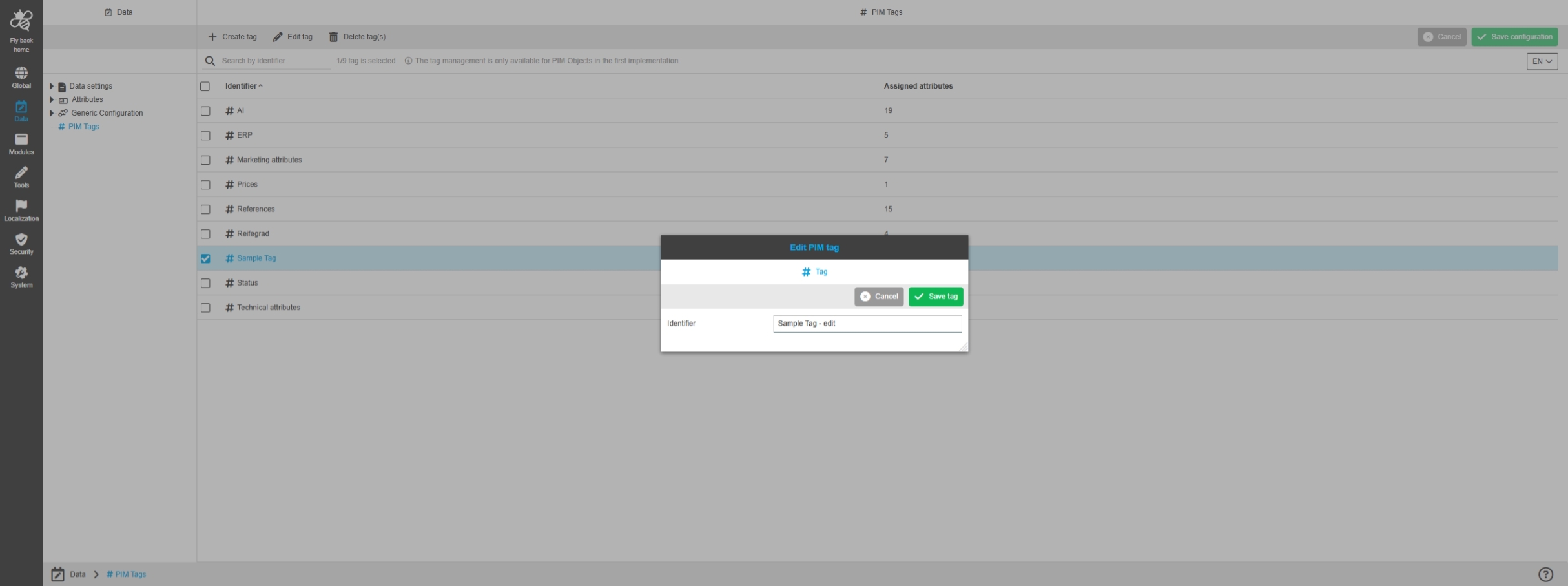
Data - Tag management - Function - Edit tag
Tags |
OUCC-1948 |
Possibility to edit an existing PIM2 tag to update the name of the tag but keep the assigned Attributes
-
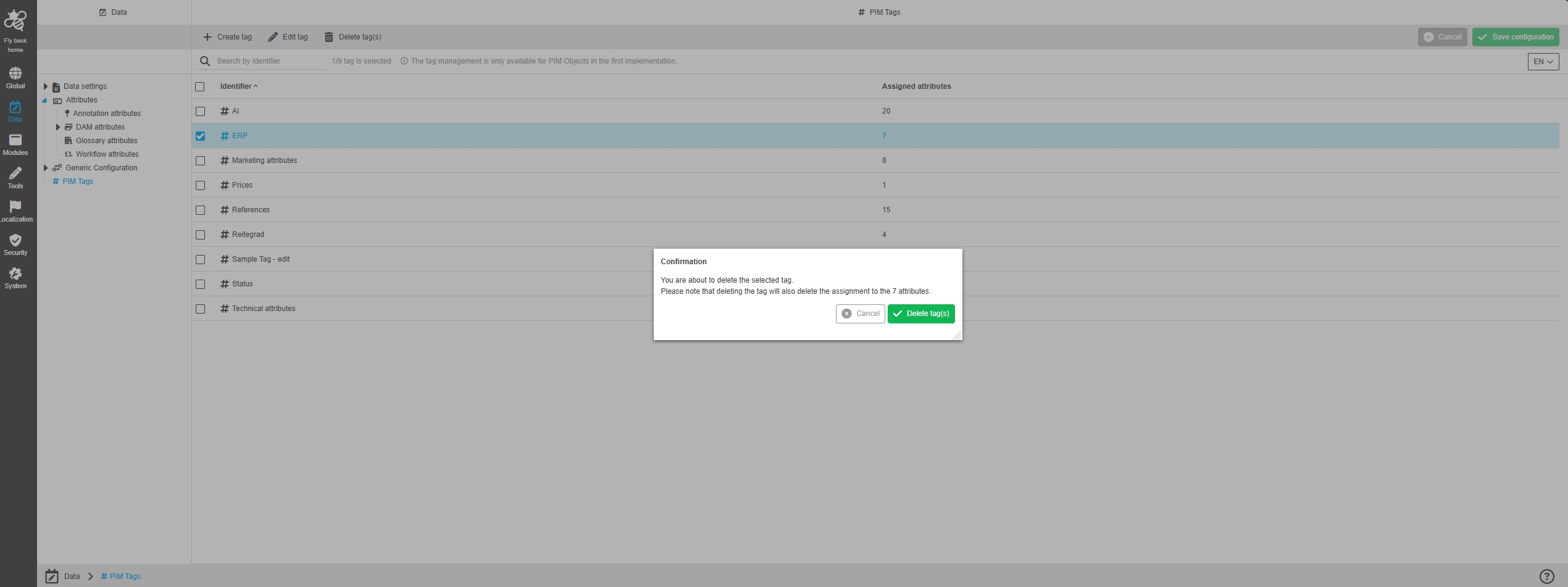
Data - Tag management - Function - Delete tag
Tags |
OUCC-1949 |
Possibility to delete a tag and resolve the assignment of linked attributes in tag management, so the invalid tag is removed from the UI completely
Application
Improvements and new functions in OMN Config UI - Application Plugins
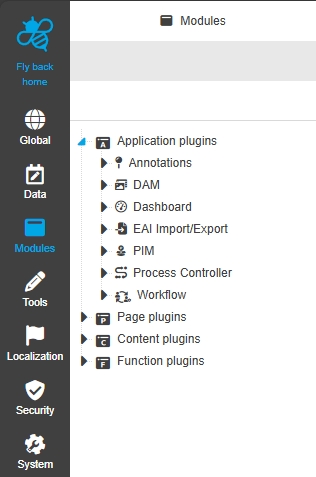
Configuration Client - Modules - Application plugin - PIM2
Tags |
OUCC-25 |
Possibility to configure PIM application Plugin in new ConfigUI
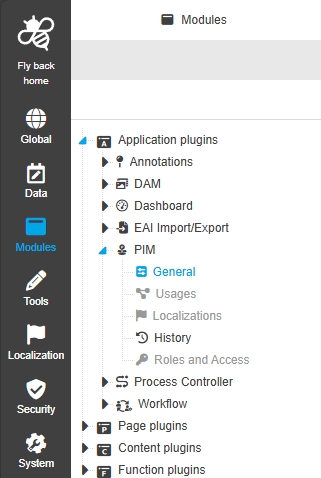
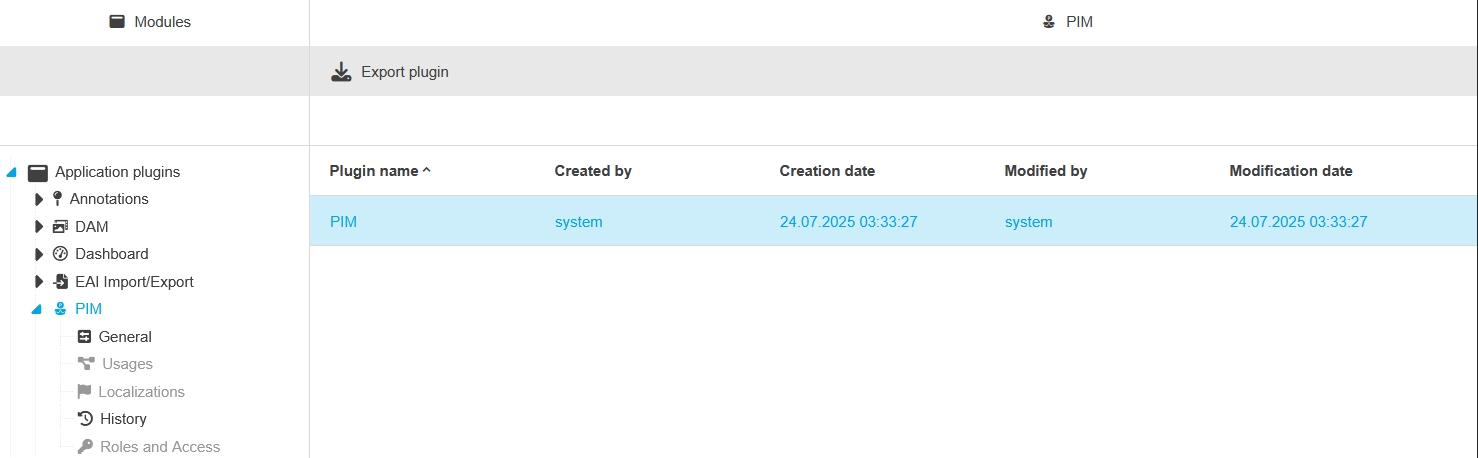
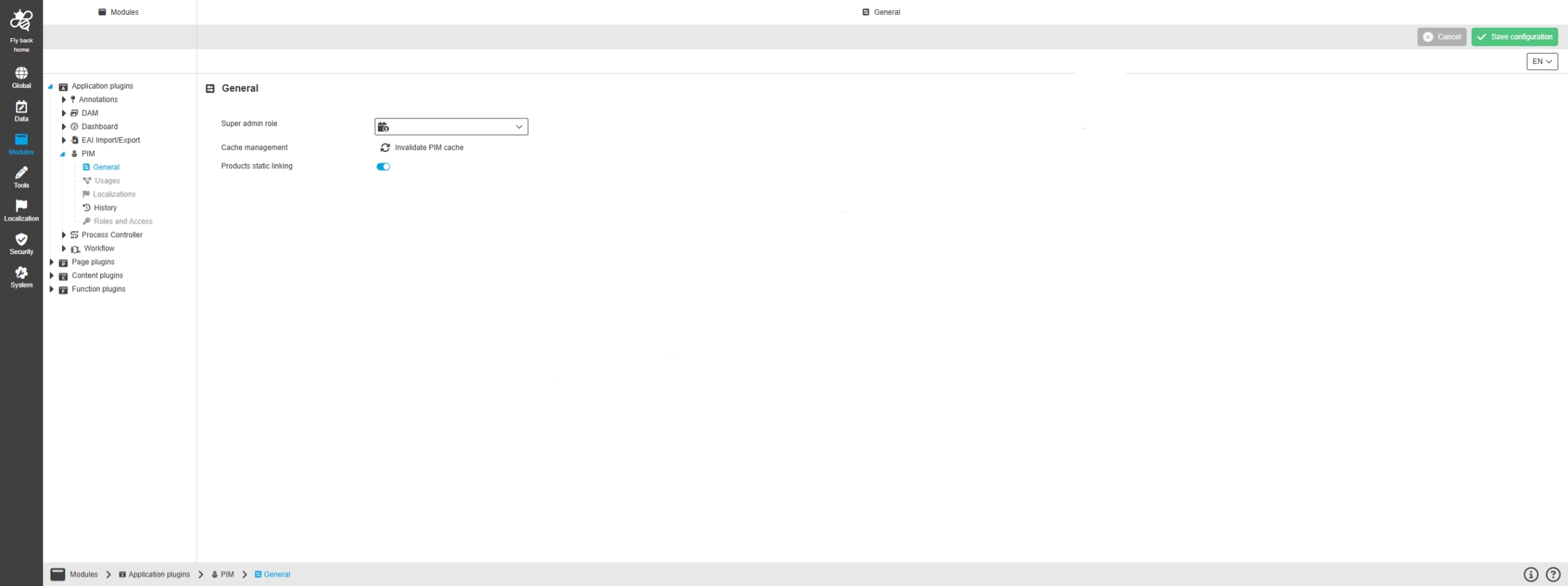
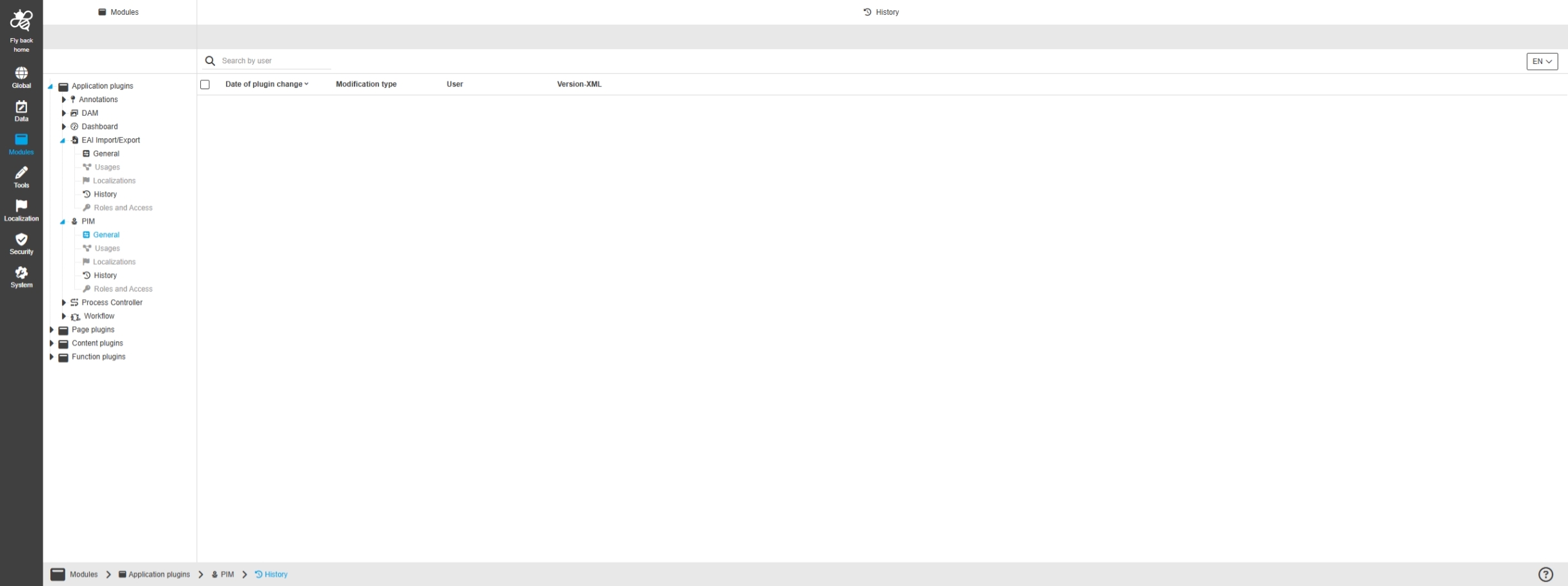
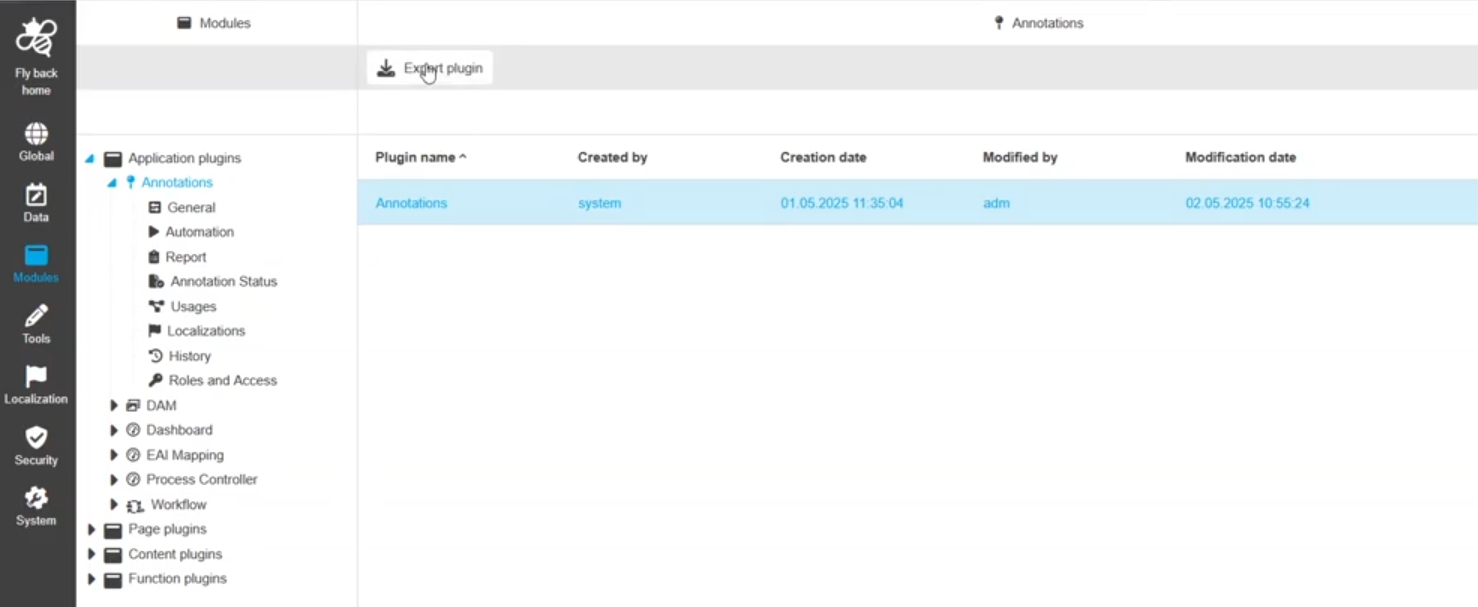
Configuration Client - Application plugin - PIM - General layout
Tags |
OUCC-1936 |
Possibility to configure PIM Application Plugin in new ConfigUI and ist General Parameters like cache, index, indexed search fields and allow static linking to define the module behavior
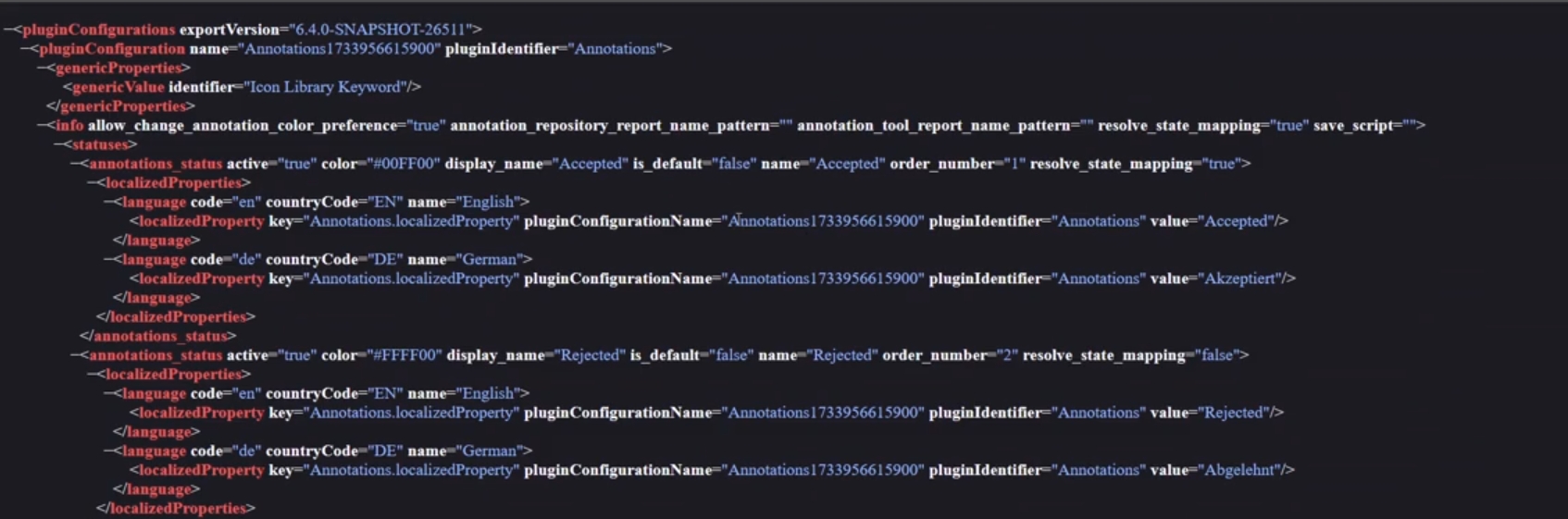
EAI Import/Export
Tags |
OUCC-1108 |
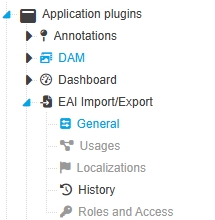
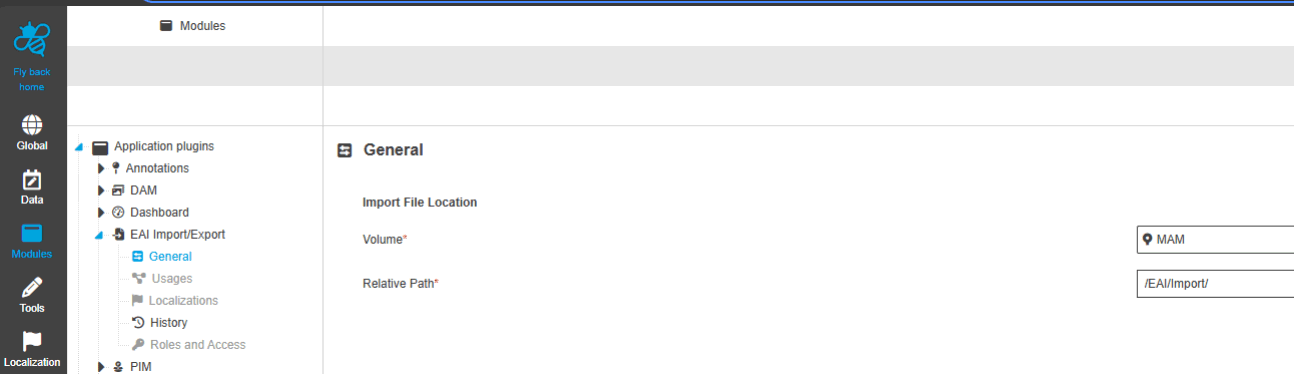
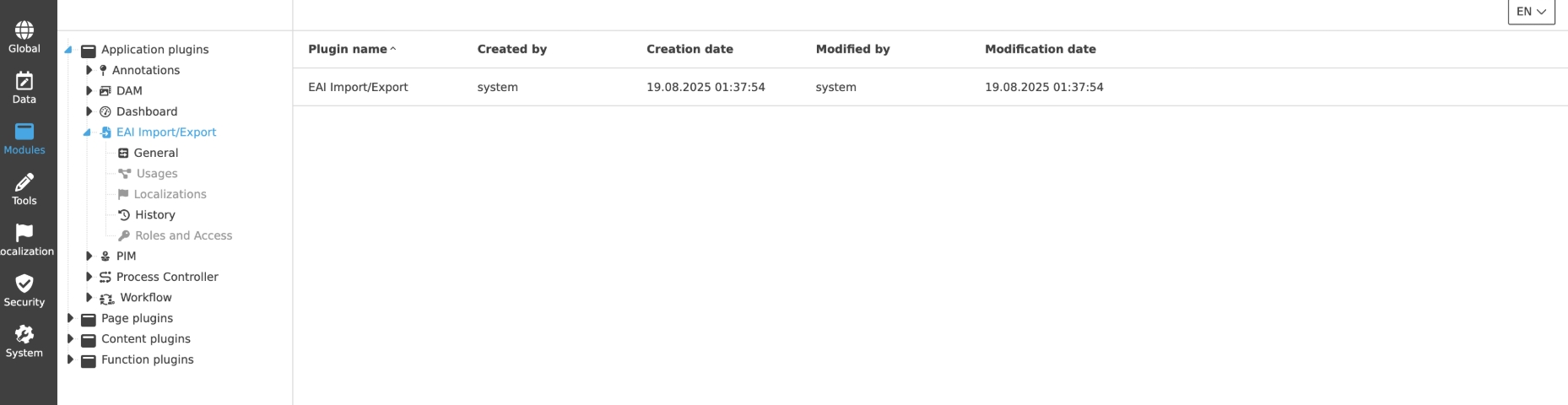
Possibility to configure Application Plugin EAI Import/Export in new ConfigUI
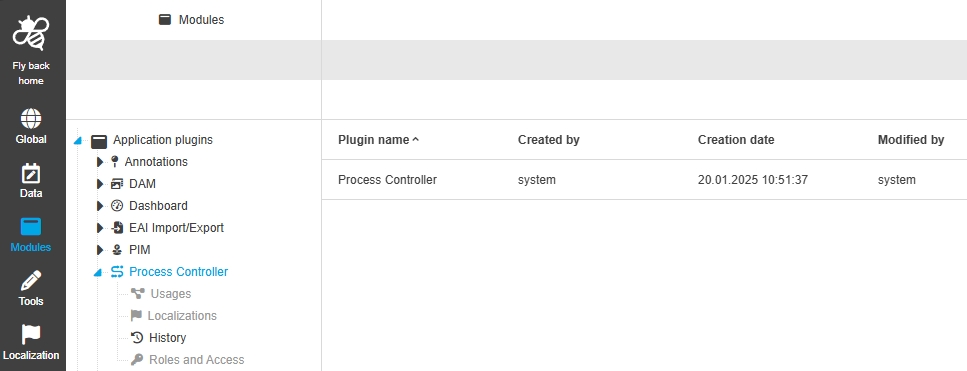
Page-Plugins
Improvements and new functions in OMN Config UI - Page Plugins
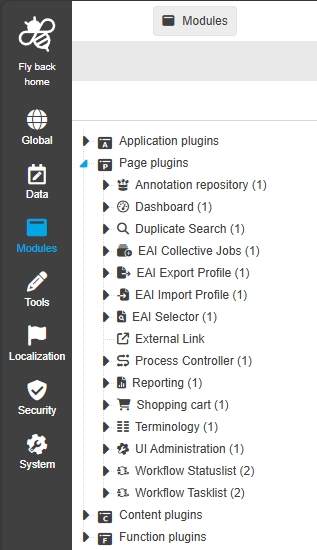


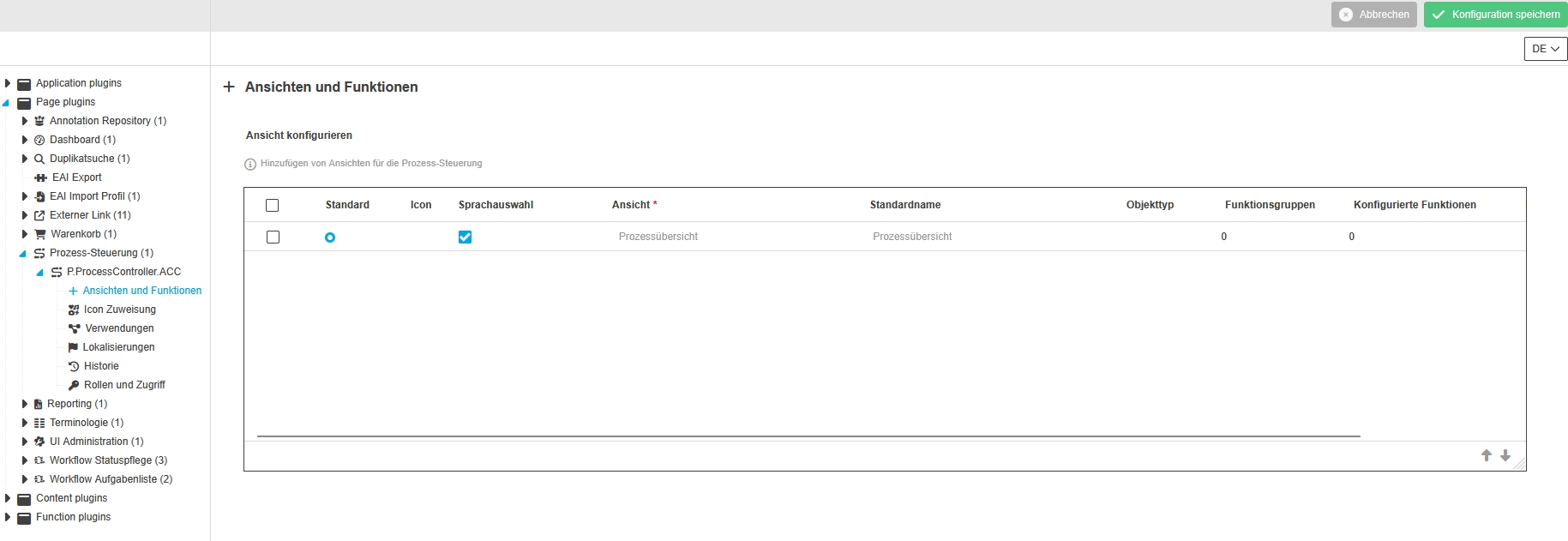
Configuration Client - Modules - Page plugin - Process Controller
Tags |
OUCC-1478 |
Small Improvements in Page Plugin Process Controller
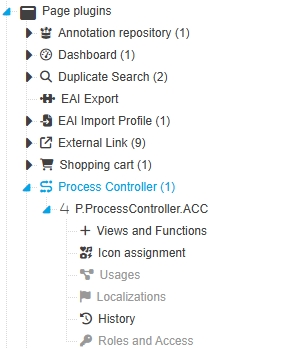
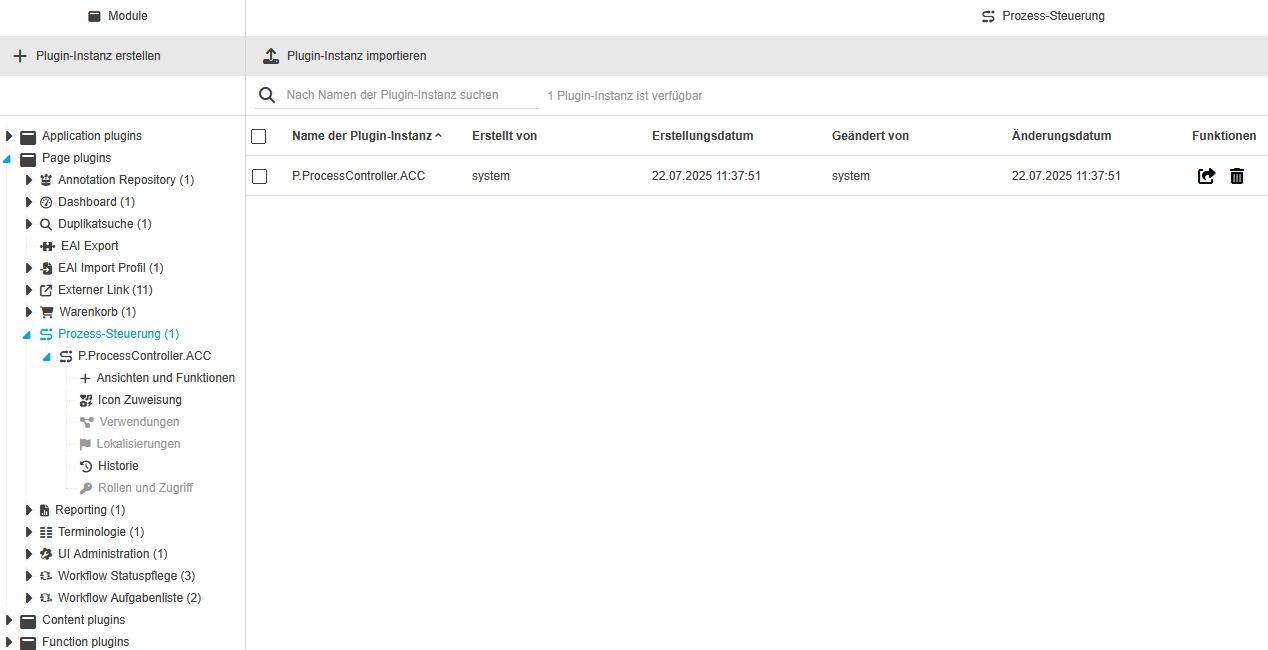
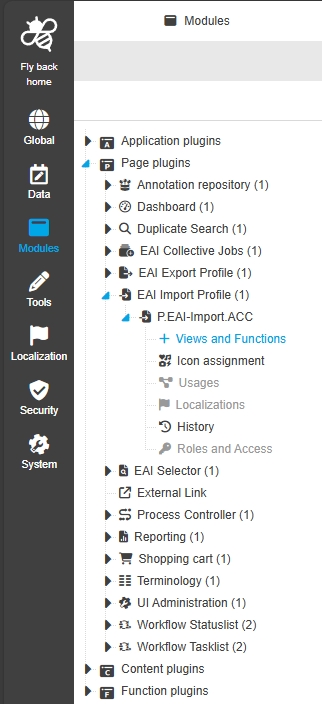
Configuration Client - Modules - Page plugin - EAI Import Profiles
Tags |
OUCC-1477 |
Small Improvements in Page Plugin EAI Import Profiles
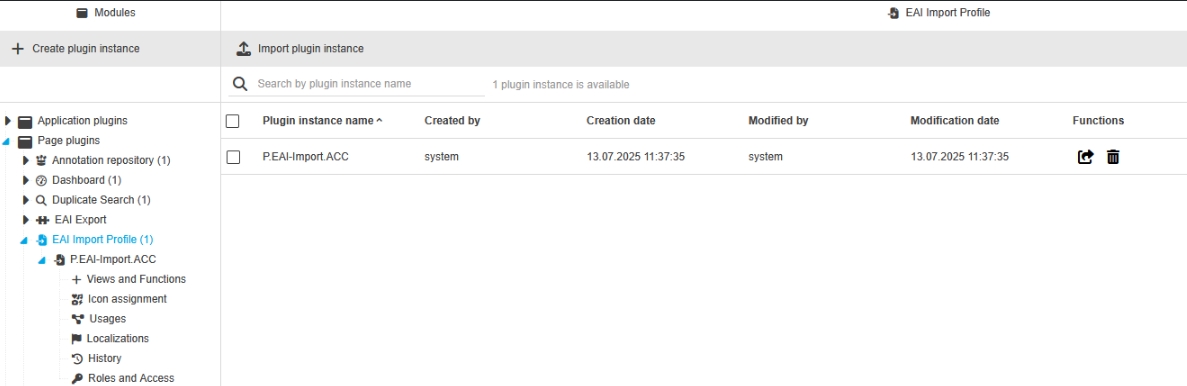
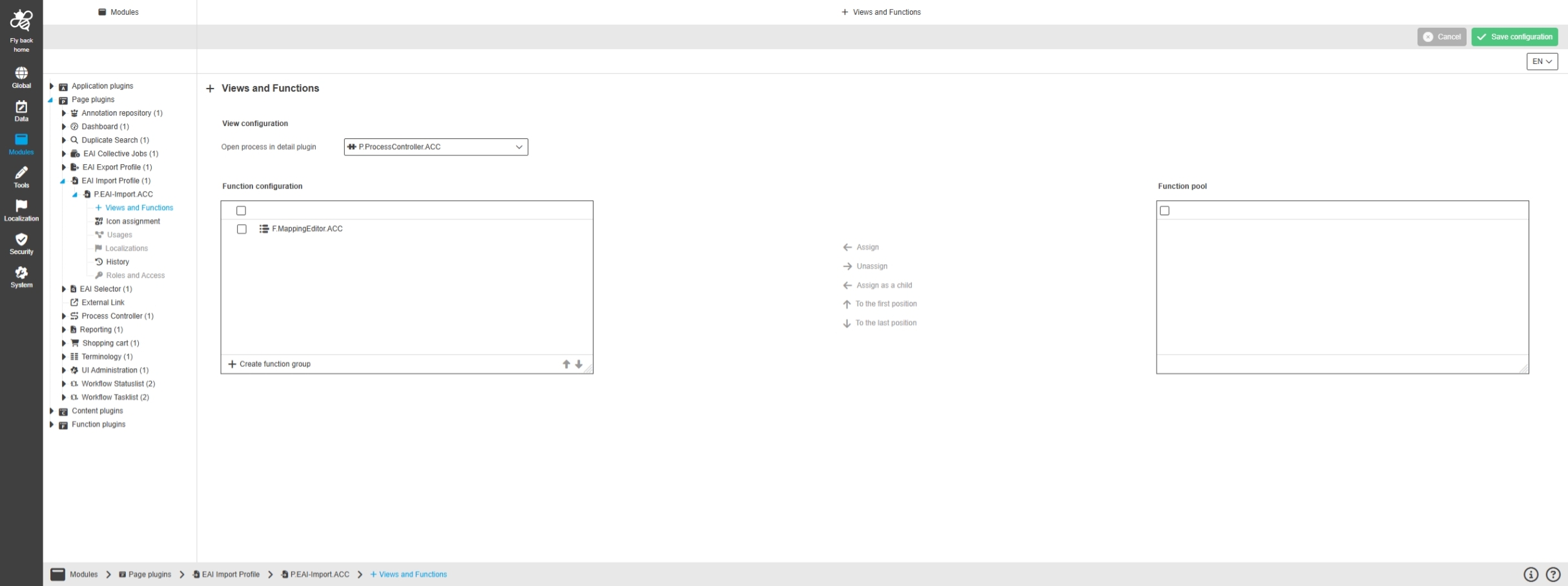
Configuration Client - Modules - Page plugin - EAI Export Profile
Tags |
OUCC-1888 |
New Page Plugin called EAI Export Profile which allows to configure the plugin Export Profiles in the Frontend (belongs to EAI Export Module)
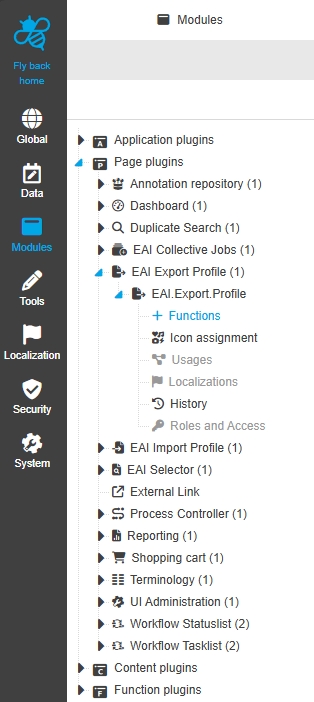
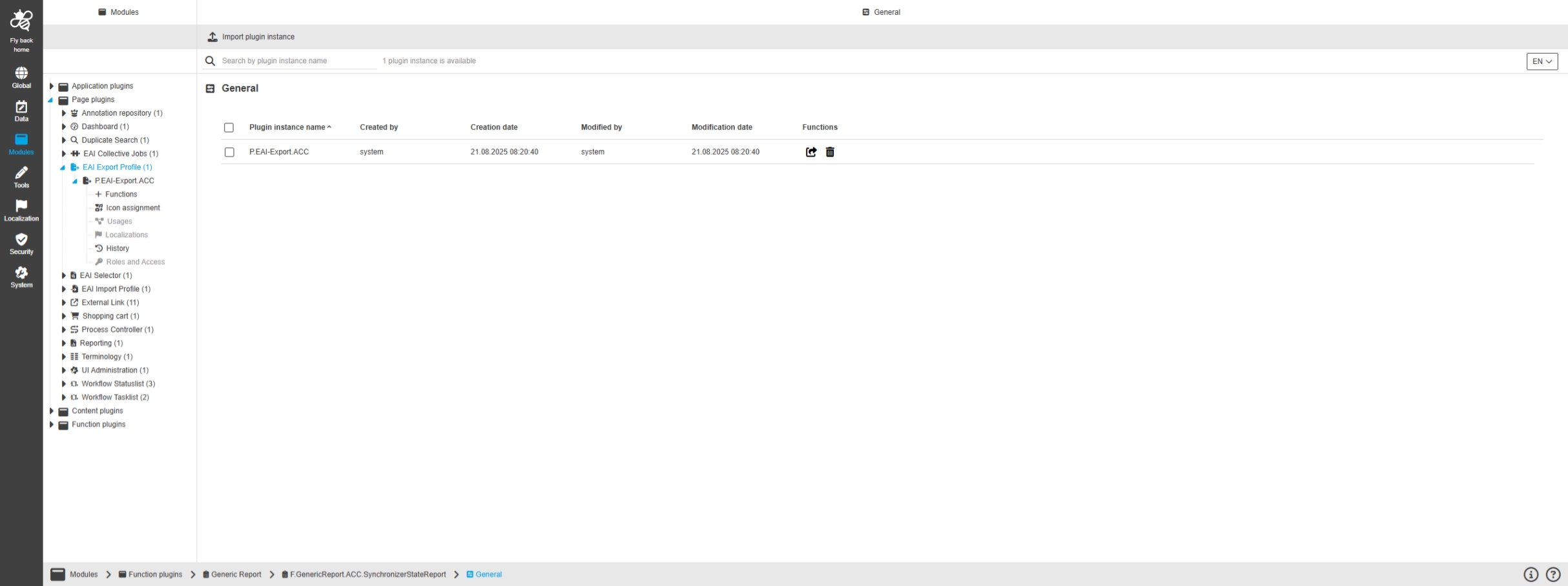
Modules - Page plugin - EAI Export Profile - General layout
Tags |
OUCC-1893 |
Possibility o configure the EAI Export Profile page Plugin in new ConfigUI to add it to the sidebar and individualize it with functions and custom icon for example
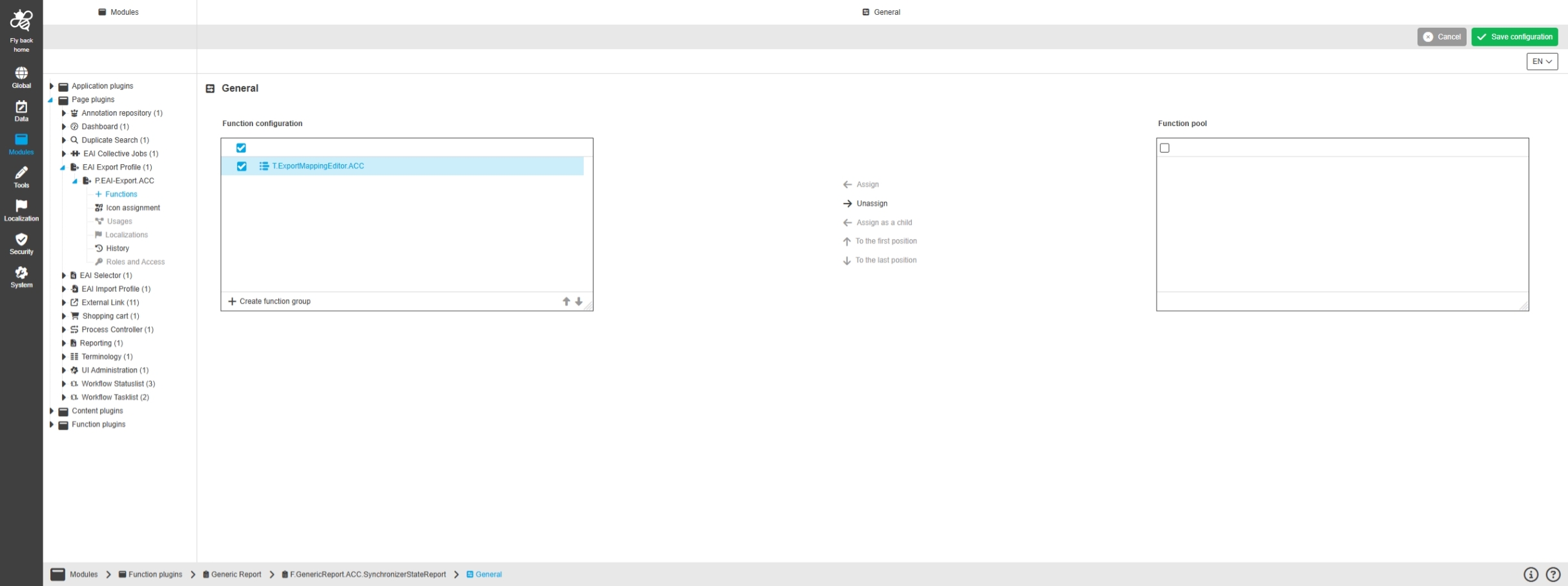
Modules - Page plugin - EAI Export Profile - Functions
Tags |
OUCC-1961 |
Possibility to configure functions for export profiles Plugin in new ConfigUI to use them in the Client
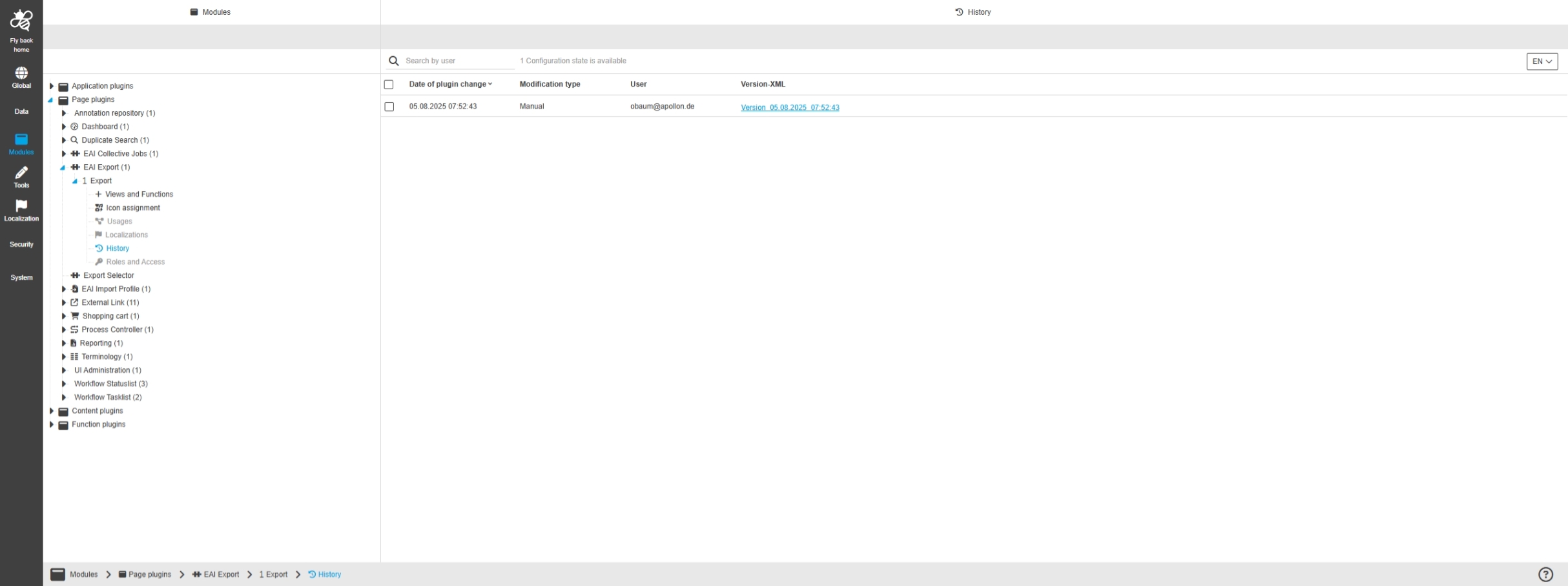
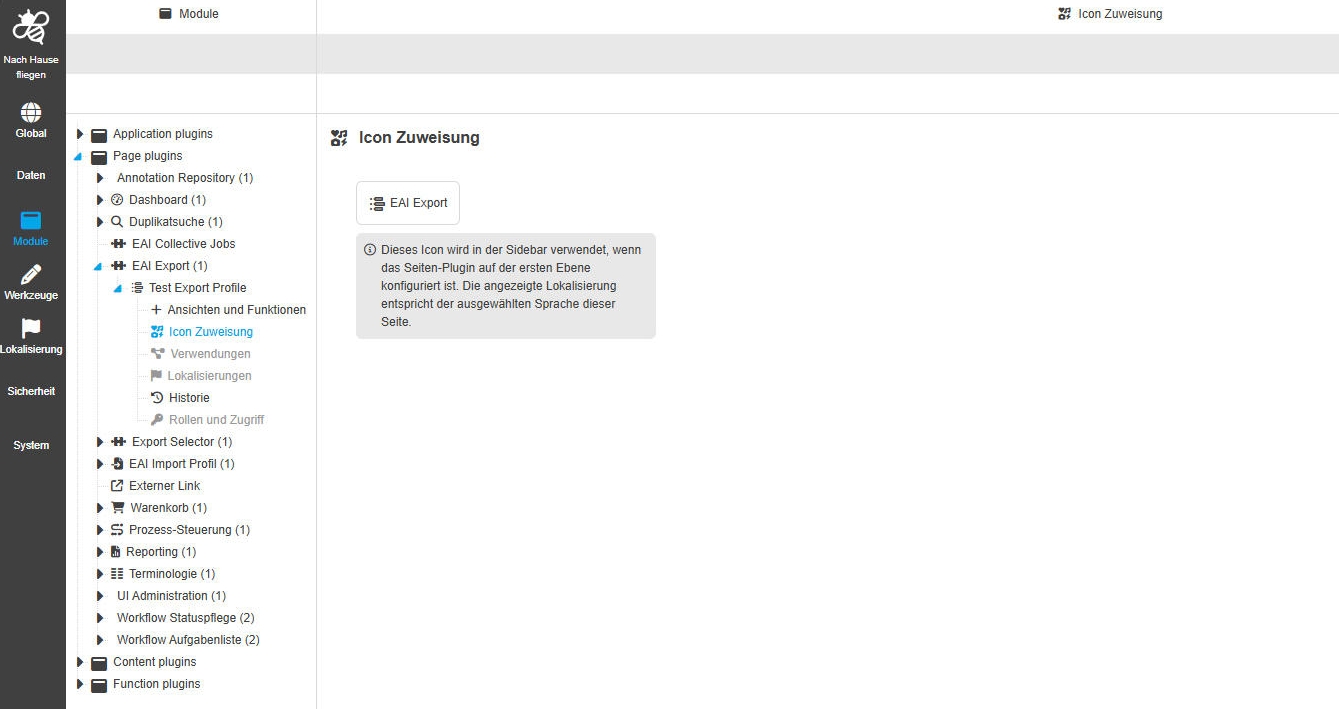
Configuration Client - Modules - Page plugin - EAI Collective Jobs
Tags |
OUCC-1769 |
New Page Plugin called EAI Collective Jobs which allows to configure the plugin Collective Jobs s in the Frontend (belongs to EAI Export Module)
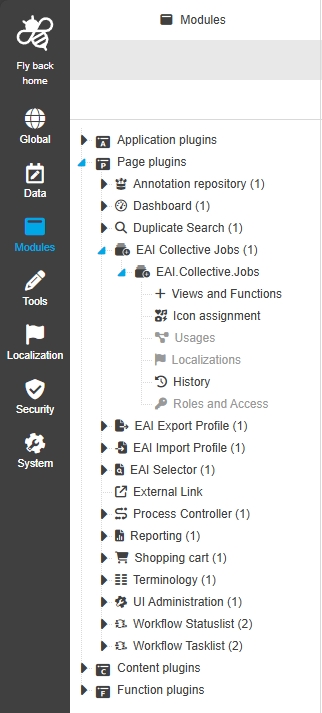
Modules - Page plugin - EAI Collective Jobs - General layout
Tags |
OUCC-1812, OMN-11554 |
Possibility to configure the EAI Collective Jobs page Plugin so that I can be added to the sidebar and individualized with functions and custom Icon
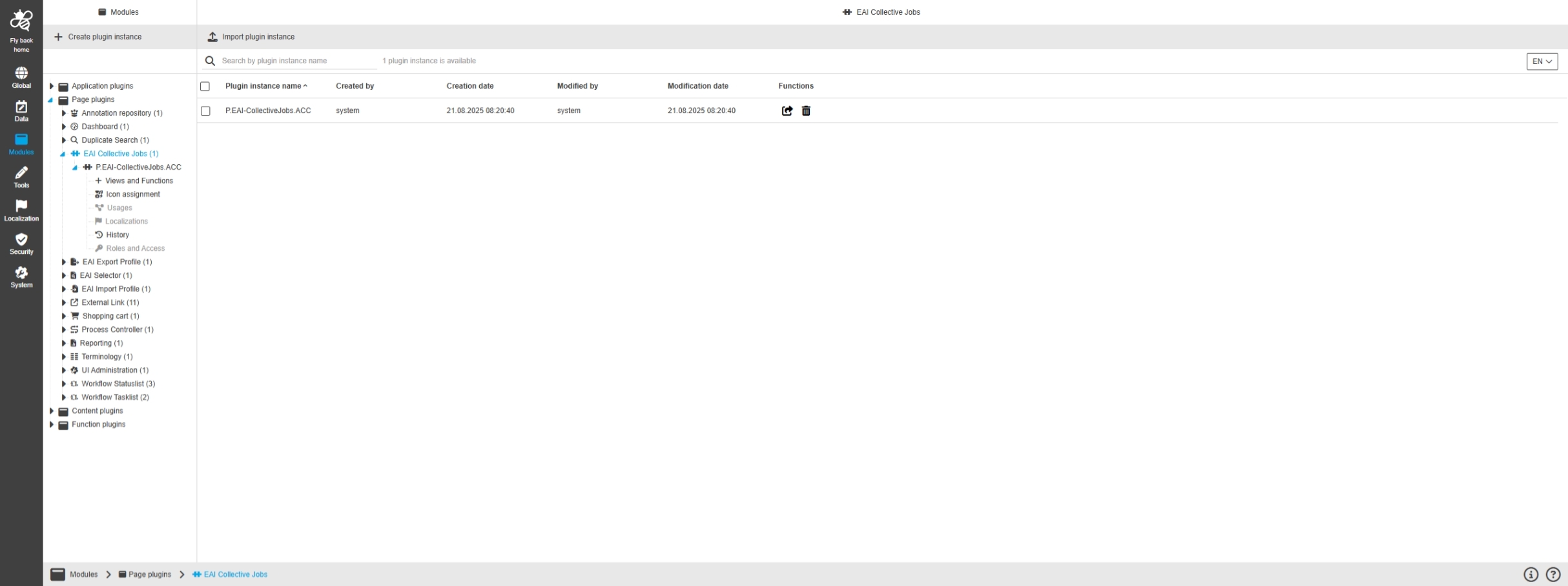
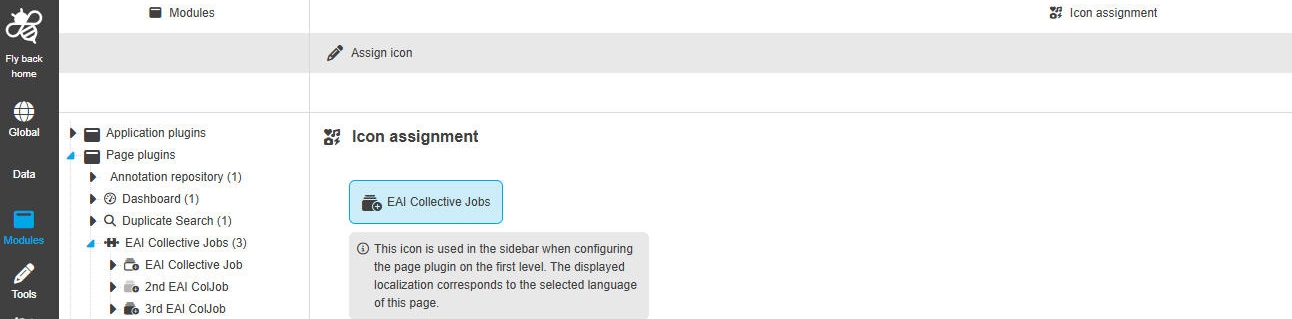
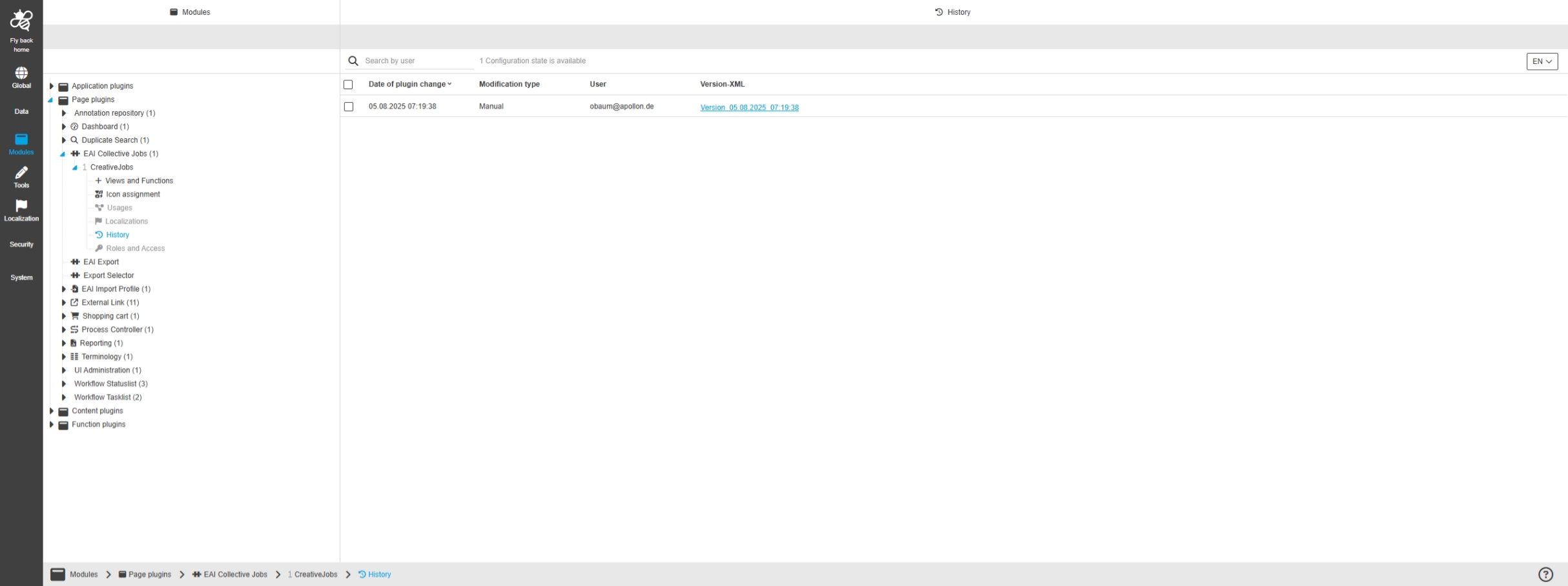
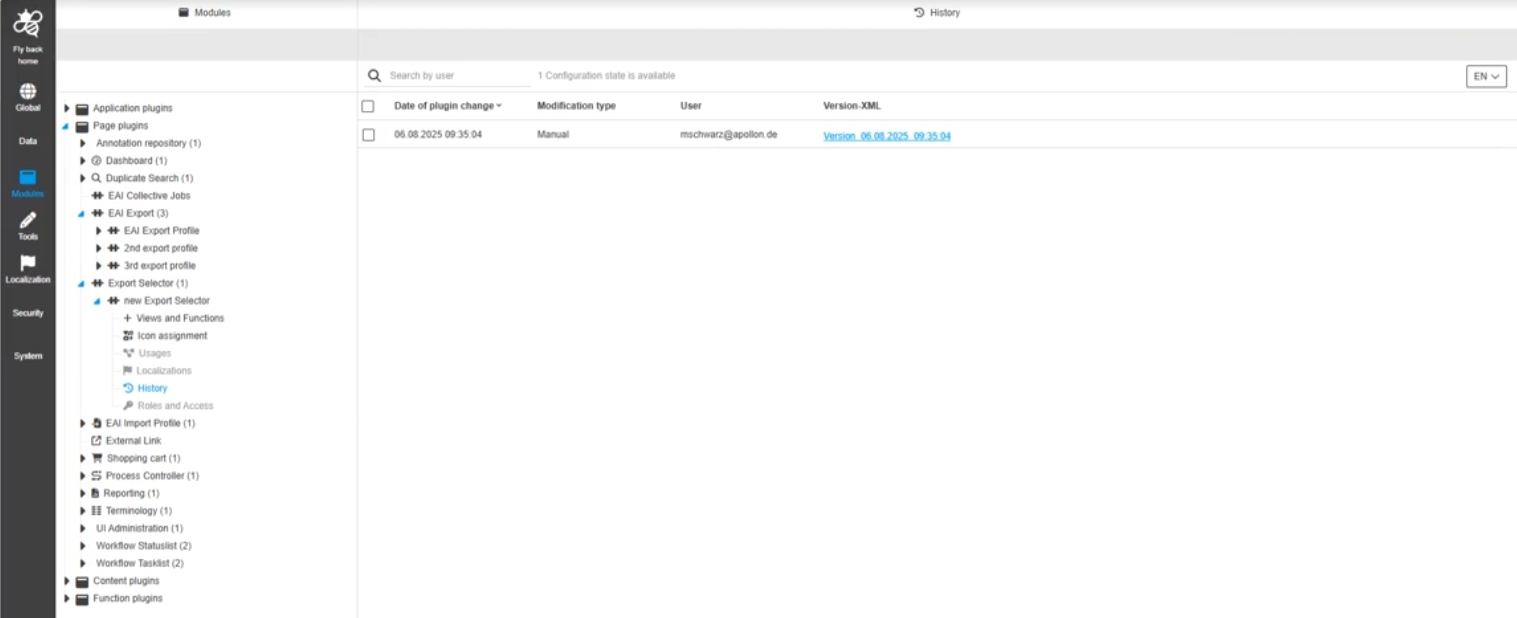
Configuration Client - Modules - Page plugin - EAI Selector
Tags |
OUCC-1889 |
New Page Plugin called EAI Select which allows to configure the plugin EAI Selector s in the Frontend (belongs to EAI Export Module)
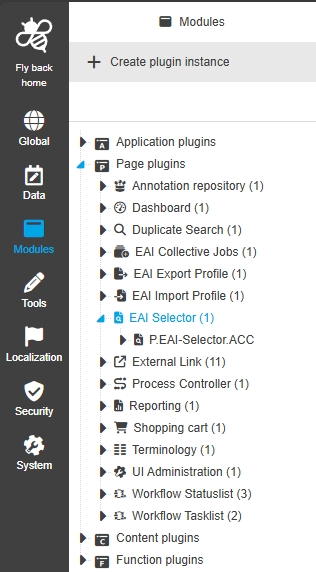
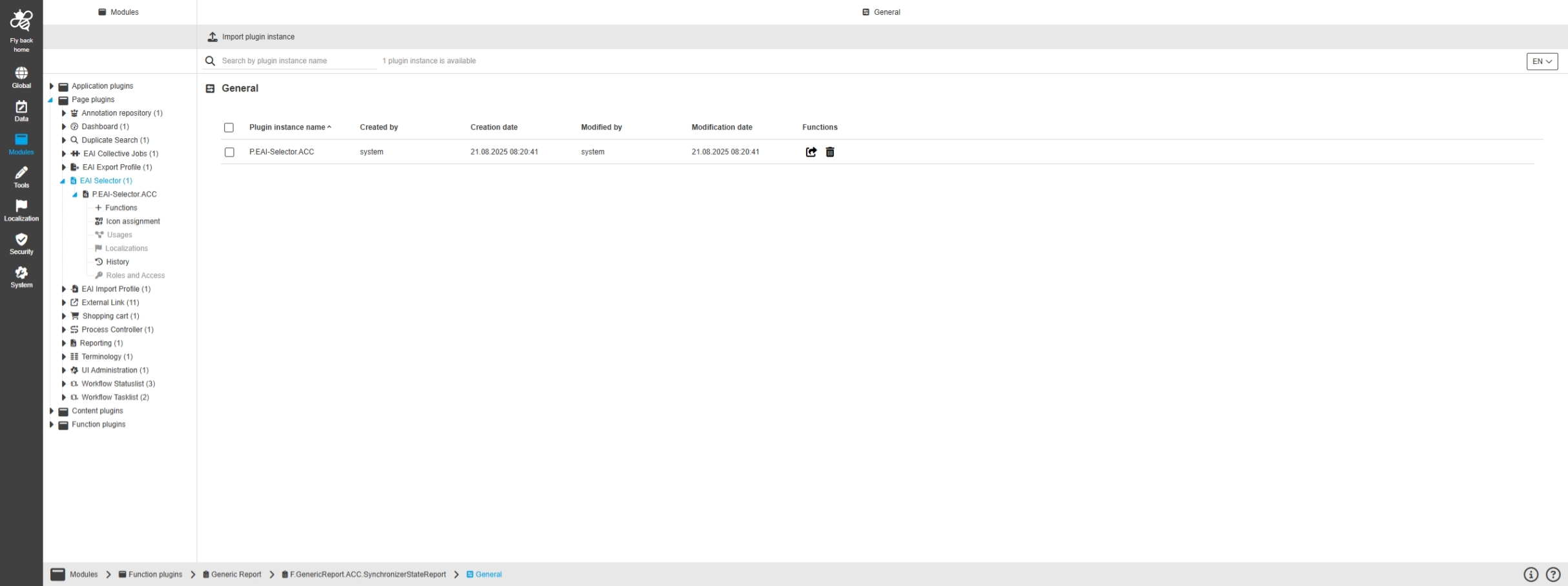
Modules - Page plugin - EAI Selector - General Layout
Tags |
OUCC-1898 |
Possibility to configure the EAI Selector page Plugin in new Config
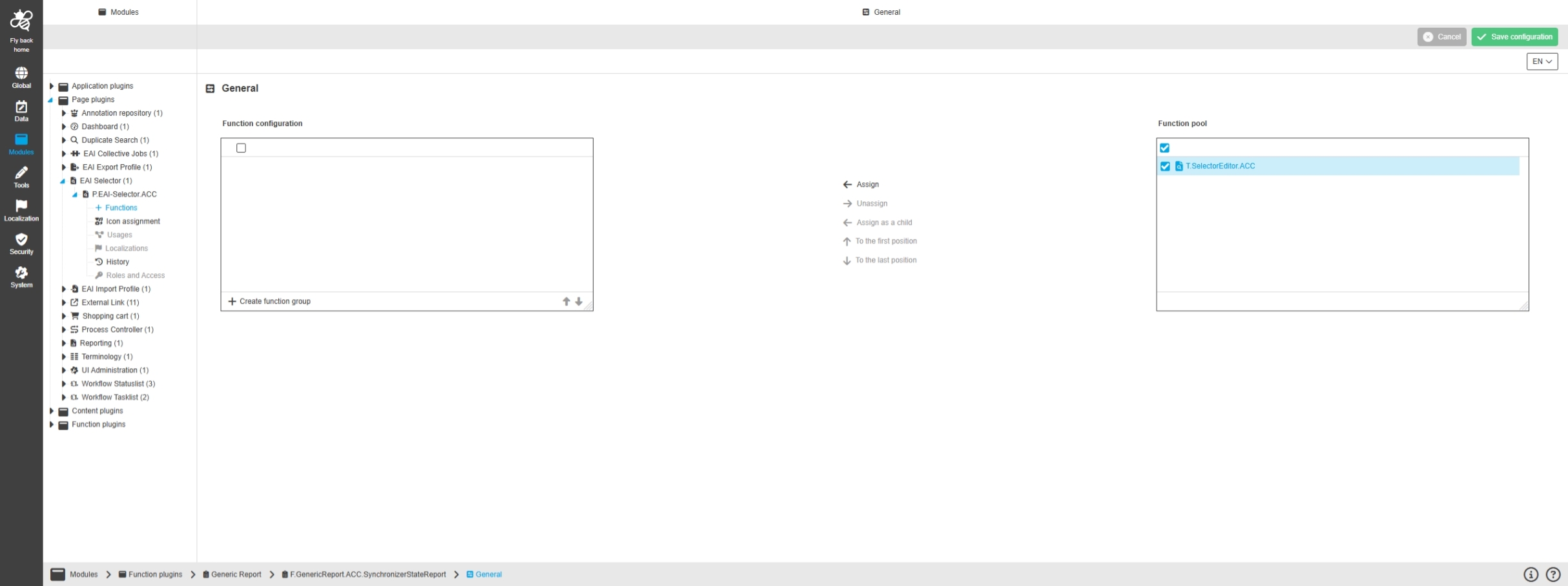
Modules - Page plugin - EAI Selector - Functions
Tags |
OUCC-1962 |
Possibility to configure functions for EAI selector plugin to use them in the Client
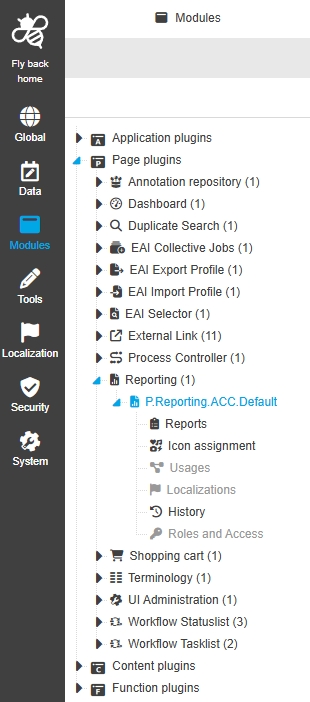
Configuration Client - Modules - Page plugin - Reporting
Tags |
OUCC-52 |
Possibility to configure reporting page Plugin to execute reports in the UI
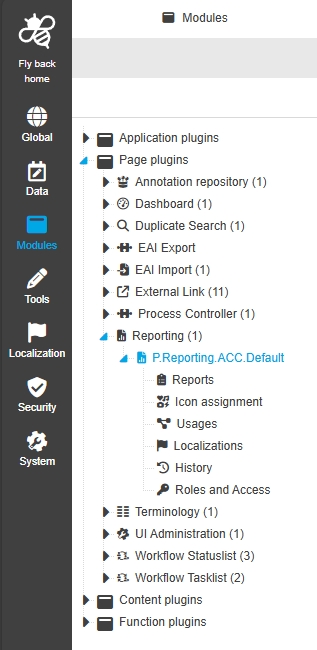
Modules - Page plugin - Reporting - General layout
Tags |
OUCC-457 |
Possibility to configure reporting page Plugin to execute reports in the UI
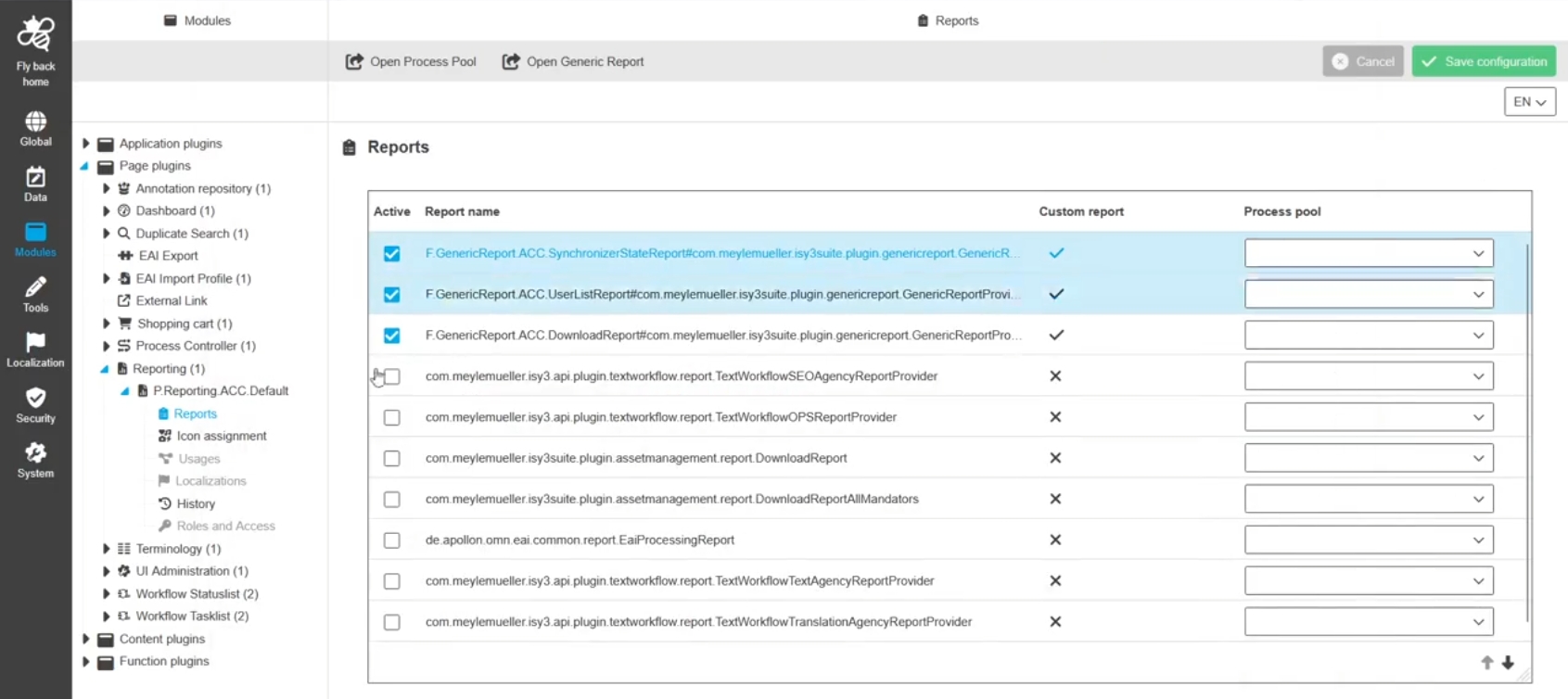
Modules - Page plugin - Reporting - Reports
Tags |
OUCC-458 |
Possibility to configure which Reports are available in the Reporting module in Frontend by new ConfigUI
Configuration Client - Modules - Page plugin - Shopping cart
Tags |
OOM-571, OUCC-1193, OMN-11449 |
Base Requirement |
OR-705 |
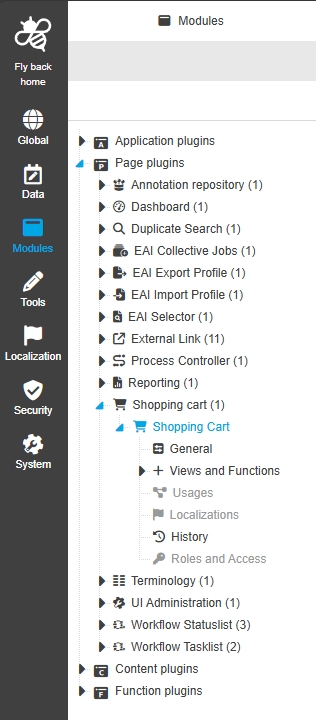
Possibility to configure Shopping Cart page Plugin to execute reports in the UI
Modules - Page plugin - Shopping cart - General layout
Tags |
OUCC-1649 |
Possibility to configure the shopping cart page Plugin so that a user can collect assets and provide different downloads of those assets from the OMN System
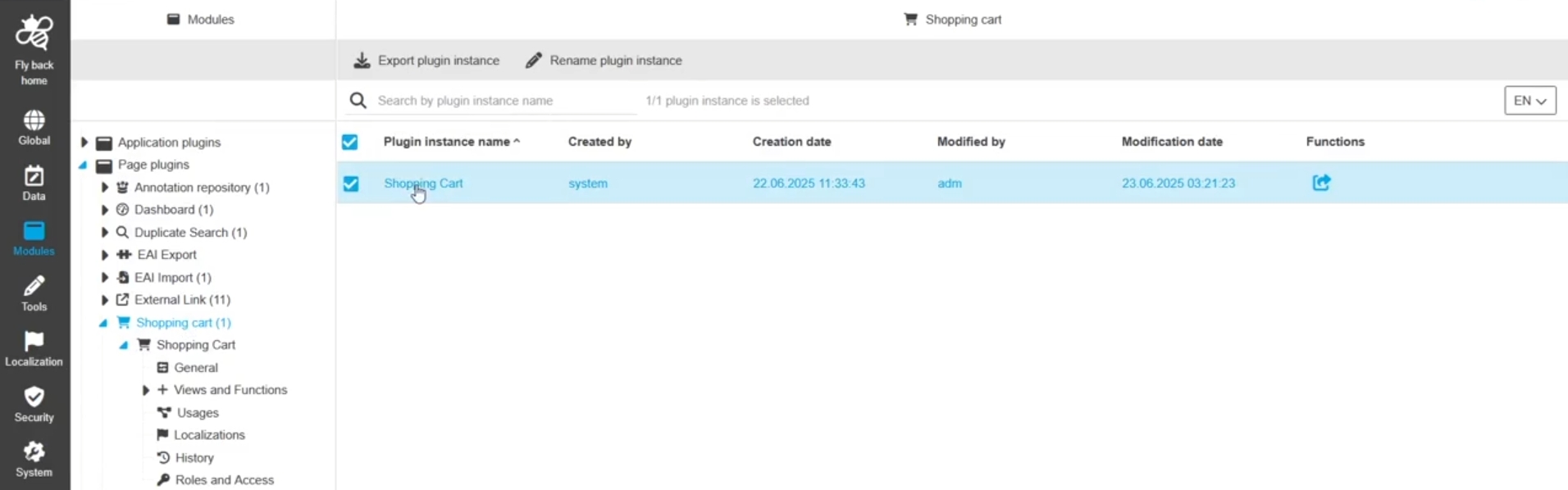
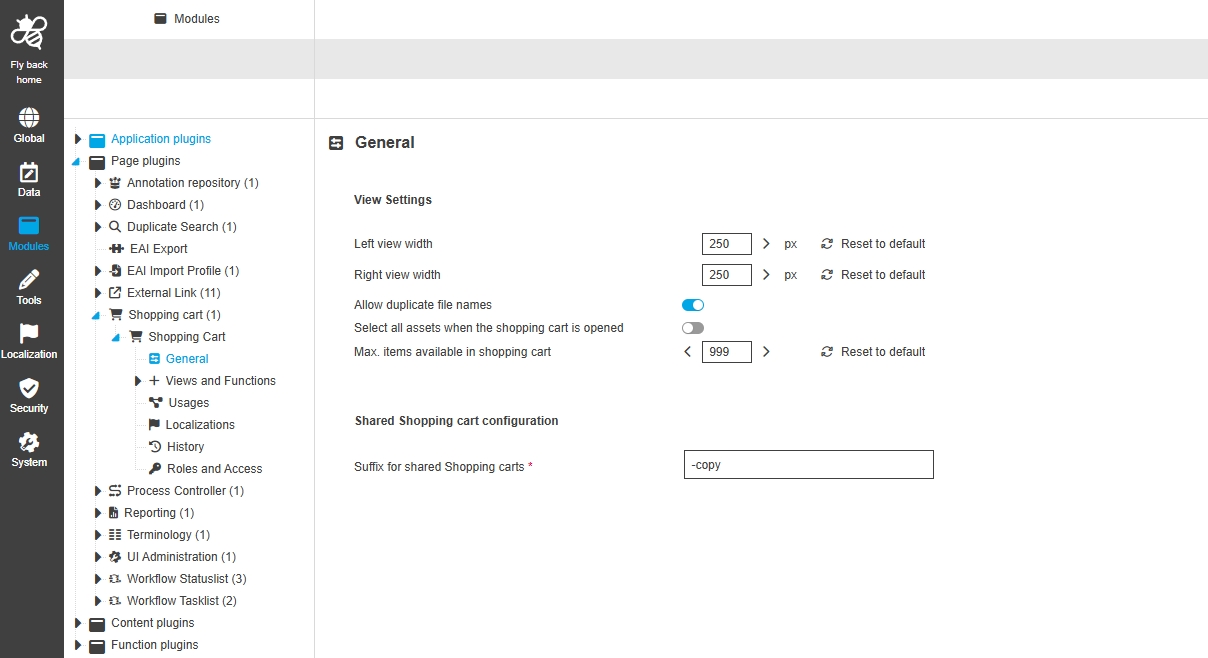
Modules - Page plugin - Shopping cart - General
Tags |
OUCC-1650 |
Possibility to configure general view settings for shopping cart page in new ConfigUI
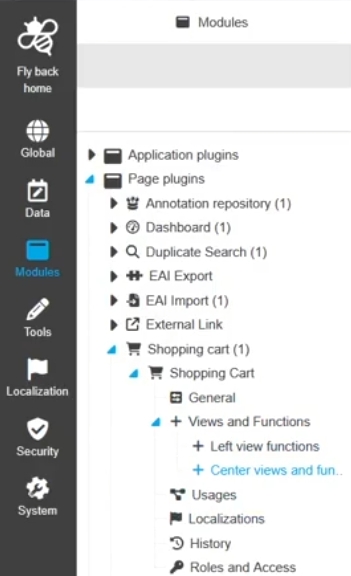
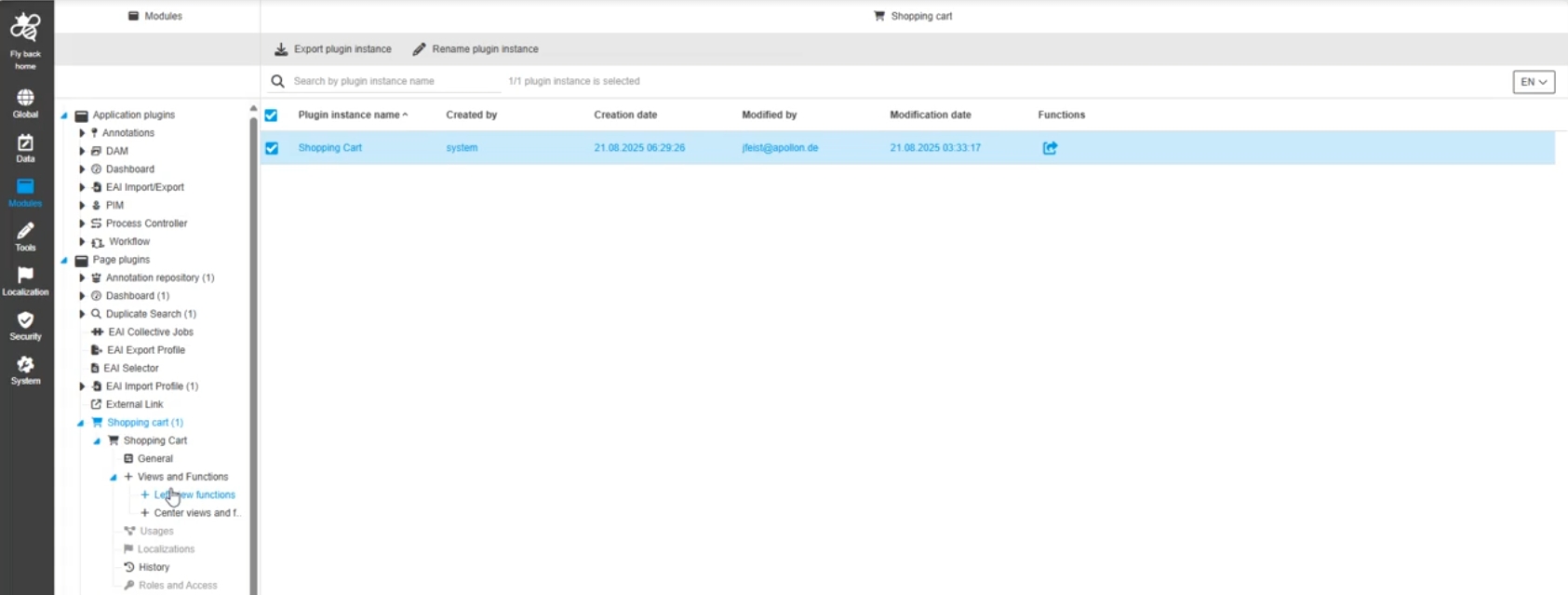
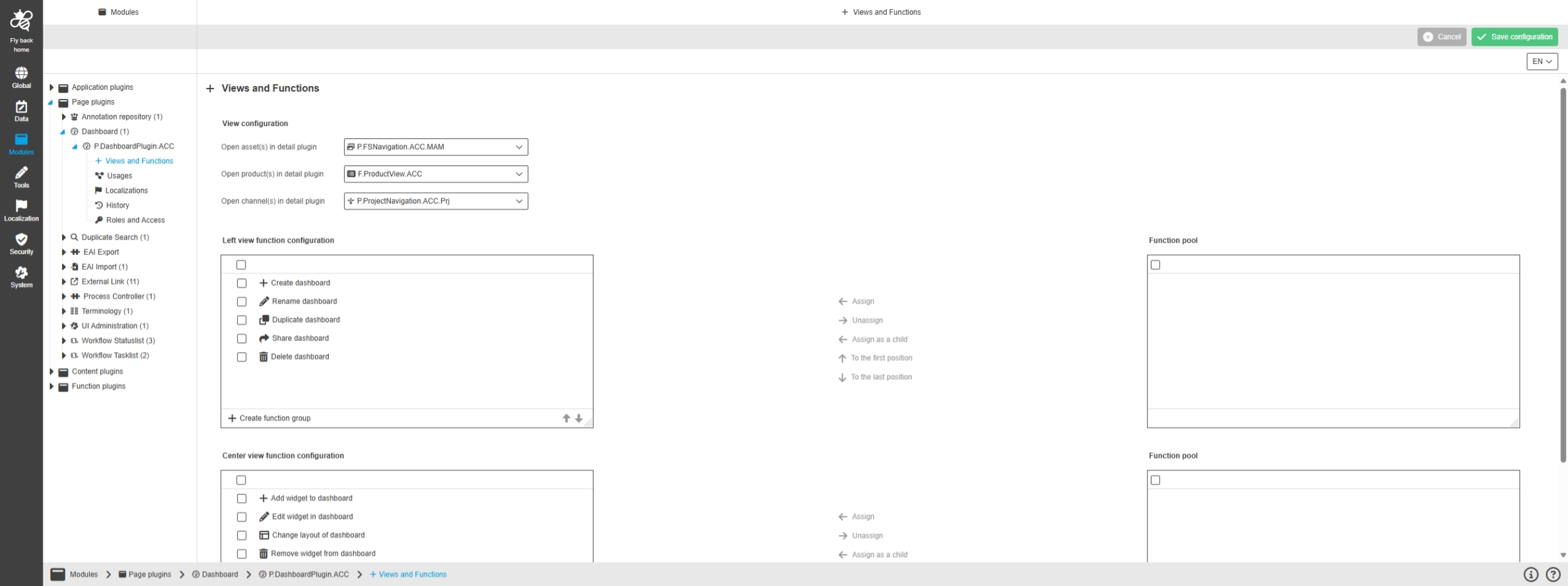
Modules - Page plugin - Shopping cart - Views and Functions
Tags |
OUCC-1651, OMN-11615 |
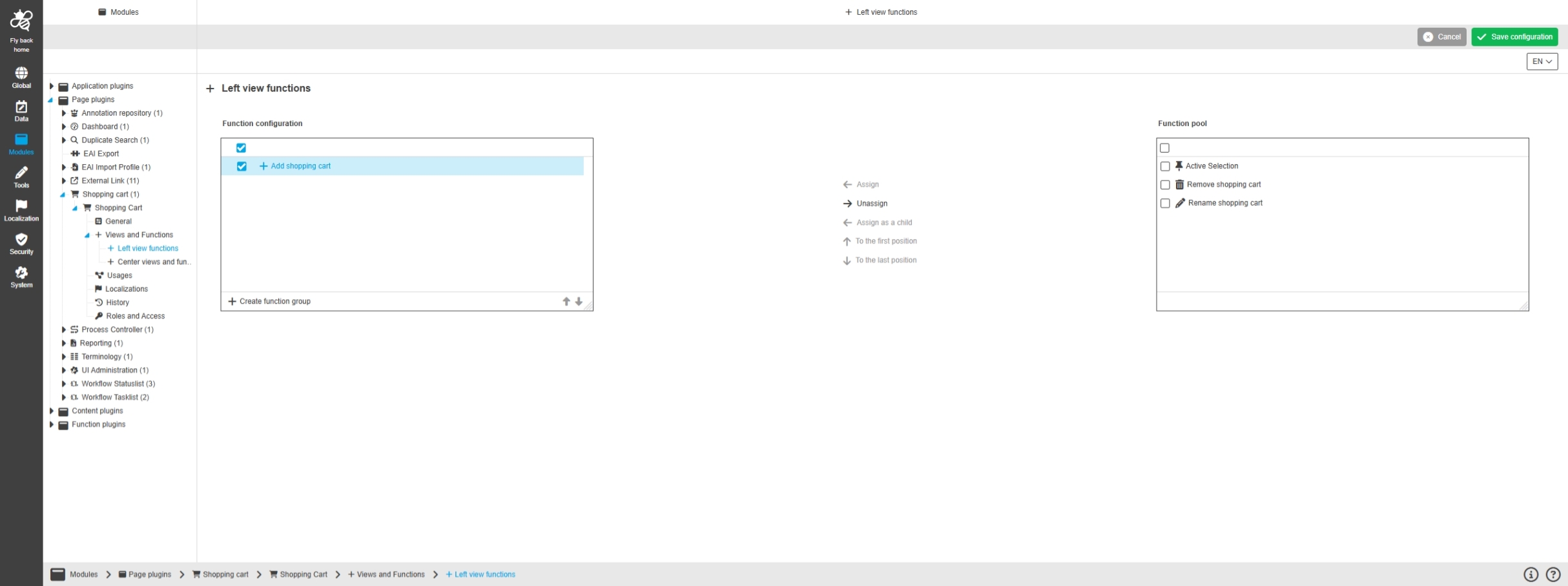
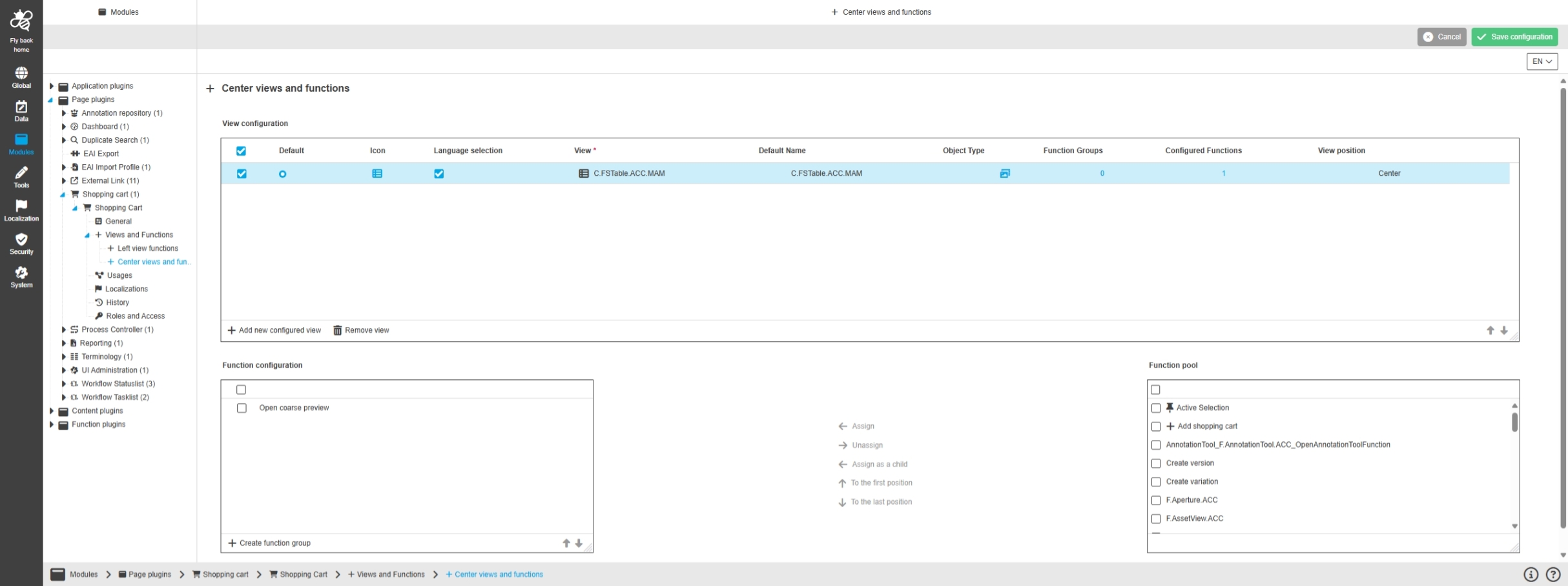
Possibility to configure views and functions for shopping cart in new ConfigUI to customize my shopping cart as desired
-
Left View Functions
-
Center View Functions
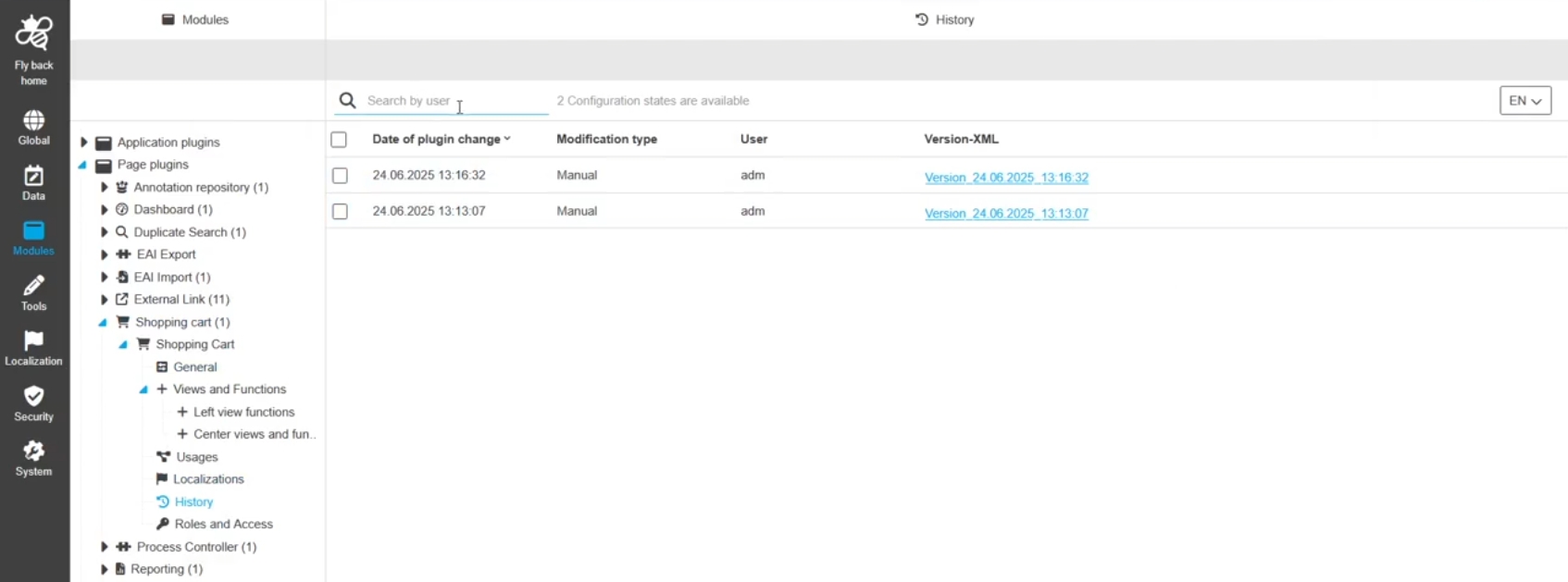
Modules - Page plugin - Shopping cart - History
Tags |
OUCC-1654 |
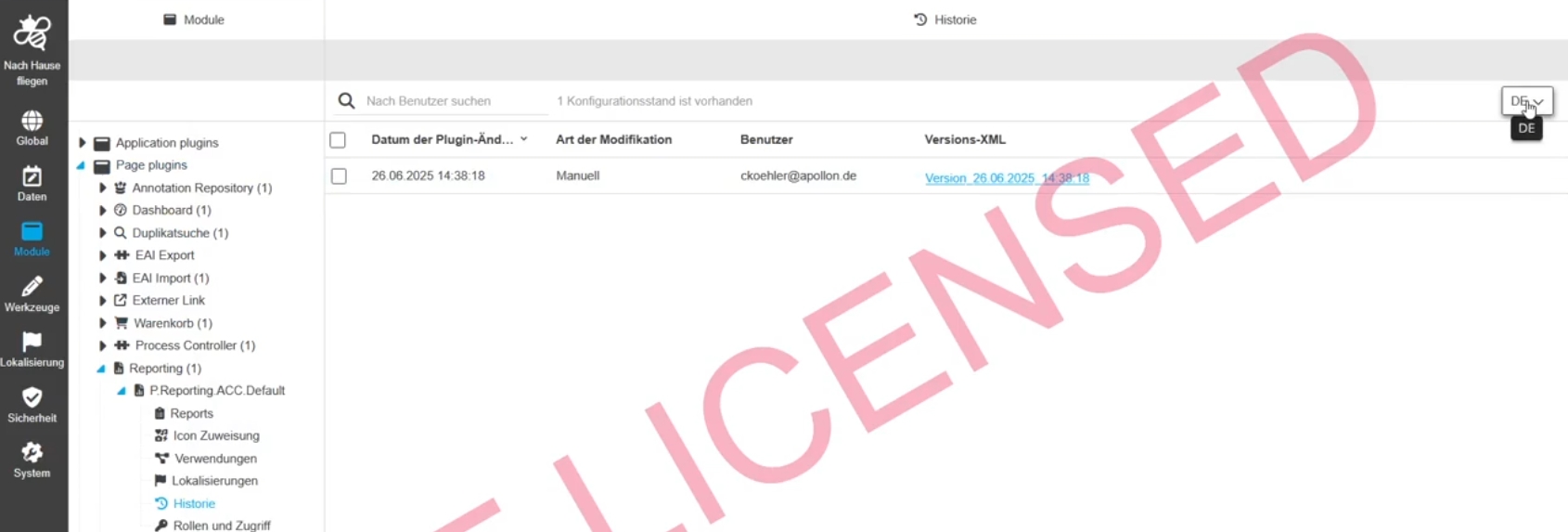
Overview of all modifications made in the Shopping cart plugin instance to understand who, when and what changes was done within the configuration
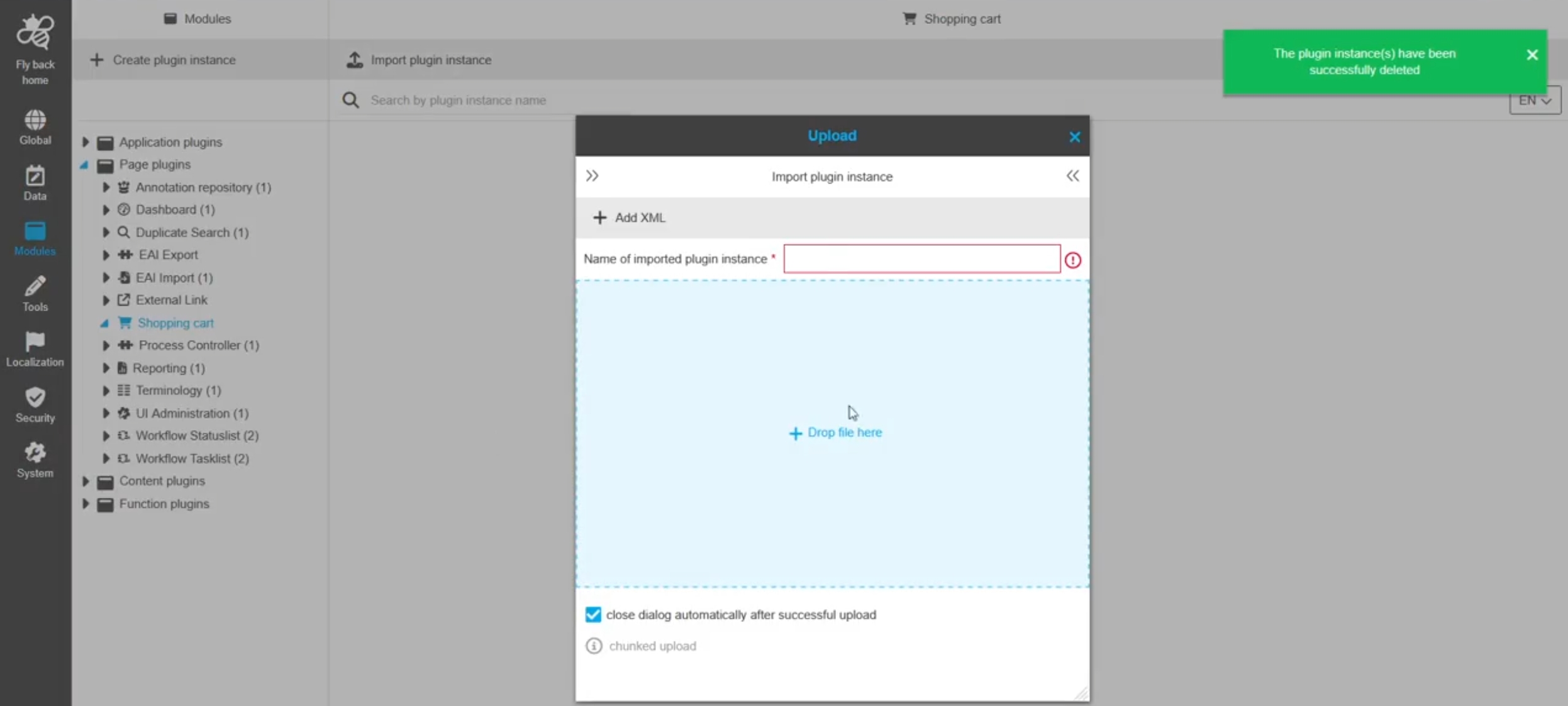
Modules - Shopping cart - Improvements to make Shopping cart into Page plugin
Tags |
OMN-11439 |
Possibility to configure the shopping cart page plugin, so I can collect assets and provide different downloads of those assets from my own Systems
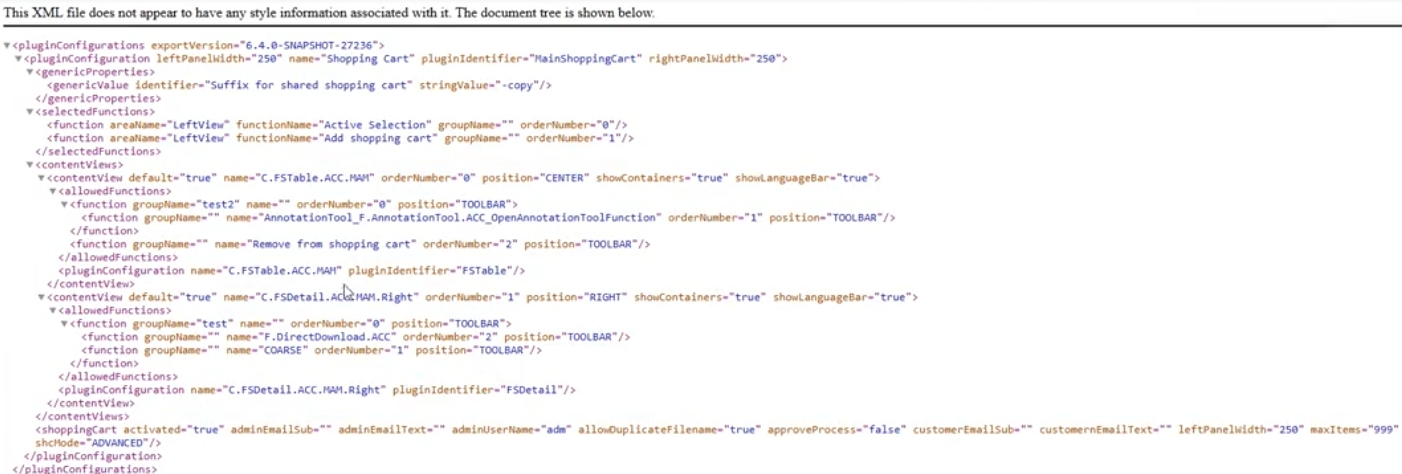
Extend shopping cart center view function configuration by useful functions for items in center view
Tags |
OMN-11448 |
Possibility to configure new functions in shopping cart function configuration (for example a direct download), so that the user can use those functions in all shopping cart content views in the UI
Already available
-
F.Download
-
F.Downloadchannel
-
F.ShowinNavigation
-
F.DeliveryChannel
-
F.ShowinNavigation
-
Create Version
-
Create Variant
-
open in Fullscreen
-
RemovefromShoppingCart
New configurable
-
F.DirectDownload
-
Open Coarse Preview
-
Open Original preview
-
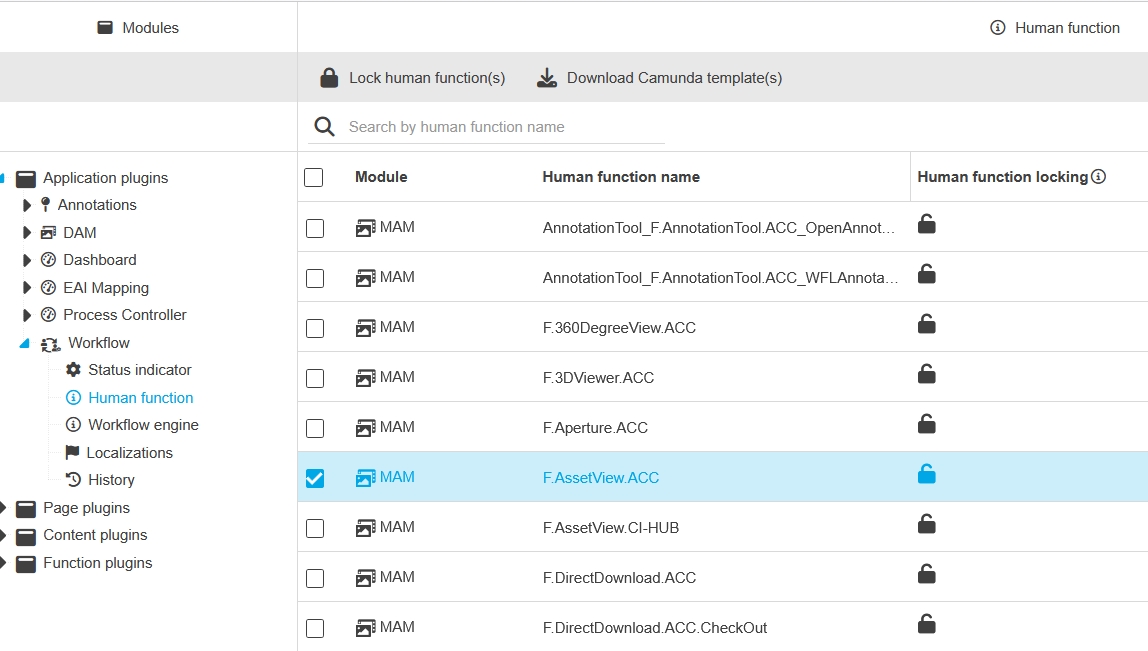
F.AssetView
-
F.WorkflowConfig (DAM objects)
-
F.AnnotationTool
-
F.Aperture
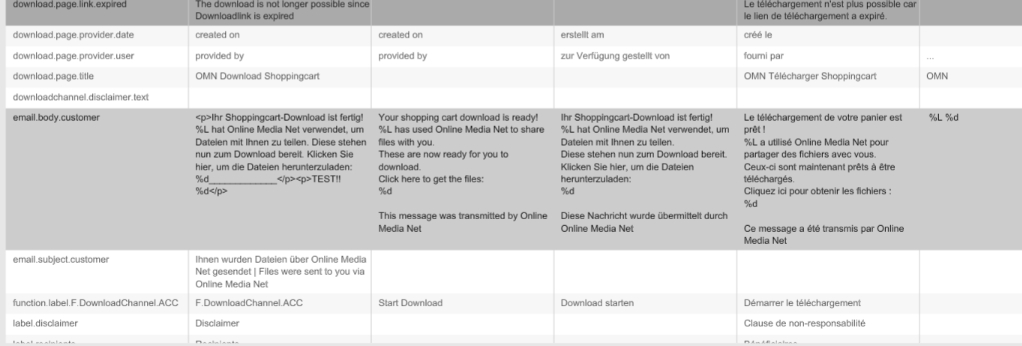
DownloadChannel Localization of email subject now possible
Tags |
OMN-10464 |
Email Subject of Download-Email can now be localized
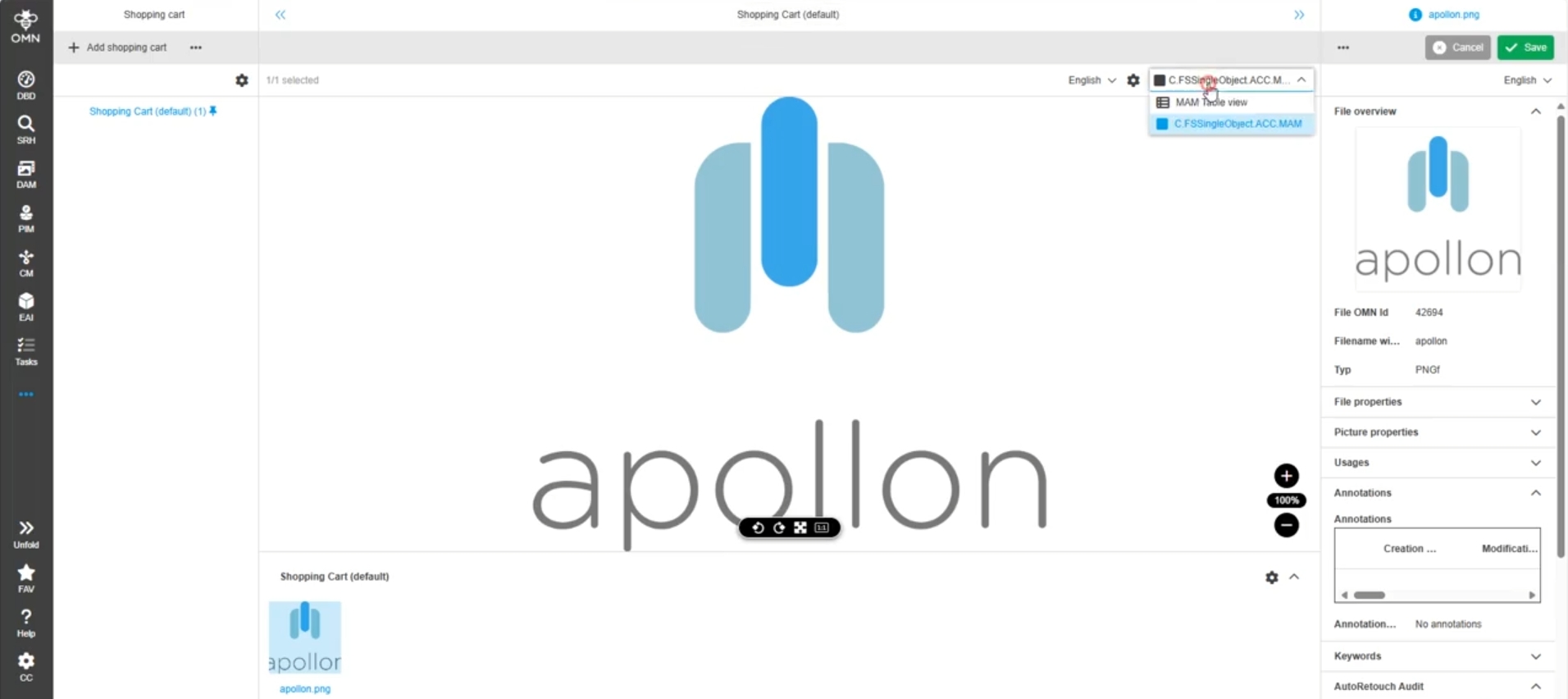
Possibility to configure DAM SingleObjectView in Shopping Cart view configuration
Tags |
OMN-11445 |
Possibility able add a DAM Single Object View to center or right panel in Shopping cart
Content-Plugins
Improvements and new functions in OMN Config UI - Content Plugins
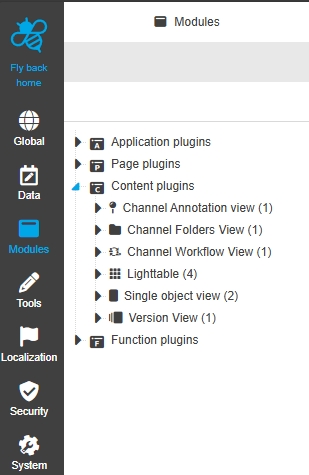
Configuration Client - Modules - Content plugin - ChannelWorkflowView
Tags |
OUCC-91 |
Possibility to configure ChannelWorkflowView Plugin in new Configuration Client UI
Modules - Content plugin - ChannelWorkflowView - General Layout
Tags |
OUCC-524 |
Possibility to configure the channel workflow content plugin in the new Config Client
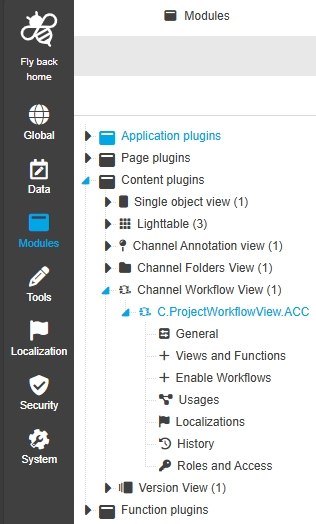
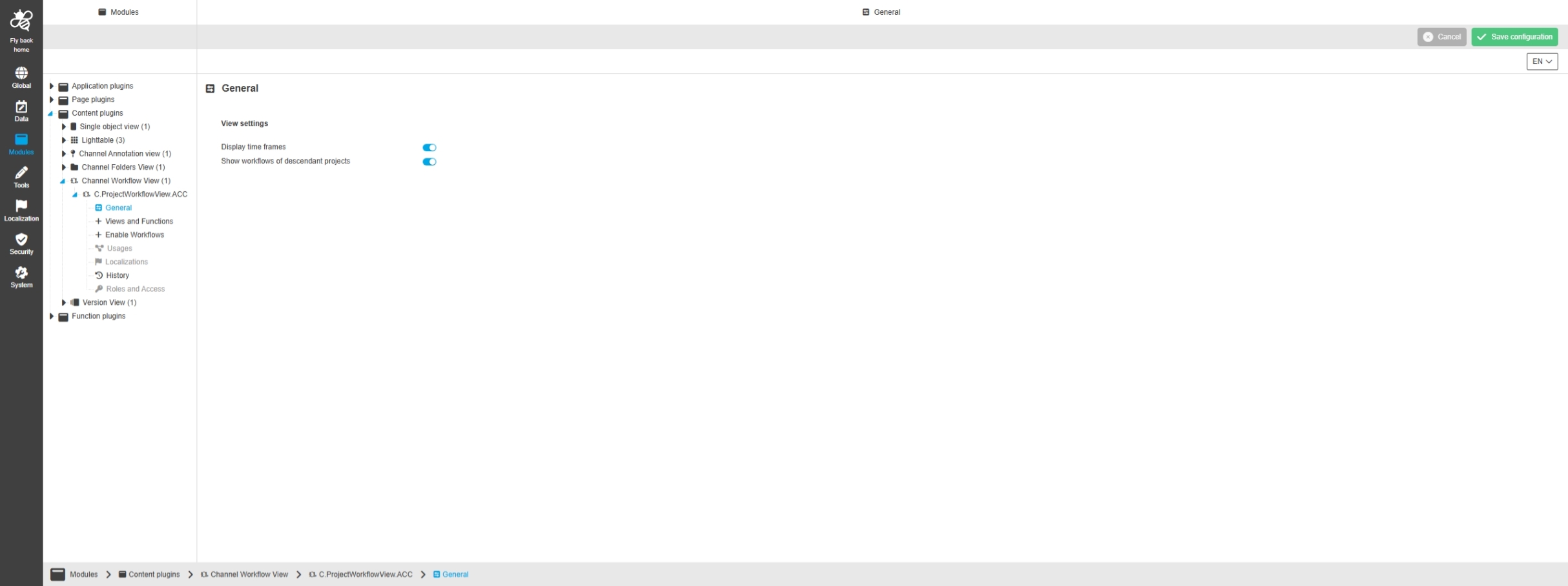
Modules - Content plugin - ChannelWorkflowView - General
Tags |
OUCC-1881 |
Possibility to configure general view settings for Channel Workflow View in new Config UI
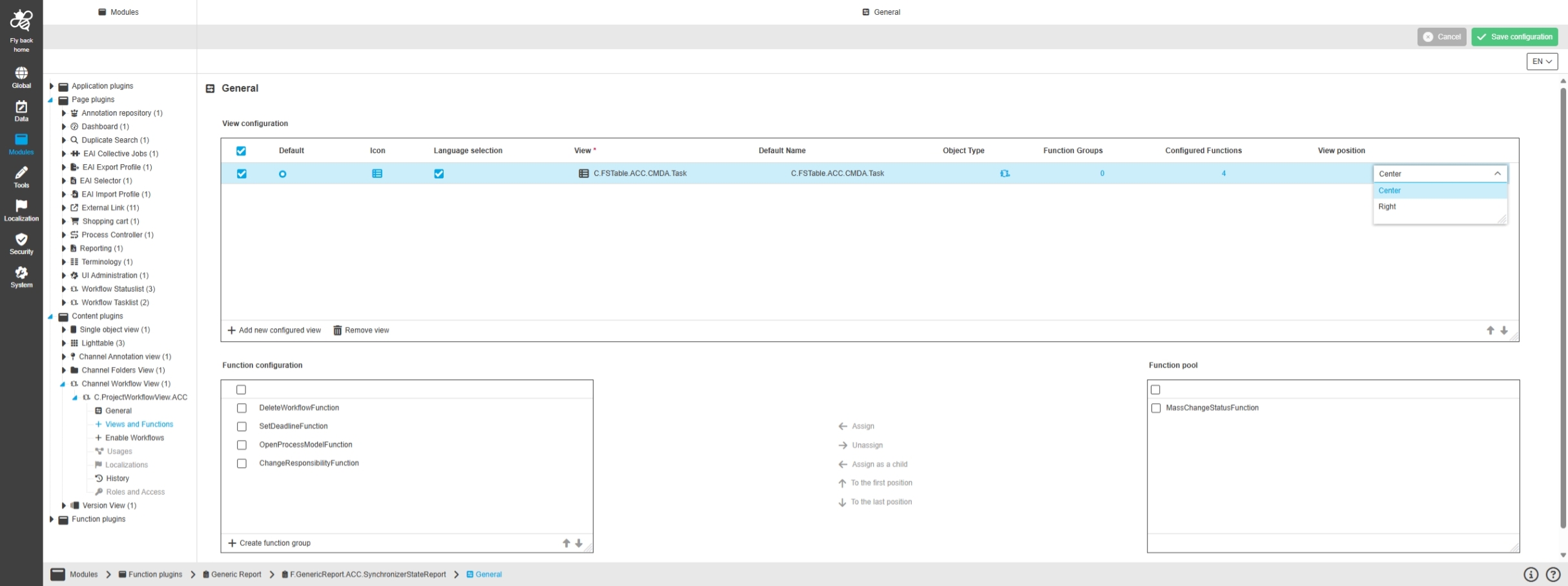
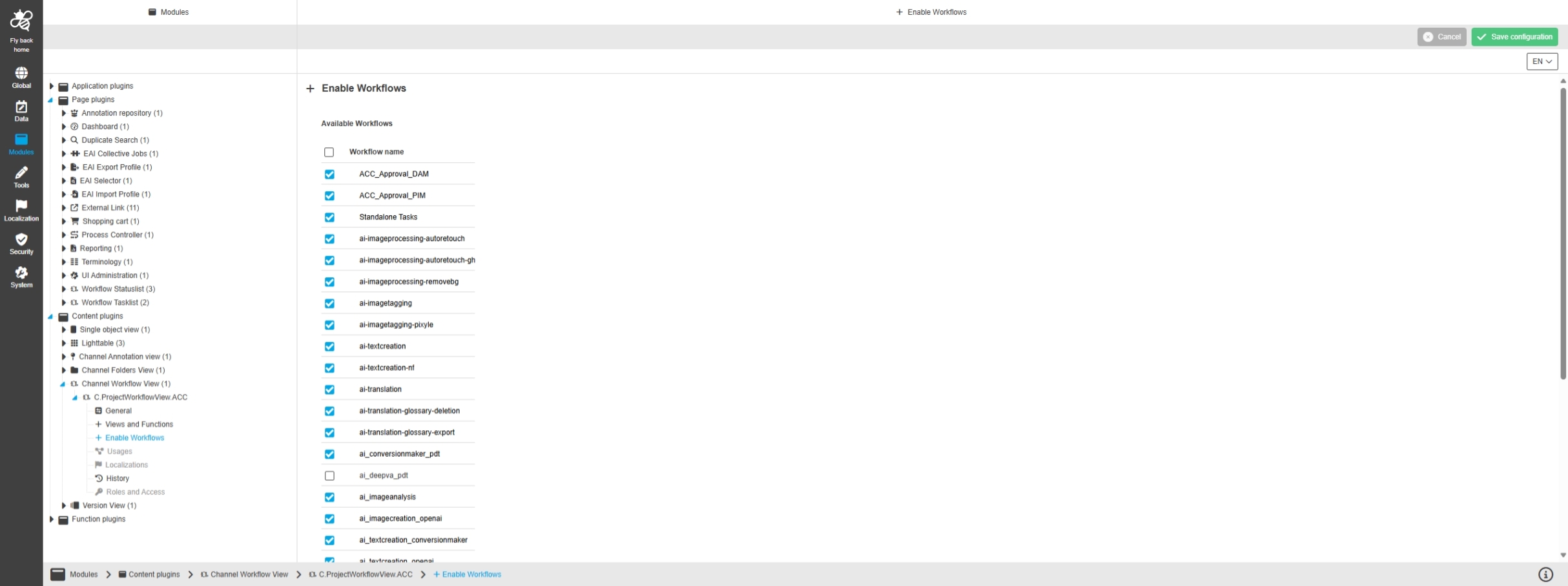
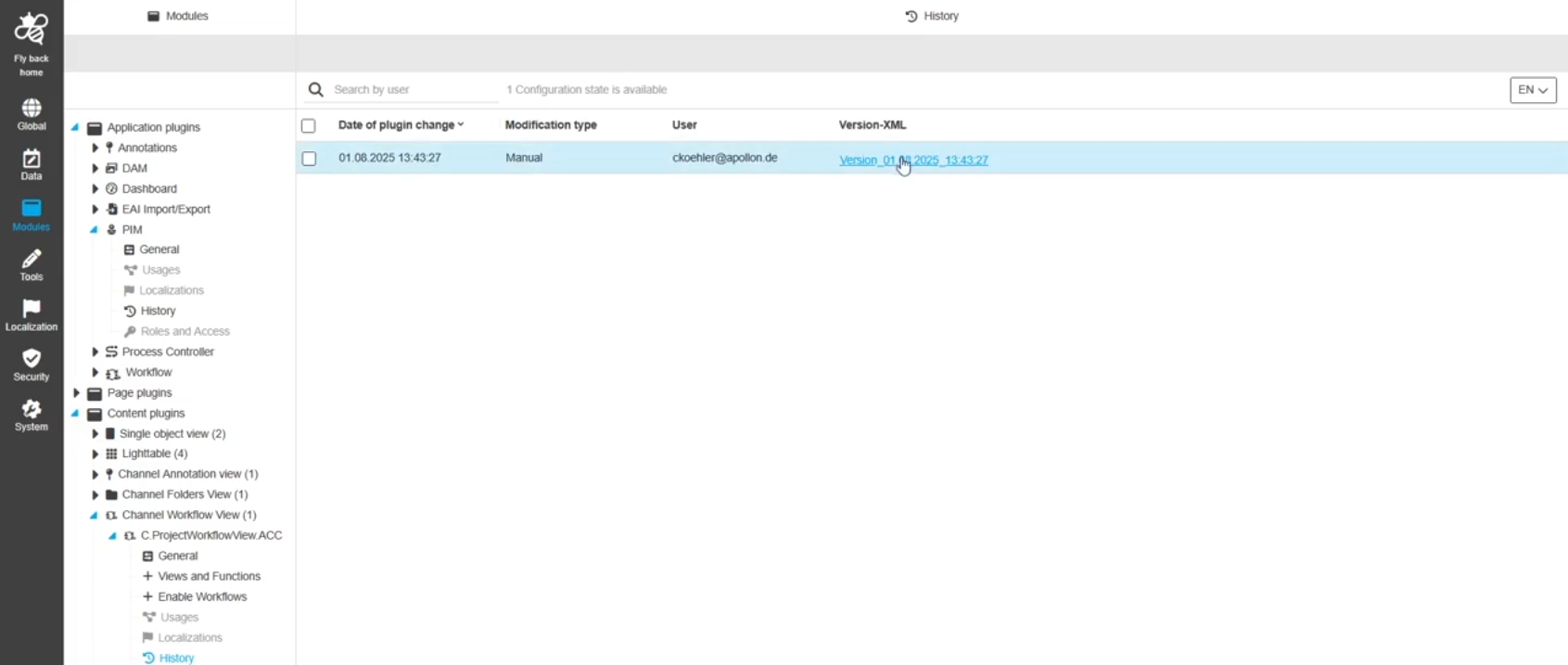
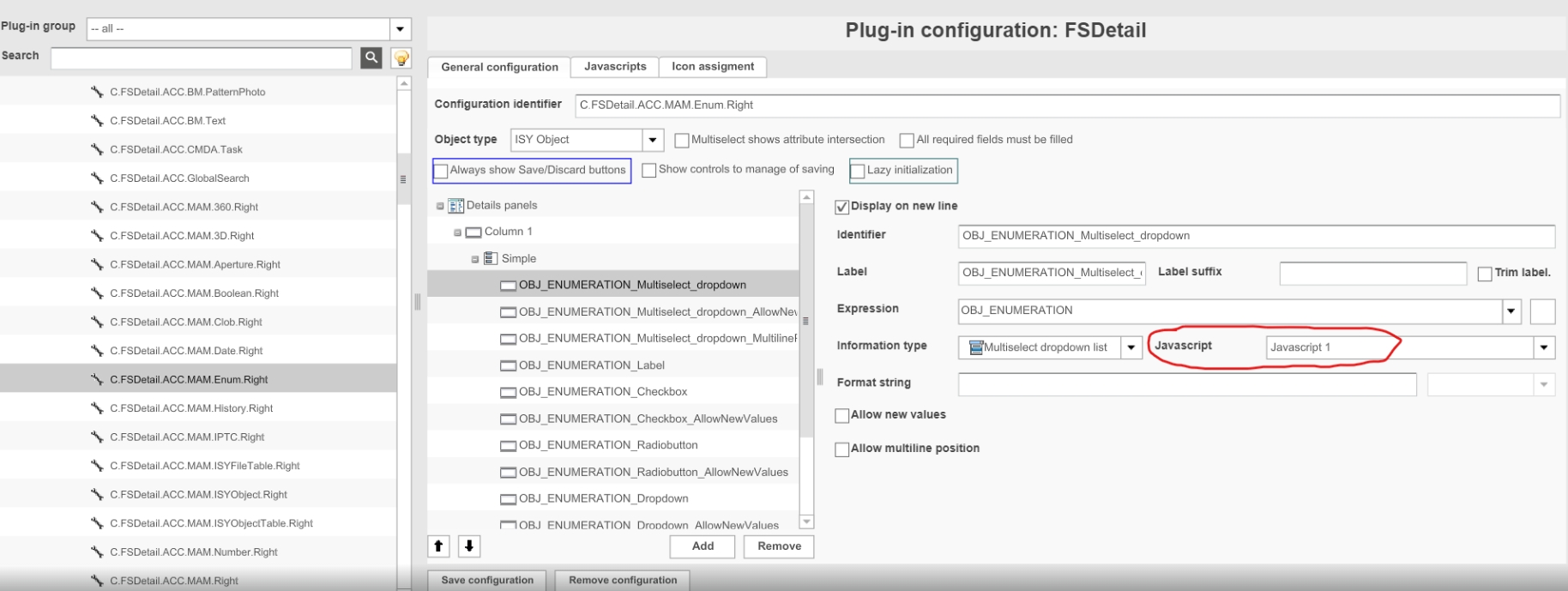
Modules - Content plugin - ChannelWorkflowView - Views and Functions
Tags |
OUCC-525 |
Possibility to like to assign views and functions for my Channel Workflow view to display certain information and functions in the frontend UI
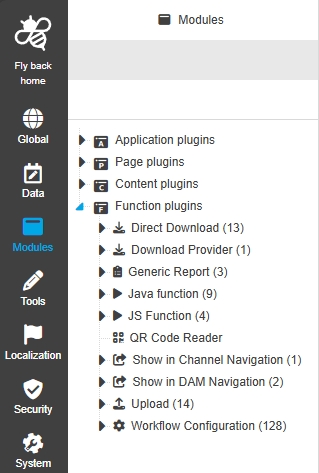
Function Plugins
Improvements and new functions in OMN Config UI - Function Plugins
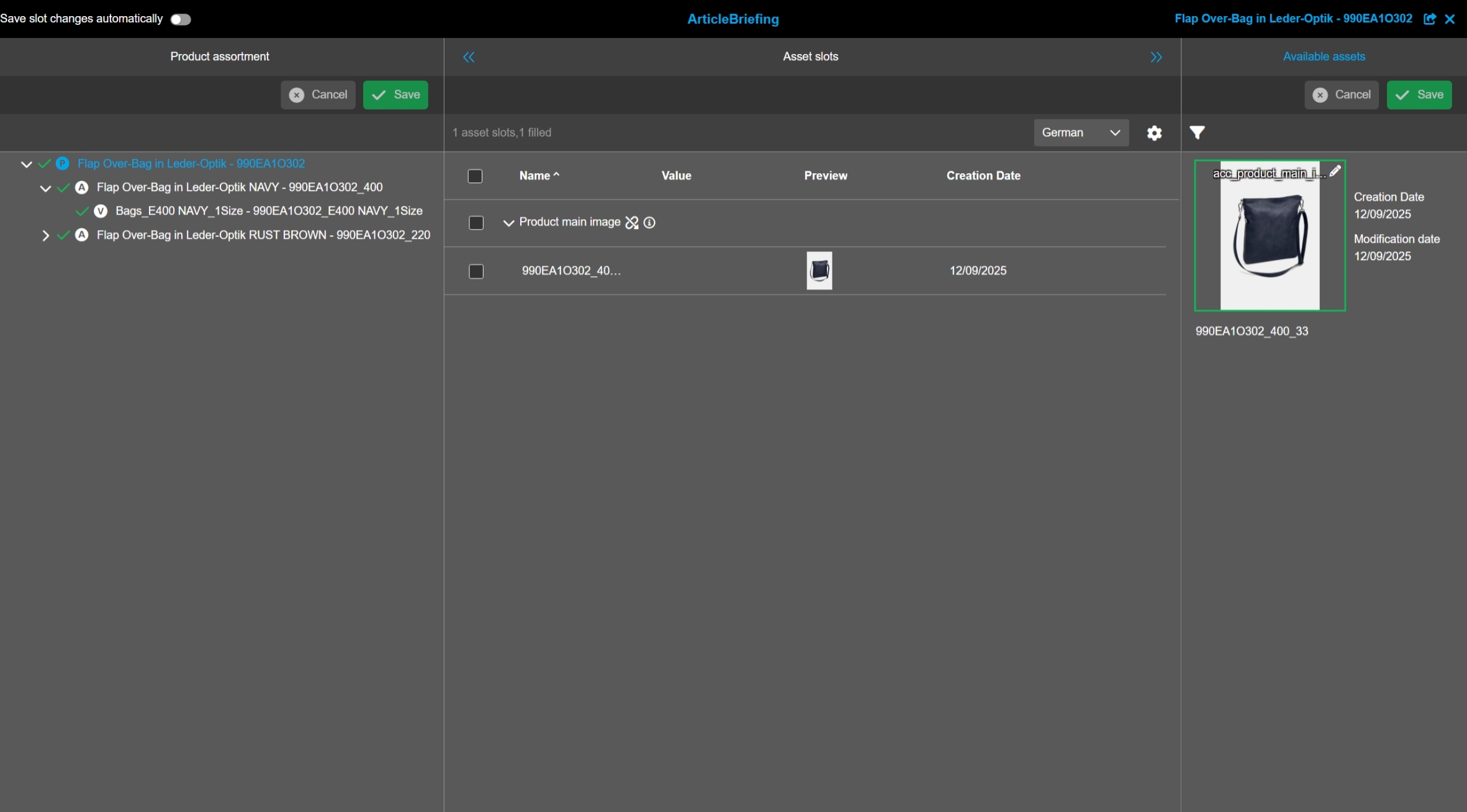
Article Briefing
Tags |
OUCC-102 |
Possibility to configure Article Briefing Function Plugin in new Configuration Client UI
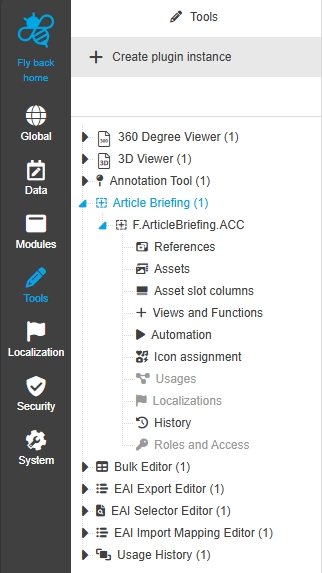
Configuration Client - UI Component - Tree - General Layout
Tags |
OUCC-540 |
Article Briefing Function Plugin cannot be configured in new Configuration Client
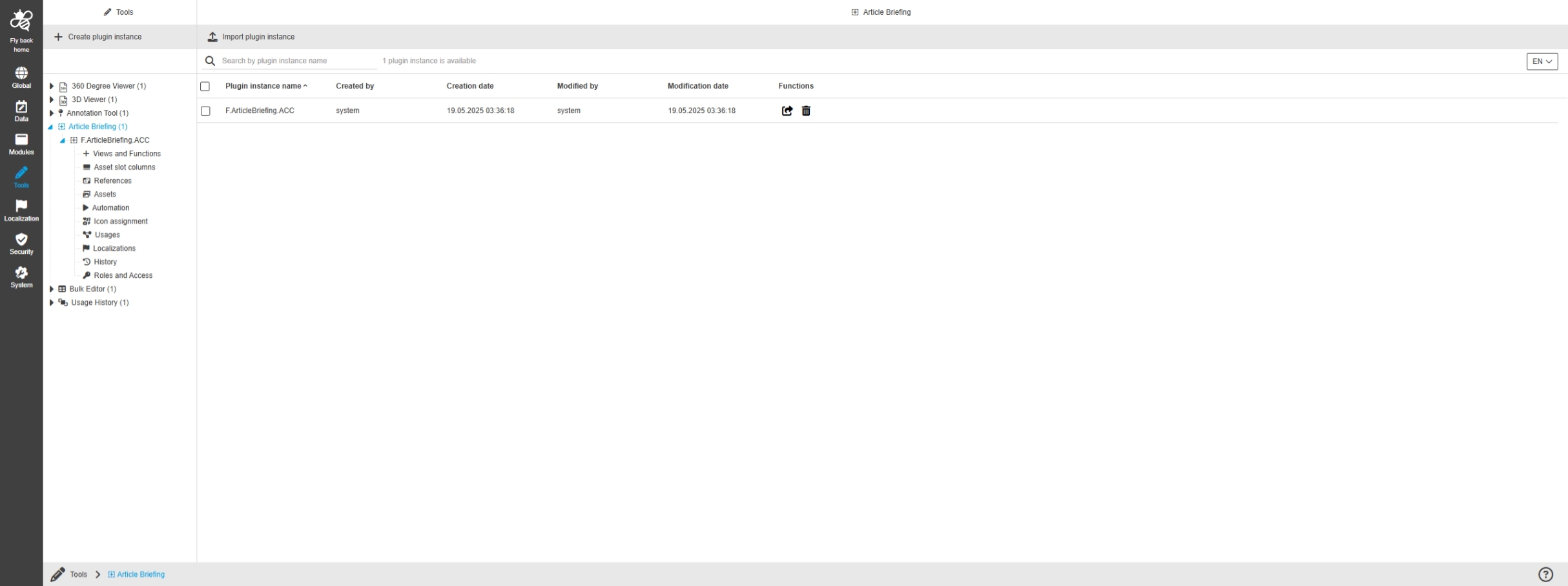
Configuration Client - Tools - ArticleBriefing - Views and Functions
Tags |
OUCC-541 |
Possibility to configure views and functions for Article Briefing tool in new ConfigUI
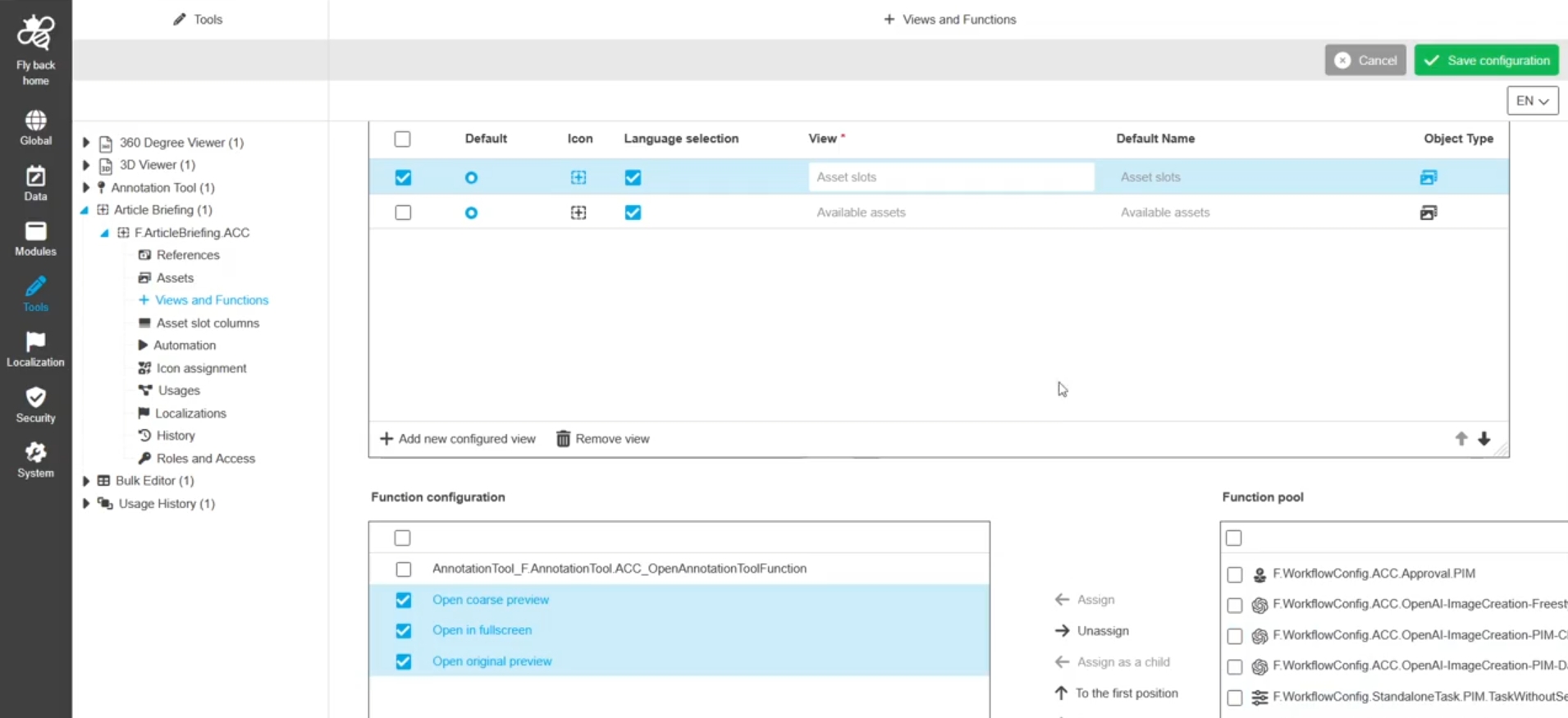
Configuration Client - Tools - Articlebriefing - Icon assignment
Tags |
OUCC-542 |
Possibility to assign an icon for Article Briefing tool, so the icon is shown for the corresponding function in the UI
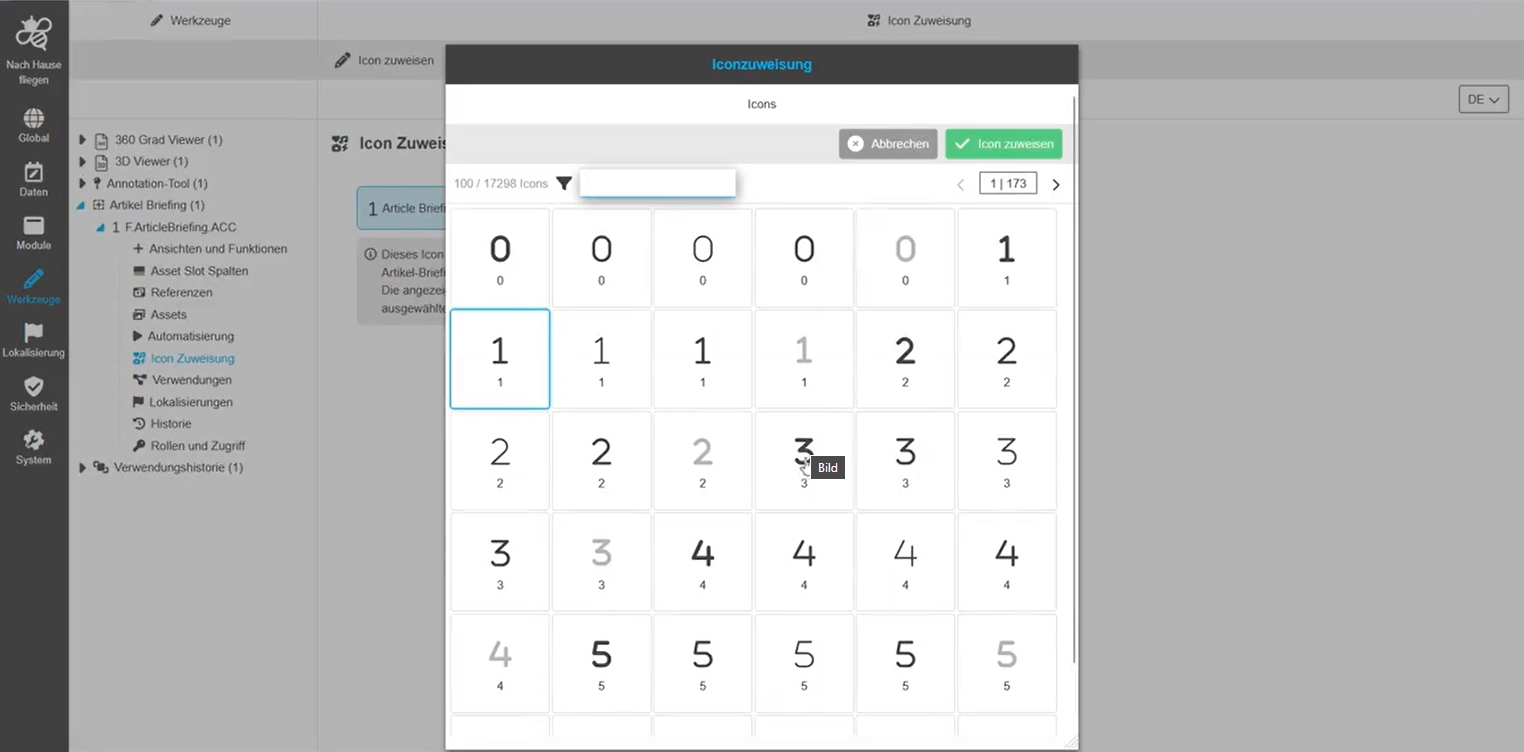
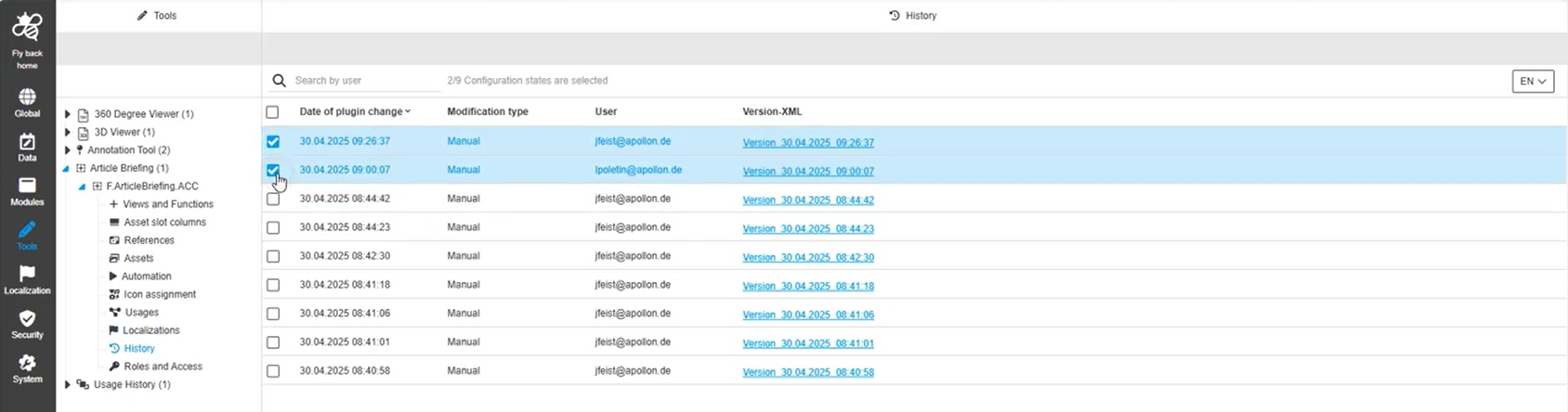
Configuration Client - Tools - Articlebriefing - History
Tags |
OUCC-545 |
Overview of all modifications made in Article Briefing tool instance and have an initial state available as a file, so I understand who, when and what changes within the configuration
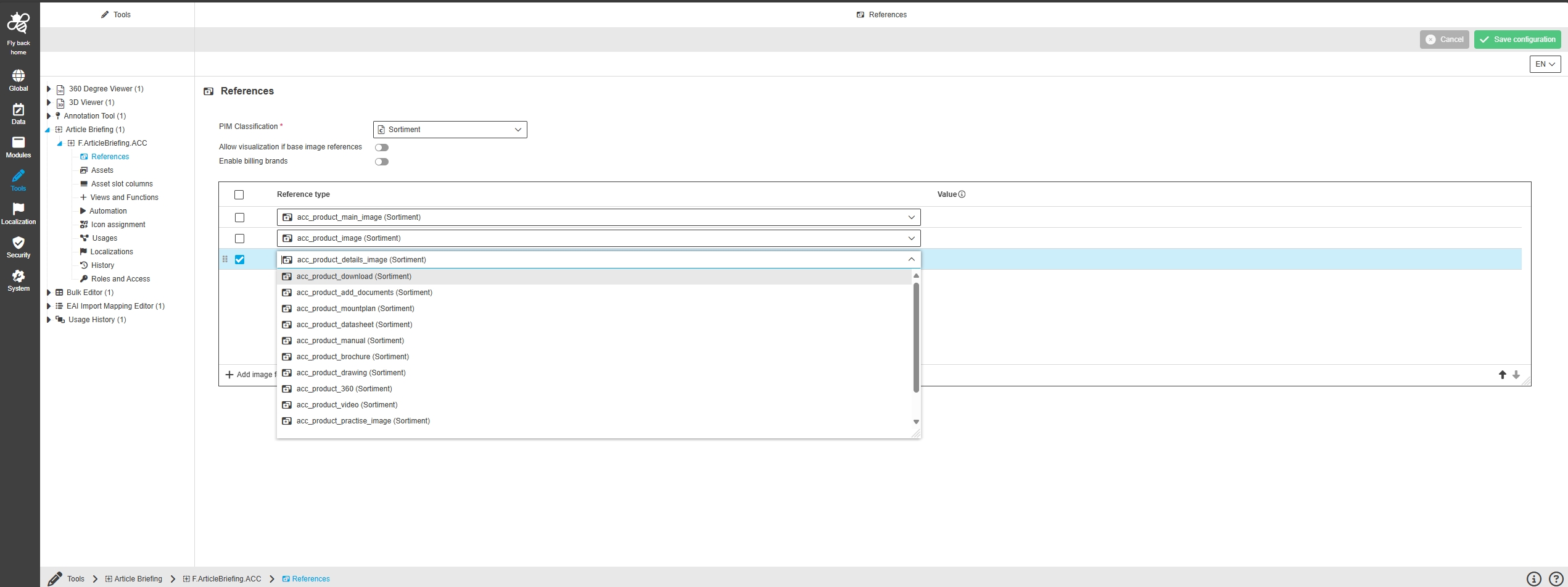
Configuration Client - Tools - Articlebriefing - References
Tags |
OUCC-1161 |
Possibility to configure the references in Article Briefing Plugin that are relevant for the asset slot linking within the Article Briefing in new ConfigUI
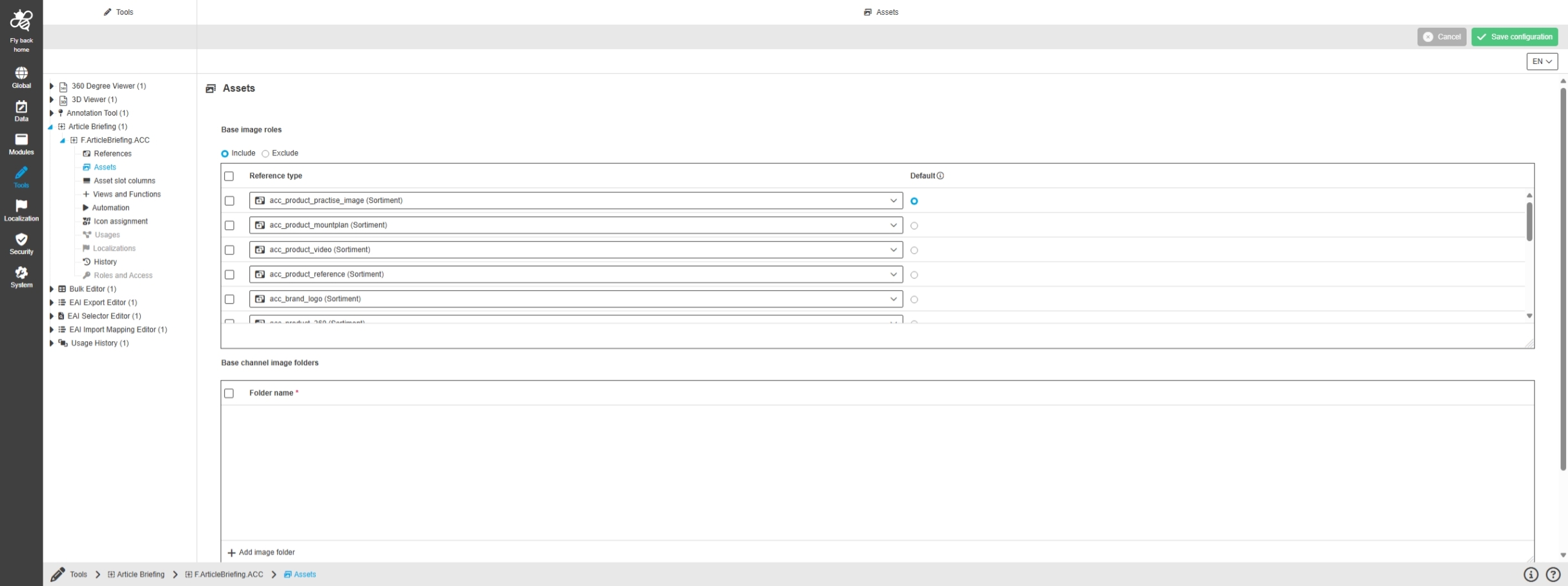
Configuration Client - Tools - Articlebriefing - Assets
Tags |
OUCC-1162 |
Possibility to configure the available assets pool which should be available within the Article Briefing
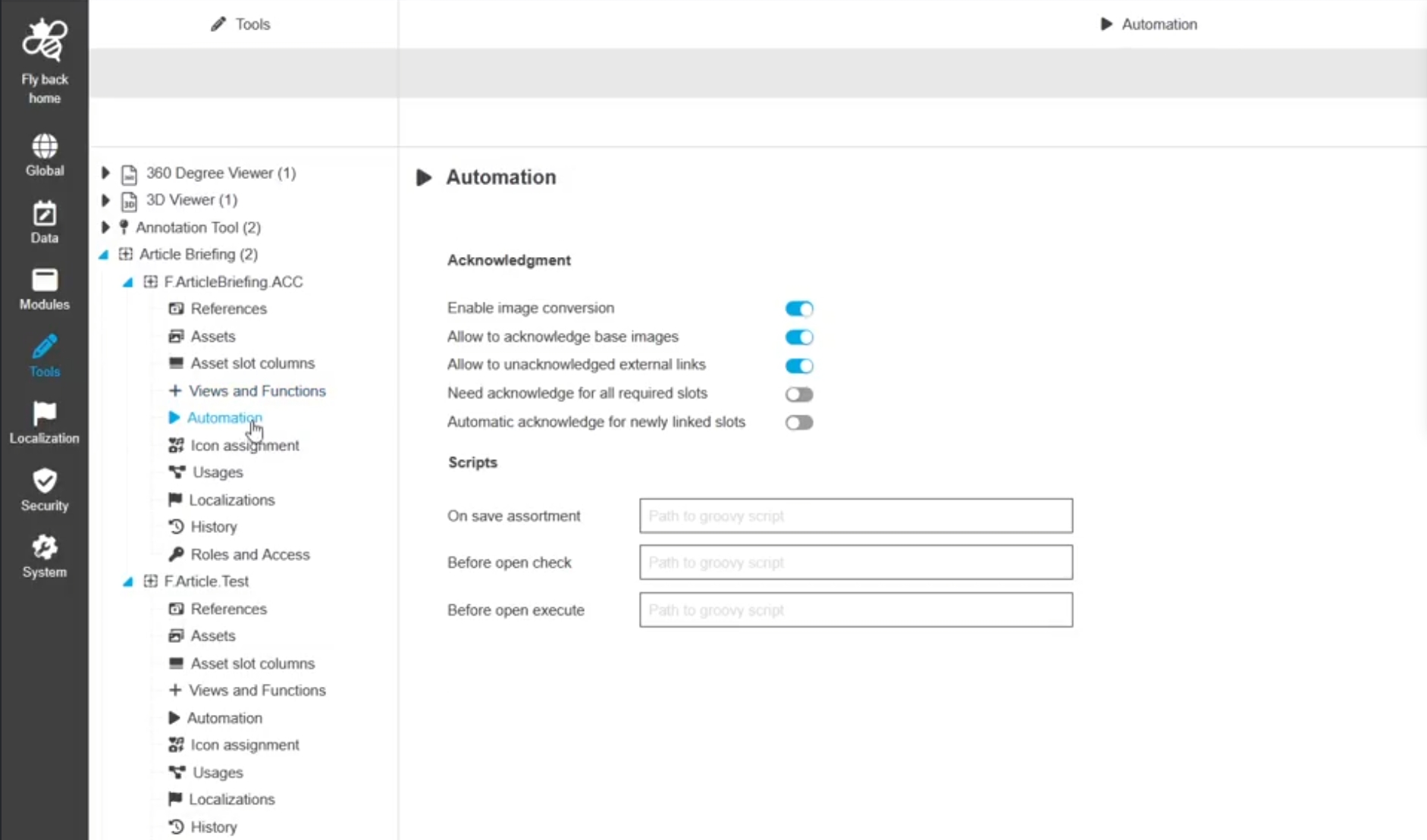
Configuration Client - Tools - Articlebriefing - Automation
Tags |
OUCC-1163 |
Possibility to configure automation in the form of acknowledgment functionality and groovy scripts in Article Briefing to automate the Article Briefing configuration regarding my process needs
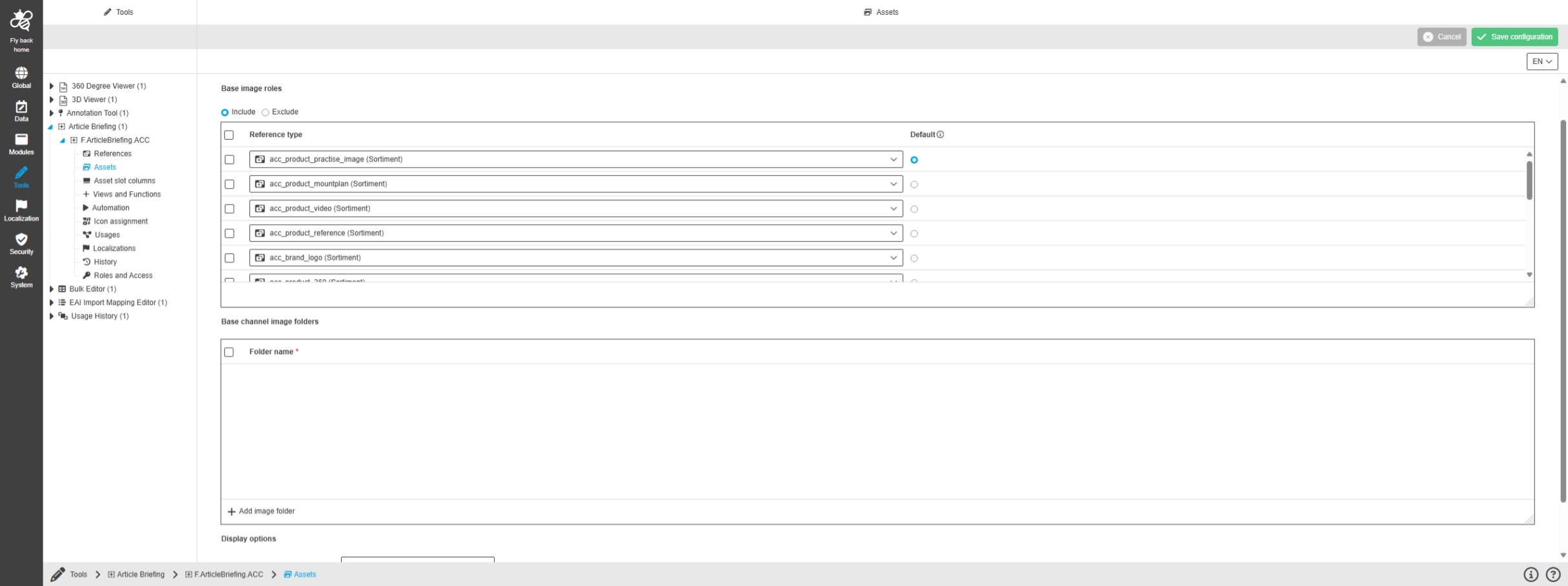
Configuration Client - Tools - Articlebriefing - Assets - Table widget for base image roles
Tags |
OUCC-1170 |
Possibility to configure 'base image roles' in new ConfigUI for available assets view in Article Briefing to influence the available assets pool within Article Briefing UI
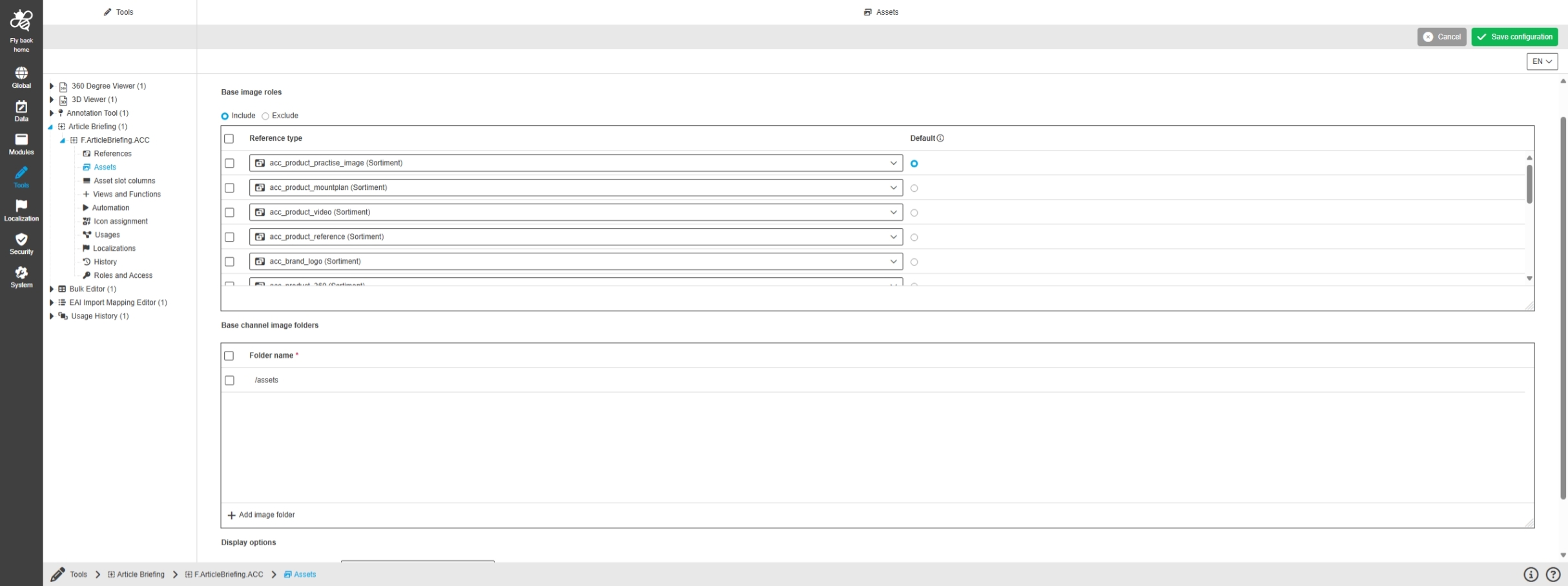
Configuration Client - Tools - Articlebriefing - Assets - Table widget for base channel image folders
Tags |
OUCC-1171 |
Possibility to configure 'Base channel image Folders' in new ConfigUI for the available assets view in the Article Briefing to influence the available assets pool
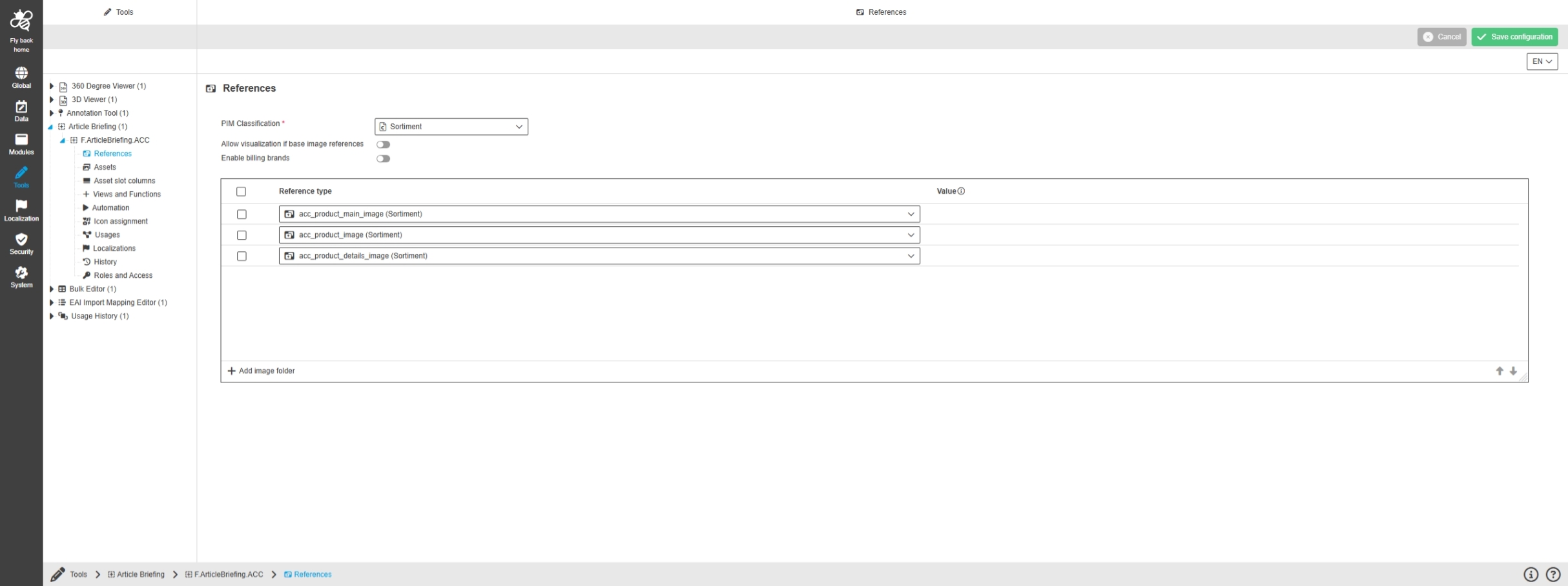
Configuration Client - Tools - Articlebriefing - References - Table widget
Tags |
OUCC-1172 |
Possibility to configure 'References' for the asset slots view in Article Briefing to define which image roles needs to be filled within the Article Briefing
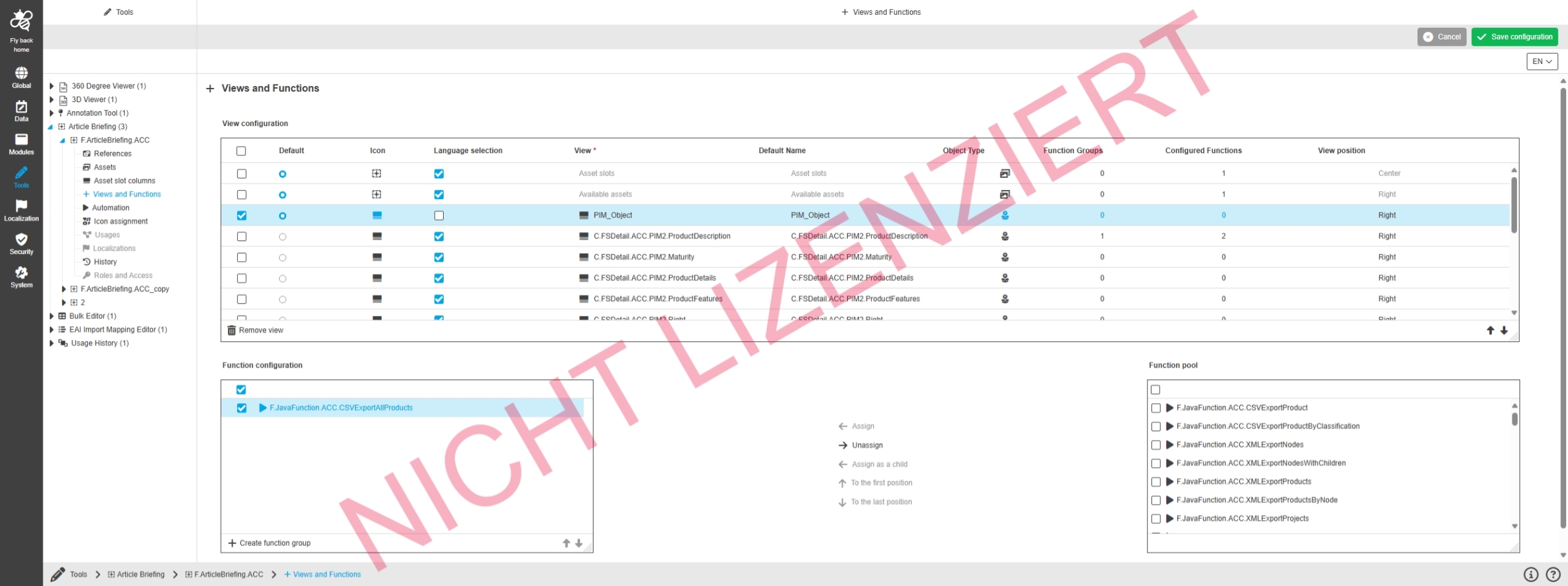
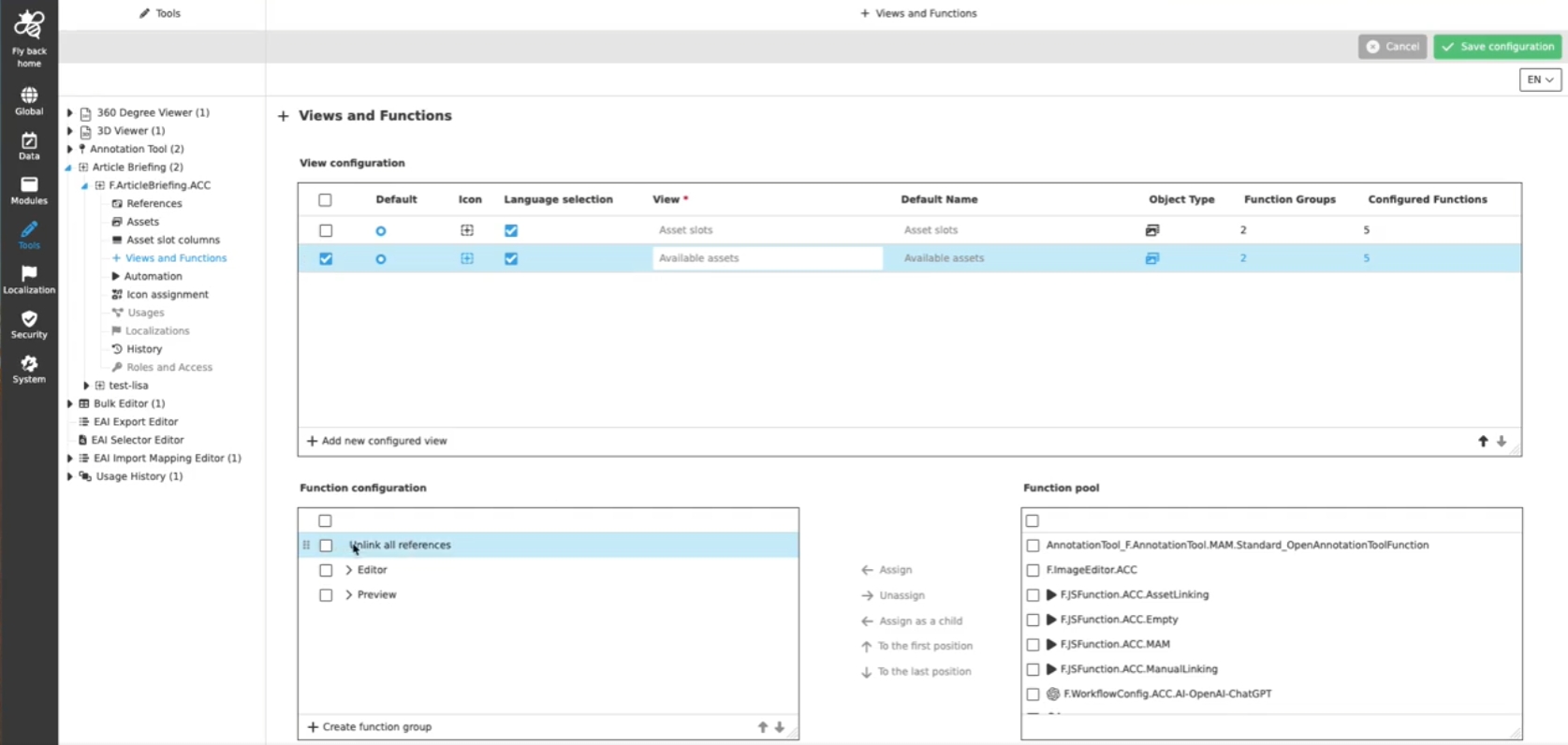
Configuration Client - Tools - Articlebriefing - Views and Functions - Table widget for view configuration
Tags |
OUCC-1173 |
Possibility to configure content views (center and right position) for Article Briefing Plugin to influence the content which is shown inside the Article Briefing-Editor in Frontend
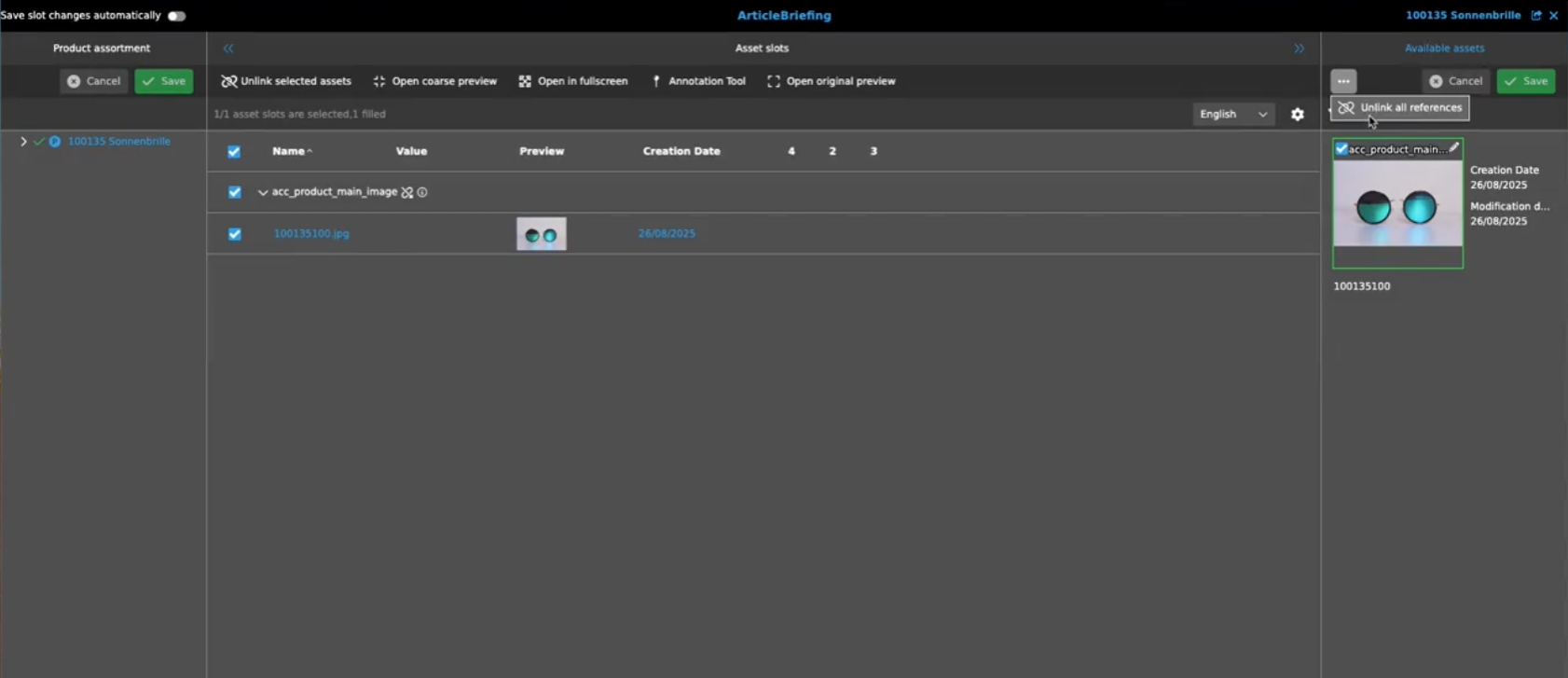
Configuration Client - Tools - Articlebriefing - Asset slot columns
Tags |
OUCC-1174 |
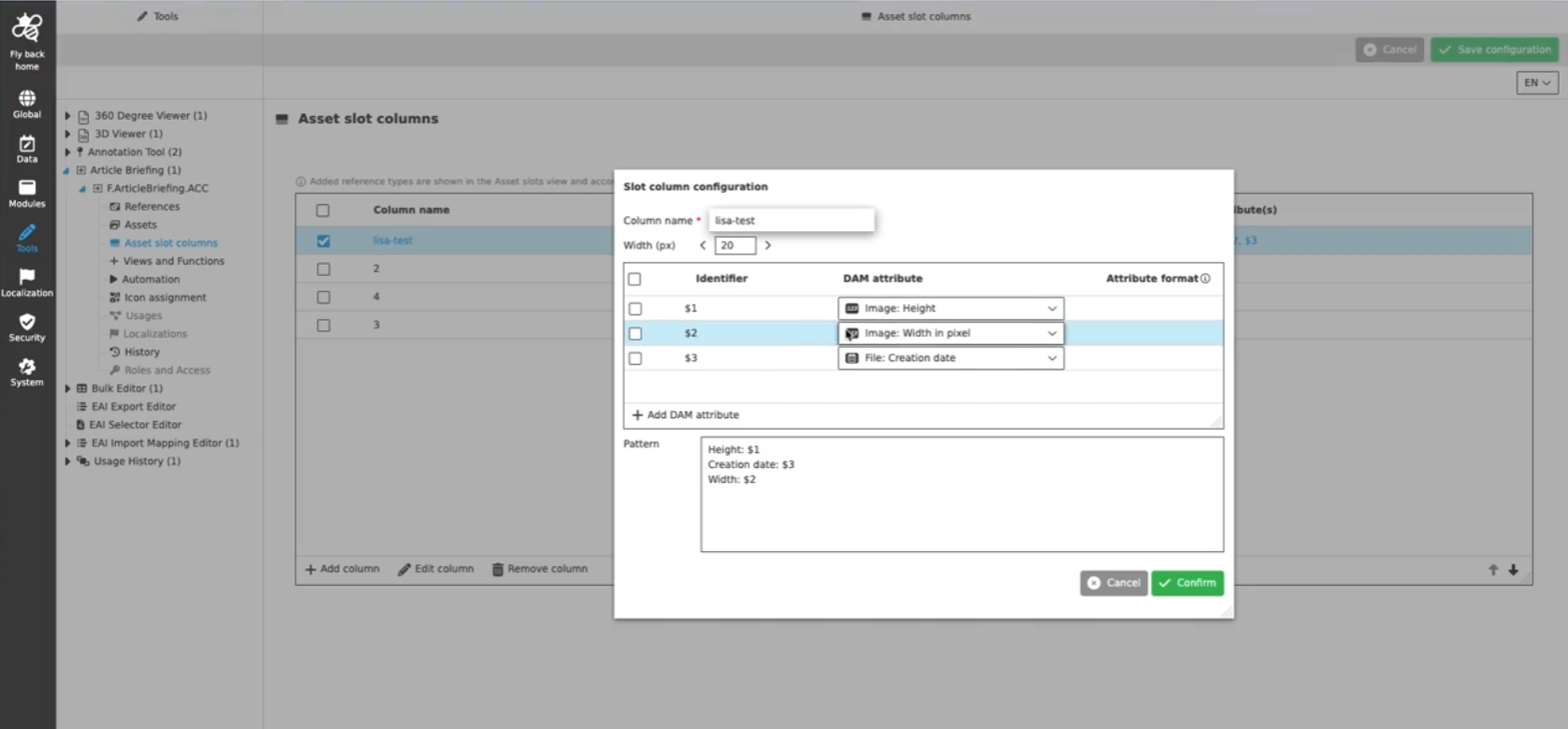
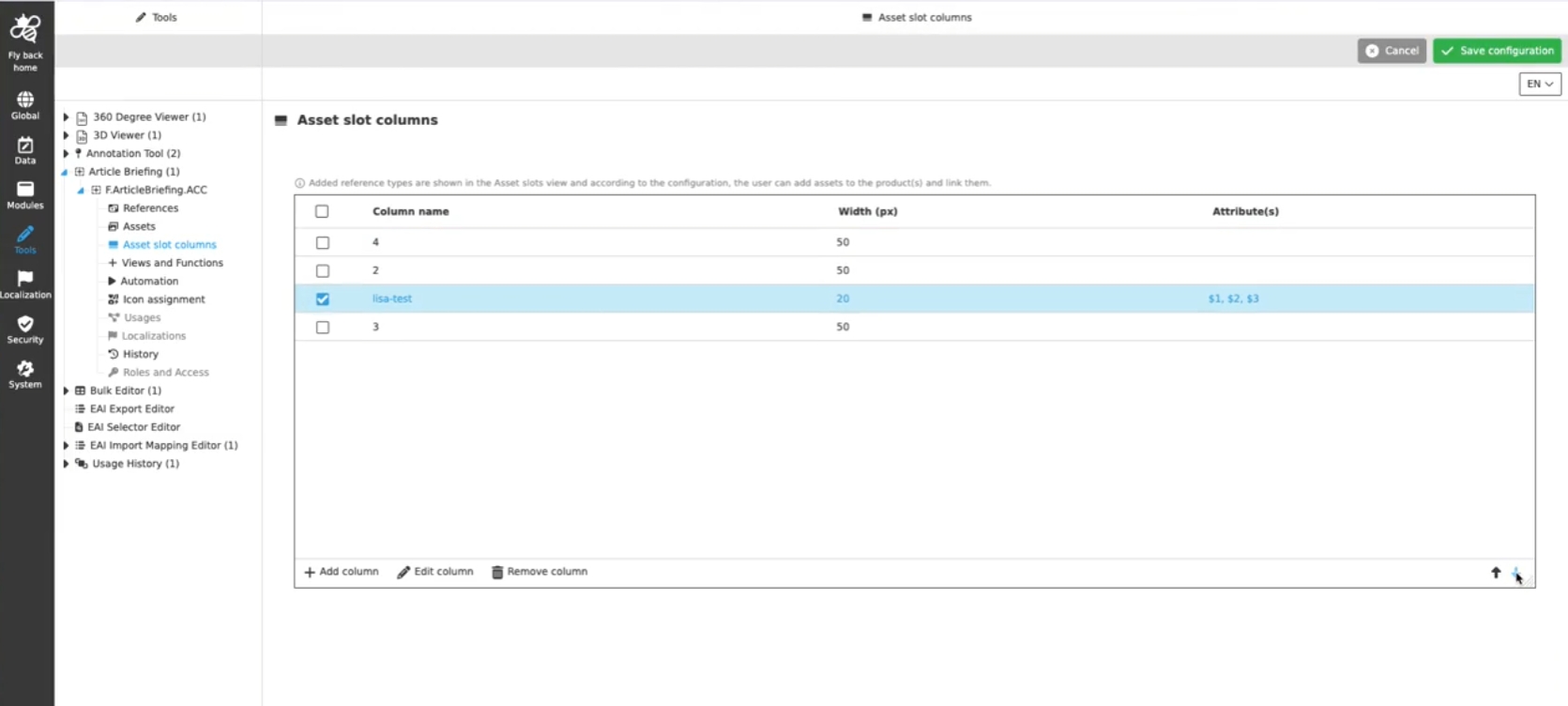
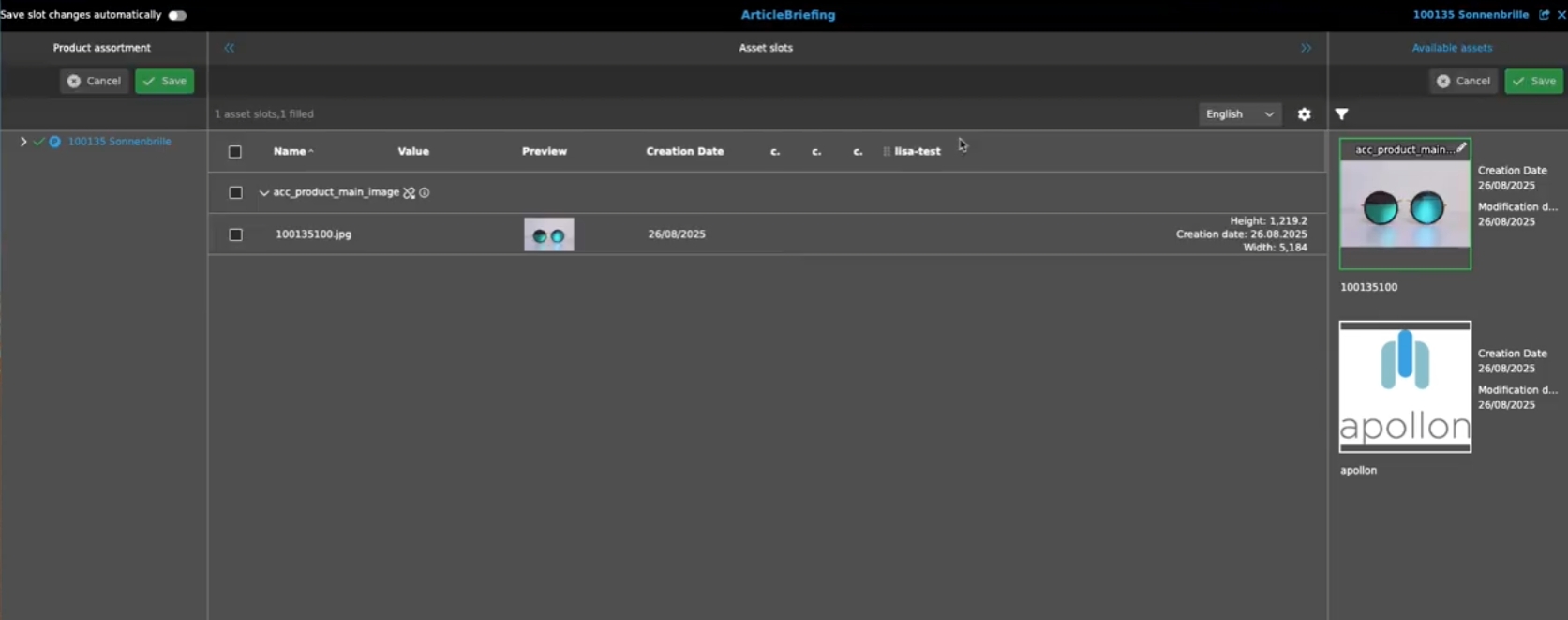
Possibility to configure additional slot columns, which are shown as columns in the Asset slots view in the UI of Article Briefing to customize the shown information for the assigned assets
-
configuration of Slot columns in Article Briefing config
-
Display of configured Slot columns in Article Briefing UI
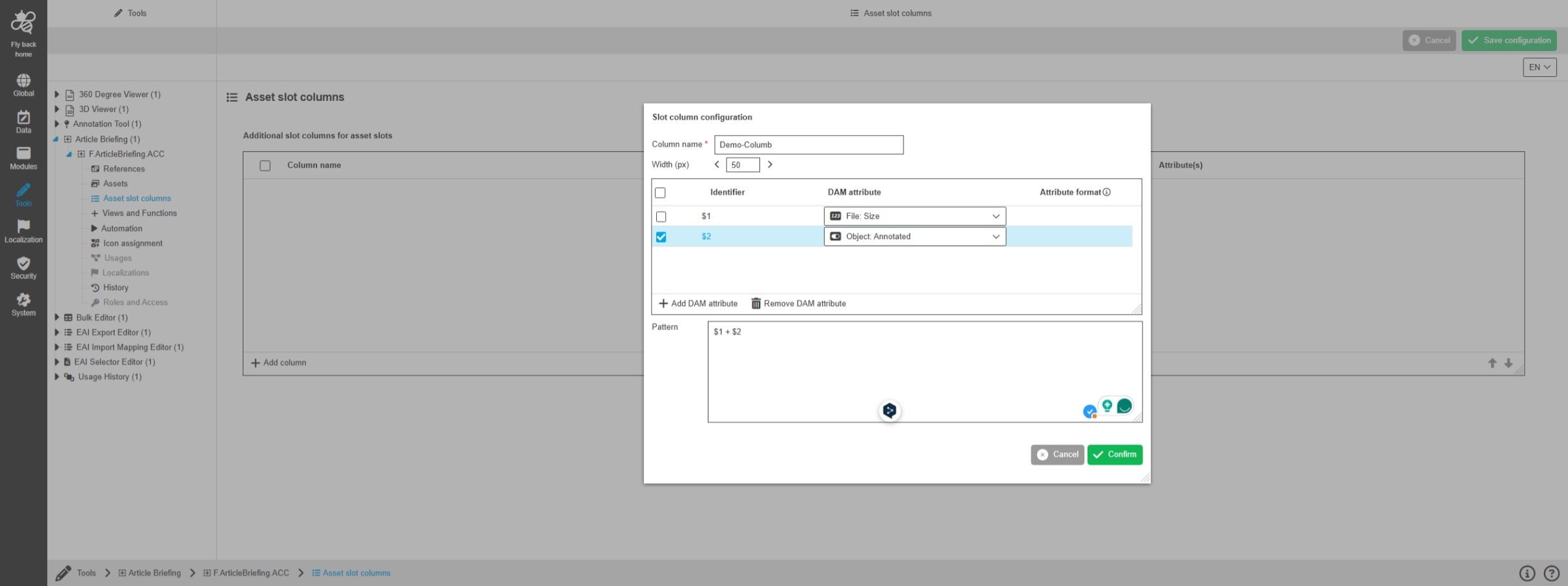
Configuration Client - Tools - Articlebriefing - Asset slot columns - Modal to configure column
Tags |
OUCC-1175 |
Possibility to configure attribute which should be shown in the additional custom slots columns in the asset slots view in the Article Briefing to have additional asset information available
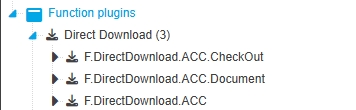
Configuration Client - Modules - Function plugin - DirectDownload
Tags |
OUCC-112, OMN-11645 |
Possibility to configure Function Plugin Direct Download in new ConfigUI
Modules - Function plugin - DirectDownload - General Layout
Tags |
OUCC-1921 |
Possibility to configure the DownloadChannel function Plugin in new Config UI to collect assets and provide different downloads of those assets from a shopping cart
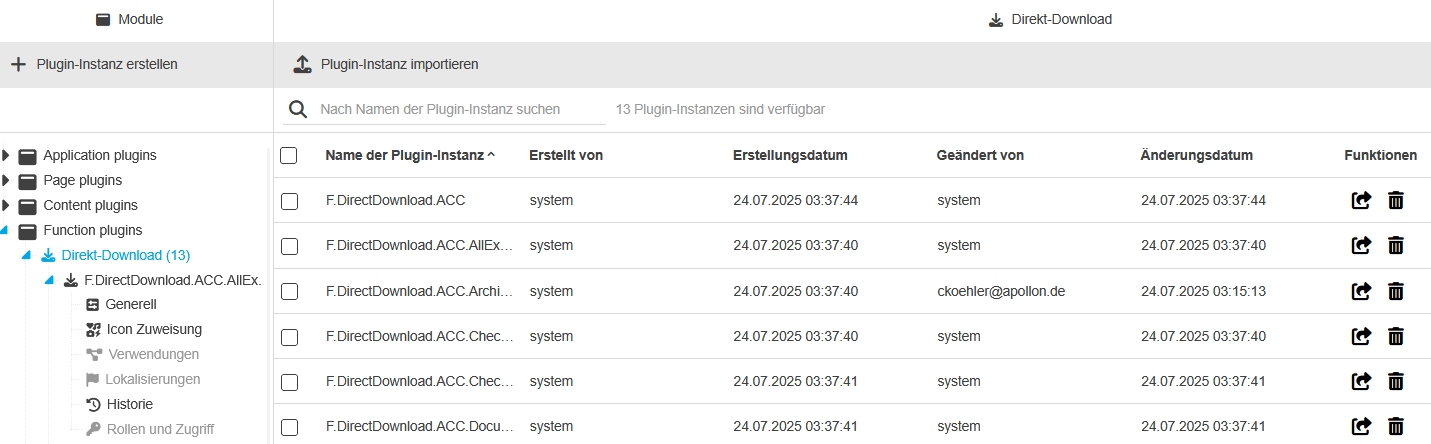
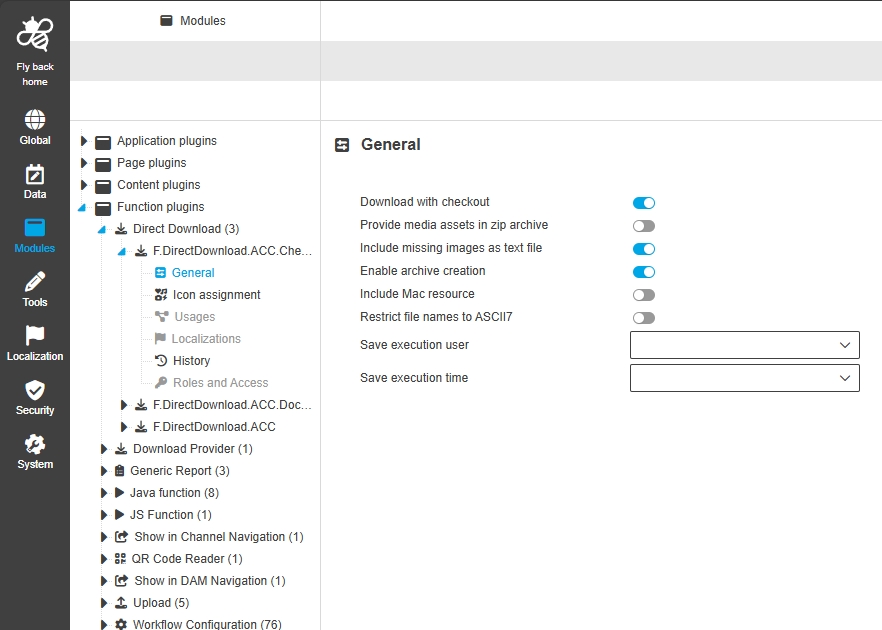
Modules - Function plugin - DirectDownload - General
Tags |
OUCC-1922 |
Possibility to configure general settings for Direct Download Plugin in new ConfigUI
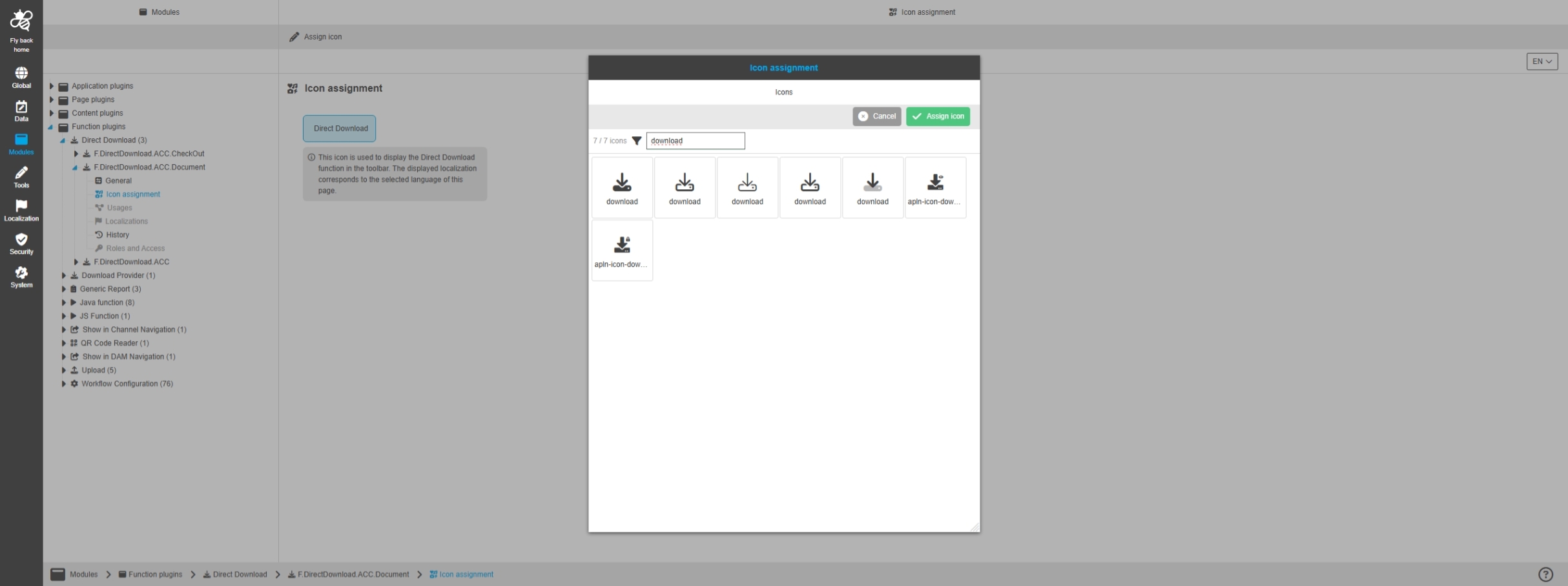
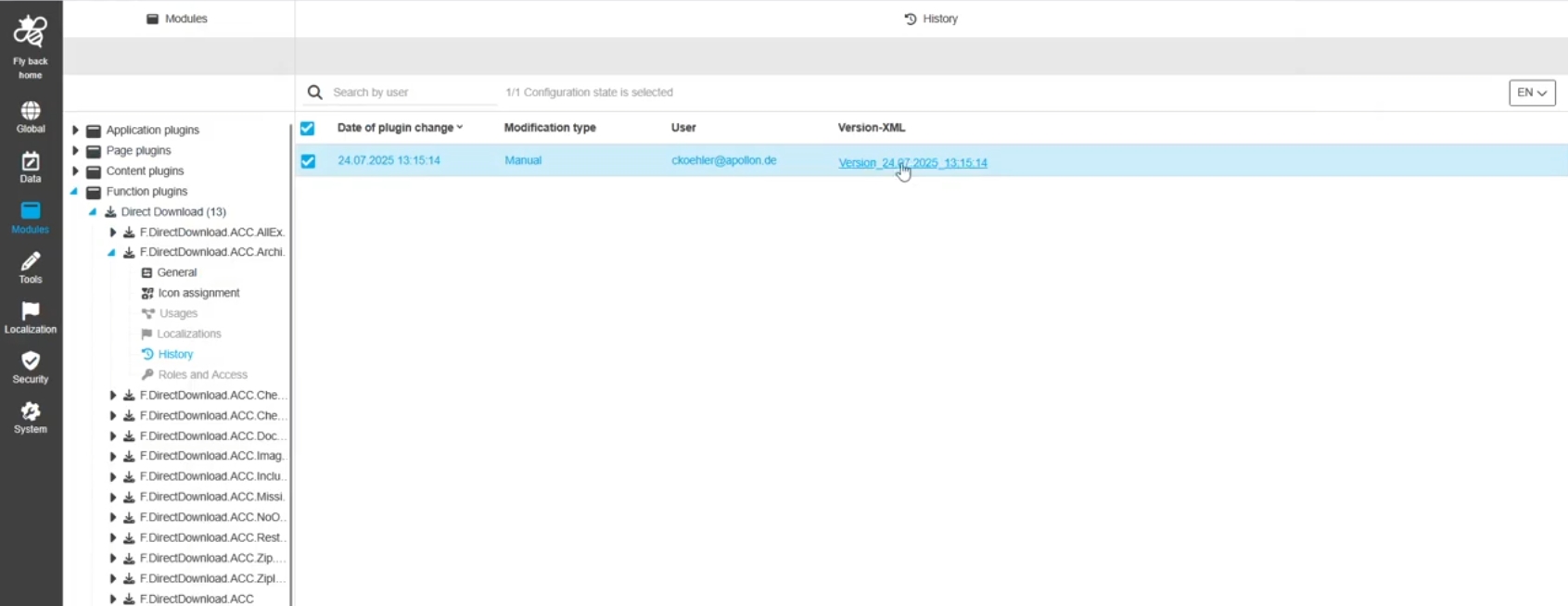
Configuration Client - Modules - Function plugin - Show in DAM Navigation
Tags |
OUCC-149, OMN-11431, OMN-11451 |
Possibility to configure the plugin ShowInNavigation in new Config UI
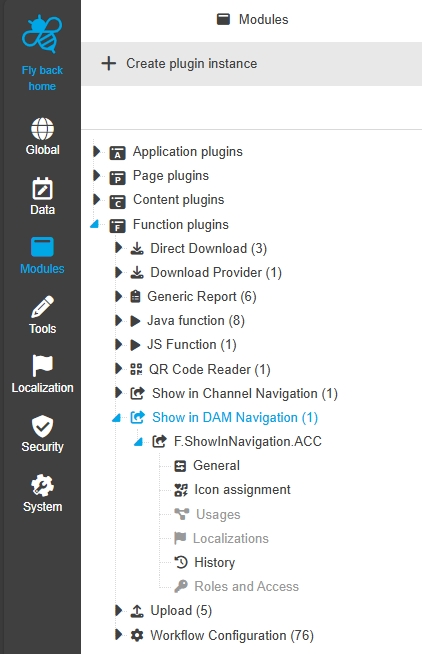
Configuration Client - Modules - Function plugin - Show in DAM Navigation - General layout
Tags |
OUCC-1028 |
Possibility to configure and enable Digital Asset management starter function plugin in the ConfigUI
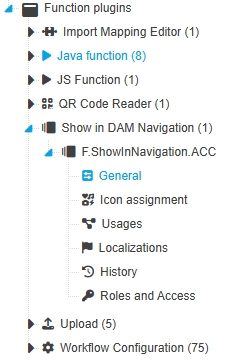
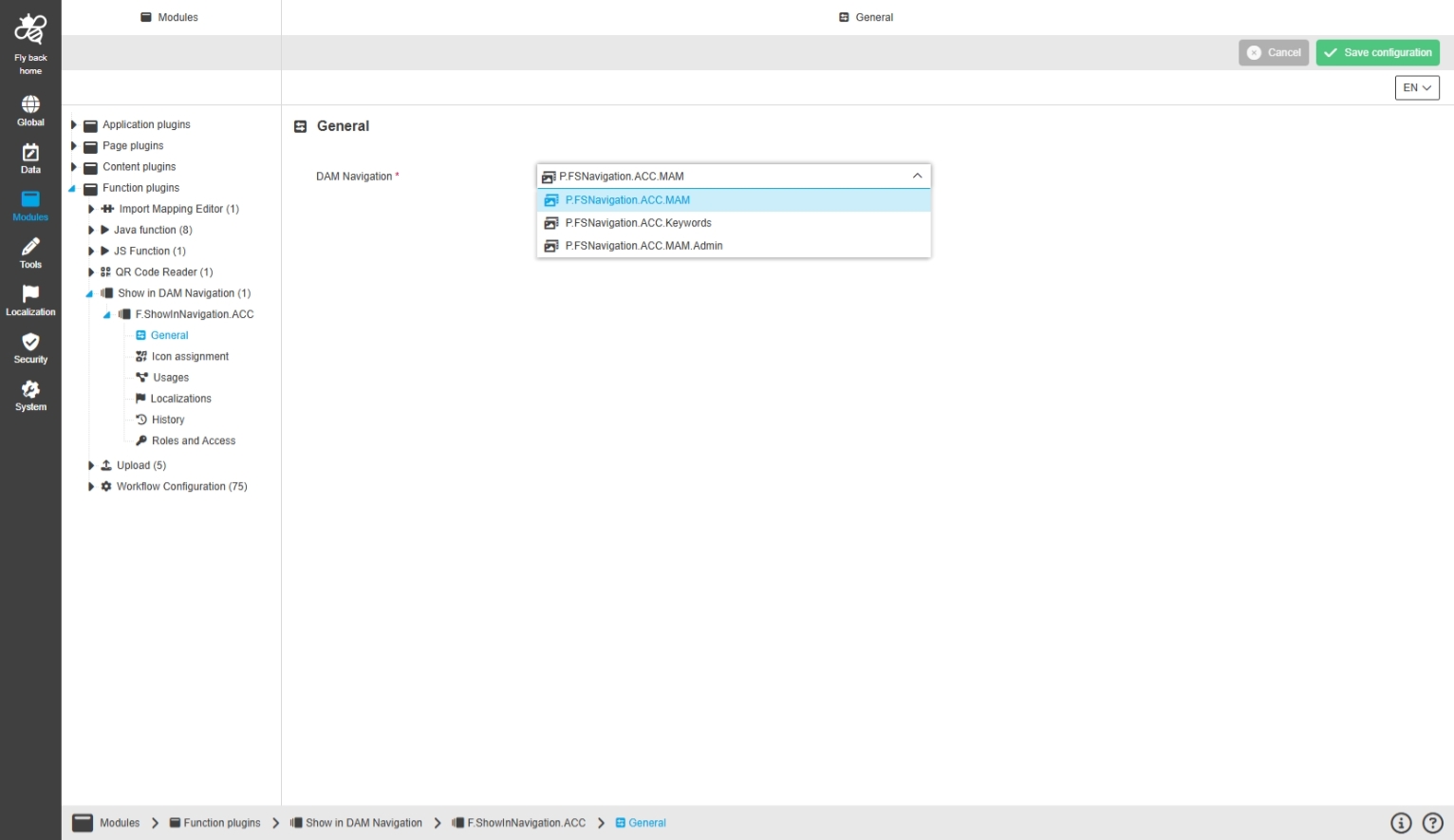
Modules - Function plugin - Show in DAM Navigation - General
Tags |
OUCC-1029 |
Possibility to configure which DAM Navigation function plugin DAM-Navigation Starter should open by click on the function in the UI
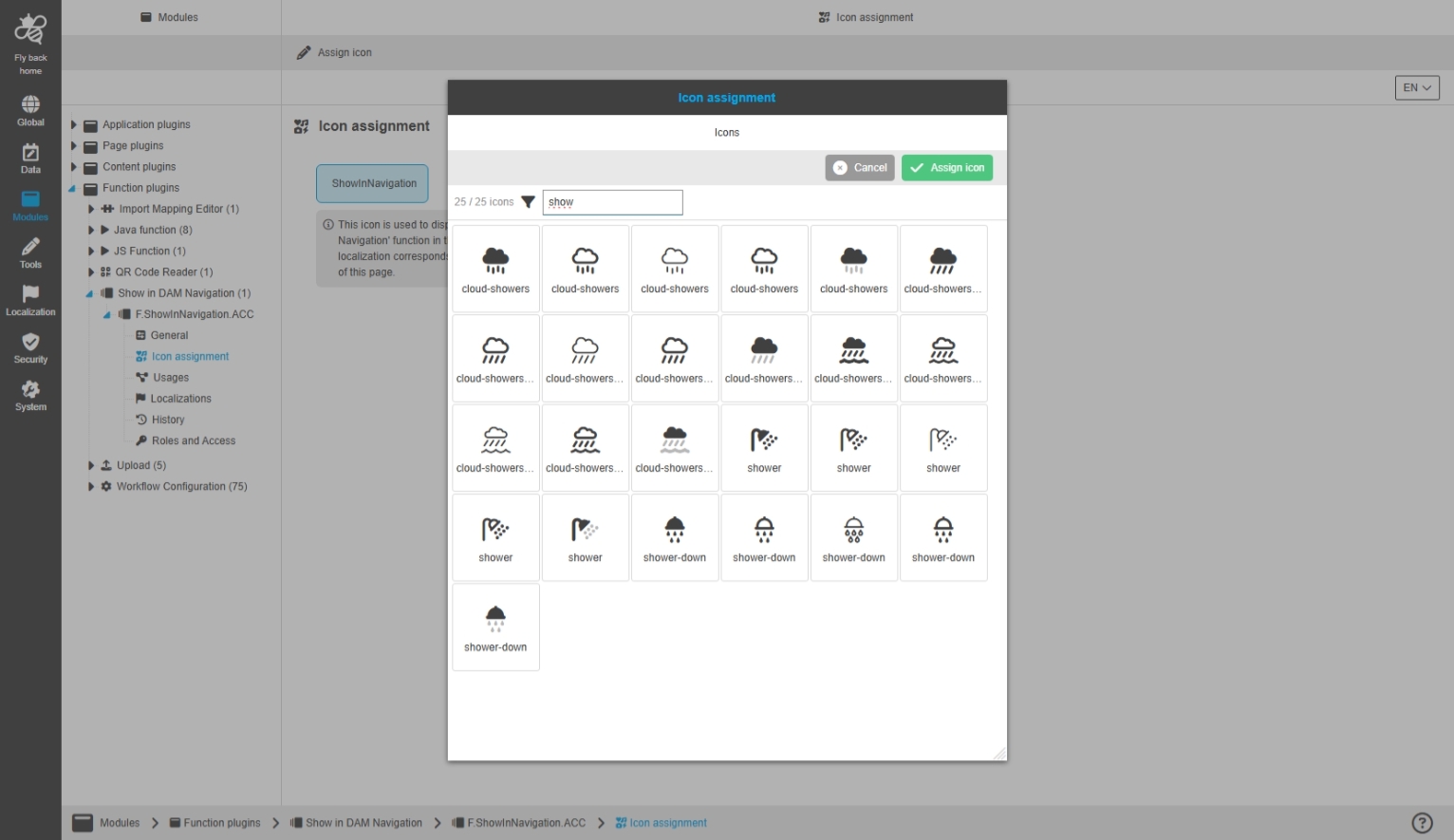
Modules - Function plugin - Show in DAM Navigation - Icon assignment
Tags |
OUCC-1030 |
Possibility to assign an icon for DAM Navigation Starter function in new Configuration Client
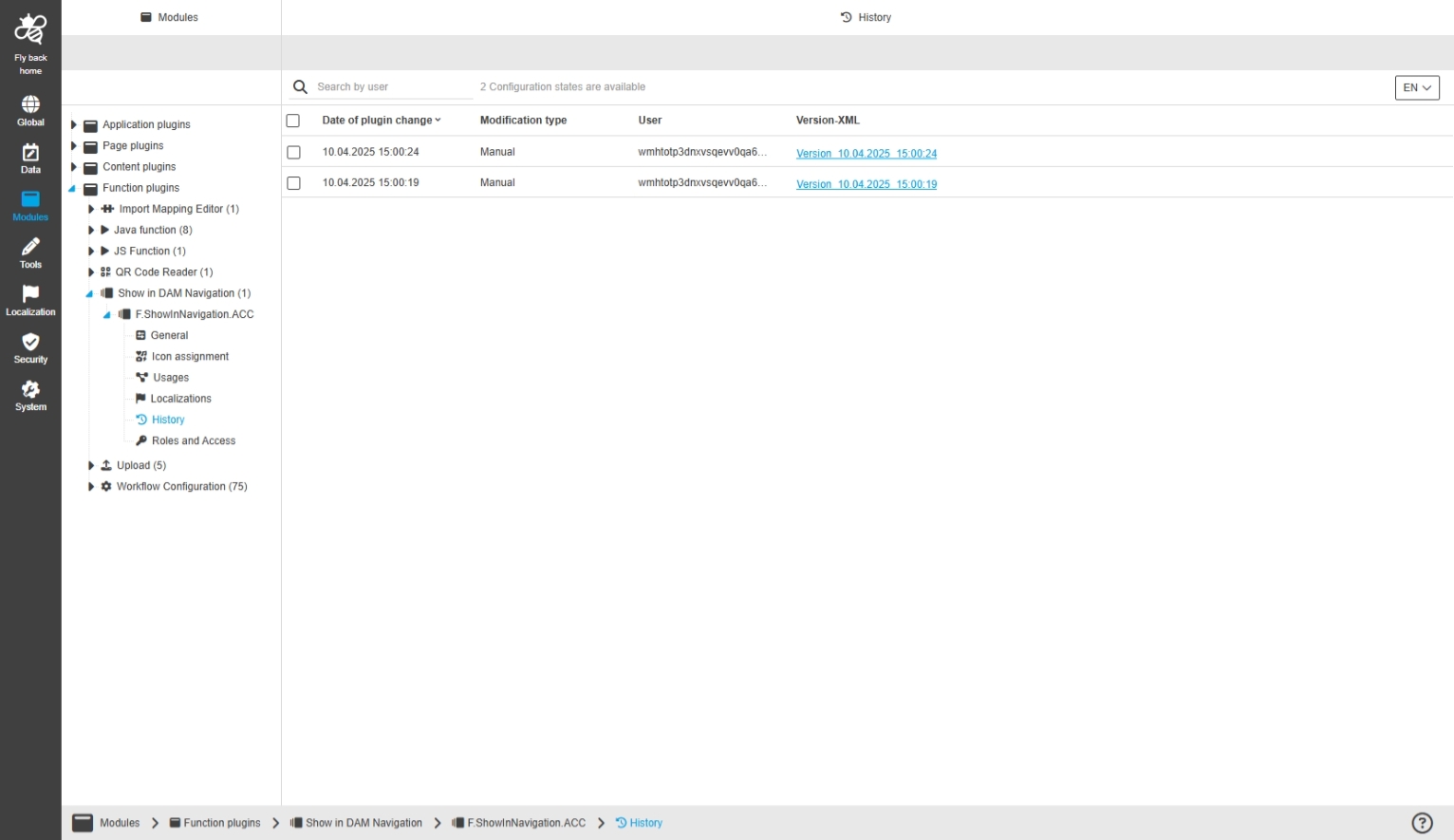
Modules - Function plugin - Show in DAM Navigation - History
Tags |
OUCC-1033 |
Overview of all modifications made in the DAM-Navigation Starter function Plugin
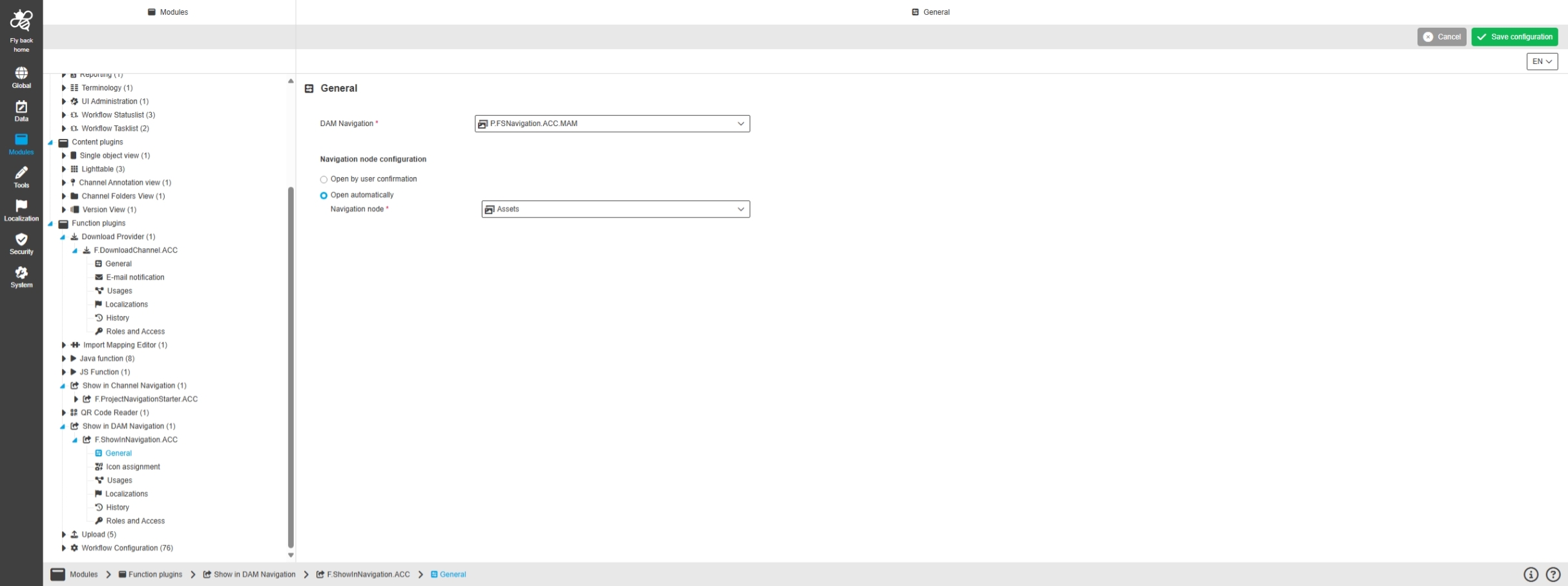
Modules - Function plugin - Show in DAM Navigation - General - Navigation node configuration
Tags |
OUCC-1739 |
Possibility to configure which DAM navigation the function plugin DAM-Navigation Starter should open by click on the function in the UI
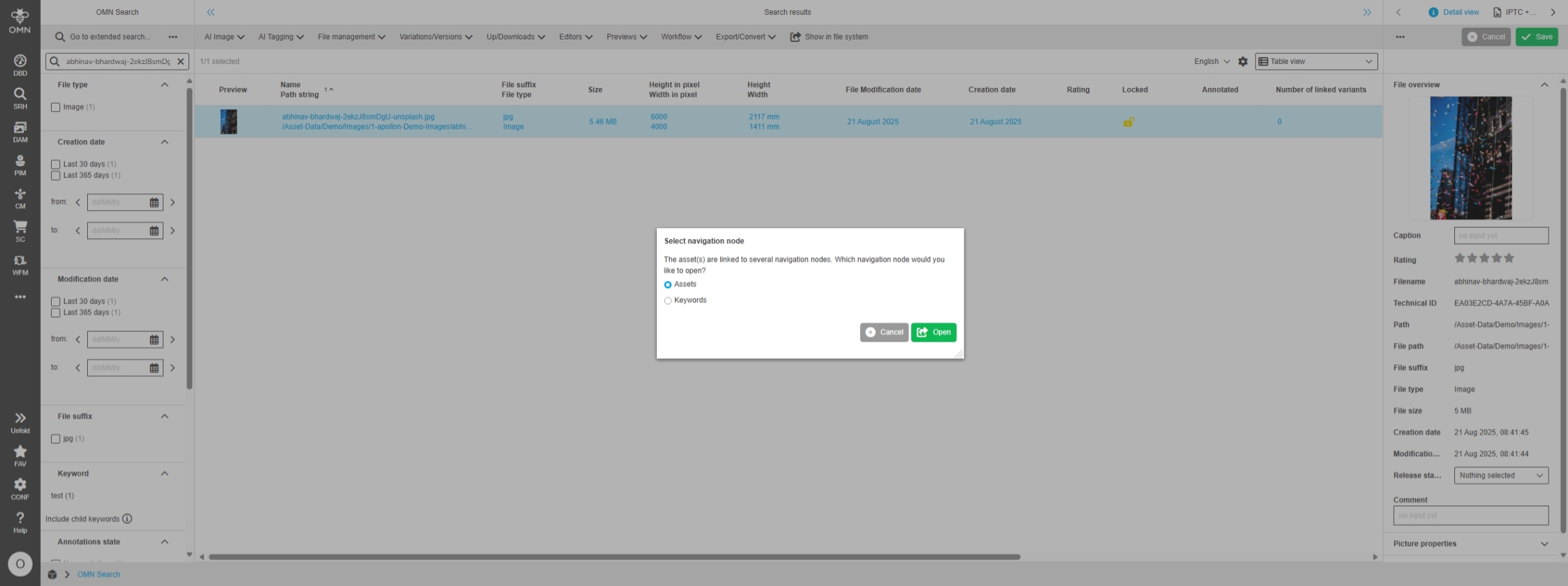
Show in Navigation - Open navigation node according to configuration (via user decision or via configured navigation node)
Tags |
OG-15495 |
Possibility to click on the Show in DAM Navigation function, the function opens a navigation node, and it is clear by configuration how the UI behaves - especially when asset is provided by different navigations
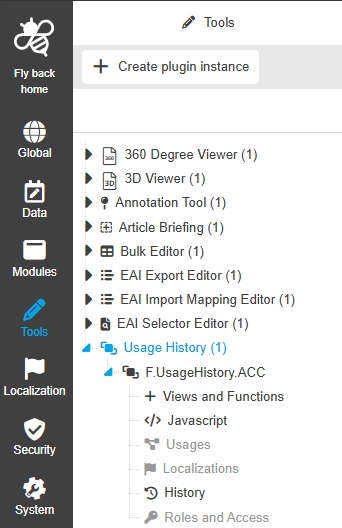
Configuration Client - Tools - Usage History
Tags |
OUCC-154 |
Possibility to configure Usage History Function Plugin in new Configuration Client UI
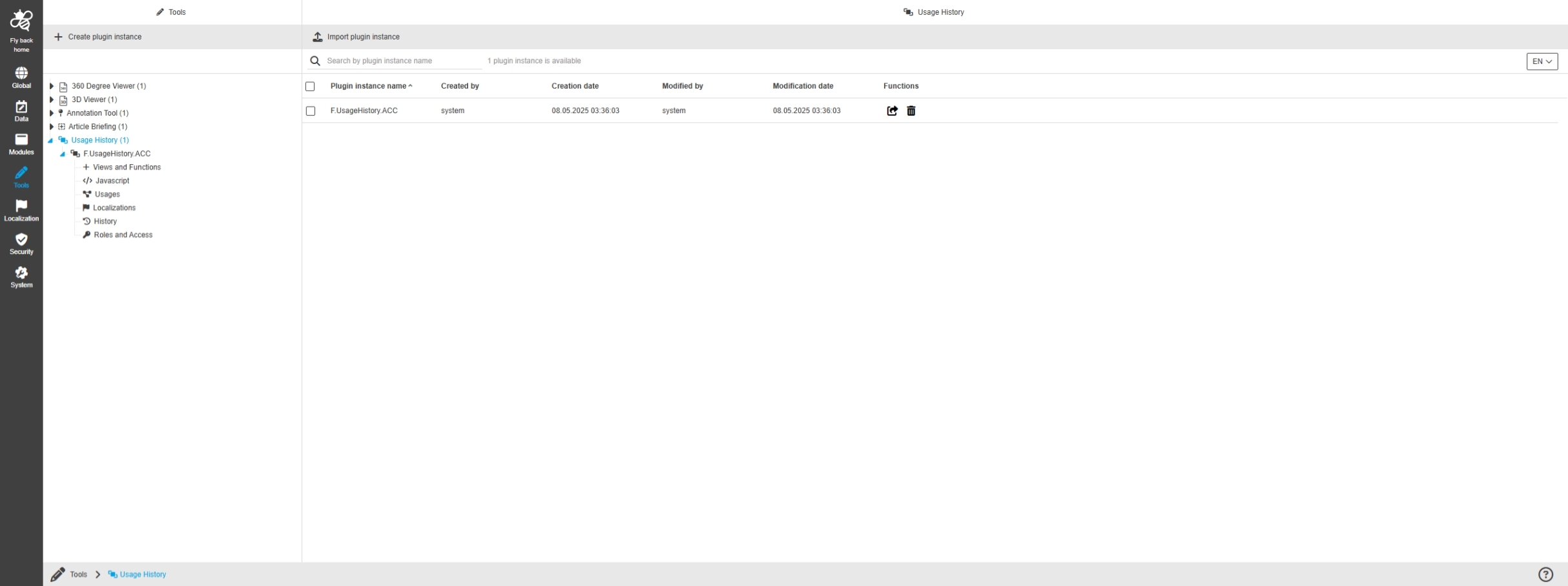
Configuration Client - Tools - Usage History - General layout
Tags |
OUCC-1452 |
Possibility to enable and configure Usage History tool in new Configuration Client
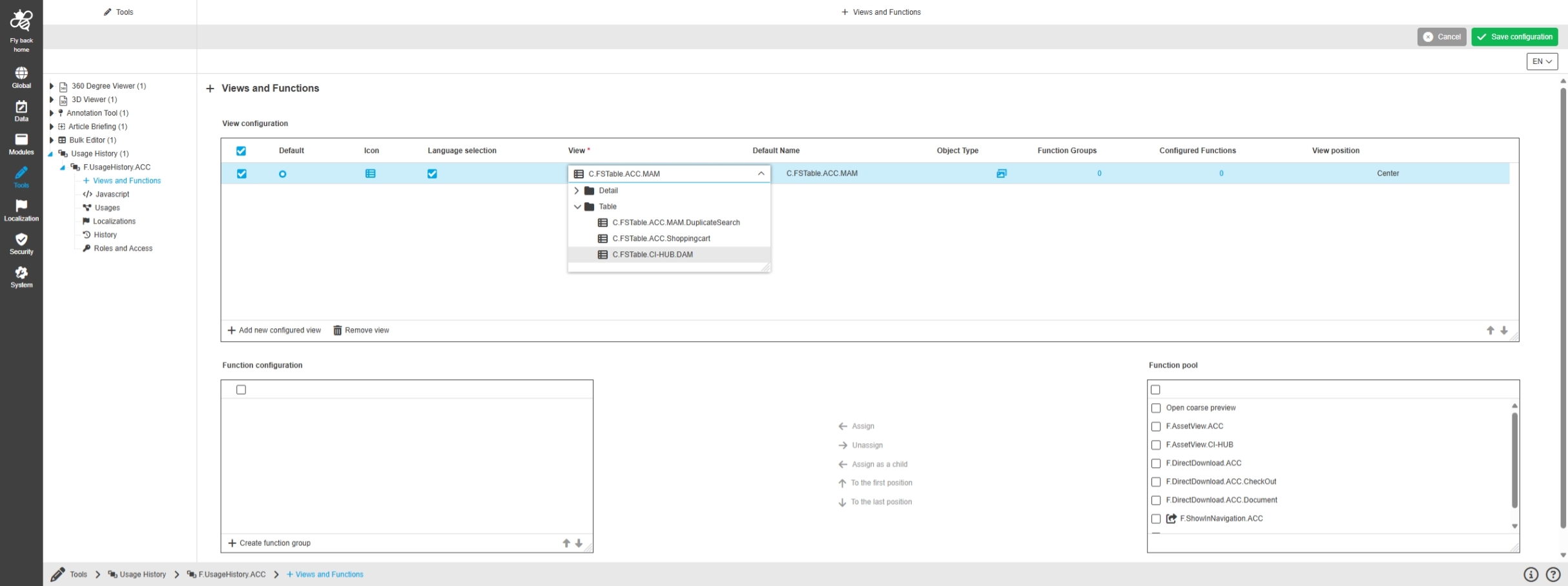
Configuration Client - Tools - Usage History - Views and Functions
Tags |
OUCC-1453 |
Possibility to configure views and functions in Usage history to display certain information and functions in the frontend UI
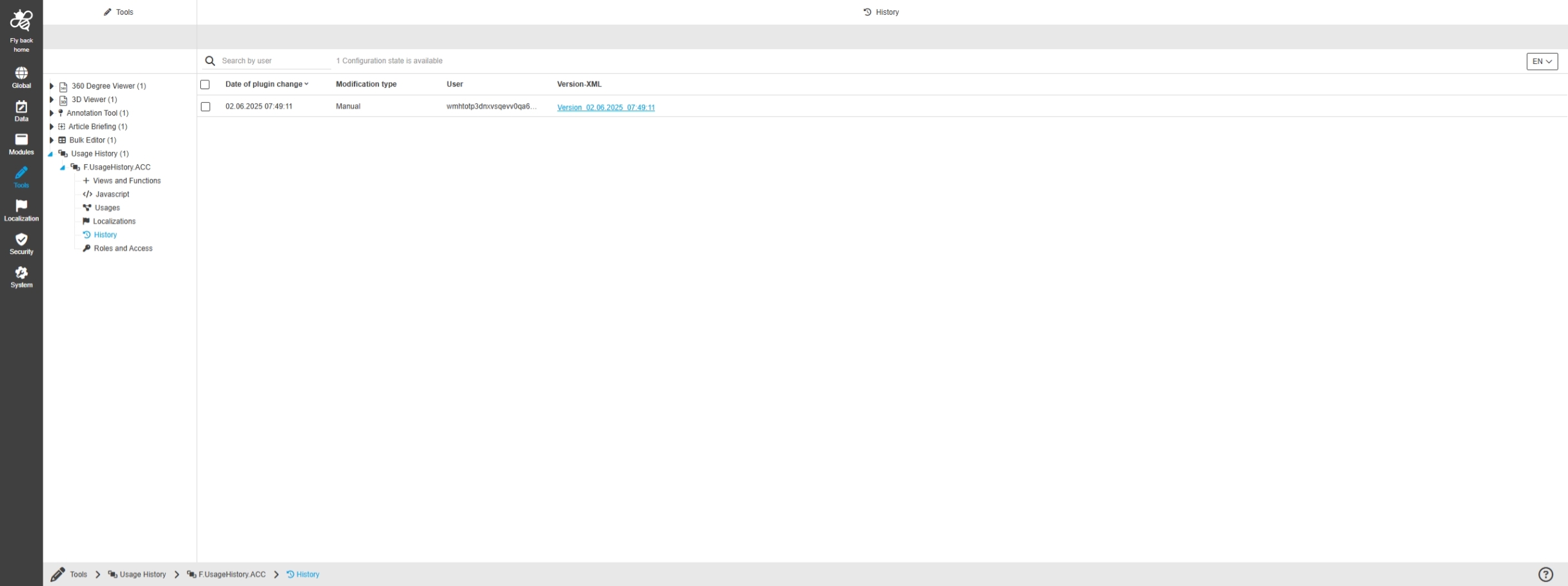
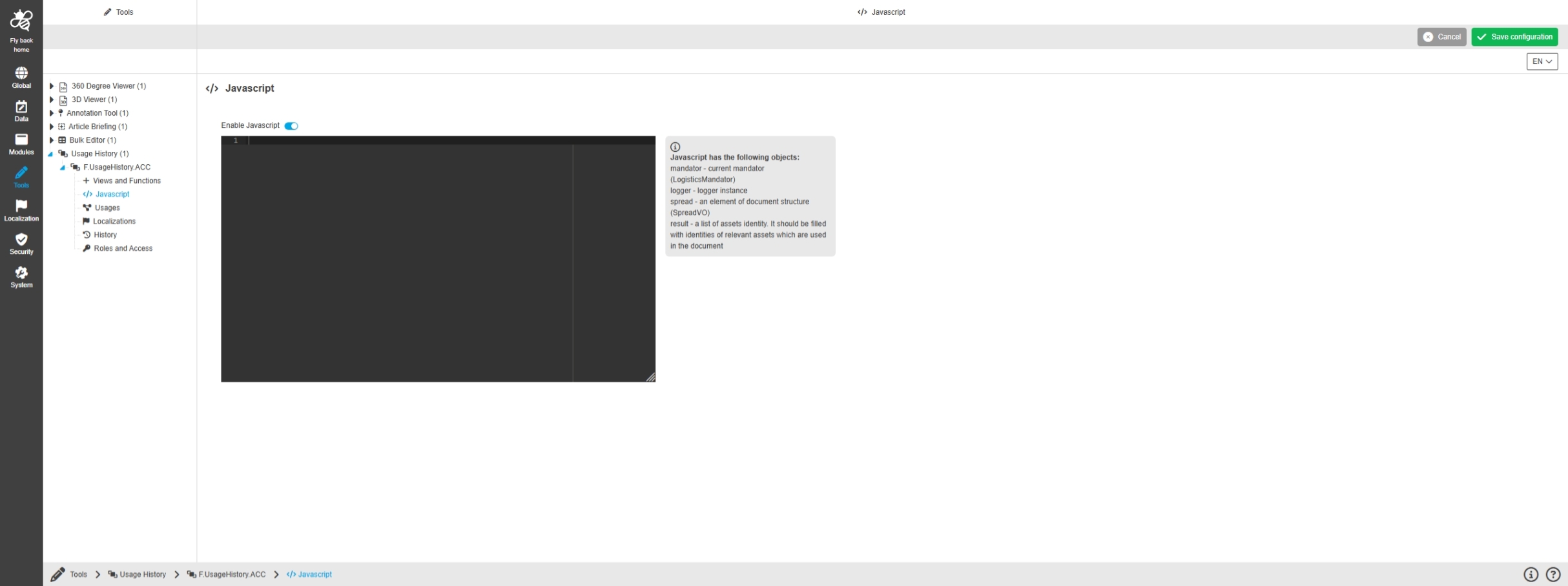
Configuration Client - Tools - Usage History - History
Tags |
OUCC-1457 |
Overview of all modifications made in the Usage History tool plugin and have an initial state available as a file to understand who, when and what changes within the configuration
Configuration Client - Modules - Function plugin - Show in Channel Navigation
Tags |
OUCC-144 |
Possibility to configure the Show in Channel Management Function Plugin in the new ConfigUI
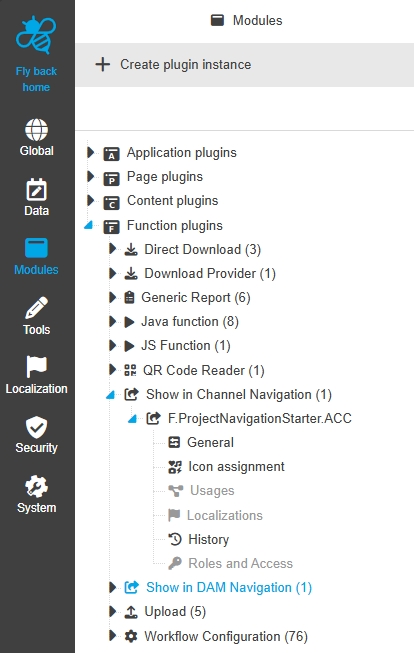
Modules - Function Plugin - Show in Channel Navigation - General layout
Tags |
OUCC-1013 |
Possibility to configure the Show in Channel Management Plugin in the new ConfigUI
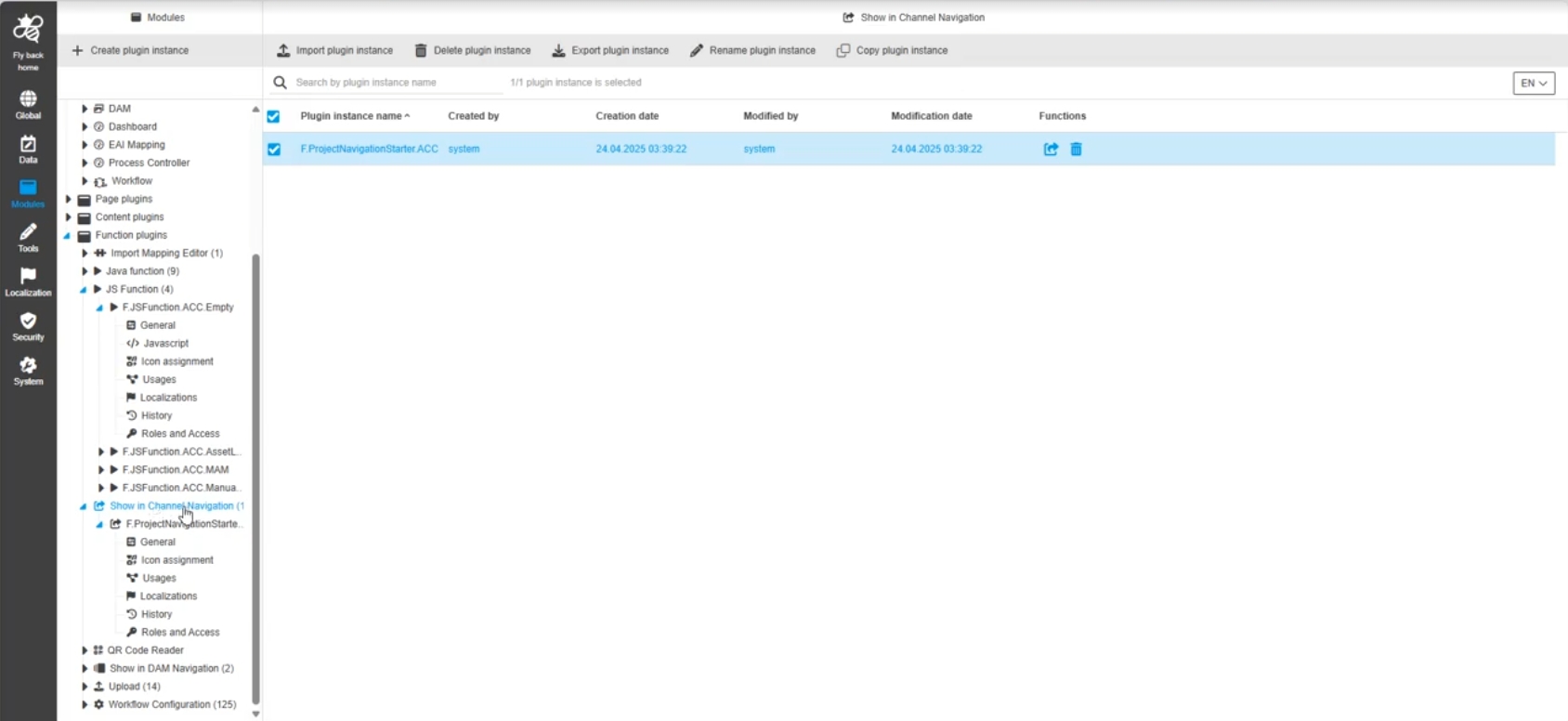
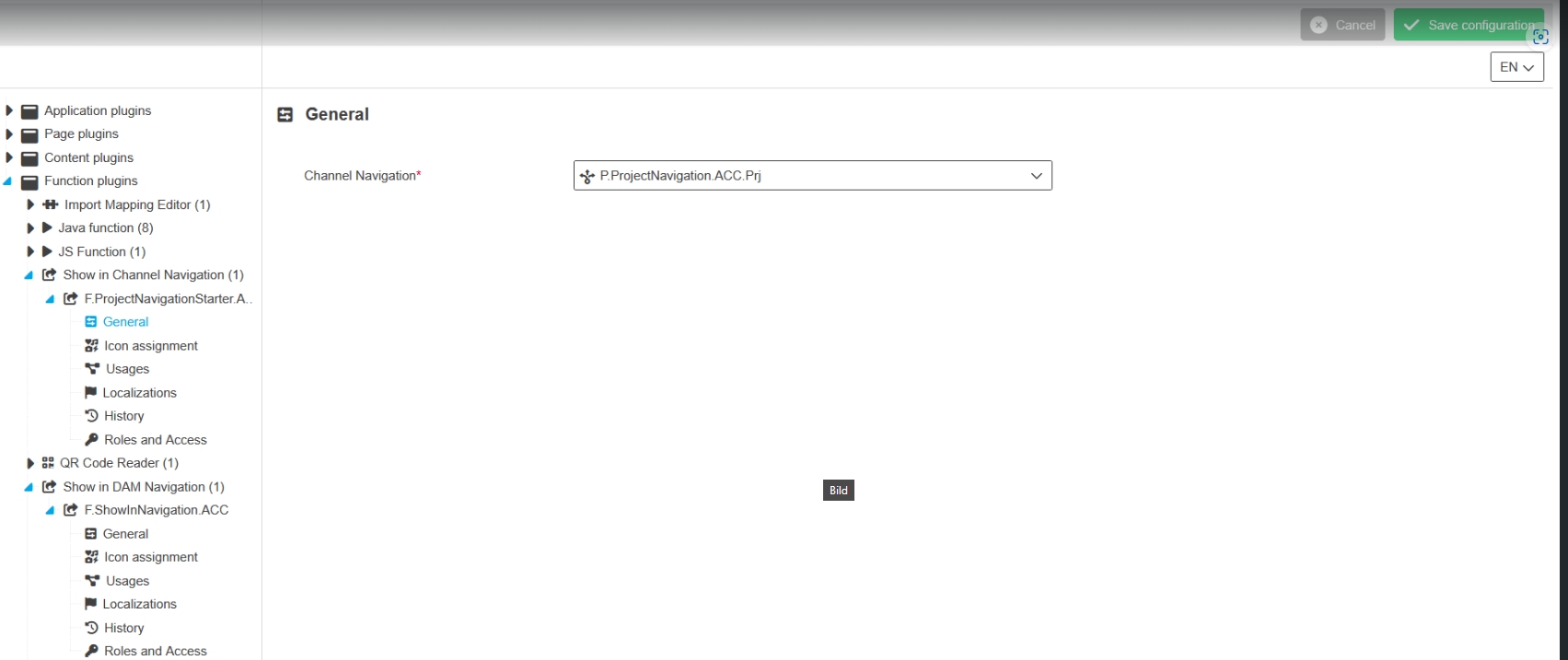
Modules - Function Plugin - Show in Channel Navigation - General
Tags |
OUCC-1018 |
Possibility to configure which channel management navigation the function plugin Channel Management starter should open by click on the function in the UI
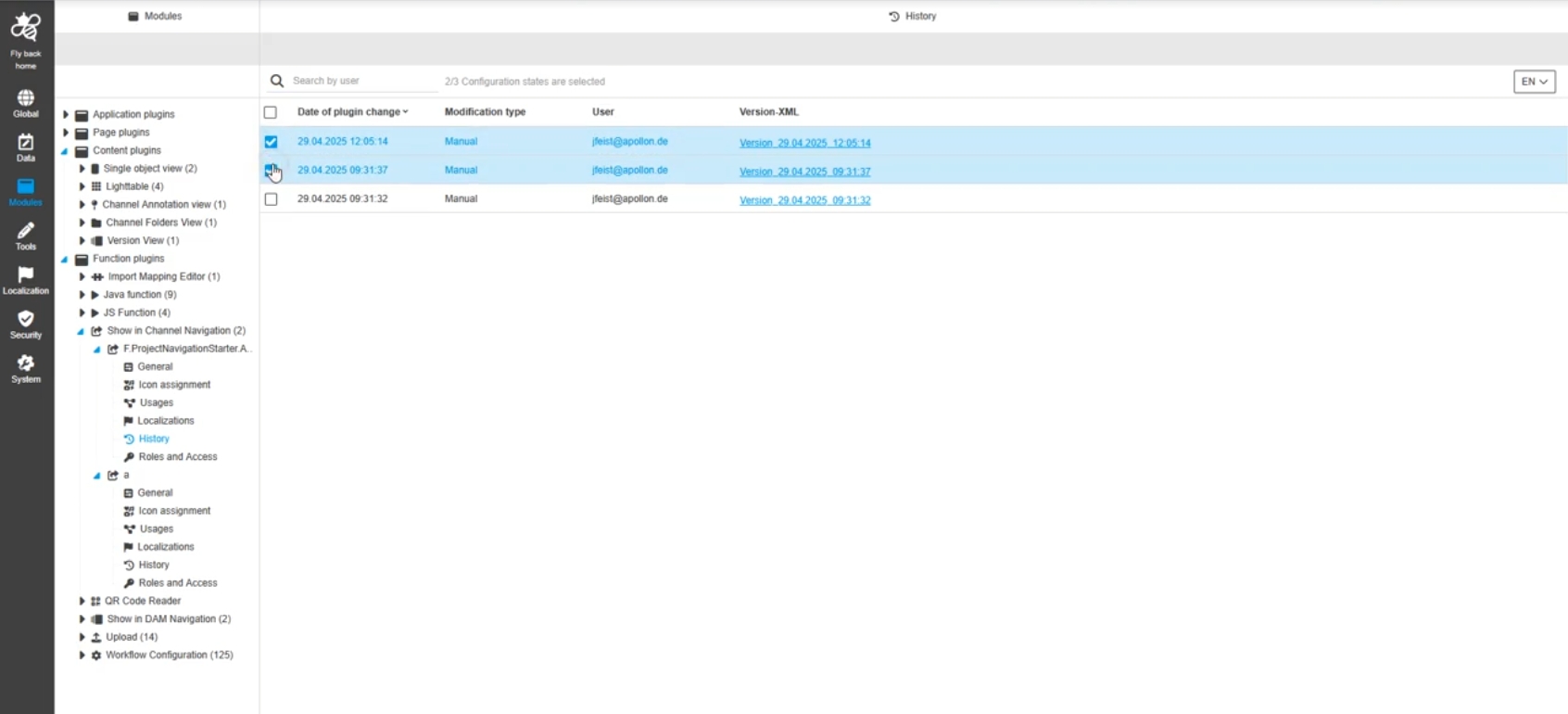
Modules - Function Plugin - Show in Channel Navigation - History
Tags |
OUCC-1017 |
Overview of all modifications made in the Show in Channel Navigation function plugin and have an initial state available as a file, so that the configurator understands who, when and what changes within the configuration
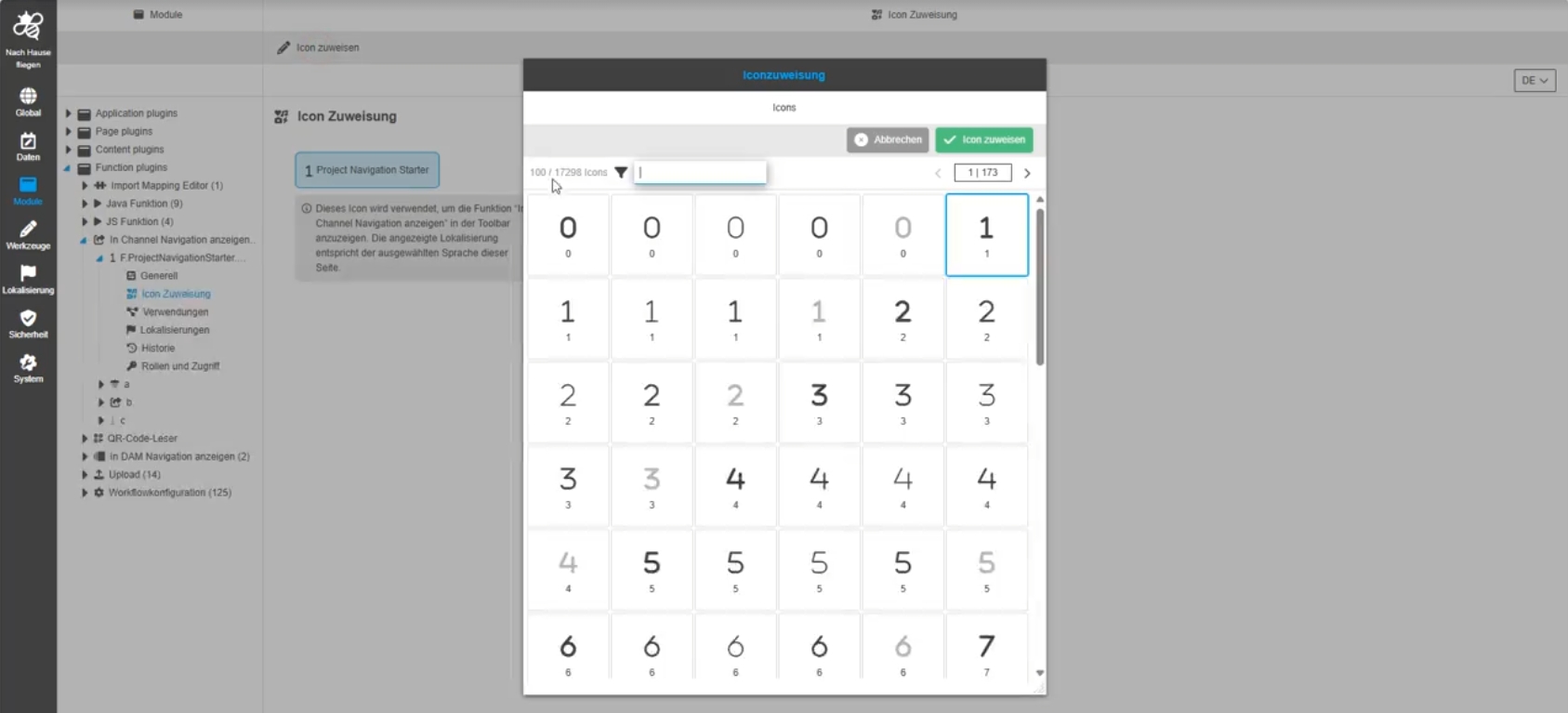
Configuration Client - Modules - Function plugin - GenericReport
Tags |
OUCC-119 |
Possibility to configure Reporting Function Plugin in new Configuration Client UI
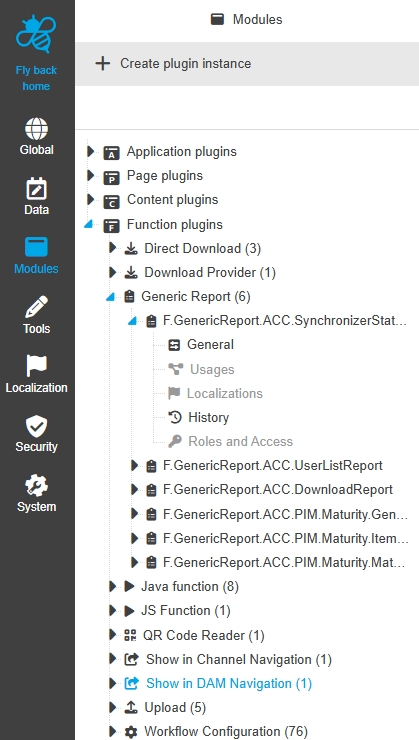
Modules - Function plugin - GenericReport - General Layout
Tags |
OUCC-472 |
Possibility to configure generic report Plugin in the ConfigUI so that the user can use custom Reports
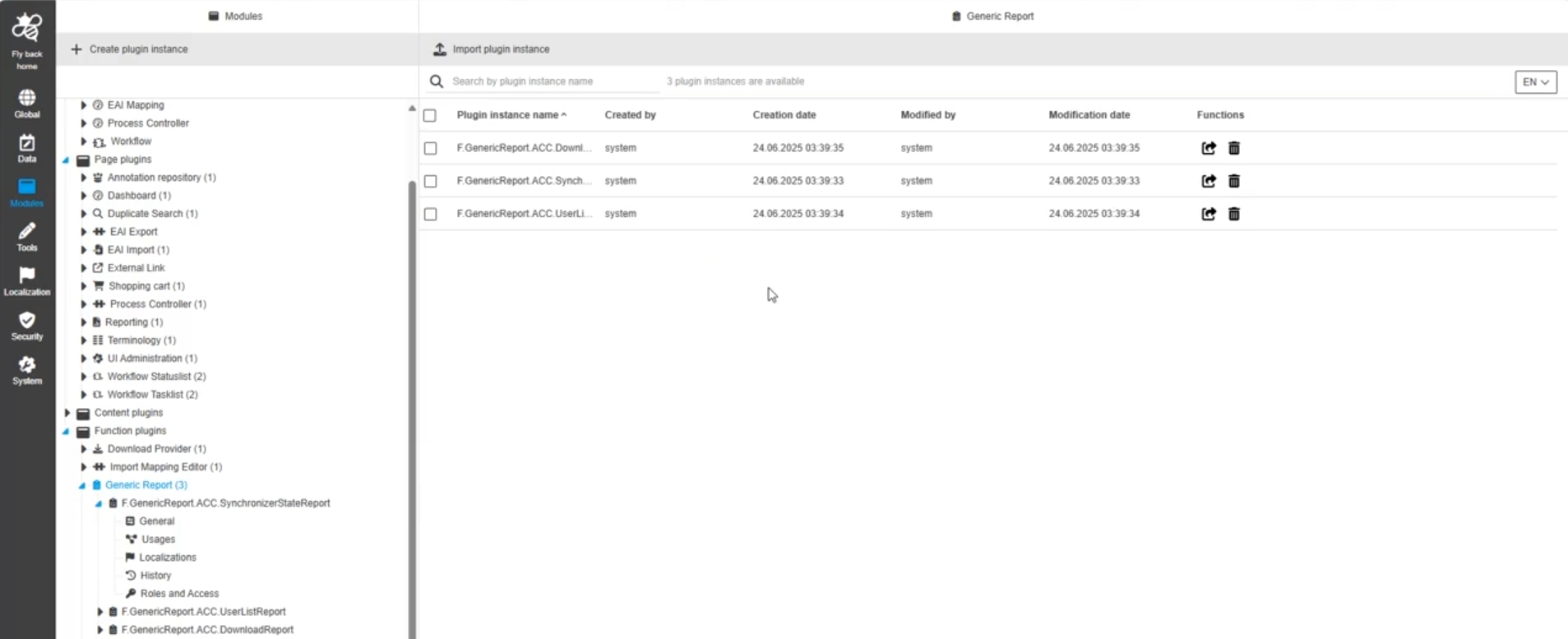
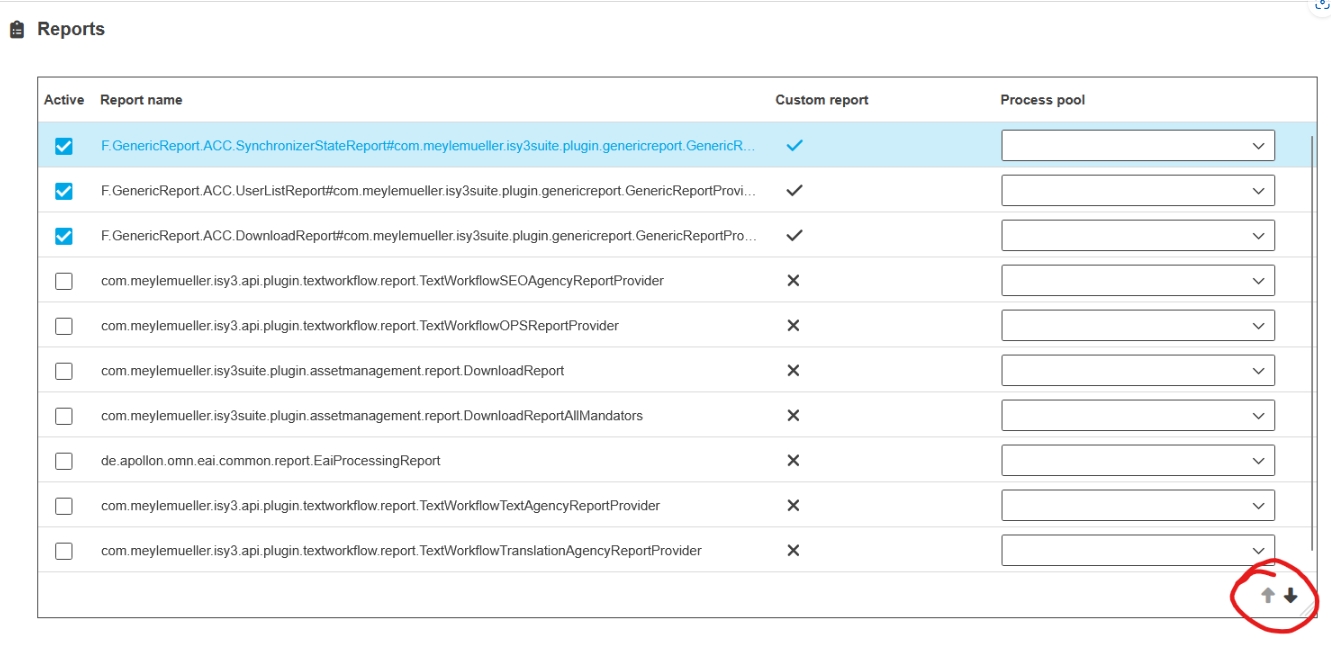
Modules - Function plugin - GenericReport - General
Tags |
OUCC-474 |
Possibility to configure in the frontend UI available reports for my report page Plugin to see only reports which are interesting for Administrator
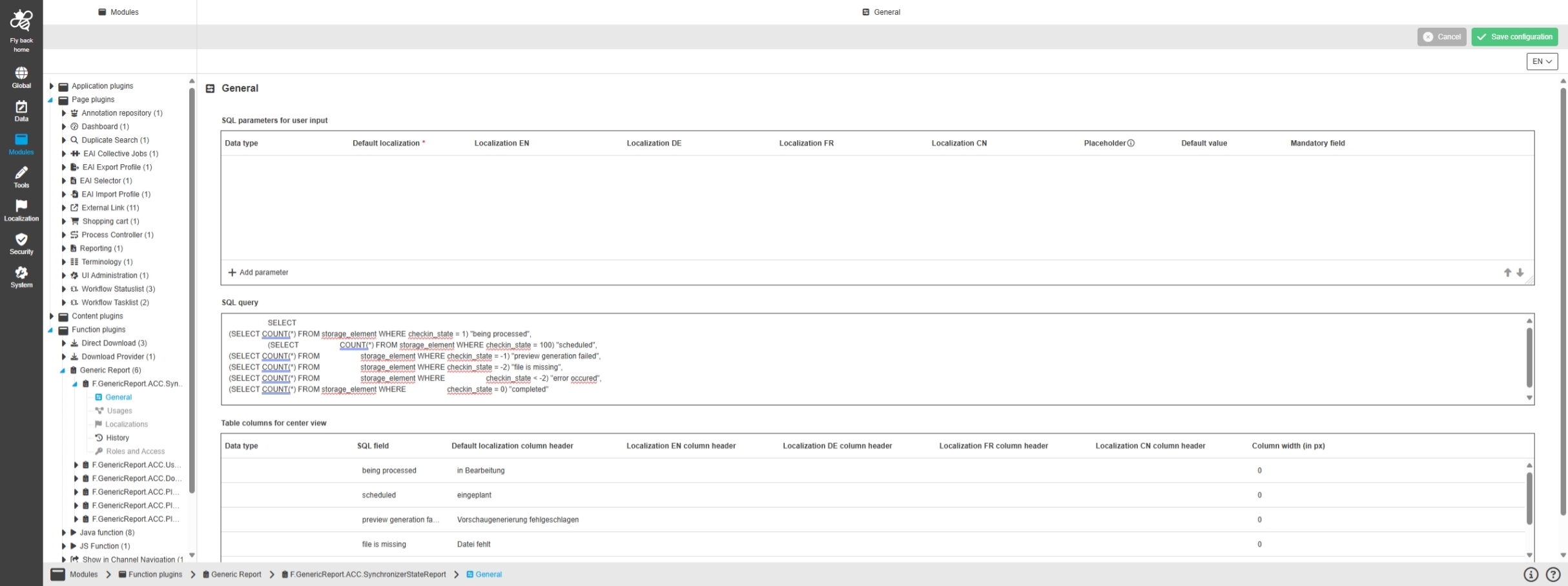
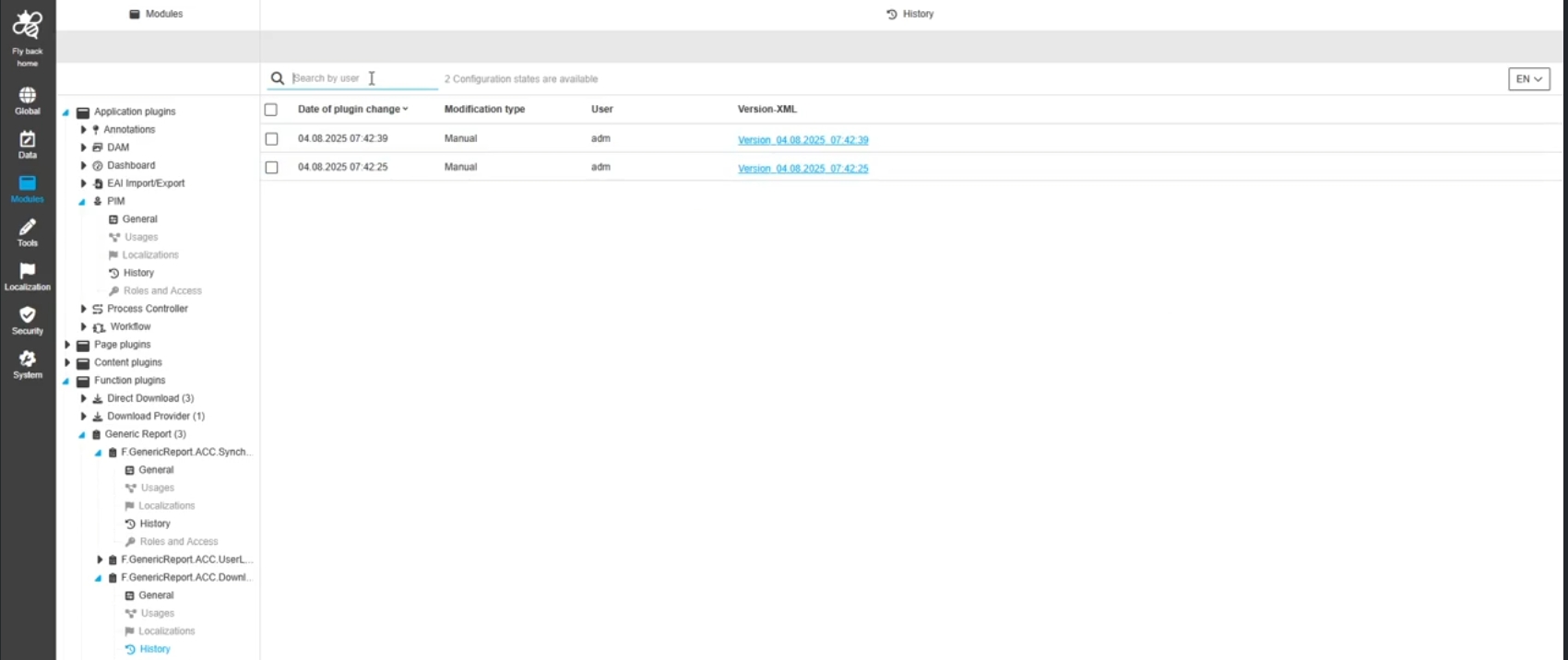
Modules - Function plugin - GenericReport - History
Tags |
OUCC-477 |
Overview of all modifications made in generic report plugin instance to understand who, when and what changes within the configuration
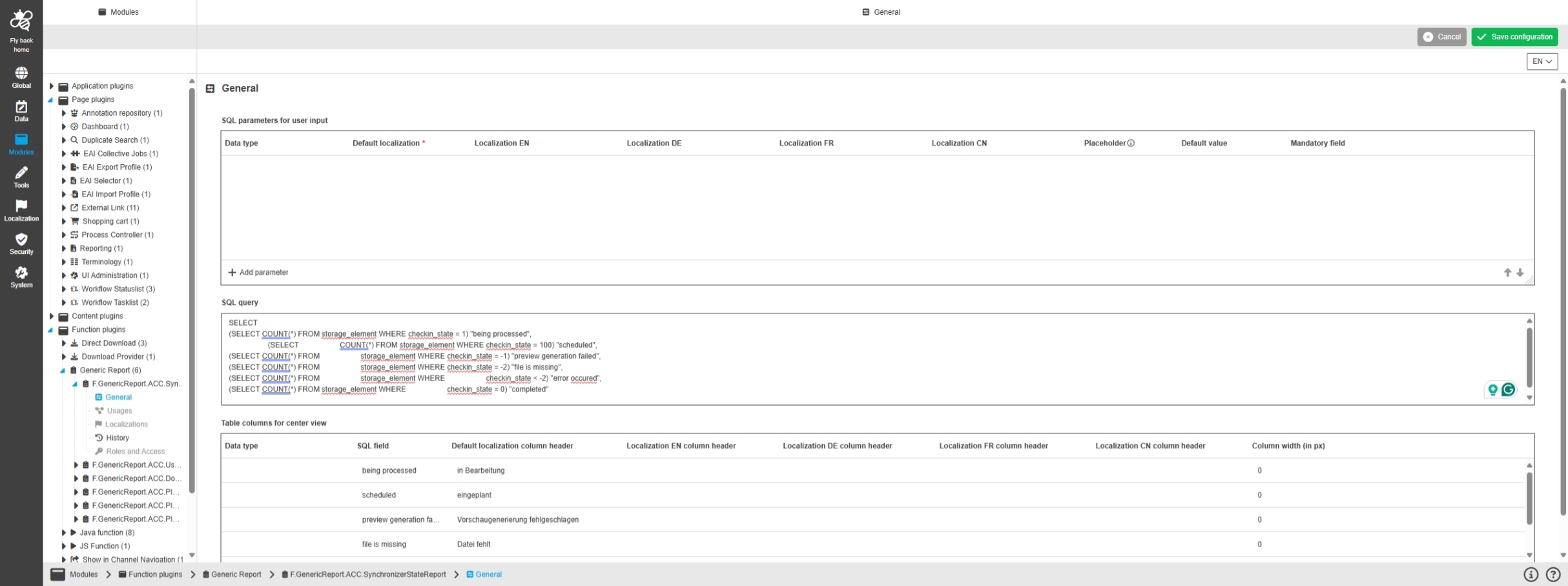
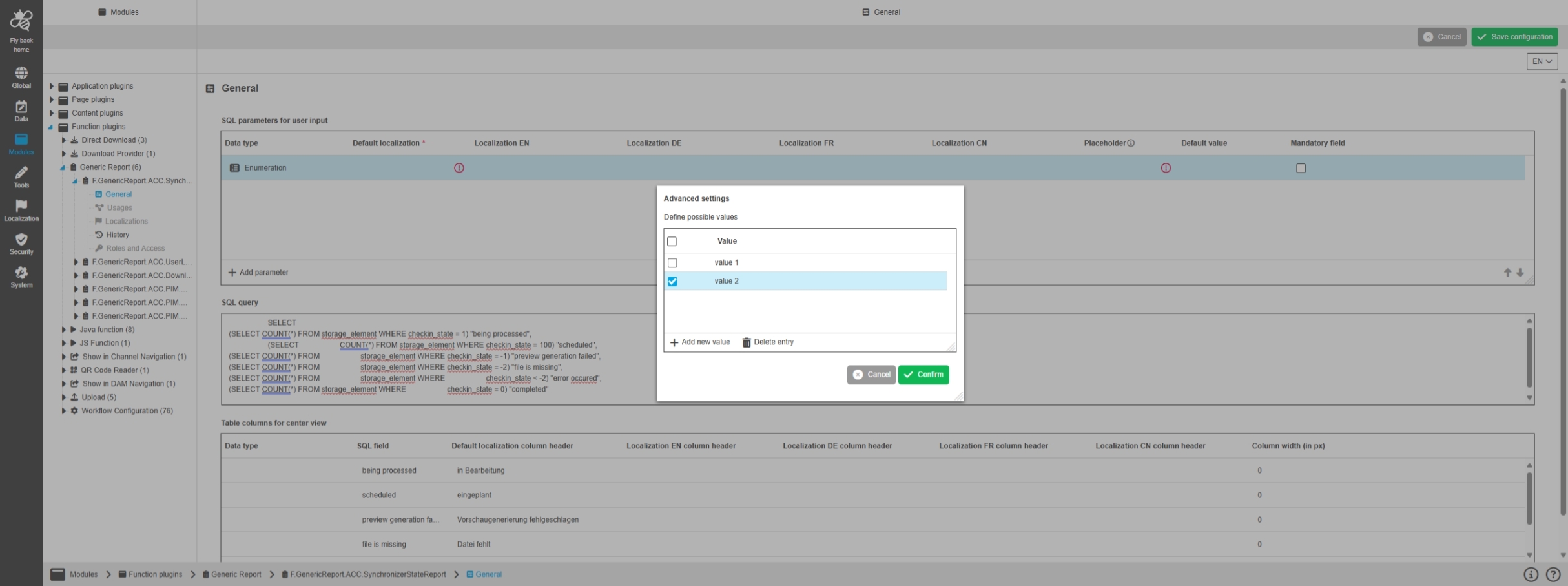
Modules - Function plugin - GenericReport - General - Table widget - SQL parameters for user input
Tags |
OUCC-1756 |
Possibility to configure SQL parameters, which the user can enter in the reporting page plugin UI, so those set parameters can be added in the SQL query to generate a generic Report
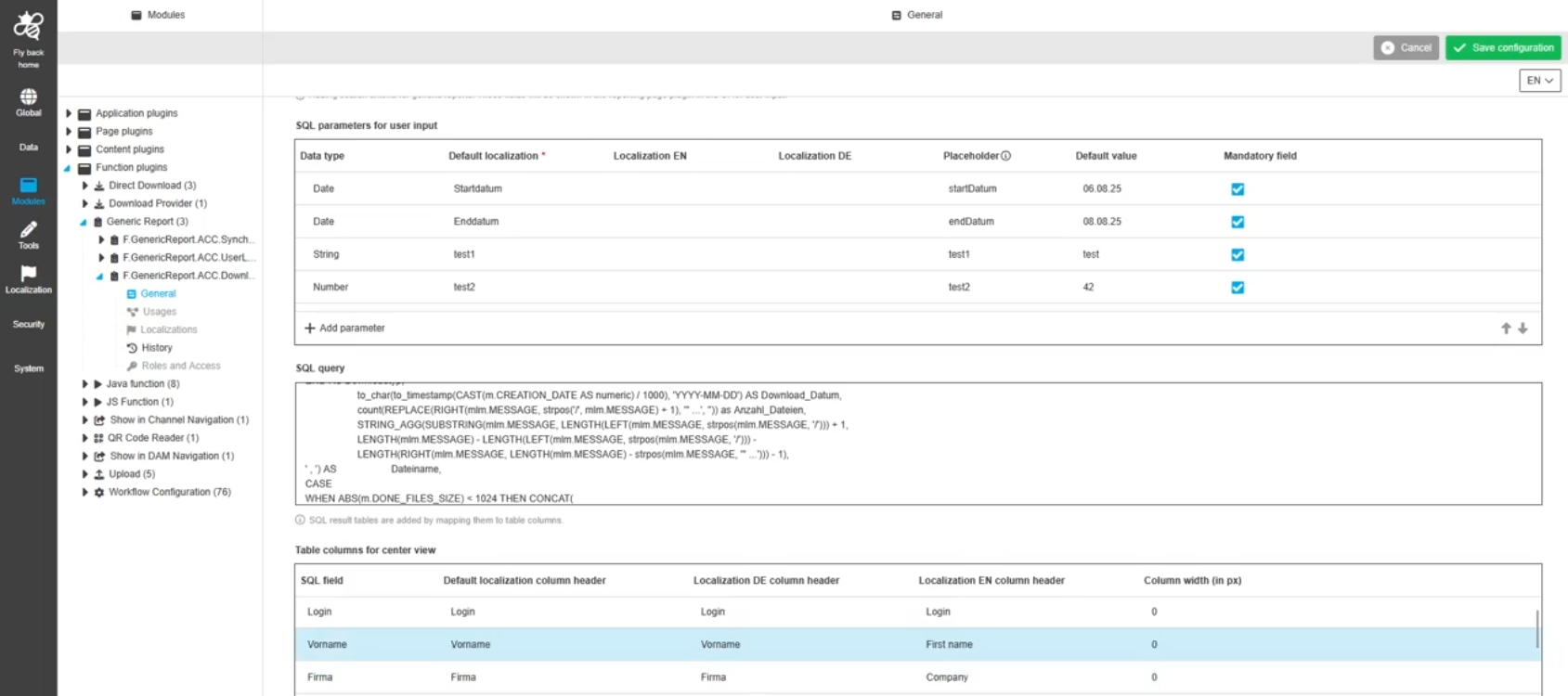
Modules - Function plugin - GenericReport - General - Table widget - Table columns for center view
Tags |
OUCC-1757 |
Possibility to configure SQL parameters, which the user can enter in the reporting page plugin UI, so those set parameters can be added in the SQL query to generate a generic Report
Download-Provider
Tags |
OUCC-116 |
Possibility to configure Download Provider Function Plugin in new Configuration Client UI
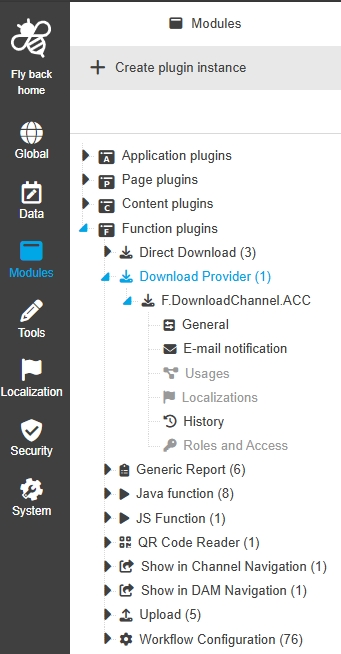
Modules - Function plugin - Download Provider - General layout
Tags |
OUCC-1741 |
Possibility to configure the DownloadChannel function plugin to collect assets and provide different downloads of those assets from shopping cart
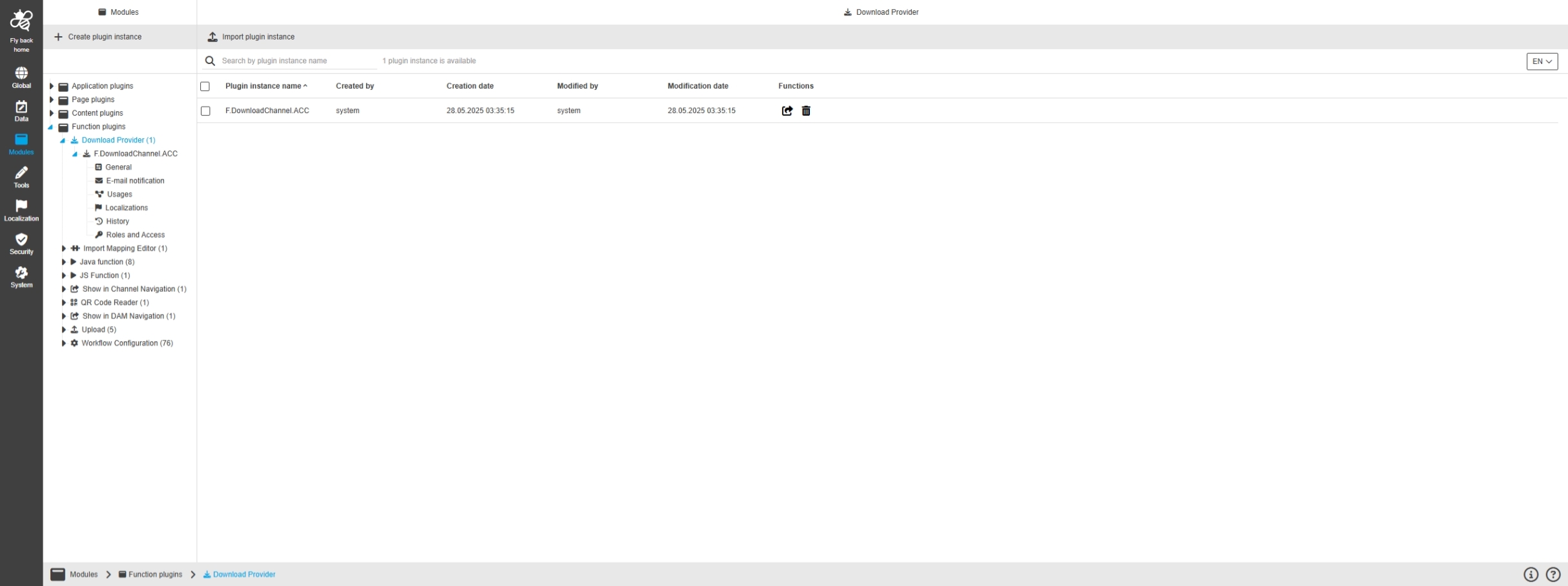
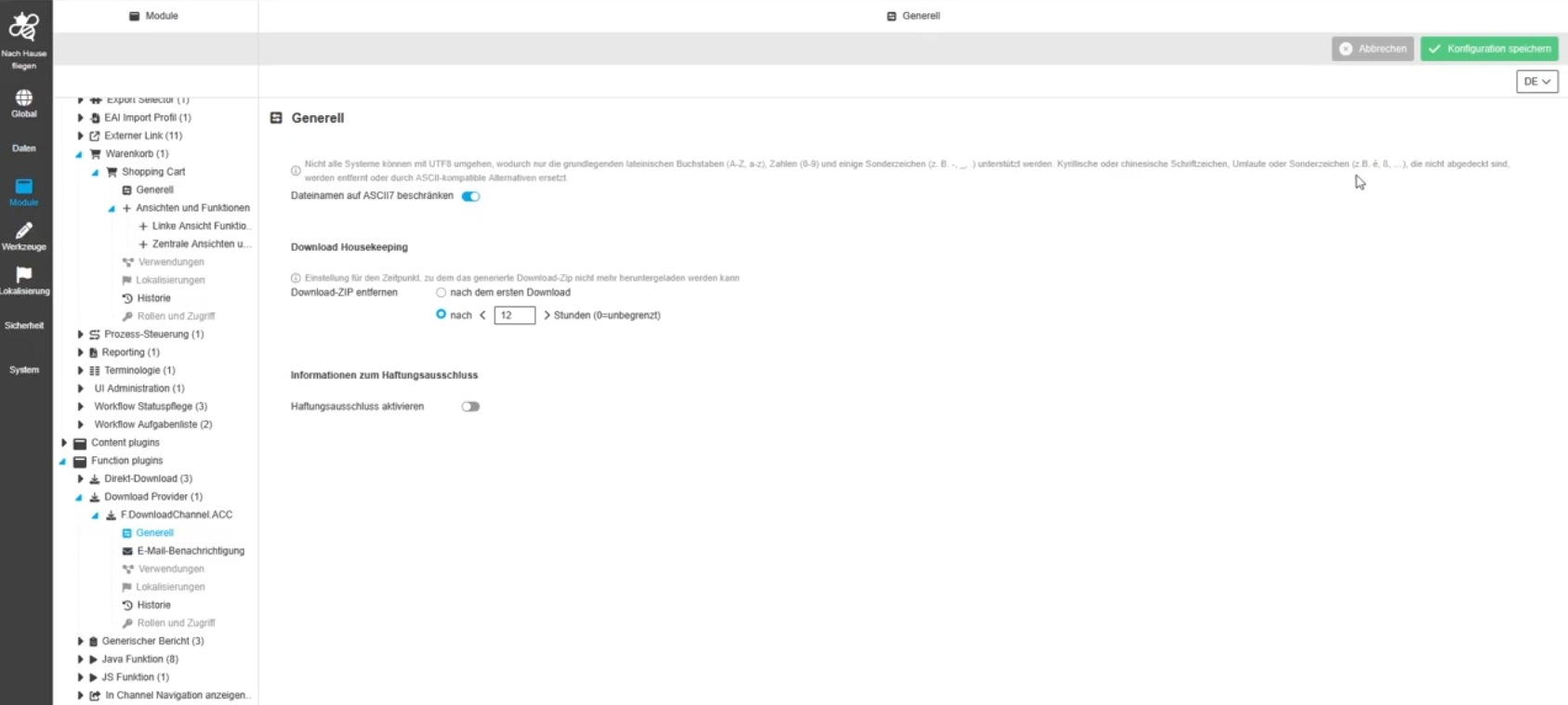
Modules - Function plugin - Download Provider - General
Tags |
OUCC-1742, OMN-11575, OMN-11571 |
Possibility to configure general settings for shopping cart download, so the download is executed as wished.
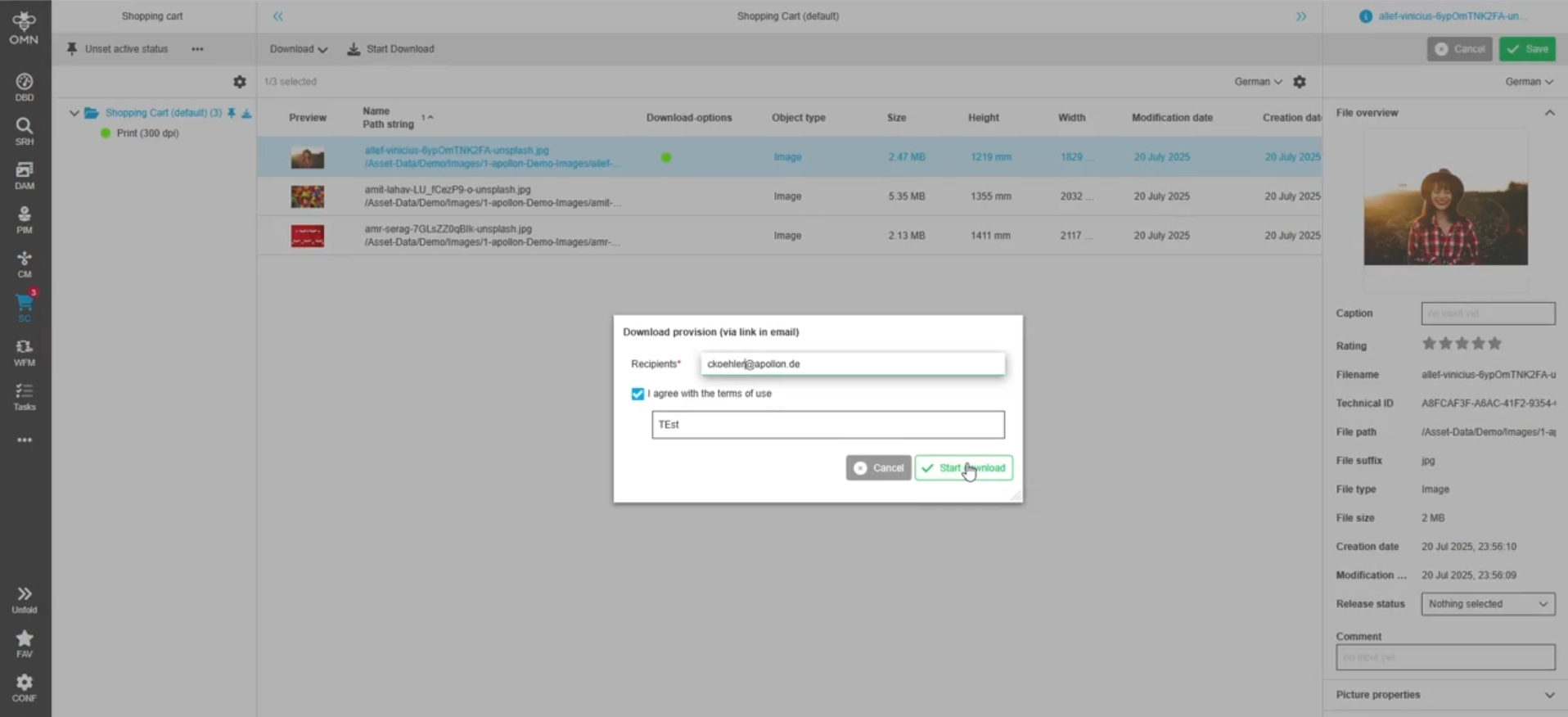
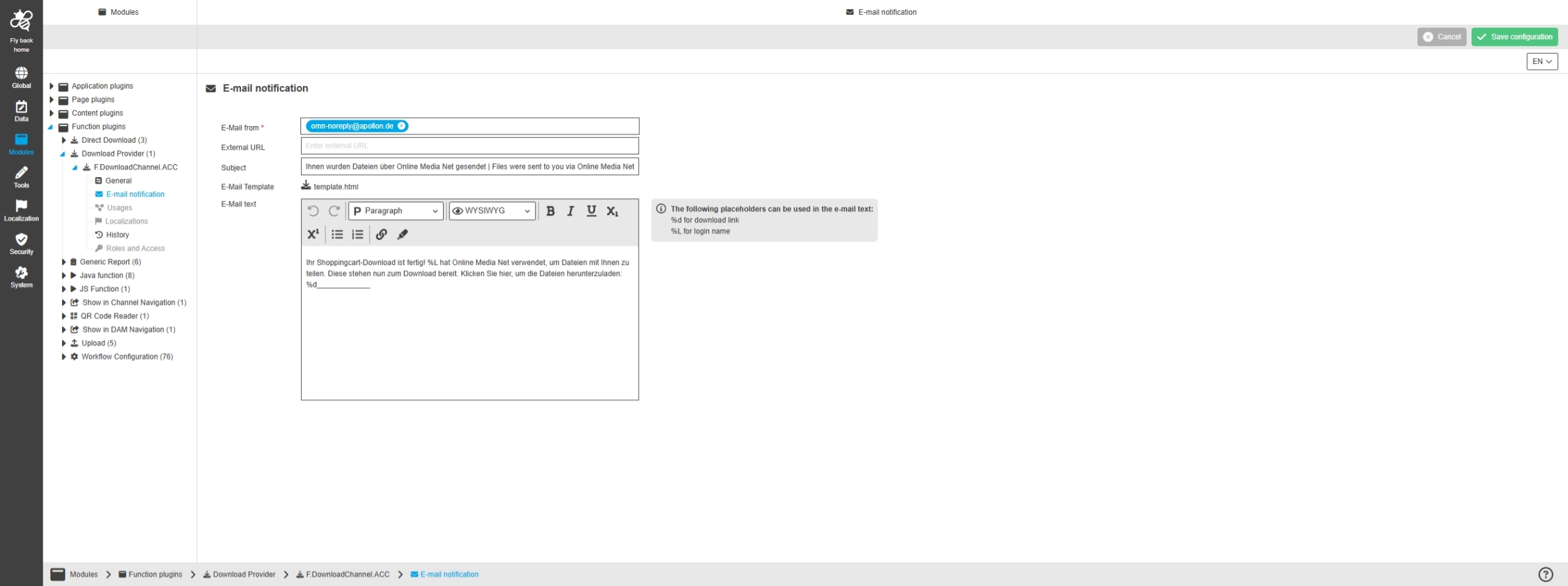
Modules - Function plugin - Download Provider - E-Mail notification
Tags |
OUCC-1743, OCA-197, OMN-11585 |
Possibility to define the email templates, which is sent to recipients for a Shopping Cart download
Modules - Function plugin - Download Provider - History
Tags |
OUCC-1746 |
Overview of all modifications made in the Download Provider plugin instance to have an initial state available as a file and understand who, when and what changes within the configuration
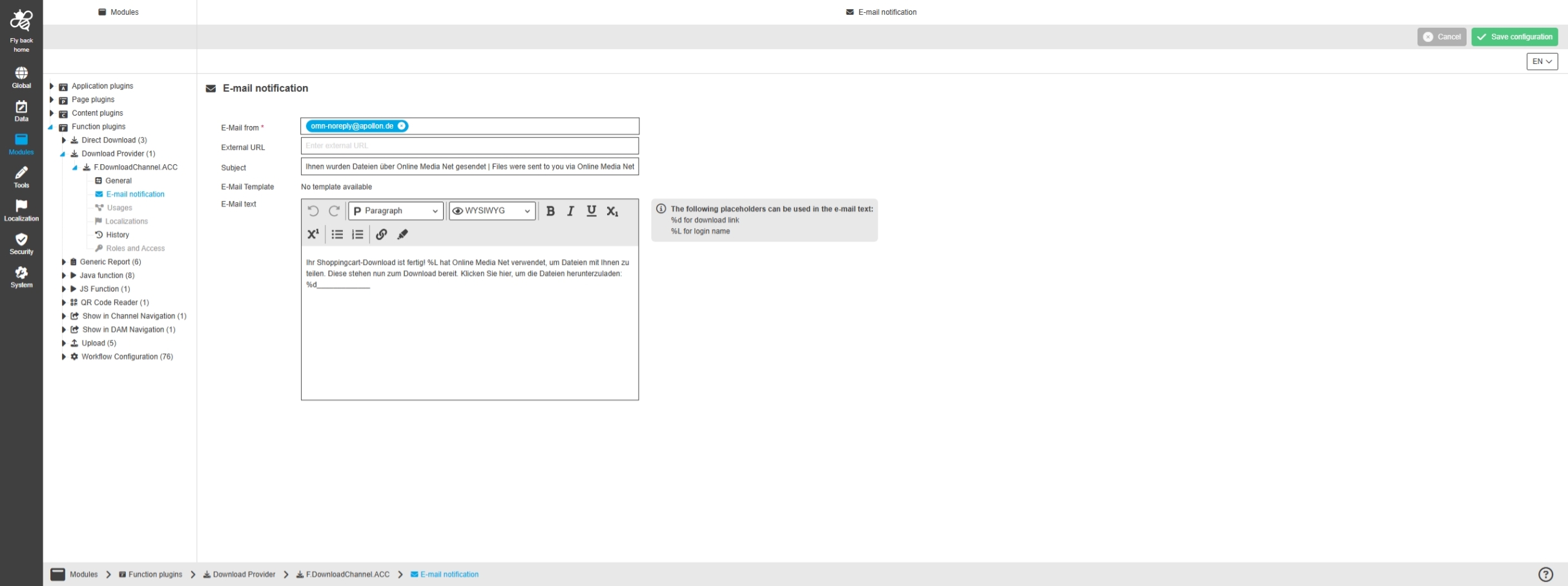
Modules - Function plugin - Download Provider - E-Mail notification - HTML template
Tags |
OUCC-1766, OMN-11596 |
Base Requirement |
OR-1410 |
Usage of an email template that defines what the shopping cart email looks like when the user places an order
-
in current Version the HTML template cannot be changed by configuration
-
default logo and html template are situated in source files.
-
As for the custom ones, two new properties was added in suite/core/server/src/main/resources/META-INF/omn/config/filesystems.properties. The default values are:
-
FileSystems.DownloadTemplatePath=/omn/template/download-template.html
-
FileSystems.DownloadTemplateLogoPath=/omn/template/logo.png
-
-
this feature might be added in later Version
Tools
Improvements and new functions in OMN Config UI - Tools
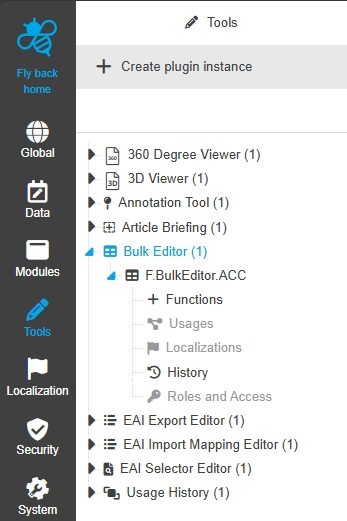
Configuration Client - Tools - BulkEditor
Tags |
OUCC-106 |
Possibility to configure BulkEditor Tool in new HTML ConfigUI
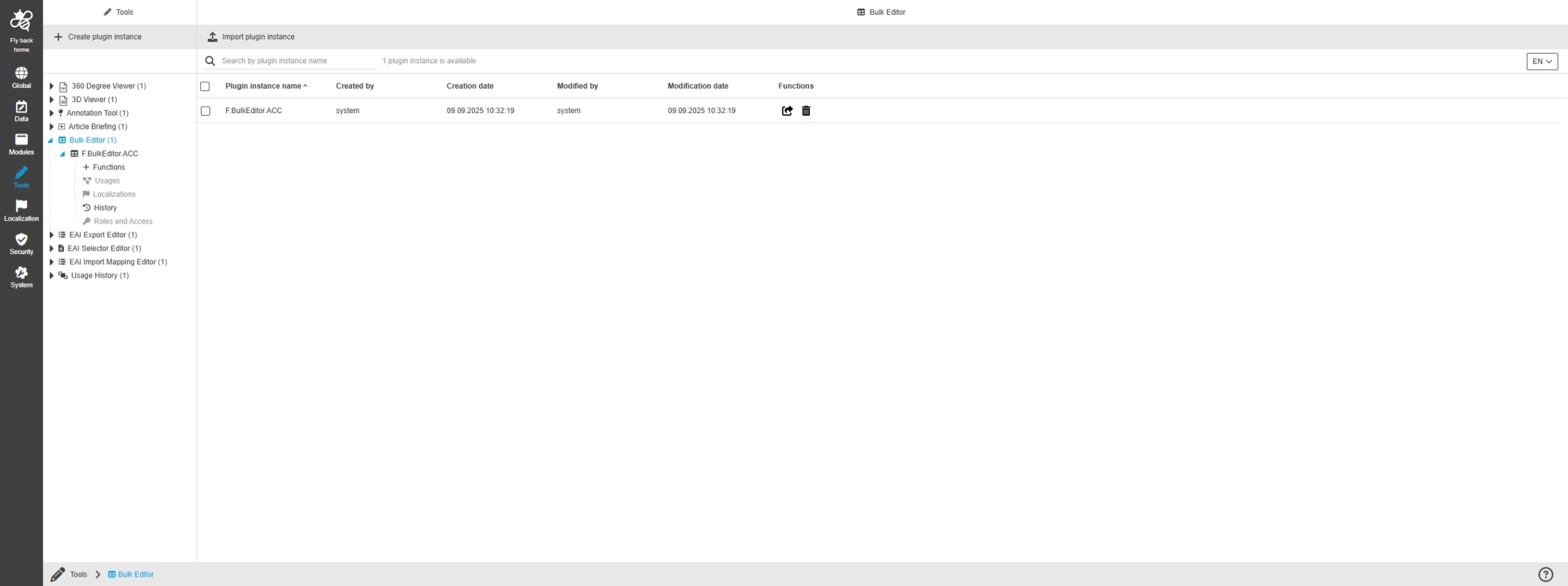
Tools - BulkEditor - General Layout
Tags |
OUCC-391 |
Possibility to enable and configure Bulk Editor tool in the ConfigUI to use the functionality for maintaining bulk data in frontend
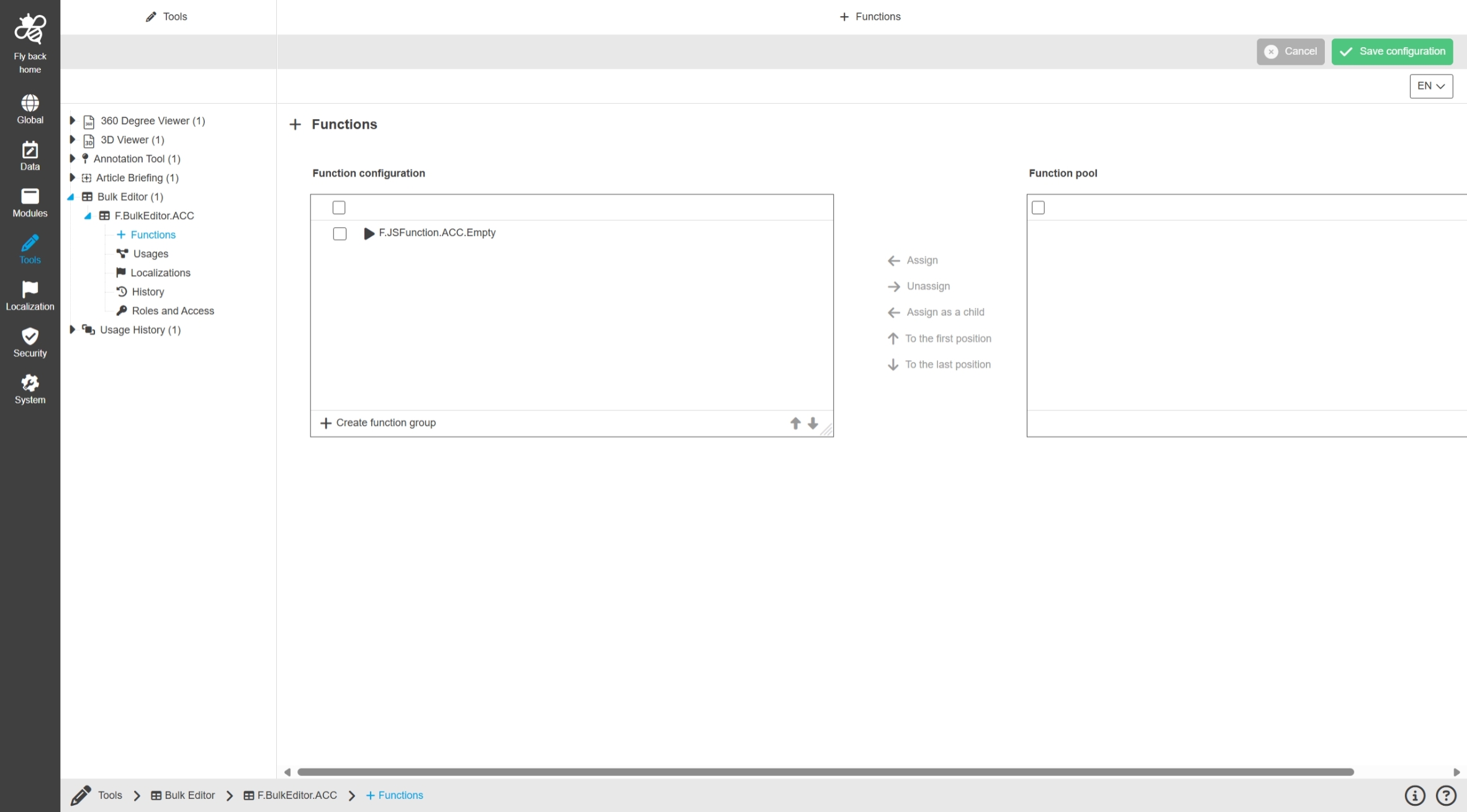
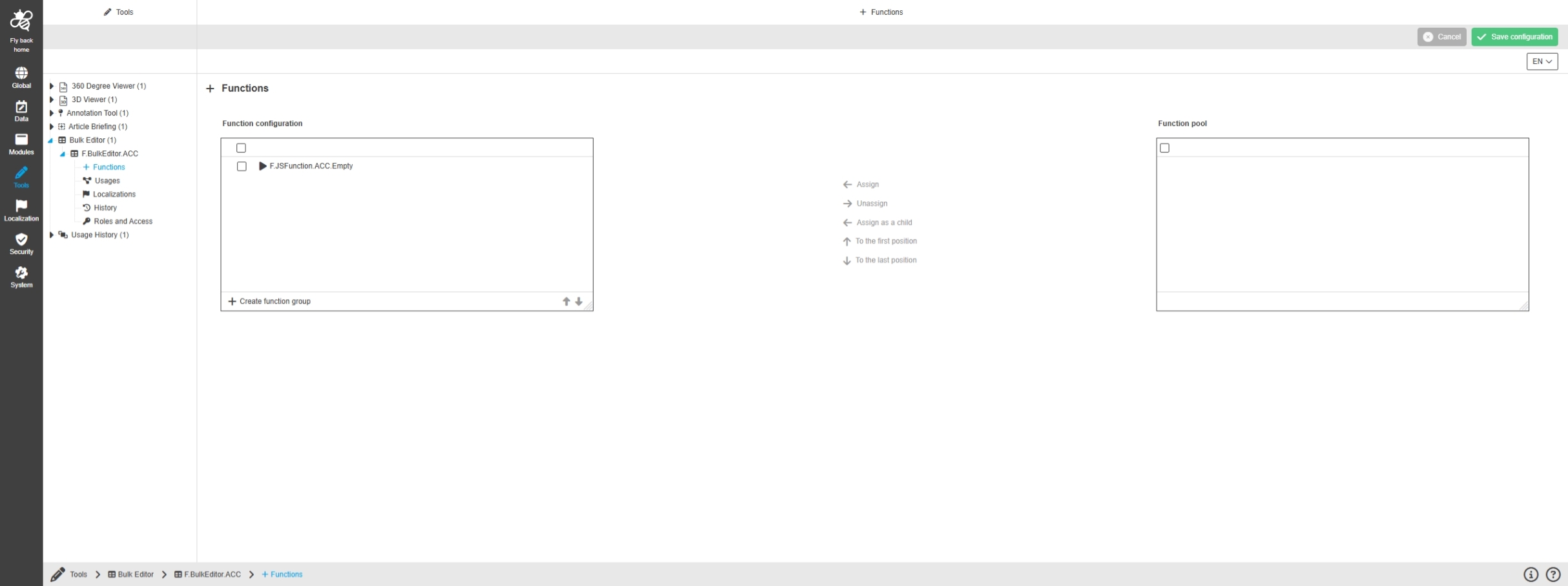
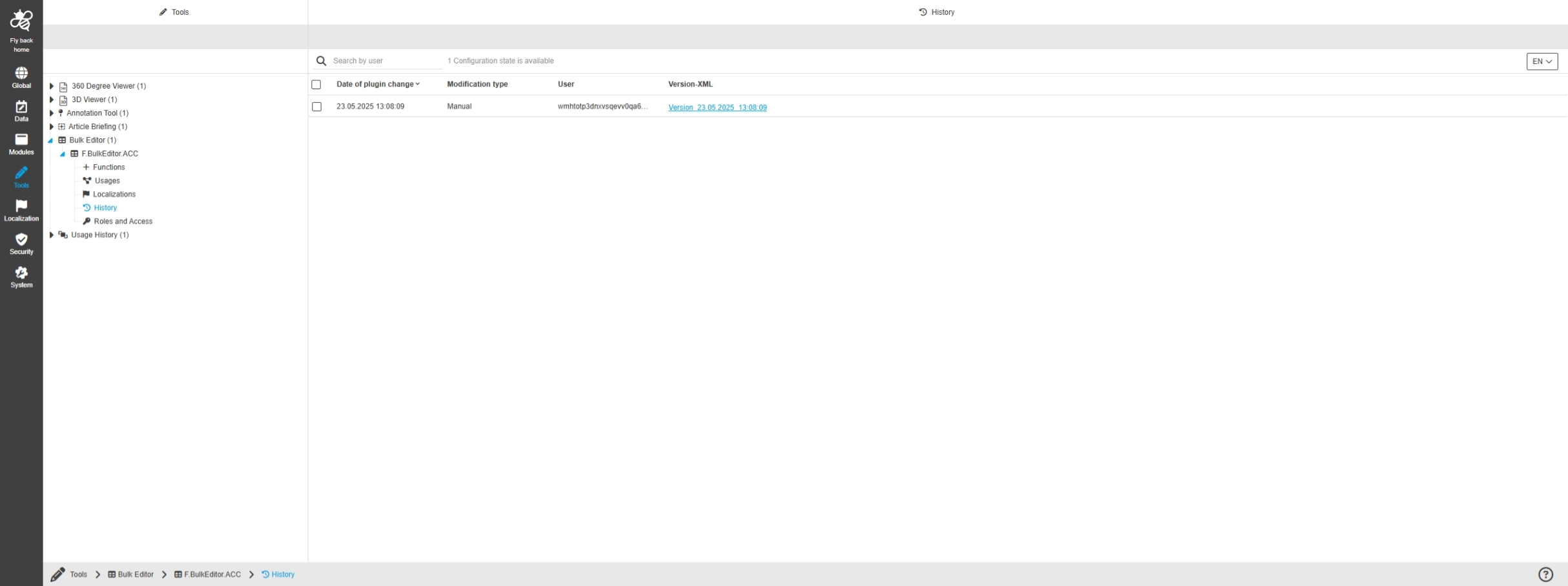
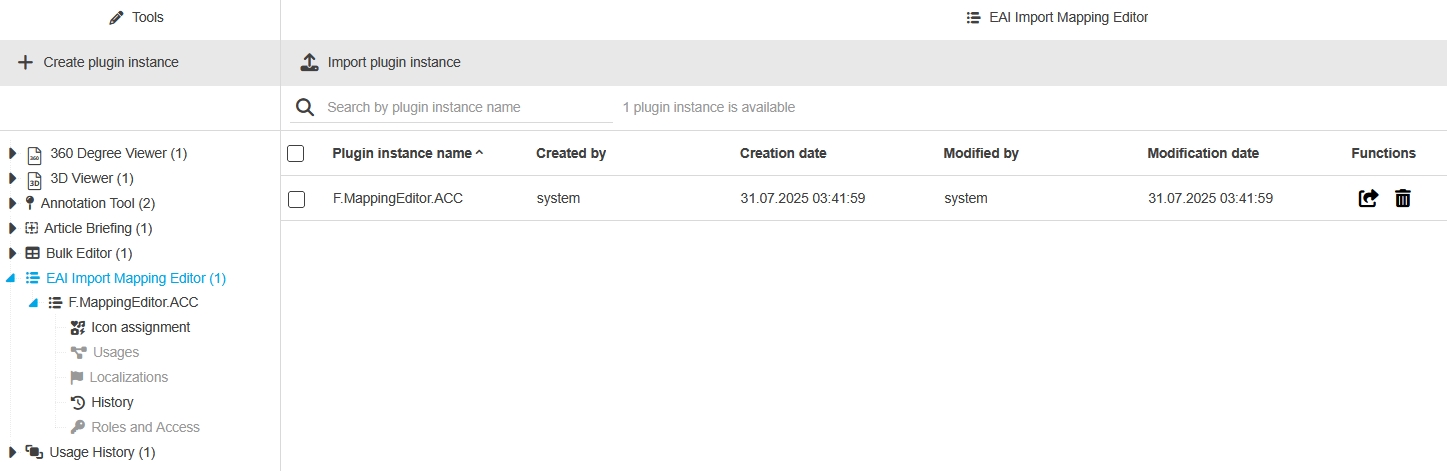
Tools - Import Mapping Editor - General layout
Tags |
OUCC-1494 |
Small UI and Localization Improvements in Import Mapping Editor Tool
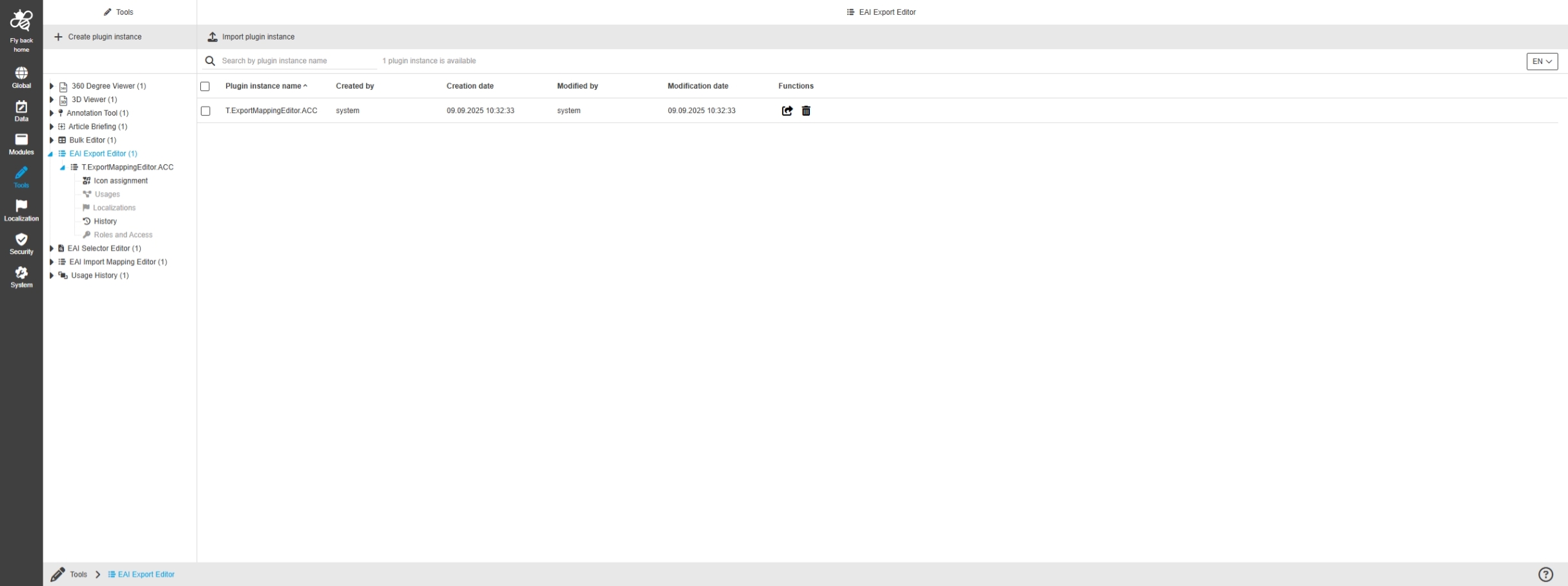
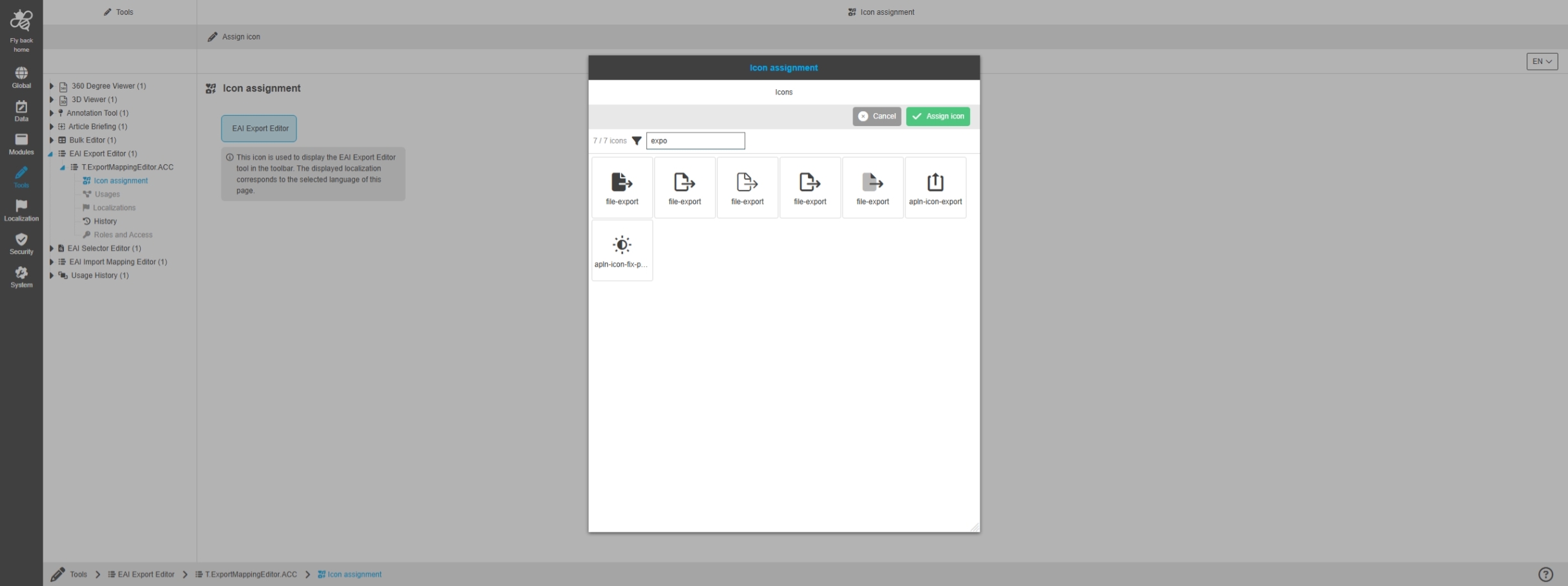
EAI Export-Editor
Tags |
OUCC-1890 |
Possibility to configure the EAI Export Editor Tool for creating export profiles in the EAI Export module
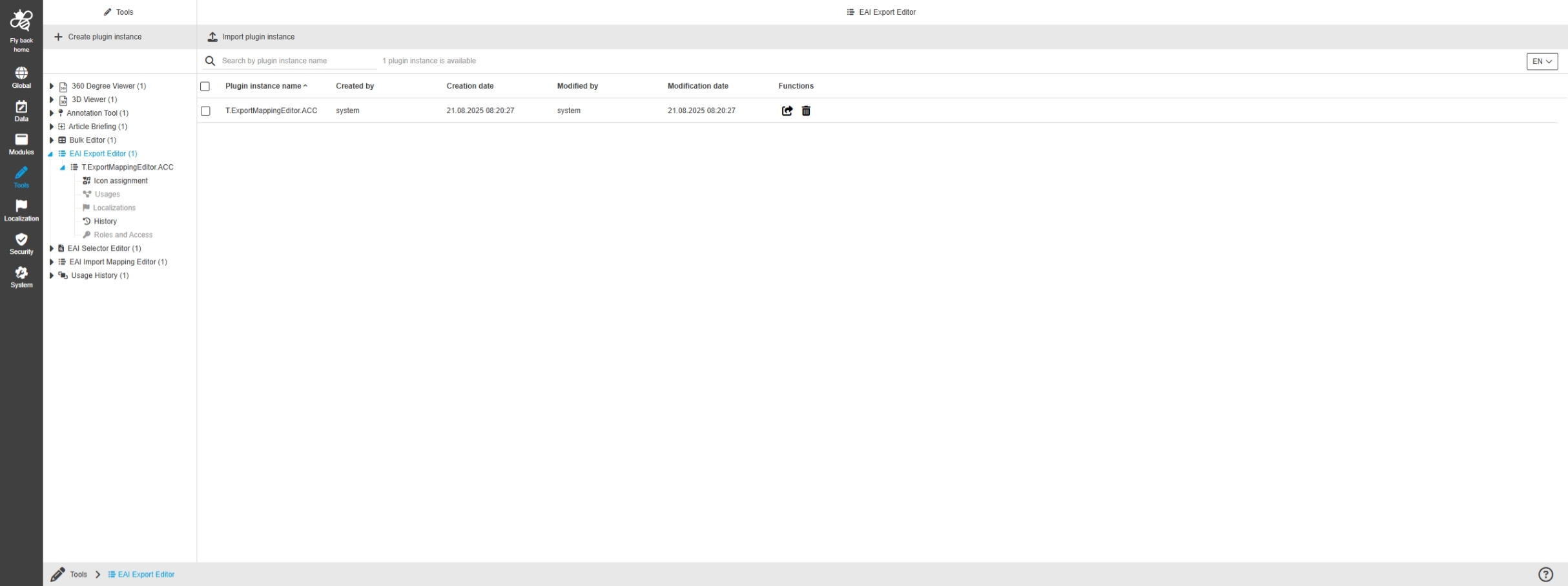
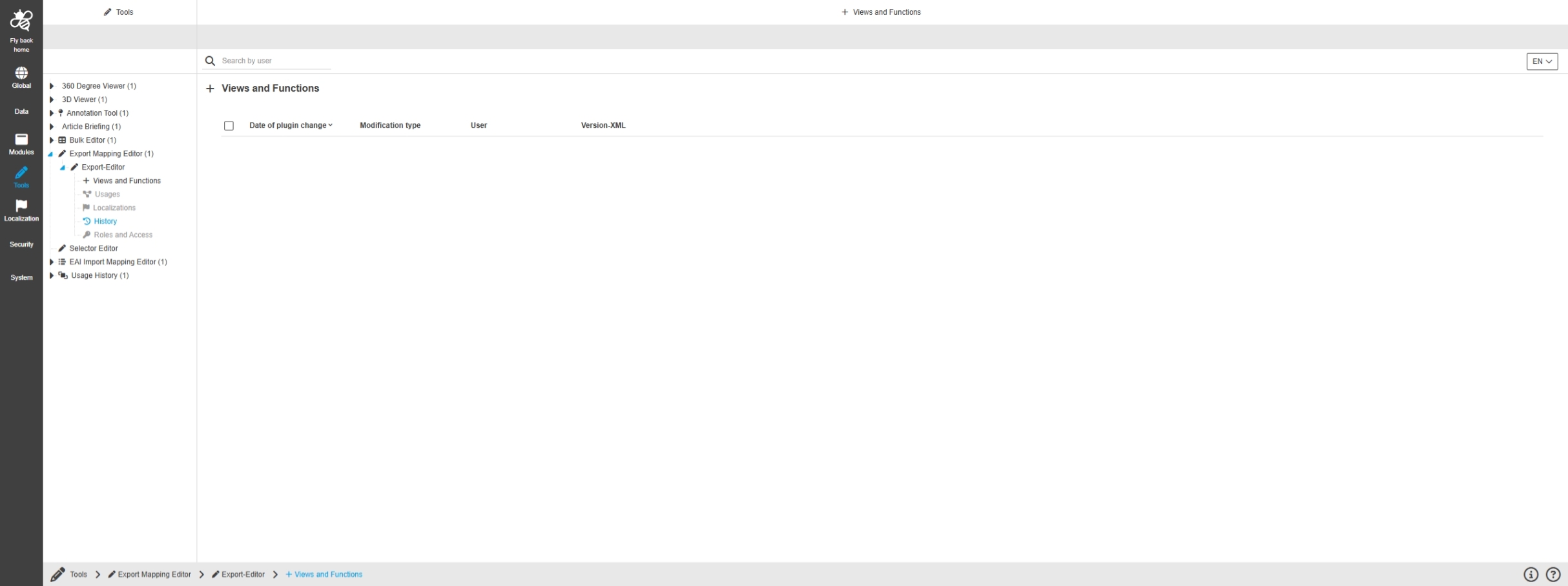
Tools - EAI Export Editor - General layout
Tags |
OUCC-1903, OMN-11108 |
Possibility to configure the EAI Export Editor for creating export profiles in the EAI Export module
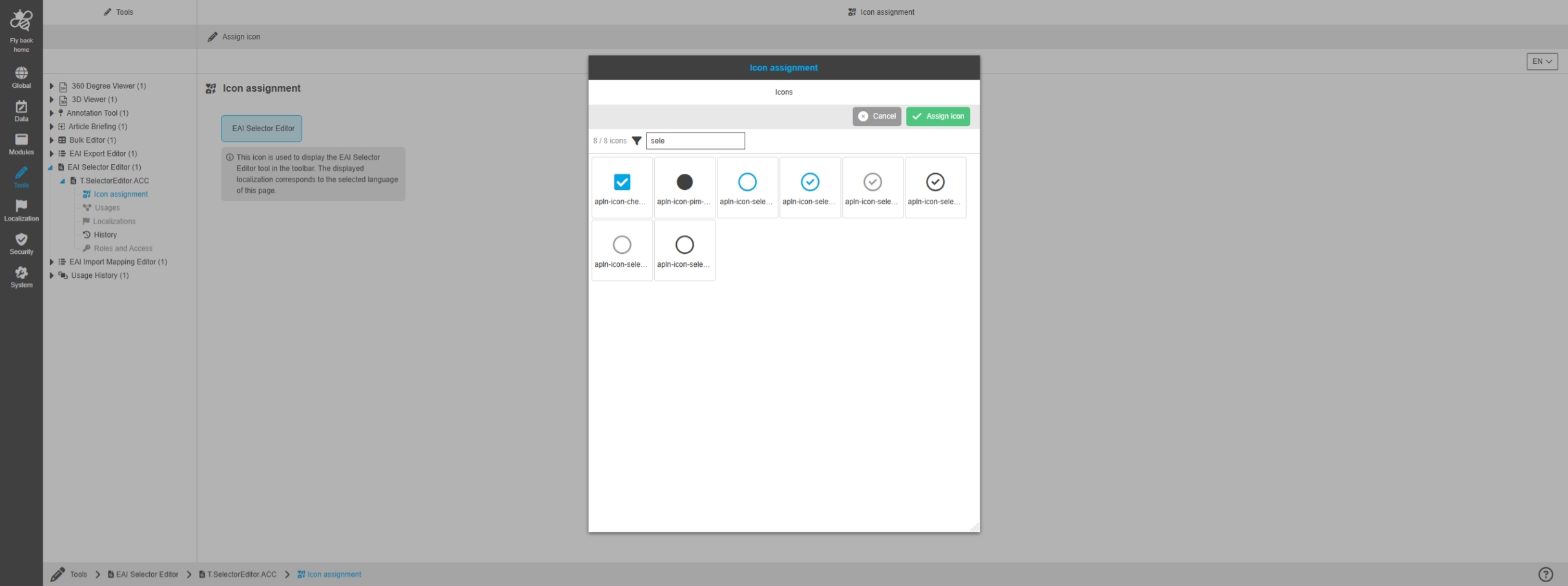
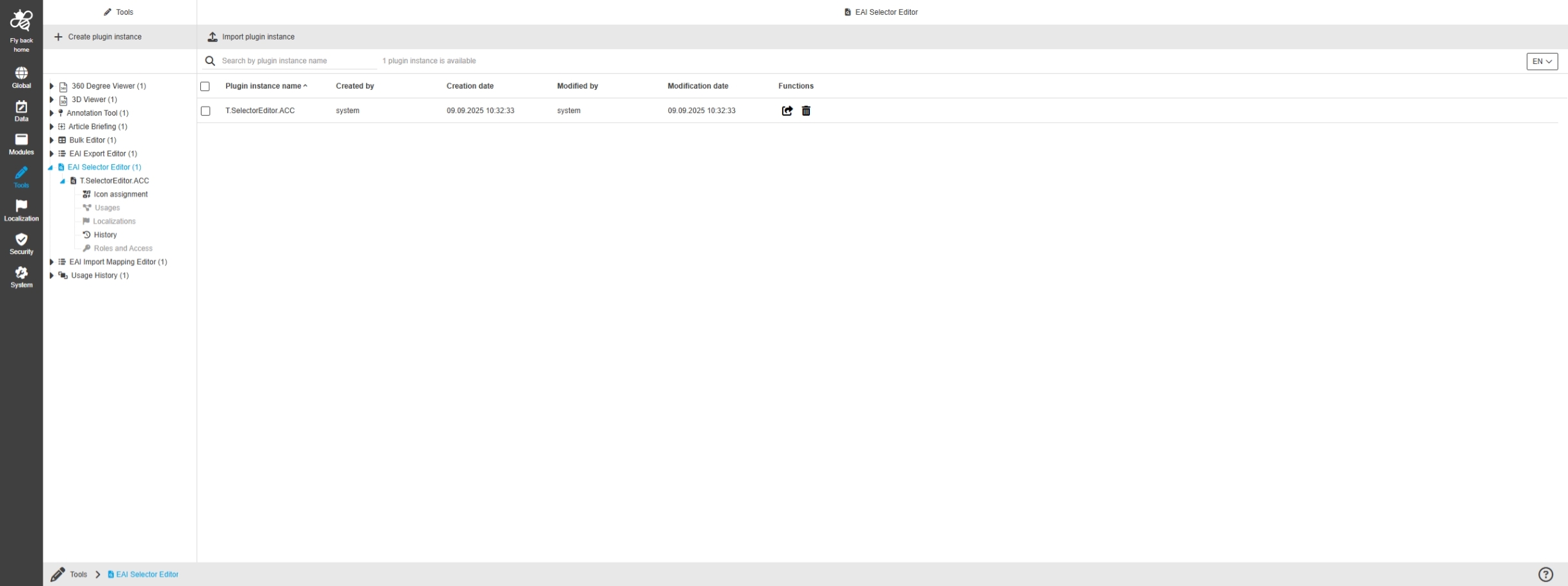
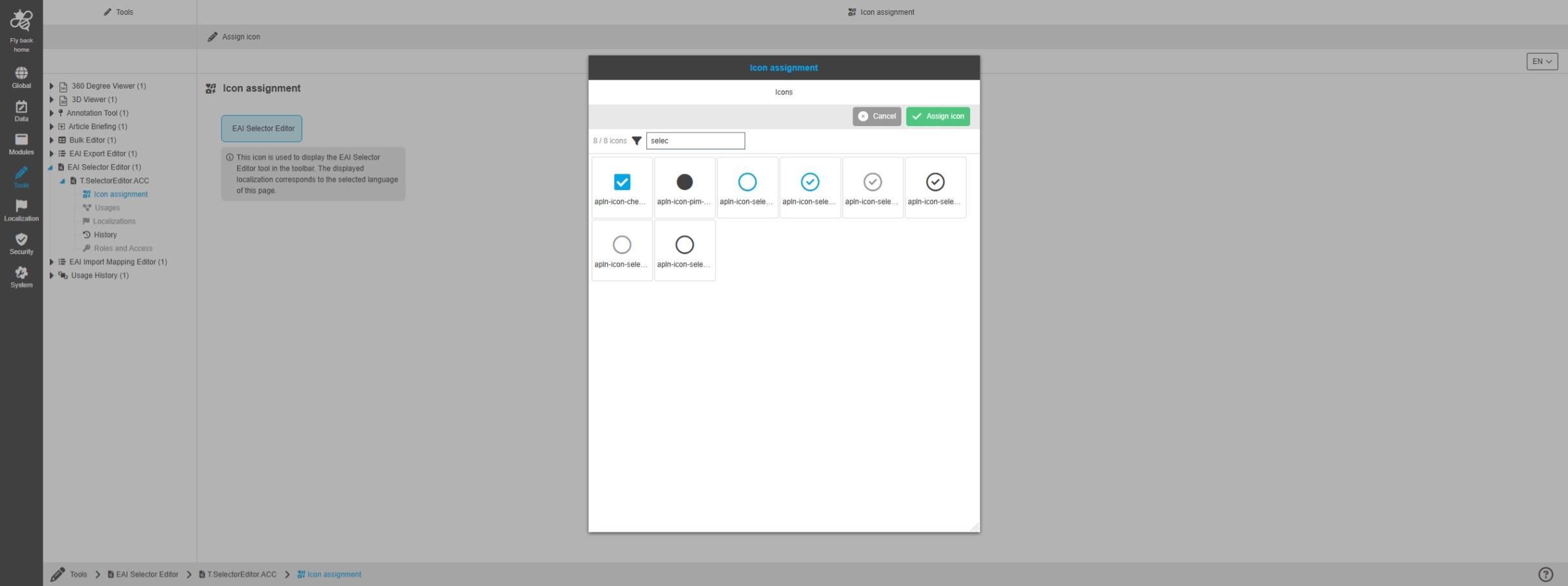
Configuration Client - Tools - EAI Selector Editor
Tags |
OUCC-1891 |
Possibility to configure the EAI Selector Editor Module for selecting products which should be exported via new Export module
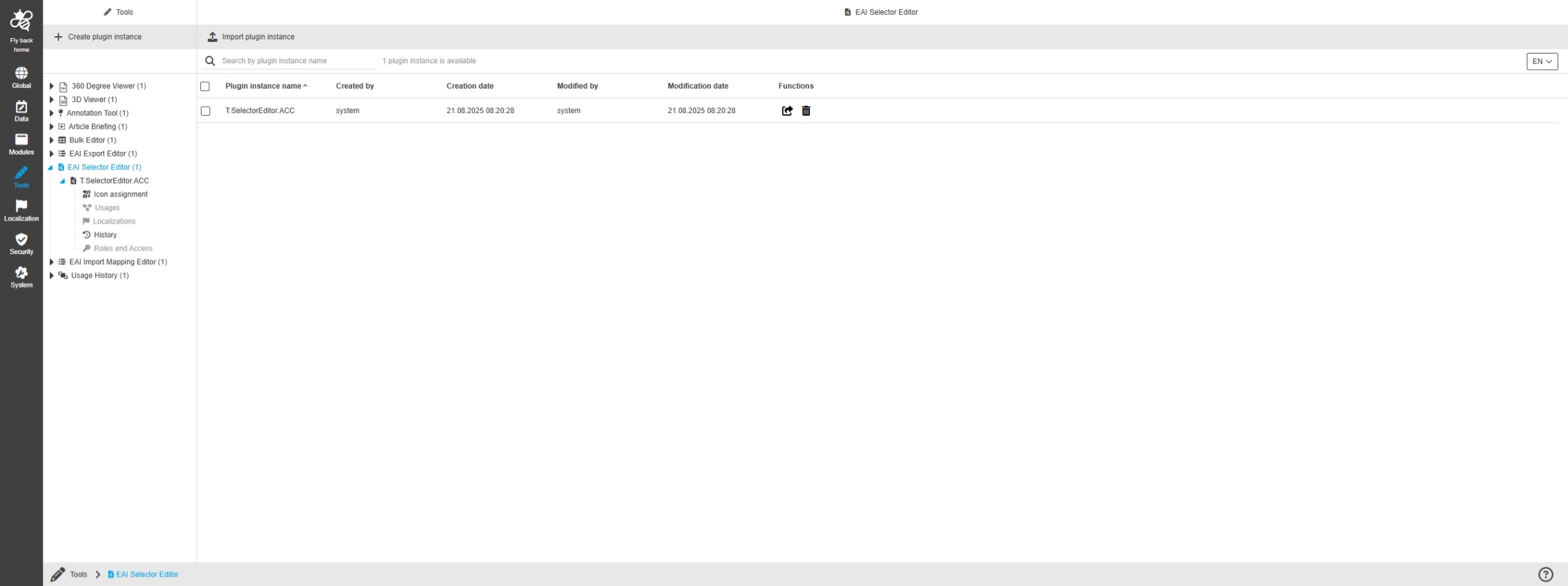
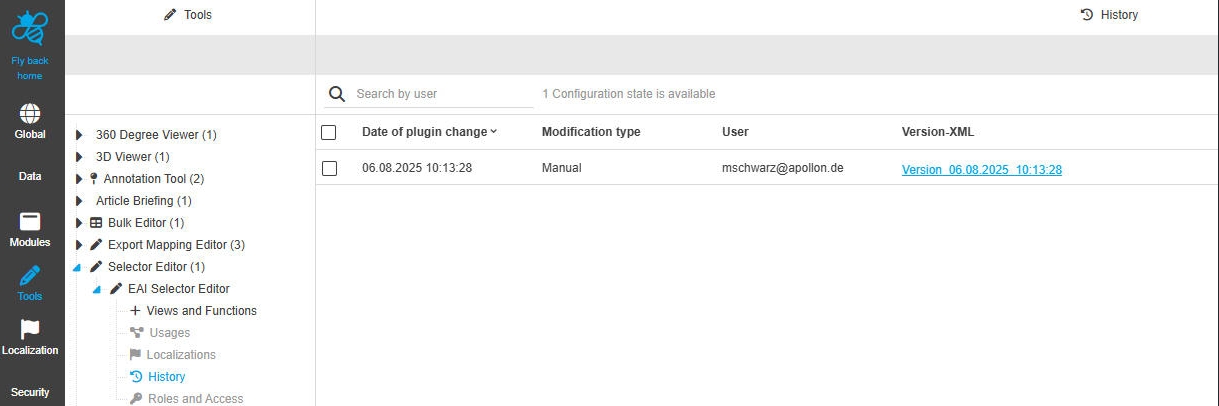
Tools - EAI Selector Editor - General layout
Tags |
OUCC-1904 |
Possibility to configure the EAI Selector Editor for selecting PIM items to use selection within export profiles in the EAI Export module
Security/ Permissions
Tags |
OUCC-191, OUCC-1305 |
Improvements and new functions in OMN Permission / Security Configuration in ConfigUI
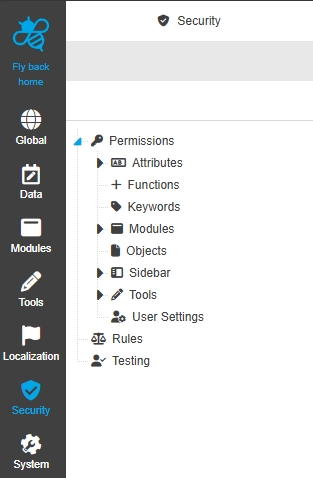
Security - General layout
Tags |
OUCC-1304 |
Possibility to set security permissions and rules for users, groups, and roles in the configuration, to restrict access to certain areas on the OMN System on base of new ConfigUI
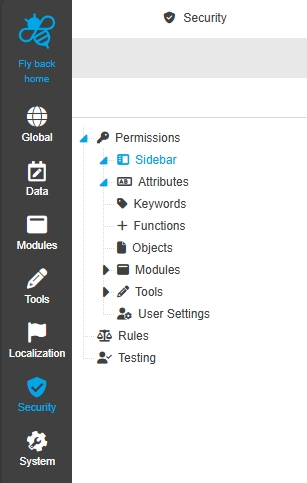
Security - Permissions
Tags |
OUCC-1305 |
Possibility to set permissions for certain areas on the OMN System to regulate who can see and edit certain information
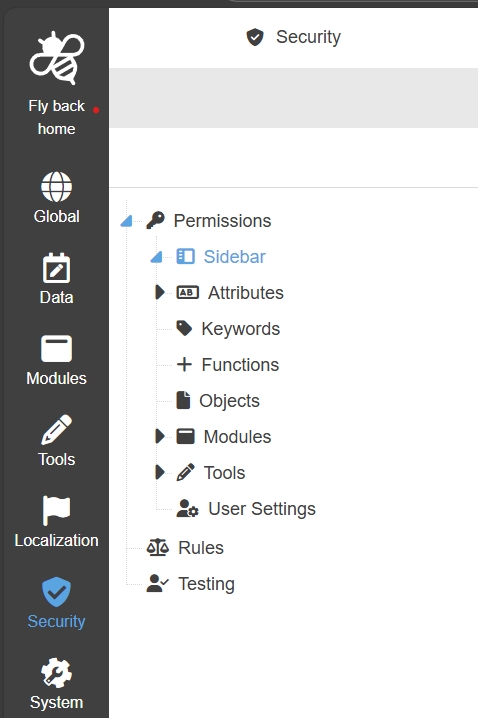
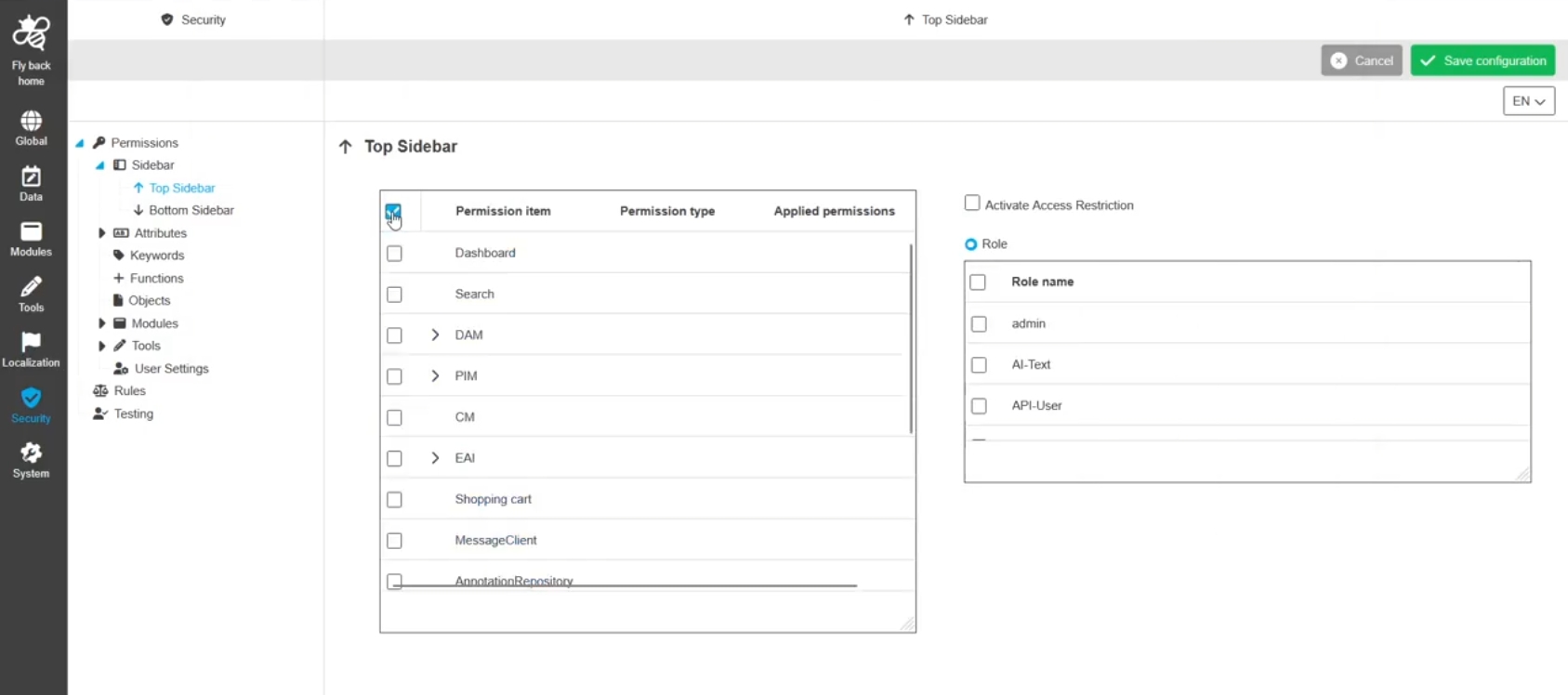
Security - Permissions - Configuration - Sidebar
Tags |
OUCC-1308 |
Possibility to configure permissions for the configurations in the sidebar in the new ConfigUI to restrict access in the UI for certain roles (with user and Groups)
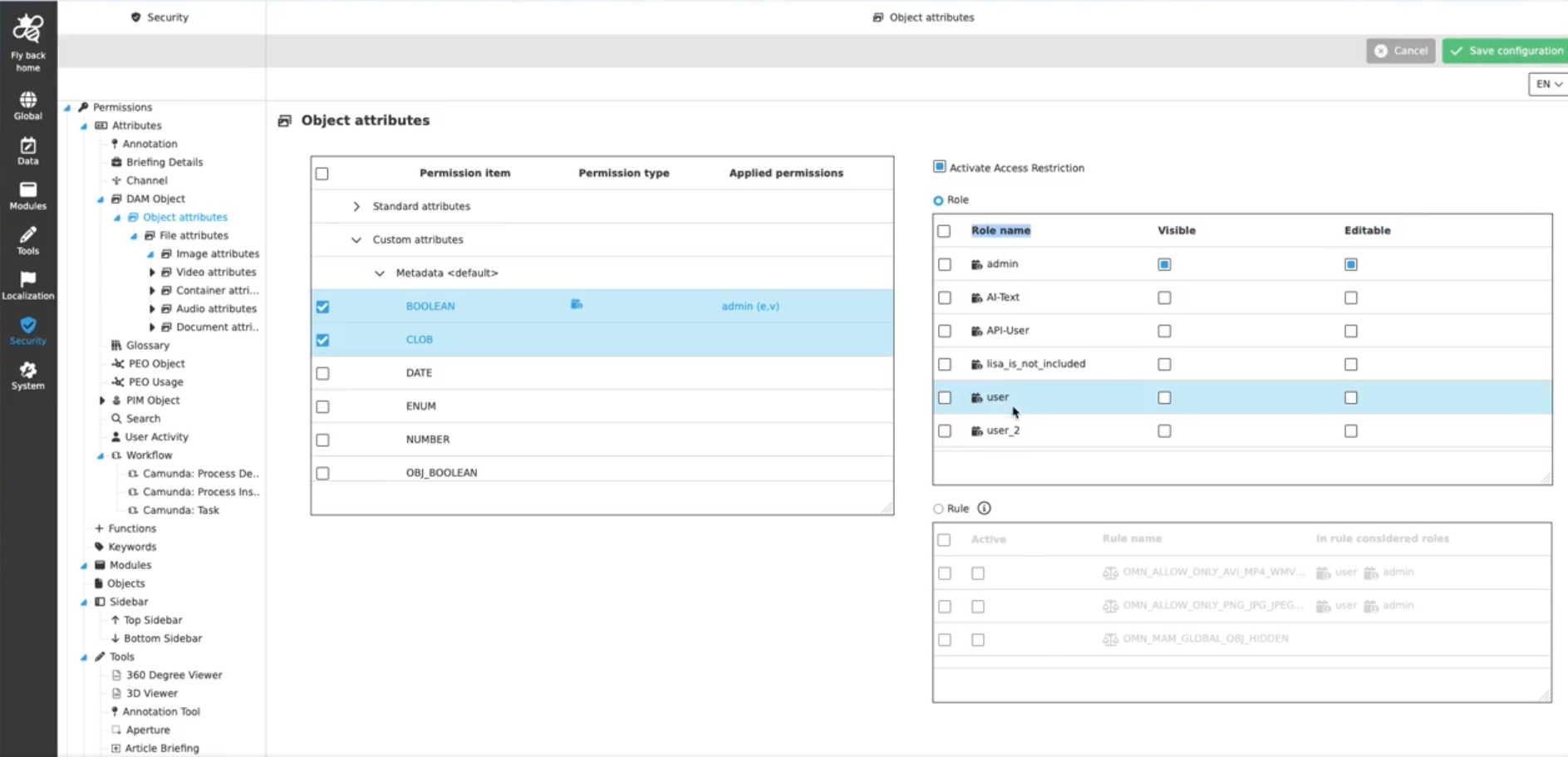
Security - Permissions - Configuration - UI-Pattern - Mandator roles
Tags |
OUCC-1309 |
Possibility to configure mandator roles for permission items in new ConfigUI to restrict the access to the items by certain roles
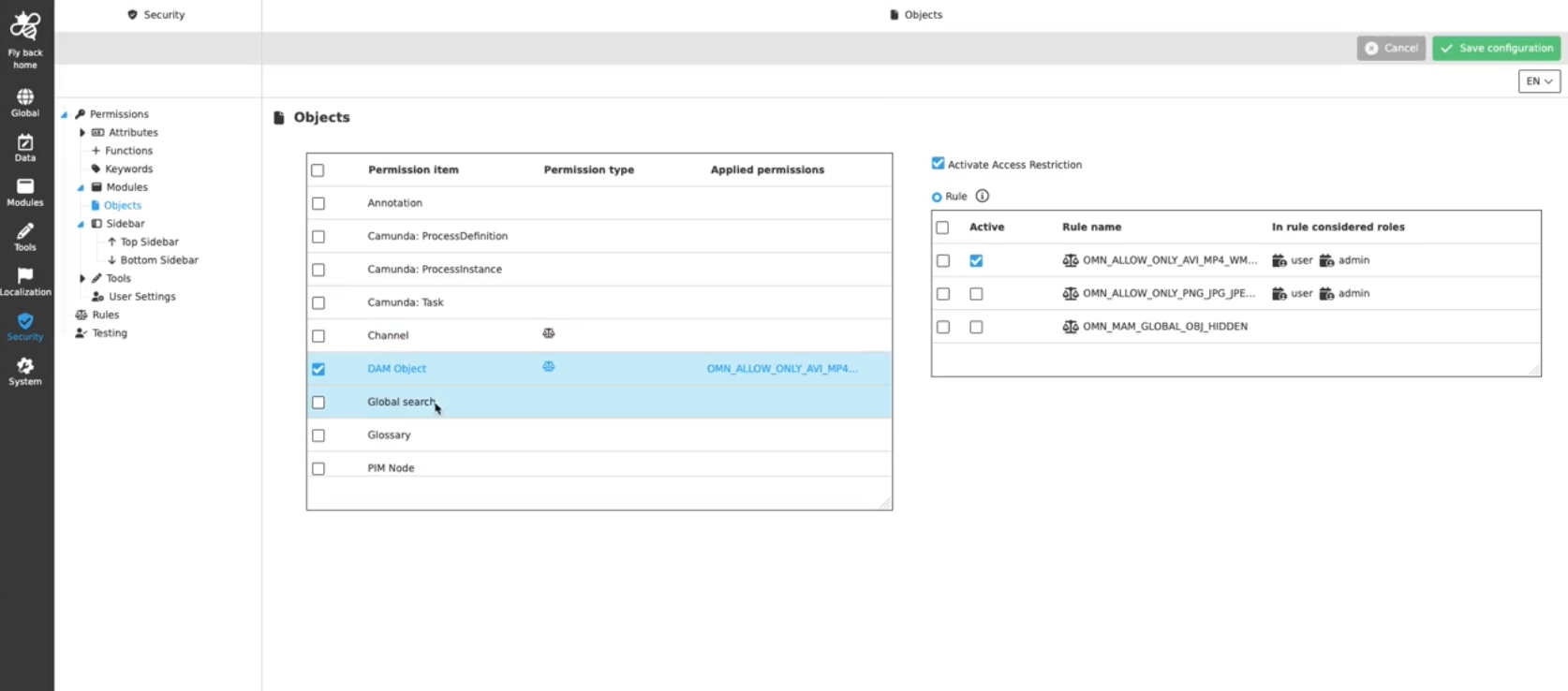
Security - Permissions - Configuration - UI-Pattern - Access right rules
Tags |
OUCC-1310 |
Possibility to configure rules for selected permission items in new ConfigUI to restrict access to them due to specific circumstances
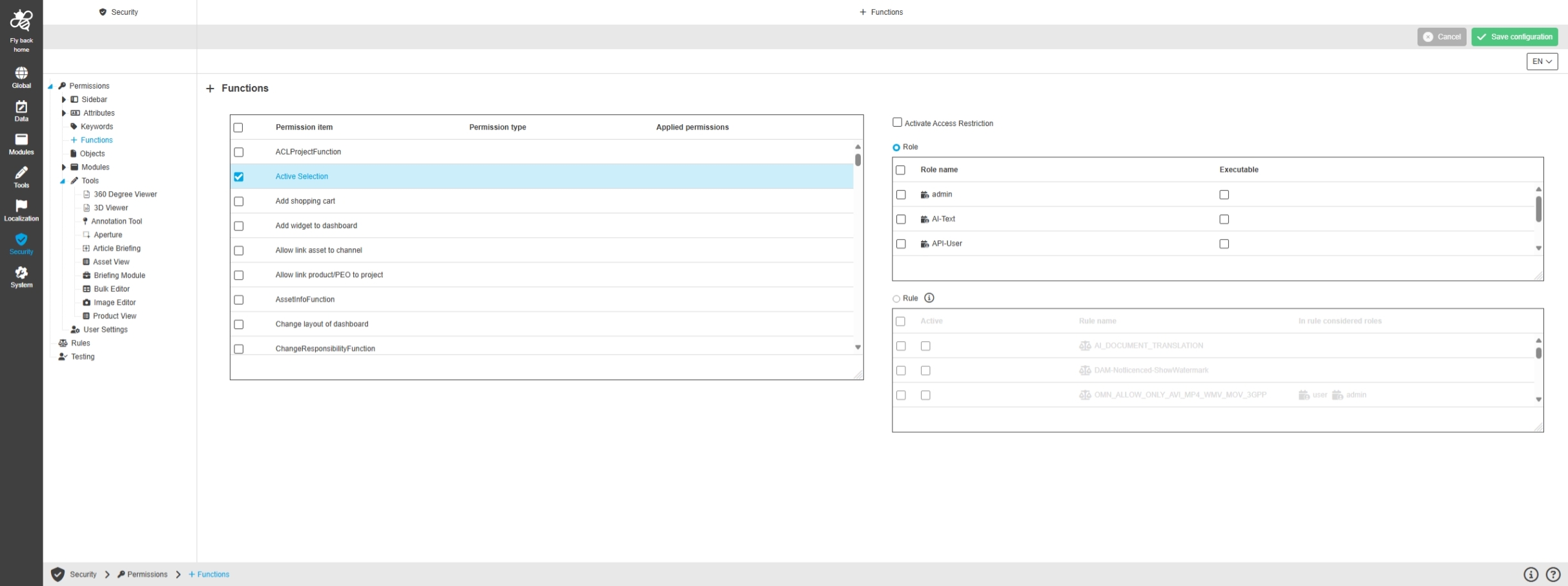
Security - Permissions - Configuration - Functions
Tags |
OUCC-1512 |
Possibility to set permissions on functions in the new ConfigUI, so they are not visible for certain roles or if certain rules are applicable
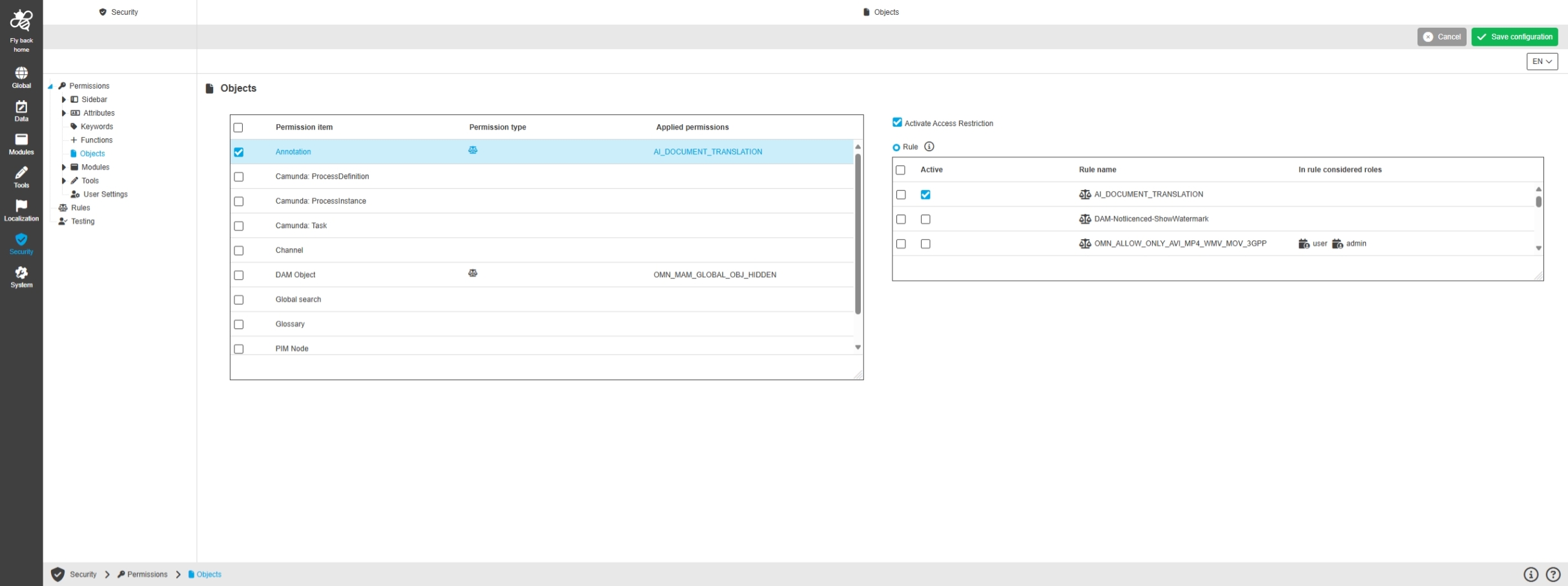
Security - Permissions - Configuration - Objects
Tags |
OUCC-1513 |
Possibility to define permission rules for objects in the new ConfigUI to hide objects in the UI based on specific rules
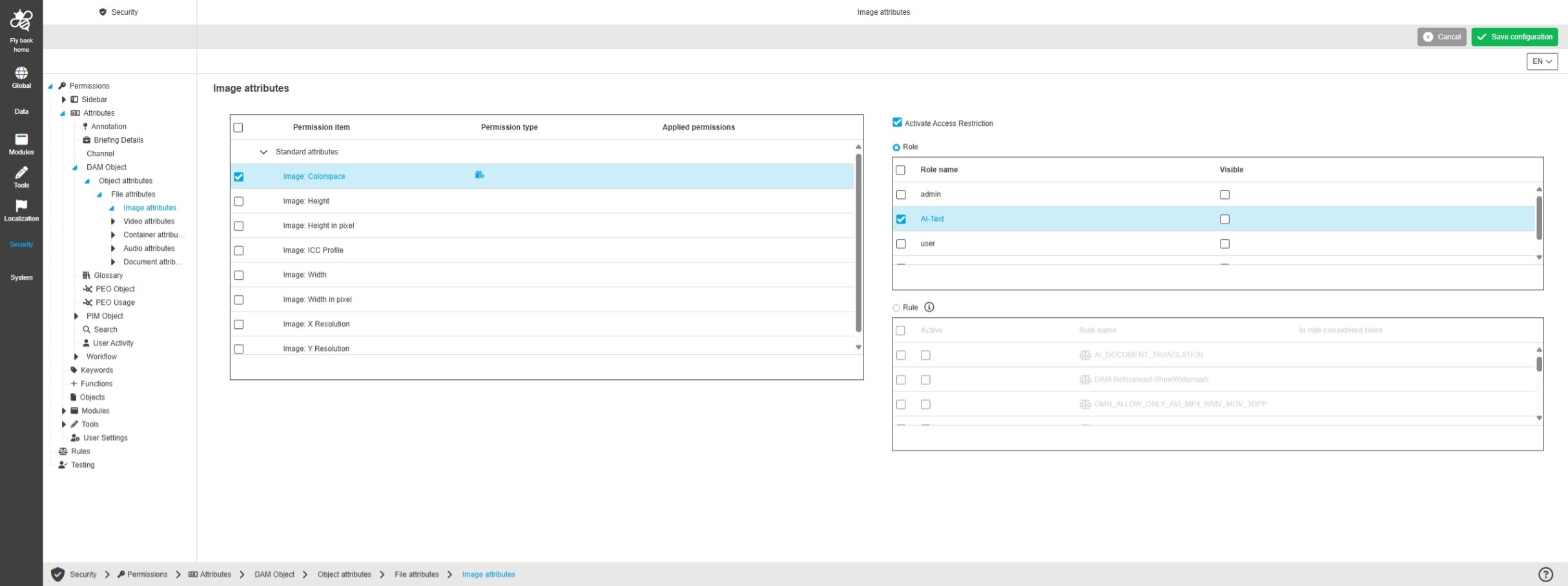
Security - Permissions - Configuration - Attributes
Tags |
OUCC-1514, OMN-11540 |
Possibility to set permissions on attributes in the configuration via new Config UI, so they are not visible for certain roles or if certain rules are applicable
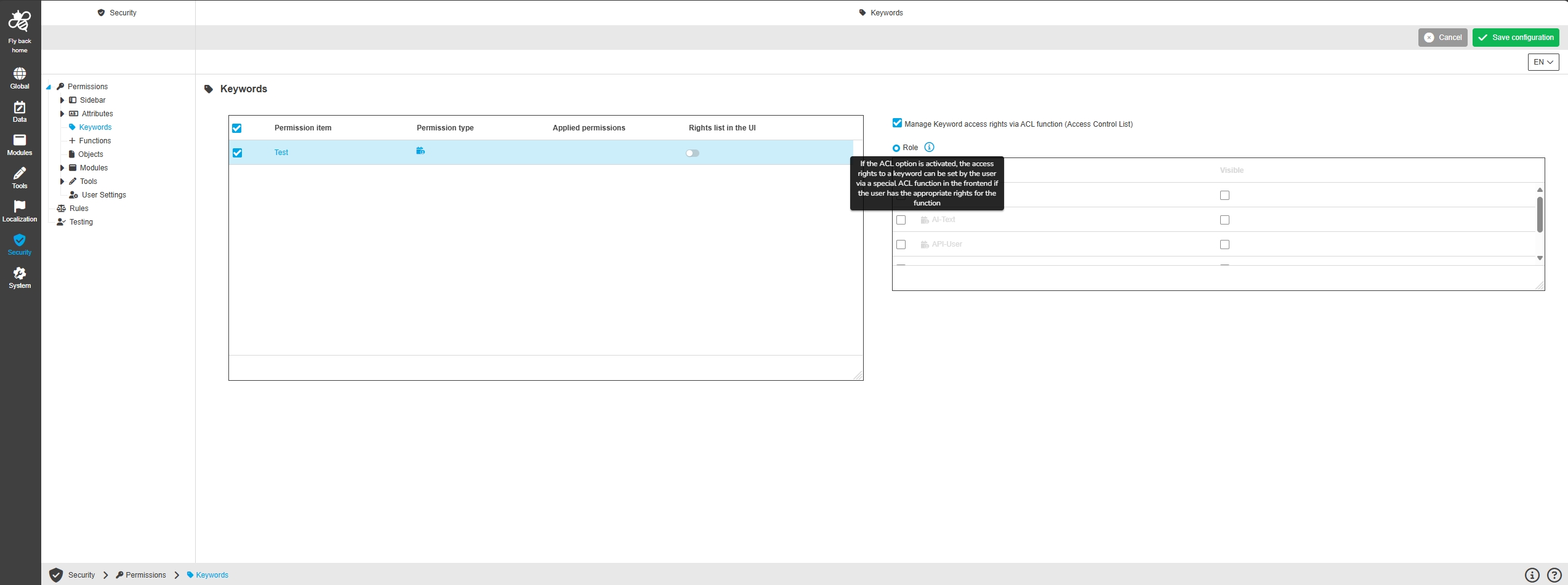
Security - Permissions - Configuration - Keywords
Tags |
OUCC-1515, OMN-11696 |
Possibility to configure role permissions on Keywords to limit the access to certain keywords in the UI based on roles (which include users and Groups)
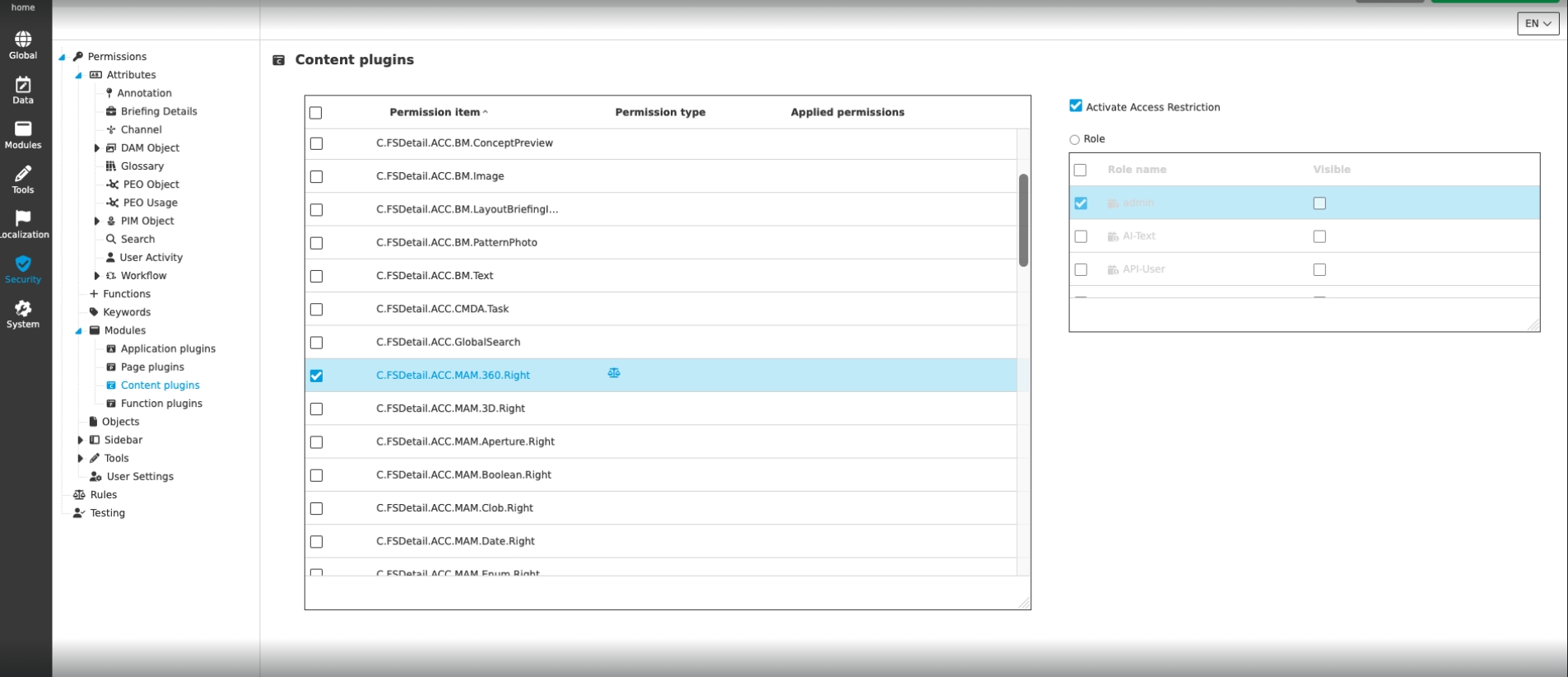
Security - Permissions - Configuration - Modules
Tags |
OUCC-1516, OMN-11703 |
Possibility to configure permissions on plugins / modules , so they are not visible for certain roles or if certain rules are applicable in new Config UI
Security - Permissions - Configuration - Tools
Tags |
OUCC-1517, OMN-11722 |
Possibility to configure permissions for Tools in new ConfigUI , so they are not visible for certain roles or if certain rules are applicable
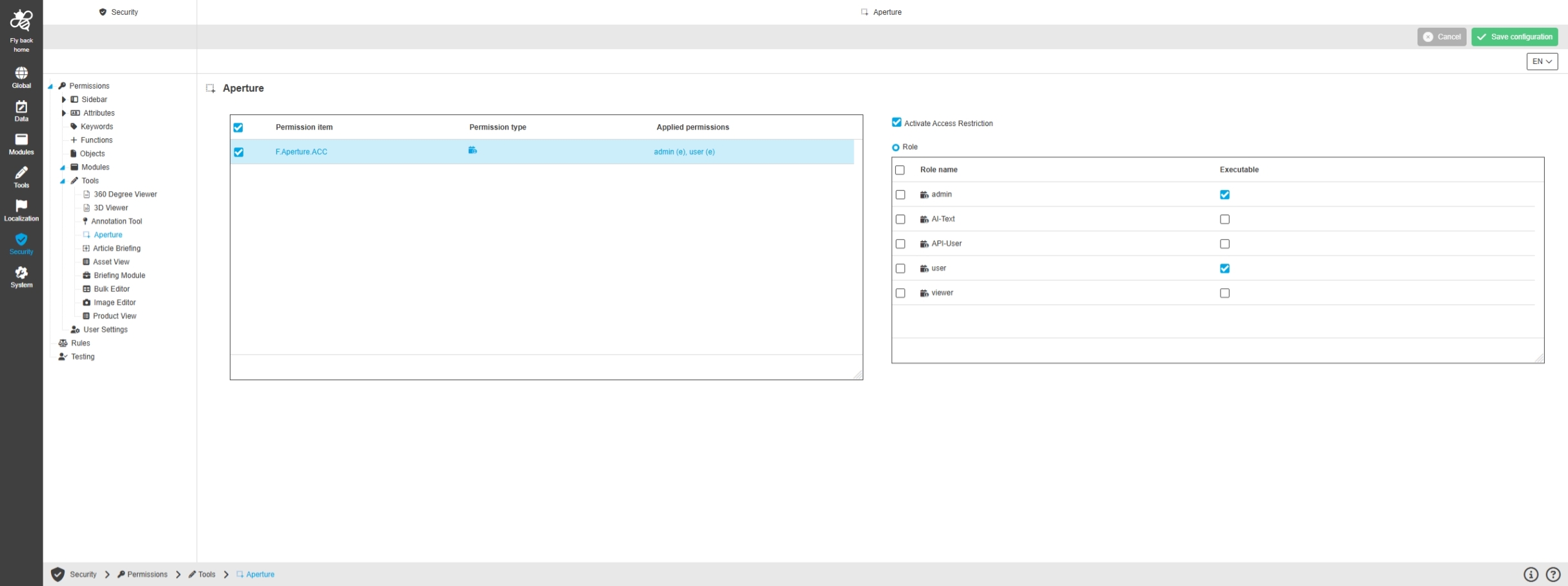
Security - Permissions - Configuration - User Settings
Tags |
OUCC-1518 |
Possibility to configure permissions for the User Settings to restrict access in the UI for certain roles (with user and Groups)
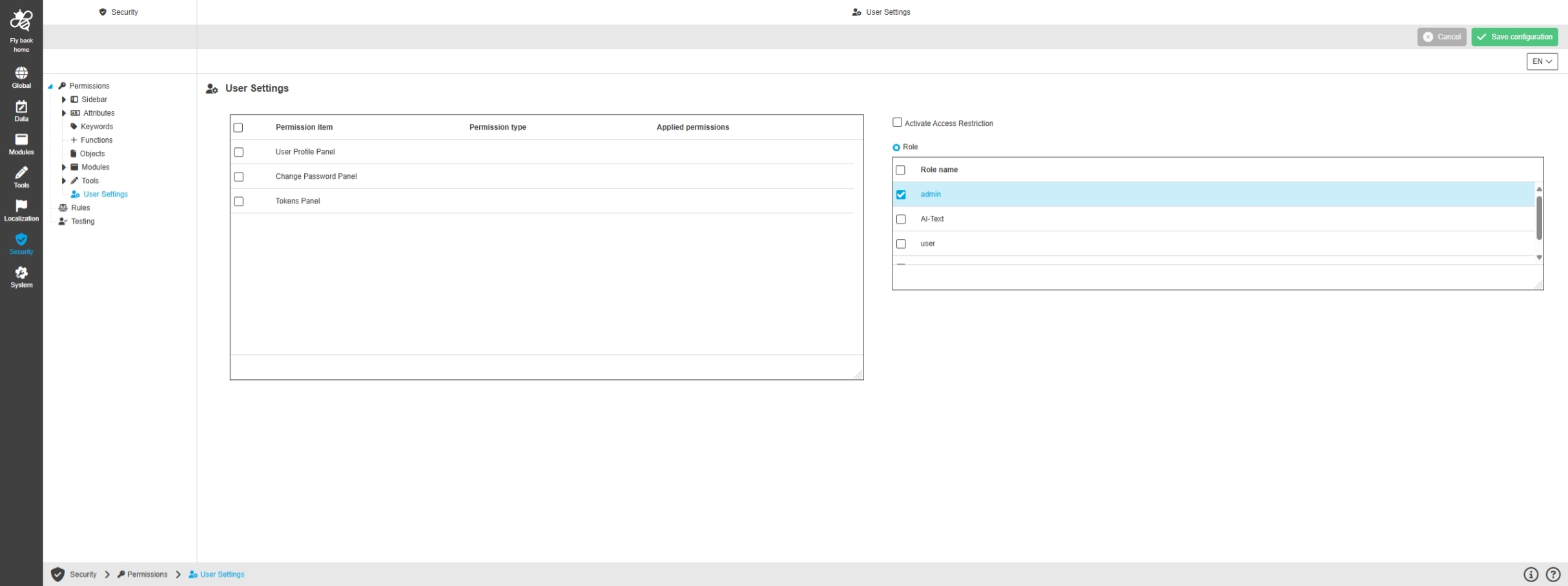
Security - Permissions - Configuration - Modules - Application plugins - Channel types (first implementation)
Tags |
OUCC-2041, OMN-11777 |
Possibility to restrict channel types from CM Module via ACLs in configuration, so that made role restrictions by UI function will be applied to a certain channel type
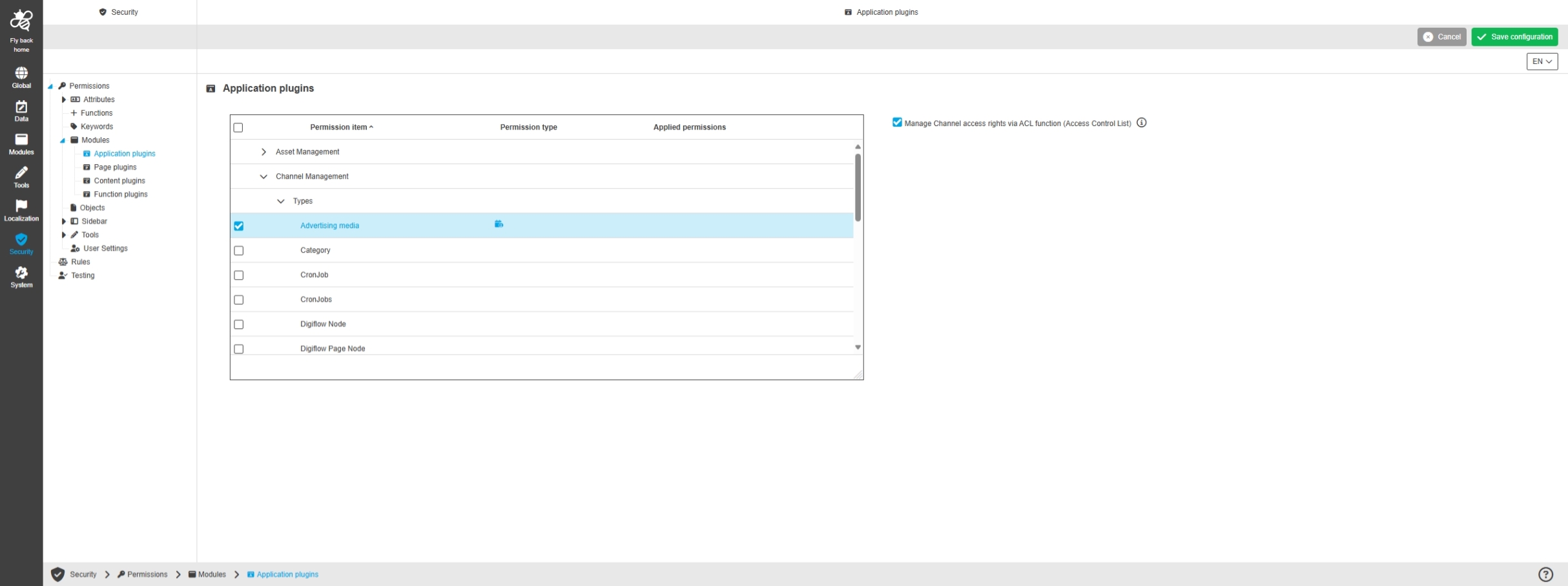
Security - Permissions - Configuration - UI-Pattern - Permission item selection table
Tags |
OUCC-1523 |
Possibility to select one or multiple permission items for a permission section in table in new ConfigUI to set roles or rules permission on them and see also which applied permissions have been set already
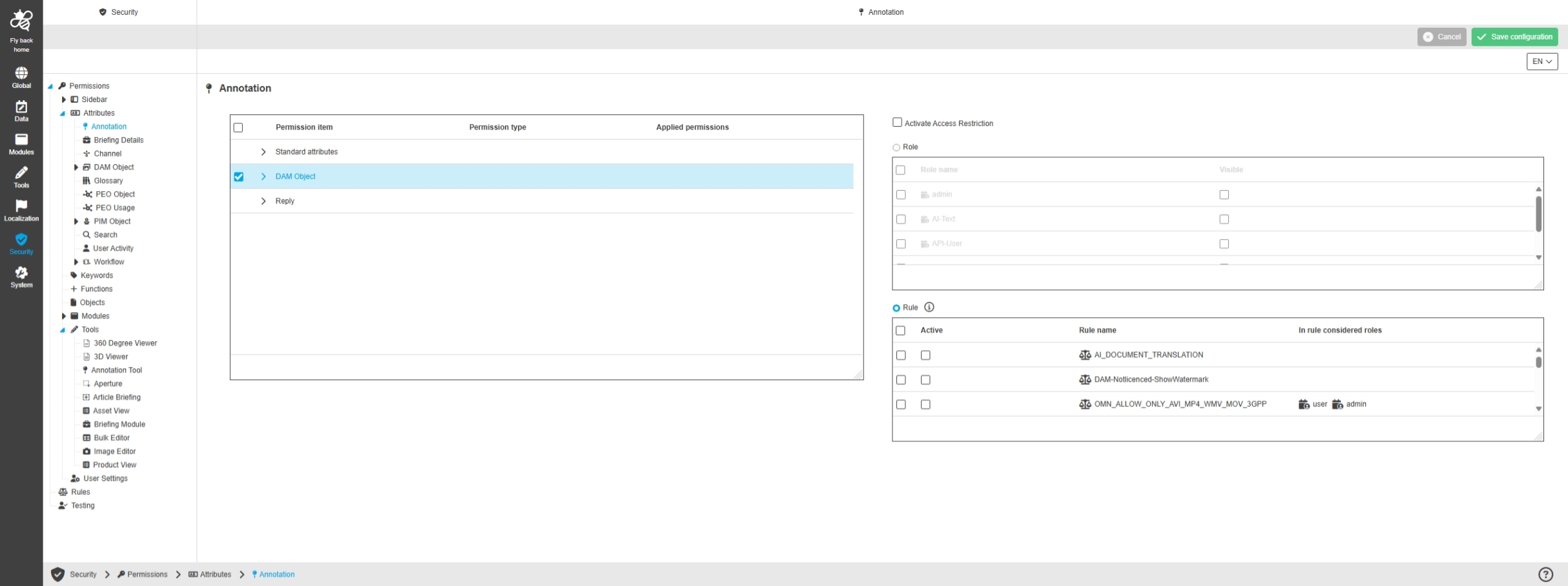
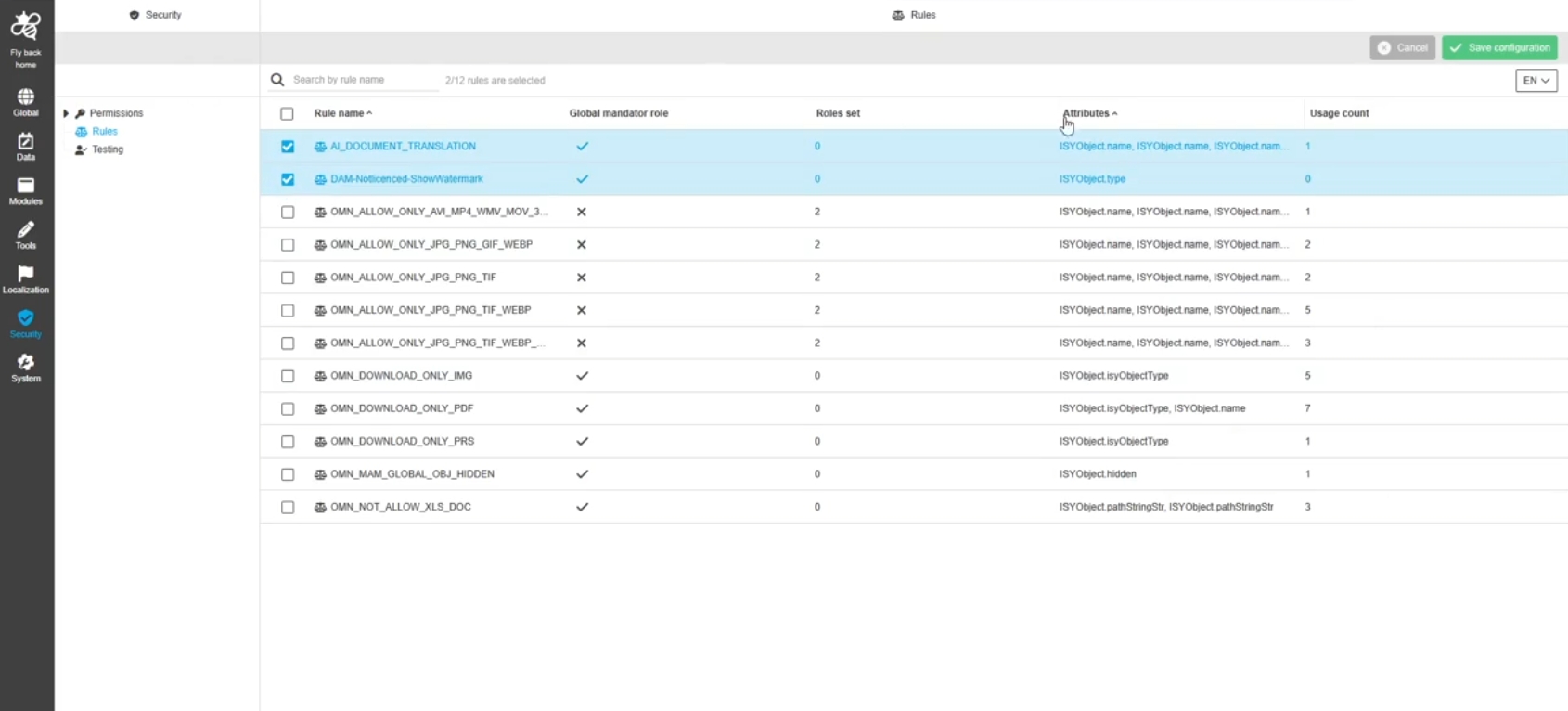
Security - Rules
Tags |
OUCC-1306, OMN-11644 |
Possibility to configure rules in the ConfigUI, which can then be applied to permission items to define a rule-based UI behavior for wished elements
Keywords - Restriction for Moving Keywords and Assets between Keywords
Tags |
OR-1778, OMN-11704 |
Possibility to configure permissions for keyword logistics functions in new Config UI which will be applied in OMN Keyword Navigation
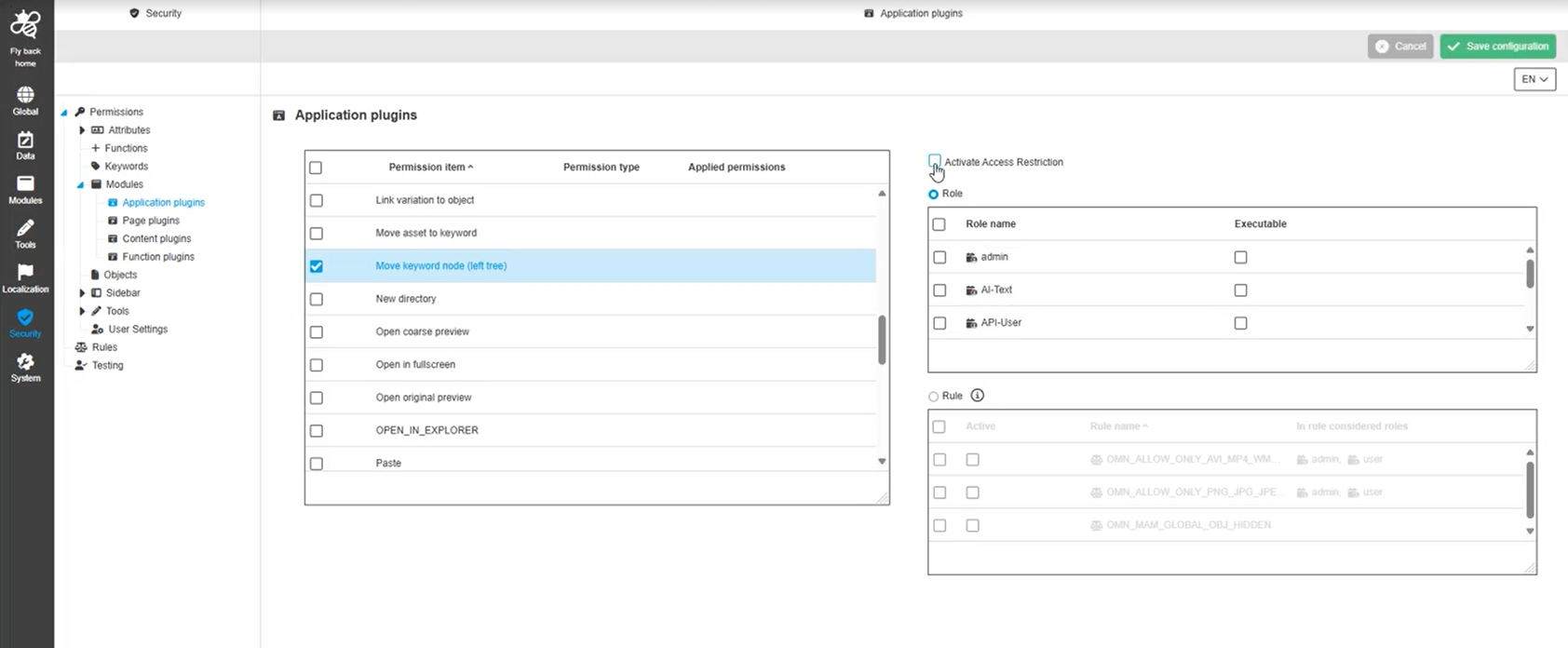
Security - Permissions - Configuration - Functions - New permission item - Move keyword node (left tree)
Tags |
OUCC-1952, OMN-11704, OMN-11792 |
Possibility to configure a new permission for the keyword tree in the UI, so that movement of keyword nodes is forbidden to avoid that a user cannot restructure the keyword tree randomly
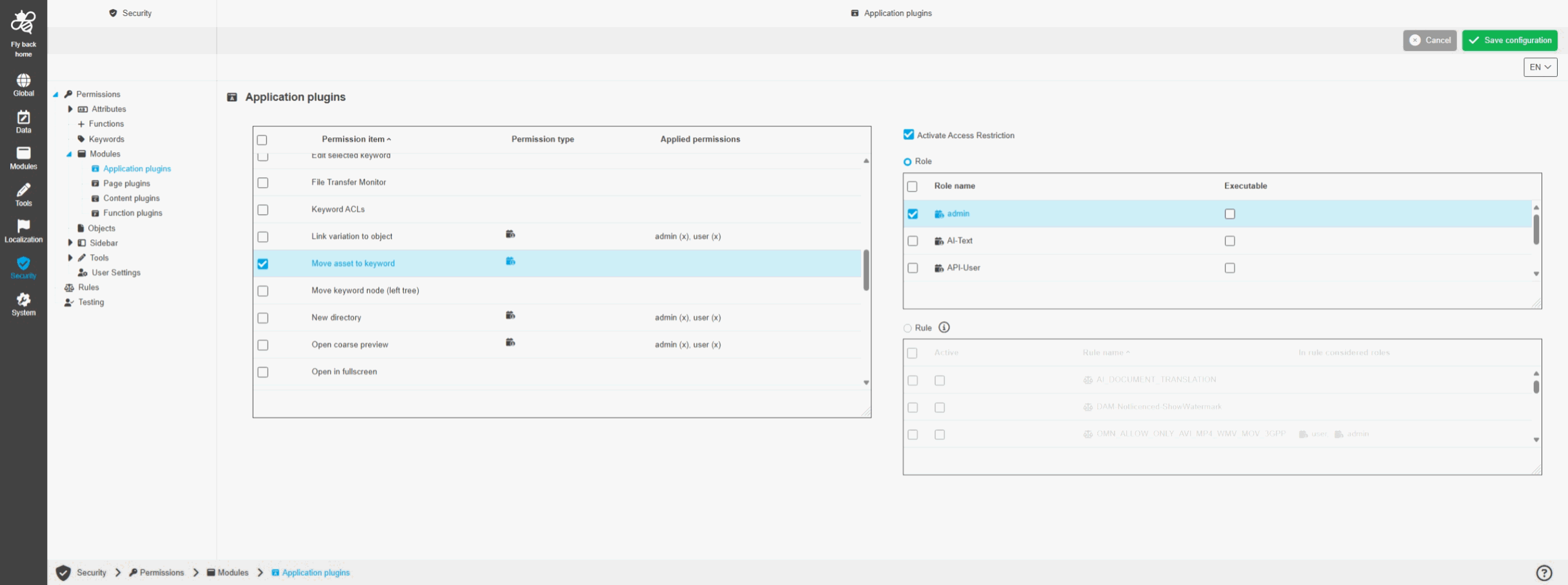
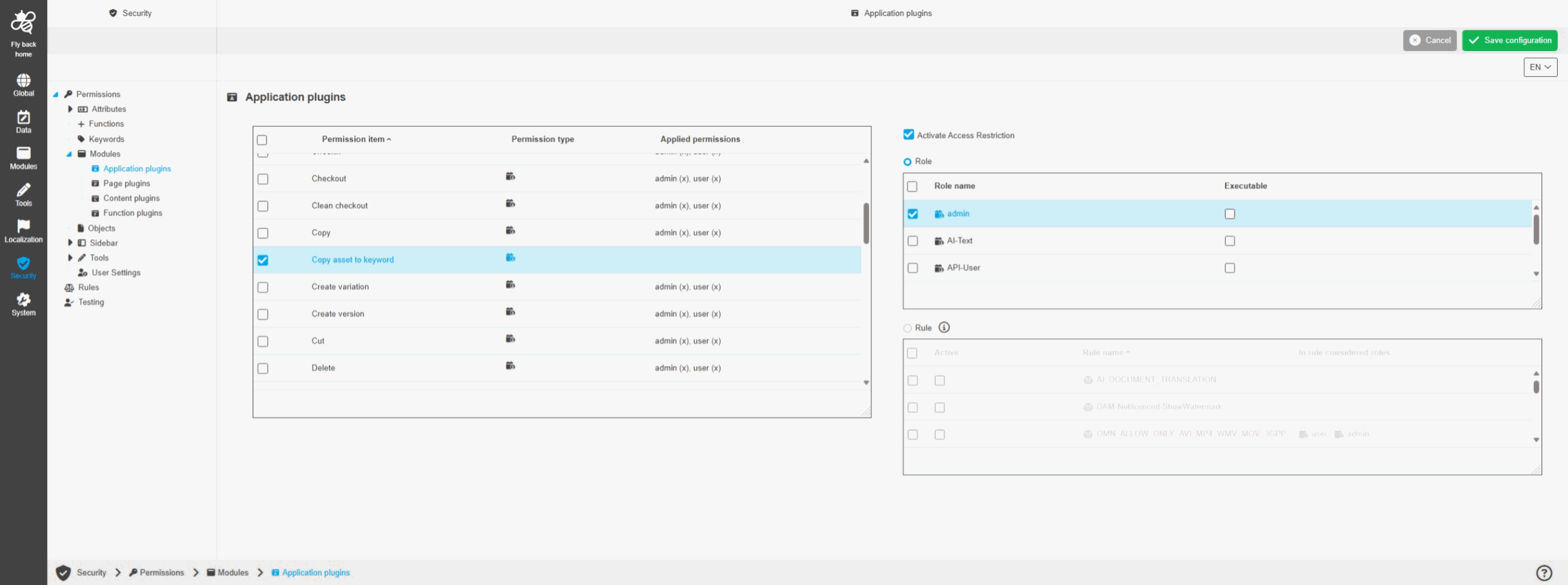
Security - Permissions - Configuration - Functions - New permission items - Copy / Move asset to keyword
Tags |
OUCC-1953 |
Introduction of new permissions to define if a user is allowed to copy asset to keyword or move asset to Keyword in ConfigUI
-
Move asset to Keyword
-
Copy asset to Keyword
FS Navigation - Keywords - Hide Copy asset to keyword / Move asset to keyword functions in UI in case they are restricted with security
Tags |
OG-15930, OUCC-2067 |
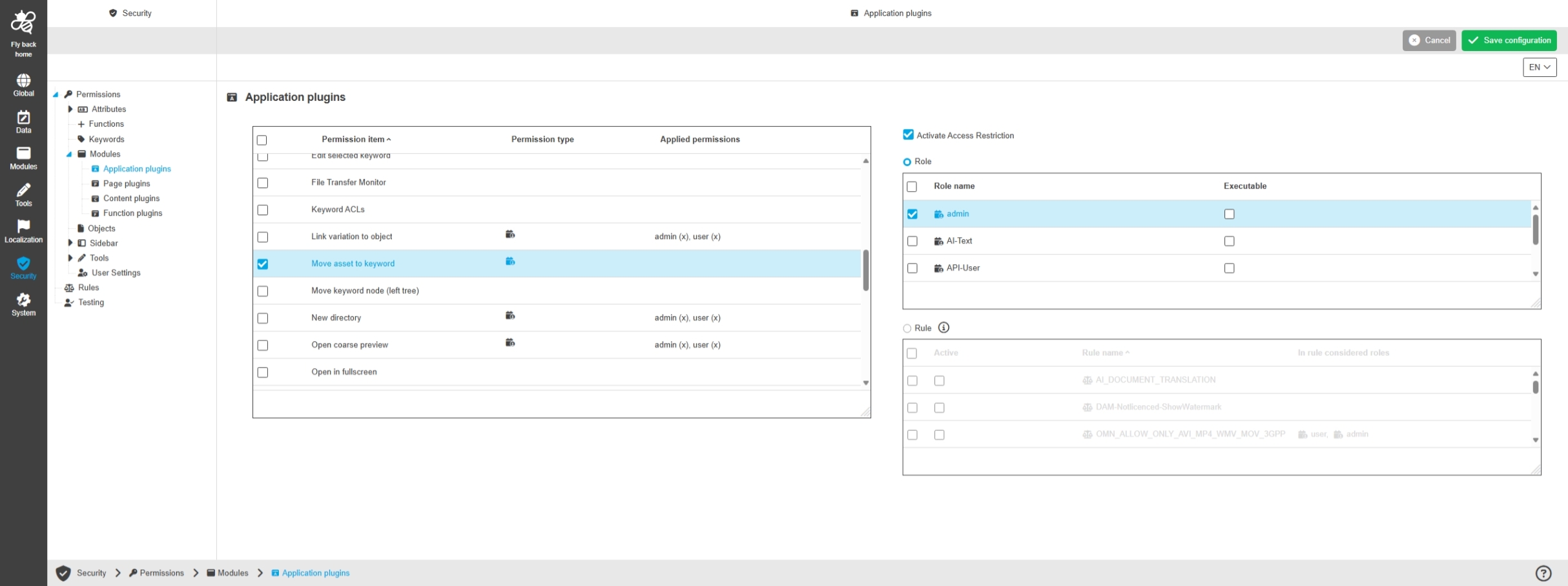
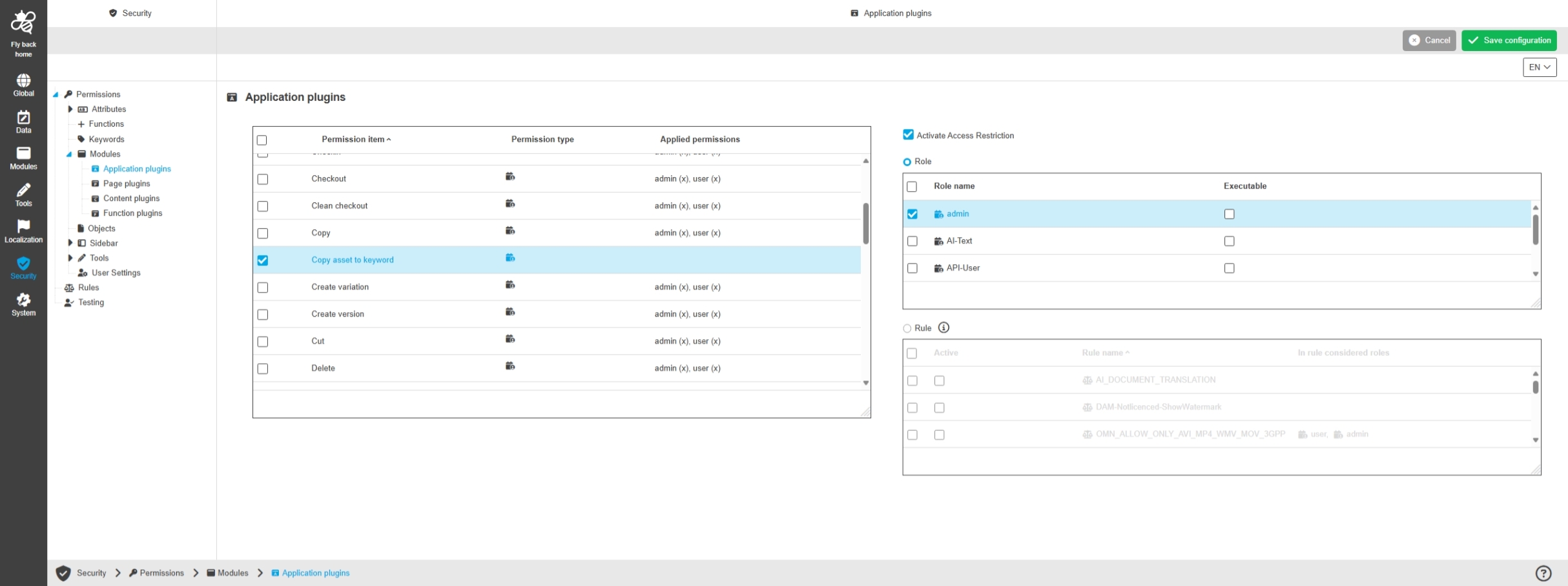
The functions Copy asset to keyword / Move asset to keyword can now be restricted for role
-
new security permissions are introduced in Config UI under Modules / Application Plugin / Asset Management for both functions
-
restriction by rule is not possible
-
Move asset to Keyword
-
Copy asset to Keyword
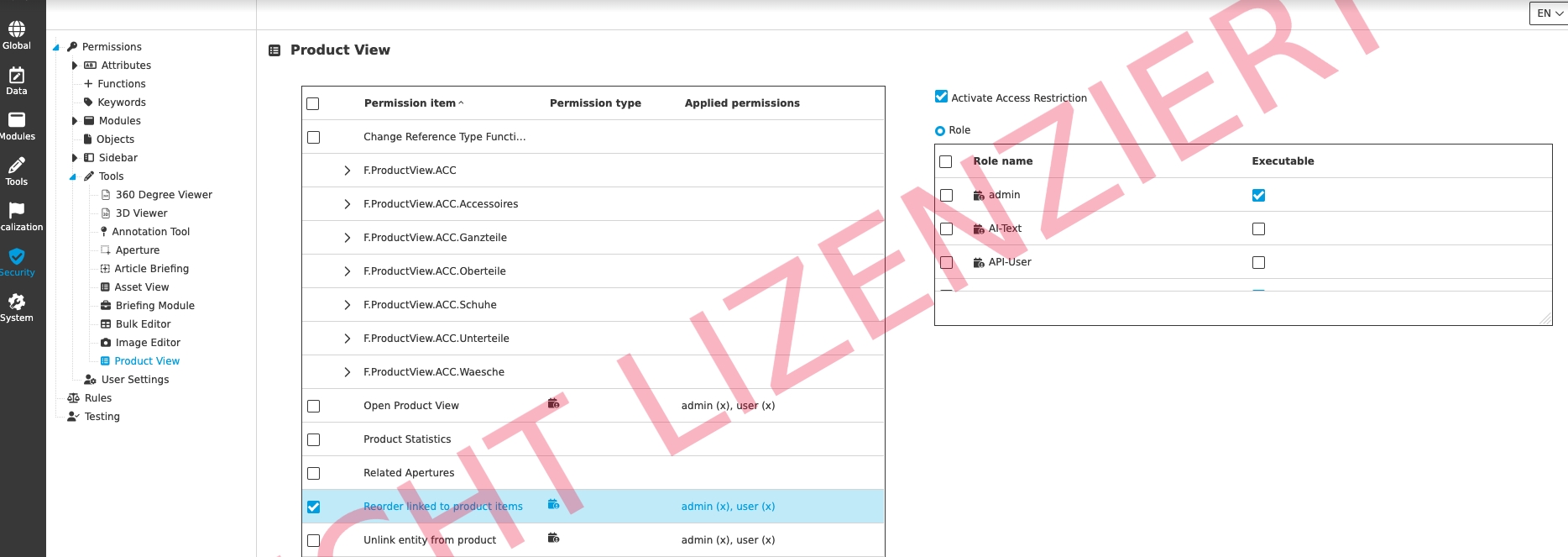
OPEN_PRODUCT_VIEW is added ProductView Tool permission configuration
Tags |
OMN-11731 |
OPEN_PRODUCT_VIEW Function is added in ProductView Tool permission configuration
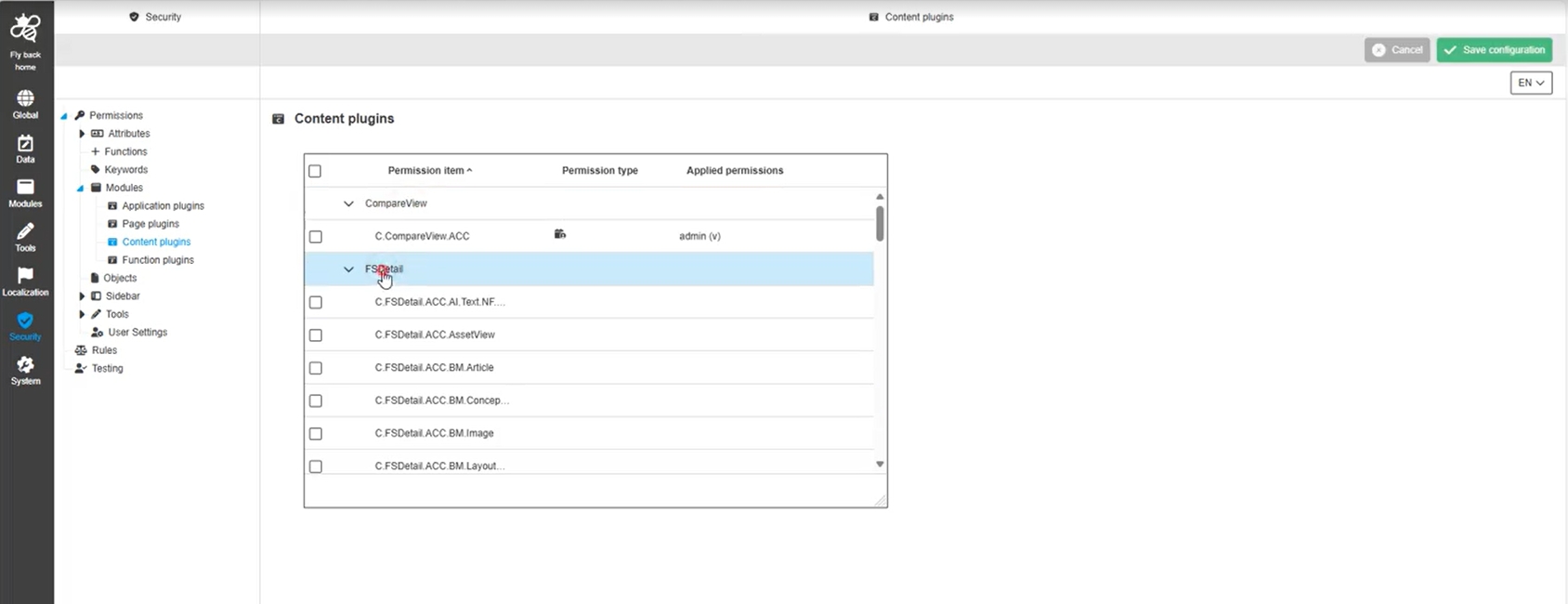
Security - Permissions - Configuration - All sections - Hide right checkbox and table widgets for grouping elements where no permission can be set
Tags |
OUCC-2047 |
Improvement to see no checkbox and role / rule table widgets for permission restrictions for the grouping elements that cannot be restricted directly
Authentication
Improvements and new functions in OMN Authentication Configuration in ConfigUI
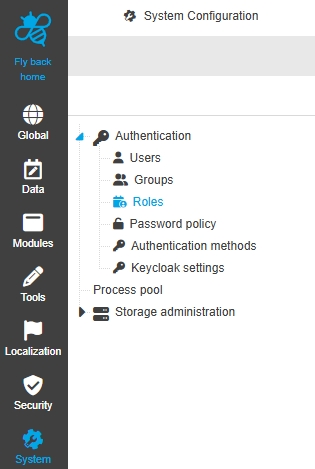
Configuration Client - System Configuration - Authentication - Password policy
Tags |
OUCC-1284 |
Possibility to configure the password policy for OMN LDAP users, so I can define which parameters need to be considered for the user password.
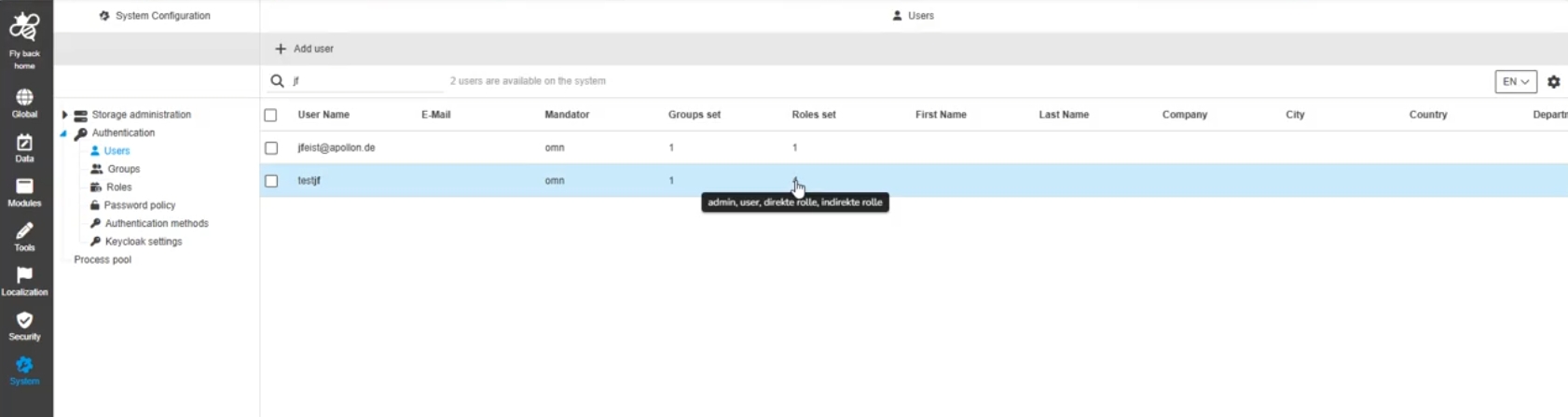
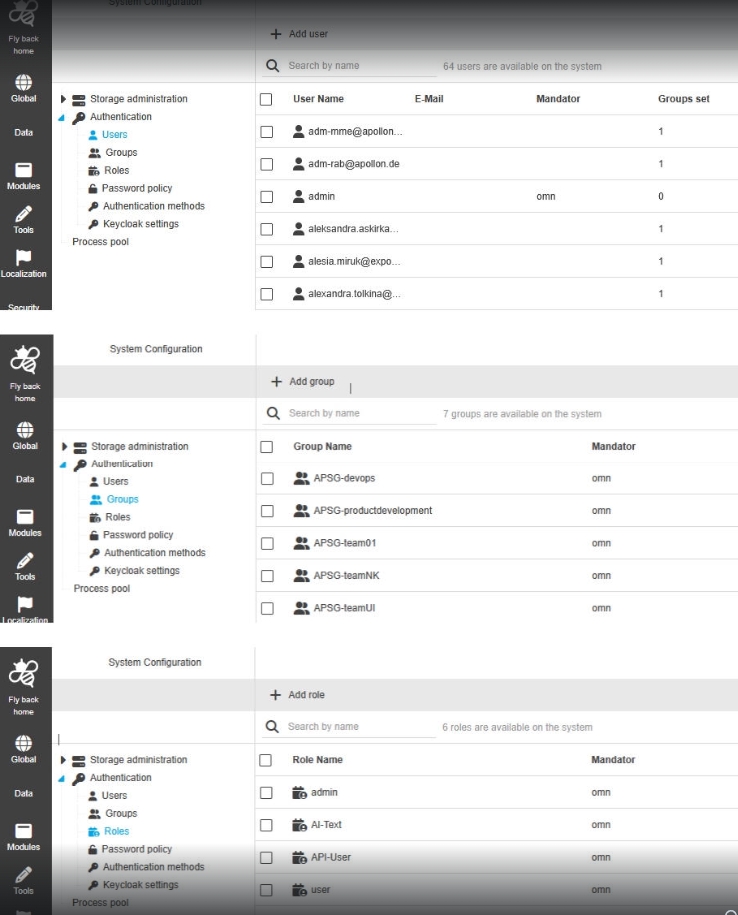
Configuration Client - System Configuration - Authentication - Center views - Show concrete items when hovering set user, group, roles columns
Tags |
OUCC-1704 |
Possibility to see which user, groups, roles are exactly set, when hovering the corresponding counter in the table
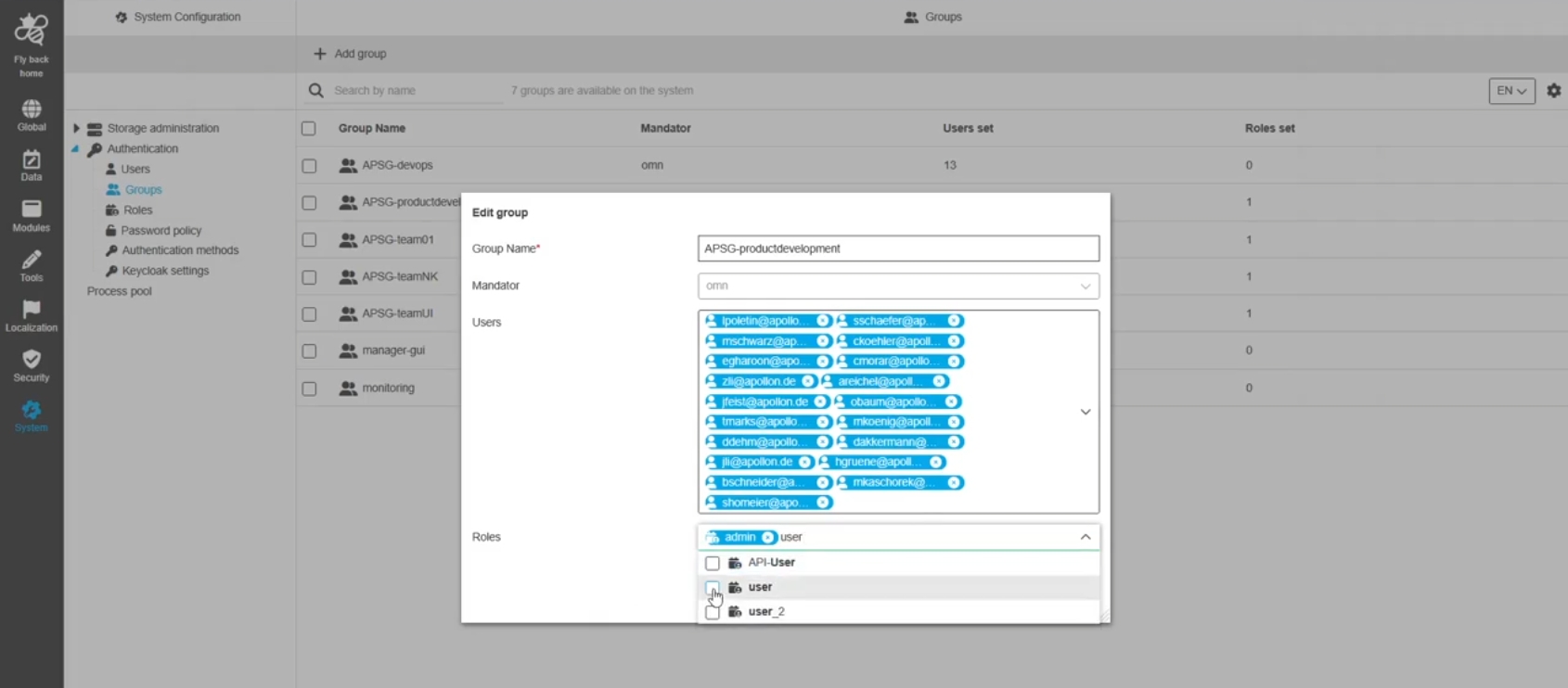
Configuration Client - System Configuration - Authentication - Groups - Function - Add + Edit group - Roles are adjustable
Tags |
OUCC-1715 |
Possibility to edit roles within the add and edit group modal to adjust the assignment without need to go to roles tab
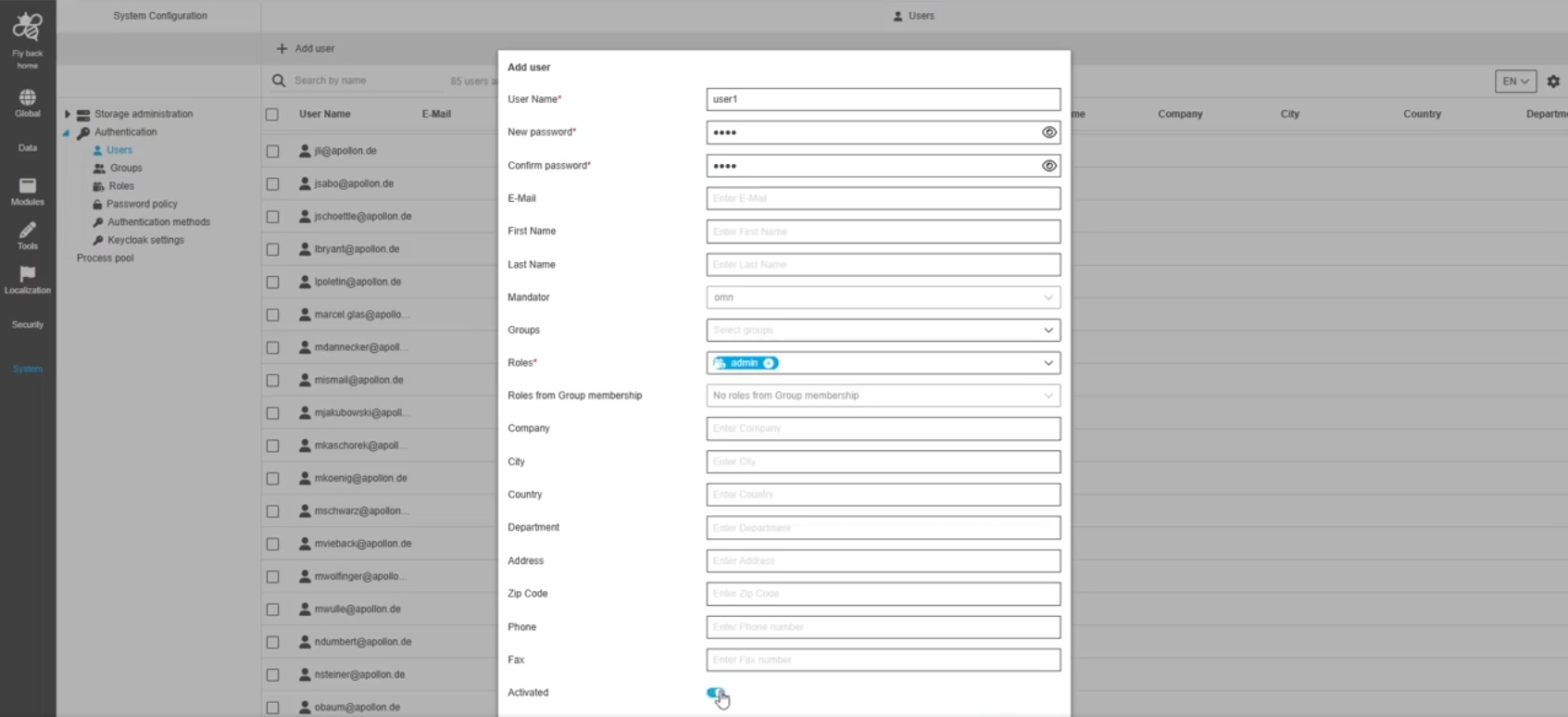
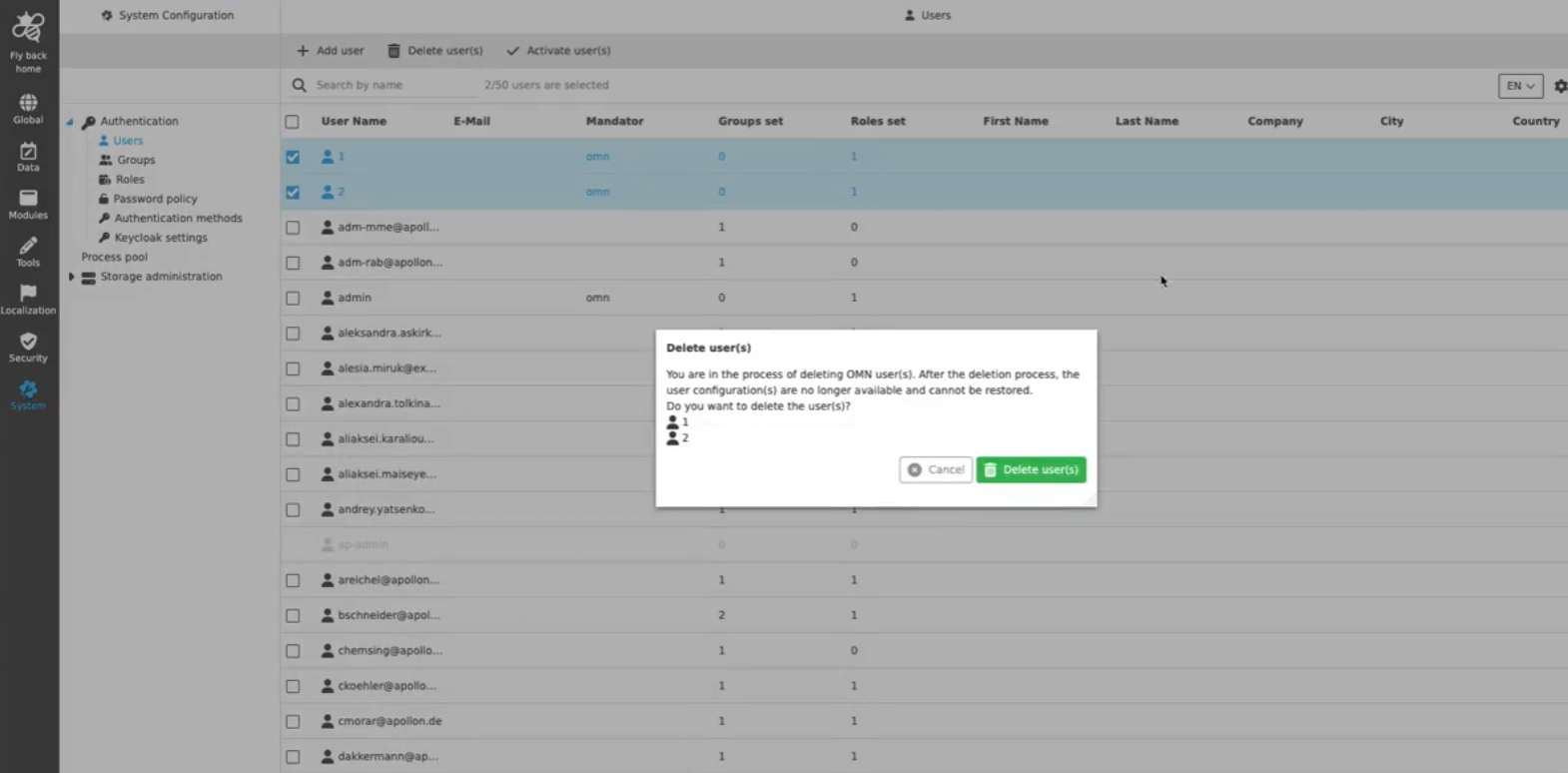
Configuration Client - System Configuration - Authentication - Users - Function - Add + Edit user - Groups are adjustable
Tags |
OUCC-1706 |
Possibility to edit groups within the add and edit user modal to adjust the assignment without need to go to groups tab
API
Improvements and new functions in OMN APIs
Config API
Improvements and new functions in OMN Config API
| the config API is not public and only be used OMN internal for ConfigUI |
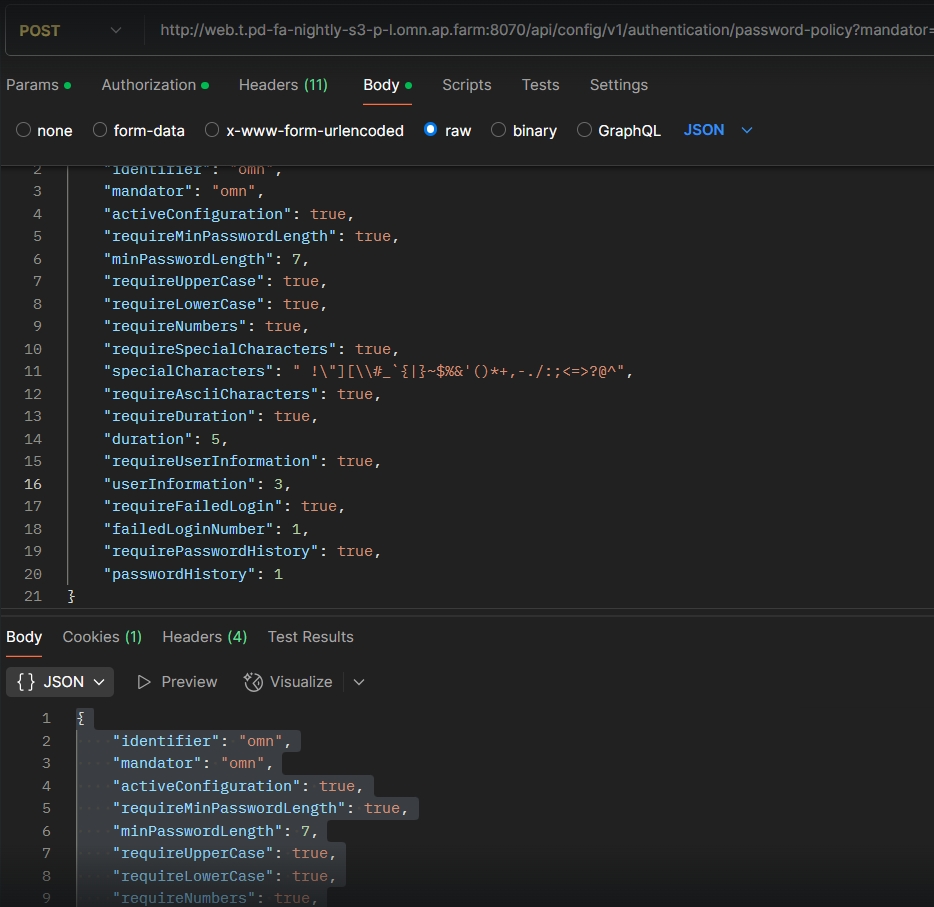
Security - Provide endpoint for password policy
Tags |
OCA-129 |
New ConfigAPI Rest endpoint to retrieve, create, modify and delete password Policy
Introduce Permissions API
Tags |
OCA-162 |
New Config Rest API to perform CRUD operations on Permissions and retrieve the permission nodes of a given subtree of OMN
-
GET /authorization/permissions/{identifier}
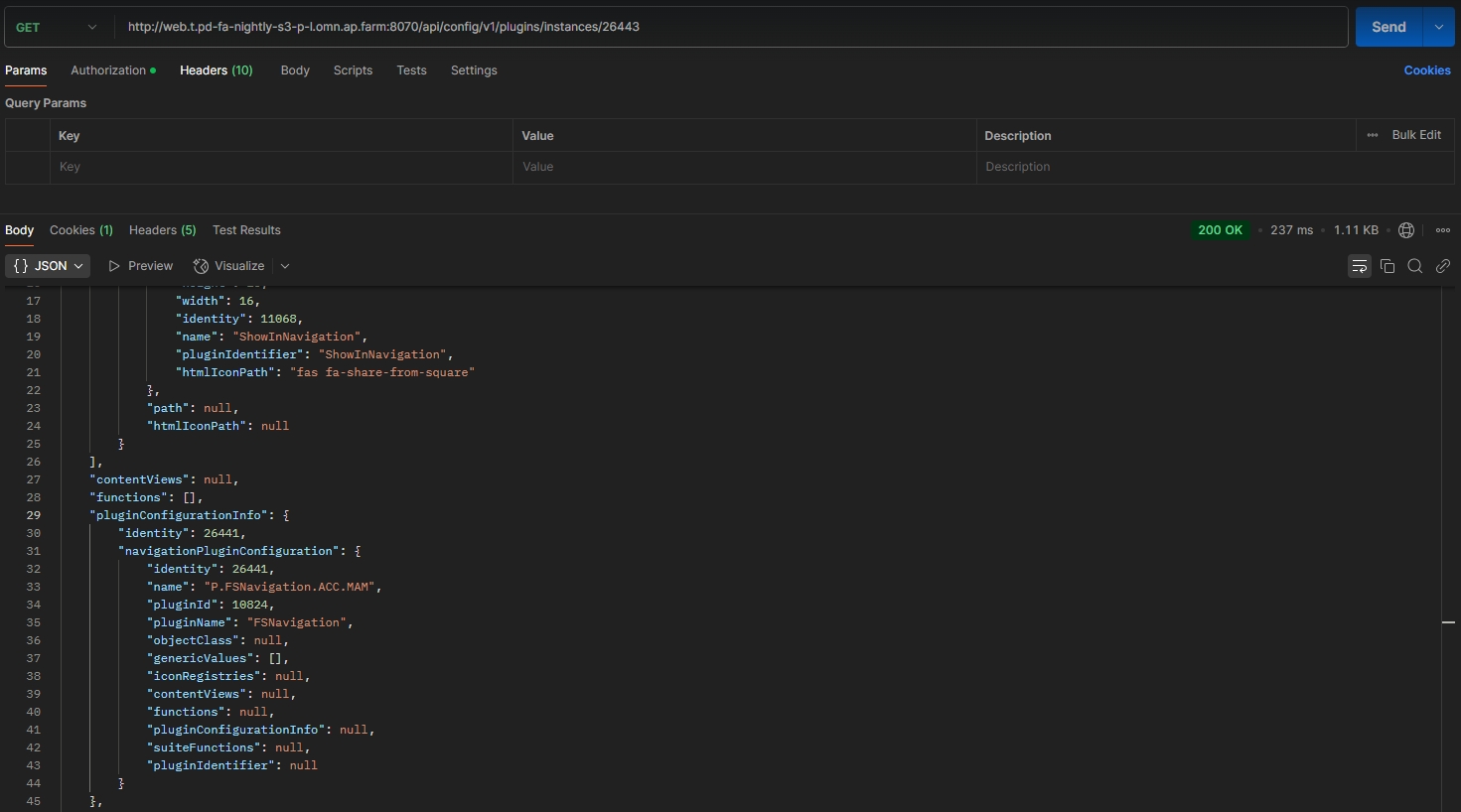
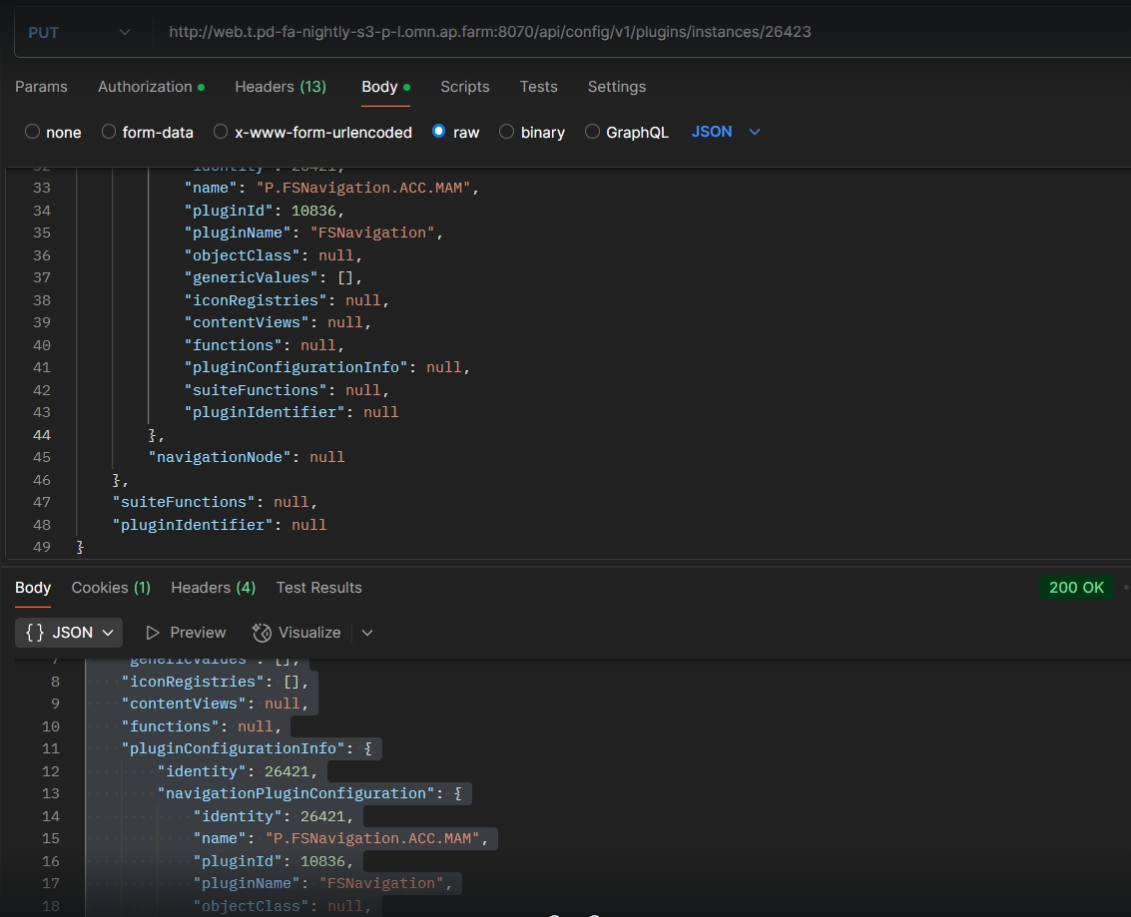
Modules - Function plugin - Show in DAM Navigation - Load and Save configuration
Tags |
OCA-164 |
The exiting endpoints for loading/saving the configuration are extended to load/save the “ShowInNavigation” plugin configuration
-
GET /plugins/instances/{instanceId}
-
PUT /Plugins/instances/{instanceId}
Data - Attributes - Object Type Assets - Create endpoint to return object types tree with specializations
Tags |
OCA-168 |
New Config-API endpoint to return object types tree with specializations
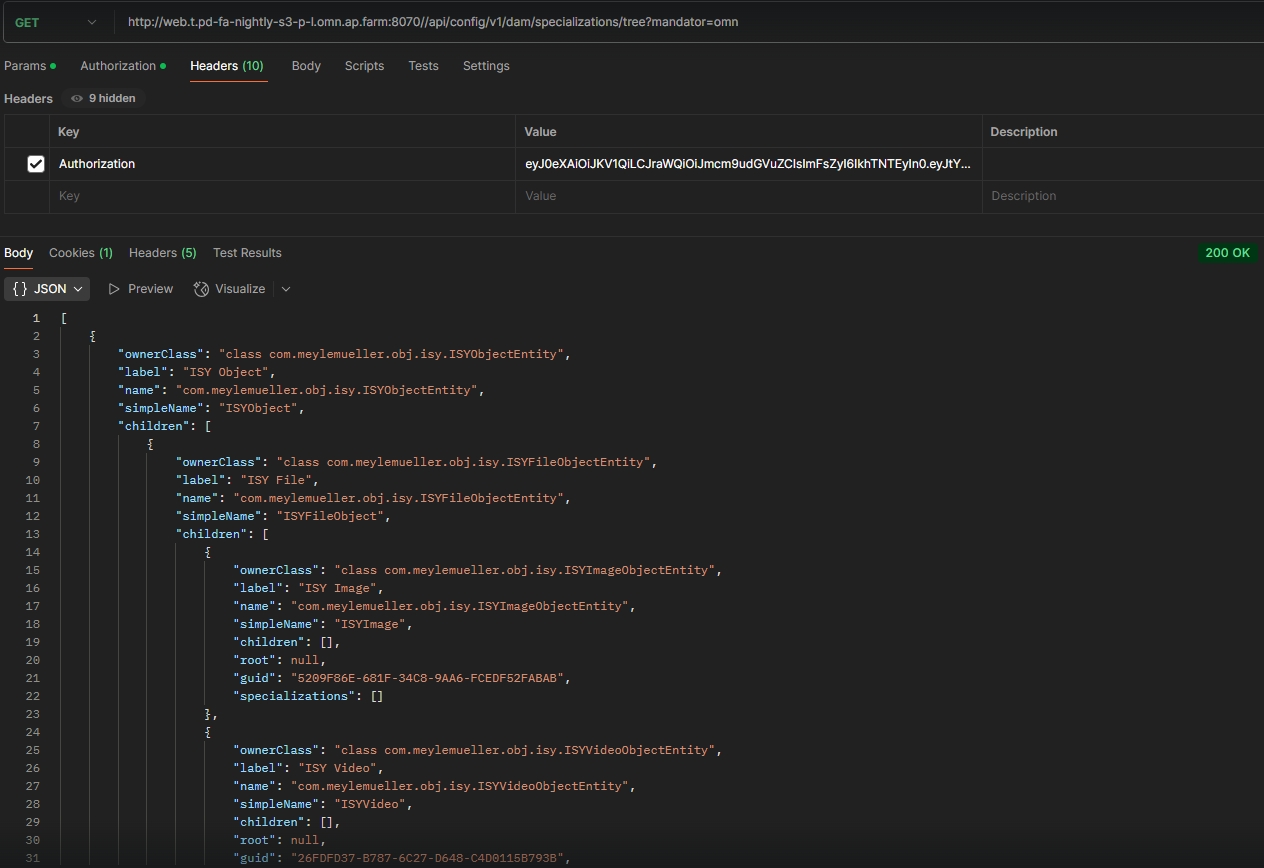
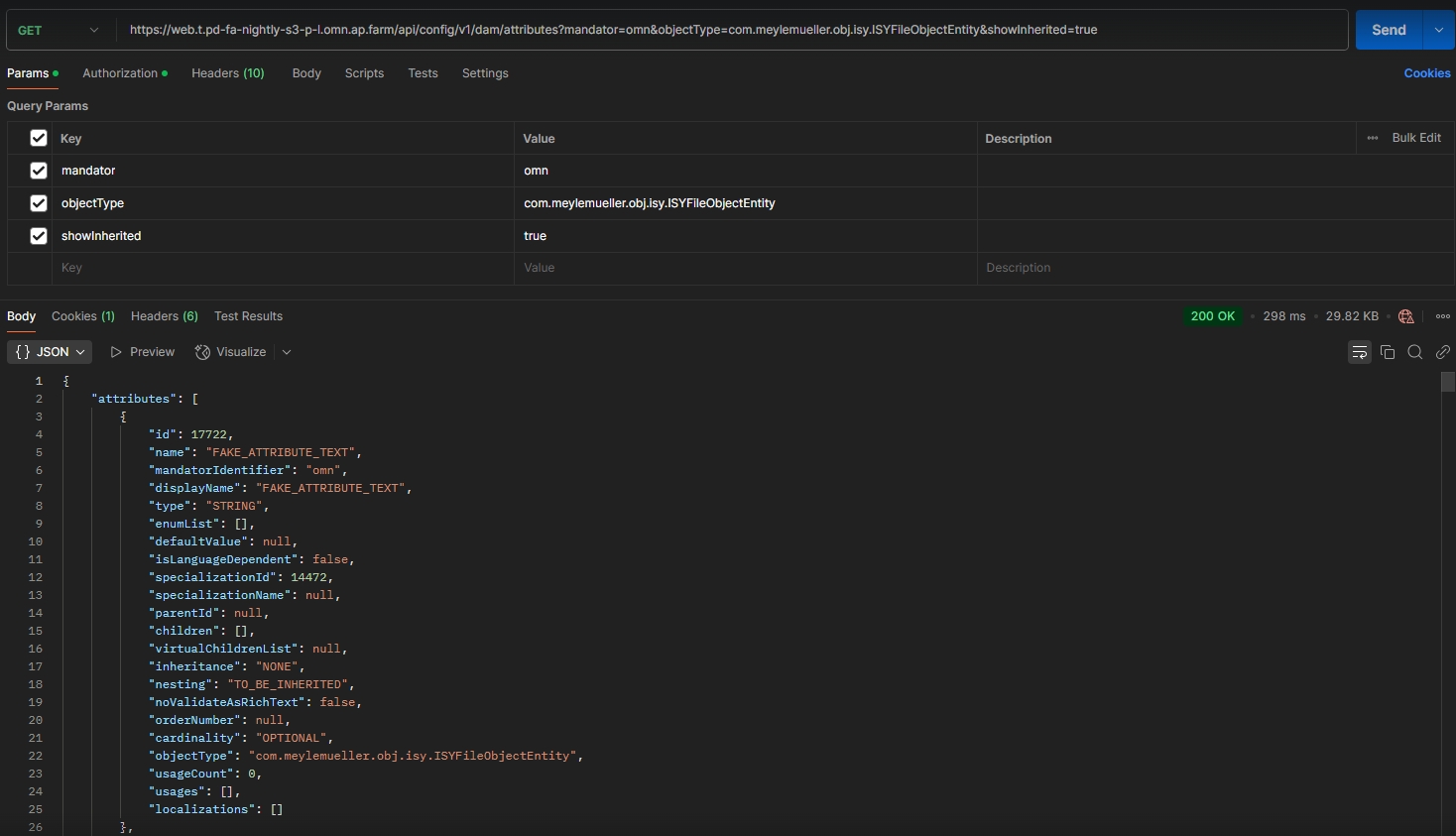
Data - Attributes - Object Type Assets - Improvements to return attributes for specified specialization
Tags |
OCA-169 |
Possibility to easily find needed attributes by selecting needed specialization by ConfigAPI
-
/api/config/v1/dam/attributes?specializationIdentity={specIdentity}&mandator={mandatorIdentifier}&showInherited={true/false}
-
/api/config/v1/dam/attributes?mandator={mandatorIdentifier}&objectType={example=com.meylemueller.obj.isy.ISYImageObjectEntity}&showInherited={true/false}
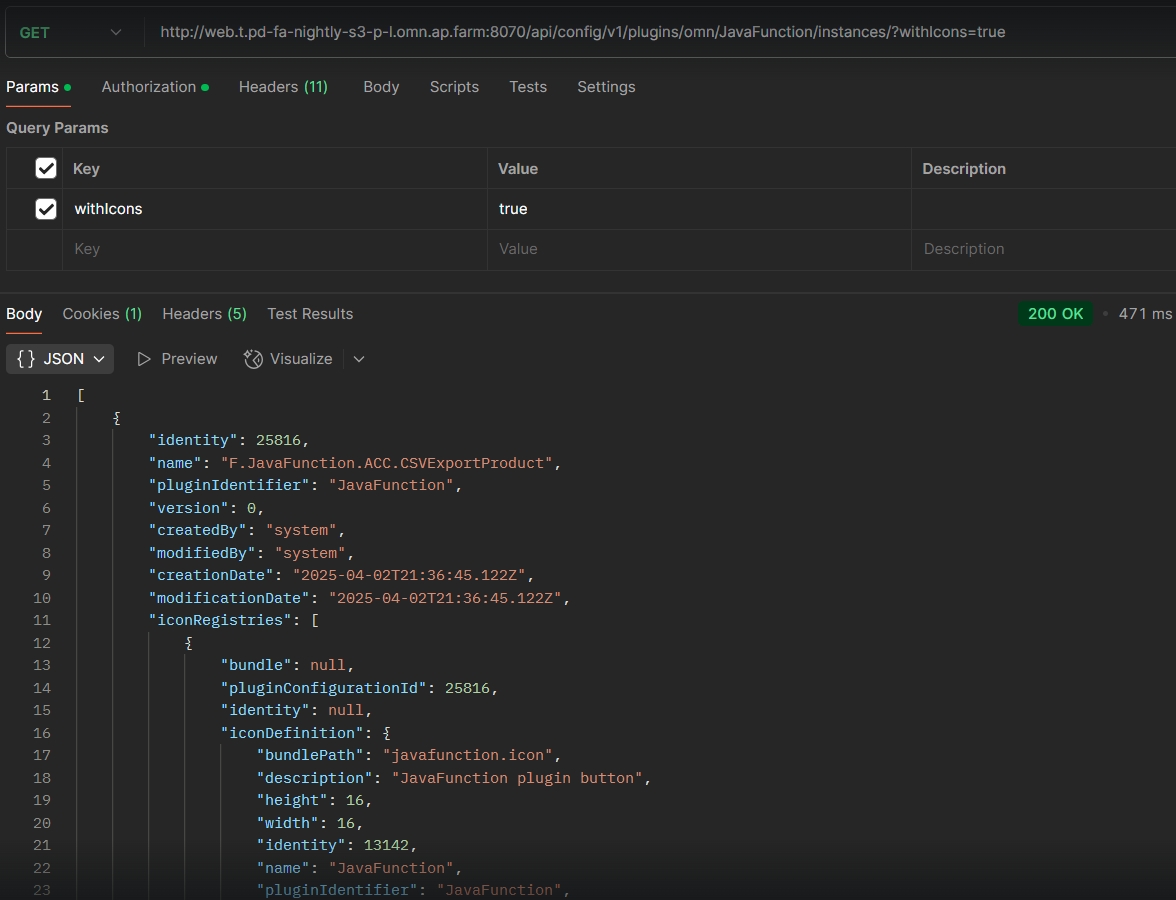
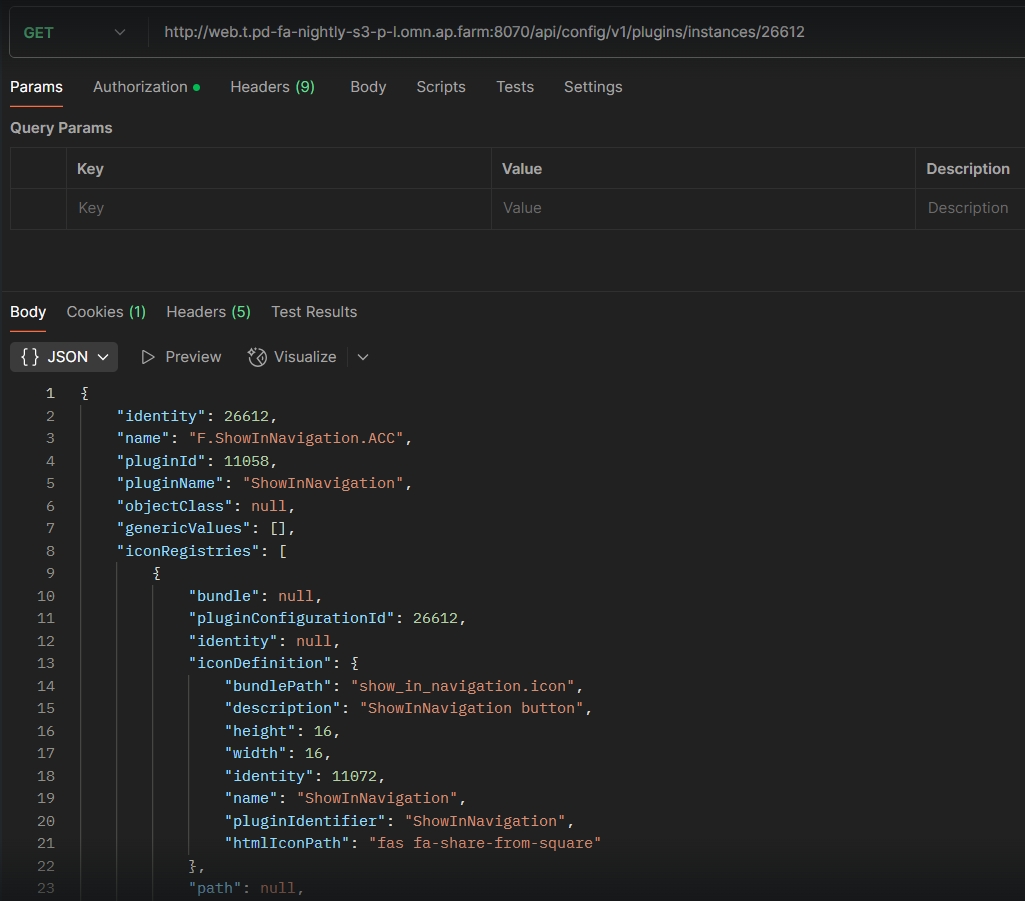
Provide configured icon in plugin instance configuration description
Tags |
OCA-171 |
The configured icon is added to the API call which provides a list of plugin instance configurations
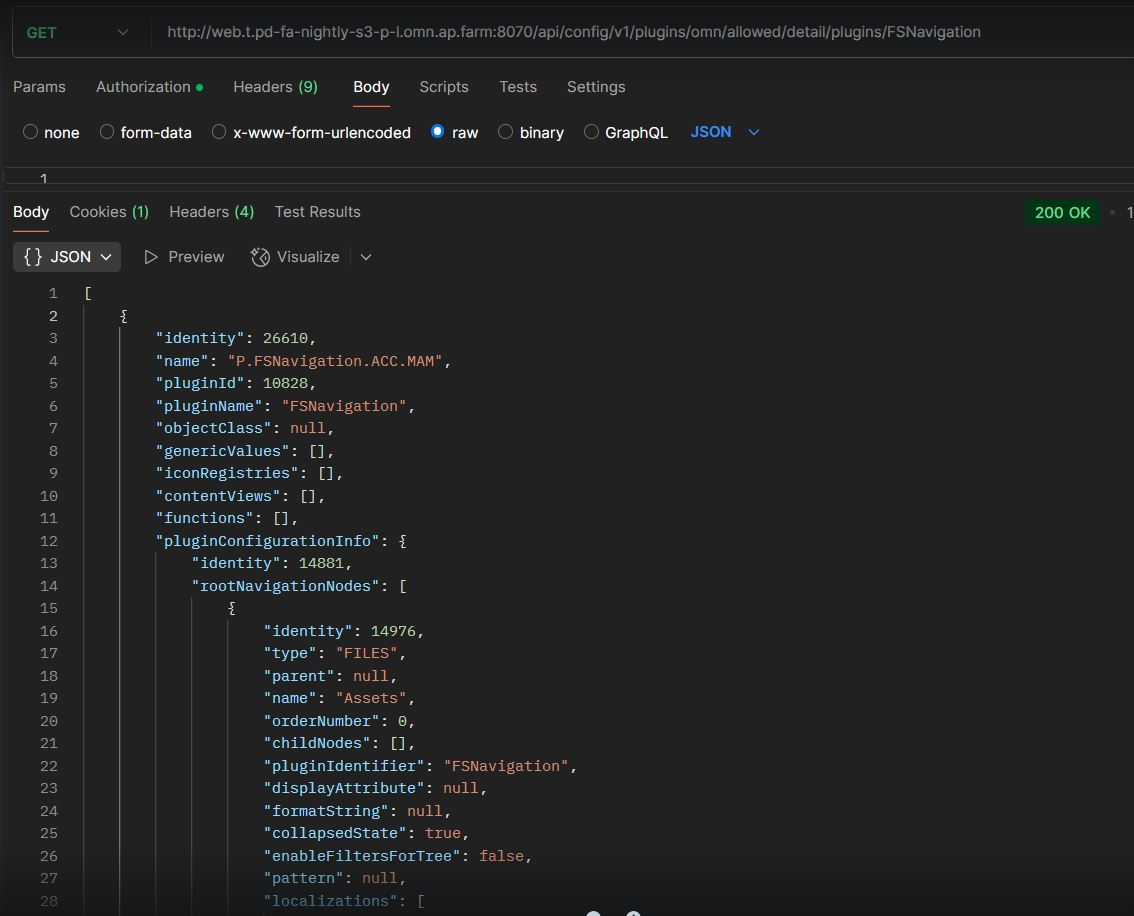
implement API to load FsNavigationPlugin configuration
Tags |
OCA-175 |
Possibility to load configurations for FsNavigation plugins via API*
-
GET /Plugins/instances/{instanceId}
-
GET /plugins/{mandator}/allowed/detail/plugins/FSNavigation
add fsNavigationNodeId to PluginConfiguration of ShowInNavigation function
Tags |
OCA-170 |
The existing endpoints for loading/saving the ShowInNavigation pluginConfiguration have to ensure that the fsNavigationNodeId is read/written
-
Validation of the node is has to be added
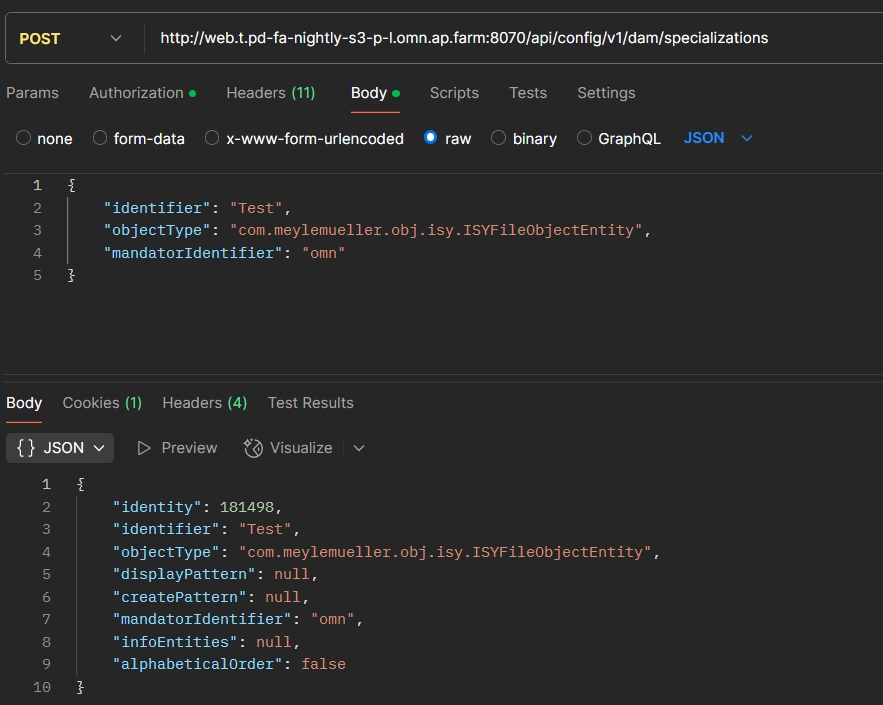
Data - Attributes - Object Type Assets - Improvements for specialization creation method
Tags |
OCA-176 |
Possibility to create and edit specialization via new Config Client API
EAI-UI - Import - Rename reference file while creating import profile
Tags |
OCA-179 |
Possibility to rename reference file while creating import profile
Add API for Global - Mandator settings - Login - User Registration
Tags |
OCA-177 |
New Config API Rest endpoint for user Registration
rest interface to handle import file after chunk upload
Tags |
OCA-178 |
Rest interface in ConfigAPI to handle import file after chunk upload for EAI Import Module
Modules - Function plugin - Show in Channel Navigation - Load and Save configuration
Tags |
OCA-181 |
New Config API Rest endpoint to load and save the configuration of “Show in Channel Navigation” function Plugin
-
GET /plugins/instances/{instanceId}
-
PUT /Plugins/instances/{instanceId}
New Endpoint to get all usable roles and users of the roles
Tags |
OCA-107 |
New REST-API endpoint which to return all configured Users and roles of a mandator
-
GET endpoint: api/config/v1/workflow/
-
user-management/{mandatorIdentifier}/roles
Modules - Function plugin - Download Provider - Implement repository
Tags |
OCA-193 |
Config API Rest Endpoint to configure Download Provider plugin via new CC
Data - Attributes - Enumeration attributes - Introduce endpoint to get annotation used values
Tags |
OCA-196 |
New Config API-Endpoint to get used annotation attributes values introduced
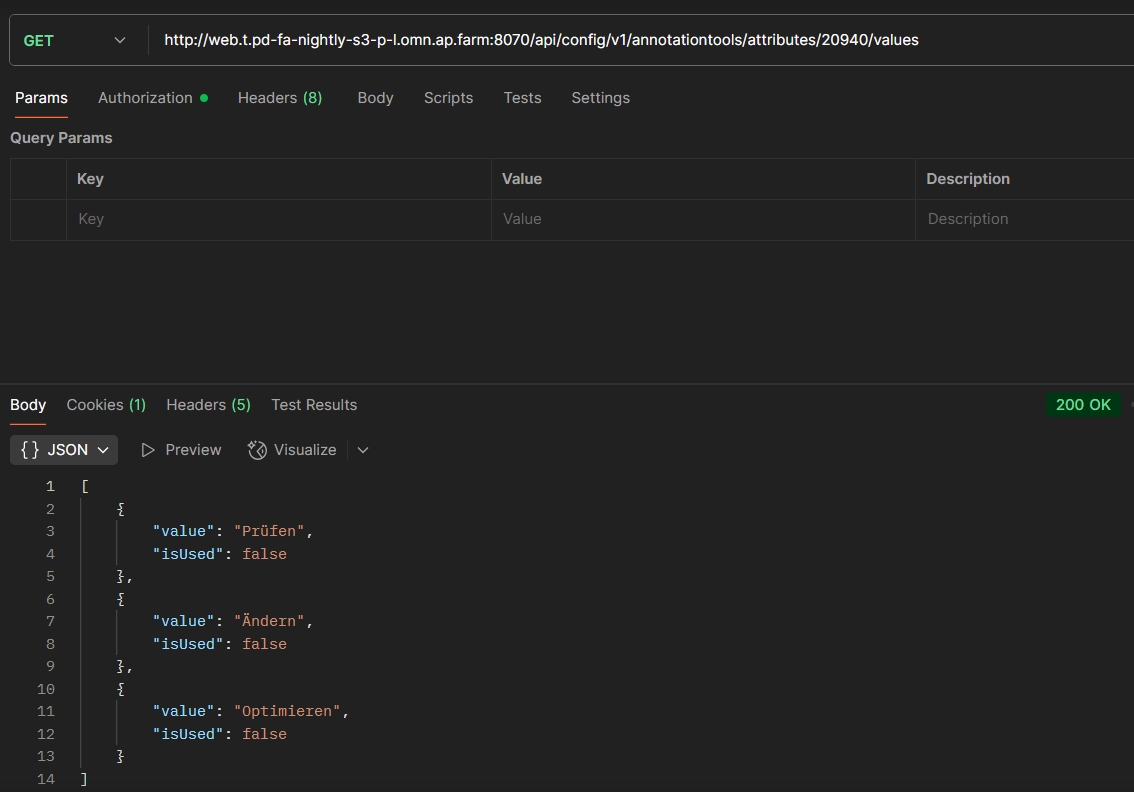
Data - Attributes - Enumeration attributes - Introduce endpoint to get dam used values
Tags |
OCA-194 |
New ConfigAPI Endpoint to get DAM attributes values which are used / assigned to any object
Channel - Attributes - Introduce endpoint to get possible values for Enumeration attributes
Tags |
OCA-202 |
New ConfigAPI Endpoint to retrieve which possible values for channel’s attribute are configured in Article Briefing Module
-
/channel/attribute/{expression}/possibleValues
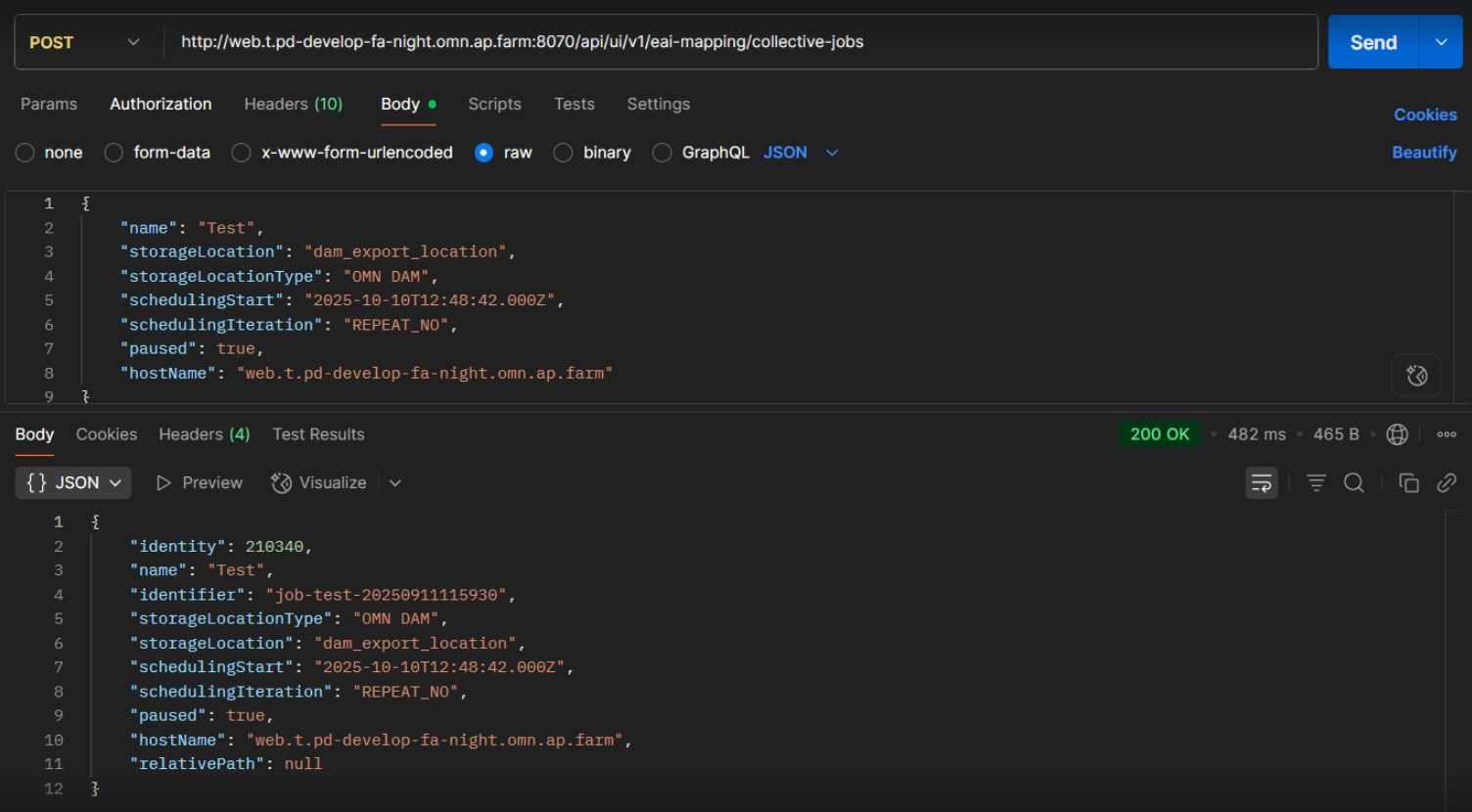
EAI UI - Export - Collective Jobs - Center View - Create Collective Job
Tags |
OCA-192 |
Possibility create a new Collective Job instance which has all required Settings via ConfigAPI
Modules - Content plugin - ChannelWorkflowView - Load and Save configuration
Tags |
OCA-204 |
Possibility to load and save the configuration of “ChannelWorkflowView” content Plugin
-
GET /plugins/instances/{instanceId}
-
PUT /plugins/instances/{instanceId}
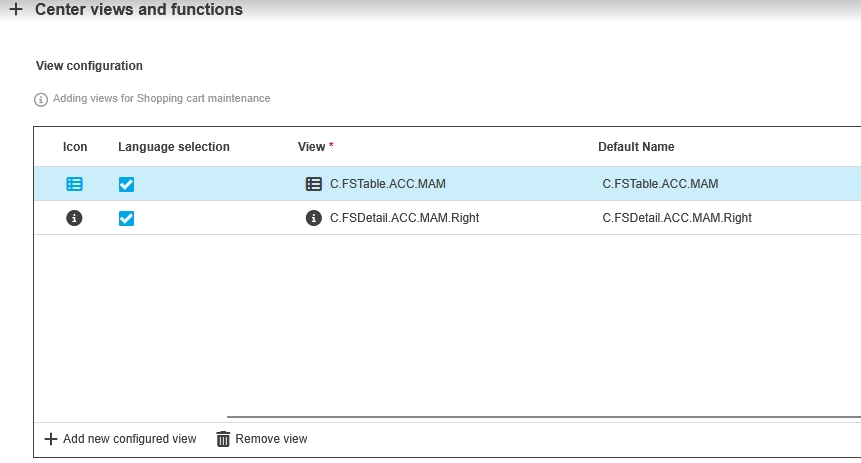
Shopping cart - Register icons for functions
Tags |
OCA-205 |
New Config API endpoint to configure views and functions for shopping cart and its icons to customize Shopping cart configuration as desire
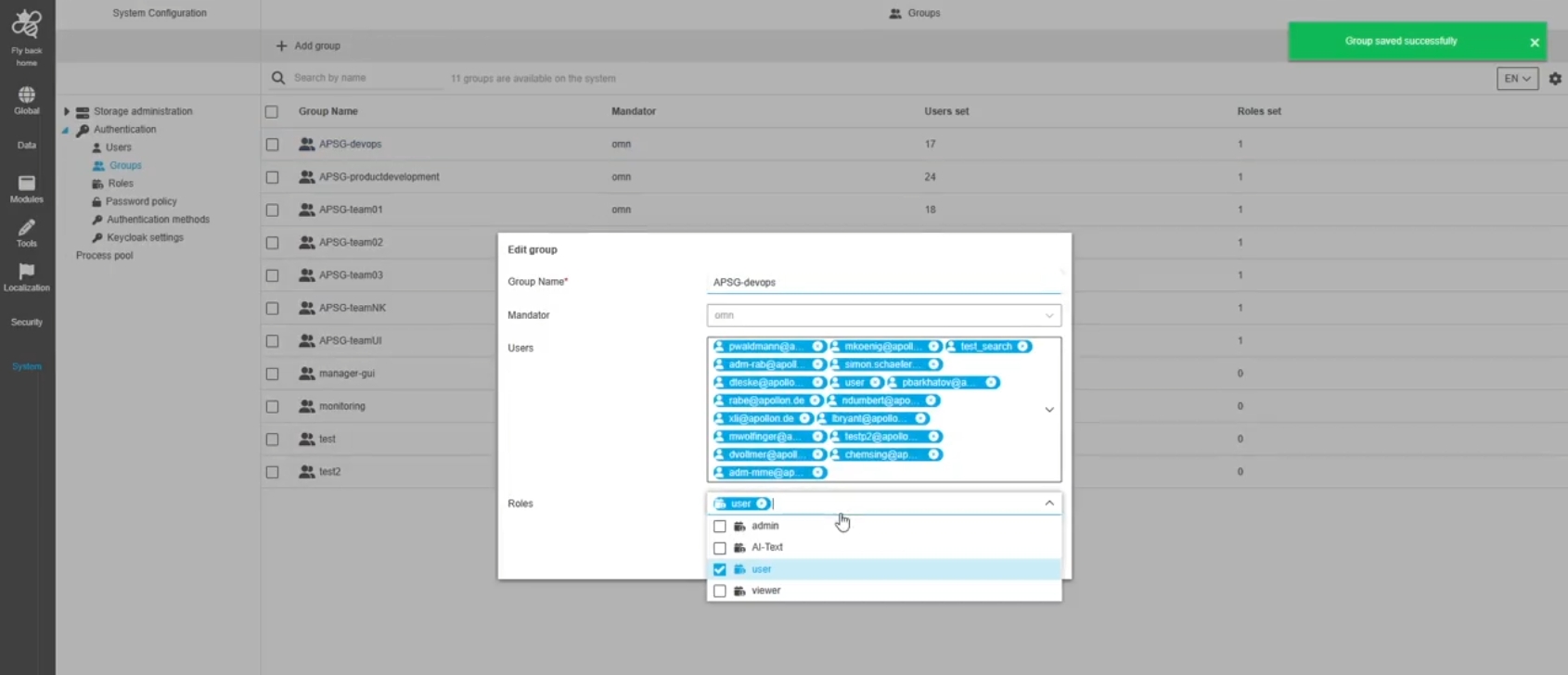
Security - Improve group API to allow saving roles
Tags |
OCA-206, OMN-11683 |
Possibility to save roleNames for Group via Config Rest-API
-
POST authentication/Group
Security - Improve user API to allow saving groups
Tags |
OCA-207 |
Possibility to save groupNames for user via Config Rest-API
-
POST authentication/user
Security - API to get full rules information
Tags |
OCA-208 |
Possibility to get full information about security rules via ConfigAPI
-
Received information contains: rule name, global mandator role, amount of roles set, object type, selected expressions. usages
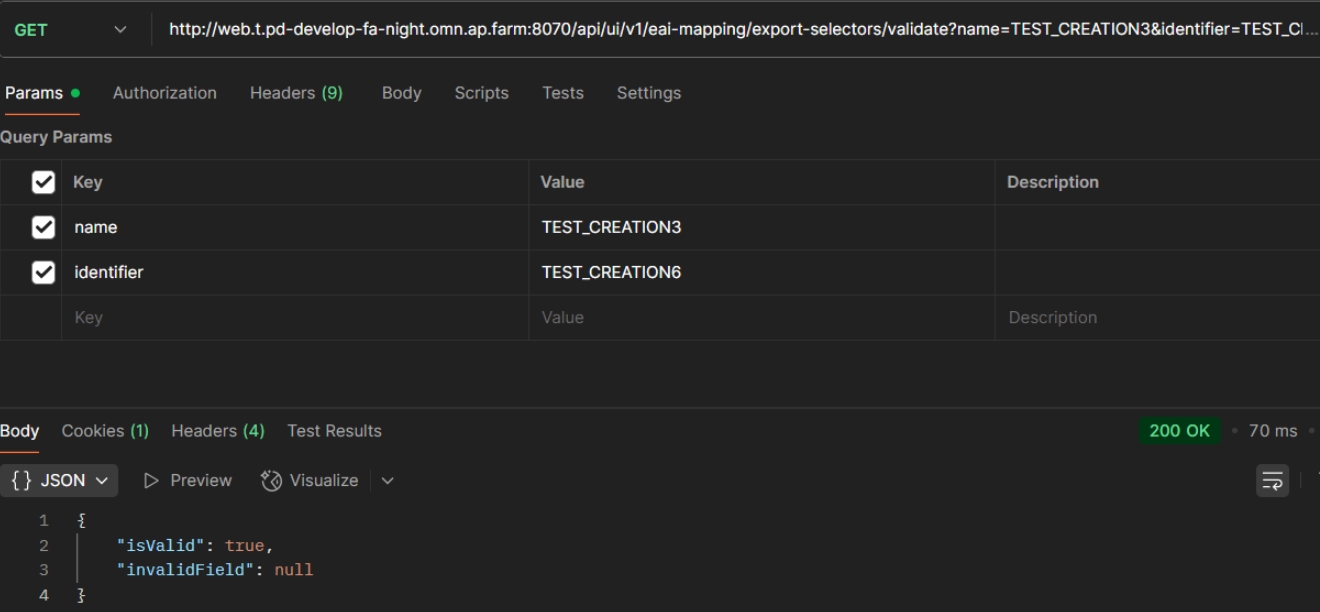
UI Rest API for EAI export mapping
Tags |
OCA-143 |
New Rest API endpoints for EAI export mapping to handle, retrieve the necessary data about via API for frontend or somewhere else
Modules - Function plugin - Direct Download - Load and Save configuration
Tags |
OCA-209 |
Possibility to load and save the configuration of “Direct Download” function Plugin via ConfigAPI
-
GET /plugins/instances/{instanceId}
-
PUT /plugins/instances/{instanceId}
Security - Improve group API to receive information about configuration administration
Tags |
OCA-211 |
Possibility to get information about configuration administration by ConfigAPI endpoint to get users list returns configuration information
Configuration Client - Application plugin - PIM2 - Load and save
Tags |
OCA-212 |
Possibility to configure general settings for the PIM application Plugin via ConfigAPI
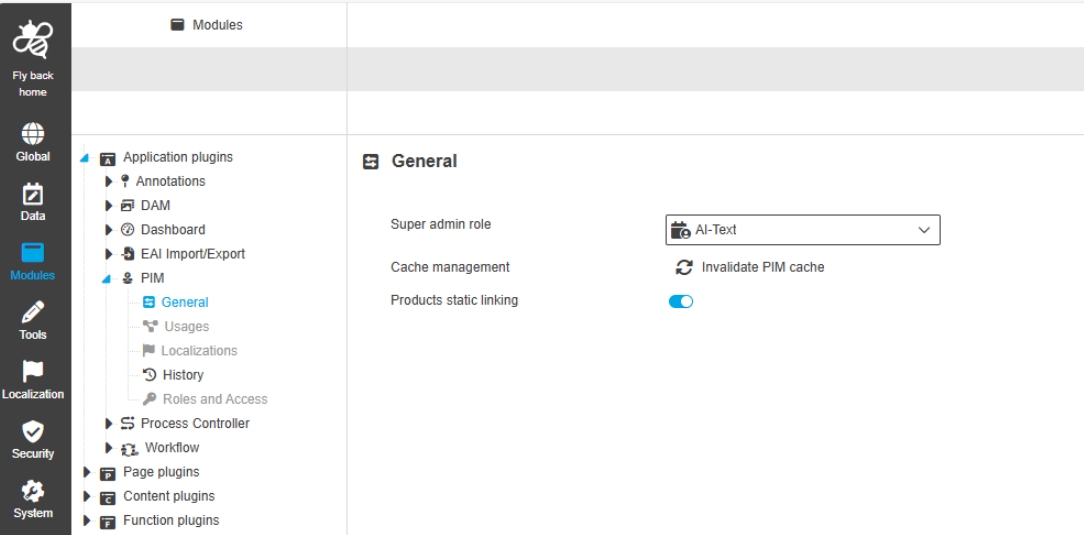
Configuration Client - Application plugin - PIM - Invalidate caches
Tags |
OCA-213 |
ConfigAPI provides new endpoint to invalidate PIM Cache
-
the function can be used in ConfigUI PIM Application Plugin (OUCC-1937)
Data - Tag management - Implement API
Tags |
OCA-214, OMN-11666, OMN-11667 |
Possibility to create, update and delete pim2 tags via Config Rest-API
-
Implement endpoint for creating and editing pim2 tags
-
Implement endpoint for deleting pim2 tags
-
Implement endpoint for getting info about pim2 tags with filters by identifier, sorting by identifier
Data - Tag management - Return attributes using certain tags
Tags |
OCA-216 |
Possibility to retrieve via ConfigAPI where a PIM2 tag is used
Security - Improve authorization API to get ACL data for keywords
Tags |
OCA-217 |
Possibility to get ACL data for Keywords via ConfigAPI
-
/authorization/permissions/nodes
Application Plugin - PIM2 - Adjust logic
Tags |
OCA-218 |
ConfigAPI to configure general settings for the PIM application Plugin
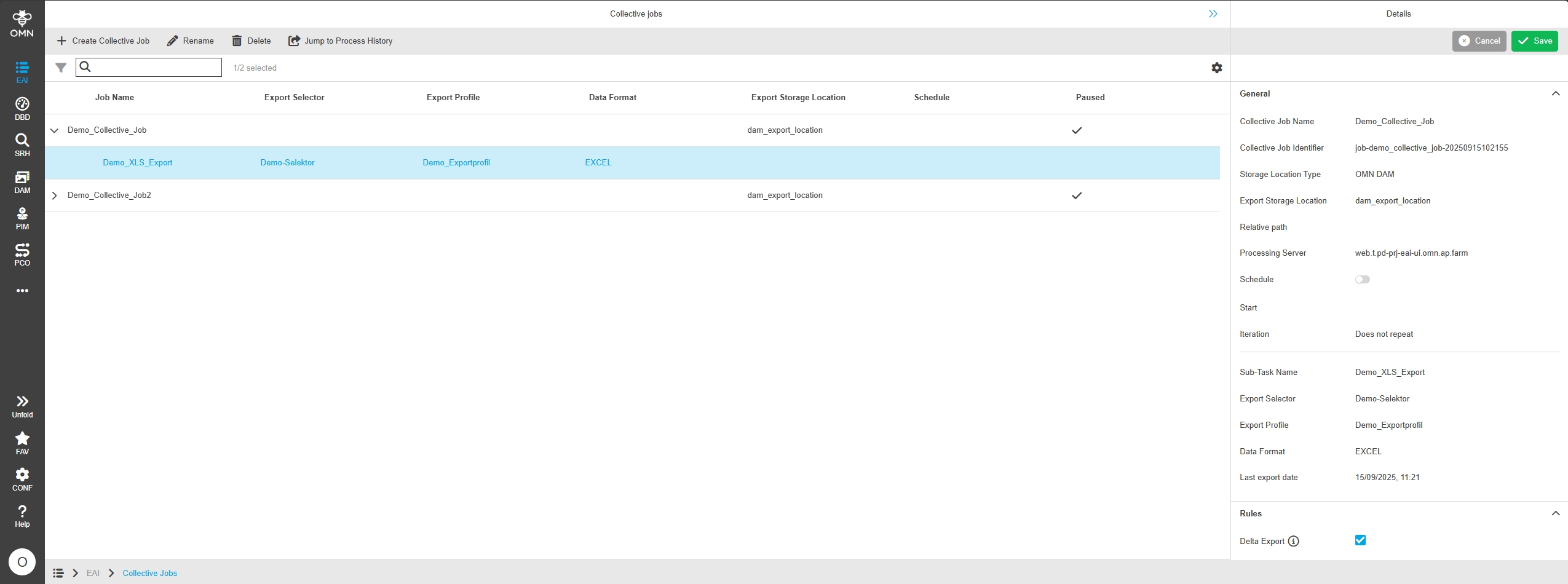
Add logic for delta export
Tags |
OCA-222, XR-1392 |
New delta export functionality and Server logic allowing to do Delta Exports for product data with new OMN - Export module
-
the Delta Export is defined on collective Level for an Export Sub Task
-
the delta export only exports the modified PIM items since the last export
Return download HTML template based on selected language
Tags |
OCA-223 |
The download page can retrieve HTML template from Download Provider configuration by Config API
|
The code is currently not used by UI , because OMN still uses static download page for Shopping Cart download. This feature to use a template based download page will be implemented in later releases. |
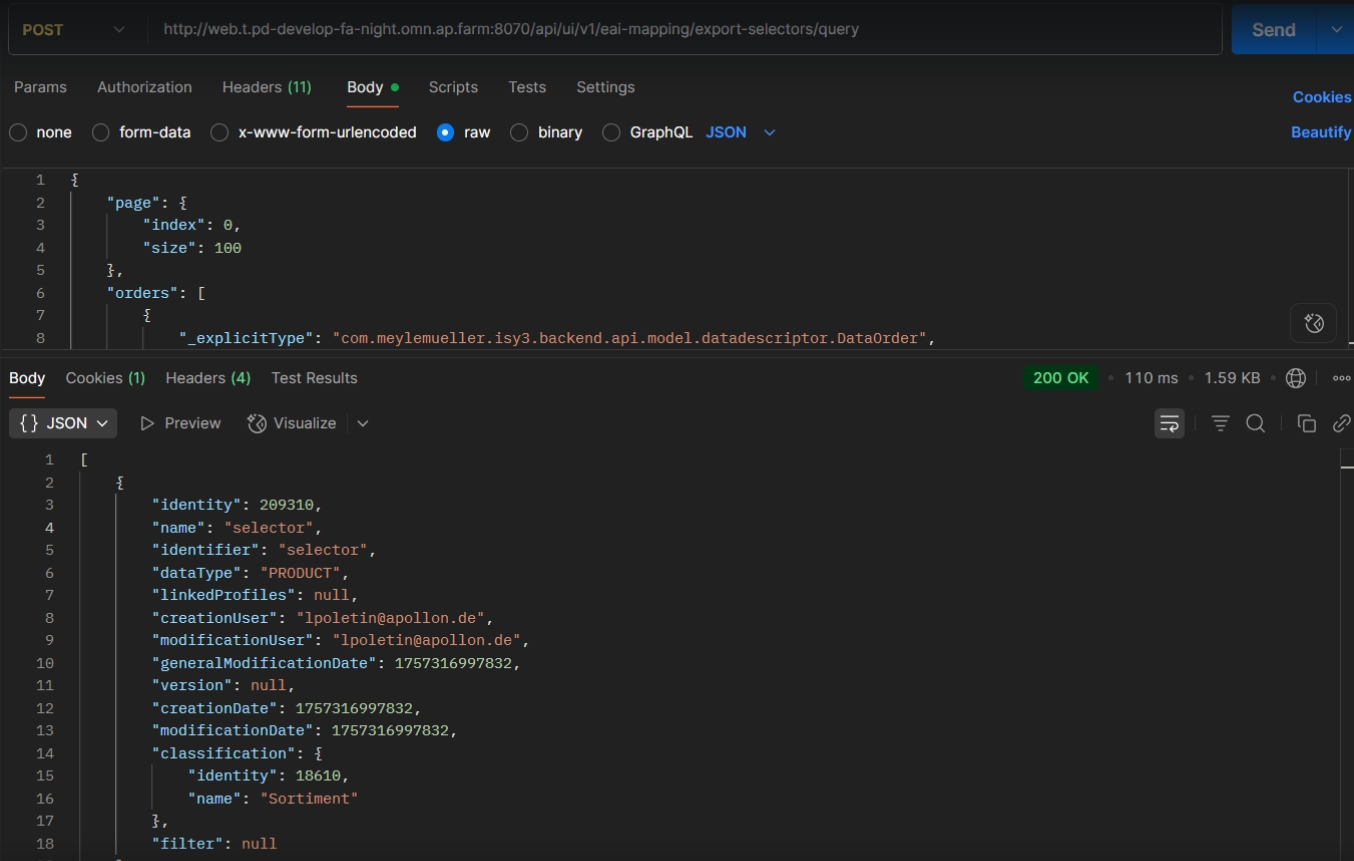
EAI - Export - Selectors - Extend endpoint to consume classification data
Tags |
OCA-225 |
ConfigAPI Endpoint for Export Selected is extended to retrieve information about classification with possibility to filter and sort
-
method: https://pd-eai-ui.t.omn5.com/api/ui/v1/eai-mapping/export-selectors/query
-
type: post
CoreAPI
Improvements and new functions in OMN Core API
Add endpoints for bulk processing
Tags |
XR-1419 |
Introduction of bulk operations for the existing OMN Core API for CM,DAM,PIM,PEO and COMMON
-
../assets/bulk
-
../dirs/bulk
-
../attribute-definitions/bulk
-
../Attributes/bulk
-
../Keywords/bulk
-
../glossaries/bulk
-
../links/bulk
-
../peos/bulk
-
../classes/bulk
-
../nodes/bulk
-
../products/bulk
-
../channels/bulk
Accelerator
Improvements and Features in OMN Accelerator Configuration
General
Changes and Optimizations in General Configuration of Accelerator
Change Language from China to Chinese
Tags |
OMNA-1820 |
The Language Names are improved in OMN Accelerator Configuration.
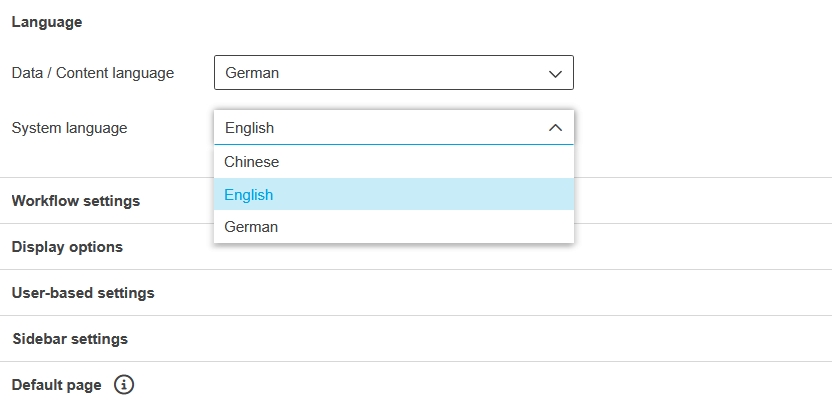
OMN provides the following standard system languages:
'6000','English','en','EN','1','1','1'
'6003','German','de','DE','1','1','1'
'6004','Spanish','es','ES','1','1','1'
'6005','Italian','it','IT','1','1','1'
'6006','France','fr','FR','1','1','1'
'6007','Dutch','nl','NL','1','1','1'
'6008','Swedish','sv','SE','1','1','1'
'6009','Japanese','ja','JP','1','1','1'
'6010','Russian','ru','RU','1','1','1'
'6011','Danish','da','DK','1','1','1'
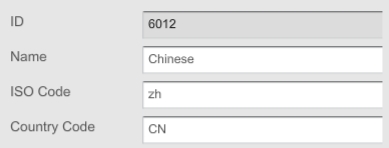
'6012','Chinese','zh','CN','1','1','1'
'6013','Bulgarian','bg','BG','1','1','1'
'6014','Finnish','fi','FI','1','1','1'
'6015','Greek','el','GR','1','1','1'
'6016','Polish','pl','PL','1','1','1'
'6017','Portuguese','pt','PT','1','1','1'
'6018','Hungarian','hu','HU','1','1','1'
-
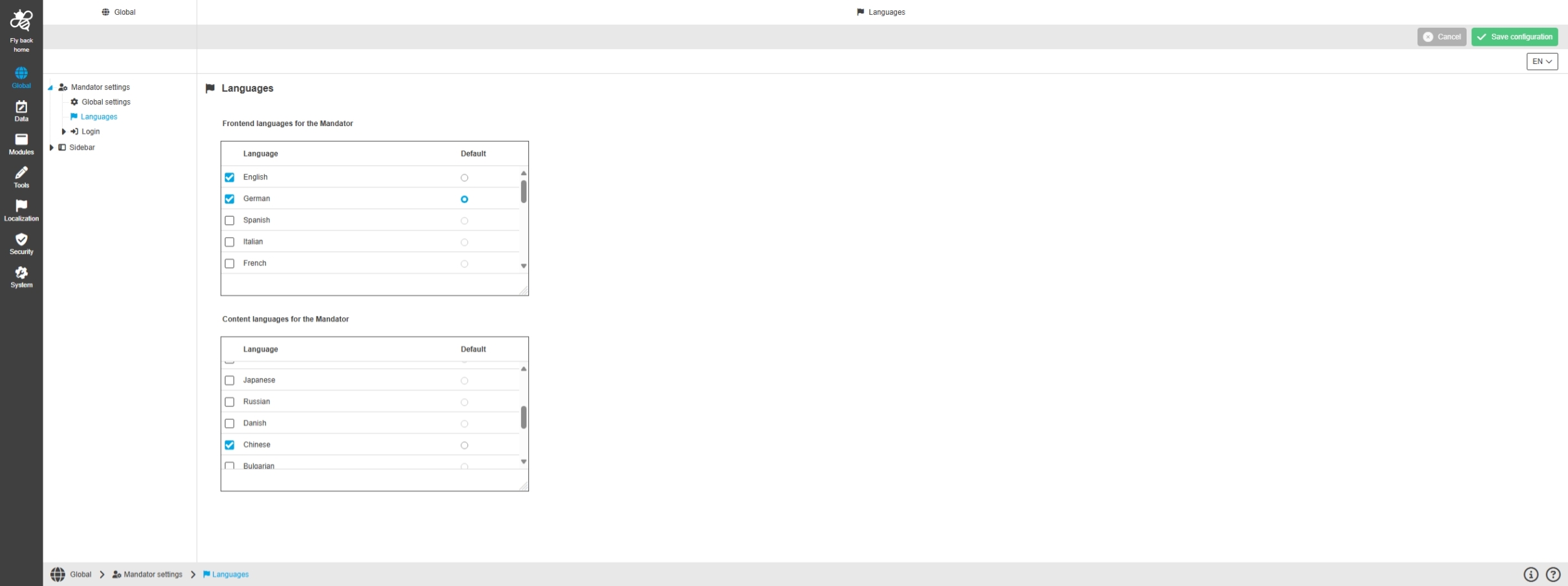
Language Configuration in Configuration Client
-
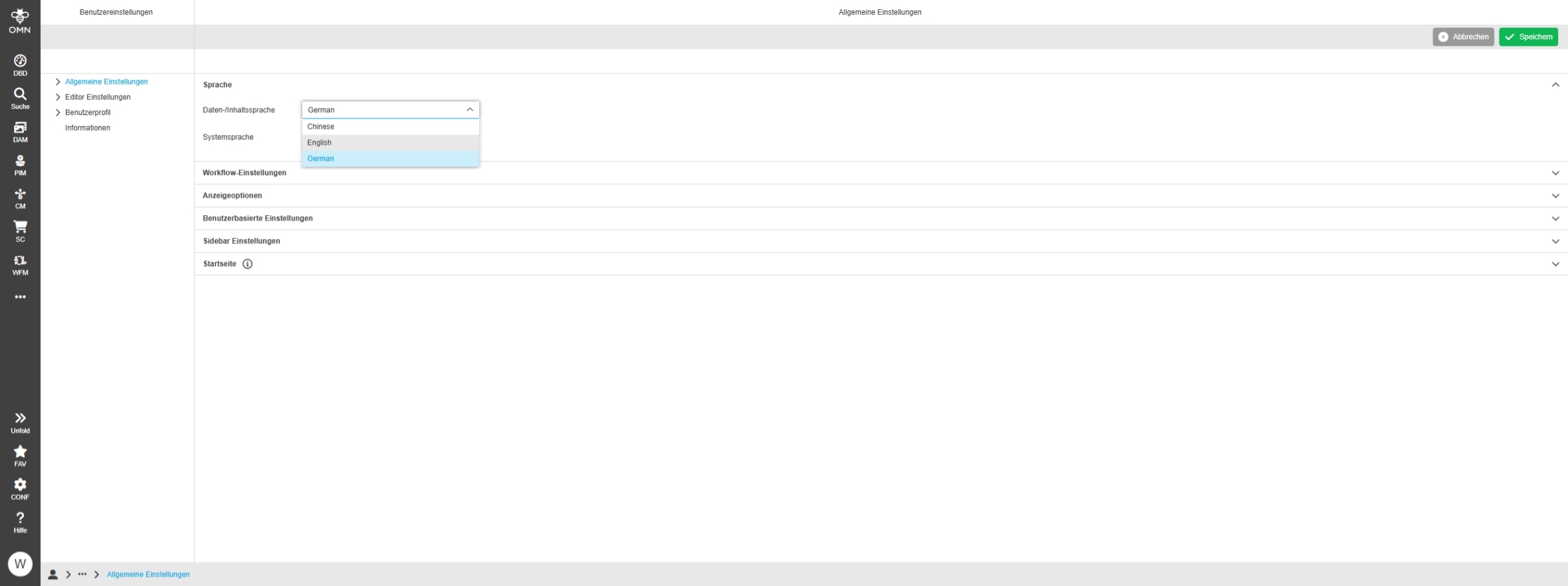
Language Selection in Frontend user settings
Support of additional system languages in Accelerator
Tags |
OMNA-1627 |
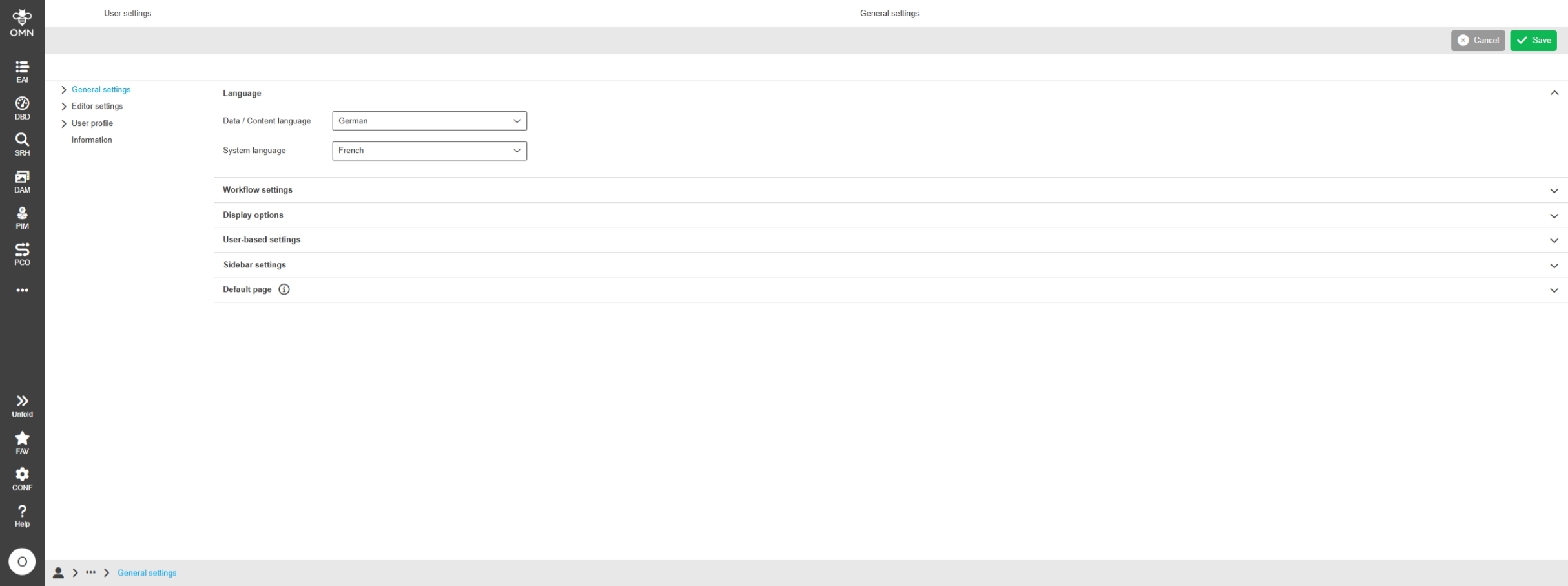
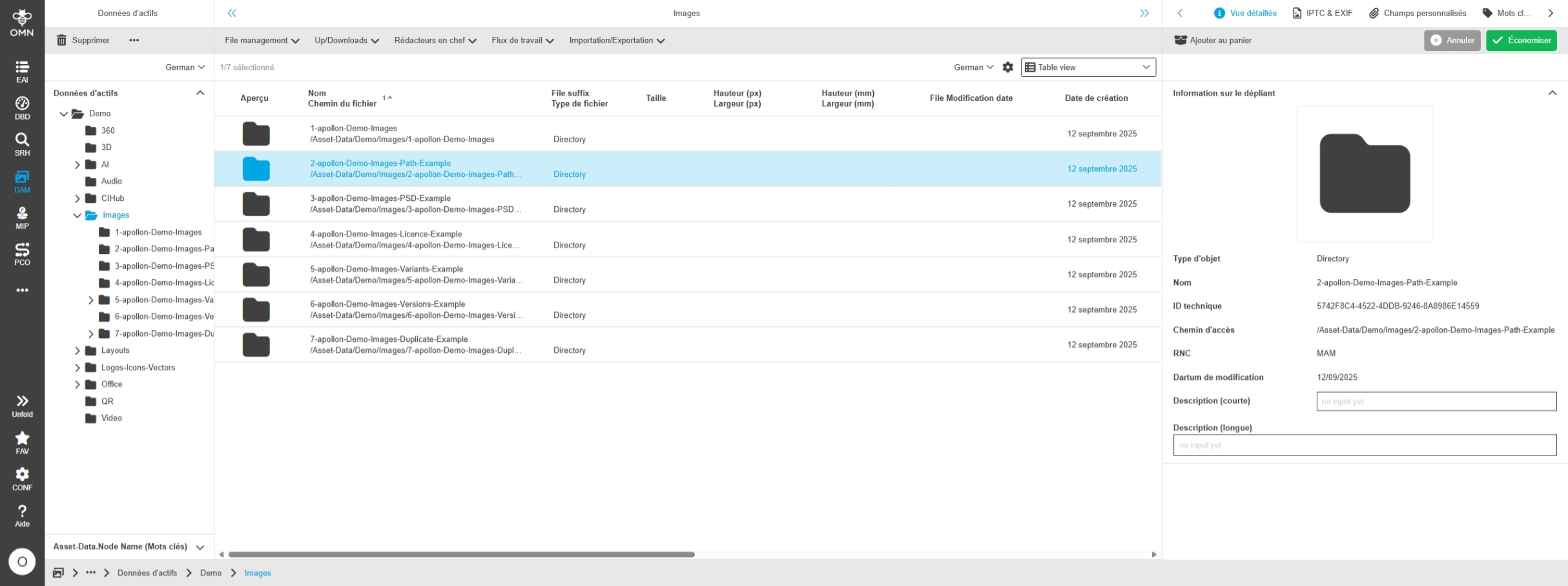
French is added as new frontend language
DAM
Changes and Optimizations in OMN-DAM Configuration of Accelerator
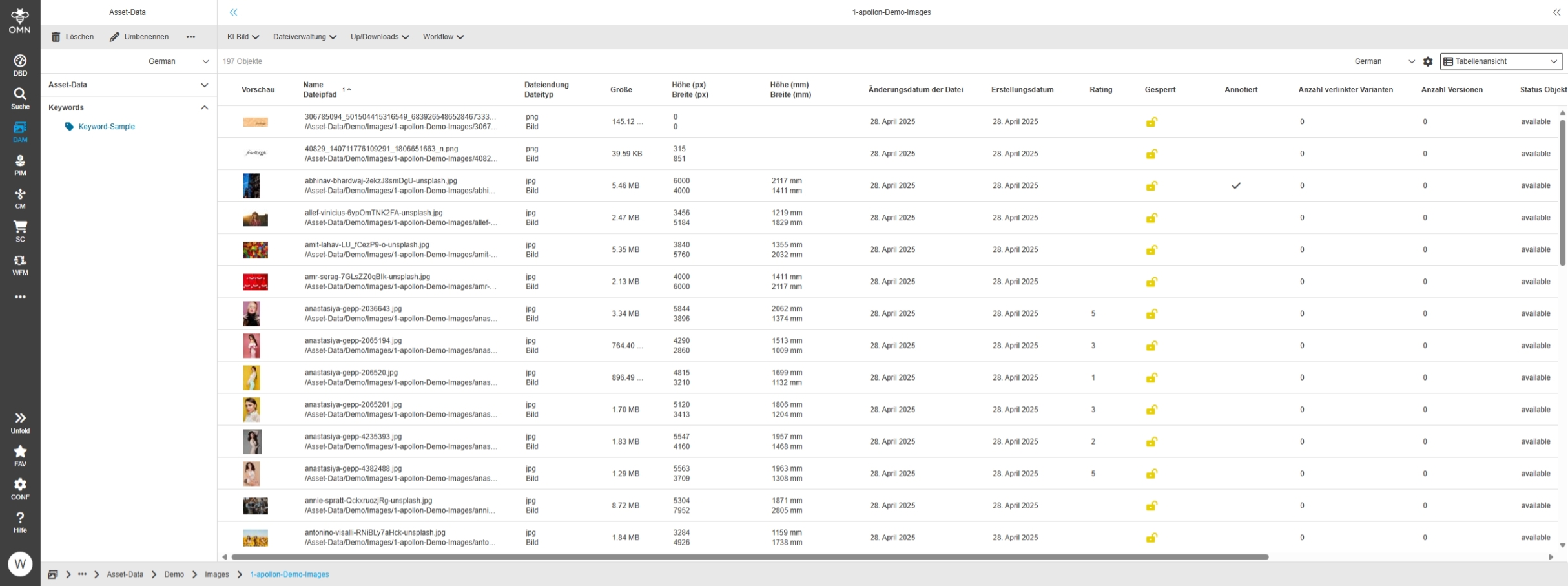
Change localization of FSNavigation - Keyword in Fashion profile
Tags |
OMNA-1776 |
FS Navigation Panel for Keywords is renamed to Keywords (EN) / Keywords (DE)
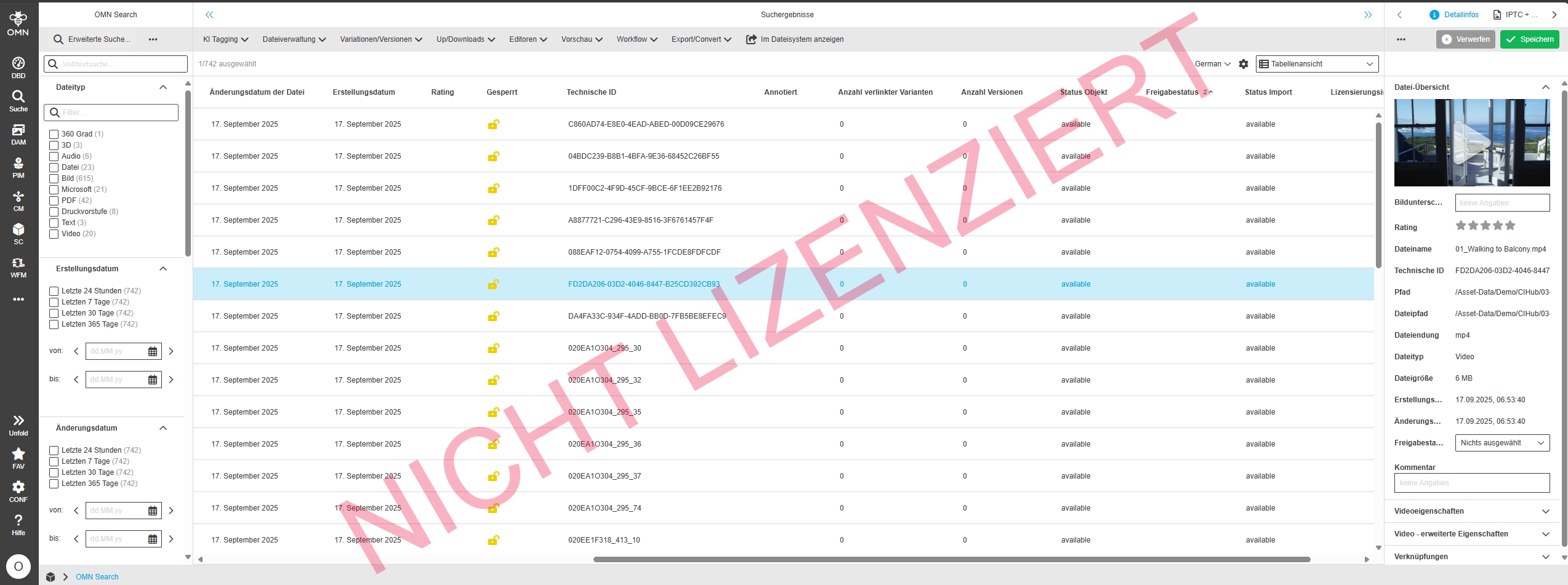
Include OMN Object Creation and Modification Date in Asset-View
Tags |
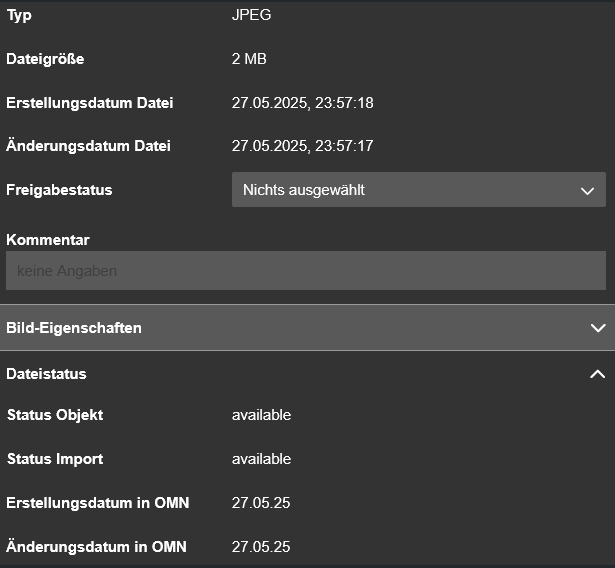
OMNA-1780 |
OMN Object Creation and Modification Date is now shown in Asset-View besides Creation and modification date of the file
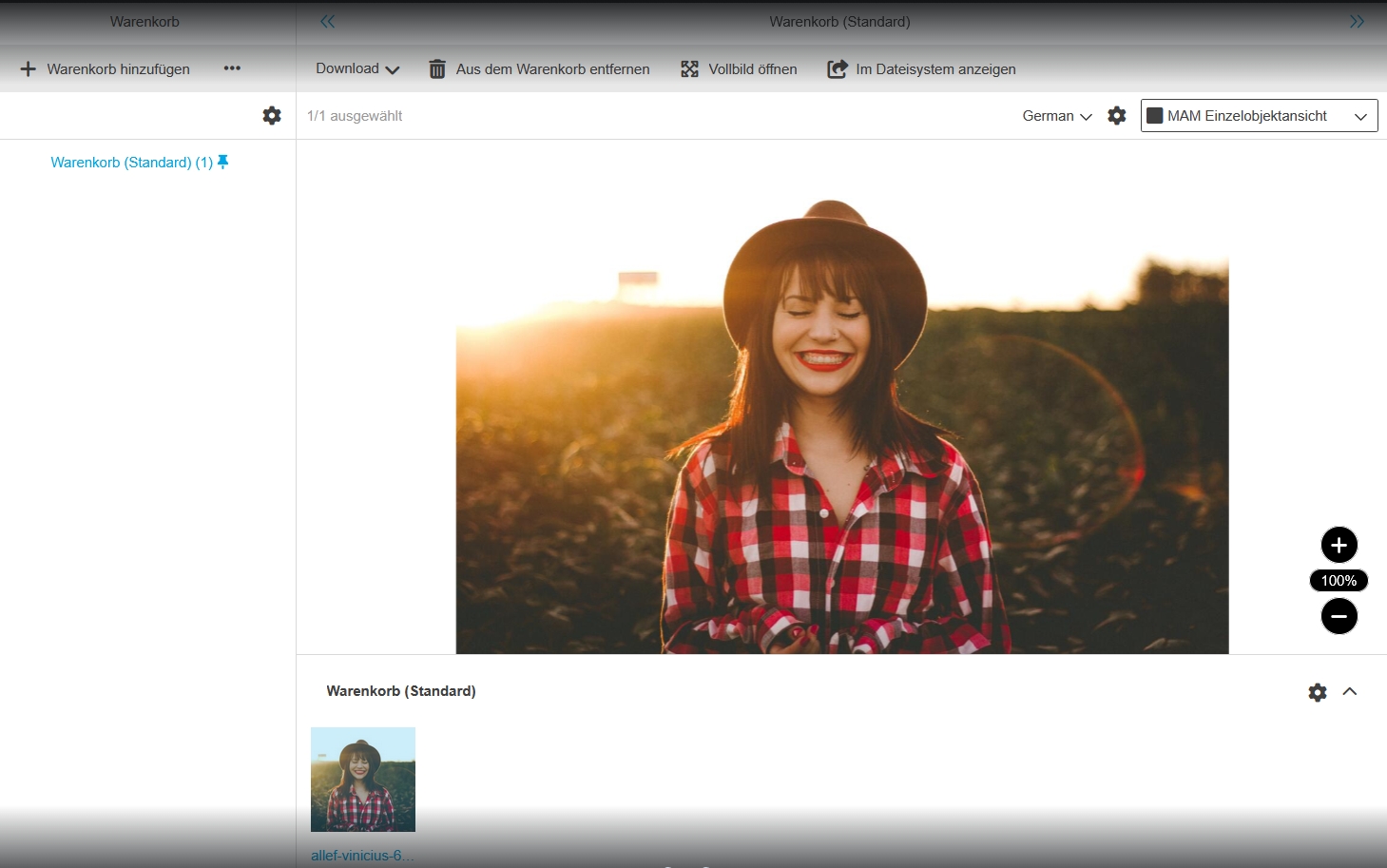
Add SingleObjectView to Shopping Cart configuration
Tags |
OMNA-1845 |
Possibility to use Single Object View for assets in a Shopping Cart
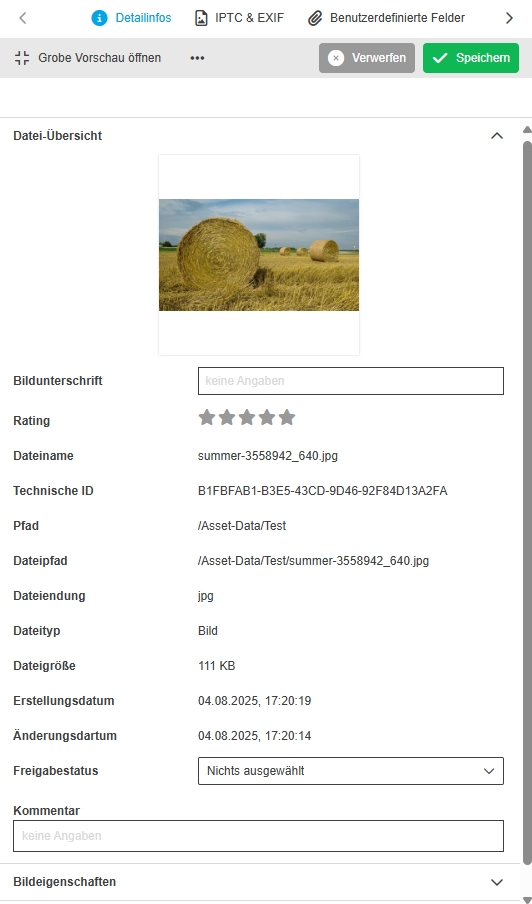
Add New Path Expression to ACC configuration
Tags |
OMNA-1870 |
Possibility to see expression containing only the file path without the filename in order to copy it for example to search
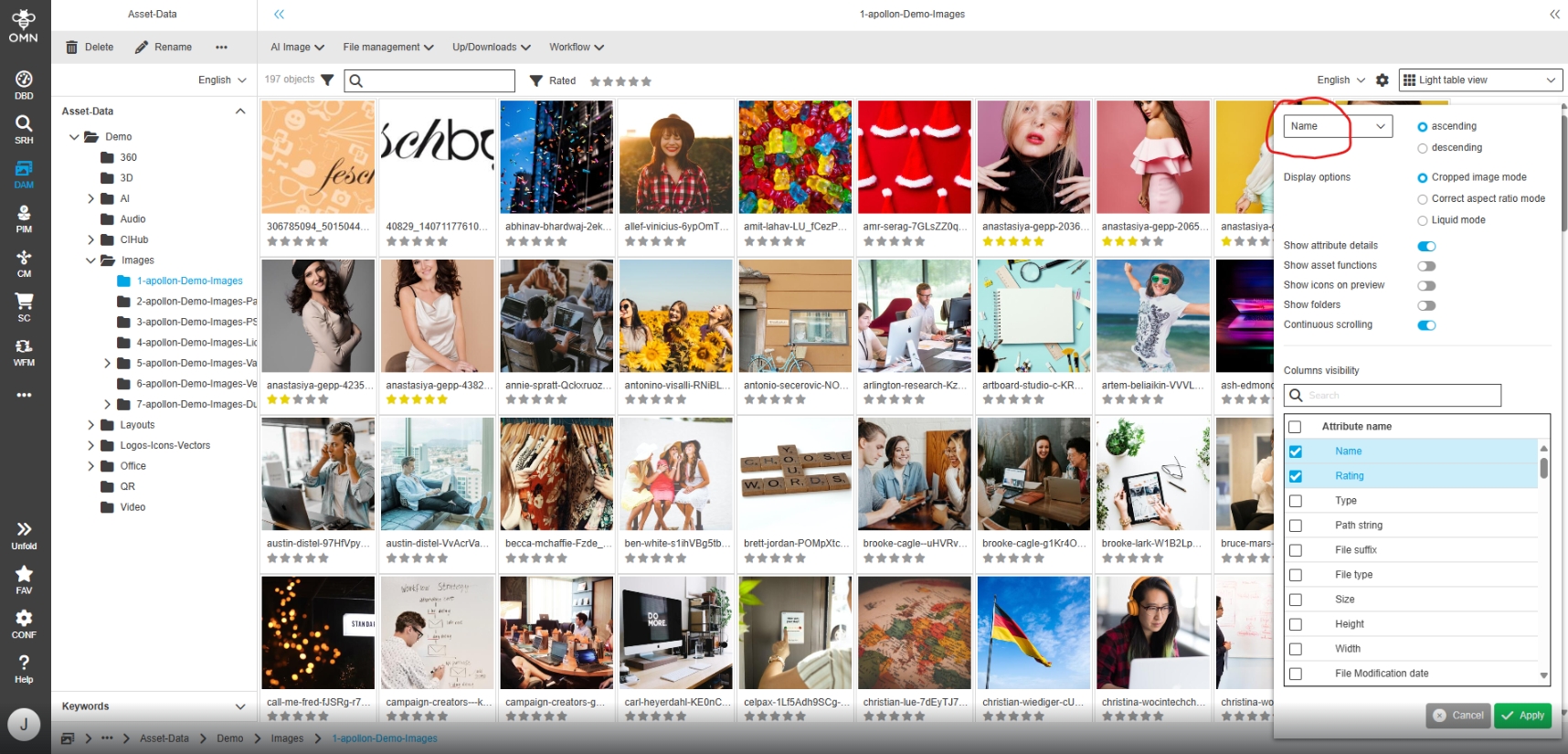
LightTable - Statusbar settings - Sorting - Show pre-selected sorting method
Tags |
OMNA-1829 |
Possibility to see the sorting criteria in dropdown of status bar settings in Light Table, so that the user knows by which attribute the view is sorted
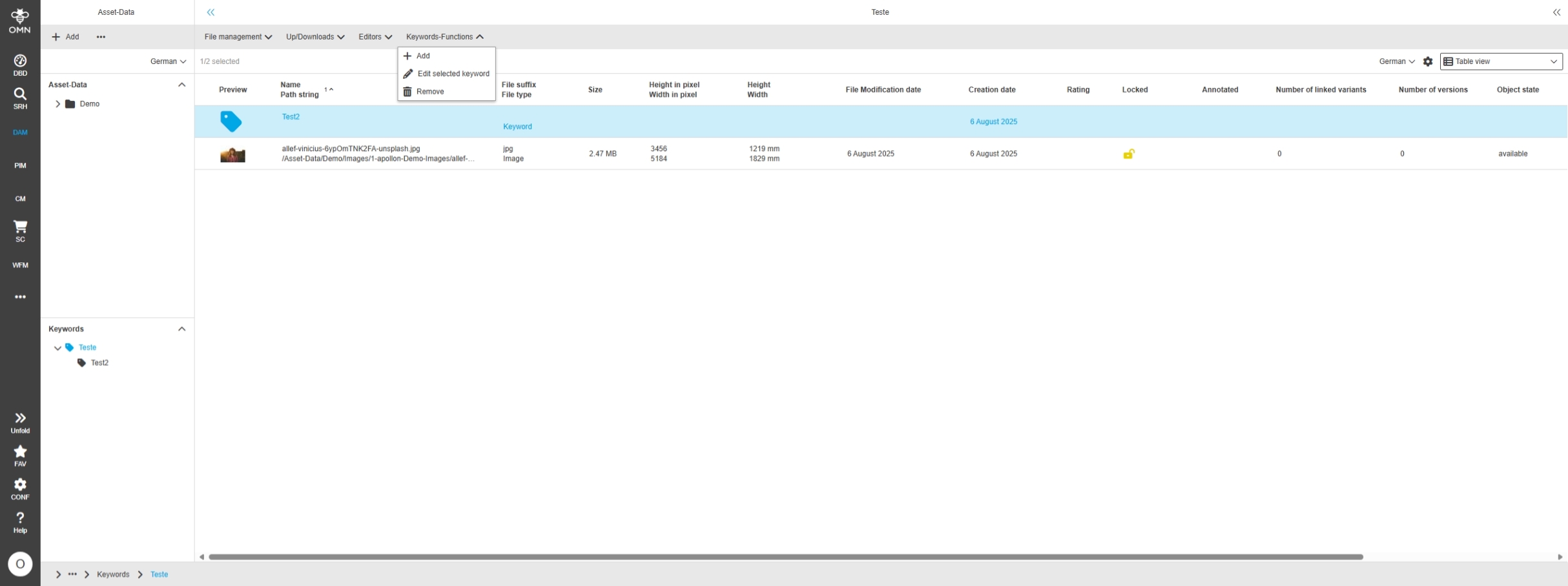
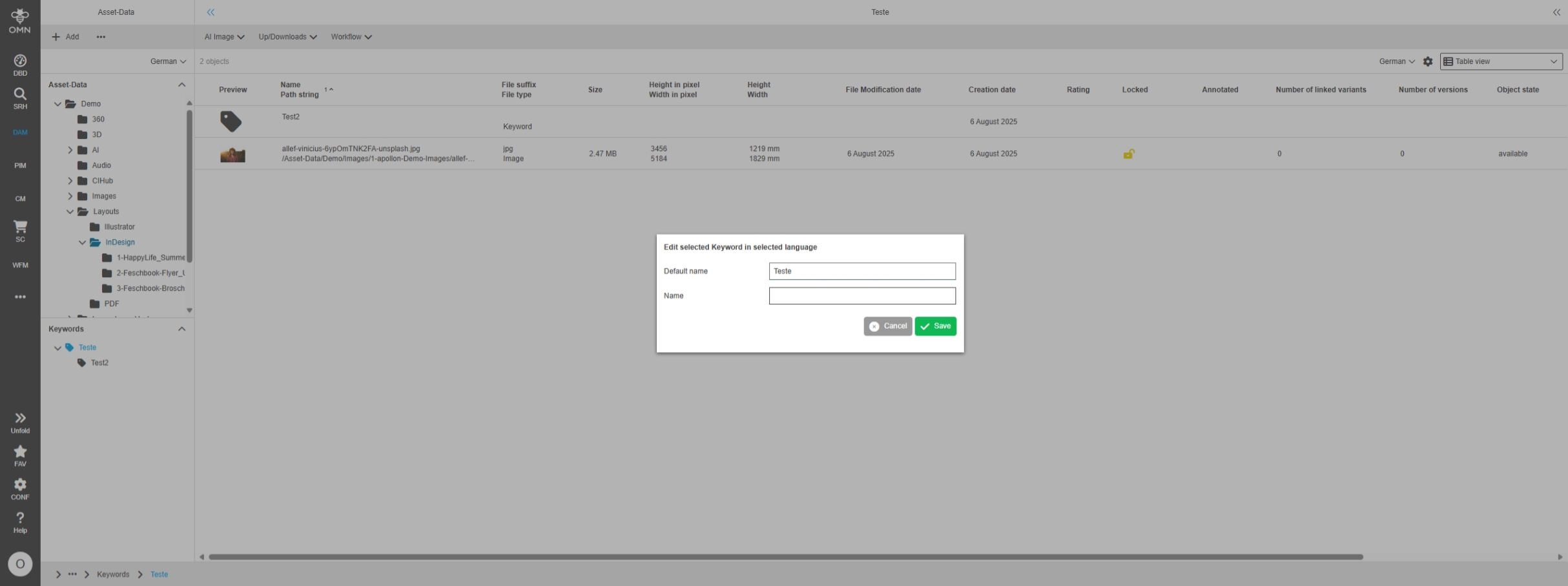
Adjust Shopping Cart configuration to new Page Plugin - apollon Jira
Tags |
OMNA-1869 |
Shopping Cart Configuration is adjusted due to new backend changes, Shopping Cart emails are now HTML-based emails
PIM
Changes and Optimizations in OMN PIM Configuration of Accelerator
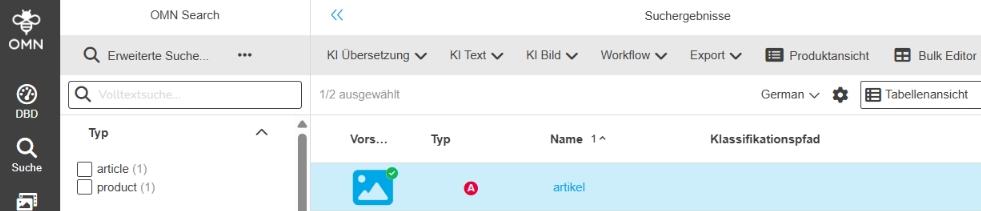
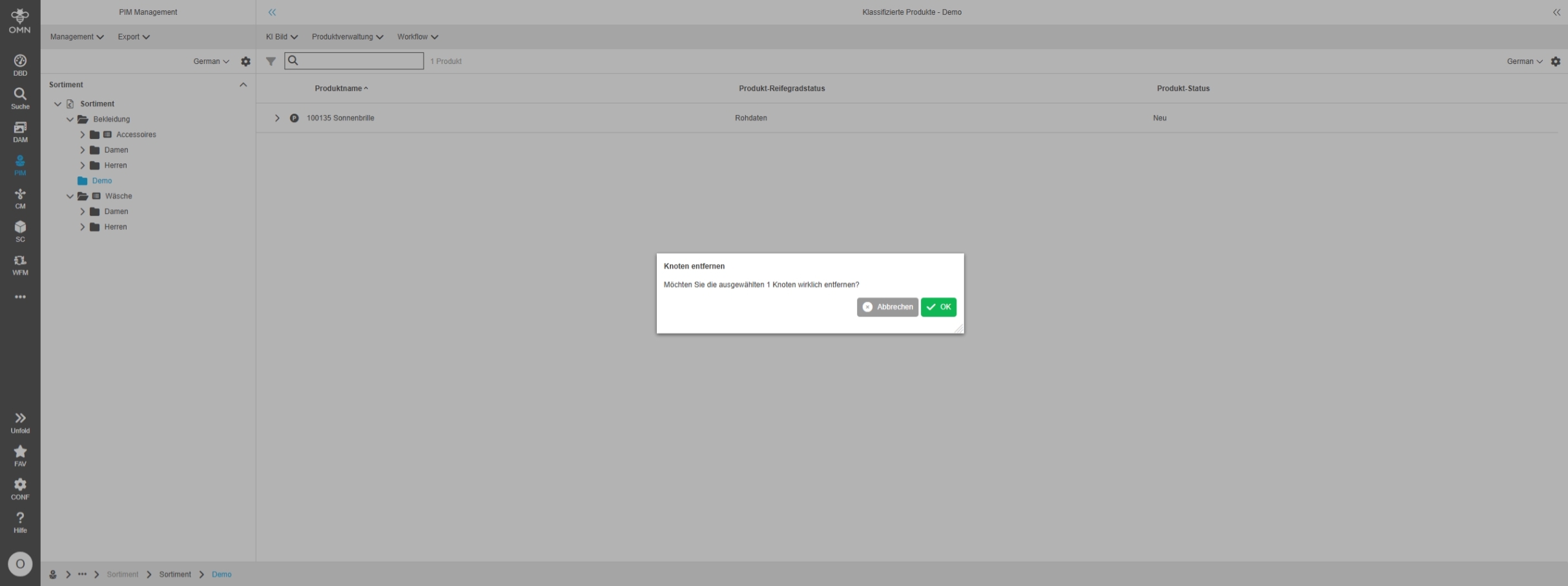
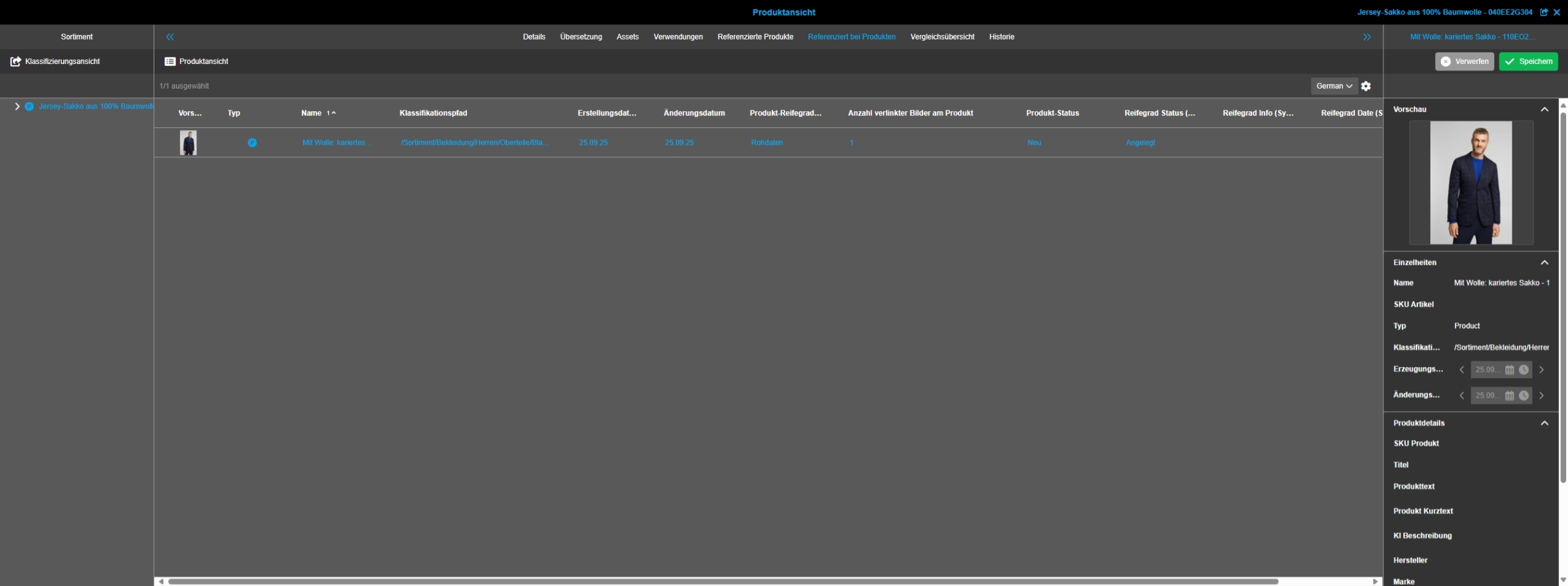
Set default product View for unclassified products
Tags |
OMNA-1849 |
Unclassified Products can now be opened in Default Product View from Search
Search
Changes and Optimizations in OMN-Search Configuration of Accelerator
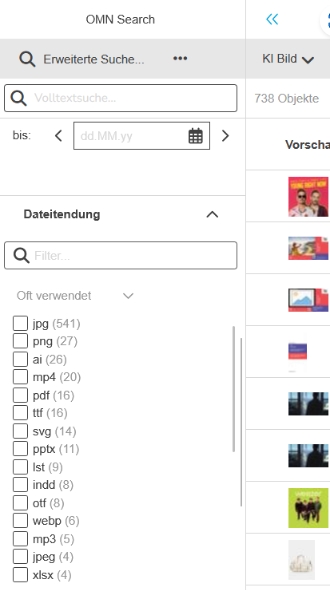
Add new Facet Suffix in OMN-DAM-Search
Tags |
OMNA-1815 |
New Facet for File Suffix is not available in OMN-Search Standard configuration
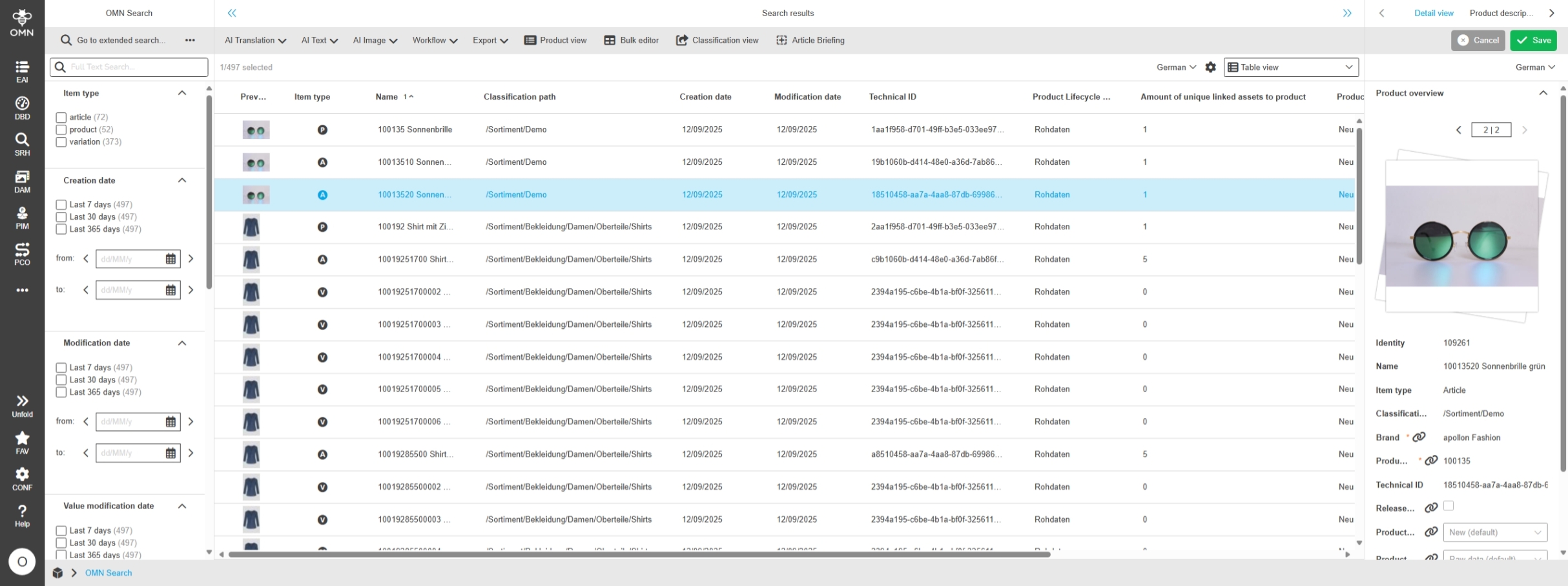
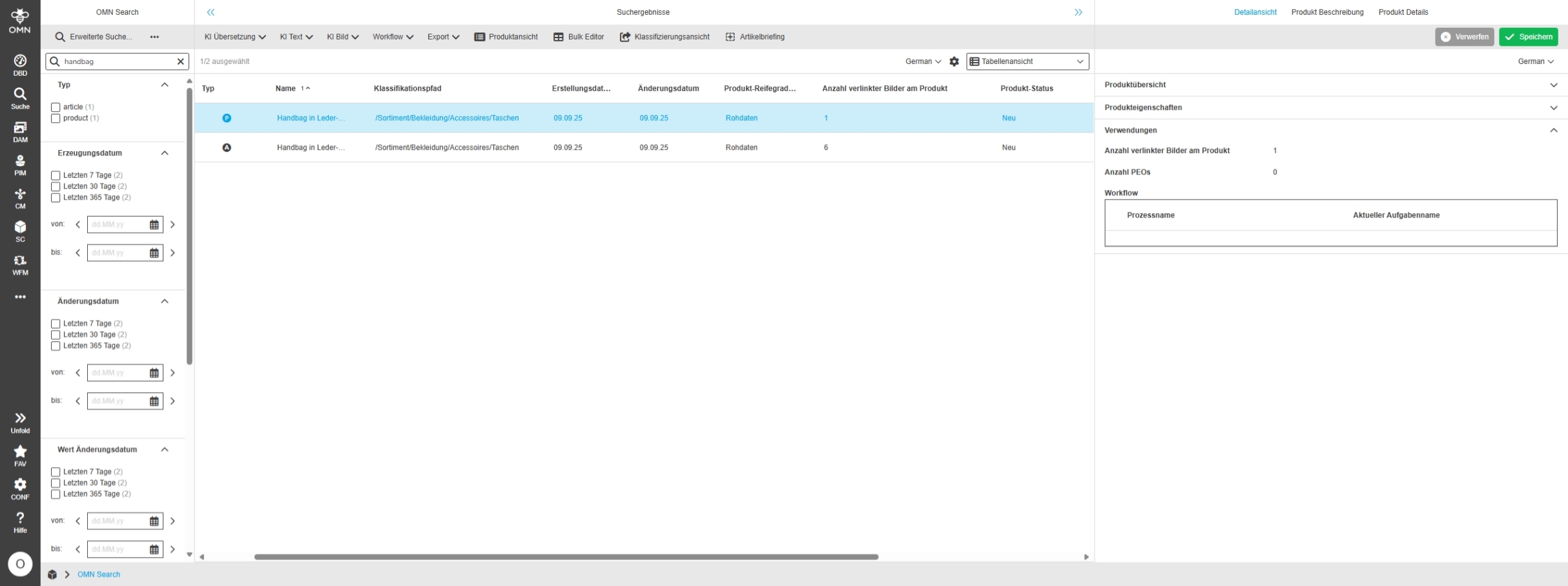
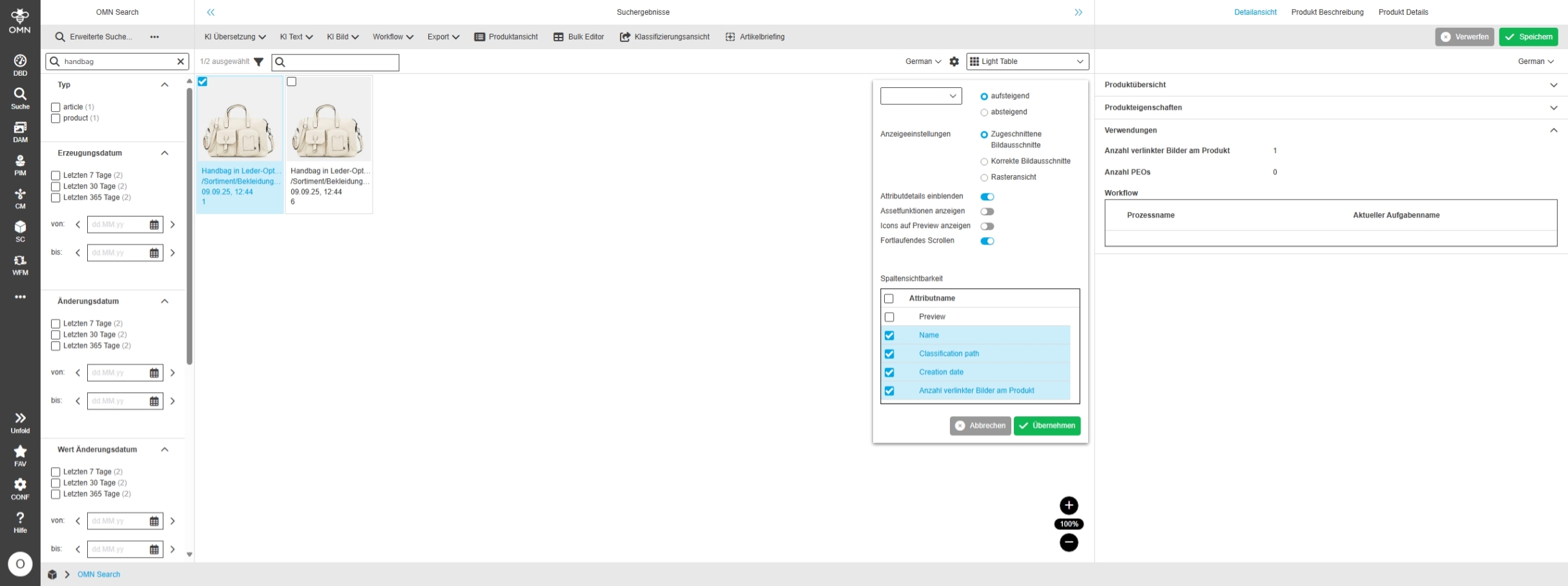
Add Expression Amount of unique linked assets to product to Search Content Pages
Tags |
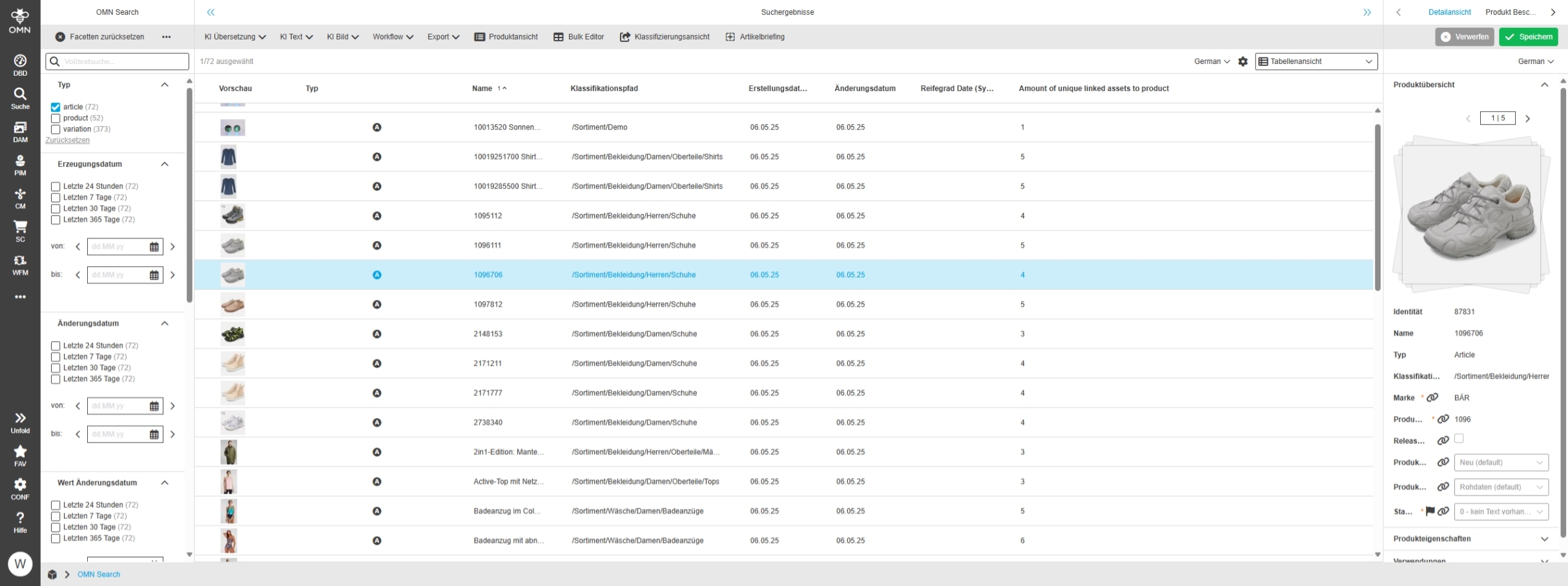
OMNA-1848 |
New Expression called " Amount of unique linked assets to product" is available in Search Content Pages like Table and Detail View
-
Table and Detail View
-
Lighttable View
Adjustments for Duplicate Search with Elasticsearch
Tags |
OMNA-1813 |
Optimizations and Enhancements for Duplicate Search Function
-
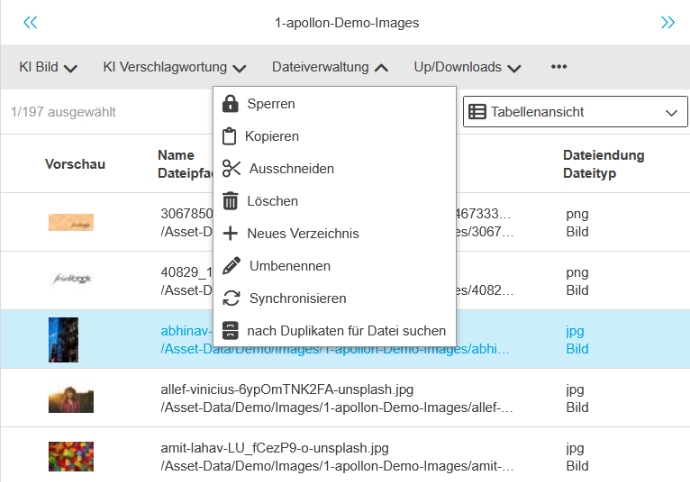
it is possible to search duplicate files on selected file by function
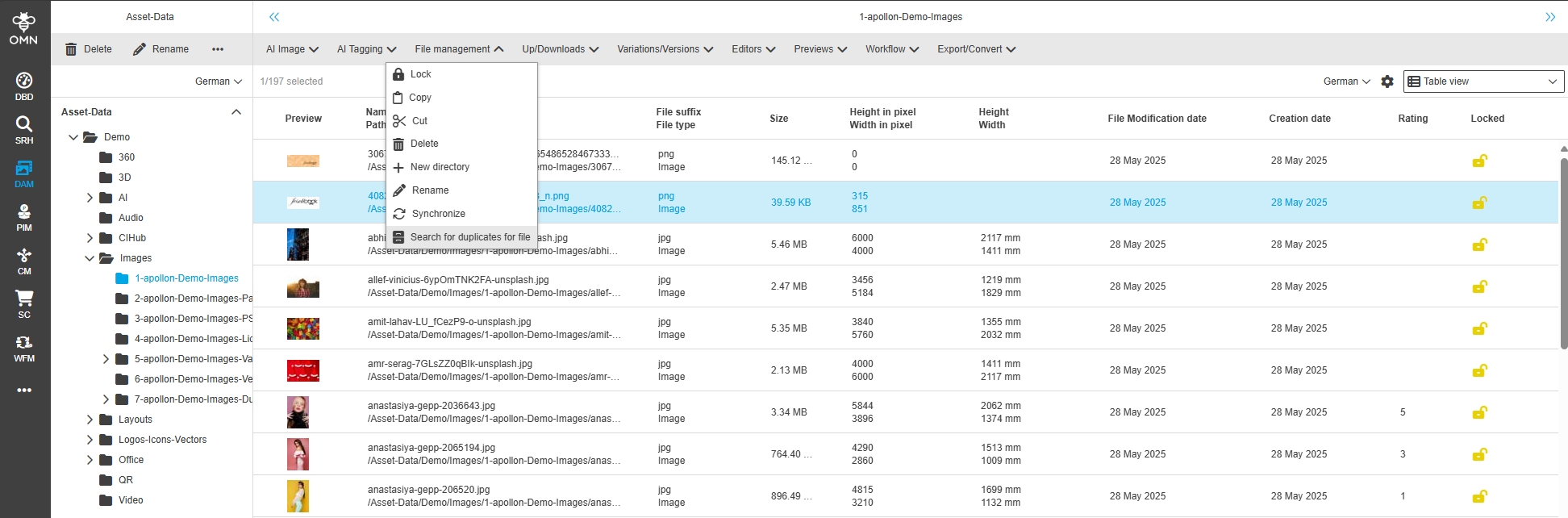
-
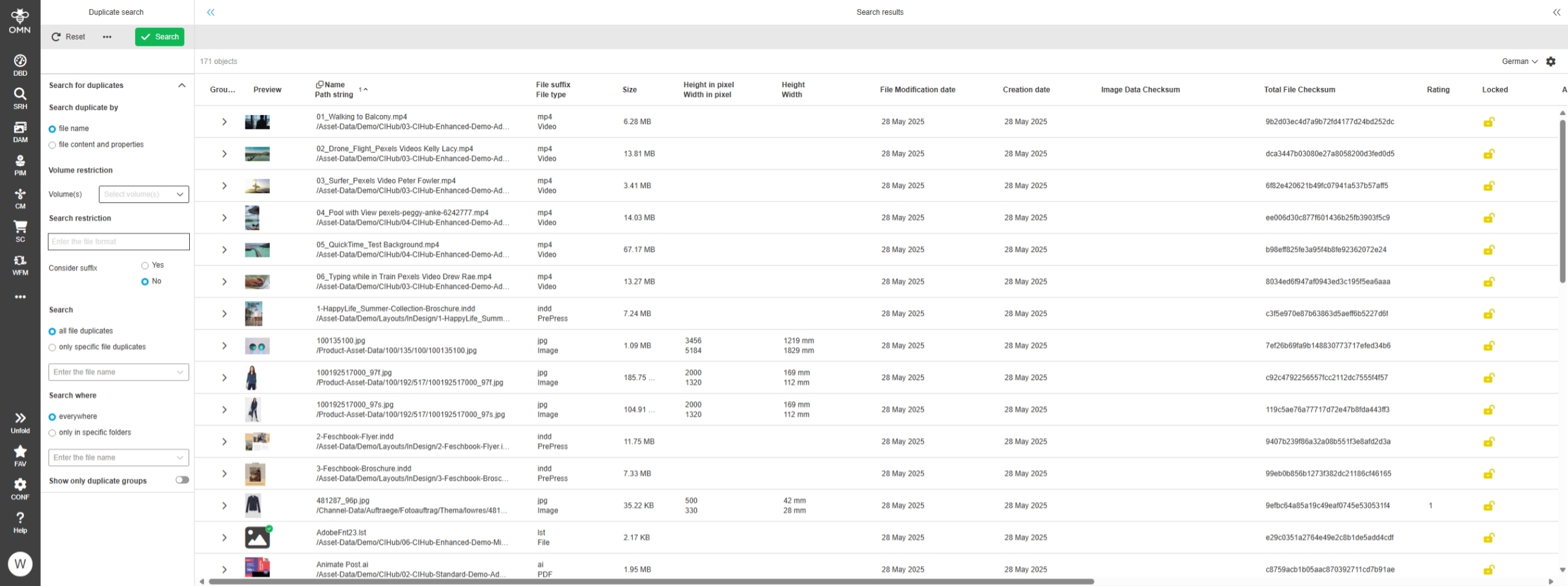
the duplicate search is now using Elasticsearch index and provide additional functionality
-
restrict volume where duplicates should be searchable
-
user can set Group mode with Settings how many files will be displayed within a duplicate search Group
-
user can open found duplicate file in another Search
-
Annotation Tool
Changes and Optimizations in Annotation Tool Configuration of Accelerator
Annotation Tool - add Copy Annotation to Profile
Tags |
OMNA-1798 |
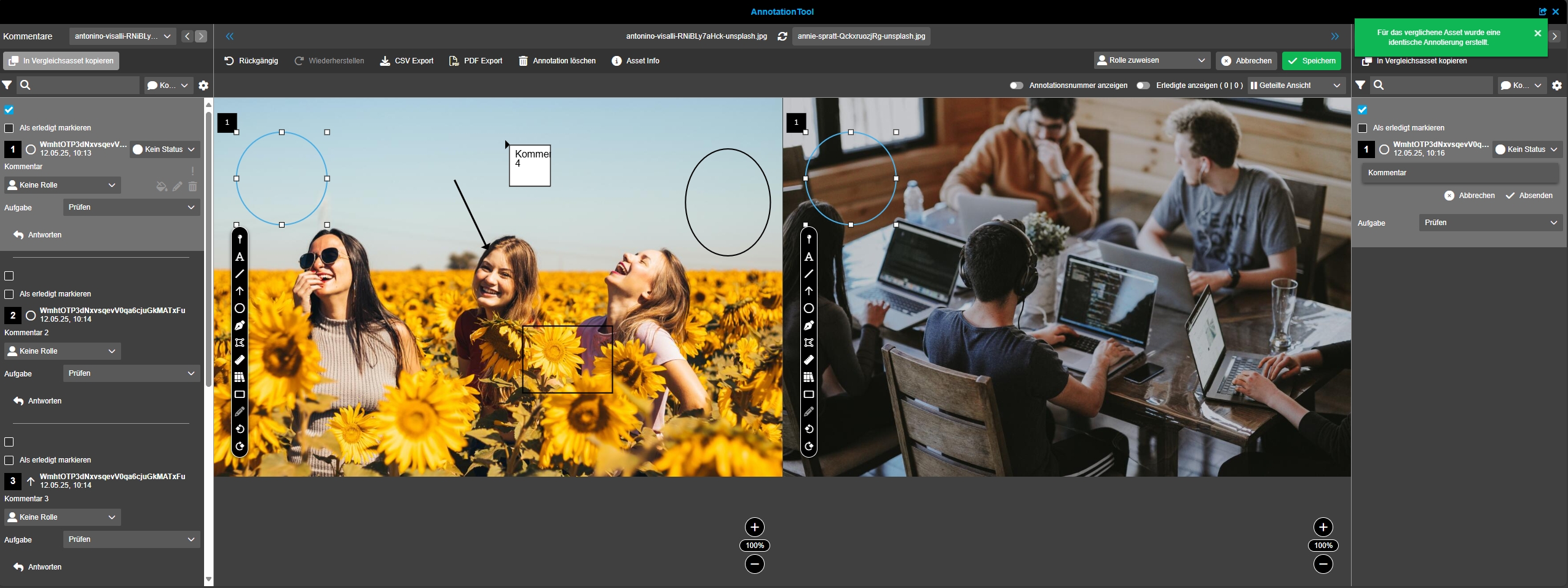
The copy function in Annotation compare view is now available to copy annotations from one file to another
Resolve annotation state should be activated in Fashion and FF profile
Tags |
OMNA-1809 |
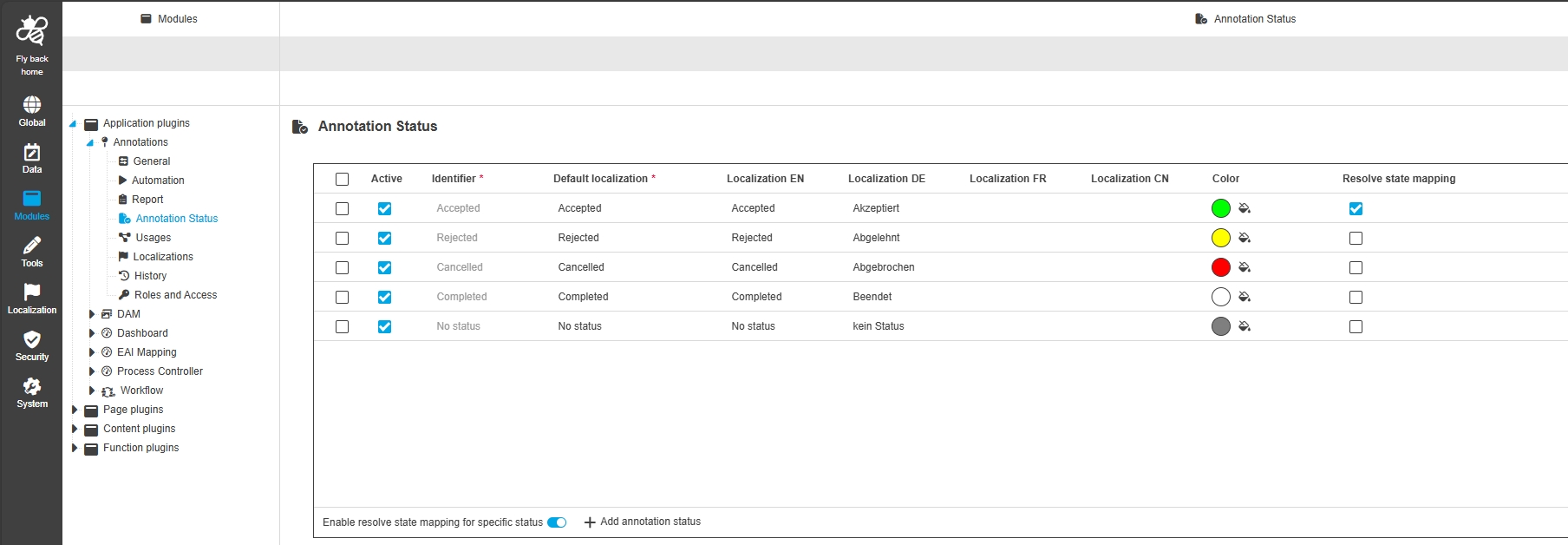
The Resolved State of an Annotation is now linked with Annotation state
-
In the Accelerator profile, the Resolved status of an Annotation is automatically set when the comment status is set to Accepted/Akzeptiert
-
The Resolved State can be removed again regardless of the comment status
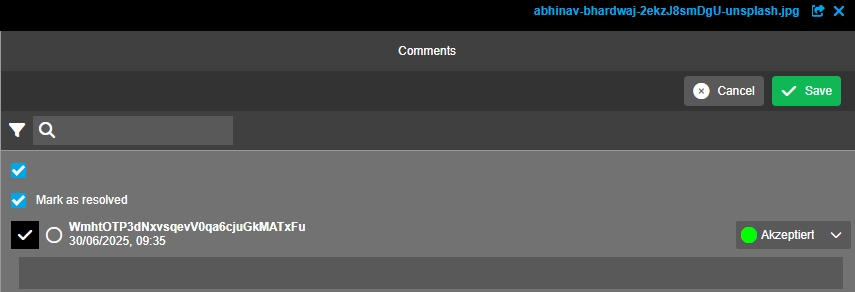
-
Configuration (within the configuration resolved state is mapped with the Annotation State accepted)
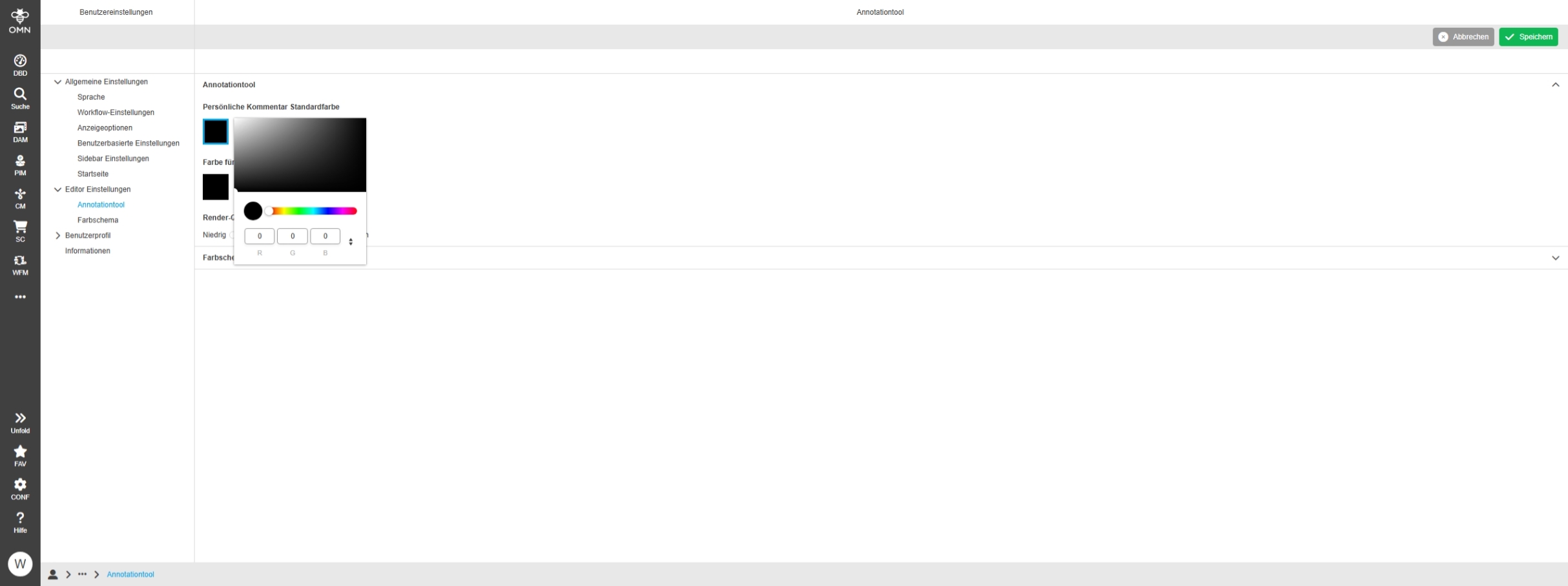
Activate Color for Annotation Tool
Tags |
OMNA-984 |
The user is able to change color of annotation tool in User Settings now
Add annotation state to acc configuration
Tags |
OMNA-1811 |
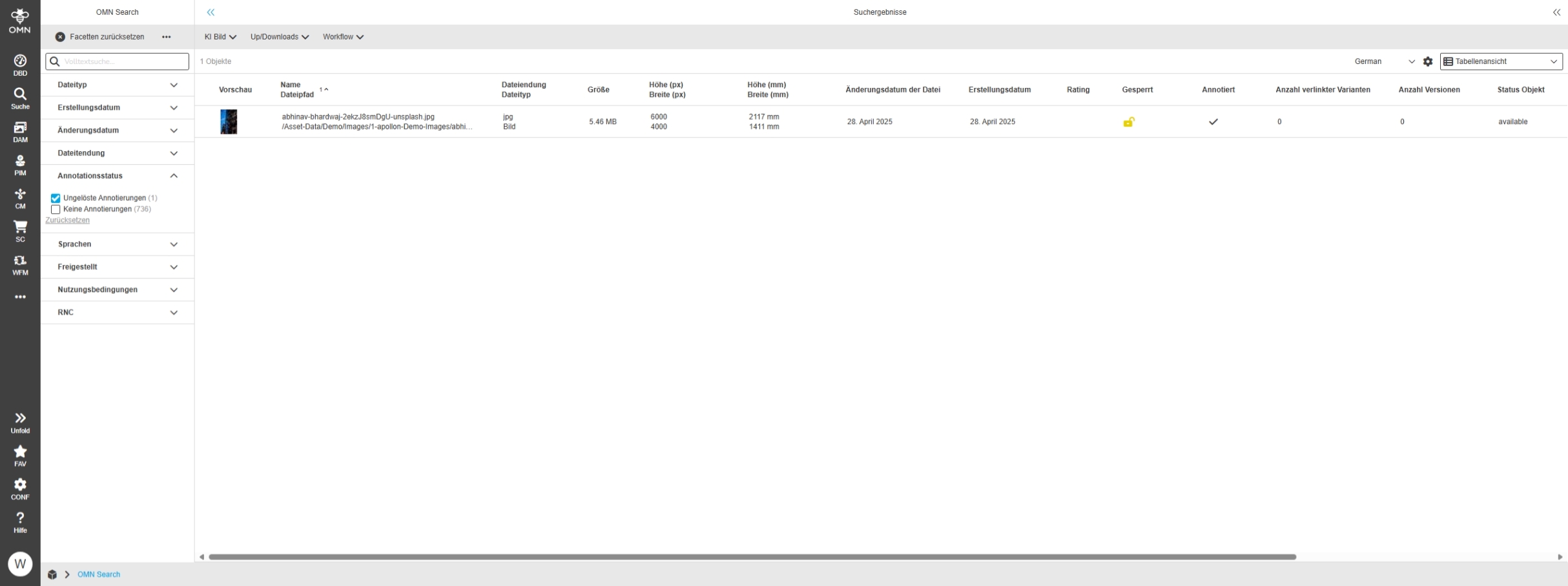
New annotation state is added to Standard configuration to see if there are unresolved annotations
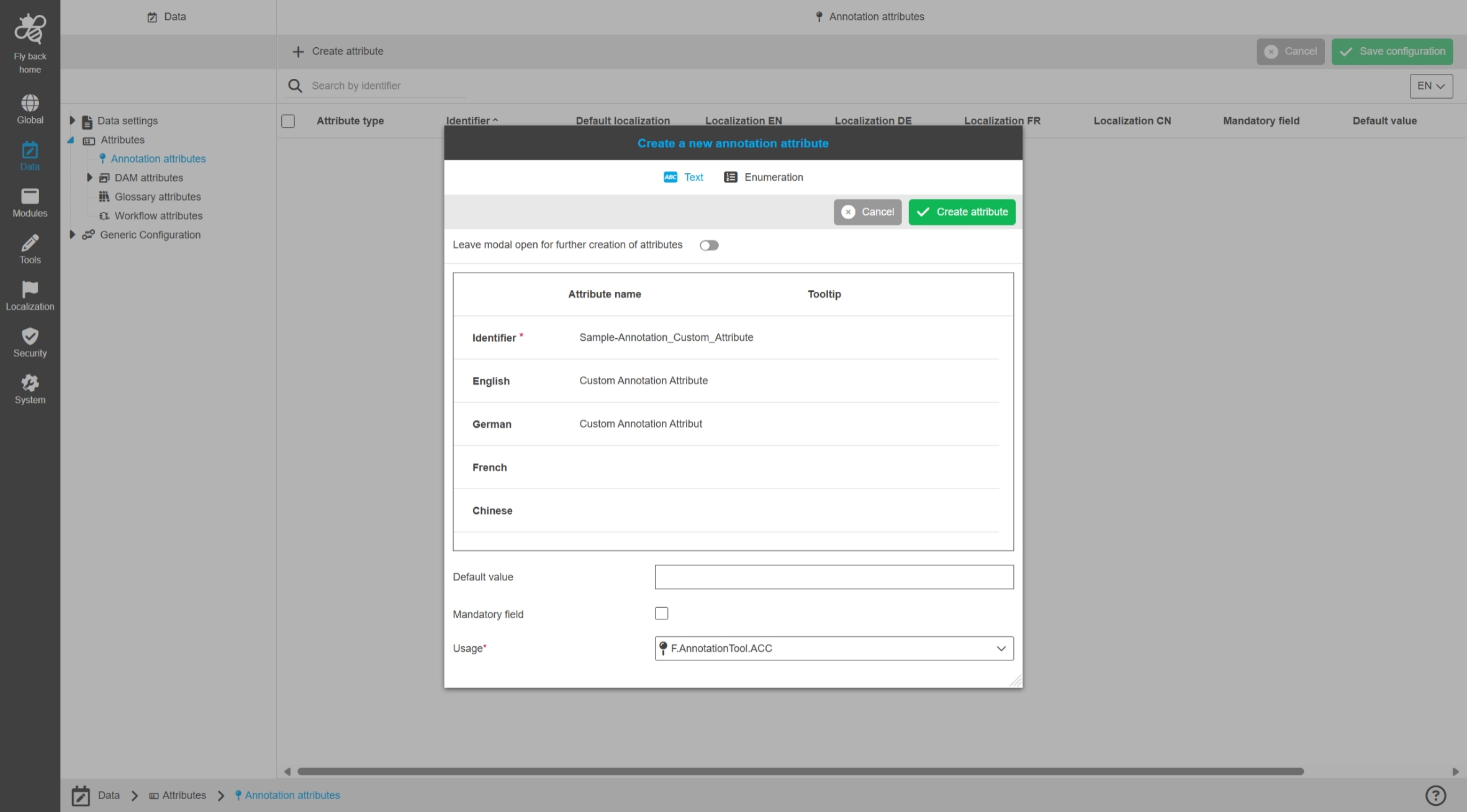
The Attribute is available in following views:
-
FSTable (default disabled)
-
Lighttable (default disabled)
-
FSDetail in FSDetail Apertures and Annotations
-
OMN-Search (DAM-Search) as Facet
-
Attribute unresolved annotations in FSTable
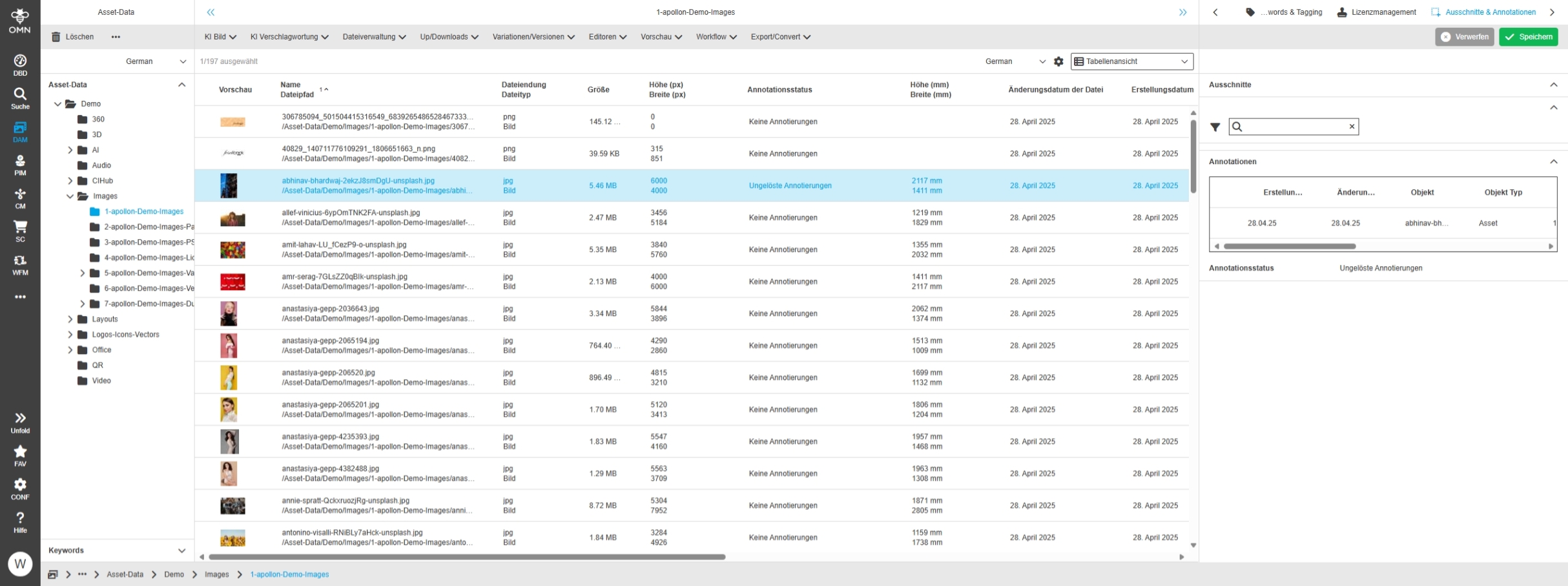
-
Search for unresolved Annotations
EAI
Changes and Optimizations in OMN-EAI Module Configuration of Accelerator
-
the EAI export module will only be officially released with the next version
-
OMN version 6.4. already contains a first beta configuration for the module (no productive use)
Add localization for EAI Mapping Editor
Tags |
OMNA-1827 |
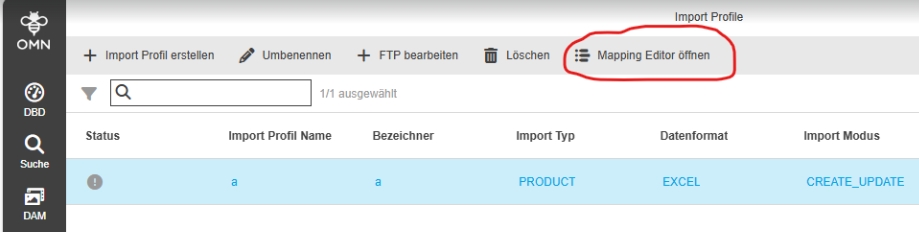
EAI Mapping Editor is now supporting localization to Display Editor in different UI Languages
Configure EAI Export Module with related plugins
Tags |
OMNA-1867 |
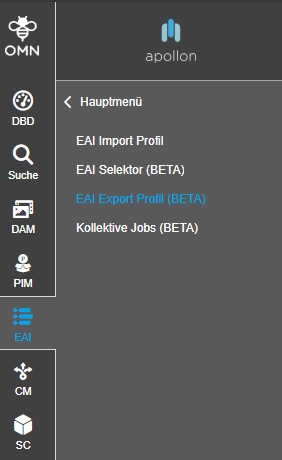
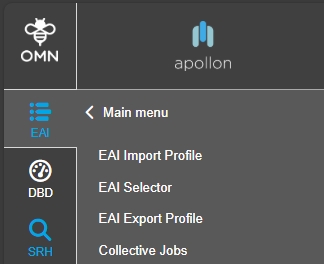
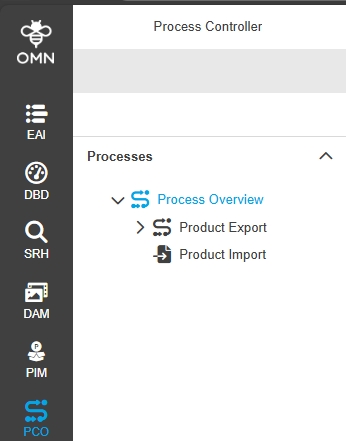
Configuration of new EAI Export module is now part of OMN accelerator Fashion profile and delivery configurations for following EAI Export related OMN Plugins
-
EAI Import Profile (Page Plugin)
-
EAI Selector (Page Plugin)
-
EAI Export Profile (Page Plugin)
-
Collective Jobs (Page Plugin)
-
Process Controller (Page Plugin) - now directly in Sidebar
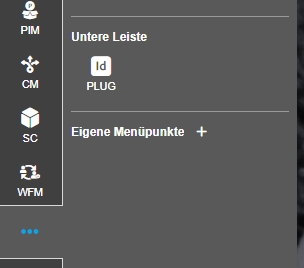
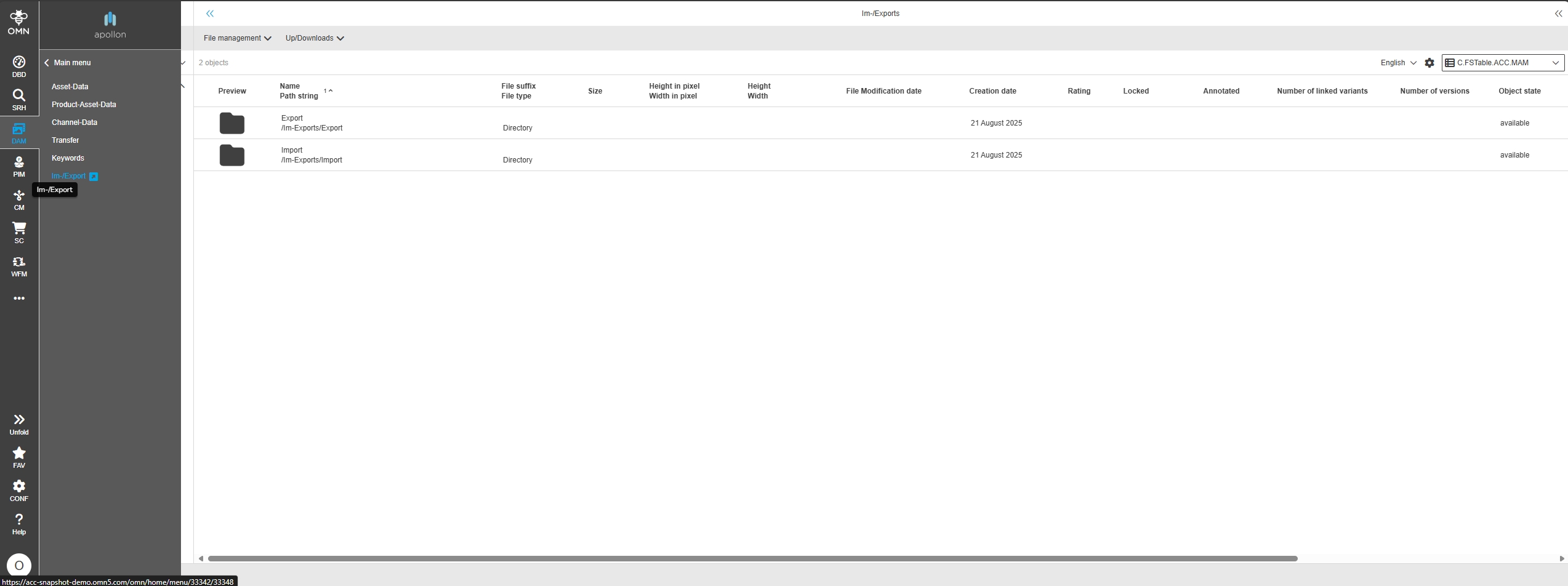
Configure FSNavigation for Imports and Exports
Tags |
OMNA-1878 |
New Sidebar called Im-/Export for separate DAM Area where files from OMN-EAI module can be stored
-
these areas are used for EAI Import module
-
for Import. to store Import files and protocol files
-
for Export: to store created Export files
-
EAI-UI - Adjust import dam file location for EAI Import UI
Tags |
OMNA-1898 |
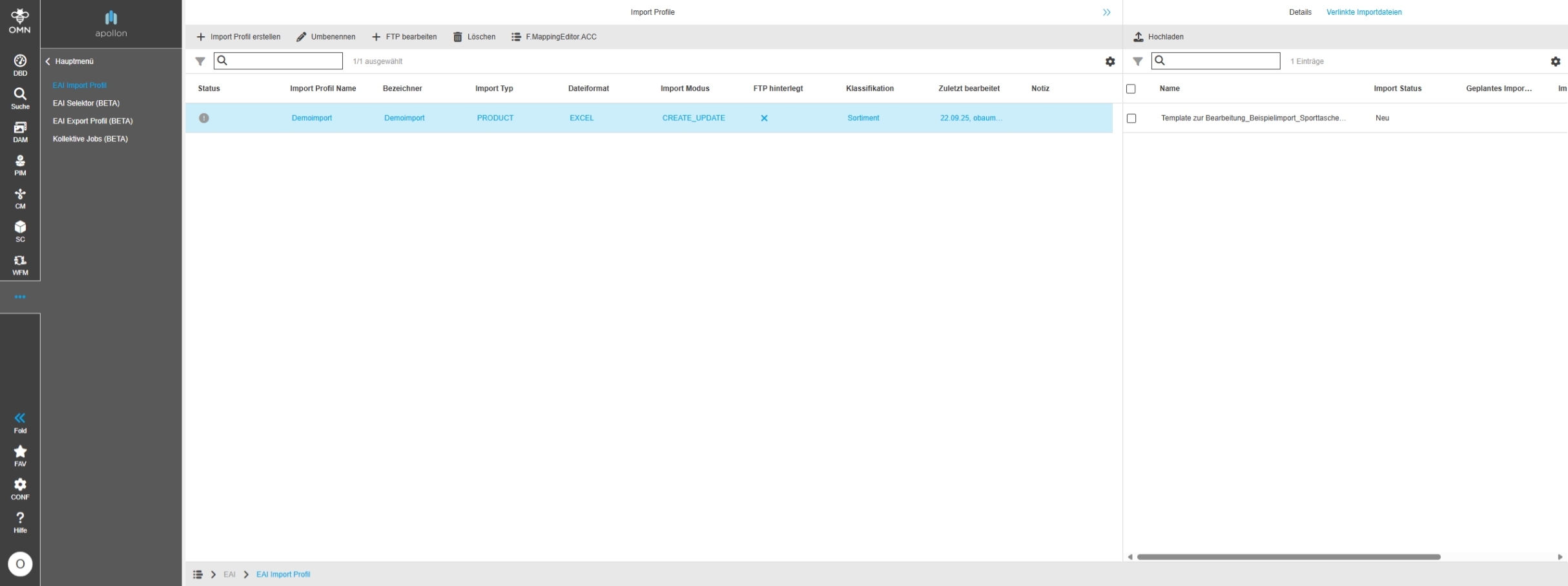
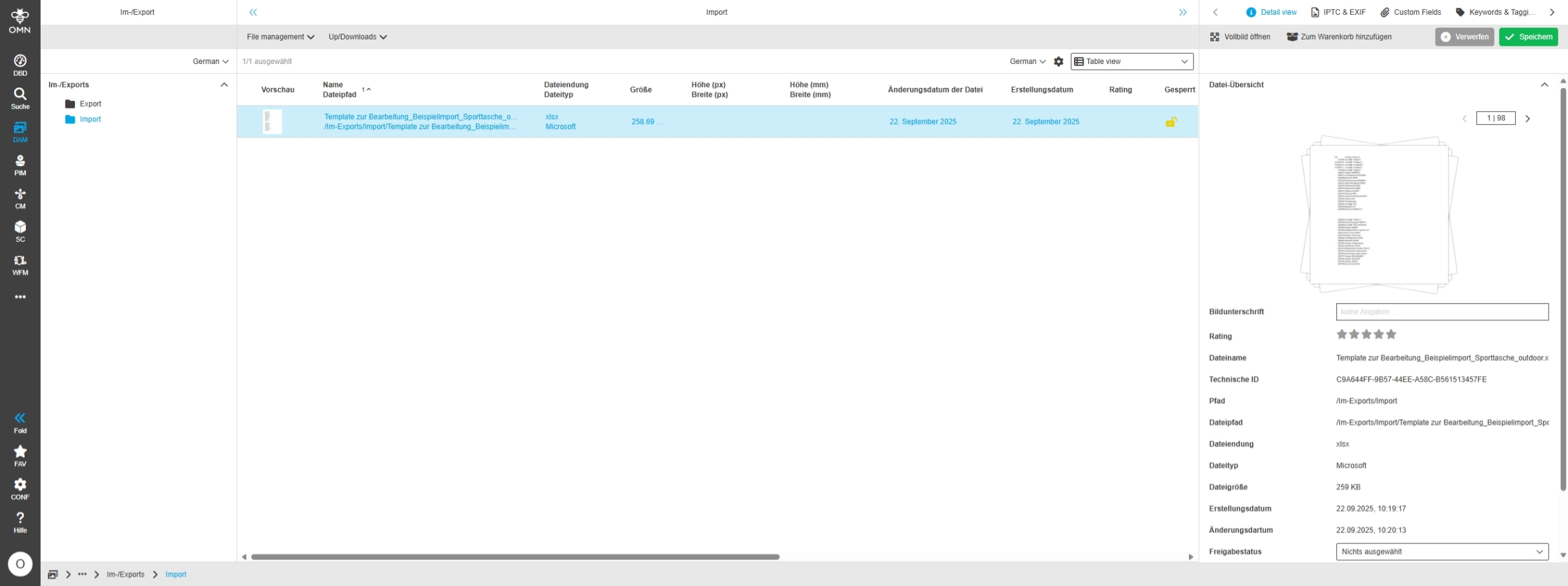
The EAI import is adapted in the ACC fashion profile so that uploaded import files are stored in the new EAI import/export storage area
-
XLS Import in Import profile
-
File is stored in new storage area for Im-/Exports
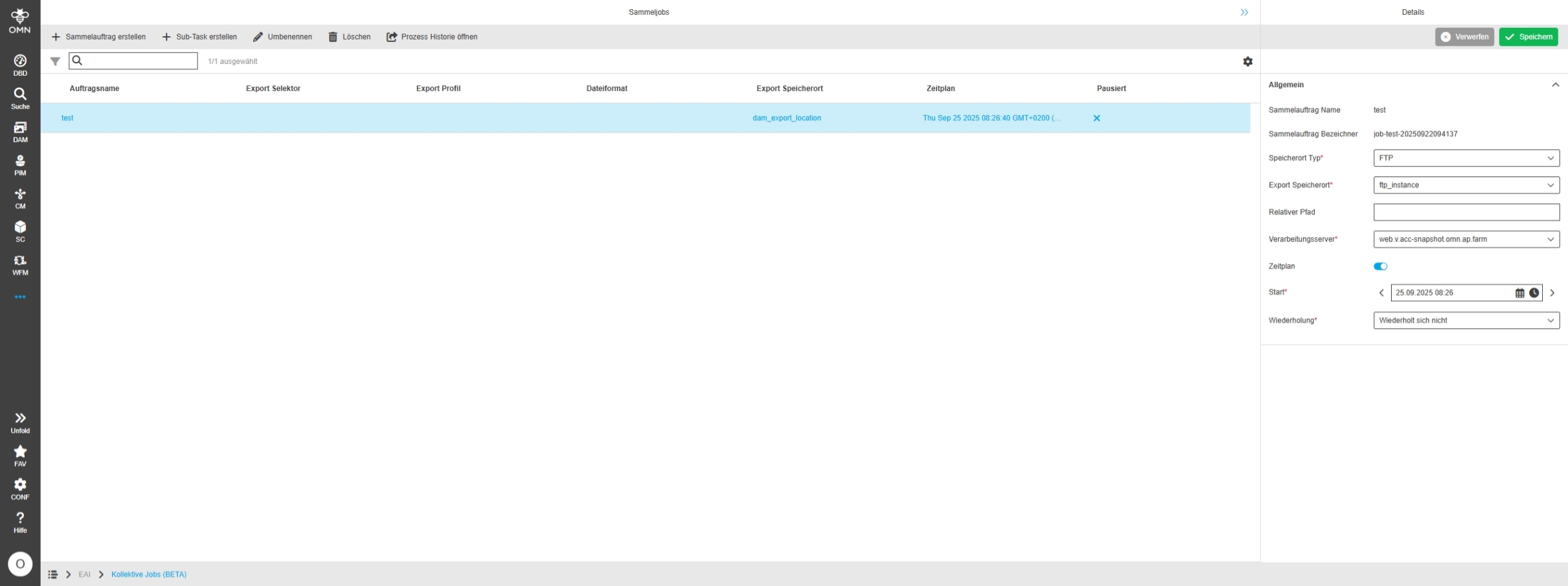
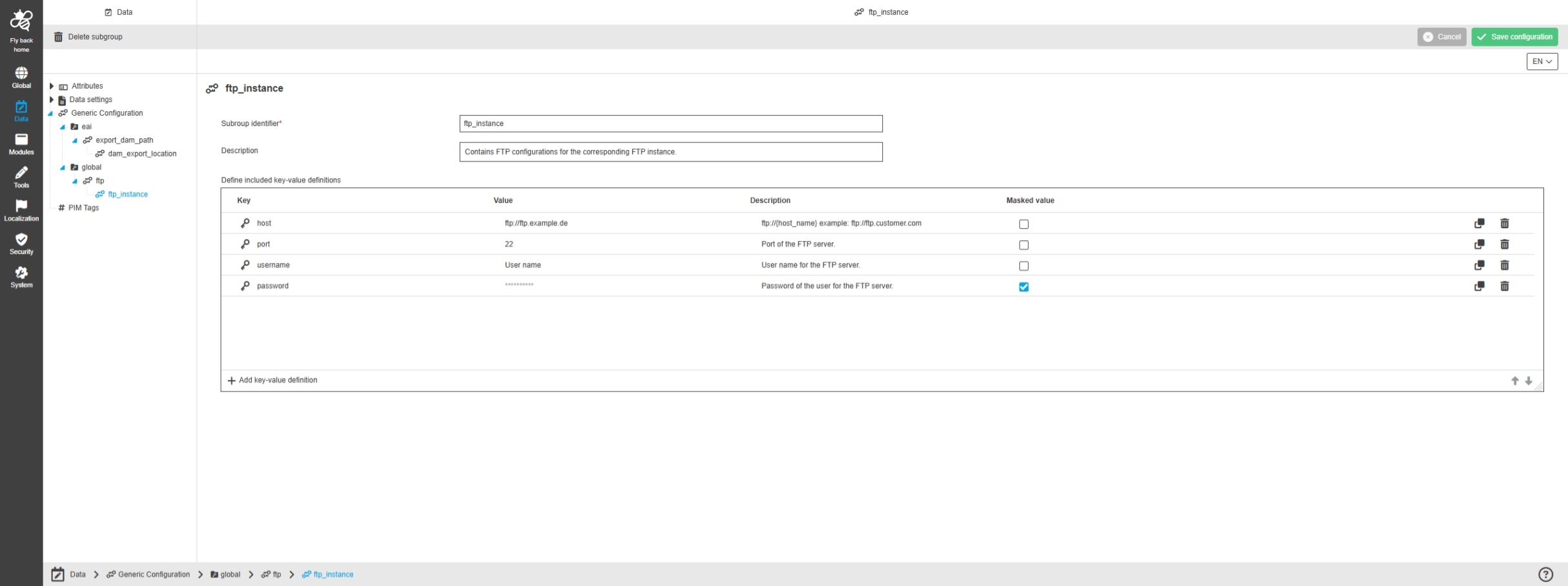
Configure Generic Configuration for Export Storage Location
Tags |
OMNA-1877 |
Storage of sample location configurations for the OMN EAI Export module for the storage of generated export files
-
in OMN (in the new storage area for imports and exports (OMNA-1867)
-
on an FTP server (this configuration is only an example and must be adapted during deployment)
| The configuration for export storage location is only exemplary and must be adapted to the customer environment. This applies in particular to the FTP export destination, as an FTP server is not automatically provided with OMN. |
AI-Integrations
Accelerator Features and Changes for AI-Services
AI-Text
Improvements and Extensions in AI-Text-Services*
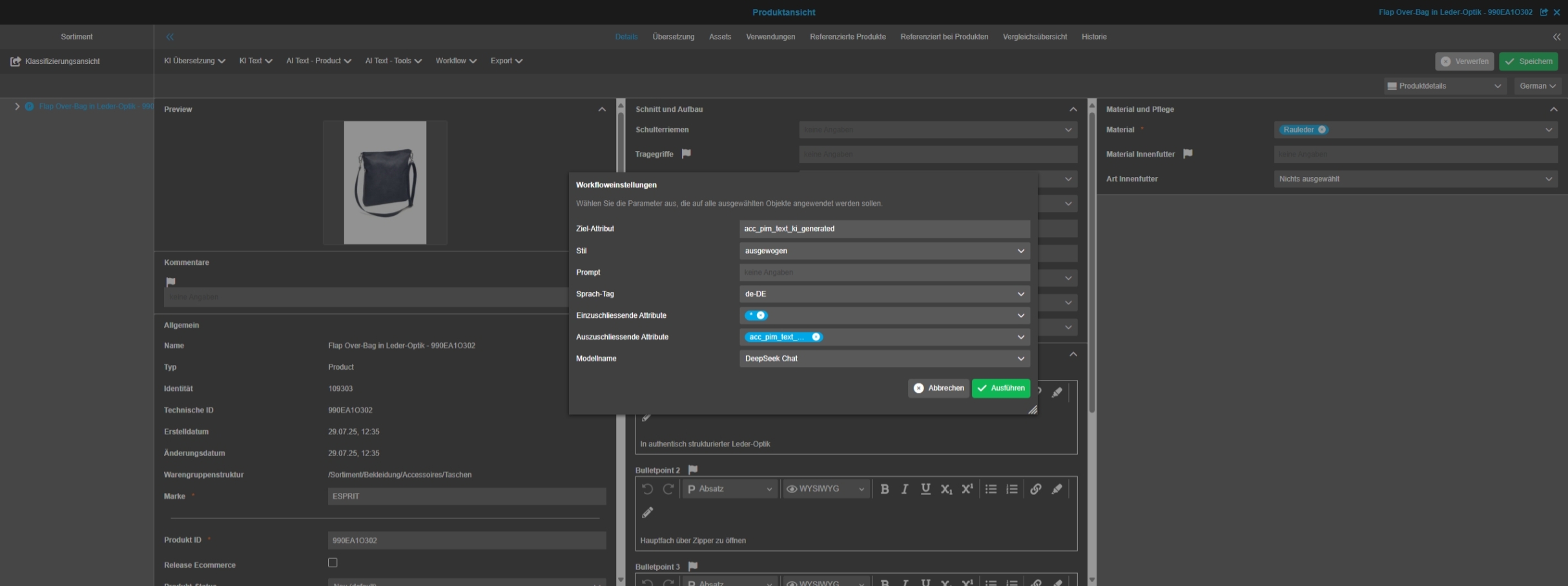
AI Text with DeepSeek in PIM
Tags |
OMNA-1816 |
Base-Requirement |
OR-1721 |
Possibility to use AI Text Service with DeepSeek in PIM to create Texts on base of PIM-Attributes
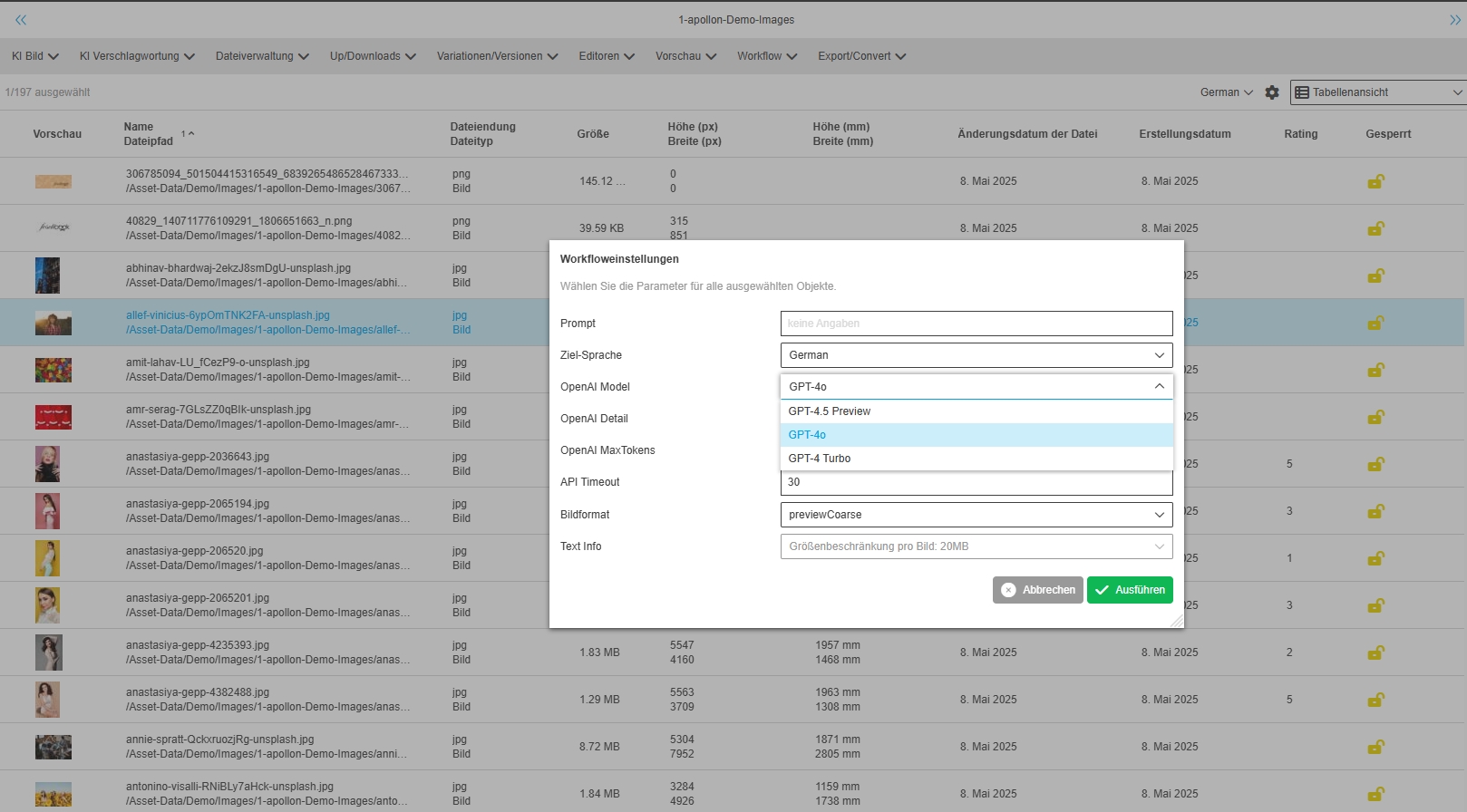
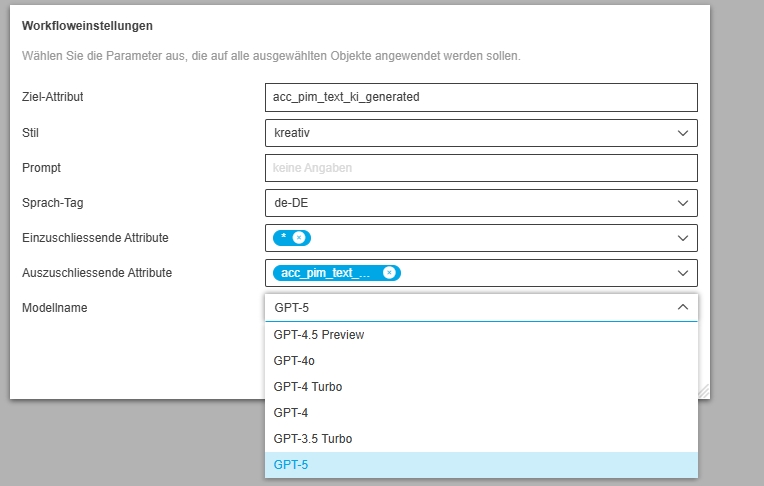
Provide GPT 4.5 Modell in ChatGPT Integration in Accelerator
Tags |
OMNA-1826 |
Support of new Open AI Models in OMN
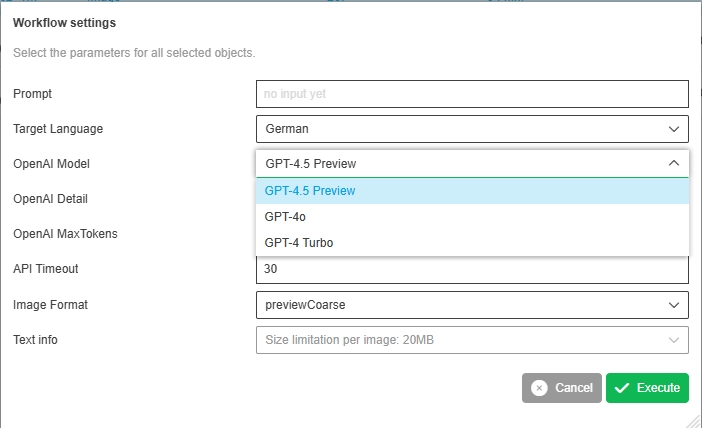
GPT-4.5 offers a range of improvements and new functions:
-
Enhanced computing efficiency: GPT-4.5 is over ten times more powerful than its predecessor GPT-4 and processes requests faster and more accurately
-
Increased reasoning capabilities: The model utilizes new monitoring and training techniques, including synthetic data and reinforcement learning from human feedback (RLHF), to provide more logical and informed answers[
-
Fewer hallucinations: GPT-4.5 generates significantly less erroneous content compared to previous models
-
More natural and emotionally nuanced interactions: The model feels more intuitive, warmer and more emotionally attuned in conversation
-
Expanded world knowledge and better context processing: GPT-4.5 can categorize more complex issues more precisely and formulate answers more coherently across longer contexts
-
Multimodal: GPT-4.5 can handle images and supports a variety of image formats such as PNG, JPEG, WebP and non-animated GIFs
AI-Image
Improvements and Extensions in AI-Image Services
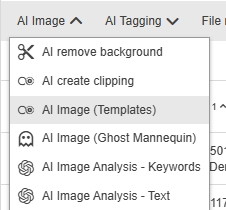
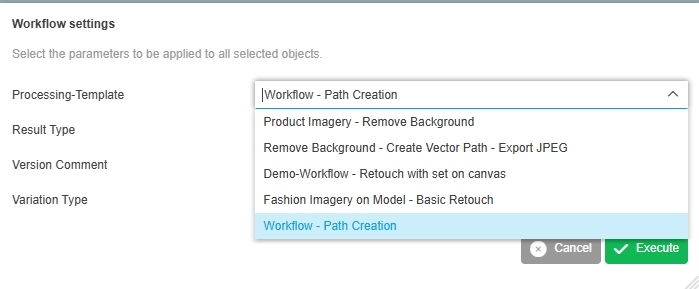
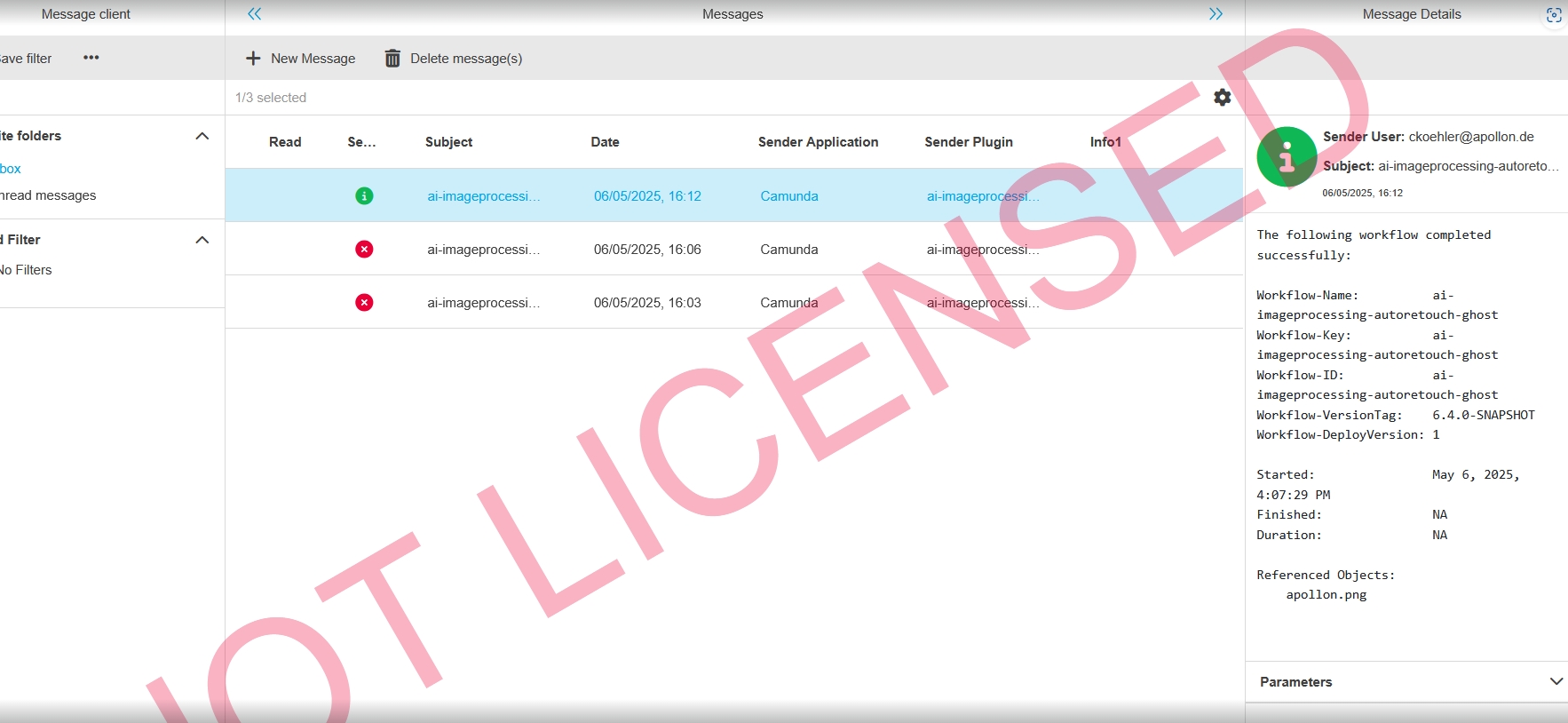
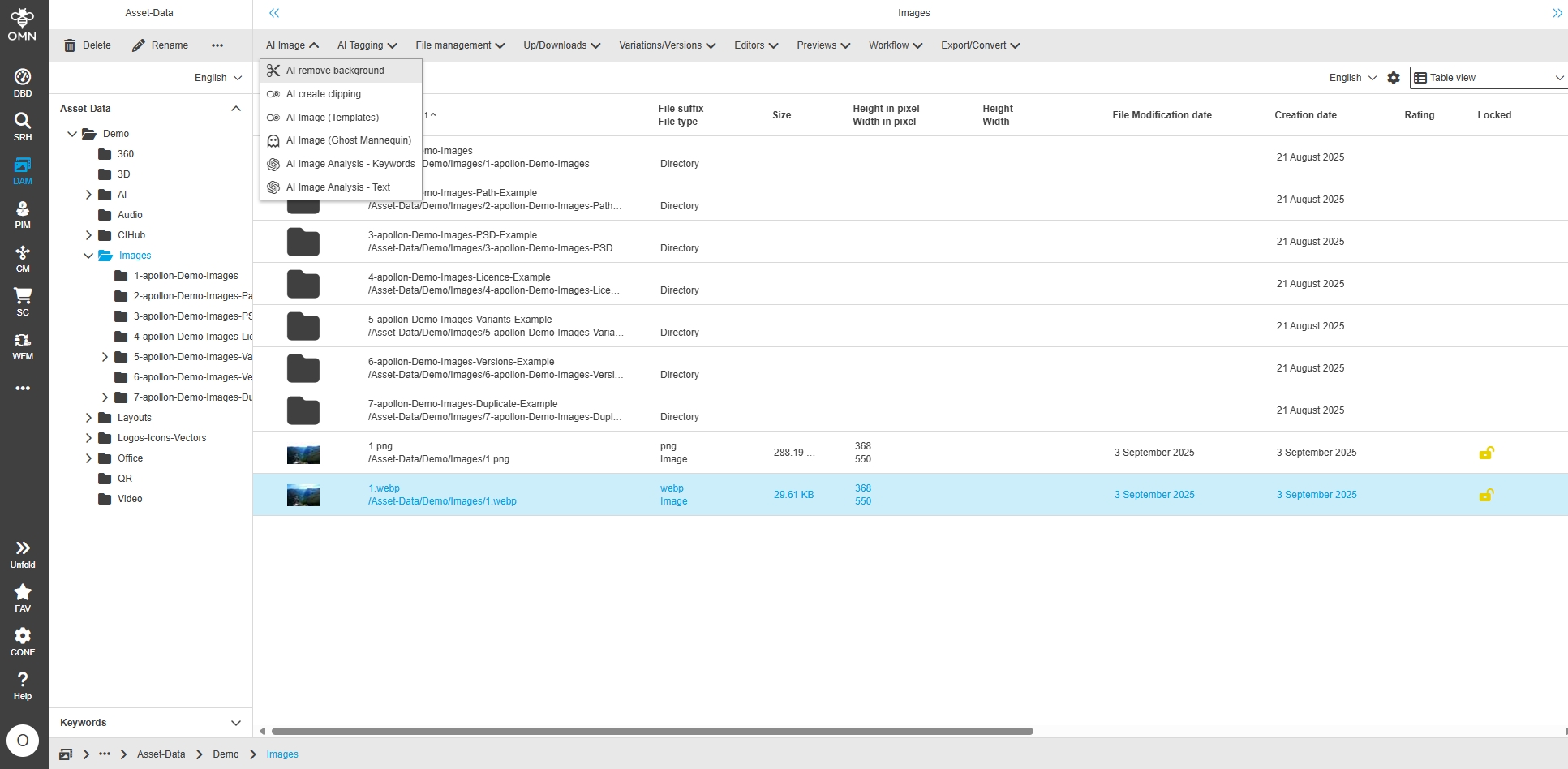
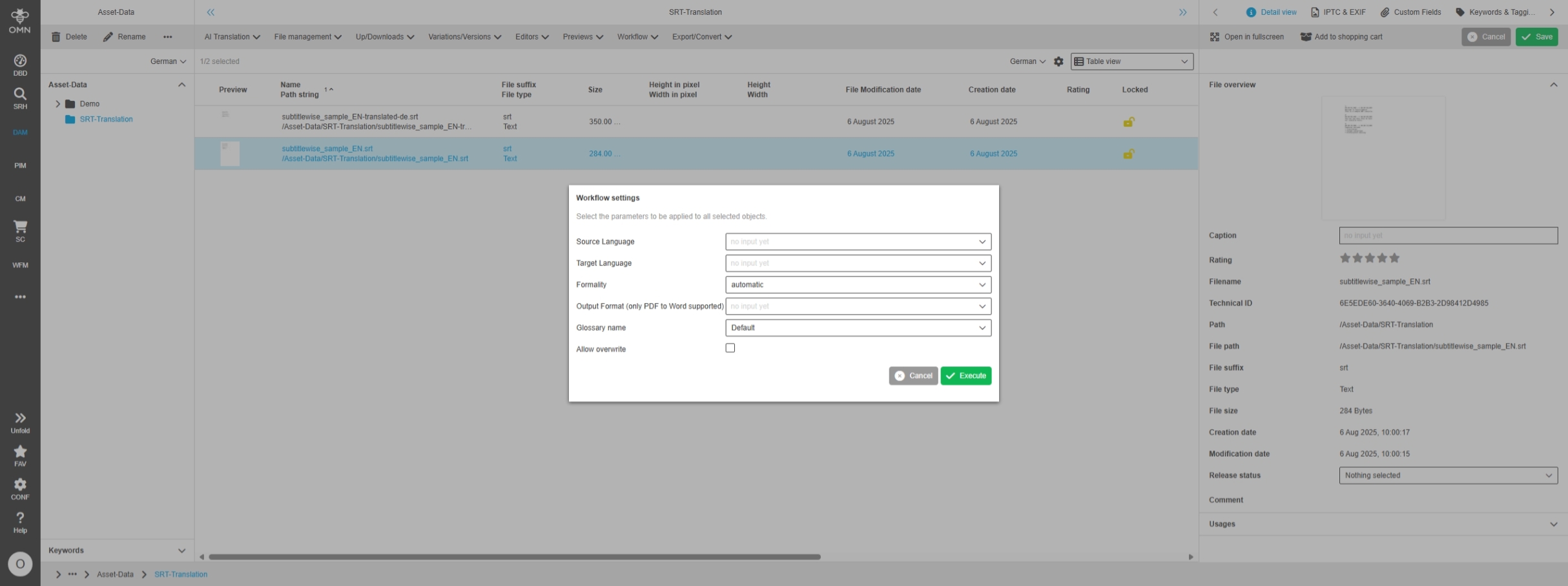
Adjust workflow Configuration for new Autoretouch Managed Service
Tags |
OMNA-1824 |
AI Image Workflows based on Autoretouch Service are adjusted to work with new managed Service of autoretouch
-
the configuration and templates coming from Service are simplified and differs to former versions, because some templates are no longer supported by supplier
OTHER
Small Changes and Optimizations in MISC Configuration of Accelerator
-
These are technical configuration adjustments that have resulted from the new Config UI
Core/Technical Updates
Change Language from country to language
Tags |
OMN-11436 |
Improvements for the localization of System language names configured in OMN
-
'6000','English','en','EN','1','1','1'
-
'6003','German','de','DE','1','1','1'
-
'6004','Spanish','es','ES','1','1','1'
-
'6005','Italian','it','IT','1','1','1'
-
'6006','France','fr','FR','1','1','1'
-
'6007','Dutch','nl','NL','1','1','1'
-
'6008','Swedish','sv','SE','1','1','1'
-
'6009','Japanese','ja','JP','1','1','1'
-
'6010','Russian','ru','RU','1','1','1'
-
'6011','Danish','da','DK','1','1','1'
-
'6012','Chinese','zh','CN','1','1','1'
-
'6013','Bulgarian','bg','BG','1','1','1'
-
'6014','Finnish','fi','FI','1','1','1'
-
'6015','Greek','el','GR','1','1','1'
-
'6016','Polish','pl','PL','1','1','1'
-
'6017','Portuguese','pt','PT','1','1','1'
-
'6018','Hungarian','hu','HU','1','1','1'