General
This page provides the possibility to design the general structure of a workflow process. It is possible to define on which object type the function is executable in the UI. Usecase specific information can be added and the workflow type can be selected.
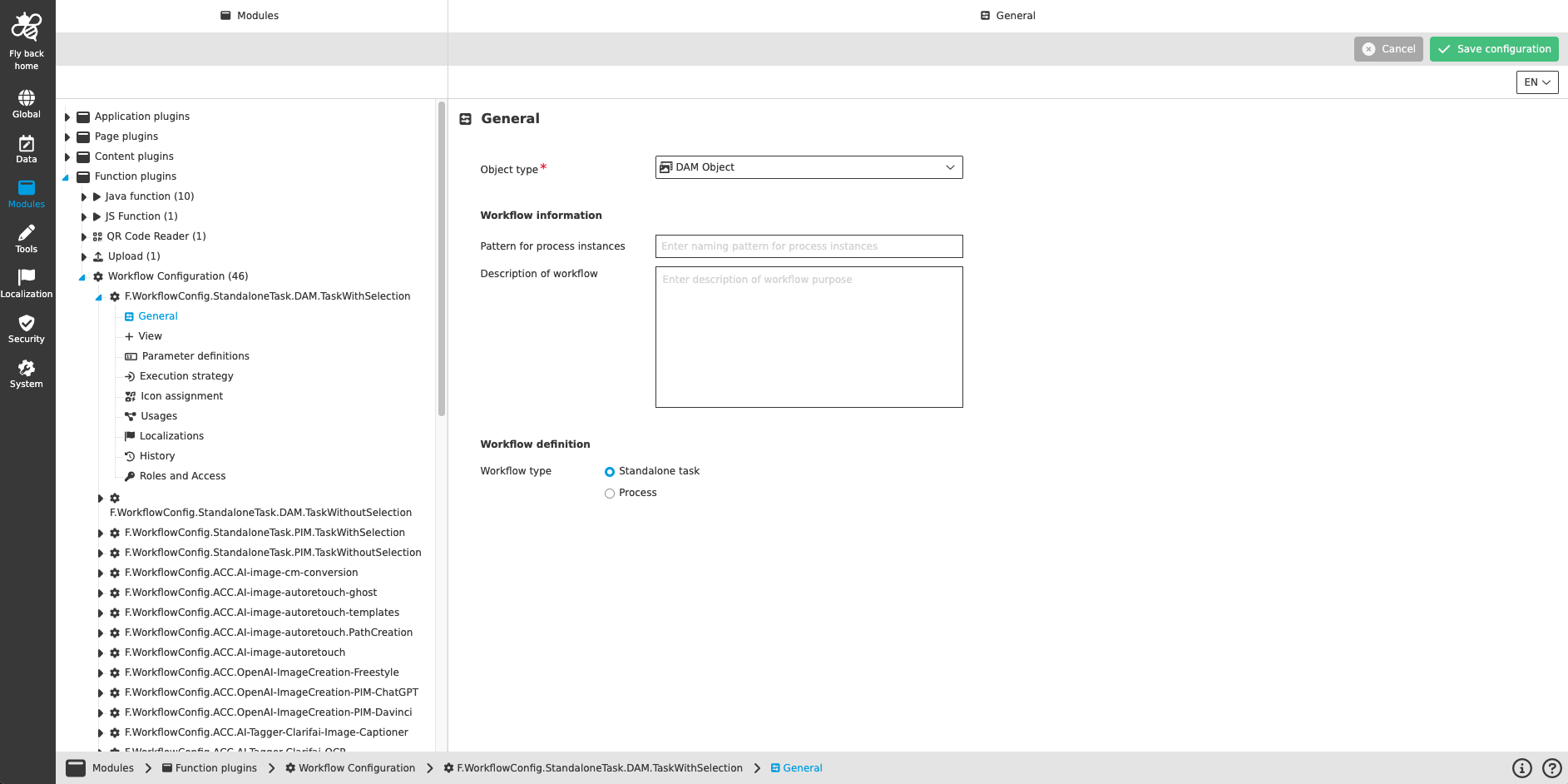
| Name of option | Description | Note |
|---|---|---|
Object type |
|
This field is mandatory. |
Pattern for process instances |
A display pattern can be defined to create process instance names for OMN representation. |
|
Description of Workflow |
A description text can be added to describe the purpose of this workflow. |
This description is shown in the UI within the process start modals. |
Workflow type |
|
A 'Standalone task' is a process without a process model, whereas the option 'Process' means that there is a process model (BPMN) defined in the background. The concrete process model will be selected with the below listed detailed configurations. |
In case the workflow type option 'Process' has been selected the following fields are listed:
| Name of option | Description | Note |
|---|---|---|
Workflow ID |
The wished Workflow ID provided by the used workflow engine (for example in Camunda cockpit) can be selected. |
This field is mandatory. |
Workflow version |
It is possible to address a specific version of the selected workflow. If nothing is selected within this field, the latest version of the selected workflow is used. |
will be supported in future version |