CI HUB
Preconditions
CI HUB specific configurations
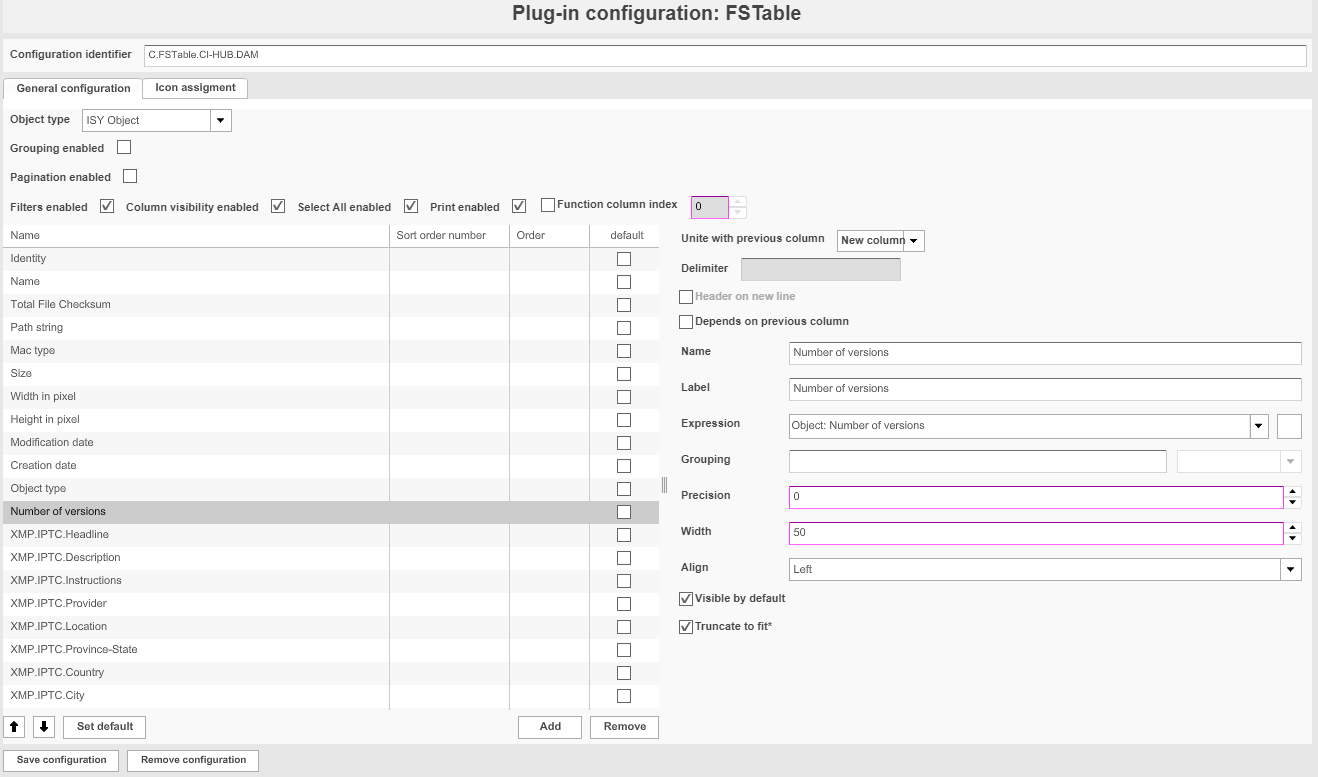
1) FSTable - Version Number Activation
The CI HUB FSTable must include the attribute "Number of versions", so that in the CI HUB Search the count of Asset Versions can be determined.
2) Search
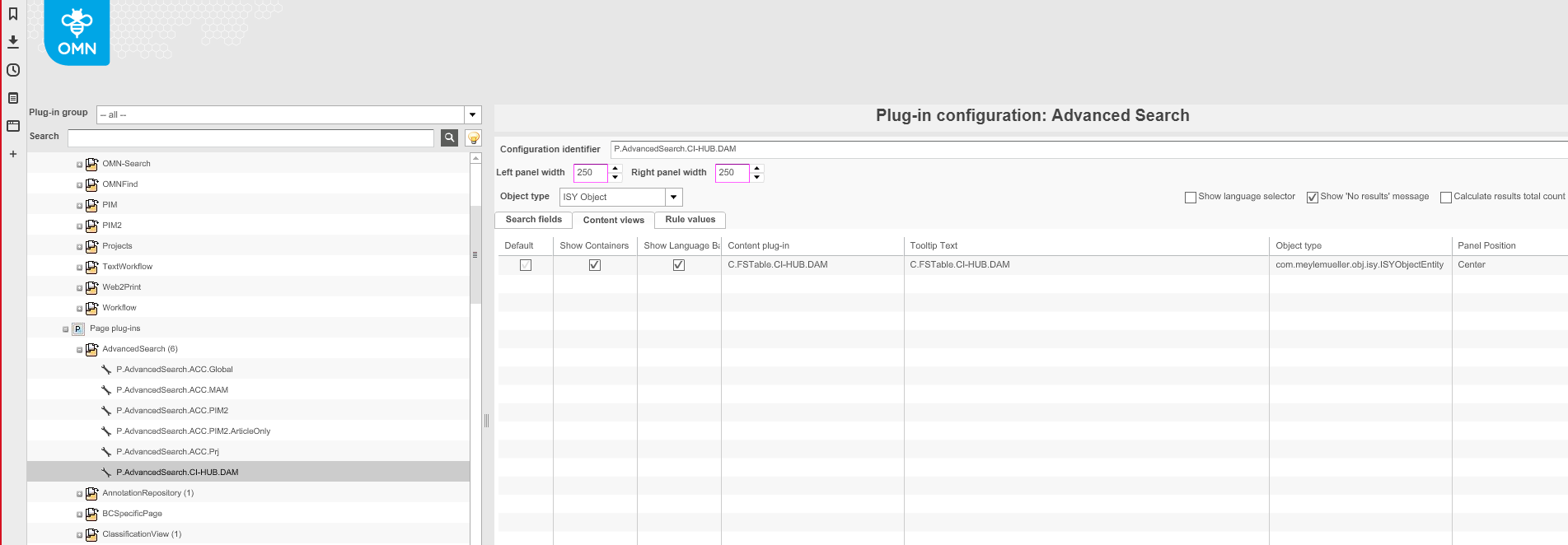
An Advanced Search must be configured, which includes the CI-HUB related FSTable.
3) AssetView
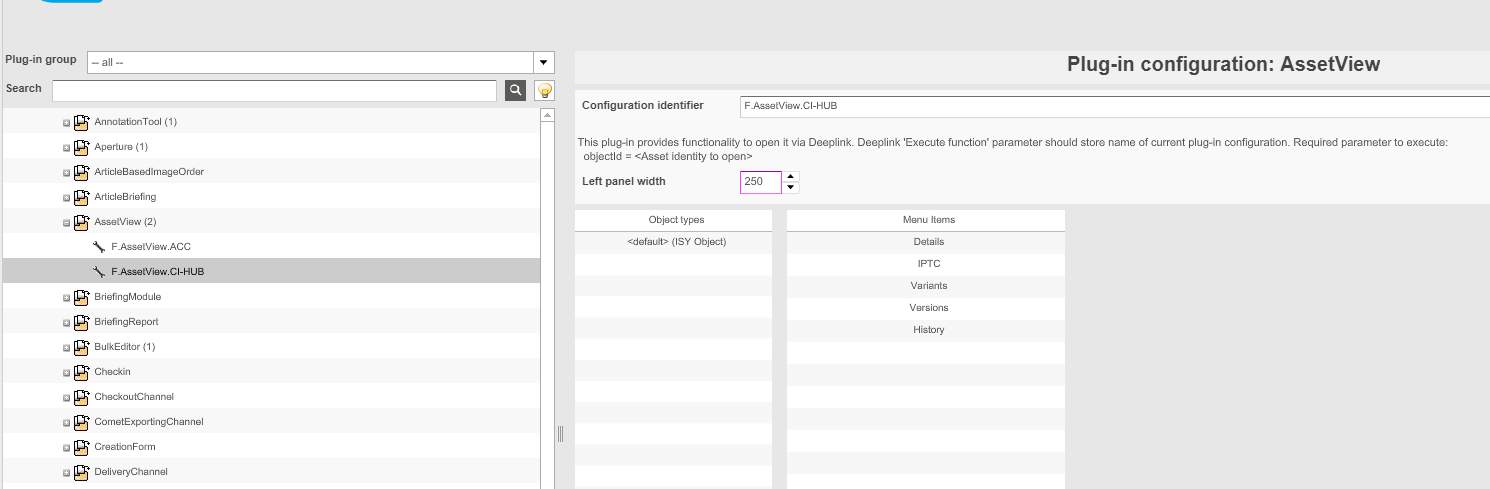
An AssetView must be configured
4) FSDetail (IPTC)
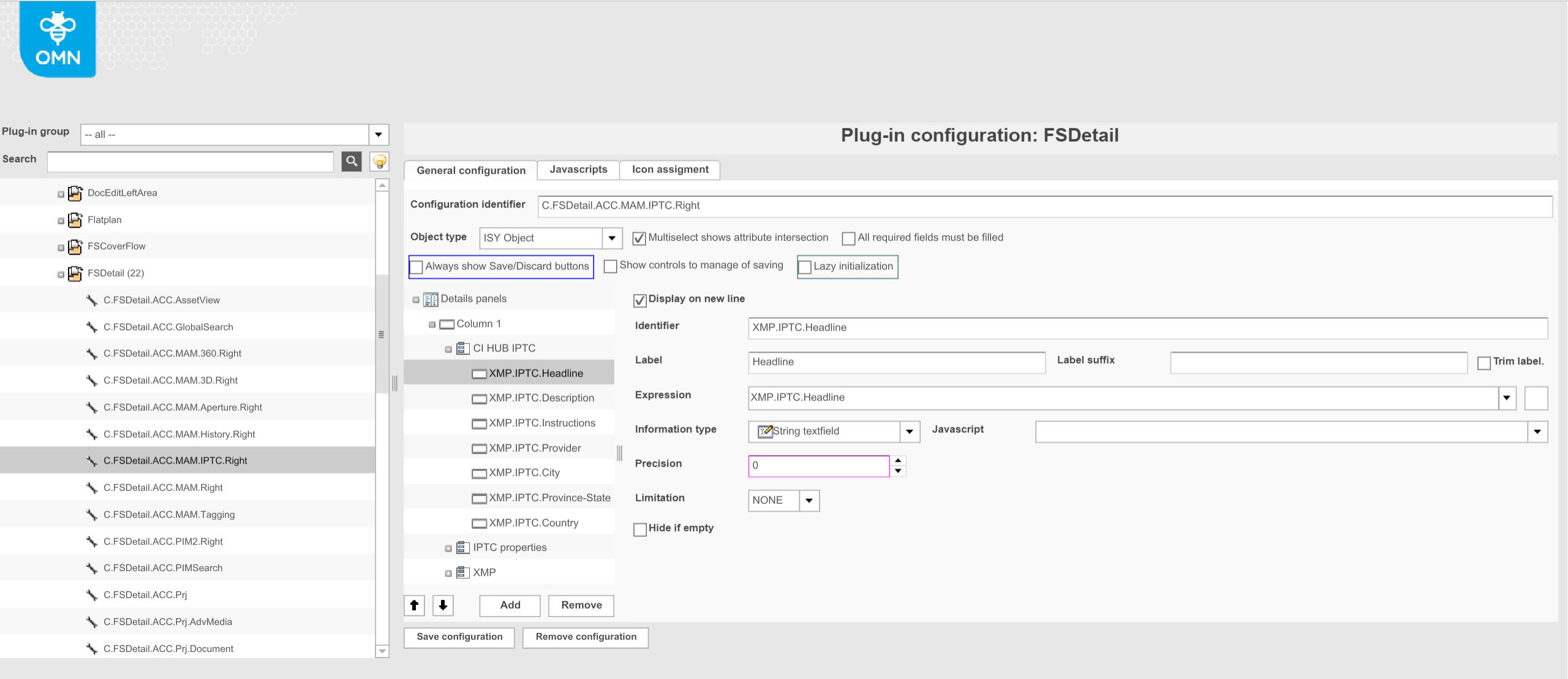
If IPTC attributes shall be included, they need to be configured in the config client
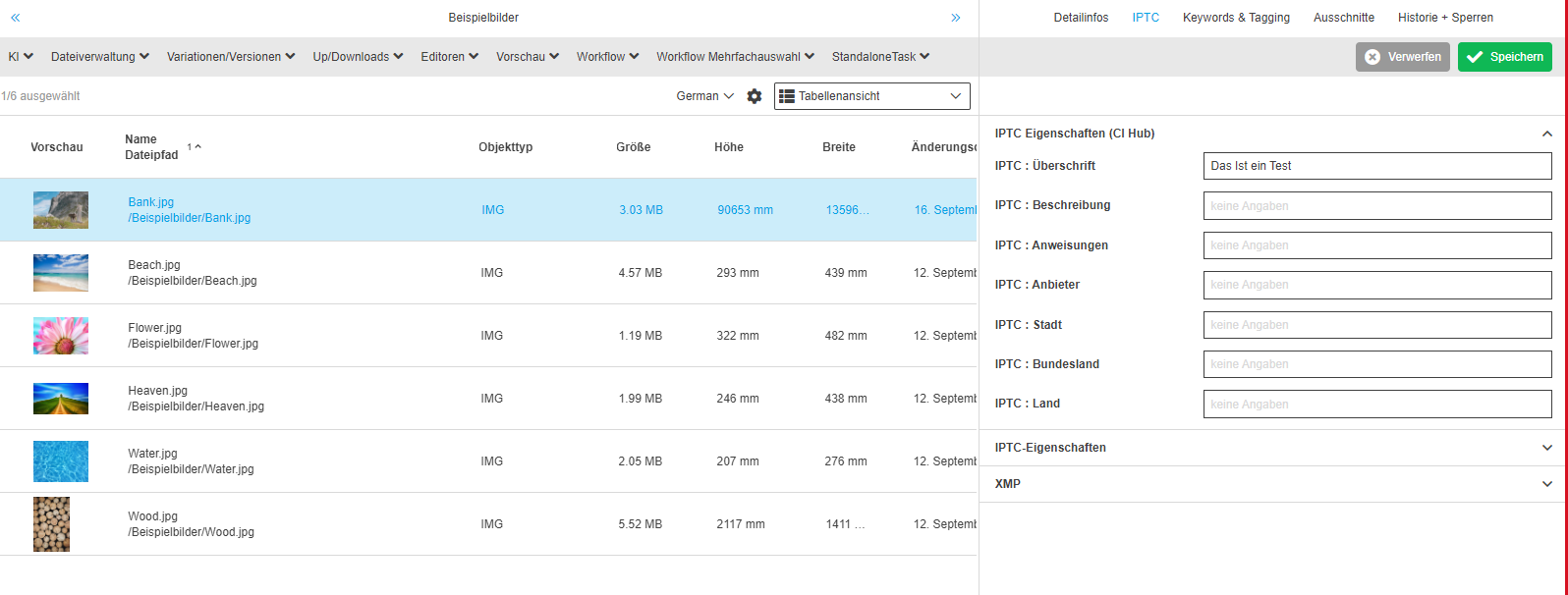
Ci-Hub Specific Settings
Special settings in nginx
|
If you have installed OMN with accelerator, you could skip these settings since they are automatically done by accelerator. |
Rule must be defined so that keycloak endpoints can be accessed by public.
endpoint for getting omn user roles:
location ~* /api/v1/login {
    proxy_pass $omn_backend_proto://$omnsrv:$omn_backend_port;
}
Dispatcher for keycloak endpoints:
location /auth {
    proxy_set_header X-Forwarded-For $proxy_protocol_addr; #To forward the original client's IP address
    proxy_set_header X-Forwarded-Proto $scheme; #To forward the  original protocol (HTTP or HTTPS)
    proxy_set_header Host $host; #To forward the original host requested by the client
    proxy_pass http://web:8085;
}
Keycloak settings
|
If you have installed OMN with accelerator, you could skip these settings since they are automatically done by accelerator. |
Currently we have keycloak integration only for accelerator installation
Useful properties can be seen here
For the native installation if you want to use keycloak, please contact developer.
Configuration corresponding XML - Import files
| Purpose | Download for XML | Hints |
|---|---|---|
FSTable |
Create and add FSTable plugin. The FSTable is needed for the search in CI HUB to work. The fields must be configured as in the sample xml file. If additional fields are configured, they will not be evaluated by CI HUB. |
|
AdvancedSearch |
Create and add AdvancedSearch plugin. The Search is required because the search attributes stored for the search are also available in the CI-Hub search. The configuration identifier of the AdvancedSearch must be "P.AdvancedSearch.CI-HUB.DAM" like in the example xml file, otherwise the search will not work. |
|
AssetView |
Create and add AssetView plugin. The AssetView is needed to retrieve information about an asset from OMN in CI-Hub |
|
FSDetail |
Create and add FSDetail plugin. The FSDetail is needed to maintain / view the IPTC data supported by CI-Hub in our integration. |