Reports
This page provides the possibility to activate the reports that should be available to the administrators in the UI.
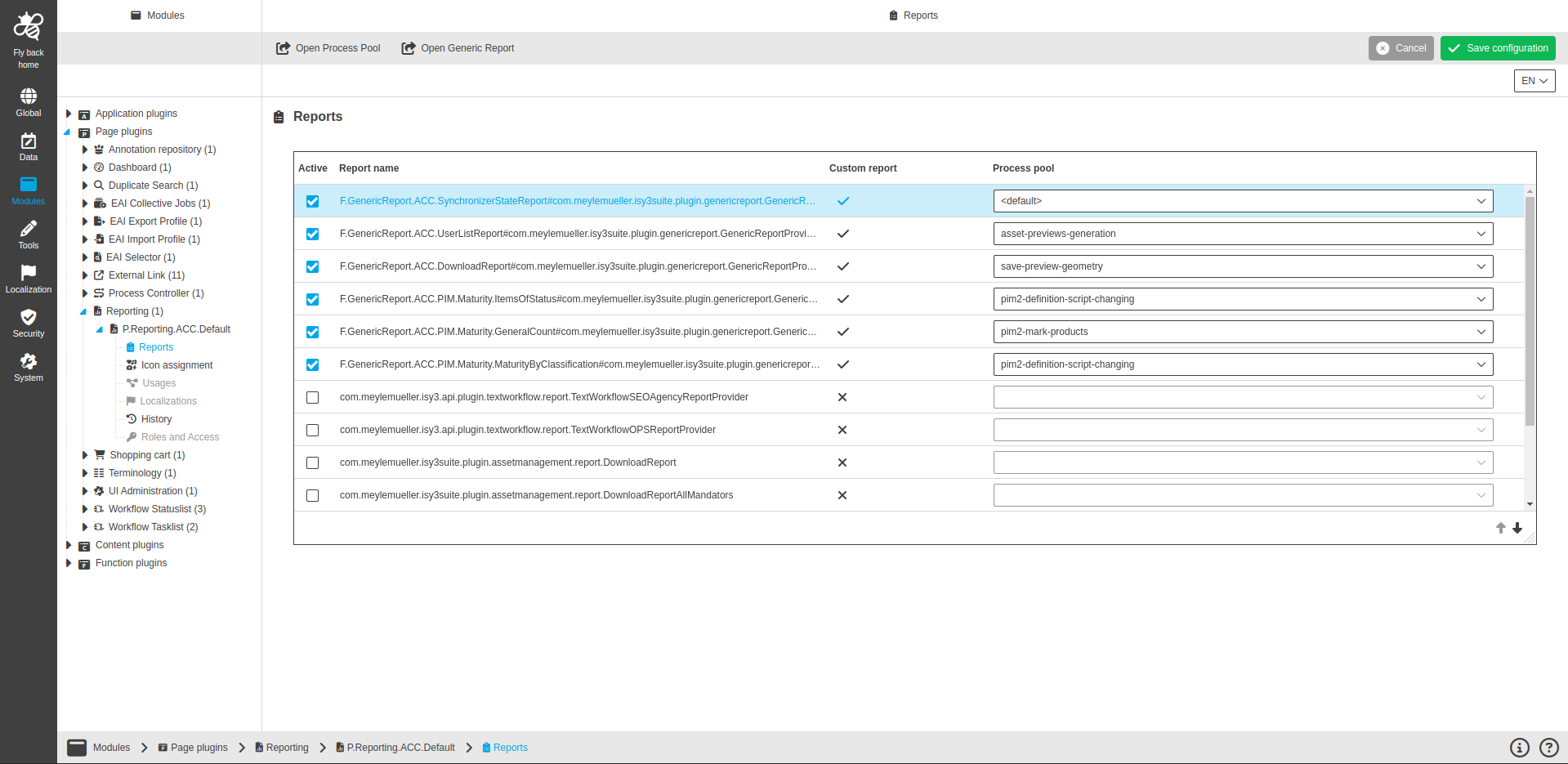
The following functions are available in the toolbar:
-
Open Process Pool → will open Process Pool configuration page for the selected report.
-
Open Generic Report → will open Generic Report configuration page for the selected report.
The page contains following configuration:
Table widget to activate available reports
This table widget allows enabling reports, which are provided by the OMN product itself or by the function plugin configuration. The user can assign process pools in the table for performant execution.
Column name |
Description |
Note |
Active |
Contains checkbox to activate report appearance in the UI. |
|
Report name |
The column list all available reports. |
|
Custom report |
Contains icon if report was generated by Generic Report or provided by OMN product. |
|
Process pool |
Contains dropdown to select configured process pool. |
|