Configurations
For page plug-ins, content plug-ins and function plug-ins, configurations are necessary.
→ Access the plug-in for which you want to add a configuration

| Field | Description | Note |
|---|---|---|
Configuration Identifier |
Name of the specific configuration of the plug-in |
|
Create new configuration |
For creating a new configuration |
|
Export configuration |
For exporting an existing configuration as an XML file |
|
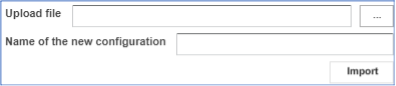
Import configuration |
For importing a configuration out of an XML file |
|
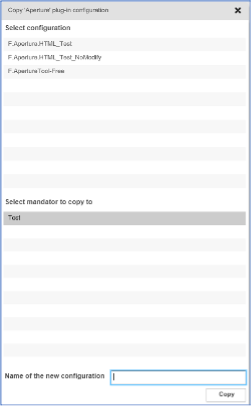
Copy configuration |
For copying an existing configuration |
Create new configuration
-
Enter an identifier for the configuration. The identifier must be unique; it is not possible to have two configurations with the same name
-
Click Create new configuration.
Export configuration
-
Click Export configuration. A list of all existing configurations for the chosen plug-in is opened
-
Choose the plug-in you want to export.
-
Click Export.The configuration is exported as an XML file