General
This page provides the possibility to configure available reports for Reporting page plugin, so only reports which are interesting for administrators are visible in the UI.
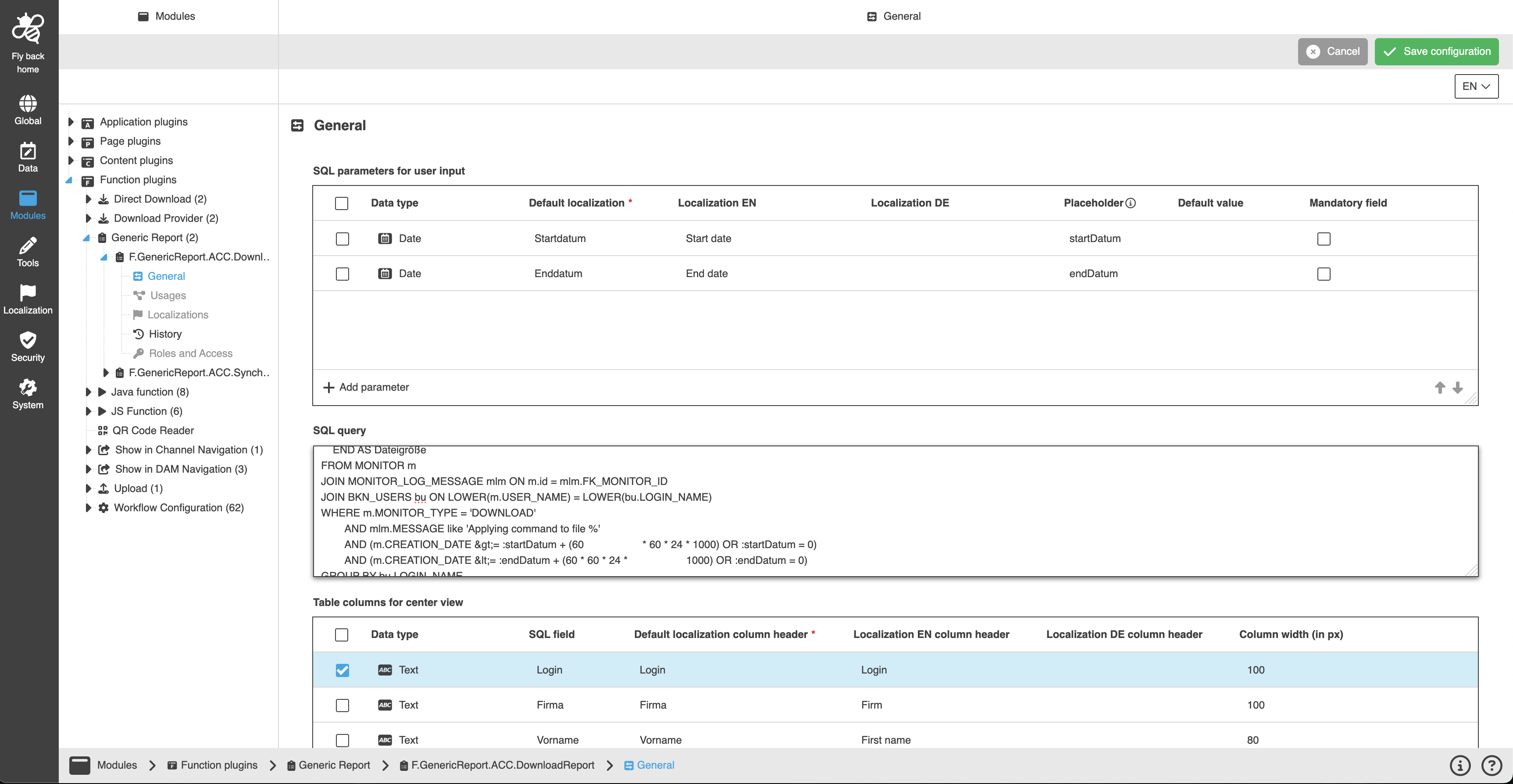
The page contains following areas:
SQL parameters for user input
This table widget is used to configure SQL parameters, which the user can enter on the Reporting page plugin UI by clicking on the corresponding Generic Report in the left view. The set parameters are added in the SQL query to generate a Generic Report.
Column name |
Description |
Note |
Data type |
Contains dropdown where the user can select the data type which user can enter in the UI. |
Available data types:
|
Default localization |
Contains input field to define a default name for the parameter. |
This field is required. |
Localization columns |
Contains input field to define a localization for the parameter. |
One column for each available language is displayed. The field is optional. |
Placeholder |
Contains input field to define the parameter which can be used in the SQL query below. |
The first character must be small. The field is optional. |
Default value |
The column contains value which will be displayed for the parameter by default. |
The field is optional. |
Mandatory field |
Contains checkbox to define if the parameter in the UI is mandatory or not. |
|
SQL query
An SQL query for creating the report can be defined in this text area. The configured placeholder parameters from 'SQL parameters for user input' table widget can be in the SQL query.
Table columns for center view
This table widget is needed to configure table columns which will be available in the center view of Generic Report.
SQL result tables are added by mapping them to table columns.
Column name |
Description |
Note |
Data type |
Contains dropdown where the user can select the data type of the column. |
Available data types:
|
SQL field |
Contains input field to define a SQL field name responsible for the column data. |
This field is optional. |
Default localization column header |
Contains input field to define default name for the column header. |
This field is required. |
Localization column header columns |
Contains input field to define a localization name for the column header. |
One column for each available language is displayed. |
Column width (in px) |
Contains single stepper to enter column width value in px. |
Only numeric values can be entered. The field is optional. |