Workflow Configuration
Purpose
The workflow config plugin enables a precise configuration for a specific process, like defining the workflow type (is it a BPMN-based process or an Ad-hoc task), add workflow details, defining the process starting modal, defining an execution strategy within the OMN system and assigning an icon for the toolbar button.
Here, the configuration uses the workflow attributes either directly from the attribute definition or by using a detail view within the configuration. The visibility and editability of the attributes can be influenced at the start of the process and after the process has been executed.
Possible Usage of the plugin
Workflow configuration can be used in:
-
DAM Navigation page plugin
-
CM Navigation page plugin
-
PIM Classification View page plugin
-
OMN Search page plugin
-
Product View function plugin
-
Asset View function plugin
Preconditions
To configure Workflow configuration, the following plugin should be available:
Workflow preconditions:
-
Process definition deployment (see more details Process definition deployment)
General configuration
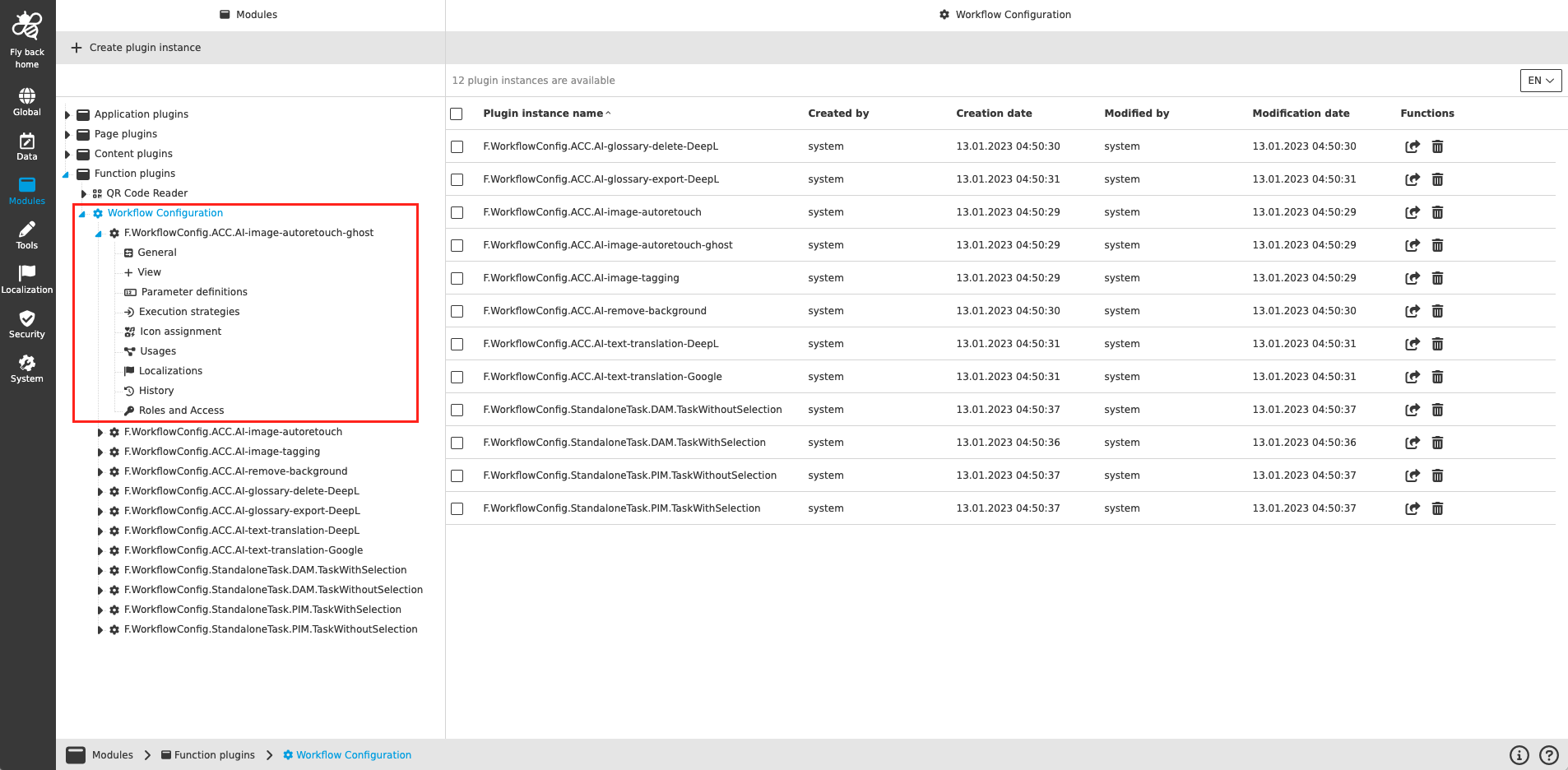
The configuration of Workflow Configuration includes the following parts:
| Tab name | Description | Note |
|---|---|---|
General |
On this page the user can define the object type (context) of the Workflow Configuration as well as entering workflow information and defining the workflow type. |
see more details General |
View |
On this page the user can select a detail content plugin instance to define available attributes in process start modal. |
see more details View |
Parameter definitions |
On this page the user can assign attributes for the process, remove attributes from the process and define availability of the attributes in process start modal and UI administration. Also the user can configure if certain attributes can be editable in the UI or not. |
see more details Parameter definitions |
Execution strategies |
On this page the user can define a strategy for the execution, which means the user can select different relations between object selection and started process instance(s), so functions availability and process result can be influenced regarding the wished Use Case. |
see more details Execution strategies |
Icon assignment |
On this page the user can assign an icon for the Workflow Configuration toolbar button, to see button with a meaningful icon. |
Content coming soon… |
Usages |
On this page the user can see the relations of the Workflow Configuration plugin to other plugins. |
Content coming soon… |
Localization |
On this page the user can localize his/her own Workflow Configuration plugin to see wished terms in the UI of Workflow Configuration. |
See more details Localization tab of the plugin instances |
History |
On this page the user can overview all modifications made in Workflow Configuration and have an initial state available as a file to understand who, when and what changes within the configuration. |
Content coming soon… |
Permissions |
On this page the user can restrict the access to the plugin for certain roles. |
Content coming soon… |
| Management of the plugin instances is done in the same way throughout the whole Configuration Client. The details on this common concept can be found here. |
Appearance in the frontend
All details of the Workflow Configuration plugin in the frontend can be found here.