Localization tab of the plugin instances
The Localization tab is available in plugin instances to maintain localizations directly in the related instance configuration.
The tab is available for plugin instances of:
-
Application plugins
-
Page plugins
-
Content plugins
-
Function plugins
-
Tools
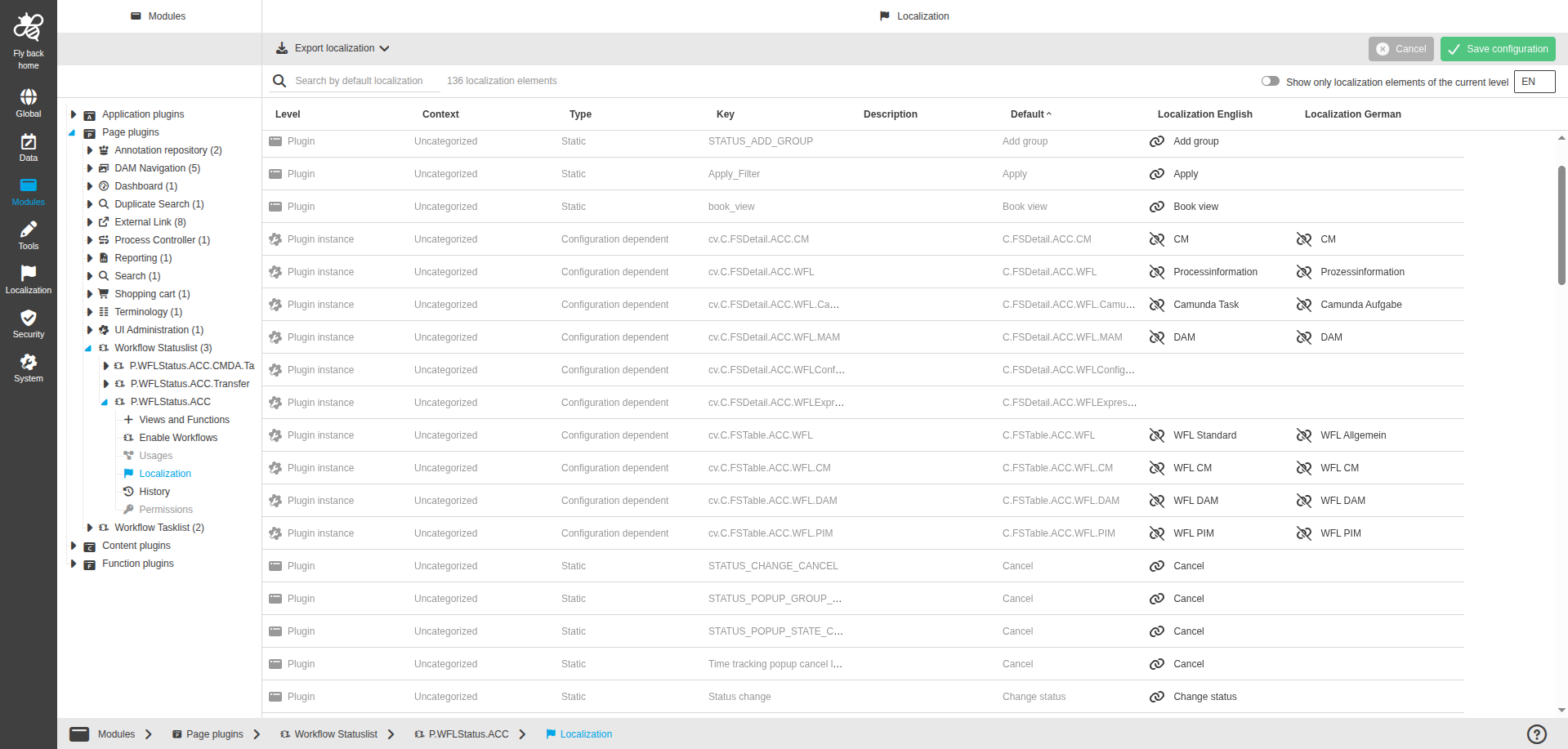
The page contains a toolbar, status bar, and localization table.
Toolbar functions
| Function name | Description | Note |
|---|---|---|
Export localizations |
Exports localizations of the current plugin instance. |
|
Save configuration |
Saves changed localization values. |
Button is disabled if no changes are available. |
Cancel |
Discards unsaved changes. |
Status bar options
| Option | Description | Note |
|---|---|---|
Search by default localization |
Searches table rows by values from the Default column. |
|
Amount of localization elements |
Shows the number of localization keys available in the table. |
|
Show only keys from current level |
Filters the table to keys from the current localization level. |
|
Language dropdown |
Defines available system language columns for localization editing. |
Available languages are English and German. |
Localization table
The table lists localization keys and their values for different levels.
| Name of column | Description | Note |
|---|---|---|
Level |
Shows where the key comes from:
|
Read-only. |
Context |
Shows key context group. |
Read-only. If no group is defined, Uncategorized is shown. |
Type |
Shows whether a key is Static or Configuration dependent. |
Read-only. |
Key |
Lists localization keys of the selected plugin instance. |
Read-only. |
Description |
Shows the purpose description of the key. |
Read-only. |
Default |
Shows default localization values provided by OMN. |
Read-only. |
Localization {Language 1-n} |
Shows localization values for activated system languages. |
Editable columns. |
|
Table behavior:
|