Preview Configuration
Purpose
OMN stores a large number of files of very different types. To visualize these files in the user interface without loading the original file, OMN generates previews of each asset during the check-in process. The Preview Configuration defines how these previews are generated - which limits apply to the source files, which quality the generated previews have and how transparency, layers, PDF settings or multimedia codecs are handled.
Possible usage of the Preview Configuration
The generated previews are used in all views of the OMN frontend that display assets, e.g.:
-
Table view and light table (thumbnail and coarse previews)
-
Detail view and single object view (original pixel, original vector and original multimedia previews)
-
Compare view and asset variations
-
Custom previews can be shown for example in the PEO View
Preconditions
To configure the Preview Configuration, the following needs to be available:
-
The preview generation must be enabled for the volume of the storage on which the assets are stored (see Preview generation).
-
The tools used for the preview generation (ImageMagick, Ghostscript, ffmpeg) must be available on the system where the synchronizer is running.
General configuration
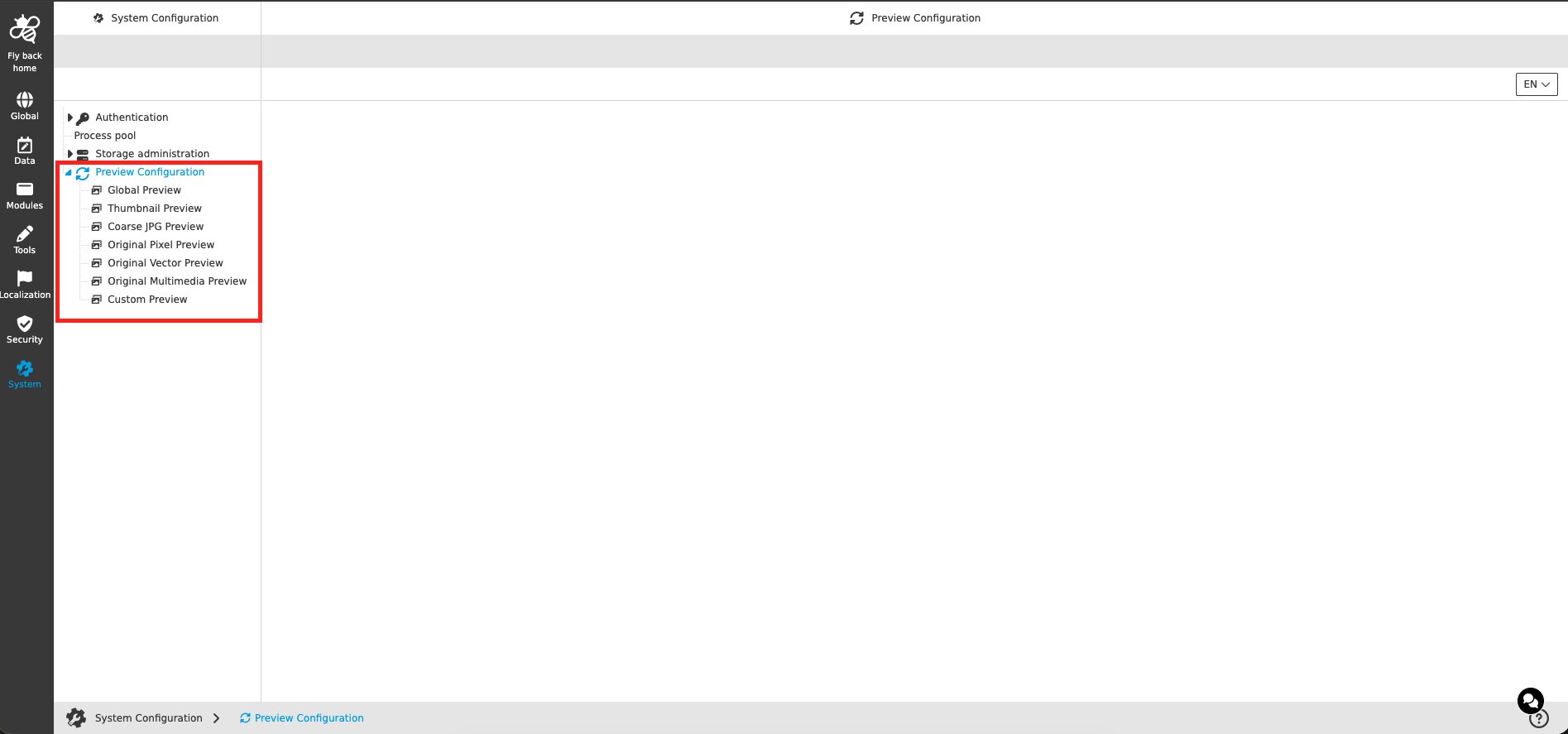
The parameters of the Preview Configuration are grouped by preview type. Each preview type is available as an own entry in the left tree:
| Tab Name | Description | Note |
|---|---|---|
Global Preview |
Contains the parameters which apply to the generation of all preview types - the limits for the source files, the Ghostscript output parameters and the general Image Magick parameters (e.g. handling of layers and transparency). |
see more details Global Preview |
Thumbnail Preview |
Defines transparency handling and quality of the thumbnail previews (small previews used e.g. in tables). |
see more details Thumbnail Preview |
Coarse JPG Preview |
Defines transparency handling and quality of the coarse previews (medium sized JPEG previews). |
see more details Coarse JPG Preview |
Original Pixel Preview |
Defines transparency handling and quality of the original pixel previews (PNG/JPEG preview in the resolution of the original) for pixel based files. |
see more details Original Pixel Preview |
Original Vector Preview |
Defines the Ghostscript parameters for the original vector previews (PDF previews) of documents and vector files. |
see more details Original Vector Preview |
Original Multimedia Preview |
Defines the ffmpeg parameters (codecs, bitrates, timeouts) for the original multimedia previews (WebM/MP3) of video and audio files. |
see more details Original Multimedia Preview |
Custom Preview |
Allows to define additional, customer specific preview types which are generated by an own script (shell or lambda). |
see more details Custom Preview |
| Changed parameters are applied to previews which are generated after saving the configuration. Existing previews are not changed automatically. In the first implementation of the Preview Configuration in OMN 7.0 there is no possibility to (re)generate previews via the new Configuration Client - existing assets need to be checked in again to reflect the new parameters. A function to generate previews directly from the Preview Configuration is planned for a later version. |
| The parameter names are concrete parameter names of the preview generation and are therefore not localized. Only the section headlines and the dimensions (e.g. bytes, seconds) are shown in the selected language. |
Further links and information
-
Asset Previews in HTML5 - background information about the preview types in the HTML5 client
-
How to configure Preview generation - solution for wrong colors of previews of layered files
-
Create a Custom Preview Configuration - details for shell based custom preview scripts