Shopping Cart
Before downloading from the Frontend, assets can be collected in the shopping cart.
-
Access the shopping cart via Mandators → <Mandator name> → Application modules → MAM → Shopping Cart
Make sure that you have at least one of the following plug-ins available:
✓ Content plug-in “FSDetail”
✓ Content plug-in “FSTable”
Also there is a new optional plug-in which can be added to the Shopping Cart
-
LightTable (Center Postion)
You can use the plug-in as follows:
-
Frontend (Sidebar Item must be configured)
Here you can see the overview of ShoppingCart function configuration:
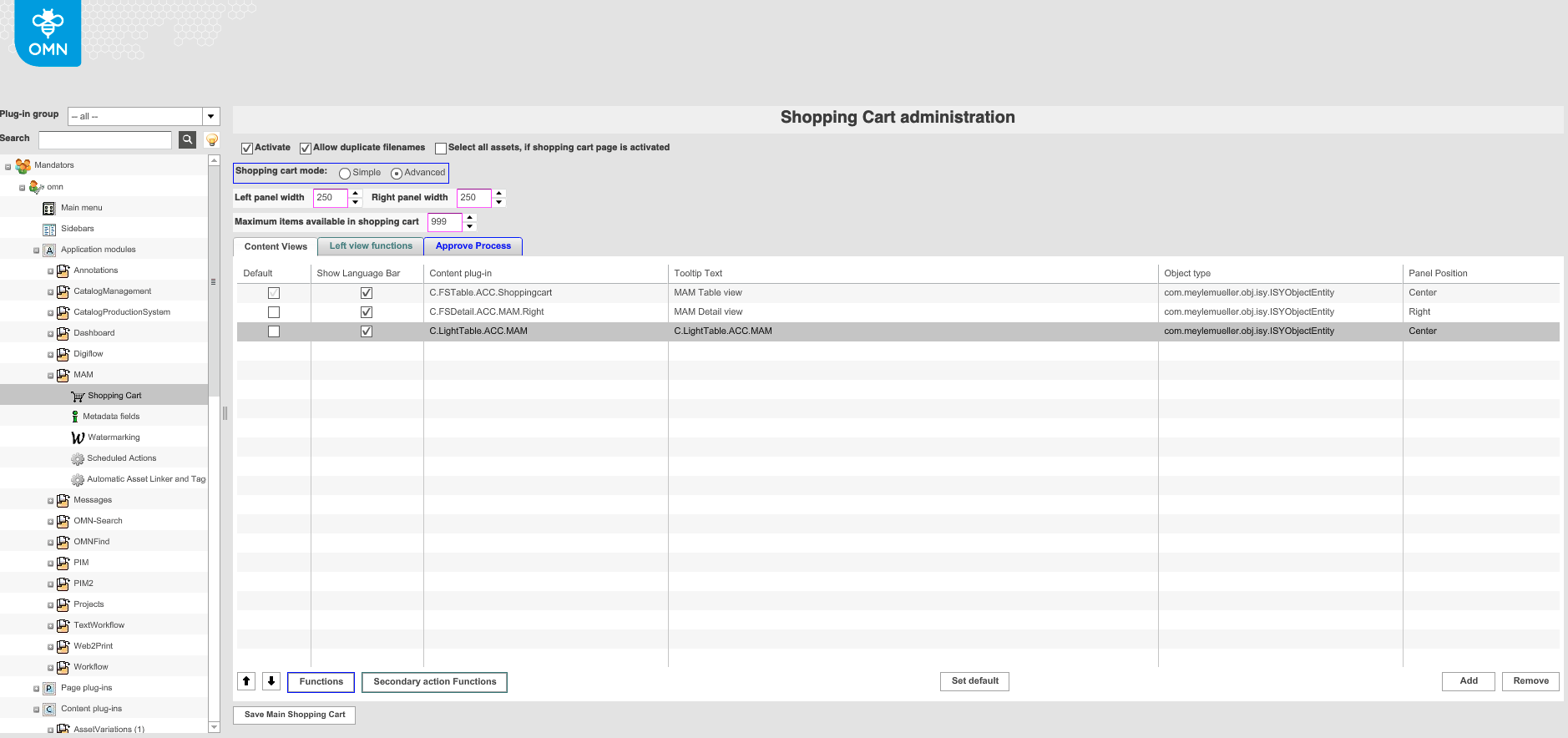
| Field | Description | Notice |
|---|---|---|
Activate |
>> Activate the checkbox to activate the shopping cart |
|
Allow duplicate filenames |
>> Activate the checkbox to allow that two files with the same name can be added if they have a different path. Otherwise, one of the files will be overwritten by the other |
|
Select all assets, if shopping cart page is activated |
>> Activate the checkbox to select all items in the shop-ping cart as soon as the shopping cart page is opened in the Frontend. |
|
Shopping cart mode |
Two modes for the download of files in the Frontend are available for the shopping cart:
|
This setting is currently not supported for HTML5 Frontend |
Left panel width |
Width of the left area can be modified |
All values in pixels |
Right panel width |
Width of the right area can be modified |
All values in pixels |
Maximum items available in shopping cart |
For defining an upper limit of items that can be placed in the shopping cart |
|
Content views |
For defining the content views available for displaying the items in the shopping cart. |
|
Left View Functions |
For defining available functions on shopping cards on left view |
Option only supported for new HTML5 Frontend |
Approve Process |
Every shopping cart a user collects must be approved by another user. |
Only available for advanced shopping cart mode. This setting is currently not support for HTML5 Frontend |
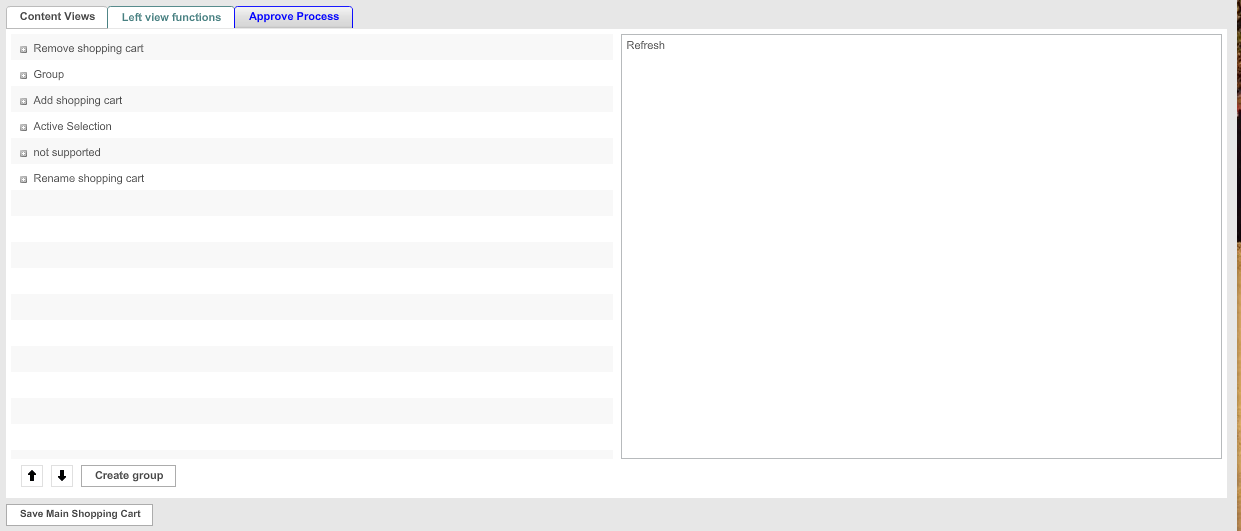
Configure Left view functions
The configuration of Left view functions is only used for new HTML5 Frontend (see "Adding functions" page).
Approve process
The approve process is only available for advanced shopping cart mode, which is not supported for new HTML5 Frontend.
Here you can see how the approve process' configuration looks like:
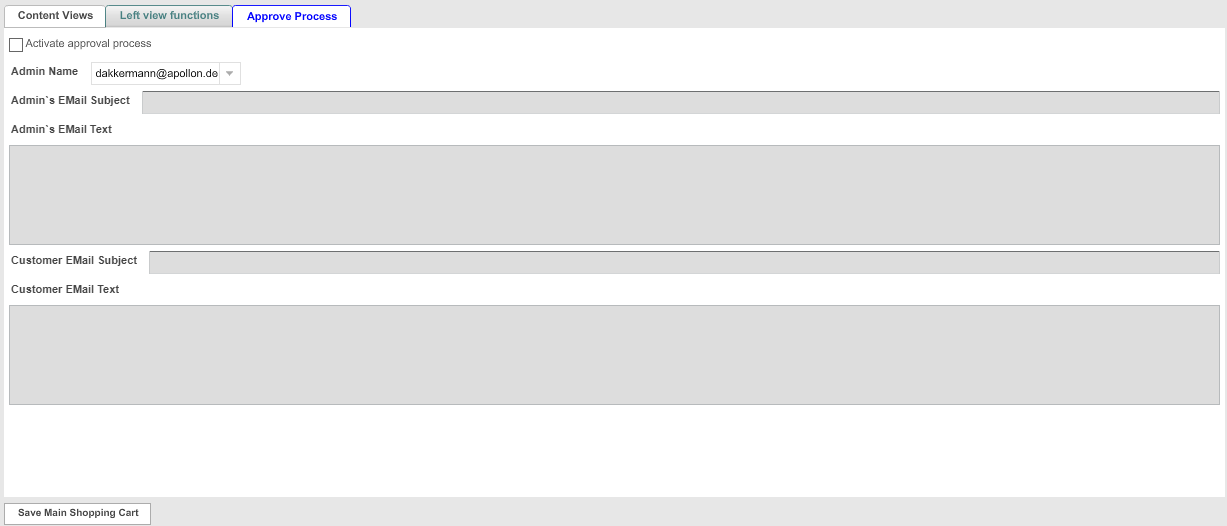
| Field | Description | Notice |
|---|---|---|
Activate approval process |
>> Activate the checkbox to activate the approve process |
|
Admin Name |
For choosing the user, who shall be responsible for approving shopping carts |
|
Admin’s EMail Subject Admin’s EMail Text |
As soon as a shopping cart needs to be approved the admin user gets an email with all needed information For entering the subject and the text of the email |
|
Customer EMail Subject Customer EMail Text |
As soon as the shopping cart is approved, the user gets an email. For entering the subject text of the email. |