Simple Searches
This page describes how to configure the Simple Searches of the Search page plugin.
The configured Simple Searches are available as tiles in the UI. It is possible to run the Simple Search in combination with the search bar or independently.
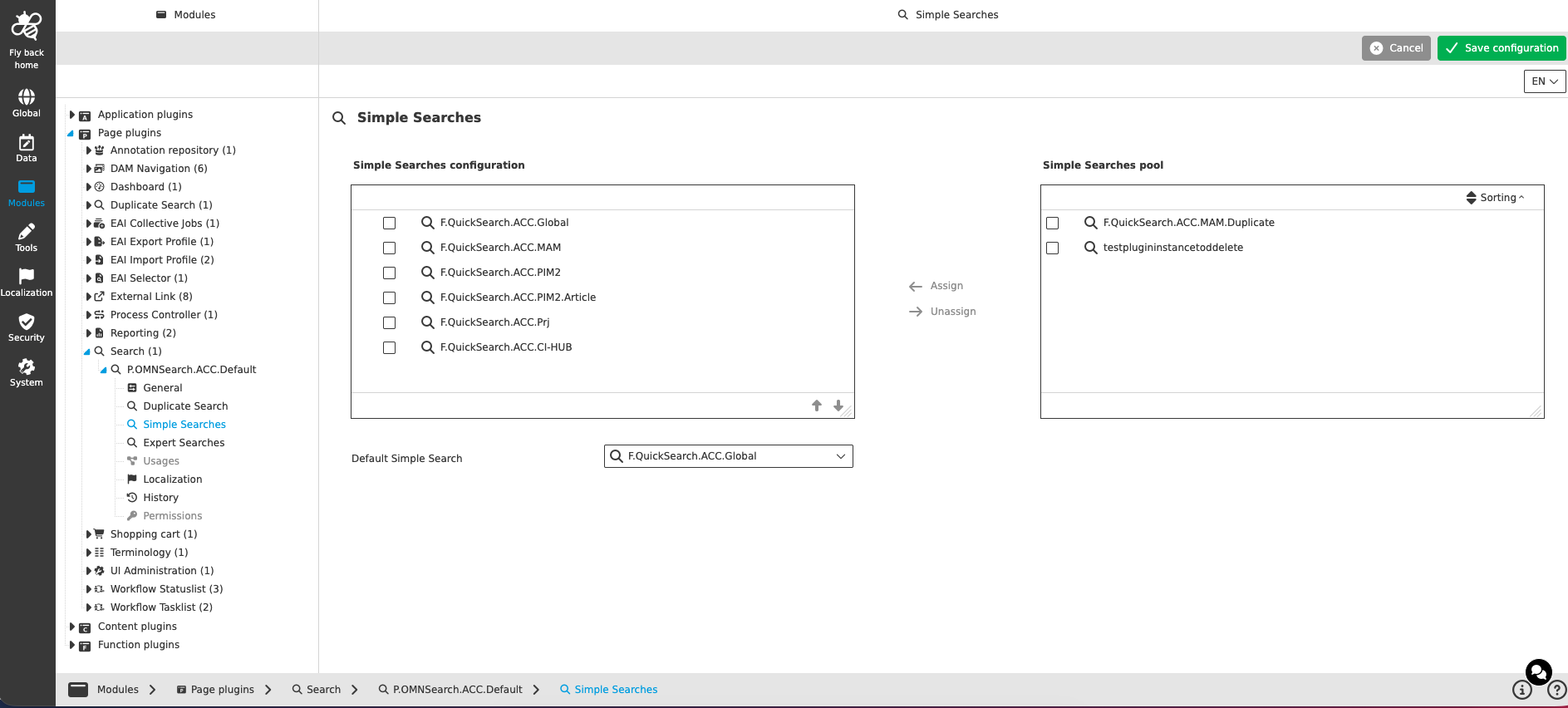
The Simple Searches configuration contains the following parameters:
| Name of option | Description | Note |
|---|---|---|
Simple Searches configuration / Simple Searches pool |
Component to assign and unassign Simple Searches (similar to the function configuration). The left pool 'Simple Searches configuration' contains the searches configured for the plugin, the right pool 'Simple Searches pool' contains the searches which are not configured yet. Searches can be moved between the pools with the 'Assign' and 'Unassign' functions. |
The configured searches represent the search tiles on the search page. The order of the Simple Searches from top to bottom is represented in the UI by the order of the tiles and can be changed with the arrow up and down functions. |
Default Simple Search |
Dropdown which lists all Simple Searches configured above. The selected 'Default Simple Search' is performed when a search is performed using only the search bar (enter the search term and press enter). |
The dropdown is only available if at least one Simple Search is configured. The first configured Simple Search is selected by default. The dropdown is searchable, can be resized and allows only single select. An empty entry is available to select no default Simple Search. |