FAQ
Here the answers to frequently asked questions in relation to Web-to-Print module can be found.
What is the meaning of creating several master boxes in text elements?
AlternativeBox works as follows:
-
Create and save alternative text box in Preparing
-
Open DocEdit and select this alternative text in a dropdown menu
-
Result: alternative text is displayed in text editor
What needs to be done in Web2Print Preparing when the Preview does not load
Check if …
-
Synchronizer is working properly
-
InDesign Server is working properly
-
the document is on root lvl of mount. Documents must be at least one lvl below root.
Why there is no 'Run DocEdit' function for document?
If the user has selected an InDesign document created in Preparing, he must check if opening DocEdit is allowed for the document:
-
Opening with DocEdit is not allowed
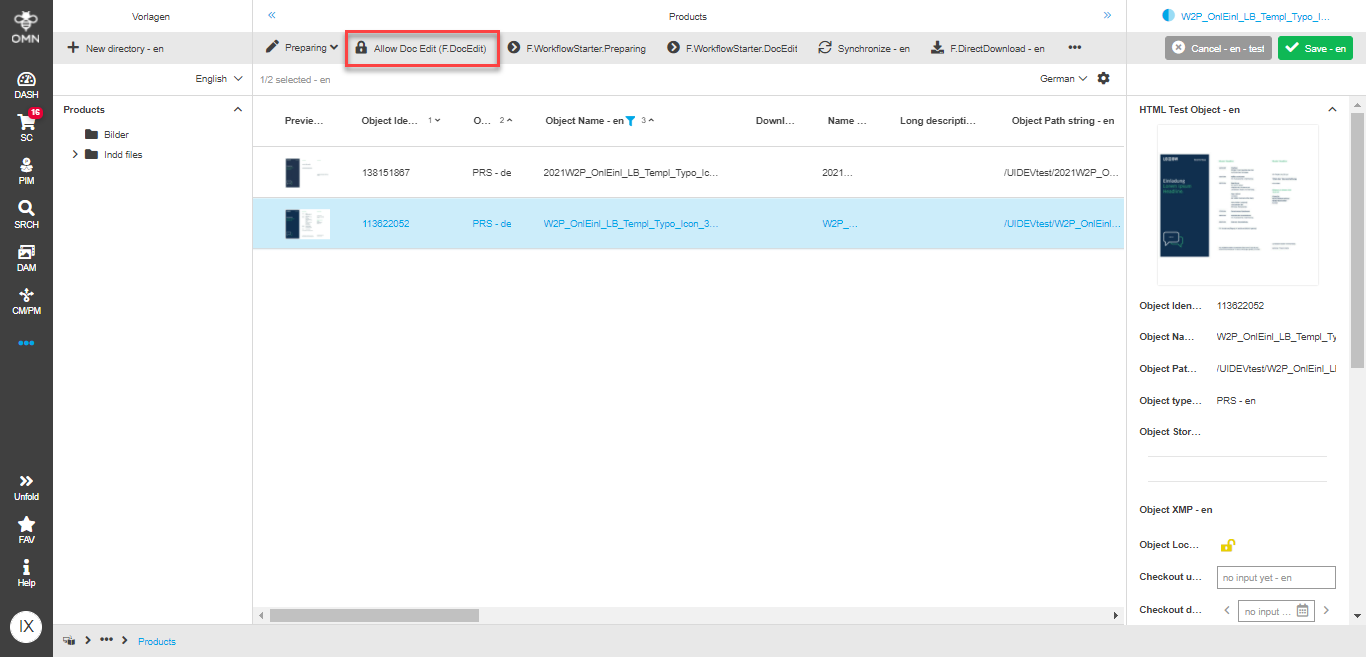
-
Opening with DocEdit is allowed
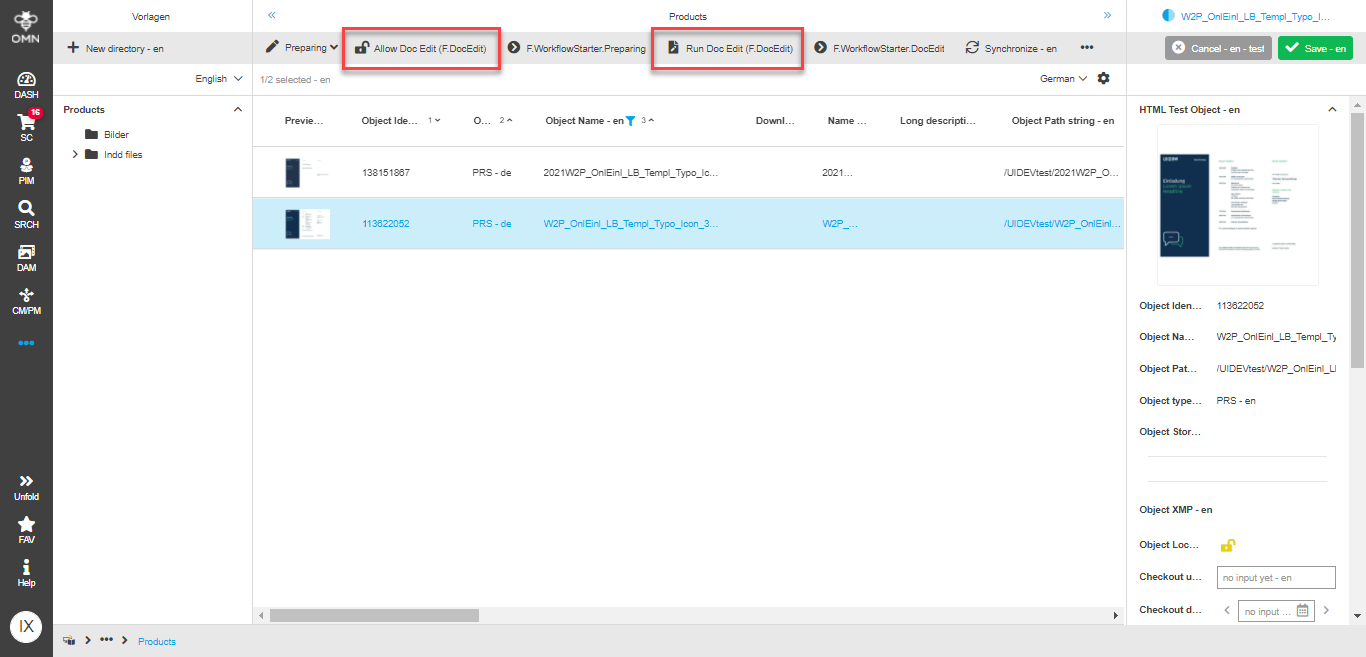
If opening DocEdit is not allowed, only the function must be executed.
Why 'Download preview' function does not work in W2P module?
If your preview was not downloaded after execution of the function in W2P module, you need to check the configuration of preview descriptors (detailed info can be found here - Preparing Configuration-Guide and DocEdit Configuration-Guide).
For standard download function, the sufficient configuration is the following 'low-res' preview descriptor:
