Asset Previews in HTML5
OMN system is designed to store a large number of different files. It provides quick search and identification of required data. The system generates special previews of file to visualize the files in GUI. Usually, the file size of the previews should be as small as possible to increase the performance of the GUI. Previously, on old client some file types have only JPEG previews, and some document file types have vector SWF previews. But SWF is an Adobe format which is fine for old Flex GUI only, and it cannot be used for new HTML5 based GUI. Therefore new types of previews were developed. New preview types:
-
"original-pixel" previews – new preview type ( PNG, JPEG)
-
"original-vector" previews – new preview type (PDF)
-
"original-multimedia" previews – new preview type (WebM, MP3)
Generation options:
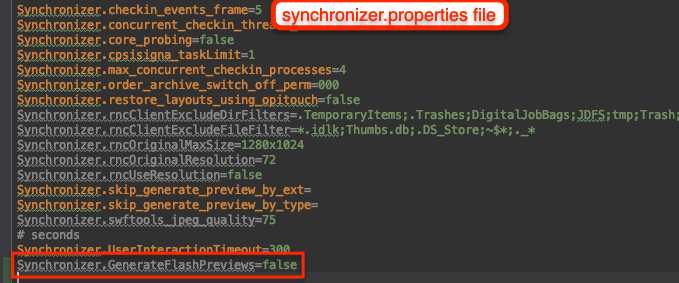
Generation of previews on the HTML5 client does not depend on additional options unlike the old client. A new option 'GenerateFlashPreviews' has been added for "original" previews type which is used only on old client. The option is disabled by default: 'Synchronizer.GenerateFlashPreviews=false'. If the option is disabled then OMN synchronizer doesn’t generate previews for old client (original previews). The option is needed only for the transition phase and be removed in the future.
Also there is a possibility to override default paths to preview repositories:
-
FileSystems.OriginalPixelFileSystemPath=/omn/previews/original-pixel - path to save "original-pixel" previews
-
FileSystems.OriginalVectorFileSystemPath=/omn/previews/original-vector - path to save "original-vector" previews
-
FileSystems.OriginalMultimediaFileSystemPath=/omn/previews/original-multimedia - path to save "original-multimedia" previews
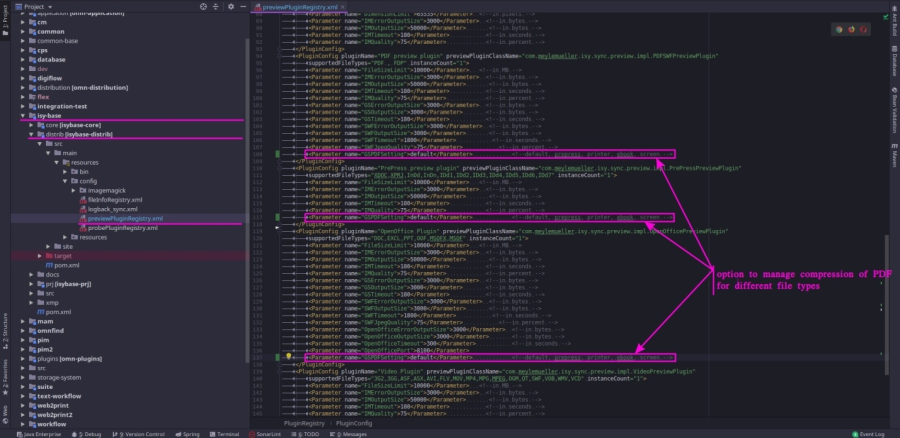
User can configure quality of previews. Right now configuration options are located in 2 places: 'previewPluginRegistry.xml' and RNC configuration in backend client. The main options are located in the 'previewPluginRegistry.xml' and there is a possibility to add some restrictions in RNC configuration (Disable preview generation, Limit PDF preview generation to the first page, PDF Raster Size and Limit original preview by (resolution, max size) options).
For new 'original vector' previews a new 'PDF settings' option is added to control the quality of PDF previews.
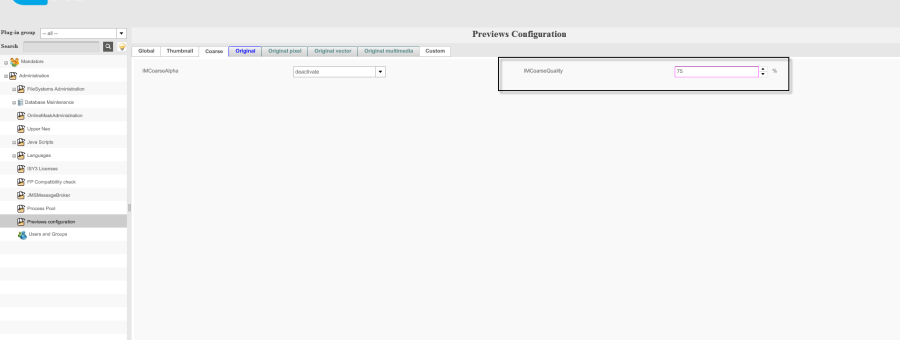
For 'coarse', 'thumbnail' and 'original-pixel' previews there are new options: 'IMCoarseQuality', 'IMThumbnailQuality', 'IMOriginalPixelQuality' are added.
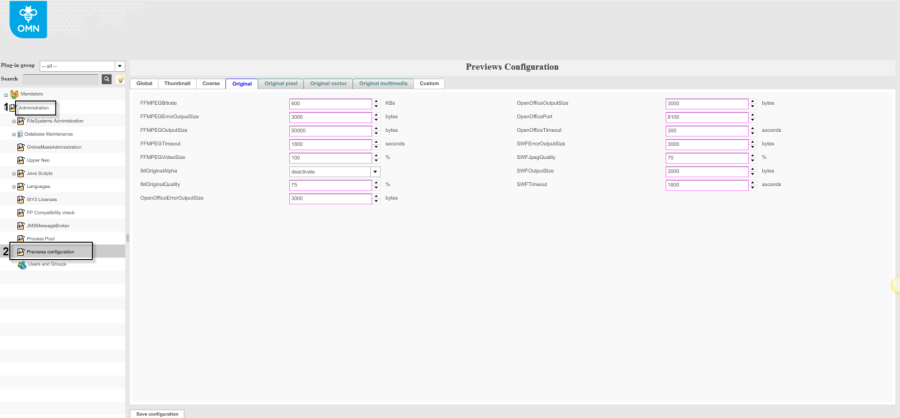
Management of preview quality options:
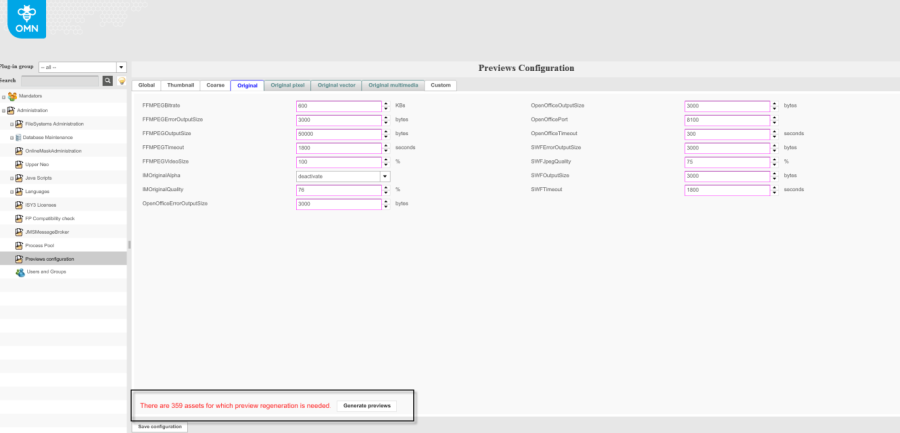
For better management, the default settings can be changed using the backend: backend → Administration → Previews configuration. Preview quality options from the previewPluginRegistry.xml will be shown here.
After changing any settings and saving configuration, it is necessary to regenerate the assets. The message 'There are N assets for which preview regeneration is needed.' in red color and 'Generate' button will appear.
Note:
-
if the changes were not saved, the 'Generate previews' button is disabled and will become available only after saving the change
-
if option 'GenerateFlashPreviews = false', all flash previews will be overwritten after clicking on the 'Generate previews' button
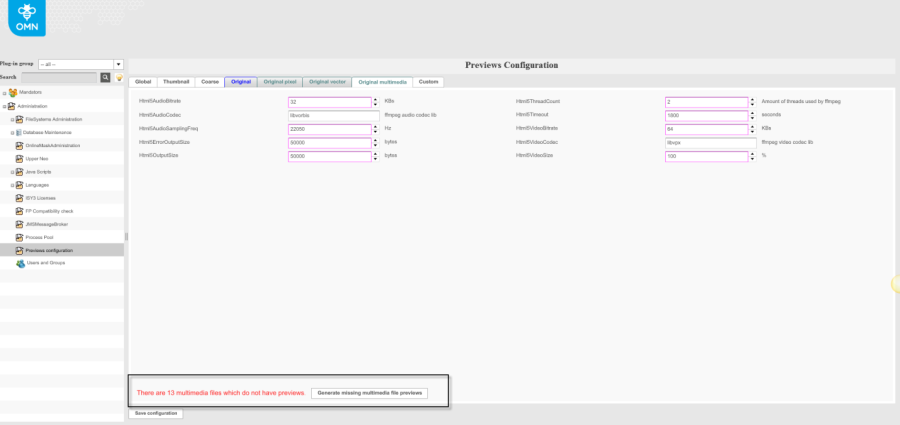
If some assets do not have an original-multimedia preview or original-vector preview, a message about this (e.g. 'There are N multimedia files which do not have previews.') and the 'Generate missing multimedia file previews' button are displayed when opening 'Preview configuration'.
Summary:
during migration from the old client to HTML5 client you should pay attention to the following points:
-
check option 'GenerateFlashPreviews' ( If the option is not activated (= 'false') then the flash preview will be overwritten)
-
check path for new preview types
-
update 'previewPluginRegistry.xml' file: when updating an OMN version from a version that is lower than 4.11 the 'previewPluginRegistry.xml' file must be updated together with updating of test system.
-
if the file does not have 'original-pixel' previews then 'original' preview will be used
Alpha Options
There are two newer options for all the Alpha parameters in the preview Configuration
-
On
-
Off
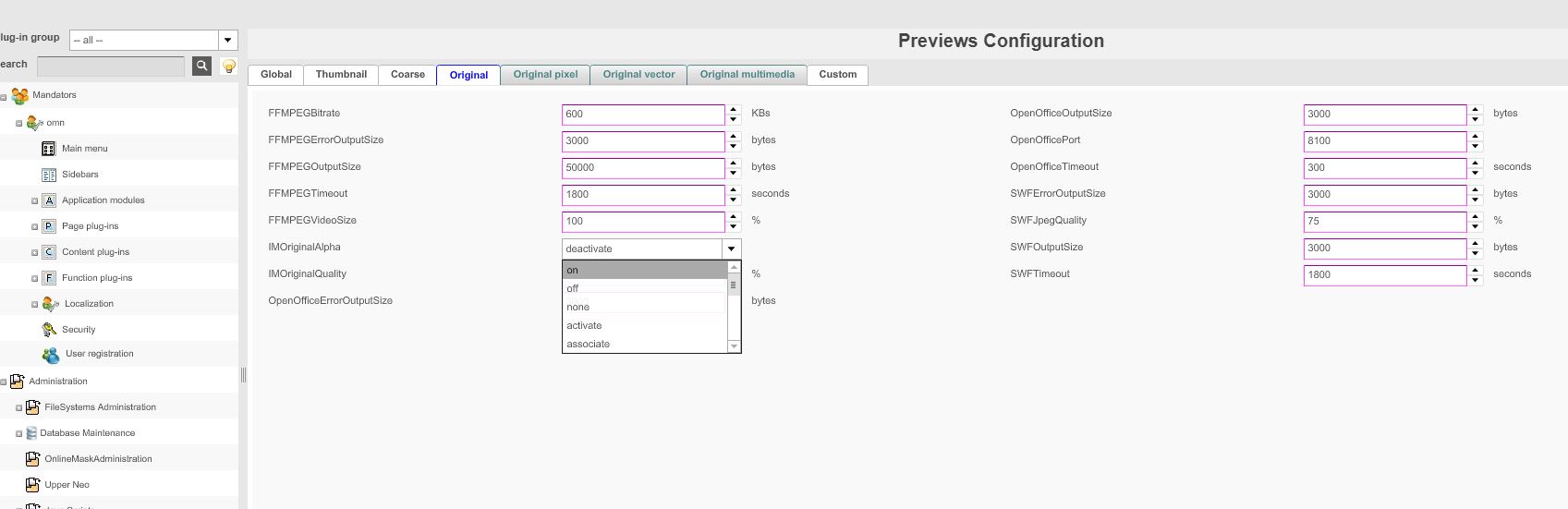
Those options are also available in ImageMagick.
Off is useful, as it ignores the alpha channel from images.
For more information about the process of preview generation please use the following link.