Show in DAM Navigation
Purpose of the plugin
The plugin is needed to open selected asset(s) at the original storage location in DAM module.
Possible usage of the plugin
The Show in DAM Navigation can be used in:
-
Advanced Search page plugin
-
Annotation Repository page plugin
-
Channel Annotation view content plugin
-
DAM Navigation page plugin
-
Duplicate Search page plugin
-
Formbased Search page plugin
-
Channel Asset view content plugin
-
Channel Product view content plugin
-
Shopping Cart page plugin
Preconditions
There must be at least one page plugin with one corresponding content plugin that presents asset items in a content view:
-
DAM Navigation with content view
-
AdvancedSearch with content view
At least one Show in DAM Navigation function plugin must be configured and executable on the content plugin e.g. FS Table in DAM Navigation.
Supported plugins
The Show in DAM Navigation plugin supports the following plugin:
-
DAM Navigation page plugin
General configuration
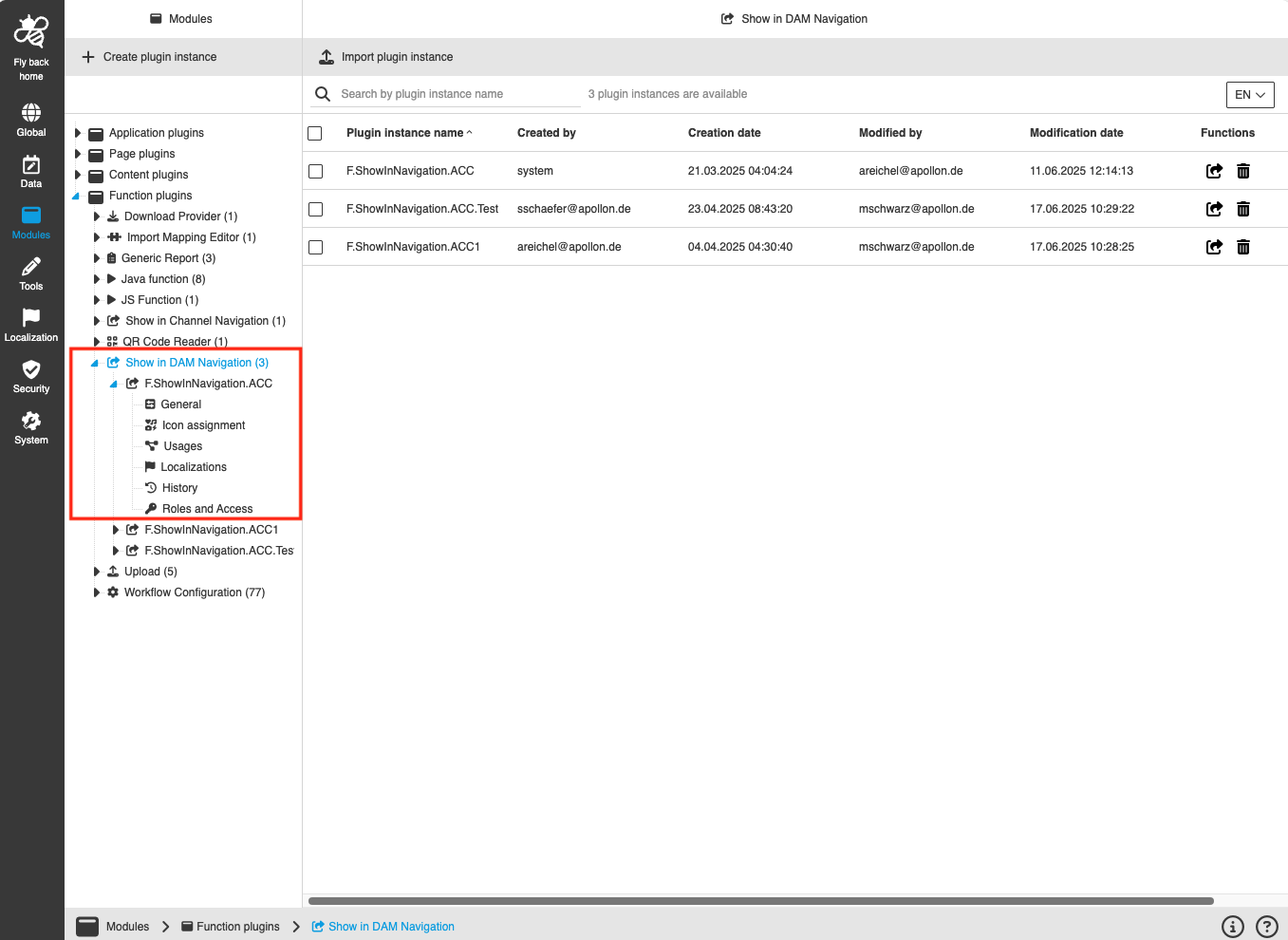
The configuration of Show in DAM Navigation includes the following parts:
| Tab name | Description | Note |
|---|---|---|
General |
On this page the user can configure: - the DAM Navigation - the navigation node configuration |
See more details "General" |
Icon assignment |
On this page the user can assign an icon for the Show in DAM Navigation plugin to visualize the function buttons appearing in the frontend. |
See more details "Icon assignment". |
Usages |
On this page the user can see the relations of the Show in DAM Navigation plugin to other plugins. |
Content coming soon … |
Localization |
On this page the user can localize their own Show in DAM Navigation plugin to see desired terms in the UI of Show in DAM Navigation. |
See more details Localization tab of the plugin instances |
History |
On this page the user can overview all modifications made in the Show in DAM Navigation and have an initial state available as a file to understand who, when and what changed within the configuration. |
See more details "History". |
Permissions |
On this page the user can restrict the access to the plugin for certain roles. |
Content coming soon … |
Appearance in the frontend
All details of the Show in DAM Navigation plugin in the frontend can be found here.