Status indicator
This page provides the possibility to define status indicators for Workflow Statuslist and Workflow Tasklist. The user can define the treshold to yellow and red to visualize the criticality in relation to the defined workflow process deadlines. Further it is possible to exclude specific dates from this calculation (e.g. public holidays or weekends).
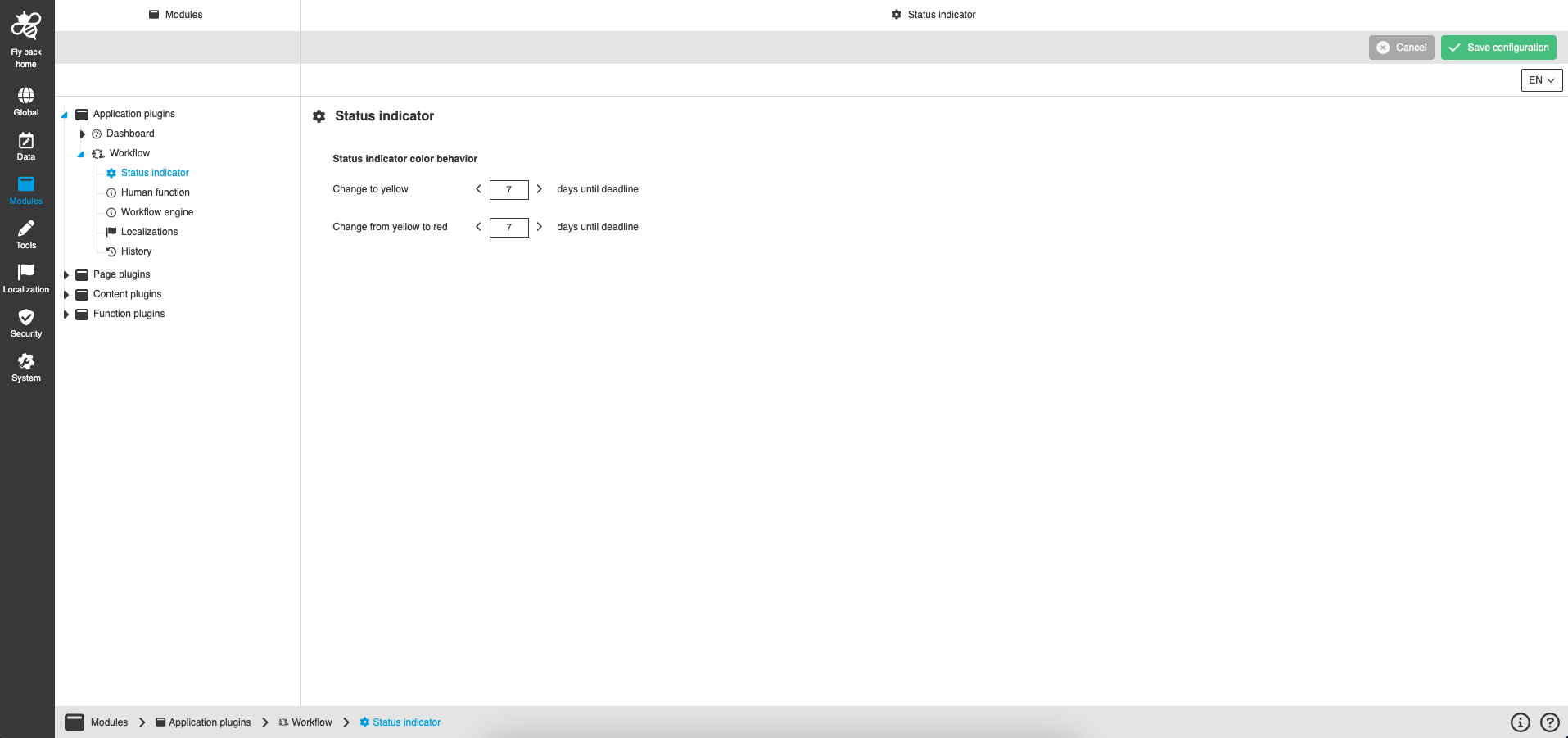
| Name of option | Description | Note |
|---|---|---|
Change to yellow |
With this configuration you can define how many days before the deadline the process should be marked with a yellow marker in the user interface. |
The number of days must be greater than the number of days for the change to red. |
Change from yellow to red |
With this configuration you can define how many days before the deadline the process should be marked in red in the user interface. |
The number of days must be less than the number of days for the change to yellow. |
Workdays configuration free days |
The general days off within the working week can be set using this control. As a result, the counter of the status indicator excludes these days. |
This option will be supported in the future |
Workdays configuration calendar |
The calendar shows all those days that are excluded by the 'Free days' configuration. In addition, the user has the possibility to exclude individual days (such as public holidays) as well, so that the counter of the status indicator excludes them correctly. |
This option will be supported in the future |
Appearance in the frontend
All details of the Status indicators in the frontend can be found here.