Group Configuration

Purpose

The Group Configuration is a configuration for grouping element to manage the subgroups in a meaningful way.

General configuration

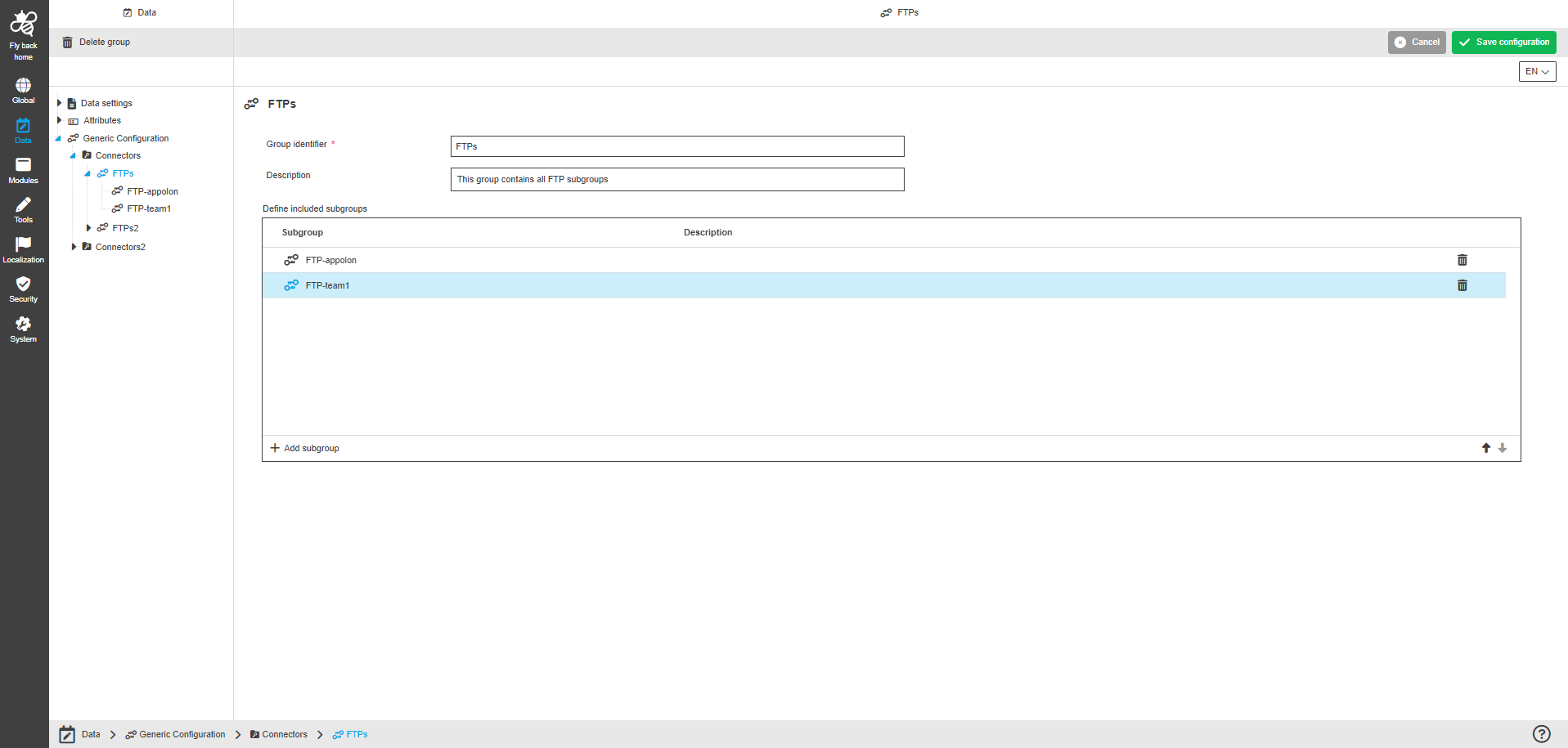
This is how the configuration looks like:
group configuration
Figure 1. The configuration structure of the Group Configuration

The configuration of Group Configuration page includes the following parts:

Name Description Note

Group identifier

This option provides to enter the group identifier.

  • The following validation is available for the "Group identifier" field:

    • The identifier must be mandatory;

    • The identifier must be unique;

    • The identifier must consist only of lowercase characters;

    • The identifier must not include special characters.

Description

This option provides to enter a description of the purpose of the Group.

The "Description" field is optional.

Define included groups

The table widget provides to configure a group as a structure element for generic configuration and organize subgroups within.
The table widget contains the following columns:

  • Subgroup
    This option provides to enter the name of the subgroup.

  • Description
    This option provides to enter a description of the purpose of the subgroup.

The table widget also contains the following functions:

  • to add a subgroup;

  • to copy path information, that contains the whole configuration structure to the current item.

  • to delete a subgroup.
    The function is available only when at least one item is selected.

The configured subgroups within the table widget can be sorted by arrow icons.

Welcome to the AI Chat!

Write a prompt to get started...