General
This page provides the possibility to configure the import file location and the export file location.
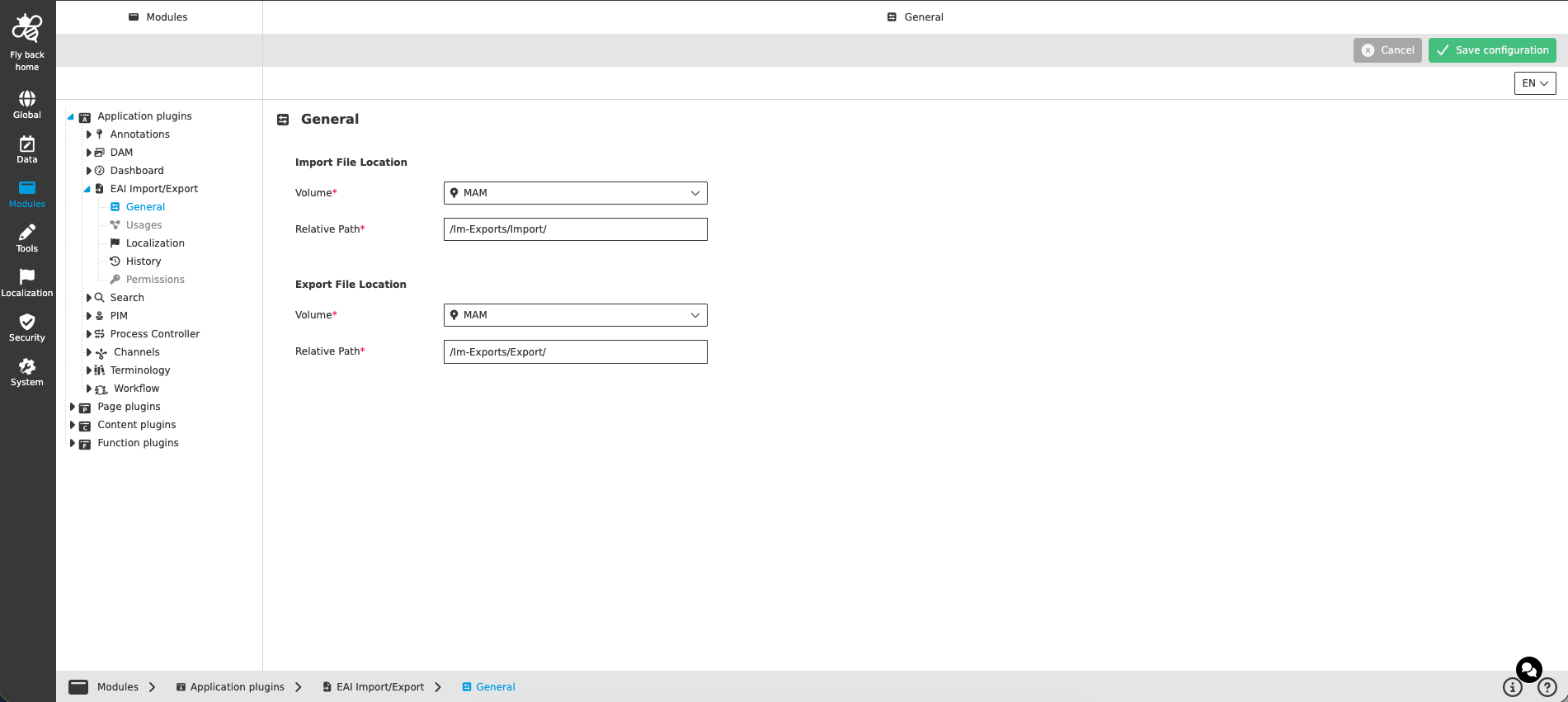
Import File Location
The options provide the possibility to define on which volume and under which relative path imported files are stored.
| Name of option | Description | Note |
|---|---|---|
Volume |
The dropdown lists all activated DAM volumes of the current mandator. Here you can select the volume on which the imported file is persisted after the import. |
The dropdown supports single select and is mandatory — the configuration cannot be saved as long as no volume is selected. |
Relative Path |
Here you can enter the relative path on which the imported file is persisted after the import. |
The input field is mandatory — the configuration cannot be saved as long as no relative path is entered. |
Export File Location
The options provide the possibility to define on which volume and under which relative path exported files are stored.
| Name of option | Description | Note |
|---|---|---|
Volume |
The dropdown lists all activated DAM volumes of the current mandator. Here you can select the volume on which the exported file is persisted after the export. |
The dropdown supports single select and is mandatory — the configuration cannot be saved as long as no volume is selected. |
Relative Path |
Here you can enter the relative path on which the exported file is persisted after the export. |
The input field is mandatory — the configuration cannot be saved as long as no relative path is entered. |