Index
This page provides the possibility to manage the search indexes of OMN, rebuild outdated indexes and define the case sensitivity of the search results.
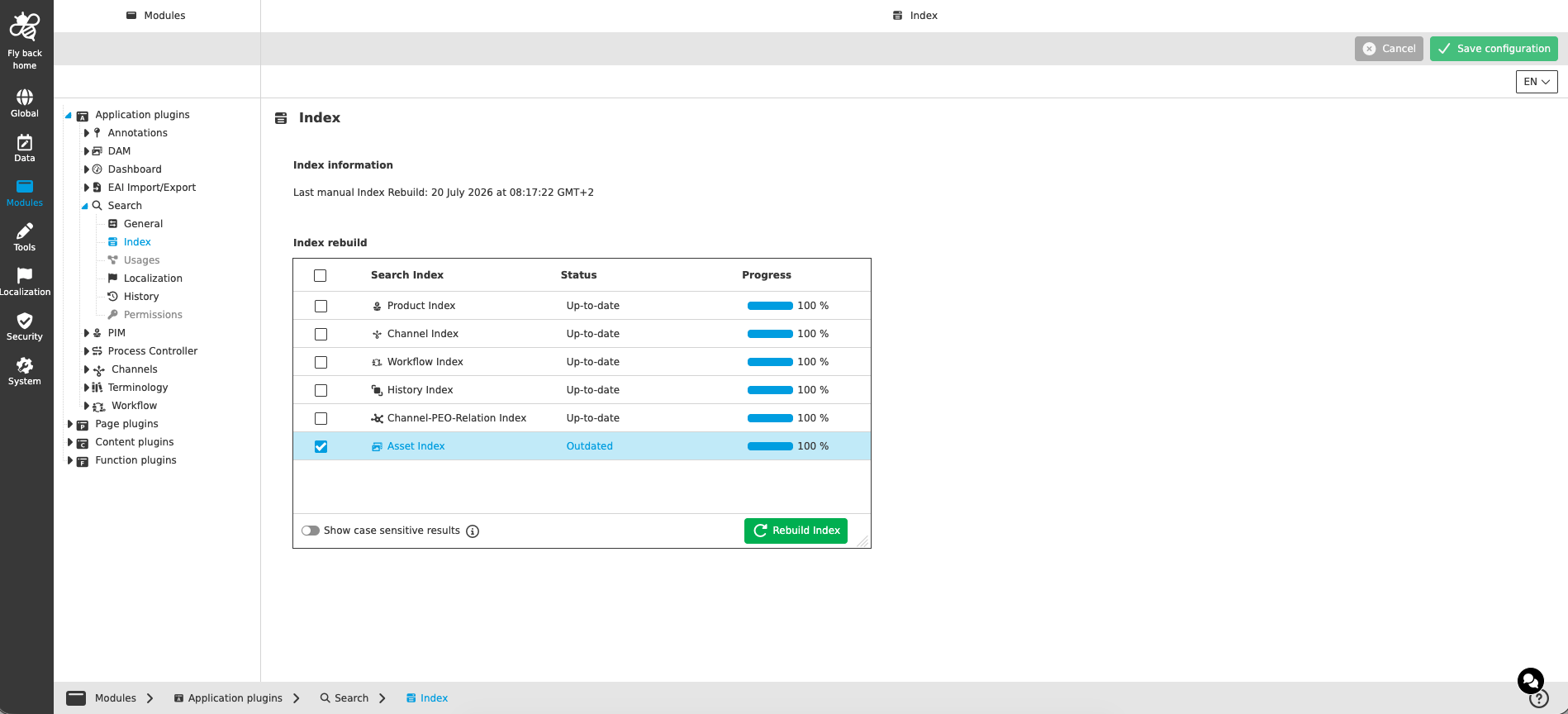
Index information
| Name of option | Description | Note |
|---|---|---|
Last manual Index Rebuild |
The information 'Last manual Index Rebuild: {time-stamp}' shows the point in time of the last manually executed index rebuild. |
Read-only information. |
Index rebuild
The table widget lists the available search indexes (Product Index, Channel Index, Workflow Index, History Index, Channel-PEO-Relation Index and Asset Index) with their current status and progress:
-
The column 'Status' shows one of the following statuses:
-
Up-to-date - the index has the latest state.
-
Outdated - the index is not up to date and a rebuild is needed.
-
Create index - the function 'Rebuild Index' was executed. The status is shown for a short amount of time before 'Rebuild in progress' is shown.
-
Rebuild in progress - the index is currently rebuilding.
-
Error - the rebuilding of the index failed and an error occurred.
-
-
The column 'Progress' shows a progress bar with the %-amount of the index rebuild next to it.
| Name of option | Description | Note |
|---|---|---|
Rebuild Index |
The function rebuilds the search indexes. If no index is selected in the table widget, all indexes that are not up to date or in the error state will be rebuilt. If indexes are selected in the table widget, all selected indexes that are not up to date or in the error state will be rebuilt. |
The button is disabled in case no index needs a rebuild. If the option 'Show case sensitive results' was changed, all indexes will be rebuilt. |
Show case sensitive results |
If the option is activated, the search results consider/depend on the case of a search query; otherwise, case-insensitive results are shown. |
The toggle is turned off by default. A change of this option requires a rebuild of all indexes. |