Version View
Online Media Net allows handling of variants and versions in addition to working with ordinary files.
Variants are separate files that are related to each other and usually have different file names.
Versions are different states of a file, e.g. a modified version of an image. Each version of a file has the same file name.
In contrast to variants (see variant view), there can only be one active version of a file in Online Media Net at any one time, which is displayed in all standard views, e.g. in the table, and is used in Online Media Net.
Inactive versions, i.e. older versions of a file stored in Online Media Net, are kept in a separate data store in Online Media Net.
The version view (see version view) displays existing but inactive file versions of a file in tabular form and provides functions to manage versions, i.e. delete them, convert them to a variant or make them the active version again.
Creation of a Version
Versions can be created in Online Media Net manually by function, but also automatically, for example, when uploading a file already stored in OMN.
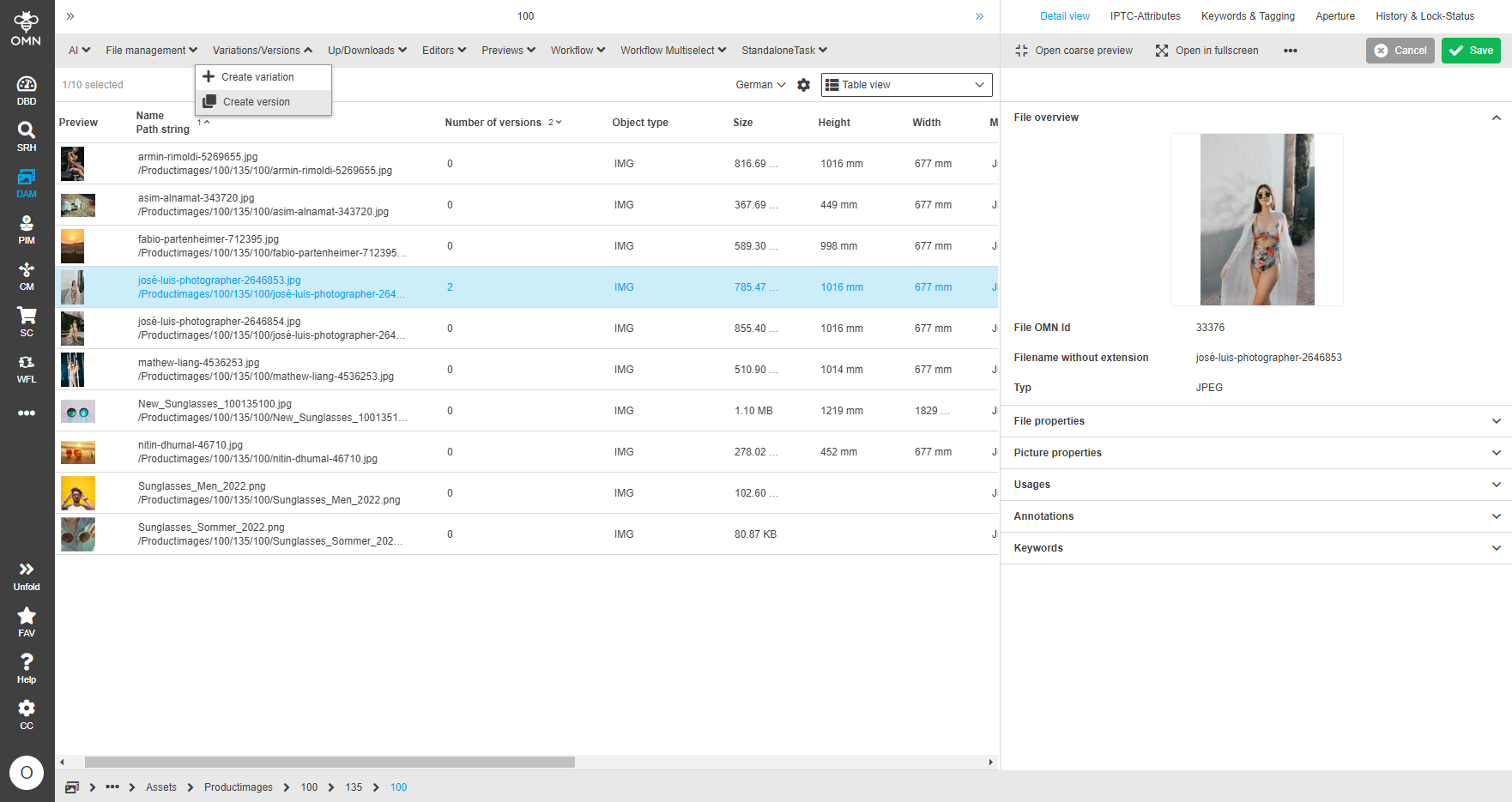
Image 1 Manual creation of a version
The maximum number of versions of a file that can be created depends on Online Media Net’s system settings, but is basically configurable.
In contrast to automatic version creation, additional parameters can be defined when a version is created manually.
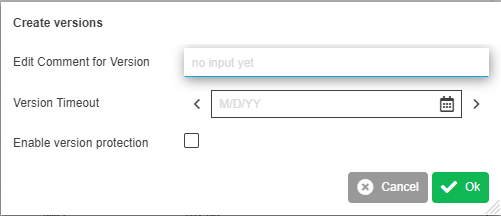
Image 2 Parameters of a version
Version parameters
| Comment | Additional comment text for a version e.g. correction version from last week |
|---|---|
Version Timeout |
Time delimiter for the version |
Version protection |
Enable Protection of the version |
Versions and Version View
Whether and how many versions of a file exist can be determined on the one hand via the attribute Number of versions and on the other hand via the version view (see also Overview of standard attributes)
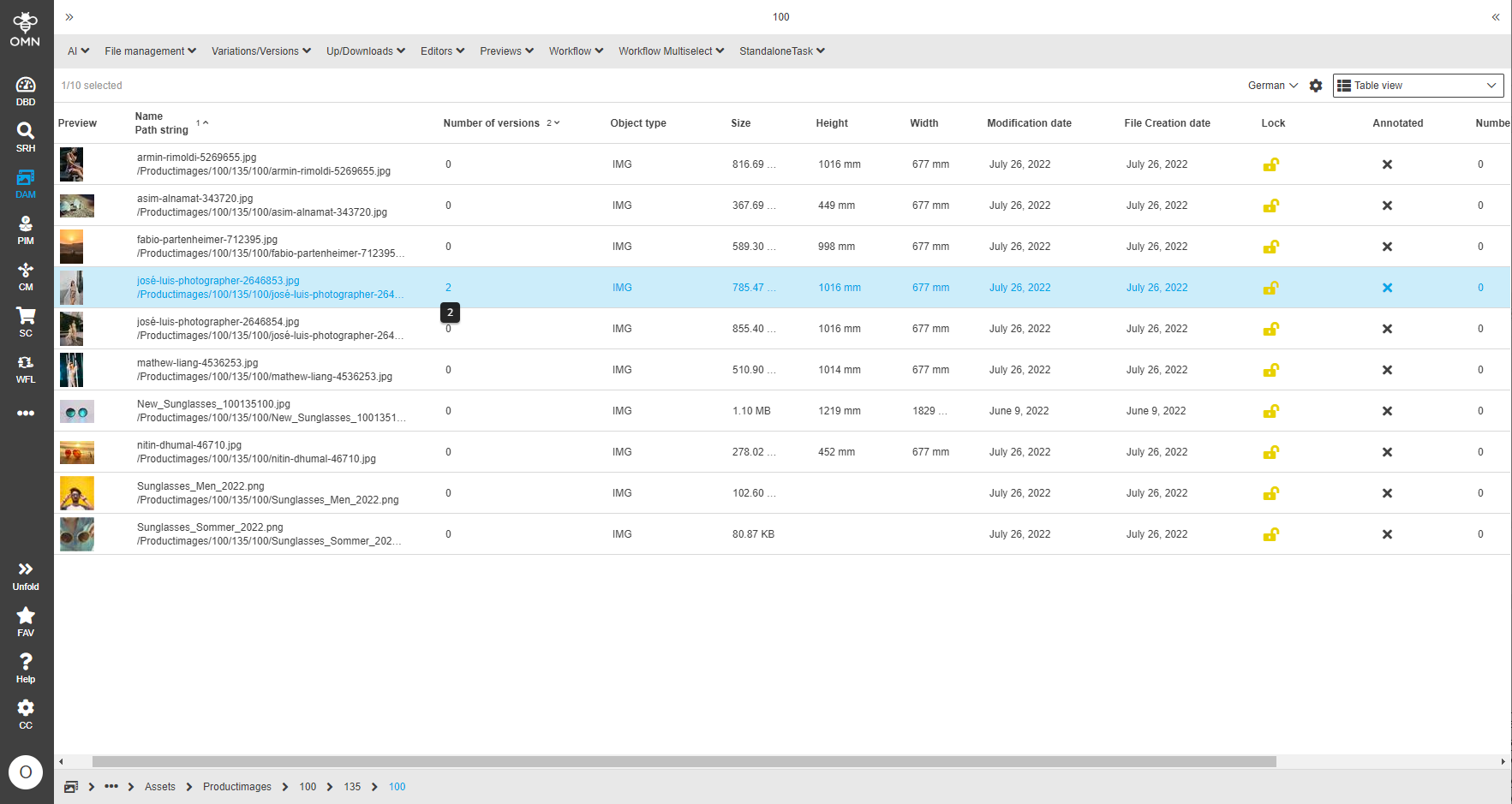
Image 3 Display number of existing versions
The version view displays versions stored in Online Media Net chronologically in a table with additional information.
Each version has a version number, a creation date and a version file size. The version number is automatically incremented when a version is created (i.e. small version numbers indicate older files).
Furthermore, other version-specific information like the timeout date and protection period are displayed in the table, which can be set via function.
| The active file version is not shown in the table. |
In the screenshot shown, one file has two versions which means that a total of 3 files are stored in Online Media Net (1 active file + 2 versions).
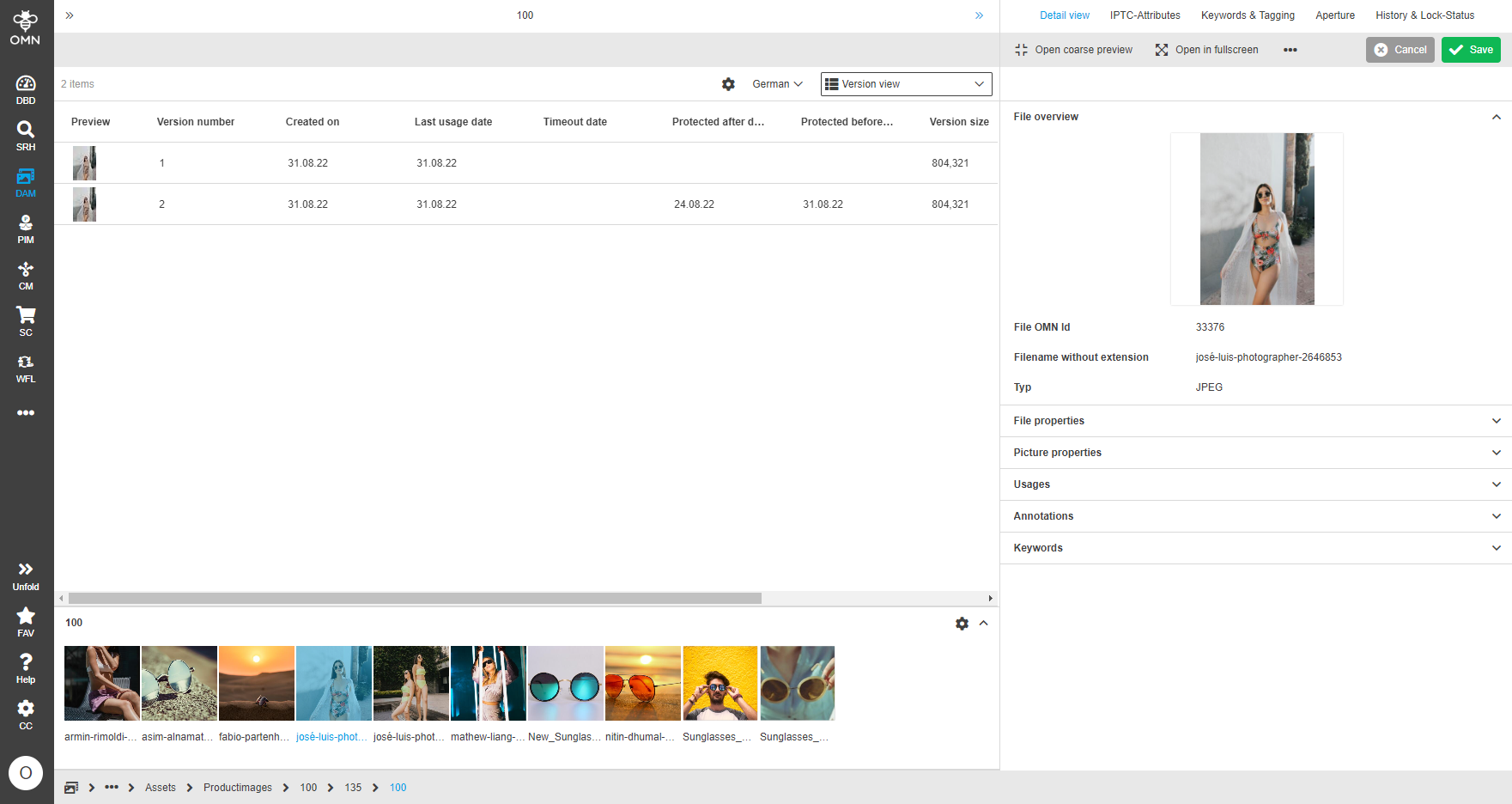
Image 4 Version view with 2 file versions for one active file
The version view allows the execution of the following version-specific functions:
| Convert version to variant | Converts a version into a variant. After conversion, the former version exists as a separate active file |
|---|---|
Remove version(s) |
Deletes a file version physically, the deleted version file is no longer recoverable via Online Media Net |
Edit version protection date |
Changes the protection date from to for a version |
Download |
Allows downloading a selected version file to the desktop |
Activate version |
Allows to activate an older version than the active version, i.e. restore an older version state. |
(Create version) |
Allows to manually create a file version for a selected file. The version creation function is not directly executable in the version view, but only on views that display the active file versions, e.g. table view. |