AssetVariations (Content Plugin)
The plug-in is needed to show variations of an asset within the function plug-in "AssetView".
-
Access the plug-in via Mandators → <Mandator name> → Content plug-ins → AssetVariations
You can use the plug-in as follows:
-
Function plug-in "AssetView"
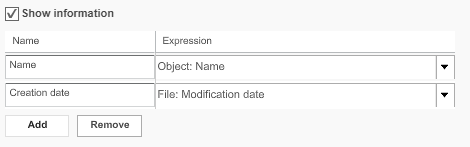
Here is the overview of configuration options for AssetVariations content plugin:
| Field | Description | Notice |
|---|---|---|
Show information |
>> Activate the checkbox to enable displaying the variant information in the center area of the function plug-in "AssetView" |
|
Name |
Shows by default as soon as an expression from the “Expressions” list is chosen, it can be modified |
Choose up to two attributes for variations |
Expression |
The drop-down list contains information which can show in the center area of the Asset view |
For a complete list of available expressions and a description please pass on to the reference manual |