Collection Configuration
Purpose
The Collection Configuration is a configuration for grouping element to manage the key-value pairs, groups and subgroups in a meaningful way.
General configuration
This is how the configuration looks like:
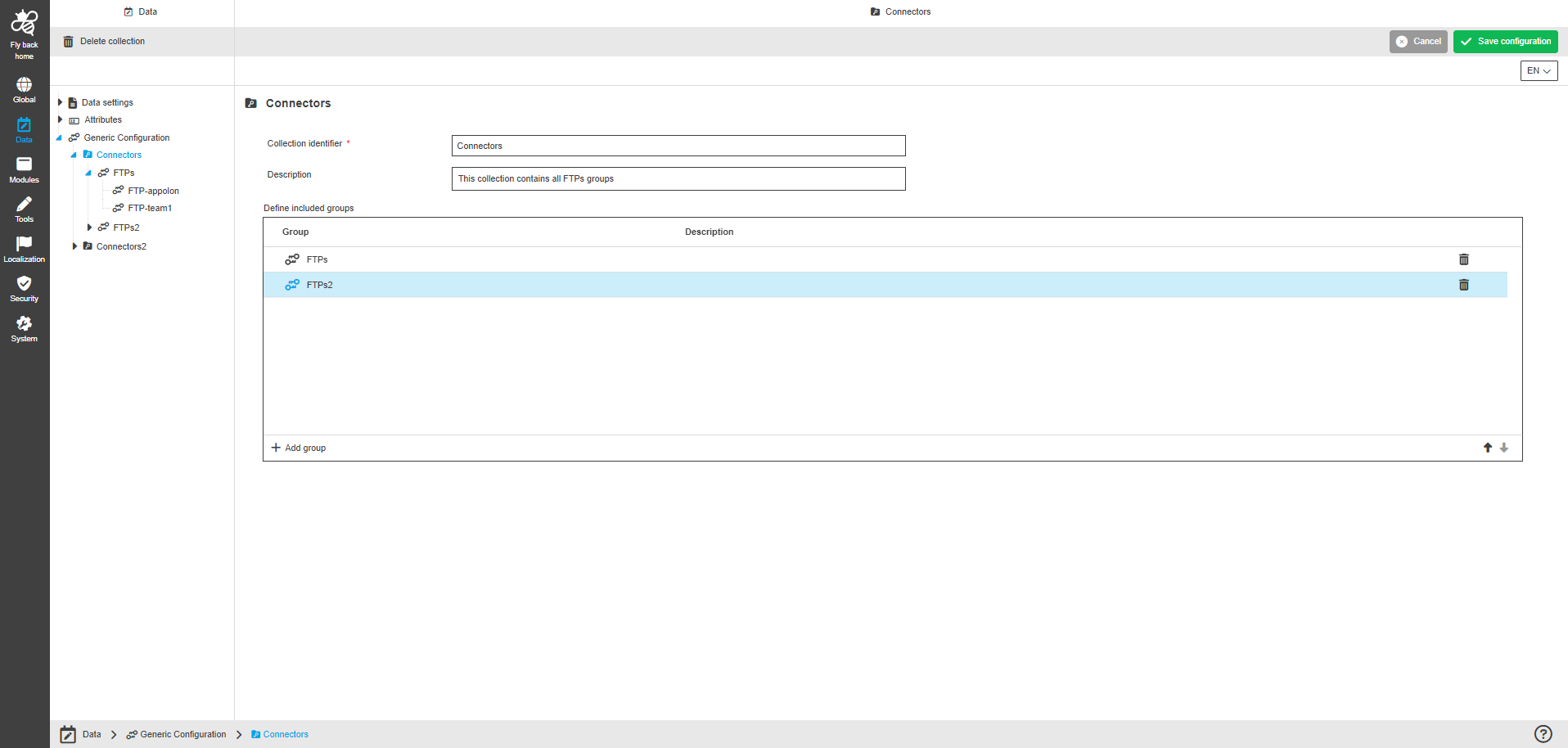
The configuration of Collection Configuration page includes the following parts:
| Name | Description | Note |
|---|---|---|
Collection identifier |
This option provides to enter the collection identifier. |
|
Description |
This option provides to enter a description of the purpose of the collection. |
The "Description" field is optional. |
Define included groups |
The table widget provides to define included key value groups and contains the following columns:
The table widget also contains the following functions:
|
The configured groups within the table widget can be sorted by arrow icons. |
How to create a collection
To create a collection, follow these steps in Generic Configuration section:
-
Click on "Add collection" function in the left panel toolbar.
-
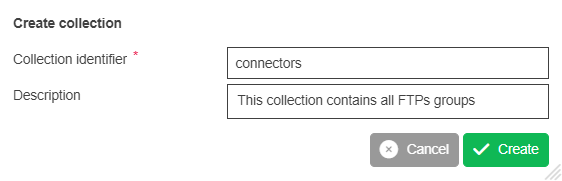
Enter the collection identifier in the input field on modal (required).
-
Enter the collection description (optional).
-
Click on "Create" button.
-
New collection is available and displayed in generic configuration overview as entry.
|
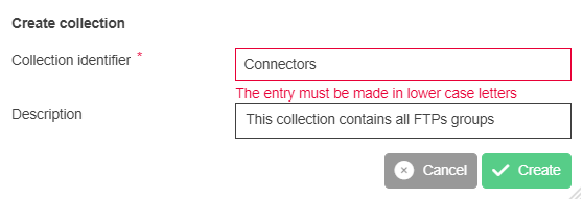
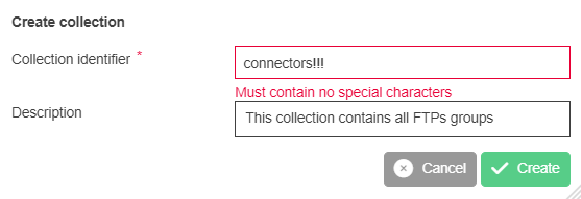
The collection identifier needs to consist only of lowercase characters. No special characters are allowed in collection identifier. No space is allowed as inputs, space should be transformed automatically to underline '_'. |