Product View
Purpose of the plugin
The Product View is the central editor for maintaining PIM products in OMN.
Within the Product View configuration it is defined how the product levels (product, article, variant) are visualized in the left panel and which tabs are available in the editor - for example product details, related products and assets, translations, channel objects, templates or searches. For each tab, the available views and functions can be configured.
Possible usage of the plugin
The Product View can be used in:
-
PIM Classification View page plugin
-
PIM Management View page plugin
-
Advanced Search page plugin
-
Formbased Search page plugin
Preconditions
There must be at least one page plugin with one corresponding content plugin that presents PIM products in a content view, e.g. PIM Classification View with Table content plugin.
Supported plugins
The Product View supports the following plugins:
-
Detail content plugin
-
Table content plugin
-
Lighttable content plugin
-
Single Object content plugin
-
Metadata Translation content plugin
General configuration
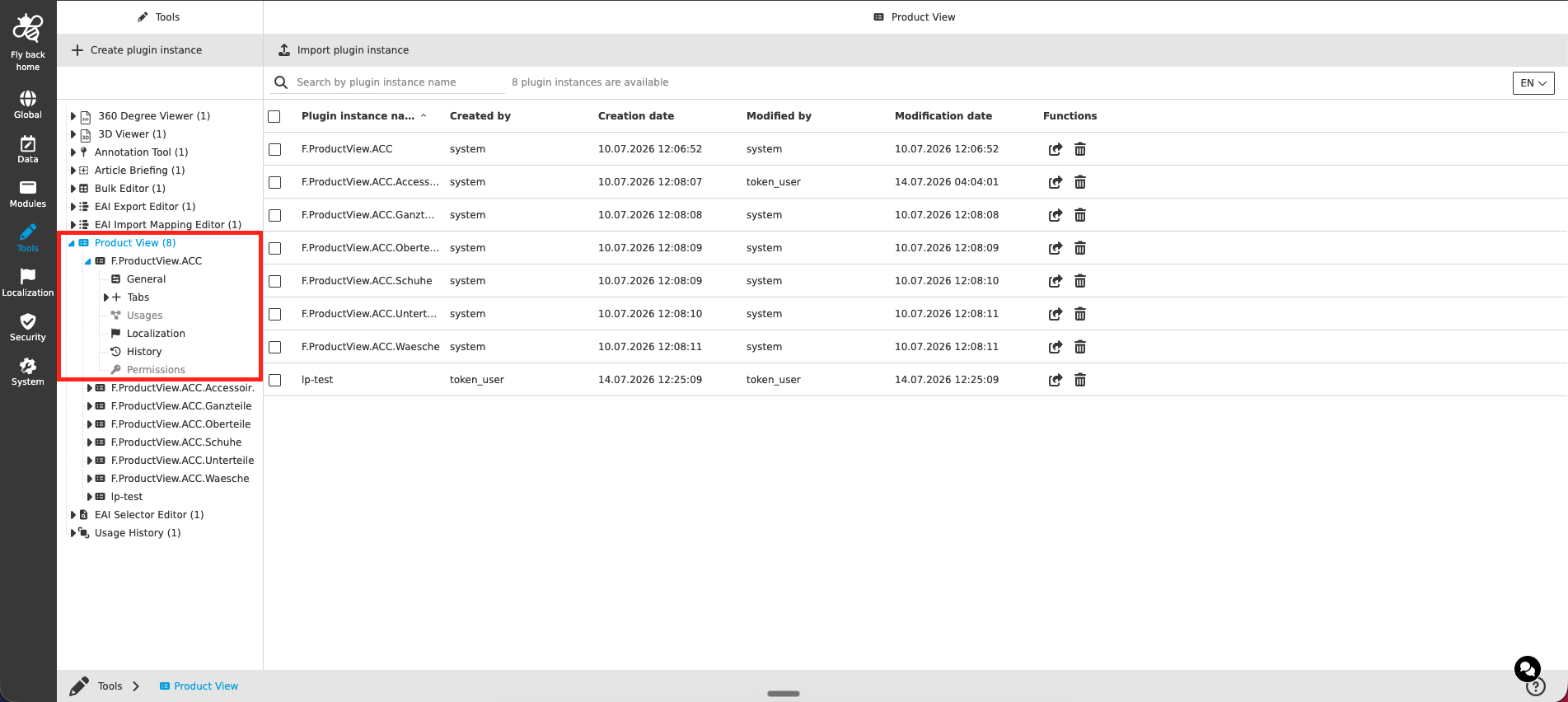
The configuration of the Product View tool includes the following parts:
| Tab name | Description | Note |
|---|---|---|
General |
On this page the user can configure the pattern for the visualization of the PIM items (product, article, variant) in the left panel of the Product View. |
See more details "General" |
Tabs |
On this page the user can configure which tabs are available in the Product View, their order and their localizations. Each configured tab is shown as a sub-element in the tree of the Configuration Client and can be configured there in detail. |
See more details "Tabs" |
Usages |
On this page the user can see the relations of the Product View tool to other plugins. |
Content coming soon… |
Localization |
On this page the user can localize his/her own Product View tool to see wished terms in the UI. |
See more details Localization tab of the plugin instances |
History |
On this page the user can overview all modifications made in the Product View and have an initial state available as a file to understand who, when and what changed within the configuration. |
See more details "History" |
Permissions |
On this page the user can restrict the access to the plugin for certain roles. |
Content coming soon… |
Appearance in the frontend
All details of the Product View in the frontend can be found here.