Global Preview
The Global Preview contains the parameters which apply to the generation of all preview types. They limit the source files which are processed, control the output handling of the used tools and define the general Image Magick behavior regarding layers and transparency.
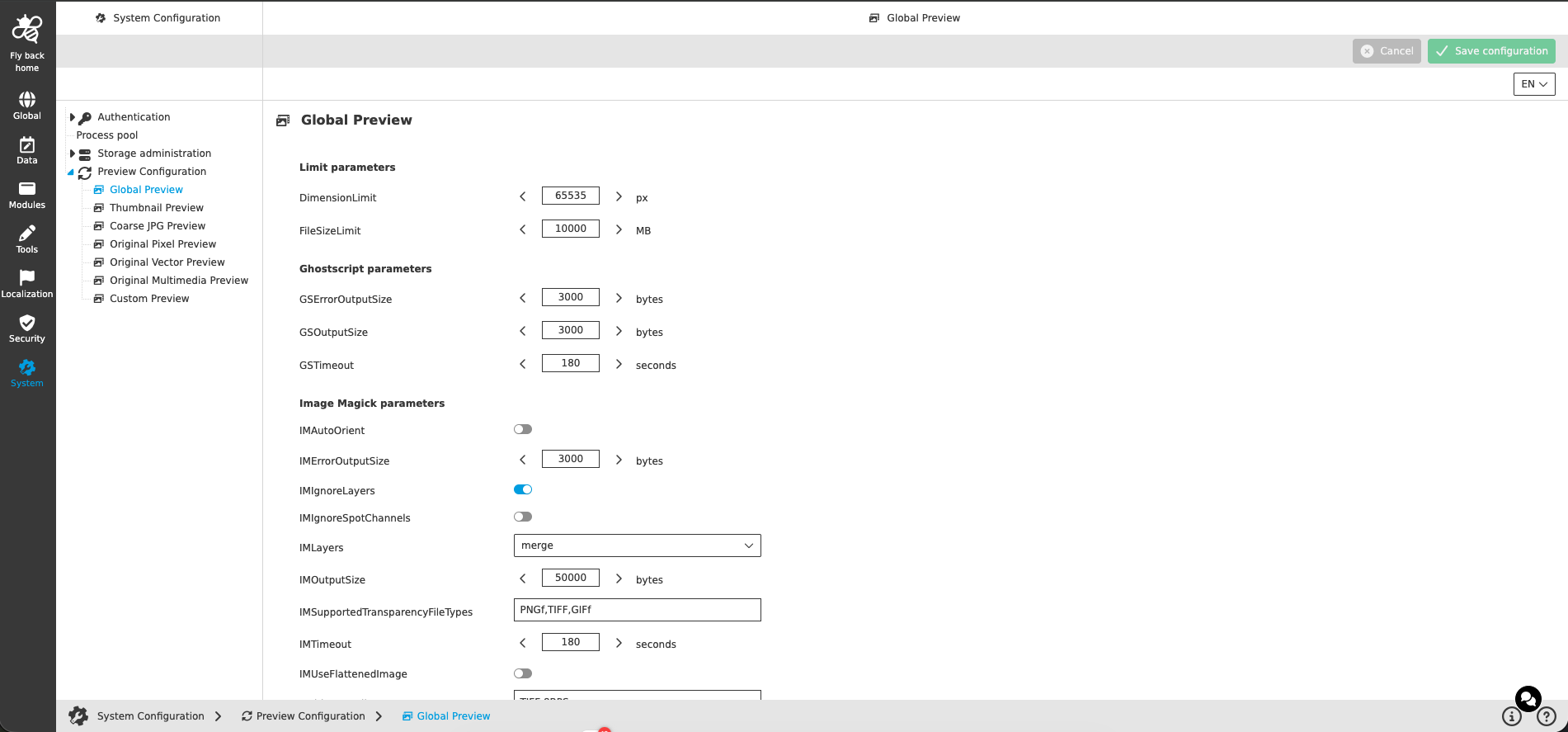
Limit parameters
The limit parameters define which source files are processed by the preview generation at all. Files exceeding a limit are skipped and get no generated preview.
| Name of option | Description | Note |
|---|---|---|
DimensionLimit |
Maximum dimension (width or height) in pixels a source file may have to be processed for preview generation. |
|
FileSizeLimit |
Maximum file size in megabytes a source file may have to be processed for preview generation. |
|
Ghostscript parameters
Ghostscript is used to generate previews of PostScript and PDF based files. The parameters control the process handling of the Ghostscript calls.
| Name of option | Description | Note |
|---|---|---|
GSErrorOutputSize |
Maximum size of the error output of a Ghostscript call which is captured and logged. |
|
GSOutputSize |
Maximum size of the standard output of a Ghostscript call which is captured and logged. |
|
GSTimeout |
Maximum runtime of a Ghostscript call. If the timeout is exceeded, the preview generation of the file is aborted. |
|
| The Ghostscript parameters which control the quality of the PDF previews are configured in Original Vector Preview. |
Image Magick parameters
ImageMagick is used to generate the pixel based previews (thumbnail, coarse and original pixel previews). The parameters control the process handling as well as the handling of layers, spot channels and transparency.
| Name of option | Description | Note |
|---|---|---|
IMAutoOrient |
If activated, the image is rotated automatically according to the orientation information (EXIF) of the source file before the preview is generated. |
|
IMErrorOutputSize |
Maximum size of the error output of an ImageMagick call which is captured and logged. |
|
IMIgnoreLayers |
Ignore Photoshop layers - if activated, the layers of a Photoshop file are ignored and only the composite image is used for the preview generation. |
|
IMIgnoreSpotChannels |
If activated, spot color channels of the source file are ignored for the preview generation. |
|
IMLayers |
Handle multiple images forming a set of image layers - defines the ImageMagick layer method which is used to combine the layers of a multilayer file into one image. |
|
IMOutputSize |
Maximum size of the standard output of an ImageMagick call which is captured and logged. |
|
IMSupportedTransparencyFileTypes |
Comma separated list of OMN file types for which the transparency (alpha channel) of the source file is evaluated during the preview generation. |
|
IMTimeout |
Maximum runtime of an ImageMagick call. If the timeout is exceeded, the preview generation of the file is aborted. |
|
IMUseFlattenedImage |
Use flattened image for multilayer image - if activated, the flattened (composite) image of a multilayer file is used for the preview generation instead of combining the single layers. |
|
MultiLayersFileTypes |
Comma separated list of OMN file types which are treated as multilayer files. |
|