WFLTodoList page plugin

Settings

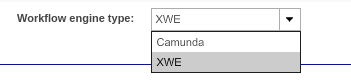
Workflow engine type setting:
wflenginetypesetting

Workflow engine type setting for WorkflowStatus, WorkflowToDoList, ProjectWorkflowsView plugins. Which makes it possible to choose the workflow engine type ('Camunda' or 'XWE').

For creating a plugin to support XWE engine, select XWE.
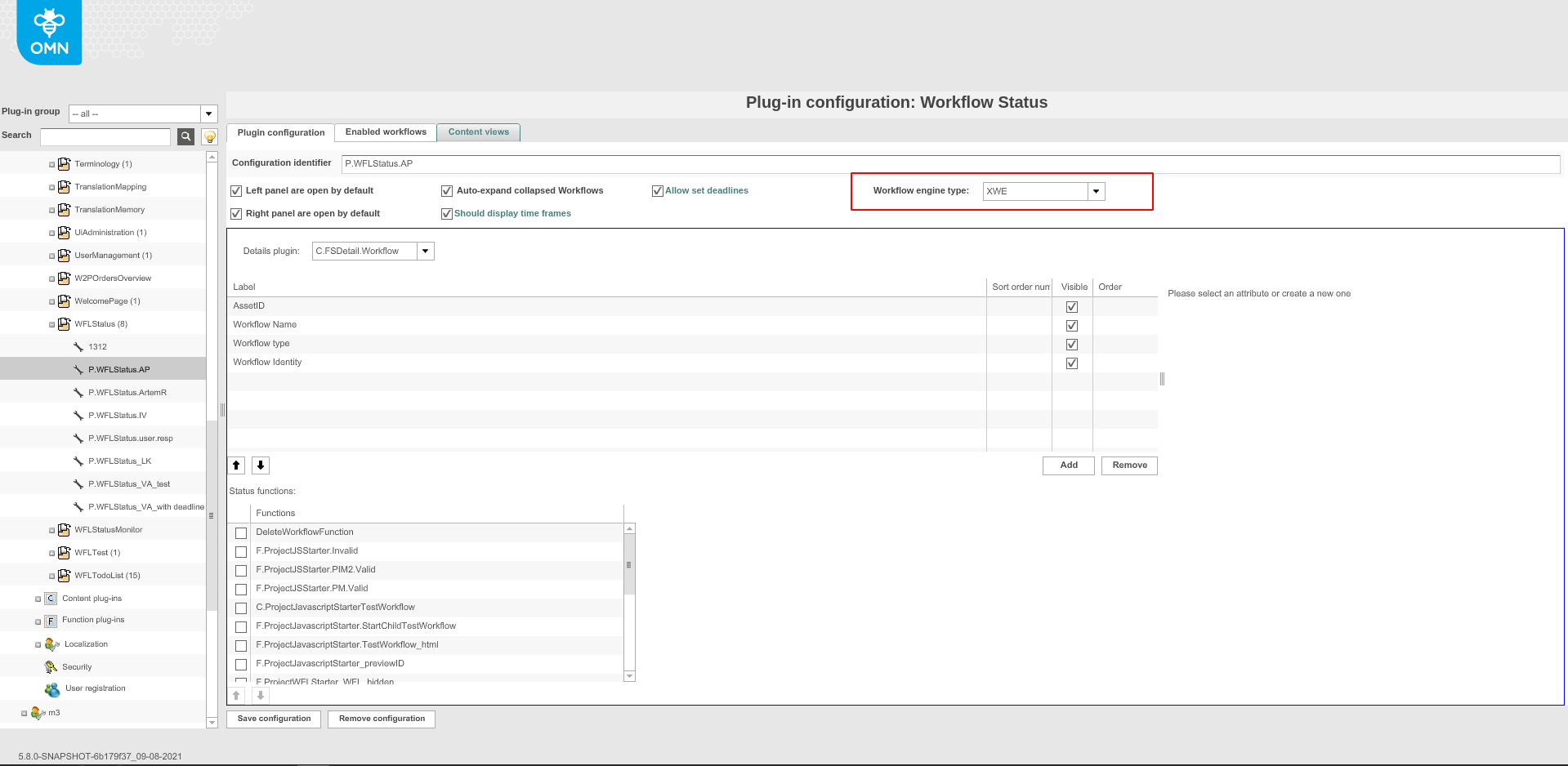
wflenginedropdown

For creating a plugin to support Camunda engine, select Camunda.
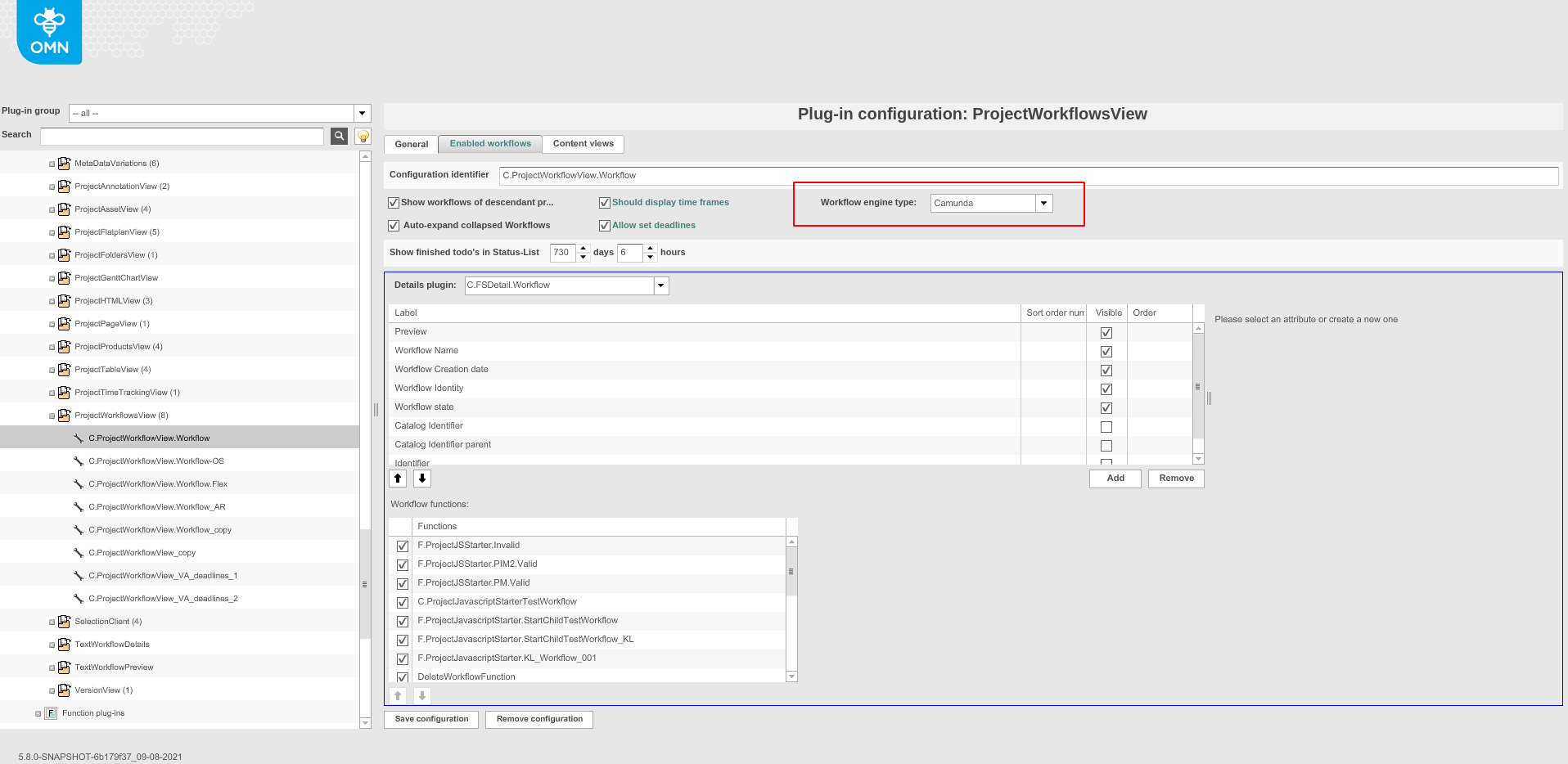
camundadropdown

The default value is 'XWE'.

Need to be careful when adding contentViews, because XWE engine type support com.meylemueller.workflow.persistence.ProcessEntity for object type.

processentitytype

But Camunda engine type support com.meylemueller.workflow.engine.camunda.expressions.Task for object type.

camundaobjecttype

Enabled workflow must match the selected engine type.
Available Functions

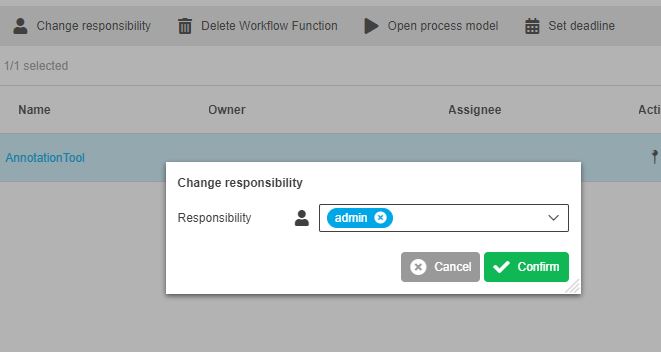
ChangeResponsibilityFunction

Opens up a modal where you can change the responsible User/Role.

change responsibility function

MassWorkflowOpenWeb2PrintTabFunction

This is an XWE function and it is not available in HTML5

MassMDTranslationFunction

This is an XWE function and it is not available in HTML5

MassDelegationFunction

Allows multiple status changes

This function is only available for XWE

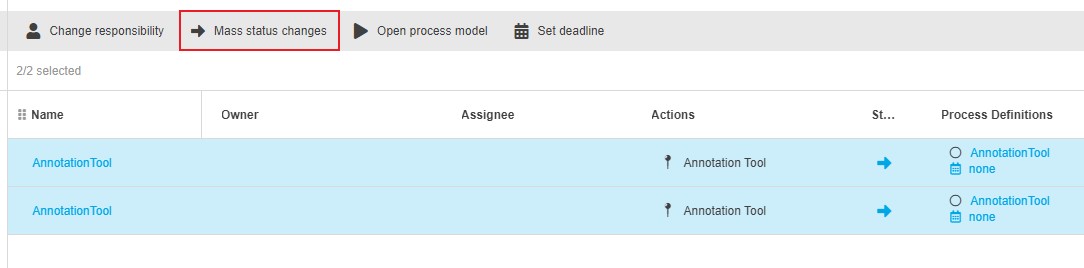
MassChangeStatusFunction

Changes status of multiple workflows at once.

mass change status function

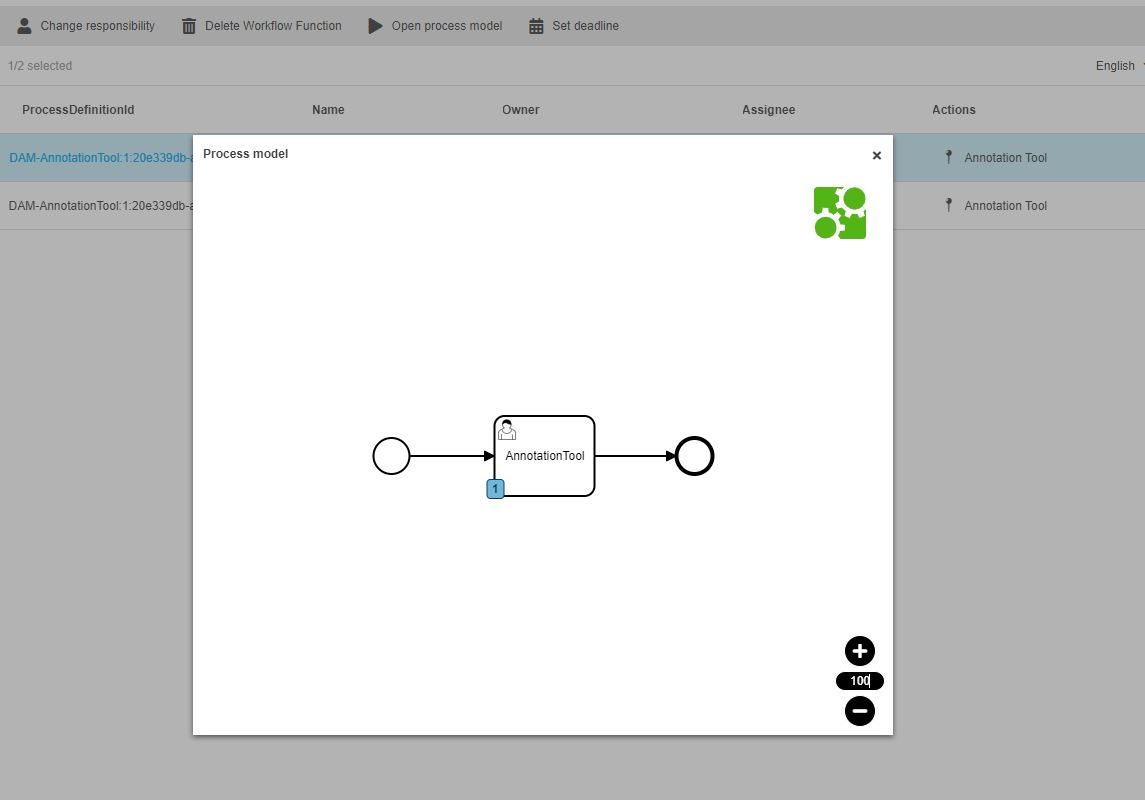
OpenProcessModelFunction

Opens a modal window and visualizes the Camunda Process in it.

The Expression CamundaTask: ProcessDefinitionId needs to be configured into the FSTable so the function works.
process model function

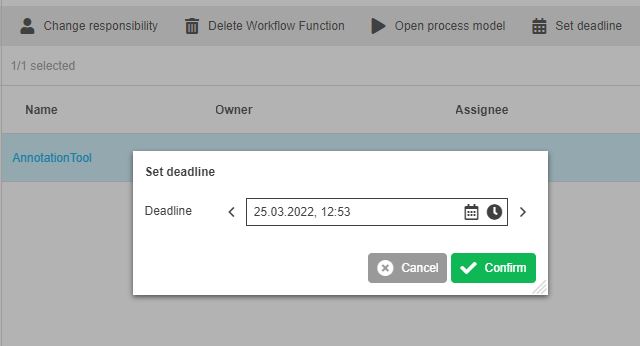
SetDeadlineFunction

Opens up a modal where you can set a Deadline (DATE) for the workflow.

set deadline function

WFLTodDoReportFunction

This function is an XWE function and not supported in HTML5

Welcome to the AI Chat!

Write a prompt to get started...