References
This page provides the possibility to configure the references that are relevant for the asset slot linking within the Article Briefing, so user can organize references according to PIM2 data model needs.
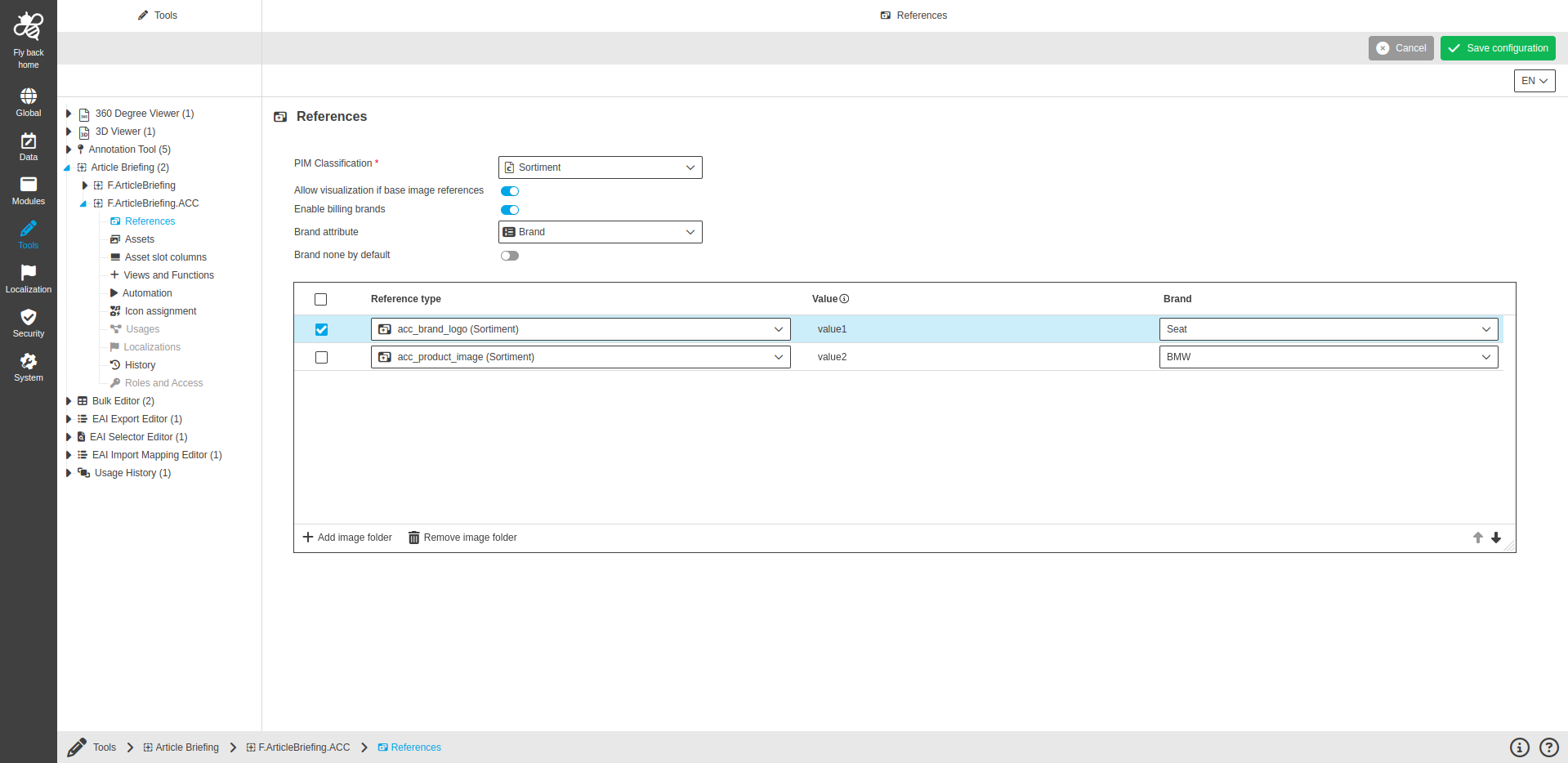
| Name of option | Description | Note |
|---|---|---|
PIM Classification |
The field defines which PIM Classification will be configured to open Article Briefing |
This field is mandatory. |
Allow visualization of base image references |
If activated, the visualization of 1:1 assignments of assets differs from edited images (a dashed green border means the image has been edit) |
This field is optional. |
Enable billing brands |
By activating the toggle, an attribute relevant to billing can be configured, which can be selected in the UI in order to execute a billing process by clicking on save. |
This field is optional |
Brand attribute |
The field is used to configure the brand attribute. Only channel attributes from the type enum can be configured here. |
The dropdown is only available if 'Enable billing brands' toggle is turned on. This field is optional. |
Brand none by default |
|
This field is optional. |
Table widget to configure references
Added reference types are shown in the Asset slots view and according to the configuration, the user can add assets to the product(s) and link them.
| Column name | Description | Note |
|---|---|---|
Reference type |
Dropdown lists all available reference types attributes of the selected classification. |
This field is mandatory. |
Value |
Input field to enter an abbreviation or any value belonging to the reference type as additional information for the user. |
This field is optional. The entered value will be shown in the frontend as an extra column in the 'Asset slots' center view. |
Brand |
Dropdown which lists all available values for the configured brand attribute. |
This field is optional. If configured, the reference type contains predefined billing information in the frontend. |