Defining rule values
This page describes the common steps that should be done in case you need to define rules.
Here is the example of how the configuration of rules looks like (from Security settings):
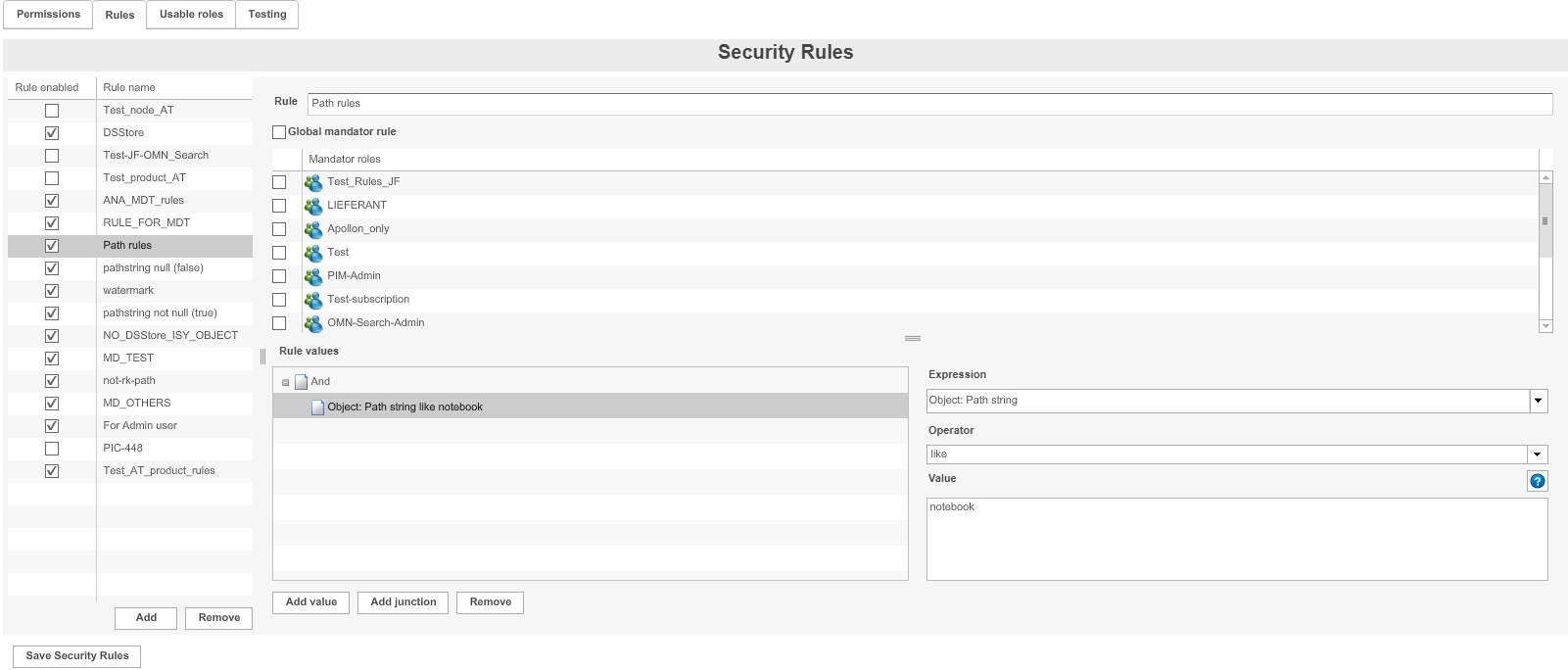
-
Click Add to add a new rule
-
Name the new rule in corresponding rule field
-
Click Add value, to add a rule value, alternatively you can change existing rule
-
Click Add junction, to add a junction to a rule
-
Click on the newly added value and enter the following information:
-
Expression
-
Operator
-
Value
-
-
To save the configuration and all changes made, click Save configuration