Subgroup Configuration

Purpose

The Subgroup Configuration is a configuration for subgrouping element to manage the key-value pairs in a meaningful way.

General configuration

This is how the configuration looks like:
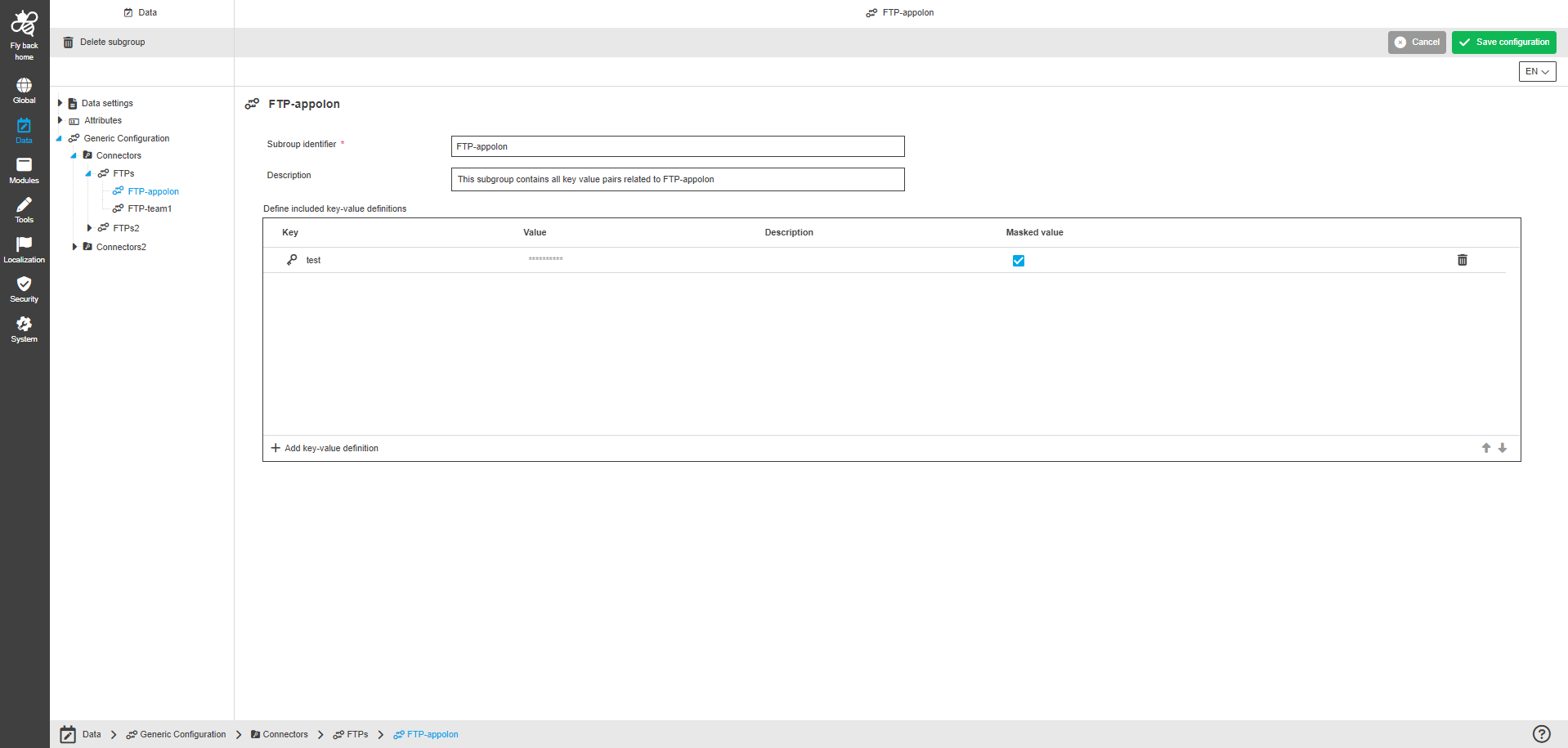
subgroup configuration
Figure 1. The configuration structure of the Subgroup Configuration

The configuration of Subgroup Configuration page includes the following parts:

Name Description Note

Subgroup identifier

This option provides to enter the subgroup identifier.

  • The following validation is available for the "Subgroup identifier" field:

    • The identifier must be mandatory;

    • The identifier must be unique;

    • The identifier must consist only of lowercase characters;

    • The identifier must not include special characters.

Description

This option provides to enter a description of the purpose of the subgroup.

The "Description" field is optional.

Define included groups

The table widget provides to configure a subgroup as a structure element for generic configuration and organize key-value pairs within.
The table widget contains the following columns:

  • Key
    This option provides to enter the key name.

  • Value
    This option provides to enter the value.

  • Description
    This option provides to enter a description of the key-value definition.

  • Masked value
    This option provides to activate/deactivate if the value is masked or not.

The table widget also contains the following functions:

  • to add a key-value definition;

  • to delete a key-value definition.
    The function is available only when at least one item is selected.

The configured key-value definitions within the table widget can be sorted by arrow icons.

Welcome to the AI Chat!

Write a prompt to get started...