3D Viewer
Purpose of the plugin
With the 3D Viewer, 3D objects can be inserted into various scenes and viewed in a 360-degree panoramic view, either perspective or isometric.
Possible usage of the plugin
The 3D Viewer can be used in:
-
Advanced Search page plugin
-
Formbased Search page plugin
-
DAM Navigation page plugin
-
Channel Asset View content plugin
-
Channel Products View content plugin
-
Workflow (Human function)
-
Product View function plugin
Preconditions
-
To open the editor in the UI, 3D files needs to be available on the OMN system
| An explanation how to create a 3D file to show inside OMN will be given below. |
Supported plugins
The 3D Viewer supports the following plugins:
-
Direct Download function plugin
-
Javascript function plugin
-
Java function plugin
-
Workflow Configuration function plugin
General configuration
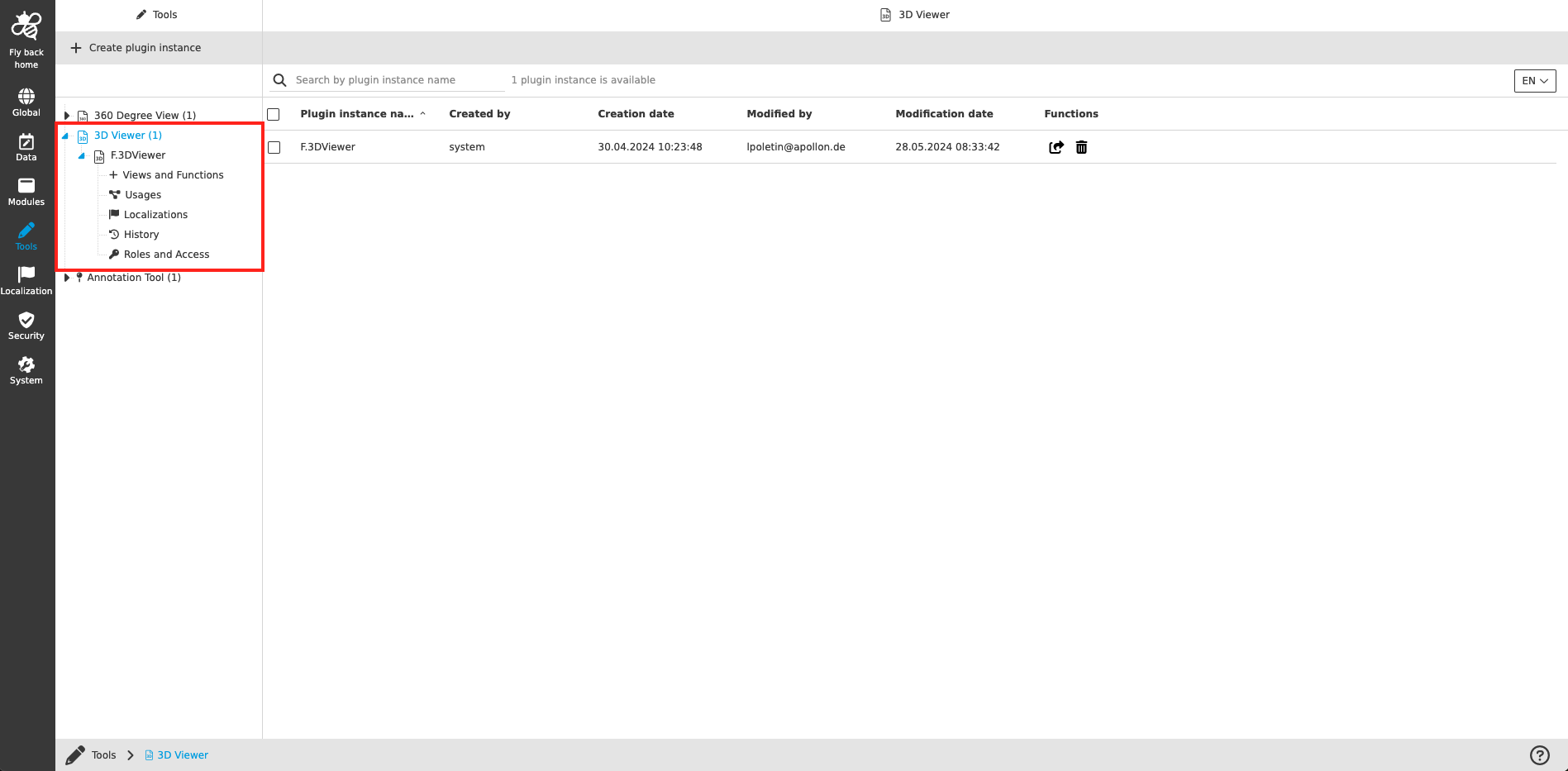
The configuration of 3D Viewer includes the following parts:
| Tab name | Description | Note |
|---|---|---|
Views and Functions |
On this page the user can define which content views and functions should be shown on the UI client. |
See more details 'Views and Functions'' |
Usages |
On this page the user can see the relations of the 3D Viewer tool to other plugins. |
Content coming soon… |
Localization |
On this page the user can localize his/her own 3D Viewer tool to see wished terms in the UI of 3D Viewer. |
See more details Localization tab of the plugin instances |
History |
On this page the user can overview all modifications made in 3D Viewer tool and have an initial state available as a file to understand who, when and what changed within the configuration. |
See more details 'History tab of the plugin instances' |
Permissions |
On this page the user can restrict the access to the plugin for certain roles. |
Content coming soon… |
Appearance in the frontend
All details of the 3D Viewer in the frontend can be found here.
Creation of 3D files
A detailed description for 3D files, that can be displayed in OMN can be found here.