Workflow localization
Using the Camunda Modeler, the following workflow process specific localizations can be maintained.
-
Process definition localization
-
Usertask localization
-
Transition localization
Human functions will be localized within the plugin instance in Configuration Client.
Process definition localization
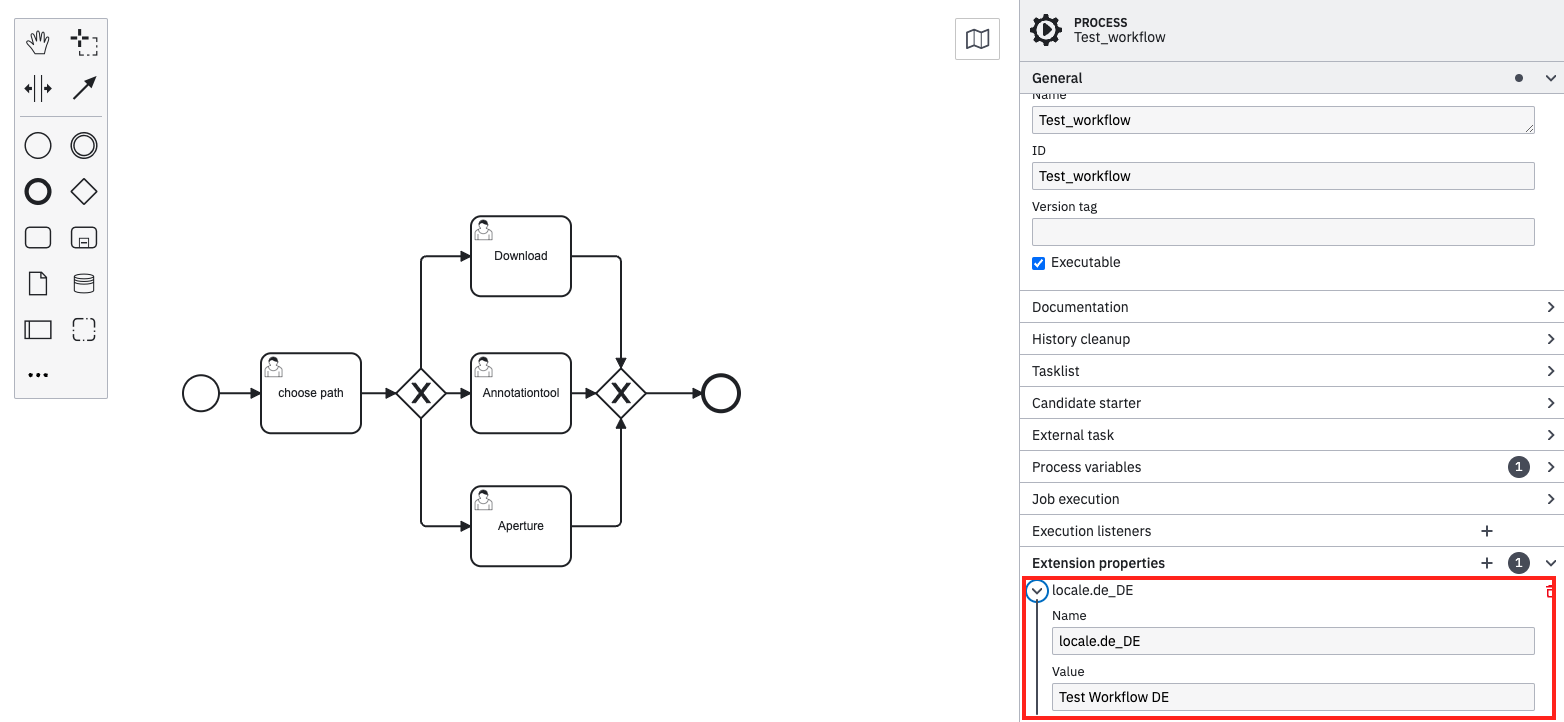
Process definitions can be localized in Camunda Modeller using the 'Extension properties'.
-
Open 'Properties panel' in Camunda modeller.
-
Open 'Extension properties'
-
click on '+' to enter a new property
-
Enter localization in the following naming convention:
| Properties field | Input field | Note |
|---|---|---|
Name |
locale.[ISO-Code_Country-Code] |
ISO-Code and Country-Code needs to match the OMN language section. Each language needs to be added as own key value pair. |
Value |
Enter wished value for the process definition. |
Entered value will be shown in OMN UI for the process definition (for example in process filters in left panel of workflow tasklist or statuslist). |
Usertask localization
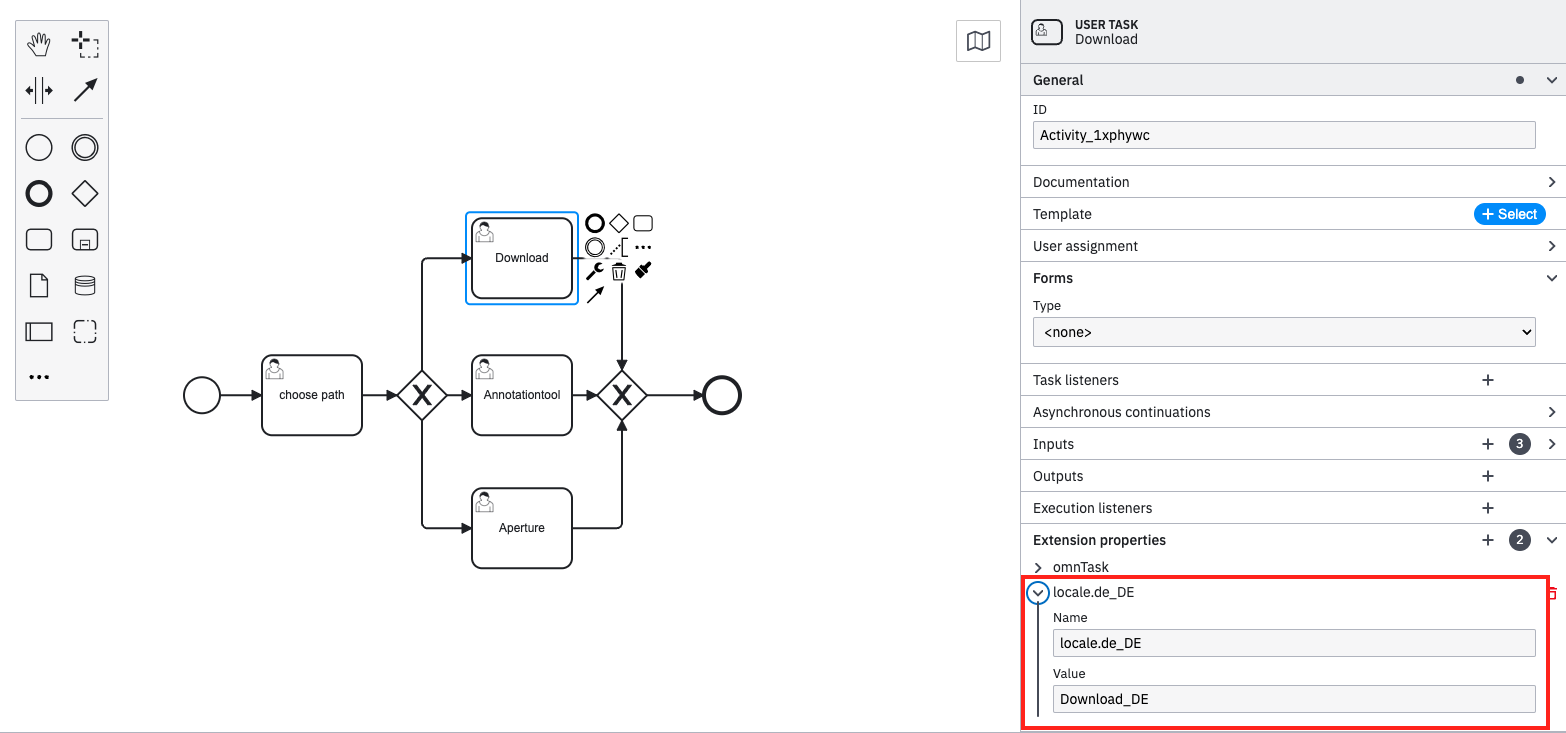
Usertasks can be localized in Camunda Modeller using the 'Extension properties'.
| Usertasks, which have been created with a template needs to be unlinked first, so that 'Extension properties' are available. |
-
Open 'Properties panel' in Camunda modeller.
-
Open 'Extension properties'
-
click on '+' to enter a new property
-
Enter localization in the following naming convention:
| Properties field | Input field | Note |
|---|---|---|
ID |
locale.[ISO-Code_Country-Code] |
ISO-Code and Country-Code needs to match the OMN language section. Each language needs to be added as own key value pair. |
Value |
Enter wished value for the usertask. |
Entered value will be shown in OMN UI for the usertask when corresponding system language is set. |
Transition localization
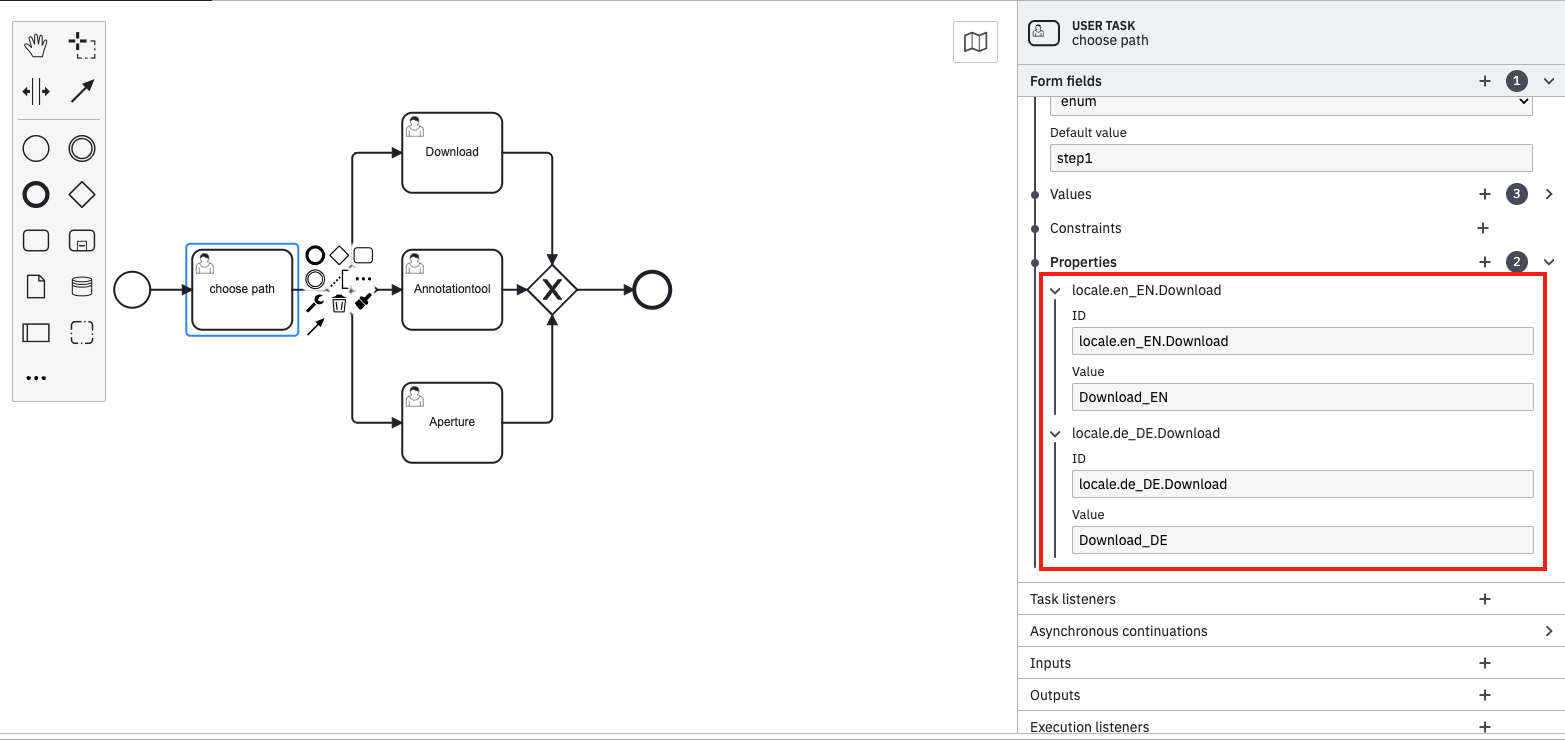
Transitions can be localized in Camunda Modeller using the 'Form fields' properties.
-
Select step decision usertask, which should be localized (usertask before gate, detailed configuration information here)
-
open 'Form fields'
-
open 'Properties' sub item
-
click on '+' to enter a new property
-
Enter localization in the following naming convention:
| Properties field | Input field | Note |
|---|---|---|
ID |
locale.[ISO-Code_Country-Code].[Transition] |
ISO-Code and Country-Code needs to match the OMN language section. Each language needs to be added as own key value pair. |
Value |
Enter wished value for the transition. |
Entered value will be shown in OMN UI tooltip, when hovering the transition and corresponding system language is set. |
| "Localization fields/attributes" for tasks are created by applying an OMN element template |