Execution strategies
The execution strategy can be used to control how a workflow started on selected objects is executed (direct execution, sequential execution, cascading execution, parallel execution vs. package execution).
The following settings are available:
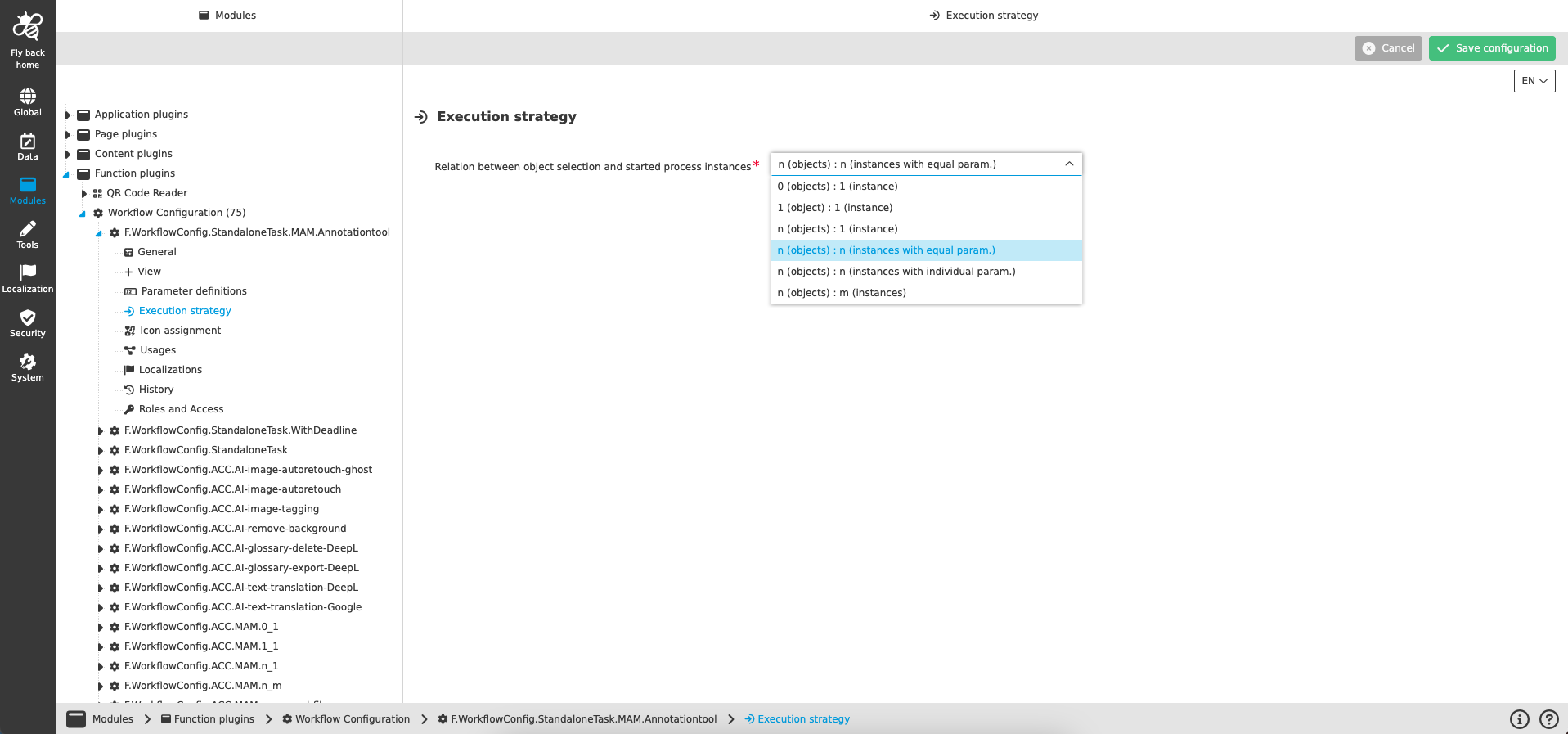
| Name of option | Description |
|---|---|
Relation between object selection and started process instances |
Dropdown, which provides the available execution strategies (listed in table below) |
| Execution strategy | Description |
|---|---|
0 (objects) : 1 (instance) |
No objects are selected in the UI, function is available in the toolbar and by click one process will be started. |
1 (object) : 1 (instance) |
Direct execution of a process with creating a relation to the selected object. |
n (objects) : 1 (instance) |
Direct execution of a process with creating a relation to the selected objects. |
n (objects) : n (instances with equal param.) |
Direct executions of processes with creating a relation to the selected objects (1:1). All process instances are running with the same set of defined parameters, beside selection. |
n (objects) : n (instances with individual param.) |
Direct executions of processes with creating a relation to the selected objects (1:1). All process instances can contain individual sets of defined parameters (optional). |
n (objects) : m (instances) |
Direct executions of processes with creating a relation to the selected objects (n:1). All process instances can contain individual sets of defined parameters (optional). |
Appearance in the frontend
All details of the Workflow Configuration plugin in the frontend can be found here.